
UniFi Buyer's Guide 2026: What to Buy for a Business Network
Choose the right UniFi gateway, PoE switch, WiFi 7 access points, and cameras for a small office or larger business, with tested configurations and current 2026 pricing.

Quick Start: Where to Begin with UniFi
Small office (1-10 people): Dream Router 7 ($279) + Pro Max 16 PoE switch ($399) + 2× U7 Pro ($189 each) = ~$1,056
Medium business (10-50 people): Dream Machine Pro ($379) + Pro Max 24 PoE ($799) + 4× U7 Pro XG ($199 each) = ~$1,974
Enterprise (50+ people): Dream Machine Pro Max ($599) + Pro Max 48 PoE ($1,299) + 6× U7 Pro XGS ($299 each) + cameras = ~$4,000+
Our approach: We focus on mid-to-high tier equipment in our deployments because these products provide more capacity for network growth and future technology upgrades. The specifications and trade-offs for each tier are detailed below.
Top UniFi Products by Category (2026)
For most businesses, the Dream Router 7 ($279), Pro Max 16 PoE switch ($399), and U7 Pro access point ($189) form our preferred baseline.
| Category | Budget-Conscious | Professional Standard | High-Performance | Enterprise |
|---|---|---|---|---|
| Gateway | Express 7 ($199) | Dream Router 7 ($279) | Dream Machine Pro Max ($599) | Enterprise Fortress ($1,999) |
| Switch | Lite 8 PoE ($109)* | Pro Max 16 PoE ($399) | Pro Max 24 PoE ($799) | Pro XG 24 PoE ($1,799) |
| Access Point | U7 Lite ($99)* | U7 Pro ($189) | U7 Pro XG ($199) | U7 Pro XGS ($299) |
| Camera | G5 Flex ($129) | G6 Bullet ($199) | G6 Pro Bullet ($479) | G6 Pro Bullet ($479) |
| Key Feature | Basic functionality | 6 GHz WiFi 7, 10G ready | RAID, Etherlighting, 10G | 25G backbone, HA |
*Trade-offs: Lite 8 PoE offers 52W PoE budget (suitable for 2-3 devices), U7 Lite operates on 2.4/5 GHz bands without 6 GHz support.
As of July 2026, the current lineup includes the Dream Router 7 and Cloud Gateway Fiber for desktop deployments, the Cloud Gateway Industrial for harsh environments, the U7 Pro XGS for high-density WiFi 7, and the UNAS 2 for entry-level Network Attached Storage (NAS) — all covered below.
Prices checked July 13, 2026
All prices in this guide are US MSRP from the official Ubiquiti Store and do not include taxes, shipping, SFP/DAC modules, hard drives, cabling, or installation. Availability and pricing vary by region. Field observations (sustained power draw, thermal measurements, VPN throughput) reflect our South Florida deployments and may differ in other environments.
How We Test
Recommendations in this guide come from UniFi deployments across dozens of South Florida businesses and luxury homes. The sustained PoE wattages, thermal measurements, and lead-time estimates below reflect our field data, not manufacturer spec sheets.
Affiliate Disclosure: This article contains affiliate links. If you make a purchase through these links, we may earn a small commission at no extra cost to you. As an Amazon Associate, iFeelTech earns from qualifying purchases.
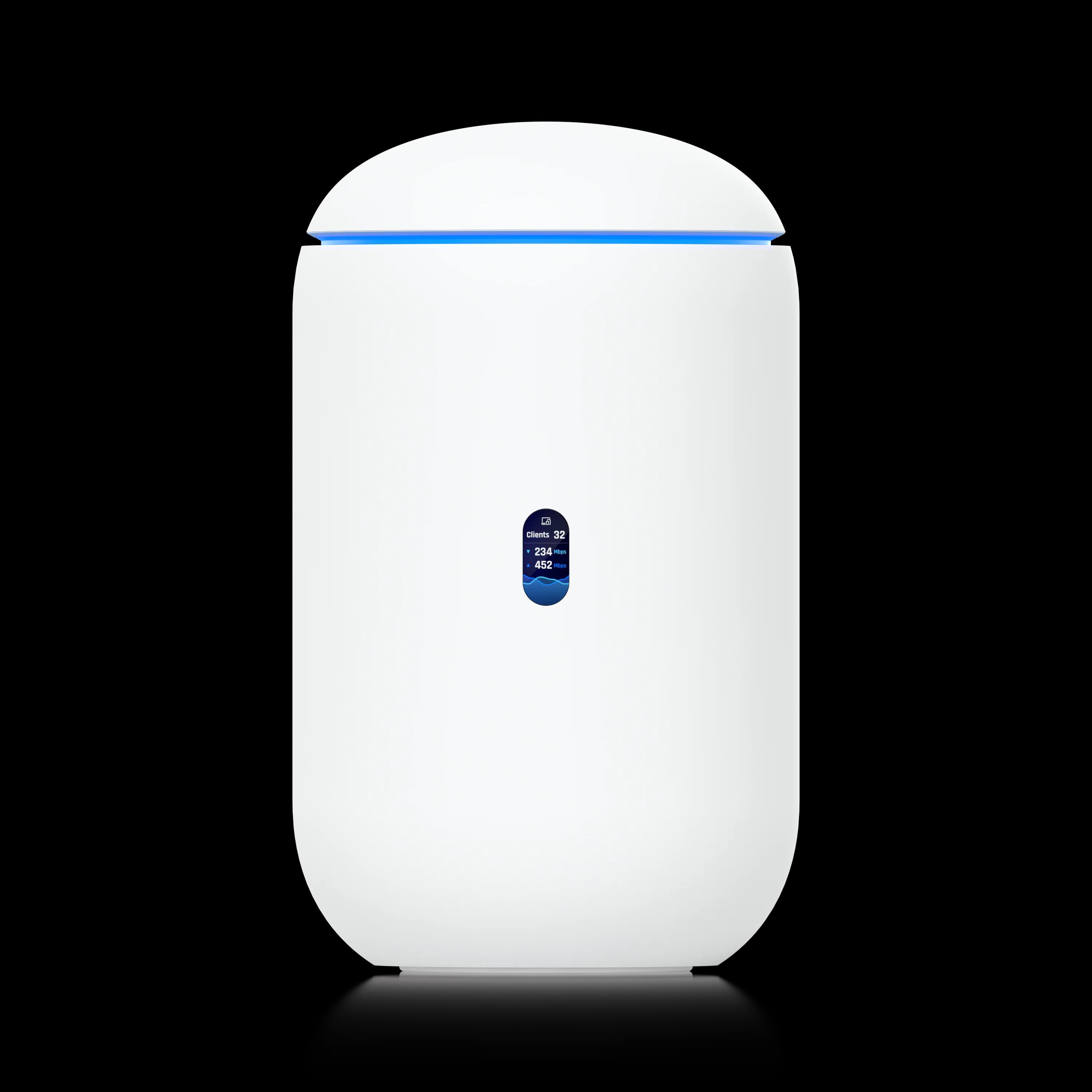
Dream Router 7
All-in-one gateway with 10G SFP+ WAN, integrated WiFi 7, and 2.3 Gbps IDS/IPS throughput for 1-10 person offices.
- 10G SFP+ WAN Port
- Integrated WiFi 7 Tri-Band
- 2.3 Gbps IDS/IPS
- Manages 30+ Devices
*Price at time of publishing
Understanding the UniFi Ecosystem
UniFi OS provides one console for the wider ecosystem. The Network application manages gateways, switches, and access points, while Protect manages cameras and recordings. Unlike traditional multi-vendor environments requiring separate management consoles, UniFi consolidates network infrastructure, security, and surveillance under a single login.
What Makes UniFi Different: Licensing and Architecture
UniFi requires no mandatory licensing to operate, though optional third-party integrations exist. Core functionality—routing, switching, WiFi, and basic security—works without recurring subscriptions. The optional CyberSecure subscription — powered by Proofpoint and incorporating Cloudflare capabilities — adds advanced threat intelligence starting at $99/year (Standard) or $499/year (Enterprise), but neither tier is required for operation. Feature availability may vary by gateway model and subscription tier.
The UniFi Network application (cloud-hosted or self-hosted) discovers, provisions, and manages gateways, switches, and access points from one dashboard. Add a new access point, and it appears automatically. Configure VLANs once, and they propagate across your switching infrastructure. UniFi's product family spans small offices through large multi-site networks, although gateways and switches must be upgraded as capacity, redundancy, and performance requirements increase.
UniFi occupies the space between consumer gear (Eero, Google WiFi) and traditional enterprise solutions (Meraki, Aruba), delivering enterprise features—VLANs, Intrusion Detection and Prevention System (IDS/IPS) inspection, centralized management—without enterprise licensing costs or consumer-grade limitations. If you are weighing UniFi directly against consumer mesh, our UniFi vs eero comparison covers the pricing and subscription differences in detail.
UniFi vs. Meraki cost structure: The total cost of ownership differs significantly between UniFi's one-time hardware model and subscription-based platforms like Cisco Meraki:
| Cost area | UniFi | Meraki |
|---|---|---|
| Hardware | One-time purchase | Hardware purchase |
| Management license | None required for core functionality | Active license required for operation |
| Security services | Optional (CyberSecure from $99/year) | Depends on license tier (Enterprise, Advanced Security) |
| Vendor support | Community forums, optional UI Care, or local integrator | Included with license tier; varies by support plan |
| Best fit | In-house IT or local integrator model | Organizations prioritizing contracted vendor support and standardized cloud operations |
Important context: Meraki offers multiple licensing tiers with different feature sets and pricing. Direct dollar-for-dollar comparisons depend heavily on the specific license tier, partner pricing, security subscriptions, and support level. UniFi eliminates recurring management fees for core functionality; Meraki bundles support, updates, and cloud management into ongoing costs. Organizations should request current quotes for both platforms based on their specific requirements. For a detailed migration perspective, see our Meraki to UniFi migration guide.
The Four Core Categories
Gateways: The central network controller. Handles routing, firewall, IDS/IPS, VPN, and network management. Choose based on IDS/IPS throughput (how much security inspection you can run at full speed), device capacity, and whether you need integrated WiFi or rackmount form factor.
Switches: Power and connectivity distribution. PoE (Power over Ethernet) switches eliminate separate power supplies for access points and cameras. Key decisions: port count, PoE budget (total watts available), and uplink speed (1G, 2.5G, or 10G).
Access Points: WiFi coverage. WiFi 7 with 6 GHz support is our preferred baseline for new deployments, offering less congested spectrum and higher throughput. Coverage planning depends on square footage, client density, and building construction.
Cameras (UniFi Protect): Video surveillance with no cloud subscriptions. Storage lives locally on gateway hard drives or dedicated NVRs. AI-powered detection (people, vehicles, license plates) runs on-device.
UniFi Network Application Overview
As of July 2026, UniFi Network 10.5 adds safer configuration changes with Test & Confirm automatic rollback, improved PPPoE handling with 1500-MTU support, historical client troubleshooting via Time Machine, firewall rule-hit statistics, and expanded multi-site management through Site Manager Fabrics. This video walkthrough covers the interface and management features:
Managing Multiple Locations with UniFi Site Manager
Organizations operating multiple branch offices, retail locations, or distributed campuses can centralize management through UniFi Site Manager—a cloud portal that aggregates all sites into a single dashboard. Each location runs its own UniFi gateway and controller, while Site Manager provides organization-wide visibility, firmware management, and configuration templates. This architecture allows IT teams to monitor network health, push updates, and troubleshoot issues across dozens of locations without traveling to each site. For businesses planning multi-site expansion, UniFi Site Manager scales from 2 to 100+ locations under unified oversight.
Which UniFi Gateway Should You Choose?
Select a UniFi gateway based on your required IDS/IPS throughput, total device capacity, and preferred form factor (rackmount versus desktop).
A UniFi gateway acts as your network's router, firewall, and management controller. You need a UniFi controller to adopt and manage switches and access points, but that controller does not have to be a gateway — a CloudKey, self-hosted Network Server, or hosted controller also works. A Cloud Gateway is the simplest option because it combines routing and management in one device. When planning a deployment, match the gateway's IDS/IPS throughput to your internet connection's maximum speed to avoid bottlenecking when security features are enabled.
Understanding IDS/IPS Throughput
IDS/IPS throughput determines how much traffic your gateway can inspect at full speed. A gateway rated for 1.5 Gbps IDS/IPS may limit throughput on a 2 Gbps fiber connection when security features are enabled. Professional deployments benefit from adequate IDS/IPS headroom.
The PPPoE Throughput Penalty
PPPoE (Point-to-Point Protocol over Ethernet) processing is largely single-threaded on UniFi gateways, which caps real-world throughput well below the published routing and IDS/IPS specifications. On gigabit PPPoE circuits, any current gateway sustains full line speed. Above 1 Gbps, the penalty becomes significant: in our testing of a Dream Machine Pro Max (UniFi OS 4.1, Network 10.4) on a 2 Gbps CenturyLink/Quantum Fiber PPPoE circuit with IDS/IPS enabled, we measured roughly 1.1–1.4 Gbps across multiple iPerf3 runs from a wired client.
If your provider delivers multi-gigabit fiber over PPPoE (common with CenturyLink/Quantum Fiber and many international ISPs), PPPoE performance can remain substantially below headline IDS/IPS ratings on some UniFi gateways, particularly UDM-class appliances. Network 10.5 introduced PPPoE improvements including 1500-MTU support, but verify current firmware performance before purchasing for a multi-gigabit PPPoE circuit. The practical fixes: ask the ISP whether DHCP/IPoE provisioning is available for your circuit, or choose the Dream Machine Pro Max or Enterprise Fortress Gateway, which post the best PPPoE numbers in the lineup. Published IDS/IPS specs are measured without PPPoE overhead.
Bypassing ISP Gateways (AT&T, Comcast)
Most fiber providers allow a UniFi gateway to connect directly to the ONT (Optical Network Terminal) via DHCP—no ISP router required. AT&T Fiber is the exception: its BGW gateway must stay in line, so enable IP Passthrough mode to hand the public IP to your UniFi gateway. Comcast Business customers with dynamic IPs can use bridge mode; static IP blocks require keeping the Comcast gateway in line. In any passthrough setup, disable the ISP unit's WiFi to avoid double NAT and competing DHCP servers.
Cloud Gateway Ultra vs. Dream Router 7: Feature Comparison
The Cloud Gateway Ultra ($129) offers 1 Gbps IDS/IPS throughput and four gigabit Ethernet ports in a compact desktop form factor. This capacity works well for home offices and small deployments with standard internet connections.
The Dream Router 7 ($279) increases IDS/IPS capacity to 2.3 Gbps, adds a 10G SFP+ WAN port for fiber upgrades, and includes integrated WiFi 7. These additional capabilities provide more headroom for growing networks and multi-gigabit internet connections.
For businesses planning to scale or expecting fiber upgrades, the Dream Router 7's additional features may justify the $150 price difference. For smaller, stable deployments with standard internet speeds, the Cloud Gateway Ultra provides adequate gateway functionality.
Gateway Recommendations by Office Size
Small Office (1-10 People): Dream Router 7 ($279) or Express 7 ($199)
The Dream Router 7 combines gateway, WiFi 7 access point, and PoE switch in a compact desktop form factor. Its 10G SFP+ WAN port provides upgrade capacity for multi-gigabit fiber, while 2.3 Gbps IDS/IPS throughput handles security inspection without performance penalties.
Key specs:
- 2.3 Gbps IDS/IPS throughput
- 10G SFP+ WAN + 2.5 GbE WAN (dual-WAN capable)
- 3× 2.5 GbE LAN ports (one with PoE)
- Integrated WiFi 7 tri-band (up to 5.7 Gbps)
- 64GB microSD for UniFi Protect (up to 5 HD, 2 2K, or 1 4K camera; retention varies by settings)
- Manages 30+ UniFi devices, 300+ clients
Alternative: UniFi Express 7 ($199): Fanless all-in-one with the same WiFi 7 radios and the same 2.3 Gbps IDS/IPS throughput as the Dream Router 7, plus a 10G RJ45 WAN port. The trade-offs: a single 2.5 GbE LAN port (no built-in PoE switch), no SFP+ WAN, and no UniFi Protect camera support. Works well for wireless-first home offices and very small businesses—see our Express 7 vs Dream Router 7 comparison for the full breakdown.
Alternative: Dream Router 5G Max ($499, now available): Combines Dream Router 7 capabilities with integrated 5G cellular modem (up to 3.4 Gbps downlink). Supports dual SIM/eSIM for carrier flexibility and automatic failover. Best for pop-up offices, remote locations without wired internet, or businesses requiring cellular backup connectivity. See our 5G failover setup guide for configuration details.
Best for: Small offices, branch locations, high-end homes where rack mounting isn't required. The integrated WiFi 7 radio covers 1,750 sq ft, eliminating the need for separate access points in smaller spaces.
Read our complete Dream Router 7 review for real-world deployment insights.
Medium Business (10-50 People): Dream Machine Pro ($379), Cloud Gateway Max ($199), or Cloud Gateway Fiber ($279)
For businesses outgrowing the Dream Router 7, three paths emerge:
Dream Machine Pro ($379): 1U rackmount gateway with 3.5 Gbps IDS/IPS, 8-port gigabit switch, 10G SFP+ ports, and a 3.5" HDD bay for UniFi Protect storage. A reliable choice for professional installations.
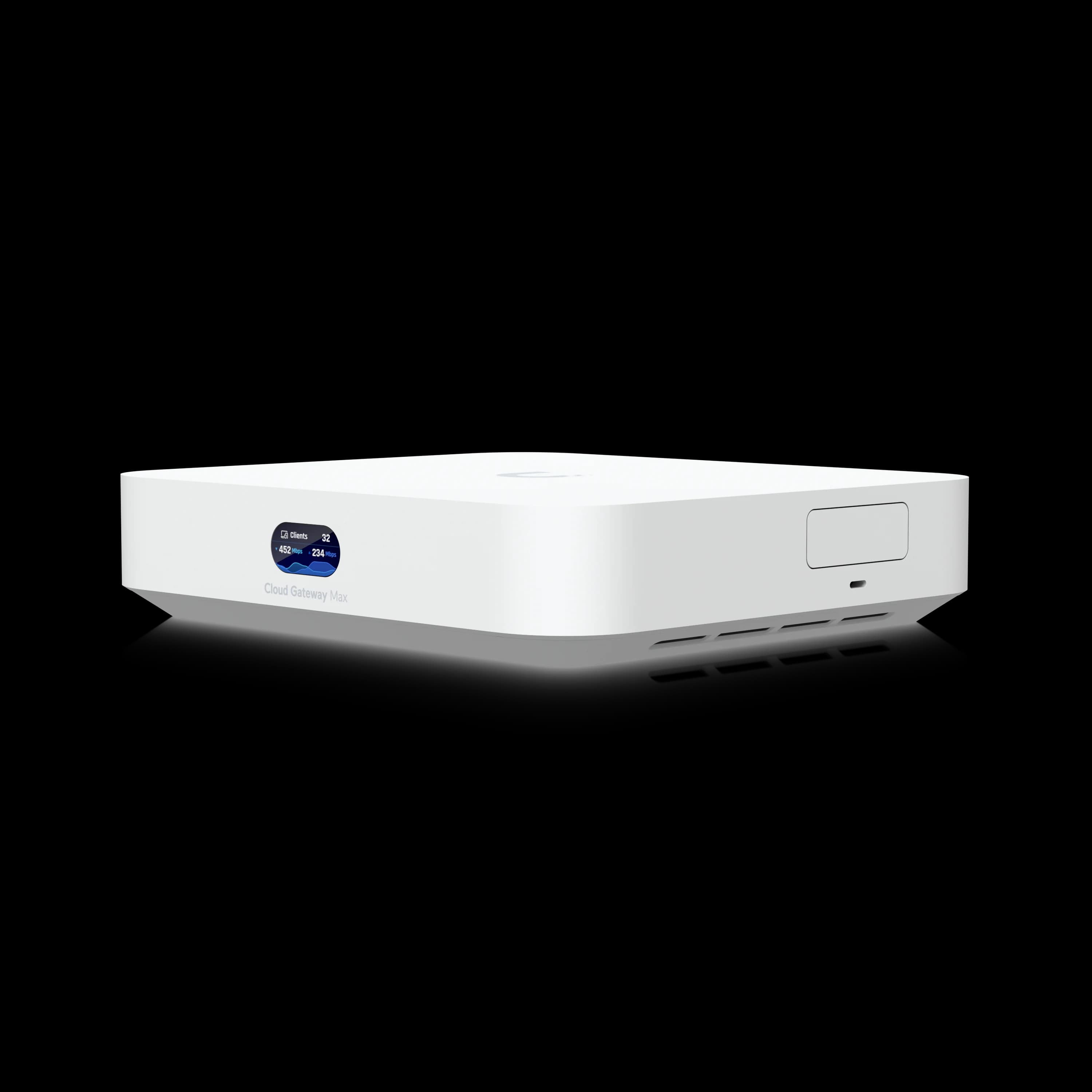
Cloud Gateway Max ($199, or $279 with 512GB NVMe storage): Compact desktop gateway with 2.3 Gbps IDS/IPS, four 2.5 GbE LAN ports, and USB-C power. The storage version supports UniFi Protect camera recording; choose it if cameras are part of your plan. Choose this when rack space isn't available but you need more capacity than the Dream Router 7. For a step-by-step build using the UCG-Max, see our budget 2.5 Gbps network guide. Not sure whether to start with the UCG-Ultra or go straight to the Max? See our Cloud Gateway Ultra vs Max comparison for a full breakdown.
Cloud Gateway Fiber ($279): Similar to Cloud Gateway Max but optimized for fiber connections with 10G SFP+ WAN. Supports UniFi Protect via onboard NVMe SSD storage. Best for organizations with multi-gigabit fiber internet requiring desktop form factor.
Only weighing the compact, non-rackmount options — Dream Router 7, Express 7, and Cloud Gateway Fiber? Our three-way compact gateway comparison lines them up side by side.
Key decision: Rackmount infrastructure? Choose Dream Machine Pro. Desktop deployment with standard internet? Choose Cloud Gateway Max. Desktop with multi-gig fiber? Choose Cloud Gateway Fiber. Weighing the Dream Machine Pro against the Pro Max? Our UDM Pro vs Pro Max comparison covers the decision in detail.
Large Business (50+ People): Dream Machine Pro Max ($599)
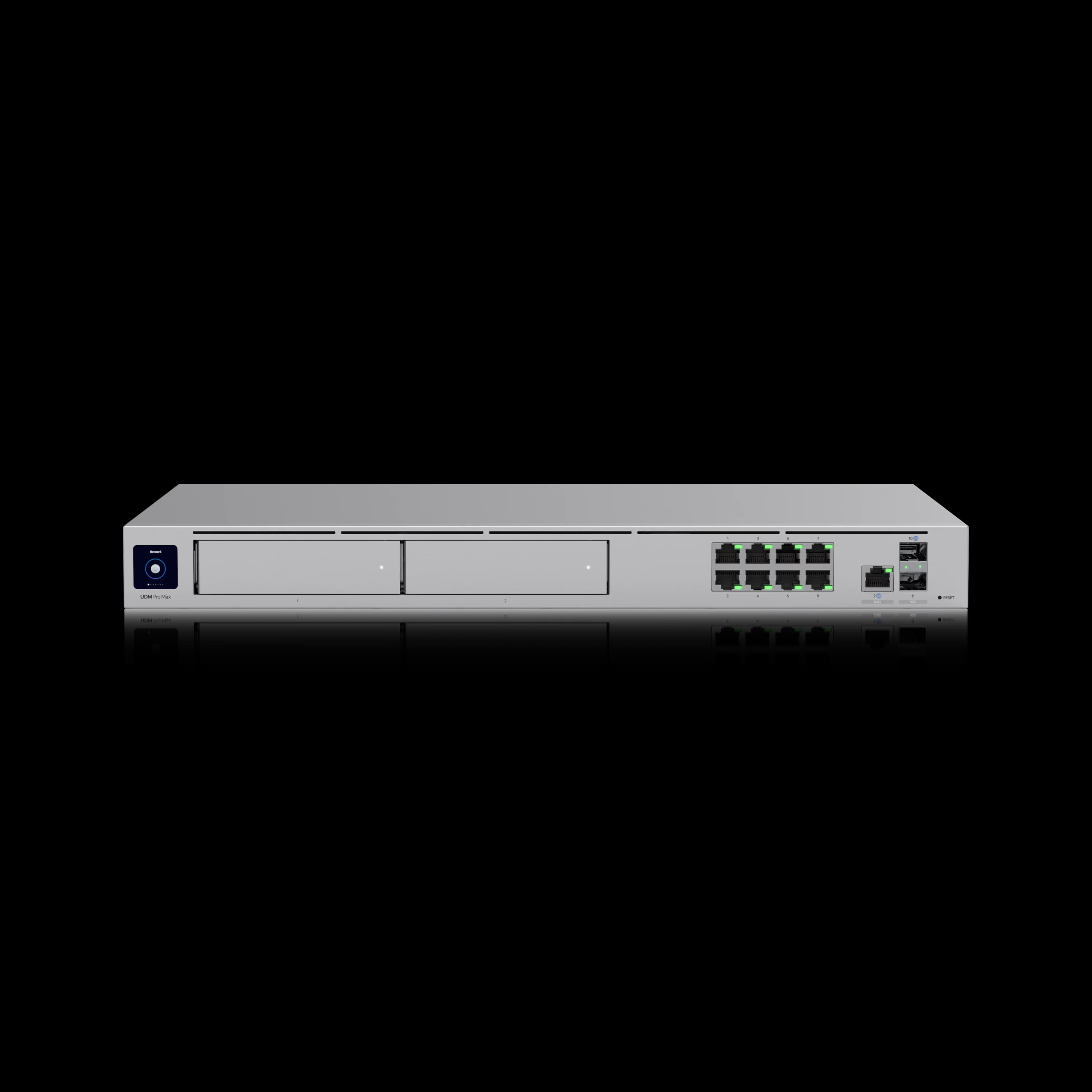
The Dream Machine Pro Max is our standard recommendation for larger business deployments. It combines 5 Gbps IDS/IPS throughput, dual RAID-protected HDD bays, and Shadow Mode High Availability support in a single 1U appliance.
Key specs:
- 5 Gbps IDS/IPS throughput
- Supports 200+ UniFi devices, 2,000+ clients
- Dual 3.5" HDD bays with RAID 1 protection
- 10G SFP+ port + 2.5 GbE WAN
- 8× GbE LAN ports
- Built-in 128GB SSD for OS and applications
- Shadow Mode High Availability (HA) failover support (see below)
Why RAID matters: Hardware failures happen. RAID 1 mirroring protects locally stored UniFi Protect recordings against a single-drive failure. When a drive fails, your cameras keep recording without interruption. Network configuration should also be protected through regular UniFi configuration backups, which are separate from the HDD storage.
See our UDM Pro Max review for detailed performance analysis and deployment scenarios.
Require 10G networking, 150+ managed devices, or an all-in-one NVR for 20+ cameras? See our Dream Machine Beast vs Pro Max comparison — the Beast ($1,499) is the top of the Dream Machine lineup and sits between the Pro Max and the EFG. For a hands-on look, see our Dream Machine Beast review.
Harsh Environments / No IT Closet: Cloud Gateway Industrial ($579)
For warehouses, retail back-of-house, manufacturing floors, and satellite locations without rack space or climate control, the Cloud Gateway Industrial combines routing, WiFi 7, and up to a 270W PoE budget (powered through its included 350W DC supply) in a single fanless wall-mount unit rated -30 to 50°C. It replaces what would otherwise require a gateway, PoE switch, and separate AP — at a lower total deployment cost when there is no existing infrastructure to build on.
Enterprise (100+ People): Enterprise Fortress Gateway ($1,999)
For organizations requiring maximum throughput and 25G connectivity, the Enterprise Fortress Gateway delivers 12.5 Gbps IDS/IPS routing with support for 500+ UniFi devices.
Key specs:
- 12.5 Gbps IDS/IPS throughput
- 2× 25G SFP28 ports + 2× 10G SFP+ ports
- Redundant hot-swappable power supplies
- Shadow Mode High Availability
- NeXT AI Inspection (SSL/TLS decryption for encrypted traffic analysis)
- 90-day professional support included
NeXT AI Inspection: The Enterprise Fortress Gateway includes NeXT AI Inspection, which decrypts and analyzes SSL/TLS traffic in real-time without additional licensing costs. This feature enables visibility into encrypted traffic, content filtering, and advanced threat detection within HTTPS sessions—capabilities typically reserved for dedicated security appliances. Organizations requiring deep packet inspection for compliance or security monitoring benefit from this integrated functionality.
Best for: Campus networks, multi-building deployments, organizations with 10G/25G backbone infrastructure, and enterprises requiring SSL/TLS traffic inspection.
Shadow Mode: What UniFi "High Availability" Actually Means
Shadow Mode is UniFi's automatic gateway failover: two identical gateways run in an active/standby pair using VRRP (Virtual Router Redundancy Protocol), and the standby takes over without manual intervention if the primary fails.
As of mid-2026, Shadow Mode is supported on the Dream Machine Pro, Dream Machine SE, Dream Machine Pro Max, Dream Machine Beast, and Enterprise Fortress Gateway. The practical requirements and limits enterprise buyers should understand:
- Identical hardware required. A Dream Machine Pro Max pairs only with a second Pro Max ($599), connected through a dedicated direct link (port 7 to port 7 on the UDM Pro Max).
- Configuration syncs automatically. The standby ("shadow") gateway mirrors the primary's UniFi OS version and configuration; initial sync takes up to fifteen minutes.
- Failover synchronizes state. Shadow Mode synchronizes firewall and connection-state tables between the primary and standby gateway. Automatic failover normally completes within seconds, and established connections are designed to survive the transition. VoIP calls and VPN tunnels may briefly pause but generally remain connected. This is genuine automatic failover, but it should still be tested with business-critical VPN, voice, and application workflows before being treated as equivalent to a fully redundant enterprise firewall cluster.
For most SMB deployments, seconds of cutover during a hardware failure is an acceptable trade for a $599 redundancy path.
Real-World VPN Throughput (WireGuard)
IDS/IPS ratings describe firewall inspection, not remote-access performance. WireGuard VPN processing is CPU-bound and largely single-threaded per tunnel, so VPN capacity scales differently than the headline specs suggest:
| Gateway | WireGuard Throughput | Source |
|---|---|---|
| Dream Router 7 / Express 7 | ~300–500 Mbps per tunnel | Our field testing (single-client, iPerf3, IDS/IPS on) |
| Cloud Gateway Max | ~300–600 Mbps per tunnel | Our field testing (single-client, iPerf3, IDS/IPS on) |
| Dream Machine Pro | ~1 Gbps per tunnel | Our field testing (single-client, iPerf3, IDS/IPS on) |
| Dream Machine Pro Max | 2.5+ Gbps site-to-site | Our field testing (site-to-site, iPerf3, IDS/IPS on) |
| Enterprise Fortress Gateway | ~1.2 Gbps single-user | Ubiquiti datasheet (iPerf3 single-client test) |
Methodology note: Our field measurements use iPerf3 over WireGuard from a single wired client unless noted as site-to-site. Per-tunnel throughput is not directly comparable to aggregate VPN capacity. Results reflect specific firmware versions and IDS/IPS enabled; your results may differ depending on tunnel count, TCP vs UDP, and whether testing is internet-limited or LAN-to-LAN.
If you support 10+ remote workers on always-on VPN, size the gateway one tier above what IDS/IPS throughput alone suggests. Desktop gateways handle a handful of remote users well; sustained multi-user VPN load belongs on the Dream Machine Pro Max or above.
Gateway Comparison Table
| Specs | |||
|---|---|---|---|
| IDS/IPS | 2.3 Gbps | 2.3 Gbps | 5 Gbps |
| Max Devices | 30+ | 30+ | 200+ |
| Form Factor | Desktop | Desktop | 1U Rackmount |
| WiFi | Integrated WiFi 7 | None | None |
| WAN | 10G SFP+ | 2.5 GbE | - |
| WireGuard VPN | ~500 Mbps/tunnel | ~500 Mbps/tunnel | 2.5+ Gbps site-to-site |
| Storage | - | - | Dual RAID HDDs |
For a complete comparison of all UniFi gateways including technical specifications and upgrade thresholds, see our UniFi Gateway Comparison Guide.
Which UniFi Switch Is Best for WiFi 7?
WiFi 7 access points benefit from multi-gigabit UniFi switches, which prevent a gigabit uplink from limiting available throughput. Sufficient PoE budgets are also essential.
UniFi switches distribute network connectivity and Power over Ethernet (PoE) to access points, cameras, and VoIP phones through a single cable. Switch selection comes down to three factors: total PoE wattage budget, uplink speed (1G, 2.5G, or 10G), and port count. Size switch PoE capacity using each device's maximum specified consumption, then retain approximately 15–20% headroom. For example, a U7 Pro is rated at 21W maximum. Measured sustained draw (17–19W in our deployments) is useful for estimating typical operating load and UPS runtime, but should not replace the maximum figure when sizing switch capacity. For a detailed breakdown of every switch line with PoE sizing guidance, see our Best UniFi Switches guide.
UniFi Network Switches Overview
This video provides a comprehensive overview of UniFi network switches, covering PoE capabilities, port configurations, and deployment scenarios:
Why 2.5G and 10G Matter for WiFi 7
WiFi 7 access points can deliver aggregate throughput exceeding 2.5 Gbps when multiple clients connect simultaneously. A traditional gigabit switch limits each access point to 1 Gbps, reducing the benefit of WiFi 7's wider channels. Deployments seeking full WiFi 7 throughput benefit from 2.5G or 10G uplinks to access points.
The PoE Budget Problem: Each WiFi 7 access point draws 15–29W depending on the model. Size your switch using the maximum specification for each device, then add 15–20% headroom. Field-measured sustained draw runs lower and is useful for UPS runtime estimates:
| Model | Max Spec | Sustained (field-measured) |
|---|---|---|
| U7 Pro | 21W | 17–19W |
| U7 Pro XG | 22W | 19–21W |
| U7 Pro XGS | 29W | 25–27W |
| U7 Pro Max | 25W | 21–23W |
Six U7 Pro XGS access points at 29W max each = 174W. Adding 20% headroom requires a switch with at least a 209W PoE budget — a 120W switch would fall well short.
Understanding Lite vs. Pro Switch Differences
UniFi's Lite switch line (Lite 8 PoE at $109, Lite 16 PoE at $199) provides basic PoE switching at accessible price points. These switches work well for small deployments with limited PoE requirements.
The Pro switch line adds capabilities that benefit larger deployments:
- Higher PoE budgets (120W+ vs. 45-52W) support more access points and cameras
- 2.5G and 10G uplinks prevent bottlenecks with WiFi 7 access points
- Etherlighting visual port management simplifies troubleshooting
For deployments with multiple WiFi 7 access points or extensive camera coverage, Pro-tier switches provide the PoE capacity and uplink bandwidth to support these devices more effectively.
Switch Recommendations by Office Size
Small Office (1-10 People): Pro Max 16 PoE ($399)
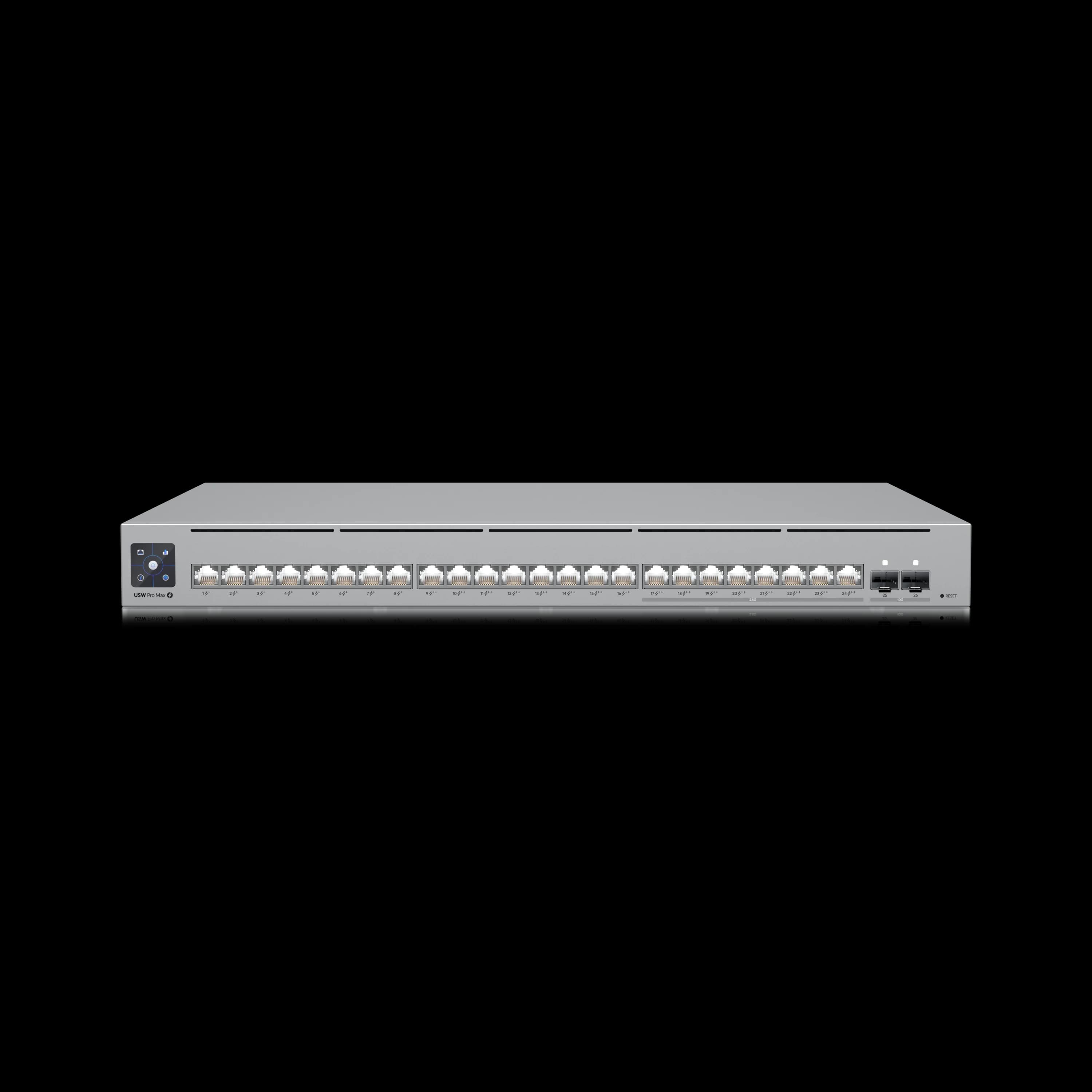
The Pro Max 16 PoE delivers multi-gigabit capabilities that match WiFi 7 access points. Its four 2.5 GbE PoE++ ports provide full-bandwidth uplinks for U7 Pro access points, avoiding the gigabit bottleneck that limits WiFi 7 performance on GbE-only switches.
Key specs:
- 12× 1 GbE PoE+ ports
- 4× 2.5 GbE PoE++ ports
- 2× 10G SFP+ uplink ports
- 180W total PoE budget
- Etherlighting™ visual port management
- Layer 3 switching
- Rack mount, desktop, or wall mount
PoE budget planning: Two U7 Pro access points (21W each on 2.5G ports) + two G6 Bullet cameras (10W each) = 62W total. Leaves 118W headroom for additional devices.
Why not the Pro 8 PoE? The Pro 8 PoE ($349) has 10G SFP+ uplinks but only gigabit access ports. WiFi 7 access points like the U7 Pro support 2.5 GbE uplinks — connecting them to a gigabit port caps throughput at 1 Gbps per AP. The Pro Max 16 PoE costs $50 more but provides four 2.5G ports, Etherlighting, 60W more PoE budget, and flexible mounting options. The Pro 8 PoE remains a reasonable compact alternative where gigabit AP uplinks are acceptable.
Medium Business (10-50 People): Pro Max 24 PoE ($799)
The Pro Max 24 PoE adds Etherlighting™, which visually identifies switch ports via the UniFi app, reducing diagnostic time during physical patching and installations.
Key specs:
- 24 ports: 8× 2.5 GbE PoE++, 8× GbE PoE+, 8× GbE PoE++
- 2× 10G SFP+ uplink ports
- 400W total PoE budget
- Etherlighting™ visual port management
- Layer 3 switching
The 2.5G advantage: Eight 2.5 GbE ports provide full uplink capacity for U7 Pro access points and allow U7 Pro XG units to operate at 2.5 GbE. The XG models retain a future upgrade path to a 10 GbE PoE switch when higher per-AP throughput is needed.
Real-world capacity: 400W PoE budget supports 8× U7 Pro XGS access points (29W each = 232W) plus 10× G6 Bullet cameras (10W each = 100W) with 68W headroom.
For detailed insights on Etherlighting and Pro Max features, see our Pro Max Etherlighting guide.
Large Business (50+ People): Pro Max 48 PoE ($1,299)
The Pro Max 48 PoE delivers maximum port density with a 720W PoE budget—enough to power extensive WiFi 7 and camera deployments from a single switch.
Key specs:
- 32× 1 GbE (24 PoE+, 8 PoE++)
- 16× 2.5 GbE (8 PoE+, 8 PoE++)
- 4× 10G SFP+ uplink ports
- 720W total PoE budget
- Etherlighting™ across all ports
- Layer 3 switching
Capacity example: Using maximum specifications, 16 U7 Pro XGS access points consume up to 464W and 15 G6 Bullet cameras consume about 149W, leaving approximately 107W of the 720W budget for operating headroom and additional devices. The four 10G SFP+ uplinks provide flexible backbone connectivity.
High-Performance: Pro XG 24 PoE ($1,799)
For organizations requiring a high concentration of 10 GbE PoE ports, the Pro XG 24 PoE provides sixteen 10 GbE PoE+++ ports, eight 2.5 GbE PoE+++ ports, and dual 25G SFP28 uplinks.
Key specs:
- 16× 10 GbE PoE+++ ports
- 8× 2.5 GbE PoE+++ ports
- 2× 25G SFP28 uplink ports
- Up to 90W per port PoE capability
- 720W total PoE availability
- Layer 3 switching
Best for: Video production studios, architecture firms, organizations with NAS-heavy workflows, or deployments using E7 Enterprise access points that benefit from 10G uplinks.
Important note: The 10 GbE ports require Cat6A cabling for standards-compliant 100-metre runs. Cat6 may work over shorter distances (up to approximately 55 metres depending on installation quality). Budget for cabling upgrades if your infrastructure uses Cat5e or Cat6.
Switch Comparison Table
| Model | Price | Ports | PoE Budget | Key Features | Best For |
|---|---|---|---|---|---|
| Pro Max 16 PoE | $399 | 12× 1G + 4× 2.5G, 2× 10G SFP+ | 180W | Etherlighting, 2.5G ports, flexible mount | 1-10 people |
| Pro Max 24 PoE | $799 | 16× 1G + 8× 2.5G, 2× 10G SFP+ | 400W | Etherlighting, 2.5G ports | 10-50 people |
| Pro Max 48 PoE | $1,299 | 32× 1G + 16× 2.5G, 4× 10G SFP+ | 720W | Maximum capacity | 50+ people |
| Pro XG 24 PoE | $1,799 | 16× 10G + 8× 2.5G (PoE+++) | 720W (90W/port) | 25G SFP28 uplinks | High-performance |
Thermal Management for Network Closets
Pro Max switches generate significant heat under full PoE load. In our South Florida deployments, we've measured the following thermal characteristics in typical network closets:
Pro Max 24 PoE (400W load): Exhaust air reaches 45-50°C (113-122°F) in enclosed racks without ventilation. Ambient closet temperature should not exceed 30°C (86°F) for reliable operation.
Pro Max 48 PoE (720W load): Requires minimum 6 inches clearance above and below for proper airflow. In cramped, unventilated closets, consider adding a rack-mount fan panel or upgrading to forced ventilation.
Field recommendation: For network closets without HVAC, install temperature monitoring and set alerts at 35°C (95°F) ambient. Switches will throttle PoE output or shut down ports to protect components if internal temperatures exceed safe thresholds.
Cabling Considerations
Cat6A is the standard choice for 10GBASE-T installations, supporting full 10 Gbps over standards-compliant 100-metre runs. Cat6 may support 10GBASE-T over shorter distances — commonly up to approximately 55 metres depending on installation quality and alien crosstalk — but is not guaranteed for full-distance 10G. Cat5e is not a recommended specification for new 10G installations. For 2.5 and 5 GbE (used by most WiFi 7 access points), qualifying Cat5e or better cabling supports full speed up to 100 metres. Fiber and DAC cables are alternatives to copper for 10G backbone runs. When deploying Pro XG switches or planning 10G infrastructure, budget for Cat6A cabling throughout. For specific bulk cable picks and jacket ratings by install type, see our ethernet cable guide.
For detailed guidance on fiber optic cables, SFP modules, and multi-gigabit cabling, see our UniFi Fiber Cable & SFP Selection Guide.
Which UniFi WiFi 7 Access Point Do You Need?
Select a UniFi WiFi 7 access point based on total coverage area, concurrent client density, and whether your network switches support 10G uplinks.
Our preferred baseline for 2026 deployments uses the 6 GHz band, which offers 1,200 MHz of less congested spectrum compared to the 2.4 GHz and 5 GHz bands. Plan for one access point per 1,500 square feet in standard commercial construction.
UniFi U7 Pro XG WiFi 7 Access Point Overview
This detailed walkthrough covers the U7 Pro XG's 10G capabilities, WiFi 7 performance, and deployment considerations:
Why 6 GHz Matters
In the United States and other regions that make the full allocation available, the 6 GHz band offers up to 1,200 MHz of additional spectrum — more than 2.4 GHz and 5 GHz combined. It is generally less congested and free from legacy WiFi clients, Bluetooth, and typical 2.4 GHz microwave interference. Other WiFi 6E and WiFi 7 networks can still share the band, particularly in dense buildings, but the wider channel availability and absence of legacy devices provide more consistent performance than the older bands.
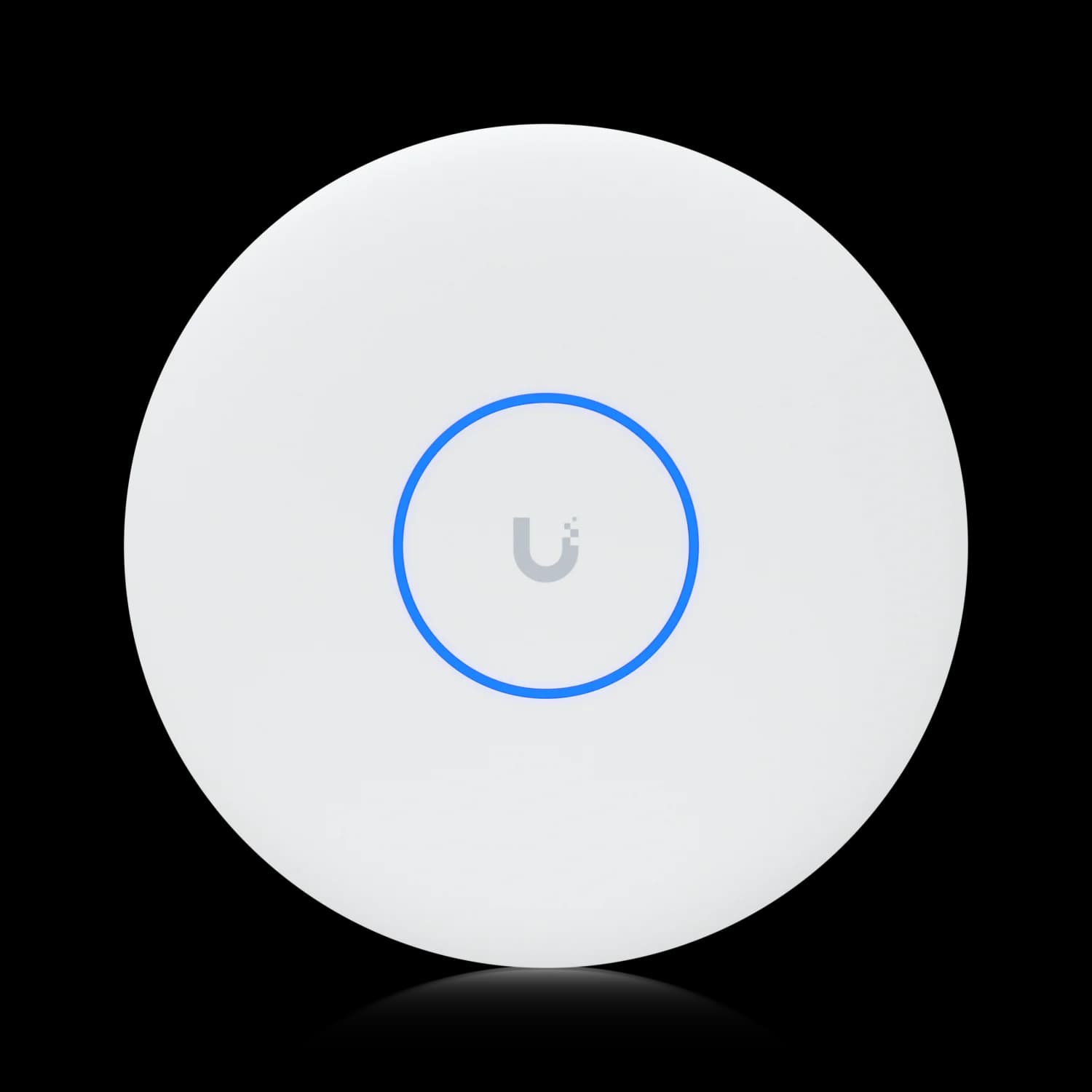
U7 Lite vs. U7 Pro feature comparison: The U7 Lite ($99) operates on 2.4 GHz and 5 GHz bands, providing dual-band WiFi 7 coverage. The U7 Pro ($189) adds the 6 GHz band for tri-band operation, offering access to cleaner spectrum with less interference.
For environments with many competing WiFi networks or high client density, the 6 GHz band provides performance benefits. For smaller deployments with fewer interference sources, dual-band operation may be sufficient.
Coverage Planning Fundamentals
Square footage: One U7 Pro covers approximately 1,500 sq ft in typical office environments. A 3,000 sq ft office needs 2-3 access points. A 10,000 sq ft space requires 6-8 units.
Client density: High-density areas (conference rooms, open offices, training rooms) benefit from additional access points even when coverage is adequate. More access points = fewer clients per AP = better per-client performance.
Building construction: Concrete walls, metal studs, and elevator shafts attenuate WiFi signals. Older buildings with plaster-and-lath construction require more access points than modern drywall construction.
For the complete sizing methodology — including how we estimate switch ports and camera counts from the same inputs — we've published the sizing rules behind our network configurator.
Access Point Recommendations by Office Size
Small Office (1-10 People): U7 Pro ($189)
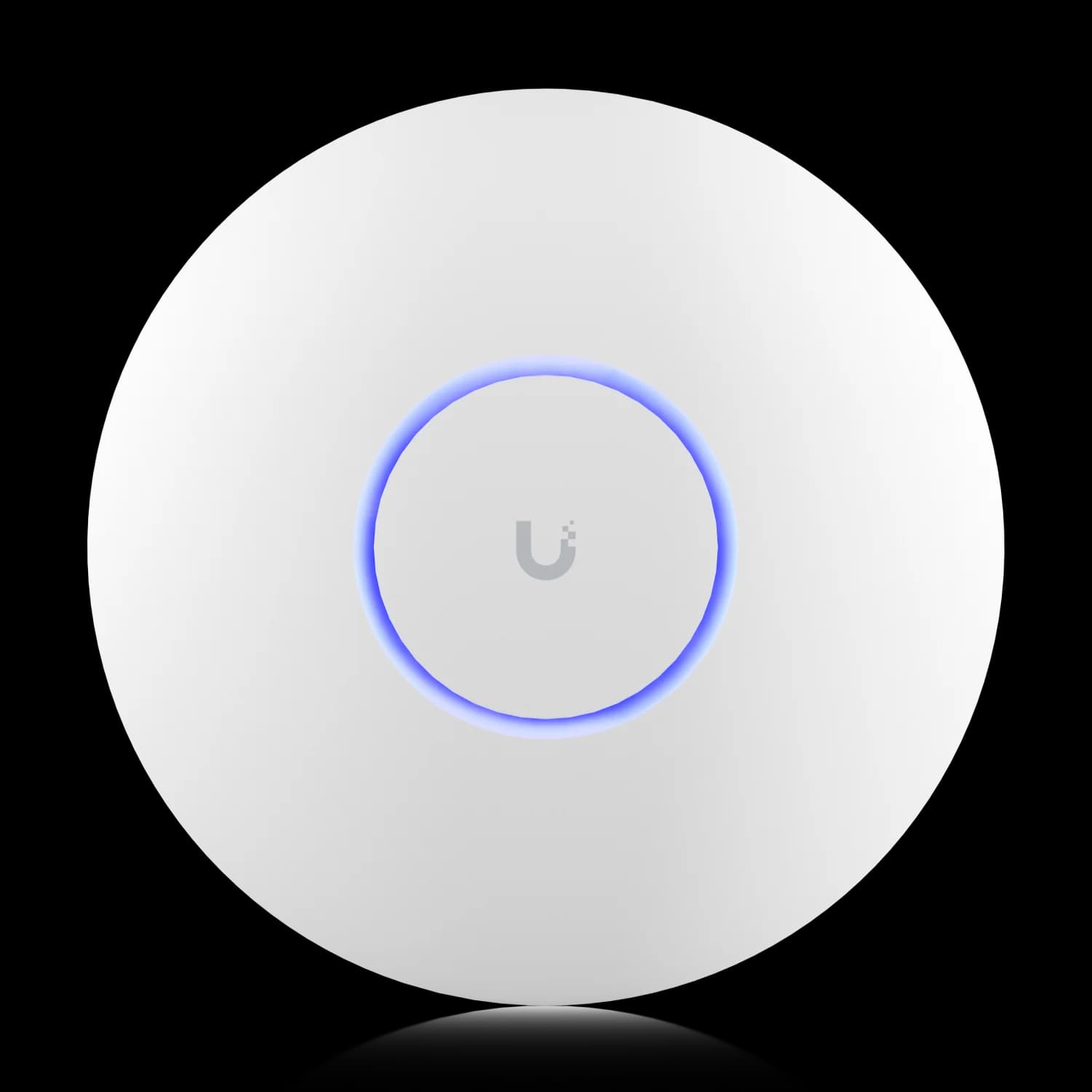
The U7 Pro is our preferred baseline for WiFi 7 deployments. Its tri-band operation with 6 GHz support, 2.5 GbE uplink, and 300+ client capacity deliver reliable performance for standard office environments.
Key specs:
- 6 spatial streams (2×2:2 tri-band)
- Full WiFi 7 with 6 GHz support
- 140 m² (1,500 sq ft) coverage
- 300+ connected devices
- 2.5 GbE uplink (PoE+, 21W max)
- Up to 5.8 Gbps on 6 GHz
- Real-world power draw: 17–19W sustained (vs 21W maximum)
Deployment strategy: Two U7 Pro access points cover most small offices (2,000-3,000 sq ft) with excellent overlap for seamless roaming. Place one near the main work area, the second near conference rooms or high-traffic zones.
For a detailed comparison explaining why the U7 Pro is worth the premium over U7 Lite, see our U7 Lite vs U7 Pro comparison.
Medium Business (10-50 People): U7 Pro XG ($199)
The U7 Pro XG adds 10G uplink capability and enhanced thermal management in a fanless design. At $199 (verified against Ubiquiti's June 2026 store pricing), it costs just $10 more than the U7 Pro—an unusually small gap for a 10 GbE upgrade, and the primary reason we default to the XG whenever the switching infrastructure can use the faster uplink.
Key specs:
- 6 spatial streams (2×2:2 tri-band)
- 10 GbE RJ45 uplink (supports 1/2.5/5/10 Gbps)
- 140 m² (1,500 sq ft) coverage
- 300+ connected devices
- PoE+ power (22W max)
- 30% thinner profile with improved cooling
- Real-world power draw: 19–21W sustained (vs 22W maximum)
When to choose U7 Pro XG over U7 Pro:
- You have 10G switching infrastructure (Pro XG switches)
- Multiple high-bandwidth clients connect simultaneously
- Upgrade capacity for 10G backbone
- Fanless operation matters (quieter in professional environments)
Read our U7 Pro XG review for real-world performance testing and deployment scenarios.
Large Business (50+ People): U7 Pro XGS ($299) or U7 Pro Max ($279)
For high-density environments with 50+ concurrent users, two models deliver enhanced capabilities:
U7 Pro XGS ($299): Upgrades to 4×4 MIMO on the 5 GHz band (8 spatial streams total) and adds a dedicated spectral scanning radio that monitors the RF environment without interrupting client traffic. This hardware upgrade delivers higher aggregate throughput when multiple clients connect simultaneously, and the real-time interference detection is useful in congested RF environments.
Key specs:
- 8 spatial streams (2×2 on 2.4/6 GHz, 4×4 on 5 GHz)
- 10 GbE uplink
- Dedicated spectral scanning radio
- 160 m² (1,750 sq ft) coverage
- 500+ connected devices
- PoE++ power (29W max)
- Real-world power draw: 25–27W sustained (vs 29W maximum)
U7 Pro Max ($279): Enhanced 4×4 MIMO on 5 GHz improves aggregate throughput when multiple clients connect simultaneously.
Key specs:
- 8 spatial streams (4×4 on 5 GHz)
- Dedicated spectral scanning radio
- 160 m² (1,750 sq ft) coverage
- 500+ connected devices
- 2.5 GbE uplink
Choose U7 Pro XGS when: You have 10G infrastructure and need higher throughput in challenging RF environments (dense urban areas, multi-tenant buildings, high-interference zones).
Choose U7 Pro Max when: You need spectral scanning and high-density support but don't require 10G uplinks.
Enterprise (100+ People): E7 Enterprise ($499)
The E7 Enterprise delivers maximum WiFi 7 performance with 10 spatial streams and 10 GbE uplink capability. Designed for stadiums, convention centers, and large campus deployments.
Key specs:
- 10 spatial streams
- 10 GbE uplink
- Metal enclosure for durability
- Maximum client density support
Best for: Organizations requiring the highest available performance and client density. Pair with Pro XG switches and the Enterprise Fortress Gateway for complete 10G infrastructure.
Special Use Cases
Conference Rooms: U7 Pro Wall ($199) The U7 Pro Wall provides the U7 Pro radio platform in a low-profile wall-mounted design. Choose the U7 In-Wall when downstream Ethernet ports are required for displays, phones, or workstations.
Outdoor Coverage: U7 Pro Outdoor ($279) The U7 Pro Outdoor features IPX6 weather protection (IP67 with cable-gland door kit) for patios, loading docks, and outdoor work areas. AFC (Automated Frequency Coordination) support enables 6 GHz outdoor operation in supported regulatory regions. For a full comparison of all outdoor models — including the U7 Outdoor, U7 Mesh, and U6 Mesh — see our outdoor access point guide.
Hotel-Style Deployments: U7 In-Wall ($149) The U7 In-Wall fits standard electrical boxes with an integrated three-port 2.5 GbE switch and PoE output for downstream devices. Common in hotels, dormitories, and multi-unit residential buildings where each room needs both WiFi and a wired Ethernet connection.
Access Point Comparison Table
| Specs | |||
|---|---|---|---|
| WiFi Standard | WiFi 7 (802.11be) | WiFi 7 (802.11be) | WiFi 7 (802.11be) |
| Bands | Tri-Band (6 GHz) | Tri-Band (6 GHz) | Tri-Band (6 GHz) |
| Streams | 6 (2×2:2) | 6 (2×2:2) | 8 (4×4 5GHz) |
| Uplink | 2.5 GbE | 10 GbE | 10 GbE |
| Coverage | 1,500 sq ft | 1,500 sq ft | 1,750 sq ft |
| Max Clients | 300+ | 300+ | 500+ |
For comprehensive guidance on selecting the right WiFi 7 access point based on office size and uplink infrastructure, see our Best WiFi 7 Access Points for Small Business guide.
Cameras & UniFi Protect: Security Without Subscriptions
UniFi Protect delivers professional video surveillance without cloud subscriptions. Storage lives locally on gateway hard drives or dedicated NVRs, and AI-powered detection (people, vehicles, license plates, faces) runs on-device. The hardware is a one-time purchase.
Why UniFi Protect Makes Sense
No recurring fees: Traditional cloud camera systems charge $3-10 per camera per month—$216-720 annually for six cameras. UniFi Protect has no monthly fees.
Local storage: Recordings stay on your network, not in someone else's cloud. RAID protection (on Dream Machine Pro Max or UNVR Pro) ensures recordings survive drive failures.
AI on-device: The G6 camera lineup includes on-device AI processing for smart detection. No cloud processing required, no additional fees.
Camera Recommendations
G6 Bullet (~$199): 4K outdoor camera with long-range IR night vision. Commonly used for perimeter coverage, parking lots, and building exteriors.
G6 Turret (~$199): 4K indoor/outdoor camera with wide-angle coverage. Ideal for entrances, hallways, and open office monitoring.
G6 Dome (~$279): Vandal-resistant design for high-risk areas. Same 4K sensor as G6 Bullet in a tamper-proof housing.
G6 Instant (~$179): A WiFi-connected 4K camera powered through USB-C, suitable for temporary coverage, retrofits, and locations without an Ethernet drop.
G6 Pro Bullet ($479): Premium 4K camera with 2.36× optical zoom and enhanced low-light performance. Best for critical coverage areas requiring maximum detail.
For hands-on testing notes and placement guidance across the full G6 lineup, see our best UniFi Protect cameras guide.
Storage Planning
Recording retention depends on camera count, resolution, and motion activity:
- 6 cameras at 4K with moderate motion: ~500 GB per week
- 12 cameras at 4K: ~1 TB per week
- 30 days retention for 6 cameras: ~2 TB required
Storage options:
- Dream Machine Pro Max: Dual 3.5" HDD bays, RAID 1 recommended (2× 4TB drives = 4TB usable)
- UNVR: Standalone NVR with 4× 3.5" HDD bays
- UNVR Pro: 7× 3.5" HDD bays with RAID support for maximum retention
For detailed storage calculations and retention planning, see our UniFi Protect Storage Planning Guide.
Complete Protect Resources
Getting started: Our UniFi Protect CCTV Guide walks through complete system design, camera placement, and configuration.
G6 Instant deployment: The G6 Instant review compares WiFi vs PoE cameras and explains when wireless cameras make sense.
Budget-friendly security: Build a complete UniFi Protect system under $2,000 with professional-grade AI detection.
Professional Setup Under $1,500: Small Office Foundation
This configuration delivers professional-grade networking for 1-10 person offices or high-end homes. Every component represents the professional tier—prioritizing reliability and expansion capacity over extreme budget constraints.
Complete Equipment List
| Component | Model | Quantity | Unit Price | Total |
|---|---|---|---|---|
| Gateway | Dream Router 7 | 1 | $279 | $279 |
| Switch | Pro Max 16 PoE | 1 | $399 | $399 |
| Access Points | U7 Pro | 2 | $189 | $378 |
| Cameras (optional) | G6 Bullet | 2 | $199 | $398 |
| Without cameras: | $1,056 | |||
| With cameras: | $1,454 |
What You Get
10G-ready gateway: The Dream Router 7's 10G SFP+ WAN port supports multi-gigabit fiber upgrades. When your ISP offers 2 Gbps service, your gateway is ready. The 2.3 Gbps IDS/IPS throughput reduces the likelihood of a bottleneck when security features are enabled.
WiFi 7 with 6 GHz: Two U7 Pro access points deliver tri-band WiFi 7 with 6 GHz support across 2,500–3,000 sq ft. The 6 GHz spectrum provides less interference compared to 2.4 and 5 GHz bands.
Multi-gigabit PoE switching: The Pro Max 16 PoE's four 2.5 GbE PoE++ ports provide full-bandwidth uplinks for both U7 Pro access points (42W total) plus cameras or VoIP phones, with 138W headroom from the 180W PoE budget. The 10G SFP+ uplinks and Etherlighting simplify both backbone expansion and day-to-day troubleshooting.
Protect-capable: Add cameras immediately or later. The Dream Router 7 includes a 64GB microSD card and can manage up to five HD, two 2K, or one 4K camera. Actual recording retention depends on resolution, bitrate, motion activity, and recording settings.
Comparing Setup Configurations
Budget-focused configuration: Cloud Gateway Ultra ($129) + Lite 8 PoE ($109) + 2× U7 Lite ($99 each) = $436 Professional configuration: Dream Router 7 ($279) + Pro Max 16 PoE ($399) + 2× U7 Pro ($189 each) = $1,056
Additional capabilities in the professional configuration:
- 10G SFP+ WAN port for fiber upgrades
- 2.3 Gbps IDS/IPS capacity (vs. 1 Gbps)
- 6 GHz WiFi 7 band for less interference
- 2.5 GbE ports matching WiFi 7 AP uplink speeds
- 180W PoE budget for additional devices
- 10G SFP+ switch uplinks for backbone expansion
- Etherlighting visual port management
The budget configuration works well for home offices and small, stable deployments. The professional configuration provides more expansion capacity and multi-gigabit AP connectivity without equipment replacement.
Key Components
Small Office Setup
Dream Router 7
$279
All-in-one with 10G SFP+ WAN and integrated WiFi 7.
Pro Max 16 PoE
$399
16-port switch with 2.5G PoE++, 180W budget, and Etherlighting.
U7 Pro
MSRP $189
Tri-band WiFi 7 with 6 GHz support for 300+ devices.
Scalability Path
Phase 1 (current): Gateway + switch + 2 APs = solid foundation Phase 2: Add 2-4 cameras for security coverage Phase 3: Upgrade to Pro Max 24 PoE switch for more ports and Etherlighting Phase 4: Add more U7 Pro APs for expanded coverage Phase 5: Upgrade gateway to Dream Machine Pro Max for RAID and HA support
If this configuration fits your office, the three components to order are the Dream Router 7 ($279), the Pro Max 16 PoE switch ($399), and two U7 Pro access points ($189 each). Verify availability before scheduling installation.
Need help validating this equipment list for your office layout? Our network design services include site assessment, coverage planning, and PoE budget verification to ensure your infrastructure matches your requirements before purchase.
Growing Business Setup Under $4,000
This configuration delivers professional networking for 10–50 person offices or luxury residential properties. RAID protection, multi-gigabit infrastructure, and security camera coverage form the foundation.
Complete Equipment List
| Component | Model | Quantity | Unit Price | Total |
|---|---|---|---|---|
| Gateway | Dream Machine Pro Max | 1 | $599 | $599 |
| Switch | Pro Max 24 PoE | 1 | $799 | $799 |
| Access Points | U7 Pro XG | 4 | $199 | $796 |
| Cameras | G6 Bullet | 6 | $199 | $1,194 |
| Storage | 2× 4TB WD Purple HDD | 2 | $100 | $200 |
| Total: | $3,588 |
What You Get
RAID-protected gateway: The Dream Machine Pro Max's dual HDD bays with RAID 1 mirroring protect locally stored UniFi Protect recordings against a single-drive failure. When a drive fails, your cameras continue recording without interruption. Network configuration should also be protected through regular UniFi backups. The 5 Gbps IDS/IPS throughput handles security inspection at full speed even with multi-gigabit internet connections.
Etherlighting management: The Pro Max 24 PoE switch's visual LED identification simplifies physical port identification during troubleshooting. Select a device in the UniFi mobile app, and the corresponding switch port illuminates — reducing diagnostic time during installations and physical patching.
Multi-gigabit WiFi 7: Four U7 Pro XG access points connect at 2.5 GbE on the Pro Max 24 PoE. This is sufficient for most office workloads, while the APs can use their full 10 GbE interfaces after a future switch upgrade. The fanless design operates silently in professional environments, and the four units cover 5,000–6,000 sq ft with excellent overlap.
Security coverage: Six G6 Bullet cameras provide 4K coverage for perimeter security, entrances, and high-value areas. On-device AI detection (people, vehicles) reduces false alerts from shadows and animals.
8TB RAID storage: Two 4TB drives in RAID 1 provide 4TB usable storage—approximately 30 days of retention for 6 cameras at 4K with moderate motion. When a drive fails, replace it without losing recordings.
Why This Build Works
RAID redundancy: Hardware failures happen over time. RAID 1 mirroring ensures Protect recordings survive a single-drive failure, allowing replacement without losing footage. Network configuration is stored separately and should be backed up independently through UniFi's configuration export.
Multi-gigabit backbone: The gateway and switch use a 10G SFP+ backbone, while the access points connect at 2.5 GbE on the Pro Max 24 PoE's multi-gigabit ports. This exceeds what most office workloads require, and the U7 Pro XG's 10 GbE interface provides a future upgrade path if a 10G PoE switch is added later.
Adequate PoE budget: The Pro Max 24 PoE's 400W PoE budget powers 4× U7 Pro XG access points (88W) + 6× G6 Bullet cameras (60W) with 252W headroom for expansion.
Spectral scanning capability: While this build uses U7 Pro XG, upgrading to U7 Pro XGS ($299 each, +$400 total = $3,988) adds dedicated spectral scanning for real-time interference detection in challenging RF environments.
Key Components
Growing Business Setup
Dream Machine Pro Max
$599
Enterprise gateway with 5 Gbps IDS/IPS and dual RAID HDDs.
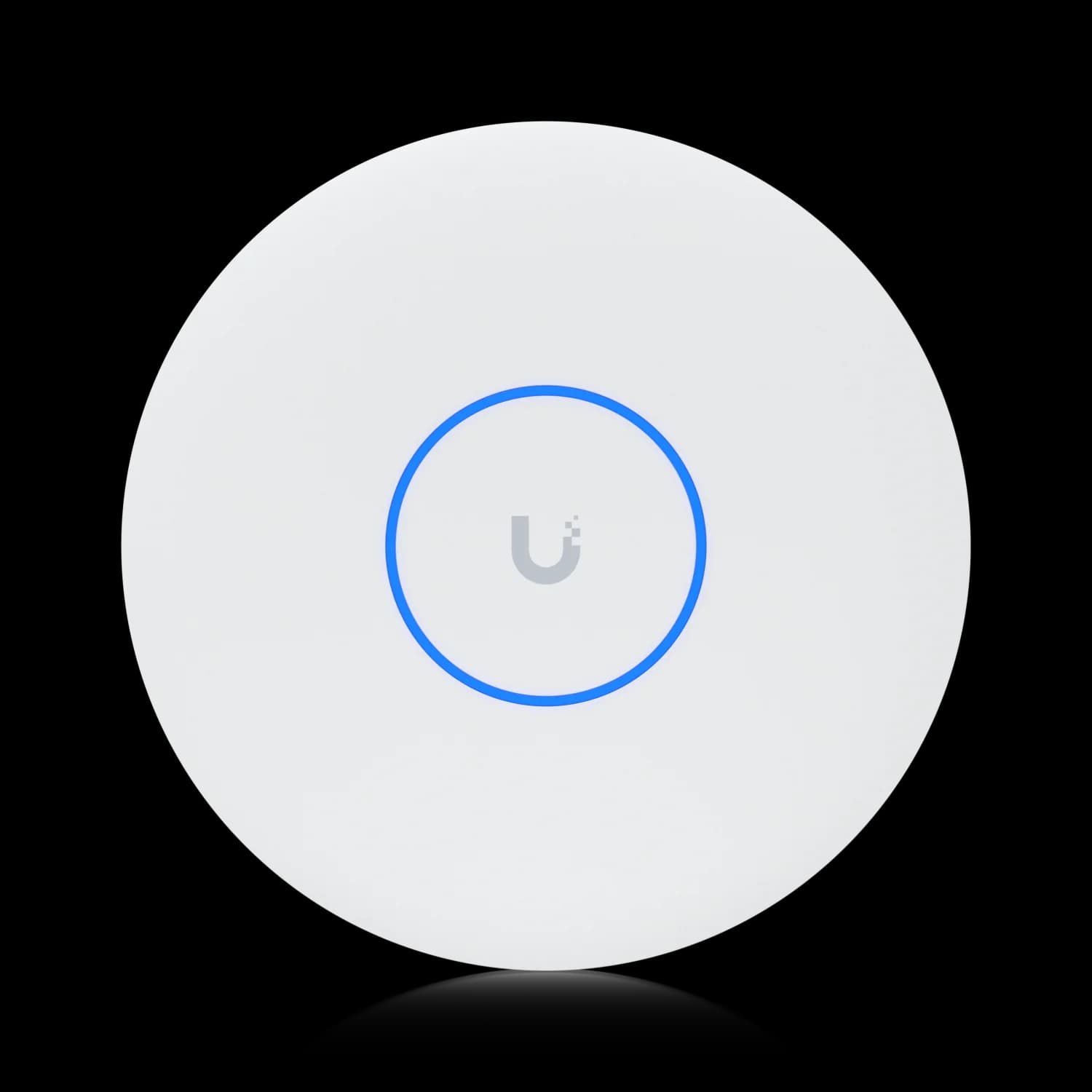
U7 Pro XG
MSRP $199
WiFi 7 with 10G uplink and fanless design.
Scalability Path
Phase 1 (current): Complete multi-gigabit infrastructure with RAID protection Phase 2: Add Pro Max 48 PoE switch for additional port capacity Phase 3: Upgrade access points to U7 Pro XGS for spectral scanning Phase 4: Add UNVR Pro for expanded camera storage (50+ cameras) Phase 5: Deploy High Availability with second Dream Machine Pro Max
Alternative Configuration: Higher-Density WiFi
Swap U7 Pro XG for U7 Pro XGS ($299 each) to add dedicated spectral scanning:
- 4× U7 Pro XGS = $1,196 (vs $796 for U7 Pro XG)
- Total with U7 Pro XGS: $3,988
When to choose U7 Pro XGS:
- Dense urban environments with heavy WiFi interference
- Multi-tenant buildings with numerous neighboring networks
- Deployments where wireless reliability is critical to operations
- Organizations requiring real-time RF monitoring
To build this configuration, verify current availability for the Dream Machine Pro Max ($599) before scheduling installation, then add the Pro Max 24 PoE switch ($799), four U7 Pro XG access points ($199 each), and six G6 Bullet cameras ($199 each).
Planning a multi-site deployment or need RAID configuration assistance? Our professional installation services handle procurement, cabling, configuration, and staff training for enterprise-scale UniFi deployments throughout South Florida.
Procurement Planning
Availability changes frequently across UniFi's product line, and popular models periodically sell out at the official store. Verify current stock before scheduling an installation date, particularly for enterprise-tier equipment like the Enterprise Fortress Gateway and Pro XG 24 PoE.
Procurement recommendation: For projects requiring 10+ access points or enterprise gateways, order well in advance. Supply constraints ease for standard Pro-tier equipment but can persist for high-performance models.
Beyond the Basics: Expanding Your Ecosystem
Once your core network infrastructure is operational, UniFi's ecosystem offers additional capabilities that integrate directly with your existing deployment.
UniFi NAS: Centralized Storage
UniFi's NAS line now covers three tiers. The entry-level UNAS 2 ($199) is a compact 2-bay unit with 2.5 GbE networking, RAID 1 mirroring, and PoE++ power — a practical first NAS for small offices that need shared file storage or local backup without a dedicated server. The UNAS Pro 4 ($499) steps up to 4 bays with dual 10G SFP+ connectivity and NVMe caching, and the UNAS Pro 8 ($799) adds capacity for larger teams. All provide license-free file storage, backup, and collaboration without recurring fees.
Best for: Businesses needing centralized file storage, Time Machine backups, SMB file sharing, or third-party backup and synchronization workflows. The Pro models' 10G SFP+ ports enable high-speed access for video editing, CAD workflows, or large file transfers. See our UniFi NAS buyer's guide for a full model comparison.
UniFi Talk: Integrated VoIP
UniFi Talk does not require a separate PBX license for internal extension calling. External calling requires an active UniFi Talk number subscription or a compatible third-party SIP provider. Several extensions can share a business number, so costs do not necessarily scale one-for-one with employee count. Phones connect via PoE and integrate directly with your UniFi network infrastructure.
Best for: Businesses replacing traditional phone systems or adding VoIP capabilities. Phone hardware is a one-time purchase; ongoing costs depend on your external calling plan.
UniFi Access: Door & Gate Control
UniFi Access adds physical security to your network infrastructure. Manage door locks, gate controllers, and visitor access from the same UniFi interface that manages your network and cameras.
Best for: Businesses requiring access control, visitor management, or after-hours security. Integrates with UniFi Protect for video verification of access events. See our UniFi Access review for a complete hardware breakdown, installation notes, and a total cost of ownership comparison versus ButterflyMX and ADT.
Common Questions & Pitfalls
These common questions and mistakes appear frequently in UniFi deployments. Understanding them before purchasing saves time and avoids costly replacements.
Do I Need a UniFi Gateway?
You need a UniFi controller, but not necessarily a UniFi gateway. A Cloud Gateway is the simplest option because it combines routing and management in one device. Networks using a third-party firewall can instead use a CloudKey, self-hosted Network Server, or Ubiquiti's hosted controller options.
Common mistake: Buying UniFi access points without any controller, then discovering they require one for configuration and adoption.
Self-hosting note: Advanced users can self-host the UniFi Network Server on a VM or Docker container. This provides full switch and AP management but does not include the integrated routing, firewall, or UniFi Protect camera support that hardware gateways provide.
Can I Mix WiFi 6 and WiFi 7 Access Points?
Yes, the UniFi controller manages mixed deployments seamlessly. Place WiFi 7 access points in high-traffic areas (conference rooms, open offices) while keeping WiFi 6 units for coverage extension. The controller handles client steering automatically.
Upgrade strategy: Replace access points incrementally rather than all at once. Start with high-density areas, then expand WiFi 7 coverage as budget allows.
What Internet Speed Do I Need?
UniFi gateways support internet connections from 100 Mbps to 10 Gbps. The gateway's IDS/IPS throughput should match or exceed your internet speed:
- 1 Gbps internet: Dream Router 7 (2.3 Gbps IDS/IPS) or higher
- 2 Gbps internet: Dream Machine Pro (3.5 Gbps IDS/IPS) or higher
- 5 Gbps internet: Dream Machine Pro Max (5 Gbps IDS/IPS) or higher
Important: IDS/IPS throughput differs from routing throughput. Always check IDS/IPS specs when security features matter. If your ISP delivers service over PPPoE, expect lower real-world numbers than either spec—see the PPPoE throughput penalty above.
PoE Planning Mistakes
PoE budget planning: Calculate total PoE requirements before selecting a switch. Six U7 Pro access points at 21W each = 126W minimum. A switch rated for 120W PoE budget would not provide sufficient power for all devices.
Wrong PoE standard: PoE+ (802.3at) delivers 25.5W per port. PoE++ (802.3bt) delivers 60W per port. Most UniFi access points require PoE+ minimum. Check device specifications before purchasing switches.
PoE headroom planning: Plan for 15–20% PoE headroom beyond calculated maximum requirements. Devices draw maximum power during boot, and future expansion requires available budget.
Power Protection & UPS Sizing
Professional network deployments require uninterruptible power supply (UPS) protection to maintain connectivity during power outages and protect equipment from voltage fluctuations.
UPS sizing for common setups:
- Small office (Dream Router 7 + Pro Max 16 PoE + 2× U7 Pro): Total load ~150W. A 600VA/360W UPS provides 15–20 minutes runtime — sufficient for graceful shutdown or brief outages.
- Medium office (Dream Machine Pro Max + Pro Max 24 PoE + 4× APs): Total load ~400W. A 1500VA/900W UPS provides 20-30 minutes runtime for critical equipment.
- Enterprise (multiple switches at 720W PoE load): Consider rack-mount UPS solutions (2200VA+) or Ubiquiti's RPS (Redundant Power System) for mission-critical deployments.
Calculation method: Add gateway power consumption + switch PoE load + overhead (20%). Match or exceed this wattage when selecting UPS capacity. Battery runtime decreases as load increases—size appropriately for your required uptime.
Alternative: Ubiquiti RPS and Mission Critical gear provide redundant power for switches in environments where even brief outages are unacceptable. These solutions cost more than consumer UPS units but offer hot-swappable redundancy.
When to Hire Professional Installation
Consider professional installation when:
- Running new Cat6A cabling through walls or ceilings
- Deploying 10+ access points requiring coverage optimization
- Implementing VLANs for network segmentation
- Integrating with existing infrastructure (firewalls, servers, phone systems)
- Requiring High Availability or RAID configuration
Our UniFi installation services include site assessment, equipment procurement, professional cabling, configuration, and staff training.
For common installation challenges and solutions, see our UniFi Installation Challenges guide.
Decision Framework: Where to Start
Building a UniFi network follows a logical sequence. Start with the foundation, then expand based on requirements.
Step 1: Choose Your Gateway
Gateway selection: Choose based on office size, IDS/IPS requirements, and whether you need rackmount form factor:
- 1-10 people: Dream Router 7 ($279)
- 10-50 people: Dream Machine Pro ($379) or Cloud Gateway Max ($199)
- 50+ people: Dream Machine Pro Max ($599)
Step 2: Add a Switch
Match PoE budget to your access point count. Calculate total PoE requirements (access points + cameras + phones), then add 20-30% headroom:
- 2-3 access points: Pro Max 16 PoE ($399) with 180W budget and 2.5G ports
- 4-8 access points: Pro Max 24 PoE ($799) with 400W budget
- 8+ access points: Pro Max 48 PoE ($1,299) with 720W budget
Step 3: Deploy Access Points
Plan for one access point per 1,500 sq ft in typical office environments. Choose based on uplink infrastructure and client density:
- Standard offices: U7 Pro ($189) with 2.5 GbE uplinks
- 10G infrastructure: U7 Pro XG ($199) with 10G uplinks
- High-density: U7 Pro XGS ($299) with spectral scanning
Step 4: Add Cameras (Optional)
Calculate storage requirements based on camera count and retention needs. Six cameras at 4K require ~2TB for 30-day retention:
- Small deployments: Use gateway storage (Dream Router 7 microSD, Dream Machine Pro Max HDD)
- Large deployments: Add dedicated UNVR or UNVR Pro
Step 5: Expand as Needed
The modular design scales incrementally:
- Add more access points for coverage expansion
- Deploy additional switches for port capacity
- Integrate NAS for centralized storage
- Add Talk for VoIP capabilities
Choose This Setup If...
Dream Router 7 + Pro Max 16 PoE + 2× U7 Pro ($1,056):
- Small office (1-10 people) or high-end home
- 2,000–3,000 sq ft coverage required
- 2.5G uplinks to WiFi 7 access points
- Budget allows professional-grade equipment
Dream Machine Pro Max + Pro Max 24 PoE + 4× U7 Pro XG ($3,588):
- Medium business (10-50 people) or luxury residential
- 5,000-6,000 sq ft coverage required
- RAID protection and HA support needed
- 10G infrastructure desired
- Security coverage with G6 cameras
Summary: Equipment Selection Considerations
Organizations planning for growth benefit from starting with equipment that provides expansion capacity. Higher-tier products offer features like 6 GHz WiFi 7, 10G readiness, and adequate IDS/IPS throughput that support evolving network requirements.
Key capability differences:
6 GHz WiFi 7 provides cleaner spectrum with less interference compared to dual-band access points operating only on 2.4 GHz and 5 GHz. As more devices support 6 GHz (iPhone 15 and later, MacBook Pro 2023+), this spectrum becomes increasingly useful.
IDS/IPS throughput capacity affects network performance when security features are enabled. A gateway rated for 1.5 Gbps IDS/IPS may limit throughput on a 2 Gbps fiber connection when threat detection is active. Higher-capacity gateways provide more headroom.
10G networking capabilities support multi-gigabit fiber upgrades and local network performance. When ISPs offer 2 Gbps or higher service, 10G-capable equipment provides additional upgrade capacity.
Licensing model differs from traditional enterprise solutions. UniFi requires no mandatory licensing to operate — routing, switching, WiFi, and basic security work without recurring subscriptions. The optional CyberSecure subscription adds advanced threat intelligence starting at $99/year (Standard) or $499/year (Enterprise), with feature availability varying by gateway model.
Next Steps
Ready to build your UniFi network? Start with our complete setup examples, or contact our team for professional installation tailored to your specific requirements. We provide site assessment, equipment procurement, professional cabling, configuration, and staff training throughout South Florida.
Need help planning? Our UniFi Network Services include comprehensive network design, ensuring your infrastructure scales with your business.
Affiliate Disclosure: This article contains affiliate links. If you make a purchase through these links, we may earn a small commission at no extra cost to you. As an Amazon Associate, iFeelTech earns from qualifying purchases.
Related Resources
Gateway Deep Dives
- UniFi Gateway Comparison Guide 2026 — Complete comparison of all UniFi gateways with upgrade thresholds and technical specifications.
- Dream Router 7 vs Express 7 vs Cloud Gateway Fiber — Head-to-head comparison of the three compact, non-rackmount gateway options.
- Dream Router 7 Review — Real-world deployment insights from a branch office installation.
- Dream Machine Pro Max Review — In-depth analysis of the flagship rackmount gateway.
Access Point Selection
- U7 Lite vs U7 Pro Comparison — Detailed comparison explaining why the U7 Pro is worth the premium.
- U7 Pro XG WiFi 7 Review — Performance testing and deployment scenarios for the 10G access point.
- Best WiFi 7 Access Points for Small Business — Comprehensive AP selection guide by office size and uplink infrastructure.
Network Design & Implementation
- UniFi Business Network Guide 2026 — Technical deep-dive on features, security, and NIST framework alignment.
- UniFi Office Network Blueprint — Step-by-step implementation guide with VLAN configuration and installation steps.
- UniFi Network Design Guide — Professional network architecture planning for modern office infrastructure.
- UniFi Installation Challenges & Solutions — Common problems and solutions from real-world deployments.
Security & Cameras
- UniFi Protect CCTV Guide — Complete system design, camera placement, and configuration.
- UniFi Protect Storage Planning Guide — Calculate retention and storage requirements for camera deployments.
- Complete UniFi Protect System Under $2,000 — Budget-friendly professional security with AI detection.
Switching & Infrastructure
- Pro Max Etherlighting Guide — Master the visual port management features of Pro Max switches.
- UniFi Fiber Cable & SFP Selection Guide — Detailed guidance on cables, SFP modules, and multi-gigabit cabling.
- Power over Ethernet Guide — PoE planning, budget calculations, and standards explained.
Ecosystem Expansion
- UniFi NAS Buyer's Guide 2026 — Complete comparison of UNAS 2, Pro 4, Pro, and Pro 8 models.
- UNAS Pro 4 vs Pro 8 vs UNAS 4 — Detailed three-way comparison by use case with real pricing and deployment guidance.
- UniFi Talk VoIP — Integrated business phone system without per-user licensing.
Professional Services
- UniFi Network Services — Professional installation, configuration, and support throughout South Florida.
- Network Cabling Services — Cat6A installation for 10G-ready infrastructure.
Frequently Asked Questions
Related Articles
More from UniFi Networks
Ubiquiti WiFi Solutions: Complete 2026 Business Guide
Complete guide to Ubiquiti UniFi WiFi 7 solutions for business. Covers established WiFi 7 access points, real-world performance data, deployment scenarios, cost analysis, and implementation best practices.
18 min read
Best UniFi Switches 2026: Which Switch Is Right for Your Setup?
Field-informed guide to UniFi PoE switches — Lite, Pro Max, Pro HD, Pro XG, and Enterprise Campus lines compared with real deployment data. Find the right switch for your home lab, small office, or enterprise edge.
23 min read
UniFi Office Network Design Guide (2026): WiFi 7 & Cabling
Step-by-step UniFi network design for a 2,500 sq ft office: WiFi 7 AP placement, Cat6A cabling, equipment selection, VLAN security, and design outputs from a Brickell case study.
17 min read