

Meraki to UniFi Migration Guide: Cost Comparison and Step-by-Step Replacement Path
A practical migration guide for IT managers moving from Cisco Meraki to UniFi. Includes hardware mapping, 5-year cost comparison, pre-migration checklist, and weekend cutover plan.

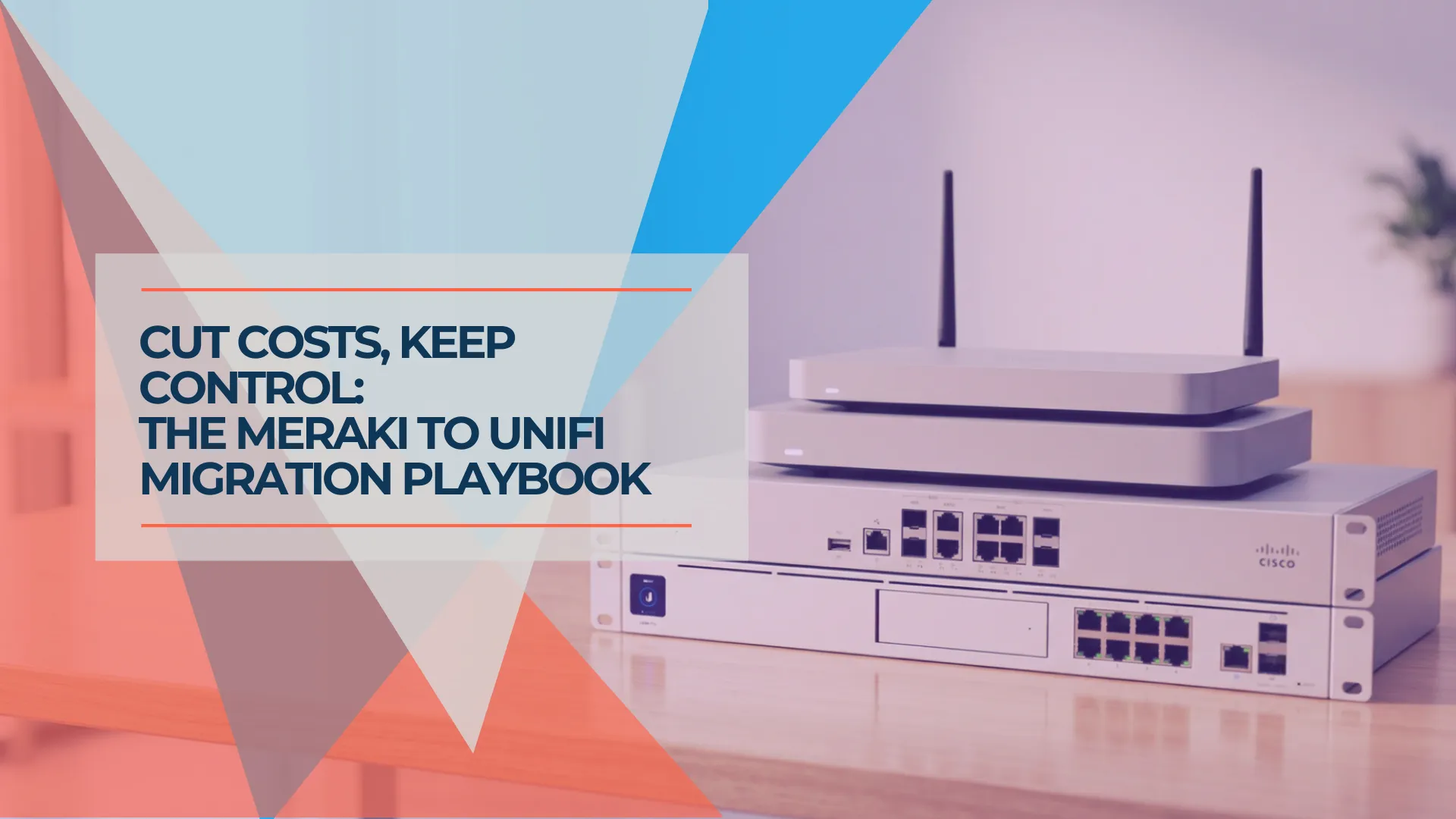
Cisco Meraki and Ubiquiti UniFi represent two different approaches to business networking: subscription-managed versus one-time purchase. For IT managers at small and mid-sized businesses evaluating whether to move from Cisco Meraki to UniFi at a license renewal cycle, this guide covers the practical steps — hardware mapping, cost context, a pre-migration checklist, and three cutover approaches.
We've helped businesses across South Florida evaluate and execute this migration. What follows is the process we use.
Affiliate Disclosure: This article contains affiliate links. If you make a purchase through these links, we may earn a small commission at no extra cost to you. As an Amazon Associate, iFeelTech earns from qualifying purchases.
Scope of This Guide
This guide is for IT managers and business owners actively evaluating a move from Cisco Meraki to Ubiquiti UniFi. If Meraki's managed services — 24/7 Cisco TAC support, automated RF optimization, compliance tooling — deliver clear value for your organization, the licensing cost is justified. This guide serves teams for whom the cost-to-value balance has shifted.
How Do Cisco Meraki and UniFi Business Models Compare?
Cisco Meraki requires recurring per-device subscriptions for full device operation, while Ubiquiti UniFi uses a one-time hardware purchase model with no mandatory recurring fees.
Cisco Meraki bundles hardware with a mandatory cloud license subscription. That license includes cloud-based management via the Meraki Dashboard, automatic firmware updates, 24/7 Cisco TAC enterprise support, and advanced security features such as Cisco Umbrella DNS integration and Air Marshal wireless intrusion detection. Annual licensing runs $100–$1,000 per device depending on device type and tier. Under per-device licensing, Cisco Meraki devices stop passing traffic 30 days after a license expires.
Ubiquiti UniFi separates hardware from management. You purchase the hardware once, and the UniFi Network Application — available on a UniFi gateway, a self-hosted server, or Ubiquiti's cloud portal — is included at no additional cost. Optional paid services include Ubiquiti CyberSecure ($99/year for enhanced threat protection) and UI Care (extended warranty with advance replacement).
Two Models, Not Two Quality Tiers
Cisco Meraki's subscription funds genuine capabilities that Ubiquiti UniFi does not replicate: ML-driven RF optimization, Cisco TAC enterprise support, advanced compliance tooling, and integrated Cisco Umbrella security. UniFi's model trades those managed services for a lower total cost of ownership. The right choice depends on what your organization needs and can manage internally.
Cisco Meraki's model fits well when:
- Your organization operates 10+ sites with SD-WAN and Auto VPN requirements
- Compliance mandates require Cisco-backed audit trails and SOC 2 documentation
- You have no dedicated IT staff and need vendor-managed simplicity
- 24/7 Cisco TAC support with SLA-backed response times is a requirement
Ubiquiti UniFi's model fits well when:
- You're a cost-sensitive SMB with some internal IT capability
- You prefer CapEx (one-time purchase) over OpEx (recurring subscriptions) for networking
- You want cameras, NVR, door access, NAS, and VoIP under one management interface
- You're comfortable with community-driven support and self-managed firmware updates
How Much Does Meraki Cost Compared to UniFi Over 5 Years?
A 25-person office running Cisco Meraki costs approximately $8,626 over five years (hardware plus Enterprise licensing), compared to $2,154 for equivalent Ubiquiti UniFi hardware with no recurring fees.
The numbers below reflect verified pricing as of March 2026. Cisco Meraki figures use street pricing (not list) and include Enterprise-tier licensing. Ubiquiti UniFi figures are direct from the Ubiquiti Store. For a detailed feature-by-feature WiFi 7 comparison, see our UniFi vs Meraki cost analysis.
| Deployment Size | Cisco Meraki 5-Year Total | Ubiquiti UniFi 5-Year Total | 5-Year Difference |
|---|---|---|---|
| 10 employees (gateway + switch + 2 APs) | ~$6,580 | ~$906 | ~$5,670 |
| 25 employees (gateway + switch + 4 APs) | ~$8,626 | ~$2,154 | ~$6,470 |
| 50 employees (gateway + 2 switches + 8 APs) | ~$16,180 | ~$4,209 | ~$11,970 |
Cisco Meraki totals include hardware, five years of Enterprise licensing, and the 24/7 Cisco TAC support and Meraki Dashboard cloud management bundled into those licenses. Ubiquiti UniFi totals are hardware only. If your team needs external help configuring UniFi, factor in professional installation services ($500–$2,000 depending on complexity).
What UniFi Hardware Replaces Each Meraki Device?
There is no automated configuration migration path between Cisco Meraki and Ubiquiti UniFi. IT teams must document Meraki Dashboard settings via the Meraki API and rebuild them from scratch in UniFi.
The hardware mapping is straightforward:
| Cisco Meraki Device | Role | Ubiquiti UniFi Equivalent | Price (March 2026) |
|---|---|---|---|
| Meraki MX68 | Small office gateway | UniFi Cloud Gateway Ultra | $129 |
| Meraki MX75 / MX84 | Mid-size gateway/firewall | UniFi Dream Machine Pro Max | $599 |
| Meraki MS225-24P | 24-port PoE managed switch | USW-Pro-Max-24-PoE | $799 |
| Meraki MS225-48P | 48-port PoE managed switch | USW-Pro-Max-48-PoE | $1,299 |
| Meraki MR46 / CW9172I | Standard WiFi 6/7 AP | UniFi U7 Pro | $189 |
| Meraki CW9176I | High-performance WiFi 7 AP | UniFi U7 Pro Max | $279 |
| Meraki MV cameras | Surveillance | UniFi Protect G5/G6 series | Varies |
Software version note: Managing UniFi U7-series WiFi 7 access points requires the UniFi Network Application version 8.0.28 or later (8.2.93+ for the UniFi U7 Pro Max). If you're running an older controller version, update before deploying U7 hardware.
Cisco Meraki features without a direct UniFi equivalent:
- Meraki Auto VPN / SD-WAN: Cisco Meraki's site-to-site VPN auto-provisioning across many locations does not have a direct Ubiquiti UniFi equivalent. However, Ubiquiti's Site Magic feature provides license-free, automatic site-to-site VPN routing between UniFi gateways managed under the same Ubiquiti account using WireGuard and OSPF. Site Magic supports mesh and hub-and-spoke topologies and is the closest UniFi analog to Meraki Auto VPN — though it requires all sites to run UniFi gateways and lacks Meraki's SD-WAN traffic policies.
- Meraki Air Marshal: Cisco Meraki's wireless intrusion detection and prevention system has no equivalent in UniFi. Organizations actively using Air Marshal for rogue AP detection lose this capability.
- Meraki Location Analytics: Cisco Meraki's built-in presence analytics (foot traffic, dwell time) is not available in Ubiquiti UniFi. Businesses using this for retail or hospitality analytics will need a separate solution.
High Availability: Cisco Meraki MX appliances support warm spare (HA) failover. Ubiquiti's equivalent is Shadow Mode — a VRRP-based active-passive configuration available on the UniFi Dream Machine Pro Max, UDM Pro, and UDM SE (requires UniFi OS 4.0.6+). Two gateways of the same model pair as a redundant set, with the standby unit automatically taking over if the primary fails. This addresses one of the most common enterprise concerns when evaluating UniFi as a Meraki replacement.
For a deeper look at UniFi gateway options, see our UniFi gateway comparison guide. For switch selection, see our UniFi switch guide.
What Should You Document Before Starting the Migration?
Before replacing any hardware, export and document every setting from the Cisco Meraki Dashboard. There is no "Export Configuration" button in the Meraki Dashboard — use the Meraki Dashboard API or the open-source merakiBackupAndRestore tool to pull organization-wide settings into JSON files.
Pre-Migration Documentation Checklist
Network Configuration:
- VLAN IDs, names, subnets, and DHCP scopes
- Firewall rules (L3 and L7) — screenshot or export via Meraki Dashboard API
- Static routes, NAT rules, and port forwarding
- DNS settings (internal and external)
Wireless Configuration:
- SSID names, security settings, VLAN assignments
- Band steering and channel settings
- Traffic shaping, bandwidth limits, and content filtering policies
- Guest network configuration
VPN and Remote Access:
- Site-to-site VPN configurations (endpoints, subnets, PSK/certificates)
- Client VPN settings
- Meraki Auto VPN topology (if used — requires manual recreation)
Switching:
- Port profiles and VLAN trunk configurations
- PoE power draw per port (Meraki Dashboard > Switches > Port Details)
- Link aggregation groups and STP settings
Meraki-Specific Features in Active Use:
- Meraki Air Marshal alerts
- Meraki Location Analytics (foot traffic, dwell time)
- Adaptive policy / Group policies
- Meraki Systems Manager (MDM) integration
- Cisco Umbrella DNS integration
DHCP lease timing tip: Two to three days before the cutover weekend, lower the DHCP lease time in the Cisco Meraki Dashboard to one hour. This ensures client devices quickly pick up new DHCP assignments from the UniFi gateway after the swap, preventing stale IP leases from causing connectivity issues.
Order hardware early: Ubiquiti UniFi products periodically go out of stock, particularly newer models like the UniFi U7 Pro Max and the USW-Pro-Max-48-PoE. Order all hardware and confirm delivery before letting your Cisco Meraki licenses lapse or scheduling the cutover weekend. Running a Meraki network past license expiration while waiting for UniFi hardware to ship is a situation you want to avoid.
Need help with the documentation and planning phase? Our team provides professional migration assessment services for businesses throughout South Florida.
How Do You Execute the Migration Step by Step?
A Meraki-to-UniFi migration for a single-site office under 50 users can be completed in one weekend. Larger or multi-site deployments benefit from a phased approach spread across several weeks.
Option A: Full Cutover (Single Weekend)
Best for single-site offices under 50 users with a well-documented network configuration. Plan for 8–16 hours of hands-on work.
Friday evening:
- Verify all pre-migration documentation is complete
- Take final screenshots of the Cisco Meraki Dashboard state
- Pre-stage all Ubiquiti UniFi equipment (should already be bench-tested and pre-configured)
Saturday:
- Gateway swap: Disconnect the Cisco Meraki MX appliance. Connect the UniFi Dream Machine Pro Max or UniFi Cloud Gateway Ultra. Configure WAN settings, recreate firewall rules, and set up VPN tunnels. Verify internet connectivity.
- Switch swap: Disconnect Cisco Meraki MS switches one at a time. Connect UniFi switches. Recreate VLANs, port profiles, and trunk configurations. Verify PoE devices power up correctly. Test inter-VLAN routing.
- AP swap: Remove Cisco Meraki MR access points from ceiling/wall mounts. Install UniFi U7 Pro access points in the same locations — the UniFi U7 Pro requires PoE+ (802.3at) and draws up to 21W; the UniFi U7 Pro Max also uses PoE+ (802.3at) and draws up to 25W. Verify your switch PoE budget accommodates all devices. Configure SSIDs with identical names and passwords so client devices reconnect automatically.
Saturday evening — VPN cutover: If you run site-to-site VPN tunnels, this is the step that requires the most care. Cisco Meraki Auto VPN configurations must be recreated in UniFi. If all sites are migrating to UniFi gateways, Ubiquiti Site Magic can automatically establish site-to-site VPN tunnels between gateways under the same account — this is the simplest path. For tunnels to non-UniFi endpoints, configure WireGuard or IPsec manually on the UniFi gateway, coordinate with the remote site to update their tunnel endpoint, and verify bidirectional traffic. Test with a ping sweep to all remote subnets before proceeding. Allow 30–60 minutes per VPN tunnel for configuration and testing.
Sunday:
- Validation: Test every critical workflow — internet access, VPN connectivity, VoIP phones, printers, file shares, wireless coverage in all areas.
- Optimization: Adjust channel widths, TX power, and band steering based on real-world conditions. Enable DPI and traffic management rules.
- Meraki decommission: Remove devices from the Cisco Meraki Dashboard cleanly.
Option B: Phased Migration
Lower risk. Start with access points (least disruptive), then switches, then the gateway. Each phase can happen over a separate weekend.
Phase 1 — Access points (Week 1): Replace Cisco Meraki MR access points with UniFi U7 Pro access points while keeping the Cisco Meraki MX and MS switches in place. UniFi access points work on any 802.1Q-capable switch. Use a self-hosted UniFi Network Application or Ubiquiti's cloud portal to manage the access points during this hybrid period. Match SSIDs and passwords to avoid client disruption.
Phase 2 — Switches (Week 2–3): Replace Cisco Meraki MS switches with UniFi switches. Recreate VLANs and port profiles. The Cisco Meraki MX gateway continues to handle routing, DHCP, and VPN during this phase.
Phase 3 — Gateway (Week 3–4): Replace the Cisco Meraki MX appliance with a UniFi Dream Machine Pro Max or UniFi Cloud Gateway Ultra. This is the most disruptive step — internet connectivity, firewall rules, VPN tunnels, and DHCP all move at once. Schedule during off-hours. The UniFi gateway then adopts all previously deployed UniFi switches and access points into a single management interface.
Option C: Hybrid Transition
Keep the Cisco Meraki MX gateway (especially if its license has months remaining) and replace only access points and switches with Ubiquiti UniFi. This preserves a familiar firewall and routing layer while you learn the UniFi ecosystem. When the Meraki MX license approaches expiration, complete the migration by swapping the gateway.
This approach works well when the Cisco Meraki MX license won't expire for 6+ months and you want to spread the investment and learning curve over time.
Do Not Run Dual Wireless Vendors
Do not run Cisco Meraki and Ubiquiti UniFi access points simultaneously in the same physical space. Both platforms will detect the other vendor's access points as rogue devices and generate persistent security alerts. Replace all access points in a given area at once.
What Network Features Are Lost When Switching to UniFi?
Migrating from Cisco Meraki to Ubiquiti UniFi results in the loss of automated RF optimization, 24/7 Cisco TAC enterprise support, and Meraki Air Marshal wireless intrusion detection. The trade-off is the elimination of all recurring licensing costs.
Capabilities Cisco Meraki provides that Ubiquiti UniFi does not:
- Meraki Dashboard polish: The Cisco Meraki Dashboard is designed for non-specialists — intuitive, fast, and consistent across all device types. The UniFi Network Application is capable but has a steeper learning curve.
- ML-driven RF optimization: Cisco Meraki automatically manages channel selection and power levels using machine learning. UniFi requires more manual channel planning.
- 24/7 Cisco TAC support: Enterprise support with guaranteed response times is included with every Cisco Meraki license. Ubiquiti UniFi support is community-driven (forums, Reddit) with optional paid tiers.
- Cisco Umbrella DNS security: Integrated DNS-layer protection and advanced analytics are more mature than UniFi's built-in CyberSecure offering.
- Meraki Air Marshal: Wireless intrusion detection and prevention has no Ubiquiti UniFi equivalent.
- Zero-touch provisioning at scale: Cisco Meraki's device claiming and template-based configuration is simpler than UniFi's adoption workflow for multi-site deployments.
Capabilities Ubiquiti UniFi provides that Cisco Meraki does not:
- No recurring licensing costs. UniFi hardware operates indefinitely with no subscription dependency. There is no risk of devices ceasing to function due to a licensing lapse.
- Local management option. A self-hosted UniFi Network Application gives full control over management infrastructure — no dependency on vendor cloud availability.
- Broader product ecosystem. UniFi extends into cameras (UniFi Protect), NVR, door access, NAS, and VoIP under a single management plane. Cisco Meraki's ecosystem is primarily networking-focused. For a concrete example, see how a 7-person professional office runs WiFi, cameras, and door access from one UniFi interface.
- WiFi 7 at lower hardware cost. The UniFi U7 Pro ($189) delivers comparable WiFi 7 performance to the Cisco Meraki CW9172I (~$650) for standard office environments.
Summary
For SMBs where the licensing cost exceeds the value of Cisco Meraki's managed services — typically businesses with some internal IT capability and straightforward network requirements — the trade-off favors Ubiquiti UniFi. For organizations that rely heavily on Cisco Meraki's automation, multi-site SD-WAN, or Cisco TAC enterprise support, the licensing cost funds real operational value.
What Are the Most Common Meraki-to-UniFi Migration Mistakes?
The most frequent errors during a Cisco Meraki to Ubiquiti UniFi migration are undersizing PoE budgets, failing to document the Meraki Dashboard configuration before losing access, and attempting to translate settings instead of rebuilding cleanly.
1. Undersizing the PoE budget. WiFi 7 access points draw more power than WiFi 5/6 models. The UniFi U7 Pro draws up to 21W (PoE+/802.3at). The UniFi U7 Pro Max draws up to 25W (PoE+/802.3at). Add VoIP phones and cameras, and a 120W PoE switch fills up quickly. Size your switch by sustained PoE draw, not port count alone.
2. Not documenting the Meraki Dashboard before losing access. Once a Cisco Meraki license expires or devices are released from the Meraki Dashboard, you lose access to the configuration. Document everything while you still have access — preferably via the Meraki Dashboard API.
3. Trying to "migrate" settings instead of rebuilding. There is no configuration migration path between platforms. Attempting to translate Cisco Meraki settings line-by-line into UniFi often introduces errors. Use your Meraki documentation as a reference, but build the UniFi network from scratch based on your actual requirements.
4. Forgetting site-to-site VPN recreation. If you run VPN tunnels between offices via Cisco Meraki Auto VPN, these must be manually recreated in UniFi using WireGuard or IPsec. Configure and test tunnel stability before the production cutover — not during it.
5. Running both vendors' access points in the same space. Both Cisco Meraki and Ubiquiti UniFi flag unfamiliar access points as rogue devices, generating constant alerts and interfering with automated channel selection. Replace all access points in a given area at once.
6. Not planning the UniFi controller location. UniFi devices need a controller for management. Options: built into a UniFi gateway (simplest), self-hosted on a local server, or Ubiquiti's cloud hosting ($29/month for up to 100 devices). Decide before purchasing. See our UniFi buyer's guide for recommendations by deployment size.
If any of these steps are outside your team's comfort zone, our team provides professional migration services for businesses throughout South Florida.
What Happens to Unexpired Cisco Meraki Licenses After Migration?
Cisco Meraki licenses cannot be transferred between customers. Unexpired license time on decommissioned devices is generally not refundable.
Under the co-termination licensing model, removing a device from your Cisco Meraki organization does not extend the co-term date for remaining devices — the license value attributed to the removed device is lost. Under per-device licensing, each device has its own expiration date, and Cisco does not prorate or refund unused time.
The most practical approach is to time the migration with your license renewal cycle. If your Cisco Meraki licenses expire in three months, plan the migration to complete before renewal — this avoids paying for another year of licensing on hardware you're about to replace. If you have significant unexpired license time remaining, the hybrid approach (Option C above) lets you use the Cisco Meraki MX gateway until its license expires while migrating access points and switches to UniFi immediately.
Cisco Meraki hardware can be sold on the secondary market, but the licenses attached to it do not transfer to a new customer.
When Is Cisco Meraki the Right Choice Over UniFi?
Cisco Meraki is the better fit for organizations requiring multi-site SD-WAN, compliance-backed audit trails, or 24/7 vendor-managed support. In these cases, the licensing cost funds capabilities that Ubiquiti UniFi does not offer.
Compliance and audit requirements. Organizations in healthcare, finance, or government that need Cisco-backed audit trails, SOC 2 documentation, or vendor accountability contracts should stay with Cisco Meraki. The compliance tooling and vendor relationship have concrete value.
Multi-site SD-WAN at scale. If your organization operates 10+ locations and relies on Cisco Meraki Auto VPN for automatic mesh connectivity and SD-WAN policy orchestration, UniFi's manual site-to-site VPN configuration adds meaningful operational overhead.
No internal IT capacity. Cisco Meraki's managed model — automatic firmware updates, cloud monitoring, proactive alerting — reduces the need for hands-on networking expertise. For organizations without a dedicated IT person, UniFi's self-managed approach requires a skill set that may not exist on the team.
Mission-critical uptime SLAs. When network downtime directly costs revenue — retail POS systems, medical offices, hospitality operations — Cisco TAC's 24/7 enterprise support with guaranteed response times provides an assurance that Ubiquiti's community support model does not.
Advanced wireless security. Cisco Meraki Air Marshal (wireless intrusion detection), adaptive policy enforcement, and integrated Cisco Umbrella DNS security are capabilities Ubiquiti UniFi does not match natively.
Ubiquiti UniFi Equipment Lists by Office Size
Configurations for three common deployment sizes. All prices from the Ubiquiti Store as of March 2026.
10-Person Office
| Device | Model | Price |
|---|---|---|
| Gateway | UniFi Cloud Gateway Ultra | $129 |
| Switch | USW-Pro-Max-16-PoE (180W) | $399 |
| Access Points | 2× UniFi U7 Pro | $378 |
| Total | $906 |
25-Person Office
| Device | Model | Price |
|---|---|---|
| Gateway | UniFi Dream Machine Pro Max | $599 |
| Switch | USW-Pro-Max-24-PoE (400W) | $799 |
| Access Points | 4× UniFi U7 Pro | $756 |
| Total | $2,154 |
50-Person Office
| Device | Model | Price |
|---|---|---|
| Gateway | UniFi Dream Machine Pro Max | $599 |
| Switch (primary) | USW-Pro-Max-48-PoE (720W) | $1,299 |
| Switch (secondary) | USW-Pro-Max-24-PoE (400W) | $799 |
| Access Points | 8× UniFi U7 Pro | $1,512 |
| Total | $4,209 |
For environments requiring higher wireless throughput (video production, design studios, dense conference spaces), substitute the UniFi U7 Pro Max ($279) or UniFi U7 Pro XGS ($299) access points. For custom configurations, use our UniFi Network Builder.
Related Resources
- Best Firewall for Small Business 2026 — No-subscription firewall guide comparing UniFi, Firewalla, Omada, and Aruba against Meraki and SonicWall.
- UniFi vs Meraki WiFi 7 Cost Comparison — Detailed feature-by-feature and cost analysis between Cisco Meraki and Ubiquiti UniFi.
- UniFi Buyer's Guide 2026 — Complete Ubiquiti UniFi ecosystem overview by office size, from home office to enterprise.
- UniFi Gateway Comparison Guide — How to choose between the UniFi Cloud Gateway Ultra, Dream Machine Pro, and Dream Machine Pro Max.
- Best UniFi Switches 2026 — Full switch lineup breakdown with PoE budget guidance.
- UniFi Office Network Blueprint — Complete network design guide for business deployments.
- Power over Ethernet Guide — PoE standards, budgeting, and switch sizing for WiFi 7 deployments.
- Cloud-Managed Networks Guide — How cloud-managed networking works and when it's the right approach.
Our team provides professional network assessment, design, and installation services for businesses throughout South Florida. Contact us for a migration consultation.
Frequently Asked Questions
Related Articles
More from UniFi Networks

UniFi vs Cisco Meraki: Small Business Network Cost Comparison
Comprehensive WiFi 7 cost comparison between UniFi and Cisco Meraki for small businesses. 5-year TCO analysis, feature comparison, ROI calculator, and migration guide.
24 min read

UniFi Site Magic: How to Connect Two Business Locations (2026)
Step-by-step guide to setting up UniFi Site Magic for site-to-site VPN between business locations. Covers IP planning, topology, and non-UniFi alternatives.
8 min read
UniFi Gateway Comparison Guide 2026: All 11 Models Ranked
Complete UniFi gateway comparison covering all 11 current models — from Cloud Gateway Ultra ($129) to Dream Machine Beast ($1,499) and Enterprise Fortress Gateway ($1,999). Exact device counts, throughput thresholds, and storage economics.
26 min read