

UniFi Access Review 2026: Door Access Control for Small Business
Full review of UniFi Access 3.2 — hardware, setup, management, and honest comparison to ButterflyMX and ADT for small offices.

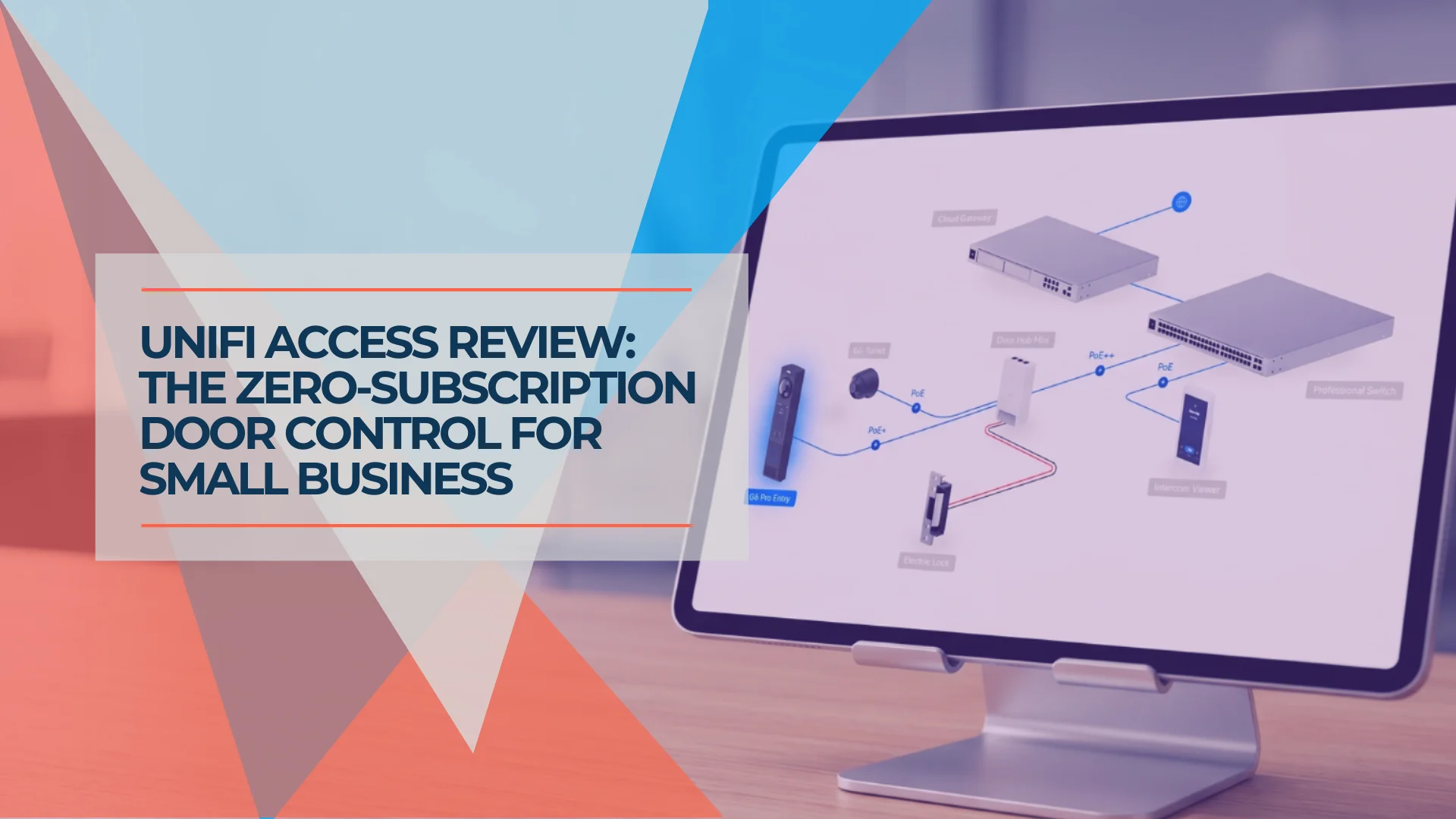
Quick Verdict
UniFi Access 3.2 is the right choice for single-site small offices (1–10 doors) already running UniFi networking or cameras — and the zero monthly subscription makes the math work faster than most people expect.
Pros:
- Zero monthly subscription — hardware cost only, no per-door SaaS fees
- Managed in the same UniFi OS console as networking and cameras — no separate platform
- Native UniFi Protect integration links door events directly to camera clips
- 3.2 adds 2nd-person authentication, relay module, and Interface Designer for branded reader screens
- Operates on local LAN — NFC and PIN unlocks work during WAN outages
Cons:
- No centralized multi-site management — each location managed on its own console
- No native HR system integration — user provisioning is manual
- Visitor management is limited compared to ButterflyMX
- Ubiquiti support response times are slower than access-control-specialized vendors
Affiliate Disclosure: This article contains affiliate links. If you make a purchase through these links, we may earn a small commission at no extra cost to you. As an Amazon Associate, iFeelTech earns from qualifying purchases.
We do a lot of UniFi installations — switches, APs, cameras, gateways — and clients regularly ask us to add door access control to the same project. For years, that meant one of two honest answers: ButterflyMX for cloud-managed building entry with strong visitor workflows, or ADT for businesses that wanted a fully monitored, professionally installed system. UniFi Access wasn't a match for either.
That's changed. Ubiquiti has been refining UniFi Access over several years of real-world deployments, and the current release closes the compliance gaps — 2nd-person authentication, relay module, Interface Designer — that kept it off the shortlist for most office projects.
The hardware gets you online. The door side determines whether the project wraps in an afternoon or stretches into a three-week coordination effort with locksmiths and fire marshals.
How We Evaluated This
We've installed UniFi Access across 12+ commercial deployments in South Florida — offices, medical suites, and mixed-occupancy buildings. We've been running the 3.2 release since launch. All hardware pricing verified directly against store.ui.com.
UniFi Access at a Glance: What's in the Box
UniFi Access is a complete door access control system built around three components: a reader (the thing you present your credential to), a hub (the controller that actually locks and unlocks the door), and the software (the Access application running on a UniFi OS console). Ubiquiti sells these individually and as starter kits.
Here's the current hardware lineup — check store.ui.com for latest pricing:
| Hardware | Price | Role |
|---|---|---|
| Access Ultra | $129 | Combined reader + hub for a single door — the simplest deployment path |
| G3 Reader | From $139 | Compact NFC reader with handwave unlock; pairs with a separate hub |
| G3 Reader Flex | $199 | NFC + keypad, outdoor-rated |
| G3 Reader Pro | $379 | Touchscreen display, NFC, PIN, two-way audio — current-gen premium reader |
| Door Hub Mini | $129 | Single-door control hub (compact); 2 PoE ports |
| Door Hub | $199 | Single-door control hub; 4 PoE ports for powering reader and accessories |
| Enterprise Access Hub | $999 | 8-door hub for larger deployments |
| Electric Locks | From $89 | Electromechanical strike and bolt locks; fail-safe and fail-secure options |
| Magnetic Lock | From $149 | Fail-safe magnetic lock for in-swing and out-swing doors |
| Intercom | From $399 | Video intercom with keypad; manages building entry |
| G6 Pro Entry | From $379 | Protect + Access combined: 12MP doorbell with reader capability |
| Door Starter Kit | From $289 | Single-door kit (reader + hub) — fastest way to start |
| Door Starter Kit Pro | $599 | G3 Reader Pro + hub for one door with two readers |
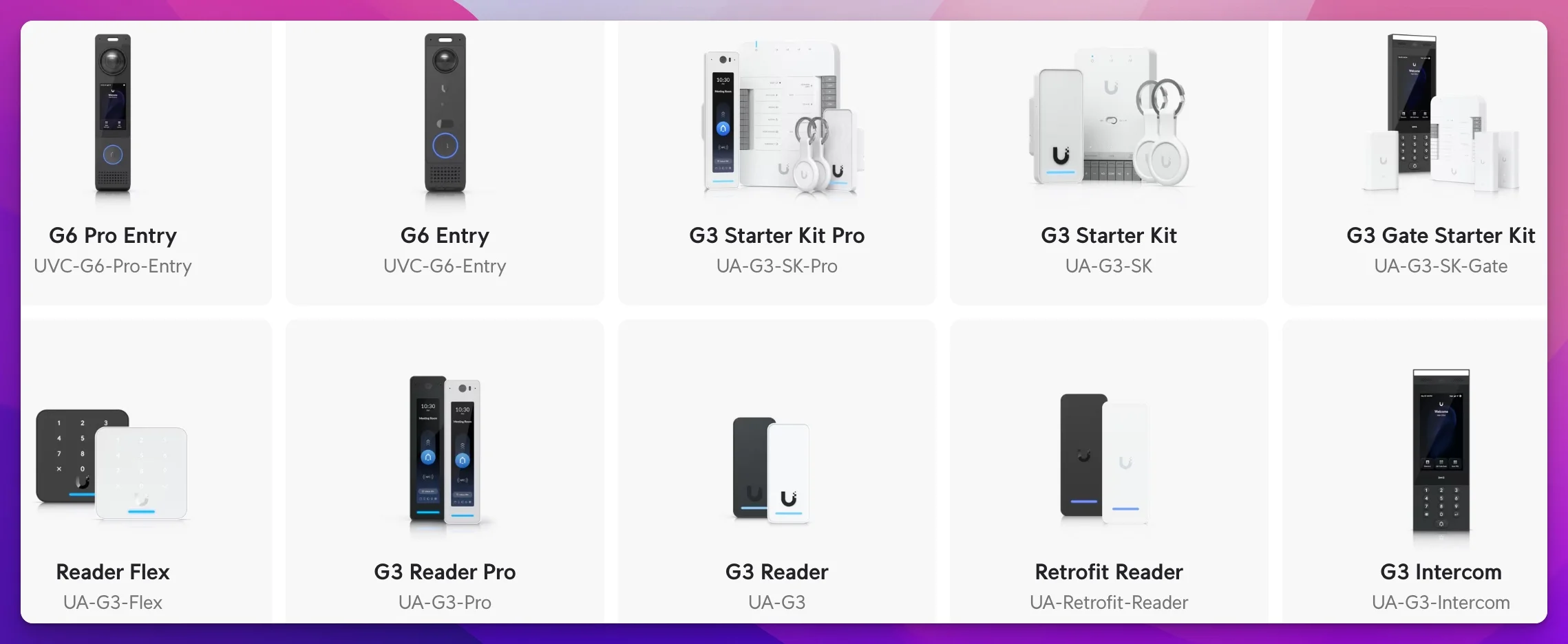
A few things worth noting: each standard hub controls a single door. For a 5-door office, you need five hubs. The Access Ultra ($129) is the most efficient option for simple deployments — it combines the reader and hub in one device, so a single PoE port handles everything for one door.
The Access application runs on your existing UniFi OS console — there is no subscription fee, no cloud dependency for unlocking doors, and no separate management platform. Your gateway or NVR is already running UniFi OS; you just add the Access application to it.
Note on compatible consoles: UniFi Access runs on the Dream Machine Pro, Pro Max, SE, Dream Wall, Dream Router 7, Cloud Gateway Max, Cloud Gateway Fiber, CloudKey+ (UCK-G2-PLUS), and the NVR/ENVR family. The Cloud Gateway Ultra does not currently support the Access application — if that's your console, you'll need to add a CloudKey+ or NVR to run Access on the same site.
Migrating from a Legacy System: The Retrofit Hub
If your building already has card readers wired in, a full rip-and-replace is rarely the right answer. Ubiquiti's Retrofit Hub (UA-Retrofit-Hub-2, $229) supports both Wiegand and OSDP protocols — the two standards covering the vast majority of commercial readers installed over the past 20 years — and provides entry and exit control for up to two doors.
The migration path is practical: the Retrofit Hub replaces your existing controller, your legacy readers stay in place, and you gain full UniFi Access management — scheduling, audit logs, mobile credentials, NFC enrollment — without rewiring the doors. For a two-door office with existing Wiegand infrastructure, a single Retrofit Hub handles the complete transition for $229 in controller hardware.
For installations where existing cable runs aren't PoE-compatible, the PoE Over 2-Wire Retrofit Extender ($99/pair, UACC-Retrofit-PoE-2Wire) extends PoE over twisted-pair or coaxial cable — meaning runs originally installed for older analog readers can power current UniFi Access hardware without new conduit. The Retrofit PSU 12V ($79) provides a 12V DC power alternative for non-PoE infrastructure, with optional SLA battery backup for resilience during power outages.
The practical math: A mid-size office with six legacy Wiegand door readers and existing wiring can migrate to UniFi Access with three Retrofit Hubs ($229 × 3 = $687) — keeping readers and cabling intact, gaining mobile credentials and an exportable audit trail, and avoiding the labor cost of pulling new low-voltage wire throughout the building.
What Are the New Features in UniFi Access 3.2?
UniFi Access 3.2 adds four capabilities that push it into compliance territory: Interface Designer for customized reader screens, 2nd-person authentication for restricted-access rooms, glass break sensor integration for intrusion detection, and an external relay module that extends hub control to garage doors, parking barriers, and gate motors.
Interface Designer. Businesses can now customize what's displayed on the Reader Pro's touchscreen — company logo, color scheme, and messaging. This matters for customer-facing spaces where the door reader is visible to visitors: a law firm reception, a medical office, a co-working front desk. Previously the reader displayed a generic Ubiquiti UI; now it can reflect your brand.
2nd-person authentication. Two users must both authenticate at the reader before access is granted. This is a compliance requirement in medication storage rooms, server vaults, financial record storage areas, and certain healthcare contexts. Before 3.2, this was a gap that pushed some clients toward ButterflyMX or a full ADT installation. That gap is now closed.
Glass break sensors. The Access layer now integrates with physical intrusion detection — specifically glass break events from UniFi's SuperLink sensor ecosystem. This connects door access control to the broader security posture of the building, which is relevant for offices with glass exterior doors or storefronts.
Relay module. The relay module connects UniFi Access hubs to external devices: garage doors, parking barriers, gate motors, and lighting systems. This extends UniFi Access from "door readers" to "building automation entry point." For offices with parking garages, loading docks, or electric gate access, this closes a real gap.
UniFi Access: Official Overview
How to Install UniFi Access Hardware
UniFi Access hardware requires running Cat6 from a PoE switch to each door hub, followed by in-app pairing in the Access application — typical IT setup time is 1–2 hours per door, assuming the door is already wired and the lock hardware is compatible with the hub's output voltage and current spec.
The IT setup is genuinely straightforward
A single-door deployment using the Access Ultra looks like this: run Cat6 from your PoE switch to the door location, mount the Access Ultra, connect to the hub terminal on the lock circuit, power on, and add the device in the Access application. The Access application walks you through pairing. First-time setup from box to working door: 1–2 hours for someone familiar with UniFi.
Network requirements are minimal: a PoE switch port for each hub or Access Ultra, and a UniFi OS console running the Access application. The hubs communicate over your existing LAN — no separate access control VLAN is required, though isolating them to a management VLAN is good practice if you're already doing that for cameras.
Credentials are flexible from day one: NFC cards/fobs, mobile unlock via the UniFi Access app (iOS and Android), PIN, or any combination. Mobile credentials are particularly useful for staff who don't want to carry a physical fob.
The door side is where projects get complicated
The door is not always a simple install. The IT team can get the Access Ultra online in an hour. Whether the door itself is ready for access control is a separate question — one that determines whether you're done in an afternoon or calling a locksmith three weeks later.
Pre-wired vs. unwired doors. Doors from a previous access control system often have conduit and low-voltage cabling already in the frame — those are relatively clean installs. A door with no existing infrastructure requires running cable, which typically means working through walls, above drop ceilings, or through door frames. This is labor-intensive and sometimes structurally challenging, especially in older buildings.
When to involve a locksmith. Door hardware — electric strikes, magnetic locks, fail-safe mechanisms, exit devices — is locksmith territory. IT companies are not locksmiths. For a standard pre-wired interior office door on a hollow-metal frame, most IT installers can handle the full job with the right hardware and a few hours. For fire-rated doors, glass storefront doors, doors with existing panic hardware, or any hollow-core door, involve a licensed locksmith or access control hardware specialist. This is not optional — it affects code compliance and the physical integrity of the door.
Building codes and egress requirements. Access control on egress doors triggers local building code requirements in most jurisdictions, and fire departments often have independent inspection authority. The critical question: what happens when power fails or fire is detected? A magnetic lock on an egress door must fail-safe — it must unlock on power loss. Depending on jurisdiction, you may also need a Request-to-Exit (REX) button, a push bar with integrated egress sensor, or a specific combination. Don't assume — verify with the local Authority Having Jurisdiction (AHJ) and fire marshal before finalizing the hardware plan. Ubiquiti sells a Panic Bar ($399) that integrates with Access hubs for exactly this reason. In Miami-Dade and Broward Counties, fire marshals conduct pre-occupancy inspections of any access-controlled egress door — plan for a formal inspection before putting the system into service, and verify requirements with the local AHJ early in the design process rather than after hardware is ordered.
A real-world example. We were asked to install UniFi Access in a facility that operated as a church on weekends and a part-time school on weekdays. What looked like a two-door entry project became a multi-week coordination effort. School occupancy codes, fire department egress requirements, and the physical condition of the doors — some hollow-core, some already fitted with hardware for the church's existing system — all needed resolution before we could finalize the spec. That's not a knock on UniFi Access. It applies to any access control platform. The lesson: walk every door before quoting the project.
UniFi Access provides the reader, hub, and software. You purchase door hardware (electric strike, magnetic lock, or panic bar) separately — budget $89–$399 per door depending on the lock type and egress requirements. For anything beyond a standard interior office door, involve a licensed locksmith and verify local building code requirements before installation.
If a door is on an egress path — meaning occupants use it to exit in an emergency — do not finalize your access control hardware plan without confirming egress requirements with your local fire marshal or building department. The requirement varies by jurisdiction, building type, and occupancy classification.
How Does the UniFi Access Management Console Work?
UniFi Access management runs entirely through the UniFi OS console — no separate software, no additional login, and no cloud dependency for local door unlocking. User provisioning, access schedules, audit logs, and remote lock/unlock controls are all managed in the same interface as your switches, APs, and cameras.
User management is straightforward at small scale: add a user, assign NFC credentials or mobile access, set an access schedule (business hours only, never on weekends, specific door zones), and save. For offices under 50 users, the workflow is fast and clean. The search and filtering tools hold up well for typical SMB user counts.
The UniFi Access mobile app (iOS and Android, free for users) handles mobile credentials. Users add their mobile key from the app; administrators enable or revoke it from the console. This is the credential type we recommend as a baseline for all staff — it eliminates lost fob replacement and makes remote revocation (an employee departure, a contractor losing access) immediate.
Audit trail and event logging captures who accessed which door, at what time, with what credential. This log is searchable and exportable — an essential feature for businesses with compliance requirements. For healthcare, finance, or legal contexts, this log is the documentation that access policy was enforced.
UniFi Protect integration is where the ecosystem advantage becomes concrete. When a door unlocks, the Access application can automatically trigger the nearest Protect camera to capture a clip — door event linked directly to video footage. On competing platforms, this level of integration requires custom API work or a third-party middleware layer. On UniFi, it's built in and takes about 30 seconds to configure. If you're already running a UniFi Protect camera system, Access makes it materially more useful.

Remote management — locking or unlocking a specific door remotely from the UniFi console or app — works as expected. Access also supports scheduled lockdowns, zone-based access groups, and PIN + NFC two-factor for individual doors.
Offline reliability. Because Access runs on a local UniFi OS console rather than a cloud subscription platform, NFC card and PIN-based unlocks continue working during WAN outages. This is a meaningful operational difference from cloud-dependent platforms like ButterflyMX. Local console connectivity must be maintained — a hub that loses its LAN path to the console falls back to its last-known credential set.
Honest limitation on UX. The management interface is solid but not as polished as ButterflyMX's consumer-focused dashboard. ButterflyMX's mobile app and visitor management UX are class-leading — built for property managers and residents, not IT administrators. For offices with heavy visitor traffic or 50+ users, that difference is noticeable.
The console that runs Access matters for performance. A Cloud Gateway Max or CloudKey+ is sufficient for most small offices (up to 150 hubs, 8,000+ users). Larger deployments should look at the UDM-Pro Max or ENVR. For reference, the Dream Router 7 and other compact gateways in the UDR7 family also support Access — making them viable for small offices that want an all-in-one console. The full list of compatible consoles is in the FAQ below.
How Does UniFi Access Compare to ButterflyMX and ADT?
UniFi Access is the most cost-effective self-managed system for single-site offices, while ButterflyMX leads in cloud-managed building entry and visitor workflows, and ADT provides full-service professional monitoring for businesses that don't want to manage access control internally.
ButterflyMX hardware is quote-based for commercial deployments — video intercom panels start around $3,995 per entry point. ADT Commercial monitoring starts at $47.99/month with hardware and installation quoted per site. Unlike either competitor, UniFi Access operates natively on the local LAN — door unlocking does not require a cloud connection or a managed services contract.

| UniFi Access | ButterflyMX | ADT Commercial | |
|---|---|---|---|
| Hardware cost (5 doors) | ~$1,090–$3,335 depending on reader tier | ~$3,995+ per entry point (quote-based) | Quote-based (dealer-installed) |
| Monthly recurring | $0 | Quote-based (commercial) | From $47.99/month (monitoring) |
| Annual recurring cost | $0/year | Quote-based | $575+/year |
| Management | UniFi OS console — IT self-managed | Cloud dashboard | ADT portal / dealer-managed |
| Camera integration | Native — UniFi Protect door-event-to-clip | ButterflyMX cameras (separate) | ADT video (optional add-on) |
| Mobile credentials | Yes (UniFi Access app) | Yes (primary UX — strong) | Yes (ADT app) |
| 2nd-person authentication | Yes (added in 3.2) | No | No |
| Video intercom | Yes (from $399, or G6 Pro Entry from $379) | ✅ Core product — from $3,995/entry | Optional add-on |
| Audit trail / event log | Yes, exportable | Yes, 365-day photo log | Yes (dealer-managed) |
| Multi-site management | ❌ Single-site only | ✅ Cloud dashboard | ✅ Dealer-managed |
| HR / PMS integration | ❌ Manual provisioning | ✅ Yardi, Entrata, RealPage (property mgmt) | ❌ Manual |
| Visitor management | Limited | ✅ Excellent — visitor passes, delivery mgmt | Limited |
| Self-managed by IT | ✅ Yes | Partial | ❌ No (requires ADT) |
| Offline door unlocking | Yes (local LAN, no cloud required) | No (cloud-dependent) | Partial (controller-based) |
| Professional monitoring | ❌ | ❌ | ✅ 24/7 |
| Installation | DIY-capable | Certified installer required | ADT dealer-installed (required) |
Hardware and recurring costs differ significantly by model. ButterflyMX video intercom hardware starts around $3,995 per entry point — a significant upfront investment, but it includes purpose-built building entry and visitor management. ADT's monitoring contract starts at $47.99/month with no self-management. For a 5-door office where IT already manages the network, UniFi Access is typically the most cost-efficient path: no recurring fees, no dealer contract, managed in the same console as everything else.
Hardware cost note: For the budget-conscious 5-door deployment, 5 × Access Ultra ($129) + 5 × electric locks ($89) = $1,090 in control hardware before labor. For a premium deployment with G3 Reader Pro touchscreens: 5 × G3 Reader Pro ($379) + 5 × Door Hub ($199) + 5 × electric locks ($89) = $3,335.
The ecosystem integration column is where UniFi Access pulls ahead for existing UniFi customers. The same console managing your switches and APs also manages your door readers. The same Protect system capturing camera footage links directly to door events. No API, no middleware, no separate vendor to call. If you're already invested in UniFi networking and cameras, adding Access costs hardware only.
3-Year Total Cost of Ownership: 5-Door Office
The zero recurring cost advantage compounds over time, especially compared to a monitoring contract.
| UniFi Access (Budget) | UniFi Access (Premium) | ADT Commercial | |
|---|---|---|---|
| Hardware + installation | $1,090 | $3,335 | ~$2,500–$5,000 est. |
| Annual recurring cost | $0 | $0 | $575+/year (monitoring) |
| Year 1 total | $1,090 | $3,335 | ~$3,075–$5,575+ |
| Year 3 total | $1,090 | $3,335 | ~$3,725–$6,225+ |
| Year 5 total | $1,090 | $3,335 | ~$4,375–$6,875+ |
UniFi budget: 5× Access Ultra + 5× electric locks. UniFi premium: 5× G3 Reader Pro + 5× Door Hub + 5× electric locks. ADT: estimated hardware + installation of $2,500–$5,000 plus $47.99/month monitoring. UniFi figures exclude labor. ADT figures are estimates — actual pricing requires a site-specific ADT quote.
At Year 3, even the premium UniFi deployment ($3,335) is less than the low end of an ADT commercial package with monitoring. The budget UniFi deployment never exceeds its Day 1 hardware cost.
What Are the Main Limitations of UniFi Access?
UniFi Access lacks centralized multi-site management, native HR system integrations, dedicated visitor workflows, and government PACS certifications. For single-location offices that don't need any of these, none will surface in day-to-day use — but each is a genuine disqualifier for specific deployment scenarios.
-
No multi-site management. Each site runs on its own console with its own user directory. ButterflyMX provides cloud-based multi-location management from a single dashboard. ADT handles multi-site through their dealer network. For single-location businesses, this limitation is irrelevant. For two or more offices, it makes UniFi Access a poor fit until Ubiquiti adds centralized multi-site management.
-
No native HR system integration. There is no automated connection to BambooHR, Rippling, Gusto, or similar platforms. Credentials are provisioned and revoked manually. ButterflyMX integrates with property management platforms (Yardi, Entrata, RealPage), but these are designed for multifamily and commercial real estate — not small business HR workflows. The employee onboarding checklist and former employee access guide cover the manual provisioning workflow in detail.
-
Limited visitor management. No pre-registration workflow, no temporary credential links, no visitor log with photo capture, no expiring QR codes. ButterflyMX's visitor management is purpose-built and significantly more capable — visitor passes, delivery management, and 365-day photo audit logs are core features. The UniFi Intercom screens visitors at the door; it is not a full visitor management system.
-
Slower support response. Ubiquiti's support model is community-first. For a door not unlocking at 7 AM before a client meeting, that is not adequate. ADT offers 24/7 professional monitoring with same-day or next-day service. ButterflyMX provides live phone, email, and chat support. Both are meaningfully better for time-sensitive physical security issues.
-
No PACS certifications. UniFi Access is not FICAM-certified and does not meet FIPS 201 requirements. Federal buildings, certain healthcare environments, and government contractors cannot use it. For the vast majority of small businesses, this limitation does not apply.
Is UniFi Access Right for Your Business?
For single-site offices already running UniFi, the answer is usually yes — the math is compelling and the ecosystem integration is genuine. The decision shifts based on door count, compliance requirements, and whether you have in-house IT to manage the system. The breakdown below maps each business profile to the platform that fits it.
Go with UniFi Access if: You're already running UniFi networking and/or Protect cameras. You have 1–10 doors at a single location. You want zero monthly fees and the zero-subscription math matters to your budget. Door access control is primarily a convenience and security layer, not a compliance requirement that demands certified systems. Bonus: the doors are pre-wired, or you've budgeted for low-voltage cabling work. The ecosystem integration is genuine — one console, one login, cameras and doors managed together — and the 3.2 feature additions close the compliance gaps that used to make this a harder call.
Go with ButterflyMX if: Your primary need is building entry and visitor management — a video intercom at the lobby, tenant smartphone access, visitor passes, and delivery management. ButterflyMX is purpose-built for that scenario and is deployed at 20,000+ properties. Hardware is quote-based for commercial deployments, with video intercom panels starting around $3,995 per entry point. It's a building entry product first; internal office door management across 5–10 doors is possible but becomes expensive quickly relative to UniFi Access.
Go with ADT if: You want a fully managed, professionally monitored access control system with no in-house IT management required. ADT installs, monitors, and services the system — you call them when something breaks, and 24/7 monitoring is included. Monitoring starts at $47.99/month; hardware and installation are quoted per site. The right choice for businesses that treat physical security as a managed service rather than an IT project.
Get a locksmith involved before you commit to anything if: The building has fire-rated doors, non-standard frames, glass storefronts, mixed-occupancy use (retail + office, school + community space), or any door on a required egress path. Resolve the physical and code questions first. UniFi Access is a solid platform — but it can't solve a door that isn't wired correctly, a jurisdiction with specific fail-safe requirements, or a fire marshal who needs to approve the hardware before you install it. The IT side of an access control project is the easy part. Walk the doors first.
Bottom Line
UniFi Access 4.1/5 — Recommended for single-site UniFi shops. The zero monthly fee, native Protect integration, and 3.2 compliance additions (2nd-person auth, relay module) make it the right call for most small offices that are already in the UniFi ecosystem. The two limitations that matter — no multi-site management, no HR integration — are the same ones that have existed for two versions. If your business doesn't need either of those, UniFi Access is the most cost-efficient access control platform available for offices under 10 doors.
Related Resources
- UniFi Protect AI Security System Under $2,000 — If you're building the full physical security stack, start here. Access and Protect integrate natively — one console manages both.
- UniFi Network Blueprint: Business Guide — How UniFi Access fits into a full-site UniFi deployment: switching, PoE budgeting, and network segmentation for access control devices.
- UniFi Gateway Comparison: UDR7, UX7, UCG Fiber — Which gateways run UniFi Access and which don't — with guidance on choosing the right console for combined networking and access control.
- Former Employee Access Security: The Complete Offboarding Checklist — Revoking door credentials is immediate in UniFi Access; this guide covers the full digital and physical access revocation workflow for employee departures.
- New Employee IT Onboarding Security Checklist — Adding door credentials fits naturally into the onboarding workflow covered here.
- Small Business Network Security Audit Guide — Physical access control is one layer of a complete security posture. This guide covers the rest.
- UniFi Installation Challenges: Common Problems & Solutions — The six most common UniFi installation issues — PoE budget overruns, adoption failures, VLAN misconfigurations — and how to resolve them before they delay your access control project.
Frequently Asked Questions
Related Articles
More from UniFi Networks
UniFi Cloud Gateway Ultra Review: Best Value for Gigabit UniFi Networks (2026)
The UCG-Ultra delivers a full UniFi controller, 1 Gbps IDS/IPS, and multi-WAN failover in a $129 fanless device. No separate Cloud Key needed. Here's who it's right for.
20 min read
We Ran 538 Ubiquiti Devices for 4 Years. Here's What Actually Failed.
Real fleet data: 538 UniFi devices tracked over 4 years. 0.74% replacement rate, 99.99% core uptime, and five incident post-mortems from commercial sites.
15 min read
Can UniFi Protect Use a NAS? UNAS, UNVR, and Archiving Explained
Can UniFi Protect record to a NAS? Here's the practical answer, plus when to buy UNAS, UNVR, both, or neither for your business.
13 min read