
UniFi U7 Pro Max Field Review (2026): PoE+, Range & XGS Comparison
Field review of 12 UniFi U7 Pro Max APs across four SMB sites. PoE+, range, spectral scanning, heat, and U7 Pro XGS comparison.

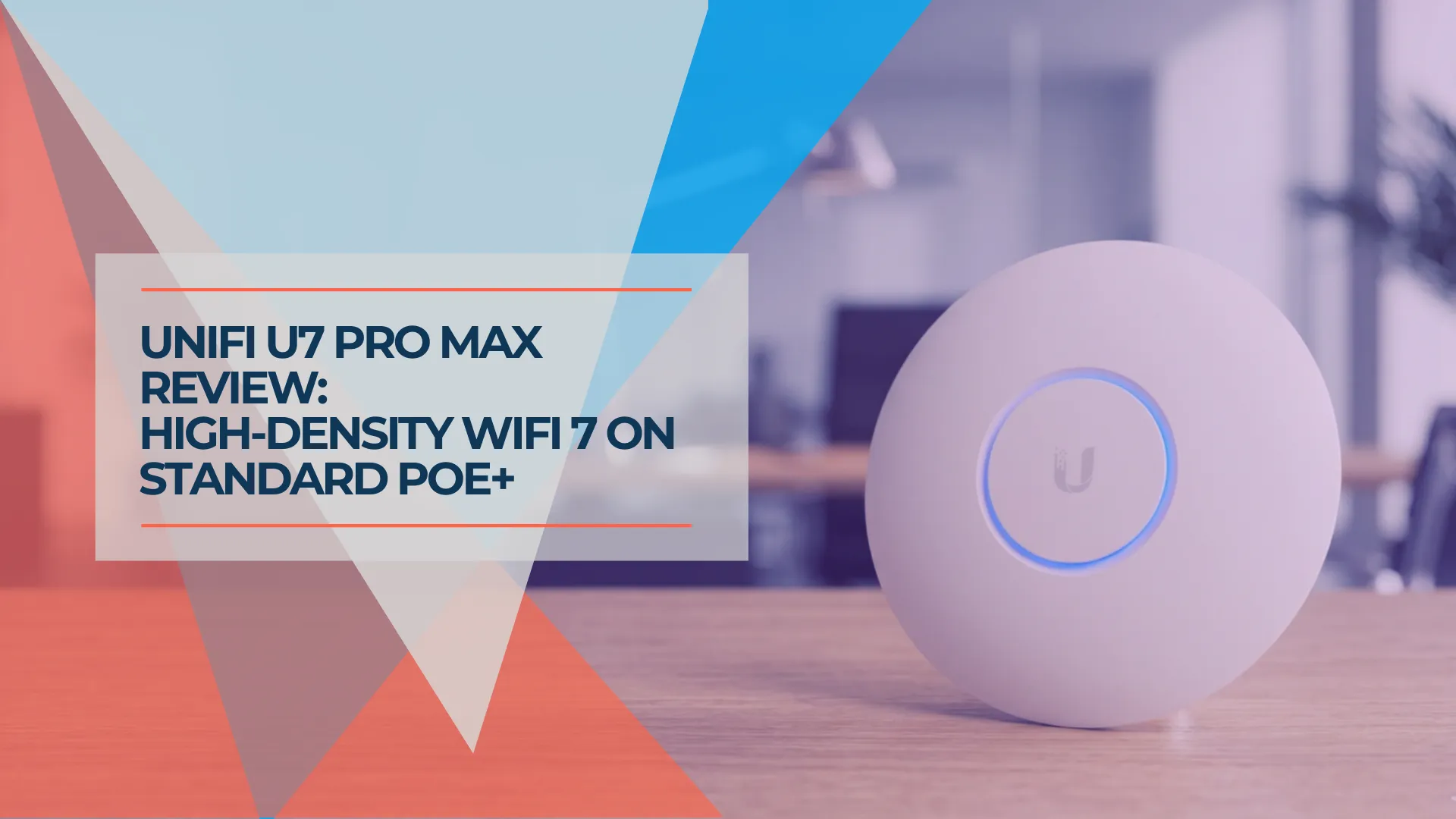
Within Ubiquiti's current U7 ceiling-mount lineup, there are two 8-stream access points with closely matched client-facing radios but different infrastructure requirements.
The U7 Pro Max ($279) and the U7 Pro XGS ($299). On a spec sheet they look nearly identical — same 8 spatial streams, same dedicated spectral scanning radio, same Zero-Wait DFS, same 1,750 sq ft coverage, same 500+ client capacity, same tri-band WiFi 7 architecture. The Pro Max uses PoE+ (802.3at) with a 1/2.5GbE port. The XGS requires PoE++ (802.3bt) and supports 1/2.5/5/10GbE. Choose the XGS when its faster uplink is useful and you can provide PoE++ power — not simply because a 10GbE switch is present.
If your switches are PoE+ with multigig ports — a common configuration across the SMB networks we manage — the Pro Max is usually the better fit. Ubiquiti's current tech specs list the same wireless feature set on both models, down to Zero-Wait DFS and Real-Time Spectral Analysis. The XGS earns its premium when you need its faster wired uplink and can supply PoE++ power, whether from a compatible switch or Ubiquiti's $39 10G PoE++ Adapter (supplies PoE++ power with up to 10GbE pass-through; actual link speed depends on the upstream port).
Quick Verdict
The U7 Pro Max is usually the better fit for high-density deployments on PoE+ switching — 8 streams, spectral scanning, and Zero-Wait DFS without requiring PoE++ power. If you already have PoE++ switching and want the faster wired uplink, the XGS removes that ceiling for $20 more.
Affiliate Disclosure: This article contains affiliate links. If you make a purchase through these links, we may earn a small commission at no extra cost to you. As an Amazon Associate, iFeelTech earns from qualifying purchases.
Prices and specifications verified against Ubiquiti's US store and official tech specs (U7 Pro Max, U7 Pro XGS, U7 Pro, U7 Pro XG) on August 3, 2026. Pricing and availability can change.
What Is the U7 Pro Max?
The U7 Pro Max is Ubiquiti's 8-stream tri-band WiFi 7 ceiling access point that runs on standard PoE+ (802.3at) with a 1/2.5GbE uplink. It costs $279. The only other 8-stream option in the U7 ceiling lineup, the XGS ($299), requires PoE++ (802.3bt) power and supports up to 10GbE.
For organizations that already have PoE+ multigig switching, the Pro Max fits the existing infrastructure without requiring PoE++ power. The XGS requires PoE++ power, which means either a compatible switch or a standalone PoE++ injector.
What separates the Max tier from the U7 Pro and Pro XG isn't just the stream count. The Pro and XG lack the separate spectral-scanning radio included in the Max and XGS. That dedicated radio continuously analyzes the RF environment for interference without consuming client capacity. Ubiquiti's tech specs also list Zero-Wait DFS on the Max tier but not on the Pro or XG. Those two features, plus the additional spatial streams, are what the price step buys.
The Pro Max also carries the highest listed transmit power in the ceiling lineup on 5 GHz — 29 dBm, against 26 dBm on both the U7 Pro and the U7 Pro XG. Higher AP transmit power can improve downlink performance under permitted regulatory settings, though real-world range also depends on client transmit power, antenna quality, obstacles, channel width, and local regulations.
Beyond the radio, the hardware profile: the Pro Max is a ceiling-mount AP with a polycarbonate and aluminum enclosure, measuring ⌀206 × 46 mm and weighing 680 g. It is thicker than the XGS (⌀215 × 32.5 mm). Independent teardowns of early shipping units have shown an active fan, though Ubiquiti does not list fan configuration in current spec sheets, and hardware revisions may differ. In our installed units, the fan rarely spins audibly in normal office use, but the metal base runs warm under sustained high-throughput load. The Pro Max carries a 50°C ambient operating rating where the U7 Pro, Pro XG, and Pro XGS are rated to 40°C.
Here's how the full U7 Pro ceiling lineup compares at the current price points:
Official UniFi U7 Pro Max and WiFi 7 Innovations Features
| Spec | U7 Pro | U7 Pro XG | U7 Pro Max | U7 Pro XGS |
|---|---|---|---|---|
| Price | $189 | $199 | $279 | $299 |
| Spatial Streams | 6 | 6 | 8 | 8 |
| 5 GHz MIMO | 2×2 | 2×2 | 4×4 | 4×4 |
| Spectral Scanning | — | — | ✓ | ✓ |
| Zero-Wait DFS | — | — | ✓ | ✓ |
| Uplink | 1/2.5 GbE | 1/2.5/5/10 GbE | 1/2.5 GbE | 1/2.5/5/10 GbE |
| PoE Standard | PoE+ | PoE+ | PoE+ | PoE++ |
| Max Power Draw | 21W | 22W | 25W | 29W |
| Max TX Power (5 GHz) | 26 dBm | 26 dBm | 29 dBm | 29 dBm |
| Coverage | 1,500 sq ft | 1,500 sq ft | 1,750 sq ft | 1,750 sq ft |
| Client Capacity | 300+ | 300+ | 500+ | 500+ |
| Ambient Temp Ceiling | 40°C | 40°C | 50°C | 40°C |
| Mount Included | Pro | Lite | Pro | Lite |
| Active Cooling | Not listed | Not listed | Yes (per teardowns) | Not listed |
All four models are NDAA compliant — one procurement requirement for government, defense, or federally funded projects (not by itself proof of approval for every government contract). Specs above are from Ubiquiti's tech specs pages as of August 2026. "500+ clients" and "1,750 sq ft" are Ubiquiti design ratings, not deployment guarantees — neither replaces an RF survey or capacity plan for your specific environment.
For the full XG vs XGS breakdown at the 6-stream tier, see our UniFi Pro XG review. If you are still deciding between WiFi 7 models across the whole range, the WiFi 7 access points for small business guide covers non-UniFi options too.
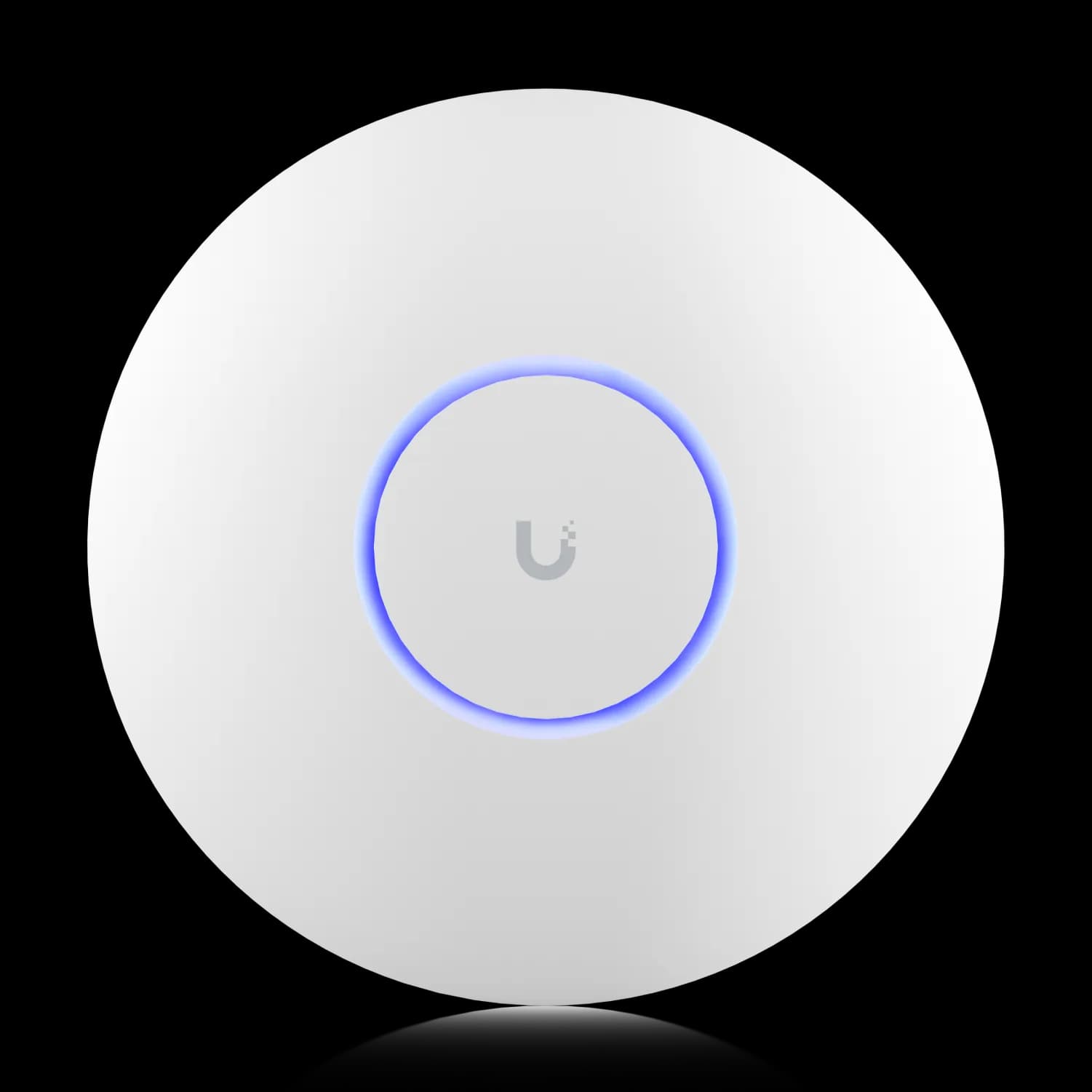
UniFi U7 Pro Max
8-stream WiFi 7 ceiling AP with spectral scanning on standard PoE+. Usually the better fit for SMB networks running PoE+ switching.
- 8 spatial streams (tri-band WiFi 7)
- Spectral scanning radio + Zero-Wait DFS
- PoE+ (802.3at) — works with existing PoE+ infrastructure
- 1/2.5GbE uplink, 25W max draw
- 500+ client capacity, 1,750 sq ft (Ubiquiti design ratings)
*Price at time of publishing
How We Evaluated the U7 Pro Max
This is a field review based on deployment experience, not a controlled laboratory test. Our evaluation reflects how the Pro Max performs in real client environments over an extended period.
| Factor | Details |
|---|---|
| Units deployed | 12 U7 Pro Max units across 4 client sites |
| Deployment period | December 2025 – August 2026 |
| UniFi Network version | 8.2.93 through 9.0.x (updated during deployment period) |
| AP firmware | 7.0.x through 7.1.x (our field observation period). Note: Ubiquiti's current stable release is 8.6.11 (May 2026); firmware-dependent behavior may have changed since our evaluation. |
| Switching | USW-Pro-24-PoE, USW-Enterprise-24-PoE (802.3at ports) |
| Client mix | Windows 11 laptops (Intel AX211, Intel BE200), MacBook Pro M3/M4 (Broadcom), iPhone 15/16, Samsung Galaxy S24 |
| Environments | Multi-tenant office (Doral), open-plan + glass-partition office (Brickell), medical practice (Coral Gables), co-working space (Aventura) |
| What we observed | Range, client roaming, fan behavior, spectral scanner utility, channel discipline under interference, adoption and setup, heat on ceiling mount |
| What we did not benchmark | Formal iperf3 throughput per band, multi-client aggregate tests, power meter measurements, calibrated distance/attenuation testing |
Scoring basis (4.6/5):
- Feature set (5/5): Closely matches the XGS's client-facing radio capabilities while running on PoE+
- Deployment flexibility (5/5): Fits existing 802.3at infrastructure without power upgrades
- Range and coverage (4.5/5): Noticeably better range than U7 Pro in our multi-room deployments; formal measurements not conducted
- Value (4/5): $90 over the U7 Pro is justified for dense/congested sites but not for every deployment
- Documentation and transparency (4.5/5): Good official specs; firmware release notes sometimes lag feature availability
This review is editorially independent. We received no free hardware or payment from Ubiquiti for coverage. This article contains affiliate links; if a reader purchases through them, iFeeltech may earn a commission at no additional cost to the reader. Our scoring reflects deployment confidence, not synthetic benchmarks.
What Performance Can You Expect from the U7 Pro Max?
Expect the 8-stream configuration to matter in dense deployments and to go unnoticed in small ones. The practical impact depends on client count, workload, and RF conditions rather than the headline stream number.
Where 8 streams is most relevant: denser deployments with many simultaneous active clients running high-bandwidth workloads. For example, a dense open-plan office with staff on video calls while accessing local NAS or cloud storage, a conference room with 30 people joining Teams simultaneously, or a school where students are streaming curriculum content in parallel. In those environments, the 4×4 MIMO configuration on the 5 GHz band — compared to the U7 Pro's 2×2 on both 5 GHz and 6 GHz — can provide more aggregate capacity under load, depending on client capabilities, scheduling, and RF conditions.
Where it doesn't change much: a 10–15 person office with email, video calls, and web browsing on a mixed client set. In our experience, the U7 Pro handles that workload without strain, and users are unlikely to notice a difference at that density.
In our field experience, the 4×4 MIMO on 5 GHz has generally held up better at range — especially at longer distances in multi-room office environments where the 2×2 configuration on a standard U7 Pro starts to show degradation. The 3 dB higher listed transmit ceiling on 5 GHz (29 dBm vs 26 dBm) likely contributes on the downlink side, though client uplink power, antenna quality, and wall attenuation also matter. For our Miami deployments in multi-floor office buildings where APs sit further from some workstations than ideal, that range behaviour has been noticeable. Glass-partitioned offices are a particular case — we cover the layout side of that in our access point density guide for glass offices.
For aggregate throughput, the 2.5GbE uplink is the practical ceiling. In our typical SMB deployments, we have not seen a single AP's wireless clients collectively saturate a 2.5GbE backhaul under normal office workloads — but a few fast WiFi 7 clients running simultaneous large transfers can approach it under favorable conditions. In genuinely high-density scenarios with concurrent large file transfers, the 10GbE uplink on the XGS removes that bottleneck. For deployments running NAS workloads or video production workflows, it is worth calculating whether the 2.5GbE ceiling matters for your client mix.
PoE Budget Planning for Multi-AP Installs
The U7 Pro Max draws up to 25W per unit. Five units exceed a 120W switch budget at their listed maximum. Four would consume up to 100W, although some switches reserve as much as 30W per Class 4 port regardless of actual draw. Check whether your switch budgets negotiated, reserved, or actual power before sizing the deployment — and account for other powered devices sharing that budget.
The 802.3at standard specifies up to 30W from the PSE (power sourcing equipment) to deliver 25.5W at the powered device — cable losses are already accounted for in a compliant installation. The Pro Max requires an 802.3at Class 4 port with sufficient total switch budget. Plan switch selection before ordering at scale — see our PoE guide for budget math and our UniFi switch buyer's guide for models with headroom.
What Does Spectral Scanning Do on the U7 Pro Max?
Spectral scanning detects and maps radio interference; it does not increase throughput. It is a network management feature, and it is one of the two capabilities that separate the Max tier from the Pro and XG tiers.
The dedicated radio on the Pro Max continuously monitors the radio frequency environment across all three bands in real time, visualizing spectrum energy and interference patterns — neighboring WiFi networks, Bluetooth devices, microwave ovens, and other sources of RF congestion. When paired with UniFi's Channel AI, the system can optimize channel selection non-disruptively. Per Ubiquiti's current documentation, Channel AI adjusts channel assignments only — channel width and transmit power remain unchanged.
What Spectral Scanning Actually Does
Real-Time Spectral Analysis (as Ubiquiti calls it) requires UniFi Network 8.2.93 or later. The dedicated radio performs continuous RF monitoring without using any of the AP's normal client-serving radios. You see the spectrum visualization in the UniFi dashboard — which itself is useful for diagnosing interference during setup or troubleshooting.
Where this matters in practice: urban environments with dense RF congestion. In our Miami deployments — multi-tenant office parks, co-working spaces, buildings where 5 GHz channels are heavily contested by neighboring networks — the Pro Max's spectral scanner gives visibility into which channels carry the most interference. Combined with Channel AI, this helps maintain better channel discipline than relying on periodic scans alone. In dense RF environments, the dedicated scanner can reduce troubleshooting time and improve sustained reliability.
Where it doesn't change much: suburban single-tenant offices in Coral Gables or Kendall with no neighboring business networks, manufacturing floors or warehouses with few competing APs in range. In those environments, the U7 Pro is sufficient and the spectral scanning radio is useful but not essential. The $90 step-up over the U7 Pro may be worth it in environments that are likely to become more congested over time.
U7 Pro Max vs U7 Pro XGS: Which 8-Stream AP Should You Buy?
The radios are closely matched; the meaningful differences are PoE class, uplink speed, thermal rating, size, and price. Ubiquiti lists the same coverage and client capacity on both models.
Verify Your Power Source Before Ordering the XGS
The XGS requires PoE++ (802.3bt) and draws up to 29W. Standard PoE+ (802.3at) delivers 25.5W to the powered device, which is below what the XGS needs — so do not plan an XGS deployment on PoE+ power without confirming compatibility. You have two options: a switch with 802.3bt ports and sufficient per-port PoE budget, or Ubiquiti's 10G PoE++ Adapter ($39) which supplies PoE++ power and supports up to 10GbE pass-through (actual link speed depends on the upstream switch port). A full switch replacement is not always required. The Pro Max is specified for PoE+ (802.3at, 25W) and works with any 802.3at Class 4 port that has sufficient total switch budget.
Here's the decision framework:
| Scenario | Recommendation |
|---|---|
| PoE+ switching (802.3at), 1–2.5GbE uplinks | U7 Pro Max — the XGS is not specified to run on PoE+ |
| PoE++ switching (802.3bt), 10GbE uplinks already deployed | U7 Pro XGS — removes the uplink ceiling for $20 more |
| Upgrading switches as part of this project | XGS + PoE++ switch or injector — takes advantage of the faster uplink |
| Budget is a constraint and PoE+ is all you have | Pro Max — closely matched wireless feature set, $20 less |
| Indoor warm ceiling voids (up to 50°C, dry, code-permitted) | Pro Max — rated to 50°C ambient vs the XGS's 40°C |
| Console running an older UniFi Network release | Pro Max — adopts on 8.2.93+; the XGS needs 9.0.114+ |
In the SMB deployments we manage, the wireless difference between the two has been negligible. Both deliver 8 streams, both include spectral scanning, both list Zero-Wait DFS, and both cover 1,750 sq ft with 500+ client capacity. Ubiquiti spec'd them tightly on the RF side: same 5 GHz 4×4 MIMO, same 6 GHz 2×2, same max data rates per band, same 29 dBm 5 GHz transmit ceiling. On 6 GHz, the XGS lists 24 dBm maximum TX power versus the Pro Max's 23 dBm, and 6 dBi antenna gain versus 5.9 dBi — minor differences that are unlikely to be perceptible in practice.
One difference that does not show up in RF numbers: the XGS requires UniFi Network 9.0.114 or later for the white model and 9.1.120 or later for the black. The Pro Max runs on 8.2.93 and later. If you are managing an older console you have not updated in a while, the Pro Max is the less demanding adoption.
Where the XGS earns its extra $20: if you can provide PoE++ power and want to future-proof for workloads where a single AP might aggregate enough traffic to stress a 2.5GbE backhaul — large-scale NAS file serving to many clients, AV production environments, classrooms with concurrent 4K streaming — the XGS's multi-gig uplink (supporting up to 10GbE) removes that ceiling. If your power source and upstream connection are both limited to PoE+/2.5GbE, the Pro Max delivers closely matched radio capabilities at $20 less.
Two practical notes on the XGS. It's available in both white and black finishes, which matters where aesthetics count; the Pro Max ships in white only. And it includes the Lite Mount rather than the Pro Mount that comes with the Pro Max — verify the mount type suits your ceiling before ordering, because swapping mounts after the fact is the kind of small delay that stalls an install day.
Official UniFi Enterprise WiFi 7 (XG & XGS) Series Overview
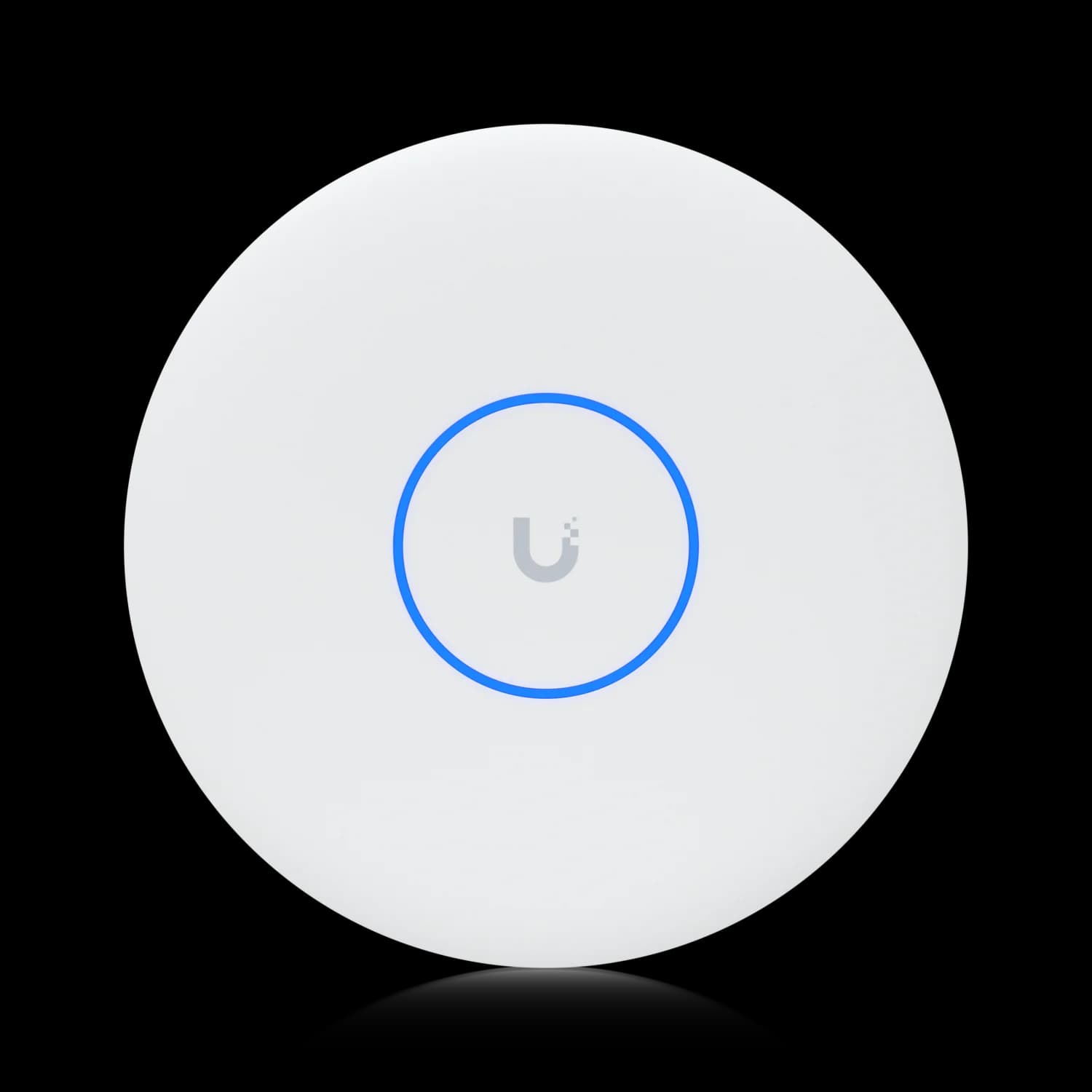
UniFi U7 Pro XGS
MSRP $2998-stream WiFi 7 with up to 10GbE uplink and PoE++ — choose when you can provide PoE++ power and want the faster backhaul.
For a broader look at the best UniFi switches to pair with either AP, see our UniFi switch buyer's guide.
U7 Pro Max vs U7 Pro: Is the Step-Up Worth It?
The $90 gap between the U7 Pro ($189) and the U7 Pro Max ($279) buys four things: 8 spatial streams instead of 6, 4×4 MIMO on 5 GHz instead of 2×2, a dedicated spectral scanning radio, and Zero-Wait DFS.
That last item is easy to overlook and worth understanding. Without Zero-Wait DFS, an AP that detects radar on a DFS channel must vacate immediately. If it moves to another DFS channel, a channel availability check (CAC) of 1–10 minutes is required before transmitting, depending on the country and channel. The AP can instead fall back to a non-DFS channel without a CAC, but clients still experience a channel transition. Zero-Wait DFS uses the dedicated scanning radio to pre-validate alternate DFS spectrum, reducing — but not necessarily eliminating — disruption when radar is detected. Ubiquiti lists this on the Pro Max and XGS but not on the U7 Pro or Pro XG. In areas near airports, weather radar, or coastal marine radar, this is a practical reliability improvement.
For denser offices or urban RF environments where interference is a regular operational issue, $90 per AP is a reasonable premium. The 8-stream configuration can improve aggregate capacity under load, and the spectral scanning radio shortens the time it takes to diagnose why a floor is slow.
For a 10–15 person office in a suburban building with clean RF, the U7 Pro is sufficient. Its 6-stream WiFi 7 handles typical SMB traffic without strain at that density, and across a multi-AP deployment $90 per unit adds up quickly.
The short version: buy the U7 Pro for lighter offices with clean RF. Buy the Pro Max if client density is higher, the RF environment is congested, DFS channels are in play, or you're planning a five-year horizon in a building that will only get denser.
If you're comparing the U7 Pro to the U7 Pro XG at the 6-stream tier before deciding whether the Max is worth it, see our UniFi U7 Pro XG review for the full 6-stream 10GbE breakdown.
Specs at a Glance
Verified August 2026 against Ubiquiti's official tech specs:
| Spec | Value |
|---|---|
| WiFi Standard | WiFi 7 (802.11be) |
| Spatial Streams | 8 total — 5 GHz: 4×4, 6 GHz: 2×2, 2.4 GHz: 2×2 |
| Max Data Rate | 5 GHz: 8.6 Gbps (BW240) · 6 GHz: 5.8 Gbps (BW320) · 2.4 GHz: 688 Mbps |
| Antenna Gain | 5 GHz: 6 dBi · 6 GHz: 5.9 dBi · 2.4 GHz: 4 dBi |
| Max TX Power | 5 GHz: 29 dBm · 6 GHz: 23 dBm · 2.4 GHz: 23 dBm |
| Spectral Scanning | Yes — dedicated radio, Real-Time Spectral Analysis |
| Zero-Wait DFS | Yes |
| Uplink | 1/2.5 GbE (RJ45) |
| PoE Standard | PoE+ (802.3at) |
| Max Power Draw | 25W |
| Coverage Area | 1,750 sq ft (160 m²) |
| Client Capacity | 500+ |
| Mounting | Ceiling or wall (Pro Mount included) |
| Dimensions | ⌀206 × 46 mm |
| Weight | 680 g (1.5 lb) |
| Ambient Operating Temp | −30 to 50°C (−22 to 122°F) |
| Active Cooling | Yes (based on teardowns; not listed in official spec sheet) |
| NDAA Compliant | Yes |
| Color | White |
| Price | $279 ($49/unit for optional 5-year UI Care) |
| UniFi Network Requirement | Version 8.2.93 or later |
| MLO (Multi-Link Operation) | Requires UniFi Network 8.2.93+, AP firmware 7.1.18+, and a compatible client (e.g. Intel BE200, Samsung Galaxy S24 Ultra). Enabling MLO enforces WPA3, which may disconnect legacy or IoT clients on that SSID. See our MLO explainer. |
Who Should Buy the U7 Pro Max?
Buy the Pro Max if your switching is PoE+ and you need Max-tier capability. Choose the XGS if you can supply PoE++ power and want the faster uplink, or the U7 Pro if density and RF conditions are modest.
Buy the U7 Pro Max if:
- Your switches are PoE+ (802.3at) and you want 8-stream WiFi 7 without replacing them
- You're deploying in a dense RF environment — urban office building, multi-tenant commercial space, co-working facility, school
- Your planning targets align with Ubiquiti's 500+ client and 1,750 sq ft design ratings, subject to an RF survey
- You want the complete Max-tier feature set (8 streams, spectral scanning, Zero-Wait DFS) and a 2.5GbE backhaul is sufficient for your workload
- You're extending existing 2.5GbE switching and a PoE++ switch upgrade isn't in the budget
- The install location runs warm — an indoor, dry, noncondensing ceiling void or warehouse mezzanine where temperatures stay within the 50°C rating and local code permits installation
Consider the U7 Pro XGS instead if:
You can provide PoE++ power (from a compatible switch or injector) and want to remove the 2.5GbE uplink ceiling. At $20 more, the XGS is worth it when you have the power source and a workload that benefits from the faster backhaul.
Consider the U7 Pro instead if:
Your deployment has modest client density and a clean RF environment. The $90 difference per AP is worth factoring in for a multi-AP deployment.
Pricing and Availability (August 2026)
As of August 3, 2026, the U7 Pro Max is listed on Ubiquiti's US store at $279. The U7 Pro XGS is $299, the U7 Pro XG is $199, and the U7 Pro is $189. Stock on UniFi APs fluctuates — confirm availability at checkout and compare against Ubiquiti's store price before ordering from third parties, which sometimes list above MSRP.
Final Verdict
The U7 Pro Max is usually the better 8-stream UniFi WiFi 7 AP for PoE+ networks. It delivers the full Max-tier feature set — 8 spatial streams, dedicated spectral scanning, Zero-Wait DFS, Ubiquiti's 500+ client and 1,750 sq ft design ratings — without requiring PoE++ power. At $279, it sits $90 above the U7 Pro and $20 below the XGS.
The $20 gap to the XGS matters less than the infrastructure behind it. Because both models have closely matched client-facing radios, that $20 buys a faster wired uplink — which is valuable when you can supply PoE++ and have use for the throughput ceiling. If you can provide PoE++ (via a compatible switch or Ubiquiti's $39 10G adapter), the XGS removes the 2.5GbE backhaul limit. If not, the Pro Max delivers closely matched radio capabilities within PoE+ constraints.
In our deployments, we specify the Pro Max when the network is PoE+ and the workload does not demand aggregate throughput beyond 2.5GbE from a single AP. We specify the XGS when PoE++ is available and the client density or workload justifies the faster uplink.
Related Resources
- UniFi U7 Pro XG Review: 10GbE WiFi 7 Explained — Full breakdown of the 6-stream 10GbE tier, including the XG vs XGS comparison and PoE++ switch requirements.
- UniFi U7 Lite vs U7 Pro: Which WiFi 7 AP Should You Buy? — If 8 streams is more than you need, this comparison covers the entry tier at $99 vs $189.
- UniFi WiFi 7 Access Points for Business: Full Lineup Guide — Side-by-side overview of the entire U7 lineup to help position the right AP for each zone in your network.
- Best UniFi Switches for Small Business (2026) — If the XGS is on your radar, this covers which PoE++ switching options from Ubiquiti pair with it cleanly.
- Power over Ethernet: A Practical Guide — PoE standards, powered-device budgets, and how to size a switch for a multi-AP install without derating surprises.
- WiFi 7 Multi-Link Operation (MLO) Explained — What MLO does, which clients support it, and why it is not yet a deciding factor in most SMB purchases.
Frequently Asked Questions
Related Articles
More from UniFi Networks

UniFi U7 Lite vs U7 Pro: Which WiFi 7 Access Point Should You Buy?
Compare the $99 U7 Lite and $189 U7 Pro WiFi 7 access points. Detailed specs, 6 GHz differences, deployment scenarios, and practical recommendations to help you choose.
14 min read
UniFi vs TP-Link Omada WiFi 7: Multi-Gig Business Comparison (2026)
UniFi vs Omada WiFi 7 for small offices: verified hardware budgets, controller compatibility, PoE requirements, traffic bottlenecks and practical support choices.
13 min read
Ubiquiti WiFi Solutions: Complete 2026 Business Guide
Complete guide to Ubiquiti UniFi WiFi 7 solutions for business. Covers established WiFi 7 access points, real-world performance data, deployment scenarios, cost analysis, and implementation best practices.
18 min read