

UniFi U7 Pro Wall vs U7 Pro XG Wall: WiFi 7 In-Wall Access Points Compared
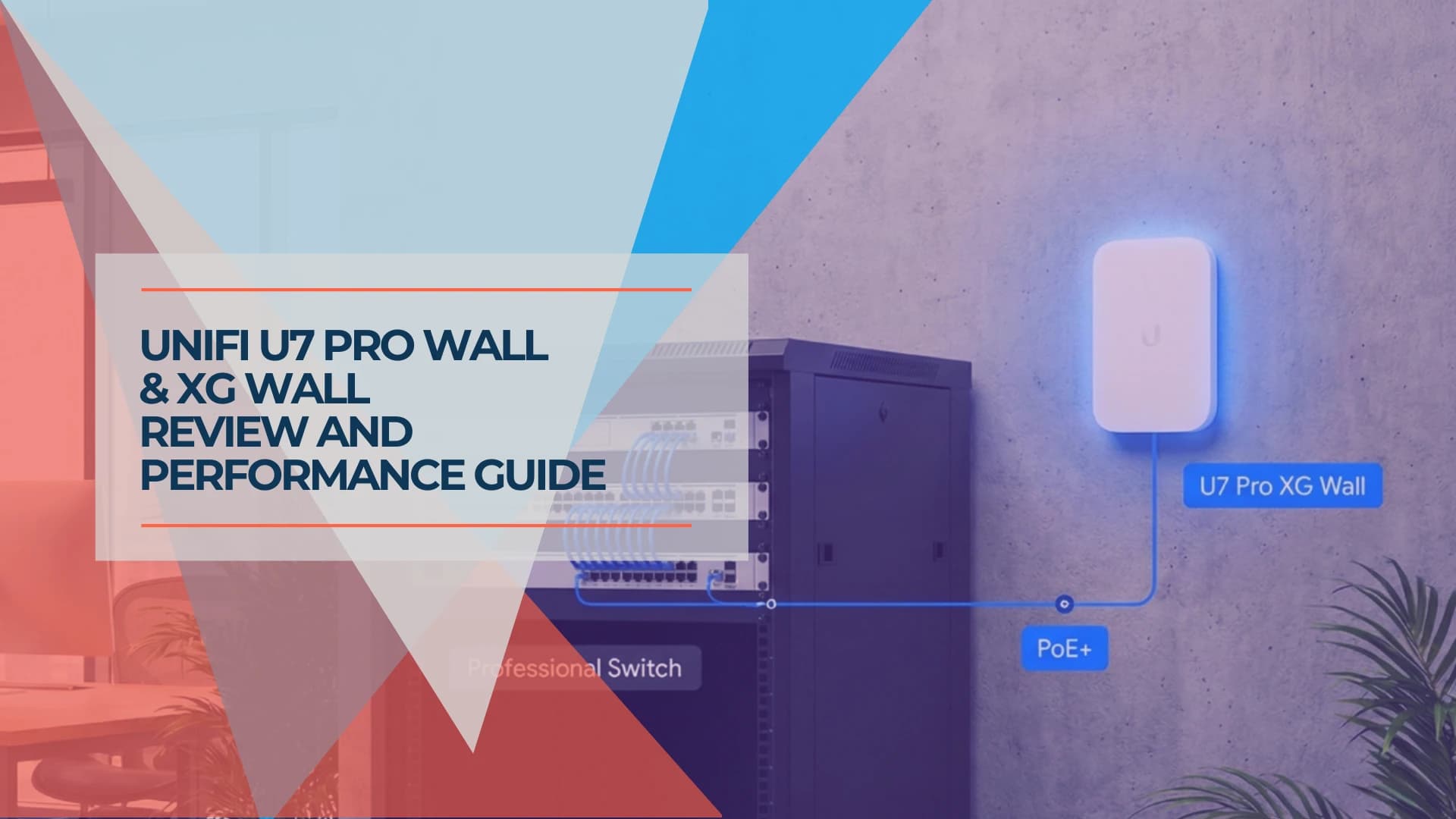
UniFi U7 Pro Wall ($199) and U7 Pro XG Wall ($279) are tri-band WiFi 7 wall-mounted access points with a 2.5GbE uplink and a multi-speed uplink up to 10GbE. Neither includes switch ports.

Quick Verdict
The U7 Pro Wall ($199) offers tri-band WiFi 7 with 6 GHz support and a 2.5GbE uplink suitable for most wall-mounted deployments. The U7 Pro XG Wall ($279) provides a multi-speed uplink up to 10GbE for high-density environments and multi-gigabit ISP plans. Neither model includes downstream switch ports—this is the most common purchasing mistake. For wired device connectivity at the AP location, the U7 In-Wall ($149) has a built-in switch with three 2.5GbE ports.
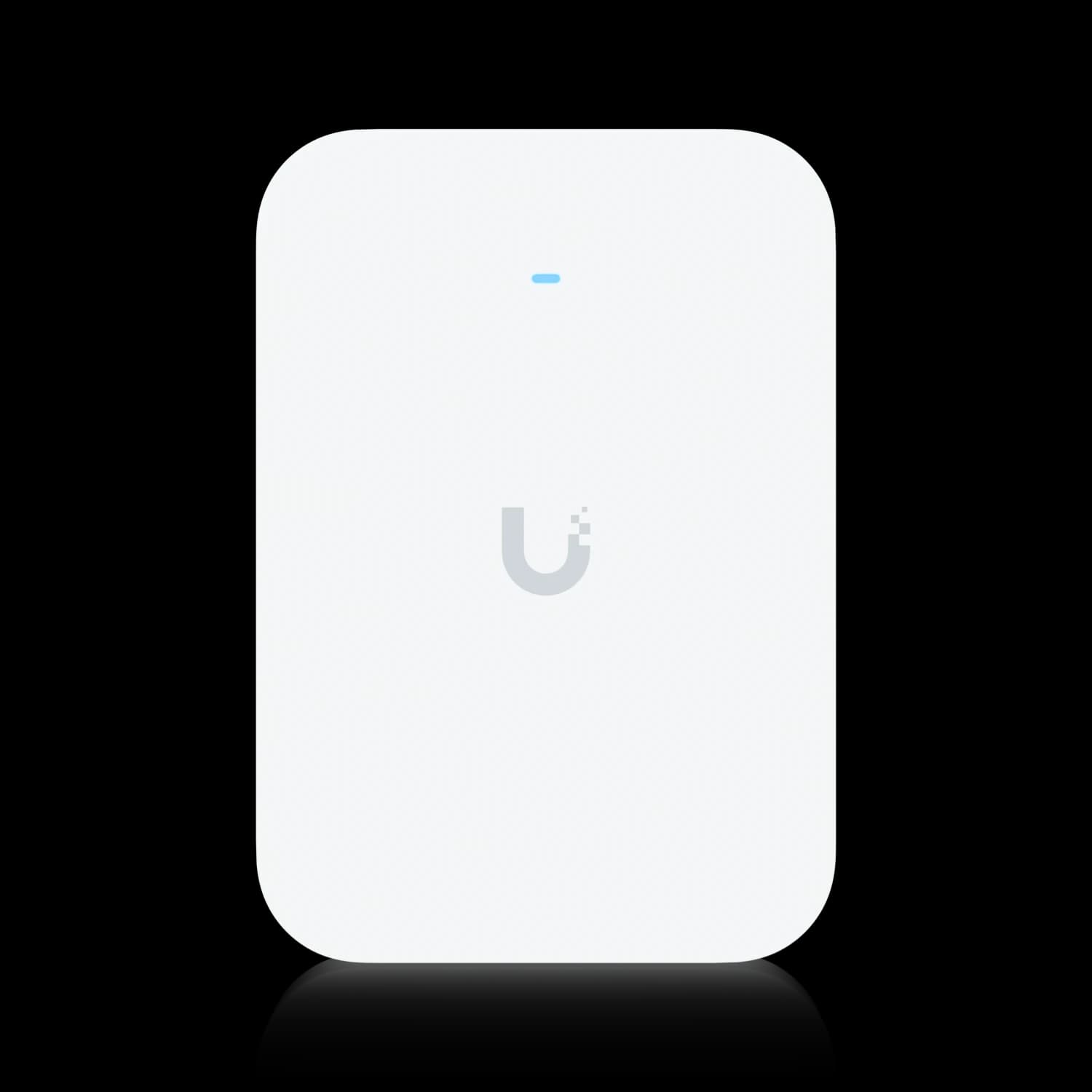
UniFi U7 Pro XG Wall
Wall-mounted WiFi 7 access point with a multi-speed uplink up to 10GbE, tri-band 6 GHz support, and a low-profile in-wall design.
- Up to 10 GbE Uplink (Cat6A for full speed)
- Tri-Band WiFi 7 (2.4/5/6 GHz)
- 6 Spatial Streams (2x2 per band)
- Covers 1,500 ft² / 300+ Clients
MSRP $279 from Ubiquiti. Amazon seller prices vary.
The Shift from Switch to Access Point
Historically, UniFi "In-Wall" units combined an AP with a switch. The U6 In-Wall and U6 Enterprise In-Wall provided both WiFi and 2–4 ethernet ports for TVs, desk phones, and game consoles from a single wall mount.
The U7 Pro Wall and U7 Pro XG Wall represent a different approach. These are dedicated wireless access points designed for wall mounting. There are no downstream ethernet ports. No built-in switch. The single Ethernet port handles uplink, power, and data only.
Ubiquiti split the "wall" lineup into two distinct product lines for WiFi 7:
- "Pro Wall" series (U7 Pro Wall, U7 Pro XG Wall) — Pure APs. Maximum radio performance. Wall-first design with optional paintable covers.
- "In-Wall" series (U7 In-Wall) — Switch + AP. Dual-band only (no 6 GHz). Built-in switch with three 2.5GbE ports and PoE output for one downstream device.
Understanding this split is the single most important thing before you buy. Get it wrong, and you'll have a beautiful WiFi 7 AP on the wall with nowhere to plug in your TV.
Affiliate Disclosure: This article contains affiliate links. If you make a purchase through these links, we may earn a small commission at no extra cost to you. As an Amazon Associate, iFeelTech earns from qualifying purchases.
Head-to-Head: U7 Pro Wall vs U7 Pro XG Wall
Both models share the same tri-band WiFi 7 radio configuration and the same "zero port" design philosophy. The difference is the wired backbone they connect to—and the infrastructure that demands.
| Specs | ||
|---|---|---|
| WiFi Standard | WiFi 7 (802.11be) | WiFi 7 (802.11be) |
| Bands | Tri-Band (2.4/5/6 GHz) | Tri-Band (2.4/5/6 GHz) |
| 6 GHz Support | ✅ Yes (320 MHz) | ✅ Yes (320 MHz) |
| Spatial Streams | 6 (2x2 per band) | 6 (2x2 per band) |
| Uplink | 2.5 GbE (1/2.5) | 10 GbE (multi-speed 10/5/2.5/1) |
| Switch Ports | ❌ None | ❌ None |
| Coverage | 1,500 ft² | 1,500 ft² |
| Max Clients | 300+ | 300+ |
| Power | PoE+ (802.3at) | PoE+ (802.3at) |
| Max Power Draw | 22W | 22W |
What is the difference between U7 Pro Wall and U7 Pro XG Wall uplink speeds?
The U7 Pro Wall utilizes a 2.5GbE uplink suitable for standard multi-gigabit networks, while the U7 Pro XG Wall has a multi-speed uplink (10/5/2.5/1 GbE) designed for high-density environments and multi-gigabit fiber connections.
Ubiquiti lists a maximum 6 GHz link rate of 5.8 Gbps for both access points. That is more than a 2.5GbE port can carry, so on the standard Pro Wall the uplink is the ceiling when a very fast client, or several busy clients, move data at once. For everyday office traffic such as calls, cloud apps, and browsing, 2.5GbE is rarely the limit.
The U7 Pro XG Wall's 10GbE connection provides four times the wired headroom, which helps when multiple 6 GHz clients transfer data simultaneously or when the rest of your network is built on multi-gigabit switching. For 5Gbps or 10Gbps fiber internet plans, the XG Wall is the model in this comparison whose uplink can carry that much traffic—the standard Pro Wall's 2.5GbE port becomes the bottleneck.
When 10GbE Uplinks Matter in 2026
The XG Wall's 10GbE uplink is worth the premium for environments serving conference rooms with 5+ WiFi 7 laptops simultaneously transferring files from a local NAS, or when your network is built around 5Gbps+ fiber internet. In those cases the extra $80 keeps the access point from being the bottleneck. If your switches and cabling top out at 2.5GbE, the extra uplink goes unused.
Radio Configuration: 2x2 MIMO on All Bands
Both access points run identical radio configurations: 2x2 MIMO on all three bands (2.4 GHz, 5 GHz, and 6 GHz), delivering 6 spatial streams total.
If you're used to older 4x4 access points, the 2x2 configuration might raise an eyebrow. Here's why it's less concerning than it sounds:
- WiFi 7's efficiency gains offset stream count. A 2x2 WiFi 7 link at 320 MHz delivers a maximum 5.8 Gbps link rate on 6 GHz, according to Ubiquiti's specifications. Real-world throughput is lower, but the wider channels do much of the work that extra streams did in older generations.
- Most client devices are 2x2 anyway. Most phones, tablets, and laptops use 2x2 radios. A 4x4 AP offers diversity gain (better signal quality), but the throughput advantage only materializes with 4x4 clients, which are rare.
- It suits the form factor. A 2x2 tri-band design fits the compact wall-plate body, which is meant for room-level coverage rather than large open areas.
How should the U7 Pro Wall be mounted for thermal management?
The U7 Pro Wall and U7 Pro XG Wall should be mounted on open wall sections with unobstructed airflow, avoiding placement behind furniture or heavy curtains.
Ubiquiti rates the U7 Pro Wall for ambient operating temperatures from -30 to 60 °C (-22 to 140 °F). That is a rating for the surrounding air, not a promise about enclosed spaces: like any powered radio, the unit still needs room to shed heat, so keep it out of sealed cavities.
Both models are designed for in-wall installation (dimensions: U7 Pro Wall 150 x 103 x 36 mm; U7 Pro XG Wall 155 x 108 x 33.5 mm). Check Ubiquiti's spec sheet for the gang and junction boxes each model supports, and make sure the mounting location is not fully enclosed. For deployments requiring desktop placement—common in rentals or temporary office setups—Ubiquiti offers an optional Table Stand accessory, though wall mounting is recommended for optimal signal propagation.
Avoid mounting directly behind flat-screen TVs where heat from both devices compounds, or in locations with no air circulation such as behind heavy drapes or inside enclosed media cabinets.
Do the UniFi U7 Pro Wall access points have ethernet switch ports?
No, neither the U7 Pro Wall nor the U7 Pro XG Wall includes downstream ethernet ports for connecting wired devices.
Unlike the U7 In-Wall ($149), which functions as both an access point and a small switch with three 2.5GbE ports, the "Pro Wall" series are dedicated access points with a single uplink port. This design prioritizes radio performance and aesthetics over wired connectivity.
If you require a wired connection for a TV, game console, or VoIP phone at the same location, you must run a separate ethernet drop or choose the U7 In-Wall model instead.
The Two-Drop Requirement
Deployments requiring wired connections at the AP location now need separate cable drops—one for the access point uplink, one for each wired device. The older U6 In-Wall and U6 Enterprise In-Wall models combined these functions into a single unit; the current Pro Wall series does not.
Who This Works For
- New construction / renovations: You're pulling cable anyway. Adding a second drop while the walls are open costs little compared with retrofitting one later.
- Hallway and common-area deployments: The AP covers a zone; wired devices live elsewhere. No conflict.
- Luxury residential and hospitality: The paintable cover and flush-mount option keep the AP discreet. Clients value aesthetics over port count.
Who Should Wait
- Retrofit "one cable" rooms: If you have a single cable behind a TV stand and need to feed the TV, a streamer, and a console, the Pro Wall won't work without a rethink.
- Office desks needing wired drops: For behind-the-desk deployments where employees plug in monitors, peripherals, or VoIP desk phones, the U7 In-Wall with its built-in switch is the correct product.
Deployment Scenarios
Scenario A: The Clean Build (New Construction)
Best Choice: U7 Pro XG Wall
You're building a luxury home or renovating an office. Cat6A cabling is being pulled to every room. Each location gets two drops minimum—one for the AP, one for the primary wired device. Your switch closet has a switch with 10GbE ports that also supplies PoE+, so each XG Wall can run at full speed.
In this scenario, the XG Wall delivers maximum performance. Every room gets interference-free 6 GHz WiFi 7, and the 10GbE uplink gives the access point plenty of headroom for current and future wireless throughput.
UniFi U7 Pro XG Wall
MSRP $279Maximum headroom for environments with Cat6A infrastructure and 10GbE PoE+ switching.
Scenario B: The Smart Retrofit (Existing Cat5e/Cat6)
Best Choice: U7 Pro Wall
Your office has Cat5e or Cat6 cabling from a previous build-out. The runs support 2.5GbE but won't reliably carry 10GbE. You want WiFi 7 with 6 GHz support in key locations without re-cabling.
The U7 Pro Wall at $199 drops right into your existing infrastructure. The 2.5GbE uplink matches your cable capability, and you still get the full tri-band WiFi 7 experience. A switch such as the UniFi Pro Max 24 PoE, which has eight 2.5GbE PoE++ ports, matches the uplink.
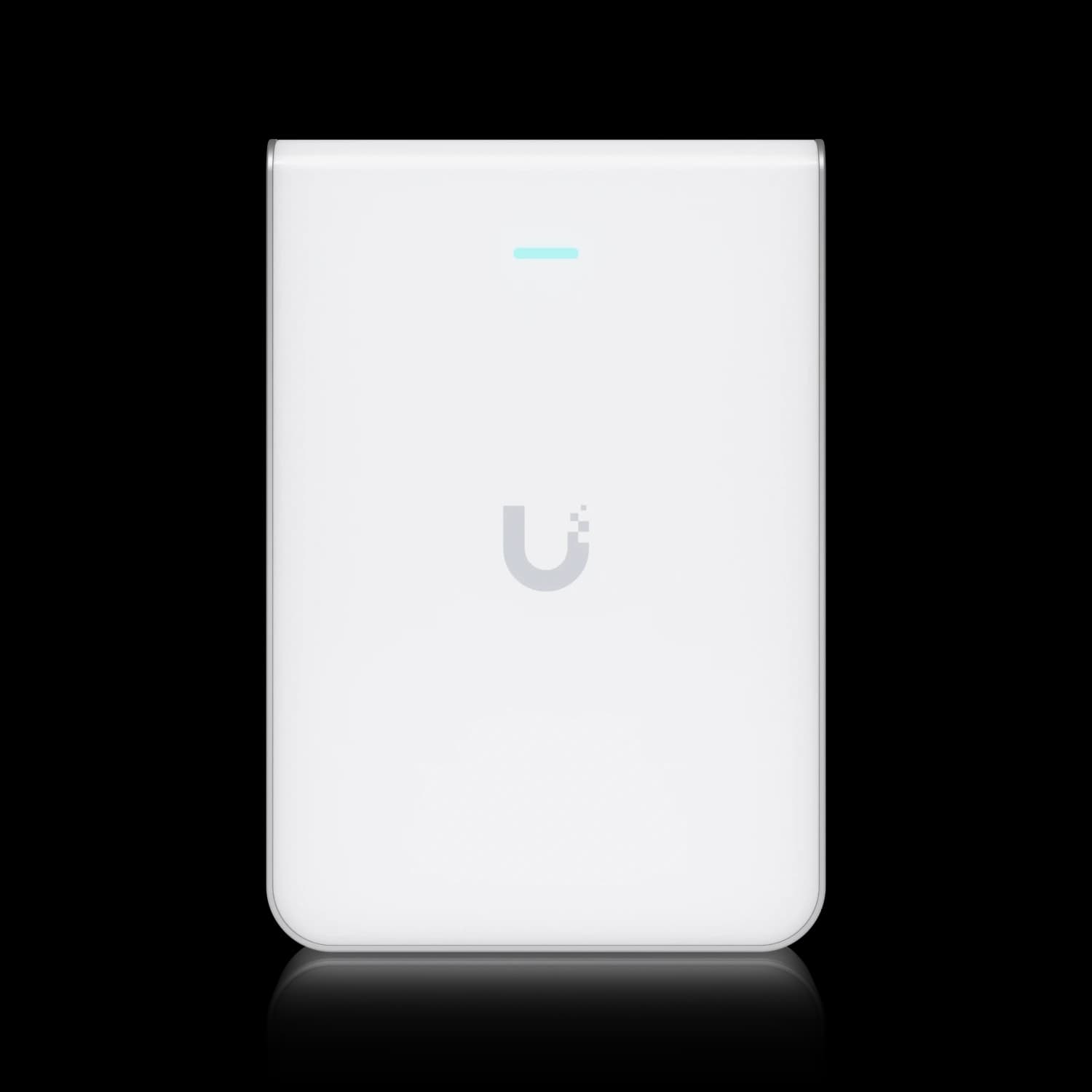
UniFi U7 Pro Wall
MSRP $199Full WiFi 7 tri-band performance on existing 2.5GbE infrastructure.
Scenario C: The One-Cable Room
Best Choice: U7 In-Wall (or U6 Enterprise In-Wall)
You have a single ethernet run behind a TV stand or desk. You need WiFi and wired ports from that single drop. Neither Pro Wall model can do this.
The U7 In-Wall provides dual-band WiFi 7 (no 6 GHz) plus a built-in switch with three 2.5GbE ports and PoE output for one downstream device. You lose 6 GHz, but you gain the wired connectivity that makes "one cable" deployments work.
How These Compare to Other UniFi APs
If you're weighing the Pro Wall models against UniFi's broader AP lineup, here's how they fit:
| Feature | U7 In-Wall | U7 Pro Wall | U7 Pro XG Wall | U7 Pro (Ceiling) |
|---|---|---|---|---|
| Price | $149 | $199 | $279 | $189 |
| WiFi Standard | WiFi 7 | WiFi 7 | WiFi 7 | WiFi 7 |
| Bands | Dual (2.4/5) | Tri (2.4/5/6) | Tri (2.4/5/6) | Tri (2.4/5/6) |
| 6 GHz | ❌ | ✅ | ✅ | ✅ |
| MIMO | 2x2 | 2x2 | 2x2 | 2x2 |
| Uplink | 2.5 GbE | 2.5 GbE | 10 GbE (multi-speed) | 2.5 GbE |
| Switch Ports | 3 × 2.5 GbE (1 PoE out) | ❌ None | ❌ None | ❌ None |
| Coverage | 1,250 ft² | 1,500 ft² | 1,500 ft² | 1,500 ft² |
| Max Clients | 200+ | 300+ | 300+ | 300+ |
| Dimensions (mm) | 137 x 99 x 30 | 150 x 103 x 36 | 155 x 108 x 33.5 | Ceiling mount |
| Mount | Wall | Wall | Wall | Ceiling |
| Best For | Wired + wireless | Aesthetic WiFi 7 | Maximum backhaul | Standard installs |
The ceiling-mounted U7 Pro at $189 is actually $10 cheaper than the Pro Wall and offers identical radio specs. The Pro Wall's value proposition is purely about form factor and placement—it's for locations where running a cable to the ceiling isn't practical or desirable.
Note on Model Naming: The U7 Pro XGS is a separate ceiling-mounted access point with a 10GbE RJ45 uplink, not a wall unit. It shares the "XG" branding with the U7 Pro XG Wall but differs in form factor and mounting hardware. Do not confuse the XGS (ceiling, RJ45) with the XG Wall (wall, also RJ45).
Cabling and Infrastructure Requirements
For the U7 Pro Wall
- Minimum cable: Cat5e (supports 2.5GBASE-T)
- Recommended cable: Cat6 or Cat6A for reliable performance
- Switch requirement: Any switch with PoE+ (802.3at, 30W) ports; 2.5GbE ports give it full uplink speed
- Example switch: UniFi Pro Max 24 PoE (eight 2.5GbE PoE++ ports)
- Power delivery: Requires PoE+ standard (IEEE 802.3at) for reliable operation
For the U7 Pro XG Wall
- Cable for full 10 GbE: Cat6A (10GBASE-T over standard distances); older Cat5e or Cat6 works at a lower speed
- Switch requirement for full speed: a switch port that supplies PoE+ and runs at 10GbE over copper RJ45. SFP+ copper modules carry data but not PoE.
- Slower ports: the XG Wall's port is multi-speed (10/5/2.5/1 GbE), so it also works on a slower PoE+ port at that port's speed.
- Power: PoE+ (802.3at) — same as the standard model
- Important: Cat6 supports 10GBASE-T only up to approximately 55 meters. For longer runs, Cat6A is mandatory.
For a deeper dive into choosing the right cable for multi-gig networks, see our ethernet cable guide and Cat6A wiring diagram guide.
Making Your Decision
Our Recommendation
Choose the U7 Pro Wall ($199) if:
- You want 6 GHz WiFi 7 on a wall-mount form factor
- Your existing cabling is Cat5e or Cat6
- You don't need wired ports at the AP location
- Budget matters—the $80 savings over the XG can go toward another access point or a switch upgrade
Choose the U7 Pro XG Wall ($279) if:
- You're pulling new Cat6A cable anyway
- Your switch backbone supports 10GbE with PoE+ ports
- You serve high-density rooms with multiple WiFi 7 clients
- You want the most uplink headroom for the years ahead
Choose the U7 In-Wall ($149) instead if:
- You need to plug in wired devices (TV, desk phone, printer) at the AP location
- You only have one cable run to that spot
- You can live without 6 GHz (it's dual-band only)
The $80 gap between the Pro Wall and Pro XG Wall is entirely about the uplink. If your network backbone doesn't support 10GbE today and you don't plan to upgrade, the standard U7 Pro Wall delivers identical wireless performance at a lower cost. If you're building a new network with 10GbE switching, the U7 Pro XG Wall ensures the cabling investment isn't wasted on a bottleneck at the AP.
Both are exceptional access points—just don't buy either one expecting switch ports.
Frequently Asked Questions
Does the U7 Pro Wall have ethernet switch ports?
No. Neither the U7 Pro Wall nor the U7 Pro XG Wall includes downstream switch ports. They each have a single uplink port (2.5GbE on the Pro Wall, multi-speed up to 10GbE on the XG Wall). If you need built-in switch ports, the U7 In-Wall has three 2.5GbE ports in total, with PoE output for one downstream device.
What cable do I need for the U7 Pro XG Wall?
Running the 10GbE uplink at full speed over standard distances (up to 100 meters) requires Cat6A cabling. Cat6 can support 10GBASE-T only up to about 55 meters. The XG Wall's port is multi-speed (10/5/2.5/1 GbE), so it still works on older cable at a lower speed, but if your existing runs are Cat5e or Cat6, the standard U7 Pro Wall with its 2.5GbE uplink is the more practical choice.
Can the U7 Pro Wall replace a ceiling-mounted U7 Pro?
Technically, yes—both have the same radio specs. However, ceiling-mounted APs generally provide better omnidirectional coverage in open floor plans. The Pro Wall is designed for wall placement and room-level coverage, which suits hallways, hotel rooms, and spaces where ceiling access is limited.
Is 2x2 MIMO a limitation?
Less than you'd think. Most phones, laptops, and tablets use 2x2 radios, so a 4x4 AP primarily helps with signal quality and crowded rooms—not the speed of an individual client. WiFi 7's wider channels (up to 320 MHz on 6 GHz) and better modulation make 2x2 a strong configuration for a wall-mounted unit. A 4x4 configuration mainly benefits environments with multiple simultaneous 4x4 clients, which remain rare.
Do I need a special switch for the U7 Pro XG Wall?
For the full 10GbE speed, yes. You need a switch port that supplies PoE+ and runs at 10GbE over copper RJ45. An SFP+ port with a copper transceiver carries data but does not supply PoE, so it would also need a separate injector. Because the XG Wall's port is multi-speed (10/5/2.5/1 GbE), it also works on a slower PoE+ port, but then the uplink is limited to that port's speed. Check your switch's port specifications.
What's the difference between U7 Pro Wall and U7 In-Wall?
The U7 Pro Wall is a tri-band (2.4/5/6 GHz) AP with no switch ports. The U7 In-Wall is a dual-band (2.4/5 GHz only—no 6 GHz) AP with a built-in switch (three 2.5GbE ports in total). Choose Pro Wall for maximum wireless speed; choose In-Wall for wired connectivity at the AP location.
Need help designing a WiFi 7 deployment for your home or office? Our team provides network assessments and professional installation throughout South Florida. Contact us for a customized recommendation based on your floor plan.
Related Reading
- UniFi Home Network Case Study: Cat5e Retrofit with U7 In-Wall — A real residential installation using the U7 In-Wall across a 2,500 sq ft home. Explains why the In-Wall was chosen over the Pro Wall for a retrofit on existing cabling.
- UniFi U7 Lite vs U7 Pro Comparison — Choosing between ceiling-mount WiFi 7 APs
- Complete UniFi WiFi 7 Access Point Guide — Full comparison of all U7 series models
- Best WiFi 7 Access Points for Small Business — UniFi vs TP-Link Omada, Cisco, and Ruckus
- UniFi Network Design Guide — Floor plan methodology and AP placement
- Best Ethernet Cable Guide — Cat5e vs Cat6 vs Cat6A for multi-gig networks
- Power over Ethernet Guide — PoE standards and power budgeting
Specifications and prices checked against Ubiquiti's US store on October 2, 2026; list prices are Ubiquiti's, so Amazon prices and availability may differ. Cabling and placement guidance was first written in February 2026.
Related Articles
More from UniFi Networks

UniFi U7 Lite vs U7 Pro: Which WiFi 7 Access Point Should You Buy?
Compare the $99 U7 Lite and $189 U7 Pro WiFi 7 access points. Detailed specs, 6 GHz differences, deployment scenarios, and practical recommendations to help you choose.
14 min read
UniFi U7 Pro Max Field Review (2026): PoE+, Range & XGS Comparison
Field review of 12 UniFi U7 Pro Max APs across four SMB sites. PoE+, range, spectral scanning, heat, and U7 Pro XGS comparison.
18 min read
Ubiquiti WiFi Solutions: Complete 2026 Business Guide
Complete guide to Ubiquiti UniFi WiFi 7 solutions for business. Covers established WiFi 7 access points, real-world performance data, deployment scenarios, cost analysis, and implementation best practices.
18 min read