

Best Ethernet Cables 2026: Cat6, Cat6A, and When You Need Shielded
We've pulled Cat6A, shielded, outdoor, and direct-burial cables across 50+ business installs. What we recommend — by use case and environment.

For most business and homelab installations in 2026, the right ethernet cable comes down to three things: Cat6A for new infrastructure (Cat6 if you're maintaining existing 1 Gbps drops), solid pure copper conductors (not CCA), and a jacket rating that matches your environment (CMR for indoor, CMP for plenum, CMX for outdoor).
Three things to know before you buy:
- Cat6A is the 2026 standard for new structured cabling — it supports 10 Gbps at the full 100-meter distance, handles PoE++ reliably, and is required by ANSI/TIA-568.2-E for WiFi 7 AP runs.
- CCA (copper-clad aluminum) cables cannot reliably deliver PoE power at rated voltages. Always verify "solid bare copper" in the product spec before purchasing bulk cable.
- Jacket rating is a code issue, not just a preference. CMR (riser), CMP (plenum), and CMX (outdoor/direct burial) each have specific installation environments — using the wrong one can violate building codes and void insurance coverage.
Which Ethernet Cable Category Is Best for 2026 Installations?
For new installations in 2026, Category 6A (Cat6A) is the specification for long-term infrastructure; Cat6 remains the correct choice for standard 1 Gbps drops where the Cat6A premium is not warranted.
Quick Recommendations by Use Case
Skip to the right pick for your situation
ETL-certified, DSX-8000 tested, 10 jacket colors for VLAN color-coding
ETL certified, 23AWG solid copper, cETLus listed for 1 Gbps deployments
CMX-rated, UV-resistant PE jacket, pure copper for PoE
Full foil + braid shielding, grounding wire included
Thin, flexible, rack-friendly — data-only, not for PoE
Cat6 vs Cat6A in 2026: Cat6 is the minimum for any new install and handles standard 1 Gbps office drops, VoIP, and basic PoE devices. Cat6A is the right call if you're running cable to WiFi 7 APs, PoE++ cameras, or any infrastructure you expect to use for 10+ years — it gives you 10 Gbps at the full 100-meter distance, where Cat6 tops out at 55 meters for 10G. The price gap has narrowed significantly: expect $0.15–0.25/ft for Cat6 vs. $0.28–0.50/ft for Cat6A in bulk CMR spools. For the full keep-or-upgrade decision on an office, see our Cat6 vs Cat6A office guide.
For infrastructure upgrades where you're deciding whether to run new cable or upgrade switches first, see our cables vs switches guide.
Top Ethernet Cable Picks for 2026: By Installation Type
2026 Standard Specification
For new commercial installations: Cat6A, CMR-rated, 23AWG solid pure copper. This combination supports 10 Gbps at full 100m distance, delivers reliable PoE++ power to WiFi 7 access points, and meets the current ANSI/TIA-568.2-E standard for a 10–15 year infrastructure lifespan.
Best Cat6A Ethernet Cables for Business Installations
The TrueCable Cat6A CMR is our recommended choice for business networks, delivering verified 10 Gbps speeds and reliable PoE++ power up to 100 meters. It carries ETL certification and DSX-8000 factory test documentation — the standard for commercial structured cabling.
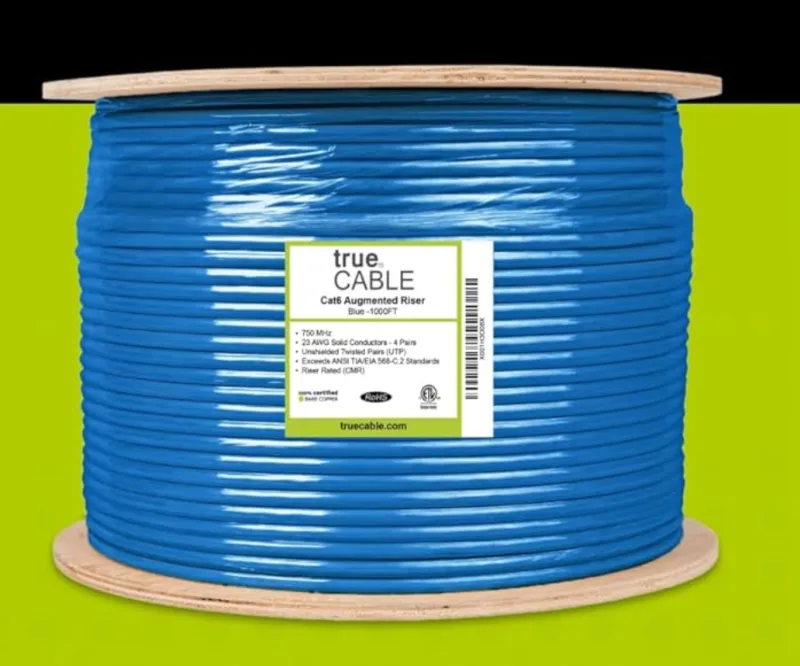
TrueCable Cat6A CMR — Best for Business Installs
ETL-certified Cat6A with DSX-8000 factory test reports. The spec-sheet-verified pick for business installs.
- 23AWG solid bare copper — TIA-568.2-E compliant
- ETL certified, DSX-8000 factory tested
- 10 jacket colors for VLAN color-coding
- UTP and F/UTP shielded variants available
*Price at time of publishing
Why we recommend it: TrueCable is the brand professional low-voltage installers consistently specify when Belden or CommScope pricing isn't justified for the project scale. The DSX-8000 factory testing and ETL certification make it a well-documented bulk Cat6A choice for business installs — you can produce the test report if a client or inspector asks.
- ✅ Full 10 Gbps at 100 meters, PoE++ (4PPoE) rated up to 100W
- ✅ Available in UTP and F/UTP (shielded) variants, CMR and CMP jacket options
- ✅ Sequential footage markings every 2 feet
- Best for: WiFi 7 access points, PoE++ cameras, structured cabling runs, any installation expected to serve 10+ years
For wiring details, see our Cat6A wiring diagram guide.
Best Value Cat6 (Standard Deployments)
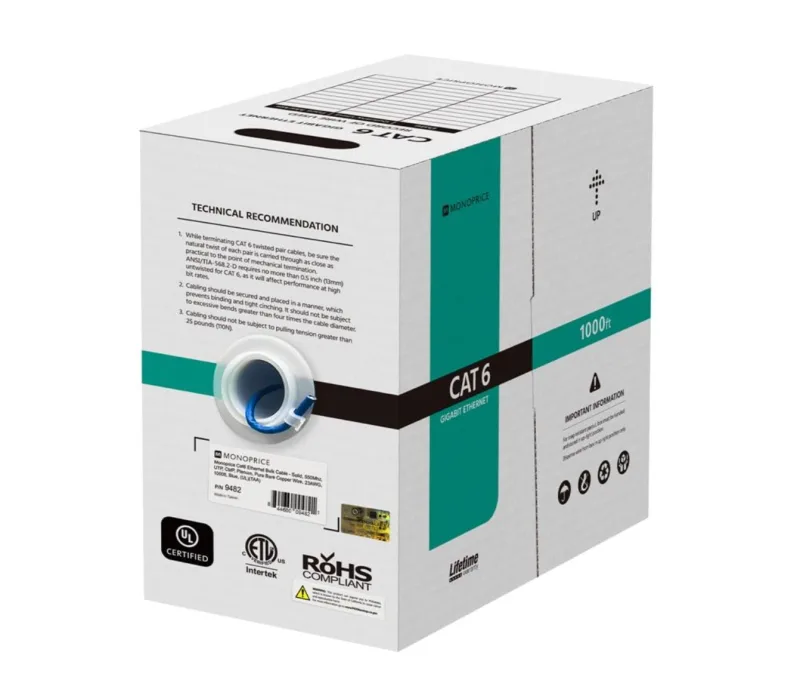
TrueCable Cat6 CMR — Best Value
~$150 / 1000ftETL certified Cat6 CMR for standard 1 Gbps office runs. 23AWG solid bare copper, CMR riser-rated, PoE++ to 100W.
- ✅ Available in 10 jacket colors for VLAN color-coding, tangle-free easy-pull box
- Best for: Standard 1 Gbps office deployments, VoIP phones, basic PoE devices, patch panels
Why we recommend it: TrueCable explicitly documents solid bare copper conductors, ETL certification, and ANSI/TIA-568.2-D compliance — the things that matter most when buying Cat6 in bulk. Cat6 is sufficient for most existing deployments. Upgrade to Cat6A when running WiFi 7 APs, PoE++ devices, or infrastructure expected to last 10+ years.
Best Outdoor / Direct Burial
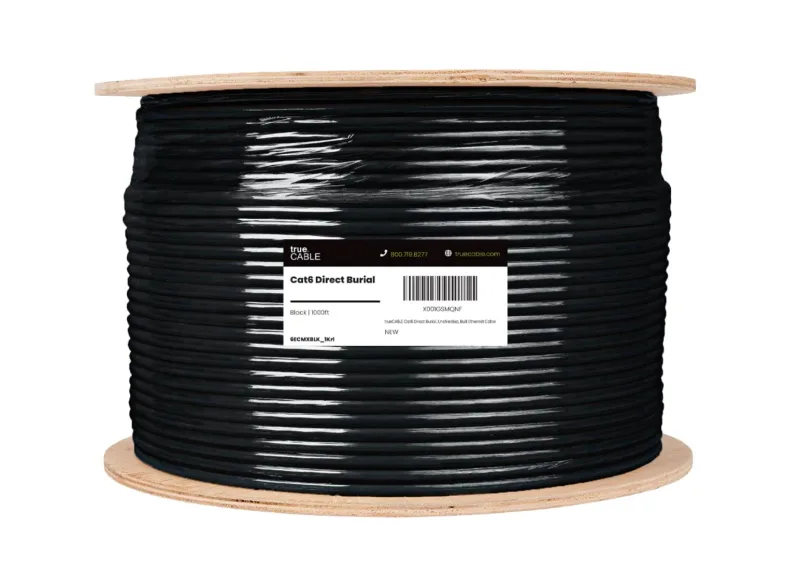
TrueCable Cat6 CMX — Best Outdoor / Direct Burial
$260–290 / 1000ftCMX-rated direct burial cable. UV-resistant PE jacket, F/UTP shielded, pure copper for reliable outdoor PoE.
- ✅ Cat6 (not Cat5e) — consistent with the 2026 baseline standard for new installations
- ✅ Pure copper conductors for reliable PoE delivery to outdoor cameras and APs
- Best for: Outdoor security camera installations, building-to-building connections, aerial and underground runs
Why we recommend it: TrueCable's direct burial Cat6 specifies the correct category for 2026 installations at a price comparable to Cat5e alternatives. The UV-resistant PE jacket and direct burial rating match what you'd expect from a purpose-built outdoor cable.
Best Shielded Cat6A (High-EMI Environments)
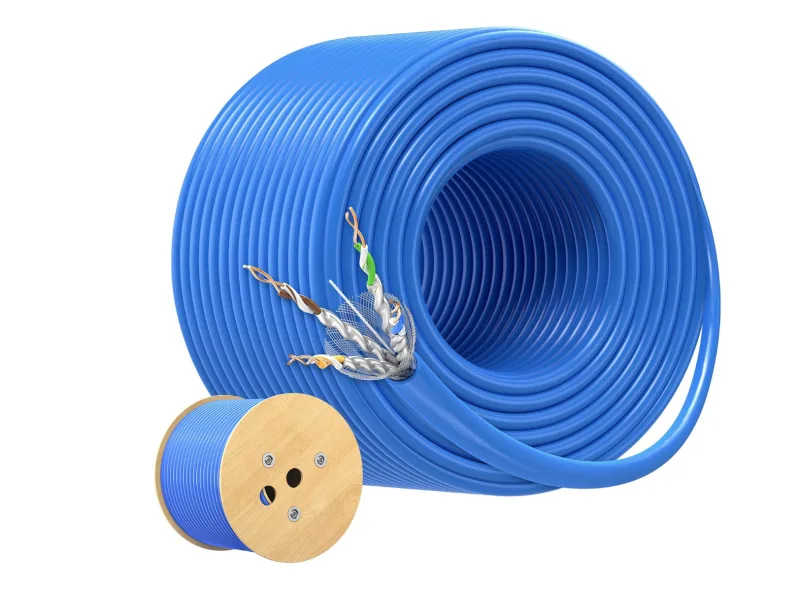
Cable Matters Cat6A S/FTP — Best Shielded
$250–280 / 1000ftS/FTP construction with both overall shield and individual pair foil for maximum EMI protection. 23AWG solid copper, CM-rated.
- ✅ Maintains full Cat6A performance (10 Gbps at 100m) with shielding
- Best for: Industrial environments, runs near fluorescent lighting or electric motors, parallel runs with power conduit over 30 feet, high-density data centers
Shielded Cable Requires Proper Grounding
Shielded cable must be properly grounded at both ends for the shielding to work. Ungrounded shielded cable can perform worse than unshielded in some environments — the ungrounded shield acts as an antenna, picking up interference rather than rejecting it. If you don't have a grounding plan and the equipment to terminate shields properly, use UTP instead. Most office environments don't need shielded cable.
Installation note: Cat6A UTP (unshielded) cable is notably thick — the added plastic spline separator required for alien crosstalk performance makes it stiffer and harder to route than Cat6. Because foil shielding isolates crosstalk, Cat6A F/UTP (foil shielded) is often thinner and more flexible because the foil shield itself provides crosstalk isolation, eliminating the bulky spline. If you're struggling with Cat6A UTP in conduit, try F/UTP — you may find it easier to pull, even if you don't need the EMI protection.
Best Patch Cable for Homelab / Rack
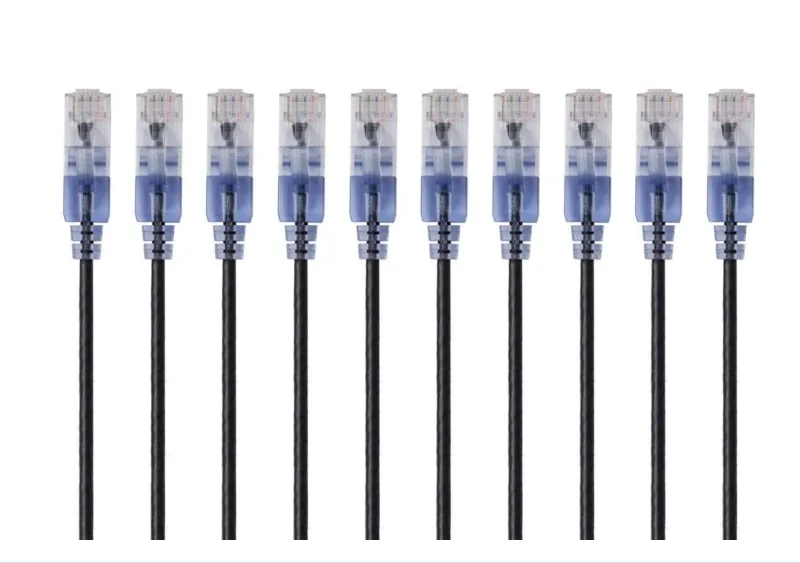
Monoprice SlimRun Cat6A — Best Rack Patch Cable
$10–15 / 5-packUltra-thin 30AWG patch cables for clean rack cable management. Data-only — not rated for PoE.
- ✅ Meaningfully thinner than standard Cat6A patch cables, which simplifies cable management in dense racks
- ✅ Available in 1ft, 3ft, 5ft, 7ft, 10ft lengths and multiple colors
- Best for: Short rack connections between switches, NAS, servers. Data-only — switch to 23AWG or 24AWG patch cables for any PoE connection.
30AWG Patch Cables: Data Only
The Monoprice SlimRun Cat6A uses 30AWG conductors — below TIA-568.2-D's 28AWG minimum for recognized patch cords — and should be treated as data-only. 28AWG slim patch cables are a different matter: TIA-568.2-D officially recognizes them, and they can handle PoE+ loads (≤30W) at short rack patch distances (1–3ft). They are not appropriate for PoE++ loads or runs over a few meters where resistance accumulates. For any PoE++ device, use 23AWG or 24AWG patch cables regardless of run length.
A Note on Flat Ethernet Cables
Flat ethernet cables — including popular Amazon options marketed as "Cat6" — use 30AWG conductors, which are expressly prohibited by the Cat6 standard (minimum 23AWG required). Flat cables using 30AWG conductors fail TIA certification testing for insertion loss and crosstalk and should be avoided for any permanent installation, PoE device, or run over a few meters.
For short temporary patch runs where cable routing aesthetics matter, use a standard Cat6 patch cable in the shortest available length instead.
Where to Buy
- TrueCable sells direct at truecable.com and through Amazon. Direct purchases often include access to DSX-8000 test reports and project pricing for bulk orders.
- Monoprice sells direct at monoprice.com and through Amazon. Monoprice's direct pricing is typically lower than their Amazon listings.
- Cable Matters sells through Amazon and their own storefront.
For business buyers ordering 5+ spools, contact the manufacturer directly — project pricing is usually 15–25% below retail.
Installation Tip
Always purchase 10–15% more cable than your measurements indicate. It's much easier to trim excess than to re-run an entire cable that comes up short.
Deployment Decision Guide
| Decision Factor | Key Points | When It Matters Most | Our Recommendation |
|---|---|---|---|
| Category | Cat6 is the baseline. Cat6A required for multi-gig and WiFi 7. | New installations, WiFi 7 APs, PoE++ | Cat6A for new infrastructure |
| Jacket Rating | CMR (Riser) for standard indoor. CMP (Plenum) for air-handling spaces. | Meeting building codes, commercial spaces | CMR for most runs |
| Conductor Material | Pure copper for TIA compliance. CCA has 60%+ higher resistance. | PoE reliability, long cable runs | Pure copper only |
| Wire Gauge | 23AWG for optimal PoE++. 24AWG adequate for shorter runs. | Powering WiFi 7 APs, cameras | 23AWG for PoE++ devices |
What Speeds Do Different Ethernet Categories Support?
Cat6 supports speeds up to 10 Gbps at 55 meters. Cat6A supports 10 Gbps at the full 100-meter distance and is the standard for new installations.
| Category | Max Speed | Bandwidth | Full Distance (100m) | 2026 Installation Status | Bulk Cost/Foot (CMR) |
|---|---|---|---|---|---|
| Cat5e | 1 Gbps | 100 MHz | ✅ 1 Gbps | Deprecated | $0.10–0.18 |
| Cat6 | 10 Gbps* | 250 MHz | ✅ 1 Gbps | Baseline standard | $0.15–0.25 |
| Cat6A | 10 Gbps | 500 MHz | ✅ 10 Gbps | Recommended standard | $0.28–0.50 |
| Cat8 | 40 Gbps | 2000 MHz | ❌ 30m max | Data center only | $0.90–1.80 |
Cat6 supports 10 Gbps up to 55 meters. Prices reflect bulk 1000ft spool pricing (CMR riser-rated). Plenum (CMP) adds 40–60%. Pre-made patch cables cost significantly more per foot.
Category reference:
-
Cat5e (Deprecated): No longer specified for new commercial installations. While functional in existing networks, Cat5e cannot support PoE++ requirements or multi-gigabit switching. Use case: Maintenance of legacy systems only.
-
Cat6 (Current Baseline): Cat6 cable specifies performance of up to 250 MHz, compared to 100 MHz for Cat5e. Supports 10 Gbps at distances up to 55 meters and 1 Gbps at full 100-meter runs. Use case: Standard office deployments, VoIP, basic PoE devices.
-
Cat6A (2026 Standard for New Infrastructure): Category 6A cable is specified for 500 MHz with improved alien crosstalk characteristics, supporting 10GBASE-T for the full 100-meter distance. Required by ANSI/TIA-568.2-E for WiFi 7 access point runs. With WiFi 7's Multi-Link Operation (MLO) aggregating traffic across 2.4/5/6 GHz bands simultaneously, real-world AP backhaul can exceed 5 Gbps — making Cat6A's 10 Gbps headroom a practical necessity, not a luxury. Use case: WiFi 7 APs, PoE++ cameras, multi-gigabit networks, any installation expected to serve for 10+ years.
Industry Standards Compliance
The current standard is ANSI/TIA-568.2-E (released late 2024), which covers Category 5e (100 MHz), 6 (250 MHz), 6A (500 MHz), and 8 (2,000 MHz). This revision introduces stricter DC Resistance Unbalance (DCRU) testing for all categories — previously only required for Cat8 under 568.2-D — ensuring cables can safely handle PoE++ loads without overheating or corroding contacts. When balanced twisted-pair cabling is used, a minimum of two category 6A or higher cabling runs shall be installed to each wireless access point, reflecting how even wireless infrastructure now demands higher-category cabling.
How We Select and Test These Cables
Ethernet cables aren't evaluated the way laptops or routers are — there's no meaningful performance difference between two Cat6A cables that both meet ANSI/TIA-568.2-E. What matters is whether a cable is genuinely compliant (many budget options aren't), and whether it's practical to install and use in real business environments.
Our recommendations are based on:
- Deployment experience: These cables have been specified and installed across 50+ business and homelab projects in South Florida, including structured cabling runs for UniFi WiFi 7 deployments, PoE++ camera systems, and 10GbE homelab builds.
- Compliance verification: We cross-reference manufacturer specs against ANSI/TIA-568.2-E requirements — conductor material (solid copper vs. CCA), AWG, DC resistance, and jacket ratings. Cables that don't clearly document pure copper conductors are excluded.
- Installation observations: Jacket stiffness, pull resistance through conduit, connector quality, and how cables behave in tight bends are practical factors that spec sheets don't capture. The F/UTP vs. UTP note in the shielding section, for example, comes from pulling both through the same conduit run.
- PoE++ reliability: For cables used with WiFi 7 APs and PTZ cameras, we verify that voltage drop at 90m stays within acceptable limits for 60W PoE++ loads — this is a calculation based on conductor resistance, not a subjective test.
What Is the Difference Between Solid Copper and CCA Cables?
Solid copper cables deliver full power and signal integrity. CCA cables use copper-coated aluminum, causing high resistance that fails PoE standards.
On a WiFi 7 access point running over a CCA cable, the ~60% higher resistance causes measurable voltage drop at long runs. The AP may power on at reduced wattage, operate at reduced radio capacity, or cycle on and off as the PoE switch detects undervoltage — a failure mode that can be difficult to diagnose without a DC resistance tester.
Solid Copper vs. CCA (Copper Clad Aluminum)
| Specification | Solid Copper | CCA |
|---|---|---|
| Conductivity | 100% (baseline) | ~61% of copper |
| DC Resistance | 9.38 Ω/100m (23AWG) | ~15+ Ω/100m |
| PoE Efficiency | Full rated power delivery | Significant voltage drop |
| TIA-568 Compliant | ✅ Yes | ❌ No |
| Typical Use | Professional installations | Consumer patch cables |
Why this matters for business networks:
- PoE++ Reliability: WiFi 7 access points vary in power draw: prosumer models like the UniFi U7 Pro draw up to 21W (max) and run fine on PoE+ (802.3at) switches, while enterprise models with 10GbE uplinks (Cisco Meraki, Netgear WBE758) draw 30W+ and require PoE++ (802.3bt). Higher resistance in CCA cables causes voltage drop regardless of standard, potentially preventing devices from powering on or operating at reduced capacity — verify your specific AP's power draw before assuming you need a PoE++ switch.
- Signal Integrity: Aluminum's higher resistance increases insertion loss, particularly noticeable at 10 Gbps speeds over longer runs.
- Standards Compliance: TIA-568 specifies solid copper conductors. Using CCA may void equipment warranties and fail certification testing.
Identifying Pure Copper Cable
Look for "Solid Copper" or "Bare Copper" on cable specifications. Reputable manufacturers (TrueCable, Monoprice, Belden) explicitly document conductor material. Avoid cables that list only "copper" without qualification — this often indicates CCA. If a listing doesn't clearly state "pure bare copper" or "solid copper," assume CCA until the manufacturer confirms otherwise.
Wire Gauge and PoE Performance
| Gauge | Typical Use | PoE Capability | Max PoE++ Run |
|---|---|---|---|
| 23AWG | Professional bulk cable | Excellent | 100m at 60W |
| 24AWG | Standard bulk cable | Good | 70m at 60W |
| 26AWG | Thin patch cables | Limited | 30m at 30W |
2026 Recommendation: Specify 23AWG solid copper for any cable runs powering PoE++ devices (WiFi 7 APs, PTZ cameras, access control). This is especially critical for PoE lighting and IoT sensor networks — these constant-load devices draw power 24/7, and the lower DC resistance of 23AWG conductors prevents voltage drop and excess heat that can degrade thinner cables over time.
Heat Dissipation in PoE++ Bundles
When multiple PoE++ cables are bundled together (common in cable trays), heat accumulates in the center of the bundle. A single 60W cable generates minimal heat, but 24–48 cables bundled together can raise internal temperatures significantly, potentially degrading jacket materials.
LP (Limited Power) Certification: For high-density PoE++ deployments, specify cables with LP ratings (e.g., LP-0.5A or LP-0.6A). This certification confirms the cable jacket maintains integrity under sustained amperage in bundled configurations.
| Deployment Type | Bundle Size | LP Rating Needed |
|---|---|---|
| Standard office | 12–24 cables | Not required |
| High-density APs | 24–48 cables | LP-0.5A recommended |
| Data center | 48+ cables | LP-0.6A required |
Bundle Sizing for PoE++
TIA TSB-184-A provides guidance on cable bundle derating for PoE applications. For bundles exceeding 24 cables carrying PoE++, consult manufacturer specifications for temperature rise calculations.
When Do You Need Shielded Ethernet Cables?
Shielded ethernet cables protect against electromagnetic interference. They are required near industrial machinery or parallel power conduits.
For most office environments, unshielded (UTP) cables are sufficient. Shielding becomes necessary when cables run parallel to power conduits for more than 30 feet, near fluorescent lighting or electric motors, or in industrial facilities with heavy machinery.
Shielded Cable Requires a Grounding Plan
Shielded cable must be grounded at both ends. An ungrounded shield acts as an antenna, picking up interference rather than rejecting it — resulting in performance that can be worse than unshielded cable. If you do not have a grounding plan before the install, use UTP.
Shielding Type Reference
| Code | Construction | Use Case |
|---|---|---|
| U/UTP | No shielding | Standard office environments |
| F/UTP | Overall foil shield | Mild EMI, Cat6A conduit fill optimization |
| U/FTP | Individual pair foil shields | Moderate EMI, data centers |
| S/FTP | Overall braid + individual pair foil | Maximum EMI protection, industrial |
Interference symptoms to watch for: intermittent connectivity, reduced throughput despite adequate equipment, connection errors during high electrical activity, network performance that varies with building systems.
Best Shielded Cable: Cable Matters Cat6A S/FTP (see full pick details)
What Are CMR, CMP, and CMX Cable Jackets?
CMR jackets are for standard indoor vertical runs. CMP jackets are fire-retardant for air-handling spaces. CMX jackets are UV-resistant for outdoors.
The cable jacket provides environmental and fire-safety protection. Choosing the wrong jacket type can result in cable failure, code violations, or installation rejections.
Riser-Rated (CMR) – The 2026 Standard
Technical specification: Flame-retardant jacket designed for vertical runs between floors
Applications: Standard office installations, residential networking, most commercial buildings, runs through walls, floors, and risers
Best CMR Pick: TrueCable Cat6A CMR (for new installs) or TrueCable Cat6 CMR (for standard 1 Gbps deployments)
Plenum-Rated (CMP) – Commercial Requirements
Technical specification: Low-smoke, fire-retardant jacket for air handling spaces
Applications: Above drop ceilings in commercial buildings, HVAC return air spaces, any area used for air circulation, required by building codes in many commercial installations
Best CMP Pick: TrueCable Cat6A Plenum (CMP) — UL listed CMP rating, 23AWG solid pure copper, supports 10 Gbps at 100m and PoE++ up to 100W.
Important: Always verify local building codes. Many jurisdictions require plenum-rated cables even in residential installations when running through certain spaces.
LSZH: The Sustainability Trend in 2026
Low Smoke Zero Halogen (LSZH) jackets are no longer just a European requirement. Many US organizations with sustainability mandates now specify LSZH over standard PVC jackets. LSZH produces minimal toxic smoke during fire events and supports green building certifications like LEED. TrueCable and Belden both offer Cat6A LSZH options at a modest premium over standard CMR — worth specifying if your building has environmental requirements or if you're working in occupied spaces where fire safety is a priority.
Outdoor/Direct Burial (CMX) – Environmental Protection
Technical specification: UV-resistant, waterproof jacket designed for outdoor conditions
Applications: Building-to-building connections, outdoor security camera feeds, parking lot lighting and access control, any exposure to weather or direct burial
Best Outdoor Pick: TrueCable Cat6 Direct Burial — CMX-rated PE jacket for UV resistance and direct burial without conduit.
Code Compliance
Using indoor-rated cable outdoors violates electrical codes and may affect insurance coverage. Always match cable jacket to environment.
When Should You Choose Cat8 Over Cat6A?
Cat8 is designed strictly for data center top-of-rack connections under 30 meters. Cat6A is the correct choice for standard home and office runs.
Cat8 is only appropriate for specialized data center connections under 30 meters and offers no practical advantage for standard home or office horizontal cabling. Most consumer Cat8 cables use standard RJ45 connectors under the Cat8.1 designation, which offers no meaningful advantage over Cat6A for runs under 30 meters — and cannot be used at all beyond that distance.
Cat8 specs: 40 Gbps, 2000 MHz, but limited to a 30-meter maximum distance. That 30-meter cap is defined by ANSI/TIA-568-C.2-1 and makes Cat8 impractical for any standard horizontal cabling run in an office or home.
Cat8 on Amazon: Most "Cat8" listings use standard RJ45 connectors under the Cat8.1 designation. Cat8.2 uses GG45 or TERA connectors incompatible with standard network equipment. Cat8.1 with RJ45 is standards-compliant for its narrow data center use case, but it offers no practical advantage over Cat6A for any run under 30 meters.
When Cat8 legitimately makes sense:
- Short patch runs in high-density server racks where 25G or 40G is needed and DAC cables aren't an option
- Data center top-of-rack connections under 30 meters
- Specific test and measurement environments requiring 2000 MHz bandwidth
When Cat6A is the better choice:
- Any horizontal cabling run (walls, ceilings, between rooms) — the 30m Cat8 limit makes it unsuitable for standard structured cabling
- Home or office networking — Cat6A delivers 10 Gbps at 100m at a significantly lower cost
- Long-term infrastructure — Cat6A is already specified for 10 Gbps, which exceeds what most endpoints will require for the foreseeable future. When 25G or 40G becomes common at the edge, fiber is the more likely path forward, not Cat8.
In summary: Cat8 suits a narrow set of data center use cases. For every other installation scenario, Cat6A gives you 10 Gbps headroom at a third of the cost.
When to Run Fiber Instead of Copper
Copper ethernet has a 100-meter channel limit defined by ANSI/TIA-568. When a run needs to go further, cross a building boundary, or support 40G+ throughput, fiber is the appropriate infrastructure choice.
Choose fiber over copper when:
- Any run exceeds 100 meters — use a fiber uplink with a media converter or SFP+ switch port at each end. OS2 single-mode fiber supports distances up to 10km on standard transceivers.
- Connecting separate buildings — copper runs between buildings create ground loops and expose equipment to lightning transients. Fiber is electrically isolated and eliminates both risks.
- Switch-to-switch backhaul at 10G+ in a dense environment — SFP+ fiber DAC cables (short distances) or OS2 LC fiber with SFP+ transceivers are price-competitive with Cat6A at distances over 15–30 meters, generate less heat, and consume less switch power than RJ45 transceivers.
- Long-term campus or multi-floor infrastructure — OS2 single-mode fiber supports 40G and 100G upgrades without re-pulling cable, at the same fiber strand count you install today.
For a detailed breakdown of scenarios, labor costs, and per-foot comparisons, see our fiber vs. Cat6A business guide.
Cat7 and Cat6E: Why These Labels Don't Mean What They Imply
Cat7 and "Cat6E" appear frequently on Amazon listings, usually priced between Cat6 and Cat6A. Neither is a TIA-recognized standard for US installations.
Cat7 was designed for GG45 and TERA connectors, not the RJ45 connectors used everywhere else. TIA never officially recognized Cat7 or Cat7A for North American installations. Cables sold as "Cat7" with RJ45 connectors are using a non-standard connector that negates any theoretical performance advantage — and there's no certification body verifying the claims.
Cat6E is a marketing label, not a TIA/ISO standard. It doesn't correspond to any defined specification.
If you need 10 Gbps performance, specify Cat6A. It's the correct standard, widely available, and fully supported by the TIA certification ecosystem.
Best Ethernet Cables for Homelab Setups
Running 10GbE between a NAS, servers, and switches is where cable spec actually shows up in real-world performance. Whether you're on Proxmox, TrueNAS, or a Plex stack, the cable category and conductor material determine whether you hit the throughput ceiling of your gear or your cabling.
Homelab-Specific Recommendations
| Homelab Use Case | Recommended Cable | Why |
|---|---|---|
| NAS to switch (10GbE) | Cat6A, solid copper | Full 10 Gbps at any distance up to 100m |
| Server rack patch cables (1–3ft) | Cat6A, stranded 23AWG | Flexibility in tight rack spaces; avoid 28AWG slim cables for PoE |
| Rack-to-rack under 3m | SFP+ DAC or fiber | Cheaper and cooler than RJ45 at very short distances |
| Long runs to office | Cat6A CMR, 23AWG | PoE capability + 10 Gigabit headroom |
| Temporary lab bench | Cat6, stranded | Cost-effective for testing and prototyping |
| Outdoor run to shed/garage | Cat6 outdoor-rated | UV and moisture protection for exposed runs |
Homelab Cable Tips
- Always buy solid copper for permanent runs — CCA cables lose too much signal for 10GbE homelab traffic, especially on longer pulls between rooms
- Cat6A is worth the premium if you're running Proxmox, TrueNAS, or any storage-heavy workloads over 10GbE — see our Synology NAS business guide for hardware pairing and switch selection advice. The bandwidth headroom Cat6A provides eliminates the most common bottleneck in these setups.
- Color code your cables — use different colors for management, storage, and user VLANs to simplify troubleshooting when you inevitably rearrange your rack. For multi-gigabit switch options that pair well with Cat6A infrastructure, see our best UniFi switches guide.
- Avoid over-specifying Cat8 — unless your rack-to-rack distances are under 30 meters, Cat6A provides the same 10GbE performance at significantly lower cost
- Plan for growth — run at least 2 cables to each location. Adding a second 10GbE link for link aggregation later is much cheaper than re-pulling cable through walls
- For very short rack runs (under 3 meters), consider SFP+ DAC cables or fiber — Direct Attach Copper (DAC) twinax cables are often cheaper than RJ45 Cat6A patch cables at short distances, generate less heat in dense racks, and eliminate the RJ45 transceiver entirely
For a complete guide to upgrading your homelab to multi-gigabit speeds, see our 2.5 Gigabit Ethernet upgrade guide and 10 Gigabit Ethernet guide.
Installation Planning: Distance, Termination, and PoE
Distance Limitations
| Scenario | Max Distance | Notes |
|---|---|---|
| Cat6 at 1 Gbps | 100m (328 ft) | Full performance |
| Cat6 at 10 Gbps | 55m (180 ft) | Reduced distance for 10G |
| Cat6A at 10 Gbps | 100m (328 ft) | Full performance |
| Cat8 at 40 Gbps | 30m (98 ft) | Data center only |
| Total channel | 90m permanent + 10m patch | ANSI/TIA maximum |
For runs exceeding 100 meters, fiber optic cabling may be the better option — see our Cat6 vs fiber comparison guide for a detailed breakdown. For any run connecting two separate physical buildings, use fiber optic cable instead of copper — copper runs between buildings create ground loops and expose network equipment to lightning transients.
Conductor Types: Solid vs. Stranded
- Solid Core: Lower resistance, required for permanent installations per TIA standards, less flexible but more durable for in-wall runs
- Stranded Core: More flexible for patch cables and equipment connections, higher resistance limits distance, easier to terminate with modular plugs
Power over Ethernet (PoE) Standards
| PoE Standard | Power Delivered | Typical Devices | Recommended Cable |
|---|---|---|---|
| PoE (802.3af) | 15.4W | VoIP phones, basic cameras | Cat5e adequate |
| PoE+ (802.3at) | 30W | Most WiFi 6/7 APs (e.g., UniFi U7 Pro at 21W max), PTZ cameras | Cat6 recommended |
| PoE++ Type 3 (802.3bt) | 51W | Enterprise WiFi 7 APs with 10GbE, video conferencing | Cat6A required |
| PoE++ Type 4 (802.3bt) | 71W | High-power outdoor APs, PoE lighting | Cat6A required |
Not all WiFi 7 APs require PoE++. Check your specific AP's power draw before upgrading switches — many prosumer models run on PoE+ switches you may already own.
MPTL (Modular Plug Terminated Link)
For ceiling-mounted devices like WiFi access points and security cameras, MPTL eliminates the wall jack by terminating the horizontal cable directly with an RJ45 plug that connects to the device. TIA-568.2-D recognizes MPTL as a valid termination method. It reduces connection points and installation time — use it for ceiling devices where the device is the permanent endpoint, and traditional jack termination for workstation drops where flexibility is required.
Terminating 23AWG solid Cat6A: Standard pass-through RJ45 connectors are designed for stranded 24–26AWG conductors and commonly fail on the stiffer 23AWG solid copper used in Cat6A bulk cable. For field-terminating MPTL connections, use connectors explicitly designed for 23AWG solid wire — look for "Cat6A rated" or "3-prong pin" on the connector spec sheet. For all wall drops, keystone jacks are the more reliable choice: their IDC (insulation displacement contact) termination handles solid copper far better than modular plugs and is more forgiving for installers who don't do this daily.
From the Field: Top Cat6A Termination Mistake
The most common field failure on DIY Cat6A runs: forcing 23AWG solid copper into standard pass-through RJ45 connectors rated for stranded 24–26AWG. The conductor doesn't seat properly in the pin channel, creating intermittent contact that passes basic continuity testing but causes PoE++ voltage drops and random device reboots months later — often after the cable is already buried in drywall.
Use IDC keystone jacks for all wall drops. Use 3-prong "Cat6A rated" field-termination plugs for MPTL connections. These termination methods are designed for 23AWG solid copper and are far more forgiving than standard pass-through connectors.
Conduit Fill Ratios: What Happens When You Upgrade from Cat5e
When upgrading an older office from Cat5e to Cat6A, conduit fill is the most common roadblock we encounter on retrofit projects. Cat6A UTP is substantially thicker than Cat5e — the added diameter is a direct consequence of the physical spline separator required to meet alien crosstalk performance at 500 MHz.
Cable outer diameters (industry averages — verify your specific brand's datasheet):
| Cable Type | Outer Diameter | Cross-Section Area | 3/4" EMT (40% fill) |
|---|---|---|---|
| Cat5e UTP | ~5.1mm (0.20") | 0.031 in² | 6 cables |
| Cat6 UTP | ~6.1mm (0.24") | 0.045 in² | 4 cables |
| Cat6A UTP | ~7.6mm (0.30") | 0.071 in² | 3 cables |
| Cat6A F/UTP | ~7.1mm (0.28") | 0.062 in² | 3 cables |
Calculated per NEC Chapter 9 40% fill rule for 3/4" EMT (internal area 0.533 in², 40% fill = 0.213 in²).
In practice, if you are reusing existing 3/4-inch conduit, you can typically only fit three Cat6A cables safely where you previously pulled four Cat6 or six Cat5e cables. If conduit space is the constraint, switching to Cat6A F/UTP (foil shielded) is often the better solution — the foil takes over alien crosstalk isolation from the spline, producing a meaningfully thinner cable that may let you maintain your original run count in the existing conduit, without the cost of pulling new raceway.
Pulling Cat6A Through Existing Conduit?
If your conduit is at or near capacity, we can assess fill ratios and identify the lowest-cost path forward before you commit to a category. Miami-Dade and Broward County businesses can contact our team for an on-site evaluation.
Termination Time and Labor Costs
When budgeting labor for a Cat6A deployment, account for longer termination time per drop compared to Cat6. The thicker 23AWG conductors and physical spline require more prep time at the patch panel and wall jack — the spline has to be trimmed back cleanly before the pairs can be seated. On F/UTP installs, the drain wire also needs to be managed at both ends. Based on our commercial install experience, expect a professional installer to take 30–50% longer to terminate and certify a Cat6A drop compared to a standard Cat6 drop. For a 50-drop office — a common scope for a small commercial project — that adds up to a half-day of additional labor. Factor that into your Cat6 vs. Cat6A cost comparison before committing to a category.
Budgeting a Cat6A Deployment?
For accurate material + labor estimates in South Florida, contact our installation team. We provide itemized quotes with Fluke DSX-8000 certification included in commercial project pricing.
Cable Cabling Cost Estimator
Use our calculator below to estimate material and labor costs for your cabling project:
Recommended for future-proofing
Estimated Cost
Based on Miami market rates
Free on-site survey • No obligation
Need a Professional Installation Quote?
Dealing with plenum spaces, high-density PoE++ runs, or conduit fill constraints? Miami-Dade and Broward County businesses can contact our team for a certified installation quote — we provide Fluke DSX-8000 certification reports and full documentation for commercial projects.
Installation Tools and Testing
Installer's Toolkit
The right tools prevent the most common installation failures. Here is what a professional Cat6A installer brings to a structured cabling job.
Termination tools:
| Tool | Purpose | Approx. Price |
|---|---|---|
| Klein Tools VDV226-110 | RJ45 field termination for Cat5e–Cat6A, 23AWG solid compatible | $40–60 |
| 110-style punchdown tool (e.g., Klein 66/110 Impact) | IDC keystone and patch panel termination — preferred over pass-through plugs for wall drops | $15–30 |
| Cable jacket stripper (e.g., Ideal 45-162) | Clean jacket removal without nicking conductors — critical with 23AWG solid copper | $10–20 |
Testing and verification:
| Tool | Purpose | Approx. Price |
|---|---|---|
| Klein Tools VDV Scout Pro 3 | Continuity, wiremap, length, cable ID — sufficient for home runs and small office verification | $100–150 |
| Fluke Networks DSX-8000 | Full Cat6A certification to TIA-568.2-E, produces the defensible test reports commercial clients and inspectors require | $5,000–8,000 |
Testing levels: Verification (basic connectivity) → Qualification (application support) → Certification (full TIA compliance). For business installs requiring documentation, only Certification testing with a DSX-series analyzer provides defensible test reports.
Key test parameters under ANSI/TIA-568.2-E: Wire map, length, insertion loss, NEXT, return loss, and the new mandatory DC Resistance Unbalance (DCRU) — which verifies balanced resistance across pairs for safe PoE++ power delivery.
For step-by-step termination instructions, see our RJ45 wiring and termination guide.
When to Use a Professional Installer
DIY installation is reasonable for home runs and small office patch work. For commercial buildings where local codes require licensed installation, plenum spaces, high-density environments requiring certification documentation, or any project needing written Fluke test reports — a certified low-voltage contractor is the right call.
For planning resources, see our business network wiring installation guide and network cabling checklist. If you're in South Florida, our professional cabling services include certification testing and documentation for commercial projects.
Conclusion
For any new installation in 2026, specify Cat6A, CMR-rated, 23AWG solid pure copper. That combination covers WiFi 7 APs, PoE++ cameras, 10GbE homelab links, and standard office drops — and it meets the current ANSI/TIA-568.2-E standard for a 10–15 year infrastructure lifespan.
Cat6 remains the right call for standard 1 Gbps deployments where the Cat6A premium isn't justified. The one thing that matters equally for both: verify that conductor material is explicitly documented as solid or bare copper before you buy.
Quick Decision Summary
| Scenario | Pick |
|---|---|
| New structured cabling, WiFi 7 APs, PoE++ | TrueCable Cat6A CMR |
| Standard 1 Gbps office or patch runs | TrueCable Cat6 CMR |
| Outdoor / direct burial | TrueCable Cat6 CMX |
| High-EMI industrial environment | Cable Matters Cat6A S/FTP |
| Homelab rack patch cables | Monoprice SlimRun Cat6A |
| Plenum / air-handling spaces | TrueCable Cat6A CMP |
For larger projects or commercial installations requiring code compliance and certification documentation, professional cabling services are worth the investment — see our network cabling checklist and business network wiring guide to plan the scope before you start.
Related guides: Power over Ethernet — standards, budgeting, and device requirements · Cat6A wiring diagram and termination guide · Multi-gigabit network upgrade guide · Future-proofing your office network with UniFi
Frequently Asked Questions
Can I run Cat6A ethernet cable parallel to electrical wiring?
Yes, with proper separation. NEC Article 800 requires at least 2 inches from power conductors or a physical barrier between them. TIA-569 specifies 12 inches from unshielded power conduit for parallel runs — the commercial installation standard. When crossing a power cable perpendicularly, 6 inches of clearance is sufficient. If close separation is unavoidable, shielded Cat6A (F/UTP or S/FTP) reduces induced interference, but the shield must be grounded at both ends to be effective — an ungrounded shield can worsen performance rather than improve it.
Is Cat5e still acceptable for new ethernet installations in 2026?
Cat5e is not appropriate for new installations in 2026. It does not support PoE++ requirements or multi-gigabit switching. Specify Cat6 as the minimum for any new installation, with Cat6A for infrastructure expected to serve 10+ years. Retain Cat5e in existing networks only where full replacement is not cost-justified.
Do I need Cat6A for WiFi 7 access points?
It depends on the specific AP. Prosumer WiFi 7 models like the UniFi U7 Pro draw up to 21W (max) and can run on existing PoE+ (802.3at) switches with Cat6 cabling — the U7 Pro uses a 2.5 GbE uplink, not 10GbE. Enterprise WiFi 7 APs with 10GbE uplinks draw 30W or more and require PoE++ (802.3bt) and Cat6A for reliable power delivery at full cable run distances. Check your AP's power draw specification before upgrading switches or cabling.
Why does conductor material matter for ethernet cable — what is CCA?
CCA (Copper-Clad Aluminum) uses a thin copper coating over aluminum, which has ~61% the conductivity of pure copper — the higher resistance causes voltage drops under PoE loads and fails TIA-568 compliance testing. Always specify "solid bare copper" or "solid copper" explicitly in product specs. For the full breakdown including DCRU testing and PoE performance, see the conductor material section above.
What is the difference between CMR and CMP ethernet cable?
CMR (Riser) cable is flame-retardant and rated for vertical runs between floors — it's the right choice for most commercial and residential installations. CMP (Plenum) cable uses a low-smoke, fire-retardant jacket required for air-handling spaces like above drop ceilings in commercial buildings, where HVAC systems could spread combustion gases. CMP is more expensive (typically 40–60% more than CMR) and is only required when your local building code specifies it for the installation environment. If in doubt, check with your local authority having jurisdiction (AHJ) before purchasing bulk cable for a commercial project.
What changed with the ANSI/TIA-568.2-E standard released in 2024?
The 2024 revision of ANSI/TIA-568.2-E introduced mandatory DC Resistance Unbalance (DCRU) testing for all cable categories — previously only required for Cat8 under 568.2-D. DCRU measures resistance balance across the four conductor pairs — unbalanced resistance causes uneven current distribution under PoE loads, which generates heat and can degrade cable performance over time. The revision also formally requires a minimum of two Cat6A runs per wireless access point in new commercial installations, reflecting the backhaul demands of WiFi 7's Multi-Link Operation.
What is the minimum bend radius for Cat6A cable during installation?
ANSI/TIA-568 specifies 4× the outer diameter for unshielded Cat6A UTP, and 8× OD for shielded (F/UTP or S/FTP). For a standard 7.6mm UTP cable that is approximately 1.2 inches (30mm). For a 7.1mm F/UTP shielded cable the minimum is about 2.3 inches (57mm). Bending tighter collapses the cable's internal geometry, causing crosstalk that shows up as failed NEXT parameters in certification testing. This is one of the most commonly failed parameters on DIY Cat6A runs — size J-hooks and cable tray radius fittings to maintain the minimum bend radius throughout the entire run.
What cable length limitations should I consider for Ethernet installations?
Standard Ethernet supports a maximum of 100 meters (328 feet) total: 90 meters of permanent link plus 10 meters of patch cords. Cat6 supports 10 Gbps only up to 55 meters; Cat6A maintains 10 Gbps for the full 100 meters. For longer distances, use a network switch as a repeater, upgrade to Cat6A, or switch to fiber optic cabling. Always measure actual cable routing distance, not straight-line distance.
Is TrueCable worth the price over generic Amazon cables?
For permanent structured cabling runs in a business environment, yes — for one specific reason: documentation. TrueCable provides ETL certification and DSX-8000 factory test reports on request. If a client or building inspector questions your installation, you can produce test evidence. Generic Amazon Cat6A listings rarely document conductor material (many are CCA) or provide verifiable certification. For patch cables and homelab bench work, the stakes are lower and a well-documented Monoprice cable is fine.
Can I use Cat6A patch cables with a Cat6 horizontal run?
Yes, and this is a common and reasonable setup. The cabling channel's performance is limited by the lowest-performing component — so a Cat6A patch cable on a Cat6 horizontal run will deliver Cat6 performance, not Cat6A. What matters is using the right category for the permanent link (the in-wall run), since you can always swap patch cables later but can't easily replace horizontal runs.
Affiliate Disclosure: This article contains affiliate links. If you make a purchase through these links, we may earn a small commission at no extra cost to you. As an Amazon Associate, iFeelTech earns from qualifying purchases.
Related Articles
More from Network Infrastructure
Business Network Cabling: Fiber vs Cat6A Complete Guide
Complete guide to choosing between fiber optic and Cat6A Ethernet cabling for business networks. Covers technical specifications, cost analysis, hybrid strategies, and UniFi equipment recommendations.
15 min read
Homelab Network Cables: Cat6A, Cat8, DAC, or Fiber for Each Link
Which cable links your switch, NAS and APs? DAC, fiber, Cat6A and RJ45 SFP+ modules mapped to UniFi, Omada, Synology and UGREEN ports, with cost and power.
20 min read
Cat6A Wiring Diagram Guide: T568A/B Pinouts, Termination & Testing
Wire Cat6A with T568A and T568B pinouts, connector-selection guidance, MPTL steps, PoE facts and Cat6A testing requirements.
19 min read