

Network Security in a Box: Enterprise Protection Under $1,000 with UniFi
Achieve enterprise-grade network security for under $1,000 with UniFi gateway, CyberSecure by Proofpoint, and free UniFi Identity VPN. Complete deployment guide for small businesses.

Key Takeaway
- Total cost: $199–$599 hardware + $99/year CyberSecure subscription (UniFi Identity VPN is free)
- Hardware options: Cloud Gateway Max (10–30 users), Dream Machine Pro (25–75 users), Dream Machine Pro Max (50–100+ users)
- Security stack: Proofpoint IPS with 55,000+ signatures, Cloudflare content filtering (100+ categories), zone-based firewall, full-tunnel or split-tunnel VPN
- Three-year TCO: $496–$896 versus $12,000+ for a comparable SonicWall + NordLayer stack
- Deployment timeline: Four weeks from gateway installation to organization-wide VPN rollout
Affiliate Disclosure: This article contains affiliate links. If you make a purchase through these links, we may earn a small commission at no extra cost to you. As an Amazon Associate, iFeelTech earns from qualifying purchases.
Why Do Traditional Network Security Models Miss Small Businesses?
Most small businesses fall into a pricing gap between consumer-grade routers and enterprise firewall appliances. Firewall appliances with advanced threat protection typically cost $3,000 to $15,000 annually. VPN solutions add $500 to $2,000 per year. Content filtering and intrusion prevention layer on further costs.
In practice, this means field technicians often connect through public Wi-Fi without protection, remote workers access company resources outside the security perimeter, and office networks run basic firewall rules without active threat intelligence. Unified hardware platforms now address this gap by consolidating multiple security functions into sub-$1,000 deployments.
How Does UniFi Consolidate Enterprise Security Into One Device?
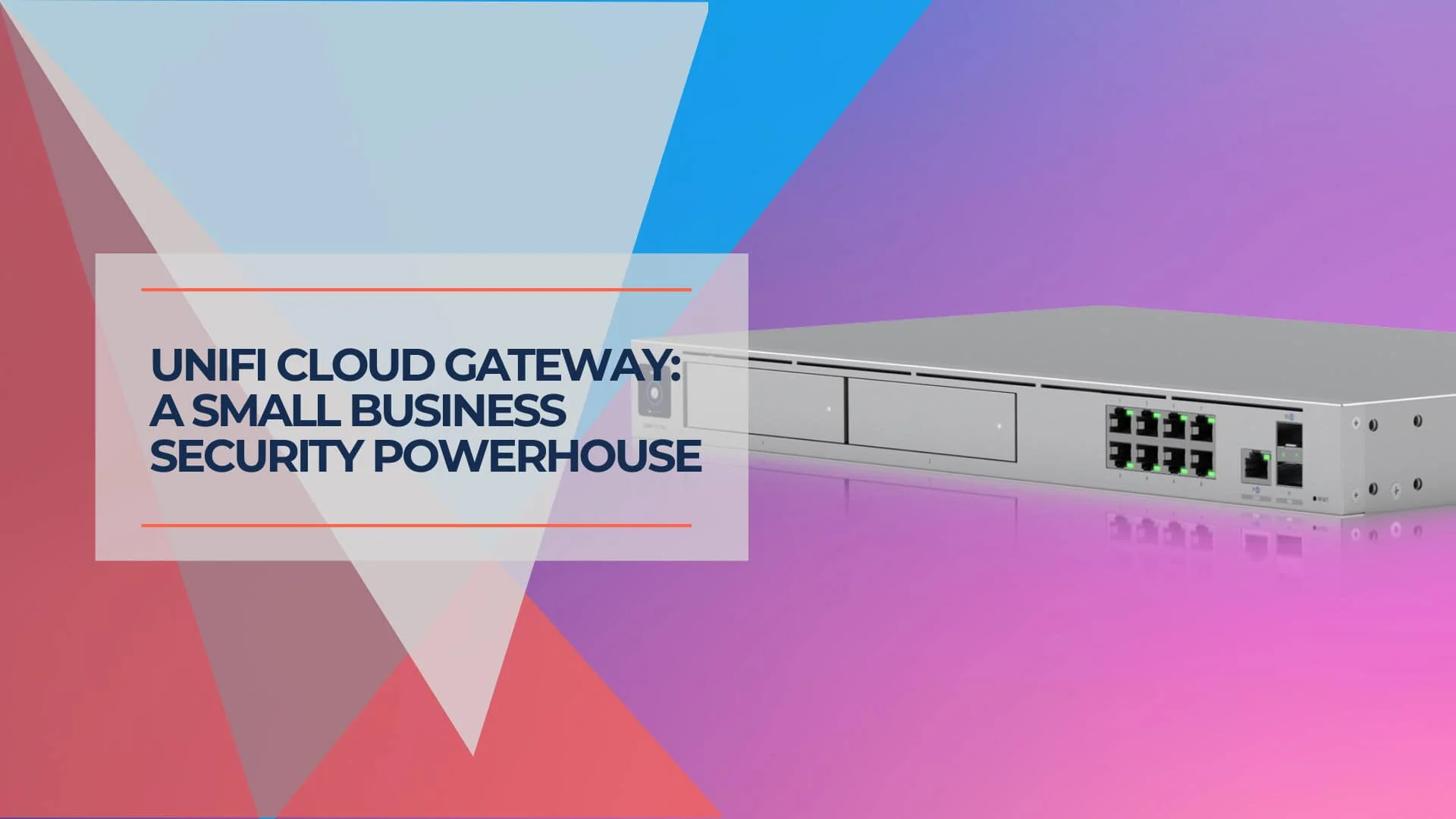
UniFi gateways combine routing, firewall, IDS/IPS, content filtering, and VPN into a single managed appliance. The platform consists of three components that cover functions traditionally spread across four to six separate devices and subscriptions:
Component 1: Hardware Gateway
The physical device handles routing, firewall operations, and threat detection. Options range from the compact UniFi Cloud Gateway Max ($199) for smaller deployments to the UniFi Dream Machine Pro Max ($599) for larger operations.
Component 2: CyberSecure Subscription
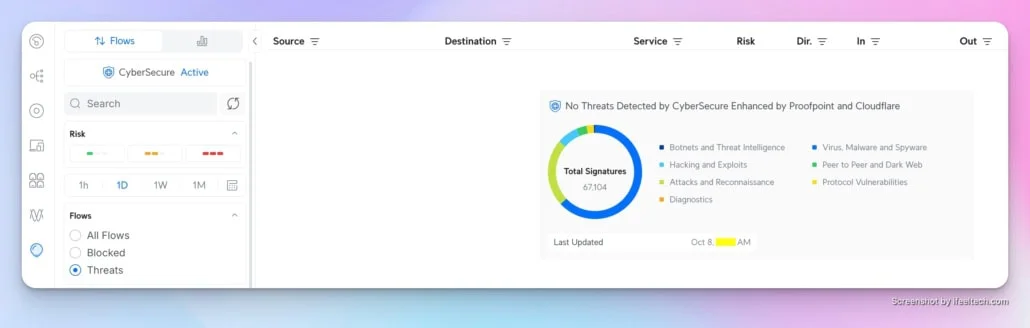
For $99/year, this module activates the Proofpoint and Cloudflare engines directly on the gateway. It replaces standard static signatures with dynamic, real-time threat intelligence from Proofpoint's commercial feed. This includes 55,000+ threat signatures, content filtering across 100+ categories, and continuous security updates.
Component 3: UniFi Identity
A zero-cost identity and access management platform providing one-click VPN connectivity. Remote workers and field personnel connect to the office firewall from anywhere, routing all traffic through the protected network perimeter. No per-user licensing is required.
What Security Features Are Included Without CyberSecure?
Every UniFi gateway ships with zone-based firewall, IDS/IPS, DPI, and basic content filtering at no recurring cost.
Zone-Based Firewall: Network 9.0 replaced rule-by-rule configurations with zone-based architecture. Define network zones (guest, corporate, IoT, management) and establish inter-zone policies through a visual interface.
Intrusion Detection System (IDS): Monitors traffic for suspicious patterns and logs threats without blocking. Detection mode establishes a traffic baseline before enabling active prevention.
Intrusion Prevention System (IPS): Actively blocks connections matching known attack signatures. Expect 10–15% throughput reduction with the full signature set enabled on compact gateways.
Traffic Intelligence: Real-time DPI visibility into every connection—bandwidth by application, per-user consumption, and topology mapping of device communication flows.
Content Filtering (Basic): Category-based website blocking covering approximately 20 broad categories (adult, gambling, malware) with monthly database updates.
Basic vs. CyberSecure Filtering Comparison:
| Feature | Basic Filter | CyberSecure Filter |
|---|---|---|
| Categories | ~20 broad categories | 100+ granular categories |
| Policy Control | Network-wide only | Per-VLAN, per-user group |
| Update Frequency | Monthly | Real-time (Cloudflare edge) |
| Customization | Limited | Time-based, exceptions, overrides |
| Threat Intelligence | Static lists | Dynamic Proofpoint feed |
Introducing UniFi Network 10.4
How Does the CyberSecure Subscription Enhance UniFi Security?
For $99 annually, CyberSecure upgrades UniFi gateways with real-time Proofpoint threat intelligence and Cloudflare-powered content filtering.
- Proofpoint Threat Intelligence: 55,000+ active threat signatures across 53 categories, with 30–50 automatic real-time updates weekly. Coverage spans malware variants, command-and-control communications, ransomware, cryptocurrency mining, and zero-day exploits. Signatures download and activate without manual intervention.
- Cloudflare Content Filtering: Granular control over 100+ categories with per-VLAN policies, user group exceptions, and time-based restrictions. Edge resolution adds near-zero latency—categorization happens on Cloudflare's network without routing traffic through remote inspection points. Newly identified malicious domains are blocked within hours.
For organizations exceeding 100 users, CyberSecure Enterprise ($499/year) runs exclusively on the Enterprise Fortress Gateway ($1,999) and provides 95,000+ signatures for maximum coverage.
Memory Optimization Mode
Compact gateways like the Cloud Gateway Max include Memory Optimized Mode. This loads a curated subset of high-impact signatures when running multiple features (BGP routing, ad blocking, content filtering) simultaneously. The mode maintains protection while preserving system resources—particularly important when running Protect for camera surveillance or Talk for VoIP services.
How Does UniFi Identity Replace Traditional VPN Solutions?
UniFi Identity provides zero-cost, one-click VPN access for unlimited users across macOS, Windows, iOS, Android, and watchOS.
- One-Click Connection: Users install the UniFi Identity Endpoint app and authenticate once. Subsequent connections require a single tap—no credentials or server addresses. Persistent token-based authentication eliminates repeated logins.
- Automatic Routing: VPN clients receive network routes, DNS settings, and security policies from the gateway automatically. Topology changes propagate to connected clients without manual reconfiguration.
- Full Tunnel or Split Tunnel: Full tunnel routes all traffic through CyberSecure filtering. Split tunnel optimizes bandwidth by routing only corporate traffic through the VPN while maintaining direct internet access for non-business applications.
- Multi-Site Access: A single Identity workspace provides VPN connectivity to any office location. Field technicians in Miami can access Chicago resources; sales staff reach all company locations through one interface.
- WireGuard over IPv6 (Network 10.4): Site-to-site and remote-access VPN connections now operate over IPv6 transport using WireGuard, improving connectivity for networks where IPv4 NAT creates VPN reliability issues.
In our field deployments, full-tunnel UniFi Identity connections add an average of 12–18 ms of latency for regional remote workers, compared to 40–50 ms overhead common in legacy IPSec VPN configurations.
UniFi Identity VPN
Which UniFi Gateway Model Should You Choose?
The Cloud Gateway Max suits offices up to 30 users, the Dream Machine Pro fits rack-based setups, and the Pro Max handles larger networks with RAID-capable surveillance.
Small Office Setup (10–30 Users)
| Component | Model | Price | Specs |
|---|---|---|---|
| Gateway | Cloud Gateway Max | $199 | 2.3 Gbps IPS*, 300 clients, 30 devices |
| Security | CyberSecure by Proofpoint | $99/year | 55,000+ signatures, content filtering |
| VPN | UniFi Identity | FREE | Unlimited users, one-click connection |
| Total First Year | $298 | ($199 hardware + $99 subscription) | |
| Annual Renewal | $99 |
Best for: Professional offices, small retail locations, and service businesses with field staff. Handles up to 2.5 Gbps internet connections with full security enabled. An optional NVMe slot accepts up to 2 TB for local NVR storage (the $199 model ships without storage; pre-installed 512 GB models start at $279).
*Requires Network 9.0+ firmware (current: 10.4) for optimal 2.3 Gbps IPS throughput.
Growing Business Setup (30–100 Users)
| Component | Model | Price | Specs |
|---|---|---|---|
| Gateway | Dream Machine Pro Max | $599 | 5 Gbps IPS, 2,000 clients, 200 devices |
| Security | CyberSecure by Proofpoint | $99/year | 55,000+ signatures, content filtering |
| VPN | UniFi Identity | FREE | Unlimited users, multi-site support |
| Total First Year | $698 | ($599 hardware + $99 subscription) | |
| Annual Renewal | $99 |
Best for: Multi-location operations, warehouse facilities, and organizations with extensive camera deployments. Includes dual 3.5" HDD bays supporting RAID 1 for redundant surveillance recording (drives sold separately; a built-in 128 GB SSD handles initial recordings out of the box). Supports Site Magic SD-WAN for multi-site connectivity.
Enterprise Expansion Path (100+ Users)
For organizations that outgrow the "under $1,000" bracket, the Enterprise Fortress Gateway (EFG) ($1,999) provides 12.5 Gbps IPS throughput and 5,000+ client support. CyberSecure Enterprise ($499/year) unlocks 95,000+ threat signatures. Network 10.4 adds eBGP support for direct ISP peering—relevant for organizations with PI address space or multi-homed internet connections. The same unified management interface scales across the entire UniFi ecosystem.
How Should You Deploy UniFi Network Security?
Phase 1: Gateway Deployment (Week 1)
Physical Installation:
- Mount the gateway in the rack or place it in the equipment closet
- Connect the WAN cable from the ISP modem to the gateway WAN port
- Connect the primary switch to the gateway LAN port
- Power on the gateway and wait for initialization (5-10 minutes)
Network Configuration:
- Complete initial setup through the UniFi mobile app or web interface
- Adopt existing UniFi devices if present
- Configure VLANs for network segmentation (corporate, guest, IoT)
- Establish firewall zones based on the VLAN structure
- Configure DHCP scopes and DNS settings
Security Baseline:
- Enable IDS in monitoring mode to establish traffic baseline
- Configure basic content filtering for known malicious categories
- Set up traffic monitoring dashboards
- Test all core applications to verify proper connectivity
Phase 2: CyberSecure Activation (Week 2)
Subscription Activation:
- Purchase CyberSecure subscription through Site Manager
- Wait 15 minutes for signature database synchronization
- Verify threat signature count in the security dashboard
IPS Deployment:
- Review IDS logs from the previous week to identify potential false positives
- Enable IPS in prevention mode during low-traffic hours
- Monitor application performance and connectivity
- Whitelist any legitimate traffic flagged as threats
Content Filtering Policies:
- Define filtering policies by user group or VLAN
- Configure time-based restrictions if needed
- Set up override procedures for legitimate business needs
- Test policy enforcement across different user groups
Phase 3: VPN Rollout (Week 3–4)
Pilot Group:
- Enable UniFi Identity on the gateway console
- Create user accounts for IT staff and pilot group (5-10 users)
- Distribute Identity Endpoint app installation links
- Guide pilot users through one-click VPN setup
- Verify full tunnel or split tunnel operation as designed
- Gather feedback on connection speed and reliability
Organization-Wide Deployment:
- Bulk import remaining users through LDAP sync if available
- Send deployment email with installation instructions
- Schedule brief training sessions showing the VPN connection process
- Establish a policy requiring VPN use for remote work
- Configure monitoring to verify VPN adoption rates
What Security Policies Should Accompany UniFi Deployment?
Effective network security requires enforceable organizational policies covering VPN usage, internet access, and incident response.
Remote Work VPN Policy
Policy Statement
All employees working remotely or accessing company resources from outside office locations must connect through the company VPN before accessing internal systems or handling company data.
Scope: This policy applies to full-time employees, part-time staff, contractors, and temporary workers working from home offices, client sites, coffee shops, hotels, or any location outside company facilities.
Requirements:
- Install the UniFi Identity Endpoint app on all work devices
- Connect to VPN before checking email, accessing file shares, or using business applications
- Maintain VPN connection throughout work session
- Report connection issues to IT immediately, rather than working without a VPN
Enforcement: Network monitoring tracks VPN usage. Repeated policy violations may result in remote access suspension.
Internet Usage & Content Filtering Enforcement
UniFi enforces acceptable use at the network level: CyberSecure content filtering blocks prohibited categories (proxy/anonymizer sites, malware, streaming during business hours) per VLAN or user group. Time-based schedules relax restrictions during breaks. Override mechanisms allow manager-approved exceptions with audit logging. This approach supplements employee compliance with technical controls—prohibited categories are blocked at the gateway regardless of user behavior.
Network Security Responsibilities
Management Responsibilities
- Review the security dashboard weekly for unusual patterns
- Respond to critical security alerts within 4 hours
- Update security policies as business needs change
- Conduct quarterly security awareness training
Employee Responsibilities:
- Report suspicious network activity or security warnings
- Keep the VPN client software updated
- Use the company VPN when working remotely
- Avoid connecting unknown devices to the company network
Beyond the Perimeter: Remaining Security Layers
UniFi secures the network perimeter. Four additional layers operate beyond it:
- Endpoint Protection: Microsoft Defender for Business ($3/user/month with M365 Business Premium) or Malwarebytes Business ($3.33/user/month) — defends devices from local infections, USB-borne malware, and threats encountered off-network.
- Password Management + MFA: 1Password Business ($8/user/month) or Bitwarden Business ($5/user/month) — unique credentials per service, enforced MFA, team sharing with identity provider integration.
- Backup (3-2-1 Rule): Acronis Cyber Protect ($69–$109/workstation/year depending on tier) for cloud backup with EDR scanning. Pair with local NAS (Synology, $400–$800) for faster recovery.
- Email Security: DMARC enforcement to prevent domain spoofing, plus a secure email gateway for inbound threat scanning. Email remains the primary attack vector for SMBs.
How Does UniFi Compare to Traditional Enterprise Security Costs?
A 30-user UniFi deployment costs $496 over three years; an equivalent SonicWall + NordLayer stack costs $12,109.
Traditional Enterprise Stack (30-User Office)
| Component | Solution | Initial Cost | Annual Cost |
|---|---|---|---|
| Firewall Appliance | SonicWall TZ370 | $560 | $0 |
| Threat Protection | SonicWall Gateway Anti-Malware | $0 | $222 |
| Content Filtering | SonicWall Content Filtering | $0 | $296 |
| VPN Access | NordLayer (30 users @ $8/mo) | $0 | $2,880 |
| Surveillance NVR | Separate NVR System | $800 | $0 |
| Support | SonicWall 24×7 Support | $0 | $185 |
| Total | $1,360 | $3,583 |
Three-Year Total Cost of Ownership: $12,109 ($1,360 initial + $10,749 subscriptions)
UniFi Integrated Approach (30-User Office)
| Component | Solution | Initial Cost | Annual Cost |
|---|---|---|---|
| Gateway + Firewall + VPN | Cloud Gateway Max | $199 | $0 |
| Threat Protection + Content Filtering | CyberSecure by Proofpoint | $0 | $99 |
| VPN Access (unlimited) | UniFi Identity | $0 | $0 |
| Support | Community + Documentation | $0 | $0 |
| Total | $199 | $99 |
Three-Year Total Cost of Ownership: $496 ($199 initial + $297 subscriptions)
Cost Savings Analysis
Based on these figures, the UniFi approach costs $11,613 less over three years for comparable perimeter security capabilities. This accounts for the separate NVR system traditional stacks require. At 100 users, the difference grows to approximately $18,000 over the same period.
Why Choose On-Premise UniFi Over Cloud-Based SASE/Zero Trust?
On-premise UniFi hardware avoids per-user monthly fees, continues operating during internet outages, and keeps all traffic inspection local.
Cloud-based SASE platforms (Cloudflare Zero Trust, NordLayer, Cisco Secure Connect) represent the fastest-growing network security category in 2026. They excel for fully distributed workforces with no physical office. The VPN vs. Zero Trust decision depends largely on whether the business has a physical office. For those that do, on-premise hardware offers distinct advantages:
| Factor | UniFi (On-Premise) | Cloud SASE (e.g., NordLayer, Cloudflare ZT) |
|---|---|---|
| Monthly cost (30 users) | $8.25/mo ($99/year) | $240–$450/mo ($8–$15/user) |
| Internet dependency | LAN functions during ISP outages | All security stops without internet |
| Camera/NVR integration | Built-in on same hardware | Requires separate system |
| Latency for local traffic | Zero (on-premise inspection) | Adds 5–30 ms per cloud hop |
| Data sovereignty | All logs stored locally | Logs stored in vendor cloud |
| Scaling cost | Fixed ($99/year regardless of user count) | Linear per-user pricing |
Cloud SASE is a better fit for companies with no physical office, workforces spanning multiple countries, or organizations already invested in identity-first architectures. For businesses with a central office and local infrastructure (file servers, cameras, printers), on-premise UniFi covers comparable security functions at lower recurring cost.
What Are the Most Common UniFi Implementation Challenges?
Common UniFi implementation challenges include reduced internet throughput when IPS is enabled, false-positive traffic blocking, and VPN connection failures.
Challenge 1: Initial Performance Impact
Symptom: Internet speeds drop after enabling IPS with full signature set.
Cause: Deep packet inspection examining 55,000+ signatures throttles multi-gigabit connections on compact gateways.
Solution: Enable Memory Optimized Mode on devices like the Cloud Gateway Max to load only high-impact signatures. This preserves throughput while maintaining protection against critical threats. Most businesses on gigabit connections (1 Gbps or less) experience negligible impact even with full signatures.
Challenge 2: False Positive Blocking
Symptom: Legitimate applications or websites become inaccessible after CyberSecure activation.
Cause: Software update mechanisms, file sharing services, and specialized business applications occasionally match threat signature patterns.
Solution: Review IPS logs weekly. Create whitelist exceptions for confirmed legitimate IP addresses or ports during low-traffic hours. Document all whitelisting decisions for audit purposes.
Challenge 3: VPN Connection Failures
Symptom: Remote workers report disconnections or inability to establish initial VPN connection.
Cause: Port forwarding misconfiguration when the gateway sits behind an ISP router, dynamic public IP changes, or client firewall blocking VPN protocols.
Solution: Verify gateway has a direct public IP or proper port forwarding configured. Enable automatic public IP sync for dynamic IP scenarios. Check client firewall settings—Windows Defender and third-party security software frequently block VPN protocols. Test from multiple network types (home, mobile hotspot, public Wi-Fi) to isolate the issue.
Challenge 4: Content Filter Policy Conflicts
Symptom: Inconsistent content blocking—some users access restricted sites while others lose access to legitimate resources.
Cause: Overlapping VLAN-based and user-based policies with conflicting priorities.
Solution: Establish clear policy hierarchy: VLAN policies apply first, then user group overrides. Test policies thoroughly before broad deployment. Document all rules and exceptions in a centralized location.
Advanced Diagnostics: Digital Twin & Time Machine
Available since Network 10.2 (current version: 10.4), two diagnostic tools help with multi-switch environments:
- Digital Twin Topology View: A real-time infrastructure map showing physical uplink relationships between switches, gateways, and APs. Use it to identify which downstream devices lose connectivity if a specific uplink switch fails—helpful for planning maintenance windows and understanding network dependencies.
- Time Machine for Switches: Tracks port state changes (up/down, speed negotiation, PoE events) at exact timestamps without parsing syslogs. Scrub backward through a visual timeline to identify when a port flapped or a device disconnected—useful for diagnosing intermittent issues reported hours after the event.
Edge Device Stability
IoT sensors and legacy equipment can cause disruptive topology changes on switch ports. Network 10.2 introduced STP Edge mode for immediate forwarding on client-facing ports, and BPDU Guard to automatically disable ports that receive unexpected spanning tree control frames—preventing rogue devices from triggering network-wide reconvergence. If a firmware update introduces instability, one-click rollback reverts the gateway or switch to its previous version without manual intervention.
Detailed Gateway Specifications
Cloud Gateway Max ($199)
- Users: 10–30 employees
- IPS Throughput: 2.3 Gbps
- Ports: Five 2.5 GbE
- Clients/Devices: 300 clients, 30 UniFi devices
- Form Factor: Compact desktop, passive cooling (silent operation)
- Storage: Optional NVMe slot (up to 2 TB) for local NVR; ships without storage at $199, or with 512 GB pre-installed at $279
- Best for: Single-location offices on standard business fiber (up to 2.5 Gbps)
Dream Machine Pro ($379)
- Users: 25–75 employees
- IPS Throughput: 3.5 Gbps
- Ports: 10G SFP+ WAN, eight 1G RJ45 LAN
- Clients/Devices: 1,000+ clients, 50+ UniFi devices
- Form Factor: 1U rack-mount
- Storage: Single 3.5" HDD bay for surveillance (drive sold separately)
- Best for: Rack-based deployments needing integrated switching and 10G WAN
Dream Machine Pro Max ($599)
- Users: 50–100+ employees
- IPS Throughput: 5 Gbps
- Ports: Dual 10G SFP+, eight 2.5 GbE RJ45, 2.5G WAN
- Clients/Devices: 2,000+ clients, 200+ UniFi devices
- Form Factor: 1U rack-mount
- Storage: Dual 3.5" HDD bays with RAID 1 support plus built-in 128 GB SSD (HDDs sold separately)
- Best for: Multi-site SD-WAN deployments, high-density wireless, and large camera systems requiring redundant recording
How Should You Configure VLANs and Advanced Security Policies?
Multi-VLAN Security Policies
VLAN segmentation prevents lateral movement during security incidents by isolating device types and user groups into distinct broadcast domains.
Recommended VLAN Structure:
- VLAN 10 (Corporate): Employee workstations and business servers. Full network access with content filtering and IPS protection. QoS priority.
- VLAN 20 (Guest): Visitor devices and personal equipment. Internet-only access, no internal network visibility. Aggressive content filtering. Short DHCP lease times. Enable Enhanced Open (OWE) mode on guest SSIDs (available since Network 10.2) to provide WPA3-grade individualized encryption without requiring a shared passphrase—guests connect as easily as an open network, but each session is encrypted against eavesdropping.
- VLAN 30 (IoT): Smart devices, thermostats, door controllers. Internet access for cloud services, restricted internal access. Isolated from the corporate network.
- VLAN 40 (Management): Network equipment, security cameras, and access control readers. Administrative access only. Logging and monitoring traffic.
Configure zone-based firewall rules governing traffic flow between VLANs. Corporate to Guest should be blocked entirely. IoT to Corporate requires explicit whitelist rules for specific services. Management VLAN accepts connections only from administrator workstations.
Geo-IP Blocking for Threat Reduction
CyberSecure includes geo-IP blocking capabilities, which reduce the attack surface by blocking entire countries. Most small businesses conduct operations domestically, so international connectivity requirements are limited.
Conservative Blocking Strategy: Block countries representing high-threat activity with minimal business impact. Common targets include Russia, China, North Korea, and Iran. Review website analytics and customer database before implementing—international customers may require exceptions.
Progressive Blocking Strategy: Start with known hostile nations, gradually expand blocking based on threat logs. Monitor IPS alerts by source country. Block additional regions showing persistent attack patterns.
Create exception rules for legitimate services requiring international connectivity—cloud backup providers, email services, payment processors—and test exceptions thoroughly before implementing company-wide blocking policies.
Custom Content Filtering Schedules
Time-based content filtering policies balance productivity with reasonable personal internet use. Different policies can apply during business hours versus lunch breaks.
Example Schedule Configuration:
- 8:00 AM – 12:00 PM: Strict filtering, blocking social media, streaming, and shopping. Business and educational sites allowed.
- 12:00 PM – 1:00 PM: Relaxed filtering during lunch. Personal browsing permitted, excluding inappropriate content.
- 1:00 PM – 5:00 PM: Return to strict filtering policy matching morning restrictions.
- 5:00 PM – 8:00 AM: Minimal filtering for after-hours workers. Block only malicious and inappropriate categories.
Override mechanisms allow managers to grant temporary access when business needs require filtered categories. Document override procedures and maintain approval audit trail.
What Ongoing Maintenance Does UniFi Security Require?
Automated Recovery: Device Supervisor
Device Supervisor (introduced in Network 10.2) monitors connected PoE-powered equipment and automatically power-cycles unresponsive devices. For multi-site deployments, this reduces truck rolls for routine hardware hangs—access points, cameras, and VoIP phones recover without manual intervention. Configure sensitivity thresholds per device type to avoid false restarts on equipment with legitimate long boot cycles.
High Availability: Shadow Mode (VRRP Failover)
Organizations in the 50–100+ user tier benefit from deploying a second gateway in Shadow Mode. This VRRP-based active-passive configuration (supported on UDM Pro, UDM SE, UDM Pro Max, and EFG) mirrors the primary gateway's configuration and state to a warm standby. On primary hardware failure, the secondary unit takes over within seconds without IP changes or VPN reconnection. Shadow Mode requires UniFi OS 4.0.6+ and an identical secondary unit.
Daily Monitoring Tasks (5 Minutes)
- Review Security Dashboard for critical alerts
- Verify VPN user connections match the expected remote work schedule
- Check internet bandwidth utilization for unexpected spikes
- Review failed authentication attempts on network services
Weekly Security Reviews
- Analyze IPS alert trends, identifying potential targeted attacks
- Review content filtering logs for policy violations
- Verify firmware updates available for the gateway and connected devices
- Check disk usage on surveillance storage if running Protect
Monthly Maintenance Windows
- Apply gateway firmware updates during low-traffic periods
- Review and update firewall rules based on business changes
- Test backup and recovery procedures
- Audit VPN user accounts, removing terminated employees
- Generate security compliance reports for management review
Quarterly Security Assessment
- Conduct vulnerability scanning on the internal network
- Review and update security policies based on new threats
- Test VPN failover and recovery procedures
- Evaluate the need for gateway hardware upgrade based on growth
- Schedule security awareness training for employees
Real-World Deployment Scenarios
Scenario 1: Distributed Sales Team
Business Profile: Medical device sales company with 15 office employees and 25 field representatives. Sales team accesses customer relationship management system, product catalogs, and pricing databases from client sites nationwide.
Security Requirements:
- Protect customer data during remote access
- Ensure pricing information security
- Prevent credential theft on public Wi-Fi networks
- Maintain HIPAA compliance for healthcare client data
Implementation: Cloud Gateway Max ($199) at headquarters with CyberSecure ($99/year) and UniFi Identity for all 40 employees. Field representatives connect through VPN before accessing any business systems. A full tunnel configuration routes all traffic through the office firewall, including personal browsing during work hours.
Results: Customer data access routed through encrypted VPN tunnel at all times. Zero credential theft incidents since VPN deployment. HIPAA compliance maintained through network-level security controls—total annual cost $99 versus $3,840 for traditional per-user VPN licensing (40 users × $8/month).
Scenario 2: Manufacturing with Warehouse Operations
Business Profile: Industrial parts manufacturer with office building and a separate 50,000 sq ft warehouse. 30 office employees, 45 warehouse staff using tablets for inventory management. Security cameras are throughout the facility.
Security Requirements:
- Segment office and warehouse networks
- Protect the inventory management system
- Support 40+ security cameras with reliable recording
- Prevent malware spread from warehouse IoT devices
Implementation: Dream Machine Pro Max ($599) with two 4 TB HDDs in RAID 1 for camera recording. Separate VLANs for office (VLAN 10), warehouse (VLAN 30), and security cameras (VLAN 40). CyberSecure ($99/year) protects all zones. IoT devices are isolated from the business network with explicit firewall whitelist rules.
Results: Camera system operates reliably with RAID redundancy. A warehouse malware incident was contained without affecting office systems due to VLAN segmentation. Single platform manages networking and surveillance. Total first-year cost: $698 versus $8,000+ for separate firewall, NVR, and VPN solution.
Scenario 3: Professional Services Firm
Business Profile: Accounting firm with 20 CPAs and 15 support staff. Heavy document sharing and client data protection requirements. Hybrid work model with 60% remote work.
Security Requirements:
- Protect client financial information
- Secure document sharing and collaboration
- Enable remote work without compromising security
- Maintain compliance with professional standards
Implementation: Cloud Gateway Max ($199) with CyberSecure ($99/year). All employees use UniFi Identity VPN for remote access. Content filtering blocks file-sharing sites except approved business tools, and strict firewall policies segment client file servers from general network access.
Results: Client data protection maintained across the hybrid work environment. Compliance requirements met through network-level controls and logging. Remote workers connect via one-click VPN without additional configuration. Zero data breaches since implementation. Annual cost: $99 versus $3,500 for a traditional enterprise security stack.
How Do You Get Started?
Step 1: Assess Your Current Environment
- Count total employees (office and remote)
- Measure current internet bandwidth utilization
- Identify critical business applications requiring VPN access
- List existing security tools and subscriptions
- Document compliance requirements (HIPAA, PCI, industry-specific)
Step 2: Select Appropriate Gateway
- Choose Cloud Gateway Max for 10-30 users with gigabit internet
- Select Dream Machine Pro for 25-75 users needing a rack-mount form factor
- Upgrade to Dream Machine Pro Max for 50-100+ users or multi-site operations
Step 3: Plan Implementation Timeline
- Week 1: Gateway deployment and network configuration
- Week 2: CyberSecure activation and security policy tuning
- Week 3: VPN pilot group testing (5-10 users)
- Week 4: Organization-wide VPN rollout
Step 4: Establish Security Policies
- Draft remote work VPN requirement policy
- Define acceptable internet use guidelines
- Create content filtering categories and schedules
- Document security responsibilities and procedures
Step 5: Deploy Remaining Security Layers
- Implement endpoint protection on all computers
- Deploy a password manager with MFA for all users
- Establish backup procedures for critical data
- Schedule security awareness training
Professional Implementation Support
From Our Deployment Data
Across 40+ Miami-based deployments in 2024–2025, iFeeltech found that businesses switching to UniFi Identity VPN saw remote-access support tickets drop by an average of 73% within the first month. The median deployment timeline was 18 days from hardware delivery to full organization VPN rollout.
iFeelTech provides network security implementation services throughout South Florida: gateway selection, network design, VLAN architecture, security policy development, and ongoing monitoring. Remote consultation is available for organizations outside our service area.
Ready to design your network? Use our UniFi Network Configurator to build a custom equipment list tailored to your requirements in under 2 minutes.
Frequently Asked Questions
Related Articles
More from UniFi Networks
UniFi Gateway Comparison Guide 2026: All 11 Models Ranked
Complete UniFi gateway comparison covering all 11 current models — from Cloud Gateway Ultra ($129) to Dream Machine Beast ($1,499) and Enterprise Fortress Gateway ($1,999). Exact device counts, throughput thresholds, and storage economics.
26 min read
UniFi Network Solutions: 2026 Tech Overview
A comprehensive technical analysis of Ubiquiti's UniFi ecosystem for business networking and security. Covers gateways, WiFi 7 access points, CyberSecure, and real-world deployment experience.
13 min read
UniFi Cloud Gateway Max Review (2026): Performance, Protect Limits, and Who Should Buy It
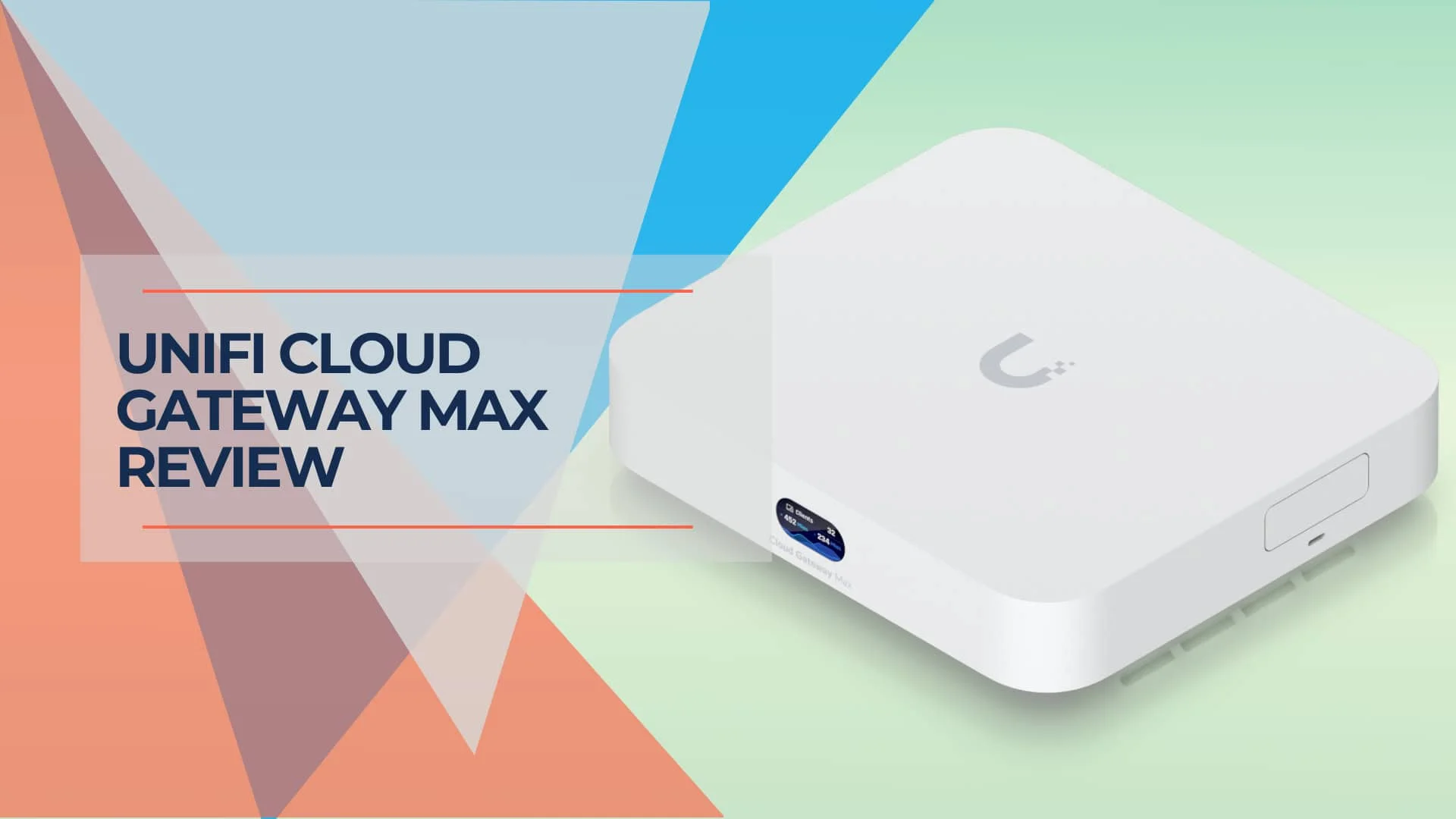
Hands-on UCG-Max review with verified 2026 pricing, IDS/IPS and VPN testing, Protect camera limits, thermals, storage guidance, and comparisons with UCG Fiber, UDR7, and UCG Ultra.
24 min read