UniFi Talk Business VoIP Review 2026: Plans, Phones, SIP Trunks & Talk 5.2
UniFi Talk review for 2026 covering Plus and Pro plan costs, locked vs. unlocked phone economics, third-party SIP trunk savings, Talk 5.2 call queuing, and the hardware walled garden.

Key Takeaway
UniFi Talk is Ubiquiti's on-premise business VoIP system, managed entirely through a local UniFi Gateway. This guide covers 2026 plan pricing, the critical difference between locked and unlocked phones, third-party SIP trunk savings, and the new Talk 5.2 features including call queuing and multi-line support.
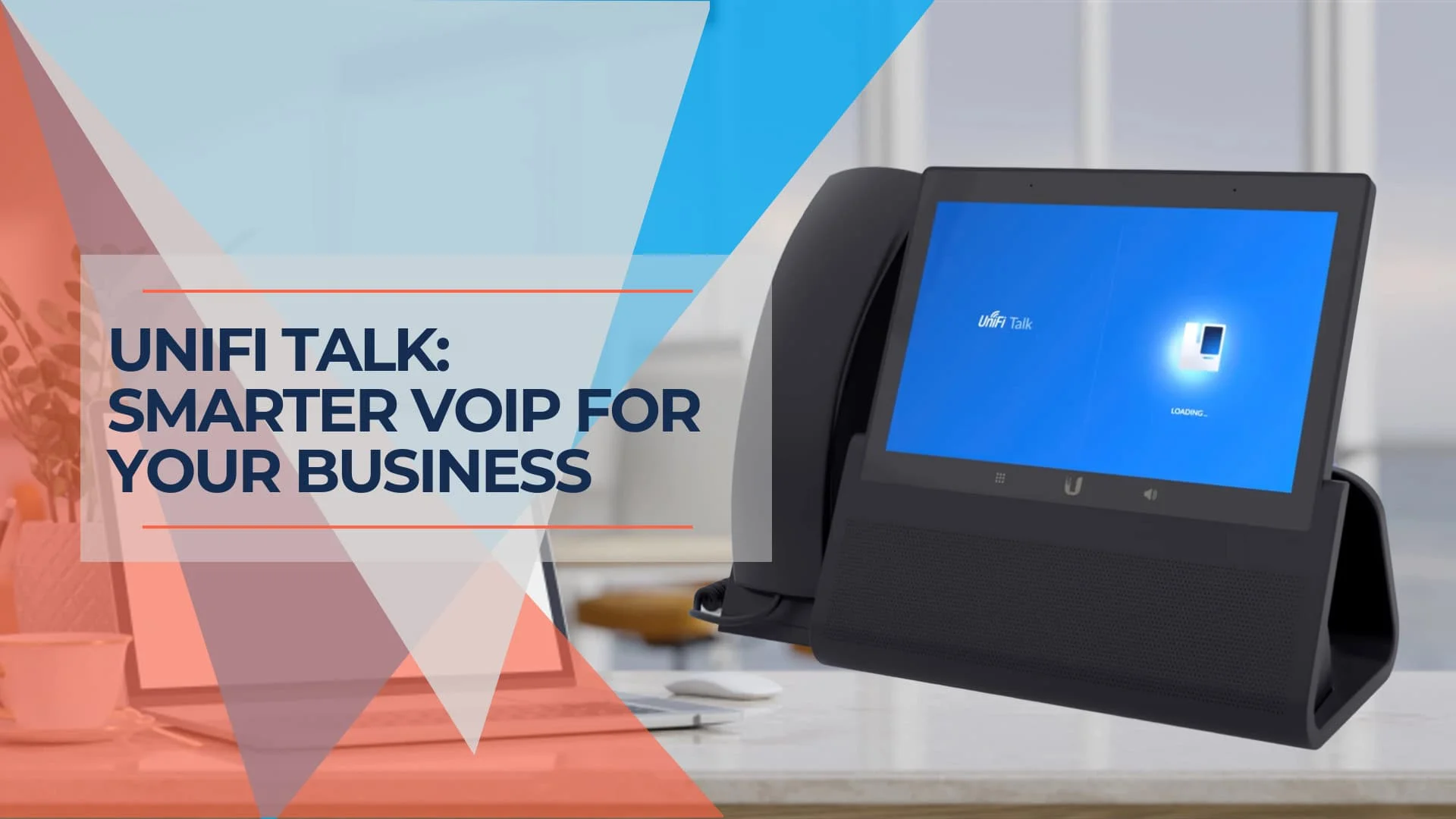
UniFi Talk is Ubiquiti's on-premise VoIP solution that runs the PBX core on your own network hardware rather than in a third-party cloud. This architecture provides full control over communication data and enables physical security integrations—viewing camera feeds and unlocking doors from the desk phone screen. The trade-offs are real: proprietary hardware requirements, dependency on your UniFi Gateway, and a local network reliability obligation that cloud VoIP services do not share.
What Is UniFi Talk?
UniFi Talk is an on-premise business VoIP phone system managed entirely through a local UniFi Gateway. Unlike cloud-hosted VoIP providers such as RingCentral or Zoom Phone, the system's PBX core resides on your own network hardware. This gives businesses full control over communication data and enables physical security integrations not available in cloud-hosted systems—viewing UniFi Protect camera feeds or unlocking UniFi Access doors directly from the desk phone screen.
Because the PBX runs locally, a reliable local network and power setup are required. If your UniFi Gateway loses power or internet, phones stop working—even for internal calls.
UniFi Talk Promo
How Much Do UniFi Talk Plans Cost in 2026?
UniFi Talk offers the Plus Plan at $9.99 per month and the Pro Plan at $24.99 per month.
The Plus Plan includes 3,000 pooled minutes for calls within the US, Canada, and Mexico, alongside 50 SMS messages. Because minutes are pooled across all active Plus lines, it efficiently handles light-to-medium office call volumes.
The Pro Plan delivers unlimited calling and SMS in the US, Canada, and Mexico. It adds the UniFi Identity softphone app, AI voicemail transcriptions with PII redaction, and 3,000 CNAM caller ID lookups.
Plan Comparison
| Feature | Plus Plan ($9.99/month) | Pro Plan ($24.99/month) |
|---|---|---|
| Monthly Minutes | 3,000 minutes (pooled across all Plus lines) | Unlimited (US, Canada, Mexico) |
| SMS Messages | 50 messages (US, Canada, Mexico) | Unlimited (US, Canada, Mexico) |
| Call Transcription | 60 minutes | 600 minutes |
| Caller ID Name Lookups | — | 3,000 lookups |
| Softphone Included | — | UniFi Identity softphone |
| AI Voicemail Transcription | Basic | With PII redaction |
| Concurrent Calls | Unlimited | Unlimited |
| Emergency Calling | ✓ | ✓ |
| Free Number Porting | ✓ | ✓ |
For the latest pricing, check the official UniFi website.
What Is the Difference Between Locked and Unlocked UniFi Phones?
Locked UniFi phones mandate a $9.99 monthly subscription per device, while unlocked phones carry no monthly fees and support third-party SIP trunks.
Locked Phones:
- Sold at a steep upfront discount (typically $100–$150 less than unlocked)
- Require direct association with a user account and a dedicated UniFi Talk phone number
- Cannot function as internal extensions without an active paid subscription
- Tied directly to Ubiquiti's service
Unlocked Phones:
- Higher initial hardware investment but no recurring per-device fees
- Multiple users can share them (hot-desking, conference rooms, common areas)
- Can operate as free internal "house phones" without subscriptions
- Required for third-party SIP trunk usage
Cost Implication
For a 10-person office, buying locked phones forces a $1,188 annual recurring cost ($9.99 × 10 × 12). Unlocked phones generally achieve return on investment within 14 months through eliminated subscription fees.
Which UniFi Talk Phone Should You Buy?
UniFi offers three phone models: the Touch Max (7-inch), Touch (5-inch), and Flex (2.57-inch keypad).
| Model | Display | Form Factor | Best For |
|---|---|---|---|
| Touch Max | 7" HD touchscreen, 5MP camera | Premium desktop | Executives, receptionists, high-volume multi-line users. Optimized for Talk 5.2 multi-line session handling. |
| Touch | 5" touchscreen | Standard desktop | General office use, moderate call volume. Full Protect/Access integration on screen. |
| Flex | 2.57" display | Compact keypad | Warehouses, stockrooms, common areas. Traditional phone layout with minimal footprint. |
All three models are available in both locked and unlocked variants. Each supports PoE (802.3af) and connects to a UniFi OS Console via Ethernet or WiFi.
Which Ubiquiti UniFi Talk Phone Is Right For Me?
How to Use Third-Party SIP Providers with UniFi Talk
You can reduce recurring costs by connecting unlocked UniFi phones to third-party SIP trunk providers.
By routing external calls through providers like Voxtelesys, Twilio, Telnyx, or Flowroute, businesses pay for usage only—often fractions of a cent per minute. You keep the UniFi hardware and local PBX routing while reducing recurring carrier costs. For a broader comparison of VoIP options for small businesses, including cloud-hosted alternatives, see our companion guide.
Setup:
- Purchase unlocked UniFi Talk phones (locked phones cannot use third-party SIP)
- Sign up with a SIP trunk provider
- Configure the SIP credentials in your UniFi Talk system
- Pay only for usage
This process requires familiarity with SIP credentials, DID provisioning, and number porting procedures. It is not a plug-and-play setup, but most IT-comfortable office managers can complete it within an hour using the provider's documentation.
Cost Comparison:
- UniFi Talk Plus Plan: $9.99/mo per line = $119.88/year
- Third-Party SIP (Voxtelesys example): ~$1–2/mo per DID + $0.01/min ≈ $30–50/year for typical usage
Trade-offs of Third-Party SIP:
- You manage your own SIP trunk relationship (no Ubiquiti support for carrier issues)
- You handle number porting independently
- No access to Ubiquiti-managed features: AI voicemail transcription, CNAM lookups, and the UniFi Identity softphone
3-Year Total Cost of Ownership: UniFi Talk vs. RingCentral
For a 15-user office, UniFi Talk with unlocked phones and third-party SIP costs roughly one-third of RingCentral over three years.
| Cost Category | UniFi Talk (Locked) | UniFi Talk (Unlocked + SIP) | RingCentral Core |
|---|---|---|---|
| Hardware (15 phones) | ~$2,250 (locked Touch) | ~$3,750 (unlocked Touch) | $0 (BYOD/rental) |
| Gateway | ~$200 (Cloud Gateway Ultra) | ~$200 (Cloud Gateway Ultra) | N/A (cloud) |
| Monthly service | $9.99 × 15 = $149.85/mo | ~$1.50/DID × 15 = $22.50/mo + usage | $20 × 15 = $300/mo (annual) |
| Annual service | $1,798 | ~$450 (with typical usage) | $3,600 |
| 3-Year service total | $5,394 | ~$1,350 | $10,800 |
| 3-Year all-in total | ~$7,844 | ~$5,300 | ~$10,800 |
| Monthly equivalent | ~$218/mo | ~$147/mo | $300/mo |
RingCentral Core pricing based on $20/user/month with annual billing (2026 rates). UniFi SIP costs assume Voxtelesys-level pricing with moderate call volume. Hardware prices are approximate MSRP.
Which Option Fits Your Business?
- Locked phones make sense if you need Ubiquiti-managed features (AI voicemail, CNAM, softphone) and prefer simplicity over cost optimization.
- Unlocked + third-party SIP delivers the lowest total cost but requires you to manage your own SIP provider relationship and forfeits managed features.
- RingCentral avoids hardware investment entirely and provides a mature cloud platform with broader integrations, at roughly 2× the 3-year cost.
Check Unlocked Phone Availability
Does UniFi Talk Require Ubiquiti Hardware?
Yes. UniFi Talk requires proprietary Ubiquiti desk phones and a local UniFi Cloud Gateway to function.
You cannot provision existing SIP phones from Yealink, Polycom, or Cisco. This "walled garden" approach ensures seamless firmware updates and the unique Protect/Access integrations, but it creates hardware dependency:
- Existing third-party VoIP phones cannot be used
- You are locked into Ubiquiti's hardware pricing and availability
- No ability to mix phones from different vendors
- If Ubiquiti discontinues a model, there are no compatible alternatives
Comparison to competitors:
- RingCentral / Zoom Phone / 3CX: Support standard SIP phones from any manufacturer
- UniFi Talk: Ubiquiti phones only
For help selecting the right UniFi gateway to run Talk, see our gateway comparison guide.
Fax Support
For businesses that still need fax capabilities, UniFi offers the UniFi Talk ATA (Analog Telephone Adapter). This device connects traditional fax machines or analog phones to your UniFi Talk system, bridging analog devices to the VoIP network.
How Does UniFi Talk Integrate with Cameras and Doors?
UniFi Talk phones double as Protect camera viewers and Access door controllers, directly from the desk phone touchscreen. This integration enables workflows that standard cloud VoIP platforms do not support:
- Answer door calls from your UniFi Access door station directly on your desk phone
- See a live UniFi Protect camera feed on your desk phone's touchscreen when someone rings the doorbell
- Unlock doors remotely after verifying the visitor on camera
- Call recording alongside camera footage for security auditing
As of Talk 5.2, desk phones can access Protect camera feeds even when UniFi Protect runs on a separate, colocated UNVR rather than on the same Cloud Gateway. This resolves a common limitation in larger deployments where the gateway handles Talk and routing while a dedicated UNVR manages camera storage.
What Is the UniFi Talk Smart Attendant?
The Smart Attendant is an automated call router included free with all UniFi Talk plans. It handles many of the tasks a dedicated receptionist would cover:
- Department routing: Callers press 1 for Sales, 2 for Support, 3 for Billing—calls route automatically
- Time-based routing: Automatically route calls to voicemail after hours or redirect to mobile phones during business hours
- Custom greetings: Professional greetings that change based on time of day or holiday schedules
- Cost savings: A full-time receptionist costs $30,000–$40,000/year; Smart Attendant is included free with all plans
What New Features Are in UniFi Talk 5.2?
UniFi Talk 5.2 introduces multi-line session handling, native call queuing, and centralized call recording with archiving.
Released May 5, 2026, this update resolves several long-requested limitations:
UniFi Talk 5.2 Feature Overview
- Multi-line session handling: Users can manage several active calls simultaneously with one-tap switching between conversations. Optimized for the Touch Max's 7-inch display.
- Native call queuing: Administrators can build call queues to distribute inbound volume across team members, with an upgraded Smart Attendant for improved routing accuracy.
- Centralized call recording archiving: Call recordings can be archived centrally with easy access, including optional transcription with PII redaction for compliance.
- Redesigned phone UI: Faster onboarding, reduced interaction latency, and streamlined navigation for high-volume environments.
- Improved audio quality: Advanced noise suppression, refined gain control, and better speaker/microphone clarity across all phone models.
The update also adds Teleport VPN support for remote users managing multi-line sessions from off-site.
How Reliable Is UniFi Talk During Outages?
UniFi Talk depends entirely on your local UniFi Gateway—if it loses power or internet, all phones stop working.
Unlike cloud VoIP services where the PBX runs in redundant data centers, UniFi Talk's on-premise architecture creates a single point of failure at your gateway.
Failover Strategy
Mitigation for on-premise VoIP downtime:
- UniFi 5G Backup ($99): Released May 2026, this compact PoE-powered 5G RedCap antenna plugs into any UniFi PoE port and provides automatic WAN failover when your primary ISP drops. Purpose-built for this exact scenario.
- UPS battery backup: Ensure your gateway, switch, and access points have uninterruptible power to ride through short outages.
- Spare gateway: Keep a backup Cloud Gateway for mission-critical deployments.
For a full walkthrough of cellular failover architecture, see our 5G failover setup guide.
UniFi Identity Softphone: Capabilities and Limitations
The UniFi Identity app (Pro plan only) extends your desk phone number to laptops and mobile devices, but has real-world limitations.
What it does:
- Make and receive calls using your office number from any device
- Access voicemail, call history, and contacts remotely
- Included with Pro plan at no extra cost (competitors often charge separately for mobile apps)
Known limitations:
- iOS: Background activity and persistent VoIP connections cause noticeable battery drain. iOS aggressive app suspension can delay or suppress incoming call notifications if the app has been idle.
- Android: More reliable background behavior, but notification delivery still depends on battery optimization settings. Users must disable battery optimization for the UniFi Identity app to receive consistent push notifications.
- General: Call quality depends entirely on the device's network connection. The app does not behave like a native cellular call—expect occasional latency and dropped audio on poor WiFi or congested mobile networks.
- Pro plan required: The Plus plan does not include softphone functionality at all.
Pros and Cons
Pros
- No per-user fees with unlocked phones: Eliminate perpetual licensing costs using unlocked phones internally or with third-party SIP trunks
- Protect/Access integration: Answer door calls and view camera feeds on desk phones—available only in the UniFi ecosystem
- On-premise data control: Communication data stays within your network
- Third-party SIP support: Use providers like Voxtelesys or Twilio for pennies per minute
- Pooled minutes on Plus plan: 3,000 minutes shared across all Plus lines
- Talk 5.2 features: Native call queuing, multi-line support, and centralized recording archiving
Cons
- Proprietary phones only: Cannot use Yealink, Polycom, Cisco, or any third-party handsets
- Single point of failure: If the gateway fails, all phones stop working
- Softphone limitations: UniFi Identity requires Pro plan and has documented battery drain and notification issues on mobile
- Limited international calling: Plans focus on US/Canada/Mexico; international rates can be expensive
- Hardware lock-in: Dependent on Ubiquiti's hardware availability and pricing
- Locked phone cost commitment: Easy to buy locked phones without realizing the ongoing $9.99/mo per device obligation
Conclusion
Our Assessment
Best for: Businesses already running UniFi infrastructure (like the Dream Machine Pro) that want unified management of phones, cameras, and door access. The unlocked phone + third-party SIP path delivers a notably lower TCO than cloud VoIP alternatives for most small office deployments.
Consider alternatives if: You need extensive international calling, require a mature mobile softphone experience, or prefer cloud-based redundancy without managing local hardware.
UniFi Talk's May 2026 Talk 5.2 update—adding call queuing, multi-line support, and centralized recording—addresses the most common feature gaps that previously pushed businesses toward cloud competitors. Paired with the new $99 UniFi 5G Backup for WAN failover, the on-premise reliability concern is now significantly easier to mitigate.
You'll need a UniFi gateway like the Dream Machine Pro or Cloud Gateway Ultra to run UniFi Talk. For the full hardware guide, see our UniFi buyer's guide.
Related Resources
- VoIP Small Business Guide — Broader comparison of VoIP options including cloud-hosted providers
- Best Business Phone Systems — Microsoft Teams Phone vs. Zoom Phone vs. RingCentral
- UniFi Gateway Comparison Guide — Which gateway supports Talk and how to size it
- UniFi Buyer's Guide — Complete product selection for the UniFi ecosystem
- 5G Failover Setup Guide — Cellular backup architecture for on-premise VoIP reliability
- UniFi 5G Backup Review — The $99 failover device in detail
- Power over Ethernet Guide — PoE standards and budgeting for VoIP phones
- UniFi Office Network Blueprint — VLAN design including Voice VLAN for desk phones
Affiliate Disclosure: This article contains affiliate links. If you make a purchase through these links, we may earn a small commission at no extra cost to you. As an Amazon Associate, iFeelTech earns from qualifying purchases.
Frequently Asked Questions
Related Articles
More from UniFi Networks

UniFi Small Office Setup: Professional Office Case Study
How we designed and installed a complete UniFi network for a 7-person professional office — WiFi 7, cameras, and door access in one system. Includes floor plan, priced BOM, and VLAN config.
19 min read
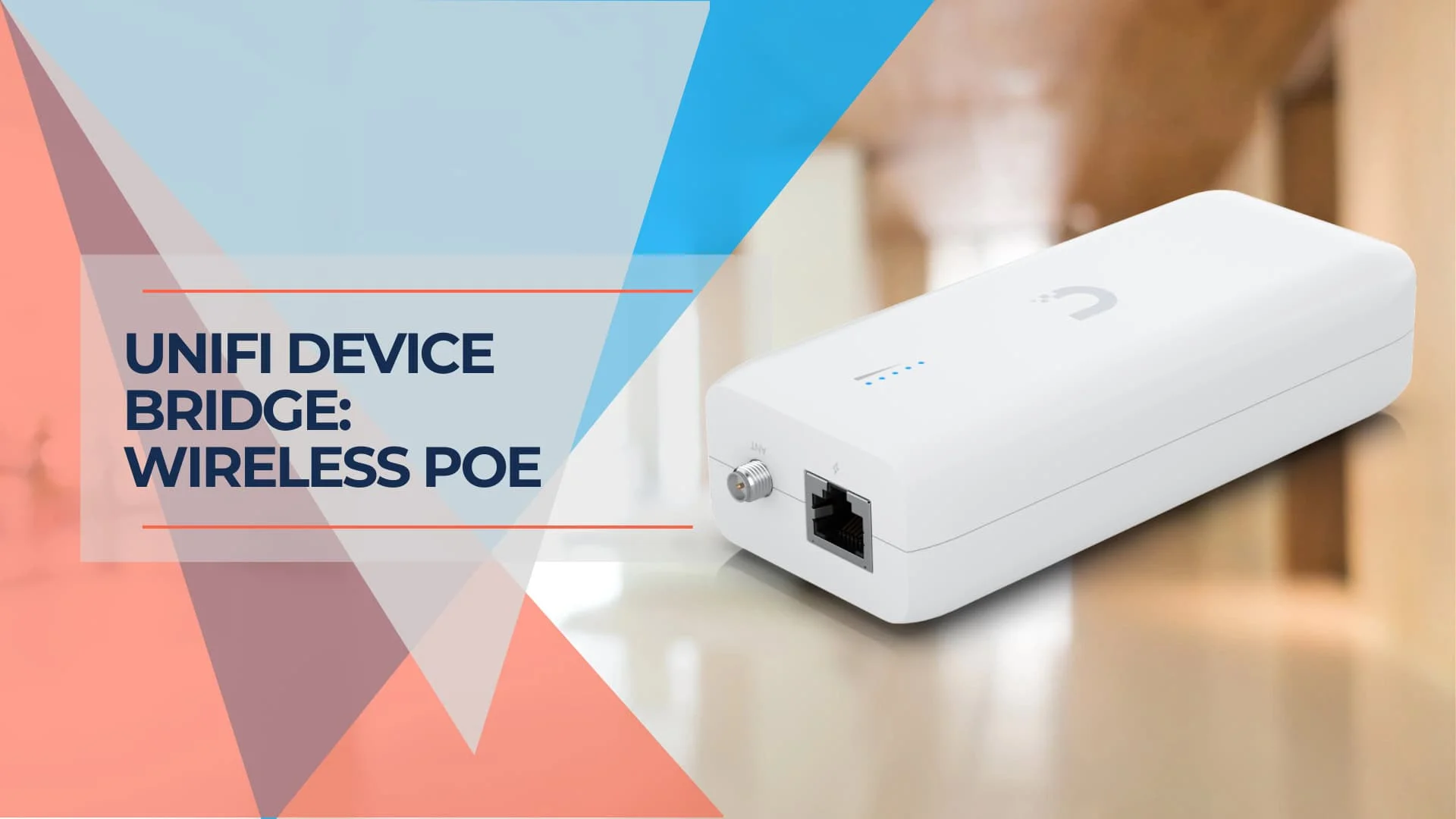
UniFi Device Bridge Review: Wireless PoE for Cameras & IoT Devices (2026)
Complete guide to the UniFi Device Bridge family (Base, Pro, Switch, IoT) for wireless PoE connectivity. Technical specs, model comparison, and real-world use cases for cameras, VoIP phones, and IoT devices.
11 min read
UniFi Protect vs. Reolink vs. TP-Link: Which Camera System Is Best for Your Business?
UniFi Protect, Reolink, and TP-Link (Tapo vs. VIGI) compared for small business use — current 2026 lineups, real 8-camera pricing, and iFeelTech's multi-year UniFi fleet reliability data.
19 min read