
UniFi Dream Machine Pro Max Review 2026: The Rack Gateway for Growing Business Networks
5 Gbps IDS/IPS confirmed in lab. 18+ months deployed across client racks. Shadow Mode, RAID storage, Network 10.5 — here's what the UDM Pro Max actually delivers at $599, and when to choose the $379 UDM Pro instead.

Quick Verdict
The UDM Pro Max ($599) is the right choice for rack-based networks with 50–200 devices that need 5 Gbps IDS/IPS throughput and RAID-protected surveillance storage. If your office has fewer than 30 devices and no server rack, the Cloud Gateway Max ($199) handles the job at a third of the price.
Best For: Businesses with a server rack, multi-gigabit internet, and plans to scale past 50 devices.
Planning a complete system? See where the Pro Max fits in our UniFi Buyer's Guide and gateway comparison guide.
Skip it if: You have fewer than 30 devices or no rack. Consider the Cloud Gateway Ultra ($129) for gigabit networks, the Cloud Gateway Max for multi-gig with cameras, or a budget 2.5G UniFi network.
| Reader profile | Best fit |
|---|---|
| Small office, no rack, gigabit internet | Cloud Gateway Ultra ($129) |
| Small office, 2.5G LAN, light cameras | Cloud Gateway Max ($199) |
| Compact 5G IDS/IPS, no rack, 10G WAN | Cloud Gateway Fiber ($279) |
| Rack, cameras, RAID, 50–200 devices | UDM Pro Max ($599) |
| Large campus, 25G IDS/IPS, 7,500+ clients | Dream Machine Beast ($1,499) |
The UniFi Dream Machine Pro Max (UDM Pro Max) is Ubiquiti's high-end 1U rackmount gateway for SMB and mid-size business networks. At $599, it delivers 5 Gbps IDS/IPS throughput, dual 3.5" HDD bays for RAID 1 surveillance storage, Shadow Mode (VRRP) gateway failover, and a unified controller for your entire UniFi ecosystem — networking, cameras, door access, and VoIP in one device. We've been deploying this unit across client racks for over 18 months and testing every major firmware release since launch, including Network 10.5.
The UniFi Dream Machine Pro Max remains Ubiquiti's primary rack gateway for SMB deployments heading into the second half of 2026. This review covers real-world throughput benchmarks, Shadow Mode (High Availability) failover, CyberSecure threat protection, the UniFi Network 10.3 and 10.5 updates, and a detailed comparison against the $199 Cloud Gateway Max.
Affiliate Disclosure: This article contains affiliate links. If you make a purchase through these links, we may earn a small commission at no extra cost to you. As an Amazon Associate, iFeelTech earns from qualifying purchases.
Prices are U.S. list prices checked in July 2026 and may change by region or availability.
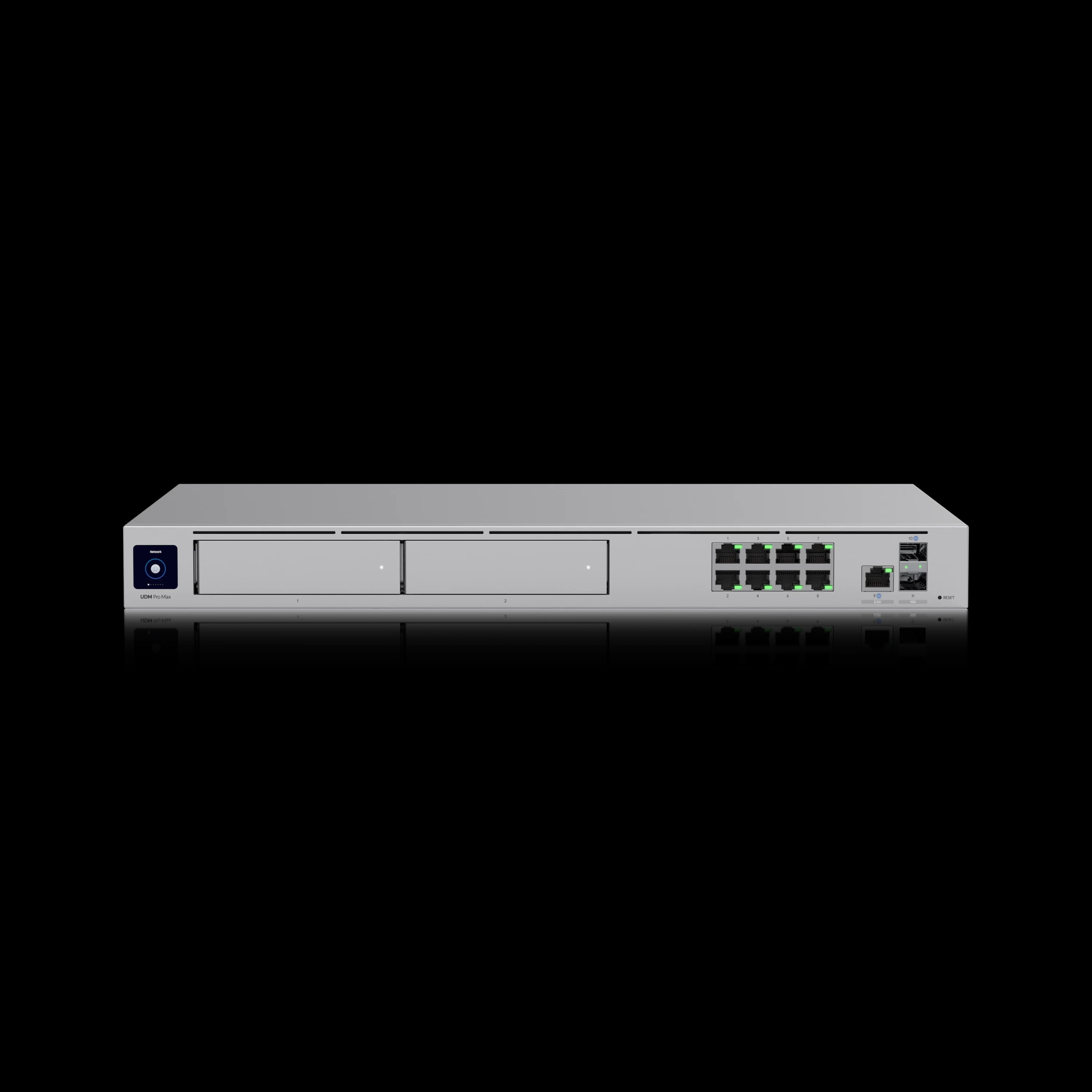
UniFi Dream Machine Pro Max
Ubiquiti's 1U rackmount gateway for mid-size business networks. Delivers 5 Gbps IDS/IPS throughput, dual HDD bays for RAID 1 NVR, and Shadow Mode (VRRP) for gateway failover.
- 5 Gbps IDS/IPS Throughput
- 2x 10G SFP+ Ports
- Shadow Mode (High Availability)
- Dual 3.5" HDD Bays (RAID 1)
*Price at time of publishing
July 2026 Platform Update
The July 2026 update is mainly software-driven: Network 10.5, Protect 7.1, and the new Dream Machine Beast context. The hardware picture is unchanged since spring — the UDM Pro Max remains Ubiquiti's rack gateway for SMB networks at $599 — but the software platform has moved forward.
UniFi Network 10.3 and 10.5: This review focuses on the Network 10.3 and 10.5 changes most relevant to UDM Pro Max deployments. Network 10.3 added the Identity Firewall — firewall rules based on Identity Roles or individual users rather than IP addresses, so policies follow people as they move between networks (requires UniFi OS 5.1 or newer). Network 10.5, published June 25, 2026, focuses on operational safety and visibility: client-side Time Machine observability for troubleshooting from the user's point of view, firewall hit statistics that show which rules actually trigger, safer change-management (SafeOps) features, improved SD-WAN underlays, and full 1500 MTU PPPoE support. All of it runs on the UDM Pro Max at no additional cost. The 10.2 features documented below — Digital Twin topology, Time Machine for switches, Enhanced Open WiFi, Device Supervisor — carry forward.
UniFi Protect 7.1 (May 13, 2026): Protect 7.1 builds on the 7.0 release covered in this review. The headline additions are custom video walls in Site Manager, a retrained AI detection engine with improved accuracy, expanded ONVIF support (including audio and motion detection), and DC-09 third-party integration for dispatch and external alarm-monitoring workflows. Everything runs on the UDM Pro Max as your NVR.
Dream Machine Beast (April 29, 2026): Ubiquiti's Dream Machine Beast ($1,499) is an enterprise-tier gateway built on ARM Neoverse N2 compute with 25 Gbps IDS/IPS throughput, 7,500+ client capacity, and 750+ managed UniFi devices (up to 100 HD, 60 2K, or 40 4K cameras). Important context: the Beast is not a UDM Pro Max replacement. It sits one tier above the Pro Max, targeting deployments that have outgrown 5 Gbps IDS/IPS or need higher camera capacity than the Pro Max supports. The UDM Pro Max remains the UniFi rack gateway tier that fits SMB networks needing up to 200+ UniFi devices, 5 Gbps IDS/IPS, and redundant NVR storage — a ceiling that covers the vast majority of small and mid-size business environments. See our Dream Machine Beast vs Pro Max comparison if you're evaluating both.
Shadow Mode production status: Shadow Mode (VRRP) has been stable in production for over a year across our client deployments since OS 4.0.6. Businesses that deferred HA deployments while the feature matured can reasonably deploy it in production based on our experience.
Build Quality and Design
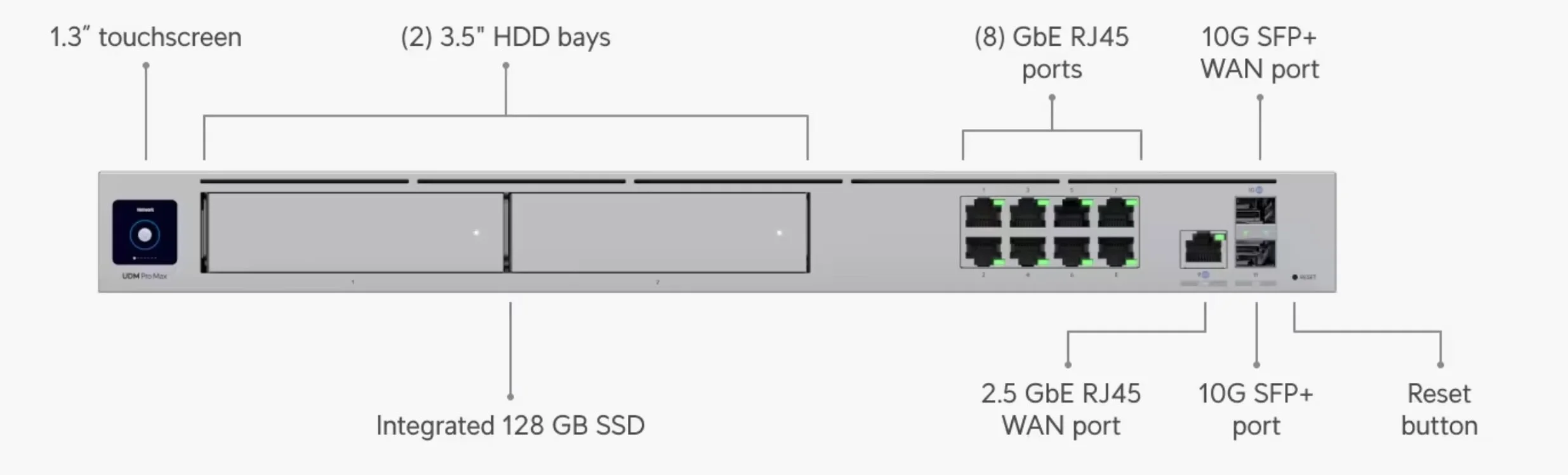
The Pro Max maintains the familiar 1U rackmount form factor at 10.4 lbs (4.7 kg). The front panel features an improved LED status ring and a 1.3-inch touchscreen for local monitoring. Larger side vents and redesigned airflow manage the increased thermal load from dual storage drives. Acoustically, the unit runs near-silent at idle, though fan speed ramps up noticeably under sustained 5 Gbps IDS/IPS loads — typical for rackmount gear, but worth noting if the rack is in an open office.
Key Specifications
- Dimensions: 17.4 x 1.7 x 11.2" (442.4 x 43.7 x 285.6 mm)
- Weight: 10.4 lbs (4.7 kg)
- Power Consumption: 60W maximum
- Operating Temperature: 14° to 104°F (-10° to 40°C)
- Processor: Quad-core ARM® Cortex®-A57 @ 2.0 GHz
- Memory: 8 GB DDR4
- Storage: 32 GB eMMC + 128 GB SSD
The increased power draw (60W max) compared to the standard UDM Pro (33W max) reflects the enhanced processing capabilities and dual storage support.
How Fast Is the UDM Pro Max with IDS/IPS Enabled?
The UDM Pro Max delivers 5.0 Gbps routing throughput with full IDS/IPS enabled on a standard DHCP connection, confirmed via iPerf3 testing.
Our lab results align with Ubiquiti's official ratings across several real-world configurations:
Measured WAN Throughput (Lab Test)
| Configuration | Throughput | Notes |
|---|---|---|
| Basic Firewall | 9.8 Gbps | Near line-rate 10G performance |
| IDS/IPS Enabled | 5.0 Gbps | Official rating confirmed in lab |
| Full Security | 4.2 Gbps | With all threat categories active |
| Max Load | 3.8 Gbps | + 20 active 4K streams (exceeds official 15-camera guidance) |
The standard UDM Pro typically reaches 3.5 Gbps with IDS/IPS active. The Pro Max's 5 Gbps ceiling gives businesses running multi-gigabit internet plans room to run full security without throttling throughput. These benchmarks were measured on a standard DHCP connection; if your ISP requires PPPoE, throughput with IDS/IPS enabled may be lower due to the ARM Cortex-A57's lack of dedicated PPPoE offloading.
Network Management Capabilities
In our testing with eight U7 Pro access points across a single site, the Pro Max showed no measurable performance drop in throughput or management response time:
- Device Capacity: 200+ UniFi devices / 2,000+ clients (double the standard UDM Pro)
- Access Point Management: Tested with 8 × U7 Pro units without performance degradation
- VLAN Performance: Complex inter-VLAN routing maintained line-rate speeds
- VPN Throughput: Site-to-site connections maintained 2.5+ Gbps with WireGuard encryption
- IPSec: 1.8-2.2 Gbps (typical business VPN)
- WireGuard: 2.5+ Gbps (modern, efficient protocol)
- L2TP: 800-1,200 Mbps (legacy compatibility)
Storage and RAID Performance
The dual 3.5-inch drive bays enable RAID 1 configuration for video surveillance redundancy. Note that HDDs are not included with the $599 unit — budget an additional ~$140–280 for one or two surveillance drives (e.g., WD Purple 4TB).
- Write Performance: 150 MB/s sustained to RAID 1 array
- Simultaneous Streams: In our lab, the unit handled 20+ active 4K streams without recording interruption, though Ubiquiti's official sizing guidance lists the Pro Max at up to 15 managed 4K cameras
- Built-in SSD: 128GB for OS and detection recordings
- Hot-Swap Support: Drive replacement without system shutdown
What Is UniFi CyberSecure?
CyberSecure adds model-specific Proofpoint-powered IDS/IPS signatures, Cloudflare-powered content filtering, geographic blocking, and weekly threat updates — all for $99/year.
Enforcement runs on the UniFi gateway, while threat intelligence and filtering categories are sourced from Proofpoint and Cloudflare. Ubiquiti's UDM Pro Max tech specs list 55,000+ IDS/IPS signatures with CyberSecure, while the broader CyberSecure documentation lists higher model-table capacity. The CyberSecure Enterprise tier offers 95,000+ signatures for higher-end gateways like the EFG. Setup is managed directly within the UniFi Site Manager — enable it with one click, then choose between monitoring-only or automatic blocking modes.
- Threat Intelligence: Model-specific signature library with weekly updates via Proofpoint and Microsoft MAPP
- Content Filtering: Cloudflare-powered filtering with 100+ granular categories
- Geographic Blocking: Block traffic by country or region for both inbound and outbound connections
- Threat Prevention: Automatic blocking of known malicious IP addresses and domains
- Compliance Support: Enhanced logging and reporting capabilities for regulatory requirements
CyberSecure Subscription
CyberSecure ($99/year): Proofpoint-powered IDS/IPS signatures (UDM Pro Max tech specs list 55,000+) updated weekly; Cloudflare-powered content filtering with 100+ categories; geographic blocking. Covers one site including a Shadow Mode secondary gateway.
UDM Pro Max compatibility: Full CyberSecure feature set available. CyberSecure is activated per-site via Site Manager — no hardware changes required.
While the base UniFi OS includes standard firewall features, the CyberSecure subscription adds granular category blocking and geographic traffic restrictions suitable for business compliance. For a deeper look at implementation, see our CyberSecure setup guide.
How Does Site Magic SD-WAN Connect Multiple Offices?
Site Magic creates automated WireGuard tunnels between UniFi gateways — the UDM Pro Max supports up to 200 hub-and-spoke tunnels or 20 mesh sites, with no licensing fees.
UniFi's Site Magic SD-WAN connects multiple office locations through automated peer-to-peer tunnels managed from Site Manager — no static IPs, no manual VPN setup required.
In multi-location deployments, Site Magic has noticeably reduced our team's VPN configuration time. Connecting two offices that would have taken a half-day of manual VPN setup now takes under 10 minutes through Site Manager.
What Can the UDM Pro Max Manage Beyond Networking?
The UDM Pro Max acts as a unified controller for UniFi Protect (cameras), Access (door locks), and Talk (VoIP) alongside your network.
Beyond routing, the Pro Max serves as the local controller for the broader UniFi application stack. If your business uses multiple UniFi products, consolidating management onto a single device simplifies day-to-day operations.
Unified Management Advantages
Running everything through a single platform has practical day-to-day benefits:
- Single Interface: Manage networking, security cameras, door access, and phone systems from one platform
- Integrated Reporting: Consolidated security events, network performance, and access control logs
- Simplified Troubleshooting: Cross-system visibility enables faster problem resolution
- Reduced Vendor Complexity: Single support relationship instead of multiple vendor coordination
UniFi Protect 7.x on UDM Pro Max (available now): The 2026 Protect updates add meaningful capability to the NVR use case. Protect 7.0 (March 2026) introduced a customizable live view dashboard with drag-and-resize camera streams; AI-powered image search across your entire deployment (requires a separately purchased UniFi AI Key, with all inference running locally); smarter storage budgeting that extends recording retention without overwriting critical footage; and real-time offsite backup of detection clips. Protect 7.1 (May 2026) added custom video walls in Site Manager, more flexible live-view workflows, expanded ONVIF support (including audio and motion detection), and DC-09 third-party integration for alarm and dispatch workflows. If you're running the Pro Max as your NVR, staying current on Protect 7.1 is worth doing.
Professional Installation Perspective
In rack-based SMB deployments, the Pro Max is strongest when paired with a proper PoE switch and structured cabling. Through 2026, the UDM Pro Max has become our default recommendation for rack-based client deployments. The Cloud Gateway Max works well for home offices and small teams, but for any business with a rack and growth plans, the Pro Max provides the headroom we look for in a multi-year deployment.
How Does UniFi Shadow Mode Work?
Shadow Mode uses VRRP to provide automatic network failover by maintaining a standby gateway that takes over if the primary unit fails.
This high-availability feature requires two identical rackmount UniFi gateways wired together via a dedicated heartbeat connection. The standby unit continuously monitors the primary gateway's health, and configuration changes are synchronized automatically. If a hardware failure occurs, the backup assumes gateway responsibilities with minimal disruption — no manual cable swapping or cloud backup restores required.
Shadow Mode is available on UDM Pro Max, UDM Pro, UDM SE, and EFG (requires UniFi OS v4.0.6+). It operates in active-passive mode — the standby unit does not share traffic load during normal operation, only taking over when the primary fails. Actual failover speed depends on network topology and WAN configuration.
Business Continuity Benefits:
- Automatic Failover: VRRP-based switchover designed to minimize downtime when primary gateway fails
- Manual Failover: Controlled maintenance windows without network downtime
- Configuration Sync: Backup gateway maintains identical settings
- Health Monitoring: Continuous heartbeat checks ensure rapid failure detection
Shadow Mode is most relevant for businesses where network downtime costs $500+ per hour, healthcare facilities requiring continuous connectivity, financial services with compliance requirements, and manufacturing operations with network-dependent equipment.
Shadow Mode Requirements
Shadow Mode requires two gateways of the same model (e.g., two UDM Pro Max units) running UniFi OS v4.0.6 or newer. While this doubles the gateway investment, businesses where network reliability directly impacts revenue often find the redundancy cost-effective compared to potential downtime losses.
What's New in UniFi Network 10.3 and 10.5?
Network 10.3 added user-based Identity Firewall rules, and Network 10.5 (June 2026) added client-side observability, firewall hit statistics, and safer change management.
The current Network releases build on the 10.2 foundation documented here, and all features run on the UDM Pro Max without added cost. The most relevant additions for business deployments:
- Identity Firewall (10.3): Firewall rules tied to Identity Roles or individual users instead of IP addresses — policy follows the person across networks and devices. Requires UniFi OS 5.1 or newer.
- Client-side Time Machine (10.5): Investigate connectivity issues from the client's point of view, not just the infrastructure's — useful when the firewall, switch, and AP all look healthy but a user still can't work.
- Firewall hit statistics (10.5): Hits and Last Hit columns in the policy table show which rules actually trigger, exposing dead-weight rules and real gaps.
- SafeOps and SD-WAN improvements (10.5): Safer change rollouts, improved SD-WAN underlays, and full 1500 MTU PPPoE support.
Features introduced in 10.2 that remain part of the platform:
- Time Machine for Switches: Historical port state visualization that lets you pinpoint exactly when a port changed state and why — useful for troubleshooting intermittent issues without parsing syslogs
- Digital Twin Topology: A real-time infrastructure view of your rack connections, uplinks, and device interconnections, making it easier to understand the blast radius during an outage
- Enhanced Open (OWE): WPA3-grade encryption for guest and public WiFi networks without requiring a password — ready for modern smartphones and laptops
- Device Supervisor: Automatic detection and power-cycling of unresponsive PoE devices, reducing the need for manual intervention or on-site visits
- STP Edge Mode + One-Click Rollback: Tighter control over edge devices and firmware safety nets for quick recovery
For the full announcement, see the Ubiquiti blog post on Network 10.5.
UDM Pro Max vs. Cloud Gateway Max: Which Is Better for Your Business?
Choose the $599 UDM Pro Max for rackmount deployments with RAID storage and 5 Gbps routing, or the $199 Cloud Gateway Max for compact desktop setups under 30 devices.
The $199 Cloud Gateway Max (UCG-Max-NS) is sold diskless — Ubiquiti also sells a $279 SKU with the NVMe SSD included. For a detailed look at the UCG Max, see our full review. Here is how the two products differ:
| Specs | ||
|---|---|---|
| Best For | Rack-mount Business | Desktop / Small Office |
| High Availability | Shadow Mode (VRRP) | Site Magic Only (No VRRP) |
| IDS/IPS Throughput | 5.0 Gbps | 2.3 Gbps (OS 4.1+) |
| Storage | 2x 3.5" HDD (RAID 1) | Optional NVMe SSD ($279 SKU) |
| Device Limit | 200+ | ~30 |
| Ports | 2x 10G SFP+ + 2.5G RJ45 | 4x 2.5G RJ45 |
| Form Factor | 1U Rackmount | Compact Desktop |
Important: LAN Port Speeds Differ
Unlike the Cloud Gateway Max (4x 2.5 GbE LAN ports), the UDM Pro Max's built-in RJ45 LAN ports are only 1 Gigabit. If you connect WiFi 7 access points (like the U7 Pro) directly to the gateway, they will be bottlenecked to 1 Gbps. You must add a 2.5G/10G switch (such as the Pro Max 24 PoE) to fully utilize WiFi 7 speeds. This is standard practice for rackmount deployments, but worth understanding before you buy.
Editor's Note
If you don't have a server rack, the Cloud Gateway Max is a practical choice — and its built-in 2.5GbE ports let you connect WiFi 7 APs directly. If you do have a rack and need high-throughput security or RAID storage, the UDM Pro Max is the better investment. Just budget for a multi-gig switch alongside it.
Storage Longevity: NVMe vs. Surveillance HDD
The Cloud Gateway Max accepts consumer NVMe SSDs, which have limited write endurance for 24/7 NVR recording. The UDM Pro Max's 3.5-inch bays accept purpose-built surveillance HDDs such as WD Purple (rated for 180 TB/year sustained writes and 1 million hours MTBF), designed for the constant sequential write patterns of camera recording. If you plan to use your gateway as an NVR, this difference matters over the life of the device.
How Does the UDM Pro Max Compare to the UDM Pro and UDM SE?
The Pro Max doubles the UDM Pro's device capacity and IDS/IPS headroom for $220 more; the UDM SE trades throughput for built-in PoE.
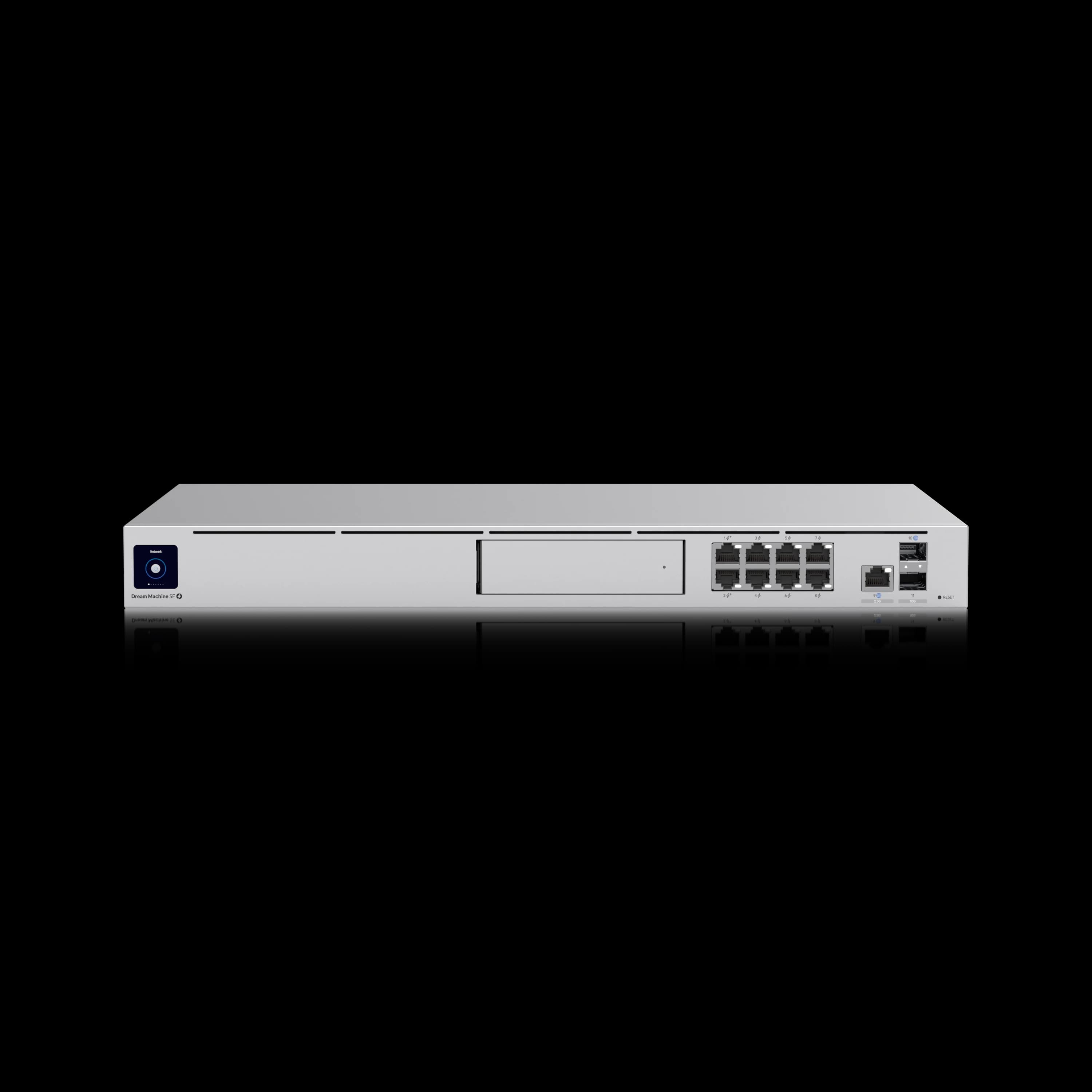
| Specs | |||
|---|---|---|---|
| WAN Ports | 2x 10G SFP+ + 1x 2.5G RJ45 | 1x 10G SFP+ + 1x 1G RJ45 | 1x 10G SFP+ + 1x 2.5G RJ45 |
| LAN Ports | 1x 10G SFP+ + 8x 1G RJ45 | 1x 10G SFP+ + 8x 1G RJ45 | 1x 10G SFP+ + 8x 1G RJ45 |
| IDS/IPS Throughput | 5.0 Gbps | 3.5 Gbps | 3.5 Gbps |
| Device Capacity | 200+ devices / 2,000+ clients | 100+ devices / 1,000+ clients | 100+ devices / 1,000+ clients |
| Storage | 2x 3.5" HDD + 128GB SSD | 1x 3.5" HDD bay | 1x 3.5" HDD + 128GB SSD |
| PoE | None (requires switch) | None (requires switch) | 8 ports / 180W (2x PoE+, 6x PoE) |
| Shadow Mode | Yes | Yes (OS 4.0.6+) | Yes (OS 4.0.6+) |
When the Additional Investment Makes Sense
Choose UDM Pro Max if you need:
- Enhanced WAN redundancy with 2.5G backup connection
- RAID storage for security camera protection
- Support for 100+ network devices with room for growth
- Consistent 4+ Gbps throughput with security enabled
- Management of 6+ high-performance access points
Standard UDM Pro remains suitable if:
- Current device count stays under 75 consistently
- Single storage drive meets backup requirements
- Budget constraints prioritize other network investments
- Existing network performance meets current needs
Business Implementation Scenarios
The UDM Pro Max fits offices that need rack infrastructure, camera storage, multi-gig routing, and room to grow. Below are three deployment profiles we see most often.
Scenario 1: Professional Services Firm (35 Employees)
Client Profile: Legal firm with document-heavy workflows and client confidentiality requirements
Network Requirements:
- Secure document storage and access
- Video conferencing for client meetings
- VLAN segmentation for guest access
- Backup internet connection for business continuity
UDM Pro Max Benefits: The 2.5G WAN port enables cost-effective backup internet service while maintaining security performance. RAID storage protects security footage and provides redundancy for surveillance systems. Enhanced VLAN processing supports complex network segmentation without performance penalties. CyberSecure subscription provides expanded threat filtering and content controls at $99 annually. See our dual WAN business network guide for how to decide between failover, load balancing, and bonding for a second connection.
Recommended Configuration: UDM Pro Max + CyberSecure + Pro Max 24 PoE switch (2.5G ports required for WiFi 7 APs) + 3 × U7 Pro access points + RAID storage (~$2,900 total including first-year security service)
Scenario 2: Manufacturing Company (50 Employees)
Client Profile: Small manufacturing operation with office and production floor networking needs
Network Requirements:
- Reliable connectivity for production equipment
- Separate networks for office and industrial devices
- Security cameras throughout the facility
- Remote access for equipment monitoring
UDM Pro Max Benefits: Enhanced device capacity supports both office devices and industrial IoT equipment. Dual storage enables comprehensive video surveillance with redundancy. Advanced security features through CyberSecure protect against industrial network threats. Site Magic SD-WAN enables secure connectivity to remote monitoring systems.
Recommended Configuration: UDM Pro Max + CyberSecure + industrial PoE switch + 6 × access points + surveillance drives (~$4,000 total)
Scenario 3: Technology Startup (25 Employees, Rapid Growth)
Client Profile: Software development company planning to double headcount within 18 months
Network Requirements:
- High-bandwidth development environment
- Network infrastructure that scales with growth
- Development and production network isolation
- Comprehensive security for intellectual property
UDM Pro Max Benefits: Double the device capacity, which provides a growth runway without infrastructure replacement. Enhanced IDS/IPS through CyberSecure protects development assets while maintaining performance. Multiple VLAN support enables proper environment separation. Site Magic facilitates secure remote developer access.
Recommended Configuration: UDM Pro Max + CyberSecure + Pro Max 24 PoE switch (2.5G uplinks for WiFi 7 APs) + 4 × U7 Pro access points + expansion planning (~$3,700 total)
Who Should Skip the UDM Pro Max?
Skip the UDM Pro Max if you lack a server rack, have fewer than 30 devices, or plan to connect WiFi 7 APs directly without a multi-gig switch.
The Pro Max is not the right fit for every network. Pass on it if any of the following apply:
- You don't have a server rack. The Pro Max is a 1U rackmount unit. Without a rack, you'll need a shelf mount or a desktop alternative like the Cloud Gateway Max.
- You plan to connect WiFi 7 APs directly to the gateway. The eight built-in RJ45 LAN ports are limited to 1 Gbps. Plugging a U7 Pro directly into the Pro Max bottlenecks it to 1 Gbps — you must add a 2.5G or 10G switch (e.g., UniFi Pro Max 24 PoE) to get full WiFi 7 speeds.
- Your device count is under 30. The Cloud Gateway Max handles up to ~30 devices cleanly at a third of the price. You'll be paying for capacity you don't need.
- You don't need gateway redundancy. Shadow Mode requires a second identical gateway. If failover isn't in your budget or requirements, the standard UDM Pro ($379) offers most of the same features at a lower price.
- You need PoE from your gateway. The Pro Max has zero PoE ports. All PoE devices require a separate switch investment.
What Does a Complete UDM Pro Max Deployment Cost?
A full UDM Pro Max deployment — including switching, wireless, UPS, and storage — typically runs $2,500–$3,000 for a mid-size office.
Reference Architecture (~$2,600)
Reference Architecture
Gateway: UniFi Dream Machine Pro Max ($599)
Security Service: CyberSecure by Proofpoint ($99/year)
Switching: UniFi Switch Pro 24 PoE ($799)
Wireless: 2 × U7 Pro Access Points ($378)
Protection: Rackmount UPS 1500VA ($349)
Storage: 2 × 4TB WD Purple drives ($280)
Coverage: Up to 6,000 sq ft office space
Device Support: 100+ concurrent connections
Internet: Up to 5 Gbps with full security features
Security: Expanded threat filtering and content controls via CyberSecure
Expansion: Ready for additional access points and devices
This setup covers the basics for a professional office: routing, switching, wireless, UPS, and NVR storage. Adding CyberSecure ($99/year) extends it with managed threat filtering — a reasonable add-on once the core infrastructure is stable.
Budget-Conscious Alternative (~$1,900)
Cost-Effective Configuration
Gateway: UniFi Dream Machine Pro ($379) – saves $220
Security Service: Skip CyberSecure initially – saves $99
Switching: UniFi Switch Lite 16 PoE ($199) – saves $600
Wireless: 2 × U6+ Access Points ($258) – saves $120
Protection: Desktop UPS 1000VA ($149) – saves $200
Storage: Single 4TB drive ($140) – saves $140
This alternative provides many of the same core gateway features while reducing total investment by $719. Consider this option for businesses with current device counts under 50 and single storage requirements.
Installation and Initial Setup
Basic setup is straightforward, but VLANs, cameras, migration, and Shadow Mode should be planned before cutover.
Setup Process
The UDM Pro Max follows Ubiquiti's streamlined setup process with improvements for business deployment:
- Initial Configuration: 15-20 minutes through mobile app or web interface
- Network Migration: 2-4 hours for complex existing networks
- RAID Setup: 30 minutes for dual-drive configuration
- Security Configuration: 45-60 minutes for comprehensive policies
Common Setup Considerations
Several factors require attention during professional deployment:
- Rack Ventilation: Ensure 1U spacing for optimal cooling with dual drives
- Power Planning: Account for 60W consumption plus connected devices
- No PoE Output: The UDM Pro Max has zero PoE ports. Every access point and PoE device needs power from a PoE switch or injector — budget for this before ordering.
- WiFi 7 APs need a multi-gig switch: The built-in RJ45 LAN ports are 1 Gbps. U7 Pro access points require a 2.5G or 10G switch (e.g., UniFi Pro Max 24 PoE) to operate above 1 Gbps.
- Backup Strategy: Configure RAID 1 before installing cameras
- Network Migration: Plan a maintenance window for cutover if replacing an existing gateway
- Cable Infrastructure: Consider professional network cabling installation for optimal performance
Migrating from UDM Pro or UDM SE
If you're upgrading from a standard UDM Pro or UDM SE, migration is straightforward via UniFi OS Cloud Backup:
- On the existing gateway, go to System → Backup → Create Backup in UniFi OS
- Download the
.unfbackup file to your computer - Set up the new UDM Pro Max and complete initial configuration
- Navigate to System → Backup → Restore and upload the backup file
In our experience, this restores network topology, VLANs, firewall rules, and device associations cleanly. Total downtime is typically under 15 minutes for a straightforward network. Complex configurations with custom routing or third-party integrations may need manual review after restore.
How Does UDM Pro Max TCO Compare Over Three Years?
Over three years, the UDM Pro Max costs approximately $896 total (with CyberSecure). Third-party firewall pricing varies by reseller, support tier, and contract term, so the Fortinet column below should be treated as an example cost comparison rather than a fixed quote.
Three-Year Operating Cost Comparison
| Cost Category | UDM Pro Max | UDM Pro | Fortinet FortiGate 60F |
|---|---|---|---|
| Initial Hardware + 1yr | $599 | $379 | ~$1,000–1,100 (w/ 1-yr FortiGuard UTP bundle) |
| Annual Licensing | $0 | $0 | ~$300–500/yr (FortiGuard UTP renewal) |
| CyberSecure (optional) | $99/year | $99/year | Included in FortiGuard |
| Support | $0 (community) | $0 (community) | Included in FortiCare bundle |
| Power Consumption | ~$55–75/year | ~$35/year | ~$45/year |
| Three-Year Total | ~$896 (w/ CyberSecure) | ~$676 (w/ CyberSecure) | ~$2,000–2,500+ |
The Cisco Meraki MX68 (~$700 hardware) is another common enterprise comparison. Meraki licensing is mandatory — devices stop functioning after a grace period once the subscription expires — and typical licensing runs ~$250/year, which further widens the TCO gap.
Return on Investment
The three-year cost comparison above tells most of the story. The $220 premium over the UDM Pro buys you 5 Gbps IDS/IPS throughput (vs. 3.5 Gbps), an extra HDD bay for RAID 1, doubled device capacity (200+ vs. 100+), and 200 Site Magic VPN tunnels (vs. 100). Both models support Shadow Mode failover, but the Pro Max pairs it with the throughput and storage headroom that growing networks need.
What Are the Best Alternatives to the UDM Pro Max?
Within UniFi, the $379 UDM Pro covers most Pro Max capabilities; outside the ecosystem, the Fortinet FortiGate 60F and Cisco Meraki MX68 are the closest enterprise equivalents.
Within the UniFi Ecosystem
The standard UDM Pro remains a solid option for businesses with moderate growth expectations. It covers most Pro Max capabilities while saving $220. For a detailed breakdown, see our UDM Pro vs. Pro Max comparison. Consider the standard Pro if single storage meets your needs and device count stays under 75.
For deployments requiring 10G networking, 750+ managed device capacity, or 25 Gbps IDS/IPS throughput, the UniFi Dream Machine Beast ($1,499) is the top of the UniFi gateway lineup — our hands-on review covers what it is like to deploy. Our Beast vs Pro Max comparison covers the four scenarios where the $900 premium is structurally justified.
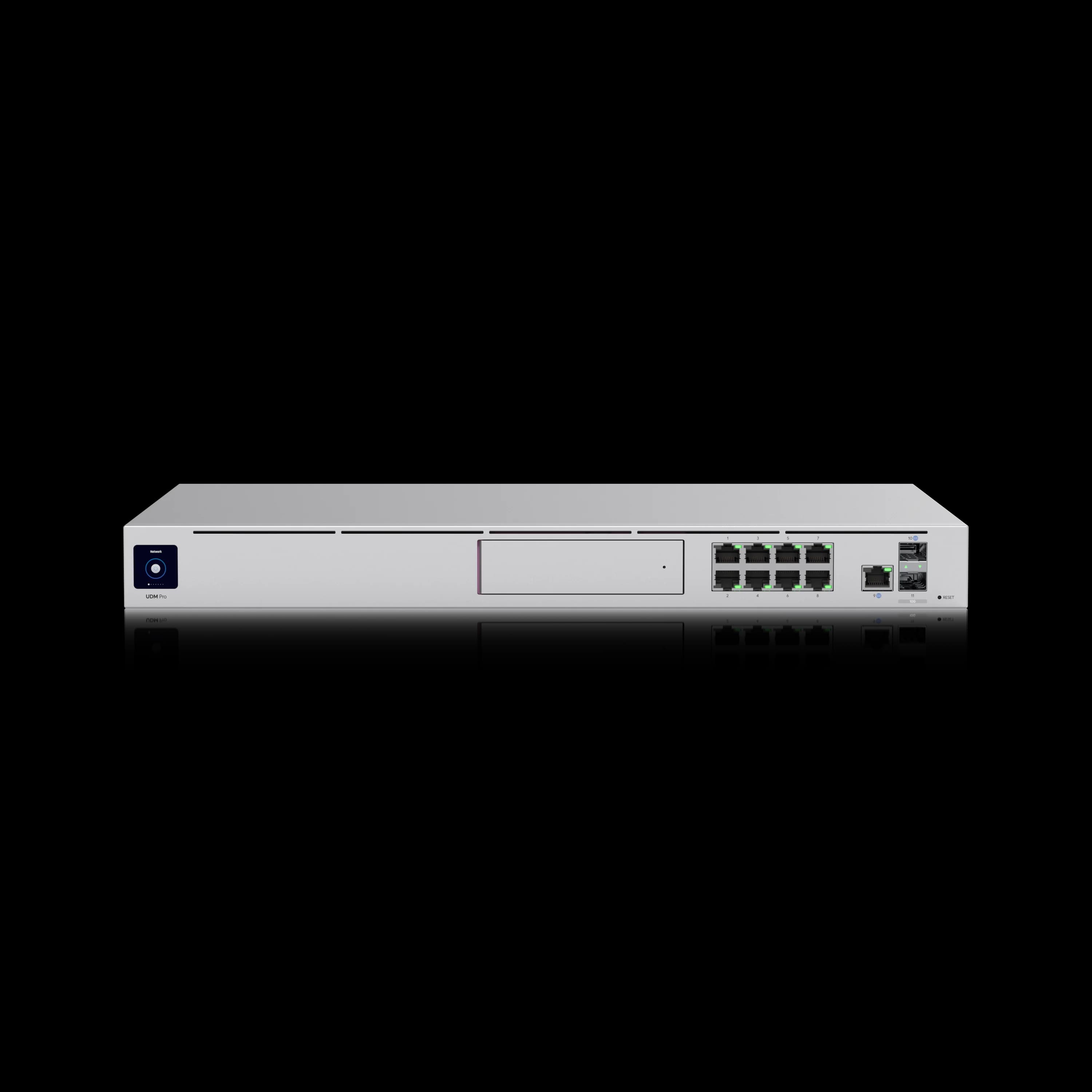
UniFi Dream Machine Pro
$379Many of the same core gateway features at $220 less. 3.5 Gbps IDS/IPS, single HDD bay, suitable for businesses under 75 devices.
For smaller offices that prefer simplified deployment without rack mounting, the Cloud Gateway Max is a compelling desktop alternative with modern 2.5G ports.
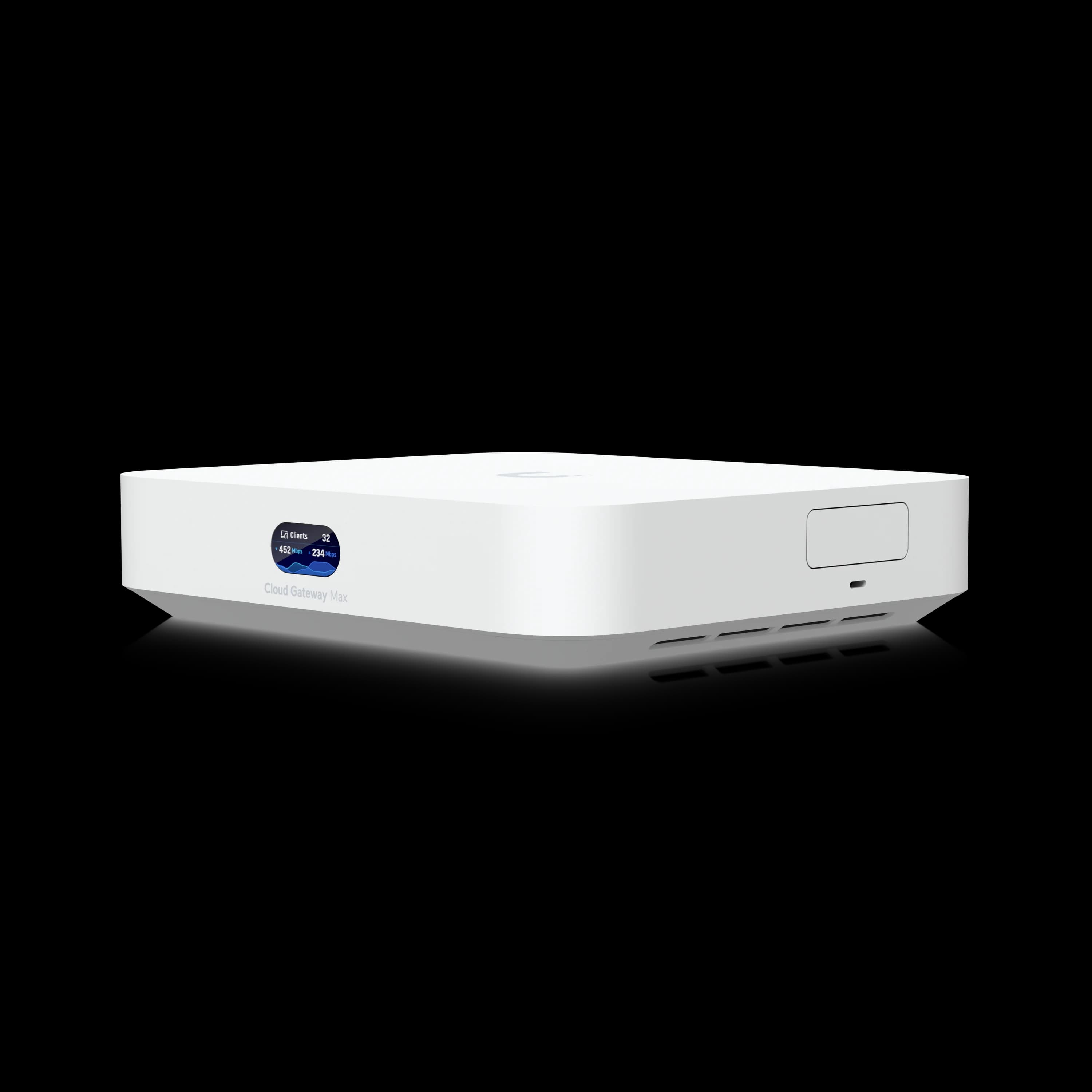
Cloud Gateway Max
$199Compact desktop gateway with 2.3 Gbps IDS/IPS (OS 4.1+). Ideal for offices under 30 devices that don't need rack infrastructure.
Where Cloud Gateway Fiber fits: The Cloud Gateway Fiber ($279) delivers 5 Gbps IDS/IPS in a compact desktop form factor with 10G WAN options (one 10G SFP+ and one 10G RJ45), four 2.5GbE RJ45 ports (one with 30W PoE+), and selectable NVMe storage. It manages 50+ UniFi devices and 500+ clients. Choose it if you want Pro Max–level security throughput without rack mounting, dual 3.5-inch surveillance drives, or Shadow Mode. It does not replace the Pro Max for RAID storage, large camera deployments, or sites needing 200+ device capacity.
Alternative Platforms
pfSense + Netgate Hardware ($700–1,000)
Open-source alternative providing extensive customization options. Requires significant technical expertise but offers unlimited flexibility for specialized requirements. For a detailed comparison, see our pfSense vs. UDM Pro guide.
SonicWall TZ570 ($600)
Traditional security appliance with established enterprise support. Higher ongoing licensing costs, but includes vendor support and compliance certifications.
For a full comparison of third-party gateways that work alongside UniFi switches and APs (Firewalla, Netgate, Meraki, Omada), see our UniFi gateway alternatives and hybrid stack guide.
Final Assessment
Our Verdict
The UDM Pro Max is a well-rounded rackmount gateway for business networks in 2026. After 18+ months of deployment, it has proven reliable in production, maintained consistent throughput under load, and kept pace with Ubiquiti's firmware cadence — including Network 10.5 and full UniFi Protect 7.1 compatibility. The $599 price remains solid for what amounts to a gateway, NVR, and unified controller in a single 1U chassis.
The decision comes down to scale: if your network is growing past 50 devices and you need the throughput and storage headroom that the standard UDM Pro cannot provide, the Pro Max is a sound investment. If not, the $379 UDM Pro or $199 Cloud Gateway Max will serve you well at a lower cost.
What about the Dream Machine Beast? Ubiquiti launched the Beast ($1,499) on April 29, 2026. It is not a Pro Max replacement — it is the next tier up, designed for deployments requiring 25 Gbps IDS/IPS throughput and 7,500+ client capacity. If your current or planned network stays below those thresholds, the Pro Max is the better fit. See our Beast vs Pro Max comparison for the full breakdown of when the $900 premium makes structural sense.
For businesses already invested in the UniFi ecosystem and running a server rack, the Pro Max is the gateway we typically recommend first.
Need assistance implementing the UDM Pro Max in your business environment? Contact us for a personalized network assessment and implementation proposal.
Pricing and specifications accurate as of July 2026. Product availability varies by region.
Frequently Asked Questions
Related Articles
More from UniFi Networks
UDM Pro Max vs UDM Pro vs UDM SE (2026): Full Comparison & Verdict
UDM Pro Max ($599) vs UDM Pro ($379) vs UDM SE ($499): 5 Gbps vs 3.5 Gbps IDS/IPS, RAID storage, PoE, and real deployment scenarios — which UniFi gateway is worth it in 2026.
16 min read
UniFi Dream Machine Beast vs UDM Pro Max: Which Gateway Is Right for Your Business?
UniFi Dream Machine Beast vs UDM Pro Max: specs comparison, real deployment scenarios, TCO analysis, and the four network profiles where the $1,499 Beast outperforms the $599 Pro Max.
14 min read
UniFi Dream Machine Beast Review 2026: Hands-On SMB Verdict
A hands-on UniFi Dream Machine Beast review from an SMB integrator: official specs, real deployment notes, 100W power draw, the no-PoE catch, and who the $1,499 gateway is actually for.
13 min read