

UniFi U7 Pro XG & XGS: WiFi 7 Buyer's Guide & 10GbE Explained
In-depth buyer's guide for Ubiquiti's U7 Pro XG ($199) and U7 Pro XGS ($299) WiFi 7 access points — specs, 10GbE requirements, PoE costs, and which model fits your business network.

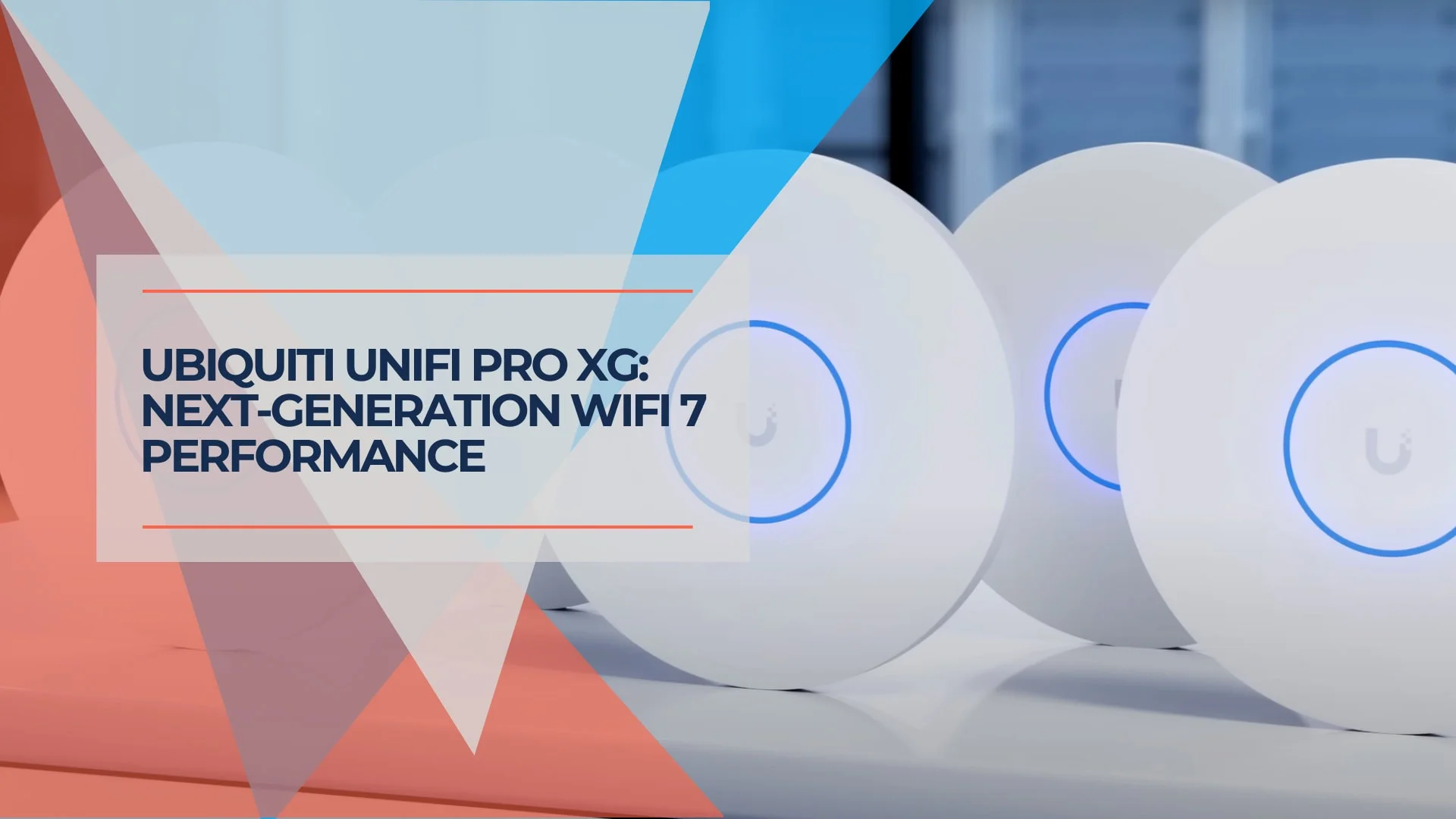
Quick Verdict
For most businesses, the U7 Pro XG ($199) is the right choice. It delivers 10GbE, WiFi 7 with MLO, and 300+ client capacity without requiring PoE++ switches. The U7 Pro XGS ($299) adds density capacity for 50+ user environments, but also requires PoE++ switching and draws more power.
Best For: Medium businesses (15-50 users) upgrading from WiFi 6 or earlier.
Consider Alternatives: U7 Pro ($189) if you don't have 10G switching infrastructure yet.
The U7 Pro XG ($199) is a 10GbE WiFi 7 access point with 6 spatial streams and 300+ client capacity. The U7 Pro XGS ($299) adds 4×4 MIMO on 5 GHz, a spectral scanning radio, and support for 500+ clients — but requires PoE++ switching and draws more power.
Affiliate Disclosure: This article contains affiliate links. If you make a purchase through these links, we may earn a small commission at no extra cost to you. As an Amazon Associate, iFeelTech earns from qualifying purchases.

UniFi U7 Pro XG
Ubiquiti's WiFi 7 access point with 10GbE uplink, Multi-Link Operation, and 6 GHz band support. 30% thinner than the U7 Pro with 300+ client capacity.
- 10 Gigabit Ethernet Uplink
- WiFi 7 with MLO
- 300+ Concurrent Clients
- PoE+ (No Switch Upgrade Needed)
MSRP $199 from Ubiquiti. Amazon seller prices vary.
| Network Need | U7 PRO XG | U7 PRO XGS | Alternative to Consider |
|---|---|---|---|
| Small Office (under 15 users) | Overkill — 10G switch adds cost with little benefit | Overkill + PoE++ requirement | U7 Lite or U7 Pro |
| Medium Business (15–50 users) | Strong match — best value with 10GbE | Capable, but higher total cost | U7 Pro |
| Large Enterprise (50+ users) | Handles most loads well | Built for this — 500+ clients, 4×4 on 5 GHz | — |
| High-Interference Environment | Adequate | Best option (spectral scanning) | — |
| Video Conferencing Hub | Handles concurrent calls well | Extra headroom for 50+ simultaneous streams | U7 Pro |
| Multi-Year Infrastructure Plan | 10GbE uplink supports growing client counts | 10GbE + spectral scanning for evolving RF demands | — |
| Budget Sensitivity | Mid-range investment | Higher investment (AP + PoE++ infrastructure) | U7 Pro or U6 Pro |
| Already Using UniFi | Seamless integration | Seamless integration | Stay within ecosystem |
What Does WiFi 7 Offer Businesses?
WiFi 7 gives businesses Multi-Link Operation, 6 GHz access with 320 MHz channels, and higher aggregate throughput for dense environments. MLO lets compatible WiFi 7 clients use multiple bands where supported, improving stability and reducing latency during video calls and large transfers. The 6 GHz spectrum provides less congested airspace in dense office and apartment environments. For a broader look at deploying WiFi 7 across an organization, see our WiFi 7 business implementation guide.
What WiFi 7 means in practice:
- MLO — Devices use multiple bands at once, reducing drops during video calls or large transfers
- 6 GHz Band — Less interference in dense offices and apartment buildings where 2.4/5 GHz is congested
- 320 MHz Channels — Higher aggregate throughput for multi-client environments
- 4K QAM — Incremental efficiency gains for short-range, high-signal connections
6 GHz availability varies by region. The 6 GHz band is approved for WiFi use in the US, EU, UK, and several other countries, but availability and permitted channel widths differ by jurisdiction. Enterprise deployments outside the US should verify local regulations before planning 6 GHz coverage. The 6 GHz band also has shorter effective range than 5 GHz at the same power level, so multi-AP planning should account for tighter spacing.
Client-Device Reality Check
WiFi 7 AP specs represent the access point's maximum capability, not what any single client device will achieve. Almost all current phones and laptops — including the iPhone 16, iPhone 17 Pro, and most Intel/Qualcomm-based business laptops — connect at 2×2 MIMO. Apple's WiFi 7 implementation supports 160 MHz channel width, not the 320 MHz maximum that WiFi 7 allows. That means a single iPhone 17 Pro won't saturate even a 2.5GbE uplink.
The benefit of a 10GbE AP with 6 or 8 spatial streams shows up in aggregate capacity — the total bandwidth shared across many simultaneous clients, not individual device speed. If you have 30+ devices transferring data concurrently, the AP's wider pipe prevents a wired bottleneck. For an office with 5–10 devices, the uplink difference between 2.5GbE and 10GbE is unlikely to matter in practice.
What Is the Difference Between U7 Pro XG and U7 Pro XGS?
The U7 Pro XGS ($299) adds a dedicated spectral scanning radio and 4×4 MIMO on the 5 GHz band, while the U7 Pro XG ($199) uses 2×2 across all bands. Both feature 10GbE uplinks and cover similar square footage (1,500 vs 1,750 ft²). The main difference is that the XGS is designed for high-density enterprise environments with 50+ simultaneous users per AP.
| Specs | ||
|---|---|---|
| Spatial Streams | 6 | 8 |
| 5 GHz MIMO | 2x2 | 4x4 |
| Max Clients | 300+ | 500+ |
| Coverage | 1,500 ft² | 1,750 ft² |
| Power | PoE+ (22W) | PoE++ (29W) |
| 10GbE Uplink | Yes | Yes |
| Special Feature | Dual color options | Spectral scanning radio |

The U7 Pro XG features six spatial streams with 2×2 MIMO across all three frequency bands (2.4 GHz, 5 GHz, and 6 GHz). Ubiquiti rates the XG at up to 5.8 Gbps on 6 GHz, 4.3 Gbps on 5 GHz, and 688 Mbps on 2.4 GHz, though real-world throughput will be lower depending on client devices, channel width, and environment. It supports 300+ concurrent connections across 140 m² of coverage and requires PoE+ power at up to 22W.
The U7 Pro XGS steps up to 8 spatial streams, maintaining 2×2 MIMO on the 2.4 GHz and 6 GHz bands while doubling to 4×4 MIMO on 5 GHz. This allows the XGS to handle over 500 simultaneous clients across 160 m² of coverage.
Note: The throughput figures above are Ubiquiti's rated specs, not measured results. Real-world performance depends on client devices, channel width, interference, and distance. This article is a spec analysis and buyer's guide based on manufacturer data and deployment experience — not a lab-tested review with iPerf3 or RF measurement data.
Worth noting: The 4×4 5 GHz radio improves total capacity — the ability to serve many clients at once — not individual device speed. Almost all current client devices (including the iPhone 17 Pro and most business laptops) are 2×2, so a single device won't see faster downloads on the XGS compared to the XG. The benefit shows up when 50+ users are sharing the same AP simultaneously.
The XGS also includes a dedicated spectral scanning radio that monitors for interference. This is primarily useful for enterprise IT teams who actively review RF data to troubleshoot congestion. For most small and medium business deployments, this feature is unlikely to be a deciding factor. If you want spectral scanning without the 10GbE requirement, the U7 Pro Max offers it on a 2.5GbE uplink. The XGS requires PoE++ and consumes up to 29W.
Design, Thermals, and Mounting
Both models are fanless, 30% thinner than the U7 Pro, and cooled passively through a metal base heatsink. The U7 Pro XGS draws more power than the XG (29W vs 22W), so it naturally produces more warmth during sustained operation. As with any higher-wattage PoE++ device, allowing adequate airflow around the unit is good practice. The U7 Pro XG runs cooler at its lower power draw and is less sensitive to mounting conditions.
The thinner profile — 1.3" versus the U7 Pro's 1.8" — comes from a stair-step side design. Fanless operation eliminates a mechanical failure point and keeps the units silent. The U7 Pro XG is available in white or black — a first for this product line.
XGS Mounting Tips
If you are deploying the XGS, keep these points in mind:
- Avoid unventilated recessed spaces where airflow is restricted
- A mounting spacer can improve airflow behind the unit
- Surface-mounting is preferable to flush-mounting in tight ceiling cavities
- The included stainless steel Lite Mount works for wall and ceiling installations
The U7 Pro XG is less sensitive to mounting conditions at its lower 22W power draw.
Do I Need a 10GbE Switch for the U7 Pro XG?
No — both the XG and XGS are backward compatible with 1GbE and 2.5GbE switches, so they will work on your existing infrastructure. However, limiting the uplink to 1 Gbps will cap aggregate throughput well below what WiFi 7 can deliver across multiple concurrent clients. For new deployments, pairing these APs with a Pro Max or Pro XG switch helps you get the full performance these APs are capable of. See our multi-gig network guide and best UniFi switches guide for more on switch selection.
Is the U7 Pro XG Worth Upgrading To?
For networks currently on WiFi 6 or earlier, generally yes. The U7 Pro XG ($199) offers 10GbE uplinks, WiFi 7 with MLO, and 6 GHz band access — none of which are available on the U6 Pro or earlier models. The U7 Pro XGS ($299) adds density capacity but also adds cost through its PoE++ switch requirement.
Upgrade Considerations
If your network handles high-density client loads, deals with interference, or already has multi-gig infrastructure in place, the Pro XG series is a meaningful step up. If your current WiFi 6 setup serves your needs well and budget is a concern, the U7 Pro ($189) offers a more affordable path to WiFi 7.
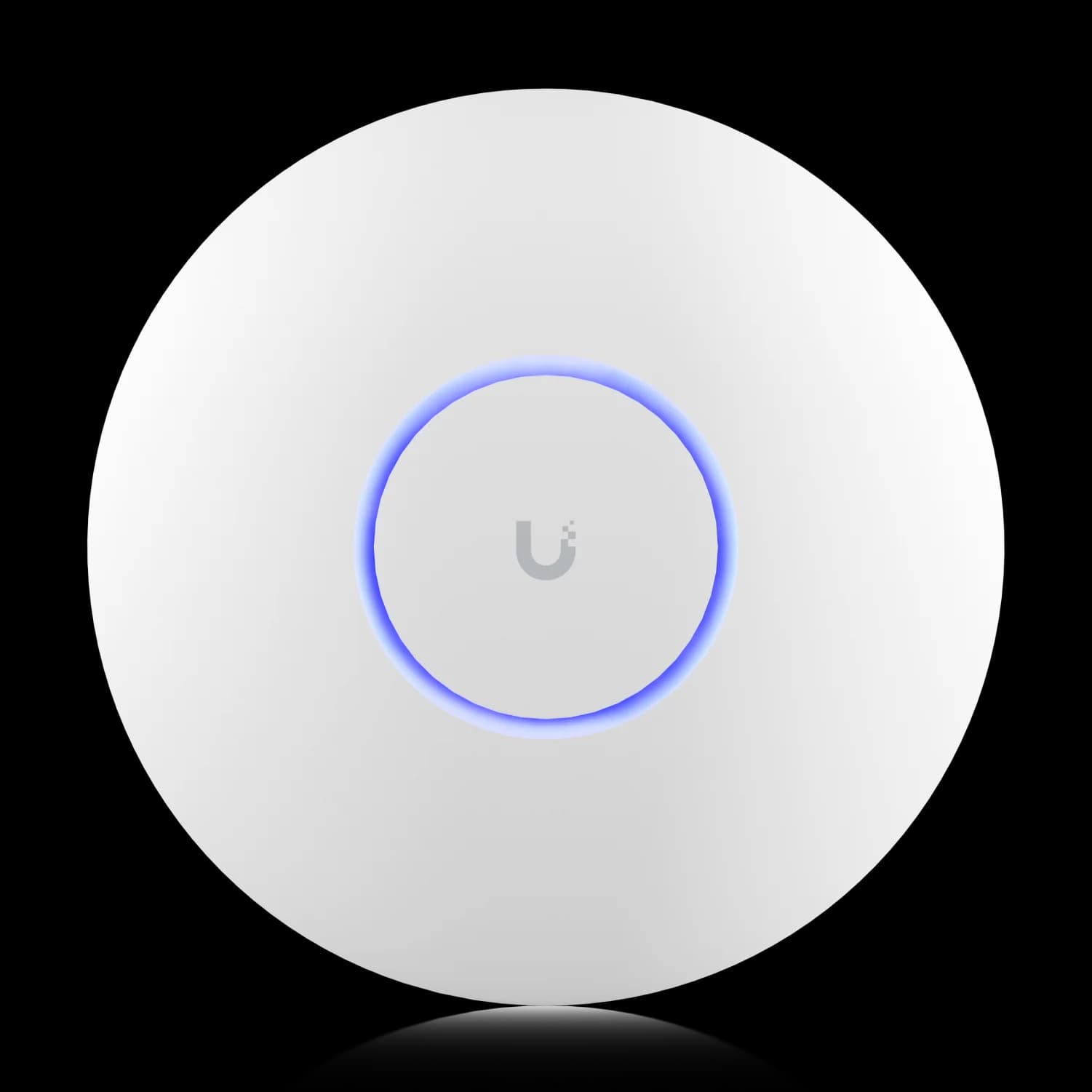
UniFi U7 Pro
MSRP $189WiFi 7 with MLO at a lower price point. 2.5GbE uplink (not 10GbE), but sufficient for most SMBs under 30 devices per AP.
Compared to the widely deployed U6 Pro, the improvements are straightforward: 6 GHz band access, higher throughput, and a 10 GbE port versus 1 GbE. For environments still running WiFi 5 (802.11ac) access points, the difference will be even more noticeable.
For existing UniFi users, the value of upgrading depends on current and anticipated needs. If your WiFi 6 setup handles your workload comfortably, there's no rush — the upgrade makes the most sense when you're experiencing congestion, adding users, or planning a broader network refresh.
XGS Requires PoE++ Switches
The U7 Pro XGS requires PoE++ (802.3bt) power, which standard PoE+ switches cannot provide. If you're upgrading from U6 Pros (which run on PoE+), your path to powering the XGS depends on scale:
- Single AP: Ubiquiti's 10G PoE++ Adapter ($39) powers one XGS without replacing your switch.
- Small deployment (2–4 APs): The Pro Max 16 PoE ($399) has 4x 2.5G PoE++ ports (60W each) and 12x 1G PoE ports, plus 2x SFP+ uplinks. It can power the XGS, but does not provide a native 10GbE PoE copper connection to the AP — 10G is only available on the SFP+ uplinks.
- Full 10GbE PoE switching: Models like the Pro HD 24 PoE or Pro XG 24 PoE range from $999–$1,799, which significantly increases deployment cost.
The U7 Pro XG runs on standard PoE+ (802.3at), making it a simpler drop-in upgrade for most existing networks.
Deployment Cost by Scenario
Understanding the real cost of deploying the XG vs XGS requires looking beyond the AP price:
| Scenario | U7 Pro XG ($199) | U7 Pro XGS ($299) |
|---|---|---|
| Existing 1GbE PoE+ switch | Works, uplink speed capped at 1G | Insufficient power — won't boot |
| Existing 2.5GbE PoE+ switch | Works, uplink limited to 2.5G | Insufficient power — won't boot |
| 10GbE switch without PoE | Needs PoE+ injector (~$24) | Needs 10G PoE++ injector ($39) |
| Pro Max 16 PoE ($399) | Full PoE+, 2.5G access ports | Full PoE++, 2.5G access ports |
| Full 10GbE PoE switch ($999–$1,799) | Best setup — full 10G uplink | Best setup, highest total cost |
How Does the U7 Pro XG Compare to Competitors?
The U7 Pro XG ($199) is one of the lowest-cost 10GbE WiFi 7 APs available and is competitively priced for a business AP with 10GbE. TP-Link's Omada EAP773 (~$190) is the closest competitor at a similar price point. Here's how the field compares:
| Brand | Model | Price | 10GbE | Key Difference |
|---|---|---|---|---|
| TP-Link | Omada EAP773 | ~$190 | Yes | 6-stream, PoE+, Omada ecosystem |
| Ubiquiti | U7 Pro XG | $199 | Yes | UniFi ecosystem, no licensing |
| TP-Link | Omada EAP787 | ~$250 | Yes | 8-stream, PoE++ or DC, Omada ecosystem |
| Ubiquiti | U7 Pro XGS | $299 | Yes | 4×4 MIMO, spectral scanning |
| TP-Link | Omada EAP770 | ~$175 | No | Budget WiFi 7, 2.5GbE uplink |
| Netgear | WBE758 | ~$960+ | Yes | 18.4 Gbps tri-band, Insight management |
| Aruba | AP-735 | ~$1,200+ | Yes | Enterprise-grade, licensing required |
| Cisco | Catalyst WiFi 7 | Channel pricing | Yes | Enterprise-grade, licensing required |
For a deeper comparison of the UniFi and Omada ecosystems, see our UniFi vs Omada WiFi 7 comparison.
The main differentiator for UniFi is ecosystem integration. For organizations already running UniFi switches, gateways, and controllers, the Pro XG series manages through the same UniFi Network dashboard — no additional licensing fees or separate management platforms needed.
Where Does the U7 Pro XG Fit Best?
The Pro XG series works well in environments where WiFi 6 is becoming a limiting factor. Here are the most common scenarios we see:
Small to Medium Businesses
Professional services firms with regular video conferencing and cloud-based workflows benefit from the improved throughput and multi-band support. Creative studios handling large media files wirelessly will see better performance, especially with multiple users transferring or editing simultaneously. For guidance on planning a business WiFi deployment, see our small business network setup guide.
Enterprise and High-Density Environments
In conference centers, auditoriums, and open-plan offices, the XGS model's 4×4 5 GHz radio supports higher total client capacity (500+). This matters when dozens of users are on the same AP at once. The spectral scanning radio is most useful when paired with an IT team that actively reviews RF data. For help designing larger deployments, our UniFi network design guide covers layout and AP placement in detail.
Specialized Environments
The 10GbE uplink matters most in environments that combine high client density with bandwidth-heavy workflows — clinics transferring medical imaging (DICOM files routinely exceed 100 MB), 1:1 device classrooms running cloud-based testing platforms, or convention centers with 200+ concurrent guests per AP zone. If your environment has fewer than 30 concurrent clients per AP and no large file transfer requirements, a 2.5GbE uplink covers the workload at lower infrastructure cost.
Installation and Management
Both models include the stainless steel Lite Mount for wall and ceiling installations. Follow this checklist for a smooth deployment:
- Orientation — Ceiling mount is preferred for most environments
- Placement — Position centrally within the coverage area for even signal distribution
- AP Spacing — Maintain adequate distance between units to minimize co-channel interference
- Power Source — Confirm PoE+ for the XG or PoE++ for the XGS before installing
- Airflow (XGS only) — Allow ventilation around the unit (see mounting tips above)
Both models manage through the UniFi Network application and integrate with the same dashboard used for UniFi switches, gateways, and other access points — no additional licensing fees required. If you need help with installation planning or network cabling, our team provides professional UniFi deployment services in the Miami area.
When Not to Buy the Pro XG Series
Not every network needs 10GbE WiFi 7. Here's when the Pro XG or XGS is the wrong fit:
- Small 1GbE office with under 15 users. The 10GbE uplink sits idle if your switch is 1GbE. The U7 Pro ($189) with 2.5GbE gives you WiFi 7 and MLO at lower cost and complexity.
- No PoE++ infrastructure and you're considering the XGS. Unless you're prepared to add a PoE++ switch or injector, the XGS won't power on from a standard PoE+ port. Plan the full deployment cost before purchasing.
- Expecting faster single-device speeds from the XGS. Current phones and laptops are 2×2 MIMO at 160 MHz. A single device won't download faster on the XGS than the XG — the extra streams improve capacity when many devices compete for airtime simultaneously.
- Planning 320 MHz channels across a multi-AP business environment. 320 MHz channels consume the entire 6 GHz band and can create co-channel interference between adjacent APs. In multi-AP deployments, 160 MHz channels with proper planning usually deliver better total performance.
Which U7 Pro Model Should I Buy?
For most businesses and high-end home offices, the U7 Pro XG ($199) is the better choice due to its lower cost, cooler operation, and compatibility with standard PoE+ switches.
The U7 Pro XGS ($299) makes sense if you have:
- High Density: More than 50 active clients per AP (conference rooms, open-plan offices, auditoriums)
- Infrastructure: Existing PoE++ switches and 10GbE cabling already in place
- Mounting: Locations with adequate airflow for the XGS's higher power draw
If none of those apply, the XG delivers the same WiFi 7 benefits — MLO, 6 GHz, 10GbE — without the additional cost or complexity. For small offices under 15 users, the U7 Pro ($189) with its 2.5GbE uplink is the more practical choice.
Existing UniFi users upgrading from WiFi 5 or basic WiFi 6 APs will see the biggest improvement. Those already on recent WiFi 6E models may want to do a targeted deployment in high-density areas first rather than a full swap.
Frequently Asked Questions
What is the difference between the U7 Pro XG and U7 Pro XGS?
The XG ($199) has 6 spatial streams, PoE+ (22W), and covers 1,500 sq ft. The XGS ($299) has 8 spatial streams, a dedicated spectral scanning radio, PoE++ (29W), and covers 1,750 sq ft. Both have a single 10 GbE uplink.
What PoE standard does the U7 Pro XG require?
The U7 Pro XG requires PoE+ (802.3at) and draws up to 22W — compatible with most modern PoE+ switches. The XGS model requires PoE++ (802.3bt) at up to 29W. Verify your switch before purchasing the XGS.
Do I need a 10 GbE switch to use the U7 Pro XG?
No. The uplink port supports 10/5/2.5/1 GbE, so the AP works on existing switches. However, a 10 GbE PoE+ port is needed to use its full WiFi 7 throughput — a 1 GbE uplink caps aggregate speed.
Does the U7 Pro XG support WiFi 7 Multi-Link Operation (MLO)?
Yes. MLO allows compatible WiFi 7 clients to transmit simultaneously across multiple bands, reducing latency and improving throughput. Older WiFi 6 and 6E devices connect normally without MLO.
Is the U7 Pro XG worth upgrading to from the standard U7 Pro?
Only if you have 10 GbE switching infrastructure. The XG eliminates the wired uplink as a bottleneck for high-density environments. For typical small business use with 1 GbE switching, the U7 Pro ($189) delivers similar real-world performance at lower cost.
Related reading:
- Best WiFi 7 access points for small business — how the Pro XG series stacks up against the full field
- U7 Pro Max review — 4×4 5 GHz and spectral scanning on a 2.5GbE uplink
- UDM Pro vs Pro Max comparison — choosing the right UniFi gateway
- UniFi gateway selection guide — UDR7, UX7, and UCG Fiber compared
- U7 Lite vs U7 Pro comparison — budget-friendly WiFi 7 options
- UniFi network design guide — planning your UniFi deployment
- WiFi dead zone solutions — fixing coverage gaps in your office
Related Articles
More from UniFi Networks

UniFi Network Blueprint for Business: 3 Scalable Solutions for 2026
Three UniFi network blueprints for 5-15, 15-40, and 40-75+ employees. WiFi 7 access points, 10GbE switching, and enterprise security without mandatory licensing fees.
11 min read
UniFi U6 in 2026: Models, Specs and U7 Alternatives
See which UniFi U6 access points remain available in 2026, how U6 Pro compares with U7 Pro, and when WiFi 6 is still the right choice.
24 min read
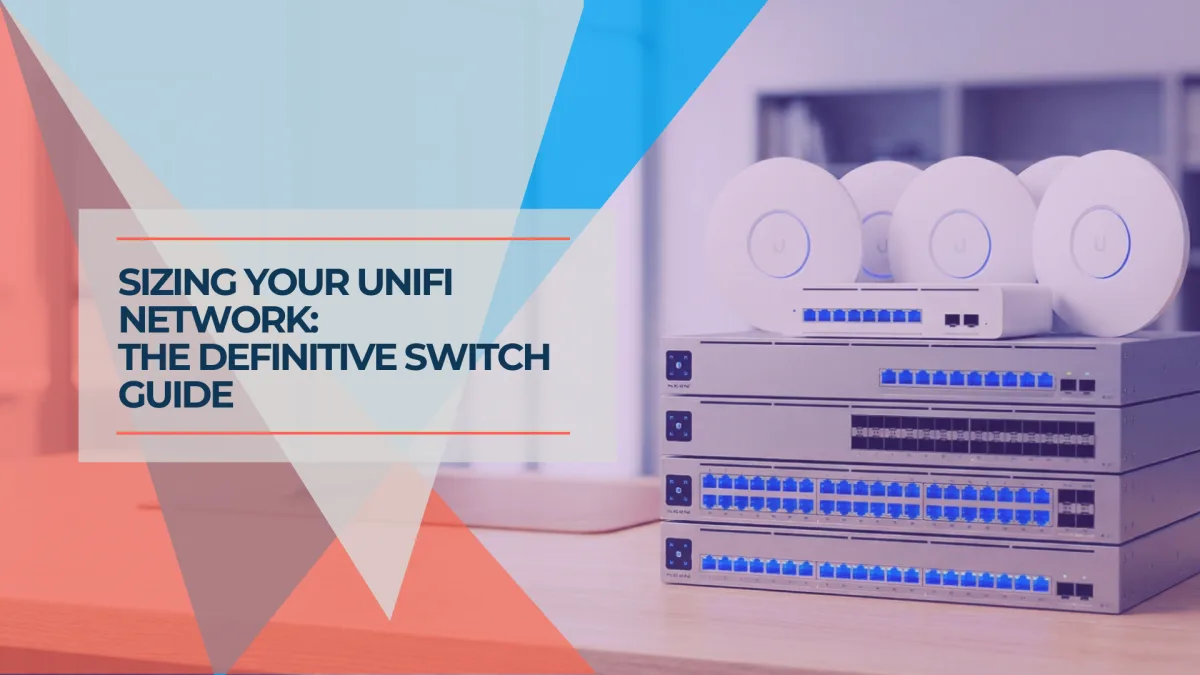
Best UniFi Switches 2026: Which Switch Is Right for Your Setup?
Field-informed guide to UniFi PoE switches — Lite, Pro Max, Pro HD, Pro XG, and Enterprise Campus lines compared with real deployment data. Find the right switch for your home lab, small office, or enterprise edge.
23 min read