

UniFi Pro Max Switch Review 2026: Etherlighting™ Worth the Premium?
Updated for 2026: Real-world review of the UniFi Pro Max series. We test the 16, 24, and 48-port models with WiFi 7 APs to see if Etherlighting is worth the premium over Standard switches.

Affiliate Disclosure: This article contains affiliate links. If you make a purchase through these links, we may earn a small commission at no extra cost to you. As an Amazon Associate, iFeelTech earns from qualifying purchases.
The UniFi Pro Max series bridges the gap between Ubiquiti's Standard and Enterprise switch lines, offering selective 2.5GbE ports where you need them and Etherlighting™ for visual network management. After two years in the market, we can now evaluate whether this mid-tier option justifies its premium over the Standard line—and whether Etherlighting is a practical tool or an expensive gimmick.
With the rise of WiFi 7 access points like the U7 Pro and U7 Pro Max, the demand for 2.5GbE PoE++ switches has surged. The Pro Max series targets this exact use case, but it's important to understand what you're actually getting: not all ports are 2.5GbE, and the RGB lighting requires special translucent cables to function properly.
Overview of UniFi Pro Max Switches
Model Lineup and Specifications
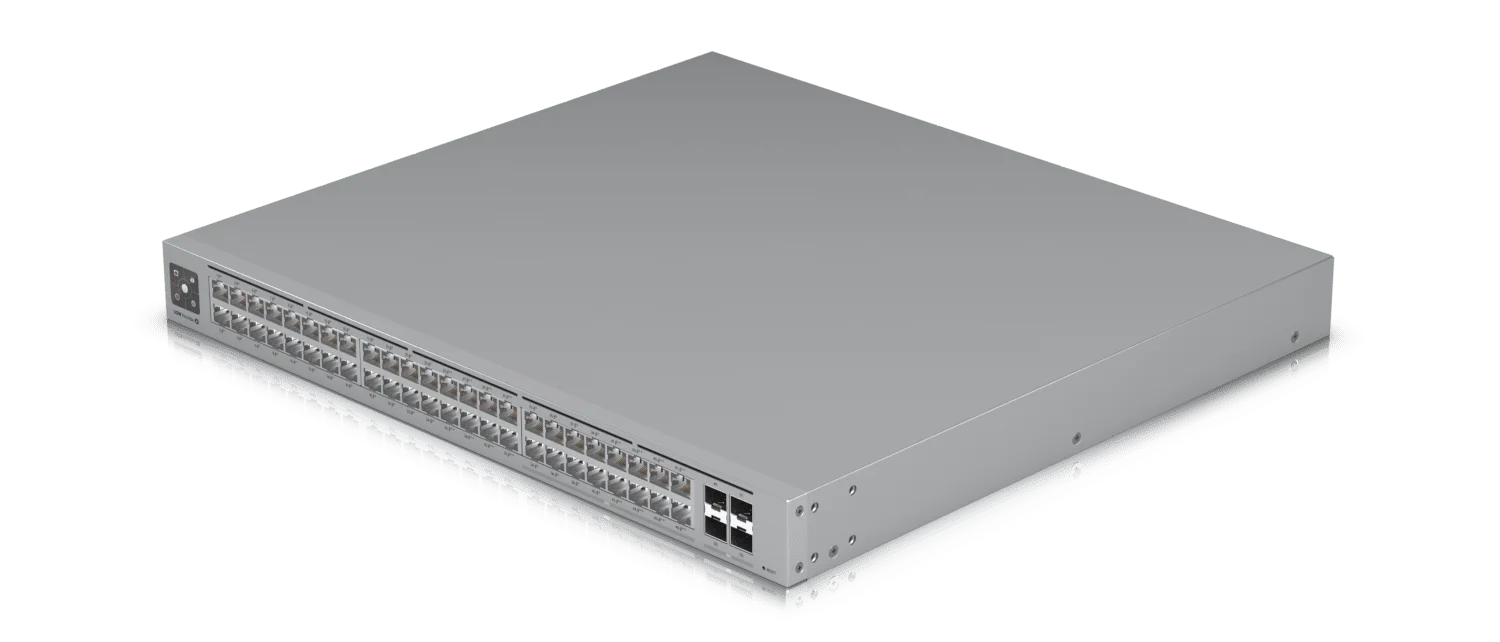
The Pro Max series is available in three models, each with a different port configuration. Critical detail: Only a portion of ports on each model support 2.5GbE speeds.
| Model | Total Ports | 2.5GbE Ports | 1GbE Ports | PoE Budget | SFP+ Uplinks | 2026 Price |
|---|---|---|---|---|---|---|
| Pro Max 16 PoE | 16 | 8x 2.5GbE PoE++ | 8x 1GbE PoE+ | 200W | 2x 10G SFP+ | ~$399 |
| Pro Max 24 PoE | 24 | 8x 2.5GbE PoE++ | 16x 1GbE PoE+ | 400W | 2x 10G SFP+ | ~$799 |
| Pro Max 48 PoE | 48 | 16x 2.5GbE PoE++ | 32x 1GbE PoE+ | 720W | 4x 10G SFP+ | ~$1,299 |
Port Speed Clarification
Not all ports are 2.5GbE. The Pro Max 24, for example, has only 8 ports capable of 2.5GbE speeds, while the remaining 16 ports are standard 1GbE. Plan your high-bandwidth devices (WiFi 7 APs, NAS connections) accordingly.
Key Differentiators
- Selective 2.5GbE: High-speed ports where you need them without the cost of full 2.5GbE switches
- PoE++ Support: Essential for power-hungry WiFi 7 access points (U7 Pro Max draws up to 25W)
- Etherlighting™: RGB port illumination for visual management (requires UniFi Etherlighting cables)
- Fanless Design (16/24): The 16 and 24-port models run silently; the 48-port has active cooling
Etherlighting™ Explained
What is Etherlighting™?
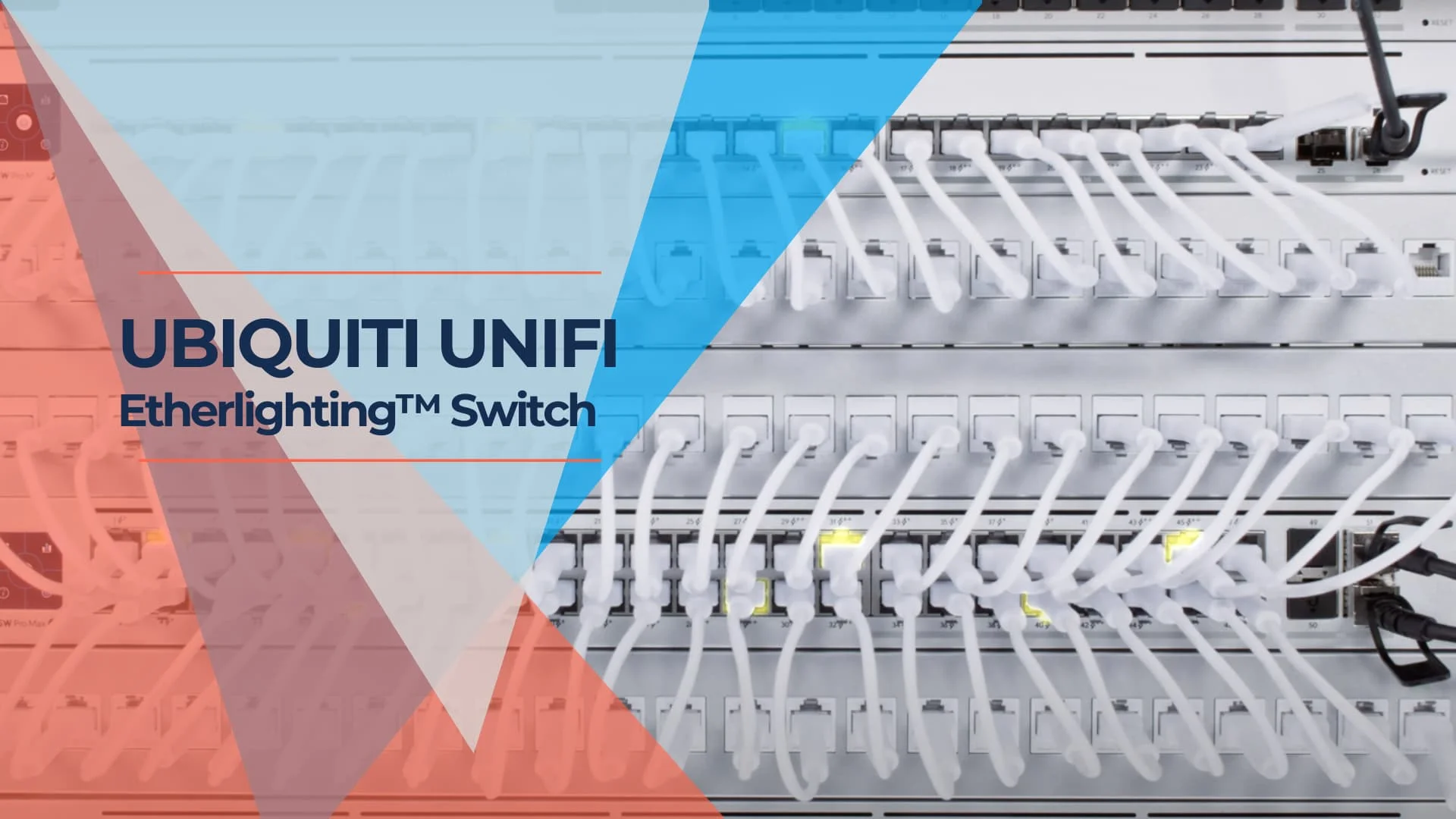
Etherlighting™ uses RGB LEDs to illuminate individual network ports with customizable colors. Each port can display different colors based on device type, VLAN assignment, link state, or manual configuration through the UniFi Controller.
Important Requirement: To see the full lighting effect, you need UniFi Etherlighting cables (translucent patch cables). Standard opaque Ethernet cables block most of the light, significantly reducing visibility.
Is It a Gimmick or Actually Useful?
After two years of real-world use, the verdict is nuanced:
Where It Excels:
- Remote Troubleshooting: Particularly valuable when guiding non-technical users ("unplug the blue glowing cable")
- High-Density Racks: Quick visual identification in server rooms with dozens of connections
- VLAN Segmentation: Color-code guest, corporate, and IoT networks for instant recognition
Where It Falls Short:
- Cable Cost: Etherlighting cables add $5-15 per cable to your budget
- Set-and-Forget Environments: Less useful in racks that rarely change
- Aesthetic Over Function: If you're not actively managing the network, standard link LEDs suffice
Features
- Customizable RGB Ports: Assign colors via UniFi Controller for visual network mapping
- Augmented Reality Integration: Scan QR code on switch to view port details in the UniFi app
- Link State Indication: Automatically show connection status through color changes
Meet UniFi - Introducing Etherlighting™
Technical Specifications
WiFi 7 and High-Bandwidth Use Cases
The primary driver for Pro Max adoption in 2026 is WiFi 7 access point deployment. The U7 series requires both 2.5GbE speeds and substantial PoE power:
| WiFi 7 Access Point | Speed Requirement | Power Draw | Recommended Switch |
|---|---|---|---|
| U7 Pro | 2.5GbE | 13W (PoE+) | Pro Max 16/24/48 |
| U7 Pro Max | 2.5GbE | 25W (PoE++) | Pro Max (PoE++ ports) |
| U7 Pro Wall | 2.5GbE | 20W (PoE++) | Pro Max (PoE++ ports) |
Other High-Bandwidth Applications:
- NAS Connections: 2.5GbE ports provide 2.5x faster file transfers than gigabit
- Desktop Workstations: Video editing and CAD workstations benefit from multi-gig speeds
- IP Cameras (4K+): High-resolution surveillance with PoE++ power delivery
Performance Specifications
Switching Capacity:
- Pro Max 16: 120 Gbps
- Pro Max 24: 128 Gbps
- Pro Max 48: 176 Gbps
PoE Power Budgets:
- Pro Max 16: 200W total (sufficient for 8x U7 Pro Max APs)
- Pro Max 24: 400W total (supports 16x U7 Pro Max APs)
- Pro Max 48: 720W total (handles 28x U7 Pro Max APs)
Uplink Options:
- 16/24-Port Models: 2x 10G SFP+ ports
- 48-Port Model: 4x 10G SFP+ ports
- Supports DAC, fiber, and RJ45 SFP+ modules
Installation and Setup
Setup Process
Pro Max switches integrate seamlessly into existing UniFi networks:
- Physical Installation: Rack-mount or desktop placement (rack ears included)
- Network Connection: Connect to existing UniFi network or adopt via UniFi Controller
- Auto-Adoption: Switch automatically appears in UniFi Network application for configuration
- Port Configuration: Assign port profiles, VLANs, and Etherlighting colors through the controller
Acoustic Performance
An important consideration for office environments:
- Pro Max 16: Fanless, completely silent operation
- Pro Max 24: Fanless, completely silent operation
- Pro Max 48: Active cooling with temperature-controlled fans (audible under load)
For noise-sensitive environments like offices or home labs, the 16 or 24-port models are better choices. The 48-port is better suited for server rooms or network closets.
Setup Tips
- Port Planning: Place WiFi 7 APs and high-bandwidth devices on the 2.5GbE ports (ports 1-8 on 24-port model)
- Etherlighting Cables: Budget for translucent cables if you plan to use the RGB features
- PoE Budget Management: Monitor total PoE consumption in UniFi Controller to avoid exceeding switch capacity
User Experience and Reviews
Long-Term Reliability (2023-2026)
After two years in production, the Pro Max series has proven reliable in real-world deployments:
What's Held Up Well:
- Hardware Reliability: Minimal failure rates reported across all three models
- Firmware Stability: Regular UniFi OS updates have improved features without major regressions
- PoE Delivery: Consistent power delivery to WiFi 7 APs without thermal throttling
- Fanless Operation: 16 and 24-port models remain silent even under sustained load
Common User Complaints:
- Proprietary Etherlighting Cable Ecosystem: Limited third-party options; locked into UniFi cables at $10+ each
- Port Speed Confusion: Many users purchased expecting all ports to be 2.5GbE
- Price Premium: $200-400 more than Standard switches for selective 2.5GbE ports
Community Feedback:
- Mactelecom Networks and Crosstalk Solutions have provided detailed reviews highlighting both strengths and limitations
Advanced Features and Customization
UniFi Controller Integration
Pro Max switches leverage the full UniFi ecosystem:
- Port Profiles: Create reusable configurations for VLANs, PoE settings, and bandwidth limits
- Traffic Analytics: Deep packet inspection and per-port bandwidth monitoring
- Network Topology: Visual network maps showing all connected devices
- Remote Management: Cloud-based access via UniFi Cloud or self-hosted controller
Etherlighting Customization Examples
Practical Color-Coding Strategies
- By Network Segment: Blue for corporate, green for guest, red for IoT/isolated devices
- By Device Type: Purple for WiFi APs, orange for cameras, yellow for VoIP phones
- By Status: Flashing red for disconnected devices, solid green for healthy connections
- By Priority: Bright colors for critical infrastructure, dim for standard endpoints
Pro Max vs Standard vs Enterprise: Which Should You Buy?
Direct Comparison (24-Port Models)
A key consideration: Is the Pro Max worth the premium over the Standard switch?
| Feature | Standard 24 PoE | Pro Max 24 PoE | Enterprise 24 PoE |
|---|---|---|---|
| Price (2026) | ~$399 | ~$799 | ~$1,799 |
| 2.5GbE Ports | 0 (all 1GbE) | 8 ports | 24 ports (all) |
| 1GbE Ports | 24 | 16 | 0 |
| PoE Budget | 400W | 400W | 400W |
| Etherlighting | ❌ No | ✅ Yes | ✅ Yes |
| Fanless | ✅ Yes | ✅ Yes | ❌ No (active cooling) |
| SFP+ Uplinks | 2x 10G | 2x 10G | 2x 10G + 2x 25G |
| Best For | All 1GbE networks | Mixed 1GbE/2.5GbE | Full 2.5GbE deployment |
Value Analysis
When Pro Max Makes Sense:
- You have 4-8 WiFi 7 access points requiring 2.5GbE
- You need PoE++ for high-power devices (U7 Pro Max, PTZ cameras)
- You manage racks remotely and value visual troubleshooting
- You want silent operation (fanless design)
When to Choose Standard Instead:
- Your network is primarily 1GbE devices
- You have fewer than 4 devices needing 2.5GbE speeds
- Budget is a primary constraint ($400 savings)
- You don't need Etherlighting features
When to Jump to Enterprise:
- You need 2.5GbE on all ports, not just a subset
- You're building a high-performance network from scratch
- You need 25G uplinks for future-proofing
- Fan noise is not a concern (server room deployment)
Purchasing Guide
Choosing the Right Model
Select based on your specific 2.5GbE device count:
Pro Max 16 PoE (~$399):
- Ideal for: Home labs, small offices, advanced home networks
- Supports: Up to 8 WiFi 7 APs or high-bandwidth devices
- Best value: Most affordable entry into 2.5GbE + Etherlighting
Pro Max 24 PoE (~$799):
- Ideal for: Medium businesses, multi-floor deployments
- Supports: Up to 8 WiFi 7 APs + 16 standard devices
- Sweet spot: Balances port count with 2.5GbE availability
Pro Max 48 PoE (~$1,299):
- Ideal for: Large offices, high-density environments
- Supports: Up to 16 WiFi 7 APs + 32 standard devices
- Note: Active cooling (fans) - not suitable for quiet environments
What to Budget For
- Switch Cost: $399-$1,299 depending on model
- Etherlighting Cables: $5-15 per cable (if using RGB features)
- SFP+ Modules: $50-150 for fiber/DAC uplinks (optional)
- Rack Mount Kit: Included with all models
Where to Buy
- Official Ubiquiti Store: Pro Max 16 PoE | Pro Max 24 PoE | Pro Max 48 PoE
- Authorized Resellers: Check ui.com/distributors for regional dealers
- Avoid: Gray market imports (no warranty support)
2026 Verdict: Is Pro Max Worth It?
Final Recommendation
Our Rating: 4.0/5
After two years in the market, the UniFi Pro Max series occupies a specific niche: networks that need selective 2.5GbE ports for WiFi 7 APs and high-bandwidth devices, but don't justify the cost of full 2.5GbE Enterprise switches. The value proposition depends entirely on your device mix.
Buy the Pro Max If:
✅ You're deploying WiFi 7 access points (U7 Pro, U7 Pro Max) that require 2.5GbE + PoE++
✅ You have 4-8 high-bandwidth devices mixed with standard 1GbE equipment
✅ You manage racks remotely and value Etherlighting for visual troubleshooting
✅ Silent operation matters (choose 16 or 24-port fanless models)
✅ You're already in the UniFi ecosystem and want seamless integration
Skip the Pro Max If:
❌ Your network is primarily 1GbE - Save $400 and buy the Standard switch
❌ You need 2.5GbE on ALL ports - Spend the extra $1,000 for Enterprise
❌ You have fewer than 4 devices needing 2.5GbE - Not cost-effective
❌ You won't use Etherlighting - You're paying for a feature you won't leverage
❌ Budget is tight - Standard switches deliver 90% of the functionality
The Etherlighting Question
Is it worth the premium? Depends on your use case:
- MSPs and remote IT: Absolutely. Visual troubleshooting saves hours.
- High-density racks: Very useful for quick device identification.
- Set-and-forget home labs: Probably not worth the extra cost.
Important Caveat: You need proprietary UniFi Etherlighting cables (~$10 each) to see the full effect. Standard Ethernet cables block the light, making the feature significantly less useful. This adds $80-240 to your total cost depending on how many ports you want illuminated.
Best Value Pick: Pro Max 16 PoE
For most users upgrading to WiFi 7, the Pro Max 16 PoE at $399 offers the best value:
- 8x 2.5GbE PoE++ ports (perfect for 4-8 WiFi 7 APs)
- Fanless, silent operation
- Half the price of the 24-port model
- Sufficient for small-to-medium deployments
Bottom Line
The Pro Max series is a well-executed mid-tier option that fills a real gap in the UniFi lineup. It's reliable, well-supported, and well-suited for WiFi 7 deployments that don't need full 2.5GbE across all ports. Understanding exactly which ports are 2.5GbE before purchasing will help you plan your network layout effectively. For a comparison of Pro Max against the full UniFi switch lineup — including the newer Pro XG and Pro HD lines — see our complete UniFi switch buying guide.
Professional UniFi Installation Services
Why Choose Professional Installation?
When setting up your UniFi network, getting it right the first time saves time and reduces troubleshooting. Expert assistance can help ensure your network is optimized for peak performance from day one.
Benefits of Professional Installation
- Expert Setup and Configuration: Our technicians have extensive experience with UniFi products, ensuring efficient setup and configuration
- Customized Network Solutions: Every business has unique needs. Our services are tailored to meet your specific networking requirements
- Time and Cost Efficiency: Professional installation saves time and reduces potential future costs from configuration errors
- Ongoing Support and Maintenance: Our ongoing support services help keep your network running smoothly
What We Offer
- Site Assessment: We start with a thorough site assessment to understand your space and network needs
- Installation and Configuration: Our team handles the complete installation and configuration of your UniFi equipment
- Network Optimization: We optimize your network for speed, security, and reliability
- Training and Support: Our team provides insights and training to help you get the most from your UniFi network
Related Articles
More from UniFi Networks
Best UniFi Switches 2026: Which Switch Is Right for Your Setup?
Field-informed guide to UniFi PoE switches — Lite, Pro Max, Pro HD, Pro XG, and Enterprise Campus lines compared with real deployment data. Find the right switch for your home lab, small office, or enterprise edge.
23 min read
UniFi Network Solutions: 2026 Tech Overview
A comprehensive technical analysis of Ubiquiti's UniFi ecosystem for business networking and security. Covers gateways, WiFi 7 access points, CyberSecure, and real-world deployment experience.
13 min read

UniFi Protect vs. Reolink vs. TP-Link: Which Camera System Is Best for Your Business?
UniFi Protect, Reolink, and TP-Link (Tapo vs. VIGI) compared for small business use — current 2026 lineups, real 8-camera pricing, and iFeelTech's multi-year UniFi fleet reliability data.
19 min read