

Cat6 vs Cat6A for an Office: What to Keep and What to Upgrade
Compare Cat6 and Cat6A for office cabling. Learn when to keep existing wiring, where 10GbE needs Cat6A, and how to plan reliable network upgrades.

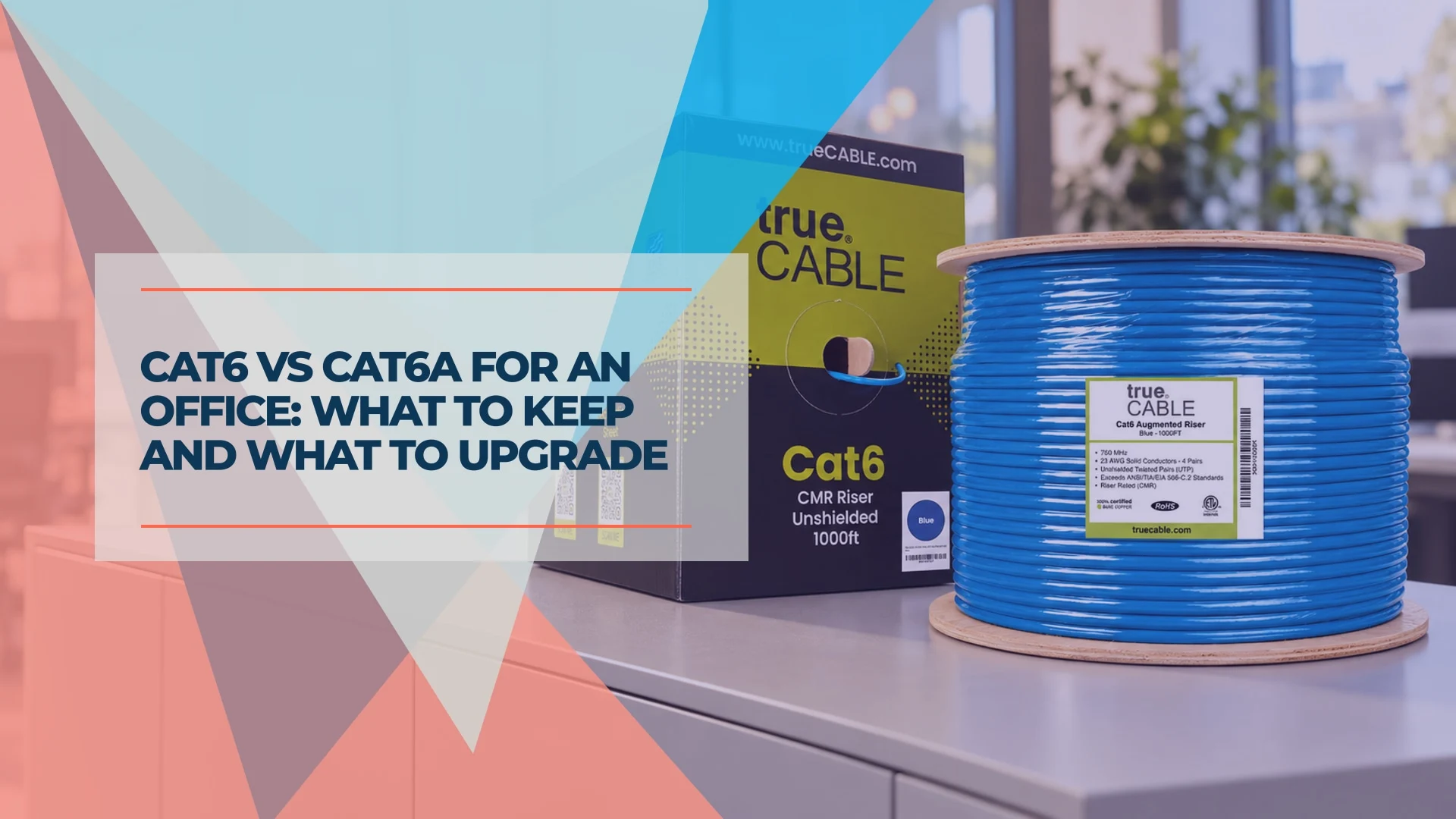
Cat6A is the better specification for a new copper network designed around 10GbE at the full standard channel length. That does not make an existing Cat6 office obsolete. Keep working Cat6 for ordinary office traffic, assess it before any higher-speed reuse, and prioritize Cat6A for new runs that must support 10GbE. Cabling, terminations, switches and endpoints have to support the intended speed together. We generally find Cat6 sufficient for many small and medium businesses.
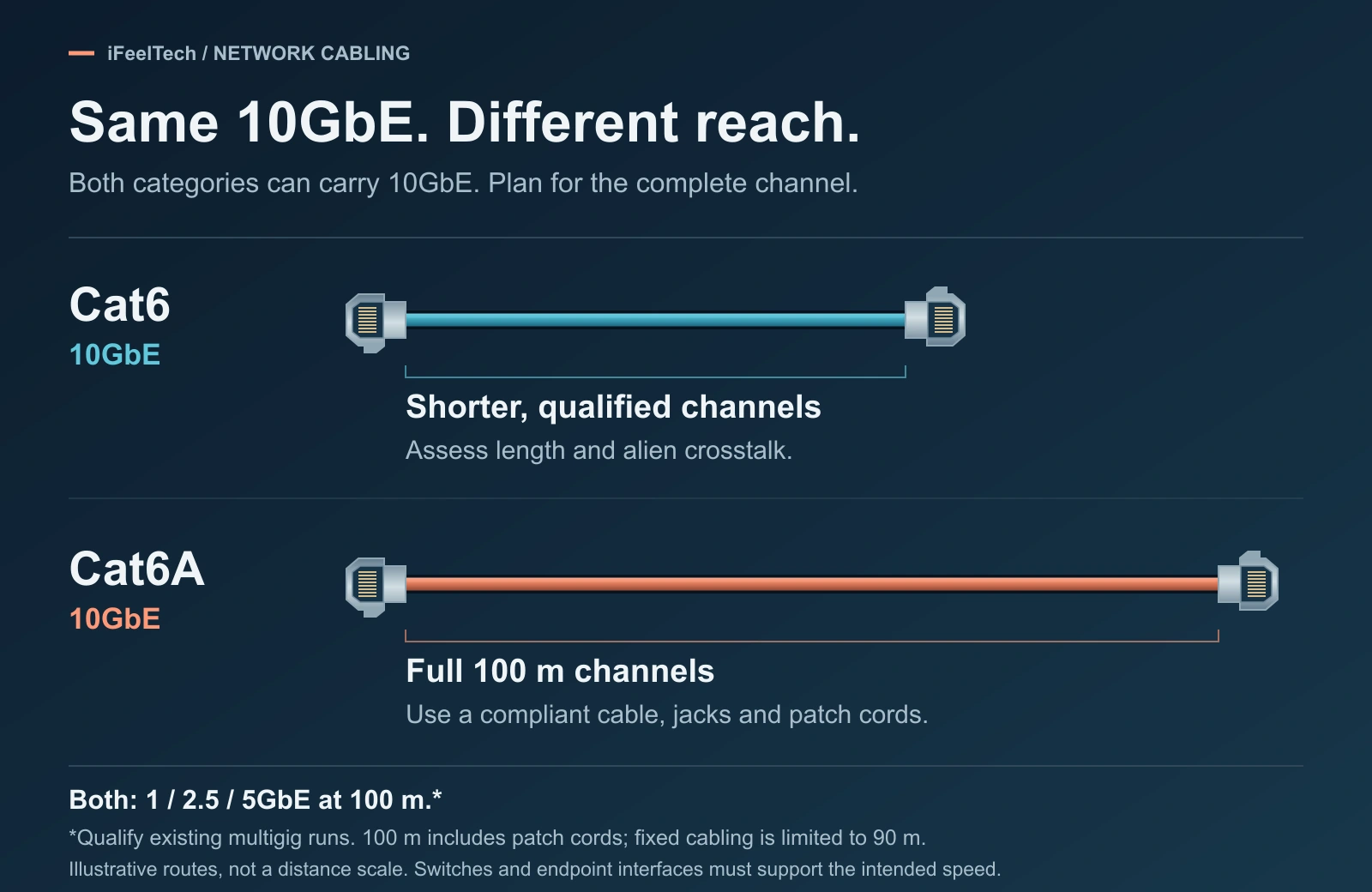
The short answer: keep, add selectively, or specify Cat6A
"Better specification" and "necessary upgrade" are different questions. Cat6A answers the first for new 10GbE copper. It is rarely required for the second in an office that runs well on Cat6 today. Your situation is one of four:
- You already have working Cat6. Keep it. Desks, phones, printers and access points on 1GbE or 2.5GbE links usually see no speed benefit from new cable when the existing link already meets the requirement. Test a run before you reuse it at a higher speed.
- You are adding runs that must carry 10GbE. Specify Cat6A. This is a new storage, workstation or server location where copper has to hold 10GbE over a real distance.
- You are adding access point drops. Decide from the uplink speed, the PoE load and how hard the ceiling is to reopen. A 2.5GbE access point alone does not require Cat6A.
- You are wiring an entirely new office. Compare installed quotes for both categories. Cat6A is the stronger choice when you expect 10GbE, demanding PoE or difficult future access; Cat6 stays sensible for known 1 to 5GbE needs on a tight budget. The new-office plan below explains the trade.
Cat6 vs Cat6A: the differences that matter
Cat6 and Cat6A are different categories: Cat6A specifies twice the bandwidth (500 MHz against 250 MHz) and is designed for 10GbE across a full 100-meter channel. It is often a larger cable, too.
| Decision factor | Cat6 | Cat6A |
|---|---|---|
| Specified category bandwidth | 250 MHz | 500 MHz |
| 1, 2.5 and 5GbE at 100 m | Yes (qualify existing runs for 2.5/5GbE) | Yes |
| 10GbE | Only on qualified, shorter channels | Designed for full 100 m channels |
| Alien crosstalk | Not specified for the category | Specified |
| Example cable size (trueCABLE CMR U/UTP, 23 AWG) | 5.90 mm jacket | 7.30 mm jacket |
| Planning impact | Usually the smaller cable | Often larger: confirm pathway space and jack fit |
250 and 500 MHz are category bandwidth specifications, not internet speeds. Vendors also advertise higher test frequencies: trueCABLE lists testing to 550 MHz for its Cat6 and 750 MHz for its Cat6A. Those describe how far the vendor tested; the category specification stays at 250 and 500 MHz.
The alien crosstalk row matters most. Alien crosstalk is interference between neighboring cables, and it grows with long, tightly bundled runs. Fluke notes that Cat6 includes no alien crosstalk specification, so an installed Cat6 link cannot be assumed good for 10GbE from its label.
The 100-meter figures describe a channel, and a channel is not all fixed cable. Fluke explains that a standard channel, from the switch to the device including every patch cord, is limited to 100 m (328 ft). The fixed cabling in the walls, called the permanent link, is limited to 90 m (295 ft), and standards recommend short equipment cords of about 5 m. Keep each in-wall run within 90 m.
For ordinary office traffic up to 5GbE, suitable Cat6 often meets the need. Cat6A can still be worth specifying for new high-power PoE runs, longer-term capacity or pathways that are difficult to reopen.
Do you need to replace existing Cat6?
No, not simply because Cat6A exists. Working, undamaged Cat6 does not need replacement. Assess a run when the application changes or its condition or installation raises a concern. How hard to check depends on the speed. Start by reading the jacket print at the patch panel: it names the category, which tells you what you have but not whether the installed channel passes.
At 1GbE, keep it. Gigabit Ethernet runs over Cat6 for the full 100 meters, so working gigabit desks stay as they are.
At 2.5 or 5GbE, test, then keep. IEEE 802.3bz was written to run 2.5GbE over installed Cat5e and 5GbE over installed Cat6, both to 100 meters. Long, tight bundles can still fail because of alien crosstalk. Fluke's mitigations include unbundling patch cords, trying Cat6A patch cords and keeping the multigig runs shorter, and it says to test again afterward. A mitigation is a fix you retest, not an upgrade. Our 2.5GbE upgrade guide covers the switch and access point side.
At 10GbE, assess the installed channel. TIA's TSB-155 says 10GbE should operate over Cat6 channels up to 37 meters, and between 37 and 55 meters depending on the alien crosstalk environment. Fluke's 10GBASE-T testing guidance reports links of 60 meters that met the alien crosstalk limits and links of 30 meters that did not. Length is not a verdict. The only way to know is to test the channel and its power sum alien crosstalk.
A working link is not a 10GbE qualification
A link light, a successful 1GbE connection or a wiremap pass does not establish 10GbE suitability. Wiremap tools confirm that wires reach the right pins. Proposing existing Cat6 for 10GbE calls for application-specific testing that includes alien crosstalk, and a generic tester's pass at a lower speed does not substitute for it.
If a run fails, check the terminations, patch cords and bundling, fix what you find and retest before pulling new cable. A failed run is a reason to repair or replace that run, not the building's cabling. That points to where new Cat6A belongs.
Where new Cat6A runs make sense
Specify new Cat6A where a run must carry 10GbE or where reopening the pathway later would cost more than the cable.
Storage and workstation locations. A NAS or editing workstation that needs 10GbE requires a 10GbE network interface at the endpoint, whether a card or a built-in port, and a 10GbE switch port. The cable alone does not change the speed. Before you spec the cable, measure whether the current bottleneck is the network at all; our 10GbE guide shows how.
Access point drops. Ask three questions: what uplink speed will the access point use over its life, what is its PoE load, and what will it cost to pull a replacement cable? An access point above a finished ceiling is a pull you want to make once. Siemon's summary of TIA-568.2-E says its power-delivery annex recommends Category 6A or higher for non-engineered channels and advises splitting large bundles to shed heat. We take that as a reason to prefer Cat6A where several high-power PoE runs share a pathway, not as proof that Cat6 fails. Our PoE guide covers switch budgets.
Everything else. General desks, and 2.5GbE access points on easy-to-reach runs, stay on serviceable Cat6.
Where Cat8 fits (and where it does not)
Cat8 is a real category, but it is not the next step up for an office run. Fluke's Category 8 fact sheet says it was developed for 25GBASE-T and 40GBASE-T. At those speeds it is limited to a 24 m (78 ft) permanent link and a 30 m (100 ft) channel. At 10Gbps and below it can run a full 100 m channel, which is what Cat6A already does for 10GbE.
- It is shielded only. There is no unshielded Cat8, so shield termination and bonding matter on every connection.
- It is tested differently. Cat8 is field tested up to 2000 MHz, against 500 MHz for Cat6A.
- The cable is not the whole link. A Cat8 patch cord on a gigabit port still gives you gigabit. 25 and 40GbE copper also needs switches and network interfaces that support 25GBASE-T or 40GBASE-T.
That makes Cat8 a short-link tool for server rooms and data centers. If an office uplink or a detached building needs more than 10GbE, ask your installer to quote fiber beside any copper option; our Cat6 vs fiber guide covers the choice. For a side-by-side of Cat6 and Cat8, see our Cat6 vs Cat8 guide.
A practical mixed office plan
For an existing office, keeping suitable Cat6 and adding Cat6A selectively is often a practical plan. Here is an illustrative one; the drop counts are made-up inputs, not a past project.
Picture an office with 24 existing Cat6 desk drops, a new storage and workstation corner needing 2 drops, 3 access point drops in ceilings that are hard to reopen, and a detached storage building.
- Desks: keep the 24 Cat6 runs. Test any you plan to move above 1GbE, and replace only the runs that fail.
- Storage corner: quote two Cat6A drops, with matching jacks, compatible 10GbE switch ports and 10GbE endpoint interfaces.
- Access points: quote Cat6A for the 3 hard-to-reach ceilings. Any easier-to-reach drops can stay on Cat6.
- Detached building: ask for a fiber option next to any copper quote. Our Cat6 vs fiber guide covers that choice.
Ask the installer to price the new Cat6A runs as separate line items. No fixed Cat6A premium holds from one pathway to the next, so a real quote beats a rule of thumb.
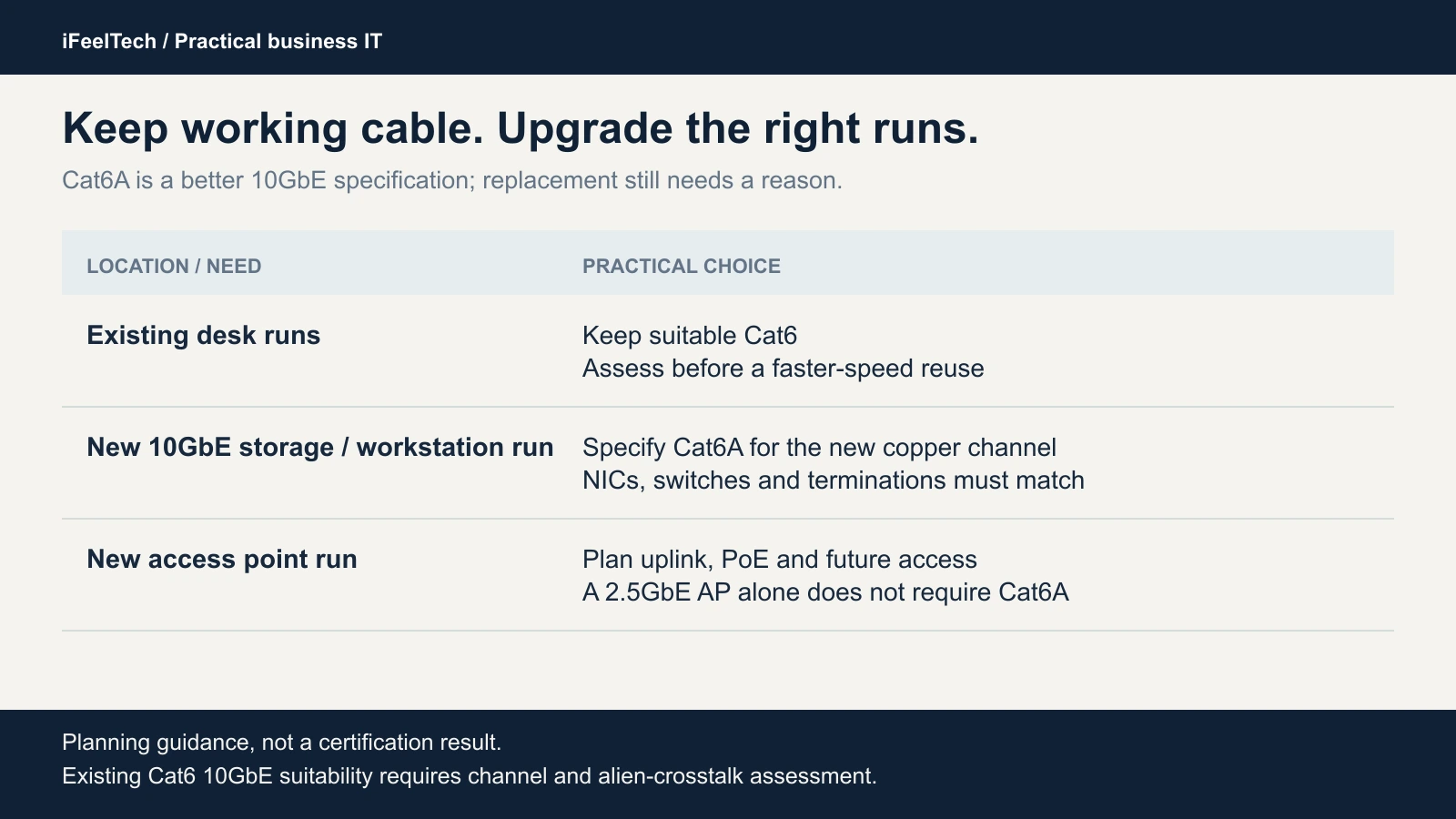
Planning guidance; test existing cabling for its intended application.
Wiring an entirely new office
Ask your installer to quote both categories for the same pathways, jackets and components, then compare the installed totals. Choose Cat6A throughout when you expect 10GbE at several locations, plan demanding PoE devices or will find the walls hard to reopen, because one installation avoids a second pull. Choose Cat6 when the budget is tight and your known needs are 1 to 5GbE. An all-Cat6A new build is sensible, and a mixed one is allowed but not required. Our Miami office network planning guide includes planning examples with drop counts and budgets for South Florida offices.
What to specify on the installer quote
A good cabling quote names the cable, the components, the route and the test results in writing. Ask for these six items.
- Solid bare copper. Pure copper conductors, not copper-clad aluminum. trueCABLE and UniFi both list solid bare copper on the cables below.
- A jacket rated for the route. CMR riser cable suits in-wall and between-floor runs in non-plenum spaces. Where the space above a ceiling is used for air handling and applicable requirements call for it, specify plenum (CMP) cable or another permitted installation method; not every suspended ceiling is a plenum. Exterior runs need outdoor-rated cable.
- Matched components. Jacks, patch panels and patch cords should match the category and accept the cable's conductor size. One Cat6A patch cord does not upgrade a Cat6 channel.
- A pathway allowance. Conduit, trays and J-hooks must be sized for the larger Cat6A cable.
- Labels and documentation. Both ends of every run labeled, and recorded on a diagram you keep.
- Test results for the application. For new Cat6A runs, ask for permanent-link certification reports that name the test standard and revision, including the TIA-568.2 revision for PoE-heavy runs, with an identifier for each link. Fluke prefers permanent-link testing because a channel can pass with good patch cords even when the fixed cabling fails. For existing Cat6 proposed for 10GbE, ask for testing that assesses 10GBASE-T suitability, including alien crosstalk. Fluke notes that certification is typically required for a manufacturer's cabling warranty.
CMR is not a blanket approval
Riser (CMR) cable is not plenum cable. Confirm the pathway requirement with your installer before you buy a box of any cable.
Cat6A does not require shielding
Unshielded Cat6A exists and is the cable in the examples below. Shielded systems need shielded jacks, bonding and compatible components installed to the manufacturer's guidance, so make shielding an engineering decision with your installer. Our business network wiring guide covers how to plan a cabling project, and our Cat6A wiring diagram guide covers termination.
Products worth considering
Price the installed system, not the cable: jacks, panels, pathways, labor and testing decide the total. Our recommendations combine deployment and support experience with manufacturer documentation, and the specifications below are manufacturer data. For outdoor, plenum and patch cable picks, see our best Ethernet cable guide.
Affiliate Disclosure: This article contains affiliate links. If you make a purchase through these links, we may earn a small commission at no extra cost to you. As an Amazon Associate, iFeelTech earns from qualifying purchases.
trueCABLE Cat6 CMR for ordinary office runs
trueCABLE's Cat6 CMR is the cable example for general desk runs.
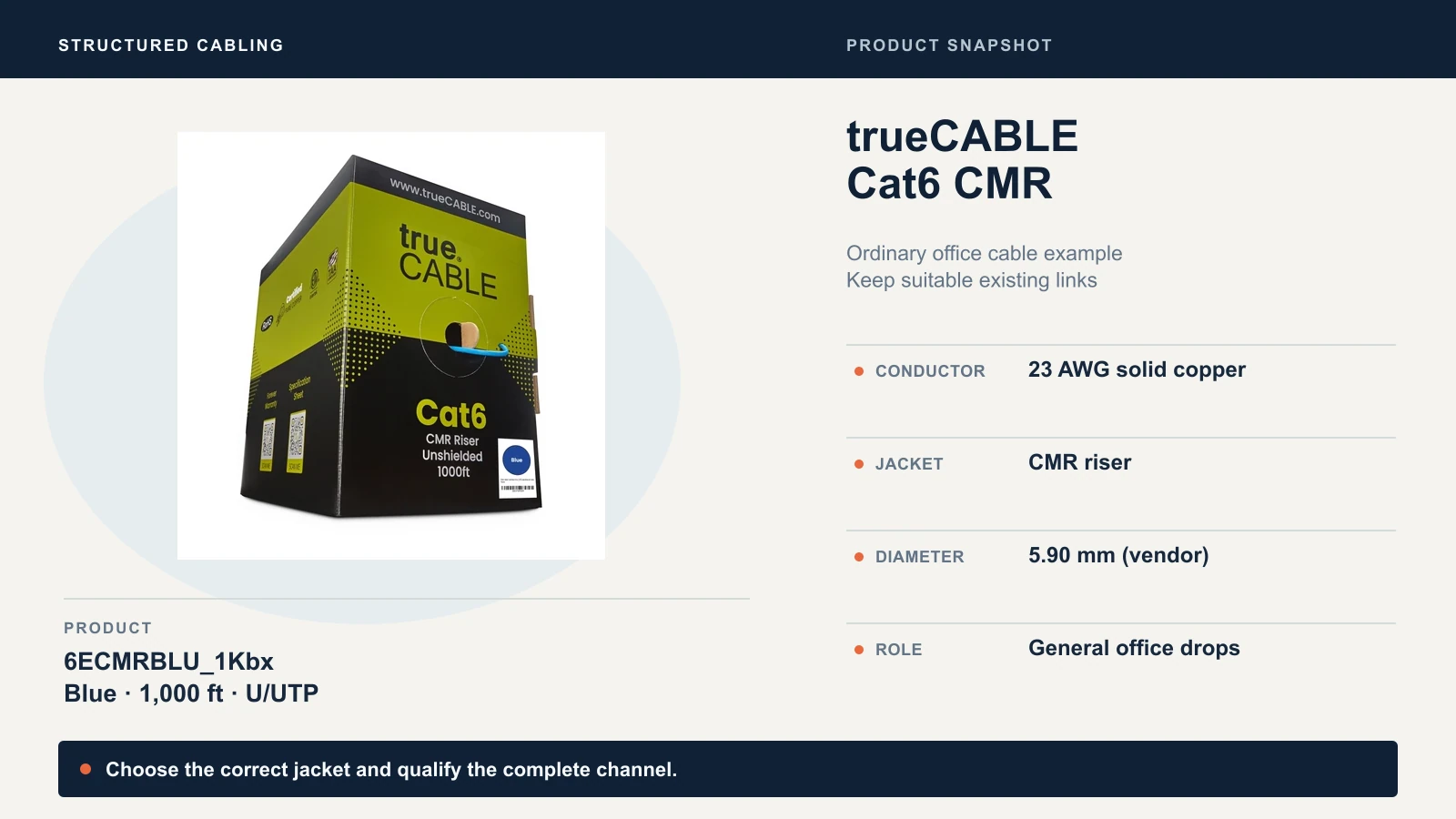
Check trueCABLE Cat6 on Amazon for the blue 1,000 ft box (6ECMRBLU_1Kbx). Best for ordinary desk drops where 1GbE to 5GbE is the goal.
trueCABLE Cat6A CMR for new 10GbE runs
trueCABLE's Cat6A CMR is the matching cable for the storage corner and the hard-to-reach access point drops in the plan above. Its insulated conductors are also larger than the Cat6's (1.02 mm against 0.96 mm, per trueCABLE), so check that the jack accepts them.
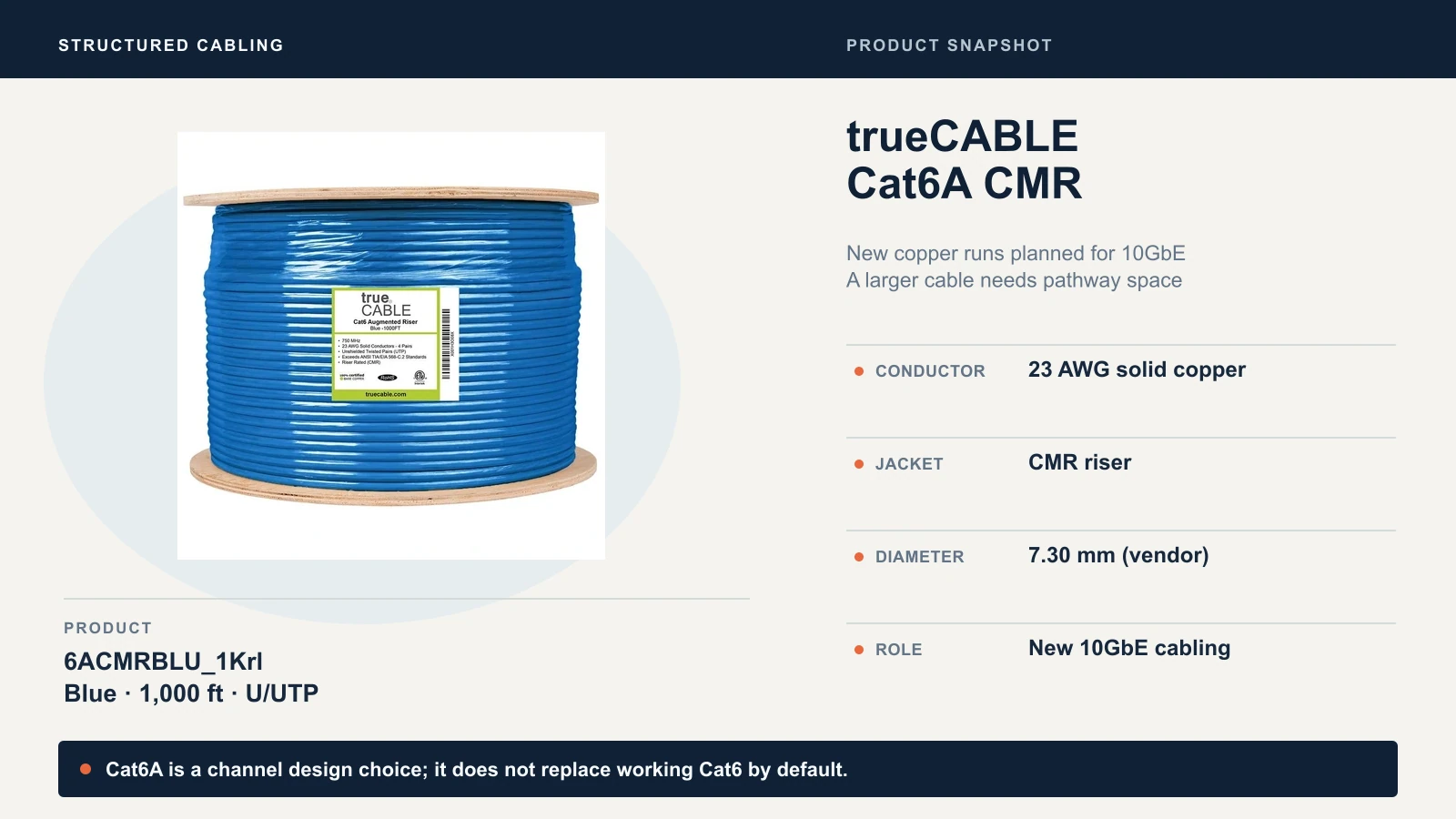
Check trueCABLE Cat6A on Amazon for the blue 1,000 ft reel (6ACMRBLU_1Krl). Best for new copper runs designed around 10GbE.
On October 14, 2026, trueCABLE listed the blue 1,000 ft Cat6 box at $213.99 and the blue 1,000 ft Cat6A reel at $318.99, a $105 difference per 1,000 ft. That compares cable only. It is not an installed estimate, and the price moves.
UniFi Cat6A CMR as an established-brand alternative
UniFi's Indoor Cable Cat6A CMR (UACC-Cable-C6A-CMR) is a 305 m (1,000 ft) box of 23 AWG solid bare copper with a 7.05 mm stated outer diameter. It is a reasonable line to ask your installer about. A UniFi network does not require it.
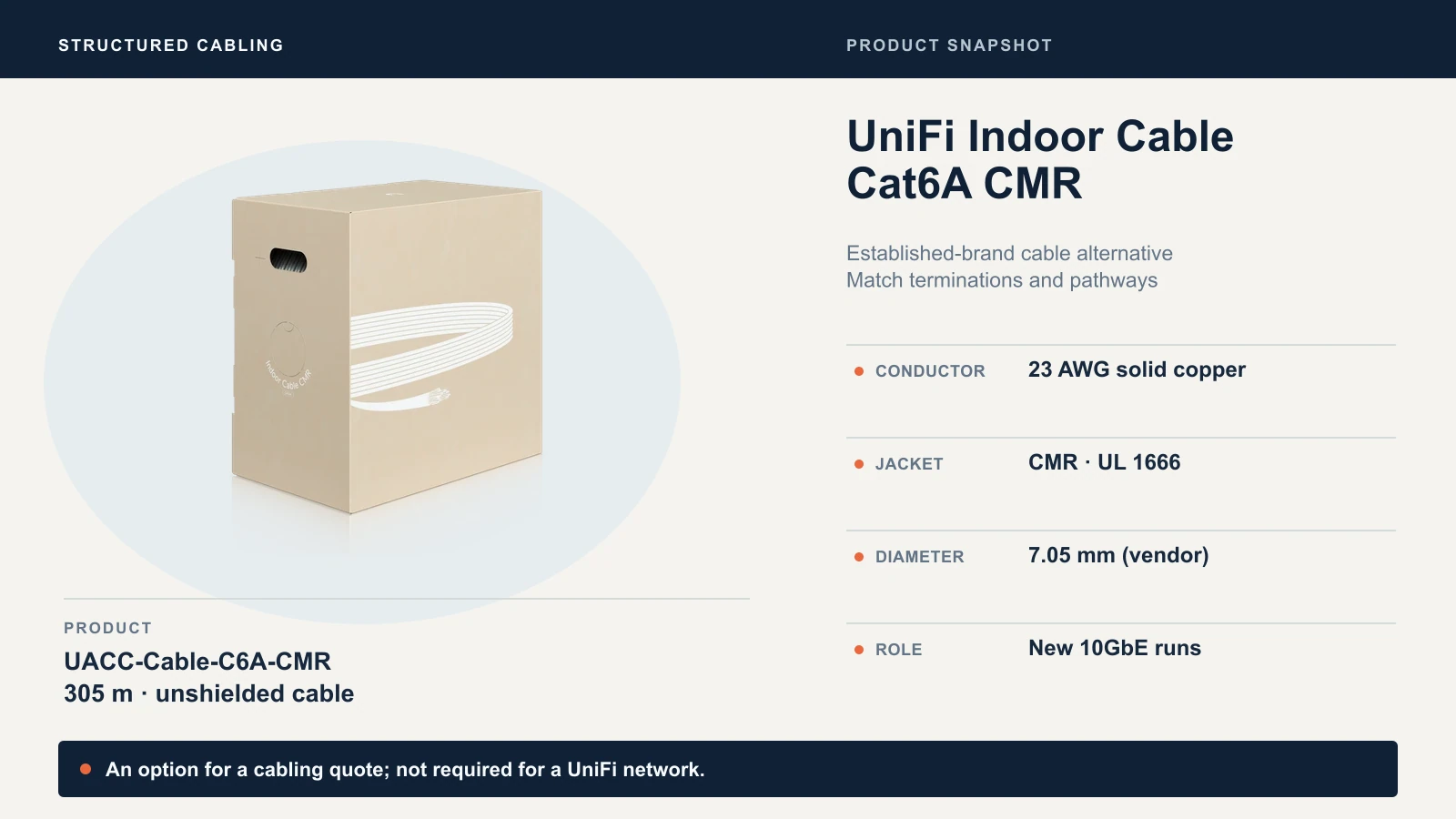
Check the current UniFi listing. Best for an installer-specified alternative whose jacket, dimensions and components suit the project.
A Cat6A keystone jack to match
Match the jack to the cable. trueCABLE's unshielded Cat6A punch-down keystone is rated for 23-24 AWG solid conductors. Verify the conductor size against your cable and check the pack size in the listing.
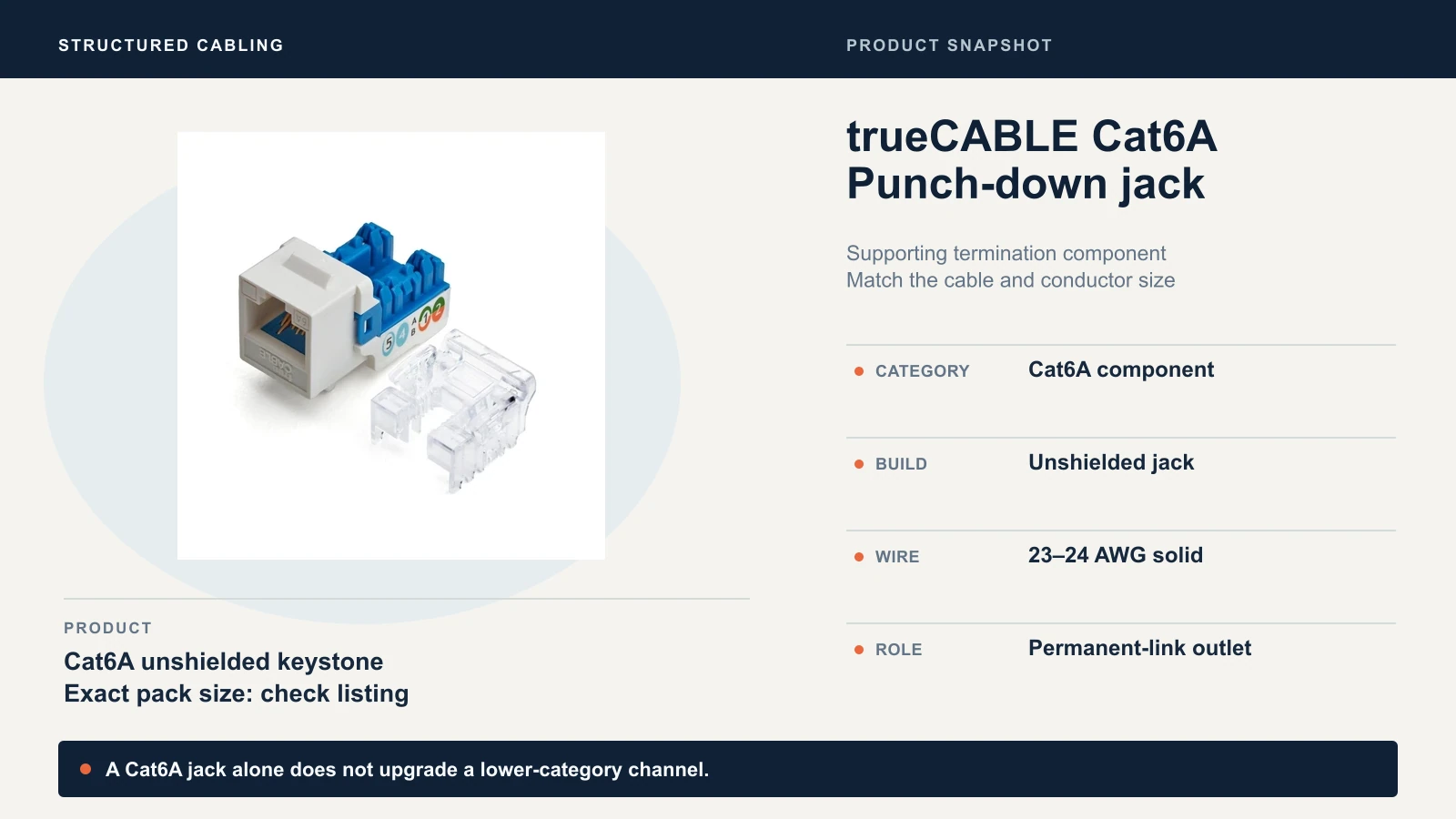
Check trueCABLE Cat6A punch-down keystones on Amazon for the white 12-pack. Best for terminating Cat6A runs you cable yourself or specify to an installer. A Cat6A jack alone does not upgrade a lower-category channel.
Our recommendation
Keep, test, then upgrade the right runs
Keep working Cat6 for desks, phones, printers and any link running at 1GbE to 2.5GbE. Test it before you reuse it at 5GbE or 10GbE. Specify Cat6A for new runs that must carry 10GbE or that sit where a replacement cable would be costly, and make sure the switches, network interfaces and jacks match.
Cat6A is the stronger specification for a planned 10GbE installation, and working Cat6 does not need wholesale replacement. If you want a second opinion on an existing cabling plant, or a quote that separates Cat6 and Cat6A runs, we design and install structured cabling for offices across Miami and South Florida.
Technical references
Fluke Networks: 10GBASE-T field testing requirements, existing cable plant for 2.5/5GBASE-T, channel vs permanent link testing and category and testing overview. Fluke Networks: Category 8 cabling fact sheet. Siemon: ANSI/TIA-568.2-E summary. Cable specifications come from the trueCABLE and Ubiquiti product pages linked above. Reviewed October 14, 2026; Cat8 section checked October 19, 2026.
Related Resources
- Business Network Wiring Installation Guide — Plan a cabling project, from pathways to testing.
- Is 10GbE Worth It? — Decide whether your network needs 10GbE.
- Power over Ethernet Guide — Size PoE budgets for access points and cameras.
- Network Cabling Services — Professional cabling design and installation.
Frequently Asked Questions
Related Articles
More from Network Infrastructure
Wi-Fi 6 vs Wi-Fi 7 for Business: When to Keep or Upgrade
Should your office replace Wi-Fi 6? Compare 6E and 7, check clients, PoE and uplinks, and see when to keep, tune or upgrade.
12 min read
Best Centrally Managed Network Systems 2026: UniFi, Cisco Meraki, Aruba & More
Complete comparison of centrally managed network platforms for small business. Covers UniFi, Cisco Meraki, Aruba Instant On, TP-Link Omada, Zyxel Nebula, and Firewalla with cost analysis and recommendations.
23 min read
Professional WiFi 7 Network Implementation: Complete Business Guide
Complete guide to professional WiFi 7 network implementation for businesses. Covers infrastructure planning, UniFi equipment selection, cost analysis, and implementation best practices.
16 min read