

UNAS Pro 4 vs Pro 8 vs UNAS 4: Which UniFi NAS Should You Buy?
UNAS Pro 4 vs Pro 8 vs UNAS 4 compared by use case — home lab, small business, Protect archival, and content creation. Verified specs and real pricing.

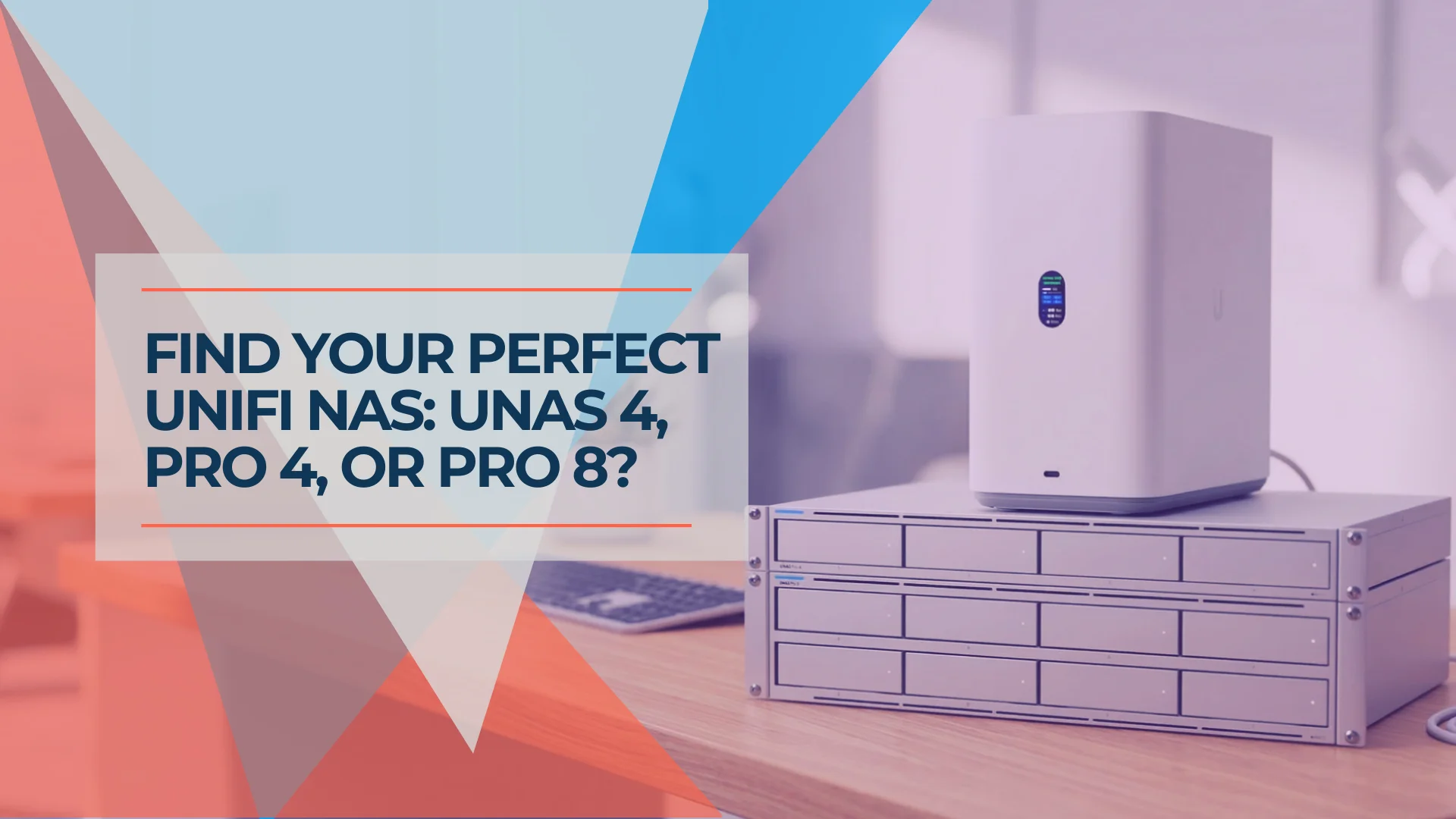
Quick Verdict — July 2026
Your Situation
Best Pick
Home lab · Protect archival · No rack
Desktop, PoE-powered — one Ethernet cable handles data and power. No rack required.
UNAS 4
$379
Small office · Existing rack · 5–25 employees
Editor's PickDual 10G SFP+, NVMe cache, license-free — our most-deployed model in client offices.
Growing business · Higher availability · Multi-site
8 bays, redundant PSUs, multiple RAID groups + hot spare, 16 GB RAM.
UNAS Pro 8
$799
The UNAS 4, UNAS Pro 4, and UNAS Pro 8 all run the same UniFi Drive application and share its core file, backup, snapshot, and identity features. However, hardware-dependent storage and redundancy options vary by model — and the three form factors target different physical environments. This guide maps each model to the use cases it is best suited for.
This article covers the three models buyers most commonly compare. For the complete lineup including the UNAS 2 ($199) and original UNAS Pro ($499), see our UniFi NAS Buyer's Guide.
Availability note (July 2026): All three models — UNAS 4 ($379), UNAS Pro 4 ($499), and UNAS Pro 8 ($799) — are in stock at the US Ubiquiti Store. Regional inventory and pricing may differ. The UNAS 4 sold out shortly after its Q1 2026 launch and returned to stock in mid-2026.
Affiliate Disclosure: This article contains affiliate links. If you make a purchase through these links, we may earn a small commission at no extra cost to you. As an Amazon Associate, iFeelTech earns from qualifying purchases.
UNAS 4 vs Pro 4 vs Pro 8: At a Glance
| Specs | |||
|---|---|---|---|
| Form factor | Desktop | 1U Rackmount | 2U Rackmount |
| Drive bays | 4× 3.5″ HDD/SSD | 4× 3.5″ HDD/SSD (hot-swap) | 8× 3.5″ HDD/SSD (hot-swap) |
| NVMe cache | 2× M.2 (max 2 TiB each) — read-only (1 SSD) or read-write (2 SSDs) | 2× M.2 (max 4 TiB each) — read-only (1 SSD) or read-write (2 SSDs) | 2× M.2 (max 4 TiB each) — read-only (1 SSD) or read-write (2 SSDs) |
| Networking | 1× 2.5GbE RJ45 | 2× 10G SFP+ + 1× 1GbE RJ45 | 2× 10G SFP+ + 1× 10GbE RJ45 |
| Expansion | 1× USB-C 5Gbps | - | - |
| Processor | ARM Cortex-A55 @ 1.7 GHz | ARM Cortex-A57 @ 2.0 GHz | ARM Cortex-A57 @ 2.0 GHz |
| RAM | 4 GB | 8 GB | 16 GB |
| Power | PoE+++ (90W adapter included) | 150W AC + USP-RPS DC input | 2× 550W hot-swap modules |
| Redundant PSU | No | Single internal PSU with optional USP-RPS power failover | Yes (fully redundant) |
| RAID groups | Single | Single | Multiple |
| Hot spare | No | No | Yes |
| Best for | Home, Protect archival, small office without rack | SMB with rack, 10G environment | Growing business, higher availability, multi-site |
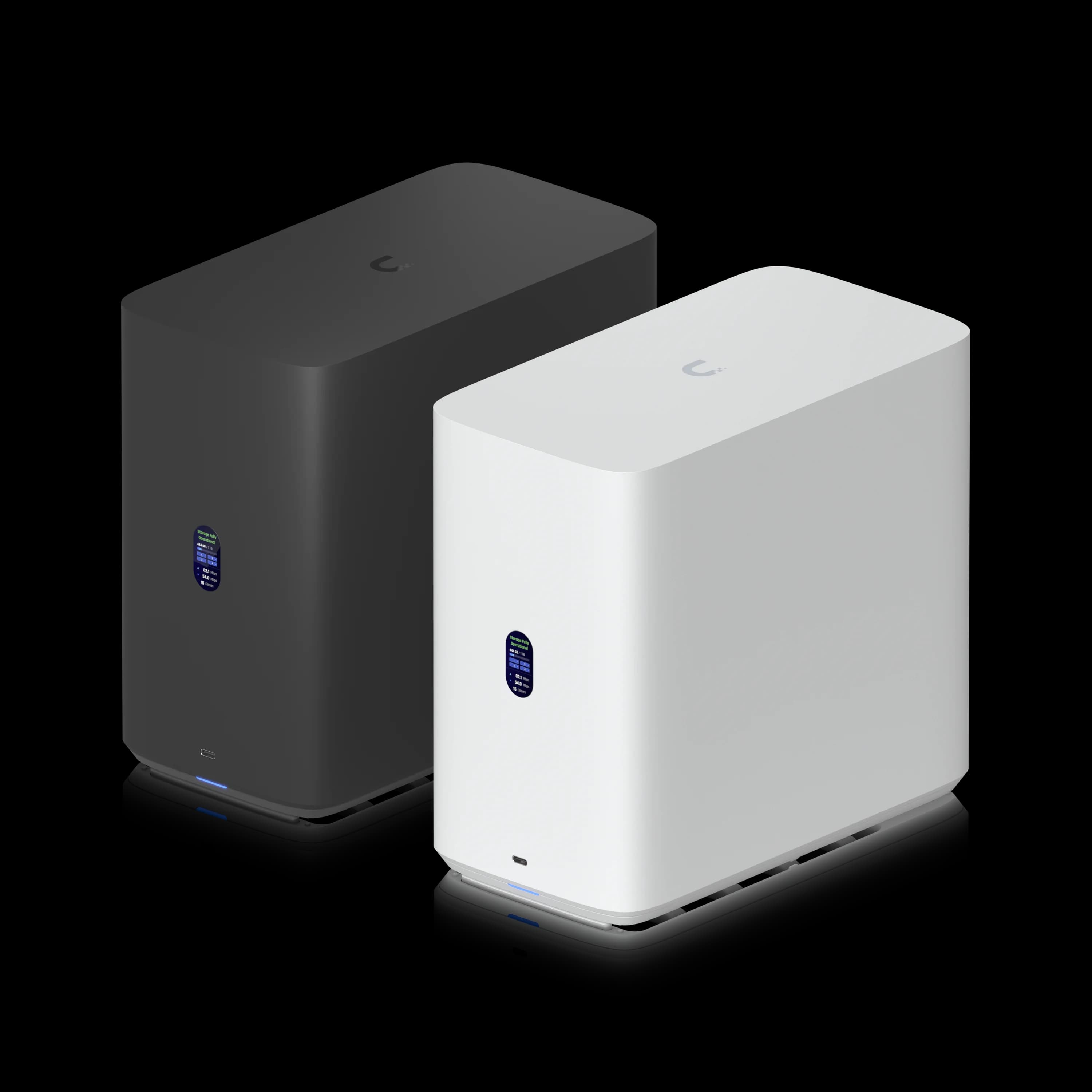
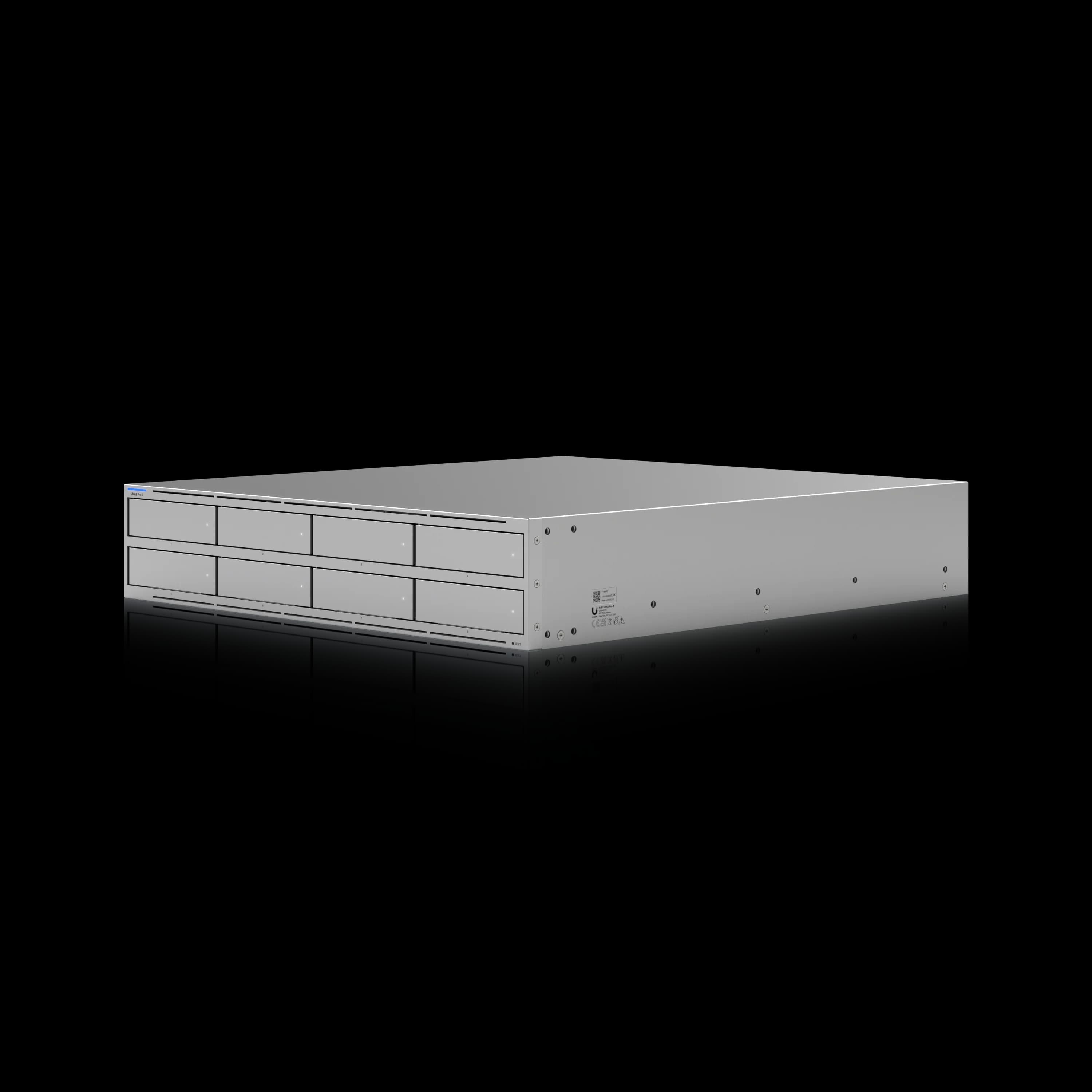
Core Differences Between the UNAS 4, Pro 4, and Pro 8
The UNAS 4 is a desktop unit for home and small office use, the Pro 4 is a 1U rackmount for small businesses, and the Pro 8 is a 2U rackmount for scaling storage and redundancy.
UNAS 4: Desktop Form Factor, PoE Power
The UNAS 4 is a compact desktop unit powered by PoE+++ — a single Ethernet cable from a compatible switch or the included 90W adapter handles both data and power. No rack required, no separate power run needed. At 246 × 129 × 224.5 mm and 5.7 lb, it sits on a desk, shelf, or next to a patch panel in a closet.
The trade-off is processing power and network speed. The ARM Cortex-A55 at 1.7 GHz with 4 GB RAM handles backup, file sharing for a small number of users, and camera footage archival well. Under concurrent multi-user access, throughput is limited by both the processor and the 2.5GbE link.
For a closer look at the UNAS 4 alongside its smaller sibling — including our field notes on desktop vs. rackmount placement and physical security — see our UNAS 2 vs UNAS 4 review.
UNAS Pro 4: 1U Rackmount with Dual 10G SFP+
The UNAS Pro 4 is a 1U rackmount NAS with dual 10G SFP+ ports, NVMe caching, and four hot-swap drive bays for $499.
It is the most compact UniFi NAS delivering 10G-capable file transfers. With a suitable HDD array, 10G network, and client, the Pro 4 can substantially exceed 2.5GbE transfer speeds — actual results depend on RAID layout, file size, disks, protocol, and cache behavior. It operates without per-seat licensing, making it a cost-effective appliance for offices already running 10G-capable UniFi switches. The USP-RPS DC input provides power failover without fully redundant internal power supplies.
UNAS Pro 8: 2U Rackmount with 8 Bays and Redundant Power
The UNAS Pro 8 is an 8-bay, 2U rackmount NAS with dual hot-swappable PSUs, 16 GB RAM, and triple 10G networking for $799. For a detailed comparison of the UNAS Pro 8 against the Synology DS1825+ and UGREEN DXP8800 Plus, see our best 8-bay NAS for small business guide.
It doubles the bay count over the Pro 4 (8 vs 4), doubles the RAM (16 GB vs 8 GB), and adds a native 10GbE RJ45 port alongside two SFP+ ports. The 2U chassis at 480mm depth requires a full-depth rack and weighs 25.35 lb. Of the three models compared here, the Pro 8 is the only one that supports multiple RAID groups and hot spare drives, enabling separate RAID arrays for different workloads with automatic rebuild on standby. (The original seven-bay UNAS Pro also supports these features but is not part of this three-way comparison.)
Introducing: Next-Gen UniFi Storage — UNAS 2, UNAS 4, UNAS Pro 4, UNAS Pro 8
Storage Capacity and RAID Limitations
The 4-bay UNAS 4 and Pro 4 support a single RAID group, while the 8-bay UNAS Pro 8 supports multiple RAID groups and hot spare drives.
Drive bay count dictates both total capacity and fault tolerance:
| Configuration | UNAS 4 / Pro 4 (4 bays) | UNAS Pro 8 (8 bays) |
|---|---|---|
| RAID 5 usable capacity | ~3 drives worth | ~7 drives worth |
| RAID 6 usable capacity | ~2 drives worth | ~6 drives worth |
| RAID 10 usable capacity | ~2 drives worth | ~4 drives worth |
| With 18 TB drives | 72 TB raw (RAID 5: ~54 TB usable) | 144 TB raw (RAID 5: ~126 TB usable) |
Capacities are approximate decimal terabytes before filesystem, snapshot, and formatting overhead. Reported TiB capacity will be lower.
With four bays in RAID 5, a single drive failure is tolerable — you get ~54 TB usable with 18 TB drives. With eight bays, the Pro 8 can run RAID 6 (two-drive fault tolerance) and still deliver ~108 TB of usable space with 18 TB drives — or split the array into multiple RAID groups with a hot spare for automatic rebuild.
NVMe Cache Differences
All three models include two M.2 NVMe slots for SSD caching. With one SSD installed, the cache operates in read-only mode. With two SSDs, the cache can operate in protected read-write mode (RAID 1). Cache benefits depend on the workload — repeated and random file access sees the most improvement, while large sequential transfers generally bypass the cache.
- UNAS 4: Max 2 TiB per NVMe slot
- UNAS Pro 4 and Pro 8: Max 4 TiB per NVMe slot
The 2 TiB limit on the UNAS 4 is adequate for most home and small office use, but businesses with larger active datasets benefit from the 4 TiB ceiling on the Pro models.
RAID Group Limits Matter
The UNAS 4 and Pro 4 support only a single RAID group — all drives must be in one array. Among the three models compared here, the Pro 8 is the only one that supports multiple RAID groups and hot spare drives. If you need to separate OS backups from file shares, or keep a dedicated Protect archival volume on a single device, the Pro 8 is the appropriate choice from this lineup. (The original seven-bay UNAS Pro also supports multiple RAID groups and a hot spare.)
Use CMR Drives — Avoid SMR
Use CMR (Conventional Magnetic Recording) NAS or enterprise drives for RAID workloads. Avoid SMR (Shingled Magnetic Recording) models — sustained writes and rebuild performance can be substantially worse, potentially causing rebuild failures on larger arrays. Seagate IronWolf/IronWolf Pro, WD Red Pro, and Toshiba N300/MG series are all CMR. WD Red (non-Pro) and some Seagate Barracuda models are SMR — check the manufacturer's spec sheet before purchasing.
Recommended Drives for UniFi NAS
| Drive | Type | Capacities | Workload Rating | Notes |
|---|---|---|---|---|
| Seagate IronWolf Pro | CMR | 4–32 TB | Up to 550 TB/yr | 5-year warranty; workload rating varies by capacity |
| WD Red Pro | CMR | 2–26 TB | Up to 550 TB/yr | Workload rating varies by model |
| Toshiba N300 | CMR | 4–20 TB | 180 TB/yr | Budget-friendly CMR option |
| Ubiquiti UACC-HDD-E | CMR | 8, 16, 24 TB | 550 TB/yr | Ubiquiti-qualified; enterprise workload rating |
For NVMe cache slots, use M.2 2280 NVMe SSDs with verified compatibility. High-endurance options such as the WD Red SN700 are preferred for sustained cache writes. Check Ubiquiti's compatibility guidance and confirm the physical form factor before purchasing — not all enterprise SSDs ship in standard M.2 2280. Maximum per slot: 2 TiB (UNAS 4) or 4 TiB (Pro 4 and Pro 8). Drives sold separately; prices change frequently.
Network Speed Comparison: 2.5GbE vs 10G SFP+ vs 10GbE RJ45
The UNAS 4 is limited to 2.5GbE (~280 MB/s), while both Pro models deliver 10G networking via SFP+ ports. Only the Pro 8 includes a native 10GbE RJ45 copper port.
| UNAS 4 | UNAS Pro 4 | UNAS Pro 8 | |
|---|---|---|---|
| Primary link | 1× 2.5GbE RJ45 | 2× 10G SFP+ | 2× 10G SFP+ |
| Secondary | 1× USB-C 5Gbps (expansion) | 1× 1GbE RJ45 | 1× 10GbE RJ45 (multi-gig) |
| Practical throughput ceiling | ~280 MB/s | ~1,250 MB/s per SFP+ (line rate) | ~1,250 MB/s per SFP+ + 10GbE copper (line rate) |
| Requires SFP+ switch? | No | Yes | No (10GbE RJ45 works on copper) |
UNAS 4 tops out at approximately 280 MB/s, which is adequate for document sharing and backup for a small number of users. It is not suited for video editing workflows or large concurrent file transfers.
UNAS Pro 4 delivers dual 10G SFP+ ports. Actual SMB file throughput will be lower than the 1,250 MB/s line rate due to Ethernet, protocol, storage, and client overhead. It requires an SFP+-capable switch (UniFi Pro Max 24/48 PoE, Pro XG 24, or similar). If your switch only has RJ45 ports, you will need SFP+ to RJ45 transceivers at $30–$65 each. Copper SFP+ modules generally run warmer and consume more power than DAC cables — Ubiquiti's own multigig adapter draws up to 1.9W, but third-party modules vary — so check the selected module's thermal and power specifications.
UNAS Pro 8 includes the same dual 10G SFP+ ports plus a native 10GbE RJ45 port that auto-negotiates down to 5G/2.5G/1G. It works in both SFP+ fiber and copper environments without additional transceivers.
10G Switch Cost
If you do not already own a 10G-capable switch, allow roughly $270 to $900 or more for a UniFi switch with SFP+ uplinks, depending on port count, PoE requirements, and whether an aggregation switch is sufficient. This shifts the real cost gap between the UNAS 4 and the Pro models significantly. The Pro 8's 10GbE RJ45 port can connect directly to a multi-gig switch without SFP+ modules, potentially saving on infrastructure costs.
Processor and RAM Specifications
The UNAS 4 uses an ARM Cortex-A55 with 4 GB RAM. Both Pro models use a faster ARM Cortex-A57, with the Pro 4 at 8 GB and the Pro 8 at 16 GB. None are user-upgradable.
| UNAS 4 | UNAS Pro 4 | UNAS Pro 8 | |
|---|---|---|---|
| CPU | ARM Cortex-A55 @ 1.7 GHz | ARM Cortex-A57 @ 2.0 GHz | ARM Cortex-A57 @ 2.0 GHz |
| RAM | 4 GB (fixed) | 8 GB (fixed) | 16 GB (fixed) |
| Suited for | Light file sharing and backup | Moderate multi-user SMB workloads | Larger concurrent file workloads and multiple storage pools |
RAM is soldered on all three models.
The UNAS 4's A55 at 1.7 GHz is a lower-power core suited for file serving and NFS/SMB access for a small number of users. Performance degrades under concurrent multi-protocol access from larger groups.
The Pro models share the same A57 at 2.0 GHz, but the Pro 8's 16 GB RAM provides additional memory capacity. With 8 bays worth of data and multiple users accessing different shares simultaneously, the extra memory reduces cache thrashing and improves response times. For an office of 20+ employees hitting the NAS regularly, 16 GB is more appropriate for that workload.
Power Supply and Redundancy
The UNAS 4 runs on PoE+++, the Pro 4 uses a single internal PSU with optional RPS power failover, and the Pro 8 has dual hot-swappable power supplies.
| UNAS 4 | UNAS Pro 4 | UNAS Pro 8 | |
|---|---|---|---|
| Power method | PoE+++ (90W adapter) | 150W internal AC/DC | 2× 550W hot-swap modules |
| Redundant PSU | No | Single internal PSU with optional USP-RPS power failover | Yes — dual hot-swappable |
| Max power draw | 90W | 150W | 250W |
| UPS recommendation | Recommended | Strongly recommended | Essential for business-critical storage |
The UNAS 4's PoE+++ power allows placement near a PoE switch without a separate power outlet. A PoE switch backed by a UPS also provides power protection for the NAS.
The UNAS Pro 4 has one internal power supply plus an optional external USP-RPS input from the UniFi SmartPower Redundant Power System. The RPS protects against internal PSU failure or AC-source loss, but it is not the same architecture as the Pro 8's dual hot-swappable internal power supplies.
The UNAS Pro 8 is the only model with dual hot-swappable power supplies. If one PSU fails, the other takes over with zero downtime. For businesses with uptime requirements, this provides continuity without a secondary failover device.
Fan Noise and Placement Considerations
In our experience, the UNAS 4 is the quietest model in the lineup, suitable for placement near workstations. Both rackmount Pro models use server-grade fans that are audible under load.
The desktop UNAS 4 is the safest choice near occupied workspaces — its enclosure runs quietly enough for a home office or closet. The UNAS Pro 4's 1U chassis uses small, high-RPM fans — standard for 1U server hardware — that are noticeably louder than the desktop model. Do not place a Pro 4 in an open office next to workstations. Rackmount models are better placed in a rack room or enclosed IT area.
For all three models, noise increases under drive rebuild or heavy sequential write loads.
Best UNAS for Home Use and UniFi Protect Archival
Recommendation: UNAS 4 ($379)
The UNAS 4 is well-suited for home users and UniFi Protect camera archival. Its desktop form factor, PoE power, and 4-bay storage cover this use case without requiring rack infrastructure or 10G switching.
The scenario: You run UniFi Protect cameras at home or a small site and want long-term footage archival beyond what the NVR retains. You also want a central file server for household backups, media, and Time Machine.
Why the UNAS 4 fits:
- PoE+++ power allows placement near your network closet using a single Ethernet cable, with no separate power outlet required
- 4 bays in RAID 5 provides ~24–54 TB usable capacity (depending on drive size — 8 TB to 18 TB), sufficient for long-term footage archival and personal file storage
- 2.5GbE is more than enough for Protect archive transfers and home file sharing
- 1.47" color LCD shows status without needing the UniFi console
- $379 keeps total investment low when paired with NAS-grade drives
Important limitation: The UNAS does not run UniFi Protect. It archives footage from a separate Protect device (UNVR, UDM Pro, UDM Pro Max) via the export/archival feature. You still need a dedicated Protect NVR for live recording and camera management.
Typical home deployment cost:
- UNAS 4: $379
- 4× Seagate IronWolf 8TB: ~$640
- Total: ~$1,019 (no switch upgrade needed if already on GbE/2.5GbE)
Best UNAS for Small Business (5–25 Employees)
Recommendation: UNAS Pro 4 ($499)
The UNAS Pro 4 is a practical choice for small businesses running a UniFi rack. At $499 with no per-seat licensing, it includes dual 10G SFP+, NVMe caching, and a 1U form factor — features that comparable Synology rackmount models typically cost more to match.
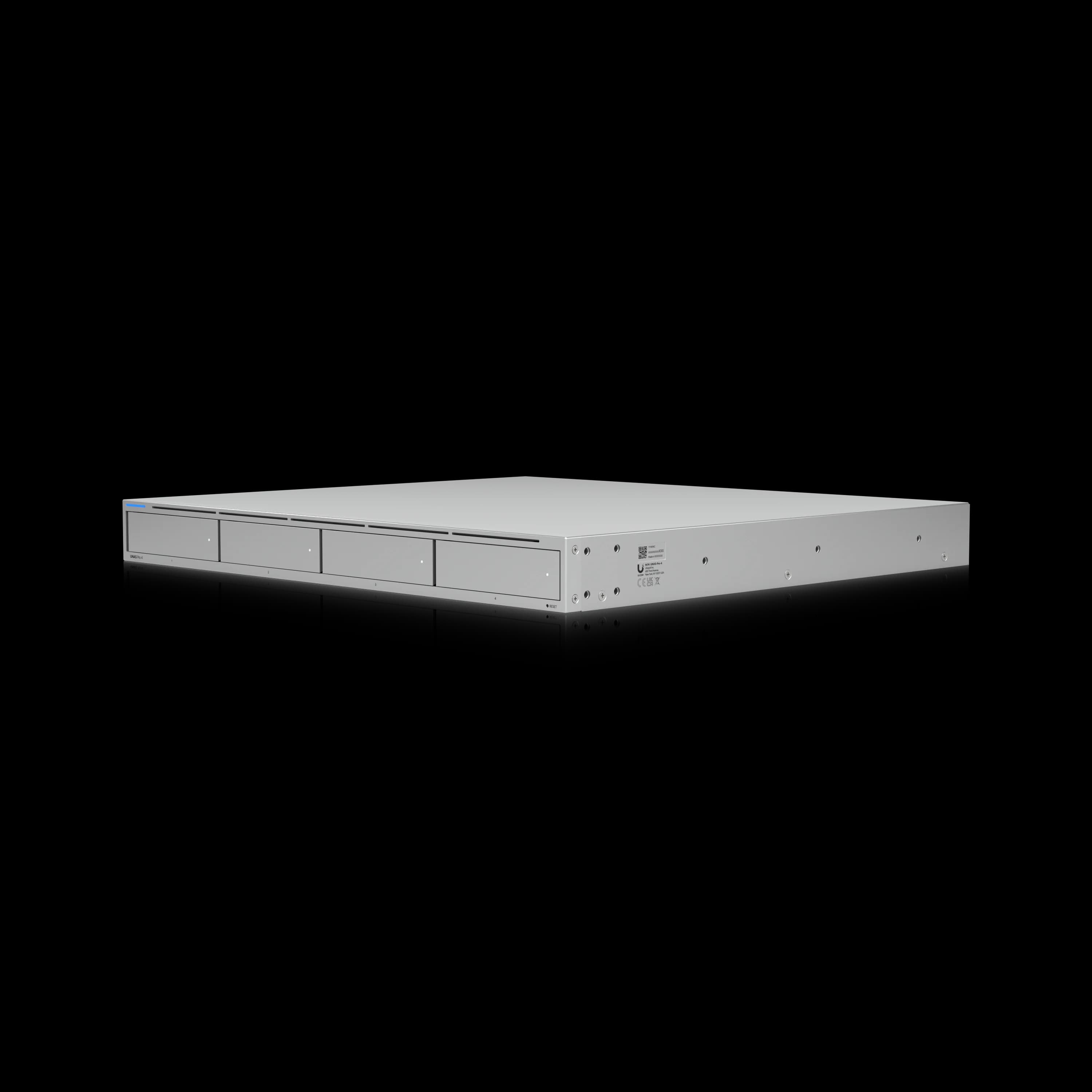
UniFi UNAS Pro 4
1U rackmount NAS with dual 10G SFP+, NVMe caching, and license-free UniFi Drive — suited for small businesses running a UniFi rack.
- Dual 10G SFP+
- 2× M.2 NVMe Cache
- 4× Hot-Swap Bays
- 8 GB RAM
- 1U Rackmount
- License-Free
*Price at time of publishing
The scenario: Your office has 5–25 employees sharing documents, project files, and backups. You run a UniFi rack with a gateway, PoE switch, and possibly Protect cameras. You need fast, reliable file storage that manages from the same console.
Why the Pro 4 fits:
- Dual 10G SFP+ connects directly to your UniFi Pro Max switch uplinks — no transceivers needed if your switch has SFP+ slots
- NVMe caching accelerates access to frequently used files, particularly for repeated and random I/O workloads
- 1U form factor preserves rack space — pair it with a UDM Pro Max, a Pro Max 24 PoE switch, and a UPS in a compact 12U rack
- 8 GB RAM handles moderate concurrent SMB/NFS connections in our tested deployments
- License-free — no per-seat charges, no subscriptions, no recurring per-user licensing
- UNAS-to-UNAS replication enables automated backup to a second UNAS at another site
Key constraints to plan for:
- 4 bays means ~54 TB usable in RAID 5 with 18 TB drives — adequate for most SMBs, but no room to grow beyond that
- Single RAID group only — all four drives must be in one array
- No Docker, VMs, or iSCSI — this is a file and backup appliance, not a general-purpose server
Note on the original UNAS Pro: Ubiquiti also sells the older seven-bay UNAS Pro at $499. It lacks NVMe caching and has only a single 10G SFP+ port, but it offers seven bays, multiple RAID groups, and hot-spare support — features the Pro 4 does not have. The buying distinction is:
- Pro 4: NVMe cache, dual 10G interfaces, compact 1U design.
- Original Pro: Seven bays, multiple RAID groups, hot spare, but no NVMe cache and only one 10G interface.
- Pro 8: Eight bays, NVMe cache, multiple RAID groups, hot spare, dual internal PSUs, and three 10G interfaces.
If capacity and RAID flexibility matter more than NVMe cache and dual 10G, the original Pro remains a viable alternative at the same price as the Pro 4.
Typical SMB deployment cost:
- UNAS Pro 4: $499
- 4× WD Red Pro 18TB: ~$1,200
- 2× NVMe 1TB cache: ~$120
- SFP+ DAC cables (2×): ~$30
- Total: ~$1,849 (assuming existing 10G switch)
As of July 2026, the Pro 4 is the UniFi NAS model we have deployed most often in small client offices, typically alongside a 10G-capable UniFi switch. It handles the role of fast file sharing managed from a single console with no per-seat licensing.
Best UNAS for Growing Businesses and Multi-Site Deployments
Recommendation: UNAS Pro 8 ($799)
The UNAS Pro 8 is suited for businesses that expect storage growth, require high availability, or need to separate workloads across RAID groups. The $300 premium over the Pro 4 adds double the bays, double the RAM, redundant power, and multi-RAID support.
The scenario: Your business has more than 20 employees, you handle regulated data, or you operate multiple sites that need replicated storage.
Why the Pro 8 fits:
- 8 bays provide room for future drives, subject to the expansion and RAID-migration options supported by the installed UniFi Drive release — or run RAID 6 (two-drive fault tolerance) with 6+ drives from day one
- Multiple RAID groups let you separate file shares from Protect archival or backup volumes on the same appliance
- Hot spare support keeps a standby drive ready for automatic rebuild without manual intervention
- Dual hot-swappable PSUs mean a power supply failure does not take storage offline
- 16 GB RAM handles larger concurrent file workloads and multiple storage pools
- Native 10GbE RJ45 connects directly to copper switches — no SFP+ modules needed if your infrastructure is RJ45-based
- UNAS-to-UNAS replication across sites supports a 3-2-1 backup strategy without third-party software
Typical growing-business deployment cost:
- UNAS Pro 8: $799
- 6× Seagate IronWolf Pro 18TB: ~$2,100
- 2× NVMe 2TB cache: ~$200
- 1× hot spare 18TB drive: ~$350
- Total: ~$3,449 (drives are always the biggest cost)
For businesses in regulated industries — healthcare, legal, financial services — the Pro 8's redundant power and multi-RAID support can contribute to a more resilient storage and backup design. However, compliance depends on the complete control environment, retention policy, access controls, offsite copies, testing, and documentation. Paired with cloud backup to Backblaze B2 or Wasabi, it supports a 3-2-1 backup strategy.
Best UNAS for Video Editing and Content Creation
Recommendation: UNAS Pro 4 (Budget) or UNAS Pro 8 (Headroom)
Content creators working with video, photography, or design files benefit from 10G networking — which rules out the UNAS 4. Between the two Pro models, the Pro 4 is sufficient for solo creators or small studios. The Pro 8 makes sense when raw footage storage exceeds 50 TB or multiple editors access the NAS simultaneously.
The scenario: You edit 4K/6K video, manage large photo libraries, or run a design studio where team members pull multi-gigabyte files from shared storage regularly.
Network speed matters here: A 30 GB video project file takes approximately 2 minutes to transfer over 2.5GbE (~280 MB/s). Over a 10G link, the same file can transfer in roughly 30–45 seconds depending on disk throughput, protocol overhead, and whether the data is cached. For teams doing this repeatedly throughout a workday, the difference adds up.
UNAS Pro 4 for solo/small studio:
- 4 bays in RAID 5 with 18 TB drives = 72 TB raw, ~54 TB usable
- NVMe caching may improve some repeated and random-access workflows, but it does not replace a properly sized storage array — prioritize 10G networking and sufficient disk throughput
- Dual SFP+ interfaces provide additional connectivity and network-design flexibility for ingest and editing workflows
- $499 total NAS cost keeps the budget for drives and a good monitor
UNAS Pro 8 for multi-editor studio:
- 8 bays in RAID 6 with 22 TB drives = ~176 TB raw, ~132 TB usable with two-drive redundancy
- 16 GB RAM handles multiple editors pulling different project files simultaneously
- Multiple RAID groups let you keep a fast "working" pool (4 drives, RAID 10) and a deep "archive" pool (4 drives, RAID 5) on the same box
- Native 10GbE RJ45 means one less transceiver to troubleshoot
Total Cost of Ownership: UNAS 4 vs Pro 4 vs Pro 8
The NAS unit price is only part of the total investment. Drives, 10G switch requirements, and power protection shift the real cost gap between models:
| Cost Component | UNAS 4 | UNAS Pro 4 | UNAS Pro 8 |
|---|---|---|---|
| NAS unit | $379 | $499 | $799 |
| 4× 18TB NAS drives | $1,200–$1,400 | $1,200–$1,400 | $1,200–$1,400 (partial fill) |
| 8× 18TB NAS drives | N/A | N/A | $2,400–$2,800 |
| 2× NVMe 1TB cache | ~$120 | ~$120 | ~$120 |
| 10G switch (if needed) | Not needed | $270–$900 | $270–$900 (or use RJ45) |
| SFP+ transceivers/DACs | Not needed | $30–$60 | Optional |
| UPS | Recommended | $200–$400 | $200–$400 |
| Annual licensing | $0 | $0 | $0 |
| Typical total (4 drives) | ~$1,700–$1,900 | ~$2,050–$2,980 | ~$2,520–$3,620 |
| Typical total (8 drives) | N/A | N/A | ~$3,720–$4,920 |
The NAS itself costs $120 more (Pro 4 vs UNAS 4), but the deployed-cost difference can be much larger if the Pro 4 requires a new 10G switch, DACs, or transceivers. Conversely, if you already own a 10G switch, the gap narrows to the $120 device price difference. If you need to buy a switch, the effective gap can reach $800+ — which makes the Pro 8 with its 10GbE RJ45 port a more compelling upgrade.
All three models are license-free with no per-seat charges. A comparable Synology DS925+ ($600) with similar storage capacity and the Synology RS422+ rackmount ($750+) with no 10G and only 4 bays illustrate the competitive pricing, though the platforms differ significantly in software capabilities.
UniFi Drive Status — July 2026
UniFi Drive has received several meaningful updates since the original publication of this comparison. Key additions as of mid-2026:
- Active Directory integration — UniFi Drive can authenticate existing AD users for SMB share access. It does not act as a domain controller, but it eliminates the need for separate local NAS accounts in AD environments.
- Native rsync support — UniFi Drive supports rsync backup tasks and can operate as an rsync server. Synology, QNAP, Linux, and other compatible systems can exchange backup data with a UNAS through rsync or SMB.
- Read-write SSD cache — Two M.2 SSDs can provide protected read-write cache in RAID 1 (a single SSD provides read-only cache).
- Data scrubbing — Periodic integrity verification for RAID arrays.
- SMB Trash — Recoverable file deletion for SMB shares.
- Drive 4.3.6 (June 2026) — The most recent release at the time of this update, with additional SMB functionality.
The UNAS 4's ARM Cortex-A55 architecture is newer to the UniFi Drive platform than the Pro models. If you are buying the UNAS 4 for a business-critical role, monitor the Ubiquiti Community forums for firmware release notes before deploying in production.
Migrating to a New UNAS from an Existing Device
Ubiquiti documents a direct hardware migration path between UNAS models. You create a system configuration backup on the source device, move the existing drives into the new UNAS in the same bay order, and restore the backup. The destination must have the same number of bays or more — so a Pro 4 to Pro 8 migration is supported, but moving from a seven-bay UNAS Pro to a four-bay Pro 4 is not.
For cross-model migrations where direct drive transfer is not possible, use UNAS-to-UNAS replication or a network file copy. For users moving from a Synology or other third-party NAS, plan for a direct SMB, rsync, or NFS file transfer over the network — there is no import tool in UniFi Drive that reads foreign RAID arrays or backup formats. A 40 TB migration can take well over a day in a typical HDD-based environment. Large sequential files over a well-tuned 10G connection move faster than directories containing millions of small files.
UniFi Drive Software: Features and Limitations
All three models run the same UniFi Drive application and share its core file, backup, snapshot, and identity features. Hardware-dependent storage and redundancy options vary by model. UniFi Drive is Ubiquiti's license-free NAS operating system, managed through the UniFi console.
UniFi Drive: How It Works
Shared capabilities across all three models:
- File protocols: NFS and SMB (no iSCSI, no AFP)
- Cloud backup: Google Drive, OneDrive, Dropbox, Amazon S3, Backblaze B2, Wasabi
- Microsoft 365 OneDrive backup (added in Drive 4.0, February 2026)
- S.M.A.R.T. drive health monitoring in the UniFi console
- UNAS-to-UNAS replication for offsite backup between UniFi NAS devices
- Snapshots for point-in-time recovery
- File encryption at rest
- Time Machine backup for Mac workstations
- Share links for external file sharing
- UniFi Identity integration for user management
- Active Directory integration — AD users can authenticate to SMB shares and the Drive portal (the NAS cannot act as a domain controller)
- Native rsync support — rsync backup tasks and rsync server operation for pull-based backups with checksum verification
- Personal and shared drives per user/group
- Third-party backup ingress: Synology, QNAP, Linux, and other systems can exchange backup data with UniFi Drive through supported rsync workflows. Other file-copy and backup tools may also use SMB shares.
What UniFi Drive does not support (on the UNAS 4, Pro 4, or Pro 8):
- Docker containers or virtual machines
- iSCSI block storage (available on the separately sold Enterprise NAS)
- Native UniFi Protect recording (archival only, from a separate NVR)
- Acting as an Active Directory domain controller (AD authentication for SMB is supported)
- Third-party app packages (unlike Synology DSM or QNAP QTS)
- Plex, Jellyfin, or other media server applications
When to Choose Synology or TrueNAS Instead
UniFi NAS is strictly a file serving and backup appliance. Users who need Docker containers, virtual machines, Plex media servers, or iSCSI block storage must choose a different platform.
Ubiquiti has scoped the UNAS lineup to SMB/NFS file serving, cloud backup, and UniFi ecosystem integration. There is no app store, no container runtime, and no support for third-party software on any UNAS model. If your requirements include any of the following, a different platform is more appropriate:
- Media server (Plex, Jellyfin, Emby): Choose a Synology DS925+ or UGREEN DXP4800 Plus, both of which run Docker natively. See our best NAS for small business comparison for a side-by-side analysis.
- Virtual machines or development environments: Synology Virtual Machine Manager or a dedicated TrueNAS server.
- iSCSI block storage for VMware/Hyper-V: Synology or QNAP with iSCSI target support. Ubiquiti's newer Enterprise NAS adds ZFS and iSCSI, but it belongs to a substantially higher price class ($3,999).
- Active Directory domain controller: Windows Server or Synology Directory Server. UniFi Drive can authenticate existing AD users, but it cannot act as the domain controller.
- Extensive third-party integrations: Synology DSM's package ecosystem remains significantly broader than UniFi Drive.
The UNAS 4, Pro 4, and Pro 8 remain focused on file sharing and backup. Businesses requiring ZFS, iSCSI, ECC memory, or 25G networking should also evaluate the Enterprise NAS, which sits above the three UNAS models compared here.
Which UniFi NAS Should You Buy?
Choose the UNAS 4 for desktop storage, the Pro 4 for compact four-bay 10G storage, and the Pro 8 for capacity and redundancy.
Do Not Buy These Models If…
- You need Docker containers or virtual machines on the NAS.
- You need Plex, Jellyfin, or other media server applications running on the NAS.
- You require iSCSI on one of these three models (see the Enterprise NAS instead).
- You need the NAS to act as an Active Directory domain controller (AD authentication for SMB shares is supported, but domain-controller functionality is not).
- You need third-party application packages.
- You want extensive server customization.
Choose the UNAS 4 ($379) if you need desktop NAS storage without rack infrastructure. It is well suited for home labs, UniFi Protect footage archival, personal backup, and small offices with a small number of users. PoE+++ power and the compact form factor simplify placement.
Choose the UNAS Pro 4 ($499) if you run a UniFi rack and need fast, license-free file storage for a small to mid-size office. The dual 10G SFP+ and NVMe caching deliver 10G-capable file transfers, and the 1U form factor keeps your rack tidy. As of July 2026, this is the model we deploy most often in client offices.
Choose the UNAS Pro 8 ($799) if your business is growing, you require redundant power, or you need more than 4 drive bays. The $300 premium over the Pro 4 adds double the bays, double the RAM, dual hot-swappable power supplies, multiple RAID groups, hot spare support, and a native 10GbE RJ45 port — useful for higher-availability environments where storage uptime is a business requirement.
Related Resources
- UniFi NAS Buyer's Guide 2026 — Full lineup comparison including UNAS 2 and original UNAS Pro with pricing and spec details.
- UNAS Pro 4 Review — In-depth review of the 1U rackmount NAS with real SMB deployment data and Active Directory integration testing.
- UNAS 2 vs UNAS 4 Review — Dedicated review of the two desktop models — backup/DR use cases, file-server replacement, and rack-vs-desktop deployment guidance.
- UNAS Pro 4 vs UGREEN DXP4800 Plus — Whether staying inside the UniFi ecosystem for storage costs you anything real, and what specifically.
- Best 8-Bay NAS for Small Business — Full cost, capacity and software comparison of UNAS Pro 8 vs Synology DS1825+ vs UGREEN DXP8800 Plus.
- Best NAS for Small Business 2026 — Cross-brand comparison including Synology DS925+ and UGREEN DXP4800 Plus for buyers considering alternatives.
- UniFi Drive 4.0 vs Synology — Software platform analysis comparing UniFi Drive features and limitations against Synology DSM.
- Best UPS for UniFi Rack — Power protection recommendations for UNAS Pro rack deployments including graceful shutdown configuration.
- Complete UniFi Buyer's Guide — Gateway, switch, and access point recommendations for the broader UniFi ecosystem.
Frequently Asked Questions
Related Articles
More from UniFi Networks
UniFi NAS vs Synology in 2026: Features, Pricing, Backup, and Which to Buy
UniFi NAS vs Synology in 2026: Microsoft 365 backup, snapshots, remote access, applications, and hardware costs compared using vendor documentation. Updated for UniFi Drive 4.4 and Synology DSM 7.4.1.
13 min read

UniFi NAS Buyer's Guide 2026: The Best UNAS for Small Business
Compare every UniFi NAS model — UNAS 2, UNAS 4, UNAS Pro 4, UNAS Pro, and UNAS Pro 8 — with specs, bays, networking, and real-world performance data for SMB and MSP buyers. Check the Ubiquiti Store for current pricing.
22 min read

We Ran 538 Ubiquiti Devices for 4 Years. Here's What Actually Failed.
Real fleet data: 538 UniFi devices tracked over 4 years. 0.74% replacement rate, 99.99% core uptime, and five incident post-mortems from commercial sites.
15 min read