

Best UniFi Switches 2026: Which Switch Is Right for Your Setup?
Field-informed guide to UniFi PoE switches — Lite, Pro Max, Pro HD, Pro XG, and Enterprise Campus lines compared with real deployment data. Find the right switch for your home lab, small office, or enterprise edge.

We've deployed UniFi switches across dozens of South Florida businesses — hospitality, professional services, multi-site retail — and this guide maps the most popular PoE switch lines to the setup each one actually fits. The comparison table below covers the Lite, Pro Max, Pro HD, and Pro XG PoE models; later sections explain where Enterprise Campus switches fit. The section after the table walks through the three factors that determine which switch you need.
For a full map of the UniFi ecosystem by office size, see our comprehensive UniFi business buyer's guide.
Affiliate Disclosure: This article contains affiliate links. If you make a purchase through these links, we may earn a small commission at no extra cost to you. As an Amazon Associate, iFeelTech earns from qualifying purchases.
| Switch | Best For | Ports | PoE Budget | Uplink | Noise | Price |
|---|---|---|---|---|---|---|
| Lite 8 PoE | Home lab, single AP | 8× 1G (4 PoE) | 52W | 1G | Fanless | $109 |
| Lite 16 PoE | Small office, light PoE | 16× 1G (8 PoE) | 45W | 1G | Fanless | $199 |
| Pro Max 16 PoE | Small office, WiFi 7 | 4× 2.5G + 12× 1G | 180W | 2× 10G SFP+ | Fanless | $399 |
| Pro Max 24 PoE | Most SMB deployments | 8× 2.5G + 16× 1G | 400W | 2× 10G SFP+ | Low fan | $799 |
| Pro Max 48 PoE | High-density offices | 16× 2.5G + 32× 1G | 720W | 4× 10G SFP+ | Closet | $1,299 |
| Pro HD 24 PoE | All-2.5G WiFi 7 dense | 22× 2.5G + 2× 10G | 600W | 4× 10G SFP+ | Low fan | $999 |
| Pro XG 8 PoE | Compact 10G edge | 8× 10G | 155W | 2× 10G SFP+ | Low fan | $499 |
| Pro XG 10 PoE | 10G server/NAS closet | 10× 10G | 400W | 2× 10G SFP+ | Closet | $699 |
| Pro XG 24 PoE | 10G distribution layer | 16× 10G + 8× 2.5G | 720W | 2× 25G SFP28 | Closet | $1,799 |
| Pro XG 48 PoE | Large-scale 10G distribution | 32× 10G + 16× 2.5G | 1,080W | 4× 25G SFP28 | Closet | $2,499 |
Voltage note for high-power models: Most PoE budgets in the table remain unchanged at 120V. The Pro XG 48 is an exception: it provides 972W at 100–120V versus 1,080W at 200–240V. The Enterprise Campus 48, discussed below, provides 1,750W in shared mode at 100–120V versus 2,150W at 200–240V. If you are sizing a high-power deployment on standard US 120V circuits, verify the voltage-specific budget on the product's tech specs page. The Noise column reflects field impressions and installation guidance, not controlled dBA measurements at a stated distance and load.
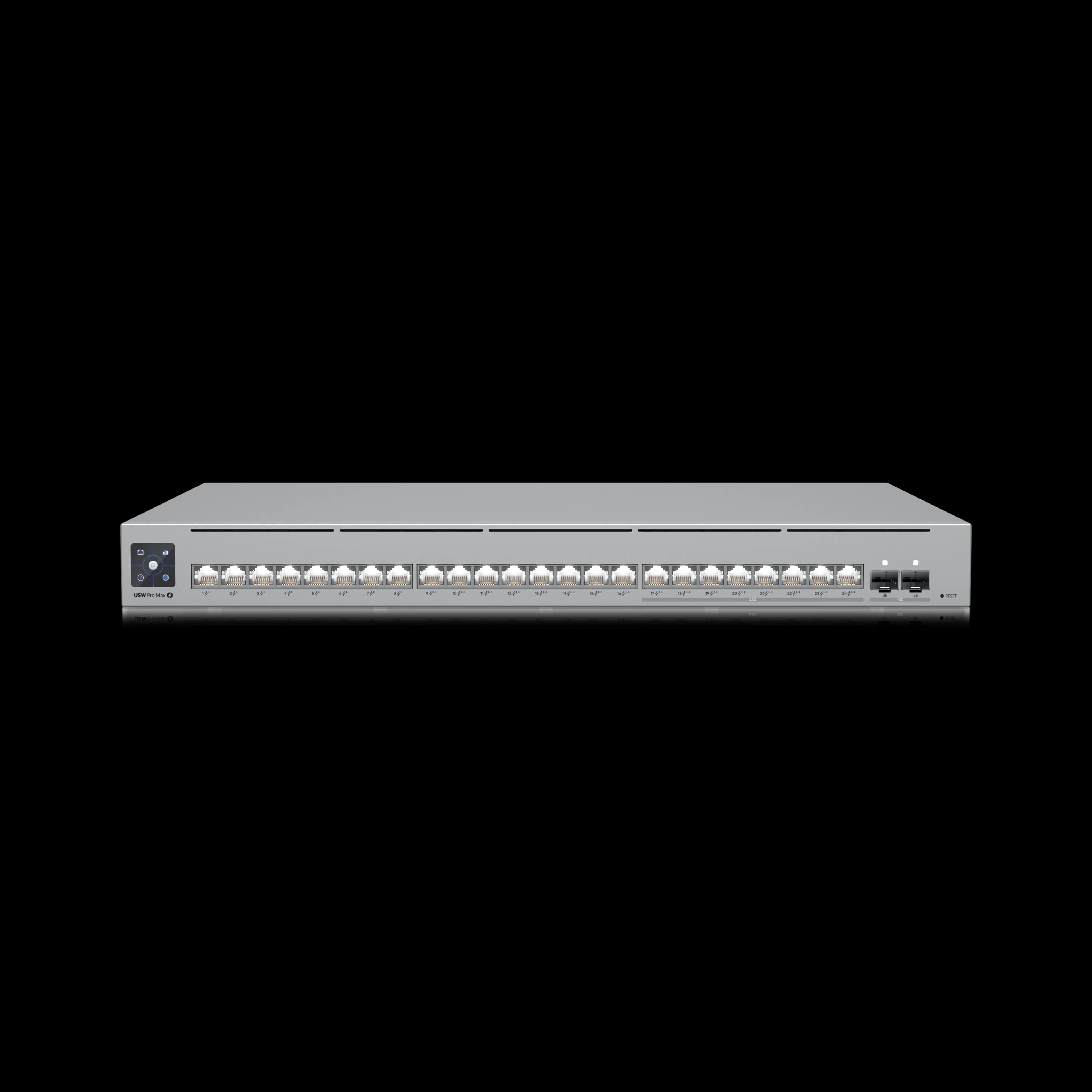
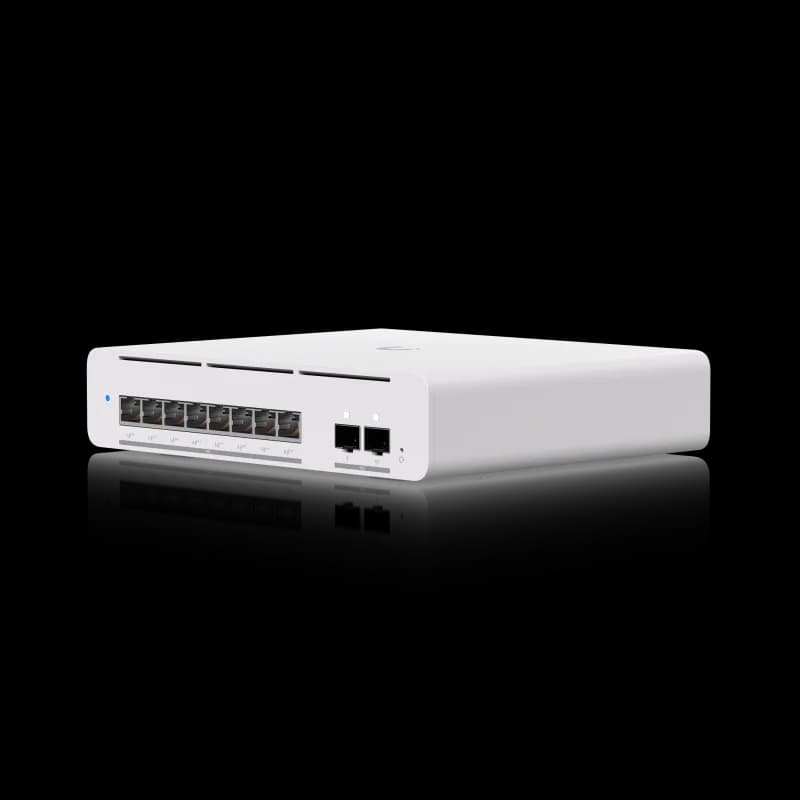
UniFi Switch Pro Max 24 PoE
400W PoE, 8× 2.5G + 16× 1G ports, Layer 3, Etherlighting. The switch we deploy most often across South Florida businesses.
- 400W PoE Budget
- 8× 2.5G + 16× 1G Ports
- Layer 3 + Etherlighting
- 2× 10G SFP+ Uplinks
*Price at time of publishing
How Do You Choose the Right UniFi Switch?
Choose a UniFi switch based on three factors: total PoE budget, the number and speed of required ports, and Layer 3 routing requirements. Identifying these before comparing individual models simplifies the selection process significantly.
How Do You Calculate a UniFi PoE Budget?
When calculating your PoE budget, you have two numbers to consider: each device's maximum rated wattage and its sustained draw. In our deployments, we size every switch based on maximum rated wattage plus a 20% buffer. This is our deployment standard — not a formal industry specification — but we have found it reliably accounts for expansion, power-source derating, environmental conditions, and simultaneous initialization at power-on.
PoE Budget Formula
Add up the maximum rated wattage of every PoE device you plan to connect, then multiply by 1.2 for headroom.
Example: 6 WiFi 7 APs (21W each) + 4 cameras (10W each) + 8 VoIP phones (6.5W each) = 126 + 40 + 52 = 218W max × 1.2 = 262W minimum.
That rules out the Lite line (52W max), the Pro 8 PoE (120W), and the Pro Max 16 PoE (180W), placing you in Pro Max 24 PoE (400W) territory with comfortable headroom.
Why size by max rather than sustained draw? Three reasons from our field experience: (1) when power is restored after an outage, every PoE device initializes simultaneously and may pull its full rated wattage for several seconds — a switch sized only for sustained draw can fail to boot some APs; (2) cameras spike in power consumption when IR illuminators activate at night or internal heaters engage in cold environments; (3) a switch with no wattage headroom means no room to add devices without replacing hardware.
Real-World Device Wattage Reference
| Device | Max Rated Wattage | Typical Sustained Draw |
|---|---|---|
| U7 Pro (WiFi 7 AP) | 21W | ~10W |
| U7 Pro XG (WiFi 7 10GbE AP) | 22W | ~12W |
| U7 Lite (WiFi 7 AP) | 13W | ~8W |
| G5 Pro camera | 10W (12.95W with Enhancer) | ~7W |
| G5 Flex camera | 4W | ~3W |
| VoIP phone (typical) | 6.5W | ~4W |
| UniFi Access Reader | 6.5W | ~4W |
Worked example — mid-size office (sized by max rated wattage):
- 8× U7 Pro APs: 8 × 21W = 168W
- 6× G5 Pro cameras: 6 × 10W = 60W
- 10× VoIP phones: 10 × 6.5W = 65W
- Total max rated: 293W × 1.2 = 352W minimum PoE budget
That fits the Pro Max 24 PoE (400W) with 48W against the buffered calculation — room for a couple of additional cameras (10W each), though not two more U7 Pro APs at 21W each under this rule.
Understanding sustained draw is still valuable for monitoring network health and power management. Based on UniFi Network switch telemetry across more than 50 client deployments (2024–2026, spanning multiple switch generations and firmware releases, mixed AP/camera/VoIP environments), we observe real-world sustained draw is typically 40–70% of max spec (median approximately 55%), depending on client load, active radio chains, IR illuminator state, and feature usage. These figures come from controller telemetry, not laboratory-grade power measurement, so treat them as field observations rather than certified readings. The same mid-size office above draws roughly 160–200W during normal operation, well within the Pro Max 24's 400W budget. This gap between sustained draw and switch capacity is not wasted — it is your safety margin for boot surges, environmental spikes, and future expansion.
UPS sizing note: The PoE budget is not the switch's total power draw. Each switch consumes additional wattage to run its own electronics, fans, and management processor. For example, the Pro Max 48 PoE draws up to 100W internally on top of its 720W PoE budget, for a maximum wall draw of 820W. When sizing a UPS or backup power system, use the switch's total max power consumption — not just the PoE budget. Ubiquiti publishes this figure on each product's tech specs page.
2. Uplink Speed: The WiFi 7 Constraint
If you're running WiFi 7 access points, uplink speed matters more than port count. A U7 Pro connects at 2.5GbE. Pairing it with a switch that only has 1G uplinks limits that $189 access point to gigabit throughput.
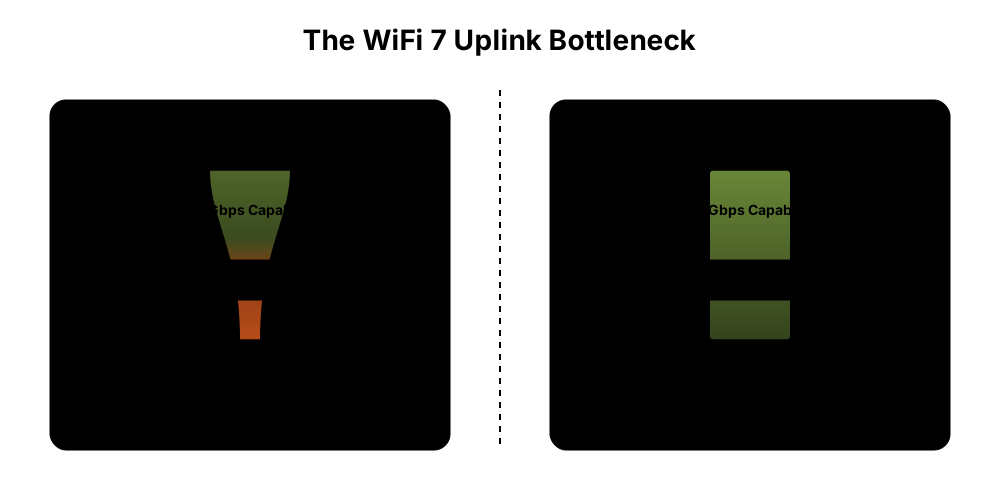
1G uplinks (Lite line): Fine for WiFi 5/6 APs, basic office traffic. Bottleneck for WiFi 7.
2.5G ports + 10G SFP+ uplinks (Pro Max line): The right match for WiFi 7 deployments. The 2.5G ports connect APs directly; the 10G SFP+ uplinks connect back to your core switch or gateway.
10GbE downlinks (Pro XG line): For servers, NAS arrays, and high-end APs like the U7 Pro XG that have 10G uplinks. More throughput than most access-layer deployments require.
SFP+ uplinks require separate transceivers or cables. No UniFi switch ships with SFP+ modules — you need to purchase DAC (Direct Attach Copper) cables for short rack-to-rack connections or fiber transceivers for longer runs. Ubiquiti sells both, and third-party compatible modules work as well. For a full breakdown of which cable or module fits your setup, see our UniFi fiber and SFP module selection guide.
3. Layer 3 vs. Layer 2: When Routing at the Switch Matters
Layer 2 switches forward traffic. Layer 3 switches can also route between VLANs — meaning inter-VLAN traffic doesn't need to hairpin through your gateway.
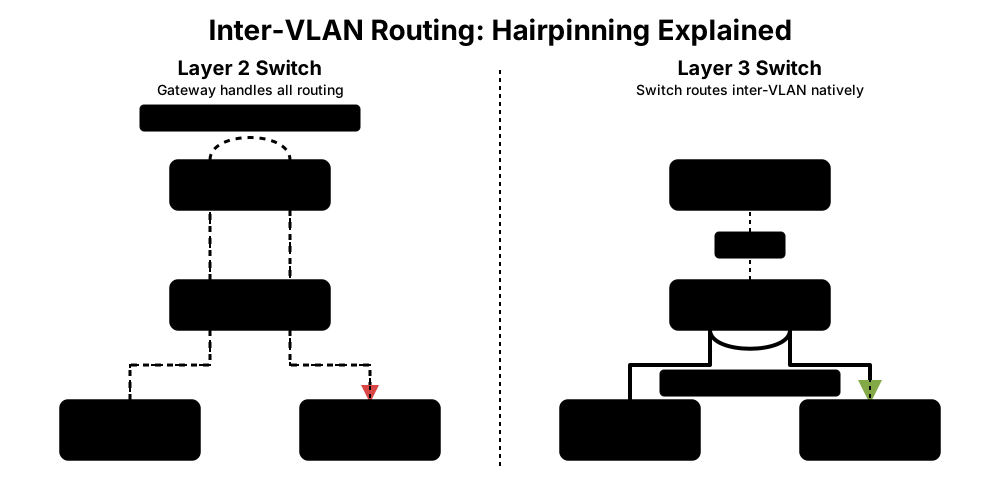
Layer 2 only (Lite line): All inter-VLAN traffic routes through the gateway. Fine for small networks where the gateway has plenty of headroom.
Layer 3 capable (Pro Max, Pro XG, Pro HD, Enterprise Campus): These models can be configured to route selected VLANs locally at the switch, reducing traffic through the gateway. However, enabling Layer 3 routing on the switch changes where ACLs and security policies are enforced, and some gateway traffic-identification features will not apply to switch-routed traffic. Layer 3 is not automatic — you must explicitly configure the switch as the router for each VLAN you want handled locally.
For most smaller SMB deployments, Layer 2 with gateway routing is adequate. Layer 3 becomes worthwhile when inter-VLAN traffic volume is high enough to strain the gateway, when you need distributed routing across campus-style deployments, or when security segmentation requires traffic to stay local rather than traverse a central gateway.
Legacy 24V Passive PoE Devices
The current PoE families covered here — Pro Max, Pro XG, Pro HD, and Enterprise Campus — only support 802.3af/at/bt active PoE. If you are upgrading from an older Ubiquiti network, legacy 24V passive PoE devices (older airMAX access points, early-generation UniFi APs, and some older cameras) will not power on from these switches. You will need Ubiquiti Instant 802.3af Adapters or plan to replace those devices.
UniFi Switch Lite Line: Lite 8 PoE and Lite 16 PoE
The Lite line is UniFi's entry point: affordable, fanless, and well suited for light-duty deployments.
Lite 8 PoE — $109, 52W PoE, 8 ports (4 PoE+)
UniFi's entry-level eight-port PoE switch. Fanless, compact, wall-mountable, with four PoE+ output ports. Powers 1–2 access points and a camera or two within its 52W budget. Layer 2 only, 1G throughout.
Lite 16 PoE — $199, 45W PoE, 16 ports (8 PoE+)
More ports, similar PoE budget (actually lower at 45W). Useful when you need port density for wired endpoints but aren't powering many PoE devices. Wall-mountable.
What they do well: Price accessibility, silent operation, adequate for home labs or very small offices with a single AP and light PoE needs.
What they don't do: No 10G uplinks, no 2.5G ports, no Layer 3, no Etherlighting. The PoE budgets are tight — two U7 Pro APs at 10W sustained each plus a camera at 7W already consumes 27W of the Lite 8's 52W budget, leaving minimal headroom for growth.
Lite Switches and WiFi 7 Compatibility
The Lite line's 1G uplinks cap every connected WiFi 7 AP at gigabit throughput, preventing the access point from delivering its full multi-gig capability. If WiFi 7 is in your plan today or within the next 12 months, start at the Pro Max 16 PoE ($399). The $200–$290 premium may avoid a later switch replacement.
UniFi Switch Pro Max Series Overview
The UniFi Pro Max series adds Layer 3 routing, 2.5GbE ports, 10G SFP+ uplinks, and Etherlighting for medium to large deployments. This lineup serves as the standard for modern professional networks, bridging the gap between gigabit legacy hardware and WiFi 7 requirements.
Pro Max 16 PoE — $399, 180W PoE
4× 2.5G + 12× 1G ports, 2× 10G SFP+ uplinks. Desktop or wall-mountable, fanless. The right entry point for small offices with 2–4 WiFi 7 APs. The four 2.5G ports connect your APs; the twelve 1G ports handle everything else.
Pro Max 24 PoE — $799, 400W PoE
8× 2.5G + 16× 1G ports, 2× 10G SFP+ uplinks. The switch we deploy most often across South Florida SMBs. Its 400W PoE budget handles 5–12 WiFi 7 APs along with cameras, VoIP phones, and wired workstations — but note that only eight ports are 2.5GbE. It can power 12 U7 Pro APs, but only eight receive native 2.5G connectivity; the remainder connect at 1GbE unless you add a second switch. Supports the USP-RPS ($399) for redundant power in high-availability deployments.
Pro Max 48 PoE — $1,299, 720W PoE
16× 2.5G + 32× 1G ports, 4× 10G SFP+ uplinks. The highest port density in the Pro Max tier. The 720W PoE budget powers large deployments — 15+ APs, a full camera system, and dozens of wired endpoints. For offices with 50+ devices that need a single-switch solution.
Noise and cooling: The Pro Max 16 PoE is fanless and silent. The Pro Max 24 and 48 PoE have active cooling fans. The 24-port model produces a low hum that is acceptable in most office environments, but the 48-port generates enough fan noise that we recommend placing it in a dedicated server closet or enclosed rack rather than an open-office area. The Enterprise Campus models are louder still and should always be in a climate-controlled closet.
Physical depth: The Pro Max 16 is compact at 160mm (6.3") deep and fits in shallow wall cabinets. The Pro Max 24 measures 325mm (12.8") and the Pro Max 48 measures 400mm (15.7") — both fit standard server racks. The Pro XG 24, however, is 480mm (18.9") deep, which exceeds the clearance of many shallow AV racks and wall-mounted enclosures. If you are planning a Pro XG 24 or Enterprise Campus installation, verify your rack depth before ordering.
All Pro Max models include Etherlighting — RGB LEDs on each port that display link speed, VLAN assignment, and port status. Less useful at home, but valuable in rack environments with dozens of cables. We've used it to identify miswired ports and confirm VLAN assignments without logging into the controller.
For a deeper look at the Pro Max series and Etherlighting in practice, see our detailed Pro Max switch review with real-world Etherlighting assessment.
The Switch Most SMBs Should Buy
The Pro Max 24 PoE ($799) hits a strong balance of capacity, features, and price for professional deployments with 15–40 devices. It supports WiFi 7 AP deployments up to its eight 2.5G ports, provides enough PoE for mixed AP/camera/VoIP setups, and includes Layer 3 and Etherlighting. For offices that need more port density, two Pro Max 24s ($1,598, 800W combined) provide a smaller failure domain and 16 total 2.5G ports compared to one Pro Max 48 ($1,299, 720W) — but at a higher total cost. A single failed switch in a two-switch design disconnects only the devices attached to it, not the entire network.
UniFi Switch Pro XG Line: When You Need Many 10GbE Copper Ports
The Pro XG line launched in late 2025 and fills a gap the old Enterprise switches left behind: 10GbE copper downlinks at professional-tier pricing. These serve a different architectural role than the Pro Max line. For help deciding whether your business actually needs 10GbE — and how to measure the bottleneck before buying — see our 10 Gigabit Ethernet upgrade guide.
Intro to XG Switches
Pro XG 8 PoE — $499, 155W PoE
8× 10GbE + 2× 10G SFP+ uplinks. Compact form factor (desktop/wall-mountable). The right pick when you need a handful of 10G connections — a NAS, a server, and a couple of high-end APs with 10G uplinks. At $499, it is the least expensive current UniFi switch combining eight 10GbE PoE ports, Layer 3 routing, and Etherlighting. If you do not need PoE or Layer 3, the $299 Flex XG is the lower-cost entry point for 10GbE connectivity.
Pro XG 10 PoE — $699, 400W PoE
10× 10GbE + 2× 10G SFP+ uplinks. 1U rackmount. Higher PoE budget (400W) than the XG 8. Fits server closets where you need 10G bandwidth for servers and NAS units alongside PoE for WiFi 7 APs with 10GbE uplinks like the U7 Pro XG — the bandwidth and PoE serve different device roles.
Pro XG 24 PoE — $1,799, 720W PoE
16× 10GbE + 8× 2.5GbE ports, 2× 25G SFP28 uplinks. The distribution-layer switch for multi-gig backbones. The 25G SFP28 uplinks connect to aggregation switches or the Enterprise Campus line. This is what you deploy when most high-performance connections need 10G — sixteen ports run at 10GbE while eight additional ports operate at 2.5GbE.
Pro XG 48 PoE — $2,499, 1,080W PoE
32× 10GbE + 16× 2.5GbE ports, 4× 25G SFP28 uplinks. The flagship of the Pro XG line and the largest PoE budget in the Professional tier short of Enterprise Campus. Fits large-scale deployments that need 10G across many ports — NAS clusters, server farms, or WiFi 7 AP deployments where most APs carry 10G uplinks. At $2,499, the Pro XG 48 PoE costs the same as the Enterprise Campus 24 PoE while providing twice as many downlink ports. The ECS model instead offers dual hot-swappable power supplies and is designed for Enterprise Campus architectures; stacking requires the 24S/48S models, while MC-LAG is provided by the Enterprise Campus Aggregation switch. A non-PoE variant is also available at a lower price point for deployments that don't need PoE at the distribution layer.
Cabling for 10G: The Pro XG's 10GBASE-T copper ports require Cat6a cabling for full 100-meter runs. Standard Cat6 supports 10G only up to approximately 55 meters, and Cat5e is not rated for 10GBASE-T at all. If your building has existing Cat5e or Cat6 runs longer than 55 meters, you will need to re-cable those segments before deploying Pro XG switches. The 2.5GBASE-T ports on Pro Max switches, by contrast, work on Cat5e at the full 100-meter distance.
When to Choose Pro XG Over Pro Max
The Pro XG line is designed for environments that need 10GbE at the port level — NAS arrays, servers, and APs with 10G uplinks like the U7 Pro XG. The Pro XG is the scalable option for multiple 10G APs, but it is not the only compatible switch: the Pro HD 24 has two 10GbE PoE++ copper ports that can directly support a pair of U7 Pro XGs, and a suitable 10G switch with an injector is another option. If your devices connect at 1G or 2.5G, a Pro Max switch at a lower price delivers the same performance. For the full case on when multi-gig infrastructure is warranted, see our guide to upgrading to 2.5G and 10G networks.
UniFi Switch Pro HD 24 PoE: The All-2.5G Sweet Spot
Pro HD 24 PoE — $999, 600W PoE
22× 2.5GbE PoE++ + 2× 10GbE PoE++ ports, 4× 10G SFP+ uplinks. Layer 3, Etherlighting.
The Pro HD sits between the Pro Max and Pro XG in both price and capability. Where the Pro Max 24 gives you 8 multi-gig ports and 16 gigabit ports, the Pro HD 24 gives you 2.5G on every single port. That distinction matters in one specific scenario: WiFi 7-dense deployments where most or all ports connect to 2.5G devices.
If your office has 15–20 WiFi 7 APs that all need 2.5G uplinks, the Pro Max 24's eight 2.5G ports aren't enough. Two Pro Max 24s ($1,598) provide only 16 total 2.5G ports — still short for 17–20 APs. One Pro HD 24 ($999) delivers 22 native 2.5G ports and handles the full range at a lower cost.
The two 10GbE PoE++ ports support high-bandwidth devices that benefit from both 10G speed and PoE++ power — U7 Pro XG access points, high-bandwidth edge-compute appliances, or specialized AV endpoints. The four 10G SFP+ uplinks provide generous backbone connectivity.
Pro Max 24 vs Pro HD 24: Head-to-Head
Pro Max 24 vs Pro HD 24
| Specs | ||
|---|---|---|
| 2.5G Ports | 8 | 22 |
| 1G Ports | 16 | 0 |
| 10G Copper Ports | 0 | 2 (PoE++) |
| PoE Budget | 400W | 600W |
| SFP+ Uplinks | 2× 10G | 4× 10G |
| Cost Per 2.5G Port | $99.88 | $45.41 |
| Best For | Mixed 2.5G/1G environments | All-2.5G WiFi 7-dense deployments |
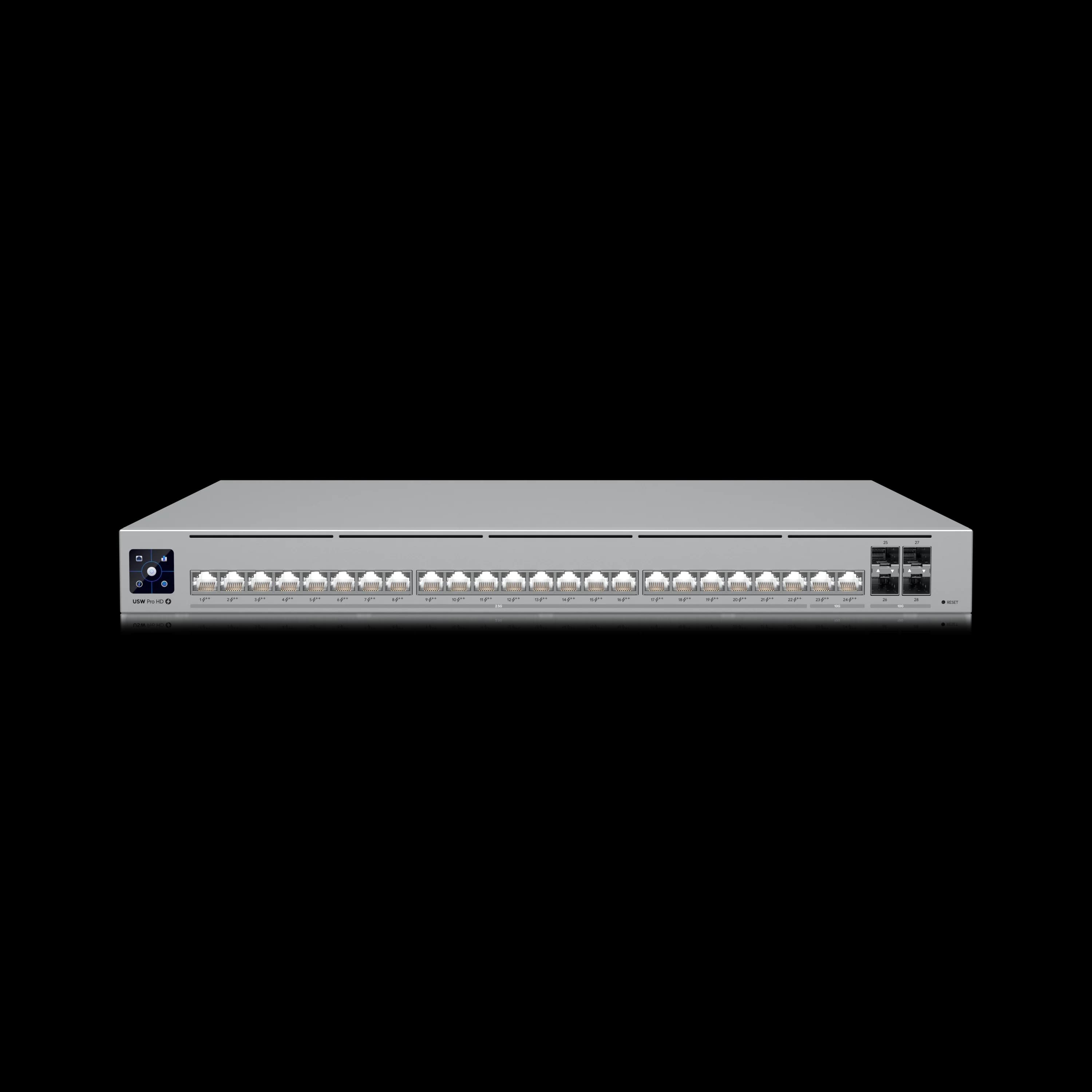
If most of your ports will connect 2.5G devices, the Pro HD 24 delivers better per-port value. If you have a mix of 2.5G access points and 1G wired endpoints, the Pro Max 24 provides a lower entry cost.
Enterprise Campus: Beyond Prosumer
Ubiquiti's Enterprise Campus switches (ECS series) are purpose-built for campus-scale infrastructure. They replaced the older Enterprise PoE line (now labeled "Vintage" in the store) and target a fundamentally different deployment than the Pro lines.
Enterprise Campus 24 PoE — $2,499, 1,050W PoE
Enterprise Campus 48 PoE — $3,499, 2,150W PoE (at 200–240V; 1,750W at 120V in shared mode)
Both models offer 10GbE downlinks, 25G SFP28 uplinks, stacking support on the 24S/48S access models ($2,999/$3,999), and Etherlighting. MC-LAG is available on the Enterprise Campus Aggregation switch, not the access models — do not conflate the two. These are Partner Program products — available through the UI Store but may require end-user verification (up to 48 hours) and are primarily distributed through authorized enterprise channels. Standard prosumer buyers should verify availability before planning a deployment around these models. They are designed for deployments with dedicated IT staff or a managed services partner.
When Enterprise Campus makes sense: Multi-building campus networks, deployments requiring switch stacking for unified management, environments where high-capacity PoE from a single switch is a real requirement (up to 2,150W at 200–240V in shared mode on the ECS 48; 1,750W on standard US 120V circuits), or organizations that need MC-LAG redundancy at the aggregation layer.
When it doesn't: Single-building offices and standard SMB environments. A 40-person office with 10 APs and 6 cameras is well served by a Pro Max 24 PoE at $799.
Power redundancy: Rack-mounted Professional switches — Pro Max 24/48, Pro HD 24, Pro XG 10/24/48 — support the USP-RPS ($399), Ubiquiti's redundant power system that provides automatic failover if the switch's primary power supply fails. The USP-RPS provides 950W total across its six SmartPower ports — size the combined backup load carefully, as it cannot sustain a Pro XG 48 operating at its theoretical maximum switch and PoE load (1,172W at 120V). Enterprise Campus models use a different approach: dual hot-swappable power modules built into the chassis, so they do not use the USP-RPS. Desktop models (Lite, Pro Max 16, Pro XG 8) do not have SmartPower ports and are not compatible with either system.
Extended warranty: Ubiquiti offers UI Care, a 5-year extended warranty with expedited replacement and priority support. Pricing varies substantially by model and should be verified on the UI Care page or the individual product page at purchase. For mission-critical deployments where downtime carries a direct cost, UI Care is a reasonable investment. The standard Ubiquiti warranty is two years for products purchased directly from the Ubiquiti Webstore; products purchased from authorized distributors or resellers carry a one-year warranty from the date of shipment to that reseller.
Compact and Specialty Switches
Not every location needs a 24-port rackmount switch. UniFi's utility tier covers edge cases.
Pro 8 PoE — $349, 120W PoE, 8× 1GbE + 2× 10G SFP+
Still a solid small-office pick. Layer 3, 10G uplinks, fanless. If you don't need 2.5G ports (no WiFi 7 APs), the Pro 8 saves $50 over the Pro Max 16 and gives you the same 10G uplink backbone. It's in Ubiquiti's "Utility" category now, but it's not discontinued.
Ultra Series — $129–$199, 8-port 1GbE, Layer 2
Simple PoE distribution switches. The Ultra ($129, 42W) and Ultra 210W ($199, 202W) are compact, wall-mountable, and designed for extending PoE to a hallway or conference room. No 2.5G, no Layer 3, no Etherlighting — just reliable PoE delivery.
Flex 2.5G PoE — $199, 8× 2.5GbE, variable PoE budget
Compact 2.5G switch that can be powered via PoE or the optional 210W AC adapter. The available PoE output budget depends on the input source: 16W from PoE+, 46W from PoE++, 76W from PoE+++, or up to 196W with the 210W AC adapter (sold separately). Ideal for placing 2.5G connectivity near a cluster of WiFi 7 APs in a ceiling or closet without running back to the main switch rack. 10GbE combo uplink for backbone connectivity. Full specifications →
Flex Mini 2.5G — $49, 5× 2.5GbE
A $49 UniFi-managed Layer 2 switch for adding 2.5G connectivity at a desk or workstation cluster. Powered by PoE or USB-C. No PoE output — port expansion only, but fully managed through UniFi Network with VLAN support, port isolation, and storm control. For a complete build using this switch, see our budget 2.5 Gbps UniFi network guide.
Flex — from $99, 5-port 1GbE, PoE output
Indoor/outdoor rated with four PoE output ports. Can power multiple devices (APs, cameras) subject to its input-dependent power budget — similar to the Flex 2.5G PoE, the available wattage varies by power source. Useful for ceiling and outdoor installs where running additional cable isn't practical.
UniFi Switch Deployment Recommendations by Office Size
Switch selection scales with device count and bandwidth needs, from Lite models for home labs to Pro Max models for standard SMB environments. The recommendations below are based on the networks we build and maintain for South Florida businesses. Your requirements may differ, but these starting points have held up across hospitality, professional services, healthcare, and retail environments.
Home lab or micro-office (1–8 devices, 1 AP): Lite 8 PoE ($109) if budget is the priority. Pro 8 PoE ($349) if you want Layer 3 and 10G uplinks for future expansion.
Small office (10–25 devices, 2–4 APs): Pro Max 16 PoE ($399) for tight deployments. Pro Max 24 PoE ($799) if port count or PoE budget needs headroom.
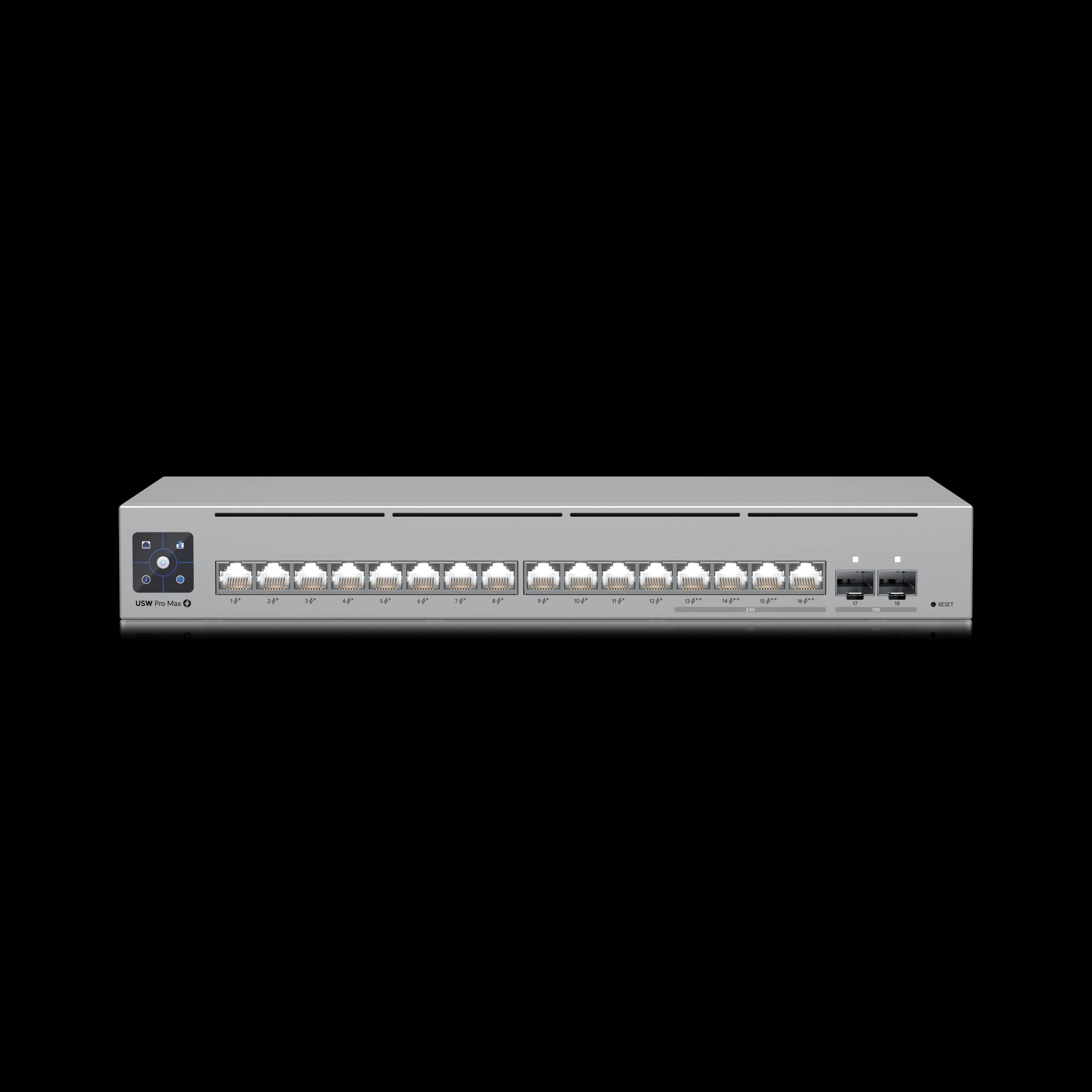
Medium office (25–75 devices, 5–10 APs): Pro Max 24 PoE ($799) as the primary switch. For larger setups, two Pro Max 24s ($1,598, 800W combined, 16 total 2.5G ports) provide a smaller failure domain compared to one Pro Max 48 ($1,299, 720W, 16 2.5G ports), though at a $299 premium. For a real-world 30-user deployment using the Pro Max 48, see our 30-person office network project guide.
Large office / multi-gig buildout (75+ devices): Pro Max 48 PoE ($1,299) at the access layer, Pro XG 24 PoE ($1,799) at distribution. Ensure your gateway throughput matches — see our complete UniFi gateway comparison.
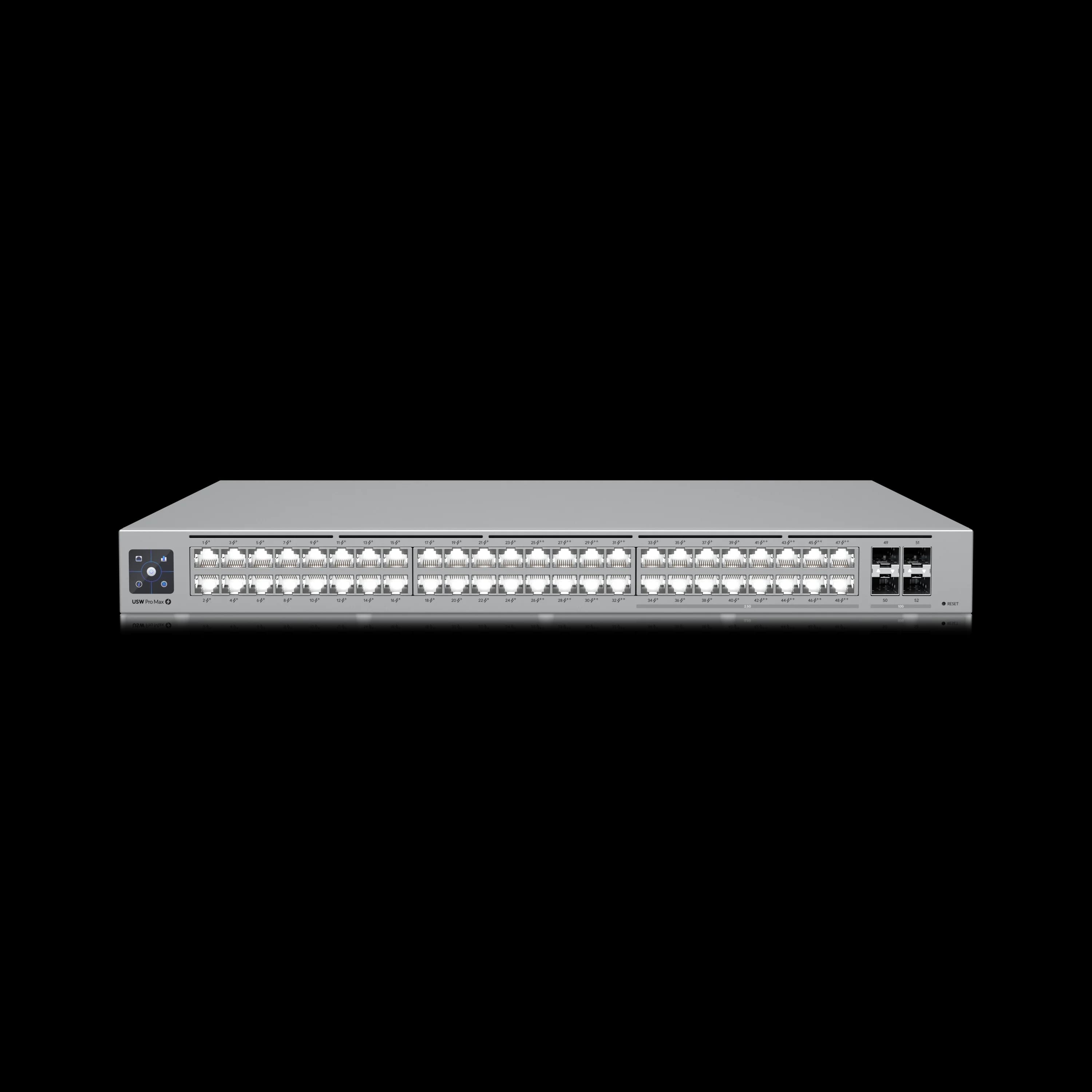
UniFi Switch Pro Max 48 PoE
MSRP $1,299720W PoE, 16× 2.5G + 32× 1G ports, Layer 3, Etherlighting. Highest port density in the Pro Max tier.
All-2.5G WiFi 7-dense deployment (15+ APs needing multi-gig): Pro HD 24 PoE ($999). Every port delivers 2.5G without worrying about which ports are multi-gig and which aren't.
Server room / NAS connections (10G required): Pro XG 8 PoE ($499) for a handful of 10G links. Pro XG 24 PoE ($1,799) for 10G distribution, or Pro XG 48 PoE ($2,499) for large-scale 10G deployments.
Case study — Miami Beach hospitality deployment (45 users): We installed a single Pro Max 24 PoE for a boutique hotel handling six U7 Pro APs, eight G5 Pro cameras, and four VoIP phones. Peak sustained PoE draw measured 138W of the switch's 400W budget, with Layer 3 inter-VLAN routing and switch ACLs enforcing camera and guest network isolation without hairpinning through the gateway. Paired with a Cloud Gateway Max for on-device Protect storage, the total switching and gateway cost came in under $1,100.
When UniFi Switches May Not Be the Right Fit
UniFi is a strong platform for most SMB deployments, but it is not the right choice for every organization. Businesses that require 24/7/365 phone-based technical support SLAs with guaranteed 4-hour hardware replacement — common in healthcare, financial services, and regulated industries — should evaluate Cisco Meraki or HPE Aruba. However, these support tiers are not included by default: Meraki offers 4-hour replacement through its optional Meraki Now service add-on, and HPE provides it through optional Foundational Care support contracts — both at additional cost. UniFi does not offer this level of vendor-direct support at any price tier. However, working through a managed services provider can bridge that gap: the MSP provides the SLA layer while still leveraging UniFi's cost-effective hardware and zero-license-fee management model.
Which UniFi Gateway Pairs With These Switches?
Your switch selection rarely changes your gateway requirement — with one exception.
If you're deploying Pro XG switches with a multi-gig backbone (10G+ between switches), keep in mind that a Cloud Gateway Ultra's 1 Gbps IDS/IPS throughput limits routed WAN and IPS-inspected traffic — though it does not constrain local 10G Layer 2 switching or Layer 3 traffic routed directly by the switch. If routed WAN throughput regularly exceeds 1 Gbps, the Cloud Gateway Fiber ($279) is the compact value option with 5 Gbps IDS/IPS, native 10GbE, and support for 50+ managed devices — a particularly logical pairing for Pro XG deployments. Choose the Dream Machine Pro Max when integrated storage and broader application capacity matter, or the Enterprise Fortress Gateway (12.5 Gbps) for larger enterprise deployments.
For standard Pro Max deployments with 1G or 2.5G access-layer traffic, the gateway selection is independent of the switch. A Cloud Gateway Ultra ($129) manages 30+ UniFi infrastructure devices and 300+ clients with 1 Gbps IPS routing. The Cloud Gateway Max (from $199 without storage; $279 with 512GB for Protect recording) adds 2.3 Gbps IPS routing, 2.5GbE ports, and selectable NVMe storage — it also supports 30+ infrastructure devices and 300+ clients, with the advantage of higher throughput and Protect storage.
For the full gateway breakdown, see our detailed UniFi gateway comparison — covering every model from Cloud Gateway Ultra ($129) to Enterprise Fortress Gateway ($1,999), with exact upgrade thresholds for device count, throughput, and storage.
Non-PoE variants are available for most Pro Max and Pro XG models at lower price points when PoE is not needed. All prices verified against the Ubiquiti Store as of July 2026.
Navigating UniFi Stock Availability
Ubiquiti products periodically go out of stock on the UI Store. If a switch you need shows as unavailable: check authorized resellers like DoubleRadius, Baltic Networks, or Streakwave, which often carry inventory the UI Store does not. The Ubiquiti Stock Alerts Discord provides real-time notifications when products come back in stock. Enterprise Campus models require Partner Program verification and may take up to 48 hours to process.
Our Top 3 UniFi Switch Recommendations
| Specs | |||
|---|---|---|---|
| Ports | 8× 2.5G + 16× 1G | 22× 2.5G + 2× 10G | 8× 10GbE |
| PoE Budget | 400W | 600W | 155W |
| Uplinks | 2× 10G SFP+ | 4× 10G SFP+ | 2× 10G SFP+ |
| Layer | L3 + Etherlighting | L3 + Etherlighting | L3 + Etherlighting |
| Best For | Most SMB deployments | All-2.5G WiFi 7 dense | NAS / server 10G links |
Related Resources
- Complete UniFi Buyer's Guide — Full ecosystem selection guide with gateway, switch, and AP recommendations by office size.
- UniFi U6 in 2026: Models, Specs and U7 Alternatives — Which U6 access points remain available and PoE requirements for mixed fleets.
- UniFi Gateway Comparison Guide — Detailed gateway selection from Cloud Gateway Ultra to Enterprise Fortress Gateway.
- UniFi Pro Max Switch Review — Deep-dive review of the Pro Max series with Etherlighting assessment.
- Multi-Gig Network Upgrade Guide — When and how to upgrade to 2.5G and 10G infrastructure.
- Ubiquiti WiFi Solutions Guide — Full access point lineup guide for selecting the right WiFi 7 APs.
Frequently Asked Questions
Related Articles
More from UniFi Networks
UniFi Buyer's Guide 2026: What to Buy for a Business Network
Choose the right UniFi gateway, PoE switch, WiFi 7 access points, and cameras for a small office or larger business, with tested configurations and current 2026 pricing.
41 min read
UniFi Gateway Comparison Guide 2026: All 11 Models Ranked
Complete UniFi gateway comparison covering all 11 current models — from Cloud Gateway Ultra ($129) to Dream Machine Beast ($1,499) and Enterprise Fortress Gateway ($1,999). Exact device counts, throughput thresholds, and storage economics.
26 min read
Ubiquiti WiFi Solutions: Complete 2026 Business Guide
Complete guide to Ubiquiti UniFi WiFi 7 solutions for business. Covers established WiFi 7 access points, real-world performance data, deployment scenarios, cost analysis, and implementation best practices.
18 min read