

UniFi Fiber and SFP Guide for 1G, 10G, 25G, and 100G Links
Match UniFi SFP, SFP+, SFP28, and QSFP28 ports with DAC, AOC, OM4, or OS2 cable by speed, connector, and distance.

Affiliate Disclosure: This article contains affiliate links. If you make a purchase through these links, we may earn a small commission at no extra cost to you. As an Amazon Associate, iFeelTech earns from qualifying purchases.
Choosing a UniFi uplink requires matching the ports at both ends with the cable, transceivers, connector, distance, and environment. For most same-rack 10G links, use a passive DAC up to 3 m. For permanent interbuilding links, OS2 single-mode fiber is usually the safer default.
Last fact-checked August 10, 2026. U.S. prices checked on the same date; tax, shipping, surcharges, and availability may vary.
Quick Answer
Confirm whether each port is SFP, SFP+, SFP28, or QSFP28 before buying a cable or optical module. Use passive DAC to 3 m, AOC to 30 m, OM4 for short fiber links, and OS2 for interbuilding or long-term growth.
Which Cable Should You Use for a UniFi Uplink?
The correct medium depends on distance, permanence, pathway, and the ports at both endpoints.
Copper and fiber solve different problems. Cat6A supports 10GBASE-T to 100 m, while ordinary Cat6 may support 10G only over shorter qualified channels—commonly up to about 55 m depending on alien crosstalk conditions. Fiber is appropriate when the route exceeds copper limits, crosses between buildings, requires electrical isolation, or uses higher-speed optical ports.
When we deploy UniFi networks across Miami businesses, the first decision is always distance and port type. Many rack-mounted Pro, Pro Max, Pro XG, and aggregation switches provide 10G or 25G uplinks, but buyers must verify the exact port type on their specific model. Ubiquiti's current catalog includes 1G SFP, 10G SFP+, 25G SFP28, and 100G QSFP28 products simultaneously.
For a comprehensive overview of network cabling options, our business network cabling guide compares fiber and Cat6A across different deployment scenarios.
Identifying Your UniFi Port Type
Distinguish port types before purchasing any cable or module, because buying the wrong port speed invalidates the entire link.
| Port / Cage | Common Rates | Module Connector | Exact UniFi Examples |
|---|---|---|---|
| SFP | 1G | Varies: LC, RJ45, simplex or duplex | Standard 16/24/48 models |
| SFP+ | 10G; sometimes 1G | Varies: LC, RJ45, DAC or AOC | Pro 24 PoE, Pro 48 PoE |
| SFP28 | 25G; lower rates are model-dependent | Varies: LC, DAC or AOC | Hi-Capacity Aggregation, EnterpriseXG 24 |
| QSFP28 | 100G; sometimes 40G | MPO or duplex LC, depending on optic | Enterprise Campus Aggregation |
Supported rates belong to the specific port and module combination. Do not infer compatibility from the cage shape alone. Check the switch data sheet or the port label before ordering.
When Should You Use a DAC Instead of Fiber?
Use Ubiquiti's passive 10G DAC for same-rack links of 0.5–3 m.
Passive Direct Attach Cables (DAC)
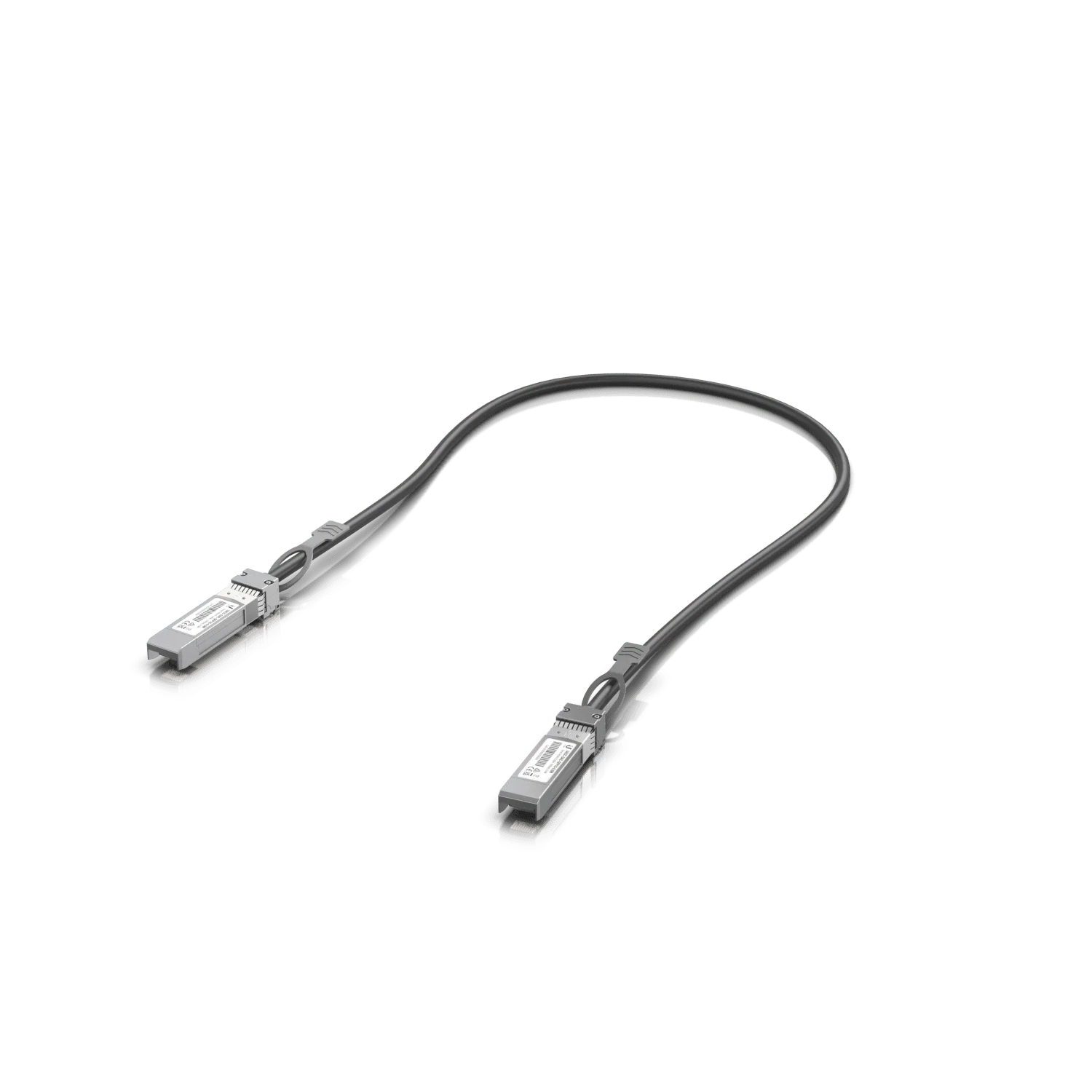
For switches mounted in the same rack or within 3 meters of each other, we use UniFi 10G Direct Attach Cables (UACC-DAC-SFP10 series). These passive copper twinax cables include integrated SFP+ modules on both ends—no separate transceivers needed.
Available lengths: 0.5 m, 1 m, and 3 m. The 1-meter version works for most standard rack configurations.
Why we prefer DAC for rack connections:
- At approximately $13–20 per cable (U.S. price checked August 10, 2026), they are significantly cheaper than fiber cables plus separate modules
- No module selection or fiber type matching required—plug in and connect
- Lower power consumption than optical transceivers
- Fewer connection points mean fewer potential failure points
DAC vs AOC
Ubiquiti's 5–30 m product is the UACC-AOC-SFP10, an active optical cable (AOC)—not a passive copper DAC. See the AOC section below for details.
Active Optical Cables (AOC)
For fixed links between 5 m and 30 m—such as connections across a room or between adjacent racks—Ubiquiti offers the 10G Active Optical Cable (UACC-AOC-SFP10 series).
AOC cables contain permanently attached optical transceivers with OM3 multimode fiber between them. They bridge the gap between passive DAC (max 3 m) and separate fiber optics with pluggable modules.
Key characteristics of AOC:
- Available in lengths from 5 m to 30 m
- Thinner and lighter than equivalent copper DAC at longer lengths
- Cannot normally be field-repaired or reterminated
- May be difficult to pull through existing conduit because of the attached modules
- Uses 850 nm wavelength over multimode fiber
AOC is a good choice when the link is permanent and the distance is known. For longer runs or routes that may change, separate fiber cable with pluggable optics provides more flexibility.
When Does a UniFi Link Need Fiber?
Fiber becomes the preferred uplink medium when the route exceeds the supported copper channel, crosses buildings, or needs higher optical speeds.
Common scenarios where fiber is the right choice:
- Connecting network switches across a large warehouse or campus
- Linking floors in multi-story office buildings
- Building-to-building outdoor connections
- Permanent 25G or 100G optical aggregation links
- All-dielectric fiber provides electrical isolation between structures
Single-Mode and Multimode Fiber Serve Different Link Plans
OM4 is a short-reach option; OS2 is the usual choice for new interbuilding and long-reach backbones.
Multimode Fiber (OM3/OM4, 50/125 µm)
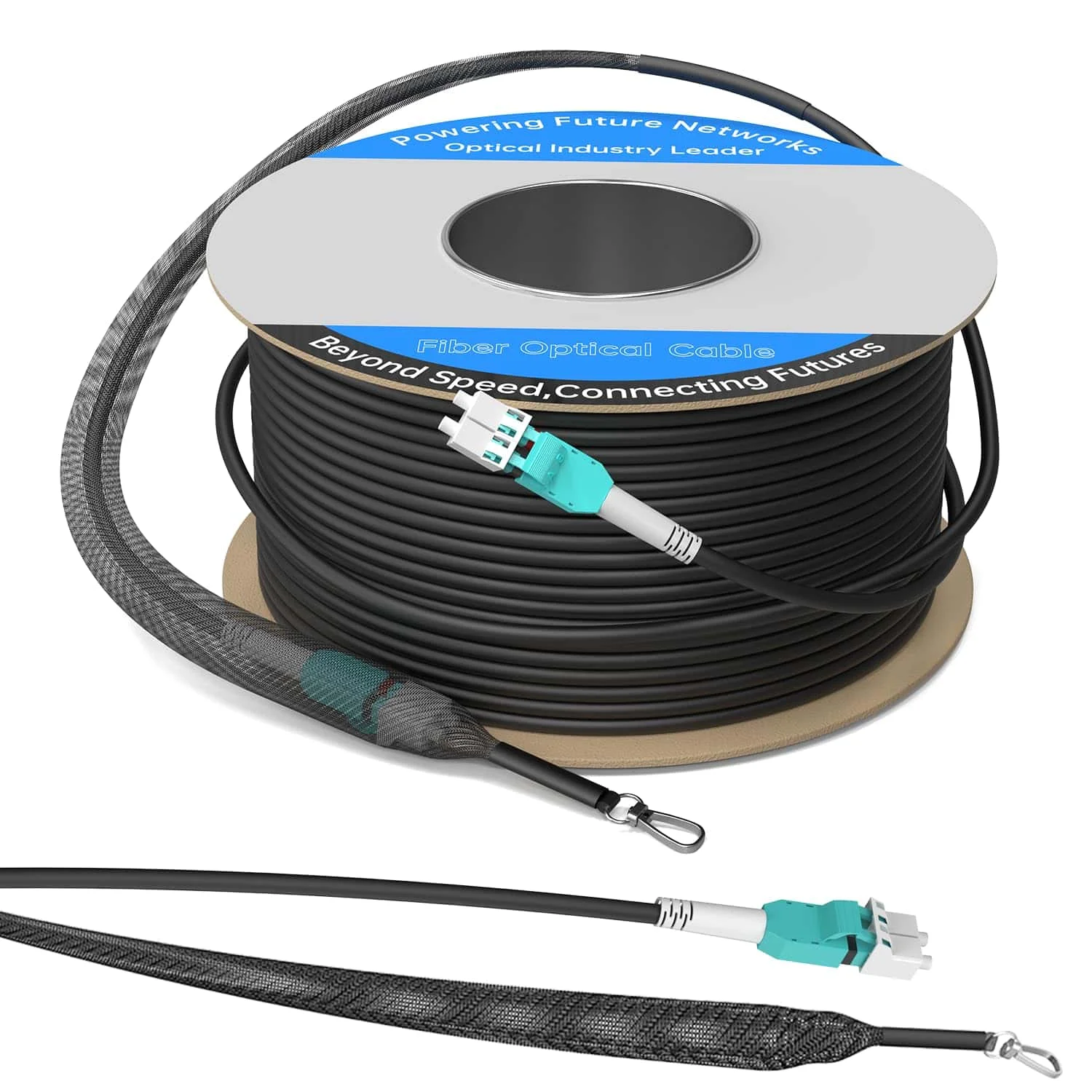
Multimode fiber has a 50-micron core diameter supporting multiple light paths. OM3 fiber supports 10G transmission up to 300 meters, while OM4 extends this to 400 meters with Ubiquiti's current 10G module.
Typical use cases:
- Connecting switches in the same building but different rooms (up to 100 m)
- Data center rack-to-rack uplinks
- Main switch to telecom room (typically 50–150 m)
Single-Mode Fiber (OS1/OS2, 9/125 µm)
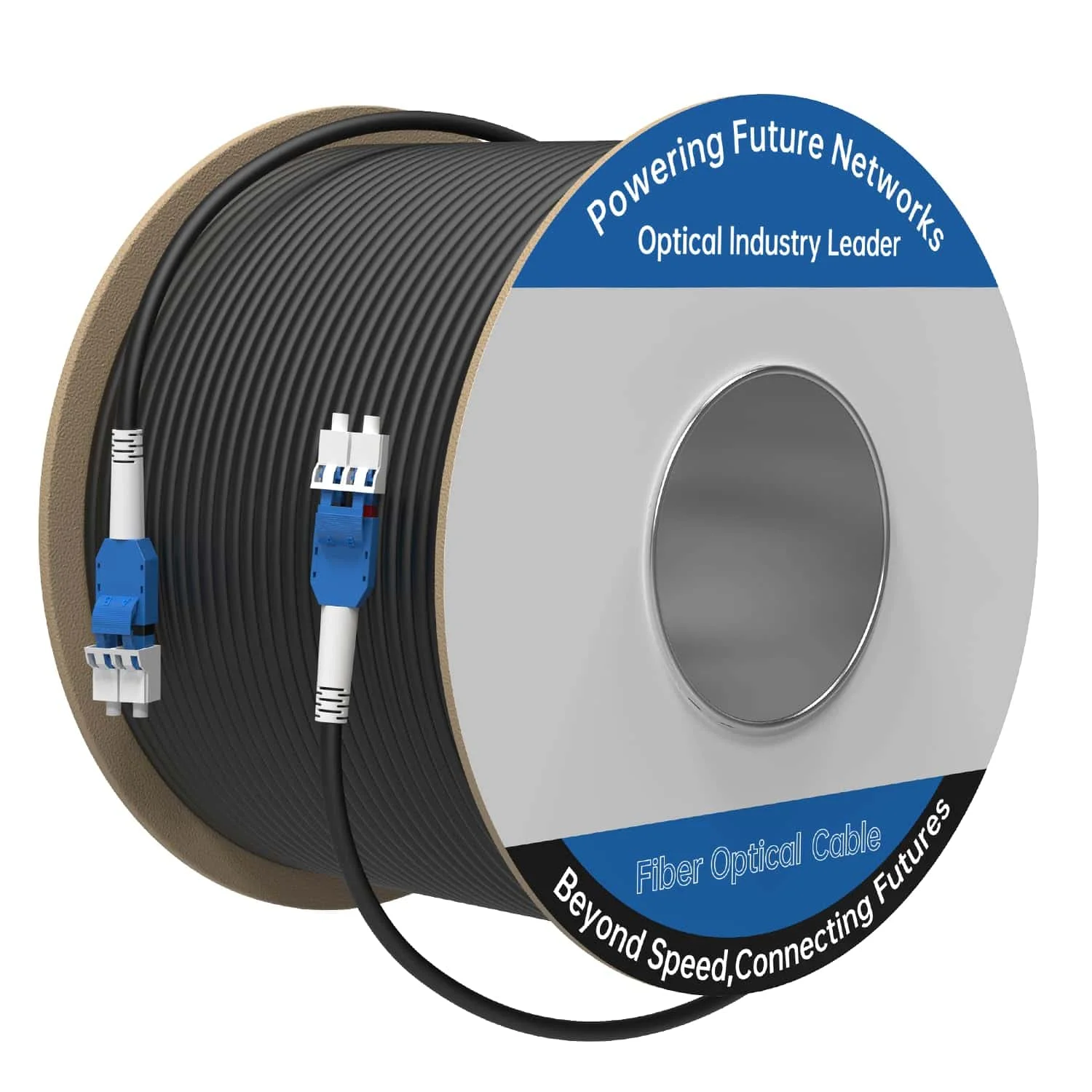
Single-mode fiber has a 9-micron core diameter that supports a single light path. This eliminates modal dispersion and enables long-distance transmission—up to 10 km at 10G speeds within the optical loss budget.
Typical use cases:
- Connecting buildings in a business campus (500 m between structures)
- Running from the main office to the warehouse annex (400 m)
- Multi-floor connections in high-rise buildings
- Any new permanent backbone where future capacity matters
OS1 versus OS2
Both OS1 and OS2 are single-mode performance classifications—not construction types. OS2 specifies lower attenuation (0.4 dB/km versus 1.0 dB/km for OS1) and is the preferred choice for new backbone work. Either can be manufactured in tight-buffered or loose-tube construction. Choose construction and environmental rating (indoor, outdoor, plenum, riser) separately based on the pathway.
Identifying Installed Fiber
Jacket color provides a clue, but it is not a guarantee of fiber class:
- Aqua: commonly OM3 or OM4
- Violet: sometimes OM4, particularly in Europe
- Lime green: OM5
- Yellow: commonly indoor OS1/OS2
- Black: commonly outdoor cable (UV-resistant jacket regardless of fiber type)
Always check jacket printing, cable records, manufacturer part numbers, and certification reports. Color alone is not sufficient to identify fiber class. An optical power meter measures optical power—it does not determine whether installed fiber is OM3, OM4, OS1, or OS2.
Fiber Class versus Cable Construction
Fiber class and cable construction are separate decisions. Specify the construction according to the pathway:
| Construction | Use |
|---|---|
| Indoor | Protected indoor pathways |
| Outdoor | External routes, UV and moisture exposure |
| Indoor/outdoor | Transition routes without a splice point |
| Riser (OFNR/OFCR) | Vertical pathways between floors |
| Plenum (OFNP/OFCP) | Environmental-air handling spaces |
| Water-blocked | Underground conduit and wet locations |
| Metallic armor | Crush or rodent protection (must be bonded) |
| All-dielectric armor | Crush protection without conductive elements |
The correct fire rating depends on the actual pathway and the local authority having jurisdiction. Plenum-rated cable (OFNP) is specified for air-handling spaces; riser-rated cable (OFNR) is specified for vertical pathways. They address different pathway classifications.
Real-World Distance Planning
Always measure actual cable routing distance, not straight-line distance. A warehouse that is 200 feet across becomes 275 feet of cable when accounting for ceiling height, cable tray routing, and drops to switches. Include planned routing and service slack. Ten to twenty percent can be a useful early estimate, but final length should reflect the measured pathway and enclosure requirements.
Uniboot Connectors
Most fiber patch cables use duplex LC connectors—two fibers for transmit and receive in a single cable assembly. Uniboot combines the two LC connector boots into a more compact assembly, reducing connector bulk and cable clutter.
Some uniboot models also permit polarity reversal without separating the LC connectors. Not every uniboot cable is polarity-reversible—check the product specification.
For our installations, we specify uniboot connectors whenever available—they simplify troubleshooting and reduce clutter in dense switch environments.
How Do You Match an SFP Module to Fiber?
Match the host port, speed, Ethernet standard, wavelength, fiber type, connector, polarity, and loss budget.
Small Form-factor Pluggable (SFP) modules convert electrical signals from switch circuitry to optical signals for fiber transmission. Build the link from both endpoints inward: record the port type and supported speeds at each device, then choose one optical Ethernet standard and confirm its fiber, wavelength, connector, polarity, and loss budget.
A fiber or optic mismatch is unsupported and may prevent a stable link. Mismatched links may fail completely, flap, experience high loss, or occasionally appear to work over a short unsupported distance. Matching requires verifying:
- Host-port type and supported speed
- Optical Ethernet standard (e.g., 10GBASE-SR, 10GBASE-LR)
- Wavelength
- Fiber class
- Connector format and polish (e.g., LC UPC)
- Strand count and polarity
- Optical loss budget
10GBASE-SR Modules (For Multimode Fiber)
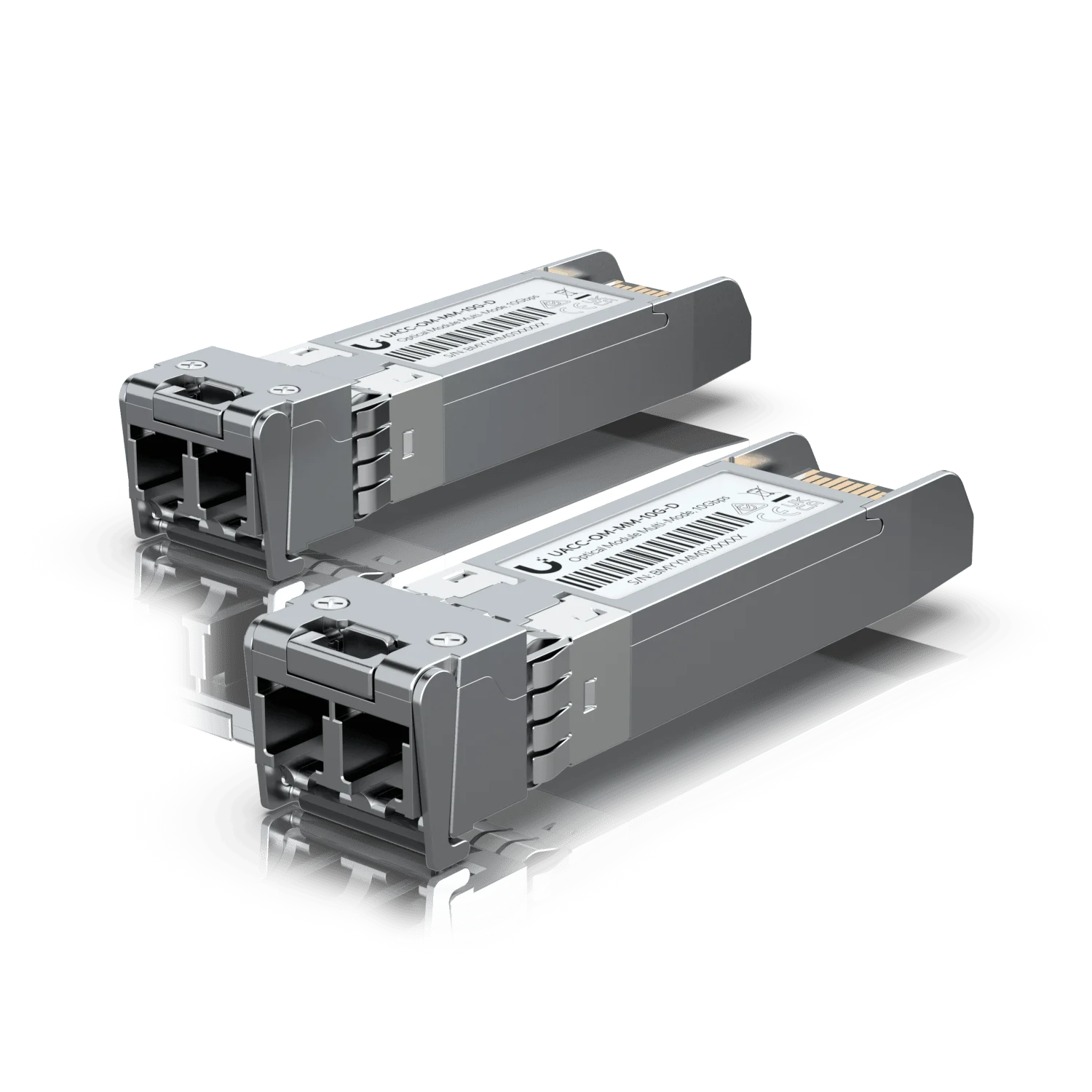
Specifications: Operates at 850 nm wavelength, designed for multimode fiber
Distance support: 300 m on OM3, 400 m on OM4
UniFi option: 10G Multi-Mode Optical Module (UACC-OM-MM-10G-D) — check current price and availability
10GBASE-LR Modules (For Single-Mode Fiber)
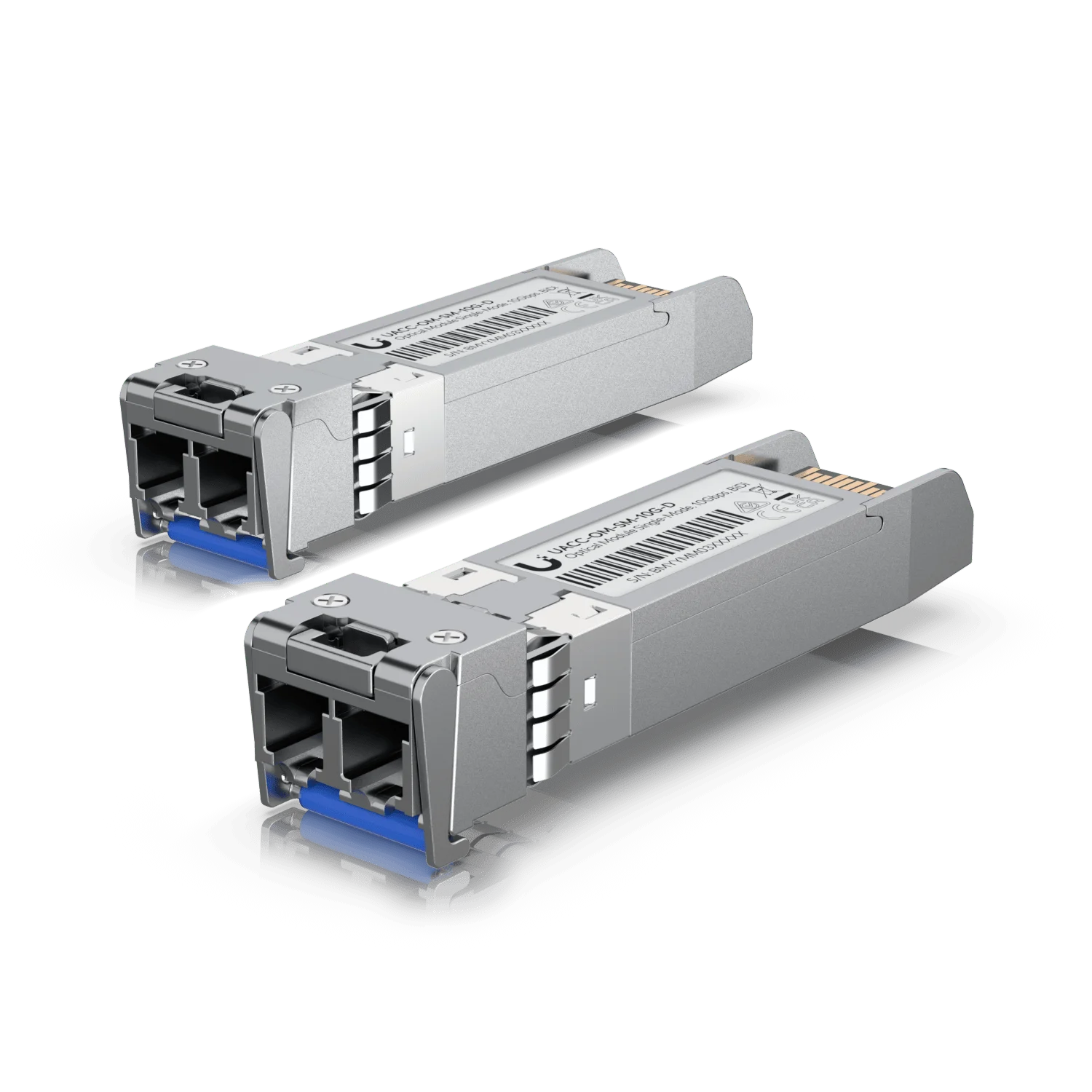
Specifications: Operates at 1310 nm wavelength, designed for single-mode fiber
Distance support: Up to 10 km on OS2 fiber (within the optical loss budget)
UniFi option: 10G Single-Mode Optical Module (UACC-OM-SM-10G-D) — duplex, approximately $86 per two-pack (U.S. price checked August 10, 2026) — check current price and availability
10G BiDi Modules (Single Strand)
The 10G Bidirectional Single-Mode Optical Module (UACC-OM-SM-10G-S) uses complementary 1270/1330 nm wavelengths to transmit and receive on a single fiber strand with a simplex LC UPC connector.
A matched BiDi pair transmits in opposite directions at complementary wavelengths over one single-mode strand. A duplex OS2 cable may still be installed, but only one strand is used for the active BiDi link. The remaining strand serves as a spare for restoration or future links.
BiDi modules must be purchased as a matched complementary pair—approximately $160 per two-pack (U.S. price checked August 10, 2026).
Third-Party Optics
Ubiquiti does not impose artificial vendor locking, but it does not formally test third-party modules. Third-party modules may work and can reduce cost, but compatibility should be verified on the exact switch, hardware revision, module, and software version. Ubiquiti warns that unsupported modules may fail to link, disconnect, run hot, or change behavior across firmware updates.
25G and 100G Modules
Higher-speed applications use SFP28 (25G) and QSFP28 (100G) modules. Approximate U.S. prices checked August 10, 2026:
| Module | SKU | Connector | Fiber | Reach | Price |
|---|---|---|---|---|---|
| 25G multimode | UACC-OM-SFP28-SR | Duplex LC UPC | Multimode | 100 m | ~$49 |
| 25G single-mode | UACC-OM-SFP28-LR | Duplex LC UPC | OS2 | 10 km | ~$119 |
| 100G SR4 multimode | UACC-OM-QSFP28-SR4 | MPO-12 Type B | Multimode | 100 m | — |
| 100G LR4 single-mode | UACC-OM-QSFP28-LR4 | Duplex LC UPC | OS2 | 10 km | ~$299 |
The connector distinction matters: a duplex LC OM4 installation is not automatically reusable for 100G SR4, which requires MPO-12 Type B.
UniFi Cable and Optical-Module Selection Table
Select a complete link: both endpoints, both optics, the cable, and every connector must agree.
| Requirement | Recommended Medium | UniFi Product or Optic | Supported Reach |
|---|---|---|---|
| Same rack, 1G/10G | Passive DAC | UACC-DAC-SFP10 | 0.5–3 m |
| Fixed 5–30 m link | AOC | UACC-AOC-SFP10 | 5–30 m |
| 10G indoor | OM3/OM4 duplex | UACC-OM-MM-10G-D pair | OM3 300 m; OM4 400 m |
| 10G interbuilding | OS2 duplex | UACC-OM-SM-10G-D pair | Up to 10 km |
| 10G over one strand | OS2 simplex | Matched UACC-OM-SM-10G-S pair | Up to 10 km |
| 25G multimode | Multimode duplex | UACC-OM-SFP28-SR | Up to 100 m |
| 25G single-mode | OS2 duplex | UACC-OM-SFP28-LR | Up to 10 km |
| 100G multimode | Parallel multimode | UACC-OM-QSFP28-SR4 | Up to 100 m |
| 100G single-mode | OS2 duplex | UACC-OM-QSFP28-LR4 | Up to 10 km |
Reach belongs to a specific optical standard and module, not to a jacket color or connector by itself.
Duplex LR versus BiDi: Choosing the Right Single-Mode Approach
Both duplex LR and BiDi serve 10G single-mode links up to 10 km, but they differ in important ways:
| Factor | Duplex LR (UACC-OM-SM-10G-D) | BiDi (UACC-OM-SM-10G-S) |
|---|---|---|
| Strands used | 2 (one Tx, one Rx) | 1 (both directions) |
| Connector | Duplex LC UPC | Simplex LC UPC |
| Wavelength | 1310 nm both directions | Complementary 1270/1330 nm |
| Module matching | Identical modules at each end | Matched complementary pair required |
| Troubleshooting | Each direction on a separate strand | Both directions share one strand |
| Spare strands | Both strands used in a two-strand link | Remaining strand available |
| Upgrade flexibility | Standard duplex infrastructure | May limit future multi-strand upgrades |
| Approximate cost (two-pack) | ~$86 | ~$160 |
For most new installations, duplex LR is the simpler and more flexible choice. BiDi is useful when the available fiber count is limited or when preserving spare strands for future links.
Deployment Examples and Bills of Materials
A useful example states the route, cable rating, strand count, optics, test method, and cost scope.
Scenario 1: Manufacturing Warehouse (150 m Run)
150 m Warehouse Installation
Situation: Main network rack in the office, secondary switch in the warehouse manufacturing area, approximately 150 meters apart
Our solution:
- Fiber: A pathway-rated OM4 backbone cable terminated in enclosures at both ends, with duplex LC UPC patch cords to the switches. A preterminated trunk may also be used when its pulling eye, connector protection, and pathway dimensions are planned in advance.
- Modules: 10GBASE-SR SFP+ modules (UACC-OM-MM-10G-D, one pair)
- Switches: UniFi Switch Pro 24 PoE at each location
Why this works: 150 m is within OM4 multimode 10GBASE-SR reach (400 m max). OS2 may still be preferable for a new permanent backbone if future speed or route expansion is likely.
Cost scope: 150 m OM4 backbone cable, enclosures, patch cords, and two 10GBASE-SR modules (one two-pack). Labor, pathway work, and fire-stopping are additional. Verify current pricing before ordering.
Scenario 2: Multi-Building Campus (800 m Run)
800 m Campus Installation
Situation: Corporate campus with central office and warehouse building, 800 meters apart, with underground conduit
Our solution:
- Fiber: A multi-strand, water-blocked OS2 backbone sized for restoration and future links—often 6 or 12 strands—terminated in fiber enclosures at both buildings.
- Modules: Ubiquiti 10G Bidirectional Single-Mode modules (matched UACC-OM-SM-10G-S pair)
- Gateway: UniFi Dream Machine Pro Max in main building, UniFi Switch Pro 48 PoE in warehouse
Why this works: 800 m exceeds multimode capabilities. Water-blocked OS2 is appropriate for the underground wet-location pathway. Choose dielectric construction unless armor is needed for an identified crush or rodent risk. Pulling and pathway work dominate the cost, so installing only two strands provides little resilience or growth capacity.
BiDi note: The BiDi link uses one strand; the remaining installed strands provide restoration and expansion capacity. The matched pair uses complementary 1270/1330 nm wavelengths.
Cost scope: 800 m multi-strand water-blocked OS2 cable, enclosures at both ends, patch cords, one matched BiDi two-pack (~$160), conduit work, and testing. Labor excluded.
Scenario 3: Three-Story Office Building
Multi-Floor Installation
Situation: Network equipment room on first floor, switches on second and third floors, approximately 75 meters vertical run to each floor
Our solution:
- Fiber: OM4 multimode, duplex LC connectors
- Fire rating: Use OFNR (riser-rated) in a riser pathway, or OFNP (plenum-rated) in an environmental-air plenum space, subject to the adopted code and local authority
- Modules: 10GBASE-SR SFP+ modules
- Configuration: Star topology with main UniFi Switch Pro Aggregation on first floor, 24-port access switches on floors 2 and 3
Why this works: Multimode handles the short distances economically. Each floor gets dedicated 10G uplink bandwidth.
Cost scope: Two 75 m fiber runs with appropriate fire rating, four 10GBASE-SR modules (two two-packs). Pathway, fire-stopping, and labor are additional.
For comprehensive network planning that considers all cabling options, our small business network setup guide covers complete infrastructure design from equipment selection through implementation.
Fiber Installation and Testing Checklist
Inspect, clean, connect, certify, label, and document each link before it enters service.
1. Document Before You Start
- Record cable class, rating, route, strand count, endpoints, ports, and optic SKUs
- Label both cable ends with fiber type (OM4 or OS2), length, and installation date
- Document which switch ports use which module types
2. Clean Every Connection
VIAVI attributes 80% of field test failures to dirty connectors, making inspect–clean–inspect a core installation practice.
- Verify that the fiber is dark before inspection
- Never inspect a live fiber through a direct-view microscope—use a video inspection probe where possible
- Use a purpose-made cleaner or reagent-grade 99% IPA with a wet-to-dry method
- Follow inspect–clean–inspect: inspect the endface, clean if needed, then inspect again to confirm
- Clean in one direction only
- Protect unused ports with dust caps
3. Respect Bend Radius
Follow the cable manufacturer's specification. When no product-specific value is available, conventional guidance is:
- Approximately 20× cable diameter while pulling (under tension)
- Approximately 10× cable diameter after installation (static)
Use proper cable management accessories designed for fiber. Leave planned slack appropriate to the route, enclosure, repair strategy, and owner standard while respecting bend radius.
4. Test and Certify
We verify every fiber link after installation:
- Confirm polarity and negotiated link speed
- Check both directions independently—fiber issues may affect only one direction
- Certify permanent cabling in both directions at the correct wavelengths
- Retain insertion-loss results and any required OTDR traces
- Document baseline power levels for future troubleshooting reference
- Verify link comes up at expected speed (10G, not falling back to 1G)
A green UniFi link indicator confirms basic connectivity. It is not a substitute for cable certification.
Testing Hierarchy
Each test proves something different:
| Test | What It Proves |
|---|---|
| Link light | Basic connectivity |
| Negotiated speed | Current port rate |
| DDM (when supported) | Optical operating data (Tx/Rx power, temperature) |
| OLTS / insertion-loss certification | Channel loss against the standard |
| OTDR | Length and event-level diagnostics |
For detailed guidance on proper cable installation techniques, see our Cat6A wiring diagram guide, which covers professional termination standards.
How Does Duplex Fiber Polarity Work?
One endpoint's transmit fiber must reach the other endpoint's receive fiber.
Fiber connections require transmit (Tx) and receive (Rx) paths—one device's transmit must connect to the other device's receive. Most duplex LC point-to-point patch cords are wired A-to-B. Trunks and cassette systems may use other defined polarity methods, so verify Tx-to-Rx across the complete channel.
When Polarity Matters
If you experience link failure after verifying the correct fiber type and clean connectors, polarity may be reversed.
Solutions:
- Some uniboot connectors enable tool-free polarity reversal by flipping a small latch
- Standard duplex cables require physically swapping the LC connectors at one end
- Some manufacturers sell crossover cables specifically for polarity correction
Polarity issues and fiber type mismatches can look identical (no link). Always verify that the fiber type matches the modules before adjusting polarity.
Common UniFi Fiber Mistakes
Most failures involve a mismatched link plan, contamination, polarity, unsupported optics, or unsuitable cable.
Mistake #1: Mismatching Fiber Types and Modules
Problem: Installing single-mode fiber with SR (multimode) modules or multimode fiber with LR (single-mode) modules
Result: The link is unsupported and may prevent a stable connection
Prevention: Verify the fiber class from jacket printing and documentation before purchasing modules. Treat jacket color only as a clue—not a guarantee.
Mistake #2: Ignoring Future Requirements
Problem: Installing multimode fiber for a 200 m run that might expand to 400 m or need higher speeds
Result: OM3 fiber that works today may not support upgraded speeds or extended distances
Prevention: Use single-mode fiber for any installation that might grow beyond 300 m or need higher speeds in the future
Mistake #3: Using Indoor Cable Outdoors
Problem: Installing standard indoor fiber cable for outdoor building-to-building runs
Result: Indoor-only cable may lack UV, moisture, and water-blocking ratings and should not be installed in outdoor or wet pathways
Prevention: Use water-blocked outdoor or indoor/outdoor cable in underground conduit. Add armor when the assessed crush or rodent risk justifies it.
Mistake #4: Skipping Cable Testing
Problem: Assuming a new cable works without verification
Result: Discovering cable damage or incorrect termination weeks later during troubleshooting
Prevention: Test every fiber run immediately after installation. Certify permanent links with an OLTS at the correct wavelengths.
Recommended UniFi Optics and Cables by Speed
Choose products only after confirming both port types, speed, connector, fiber, and reach.
Core UniFi Switches with Optical Uplinks
UniFi Switch Pro 24 PoE (USW-Pro-24-PoE)
- 16 GbE PoE+ ports, 8 GbE PoE++ ports
- 2× 10G/1G SFP+ uplink ports
- 400 W PoE budget
UniFi Switch Pro 48 PoE (USW-Pro-48-PoE)
- 40 GbE PoE+ ports, 8 GbE PoE++ ports
- 4× 10G/1G SFP+ uplink ports
- 600 W PoE budget
UniFi Hi-Capacity Aggregation (USW-Pro-Aggregation)
- 28× 10G/1G SFP+ ports
- 4× 25G/10G/1G SFP28 ports
Connection Solutions
UniFi 10G Direct Attach Cable (UACC-DAC-SFP10)
- Passive copper, available in 0.5 m, 1 m, and 3 m lengths
- From approximately $13 (U.S. price checked August 10, 2026)
UniFi 10G Active Optical Cable (UACC-AOC-SFP10)
- Active optical, available in 5 m to 30 m lengths
- OM3 fiber, 850 nm wavelength
UniFi 10G Bidirectional Single-Mode Optical Module (UACC-OM-SM-10G-S)
- For OS2 single-mode fiber, simplex LC UPC connector
- Matched complementary pair (1270/1330 nm), up to 10 km
When Should You Hire a Fiber Contractor?
Use a qualified contractor for permanent, outdoor, interbuilding, spliced, code-sensitive, or certified cabling.
Professional Installation Recommended
- Outdoor installations: Underground conduit runs, aerial cable routing, water-blocked cable selection, and environmental protection
- Long links: For long links, calculate and test the optical loss budget. If the channel exceeds the optic's budget, reduce loss or choose an appropriate optic.
- Custom terminations: Field-terminated connectors and fusion splicing require specialized equipment and training
- High-density deployments: Data centers and large campuses with dozens of fiber connections benefit from structured installation planning
- Code compliance: Proper fire rating selection (OFNR vs OFNP) and bonding of metallic armor require knowledge of the adopted code and local authority requirements
- Certification requirements: Some industries require certified OLTS and OTDR documentation of installed fiber quality
For complex fiber deployments across Miami and South Florida, iFeelTech provides comprehensive network infrastructure services, including fiber planning, installation, testing, and documentation.
Frequently Asked Questions
Can an SFP28 module run at 10G in an SFP+ port?
Not by default. Both the module and host must explicitly support the lower rate and that specific combination. Ubiquiti's multi-rate 1/10/25G Uplink Cable is a separate product; do not assume every SFP28 optical module is multi-rate.
Can the same fiber support 10G, 25G, and 100G?
Sometimes. Reuse depends on the optic, connector, fiber count, and reach. Duplex LC fiber is not automatically compatible with MPO-based 100G SR4. Verify the exact future optic requirements before assuming existing fiber will work.
What is the difference between OS1 and OS2?
Both are single-mode performance classes. OS2 has lower specified attenuation (0.4 dB/km vs 1.0 dB/km for OS1) and is the preferred choice for new backbone work. Both can be manufactured in tight-buffered or loose-tube construction.
Can OM3 and OM4 be mixed?
A mixed link may work, but reach and loss must be evaluated across the complete channel. An OM3-to-OM4 link supports a maximum distance of 300 m at 10G (the OM3 limitation) rather than 400 m. Document every segment.
Do BiDi modules need a matched pair?
Yes. The endpoints require complementary transmit and receive wavelengths (1270/1330 nm). They are sold as a matched two-pack.
Can LC APC and LC UPC be mixed?
No. Match connector polish at both ends. The Ubiquiti modules discussed here use LC UPC.
Do I need to flip polarity when connecting fiber cables?
Most duplex LC point-to-point patch cords are wired A-to-B and connect directly between devices. Trunks and cassette systems may use other defined polarity methods. Only investigate polarity if you experience link failure after verifying the correct fiber type and clean connectors.
How do I identify existing fiber in my building?
Start with jacket printing, cable records, part numbers, and certification reports. Color is only a clue—aqua commonly indicates multimode, yellow commonly indicates indoor single-mode, but black outdoor cable can contain either fiber type. An optical power meter cannot identify fiber class.
Can a 10G SFP+ module go in a 1G SFP port?
Sometimes. Some Ubiquiti SFP+ modules and DACs explicitly support both 1G and 10G and can operate in SFP or SFP+ interfaces—for example, the UACC-OM-MM-10G-D lists a supported data rate of 1/10 Gbps. Confirm the module's supported rates, the host port, and the peer configuration before purchase.
What is AOC?
An Active Optical Cable is a fixed fiber cable with permanently attached optical transceivers at each end. Ubiquiti's UACC-AOC-SFP10 series covers 5–30 m links. AOC bridges the gap between passive DAC and separate pluggable optics.
Do both modules need to be the same brand?
The modules do not always need to be the same brand, but both endpoints must use a compatible optical standard and power budget. Conventional SR or LR modules normally use matching wavelengths; BiDi modules require a complementary wavelength pair. Each module must also be accepted by its host device. For guaranteed compatibility with UniFi switches, use Ubiquiti modules.
Does interbuilding fiber need surge protection?
All-dielectric fiber does not carry electrical surges and does not need a data-line surge protector. The connected equipment's power, metallic armor, tracer wire, and other conductive pathway elements remain subject to grounding, bonding, and surge-protection requirements per the applicable electrical code.
The Practical Recommendation by Use Case
Use DAC in the rack, OS2 between buildings, and a documented OM4 or OS2 design for permanent indoor backbones.
- Same-rack links (0.5–3 m): Passive DAC—the simplest and cheapest option
- Fixed short links (5–30 m): AOC when the route is permanent
- Indoor backbone (under 400 m): OM4 with 10GBASE-SR modules, or OS2 if future capacity matters
- Interbuilding or outdoor: OS2 with water-blocked outdoor-rated cable and 10GBASE-LR modules
- 25G or 100G aggregation: Match the exact SFP28 or QSFP28 module to the port, fiber, and connector
For businesses across Miami and South Florida requiring professional fiber installation, network design, or infrastructure upgrades, iFeelTech provides services backed by real-world deployment experience.
Technical Sources
The specifications, distances, and practices cited in this guide draw on the following primary sources:
- UniFi Switch Specifications — Port types, PoE budgets, and supported data rates for all UniFi switch models
- Ubiquiti SFP and Fiber Accessories — Current module SKUs, supported data rates, connectors, and pricing
- Ubiquiti SFP Module Guidance — Official guidance on supported and third-party modules
- FOA Fiber Optic Installation — Bend radius, cable handling, and installation best practices
- FOA Fiber Color Codes — Jacket color conventions for fiber identification
- FOA Inspection and Cleaning — Connector inspection, cleaning, and testing procedures
- VIAVI Inspect Before You Connect — The 80% field test failure attribution to dirty connectors
- Fluke Networks 10GBASE-T Testing — Cat6 vs Cat6A distance limitations for 10G copper
Related Resources
- UniFi Network Design Guide – Professional office infrastructure planning
- Cat6A Wiring Diagram Guide – Cable termination standards
- Cat6 vs Fiber Business Guide – Comparing cabling options
- UniFi Business Network Guide – Complete network setup
- 10 Gigabit Ethernet Guide – High-speed networking fundamentals
- Network Cabling Services – Professional installation
Related Articles
More from UniFi Networks
UniFi Dream Machine Beast Review 2026: Hands-On SMB Verdict
A hands-on UniFi Dream Machine Beast review from an SMB integrator: official specs, real deployment notes, 100W power draw, the no-PoE catch, and who the $1,499 gateway is actually for.
13 min read
UniFi Dream Machine Beast vs UDM Pro Max: Which Gateway Is Right for Your Business?
UniFi Dream Machine Beast vs UDM Pro Max: specs comparison, real deployment scenarios, TCO analysis, and the four network profiles where the $1,499 Beast outperforms the $599 Pro Max.
14 min read
Best UniFi Switches 2026: Which Switch Is Right for Your Setup?
Field-informed guide to UniFi PoE switches — Lite, Pro Max, Pro HD, Pro XG, and Enterprise Campus lines compared with real deployment data. Find the right switch for your home lab, small office, or enterprise edge.
23 min read