

Power over Ethernet Guide: PoE Types & Switch Sizing
Compare PoE, PoE+ and PoE++ power limits, calculate device and switch budgets, choose cabling, and avoid common camera and Wi-Fi access point mistakes.

For many network devices—security cameras, wireless access points, VoIP phones—running separate power cables is a common source of installation cost and complexity. Power over Ethernet (PoE) solves this by delivering both power and data through a single Ethernet cable.
This approach streamlines installations, reduces costs, and simplifies network management. Whether you're planning a new office build-out or upgrading existing infrastructure, understanding PoE helps you make informed decisions about equipment and cabling.
This guide covers how PoE works, the different IEEE standards and their actual power limits, power budgeting for cameras and access points, cabling considerations, and common mistakes to avoid.
Affiliate Disclosure: This article contains affiliate links. If you make a purchase through these links, we may earn a small commission at no extra cost to you. As an Amazon Associate, iFeelTech earns from qualifying purchases.
Key Takeaways
| Benefit | Why It Matters |
|---|---|
| Streamlined cabling | Reduces clutter, installation time, and labor costs |
| Placement flexibility | Add or move devices without needing nearby power outlets |
| Centralized management | Remote power control and monitoring through managed PoE switches |
| Powers remote locations | Delivers power where outlets are scarce (ceilings, outdoors) |
| Supports higher-power devices | 802.3bt switches deliver up to 71W per port for demanding equipment |
PoE in Plain English
Think of PoE like a USB cable for your network. Just as USB delivers both data and power to charge your phone, PoE sends both network data and electrical power through a single Ethernet cable. One cable does two jobs.
Here's the simple version of how it works:
- Your PoE switch (the Power Sourcing Equipment, or PSE) acts as both a data switch and a power source
- When you connect a camera or access point, the switch detects whether it's a valid PoE device
- The switch classifies the device and allocates a permitted power level
- The device draws what it needs within that allocation; data flows normally alongside the power
Quick Standards Reference
| Standard | Switch provides (PSE) | Device receives (PD) | Good For |
|---|---|---|---|
| PoE (802.3af) | 15.4W | 12.95W | VoIP phones, basic cameras |
| PoE+ (802.3at) | 30W | 25.5W | Most cameras, WiFi access points |
| PoE++ (802.3bt) | 60–90W | 51–71W | PTZ cameras, high-performance APs |
The difference between PSE and PD wattage reflects worst-case cable and connector losses over a 100m channel.
What is Power over Ethernet (PoE)?
Power over Ethernet eliminates separate power cables for many network devices by transmitting electrical power and data over standard Ethernet cables.
Key terminology
- PSE (Power Sourcing Equipment): The device that supplies power—typically a PoE switch or a midspan injector
- PD (Powered Device): The device that receives power—cameras, access points, phones, etc.
- Endspan: A PSE integrated into a network switch; PoE may be available on all ports or only a designated subset
- Midspan injector: A separate device that adds PoE to a non-PoE switch, powering one or more ports
How PoE detection and classification works
- Detection: A standards-compliant PSE applies a small voltage to detect whether a valid PD signature resistor is present. This prevents power from being sent to non-PoE equipment.
- Classification: The PSE determines the PD's power class (how much it may draw). Classification uses physical-layer signaling and may be refined through LLDP for more granular allocation.
- Power allocation: The PSE allocates power at the classified level. Some switches reserve the full class maximum; others use LLDP to allocate only what the device requests.
- Operation: The PD draws what it needs within the allocated budget. Data flows normally—power does not interfere with network traffic.
A PoE switch from Ubiquiti or another vendor handles detection, classification, and allocation automatically for all connected devices. For single-device installs, a PoE injector accomplishes the same thing.
Active vs. Passive PoE
Standards-compliant (active) PoE uses IEEE 802.3af/at/bt detection before applying voltage. It will not damage non-PoE equipment.
Passive PoE applies a fixed voltage (often 24V or 48V) without any detection handshake. Connecting an incompatible device to a passive PoE source can cause permanent damage. The Ethernet Alliance warns specifically about passive PoE hazards. When this guide says "PoE," we mean standards-compliant IEEE PoE unless otherwise noted.
PoE Standards
Understanding the different PoE standards helps you choose the right equipment for your power needs.
| Type | IEEE Standard | Common Name | Powered Pairs | Max from PSE | Guaranteed at PD |
|---|---|---|---|---|---|
| Type 1 | 802.3af | PoE | 2 | 15.4W | 12.95W |
| Type 2 | 802.3at | PoE+ | 2 | 30W | 25.5W |
| Type 3 | 802.3bt | PoE++ / 4PPoE | 4 (at 60W) | 60W | 51W |
| Type 4 | 802.3bt | PoE++ / 4PPoE | 4 | 90W | 71.3W |
Sources: IEEE 802.3bt task force, Ethernet Alliance 802.3bt overview
Note: "PoE++" is an informal term that can refer to either Type 3 or Type 4. Some vendors market Type 4 as "100W PoE," though the IEEE-standardized PSE maximum is 90W.
Choosing the Right Standard
For basic devices like IP phones and standard cameras, 802.3af (Type 1) is sufficient. For most wireless access points and outdoor cameras, look for 802.3at (Type 2 / PoE+). For high-power devices like PTZ cameras, video conferencing systems, or outdoor lighting, you'll need 802.3bt (Type 3 or Type 4). Always check the device datasheet for its required PoE type and maximum wattage.
Key Benefits of PoE
-
Reduced cabling work: One cable per device means less conduit, fewer outlet boxes, and faster installations—particularly in ceiling and outdoor locations where running separate AC power is expensive.
-
Lower installation cost: Combining power and data in one cable reduces material, labor, and the coordination between electricians and network installers. (Note: PoE does not universally eliminate electrical permits, grounding, or surge-protection requirements—local codes still apply.)
-
Placement flexibility: Devices go where coverage or visibility is best, not where outlets happen to exist. Especially useful for ceiling-mounted APs and exterior cameras.
-
Centralized power management: Managed PoE switches allow remote port cycling (rebooting a device without a site visit), per-port power monitoring, and scheduling.
-
UPS-backed resilience: A single UPS on the network closet protects all PoE devices—no individual battery backups needed at each camera or AP. Size the UPS for the switch's electronics plus its total PoE load.
-
Proven reliability: Across our 538-device UniFi fleet monitored over 48 months, four devices were replaced; only one was treated as a possible hardware defect. This is observational data from our managed commercial environments, not a general failure-rate guarantee for all PoE equipment. See our 4-year fleet reliability report for details.
PoE Power Budgeting: Sizing Your Switch
The most important step when shopping for a PoE switch is ensuring its power budget covers your total device requirements. Here's how to calculate what you need. For UniFi-specific guidance with real-world wattage figures, see our UniFi switch buying guide.
Typical Device Power Requirements
| Device Type | Typical Max Draw | PoE Standard Needed |
|---|---|---|
| VoIP desk phone | 5–7W | PoE (802.3af) |
| Basic IP camera (indoor) | 8–12W | PoE (802.3af) |
| Outdoor camera with IR | 15–25W | PoE+ (802.3at) |
| PTZ camera | 25–60W | PoE+ or PoE++ |
| WiFi 6 access point | 13–18W | PoE or PoE+ |
| WiFi 7 access point | 13–25W | PoE or PoE+ |
| Smart LED lighting panel | 12–25W | PoE+ (802.3at) |
Planning estimates only. Always confirm from the specific device's datasheet, including maximum draw with IR, heaters, motors, USB accessories, and auxiliary outputs active. These ranges vary significantly by model.
Three quantities to track
- Maximum required power: The sum of each device's switch-side power requirement (PSE watts), not average dashboard consumption. If a datasheet lists only device-side consumption (PD watts), use the device's required PoE class or the manufacturer's switch-sizing guidance. Do not directly mix PD consumption figures with PSE budget figures.
- Operating reserve: Optional margin for startup surges and environmental loads (e.g., heaters activating in cold weather).
- Growth capacity: Ports and watts reserved for devices you plan to add within 12–24 months.
We use 20% as our standard design margin at iFeeltech. This is our professional recommendation for commercial installs, not an IEEE requirement—and it should not be treated as cable-loss compensation (losses are already accounted for in the PSE-to-PD difference).
The formula
Step 1: Add each device's switch-side PSE requirement—or its required PoE class—not its device-side PD consumption
Step 2: Add your chosen operating reserve and growth capacity
Step 3: That's your minimum switch PoE budget
Example: Small Office Calculation
Devices:
- 4 security cameras (15W each) = 60W
- 2 WiFi 7 access points (22W each) = 44W
- 6 VoIP phones (6W each) = 36W
Total required: 140W
With 20% design margin: 140W × 1.2 = 168W minimum PoE budget
Switch recommendation: A 16-port switch with 200W+ PoE budget provides comfortable headroom here.
Watch out for these gotchas
- Per-port power class: Some switches have a large total budget but limit each port to 15.4W (Type 1). If you have PoE+ devices, verify each port supports 30W output.
- Total budget vs. per-port maximum: A 24-port PoE+ switch may support 30W on every port but lack enough total wattage to deliver 30W on all 24 ports simultaneously. The published budget is the hard total the PSU can provide—plan your device allocation accordingly.
- Power priority: When the total budget is exhausted, switches with power priority settings will shut down lower-priority ports first. Configure priorities so critical cameras and APs stay powered.
Common PoE Applications
| Application | Typical PoE Type | Why PoE helps |
|---|---|---|
| IP security cameras | 802.3af or 802.3at | Eliminates separate power runs to ceilings, eaves, and outdoor locations |
| VoIP phones | 802.3af | One cable per desk; simplifies moves and desk layouts |
| WiFi access points | 802.3af or 802.3at | Ceiling mounting without nearby outlets; see detailed AP section below |
| LED lighting | 802.3at | Centralized dimming, scheduling, and color-temperature control |
| IoT sensors | 802.3af | Environmental, occupancy, and air-quality monitoring throughout a building |
| Video conferencing | 802.3at or 802.3bt | Room displays and conference units without local AC adapters |
For a PoE-powered phone system example, see our UniFi Talk VoIP guide.
PoE for Security Cameras
Security cameras are the most common PoE application. Running power to ceilings, eaves, and outdoor locations adds cost and coordination with electricians. PoE simplifies this by using the same cable for power and video.
Camera Power Requirements by Type
| Camera Type | Typical Max Draw | PoE Type Needed | Notes |
|---|---|---|---|
| Indoor bullet/turret | 8–12W | PoE (802.3af) | Confirm with datasheet |
| Outdoor with IR illumination | 15–25W | PoE+ (802.3at) | IR LEDs add significant load |
| Dome with heater | 20–30W | PoE+ (802.3at) | Heater draw varies with temperature |
| PTZ (pan-tilt-zoom) | 25–60W | PoE+ or PoE++ | Motor + heater can spike above typical |
| 4K with AI processing | 15–25W | PoE+ (802.3at) | Model-dependent |
These are planning estimates. Resolution and "AI processing" alone do not predict power class. IR illumination, heaters, blowers, motors, auxiliary outputs, and environmental conditions can dominate consumption. For example, the AXIS Q6135-LE PTZ uses approximately 10.3W with IR off but requires a 60W PSE allocation to guarantee up to 51W at the device when its long-range IR and heater are active. Always size from the device datasheet's maximum draw, not typical.
Cable Distance and Power Loss
PoE operates within the standard Ethernet channel limit: up to 100 meters (90m permanent link + 10m patch/equipment cords), with proper connectors and certified channel resistance.
Power loss over cable depends on current, conductor resistance (gauge, material, temperature), pair count, and connector quality. It is not triggered by a specific distance threshold. The IEEE standards already account for worst-case cable loss in the PSE-to-PD power difference shown in the standards table above. When budgeting, use the device manufacturer's stated PSE power requirement or its negotiated class—don't add an arbitrary percentage on top.
For runs beyond 100 meters:
- PoE extenders can add distance, but they consume power themselves and vary in output class, bandwidth, and chaining limits—check the specific product's specs
- Fiber with a PoE media converter at the far end is more reliable for long outdoor runs
- Outdoor installations should use outdoor-rated cable, proper surge protection, and grounding
Explore UniFi Camera Options
Looking for specific camera recommendations? Our UniFi Protect CCTV Guide covers the complete camera lineup, from the budget-friendly G5 series to the new AI-powered G6 cameras. For a unique use case, see our G6 Instant Review: WiFi vs PoE Cameras. Comparing PoE camera platforms? Our UniFi vs. Reolink vs. TP-Link camera comparison covers architecture, pricing, and system costs for 8-camera deployments.
PoE for WiFi Access Points
Modern access points almost universally use PoE—it's commonly used for ceiling-mounted installations where AC outlets are impractical. Here's what you need to know about powering today's WiFi hardware.
Access Point Power Requirements
Wi-Fi generation alone does not determine PoE requirements. Power consumption depends on the specific radio design, spatial streams, bands supported, USB/IoT features, uplink speed, and thermal design. Always check the AP's datasheet.
Example: Ubiquiti WiFi 7 lineup (current as of 2026)
| Model | Max Power | PoE Required | Source |
|---|---|---|---|
| U7 Lite | 13W | PoE (802.3af) | techspecs.ui.com |
| U7 Pro | 21W | PoE+ (802.3at) | techspecs.ui.com |
| U7 Pro XG | 22W | PoE+ (802.3at) | techspecs.ui.com |
As this shows, some WiFi 7 APs run fine on standard 802.3af PoE, while others need PoE+. The same variation exists across WiFi 6 and WiFi 6E models from all vendors. For a breakdown of per-model power requirements across UniFi, TP-Link, Ruckus, Aruba, and Cisco, see our WiFi 7 access point comparison.
What happens with insufficient PoE?
Behavior when an AP receives less power than it requires varies by model and manufacturer:
- Some APs negotiate a restricted mode with reduced radio power or disabled bands
- Some disable auxiliary features (Bluetooth, Zigbee, USB ports)
- Some refuse to boot entirely
- Some boot but reboot under high client load
The only reliable answer is the device datasheet. Match each AP's required power method to your switch's per-port capability.
WiFi 7 Planning Resources
Planning a WiFi 7 upgrade? Our UniFi WiFi 7 Business Guide compares all the current models and their infrastructure requirements. For entry-level options, see our U7 Lite vs U7 Pro Comparison. For 10GbE models and PoE++ deployment costs, see the U7 Pro XG & XGS buyer's guide.
Cabling and Implementation Considerations
Several key points to evaluate before incorporating PoE into your network:
Implementation Checklist
-
Power needs: Evaluate your total power demands and per-port requirements. Choose a switch whose PoE type and total budget cover your current devices plus planned growth.
-
Device compatibility: Verify each device supports IEEE 802.3af/at/bt. Check the Ethernet Alliance certified product database or the device datasheet for its required PoE type.
-
Cabling: Cat6A is preferred for new, high-density Type 3 and Type 4 installations because it often uses larger conductors and generally provides better thermal margin. However, IEEE 802.3bt does not impose a blanket Cat6A-only requirement. Existing certified Cat5e or Cat6 links may support 802.3bt—evaluate channel resistance, bundle size, ambient temperature, connectors, and the cable manufacturer's PoE rating. See Leviton's PoE cabling guidance for details. For product picks and bulk cable pricing, see our best ethernet cables for business guide. For termination standards, see the RJ45 wiring diagram guide.
-
Avoid copper-clad aluminum (CCA): "Cat6" on the jacket alone does not guarantee better power delivery. Conductor material, gauge, DC resistance, installation quality, and channel certification matter. Solid copper conductors are required for reliable high-power PoE.
-
Cable bundles and heat: Large bundles of cables carrying PoE current generate heat. In dense installations (e.g., 24+ runs in a single conduit), the temperature rise can degrade performance or exceed cable ratings. Use larger conduit, reduce bundle size, or choose cables rated for higher operating temperatures.
-
Outdoor installations: Use outdoor-rated (UV-resistant, moisture-sealed) cable, install proper surge protection at both ends, and ensure grounding meets local codes.
-
Connector wear: Disconnecting a cable under high-power PoE load can cause arcing at the connector pins. Where possible, disable the port in software before unplugging.
-
Professional consultation: For complex or large-scale networks, engage a qualified installer to verify cabling certification, power budgets, and code compliance.
Troubleshooting Common PoE Issues
| Symptom | Likely Cause | Fix |
|---|---|---|
| Device doesn't power on | Port PoE type too low, or total budget exhausted | Check per-port class and remaining budget |
| Device reboots intermittently | Insufficient power for peak load (IR/heater/motor) | Match to datasheet maximum draw, not typical |
| AP reports low-power or restricted mode | Insufficient PoE class for that AP model | Verify PoE+ or PoE++ delivery on that port |
| Link drops on long runs | Cable resistance too high or connector issues | Test with cable certifier; check for CCA cable |
| Multiple devices lose power simultaneously | Switch budget exceeded; low-priority ports shed | Configure power priority; add budget or reduce load |
When PoE reboots happen only under load
A common field issue: a camera or AP works fine most of the time but reboots when IR illumination activates at night, or when a heater kicks in during cold weather. One possible cause is insufficient port power during peak load—the device draws more than its allocated class allows, triggers overcurrent protection, and the port cycles. However, cable resistance, connector faults, total-budget exhaustion, firmware bugs, thermal shutdown, and failing hardware can produce the same symptom.
Diagnostic steps: Check the device's maximum draw (not typical), ensure the switch port is configured for the correct PoE class, verify the total switch budget isn't being exceeded by other ports simultaneously, inspect cable and connectors, and check for firmware updates on both the switch and device.
Case Study: PoE Streamlines Medical Office Network
A Coral Gables medical practice approached us to address their cluttered IT setup. Outdated Cat5 wiring and a separate analog CCTV system crowded their network rack, making maintenance difficult and limiting expansion options.
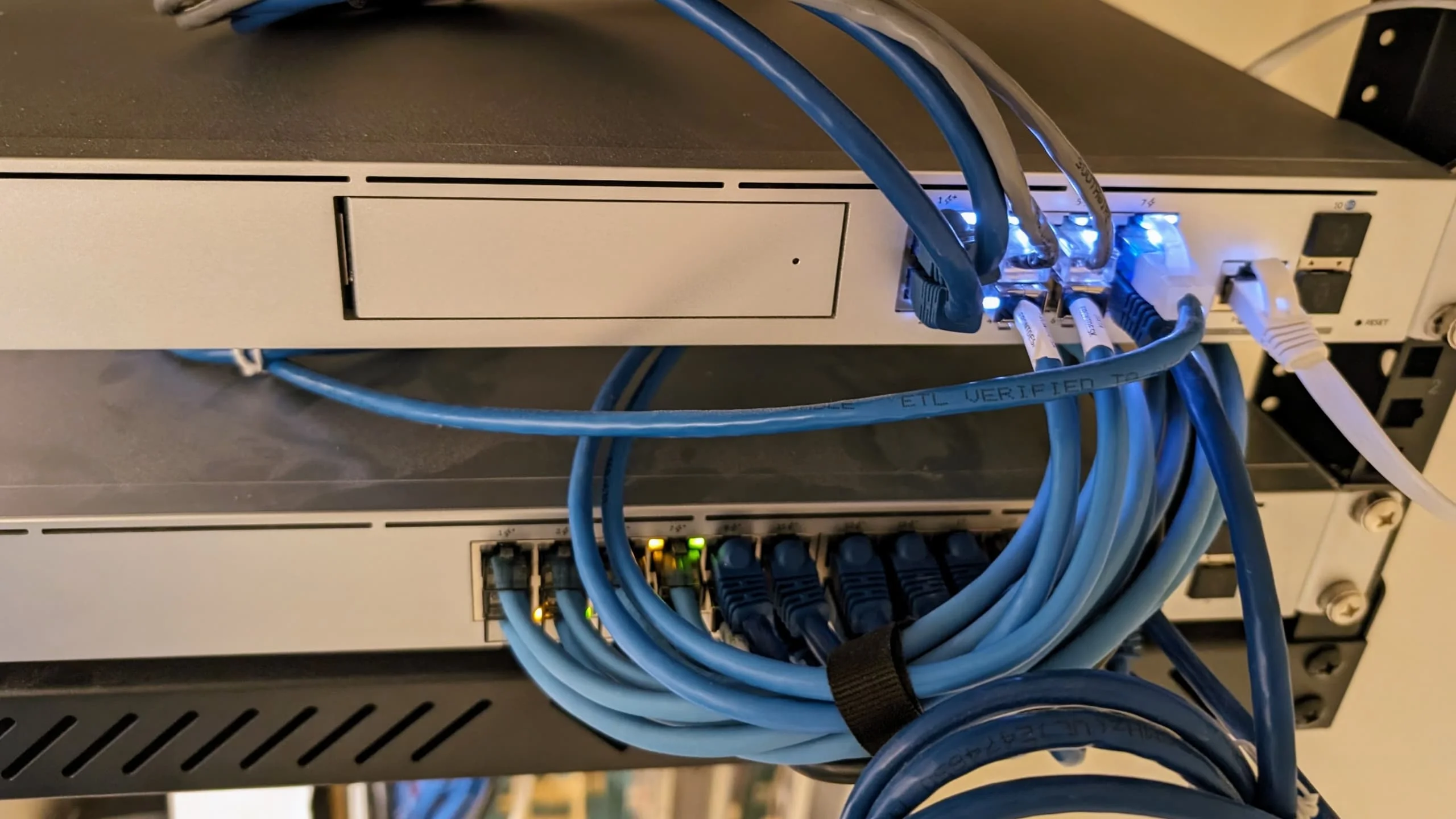
The challenge
- Legacy Cat5 cabling with inconsistent terminations
- Separate coax runs and power supplies for a 6-camera analog CCTV system
- Rack space consumed by a standalone DVR, power distribution, and patch panels for two separate systems
- No centralized management or remote access capability
What we installed
We implemented a comprehensive UniFi system:
- Network core: UDM Pro (UniFi Dream Machine Pro)
- Switching: USW-Pro-24-PoE (400W PoE budget) powering all endpoints
- Cameras: 6× UniFi G4 Bullet cameras (PoE, ~4W typical each)
- Access points: 3× UniFi U6 Pro APs (PoE+, ~13W typical each)
- Cabling: Full Cat6 re-pull to all locations, certified to TIA-568 standards
Combined datasheet maximum across 9 PoE devices: 63W—well within the 400W switch budget. UniFi controller telemetry shows 50–60W during normal operation.
Results
- Removed: Analog DVR, 6 camera power adapters, separate coax distribution panel—freed approximately 4U of rack space
- Reduced cabling: Eliminated 6 separate power runs and 6 coax runs; replaced with 6 Cat6 drops
- Centralized management: All cameras, APs, and network visible in a single UniFi dashboard with remote access
- Monitoring period: System has run continuously for 18+ months with zero PoE-related incidents
"The rack went from intimidating to manageable. Staff can check cameras from their phones, and we haven't had a single power-related outage." — Office Manager, Coral Gables medical practice (anonymized)
If you're considering a similar upgrade for your business, we offer network design and PoE installations for offices throughout the Miami area.
Conclusion
PoE is standard infrastructure for business networks of all sizes. It provides measurable benefits: reduced cabling work, flexible device placement, centralized power management, and simplified UPS protection.
The key to a successful deployment is matching each device's actual power requirements (from datasheets, not generational assumptions) to your switch's per-port capability and total budget. Allow documented operational and growth reserve so you don't discover budget constraints after installation.
For questions about implementing PoE in your network, our team is available to discuss your specific requirements and help identify the right equipment for your situation.
Glossary of PoE Terms
| Term | Definition |
|---|---|
| IEEE | Institute of Electrical and Electronics Engineers – develops PoE standards (802.3af, 802.3at, 802.3bt) |
| PSE (Power Sourcing Equipment) | The device that provides power – either a PoE switch (endspan) or a midspan injector |
| PD (Powered Device) | Any device that receives power over Ethernet – cameras, APs, phones, etc. |
| Endspan | A PSE integrated into a network switch; PoE may be available on all ports or only a designated subset |
| Midspan injector | A separate device inserted between a non-PoE switch and a PD to add power to the cable |
| PoE (802.3af / Type 1) | 15.4W from PSE, 12.95W guaranteed at PD, over 2 pairs |
| PoE+ (802.3at / Type 2) | 30W from PSE, 25.5W guaranteed at PD, over 2 pairs |
| PoE++ (802.3bt / Type 3) | 60W from PSE, 51W guaranteed at PD, over 4 pairs |
| PoE++ (802.3bt / Type 4) | 90W from PSE, 71.3W guaranteed at PD, over 4 pairs |
| Active PoE | Standards-compliant PoE with IEEE detection and classification before power is applied |
| Passive PoE | Non-standard power injection without detection – can damage incompatible devices |
| LLDP (Link Layer Discovery Protocol) | Used by higher-power PDs to negotiate specific power levels with the PSE |
| Power class | A category (0–8) that tells the PSE how much power the PD may draw |
| Power priority | Switch setting that determines which ports lose power first when total budget is exhausted |
| PoE budget | The total wattage a switch's PSU can deliver across all PoE ports combined |
| CCA (Copper-Clad Aluminum) | Cable with aluminum conductors plated in copper – higher resistance, not suitable for high-power PoE |
Frequently Asked Questions
How many cameras can a PoE switch support?
It depends on your switch's total PoE budget and each camera's maximum power draw. Example: an 8-port switch with 120W budget and 15W cameras. At full datasheet maximum, that's 8 × 15W = 120W—using 100% of the budget with no headroom. Following our 20% design-margin recommendation, the defensible answer is 6 cameras (90W), leaving 30W for headroom and peak events. For PTZ cameras (up to 60W each), you'll need fewer cameras or a higher-budget switch.
What size PoE switch do I need for my office?
Count your PoE devices, sum their switch-side (PSE) power requirements, and add your desired reserve. A small office with 4 cameras (15W), 2 access points (22W), and 8 VoIP phones (6W) needs: 60 + 44 + 48 = 152W total. With 20% margin, target a switch with at least 185W PoE budget. Check specific models—PoE budgets vary widely across vendors, port counts, and product lines.
Can I mix PoE and regular devices on the same switch?
Yes. Standards-compliant PoE switches detect which devices need power through the IEEE detection process. Non-PoE devices like computers, printers, and regular network equipment work normally—they simply receive data without power. The switch only applies voltage after confirming a valid PD signature.
What's the maximum cable length for PoE?
The IEEE standard specifies a 100-meter channel (90m permanent link + 10m patch/equipment cords) on Cat5e or better cabling. This is the same as regular Ethernet. For longer runs, PoE extenders or fiber with a PoE media converter at the far end are options. Note that extenders consume power themselves, vary in output class and bandwidth, and their distance extension depends on the specific product—"adds 100m per extender" is not a universal rule.
Do I need PoE+ or is basic PoE enough?
For VoIP phones and basic indoor cameras, standard PoE (802.3af, 12.95W at device) is fine. For most modern outdoor cameras and many access points, you need PoE+ (802.3at, 25.5W at device). Don't assume by Wi-Fi generation—check each device's datasheet for its specific required PoE type.
Do all my network devices need to be PoE-compatible?
No. Your network can seamlessly incorporate both PoE and non-PoE devices on the same switch. Only the devices you wish to power through the Ethernet cable need PoE capabilities. The switch's IEEE detection ensures power is never applied to a device that doesn't request it.
Can I upgrade my existing network to PoE?
Yes. The typical upgrade path involves replacing your switch with a PoE model (or adding midspan injectors for individual devices), then verifying your existing cabling is certified and in good condition. Depending on cable age, type, and the PoE class you need, you may also need to re-pull some runs—particularly if you find CCA cable or uncertified Cat5.
Is PoE safe for my network?
Standards-compliant (active) PoE is safe. The PSE detects a valid PD signature before applying voltage and continuously monitors for overcurrent, short circuits, and device disconnection. It will not damage non-PoE equipment plugged into a PoE port.
Passive PoE is a different matter—it applies voltage without IEEE detection and can damage incompatible equipment. Always verify that any PoE injector or switch uses IEEE 802.3af/at/bt compliance, not proprietary passive injection.
What's the difference between PoE, PoE+, and PoE++?
These standards (802.3af, 802.3at, and 802.3bt) differ primarily in power delivery: 15.4W, 30W, and 60–90W from the PSE respectively. Type 3 and Type 4 use all four pairs at their higher power levels (versus two pairs for Types 1 and 2) and support LLDP-based power negotiation. See the standards table above for the full breakdown.
Can PoE be used in Miami's humid climate?
Yes. Choose switches and devices rated for your environment (indoor, outdoor-rated, appropriate humidity and temperature range). For outdoor cameras and APs, use outdoor-rated cable, weatherproof enclosures, and surge protection. Our team handles equipment selection and environmental considerations for Miami's climate conditions.
Related Articles
More from Network Infrastructure

What We Tell Every New Client About Their WiFi Before We Touch a Single Device
Before any access point gets ordered, we go through the same conversation. Here's what 40+ office network installs in South Florida taught us to check first.
12 min read

WiFi 7 Multi-Link Operation (MLO) Explained: What It Does, What It Doesn't, and Whether Your Office Can Use It
MLO is WiFi 7's most important — and most misunderstood — feature. This guide explains how it actually works, the difference between eMLSR and STR, which devices support it, and how to deploy it in UniFi.
17 min read

Business Internet Requirements Calculator: How Much Speed Do You Actually Need?
Calculate your business internet requirements based on employees, video calls, and cloud apps. Get the right speed without overpaying.
19 min read