

UniFi U7 Lite vs U7 Pro: Which WiFi 7 Access Point Should You Buy?
Compare the $99 U7 Lite and $189 U7 Pro WiFi 7 access points. Detailed specs, 6 GHz differences, deployment scenarios, and practical recommendations to help you choose.


Key Takeaway
The U7 Lite ($99) brings WiFi 7 to budget-conscious deployments with solid 5 GHz performance and support for over 200 devices. The U7 Pro ($189) adds tri-band operation including the 6 GHz spectrum, supports 300+ clients, and delivers up to 5.8 Gbps on the less congested 6 GHz band. The Lite serves smaller spaces effectively, while the Pro suits higher-density environments and networks planning for WiFi 7 device adoption.
Quick Verdict
Buy the U7 Lite for home coverage, guest networks, and standard office use where cost is key. Buy the U7 Pro for high-density areas, conference rooms, or if you have WiFi 6E/7 laptops that need the 6 GHz band for cleaner, lower-congestion speed.
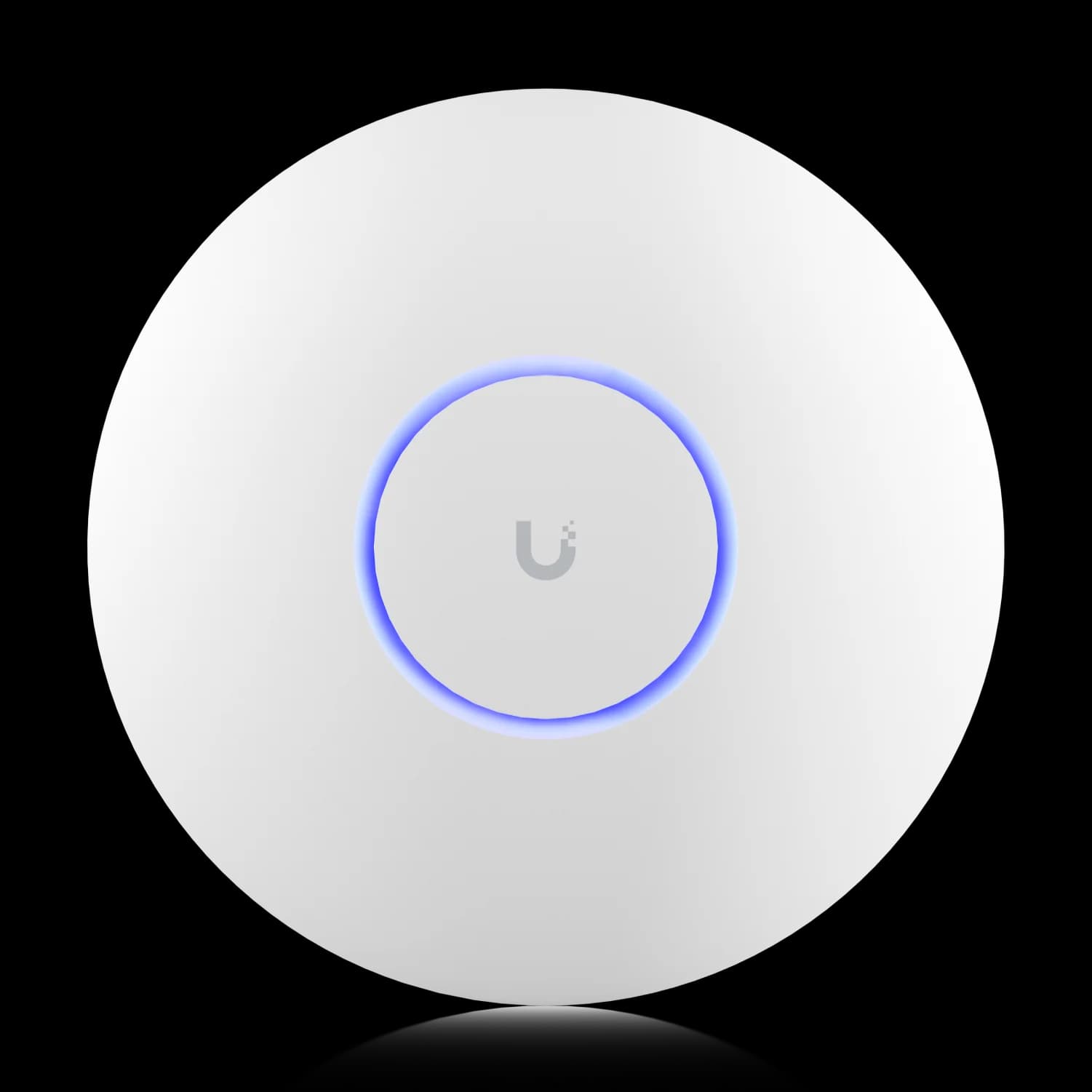
UniFi U7 Pro
The best value WiFi 7 access point for most businesses. Dedicated 6 GHz band, 300+ clients, and throughput built for a 3–5 year deployment.
- Tri-Band WiFi 7 (2.4/5/6 GHz)
- 6 GHz Low-Congestion Band
- 2.5 GbE Uplink Port
- Supports 300+ Devices
MSRP $189 from Ubiquiti. Amazon seller prices vary.
Understanding the U7 Series Position in UniFi's WiFi 7 Lineup
The decision between the UniFi U7 Lite ($99) and U7 Pro ($189) comes down to one question: Do you need the 6 GHz band? Both are genuine WiFi 7 (802.11be) access points with features like 4K-QAM, MLO, and 2.5 GbE uplinks. The U7 Lite is a dual-band AP—meaning it lacks the less congested 6 GHz spectrum where WiFi 7's widest channels operate.
The key differentiator is the 6 GHz band—introduced with WiFi 6E and carried forward into WiFi 7—which gives the Pro access to 1,200 MHz of spectrum with significantly less legacy-device congestion. This comparison examines the specific differences and when the additional investment in the Pro provides meaningful value.
Since this comparison was first published, Ubiquiti has added the U7 Long-Range ($159) to the lineup. It slots neatly between the Lite and Pro: 5 spatial streams (3x3 on 5 GHz), 1,750 sq ft coverage, 300+ client capacity, a 2.5 GbE uplink, and standard PoE at just 14W—but, like the Lite, no 6 GHz radio. If your priority is reach over spectrum (larger warehouses, L-shaped offices, or multi-room coverage with fewer APs), the Long-Range is a legitimate middle option worth considering before deciding between the Lite and Pro.
For context on UniFi's complete WiFi 7 lineup including the U7 Pro Max and U7 Pro XG with 10GbE uplinks, see our comprehensive WiFi 7 access point guide.
Affiliate Disclosure: This article contains affiliate links. If you make a purchase through these links, we may earn a small commission at no extra cost to you. As an Amazon Associate, iFeelTech earns from qualifying purchases.
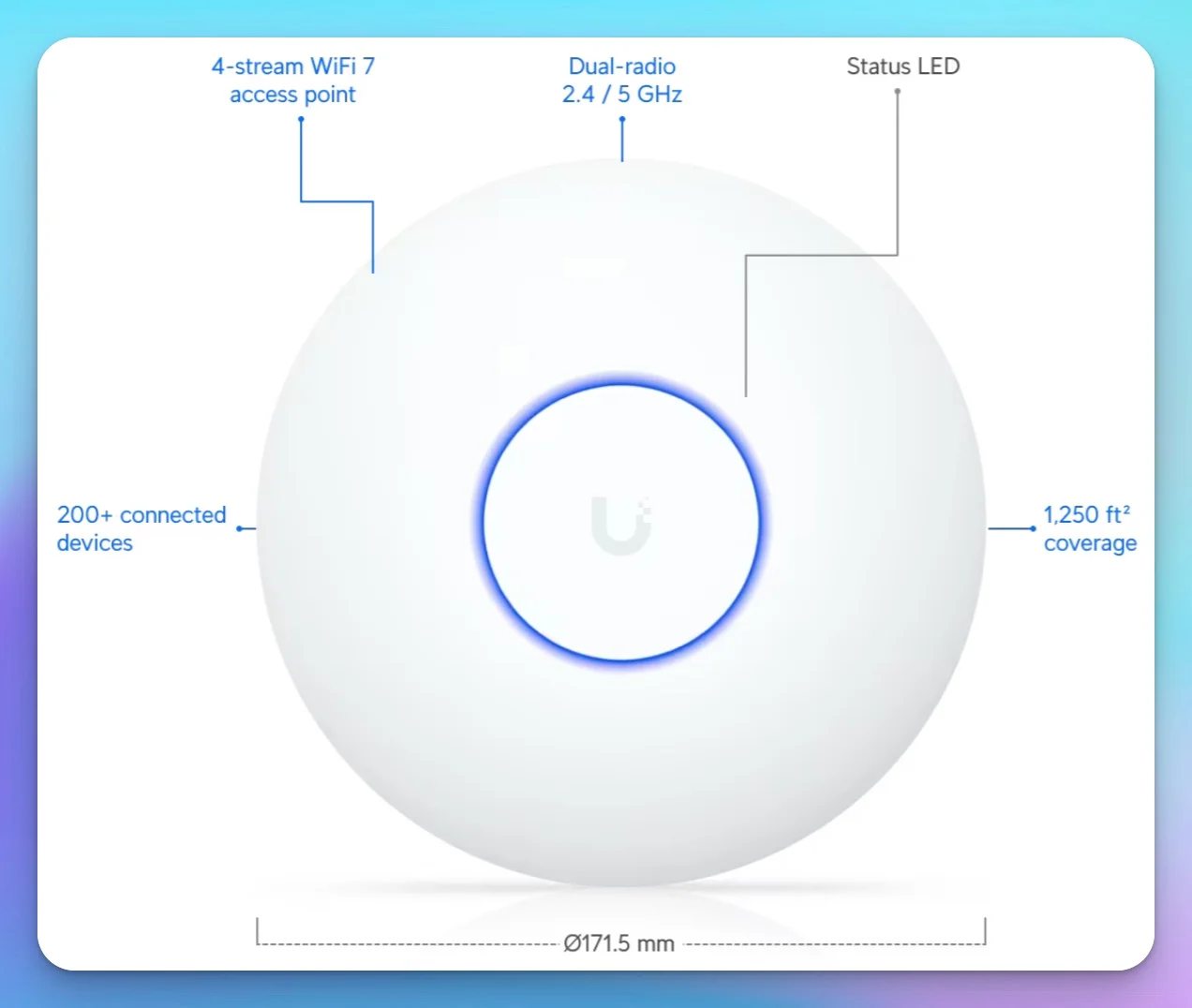
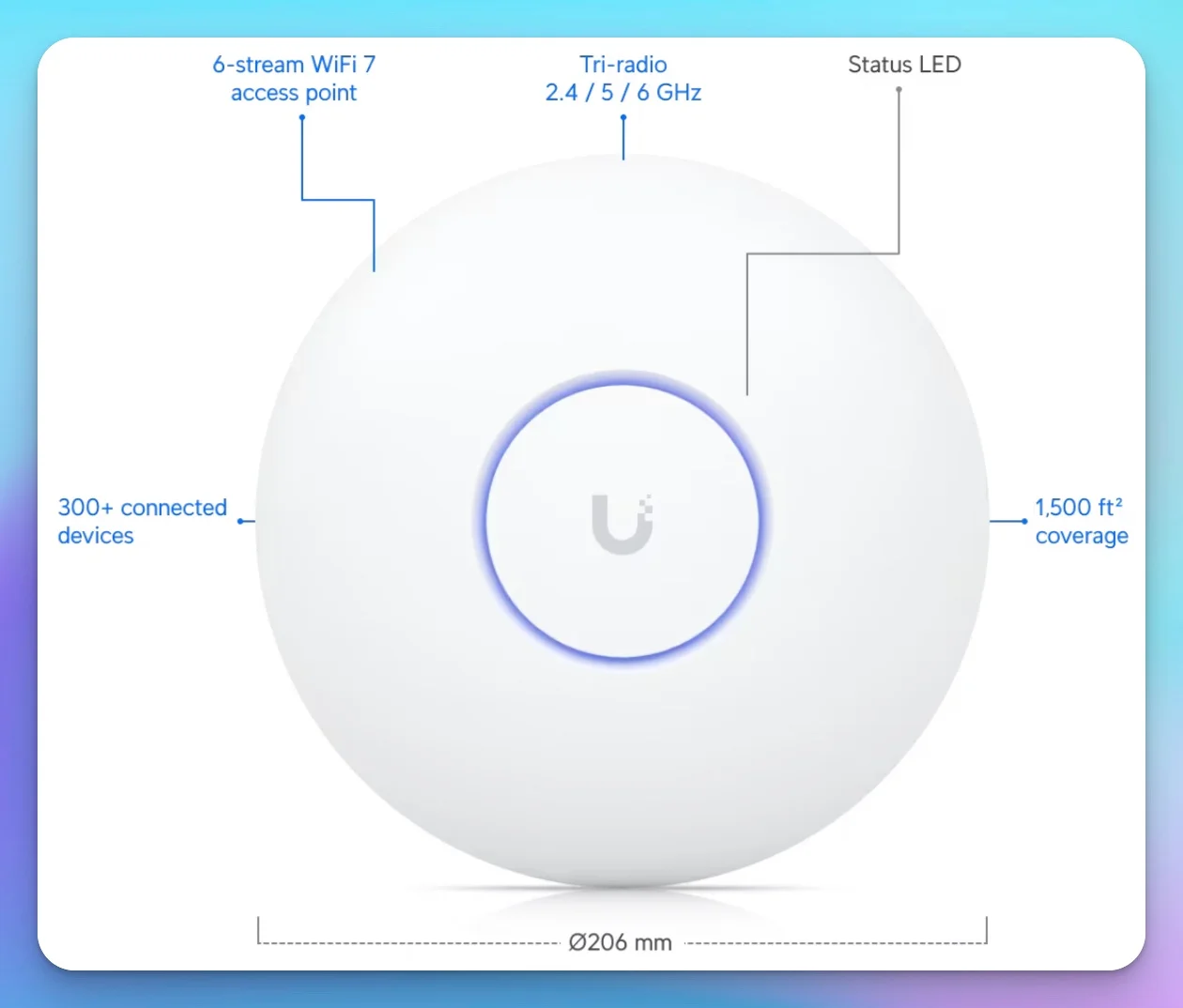
Technical Specifications Comparison
The U7 Pro adds a 6 GHz radio, two extra spatial streams, and 250 sq ft more coverage; the two APs otherwise share WiFi 7 and 2.5 GbE uplinks.
| Specs | ||
|---|---|---|
| WiFi Standard | WiFi 7 (802.11be) | WiFi 7 (802.11be) |
| Bands | Dual-Band (No 6 GHz) | Tri-Band (6 GHz) |
| 6 GHz Support | ❌ No | ✅ Yes |
| Spatial Streams | 4 (2x2) | 6 (2x2) |
| Coverage | 1,250 ft² | 1,500 ft² |
| Max Clients | 200+ | 300+ |
| Uplink | 2.5 GbE | 2.5 GbE |
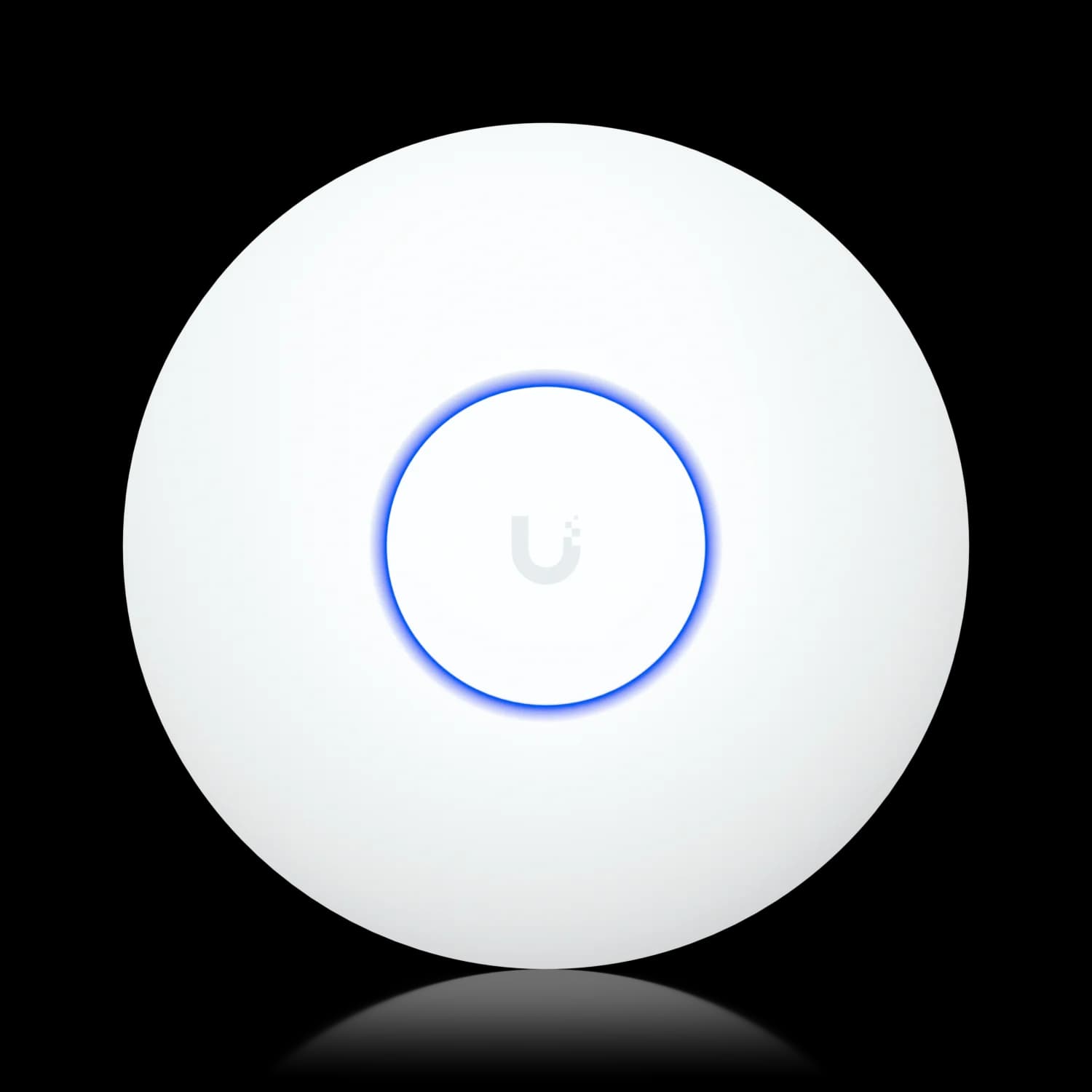
Note: Ubiquiti's datasheet lists 4.3 Gbps (BW240) for the U7 Lite on 5 GHz. While the hardware theoretically supports 240 MHz channels, regulatory restrictions and spectrum fragmentation make a contiguous 240 MHz block in the 5 GHz band rarely a dependable planning assumption in normal office deployments. The ~2.9 Gbps figure reflects the practical maximum for 2x2 operation at 160 MHz with 4K-QAM—which is what you'll actually see outside of a shielded lab.
Key Performance Differences: 6 GHz & Throughput
The 6 GHz Advantage: Do You Actually Need It?
The most significant technical difference between these access points is 6 GHz band support. Understanding when this matters—and when it doesn't—helps justify the price difference.
Why 6 GHz Matters
The 6 GHz spectrum offers three key advantages over 5 GHz:
- Less congestion — Only WiFi 6E and WiFi 7 devices can access it, avoiding interference from legacy hardware
- Wider channels — Supports 320 MHz channels where allowed, with less legacy-device congestion than 5 GHz
- More spectrum — 1,200 MHz of new bandwidth versus 500 MHz for 5 GHz
The trade-off: 6 GHz signals have reduced range compared to 5 GHz due to higher frequency attenuation.
As of July 2026, 6 GHz support is standard in current flagships but still uneven across business fleets. iPhone 15 Pro and Pro Max support WiFi 6E, while the iPhone 16 family supports WiFi 7. Newer iPad Pro (M5) and MacBook Pro models with the N1 networking chip also include WiFi 7, and many newer flagship Windows laptops have shipped WiFi 7 radios since 2025. The devices already on your network matter more than the spec sheet: fleets running two- to three-year-old hardware are still largely WiFi 6/6E, and that should factor into your purchasing decision.
6 GHz Setup Checklist
Enabling 6 GHz on the U7 Pro isn't just plug-and-play. Before you deploy, confirm:
- Supported region — 6 GHz availability varies by country; check Ubiquiti's regulatory list
- WPA3 / PMF — The 6 GHz band requires WPA3 security with Protected Management Frames (PMF); WPA2-only SSIDs will not broadcast on 6 GHz
- 6 GHz-capable clients — Only WiFi 6E and WiFi 7 devices can join; older clients need a separate or shared 2.4/5 GHz SSID
- Closer AP spacing — 6 GHz signals attenuate faster than 5 GHz; plan for tighter coverage cells
- Multi-gig switch port — A 2.5 GbE or faster switch port is needed to avoid bottlenecking the AP's uplink
- Current UniFi firmware — Run UniFi Network 8.0.28+ for the U7 Pro (9.0.114+ for the U7 Lite)
Spatial Streams and Concurrent Capacity
The U7 Pro's 6 spatial streams (2x2 across three bands) versus the Lite's 4 streams (2x2 across two bands) affects aggregate capacity rather than individual client speed. In practice:
- U7 Lite: Handles 200+ clients across two bands with a practical planning aggregate of approximately 3.6 Gbps (assuming 160 MHz on 5 GHz)
- U7 Pro: Distributes traffic across three bands with a practical planning aggregate of approximately 9.4 Gbps (assuming 160 MHz on 5 GHz, 320 MHz on 6 GHz)
For a typical small office with 20-30 wireless devices, both access points provide sufficient capacity. The Pro's advantage becomes more relevant in high-density scenarios: conference rooms, retail spaces, or environments where 50+ devices operate simultaneously.
Hardware Revisions: Fanless U7 Pro Units
Many current retail U7 Pro units appear to use a newer fanless hardware revision. Early production runs included a small internal fan, but community reports indicate that board revision 8 and later use an improved heatsink design for fully passive cooling — one less moving part and one less point of failure. The older fan-equipped units have a small vent cutout in the housing near the Ethernet port, while fanless units do not. Ubiquiti has not published an official changelog for this revision, so if you're buying from secondary markets, check the housing for the vent cutout before assuming which version you're getting.
Power Requirements
The U7 Lite runs on standard 802.3af PoE, drawing up to 13W. The U7 Pro requires 802.3at PoE+, consuming up to 21W. This difference affects switch compatibility:
| Switch Type | U7 Lite Support | U7 Pro Support |
|---|---|---|
| UniFi Switch Lite 8 PoE | ✅ Yes | ✅ Yes (802.3at on 4 ports; 52W budget limits you to 1–2 Pro units) |
| UniFi Switch Pro 8 PoE | ✅ Yes | ✅ Yes |
| UniFi Switch Enterprise 24 PoE | ✅ Yes | ✅ Yes |
| Older 802.3af-only switches | ✅ Yes | ❌ No |
If your existing switch infrastructure only supports 802.3af, the U7 Lite avoids switch upgrades. The Pro may require switch replacement or additional PoE injectors.
Real-World Deployment Scenarios
Scenario 1: Home Office / Small Retail (500-1,200 sq ft)
A home office with 10-15 devices—laptops, phones, smart home equipment—operates well within the U7 Lite's capacity. The 1,250 sq ft coverage footprint typically handles single-floor spaces without dead zones.
The 6 GHz band provides minimal benefit when most devices connect at short range, and the $90 savings can fund other network improvements.
Pro Tip: Consider the U7 In-Wall
Need wired ports at the desk? The U7 In-Wall (~$149) offers similar WiFi 7 performance to the Lite but adds an integrated 2.5 GbE PoE switch (PoE+ input required for single-port PoE output)—ideal for home offices or hotel rooms where ceiling mounting isn't practical.
Scenario 2: Professional Office (1,500-3,000 sq ft)
An office with 30-50 employees, conference rooms with video calling, and VoIP phones benefits from the U7 Pro's capabilities. The 6 GHz band reduces latency for real-time applications, and the 300+ client capacity handles growth.
UniFi U7 Pro
MSRP $189Professional capacity for offices with video conferencing and high device density.
For offices over 2,000 sq ft, consider a mixed deployment: U7 Pro in high-traffic areas (conference rooms, open offices) with U7 Lite units filling coverage gaps in private offices.
Scenario 3: High-Density Public Space
Retail environments, coffee shops, or waiting areas with constantly rotating devices stress access point capacity. The U7 Pro's tri-band operation distributes traffic more effectively, and the 6 GHz band provides a premium tier for newer devices.
UniFi U7 Pro
MSRP $189The ability to steer legacy devices to 2.4/5 GHz while reserving 6 GHz for high-bandwidth users optimizes the experience for all clients.
Scenario 4: Multi-Access-Point Deployment
Networks requiring 4+ access points should consider cost-efficiency carefully:
| Deployment | All U7 Lite | Mixed (Pro + Lite) | All U7 Pro |
|---|---|---|---|
| 4 APs total | $396 | $476 (2+2) | $756 |
| 6 APs total | $594 | $663 (2+4) | $1,134 |
| 8 APs total | $792 | $850 (2+6) | $1,512 |
A mixed deployment places U7 Pro units in high-traffic zones and U7 Lite units for coverage extension. This balances cost with performance where it matters most.
Network Integration Considerations
Controller Compatibility
Both access points run on current UniFi Network Application releases (version 10.x as of July 2026), but their minimum supported versions differ: the U7 Pro requires UniFi Network 8.0.28 or later, while the U7 Lite requires 9.0.114 or later (it launched later in the product cycle). Once adopted, the controller manages configuration, client steering, and roaming identically across both models.
Roaming Between Models
UniFi's band steering and seamless roaming work across mixed U7 Lite and U7 Pro deployments. Clients roam between access points based on signal quality, and the controller handles band selection automatically.
Mixed Deployment Best Practice
When combining U7 Lite and U7 Pro access points, create consistent SSID configurations across all units. The controller's AI-based band steering will direct 6 GHz-capable clients to Pro units when within range, falling back to Lite units seamlessly when moving through coverage areas.
Uplink Considerations
Both models include 2.5 GbE uplinks, avoiding the bottleneck that limited WiFi 6 access points with gigabit-only connections. To make use of that uplink, the switch port behind it needs to be multi-gig as well — our budget 2.5 GbE UniFi network guide covers cost-effective ways to build that backbone. For networks with 10GbE requirements, consider the U7 Pro XG which includes 10GbE uplink capability.
For proper cabling infrastructure to support these access points, see our Cat6A wiring guide covering installation standards for high-performance wireless deployments.
Cost Analysis: Total Deployment Cost
Beyond the access point price, consider the complete deployment cost:
| Cost Factor | U7 Lite Deployment | U7 Pro Deployment |
|---|---|---|
| Access Point | $99 | $189 |
| PoE Switch Port | Standard PoE | PoE+ required |
| Cable Run | Cat5e minimum | Cat5e minimum |
| Installation | Same | Same |
| Coverage per AP | 1,250 sq ft | 1,500 sq ft |
For a 4,500 sq ft office:
- U7 Lite approach: 4 units × $99 = $396
- U7 Pro approach: 3 units × $189 = $567
The U7 Pro's larger coverage footprint partially offsets its higher unit cost in larger spaces, though the Lite typically provides better per-dollar coverage in straightforward floor plans.
Frequently Asked Questions
Will the U7 Lite's lack of 6 GHz matter in two years?
6 GHz capability is now standard in current flagships — iPhone 15 Pro/Pro Max support WiFi 6E, the iPhone 16 family supports WiFi 7, and newer iPad Pro and MacBook Pro models include WiFi 7 as well. Many flagship Windows laptops also ship with WiFi 7 radios. If you're planning a 3–5 year deployment cycle, the U7 Pro provides better long-term value. For networks refreshed every 2–3 years, the Lite's lower cost makes replacement more economical as older client devices age out.
Can I use U7 Lite and U7 Pro on the same network?
Yes. UniFi's controller manages mixed deployments seamlessly. Place Pro units in high-traffic areas and Lite units for coverage extension. The controller handles client steering automatically.
Does the U7 Lite support the same advanced features as the Pro?
Yes. Both access points support band steering, fast roaming, VLAN tagging, guest portals, and all UniFi Network Application features. The only capability difference is 6 GHz operation.
Should I upgrade my WiFi 6 access points to U7 Lite?
If your WiFi 6 access points (U6-Pro, U6-LR) still provide adequate coverage and performance, upgrading purely for WiFi 7 offers limited immediate benefit. Consider upgrading when:
- Coverage gaps require additional access points anyway
- Client density exceeds current AP capacity
- New WiFi 7 devices represent a significant portion of your network
What's the actual range difference between U7 Lite and U7 Pro?
Ubiquiti rates the U7 Pro for about 20% more coverage area (1,500 vs 1,250 sq ft), and its higher antenna gain (6 dBi vs 5 dBi on 5 GHz) contributes to that advantage. Actual range depends on walls, mounting height, RF noise, and client transmit power—coverage area and range are not the same metric.
Do I need to upgrade my switch for the U7 Pro?
Only if your current switch provides 802.3af only. Most UniFi switches from the past 3-4 years support 802.3at (PoE+). Check your switch's per-port power budget—the U7 Pro draws up to 21W versus the Lite's 13W.
How does the U7 Lite compare to the older U6-Lite?
| Aspect | U6-Lite | U7 Lite |
|---|---|---|
| WiFi Standard | WiFi 6 | WiFi 7 |
| Max Speed (5 GHz) | 1.2 Gbps | ~2.9 Gbps |
| Uplink | 1 GbE | 2.5 GbE |
| Price | $99 | $99 |
| Channel Width | 80 MHz | 160 MHz |
At the same price, the U7 Lite offers significantly better performance across the board. For most new deployments, the U7 Lite is the better choice.
Can I use WiFi 7 features like MLO with the U7 Lite?
Multi-Link Operation (MLO) allows compatible devices to use multiple bands simultaneously, but the quality of that aggregation depends on which bands are available:
- U7 Lite MLO (2.4 GHz + 5 GHz): Bonds a low-speed band with a high-speed band. The 2.4 GHz link adds modest throughput and some redundancy, but both bands are shared with legacy devices and subject to interference.
- U7 Pro MLO (5 GHz + 6 GHz): Bonds two high-speed bands, one of which is largely free from legacy interference. This delivers noticeably better latency and throughput—particularly for video conferencing, VoIP, and real-time collaboration.
For latency-sensitive applications, the Pro's tri-band MLO implementation provides a meaningful advantage.
Do You Need to Upgrade Right Now?
If your business already runs stable U6-Pro or U6-LR access points with solid coverage and your fleet is mostly WiFi 5/6 clients, neither the U7 Lite nor the U7 Pro will deliver a dramatic day-one improvement. WiFi 7's biggest throughput gains require WiFi 7 clients, 160+ MHz channels, and in the Pro's case, 6 GHz-capable devices.
Consider holding off if:
- Current coverage and client capacity meet your needs
- Fewer than 20% of your devices support WiFi 6E or WiFi 7
- You're mid-lease on recently installed U6 hardware
Consider upgrading when:
- You're adding new cable runs or APs anyway (the incremental cost of U7 vs U6 is minimal)
- Client density is outgrowing your current APs
- WiFi 7 laptops and phones now represent a meaningful share of your fleet
- You need the 6 GHz band for latency-sensitive applications like real-time video or VoIP
The best time to adopt WiFi 7 is during a natural refresh cycle—not as a rip-and-replace of working infrastructure.
Making Your Decision
Our Recommendation
Choose the U7 Lite ($99) if:
- Budget is a primary constraint
- Your coverage area is under 1,200 sq ft per access point
- Most devices are WiFi 5 or WiFi 6
- You're supplementing an existing network
- Your existing switches support 802.3af only
Choose the U7 Pro ($189) if:
- You need coverage for 1,500+ sq ft per access point
- High-density environments with 50+ simultaneous clients
- Conference rooms or spaces with heavy video conferencing
- Better fit for a 3–5 year deployment cycle
- Your team already uses WiFi 7 devices
The $90 difference between the U7 Lite and U7 Pro purchases meaningful improvements for specific deployment scenarios. The 6 GHz band, increased client capacity, and larger coverage footprint justify the premium for growing businesses, high-density environments, or those planning to support WiFi 7 devices over the next several years.
For networks uncertain about future requirements, a mixed deployment offers a practical middle ground—placing Pro units where capacity and performance matter most while using Lite units for cost-effective coverage extension.
Need help planning your WiFi 7 deployment? Our team provides network assessments and professional installation throughout South Florida. Contact us for a customized access point recommendation based on your floor plan and usage patterns.
Related Reading
- UniFi U6 in 2026: Models, Specs and U7 Alternatives — Which U6 access points remain available and when WiFi 6 still makes sense
- UniFi Buyer's Guide — Complete ecosystem recommendations with gateway, switch, and AP combinations by office size
- Complete UniFi WiFi 7 Access Point Guide — Full comparison of all U7 series models
- Best WiFi 7 Access Points for Small Business — UniFi vs TP-Link Omada, Cisco, and Ruckus
- UniFi U7 Pro XG Review — Enterprise-grade deployments with 10GbE
- Small Business Network Setup Guide — End-to-end planning for new office networks
- WiFi Access Point Density for Glass Offices — Coverage planning for modern office layouts
Pricing and specifications verified July 2026. Product availability varies by region.
Related Articles
More from UniFi Networks
UniFi U7 Pro Max Field Review (2026): PoE+, Range & XGS Comparison
Field review of 12 UniFi U7 Pro Max APs across four SMB sites. PoE+, range, spectral scanning, heat, and U7 Pro XGS comparison.
18 min read
UniFi U7 Pro Wall vs U7 Pro XG Wall: WiFi 7 In-Wall Access Points Compared
UniFi U7 Pro Wall ($199) and U7 Pro XG Wall ($279) are tri-band WiFi 7 wall-mounted access points with a 2.5GbE uplink and a multi-speed uplink up to 10GbE. Neither includes switch ports.
13 min read
UniFi vs TP-Link Omada WiFi 7: Multi-Gig Business Comparison (2026)
UniFi vs Omada WiFi 7 for small offices: verified hardware budgets, controller compatibility, PoE requirements, traffic bottlenecks and practical support choices.
13 min read