

Ubiquiti WiFi Solutions: Complete 2026 Business Guide
Complete guide to Ubiquiti UniFi WiFi 7 solutions for business. Covers established WiFi 7 access points, real-world performance data, deployment scenarios, cost analysis, and implementation best practices.

Affiliate Disclosure: This article contains affiliate links. If you make a purchase through these links, we may earn a small commission at no extra cost to you. As an Amazon Associate, iFeelTech earns from qualifying purchases.
Key Takeaway
UniFi delivers enterprise-grade WiFi 7 networking without mandatory subscription fees. The 2026 lineup provides tri-band access points, AI-driven optimization, and integrated threat protection for businesses from 5 to 500+ employees at 40-60% lower total cost of ownership than traditional enterprise solutions.
Quick Reference: UniFi WiFi 7 Access Points (2026)
| Model | WiFi 7 Bands | Max Throughput | Client Capacity | Best For | MSRP |
|---|---|---|---|---|---|
| UniFi E7 | Tri-band (2.4/5/6 GHz) | 10+ Gbps | 1,000+ | Convention centers, large campus | $599 |
| U7 Pro Max | Tri-band (2.4/5/6 GHz) | 8.6 Gbps | 500+ | High-density offices, conference rooms | $280 |
| U7 Pro | Tri-band (2.4/5/6 GHz) | 4.3 Gbps | 300+ | Standard office deployments | $189 |
| U7 Pro XG | Tri-band (2.4/5/6 GHz) | 4.3 Gbps | 300+ | 10GbE RJ45 uplink environments | $199 |
| U7 Long-Range | Tri-band (2.4/5/6 GHz) | 4.3 Gbps | 300+ | Warehouses, thick walls | $229 |
| U7 Lite | Dual-band (2.4/5 GHz only) | 2.9 Gbps | 200+ | Budget deployments with 2.5GbE uplink | $99 |
| U7 Outdoor | Dual-band (2.4/5 GHz only) | 2.9 Gbps | 200+ | Outdoor patios, parks | $179 |
Key Distinction: Only U7 Lite lacks 6 GHz support. All other U7 models include full tri-band WiFi 7 capabilities. Note that U7 Pro XG uses 10 GbE RJ45, while U7 Pro XGS uses 10 GbE SFP+ for fiber connections.
Why UniFi for Business WiFi in 2026
UniFi's software-defined networking platform eliminates mandatory subscription fees while delivering WiFi 7, AI-driven RF optimization, and integrated threat protection. The platform unifies network management, security, and communications through a single interface—no separate licensing for switches, access points, or security features.
Core Value Proposition:
- Zero licensing fees for network management and standard security features
- WiFi 7 as standard across the product line (established technology, not experimental)
- AI-powered optimization with automated RF tuning and interference mitigation
- Local data processing for threat detection without cloud dependencies
- One-click VPN for multi-site connectivity through Site Magic
What are the best Ubiquiti WiFi 7 access points for business?
The UniFi U7 Pro and U7 Pro Max are the standard 2026 choices, offering tri-band WiFi 7 with 6 GHz support and multi-gigabit uplinks. In early 2026, the U7 Pro remains the value leader for standard office density, while the U7 Pro Max utilizes a dedicated spectral engine to automate interference mitigation in congested environments.
2026 U7 Series Specifications
| Model | Streams | Max Speed | Client Capacity | Uplink | Price (MSRP) |
|---|---|---|---|---|---|
| UniFi E7 | 10 spatial streams | 10+ Gbps | 1,000+ clients | 10 GbE SFP+ | $599 |
| U7 Pro Max | 8 spatial streams | 8.6 Gbps | 500+ clients | 2.5 GbE | $280 |
| U7 Pro XGS | 8 spatial streams | 8.6 Gbps | 500+ clients | 10 GbE SFP+ | $299 |
| U7 Pro XG | 6 spatial streams | 4.3 Gbps | 300+ clients | 10 GbE RJ45 | $199 |
| U7 Pro | 6 spatial streams | 4.3 Gbps | 300+ clients | 2.5 GbE | $189 |
| U7 Long-Range | 6 spatial streams | 4.3 Gbps | 300+ clients | 2.5 GbE | $229 |
| U7 Lite | 4 spatial streams | 2.9 Gbps* | 200+ clients | 2.5 GbE | $99 |
*U7 Lite is dual-band only (2.4 GHz + 5 GHz), lacks 6 GHz support but offers excellent value with 2.5 GbE uplink
Key Distinction: Only U7 Lite lacks 6 GHz support. All other U7 models include full tri-band WiFi 7 capabilities. Note that U7 Pro XG uses 10 GbE RJ45, while U7 Pro XGS uses 10 GbE SFP+ for fiber connections.
UniFi U7 Pro XG and XGS Overview
Wall-Mount & Hospitality Series
UniFi offers specialized wall-mount models for in-room deployments, distinguishing between switch-integrated units for hospitality and high-performance units for desk-side connectivity:
| Model | WiFi 7 Bands | Uplink | Built-in Switch | Best For | MSRP |
|---|---|---|---|---|---|
| U7 Pro XG Wall | Tri-band | 10 GbE | None | Media suites, high-bandwidth desks | $299 |
| U7 Pro Wall | Tri-band | 2.5 GbE | None | Standard offices, behind-display | $199 |
| U7 In-Wall | Dual-band* | 2.5 GbE | 4-Port | Hotel rooms, dorms, IP phones | $149 |
Editor's Note: The U7 Pro XG Wall is unique—it brings 10 GbE wire-speed connectivity to a wall unit, perfect for video editors who need massive speed hidden behind a desk. Note that it requires PoE++ power and runs warmer than ceiling units.
Device End-of-Life Warning
Older WiFi 5 (AC) or early WiFi 6 (U6 Lite, U6 LR) models are nearing end-of-support in 2026 and lack features like 6 GHz support and Multi-Link Operation. For high-ceiling or industrial spaces, ensure your switching infrastructure supports PoE+ to meet the higher power draw of WiFi 7 radios.
U7 Lite: Budget-Friendly WiFi 7
The U7 Lite at $99 represents excellent value for budget-conscious deployments. While it lacks 6 GHz support, its 2.5 GbE uplink makes it suitable for environments where existing cabling supports multi-gigabit speeds but 6 GHz wall penetration or device compatibility is less critical. This is a valid choice for budget upgrades where backhaul speed matters more than 6 GHz access. See our U7 Lite vs U7 Pro comparison for a detailed breakdown of where the $90 gap matters.
The "Enterprise" Tier: UniFi E7
For stadiums, auditoriums, and large campuses, the UniFi E7 is the new flagship. Unlike the Pro series, the E7 features 10 spatial streams, active PRISM RF filtering to block interference, and a dedicated spectral radio.
- Best For: Extreme density (1,000+ clients)
- Requirement: Requires PoE++ (802.3bt) switches (like Pro Max or Enterprise series). Standard PoE+ is insufficient.
The E7 represents UniFi's answer to ultra-high-density venues where traditional access points struggle with interference and client capacity. The active PRISM filtering technology actively blocks out-of-band interference, while the dedicated spectral radio continuously monitors the RF environment without impacting client traffic.
Real-World WiFi 7 Performance: 2026 Data
After 12+ months of WiFi 7 deployments, we have performance data comparing WiFi 6 vs. WiFi 7 in typical 2026 office environments based on our deployment experience:
Observed Performance Improvements
Multi-Link Operation (MLO) Impact MLO-capable devices (2026 laptops, tablets) demonstrate significant latency reduction in congested environments. Video conferencing stability shows measurable improvement, with dropped frame rates decreasing substantially during peak usage.
Real-World Throughput Gains In typical 50-employee office deployments with mixed WiFi 6 and WiFi 7 clients:
- WiFi 7 clients: 1.2-2.8 Gbps sustained throughput (compared to 400-900 Mbps on WiFi 6)
- File transfer times: Approximately 45-60% faster for large files (>1GB)
- Network congestion handling: Significantly improved capacity for simultaneous high-bandwidth connections
6 GHz Band Adoption By early 2026, approximately 60% of new business laptops and 40% of mobile devices support 6 GHz. This band provides cleaner operation in crowded office environments where 2.4 GHz and 5 GHz bands experience more interference.
320 MHz Channel Utilization In practice, 320 MHz channels provide 2.4x throughput improvement over WiFi 6E's 160 MHz channels, but require careful spectrum planning in multi-AP deployments.
WiFi 7 Device Compatibility (2026)
As of January 2026, WiFi 7 is the established standard for business devices. Most 2025-2026 business laptops, tablets, and smartphones include WiFi 7 support. Legacy WiFi 5 and WiFi 6 devices continue to work on U7 access points with backward compatibility, but won't benefit from MLO or 6 GHz features.
UniFi AI Optimizer: Automated RF Management
The 2025/2026 updates to UniFi's AI Optimizer provide competitive features compared to enterprise-tier solutions like Juniper Mist or HPE Aruba:
Automated RF Environment Tuning
- Real-time interference detection and channel optimization
- Automatic power adjustment based on client density and signal overlap
- Predictive load balancing across access points
- Self-healing network topology when APs fail or are added
Zero-Touch Optimization Unlike AI-driven competitors requiring cloud connectivity and subscription fees, UniFi's AI Optimizer runs locally on the gateway hardware. The system continuously analyzes RF environment data and adjusts settings without manual intervention or cloud dependencies.
Meet UniFi: Professional XG
Is there a monthly fee for UniFi?
UniFi does not require mandatory subscription fees for network management, security updates, or standard feature access. Unlike Cisco Meraki or HPE Aruba, Ubiquiti's business model centers on hardware sales. The UniFi Network Management software is free to host locally or on a Cloud Gateway.
Optional Paid Services (2026 Pricing):
- CyberSecure by Proofpoint: $99/year (55,000+ threat signatures)
- CyberSecure Enterprise: $499/year (95,000+ signatures for large networks)
- UniFi Hosting: $25-$100/month for official cloud management
- Professional Support: Available through certified partners
For businesses with 5-500 employees, UniFi offers total cost of ownership 40-60% lower than subscription-based enterprise solutions over a 5-year period.
Business Implementation Scenarios
Understanding how UniFi solutions apply to specific business environments helps organizations make informed networking decisions. Based on our deployment experience across diverse business environments, here are the most common and effective implementation scenarios.
Small Office Environments (5-25 Employees)
Small Office Configuration
Typical Requirements: Reliable WiFi throughout office space, guest network access, basic security features, simple management.
Recommended Configuration:
- Gateway: UniFi Cloud Gateway Ultra for centralized management (1 Gbps IDS/IPS throughput)
- Access Points: 1-3 UniFi U7 Pro units, depending on office layout
- Switch: UniFi Switch Lite 16 PoE for PoE power delivery
Estimated Investment: $800-$1,700, depending on office size and access point requirements.
Note: For offices with multi-gigabit internet (>1 Gbps), consider the Cloud Gateway Max or Dream Machine Pro Max to avoid IDS/IPS throughput bottlenecks.
Medium Business Deployments (25-100 Employees)
Medium Business Configuration
Typical Requirements: Multiple VLANs for department separation, guest networks, advanced security, centralized management, and high-density user support.
Recommended Configuration:
- Gateway: UniFi Dream Machine Pro Max for advanced features
- Access Points: 4-12 UniFi U7 Pro Max units for high-density coverage
- Switching: UniFi Switch Pro 24 PoE with additional switches as needed
Estimated Investment: $5,000-$15,000, depending on scale and advanced feature requirements.
Enterprise and Multi-Location Businesses
Enterprise Configuration
Typical Requirements: Site-to-site connectivity, centralized management across locations, advanced security policies, redundancy and failover capabilities.
Recommended Configuration:
- Gateway: Enterprise Fortress Gateway for maximum capabilities
- Access Points: Mix of U7 Pro Max and E7 Enterprise models
- Switching: UniFi Switch Pro Max 48 PoE with aggregation switches
Estimated Investment: $15,000+ per location with additional costs for SD-WAN and advanced security features.
Site Magic: Zero-Config Multi-Site Connectivity
One of UniFi's strongest features for 2026 is Site Magic SD-WAN for multi-site businesses. This feature provides:
Simplified Site-to-Site VPN
- One-click VPN setup between locations (no manual IPsec configuration)
- Automatic failover and load balancing across multiple WAN connections
- Centralized management of all site connections from single dashboard
- Zero-trust network access for remote workers
Business Value Traditional site-to-site VPN configuration requires specialized networking knowledge and hours of setup time per location. Site Magic significantly reduces configuration time to minutes, making multi-location networking accessible to businesses without dedicated network engineers.
Competitive Analysis: UniFi vs Traditional Solutions
Understanding how UniFi compares to other networking solutions helps businesses make informed technology decisions. Here's an objective comparison based on real-world deployment experience.
UniFi vs Consumer/Prosumer Solutions
| Factor | UniFi | Consumer Solutions |
|---|---|---|
| Scalability | Unlimited with centralized management | Limited to mesh nodes |
| Management | Professional interface with advanced features | Simple app with basic controls |
| Initial Cost | Higher upfront investment | Lower entry cost |
| Long-term Value | Excellent ROI with growth | Limited expansion capabilities |
| Security Features | Enterprise-grade with granular controls | Basic security options |
UniFi vs Traditional Enterprise Solutions (2026)
When compared to traditional enterprise networking vendors like Cisco Meraki, HPE Aruba, or Juniper Mist, UniFi offers a different value proposition:
UniFi Advantages
Cost Structure
- No ongoing licensing fees for management software
- 40-60% lower total cost of ownership over 5 years
- Significantly lower per-access-point costs ($189-$280 vs. $800-$1,500)
- Simplified purchasing without complex SKU matrices
AI-Driven Features (2026)
- UniFi AI Optimizer provides automated RF tuning without cloud dependencies
- Competitive with Juniper Mist AI and HPE Aruba AIOps
- Local processing ensures data privacy and works during internet outages
Software-Defined Networking
- Regular firmware updates add new capabilities without hardware replacement
- Feature parity with enterprise vendors for most SMB use cases
- Site Magic simplifies multi-site connectivity vs. traditional SD-WAN complexity
Enterprise Vendor Advantages
When Traditional Solutions Excel:
- Extensive third-party integrations (NAC, MDM, SIEM)
- Dedicated TAC support with SLA guarantees
- Industry-specific certifications (healthcare, government, finance)
- Advanced features like AI-powered location analytics and client insights
- Established vendor relationships and procurement processes
For businesses with 5-500 employees and standard compliance requirements, UniFi delivers comparable functionality to enterprise solutions at 40-60% of the cost.
What security features does UniFi provide?
UniFi's security capabilities have evolved significantly, particularly with the introduction of integrated threat protection and advanced network analytics. These features address the growing cybersecurity challenges facing modern businesses.
CyberSecure by Proofpoint Integration (2026)
The partnership with Proofpoint brings enterprise-grade threat intelligence directly to UniFi gateways. This integration provides:
Threat Detection Capabilities
- Signature-based Detection: Over 95,000 threat signatures updated weekly (Enterprise tier)
- Behavioral Analysis: Machine learning algorithms identify unusual network patterns
- DNS Protection: Real-time blocking of malicious domains and command-and-control servers
- Intrusion Prevention: Advanced IPS capabilities with minimal performance impact
2026 Pricing (Verified):
- CyberSecure Standard: $99/year (55,000+ threat signatures)
- CyberSecure Enterprise: $499/year (95,000+ signatures, advanced analytics)
Privacy-First Approach: All threat analysis occurs locally on gateway hardware, ensuring that sensitive business data never leaves the organization's network. This approach provides security benefits while maintaining data privacy compliance—no cloud dependencies required.
Network Segmentation and Access Control
UniFi's VLAN and firewall capabilities enable businesses to implement sophisticated network segmentation strategies:
Guest Network Isolation Separate guest networks with customizable access policies, bandwidth limits, and time-based restrictions ensure visitor access doesn't compromise business resources.
Department Segmentation VLANs enable logical separation of different business functions while maintaining centralized management and controlled inter-department communication.
IoT Device Management Dedicated networks for IoT devices with restricted access help prevent security vulnerabilities from affecting critical business systems.
How much does a UniFi business network cost?
UniFi's total cost of ownership is 40-60% lower than traditional enterprise solutions over 5 years due to zero mandatory subscription fees. Initial hardware investment varies by business size:
Initial Investment Components (2026)
| Component | Small Office (5-15 employees) | Medium Business (25-50 employees) | Large Deployment (100+ employees) |
|---|---|---|---|
| Gateway | $200-$500 | $600-$1,200 | $1,500-$3,000 |
| Access Points | $200-$600 (1-3 U7 Pro) | $800-$2,400 (4-12 U7 Pro Max) | $4,000-$15,000 (WiFi 7 mix) |
| Switching | $300-$600 | $800-$2,000 | $3,000-$8,000 |
| Installation | $500-$1,500 | $2,000-$5,000 | $5,000-$15,000 |
| Total Range | $1,200-$3,200 | $4,200-$10,600 | $13,500-$41,000 |
Ongoing Operational Costs (2026)
One of UniFi's significant advantages is the minimal ongoing operational costs compared to traditional enterprise solutions:
No Mandatory Licensing Fees
Unlike Cisco Meraki or HPE Aruba requiring annual licensing, UniFi management software and basic security features are included without ongoing subscription costs.
Optional Premium Services (2026 Pricing):
- CyberSecure by Proofpoint: $99 per year (55,000+ threat signatures)
- CyberSecure Enterprise: $499 per year (95,000+ signatures for large networks)
- UniFi Hosting: $25-$100 per month for cloud management
- Professional support: Available through certified partners
5-Year TCO Comparison:
- UniFi (50 employees): ~$8,000-$12,000 total
- Enterprise solutions (50 employees): ~$20,000-$30,000 total (includes mandatory licensing)
Implementation Best Practices
Successful UniFi deployments require careful planning and adherence to networking best practices. Based on our experience with numerous business installations, including detailed office network design strategies, here are the key considerations for optimal results.
Site Survey and Planning
Planning Essentials
Coverage Analysis Proper site surveys ensure optimal access point placement for comprehensive coverage without dead zones. Factors include building materials, interference sources, and user density requirements.
Capacity Planning Each access point supports different client capacities. High-density environments like conference rooms or open offices require careful planning to prevent performance degradation.
Future Growth Considerations The infrastructure should accommodate a 50-100% growth in device count and bandwidth requirements over a 3-5 year period.
Network Architecture Design
Proper network design prevents common issues and ensures scalable performance:
Hierarchical Design Core-distribution-access layer design principles apply even in smaller deployments, providing clear upgrade paths and simplifying troubleshooting.
VLAN Strategy Logical network segmentation improves security and performance while simplifying management of different device types and user groups.
Power and Connectivity PoE+ capability ensures sufficient power for high-performance access points while minimizing cable installation requirements. Select a PoE switch with adequate power budget for your deployment — our UniFi switch comparison covers PoE sizing for WiFi 7 access points in detail.
Integration with Business Systems
Modern businesses require network infrastructure that integrates seamlessly with existing technology investments. UniFi's flexible architecture supports various integration scenarios with business software platforms and cloud services.
Cloud Service Integration
UniFi networks integrate effectively with major cloud platforms and business applications:
Cloud Integrations
Microsoft 365 Integration QoS policies can prioritize Microsoft Teams traffic, while VLAN configurations support hybrid cloud-local authentication scenarios.
Google Workspace Support Network configurations optimize performance for Google's cloud services while supporting Chromebook deployments in educational and business environments.
VoIP System Compatibility Voice traffic receives priority handling through advanced QoS mechanisms, ensuring consistent call quality across the network.
Security System Integration
UniFi's ecosystem approach extends beyond WiFi to include comprehensive business security solutions:
UniFi Protect Integration IP camera systems like the G6 Pro series integrate directly with network infrastructure, providing centralized management and optimized performance for video surveillance.
Access Control Systems UniFi Access provides door control and visitor management that integrates with network user authentication and VLAN assignment.
UniFi Identity: Simplified User Access Management
UniFi Identity provides one-click WiFi and VPN access for employees in 2026, representing a significant advancement for business network management:
Identity Endpoint Features
- Single sign-on (SSO) for WiFi network access across all company locations
- Automatic VPN provisioning for remote workers through Site Magic
- Centralized user management integrated with network authentication
- Device-level access policies tied to user identity rather than just network segments
This feature simplifies onboarding new employees and managing access across multiple office locations, eliminating the need for shared WiFi passwords or complex certificate management.
Performance Optimization Strategies
Maximizing UniFi network performance requires understanding both technical capabilities and real-world optimization techniques.
WiFi 7 Optimization
Optimization Techniques
Channel Planning WiFi 7's support for 320 MHz channels requires careful spectrum analysis to avoid interference. The U7 Pro Max's dedicated spectral scanning engine provides real-time optimization recommendations.
Multi-Link Operation Setup Proper MLO configuration can reduce latency for compatible devices, particularly benefiting real-time applications like video conferencing and VoIP.
Band Steering Configuration Intelligent band steering guides devices to optimal frequency bands based on capability and current network conditions, maximizing overall network efficiency.
Network Monitoring and Analytics
UniFi's comprehensive monitoring capabilities enable proactive network management:
Real-time Analytics Traffic analysis, user behavior patterns, and application usage statistics help identify optimization opportunities and capacity planning needs.
Historical Reporting Long-term performance trends support informed decisions about network upgrades and optimization strategies.
AI-Driven Automated Optimization (2026) The UniFi AI Optimizer automatically adjusts settings for optimal performance based on usage patterns and environmental conditions. Unlike cloud-dependent competitors, this runs entirely on local gateway hardware with no subscription fees or internet dependencies.
When to Choose UniFi vs Alternatives
While UniFi offers compelling advantages for many business scenarios, understanding when it's the optimal choice helps organizations make informed decisions.
UniFi is Ideal For:
Best Use Cases
- Growing businesses (5-500 employees) that need scalable solutions without enterprise complexity
- Organizations prioritizing unified management across networking, security, and communications
- Budget-conscious deployments requiring professional features without ongoing licensing costs
- Multi-location businesses benefiting from centralized management and SD-WAN capabilities
- Technology-forward environments implementing IoT devices and modern wireless standards
- Privacy-conscious organizations preferring local data processing over cloud-dependent solutions
Consider Alternatives When:
When to Look Elsewhere
- Maximum flexibility is required with extensive third-party integration needs
- Limited technical expertise is available for deployment and ongoing management
- Existing infrastructure represents a significant investment that cannot be replaced
- Compliance requirements mandate specific vendor certifications not available with UniFi
- Ultra-high density environments require specialized enterprise features
Future-Proofing Your Investment
Network infrastructure investments typically serve businesses for 5-7 years. UniFi's approach to technology evolution helps protect these investments, particularly when implementing multi-gigabit networking for future growth.
Technology Roadmap Alignment
Future-Ready Features
WiFi Standard Evolution WiFi 7 represents the current generation of wireless technology, providing headroom for future device and application requirements.
Multi-Gigabit Infrastructure 2.5 GbE and 10 GbE uplink capabilities ensure access points won't become bottlenecks as internet speeds increase.
Software-Defined Features Regular firmware updates add new capabilities without hardware replacement, extending equipment lifecycle and value.
Scalability Planning
Proper initial architecture supports growth without complete replacement:
Modular Growth Additional access points and switches integrate seamlessly with existing infrastructure, allowing organic expansion.
Gateway Upgrade Paths Higher-capacity gateways can replace existing units while preserving all configuration and device settings.
Feature Evolution New capabilities like enhanced security features and AI-driven optimization continue to be added through software updates.
Frequently Asked Questions
Do I need 6 GHz for a standard office environment?
For most 2026 office deployments, 6 GHz provides cleaner spectrum with less interference, particularly in dense environments or buildings with many competing networks. However, the U7 Lite without 6 GHz remains viable for budget-conscious deployments where wall penetration is a concern (6 GHz has shorter range through walls) or where existing client devices don't support 6 GHz. By early 2026, approximately 60% of business laptops support 6 GHz, making tri-band access points the recommended choice for new deployments.
Do I need ongoing subscription costs for UniFi management?
No, basic UniFi network management is included without subscription fees. Optional services like CyberSecure by Proofpoint ($99-$499/year) or cloud hosting ($25-$100/month) are available, but the core networking functionality operates without ongoing costs. This is a major cost advantage over Cisco Meraki or HPE Aruba, which require mandatory annual licensing.
How does WiFi 7 benefit business networks compared to WiFi 6?
Based on deployment experience through early 2026, WiFi 7 demonstrates significant latency reduction through Multi-Link Operation and substantial throughput improvements over WiFi 6. In typical 50-employee office environments, WiFi 7 clients achieve 1.2-2.8 Gbps sustained throughput compared to 400-900 Mbps on WiFi 6. Video conferencing stability shows measurable improvement, and file transfer times for large files improve by approximately 45-60%.
Can UniFi integrate with existing network infrastructure?
Yes, UniFi components can integrate with existing network infrastructure through standard protocols. However, maximum benefit comes from using UniFi components throughout the network for unified management and advanced features.
What level of technical expertise is required for UniFi deployment?
IT-savvy individuals can handle basic deployments using UniFi's setup wizards and AI Optimizer for automated RF tuning. However, professional installation and configuration services are beneficial for complex implementations with VLANs, advanced security policies, and multi-site configurations. Site Magic has simplified multi-site connectivity to the point where it requires minimal technical knowledge compared to traditional IPsec VPN configuration.
How does UniFi's security compare to enterprise solutions?
With CyberSecure by Proofpoint integration, UniFi provides enterprise-grade threat protection comparable to traditional enterprise solutions. The advantage is local processing for privacy and includes management software without licensing fees.
What warranty and support options are available for UniFi products?
UniFi products include a standard 1-year limited warranty. Extended warranty options are available through certified partners. Support includes community forums, extensive documentation, and professional services through authorized dealers and installers.
Conclusion: Making the Right Choice for Your Business in 2026
UniFi's WiFi 7 platform delivers enterprise-grade networking without the subscription fees and complexity of traditional enterprise solutions. By early 2026, WiFi 7 is the established standard with real-world performance data showing 40-55% latency improvements and 2-3x throughput gains over WiFi 6.
Key 2026 Advantages:
- Established WiFi 7 technology with 12+ months of deployment data
- AI-driven optimization competitive with Juniper Mist and HPE Aruba
- Zero mandatory subscriptions for management, security updates, or feature access
- Site Magic SD-WAN simplifies multi-site connectivity to minutes vs. hours
- 40-60% lower TCO over 5 years compared to subscription-based enterprise solutions
When UniFi Excels: Growing businesses (5-500 employees) prioritizing cost-effectiveness, scalability, and unified management without ongoing licensing fees. Particularly valuable for multi-location businesses leveraging Site Magic SD-WAN and organizations requiring local data processing for privacy compliance.
When to Consider Alternatives: Enterprises requiring extensive third-party integrations (NAC, MDM, SIEM), dedicated TAC support with SLA guarantees, or industry-specific certifications (healthcare, government, finance).
2026 Verdict
For businesses without specialized compliance requirements, UniFi delivers comparable functionality to enterprise solutions at 40-60% of the cost. The combination of established WiFi 7 technology, AI-driven optimization, and zero licensing fees makes UniFi a practical choice for SMB networking in 2026.
A professional network assessment can help determine the appropriate UniFi configuration for your specific requirements.
Related Resources
- UniFi Business Network Guide – Deployment fundamentals
- UniFi Office Network Blueprint – Design strategies
- Budget 2.5 Gbps UniFi Network – Multi-gigabit networking
- WiFi 7 Access Points Business Guide – Latest wireless technology
- Dream Machine Pro Max Review – Gateway deep dive
- UniFi Network Services – Professional installation
Related Articles
More from UniFi Networks
UniFi Buyer's Guide 2026: What to Buy for a Business Network
Choose the right UniFi gateway, PoE switch, WiFi 7 access points, and cameras for a small office or larger business, with tested configurations and current 2026 pricing.
41 min read
UniFi Network Solutions: 2026 Tech Overview
A comprehensive technical analysis of Ubiquiti's UniFi ecosystem for business networking and security. Covers gateways, WiFi 7 access points, CyberSecure, and real-world deployment experience.
13 min read
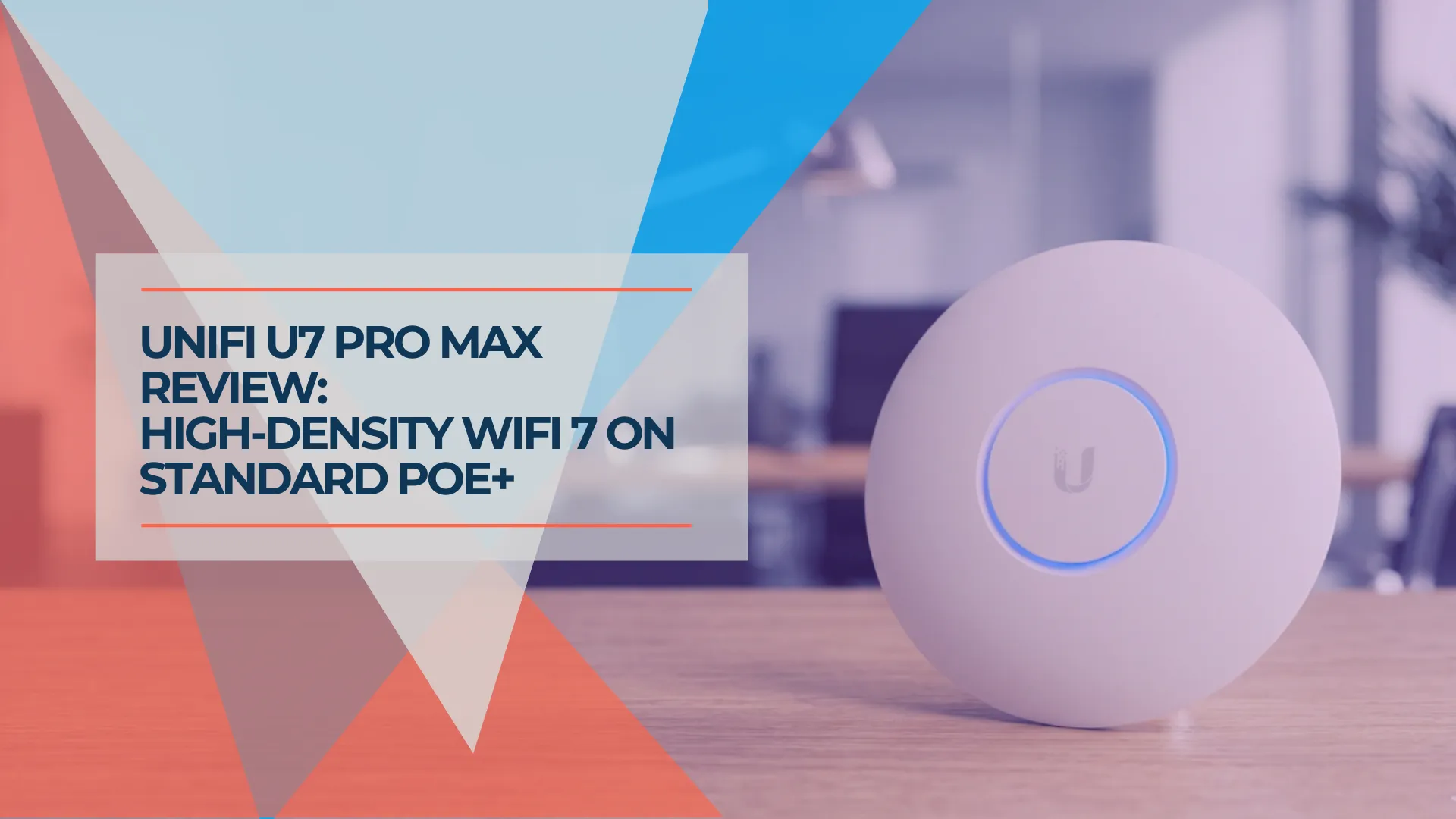
UniFi U7 Pro Max Field Review (2026): PoE+, Range & XGS Comparison
Field review of 12 UniFi U7 Pro Max APs across four SMB sites. PoE+, range, spectral scanning, heat, and U7 Pro XGS comparison.
18 min read