

UniFi Dream Machine Beast vs UDM Pro Max: Which Gateway Is Right for Your Business?
UniFi Dream Machine Beast vs UDM Pro Max: specs comparison, real deployment scenarios, TCO analysis, and the four network profiles where the $1,499 Beast outperforms the $599 Pro Max.

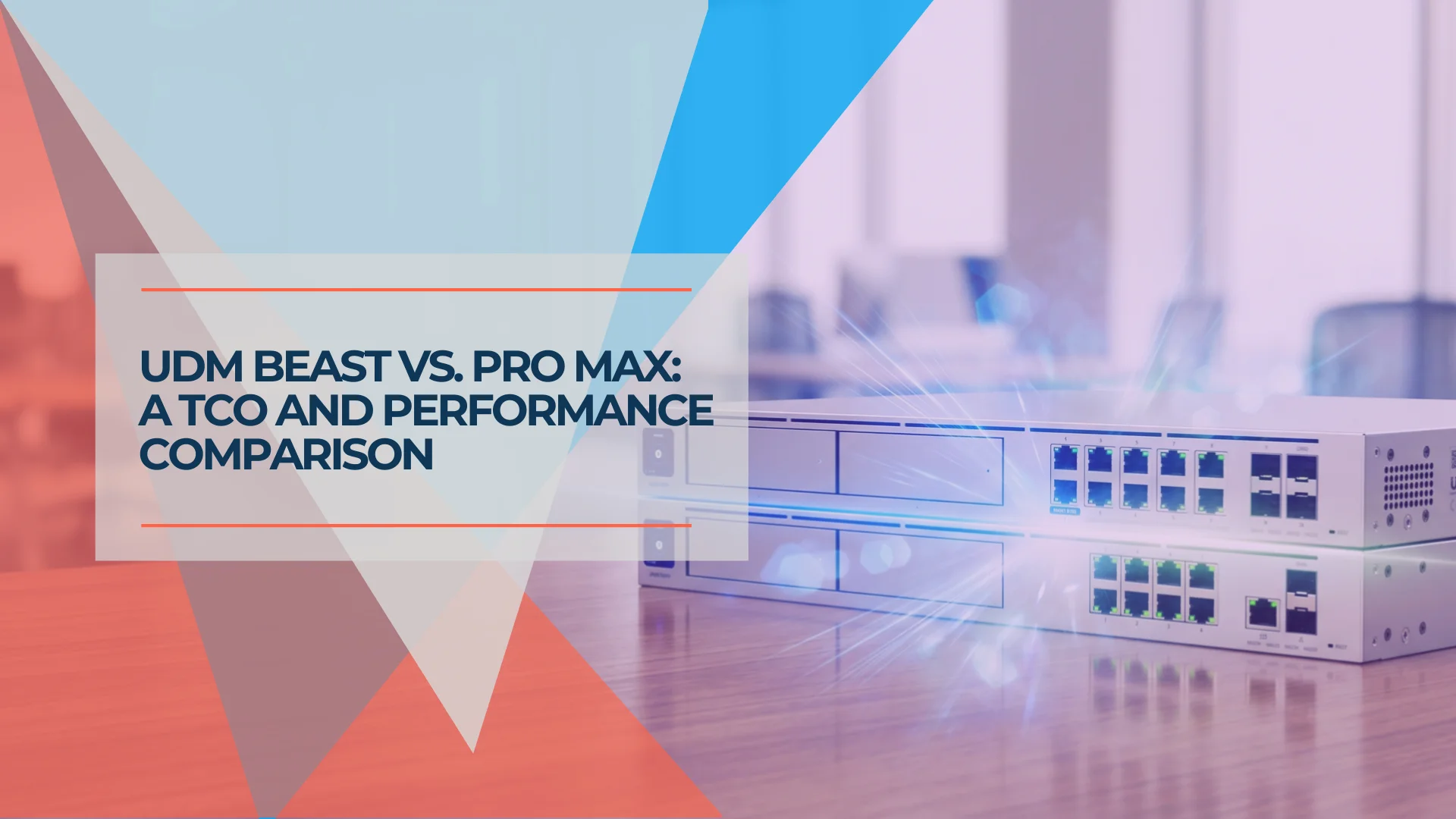
The UDM Pro Max has been our default gateway recommendation for mid-size offices for two years. We've deployed it in law firms, medical offices, multi-tenant commercial spaces, and growing tech companies across South Florida. It's reliable, well-priced, and handles everything most SMBs require.
Ubiquiti's 2026 Dream Machine Beast changes that calculus — but only for specific deployments. The Beast delivers 5× the IDS/IPS throughput, double the RAM, 25GbE WAN, a built-in 8-port 10GbE switch, and 750+ managed device capacity over the Pro Max. At $1,499 — nearly three times the Pro Max's $599 — the question is whether your network actually needs what it delivers, or whether you're paying $900 for headroom you'll never use.
Affiliate Disclosure: This article contains affiliate links. If you make a purchase through these links, we may earn a small commission at no extra cost to you. As an Amazon Associate, iFeelTech earns from qualifying purchases.
Quick Verdict
Quick Verdict
Buy the UDM Pro Max ($599) if you're running a standard SMB office: 20–150 managed devices, internet under 2.5 Gbps, and a typical camera setup. The Pro Max handles this load without strain, and the $900 price difference is real money.
Buy the Dream Machine Beast ($1,499) if at least one of these is true: you're building or upgrading to a 10G network, you need an all-in-one NVR for 20+ cameras without a separate UNVR, you're managing 150–200+ devices and approaching the Pro Max ceiling, or you want the highest-spec UniFi gateway available and the budget supports it.
What Are the Main Differences Between UDM Beast and UDM Pro Max?
The Dream Machine Beast and UDM Pro Max differ primarily in processing architecture, IDS/IPS throughput, WAN connection speeds, built-in LAN switching, and maximum device capacity. Both are 1U rackmount gateways that require a separate PoE switch for access points and cameras.
| Specs | ||
|---|---|---|
| Processor | Quad-core ARM Cortex-A57 @ 2.0 GHz | Octa-core ARM v9 @ 2.1 GHz |
| RAM | 8 GB | 16 GB |
| IDS/IPS Throughput | 5 Gbps | 25 Gbps |
| WAN Ports | (1) 2.5G RJ45 + (1) 10G SFP+ | (1) 10G RJ45 + (1) 25G SFP28 |
| LAN Ports | 8× 1GbE RJ45 + (1) 10G SFP+ | 8× 10GbE RJ45 (non-PoE) + 2× 1GbE + 2× 10G SFP+ |
| Max Managed Devices | 200+ | 750+ |
| NVR Storage | 2× 3.5" HDD bays | 2× 3.5" HDD bays + 128 GB SSD |
| Price | $599 | $1,499 |
Both units are 1U rackmount and do not include PoE switching. Your access points, cameras, and PoE devices still require a separate UniFi PoE switch regardless of which gateway you choose. Note: the Beast's built-in 8-port 10GbE switch is an aggregation switch only — these ports do not supply PoE power. A buyer who assumes a $1,499 gateway with a built-in 8-port switch can power their U7 APs directly will still need a separate PoE switch. Factor that cost into any comparison.
A significant architectural difference beyond gateway throughput: The Beast includes a built-in 8-port non-PoE 10GbE RJ45 switch — each port capable of 10G/5G/2.5G/1G speeds. These are data-only aggregation ports; they do not supply PoE to access points or cameras. The Pro Max's internal LAN ports are 1GbE only. For deployments planning a 10G LAN buildout, the Beast consolidates the aggregation switch function into the gateway hardware. That consolidation is central to the TCO analysis in the cost section below.
If you're coming from our UDM Pro vs Pro Max comparison, the jump to the Beast is proportionally larger — this isn't an incremental spec bump. The Beast uses a fundamentally different processor architecture (ARM Neoverse N2 cores via the v9 platform), which is why IDS/IPS throughput, device ceiling, and LAN switching speed all scale simultaneously.
What Network Size Is Best for the UDM Pro Max?
The UDM Pro Max is the right gateway for offices with 20–150 managed UniFi devices, internet connections up to 2.5 Gbps, and camera deployments under 15× 4K.
We've deployed the Pro Max in over 40 South Florida offices. The scenario where it excels is the one most businesses are actually in: 20–120 employees, business internet under 2.5 Gbps, a UniFi camera setup covering entrances and common areas, and one location to manage.
For that deployment profile, the Pro Max's 5 Gbps IDS/IPS ceiling provides substantial headroom. At symmetrical 2.5 Gbps fiber — which puts you in the top percentile of SMB internet infrastructure — the Pro Max handles the full load with CyberSecure enabled. The vast majority of business clients we work with are on 500 Mbps to 1 Gbps connections. The Pro Max handles those connections with substantial IDS/IPS headroom to spare.
The 200+ managed device ceiling is equally generous for most offices. "Managed devices" here means UniFi network devices: access points, switches, cameras, door access hardware. A typical 50-person office might have 8–12 APs, 3–4 switches, 8–12 cameras, and a handful of door access units. That's 35–40 managed devices. The Pro Max has five times that headroom.
Eight years is a reasonable service life for a Pro Max deployment running standard UniFi applications without multi-gig internet growth. At $599, it represents genuine value per year of deployment.
For the full breakdown of the Pro Max's real-world performance, camera handling, and RAID storage configuration, see our UDM Pro Max review.
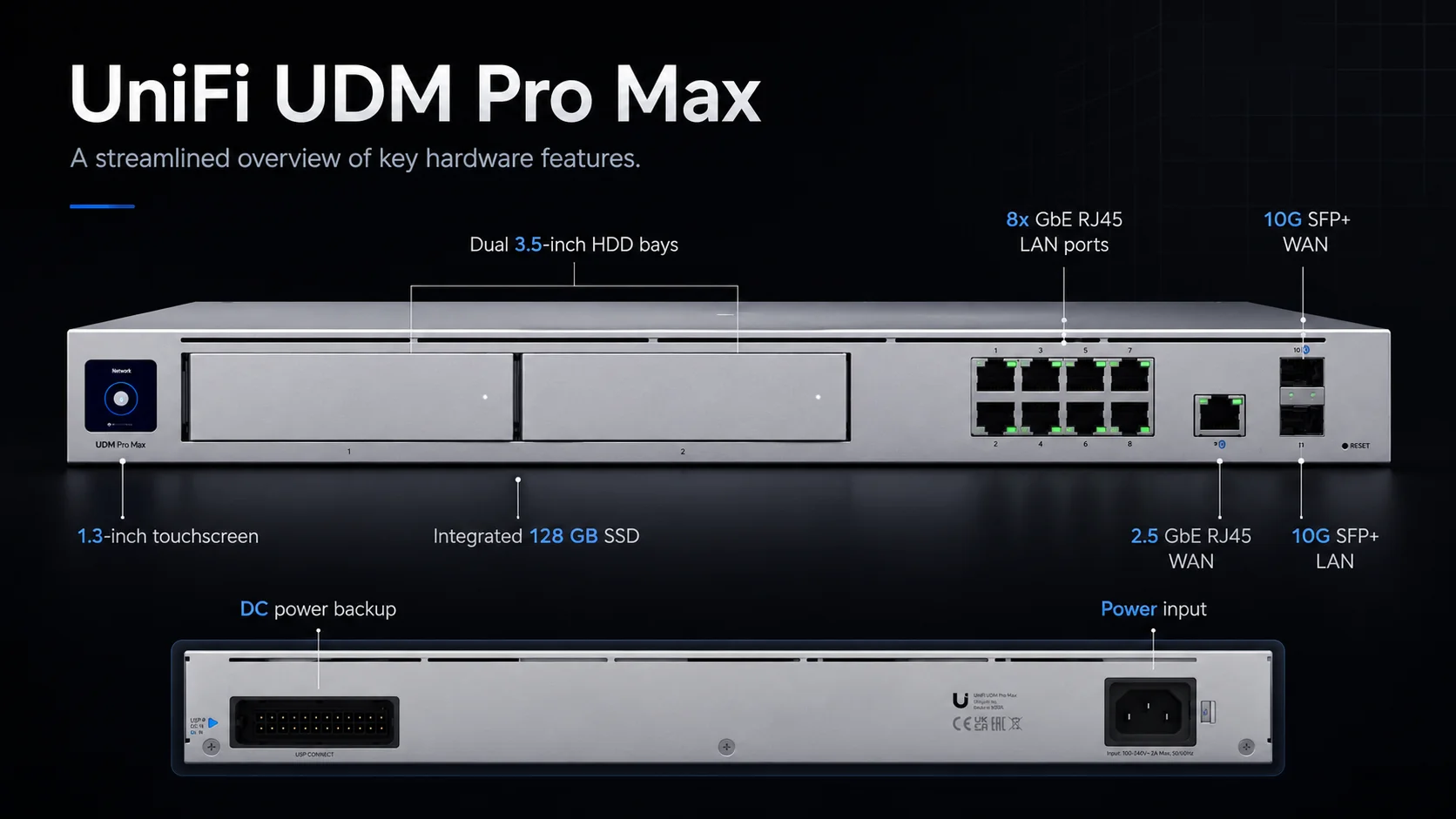
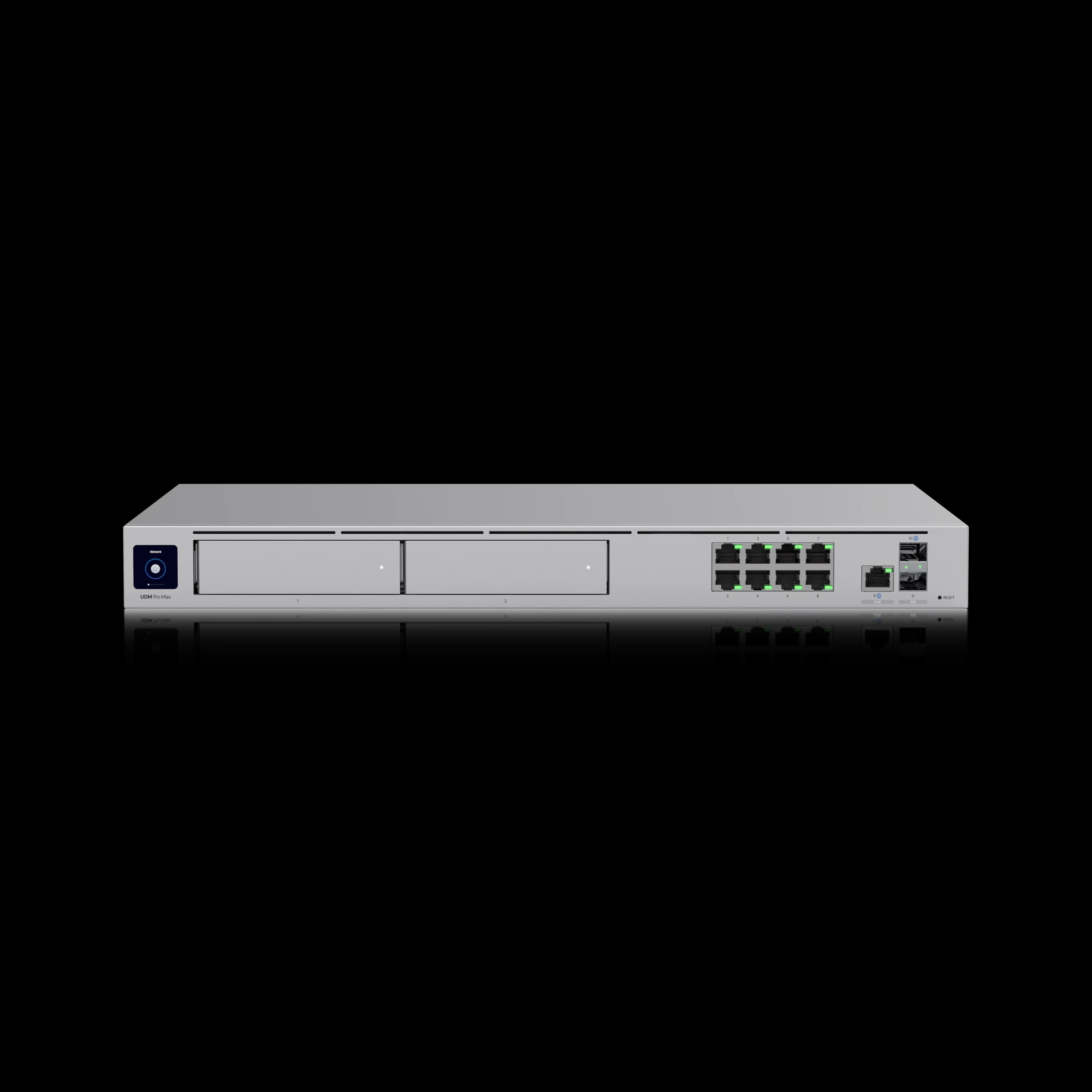
UniFi Dream Machine Pro Max
$5991U rackmount gateway with 5 Gbps IDS/IPS, (1) 2.5G RJ45 + (1) 10G SFP+ WAN, 200+ managed devices, and dual NVR bays. The right default for offices under 150 managed devices.
When Should You Upgrade to the UniFi Dream Machine Beast?
Upgrade to the Dream Machine Beast when deploying 10G networks, managing 150+ devices, running 20+ NVR cameras without a dedicated UNVR, or when the built-in 8× 10GbE LAN switch eliminates the need for a separate aggregation switch.
The $1,499 investment is structurally justified in four specific deployment scenarios:
1. You're Building a 10G Network
The Pro Max's 2.5G RJ45 WAN and dual 10G SFP+ ports were the right spec when it launched. They're showing their limits now. 10 Gbps symmetrical business fiber is available from providers in Miami and other major metros, and multi-gig LAN buildouts — where workstations and servers connect at 2.5G or 5G — are increasingly common in media production, healthcare imaging, and financial services offices.
The Beast's 10GbE RJ45 WAN and dual 25G SFP28 ports are matched to current multi-gig internet availability and near-term LAN buildout requirements. If the client is on 5G or 10G symmetric internet today, or is planning a 10G LAN buildout within the next two years, the Beast is the right foundation. Deploying the Pro Max in that scenario means either accepting a bottleneck at the gateway or replacing it within 18 months. For a full overview of 10G infrastructure components, see our 10 Gigabit Ethernet guide.
For deployments that need 10G WAN without NVR or large device counts, the UCG Fiber ($279) is a leaner alternative. The Beast makes sense when you also need the NVR capacity or device ceiling.
2. You Need an All-in-One NVR for 20+ Cameras
Both units have dual 3.5" HDD bays. The difference isn't the hardware — it's the processing headroom to run Protect at scale.
The Pro Max officially supports up to 15× 4K cameras. At that ceiling, you'll start to see AI detection latency and UI responsiveness drop, particularly when scrubbing through simultaneous streams. The Beast supports up to 40× 4K cameras. In practice, that means running 20–35 cameras with mixed resolutions and full AI detection enabled without the performance degradation that begins to show on the Pro Max at that scale. The headroom comes from three hardware layers working together: the octa-core ARM v9 handles the AI detection workload across concurrent streams; 16 GB of RAM buffers simultaneous video; and the built-in 128 GB SSD — which Ubiquiti dedicates to OS and application performance — accelerates Protect UI response so scrubbing through 20+ streams stays fluid.
If a client wants to avoid a separate UNVR or UNVR Pro, the Beast meaningfully raises that ceiling. For a camera-heavy retail location, a clinic with hallway and room coverage, or a campus with 25+ installed units, the Beast provides sufficient processing capacity for the full Protect stack.
See our UniFi Protect storage planning guide, UDM Pro Max standalone NVR guide and UniFi NAS complete business guide for how the gateway NVR decision connects to the broader storage architecture.
3. You're Managing 150–200+ Devices
The Pro Max's 200-device ceiling is a hard limit, not a suggestion. At 150 managed devices you start to feel it: search latency in UniFi Network increases, bulk operations take longer, and UI responsiveness degrades noticeably on large adoption tables.
The Beast's 750+ managed device ceiling is the right tool for three specific deployment types:
- Dense single-location offices — a 200+ person headquarters with full AP coverage, PoE switches on every floor, camera coverage throughout, and door access at every entry
- Multi-building campuses — where a single console manages multiple buildings and device counts accumulate across the site
- Deployments that will grow — a client currently at 100 managed devices who will reach 200+ within 18 months doesn't want to replace the gateway mid-project
If you're quoting a deployment where device counts are at or near the Pro Max ceiling, the Beast is the appropriate specification.
4. Premium Deployments and Top-of-Range Preference
Some clients prioritize infrastructure longevity over initial cost. They're building out a flagship office, a multi-site headquarters, or a high-occupancy commercial space, and they want the highest-spec UniFi gateway available.
The ARM Neoverse N2 platform is the same processor architecture used in cloud infrastructure deployments. Its combination of 16 GB RAM, 25 Gbps IDS/IPS, and 7,500+ simultaneous client support gives the Beast meaningful headroom against any SMB-scale workload for the foreseeable hardware lifecycle.
For clients with the infrastructure budget and the preference to buy once at the top of the range, this is the straightforward recommendation.
Default recommendation: If none of these four scenarios describe the deployment, the UDM Pro Max is the correct call. Recommending the Beast to a 50-person office on 500 Mbps fiber with 12 cameras and 60 managed devices is the kind of over-engineering that erodes client trust.
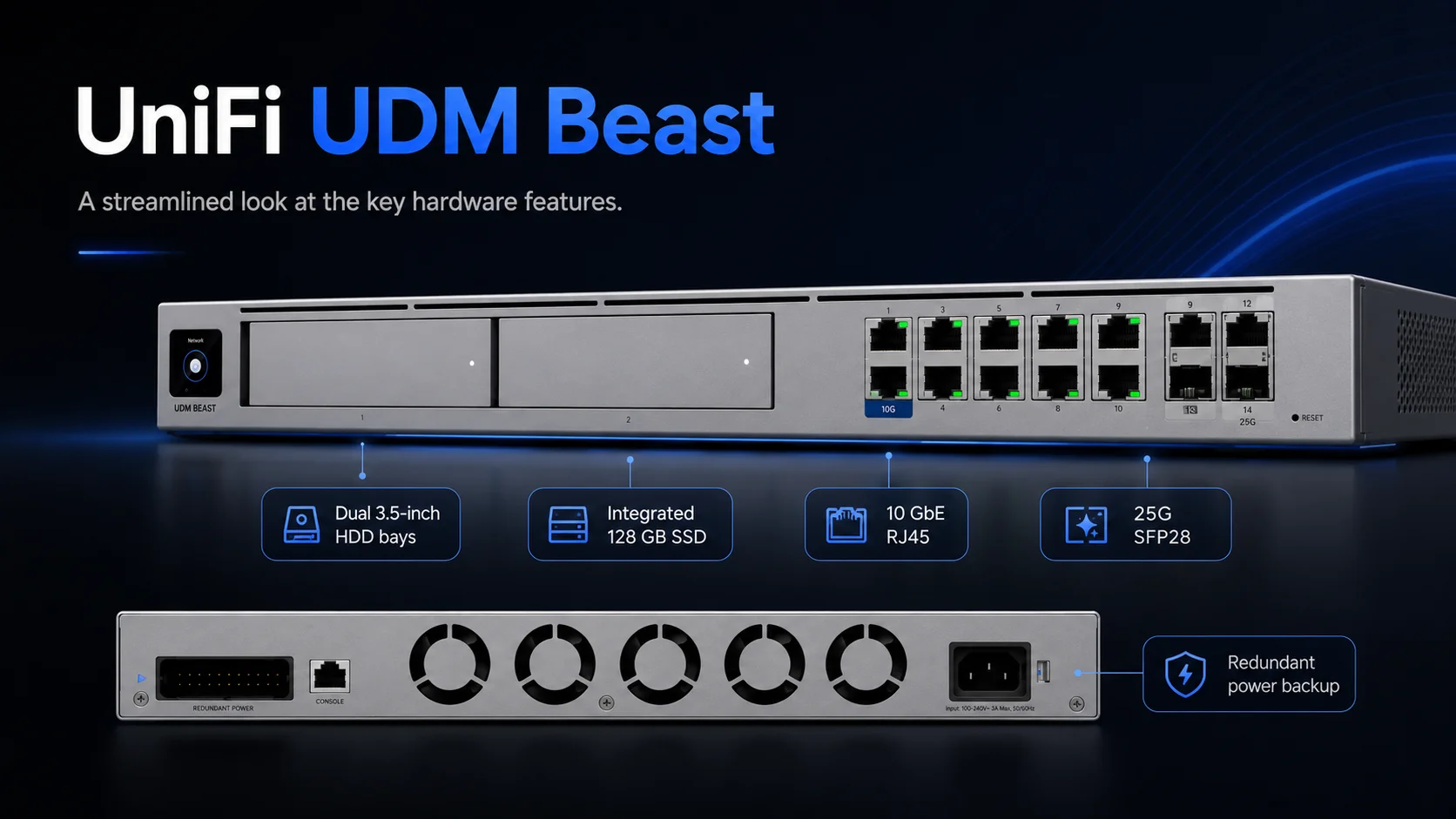
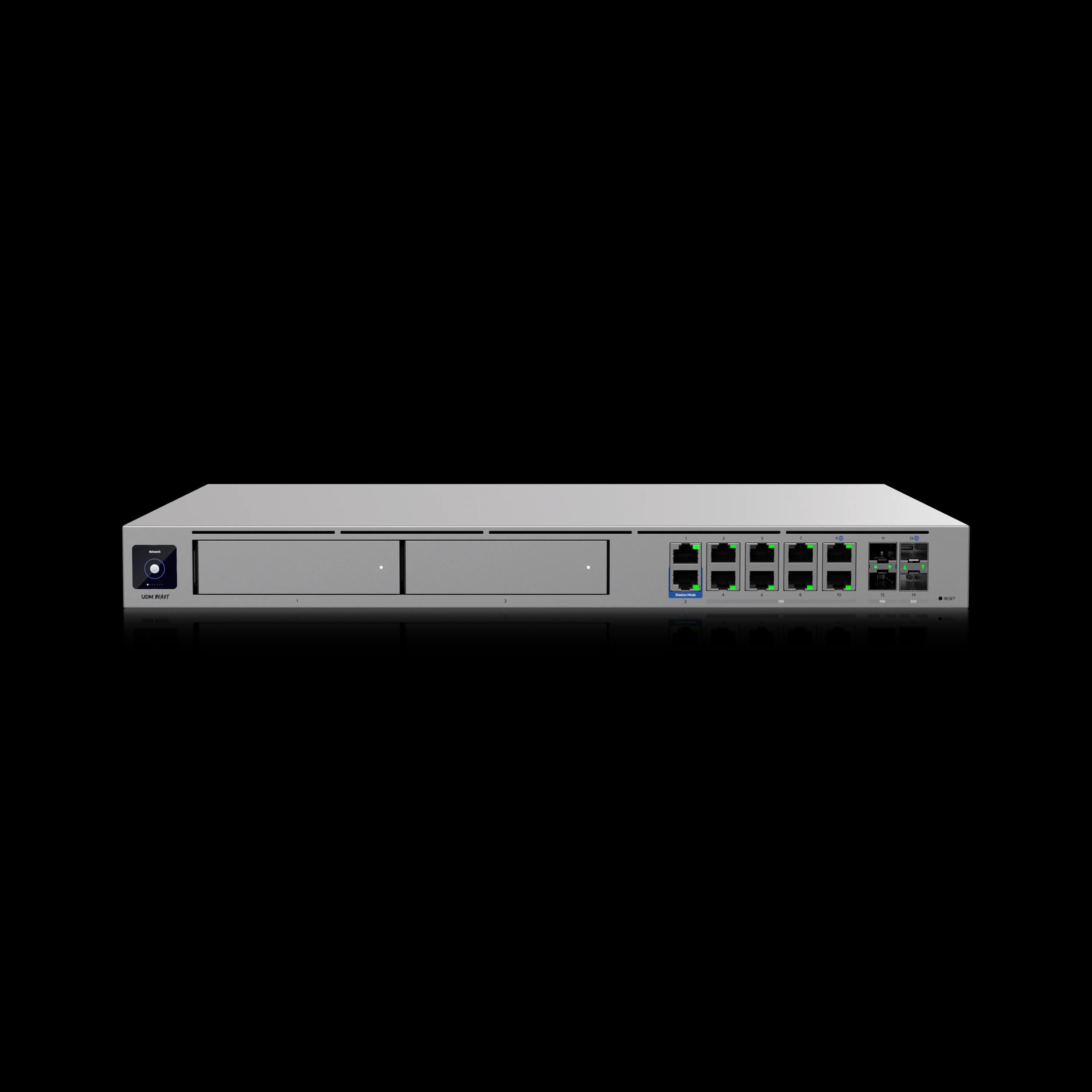
UniFi Dream Machine Beast
Enterprise-grade 1U gateway with 25 Gbps IDS/IPS, built-in 8× 10GbE non-PoE aggregation switch, 128 GB SSD, 750+ managed devices, 40× 4K NVR support, and octa-core ARM v9 (Neoverse N2) processing.
- 25 Gbps IDS/IPS with CyberSecure
- (1) 25G SFP28 + (1) 10G RJ45 WAN
- 8× 10GbE non-PoE aggregation switching
- 750+ managed devices / 7,500+ clients
- Up to 40× 4K cameras in Protect
*Price at time of publishing
What Does 25 Gbps IDS/IPS Throughput Actually Do?
IDS/IPS throughput is the maximum rate a gateway inspects network traffic for threats while routing it at full speed — 5 Gbps on the Pro Max, 25 Gbps on the Beast with CyberSecure enabled.
A 5× throughput improvement is meaningful only for specific infrastructure profiles. For most SMB clients, it isn't the deciding spec — and understanding the actual threshold prevents over-specifying hardware to clients with standard internet connections.
For a standard SMB office: Internet at 500 Mbps to 1 Gbps, CyberSecure enabled, typical east-west traffic between VLANs. The Pro Max's 5 Gbps ceiling never comes close to being touched. The Beast's 25 Gbps ceiling is irrelevant to this scenario.
Where 25 Gbps matters: Two specific cases. First, multi-gig symmetrical internet — offices on 2.5G, 5G, or 10G fiber. At those speeds, the Pro Max handles the WAN throughput but the Beast handles it with more headroom for east-west inspection simultaneously. Second, large segmented networks where inter-VLAN traffic is heavy — think a 300-person office with strict VLAN segmentation across departments and active DPI policies on internal traffic. At that scale, east-west inspection consumes real throughput, and the Beast's headroom translates to maintained performance under load.
The CyberSecure Enterprise clarification: CyberSecure on both the Beast and the Pro Max provides 55,000+ IDS/IPS signatures with real-time threat updates — the same protection tier. What neither unit provides is SSL decryption: the ability to inspect encrypted HTTPS traffic before it reaches end devices. That capability — branded as NeXT AI Inspection by Ubiquiti — is available only on the Enterprise Fortress Gateway (EFG) and the Gateway Enterprise (UXG-Enterprise).
If a client asks about SSL inspection or encrypted traffic analysis, the Beast is not the appropriate product. The EFG and Gateway Enterprise are the Ubiquiti products with NeXT AI Inspection.
Introducing Dream Machine Beast — Official Ubiquiti Overview
Cost Reality: Beast vs Pro Max + Accessories
The $900 price delta is the number that needs to survive a client budget conversation. In some deployments, that gap closes meaningfully when you account for what the Beast's capacity displaces.
| Deployment Scenario | Pro Max Route | Pro Max Total | Beast Route | Beast Total |
|---|---|---|---|---|
| Standard 50-person office, 12 cameras, 1 Gbps fiber | UDM Pro Max | $599 | Dream Machine Beast | $1,499 |
| Camera-heavy, 25+ cameras, no separate NVR | Pro Max + UNVR Pro | $1,098 | Beast (NVR built-in) | $1,499 |
| 10G LAN + NVR needed (cameras + 10G switching) | Pro Max + UNVR Pro + 10G agg. switch | ~$1,600–$2,100 | Beast (NVR + 10G switching built-in) | $1,499 |
| Shadow Mode HA (two-unit failover pair) | 2× Pro Max | $1,198 | 2× Beast | $2,998 |
The 10G LAN + NVR row is the most relevant for deployments with both camera and switching requirements. A deployment that needs both a UNVR Pro ($499) and a 10G aggregation switch ($499–$999) alongside the Pro Max puts the Pro Max route at $1,600–$2,100 — at which point the Beast at $1,499 is the more cost-efficient option. The total cost comparison reframes the question from unit price to total deployment cost.
The Shadow Mode row cuts the other direction. If high availability is a hard project requirement, two Beasts at $2,998 is a substantial number versus two Pro Maxes at $1,198. That $1,800 HA gap is a real line item — covered in the migration section below.
Power draw: The Beast draws up to 100W versus the Pro Max's 60W — a 40W difference that matters for UPS sizing. If upgrading an existing rack where the UPS was sized for a Pro Max, verify the additional load doesn't shorten battery runtime below your recovery time objective. A standard 1500VA UPS running only the gateway delivers roughly 9–10 minutes at Beast maximum draw versus 14–15 minutes at Pro Max draw. See our UniFi rack UPS guide for sizing recommendations.
CyberSecure adds identically to both units: standard CyberSecure runs $99/unit/year regardless of gateway model — it's not a differentiating cost.
Migration: Upgrading From Pro Max to Beast
For existing Pro Max owners who've decided to upgrade, both units share the same 2× 3.5" HDD bay format and the same 128 GB SSD configuration. Drive migration is viable — your UniFi Protect recordings can move with the hardware.
Three things to verify before scheduling the migration:
- Power requirements: The Beast draws up to 100W versus the Pro Max's 60W. Verify your rack PDU or UPS has adequate headroom before the migration window.
- 25G SFP28 transceiver compatibility: If your upstream router or ISP handoff uses 10G SFP+, the Beast's 25G SFP28 WAN port is backwards-compatible at 10G and 1G speeds. Ubiquiti sells 25G Direct Attach Cables (from $23) and 25G Single-Mode Optical Modules ($119) natively. Confirm your cable run and handoff spec before ordering.
- Network device re-adoption: A gateway replacement typically requires re-adoption of managed devices. Plan for this in the maintenance window.
Migrate during a scheduled maintenance window. A live gateway swap on an active business network — even with Shadow Mode failover available — creates unnecessary risk. Budget 2–4 hours for the migration and communicate the window to the client in advance.
Shadow Mode High Availability
Both the Pro Max and Beast support Shadow Mode (VRRP) — Ubiquiti's gateway failover protocol where two matched units operate as a primary/secondary pair. If the primary fails, the secondary takes over within seconds with no client disruption required.
Deploying Shadow Mode on the Beast requires two units: $1,499 × 2 = $2,998. On the Pro Max: $599 × 2 = $1,198. The $1,800 HA premium for the Beast versus the Pro Max is a real number on a proposal. For most SMB deployments, a single gateway on a quality UPS with documented failover procedures meets availability requirements at a fraction of the cost. Shadow Mode HA is the right answer for mission-critical environments where a 2–4 minute manual failover is not acceptable.
The Decision, Simplified
The UDM Pro Max is the right gateway for the majority of SMB deployments we quote in South Florida. It handles 20–150 managed devices, internet up to 2.5 Gbps, and a standard UniFi Protect camera setup without strain. At $599, it represents the best value in the UniFi gateway lineup for that profile.
The Dream Machine Beast earns its $1,499 in four defined scenarios: 10G network buildouts, all-in-one NVR for 20+ cameras, deployments approaching or exceeding the Pro Max device ceiling, and clients who want the top of the range without compromise. In those cases, the Beast is the correct answer — and the premium is justifiable on the job estimate.
Getting the specification right matters in both directions: over-specifying the Beast for a standard office adds $900 of unnecessary cost; under-specifying the Pro Max for a network approaching its ceiling means a gateway replacement within the project lifecycle.
For a full view of how both gateways fit into the broader UniFi lineup, see our UniFi gateway comparison guide and UniFi buyer's guide.
Related Resources
- UniFi Dream Machine Beast Review — Our hands-on review of the Beast: deployment notes, the full spec table, and who it is actually for.
- UniFi Dream Machine Pro Max Review — Deep dive on the Pro Max: real-world performance, Protect deployment, and who it's right for.
- UDM Pro vs Pro Max Comparison — The full breakdown of the previous generation jump, with benchmarks and deployment context.
- UniFi Gateway Comparison Guide — The full UniFi gateway lineup mapped by office size and use case.
- UniFi Buyer's Guide — Where to start if you're building out a new UniFi system from scratch.
- UCG Fiber Review — The 10G-WAN alternative for deployments that need multi-gig WAN without NVR or large device counts.
- UDM Pro Max Standalone NVR Guide — How to use the Pro Max (or Beast) as your primary Protect NVR without additional hardware.
Frequently Asked Questions
Related Articles
More from UniFi Networks
UniFi Dream Machine Beast Review 2026: Hands-On SMB Verdict
A hands-on UniFi Dream Machine Beast review from an SMB integrator: official specs, real deployment notes, 100W power draw, the no-PoE catch, and who the $1,499 gateway is actually for.
13 min read
UDM Pro Max vs UDM Pro vs UDM SE (2026): Full Comparison & Verdict
UDM Pro Max ($599) vs UDM Pro ($379) vs UDM SE ($499): 5 Gbps vs 3.5 Gbps IDS/IPS, RAID storage, PoE, and real deployment scenarios — which UniFi gateway is worth it in 2026.
16 min read
UniFi Dream Machine Pro Max Review 2026: The Rack Gateway for Growing Business Networks
5 Gbps IDS/IPS confirmed in lab. 18+ months deployed across client racks. Shadow Mode, RAID storage, Network 10.5 — here's what the UDM Pro Max actually delivers at $599, and when to choose the $379 UDM Pro instead.
23 min read