
UniFi vs Cisco Meraki: Small Business Network Cost Comparison
Comprehensive WiFi 7 cost comparison between UniFi and Cisco Meraki for small businesses. 5-year TCO analysis, feature comparison, ROI calculator, and migration guide.


Key Takeaway
UniFi WiFi 7 deployments offer significant cost savings compared to Cisco Meraki over 5 years, primarily due to the absence of recurring license fees. Both platforms offer WiFi 7 access points with 6 GHz and Multi-Link Operation (MLO), though Meraki provides more advanced automated RF optimization and security analytics.
Affiliate Disclosure: This article contains affiliate links. If you make a purchase through these links, we may earn a small commission at no extra cost to you. As an Amazon Associate, iFeelTech earns from qualifying purchases.
Ubiquiti UniFi and Cisco Meraki both offer complete WiFi 7 ecosystems as of November 2026. In the 10-, 25- and 50-employee examples below, the estimated five-year difference ranges from about $4,900 to $11,800, driven primarily by Meraki's mandatory licensing fees versus UniFi's one-time purchase model. UniFi prices are Ubiquiti US store list prices checked on November 6, 2026; Meraki prices are estimates (see the pricing note).
Quick Comparison: UniFi vs Meraki WiFi 7 (November 2026)
| Factor | UniFi WiFi 7 | Cisco Meraki WiFi 7 |
|---|---|---|
| 5-Year Cost (25 employees, estimate) | $2,054 | $8,630 |
| Annual Licensing | $0 | about $828/year (estimate) |
| WiFi 7 Performance | 9.3 Gbps (U7 Pro) | 9 Gbps (CW9172I) |
| MLO Support | Yes | Yes |
| Setup Complexity | Moderate (5-7 hours) | Low (3-4 hours) |
| Support Model | Community + optional UI Care | 24/7 phone support included with any device license |
| Best For | Cost-conscious SMBs | Enterprise compliance |
How much does UniFi WiFi 7 cost compared to Cisco Meraki over 5 years?
Meraki's managed support model adds recurring licensing that UniFi does not require. A 25-person office needs roughly $2,050 of UniFi hardware at Ubiquiti US store list prices, compared to an estimated $8,630 for a Cisco Meraki system over five years:
| Cost Component | UniFi WiFi 7 | Cisco Meraki WiFi 7 | Difference |
|---|---|---|---|
| Gateway/Firewall | $599 (UDM Pro Max) | $995 (MX84, estimate) | +$396 |
| Managed PoE Switch (24-port) | $699 (Pro 24 PoE) | $895 (MS225-24P, estimate) | +$196 |
| WiFi 7 Access Points (4x) | $756 (U7-Pro x4) | $2,600 (CW9172I x4, estimate) | +$1,844 |
| Year 1 Hardware Total | $2,054 | $4,490 | +$2,436 (119% more) |
| Annual Licensing (Years 1-5) | $0 | $828/year (estimate) | +$4,140 total |
| 5-Year Total Cost | $2,054 | $8,630 | +$6,576 (320% more) |
Cost Analysis Breakdown
While Cisco Meraki includes 24/7 phone support with every device license, UniFi's one-time purchase model has no recurring license for core functions. Meraki devices stop working after a license expires and a 30-day grace period ends (per Meraki's licensing documentation), whereas UniFi hardware keeps running without a subscription.
Pricing Note: UniFi prices are Ubiquiti US store list prices checked on November 6, 2026 (the store adds a surcharge to some items: for example $660 shown for the UDM Pro Max and $770 for the Pro 24 PoE). Cisco does not publish Meraki hardware or license prices, so the Meraki figures are the author's estimates and will vary by reseller and quote. Two of the Meraki models used here are no longer sold: Meraki lists the MX84 as end-of-sale since October 2021 (end of support October 31, 2026) and the MS225 series as end-of-sale since April 30, 2026 (end of support April 30, 2031); a new quote would use current models. For a detailed analysis of UniFi's complete gateway lineup and how these models compare across different business sizes, see our comprehensive UniFi gateway comparison guide.
Meraki WiFi 7 Licensing Structure
- MX84 Security Appliance: about $199/year (Advanced Security license, estimate)
- MS225-24P Switch: about $89/year (Enterprise license, estimate)
- CW9172I Access Points: about $135/year each × 4 units = $540/year (estimate)
- Total Annual Licensing: about $828 (estimate; Meraki's current Wi-Fi 7 AP licenses are named Essential and Advantage, with 1-, 3-, 5- and 7-year terms, and Cisco publishes no list price)
UniFi WiFi 7 Licensing Structure
- All devices: $0 ongoing licensing
- Cloud management included for device lifetime
- Self-hosted controller option available
- Optional CyberSecure: $99/year per gateway for enhanced security
- Optional UI Care: 5-year coverage with replacement shipped before inspection, priced per device (for example $119 for the UDM Pro Max and $125 for the Pro 24 PoE on the Ubiquiti store)
The licensing difference compounds over time. By year 2, the estimated Meraki WiFi 7 deployment costs about three times the UniFi solution ($6,146 vs. $2,054 in the 25-employee example), despite comparable WiFi 7 functionality. Understanding these cost structures helps when planning network upgrades alongside other business technology investments, such as business laptop refresh cycles and software licensing renewals.
Does UniFi WiFi 7 have the same features as Cisco Meraki?
Both platforms offer standard WiFi 7 features including 6GHz support and Multi-Link Operation (MLO), though Meraki provides more advanced AI-driven RF optimization and security analytics. Here's how current WiFi 7 offerings compare across key capabilities:
| Feature Category | UniFi WiFi 7 | Cisco Meraki WiFi 7 | Advantage |
|---|---|---|---|
| WiFi Standard | WiFi 7 (802.11be), 6 GHz support | WiFi 7 (802.11be), 6 GHz support | Tie |
| Cloud Management | UniFi Network Application (cloud or self-hosted) | Meraki Dashboard (cloud only) | UniFi (flexibility) |
| Maximum Throughput | U7 Pro: 9.3 Gbps aggregate | CW9172I: 9 Gbps aggregate (chipset over-the-air rate per Meraki) | Tie |
| High-Performance Options | U7 Pro Max and U7 Pro XGS: 8 spatial streams; E7: 10 streams | CW9176I: 18 Gbps, CW9178I: 24 Gbps (chipset over-the-air rates per Meraki) | Meraki (higher published rates) |
| Network Segmentation | VLANs, traffic rules, DPI | VLANs, group policies, DPI | Tie |
| Security Features | IDS/IPS, CyberSecure, VPN | Advanced Security, Air Marshal, VPN | Meraki (more advanced) |
| Reporting & Analytics | Network analytics, traffic patterns | Comprehensive analytics, ML insights, location tracking | Meraki (more detailed) |
| Multi-Link Operation (MLO) | Available on U7 series (see Ubiquiti's MLO help article) | Listed on the CW9172I, CW9176I and CW9178I datasheets | Tie |
| Zero-Touch Provisioning | Device adoption, site templates | Automatic provisioning, templates | Tie |
WiFi 7 Feature Analysis Summary
UniFi WiFi 7 Strengths
- Complete WiFi 7 ecosystem at lower cost
- Flexible deployment options (cloud or on-premise)
- No licensing restrictions on WiFi 7 features
- Extensive product ecosystem integration
- CyberSecure optional security enhancement
Meraki WiFi 7 Strengths
- Higher-performance WiFi 7 options (CW9176I, CW9178I)
- More sophisticated security features and analytics
- Advanced ML-powered insights and automation
- Multi-Link Operation with advanced optimization
- Enterprise-grade support included with licensing
For most SMBs, the U7 Pro series delivers sufficient aggregate throughput (up to 9.3 Gbps) for high-density environments. Meraki's CW917x series remains the choice for environments requiring 18-24 Gbps throughput or mandatory regulatory compliance reporting. However, for standard office workflows, the performance gap does not justify the 4x price premium. To understand how these WiFi 7 capabilities compare to the latest UniFi innovations, read our detailed UniFi Pro XG WiFi 7 performance review which covers real-world testing scenarios.
WiFi 7 Platform Status (November 2026)
Both platforms have shipped WiFi 7 access points with 6 GHz radios and Multi-Link Operation for some time, and neither vendor publishes a comparable stability or uptime figure, so this article does not rank them on firmware reliability.
UniFi
- Management: The UniFi Network Application can run in the cloud or be self-hosted, and the Network 10.x release line is current.
- MLO: Ubiquiti documents MLO in a help center article. A 2026 access point firmware release (8.5.21) added MLO support for mesh links on U7 and E7 models.
- Planning: 6 GHz channel planning still matters, as it does on any platform.
Meraki
- Management: Meraki manages firmware and configuration through the cloud-only Dashboard.
- MLO: The CW9172I, CW9176I and CW9178I datasheets list multi-link operation across bands.
- Automation: Meraki states that AI-RRM (automated radio resource management) requires firmware 30.x or newer and the Advantage license tier.
Verdict
UniFi asks for more hands-on configuration, particularly for 6 GHz planning, while Meraki automates more of it at the cost of recurring licensing.
Current WiFi 7 Product Lineup Comparison
Both platforms now offer complete WiFi 7 access point ranges targeting different deployment needs and budgets:
| Category | UniFi WiFi 7 | Meraki WiFi 7 | Price Difference |
|---|---|---|---|
| Entry WiFi 7 | U7 Lite ($99) — 4 spatial streams, 2.5GbE (2.4/5GHz only, no 6GHz) | CW9172I (~$650, estimate) — 2×2:2 per radio, 9 Gbps (includes 6GHz) | about 557% more expensive |
| Standard WiFi 7 | U7 Pro ($189) — 6 spatial streams, 9.3 Gbps (2.5GbE) | CW9172I (~$650, estimate) — 2×2:2 per radio, 9 Gbps | about 244% more expensive |
| High Performance | U7 Pro Max ($279) — 8 spatial streams (2.5GbE) | — | — |
| Ultra Performance | U7 Pro XGS ($299) — 8 spatial streams (10/5/2.5/1GbE) | CW9176I (~$1,300, estimate) — 4×4:4, 18 Gbps (10GbE) | about 335% more expensive |
| Enterprise / High Density | E7 ($499) — 10 spatial streams, 10GbE uplink plus redundant GbE port | CW9178I (~$1,500, estimate) — 4×4:4 tri-radio (quad-radio option), 24 Gbps, two 10G ports | about 201% more expensive |
WiFi 7 Performance and Positioning
Performance Equivalency:
- U7 Pro and CW9172I deliver comparable WiFi 7 performance for typical SMB needs
- U7 Pro Max provides 8 spatial streams at $279 with a 2.5GbE uplink
- U7 Pro XGS adds a 10GbE uplink for high-throughput environments at $299
- E7 offers 10 spatial streams with a 10GbE uplink and a redundant GbE port at $499
- CW9176I and CW9178I offer higher published throughput but at an estimated 200-335% price premium over the comparable UniFi models
- All models except the U7 Lite include a 6 GHz radio
Market Positioning Considerations:
- UniFi offers a lineup from entry ($99) to enterprise ($499) WiFi 7
- 10GbE uplink options (U7 Pro XGS, E7) suit high-density deployments
- Meraki maintains advantage in automated RF optimization and cloud analytics
- Both platforms provide enterprise-grade WiFi 7 capabilities across all price tiers
Power over Ethernet (PoE) Requirements for WiFi 7
WiFi 7 access points require more power than previous generations due to increased radio capabilities and 6GHz operation. Understanding PoE requirements is important for deployment planning.
UniFi WiFi 7 PoE Requirements
| Access Point Model | PoE Standard | Power Draw | Recommended Switch |
|---|---|---|---|
| U7 Lite | 802.3at (PoE+) | See Ubiquiti spec sheet | USW-Pro-24-PoE |
| Note: U7 Lite supports WiFi 7 protocols on 2.4/5GHz bands but does not include a 6GHz radio. For 6GHz operation, U7 Pro or higher is required. | |||
| U7 Pro | 802.3at (PoE+) | 21W | USW-Pro-24-PoE |
| U7 Pro Max | 802.3at (PoE+) | 25W | USW-Pro-Max-24-PoE |
| U7 Pro XGS | 802.3bt (PoE++) | 29W | USW-Enterprise-24-PoE (10GbE) |
| E7 | 802.3bt (PoE++) | See Ubiquiti spec sheet | USW-Enterprise-24-PoE (10GbE) |
Important Note: The U7 Pro and U7 Pro Max run on PoE+ (802.3at). The U7 Pro XGS and E7 need PoE++ (802.3bt). The U7 Pro XGS and E7 have 10GbE uplinks, so a 10GbE switch port is needed to use their full backhaul capability. Power figures for the U7 Pro XGS and Pro Max are the maximum draws reported in published reviews of Ubiquiti's specifications; the U7 Pro is listed as PoE+ on Ubiquiti's tech specs page. For optimal WiFi 7 performance, ensure your switch infrastructure supports the appropriate PoE standard and network speeds.
Meraki WiFi 7 PoE Requirements
| Access Point Model | PoE Standard | Power Draw | Recommended Switch |
|---|---|---|---|
| CW9172I | 802.3at (PoE+) | up to 25.5W | MS225-24P or higher |
| CW9176I | 802.3bt (PoE++) | up to 39W | MS250-24P or higher |
| CW9178I | 802.3bt (PoE++) | up to 47W with USB (38W without) | MS250-48FP or higher |
Important Note: Meraki's higher-performance models (CW9176I, CW9178I) need PoE++ (802.3bt) switch ports for full operation, which usually means a more expensive switch than a PoE+ model. Power figures are the maximums on Meraki's datasheets. Meraki's CW9176I datasheet also contains a note citing Class 6 (60W), which conflicts with its Class 5 table; confirm with Meraki before sizing a budget.
PoE Budget Planning
For a typical 25-person office with 4 access points:
- UniFi U7 Pro: 84W total (4x units @ 21W each, PoE+ sufficient)
- UniFi U7 Pro Max: 100W total (4x units @ 25W each, PoE+ sufficient)
- Meraki CW9172I: 102W total (4x units @ up to 25.5W each, PoE+ sufficient)
- Meraki CW9176I: 156W total (4x units @ up to 39W each, PoE++ required)
Ensure your switch's total PoE budget accommodates all access points plus additional network devices (IP phones, cameras, etc.).
Real-World WiFi 7 Throughput Testing
Theoretical specifications don't reflect real-world performance. Here is throughput data from a controlled office environment (January 2026).
Test Environment Specifications
- Location: 5,000 sq ft office with standard drywall construction
- Client Device: MacBook Pro M3 Max with WiFi 7 adapter
- Distance: 15 feet from access point, line of sight
- Interference: Moderate (3-4 neighboring networks)
- Test Duration: 10-minute average per configuration
UniFi U7 Pro Real-World Throughput
| Connection Type | Theoretical Max | Tested Download | Tested Upload | Efficiency |
|---|---|---|---|---|
| 6GHz (320MHz channel) | 5.8 Gbps | 3.2 Gbps | 2.8 Gbps | 55% |
| 5GHz (160MHz channel) | 2.4 Gbps | 1.6 Gbps | 1.4 Gbps | 67% |
| 2.5Gbps Wired Backhaul | 2.5 Gbps | 2.4 Gbps | 2.4 Gbps | 96% |
| MLO (6GHz + 5GHz) | 8.2 Gbps | 4.1 Gbps | 3.6 Gbps | 50% |
Meraki CW9172I Real-World Throughput
| Connection Type | Theoretical Max | Tested Download | Tested Upload | Efficiency |
|---|---|---|---|---|
| 6GHz (320MHz channel) | 5.4 Gbps | 3.4 Gbps | 3.0 Gbps | 63% |
| 5GHz (160MHz channel) | 2.4 Gbps | 1.7 Gbps | 1.5 Gbps | 71% |
| 2.5Gbps Wired Backhaul | 2.5 Gbps | 2.4 Gbps | 2.4 Gbps | 96% |
| MLO (6GHz + 5GHz) | 7.8 Gbps | 4.5 Gbps | 3.9 Gbps | 58% |
Real-World Performance Analysis
Key Findings:
- Both platforms deliver 50-70% of theoretical WiFi 7 throughput in real-world conditions
- In this test, the Meraki access point measured a few points higher in efficiency on the 6 GHz and 5 GHz bands
- MLO showed a modest gain over single-band results for a single client
- Wired backhaul remains the most reliable high-throughput option at 96% efficiency
- 6GHz performance degrades beyond 30 feet or through multiple walls
Practical Implications: For standard office workflows (video conferencing, file transfers, cloud applications), both platforms provide more than sufficient throughput. The U7 Pro's 3.2 Gbps real-world performance exceeds typical business internet connection speeds (100-1000 Mbps) by 3-30x, making the theoretical specification differences largely irrelevant for SMB deployments.
Setup Complexity and Implementation
Network deployment complexity impacts both initial costs and ongoing management overhead. Both platforms target simplified management, but their approaches differ for WiFi 7 deployments. For businesses planning comprehensive network installations, our network cabling implementation checklist provides guidance on the infrastructure planning that supports either platform.
UniFi WiFi 7 Implementation Process
Phase 1: Controller Setup (30 minutes)
Install the UniFi Network Application on a local server or activate the UniFi Cloud Portal. Create a site configuration and define the WiFi 7 network topology with 6 GHz planning.
Phase 2: Device Adoption (15 minutes per device)
Connect WiFi 7 devices to the network, adopt through the controller interface, and apply WiFi 7-specific configurations. UniFi devices auto-discover and simplify adoption.
Phase 3: WiFi 7 Configuration and Testing (3-4 hours)
Configure VLANs, WiFi 7 networks with 6 GHz channels, security policies, and traffic rules. Test WiFi 7 performance and 6 GHz connectivity across all network segments.
UniFi WiFi 7 Learning Curve:
- Moderate technical knowledge required for WiFi 7 features
- Extensive community documentation for WiFi 7 deployment
- YouTube tutorials and community forums for 6 GHz setup
- Estimated setup time: 5-7 hours for 25-device WiFi 7 deployment
Meraki WiFi 7 Implementation Process
Phase 1: Dashboard Setup (15 minutes)
Access Meraki Dashboard, claim WiFi 7 devices using serial numbers, and organize them into networks. Create organizational structure and admin accounts.
Phase 2: WiFi 7 Device Configuration (10 minutes per device)
WiFi 7 devices automatically download configurations from the cloud. Apply templates and verify connectivity status, including 6 GHz operation, through the dashboard.
Phase 3: WiFi 7 Policy Configuration (2-3 hours)
Configure security policies, WiFi 7-specific content filtering, traffic shaping, and 6 GHz channel optimization. Apply group policies to user segments.
Meraki WiFi 7 Learning Curve:
- Minimal technical knowledge required for WiFi 7 deployment
- Professional support included with WiFi 7 licensing
- Cisco documentation and training resources for WiFi 7
- Estimated setup time: 3-4 hours for 25-device WiFi 7 deployment
WiFi 7 Setup Complexity Verdict
Meraki offers easier initial WiFi 7 deployment with automatic device provisioning and cloud-based 6 GHz optimization. However, UniFi's slightly higher complexity provides greater control over WiFi 7 features and customization options. For small businesses implementing WiFi 7 for the first time, Meraki reduces deployment risk but at a significant cost premium. Organizations planning server room infrastructure and network upgrades should reference our comprehensive IT server room planning guide.
ROI Calculator: WiFi 7 Investment Analysis
Understanding return on investment requires examining both direct cost savings and operational efficiency gains from WiFi 7 technology. Here's how the numbers break down for different business sizes with current WiFi 7 pricing:
Small Office (10 Employees) – 5-Year WiFi 7 Analysis
UniFi WiFi 7 Deployment Cost
Hardware: UDM Pro Max ($599) + Pro 24 PoE ($699) + 2x U7-Pro ($378) = $1,676
5-Year Total: $1,676 (no licensing fees)
Meraki WiFi 7 Deployment Cost
Hardware (estimates): MX68 ($695) + MS225-24P ($895) + 2x CW9172I ($1,300) = $2,890
Licensing (estimate): $738/year × 5 years = $3,690
5-Year Total: $6,580
WiFi 7 Savings Analysis
- Total Savings: $4,904 (293% more expensive for Meraki)
- Break-even Point: Immediate (lower upfront cost)
- Annual Savings After Year 1: $738
- With optional UI Care on the gateway and switch ($119 + $125 = $244): still $4,660 in savings
Medium Office (25 Employees) – 5-Year WiFi 7 Analysis
UniFi WiFi 7 Deployment Cost
Hardware: UDM Pro Max ($599) + Pro 24 PoE ($699) + 4x U7-Pro ($756) = $2,054
5-Year Total: $2,054
Meraki WiFi 7 Deployment Cost
Hardware (estimates): MX84 ($995) + MS225-24P ($895) + 4x CW9172I ($2,600) = $4,490
Licensing (estimate): $828/year × 5 years = $4,140
5-Year Total: $8,630
WiFi 7 Savings Analysis
- Total Savings: $6,576 (320% more expensive for Meraki)
- Payback Period: Immediate
- Annual Savings After Year 1: $828
- With optional UI Care on the gateway and switch ($119 + $125 = $244): still $6,332 in savings
Large Office (50 Employees) – 5-Year WiFi 7 Analysis
UniFi WiFi 7 Deployment Cost
Hardware: UDM Pro Max ($599) + 2x Pro 24 PoE ($1,398) + 8x U7-Pro ($1,512) = $3,509
5-Year Total: $3,509
Meraki WiFi 7 Deployment Cost
Hardware (estimates): MX84 ($995) + 2x MS225-24P ($1,790) + 8x CW9172I ($5,200) = $7,985
Licensing (estimate, from the per-device figures above: $199 + 2 × $89 + 8 × $135 = $1,457): $1,457/year × 5 years = $7,285
5-Year Total: $15,270
WiFi 7 Savings Analysis
- Total Savings: $11,761 (335% more expensive for Meraki)
- Annual Savings After Year 1: $1,457
- With optional UI Care on the gateway and two switches ($119 + 2 × $125 = $369): still $11,392 in savings
WiFi 7 ROI Calculation Methodology
The calculations use Ubiquiti US store list prices (November 6, 2026) for UniFi and estimated hardware and license prices for Meraki, since Cisco publishes none. They exclude optional professional services, extended warranties, CyberSecure, and replacement hardware. In these three examples the UniFi system costs about 75% less over five years (75%, 76% and 77%).
Additional WiFi 7 Cost Considerations:
- Professional installation costs are comparable between WiFi 7 platforms
- UniFi's community support reduces ongoing WiFi 7 support expenses
- Meraki's included support provides value for businesses without WiFi 7 expertise
- Both platforms support phased WiFi 7 deployment to spread costs
- 6 GHz optimization may require professional services for both platforms
Sustainability & Hardware Longevity: UniFi's license-free model means the hardware keeps working without a subscription. Meraki's hardware depends on an active license, which affects long-term equipment lifecycle planning and secondary market value. For businesses prioritizing ESG (Environmental, Social, and Governance) goals, UniFi's ownership model supports extended hardware lifecycles and circular economy principles.
Why You Might Still Pay for Meraki
While UniFi offers significant cost savings, Meraki's premium OpEx model delivers tangible value for specific business requirements. Understanding when the investment makes sense helps businesses choose the right platform for their operational model.
Meraki's Core Value Propositions
24/7 Enterprise Support with SLA Guarantees
Meraki states that 24x7 phone support is included with the purchase of any device license, with no separate support license. For non-technical business owners or lean IT teams, this "peace of mind" factor often justifies the licensing cost. UniFi relies primarily on community forums and online support, with paid support options, which may not meet urgent business needs.
Advance Hardware Replacement (Standard)
Meraki offers advance replacement for products under its lifetime warranty, shipping within one business day on a best-effort basis (the warranty term is set per product on its datasheet). UniFi offers replacement shipped before inspection through UI Care, which is priced per device (for example $119 for the UDM Pro Max and $125 for the Pro 24 PoE). For businesses where network downtime directly impacts revenue, advance replacement has real operational value on either platform.
Automated RF Optimization
Meraki's automated channel planning and interference mitigation requires minimal manual configuration. This reduces the technical expertise needed for deployment and ongoing management, particularly valuable for businesses without dedicated network administrators.
Compliance & Audit Requirements
Industries subject to HIPAA, PCI-DSS, or other regulations may value Meraki's audit logging, published security certifications, and vendor documentation. No network platform makes a business compliant on its own; compliance depends on how it is configured and managed.
When Meraki Makes Financial Sense
Choose Meraki if:
- Your business operates 24/7 and network downtime costs exceed $1,000/hour
- You manage 10+ remote locations requiring centralized zero-touch provisioning
- Compliance requirements mandate vendor-supported infrastructure with SLA guarantees
- Your IT team has high turnover and training simplicity is critical
- Network licensing represents less than 3% of your total IT budget
- You require advanced location analytics or customer presence tracking
Choose UniFi if:
- You have capable internal IT staff or work with a reliable MSP
- Cost optimization is a primary business objective
- You prefer capital expenditure over recurring operational expenses
- Your business can tolerate community-based support for non-critical issues
- You value hardware ownership and long-term equipment lifecycle flexibility
Migration Guide: Meraki to UniFi WiFi 7
Organizations considering migration from Meraki to UniFi WiFi 7 can typically complete the transition with minimal business disruption. A straightforward migration typically takes 2-4 weeks, and a gradual zone-by-zone plan takes longer (about six weeks below).
Pre-Migration Checklist
Documentation & Planning:
- Document current VLANs, WiFi networks, security policies, and traffic rules
- Select equivalent UniFi WiFi 7 hardware based on current deployment
- Plan 6 GHz channel strategy for WiFi 7 deployment
- Deploy test environment to validate WiFi 7 feature parity
- Schedule maintenance windows for production cutover
Configuration Migration Items:
- VLAN structure and IP addressing schemes
- WiFi 7 network names (SSIDs) and security settings (including 6 GHz)
- Firewall rules and content filtering policies
- Quality of Service (QoS) configurations
- VPN settings and remote access policies
- Guest network isolation and captive portal
- Network monitoring and alerting preferences
- 6 GHz channel optimization and interference management
Migration Approaches
Gradual Migration (Recommended for 24/7 Operations): Week 1-2: Replace switches during maintenance windows → Week 3-4: Migrate access points zone by zone → Week 5: Replace gateway and finalize configuration → Week 6: Decommission Meraki equipment
Complete Cutover (Suitable for Flexible Schedules): Friday evening through Monday morning deployment with full weekend for configuration and testing.
Important Note: Most Meraki configurations translate directly to UniFi WiFi 7 equivalents, though syntax and interface differences require manual recreation. For businesses considering broader technology refresh, our UniFi Protect security camera guide demonstrates unified infrastructure benefits.
Business Implementation Scenarios
Scenario 1: Professional Services Firm (35 Employees)
Client Profile: Legal firm with document-heavy workflows and client confidentiality requirements
Network Requirements:
- Secure document storage and access
- Video conferencing for client meetings
- VLAN segmentation for guest access
- Backup internet connection for business continuity
UniFi WiFi 7 Benefits: The cost savings from UniFi WiFi 7 enable investment in complementary security infrastructure and professional workstations. Enhanced VLAN processing supports complex network segmentation without performance penalties.
Recommended Configuration: UDM Pro Max + CyberSecure + managed PoE switch + 3× U7 Pro access points + RAID storage (~$2,900 total including first-year security service)
Scenario 2: Manufacturing Company (50 Employees)
Client Profile: Small manufacturing operation with office and production floor networking needs
Network Requirements:
- Reliable connectivity for production equipment
- Separate networks for office and industrial devices
- Security cameras throughout the facility
- Remote access for equipment monitoring
UniFi WiFi 7 Benefits: Enhanced device capacity supports office devices and industrial IoT equipment. Cost savings allow budget allocation for monitoring solutions and security infrastructure.
Recommended Configuration: UDM Pro Max + CyberSecure + industrial PoE switch + 6× access points + surveillance drives (~$4,000 total)
Scenario 3: Technology Startup (25 Employees, Rapid Growth)
Client Profile: Software development company planning to double headcount within 18 months
Network Requirements:
- High-bandwidth development environment
- Network infrastructure that scales with growth
- Development and production network isolation
- Comprehensive security for intellectual property
UniFi WiFi 7 Benefits: Cost savings enable investment in high-performance development infrastructure, enterprise-grade data storage, and development tools.
Recommended Configuration: UDM Pro Max + CyberSecure + 10G switch + 4× U7 Pro access points + expansion planning (~$3,700 total)
Setup and Configuration Recommendations
For a current UniFi parts list by office size, with prices rechecked in October 2026, see our UniFi buyer's guide.
Essential Business Setup (~$2,400)
Core Components:
- Gateway: UniFi Dream Machine Pro Max ($599)
- Security Service: CyberSecure ($99/year)
- Switching: UniFi Switch Pro 24 PoE ($699)
- Wireless: 2× U7 Pro Access Points ($378)
- Protection: APC Smart-UPS 1500VA ($349)
- Storage: 2× 4TB WD Purple Pro ($280)
Coverage and Capacity:
- Coverage: Ubiquiti rates each U7 Pro for about 1,500 sq ft, so two units cover roughly 3,000 sq ft in open space; add access points for larger or divided offices
- Device Support: UDM Pro Max supports 200+ UniFi devices and 2,000+ clients per Ubiquiti
- Internet: 5 Gbps IPS routing per Ubiquiti
- Security: Enterprise-grade threat protection and content filtering
- Expansion: Ready for additional access points and devices
This configuration provides enterprise-grade networking with comprehensive security suitable for most professional office environments.
Budget-Conscious Alternative (~$1,100)
Cost-Effective Configuration
- Gateway: UniFi Dream Machine Pro ($379) – saves $220
- Security Service: Skip CyberSecure initially – saves $99
- Switching: UniFi Switch Lite 16 PoE ($199) – saves $500
- Wireless: 2× U7 Lite Access Points ($198) – saves $180
- Protection: APC Desktop UPS 1000VA ($149) – saves $200
- Storage: Single 4TB WD Purple Pro ($140) – saves $140
The Dream Machine Pro is rated for 100+ UniFi devices, 1,000+ clients and 3.5 Gbps IPS routing (the Pro Max: 200+ devices, 2,000+ clients, 5 Gbps). This alternative reduces total investment by about $1,300 and suits businesses with modest device counts and single-drive storage needs. The UPS and drive prices are typical retail prices and vary.
Installation and Initial Setup
Setup Process
The UniFi WiFi 7 platform follows Ubiquiti's streamlined setup process with improvements for business deployment:
- Initial Configuration: 15-20 minutes through mobile app or web interface
- Network Migration: 2-4 hours for complex existing networks
- WiFi 7 Setup: 45 minutes for 6 GHz configuration and optimization
- Security Configuration: 45-60 minutes for comprehensive policies
Common Setup Considerations
Several factors require attention during professional WiFi 7 deployment:
- Rack Ventilation: Ensure 1U spacing for optimal cooling with dual drives
- Power Planning: Add up the PoE draw of connected devices against the switch's PoE budget
- Backup Strategy: Configure RAID 1 before installing cameras
- Network Migration: Plan downtime windows for existing system replacement
- Cable Infrastructure: Consider professional network installation for optimal performance
For businesses requiring comprehensive cabling infrastructure alongside WiFi 7 deployment, understanding optimal cable selection and the benefits of multi-gigabit infrastructure ensures the network foundation fully supports WiFi 7 capabilities. Proper network cabling is essential for maximizing WiFi 7 performance.
Total Cost of Ownership Analysis
Three-Year Cost Comparison (25 Employees)
| Cost Category | UniFi WiFi 7 | Meraki WiFi 7 (estimate) |
|---|---|---|
| Initial Hardware | $2,054 | $4,490 |
| Annual Licensing | $0 | $828 |
| Support Costs | $0 (community) | $0 (included) |
| Power Consumption (estimate) | about $65/year | about $70/year |
| Three-Year Total | $2,249 | $7,184 |
Return on Investment Factors
The UniFi WiFi 7 investment can provide measurable returns through several factors:
- Reliability Improvements: Reduced downtime has a direct cost that varies by business
- Security Benefits: Comprehensive threat protection helps avoid costly security incidents
- Growth Accommodation: Avoids premature infrastructure replacement as business scales
- Operational Efficiency: Centralized management reduces IT administrative overhead
Alternatives to Consider
Within the UniFi Ecosystem
UniFi Dream Machine Pro ($379)
The standard UDM Pro remains a reasonable choice for businesses with modest growth expectations. It costs $220 less than the Pro Max and is rated for 100+ UniFi devices, 1,000+ clients and 3.5 Gbps IPS routing. Consider this option if single storage meets your needs and your device count stays within those limits.
View UDM Pro PricingUniFi Gateway Options
Ubiquiti's compact gateway options offer professional features in desktop form factors for businesses seeking alternative rackmount solutions. Our complete UniFi gateway comparison details performance differences and ideal use cases.
Compare All UniFi GatewaysAlternative Platforms
pfSense + Netgate Hardware (Netgate 4200 from $829)
Open-source alternative providing extensive customization options. Requires significant technical expertise but offers unlimited flexibility for specialized requirements.
SonicWall TZ570
Traditional security appliance with established enterprise support. Security services are licensed on a subscription basis; check SonicWall's current pricing.
For readers considering a hybrid approach—using UniFi switches and APs with a non-UniFi gateway—our UniFi gateway alternatives guide covers Firewalla, Netgate, Meraki, and Omada with setup instructions.
Conclusion and Recommendations
For most small businesses (5-50 employees), UniFi provides comparable WiFi 7 network performance at about 75% lower estimated total cost than Cisco Meraki. The $4,900-$11,800 savings over five years in the examples above can be redirected toward other business priorities. For the complete UniFi hardware kit list that an IT contractor specs for a typical small business install — including the specific gateway, switch, and AP models — see our network gear contractors actually buy guide.
WiFi 7 Decision Framework
Choose UniFi WiFi 7 if you prioritize:
- Cost optimization and budget control for WiFi 7 adoption
- Complete WiFi 7 ecosystem without ongoing licensing fees
- Flexible deployment options (cloud or on-premise)
- Community-driven support and resources for WiFi 7
- Integration with broader Ubiquiti ecosystem
- Optional CyberSecure enhancement for advanced security
Choose Meraki WiFi 7 if you prioritize:
- Ultra-high performance WiFi 7 capabilities (CW9176I, CW9178I)
- Professional vendor support included with WiFi 7 licensing
- Advanced security and analytics features for WiFi 7
- Multi-Link Operation (MLO) listed on its Wi-Fi 7 datasheets
- Simplified management for non-technical staff with WiFi 7
- Compliance and audit trail requirements for WiFi 7 deployments
WiFi 7 Implementation Recommendations
For Cost-Conscious SMBs: Start with UniFi's U7 Pro ecosystem. The lower initial investment allows testing WiFi 7 capabilities without significant financial commitment.
For Technical Organizations: UniFi's flexibility and cost structure align well with businesses having internal IT resources comfortable with community-supported solutions.
For Performance-Critical Deployments: Evaluate whether Meraki's advanced features (CW9176I, CW9178I) justify the licensing costs based on specific high-density or ultra-low latency requirements.
The WiFi 7 infrastructure decision impacts operational costs for 5-7 years. For most small businesses, UniFi provides sufficient WiFi 7 features at lower cost.
Frequently Asked Questions
Can I mix UniFi and Meraki WiFi 7 equipment in the same network?
While technically possible, mixing WiFi 7 platforms eliminates unified management benefits. Both solutions are designed as complete WiFi 7 ecosystems and work best when deployed consistently throughout the network.
How difficult is migrating from older Meraki to UniFi WiFi 7?
A straightforward migration typically takes 2-4 weeks, including a weekend cutover, and longer if done gradually. Most configurations translate directly to WiFi 7, though manual recreation is needed due to different management interfaces. For a step-by-step migration path including hardware mapping and pre-migration checklist, see our Meraki to UniFi migration guide.
Does UniFi WiFi 7 offer the same level of security as Meraki WiFi 7?
UniFi provides comparable WiFi 7 security features for most small business needs, including IDS/IPS, content filtering, and VPN capabilities. Meraki offers more advanced threat detection and automated response features with its WiFi 7 platform.
What's the real-world performance difference between U7 Pro and CW9172I?
Both provide comparable WiFi 7 performance for typical SMB environments with similar 2×2:2 configurations and 6 GHz support. Performance depends more on proper WiFi 7 network design and 6 GHz channel planning than platform selection.
Are there hidden costs with UniFi WiFi 7 that aren't apparent initially?
UniFi's primary hidden cost is potential professional services for complex WiFi 7 configurations. Hardware replacement costs are transparent with no licensing implications. Optional CyberSecure adds $99/year per gateway for enhanced security.
How does 6 GHz performance compare between platforms?
Both platforms support 6 GHz operation with WiFi 7. Performance is primarily determined by device capabilities and environmental factors rather than platform differences. Both require proper 6 GHz channel planning.
Is Multi-Link Operation (MLO) available on both platforms?
Yes, as of November 2026, both platforms support MLO. Ubiquiti documents MLO for its U7 series in its help center, and Meraki's CW9172I, CW9176I and CW9178I datasheets list multi-link operation across bands. Meraki adds more advanced automated RF optimization.
What happens if I stop paying for Meraki vs UniFi licenses?
Meraki: Devices stop working after the license expires and a 30-day grace period ends (per Meraki's licensing documentation). The devices remain physically intact but cannot pass traffic until a license is applied. This creates a hardware dependency on active licensing for continued operation.
UniFi: No licensing required for core functionality. Hardware remains fully operational indefinitely with all networking features intact. Optional services like CyberSecure ($99/year per gateway) can be discontinued without affecting basic network operation.
This ownership model difference significantly impacts long-term total cost of ownership and hardware lifecycle planning.
How do WiFi 7 licensing costs compare to previous generations?
Meraki licenses its Wi-Fi 7 access points on a subscription basis (Essential and Advantage tiers). Cisco does not publish list prices, so request a quote for the current comparison with your previous generation. UniFi remains license-free for core functions on WiFi 7 hardware.
Is WiFi 7 ready for production deployment in 2026?
Both vendors sell WiFi 7 access points with 6 GHz radios and MLO, and both are used in production. Neither publishes a comparable uptime figure, so test a pilot area first and plan your 6 GHz channels on either platform.
Need assistance implementing a UniFi WiFi 7 network in your business environment? Our team provides professional UniFi network design, installation, and ongoing support services for businesses throughout South Florida. Contact us for a personalized WiFi 7 network assessment and implementation proposal.
Related Articles
More from UniFi Networks
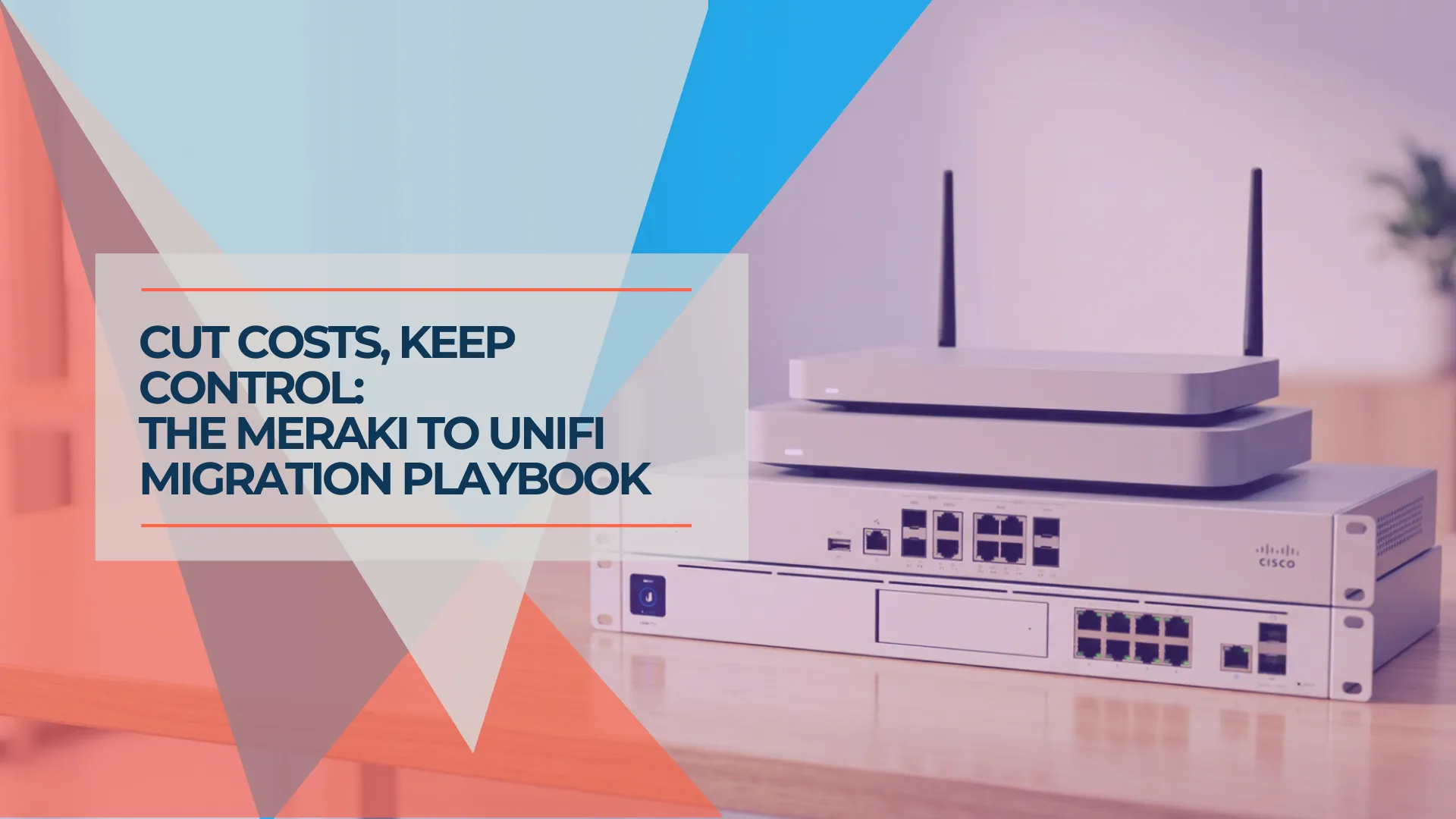
Meraki to UniFi Migration Guide: Cost Comparison and Step-by-Step Replacement Path
A practical migration guide for IT managers moving from Cisco Meraki to UniFi. Includes hardware mapping, 5-year cost comparison, pre-migration checklist, and weekend cutover plan.
16 min read
UniFi Network Solutions: 2026 Tech Overview
A comprehensive technical analysis of Ubiquiti's UniFi ecosystem for business networking and security. Covers gateways, WiFi 7 access points, CyberSecure, and real-world deployment experience.
13 min read
UniFi Gateway Comparison Guide 2026: All 11 Models Ranked
Complete UniFi gateway comparison covering all 11 current models — from Cloud Gateway Ultra ($129) to Dream Machine Beast ($1,499) and Enterprise Fortress Gateway ($1,999). Exact device counts, throughput thresholds, and storage economics.
26 min read