

UniFi Cloud Gateway Ultra Review: Best Value for Gigabit UniFi Networks (2026)
The UCG-Ultra delivers a full UniFi controller, 1 Gbps IDS/IPS, and multi-WAN failover in a $129 fanless device. No separate Cloud Key needed. Here's who it's right for.

Affiliate Disclosure: This article contains affiliate links. If you make a purchase through these links, we may earn a small commission at no extra cost to you. As an Amazon Associate, iFeelTech earns from qualifying purchases.
Let's be upfront: the UniFi Cloud Gateway Ultra is not the gateway we usually put in front of clients. When we design a network, we tend to start a tier or two higher — a Cloud Gateway Max or a Dream Machine — because the small jump in price buys headroom that pays off three years later when the fiber gets faster or someone wants cameras. Planning for headroom is usually cheaper than replacing the gateway later.
That said, the UCG-Ultra earns its place. At $129 it's the most affordable way into the UniFi ecosystem with a full built-in controller, and there's a real shortlist of situations where it's exactly the right call: a small office on gigabit that genuinely won't outgrow it, a branch location hanging off a flagship at headquarters, or anyone who wants to learn UniFi without committing to a rack. The hardware backs it up — a quad-core processor, 3 GB of RAM, a 2.5 GbE WAN port, and 1 Gbps routing with IDS/IPS enabled.
Two constraints decide whether it fits you: a 1 Gbps IDS/IPS routing ceiling, and a scope restricted to UniFi Network only — no Protect, no cameras, no PoE. If either of those gives you pause, that's usually our signal to point a client toward the Cloud Gateway Max (from $199) instead. This review is about knowing which side of that line you're on.
One thing the gateway's IDS/IPS does not cover: the IDS/IPS engine inspects traffic crossing the network, but it doesn't replace endpoint protection on each laptop and server. Most of the offices we deploy pair a UniFi gateway with a dedicated endpoint security platform so that a device compromised off-network — at home or on hotel WiFi — is still covered.
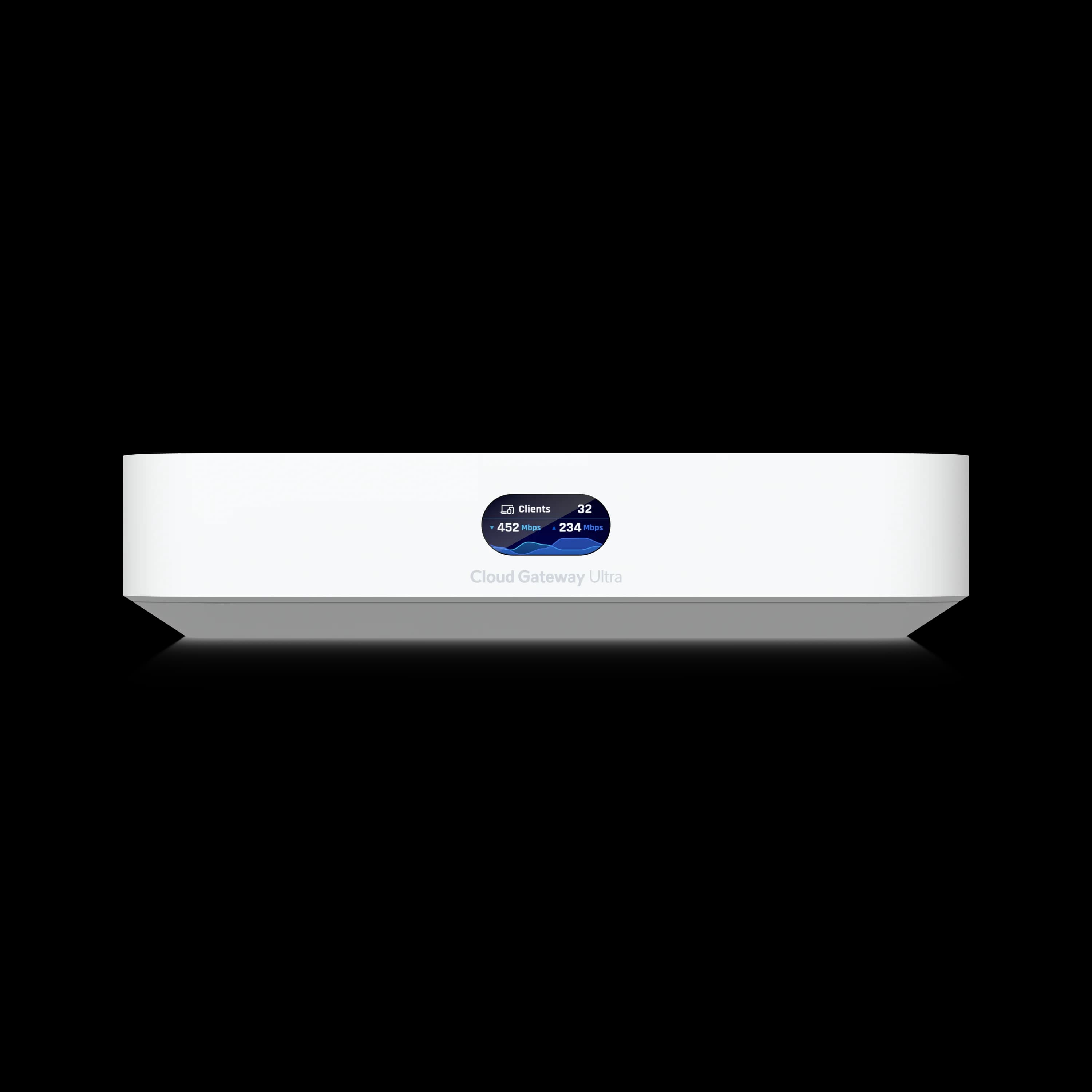
UniFi Cloud Gateway Ultra
Compact quad-core gateway with built-in controller, 2.5 GbE WAN, multi-WAN failover, and 1 Gbps IDS/IPS — powered by USB-C.
- Built-in Controller
- 2.5 GbE WAN
- 1 Gbps IDS/IPS
- Multi-WAN Failover
MSRP $129 from Ubiquiti. Amazon seller prices vary.
Prices and specifications in this article were checked against Ubiquiti's U.S. store and technical specifications in June 2026. Community performance claims are noted as such where first-hand test data is not available.
Quick Buyer Guide
| Buyer Situation | Recommendation |
|---|---|
| 1 Gbps or slower internet, no cameras | UCG-Ultra ($129) |
| 2 Gbps internet or possible cameras | Cloud Gateway Max (from $199) |
| Wants WiFi in one box | Express 7 ($199) or Dream Router 7 ($279) |
| Needs rackmount, NVR, or larger site | UDM-Pro / Pro Max / UCG-Fiber |
| PPPoE gigabit and performance matters | Test carefully or consider Max / Fiber |
How We Evaluated It
A note on honesty, since it shapes how you should read the numbers below. We don't deploy the UCG-Ultra often — for most client builds we spec a higher tier — so this isn't a "we've run a hundred of these" review. It's hands-on evaluation of the device against the broader UniFi gateway experience we do have at scale, with community benchmarks clearly labeled where our own bench time runs out. We'd rather tell you that than dress up secondhand figures as field data.
Our evaluation baseline:
| Detail | Configuration |
|---|---|
| Firmware | UniFi OS 5.x / Network 9.x (as of June 2026) |
| Internet Type | DHCP fiber (1 Gbps symmetric) |
| Security Settings | IDS/IPS enabled, default threat signatures |
| Speed Tests | Speedtest CLI, iperf3 (LAN-to-LAN), UniFi dashboard throughput |
| Hardware | USW-Lite-8-PoE, U7 Pro, MacBook Pro (2.5 GbE USB-C adapter) |
| Environment | Small office context, 10–25 active clients |
Where we reference community-reported benchmarks (WireGuard throughput, PPPoE edge cases), those are labeled as such and should not be treated as guaranteed performance figures.
Key Specifications
| Spec | Value |
|---|---|
| Price | $129 MSRP |
| Processor | Quad-core ARM Cortex-A53 @ 1.5 GHz |
| RAM | 3 GB DDR4 |
| Storage | 16 GB eMMC |
| WAN | 1× 2.5 GbE RJ45 |
| LAN | 4× 1 GbE RJ45 |
| IDS/IPS Throughput | 1 Gbps |
| Max Power | 6.2 W (USB-C, 5V/3A) |
| WiFi | None |
| Protect / Camera Support | No |
| Multi-WAN | Yes (LAN Port 4 reassignable) |
| Devices / Clients | 30+ devices / 300+ clients |
Cloud Gateway Ultra vs. 2026 Compact Gateways
The UCG-Ultra ($129) is Ubiquiti's lowest-cost gateway with a built-in controller, sitting below the Cloud Gateway Max (from $199) and Dream Router 7 ($279). That $70 gap to the Max is the most important number in this whole review — it's the decision we walk almost every client through, and more often than not we land on the Max for the headroom. Hold that thought; it comes up repeatedly below.
The Ultra is strictly a router and controller — no built-in WiFi, no camera storage, no PoE output. That focus is what keeps the price low, but it also means the gateway is only ever one piece of the build; you'll add a switch and an access point to finish the job. For rackmount comparisons (UDM-Pro, Pro Max), see our full gateway comparison guide.
Quick Verdict
- Speed: Rated at 1 Gbps with IDS/IPS. Sufficient for gigabit internet; not suited for 2+ Gbps fiber.
- Scope: Runs Network only. No Protect camera support. The Cloud Gateway Max starts at $199; Protect recording requires a storage model or an added NVMe drive.
- Value: Consolidates a $328+ USG + Cloud Key stack into a single $129 USB-C device.
| Feature | UCG-Ultra | Cloud Gateway Max | Cloud Gateway Fiber | Dream Router 7 |
|---|---|---|---|---|
| Price | $129 | From $199 (no storage) | $279 (no storage) | $279 |
| Primary Role | Network Only | Network + Protect | Network + Protect | All-in-One |
| WAN | 2.5 GbE | 2.5 GbE | 1× 10G SFP+ + 1× 10 GbE RJ45 | 10G SFP+ + 2.5G RJ45 |
| LAN Ports | 4× 1 GbE | 4× 2.5 GbE | 4× 2.5 GbE (1× PoE+) | 3× 2.5 GbE (1× PoE Output) |
| IDS/IPS Throughput | 1 Gbps | 2.3 Gbps | 5 Gbps | 2.3 Gbps |
| WiFi | None | None | None | WiFi 7 Tri-band |
| Camera Storage | None | NVMe Slot (optional) | NVMe (up to 2 TB) | microSD (64 GB) |
| PoE Output | None | None | 30W (1 port) | 15.4W (1 port) |
Cloud Gateway Max IDS/IPS throughput of 2.3 Gbps requires UniFi OS 4.1+ (Network 9+) firmware. The original device spec was 1.5 Gbps. Cloud Gateway Fiber runs all UniFi applications (Network, Protect, Access, Talk, Connect).
Cloud Gateway Max: When the Upgrade Makes Sense
The Cloud Gateway Max shares the Ultra's form factor and CPU but adds 2.5 GbE LAN ports, 2.3 Gbps IDS/IPS throughput, and the ability to run UniFi Protect with an NVMe drive. The no-storage model starts at $199; for Protect recording, choose the $279 model with 512 GB or add your own NVMe drive via Ubiquiti's M.2 SSD tray. Either way, it avoids the cost of a separate UNVR ($299+).
This is the upgrade we recommend most. Starting at $70 more than the Ultra, the Max addresses both of the Ultra's main limitations — the 1 Gbps IDS/IPS routing ceiling and the lack of Protect support. Note that Protect recording requires either the $279 storage model or adding your own NVMe drive with Ubiquiti's M.2 SSD tray. For most clients, that's still enough to keep them from outgrowing the gateway inside the first lease term. For a detailed breakdown, see our Cloud Gateway Ultra vs Cloud Gateway Max comparison.
UCG-Ultra vs. UXG-Lite
The UXG-Lite costs the same $129 but requires an external controller — a Cloud Key Gen2+ ($199) or self-hosted setup. The UCG-Ultra includes the controller, largely superseding the UXG-Lite for new deployments unless you already run a centralized multi-site management server.
Why Modular Beats All-in-One
Here's the thing all-in-one boxes don't tell you: the best spot for your router is almost never the best spot for your WiFi. The UCG-Ultra plus a separate AP wins for one reason — placement. A Dream Router 7 lives wherever your ISP line terminates, which in most offices is a closet, a corner, or under a desk behind a tangle of cables. None of those are where you want your wireless radiating from. A ceiling-mounted U7 Pro in the middle of the floor plan covers the room properly. It's the single most common reason we go modular instead of all-in-one, even when an all-in-one would technically do the job. See our network design guide for layout planning.
UCG-Ultra vs. UniFi Express 7
The UCG-Ultra is a wired router with four LAN ports. The Express 7 includes Wi-Fi 7 but has only one 2.5 GbE LAN port, requiring an external switch for multiple wired clients.
Both gateways share the same quad-core ARM Cortex-A53 processor and 3 GB of RAM, but their throughput ratings differ. Ubiquiti rates the Express 7 at 2.3 Gbps IDS/IPS — matching the Cloud Gateway Max — compared to the UCG-Ultra's 1 Gbps IDS/IPS. The Express 7 also features a 10 GbE WAN port versus the Ultra's 2.5 GbE WAN. The Express 7 ($199) is designed for compact, single-device deployments such as small apartments. Adding multiple wired clients to an Express 7 network requires an external switch; PoE is only required if you also need to power APs or cameras. The UCG-Ultra trades the wireless radio and higher throughput rating for four built-in LAN ports at $70 less, providing a more flexible wired foundation for modular networks where a separate ceiling-mounted AP handles WiFi.
Our rule of thumb: the Express 7 is for a space where the gateway and the WiFi can live in the same spot — a studio apartment, a one-room shop, a travel kit. The moment you have wired gear in one place and people spread across another, the Ultra's four LAN ports and a ceiling AP make a cleaner network. For a deeper look, see our Express 7 vs Dream Router 7 comparison.
What Does a Complete UCG-Ultra Setup Cost?
A complete UCG-Ultra network costs approximately $427. This includes the $129 gateway, a $109 PoE switch, and a $189 wireless access point.
Because the gateway lacks integrated Wi-Fi and Power over Ethernet (PoE), a standard deployment requires external hardware. The most common topology pairs the UCG-Ultra with a USW-Lite-8-PoE switch and a ceiling-mounted U7 Pro access point. For help choosing the right switch, see our UniFi switch guide.
| Component | Product | MSRP |
|---|---|---|
| Gateway | UCG-Ultra | $129 |
| PoE Switch | USW-Lite-8-PoE | $109 |
| WiFi AP | U7 Pro | $189 |
| Total | ≈$427 |
Prices reflect Ubiquiti MSRP. Third-party retailers (CDW, Best Buy, Amazon) may charge 10–30% above MSRP depending on stock availability.
Swapping the AP for a U7 Lite ($99) reduces the total to roughly $337 while maintaining Wi-Fi 7 performance on the 2.4 and 5 GHz bands. For the differences, see our U7 Lite vs U7 Pro comparison.
For context: a Firewalla Gold SE ($499) plus a separate AP costs considerably more. The UCG-Ultra setup delivers managed VLANs, IDS/IPS, multi-WAN, and centralized management for under $450.
What Are the Speed Limits of the UCG-Ultra?
Ubiquiti rates the UCG-Ultra at 1 Gbps IDS/IPS throughput. The 2.5 GbE WAN port provides link headroom, but the built-in LAN ports are 1 GbE, so individual wired clients connected directly to the gateway remain limited to gigabit-class speeds.
In practice, expect roughly 900–950 Mbps sustained throughput with IDS/IPS enabled. The 2.5 GbE WAN port avoids the approximately 940 Mbps overhead penalty common to standard Gigabit negotiation and provides aggregate headroom for multiple clients, but it does not enable multi-gig downloads for individual devices.
If your ISP plan exceeds 1 Gbps, the Cloud Gateway Max provides 2.3 Gbps routing throughput and 2.5 GbE LAN ports. For 2+ Gbps fiber, look at the Cloud Gateway Fiber (5 Gbps IDS/IPS) or Dream Machine Pro Max.
Local Network (NAS) Transfer Limits
The 1 Gbps IDS/IPS routing limit also applies to LAN-to-LAN traffic routed through the gateway. Users with a 2.5 GbE or 10 GbE Network Attached Storage (NAS) device cannot achieve multi-gig local file transfers through the UCG-Ultra's built-in switch — each port is limited to 1 GbE. For multi-gig local transfers, connect NAS and client devices to a separate 2.5 GbE switch (such as the USW-Enterprise-8-PoE) and keep traffic on the same VLAN to avoid routing through the gateway.
Power Consumption and Thermals
The UCG-Ultra draws a maximum of 6.2 W via USB-C (5V/3A) — among the lowest in its class and a strong consideration for UPS runtime planning. The compact fanless chassis dissipates heat passively; the unit will feel warm during normal operation. Do not stack it directly on heat-generating equipment such as a cable modem or PoE switch, and ensure adequate airflow around the enclosure.
PPPoE Connection Overhead
PPPoE fiber users should expect throughput to land 5–15% below the 1 Gbps IDS/IPS rating due to encapsulation overhead on ARM-based gateways. Community reports commonly place gigabit PPPoE results in the 850–950 Mbps range, but results vary by firmware, ISP, and traffic rules.
Earlier UCG-Ultra firmware (pre-2024) had more severe PPPoE throughput problems — in some cases dropping below 700 Mbps. Ubiquiti addressed many of these encapsulation issues across the UniFi OS 4.x firmware cycle, but community reports as of mid-2026 indicate that PPPoE performance remains configuration-dependent. Results vary by firmware version, ISP, traffic rules, and specific PPPoE settings — some users report 900+ Mbps, while others still experience lower throughput. If your ISP (CenturyLink/Lumen, some AT&T fiber plans, many European providers) requires PPPoE and your plan is at or near 1 Gbps, the Cloud Gateway Max provides substantially more headroom at 2.3 Gbps IDS/IPS.
Multi-WAN Failover and Load Balancing
The UCG-Ultra supports multi-WAN by reassigning LAN Port 4 as a secondary WAN. Configure automatic failover or active load balancing across two ISP connections — a practical feature that is still uncommon in basic consumer routers and useful at this price point.
- Failover: Primary ISP drops, traffic shifts to backup (5G modem, Starlink, second cable line) within seconds.
- Load Balancing: Traffic distributes across both connections for improved aggregate throughput.
For work-from-home setups and small offices where connectivity interruptions are costly, multi-WAN failover is a practical feature at this price point. The UniFi 5G Backup ($99) pairs well with the Ultra — it connects to any PoE switch port and provides automatic cellular failover without using a WAN port. See our 5G failover setup guide for full configuration details, or our Starlink Business failover guide if satellite is the better fit for your location.
VPN Performance
The UCG-Ultra supports WireGuard, OpenVPN, IPsec, L2TP, and Teleport VPN. WireGuard — the fastest modern option — is reported at approximately 300–600 Mbps in server mode based on community benchmarks, though throughput varies with IDS/IPS status and client configuration. Ubiquiti does not publish an official WireGuard throughput spec for this device; treat these figures as indicative rather than guaranteed. The built-in Site-Magic SD-WAN provides zero-config site-to-site connectivity for multi-location deployments.
Does the UCG-Ultra Require a Subscription for Security Features?
No. The UCG-Ultra does not require a subscription for IDS/IPS, firewall rules, VLANs, VPN, or traffic management — all of these work out of the box. The built-in IDS/IPS system includes thousands of threat signatures by default.
Ubiquiti offers CyberSecure as an optional paid add-on, powered by Proofpoint and Cloudflare, that expands IDS/IPS signature coverage and adds enhanced DNS-based content filtering with over 100 granular categories. Ubiquiti's published signature counts vary by gateway model and memory mode, so check the CyberSecure help article for current figures. The subscription is activated per-site through Site Manager and takes up to 15 minutes to fully propagate.
For most home labs and small office deployments, the default signature set provides adequate protection. CyberSecure is worth evaluating for businesses handling sensitive data or requiring compliance with specific security frameworks where broader threat coverage matters.
Does the UCG-Ultra Support UniFi Protect Cameras?
No, the UCG-Ultra does not support UniFi Protect or security cameras. It is a dedicated network router that only runs the UniFi Network application.
The chassis lacks the internal storage and application support required for video surveillance, UniFi Access (door controls), or UniFi Talk (VoIP). The UCG-Ultra supports:
- ✅ VLANs, firewall rules, traffic identification, ad blocking, content filtering
- ✅ WireGuard, OpenVPN, IPsec VPN
- ✅ Site-Magic SD-WAN
- ❌ UniFi Protect (camera recording)
- ❌ UniFi Access (door controllers)
- ❌ UniFi Talk (VoIP)
The quad-core processor handles multi-VLAN routing for typical SMB segmentation — IoT isolation, guest network, management VLAN — without CPU strain at normal traffic volumes. The 30+ device / 300+ client spec holds with VLAN segmentation active; the 1 Gbps aggregate ceiling remains the practical limit regardless of VLAN count.
Deployments requiring camera support should consider the Cloud Gateway Max (from $199 without storage; $279 with 512 GB). The no-storage model supports Protect but requires adding your own NVMe drive via Ubiquiti's M.2 SSD tray. Either configuration avoids purchasing a separate UNVR ($299+). For existing Protect users, see our Protect CCTV guide and storage planning guide.
How Does the UCG-Ultra Compare to Non-Ubiquiti Alternatives?
The UCG-Ultra competes with several non-Ubiquiti gateways across the $50–$500 range. We get asked about these constantly — usually by someone who's found a cheaper box on paper or a more powerful one in a forum thread — so here's how we actually weigh them. The short version: each wins on a single axis (price, raw security, or configurability), and the UCG-Ultra wins on the thing that matters most once a network is live and someone has to manage it.
| Alternative | Price (approx.) | Strengths | Key Trade-off vs. UCG-Ultra |
|---|---|---|---|
| TP-Link Omada ER605 | About $60 | Multi-WAN, WireGuard, Omada SDN | No IDS/IPS, less device-level visibility |
| MikroTik hEX S (2025) | About $70 | 2.5G SFP, RouterOS v7, deep configurability | Steep learning curve, no IDS/IPS, no dashboard |
| Firewalla Gold SE | $499 | IDS/IPS, ad blocking, 2× 2.5 GbE ports | Higher cost, no ecosystem of APs/switches |
| OPNsense / pfSense mini-PC | $150–$300 | Full open firewall platform, Suricata IDS/IPS | Requires self-build, no integrated device management |
TP-Link Omada ER605
The ER605 provides multi-WAN load balancing, WireGuard/OpenVPN/IPsec VPN, DPI-based filtering, and centralized management through the Omada SDN controller. It is the lowest-cost option here, but it lacks IDS/IPS entirely and its management interface — while improved with Omada Cloud — does not match the depth of the UniFi controller for VLAN segmentation, traffic identification, or device-level visibility. A strong choice if budget is the primary constraint and you do not need signature-based threat detection.
MikroTik hEX S (2025)
MikroTik released the hEX S (2025) as an update to the original hEX S, featuring a faster dual-core CPU, 2.5G SFP port, 5× Gigabit Ethernet, PoE output, and RouterOS v7. It offers granular protocol-level control well beyond what most consumer-grade gateways provide. The trade-off is complexity: RouterOS has a steep learning curve, no built-in IDS/IPS, and no integrated device management dashboard. For MSPs and IT teams managing multiple sites, the UCG-Ultra's built-in controller and zero-touch provisioning via Site-Magic simplify ongoing management.
Firewalla Gold SE / Gold Plus / Gold Pro
The Firewalla lineup targets security-conscious prosumers and small businesses. The Gold SE ($499) includes 2× 2.5 GbE + 2× 1 GbE ports with built-in IDS/IPS, ad blocking, VPN, and deep traffic insights. The Gold Plus (about $549) upgrades to 4× 2.5 GbE, and the Gold Pro (about $899) adds 2× 10 GbE. Firewalla's app-based management is polished, but the devices do not integrate with a broader ecosystem of managed APs and switches the way UniFi does. At 4–7× the UCG-Ultra's price, Firewalla is a different category — worth considering if advanced threat monitoring is the priority and you do not need UniFi ecosystem integration.
OPNsense / pfSense on Mini-PC
For advanced users comfortable with open-source firewall platforms, a mini-PC running OPNsense or pfSense provides Suricata-based IDS/IPS, full VPN support, and unlimited configurability. Hardware costs range from $150 to $300+ depending on the mini-PC chosen. The trade-off is self-management: no integrated controller, no ecosystem of managed devices, and no vendor-supported firmware updates. This path suits network engineers who want maximum control and are willing to maintain their own firewall appliance.
The UCG-Ultra's Position
The UCG-Ultra's real differentiator isn't a spec — it's the integrated UniFi controller and the ecosystem behind it. A cheaper box saves you $60 today; a more configurable one gives you knobs you'll touch twice a year. But the gateway that adopts your access points, switches, and (later) cameras into one dashboard is the one you stop fighting after install. That's the trade we make deliberately: less granular protocol-level control in exchange for a network that a non-engineer can actually live with. For most of our clients, and most of the people reading this, that's the right side of the deal.
Who Should Buy the UCG-Ultra?
We've spent this whole review being candid that we usually reach a tier higher. So here's the flip side — the cases where we'd genuinely hand a client the Ultra and not think twice, and the cases where we'd stop them before they checked out.
Buy It If:
- Your internet is 1 Gbps or slower. Full IDS/IPS threat detection without bottlenecking your connection.
- You want a modular network. Gateway in the closet, WiFi 7 APs on the ceiling, PoE switch in the rack.
- You are replacing a USG or Cloud Key. The UCG-Ultra consolidates both into one $129 device with improved performance and a current-generation controller.
- You manage remote sites. Site-Magic VPN connects locations without manual configuration. Deploy one at a client's site and manage it from your controller.
Skip It If:
- You have 2+ Gbps fiber. The 1 Gbps IDS/IPS routing ceiling will limit your plan. The Cloud Gateway Max handles 2.3 Gbps IDS/IPS starting at $199. For plans above 2 Gbps, skip the compact lineup entirely: the Cloud Gateway Fiber ($279) delivers 5 Gbps IDS/IPS with 10G SFP+ and 10 GbE WAN ports, and the Dream Machine Pro Max ($599) provides 5 Gbps IDS/IPS in a rackmount form factor with redundant NVR storage.
- You want or might want cameras. The Ultra runs Network only. The Cloud Gateway Max (from $199; $279 with storage) supports Protect with NVMe. The Dream Router 7 ($279) includes WiFi 7, camera storage, and PoE.
- You need WiFi and a gateway in one box. The Express 7 ($199) or Dream Router 7 ($279) include built-in WiFi 7.
Migrating From a USG or Cloud Key Gen2
The UCG-Ultra is the most common upgrade path from older USG + Cloud Key setups. The migration involves one critical step before anything else: update the UCG-Ultra's firmware to match your existing controller version. The device ships with older firmware, and restoring a newer backup to an older build will fail with a version mismatch error. Connect the UCG-Ultra to the internet through the existing network (via its WAN port, while the old gateway stays active), let it update the Network application and OS firmware, then confirm the version matches your current controller.
Once versions match: take a settings-only backup from the existing controller, restore it to the UCG-Ultra, then physically replace the old gateway. If migrating from a Cloud Key, shut it down after the swap — devices will not re-adopt while two controllers are running simultaneously. Most sites complete full re-adoption within 3–5 minutes without manual device re-provisioning.
Bottom Line
We'll close where we started. The UCG-Ultra isn't the gateway we usually specify, and that's not a knock — it's a positioning. For a $129 USB-C-powered device, it delivers strong value: it folds a $328+ USG-and-Cloud-Key stack into one box with IDS/IPS, VLANs, multi-WAN failover, VPN, and a full built-in controller. As a first step into UniFi, a branch office, or a small operation on gigabit, it's hard to argue with.
The reason we reach higher is the same reason you might: the 1 Gbps IDS/IPS routing ceiling and the lack of camera support are the two limits people bump into first, and they tend to arrive sooner than you'd guess. If there's any chance multi-gig fiber or a camera is in your next two or three years, start with the Cloud Gateway Max (from $199) instead — Protect recording requires the $279 storage model or adding your own NVMe drive, but either path avoids the regret of outgrowing the Ultra. Want WiFi 7 in the same box? The Dream Router 7 ($279) handles that.
But if you've read this far and your honest answer is "gigabit is plenty and cameras aren't happening" — buy the Ultra with confidence. It's the lowest-cost UniFi gateway with a built-in controller in 2026, and for the network you're actually building, the extra headroom would just sit there unused.
Need help designing your UniFi network? Our team provides network assessments and professional installation throughout South Florida. Contact us for a recommendation tailored to your floor plan and device count.
For more UniFi guidance, see our gateway comparison guide, WiFi 7 AP guide, and network design guide.
Frequently Asked Questions
Does the UCG-Ultra support UniFi Protect cameras?
No. The Cloud Gateway Ultra runs UniFi Network only. It cannot host Protect, Talk, or Access. For camera recording on a compact gateway, the Cloud Gateway Max (from $199 without storage; $279 with 512 GB) adds Protect support. The no-storage model requires adding your own NVMe drive. For larger deployments, see our Protect CCTV guide.
Can the UCG-Ultra handle 2 Gbps fiber internet?
Not at full speed. The 2.5 GbE WAN port negotiates a 2.5 Gbps link, but IDS/IPS throughput is rated at 1 Gbps and the built-in LAN ports are 1 GbE, so individual wired clients remain limited to gigabit-class speeds. For multi-gig internet, the Cloud Gateway Max handles 2.3 Gbps IDS/IPS, and the Cloud Gateway Fiber scales to 5 Gbps.
Is the UCG-Ultra better than the UniFi Express 7?
They share the same quad-core ARM Cortex-A53 processor and 3 GB of RAM, but their throughput ratings differ: Ubiquiti rates the Express 7 at 2.3 Gbps IDS/IPS versus the UCG-Ultra's 1 Gbps. The UCG-Ultra wins on wired connectivity — four GbE LAN ports vs. the Express 7's single 2.5G LAN port — and costs $70 less. The Express 7 wins on simplicity with built-in WiFi 7, a 10 GbE WAN port, and mesh AP mode. The Express 7 is ideal for apartments and travel; the Ultra is for dedicated, modular networks.
Does the UCG-Ultra have PoE ports?
No. All four LAN ports are standard GbE without PoE output. You need a separate PoE switch — the USW-Lite-8-PoE ($109) is the most common pairing — to power access points and cameras.
What does a full UCG-Ultra network setup cost?
A complete setup runs approximately $427 at MSRP: UCG-Ultra ($129) + USW-Lite-8-PoE ($109) + U7 Pro ($189). Substituting a U7 Lite ($99) drops the total to approximately $337 while keeping WiFi 7 on 2.4/5 GHz bands. Third-party retail pricing may vary.
Can the UCG-Ultra do multi-WAN failover?
Yes. Reassign LAN Port 4 as a secondary WAN for automatic failover or load balancing across two ISP connections. For configuration steps, see our 5G failover setup guide.
Does the UCG-Ultra require a subscription?
No. The UCG-Ultra does not require a subscription — IDS/IPS, firewall, VLANs, VPN, and traffic management all work out of the box with thousands of built-in threat signatures. Ubiquiti's optional CyberSecure add-on expands signature coverage and adds enhanced content filtering powered by Proofpoint and Cloudflare. CyberSecure is not required for the device to function.
How fast is PPPoE on the UCG-Ultra?
PPPoE throughput is configuration-dependent. Most gigabit PPPoE connections achieve 850–950 Mbps downstream, with results varying by firmware version, ISP, and traffic rules. Earlier firmware (pre-2024) had more severe PPPoE issues. Ubiquiti addressed many of these across the UniFi OS 4.x cycle, but community reports as of mid-2026 still indicate variability. For PPPoE-heavy setups at or near 1 Gbps, the Cloud Gateway Max provides more headroom at 2.3 Gbps IDS/IPS.
Does the 2.5 GbE WAN port allow multi-gig downloads?
The 2.5 GbE WAN port negotiates a faster link than standard Gigabit, avoiding the approximately 940 Mbps overhead common to GbE negotiation and providing aggregate headroom for multiple clients. However, IDS/IPS throughput is rated at 1 Gbps and all four LAN ports are 1 GbE, so individual device downloads are limited to approximately 1 Gbps regardless of the WAN link speed.
Related Articles
More from UniFi Networks
UniFi Gateway Comparison Guide 2026: All 11 Models Ranked
Complete UniFi gateway comparison covering all 11 current models — from Cloud Gateway Ultra ($129) to Dream Machine Beast ($1,499) and Enterprise Fortress Gateway ($1,999). Exact device counts, throughput thresholds, and storage economics.
26 min read
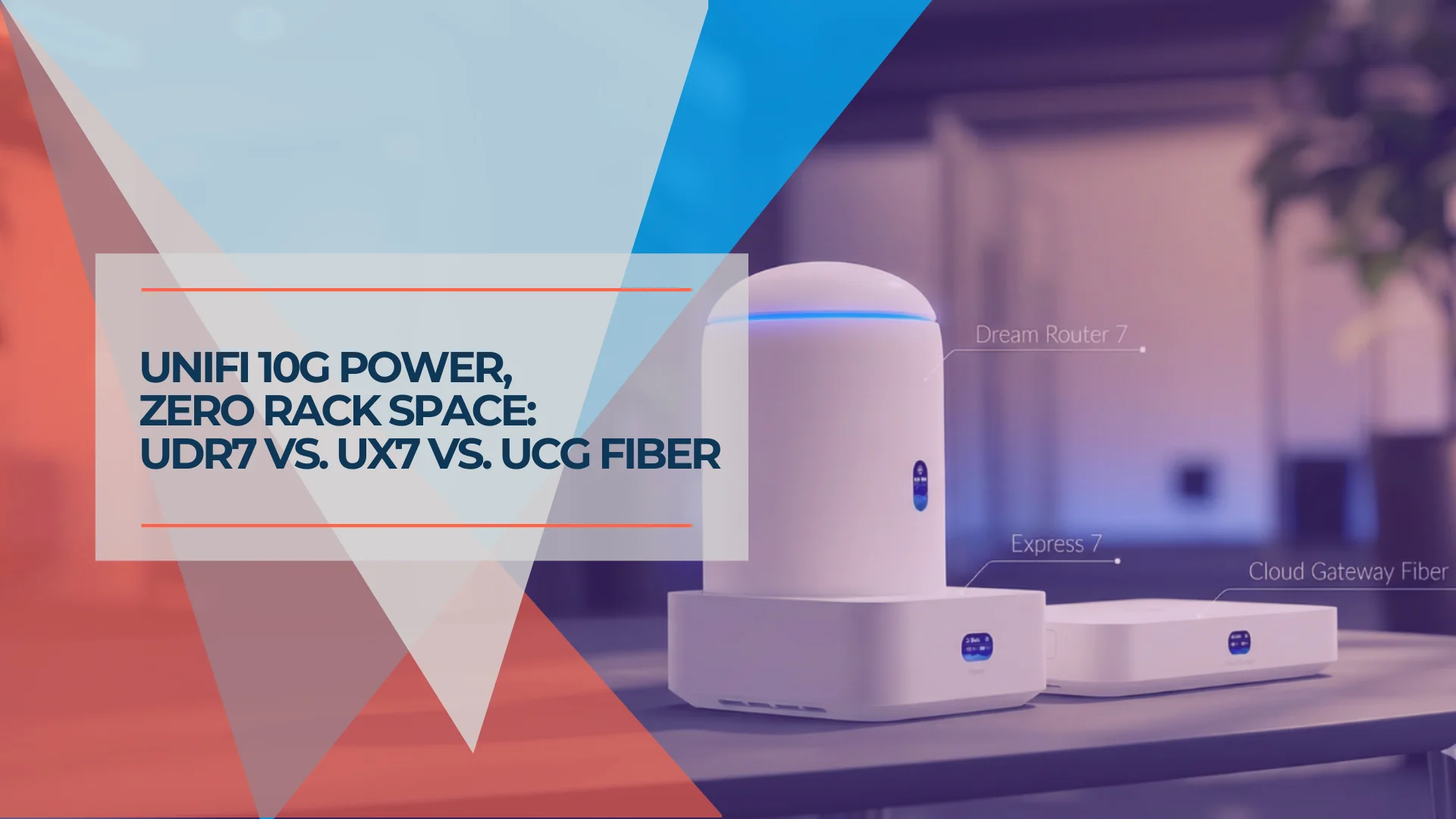
Which UniFi Gateway is Right for You? UDR7, UX7, or UCG Fiber
Compare the UniFi Dream Router 7 ($279), Express 7 ($199), and Cloud Gateway Fiber ($279+). Specs, use cases, and which compact gateway fits your network.
10 min read
We Ran 538 Ubiquiti Devices for 4 Years. Here's What Actually Failed.
Real fleet data: 538 UniFi devices tracked over 4 years. 0.74% replacement rate, 99.99% core uptime, and five incident post-mortems from commercial sites.
15 min read