

UniFi Dream Machine Beast Review 2026: Hands-On SMB Verdict
A hands-on UniFi Dream Machine Beast review from an SMB integrator: official specs, real deployment notes, 100W power draw, the no-PoE catch, and who the $1,499 gateway is actually for.

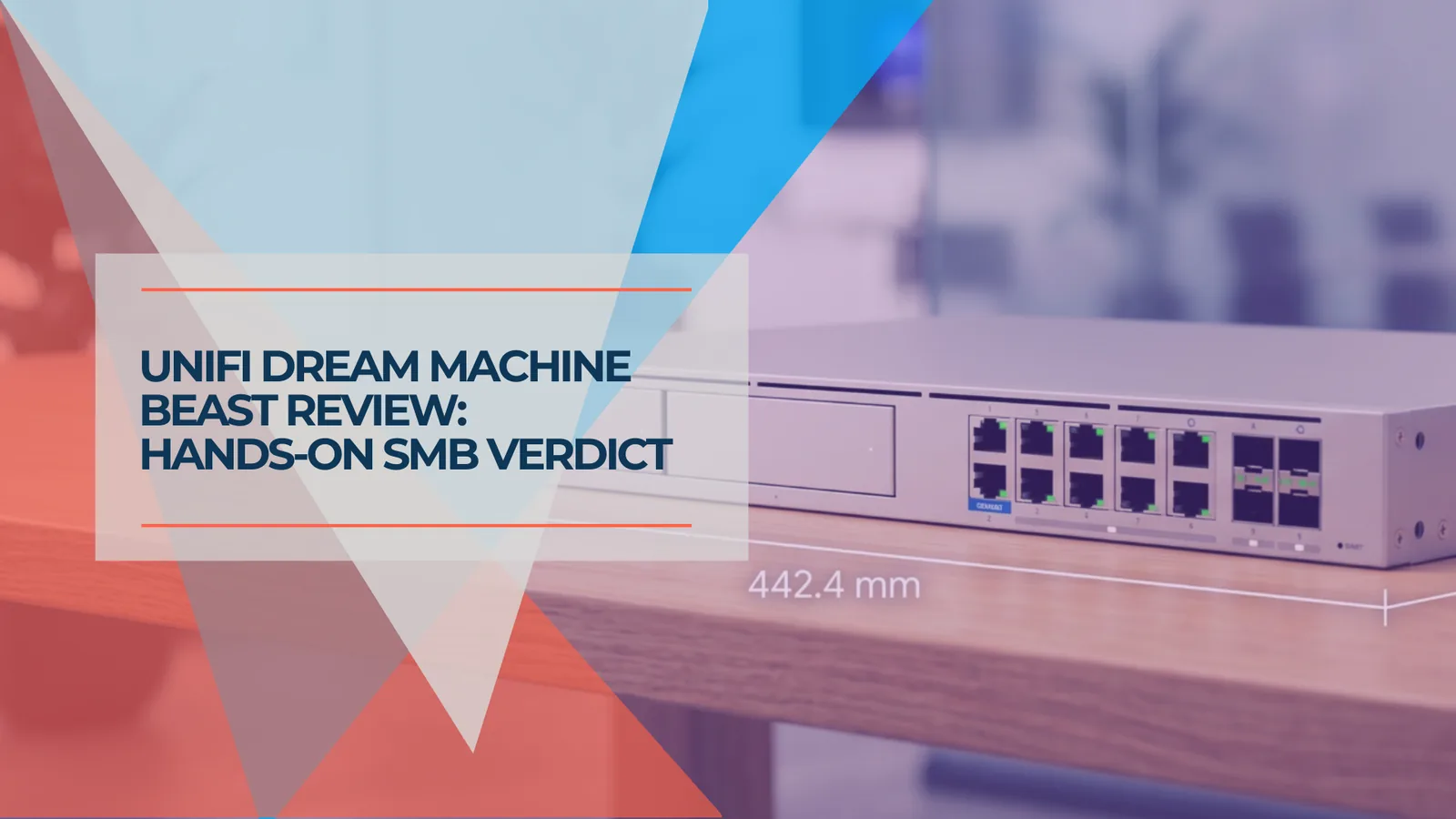
Quick Verdict
The Dream Machine Beast is the highest-capacity Dream Machine in the current lineup, and it deploys like any other UDM. In practical terms: you are not buying a harder install, you are buying capacity that leaves meaningful room for growth. It is the right call for a narrow profile — top-of-range future-proofing with the budget to match, a 10G network buildout, 150–200+ managed devices, or 20+ UniFi Protect cameras in one box. For the typical small or mid-size office, it is more gateway than most offices will use, and the UDM Pro Max at $599 is the smarter buy. Cross-shopping the two? See our Beast vs Pro Max comparison.
A client asked us for the Beast by name. Not "the best gateway for our office" — the Beast, specifically. Budget was not the question; future-proofing and room to scale were. So we ordered a $1,499 Dream Machine Beast, racked it, and brought their network online on it.
One point rarely covered in spec videos: deploying the Beast is much like deploying any other UniFi Dream Machine. Same topology, same VLAN and firewall plan, same separate PoE switch for the access points and cameras. The install was uneventful, which is exactly what you want from core infrastructure.
That is the honest frame for this review. You are not buying a different or harder build. You are buying capacity headroom — a gateway the network grows into for years rather than out of. For most of the offices we design across South Florida, that is more headroom than the network will ever use. For this client, it was exactly right. Below is the version with the numbers, the deployment notes, and the line items most buyers miss.
Affiliate Disclosure: This article contains affiliate links. If you make a purchase through these links, we may earn a small commission at no extra cost to you. As an Amazon Associate, iFeelTech earns from qualifying purchases.
What Is the UniFi Dream Machine Beast?
The Dream Machine Beast is Ubiquiti's highest-capacity Dream Machine gateway for large UniFi sites. It launched April 29, 2026 at $1,499 (US store price at the time of review) as the top of the Dream Machine line, positioned as a "hyperscale-class Cloud Gateway" delivering 25 Gbps IDS/IPS and 7,500+ client capacity in a single 1U appliance.
Translated out of marketing language: the Beast is a core gateway and UniFi OS console for a larger installation — not an all-in-one box that powers your network on its own. It runs the full UniFi application suite (Network, Protect, Access, Talk, and Connect), routes and inspects traffic at multi-gig speeds, and acts as the brain and recorder for a sizable site. What it does not do is supply PoE or replace your switching. Keep that capacity-versus-complexity distinction in mind; it runs through every section below.
UniFi Dream Machine Beast Specs That Actually Matter
The Beast is built on an octa-core ARM v9 (Neoverse N2) processor at 2.1 GHz with 16 GB of RAM and a built-in 128 GB SSD — the same class of core architecture used in cloud infrastructure, which is why its security throughput, device ceiling, and switching speed all scale together rather than one at a time.
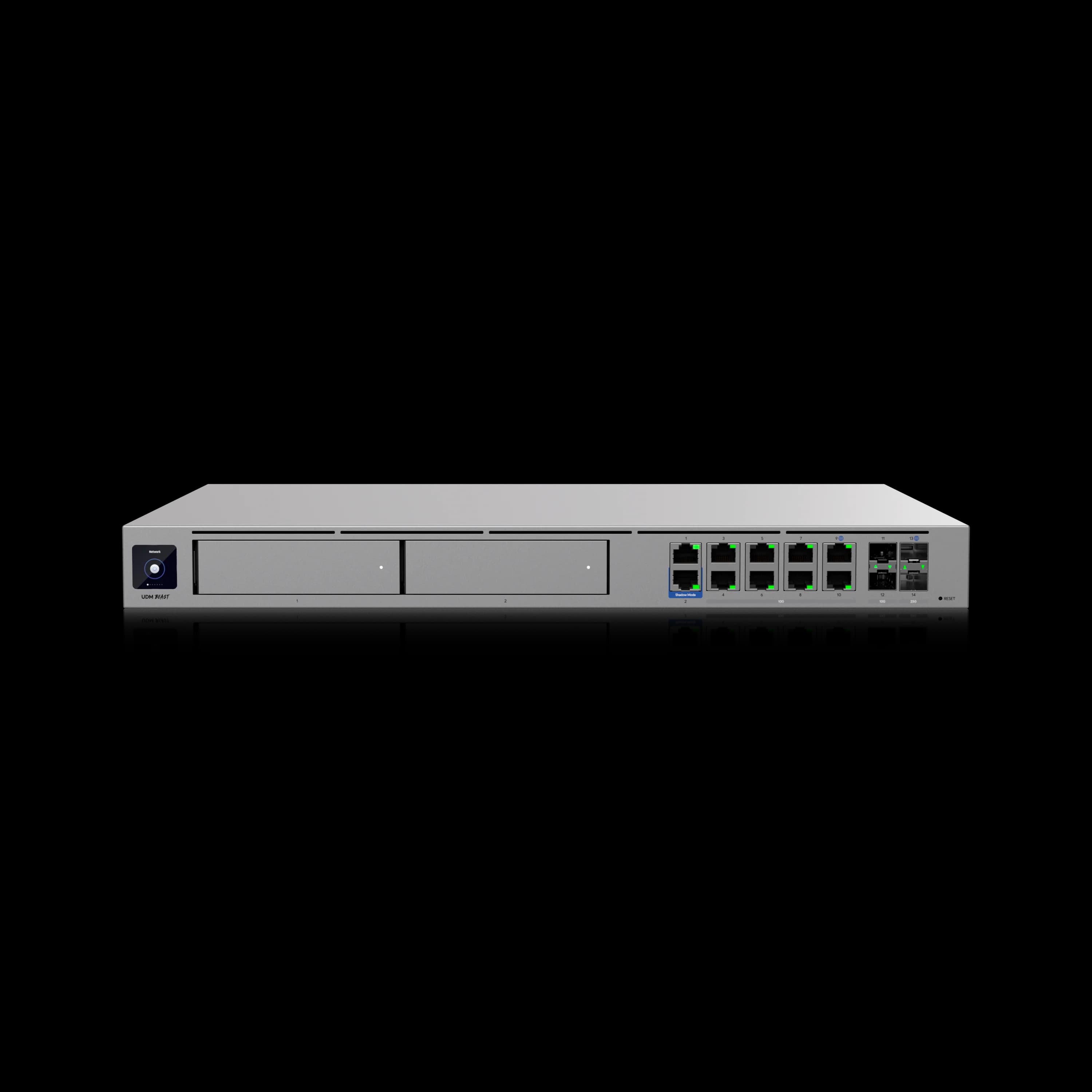
UniFi Dream Machine Beast
Hyperscale-class 1U gateway with 25 Gbps IDS/IPS, a built-in 8x 10GbE non-PoE aggregation switch, 25G SFP28 WAN, 128 GB SSD, 750+ managed devices, 40x 4K NVR support, and octa-core ARM v9 (Neoverse N2) processing.
- 25 Gbps IDS/IPS with CyberSecure
- (1) 25G SFP28 + (1) 10GbE RJ45 WAN
- 8x 10GbE non-PoE aggregation switching
- 750+ managed devices / 7,500+ clients
- Up to 40x 4K cameras in UniFi Protect
*Price at time of publishing
A few specs change the buying decision; most are just reassurance that you will not run out of room. All specifications in the table below are based on Ubiquiti's published UDM-Beast technical specifications at the time of review.
| Specification | UniFi Dream Machine Beast |
|---|---|
| Processor | Octa-core ARM v9 (Neoverse N2), 2.1 GHz |
| Memory | 16 GB |
| On-board storage | 128 GB SSD (OS and app performance) |
| IDS/IPS throughput | 25 Gbps |
| IDS/IPS signatures | Expanded set with CyberSecure (published counts vary by model and mode) |
| Default WAN | (1) 25G SFP28 + (1) 10GbE RJ45 — up to 8 WAN |
| Port layout | 8x 10GbE RJ45 (non-PoE) · 2x 25G SFP28 · 2x 10G SFP+ · 2x 1GbE RJ45 |
| Managed devices | 750+ |
| Simultaneous clients | 7,500+ |
| Managed cameras | 100 HD / 60 2K / 40 4K |
| NVR storage | 2x 3.5" HDD bays + 128 GB SSD |
| Max power consumption | 100W |
| Power supply | Internal 150W AC/DC; USP-RPS DC input for redundancy |
| Heat dissipation | 342 BTU/hr |
| Form factor | Rackmount 1U — 17.4 x 1.7 x 12.8 in · 5.5 kg (12.13 lb) |
| Display | 1.3" touchscreen |
| Routing / VPN | BGP, OSPF, Site Magic SD-WAN, WireGuard, OpenVPN, IPsec, RadSec |
| UniFi apps | Network, Protect, Access, Talk, Connect |
| NDAA compliant | Yes |
The Beast Has Eight Ports — and Zero of Them Do PoE
The built-in 8-port 10GbE switch is data-only aggregation. None of those ports supply PoE. Your access points, cameras, and door-access hardware still need a separate UniFi PoE switch. A buyer who assumes a $1,499 gateway with eight ports can power their access points directly will be surprised — budget for the PoE switch alongside the Beast, not after.
What Is It Like to Deploy the Dream Machine Beast?
The Beast deploys like any other UniFi Dream Machine; the difference is capacity, not complexity.
This is the part a spec sheet cannot give you, so it is where we will spend the most time. In our client deployment, the network design did not change because the gateway was larger. We planned the same VLAN segmentation, the same firewall and traffic rules, the same separate PoE switch feeding the access points and cameras, and the same UniFi OS console workflow we would use on a Pro Max. There is no special procedure, no different cabling model, and no learning curve unique to the Beast. If you have stood up a UDM Pro or Pro Max, you already know how to stand up a Beast.
The value is capacity headroom, not a different process. Once it is online, the larger CPU, RAM, and port layout leave more room for routing, inter-VLAN traffic, and UniFi Protect than the Pro Max — but you notice that in what the network can absorb, not in what it takes to build it. We did not encounter a Beast-specific installation issue; devices adopted normally.
| Deployment snapshot | This install (anonymized) |
|---|---|
| Site type | Small/mid-size professional office |
| Why the Beast | Client-requested future-proofing and room to scale; chosen over the UDM Pro |
| Network design | Standard UniFi build — segmented VLANs and firewall rules |
| Switching | Separate UniFi PoE switch for access points and cameras (the Beast has no PoE) |
| WAN | Business fiber handoff into the 10GbE RJ45 / 25G SFP28 WAN |
| Migration / adoption | Standard device adoption; no Beast-specific issues |
A few practical notes from racking one:
- WAN handoff. The default WAN is a 25G SFP28 port plus a 10GbE RJ45. The 25G SFP28 is backward-compatible down to 10G and 1G, so a 10G fiber or copper ISP handoff can usually be accommodated with the right SFP module, DAC, or RJ45 connection. Confirm your transceiver or cable before the install — Ubiquiti sells 25G Direct Attach Cables (from $23) and a 25G Single-Mode Optical Module ($119) for longer runs.
- Check rack depth. At 12.8 inches deep and about 12 pounds, the Beast is deeper than the Pro Max. It is not full server-rack depth, but it is not a shelf gateway either — confirm rack depth, rail support, and cable clearance before the install.
- Migration and Protect data. As with any gateway swap, back up the UniFi configuration, verify adoption after restore, and schedule the cutover during a maintenance window rather than live. If you are replacing an existing console that holds UniFi Protect recordings, plan the Protect migration before that window.
Factor the Power Draw Into Your UPS Plan
The Beast draws up to 100W and dissipates 342 BTU/hr, versus roughly 60W on the UDM Pro Max. That extra ~40W is small in absolute terms, but if you are dropping a Beast into a rack whose UPS was sized for a Pro Max, the added load shortens runtime — verify the battery still covers your recovery window before the swap. The Beast also accepts a USP-RPS DC input for power redundancy if uptime is critical. See our UniFi rack UPS guide for sizing.
Where the Beast Earns Its Price
The Beast earns its price in 10G networks, high-camera deployments, and large UniFi sites. When the deployment matches one of those, the strengths are real — they just have to fit.
Capacity headroom for growth. 750+ managed devices, 7,500+ simultaneous clients, and up to 40 4K cameras from a single appliance. For a dense single-location headquarters, a multi-building campus, or a site that will clearly grow past the Pro Max's 200-device ceiling, this is the gateway you buy once instead of replacing mid-project.
WAN that matches what fiber actually does now. The 25G SFP28 and 10GbE RJ45 WAN are built for the multi-gig symmetric fiber that is now available in Miami and other major metros. If a client is on 5G or 10G internet today — or planning a 10G LAN buildout in the next couple of years — the Beast is the foundation that does not bottleneck.
Built-in 10G aggregation. The eight 10GbE ports remove the need for a separate aggregation switch in a 10G LAN build. That is real hardware (and a real line item) consolidated into the gateway — central to whether the Beast pencils out, which we get to below.
NVR consolidation. With 16 GB of RAM, the octa-core processor, and the dedicated 128 GB SSD accelerating the Protect UI, the Beast runs 20+ camera streams with AI detection without the responsiveness drop a smaller gateway shows at that scale. For a camera-heavy site, it can replace a separate UNVR — see our UDM Pro Max standalone NVR guide, which applies equally to the Beast.
Room to grow. The Neoverse N2 platform is a meaningful generational jump over earlier Dream Machines — a larger CPU, more RAM, and a denser port layout than the Pro Max. For a client whose priority is buying infrastructure that should stay current for years rather than be replaced mid-cycle, that headroom is the point. We frame longevity as an editorial expectation based on the platform, not a guarantee — and it is consistent with what we see in our own 4-year UniFi fleet reliability data.
Introducing the Dream Machine Beast — Official Ubiquiti Overview
The Caveats: What to Know Before You Buy
A fair review covers the parts that do not show up in the launch graphics. None of these are deal-breakers for the right buyer — but every one of them has caught someone off guard.
No PoE. This is the most important caveat. The eight-port switch is aggregation only. Every access point and camera needs a separate UniFi PoE switch, so the Beast is never the whole bill. This is by design — it is a core gateway for a wider installation, not a self-contained box.
The power supply is internal and not removable. Unlike a chassis with hot-swap PSU modules, the Beast uses an internal AC/DC supply. Power redundancy comes from adding a separate USP-RPS on the DC input, not from a spare module you swap in the field.
It only pays off on a 10G/25G network. The Beast's headline specs assume the rest of the network can feed them. On a mostly 1GbE or 2.5GbE site that is not heading toward 10G, most of what you are paying for sits idle. The hardware is not the bottleneck — the surrounding infrastructure is.
PPPoE hardware offload is absent. Worth a line for completeness: there is no PPPoE hardware offload, which mainly affects certain European ISP connections. For typical US and South Florida fiber and cable handoffs, this is a non-issue.
For most offices, the capacity goes unused. To put it plainly: recommending the Beast to a 50-person office on 1 Gbps fiber with a dozen cameras is over-engineering. The capacity is real; it just will not be used.
- Deploys exactly like any other UDM — no special procedure or learning curve
- High capacity headroom: 750+ devices, 7,500+ clients, 40x 4K cameras in one box
- 25 Gbps IDS/IPS and 25G/10G WAN matched to real multi-gig fiber
- Built-in 8x 10GbE aggregation removes a separate switch in 10G builds
- Neoverse N2 platform with strong long-term headroom
- No PoE — a separate UniFi PoE switch is mandatory for APs and cameras
- $1,499 list price, before a mandatory separate PoE switch
- Internal, non-removable PSU; redundancy needs a separate USP-RPS
- Only pays off on a 10G/25G network
- Overkill for the typical small or mid-size office
What Does the Dream Machine Beast Cost After Required Accessories?
The Beast starts at $1,499, but the real project cost includes switching, storage, cables, and optional services. A few line items to put on the estimate before anyone signs off:
- The gateway: $1,499 at the Ubiquiti Store. Some buyers reported a temporary memory surcharge at launch, so confirm the final cart total before purchase.
- A PoE switch: mandatory, since the Beast has no PoE. Size it to your access points and cameras.
- CyberSecure: $99/unit/year for the full IDS/IPS signature set and threat updates. The same cost applies to the Pro Max, so it is not a differentiator — but it is a recurring line.
- UI Care (optional): $299/unit for five years of priority support and faster replacement.
- Transceivers/cables: 10G DAC from $13, 25G DAC from $23, a 25G single-mode optical module at $119, or an SFP+ to RJ45 10GbE adapter at $65, depending on your handoff.
Where the Beast closes its gap with the Pro Max is the 10G-plus-NVR scenario. To match what the Beast already includes, a Pro Max ($599) build adds a separate NVR (UNVR at $299, or UNVR Pro at $499) and a 10G aggregation switch (USW-Aggregation around $279, or the 32-port USW-Pro-Aggregation at $899 for larger builds). That puts the assembled Pro Max route at roughly $1,180 on the low end and close to $2,000 on the high end — and at the upper end, the Beast at $1,499 with NVR and 10G aggregation built in is the more efficient buy. Outside that scenario, the Pro Max's $599 is real money saved. We walk through the full deployment math in the Beast vs Pro Max comparison.
| Scenario | Better buy | Why |
|---|---|---|
| ~50-person office, 1G fiber, ~8 cameras | UDM Pro Max | The Beast's capacity goes unused |
| 10G LAN + multi-gig WAN + NAS | Dream Machine Beast | Built-in 10G aggregation and WAN earn their place |
| 20–40 4K cameras in one box | Beast (or a dedicated NVR) | Depends on retention and drive needs |
| Large campus / 150–200+ devices | Dream Machine Beast | More management and routing headroom |
Who Should Buy the Dream Machine Beast
Match your deployment to the right gateway before reading the detail below.
Fit Checker
Do you actually need the Beast?
Set your real numbers. We start from the $599 Pro Max and only point you to the Beast when a value crosses what the Pro Max comfortably handles.
Internet / WAN speed
Within Pro MaxThe Pro Max handles up to ~5 Gbps IDS/IPS, which covers a 2.5G plan comfortably.
Managed UniFi devices
Within Pro MaxAccess points, switches, cameras, and door hardware all count. The Pro Max tops out around 200.
4K Protect cameras (one box)
Within Pro MaxThe Pro Max comfortably runs about 15x 4K; the Beast handles up to 40x 4K.
Planning a 10G LAN buildout (next 2 years)
Within Pro MaxA 10G backbone needs aggregation the Pro Max cannot provide on its own.
Our Recommendation
UDM Pro Max $599
Nothing here exceeds what the UDM Pro Max handles. The Beast's extra capacity would sit unused, so the ~$900 difference is better spent on switching, access points, cameras, or backup power.
Buy the Beast if...
- You want top-of-range future-proofing and the budget supports buying once at the top of the line (our client's exact profile).
- You are building or upgrading to a 10G network — multi-gig WAN today, or a 10G LAN buildout within the next two years.
- You are managing 150–200+ devices, a dense single site, or a multi-building campus.
- You need an all-in-one NVR for 20+ cameras without adding a separate UNVR.
Choose the Beast if your network matches one of those high-capacity profiles — you can check the current Beast price at the Ubiquiti Store.
Do not buy the Beast if your office is on 1G internet, has a modest camera count, does not need 10G switching, and sits under the Pro Max's device ceiling — you would be paying for capacity that never gets used. In that case, buy the UDM Pro Max instead. A standard office under ~150 devices, on internet below 2.5 Gbps, with a typical camera count, will never approach the Pro Max's ceiling, and the ~$900 difference is better spent on switching, access points, camera coverage, or backup power. That is the recommendation we give most clients, and it is the right one — you can check the current UDM Pro Max price at the Ubiquiti Store.
The Verdict
The Dream Machine Beast is best for large UniFi sites, 10G networks, and camera-heavy deployments. It is the highest-capacity Dream Machine in the current lineup, and the most reassuring thing about it is how unremarkable the deployment is: it installs like any other UDM, then handles far more than most networks will ever ask of it. That combination — easy to deploy, and difficult for a typical SMB site to outgrow quickly — is exactly what a future-proofing buyer is paying for.
It is also genuinely more gateway than most offices need. For the client who asked for it by name, with budget set aside for headroom and scale, it was the right call and we would make it again. For everyone else, the Pro Max remains our default. Getting that specification right in both directions is the whole job: do not pay $900 for capacity a standard office will never touch, and do not cap a growing network on a gateway it will outgrow mid-project.
Related Resources
- UniFi Dream Machine Beast vs UDM Pro Max — The full decision tree if you are cross-shopping the two gateways, with deployment-cost math.
- UniFi Dream Machine Pro Max Review — Our deep dive on the $599 gateway that is the right call for most SMB offices.
- UniFi Gateway Comparison Guide — The full UniFi gateway lineup mapped by office size and use case.
- 10 Gigabit Ethernet Guide — What a 10G network actually requires, for the future-proofing buyer.
- Best UPS for a UniFi Rack — Sizing backup power for the Beast's higher draw.
- UDM Pro Max Standalone NVR Guide — Using a Dream Machine as your primary UniFi Protect recorder.
- UniFi Buyer's Guide — Where to start if you are building a UniFi system from scratch.
Frequently Asked Questions
Related Articles
More from UniFi Networks
UniFi Dream Machine Beast vs UDM Pro Max: Which Gateway Is Right for Your Business?
UniFi Dream Machine Beast vs UDM Pro Max: specs comparison, real deployment scenarios, TCO analysis, and the four network profiles where the $1,499 Beast outperforms the $599 Pro Max.
14 min read
UDM Pro Max vs UDM Pro vs UDM SE (2026): Full Comparison & Verdict
UDM Pro Max ($599) vs UDM Pro ($379) vs UDM SE ($499): 5 Gbps vs 3.5 Gbps IDS/IPS, RAID storage, PoE, and real deployment scenarios — which UniFi gateway is worth it in 2026.
16 min read
UniFi Gateway Comparison Guide 2026: All 11 Models Ranked
Complete UniFi gateway comparison covering all 11 current models — from Cloud Gateway Ultra ($129) to Dream Machine Beast ($1,499) and Enterprise Fortress Gateway ($1,999). Exact device counts, throughput thresholds, and storage economics.
26 min read