Proton Workspace Review 2026: Pricing, Tests & Limitations
We tested Proton Workspace's Mail, Drive, Docs, Sheets, Meet, and Lumo. See July 2026 pricing, limitations, migration risks, and a tier-by-tier Google Workspace comparison.

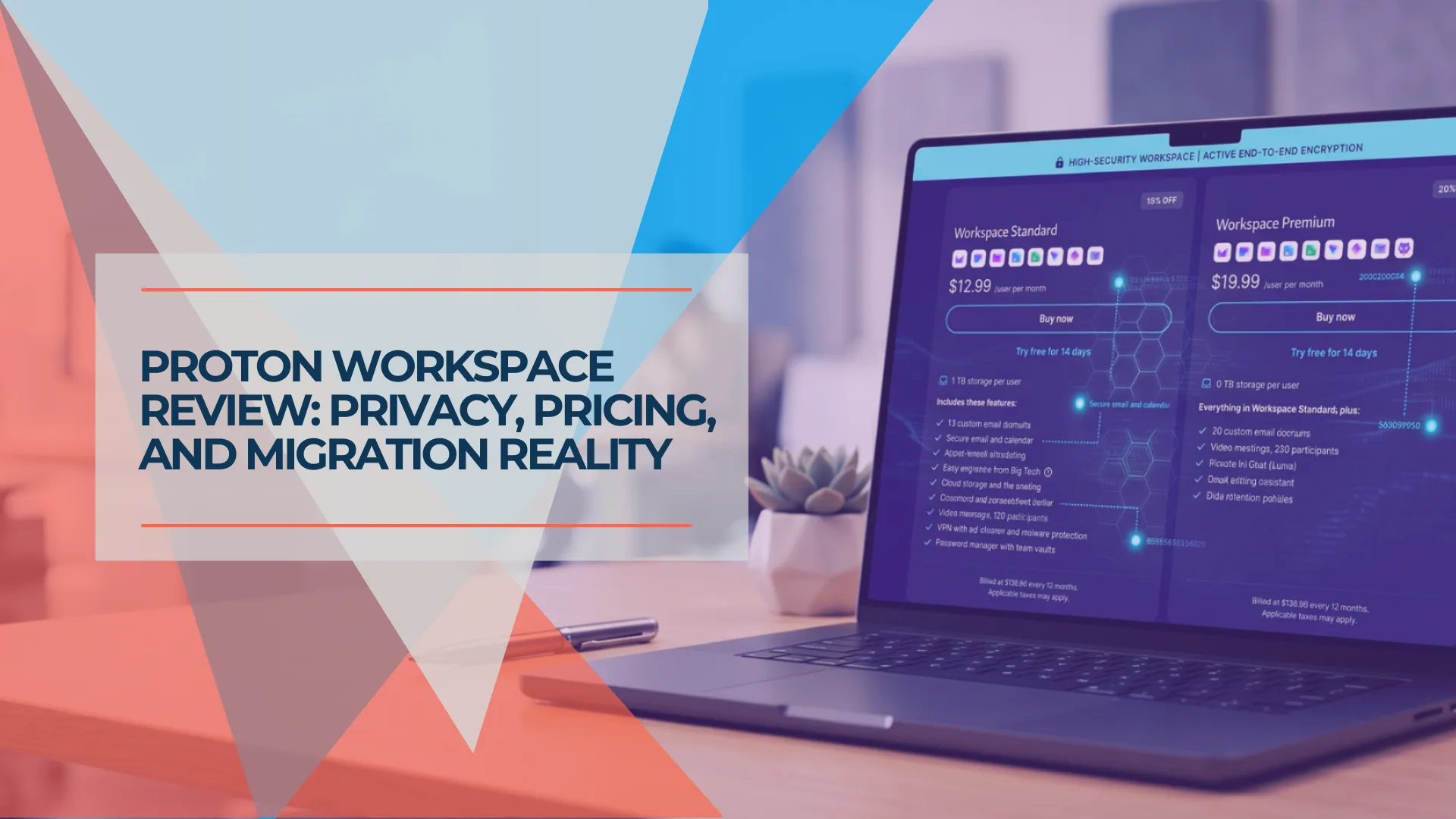
Proton Workspace (formerly Proton Business Suite, rebranded March 31, 2026) is a privacy-first productivity platform built around zero-knowledge encryption. Mail, Drive, Calendar, and Pass use end-to-end encryption — Proton's servers store only encrypted data and the company holds no keys to read qualifying encrypted content. Metadata, external-email handling, and some operational data have important boundaries. For AI features (Lumo, upgraded to Lumo 2.0 in June 2026), prompts are encrypted in transit and processed on Proton-controlled servers — prompts must be readable during inference and are then erased; stored chat history and memory use zero-access encryption. This review covers what the suite includes, how it compares to Google Workspace, and whether it's the right fit for your organization in 2026.
Quick Facts: Proton Workspace (July 2026)
- Launched: March 31, 2026 (rebranded from Proton Business Suite)
- Workspace Standard: $12.99/user/month (annual) — email, calendar, Docs, Sheets, Meet (100 participants), 1TB storage, VPN, Pass
- Workspace Premium: $19.99/user/month (annual) — adds 3TB storage, 250-participant Meet, Lumo AI (unlimited), Proton Scribe, email-retention policies
- Certifications: SOC 2 Type II (July 2025, audited by Schellman), ISO 27001 (May 2024); HIPAA BAA available
- Uptime SLA: 99.95% with service credits on all paid plans (Proton ToS); Google Workspace's contractual SLA is 99.9%
- Key limitation: No presentation software; no native Linux GUI for Drive; no documented native offline editing for Docs/Sheets
- Support: 24/7 support, live chat during published hours, voice/video calls for organizations with 6+ members; uptime SLA is contractual, support-response times are not guaranteed on Standard
How We Tested
We tested Proton Mail, Drive, Docs, Sheets, Meet, Pass, VPN, Lumo, admin console settings, guest sharing, and Google Workspace migration workflows between April and June 2026. Pricing and plan specifications were rechecked against official Proton and Google pages on July 28, 2026; Workspace Standard and Premium prices, Google Workspace list prices and the Easy Switch for Business status were rechecked on September 29, 2026. Prices are per user/month, exclude VAT/taxes, and may vary by region or promotion. Screenshots and observations reflect the web and desktop apps unless noted otherwise.
Verdict: Is Proton Workspace Worth It?
Proton Workspace is now a viable Google Workspace alternative for privacy-focused organizations. The December 2025 release of Proton Sheets addressed the most significant feature gap, and the suite's SOC 2 Type II and ISO 27001 certifications strengthen its case for organizations with formal security and vendor-review requirements. At $12.99/user/month (annual billing), it includes email, calendar, Docs, Sheets, E2EE video meetings (100 participants), 1TB storage, VPN, and password management—all under Swiss privacy protections.
Current limitations: No presentation software (Proton has not confirmed a release date for Slides), no native Linux GUI for Drive, and no documented native offline editing for Docs/Sheets as of our July 2026 testing.
Affiliate Disclosure: This article contains affiliate links. If you make a purchase through these links, we may earn a small commission at no extra cost to you. As an Amazon Associate, iFeelTech earns from qualifying purchases.
Update: Easy Switch for Business now covers Microsoft 365
Proton launched Easy Switch for Business in mid-June 2026, allowing administrators to migrate Google Workspace email, calendars, and contacts into Proton, and extended it to Microsoft 365 on 29 September 2026. Both platforms run in parallel during the transition, designed to minimize downtime — though DNS changes, account provisioning, and user cutover still carry operational risk. Proton lists two limits for Microsoft 365: shared mailboxes are not currently supported, and accounts must be cloud-hosted. File migration is still not included — large libraries require separate export and re-upload. Our Microsoft 365 to Proton Workspace migration guide walks through the full sequence.
Is Proton Workspace a Real Google Workspace Alternative?
Proton Workspace is a viable Google Workspace alternative for privacy-focused organizations, offering core productivity tools under Swiss legal protection.
Following the March 31, 2026 launch of Proton Workspace and the December 2025 release of Sheets, the platform covers essential business needs: email, documents, spreadsheets, calendar, video meetings, and cloud storage. Its SOC 2 Type II and ISO 27001 certifications strengthen its case for organizations with formal security and vendor-review requirements. However, Google Workspace remains the stronger choice for teams requiring extensive third-party app integrations, advanced spreadsheet features, robust offline editing, granular administration, or mature eDiscovery. Proton is a privacy-first suite with a growing set of compliance controls — not a feature-for-feature replacement.
| Aspect | Details |
|---|---|
| Rating | 4.0/5 (fit-dependent: 4.5/5 for privacy-first SMBs, 3.3/5 as a general Google replacement) |
| Best For | Privacy-conscious organizations, regulated teams with comparatively simple governance needs, remote teams |
| Price | $12.99/user/month (annual) or $14.99/month |
| Storage | 1 TB per user (Standard); 3 TB (Premium) |
| Key Strength | End-to-end encryption with SOC 2 Type II and ISO 27001 certifications |
| Main Limitation | No documented native offline editing; no presentation software; no native Linux GUI for Drive; limited administration and eDiscovery |
What Are the Features and Limitations of Proton Sheets?
Proton Sheets is an encrypted spreadsheet tool supporting real-time collaboration, standard formulas, and Excel file imports.
Introducing Proton Sheets - Encrypted Spreadsheets
Released in December 2025, Proton Sheets covers standard business requirements like data tracking and budget management. In our June 2026 testing, common functions including SUM, VLOOKUP, and XLOOKUP worked correctly, and real-time co-editing functioned as expected. Pivot tables, macros, and Apps Script-style automation were not available in our July 2026 testing. Mobile editing remains basic.
Proton's current documentation lists CSV, TSV, and XLSX as supported import/export formats. In our testing, .xlsx import worked with some formatting adjustments required for complex files. Real-time co-authoring maintained zero-knowledge encryption.
| Function or workflow | Tested result |
|---|---|
| SUM | Passed |
| VLOOKUP | Passed |
| XLOOKUP | Passed |
| XLSX import | Passed (minor formatting adjustments on complex files) |
| CSV/TSV import | Passed |
| Pivot table | Not available in our July 2026 testing |
| Macros | Not available in our July 2026 testing |
| Real-time co-editing | Passed |
Mobile & Offline Limitations
The Proton Sheets mobile app supports viewing and basic editing, but complex formatting and advanced formulas require the web interface. We found no documented native offline-editing mode for Docs or Sheets as of our July 2026 testing — Proton Drive file availability offline is not the same as in-browser offline editing. Plan to have internet access when working in Proton's office tools.
How Does Proton Lumo AI Work?
Proton Lumo is Proton's privacy-focused AI assistant, rebuilt as Lumo 2.0 in June 2026 with Fast and Thinking modes (Fast for quick everyday queries, Thinking for complex, multi-step reasoning), image recognition and generation, and encrypted, user-controlled memory. Proton reports Lumo 2.0 Max scores 240% higher on the Artificial Analysis Intelligence Index than its predecessor and answers everyday queries up to 76% faster; we haven't independently verified those benchmark figures.
Unlike standard commercial AI tools, Proton Lumo encrypts prompts in transit using asymmetric encryption so only Proton's GPU servers can decrypt them for inference. After generating a response, the data is erased — no logs are kept, and your conversations are never used to train AI models. Stored chat history and memory use zero-access encryption that only you can decrypt. As with any hosted AI inference service, the model server must process the prompt in readable form; zero-access encryption applies to stored conversations and memory rather than the active inference step. This allows users to summarize sensitive legal documents, analyze spreadsheets, or draft text with reduced logging and model-training exposure compared with many mainstream AI tools.
- Workspace Standard: Includes limited Lumo access with standard chat history and prompt limits — sufficient for occasional document queries and drafting.
- Workspace Premium: Provides unlimited prompts, access to advanced AI models, and extended chat history/memory retention — the fuller business Lumo entitlement.
Lumo Is Also a Standalone Product Now
Since the Lumo 2.0 launch, Lumo isn't only a bundled Workspace feature — Proton now sells it separately as Lumo Plus ($12.99/month, individuals) and Lumo Professional ($14.99/user/month, teams), independent of a Workspace subscription. If a team wants Lumo's capabilities without the rest of Workspace (Mail, Drive, VPN, Pass), the standalone tiers are how to buy just that. See current Lumo plans.
Key capabilities:
- Encrypted processing: Prompts are encrypted in transit so only Proton's GPU servers can decrypt them for inference (prompts must be readable during inference); no logs are retained after processing, and stored chat history uses zero-access encryption
- Fast and Thinking modes (new in 2.0): Fast mode prioritizes speed for everyday queries; Thinking mode is optimized for complex, multi-step reasoning tasks
- Image recognition and generation (new in 2.0): Lumo can now analyze images and generate them, in addition to text
- Memory and Projects: Encrypted, user-controlled memory retains context across sessions — useful for ongoing tasks like summarizing contracts, managing legal briefs, or tracking research materials
- Web Search toggle: Choose to let Lumo search the web (proxied) for fresh information, or use Lumo without web search for analyzing internal sensitive documents (note: disabling web search does not make the hosted inference "offline" — prompts are still processed on Proton's servers)
- Document and spreadsheet assistance: Ask questions about files stored in Proton Drive
Why Lumo Matters for Search
Because Proton encrypts file contents, the standard Drive search bar mostly scans filenames — not the text inside documents. If you're used to Google's "search inside PDF" capability, this is a significant adjustment. Lumo's memory and Projects help bridge this gap by indexing and querying content that standard search can't access, but a single Project currently supports up to 200 files — this is a productivity tool, not a global Drive search or eDiscovery system.
Lumo Access by Tier
For most SMB use cases — occasional document queries, drafting help, search within encrypted files — the Standard tier's Lumo access is sufficient. Teams needing unlimited prompts and advanced models should evaluate Workspace Premium or the standalone Lumo plans.
How Proton's privacy services work together
How Does Proton Workspace Compare to Google Workspace?
| Feature | Proton Workspace | Google Workspace Business |
|---|---|---|
| Proton Mail (E2EE between Proton users; zero-access encrypted storage; optional encrypted external messages) | Gmail (encrypted at rest/transit) | |
| Documents | Proton Docs | Google Docs |
| Spreadsheets | Proton Sheets (basic-to-moderate use) | Google Sheets (advanced features) |
| Presentations | Not available (no confirmed release date) | Google Slides |
| Storage | 1 TB per user (admin-reallocatable) | Starter: 30 GB; Standard ($14/mo): 2 TB |
| Video Conferencing | Proton Meet (E2EE; 100 participants on Standard, 250 on Premium) | Google Meet (full-featured) |
| VPN | Proton VPN included | Not included |
| Password Manager | Proton Pass included | Not included |
| AI Assistant | Lumo (included; limited prompts on Standard, unlimited on Premium) | Gemini (included; Workspace data not used for model training without permission) |
| Encryption | End-to-end (zero-knowledge) | At rest / in transit |
| Collaboration Latency | Slight delay observed in our testing | Near-instant |
| Offline Editing | No documented native offline editing for Docs/Sheets (July 2026) | Robust |
| File Content Search | Filenames only (use Lumo for content) | Full-text search |
| Email Groups | Distribution lists (Mail Professional+) | Google Groups |
| Team Chat | Not available (use Signal or Wire) | Google Chat included |
| Voice/Telephony | Not available | Google Voice (add-on) |
| Price | $12.99/user/month (annual) | $7/user/month (Starter), $14 (Standard), $22 (Plus) — annual |
Two categories where Proton has no equivalent: team chat (organizations typically pair Proton with Signal for Business or Wire) and VoIP/telephony (Google Voice is an add-on, but Proton has nothing comparable). For a detailed side-by-side including TCO analysis and a switching decision framework, see our Google Workspace vs Proton Workspace comparison.
Use-Case Verdicts
| Use Case | Better Fit | Why |
|---|---|---|
| Healthcare / HIPAA | Proton (conditional) | BAA available; encryption-by-default reduces provider-side data exposure; confirm BAA scope covers your services before storing PHI |
| Legal / Finance | Proton (conditional) | Proton says it cannot decrypt protected content for which it lacks the keys; data requests route through Swiss legal process; teams needing eDiscovery, DLP, or MDM should evaluate whether Proton's current controls are sufficient |
| Remote-first startup | Proton | Bundled VPN + password manager enables tool consolidation; 1TB storage vs. 30GB on Google Starter |
| Sales / CRM-heavy team | Google Workspace | Google offers a much larger native integration and API ecosystem for Salesforce, HubSpot, Zendesk, and similar platforms; Proton commonly requires forwarding or separate workflows |
| Large enterprise with MDM | Google Workspace | Context-Aware Access, native MDM, Google Vault for eDiscovery — no equivalents in Proton |
| SMB consolidating vendors | Proton | Can cost less than Google Starter once VPN and password manager are factored in — depends on required controls and integrations |
Illustrative Cost Comparison: Workspace Plus VPN and Password Management
Proton Workspace Standard costs $12.99 per user per month annually, while Google Workspace Starter costs $7.00 before third-party security tools.
The following comparison demonstrates one plausible security-stack scenario — not a universal cost claim. The products compared are not identical: a business network-access platform may offer controls beyond a conventional user VPN, 1Password Business and Proton Pass differ in administrative workflows and integrations, and some organizations may not require a separate VPN or already license these tools through broader agreements.
| Scenario | Components | Monthly Cost/User |
|---|---|---|
| Productivity only | Google Workspace Starter | $7.00 |
| Productivity only | Proton Workspace Standard | $12.99 |
| Productivity + password manager | Google Starter + 1Password Business ($7.99) | ~$15 |
| Productivity + password manager | Proton Workspace Standard (Pass included) | $12.99 |
| Full selected stack | Google Starter + business VPN (~$8) + 1Password ($7.99) | ~$23 |
| Full selected stack | Proton Workspace Standard (VPN + Pass included) | $12.99 |
Proton can cost less for organizations that would otherwise purchase both a business VPN and password manager, although the comparison depends on the controls and integrations required. Some Google Workspace customers do not need a separate VPN, and some organizations already license security tools through broader agreements.
Prices rechecked July 28, 2026. VPN estimate based on published NordLayer Lite pricing (~$8/user/month, annual, 5-user minimum — see NordLayer pricing); confirm current rates before purchasing. Prices are per user/month, exclude VAT/taxes, and may vary by region.
Core Services Overview
Here is a closer look at each service included in Proton Workspace.
Proton Mail
E2EE email with 20 addresses per user and support for 15 custom domains. For a detailed review focused on Mail Essentials pricing, migration realities, and the identity audit to run before switching, see our Proton Mail for Business review. Features include:
- Email Groups: Create encrypted distribution lists for teams or departments, available on Mail Professional and Workspace plans
- Proton Scribe AI: Email writing assistant for drafting and refining messages. Included in Workspace Premium; available as a paid add-on (with free trial) on Workspace Standard.
- Password-protected and self-destructing emails
- IMAP/SMTP via Proton Bridge for use with Outlook, Thunderbird, or Apple Mail
Proton Calendar
E2EE scheduling with availability sharing and team coordination. Recently updated to include robust appointment scheduling (up to 25 booking pages per user), providing a native alternative to tools like Calendly. Event details stored in Proton Calendar are encrypted; external invitations and public booking workflows necessarily expose selected information to recipients.
Proton Drive
The suite includes 1 TB of encrypted cloud storage per user for Docs, Sheets, and file storage. Paid plans support up to 200 versions per file for up to 10 years, with configurable retention settings. Proton Docs launched in July 2024 following Proton's acquisition of the encrypted note-taking app Standard Notes — the Standard Notes team contributed core editing technology to the Docs platform. While storage is initially assigned per account, administrators have the flexibility to reallocate this total storage pool across the organization based on individual team member needs. For comparisons with other encrypted storage options, see Tresorit vs Proton Drive. For a broader look at business cloud storage, see our secure cloud storage for business guide.
Proton VPN
Business VPN with 10 connections per user across 140+ countries. Secure Core servers route traffic through privacy-friendly jurisdictions. For context on business VPN needs, see our guide to VPNs for small-business privacy. For a consumer-focused comparison of Proton VPN against NordVPN and Mullvad, see our three-way VPN privacy comparison.
Proton Pass
E2EE password manager with unlimited vaults on paid plans (sharing up to 50 vaults with up to 10 members each), built-in 2FA authenticator, and secure team sharing. For a detailed review, see our Proton Pass Business review.
Proton Meet
Proton Meet is Proton's E2EE video conferencing tool, fully launched on March 31, 2026 alongside the Proton Workspace rebrand. It uses Messaging Layer Security (MLS) to encrypt all meeting content, including video, screen shares, and chat messages. Web, iOS, Android, Windows, macOS, and Linux apps are available.
For Workspace users, Proton Meet provides a privacy-preserving alternative to Google Meet — Proton cannot access meeting content at any point. Workspace Standard supports meetings with up to 100 participants; Workspace Premium supports up to 250. Meetings can run up to 24 hours with local recording and screen sharing.
Proton Meet supports add-to-calendar options for Proton Calendar, Google Calendar, and Microsoft Calendar. Guests can join without a Proton account by clicking a link. Current gaps compared to Google Meet include no cloud recording or AI transcription (recording is local-only), no breakout rooms, and no polling or Q&A features.
How Does Proton Meet Compare to Google Meet?
Proton Meet provides end-to-end encrypted video conferencing as the default on all Workspace plans. Google Meet offers Client-Side Encryption (CSE) on Enterprise Plus and Education tiers with external key management, but this option is not available on the Business Starter, Standard, or Plus plans most SMBs use.
| Feature | Proton Meet | Google Meet |
|---|---|---|
| End-to-end encryption | Yes (MLS-based, default on all plans) | CSE available on Enterprise Plus/Education tiers only; standard plans use in-transit encryption |
| Participants (Standard plan) | 100 | 100 (Starter) / 150 (Standard) |
| Participants (Premium plan) | 250 | 500 (Business Plus); up to 1,000 (Enterprise) |
| Meeting duration | 24 hours (Workspace plans) | 24 hours (paid plans) |
| Recording | Local recording only (both Workspace plans) | Cloud recording to Google Drive (plan-dependent) |
| AI transcription | No | Yes (plan-dependent) |
| Breakout rooms | No | Yes |
| Polls / Q&A | No | Yes |
| Calendar support | Add-to-calendar for Proton, Google, Microsoft Calendar | Google Calendar (deep two-way integration) |
| Guest access (no account needed) | Yes — link-based | Yes |
| Linux desktop app | Yes | Browser only |
The core tradeoff: Google Meet offers broader collaboration features (AI transcription, breakout rooms, polling), while Proton Meet makes end-to-end encryption the default on every Workspace plan. Google's Client-Side Encryption is available on Enterprise Plus and Education Standard/Plus tiers but requires external key service setup and is not available on Business Starter, Standard, or Plus — the editions most SMBs use. For organizations where meeting content confidentiality is a compliance requirement — not just a preference — Proton Meet's default encryption model is a meaningful differentiator. For teams that need cloud transcription, breakout rooms, or large-scale meetings (500 on Business Plus, up to 1,000 on Enterprise), Google Meet remains the stronger option for now.
Proton Meet: No Account Required for Guests
External participants — clients, contractors, or partners — can join a Proton Meet call by clicking a link. They do not need to create a Proton account or install any software. This removes the main friction point for client-facing meetings.
How Do You Share Proton Drive Files with Non-Proton Users?
Proton Drive supports two sharing methods for external recipients: shareable links (no account required) and email invitations (requires a free Proton account).
This is a common evaluation point for IT buyers: how hard is it for a Gmail user to access a file you share?
Option 1: Shareable Link — No Account Needed
- In Proton Drive, select the file and click the Share icon
- Toggle on Create public link and choose Viewer or Editor access
- Optionally set a link password and/or expiration date for additional security
- Share the link — recipients open it in any browser, no Proton account required
This is the lowest-friction method for client-facing sharing. Recipients see a clean web interface and can download (Viewer) or upload files (Editor). Adding a link password is optional but recommended for sensitive content — just remember to share the password separately.
Option 2: Email Invitation — Requires Free Proton Account
- Enter the recipient's email address in Proton Drive's share dialog
- Proton sends the recipient a secure invitation link
- If the recipient does not have a Proton account, they must create a free account to accept
- The invitation expires after 60 days if not accepted
- The file owner may be asked to confirm access as an additional security step
The email method provides a stronger end-to-end encrypted handshake but adds a one-time signup step for new recipients.
Friction summary for IT buyers:
| Scenario | Friction Level |
|---|---|
| Share a read-only file with a client | Low — link works without any account |
| Collaborate on a document with a Gmail user | Medium — they need a free Proton account (one-time) |
| Real-time co-editing with multiple external parties | Medium — each external user needs a free Proton account |
This differs from Google Drive, where any Google account holder can edit a shared doc without additional setup. For one-off client sharing, Proton's link method is seamless. For ongoing external collaboration, external participants need to create a free account once.
Proton Workspace Pricing Tiers
Proton Workspace Standard costs $12.99 per user per month when billed annually and includes 1 TB of storage, Proton VPN, and Proton Pass.
| Plan | Annual Rate | Monthly Rate | Includes |
|---|---|---|---|
| Mail Essentials | $6.99/mo | $7.99/mo | Email, Calendar, 15 GB storage, 10 addresses, 3 custom domains |
| Workspace Standard (formerly Business Suite) | $12.99/mo | $14.99/mo | All services, 1 TB storage, Meet (100 participants, 24hr), VPN, Pass, Lumo (limited) |
| Workspace Premium | $19.99/mo | $24.99/mo | All Standard + Lumo unlimited, Proton Scribe included, advanced AI models, 3 TB storage, 250-participant Meet, email-retention policies |
| Enterprise | Custom | Custom | Customizable plan with dedicated account manager; confirm scope in Proton's written proposal |
Note: Mail Professional has been deprecated by Proton. Existing subscribers are not affected, but it is no longer available for new sign-ups.
For organizations opting for month-to-month billing, the Workspace Standard rate is $14.99 per user. Because this tier natively includes Proton VPN (typically ~$8/month standalone) and Proton Pass (typically ~$4/month), it offsets the cost of purchasing standalone corporate security tools. Organizations that also need Lumo AI, Proton Scribe, or email-retention policies should evaluate Workspace Premium at $19.99/user — the additional $7/user also adds 3 TB storage per user and 250-participant video meetings.
Consumer Plans Are Not Business Deployments
Proton offers Duo (2 users) and Family (up to 6 users) consumer plans at lower price points, but these are not appropriate for normal business use. Proton's terms distinguish consumer and business subscriptions. Consumer plans lack centralized administration, audit logs, email-retention policies, and organizational controls that businesses need. They are mentioned here for context only — use Workspace Standard or higher for any business deployment.
Which Proton Workspace Plan Is Right for You?
If you are deciding specifically between Workspace Standard and Premium, our Standard vs Premium comparison covers the feature differences, cost tables at 5/10/25 users, and what we chose for two client deployments.
Proton offers four business tiers. The right choice depends on what your organization needs beyond encrypted email.
Mail Essentials — $6.99/user/month (annual)
Best for teams that need secure email and calendar only. Includes 15 GB storage per user, 10 email addresses, 3 custom domains, spam and phishing protection, and Proton Scribe as a paid add-on. Choose this if your organization already has separate solutions for VPN, cloud storage, and password management and you want to keep costs low. See our Mail Essentials review for migration details and pricing.
Typical fit: Small professional firms, freelance teams, organizations migrating from basic email hosting.
Workspace Standard — $12.99/user/month (annual)
Best for organizations that want a privacy-first productivity suite under one roof. Includes Proton Mail, Drive (Docs and Sheets), Calendar, VPN (10 connections per user across 140+ countries), Pass password manager, Meet (100-participant E2EE video conferencing, 24-hour calls, local recording), and Lumo AI with limited prompts. 1 TB storage per user. Proton Scribe is available as a paid add-on. 99.95% uptime SLA with service credits. This is the plan reviewed in this article.
Typical fit: Privacy-focused organizations, regulated industries (HIPAA, GDPR, finance), remote-first teams, organizations consolidating multiple security vendors into one platform.
Workspace Premium — $19.99/user/month (annual)
Best for organizations that also need Lumo AI, Proton Scribe, and expanded capacity. Includes everything in Workspace Standard plus Lumo AI (unlimited prompts, advanced models), Proton Scribe email writing assistant (included, no add-on needed), 3 TB storage per user, 250-participant video meetings, and email-retention policies. The $7/user premium is worth evaluating if your team actively uses AI for document analysis, contract review, or research — and you want that AI to operate without training on your corporate data.
Typical fit: Organizations that need Lumo for internal document search and analysis, teams requiring email-retention policies for compliance, legal teams with large file libraries, teams requiring email writing AI, growing teams that need higher storage and meeting capacity.
Enterprise — Custom Pricing
Proton describes Enterprise as a customizable plan with a dedicated account manager — not defined by a specific user count. Confirm any infrastructure, residency, support-response, or SLA requirements in Proton's written proposal before committing. Contact Proton's sales team to discuss your specific needs.
Typical fit: Organizations requiring formal support-response SLAs, custom BAA terms, or deployment assistance beyond what Standard and Premium provide.
Proton Pass: Standalone vs. Workspace Plans
If your organization primarily needs a password manager, Proton offers standalone Pass plans that cost significantly less than Proton Workspace. Here is how the options compare.
| Pass Essentials | Pass Professional | Workspace Standard (includes Pass) | |
|---|---|---|---|
| Price | $1.99/user/mo | $4.49/user/mo | $12.99/user/mo |
| Vaults | Unlimited (share up to 50) | Unlimited (share up to 50) | Unlimited (share up to 50) |
| 2FA authenticator | Built-in | Built-in | Built-in |
| Dark Web Monitoring | Yes | Yes | Yes |
| Proton Sentinel | No | Yes | Yes |
| SSO/SCIM | No | Yes | Yes |
| Email, Calendar, Drive | No | No | Yes |
| VPN (10 connections) | No | No | Yes |
| Lumo AI | No | No | Yes (limited on Standard; unlimited on Premium) |
Pricing rechecked July 28, 2026; prices are per user/month (annual billing), exclude VAT/taxes, and may vary by region or billing period. Verify current rates at proton.me/business/pass.
When standalone Pass makes sense: Your team already uses Google Workspace or Microsoft 365 for email and storage but needs an encrypted, auditable password manager at a competitive price. Pass Essentials at $1.99/user/month is less than a quarter of what 1Password Business charges ($7.99/user/month).
When Workspace plans make sense: Your organization wants to consolidate email, storage, VPN, password management, and collaboration tools under a single encrypted platform. Purchasing these tools separately can exceed the $12.99/user/month Workspace Standard price, though the comparison depends on specific tools and required integrations.
For a detailed review of Proton Pass deployment, vault organization, and the secure notes workflow, see our Proton Pass Business review.
Is Proton Workspace HIPAA Compliant?
Proton can support HIPAA-regulated use under an appropriate BAA and configuration. It offers a Business Associate Agreement (BAA) and encrypted business services. Compliance depends on a signed BAA, correct configuration, access controls, email-retention policies, sharing practices, and staff procedures — not architecture alone.
Proton is SOC 2 Type II and ISO 27001 certified.
Which plans include BAA access? Proton's BAA model page states that any Proton user can request a BAA by emailing privacy@support.proton.me with the subject "HIPAA BAA." Note: Proton's healthcare page still shows the older legal@proton.ch address — use the BAA model page contact (privacy@support.proton.me). The executed agreement — not an editorial checklist — determines which services are covered and under what conditions. Confirm scope before storing PHI. Enterprise customers can negotiate custom BAA terms with Proton's sales team.
What the BAA covers:
The services covered by your BAA depend on your executed agreement with Proton. Proton's BAA model provides a template, but the specific services, conditions, and limitations are defined in the signed document. Do not assume coverage for any service — including VPN, Pass, or Lumo — without confirming in your BAA.
| Service | Encryption model | BAA note |
|---|---|---|
| Proton Mail | End-to-end encrypted between Proton users; zero-access encrypted storage; optional encrypted external messages | Confirm coverage, permitted use, and configuration requirements in your executed BAA |
| Proton Drive (Docs, Sheets) | Files encrypted before storage; server holds no plaintext | Confirm coverage, permitted use, and configuration requirements in your executed BAA |
| Proton Calendar | Event details encrypted at rest; external invitations and public booking workflows necessarily expose selected information to recipients | Confirm coverage, permitted use, and configuration requirements in your executed BAA |
| Proton Pass | Passwords and notes zero-knowledge encrypted | Confirm coverage, permitted use, and configuration requirements in your executed BAA |
| Proton VPN | Traffic routing; no content logging | Confirm coverage, permitted use, and configuration requirements in your executed BAA |
| Proton Lumo AI | Prompts readable during inference, then erased; stored chat history uses zero-access encryption | Confirm scope with Proton sales explicitly before using Lumo for PHI analysis |
Encryption by default as a compliance consideration: Proton's encrypted sharing model reduces the provider's access to qualifying encrypted content compared to Google Drive. However, Proton Drive supports shareable links and public-link workflows, so users can still create sharing risk if policies are loose. HIPAA compliance still depends on account configuration, sharing policies, staff training, and a signed BAA. Proton's architecture limits provider-side data exposure, but it does not eliminate organizational compliance risk.
Swiss jurisdiction: Proton's infrastructure is subject to Swiss law. Data requests from foreign authorities must go through Swiss legal process. This reduces provider-side access to encrypted content, but does not exempt your organization from domestic HIPAA audit requirements.
Proton vs. Google Workspace for HIPAA: Google Workspace also offers a HIPAA BAA on qualifying paid plans — the BAA covers specific included services, not everything in Workspace. The key difference is architecture: Google can produce readable content for qualifying non-client-side-encrypted data under legal process. Google's Client-Side Encryption (CSE) changes this for Enterprise Plus and Education tiers, but CSE is not available on Business Starter, Standard, or Plus. Proton says it cannot decrypt protected content for which it does not possess the keys. However, HIPAA compliance depends on the organization's configuration, access controls, retention process, and signed BAA — not architecture alone.
Data residency: Proton's privacy policy lists Switzerland, Germany, and Norway. Proton's public Workspace documentation does not advertise self-service country pinning, so organizations with country-specific residency requirements should confirm available contractual options with Proton before signing a BAA.
For a broader look at compliance tooling, see our NIST CSF 2.0 cybersecurity tools guide.
Migration: What Should You Expect?
Migration schedules vary widely. Based on our project-planning experience, we normally allow the following ranges, but these are not Proton performance guarantees.
Proton's Easy Switch tool handles email, calendar, and contact imports efficiently. In June 2026, Proton launched Easy Switch for Business — a guided migration process for organizations moving from Google Workspace, extended to Microsoft 365 on 29 September 2026, with parallel running so both platforms stay live during the transition. Drive migrations usually take longer because Easy Switch does not migrate Drive — files must be exported, reorganized, uploaded, encrypted, and where necessary have permissions rebuilt. Duration depends on file count, dataset size, network throughput, and organizational complexity:
| Data Type | Planning Estimate |
|---|---|
| Email, calendar, contacts | 1-2 weeks |
| Drive (under 500 GB) | 2-3 weeks |
| Drive (500 GB - 1 TB) | 3-4 weeks |
| Drive (over 1 TB) | 4-6 weeks (consider phased migration) |
These are planning estimates based on our migration experience, not Proton-published guarantees. Actual timelines vary by mailbox size, network speed, and organization complexity.
Easy Switch for Business: Google Workspace (June 2026) and Microsoft 365 (September 2026)
Proton launched Easy Switch for Business in mid-June 2026 for organizations on Google Workspace and added Microsoft 365 on 29 September 2026:
- Migrate email, calendars, and contacts (Drive, OneDrive and SharePoint files are not covered)
- Microsoft 365 shared mailboxes are not currently supported, and Microsoft 365 accounts must be cloud-hosted
- The old platform and Proton run in parallel during transition, designed to minimize downtime — DNS changes, account provisioning, and user cutover still carry operational risk
- Administrators can onboard teams in stages, starting with selected accounts
- MX record switch completes the cutover once testing confirms everything works
For organizations with large Google Drive libraries, you will still need to export files from Google Takeout and re-upload to Proton Drive — a manual process whose duration depends on file count, dataset size, and network throughput.
The Search Adjustment
Because Proton encrypts file contents, the standard search bar mostly scans filenames. If your team relies on searching inside documents, Lumo Projects can help index and query content — but a single Project supports up to 200 files, so this is a productivity aid, not a global Drive search system. This is a workflow change that requires planning.
What Professional Migration Covers vs. Proton's Easy Switch
Proton's Easy Switch tool handles the mechanical transfer of email, calendar events, and contacts from Gmail, Outlook, or Yahoo. It is well-built for straightforward mailbox migrations. What it does not handle:
- Drive file organization and permission restructuring
- Department-by-department rollout sequencing (reducing user disruption)
- Parallel-run period management (keeping both environments live while staff transition)
- HIPAA documentation and BAA coordination timing
- End-user training on encryption workflows (search limitations, Lumo, Proton Bridge for Outlook users)
- Post-migration audit to confirm all data transferred correctly and old accounts are properly decommissioned
What a managed migration adds: For organizations with 15+ users, mixed file libraries, or compliance requirements, a structured migration plan can reduce disruption when migration is carefully staged, minimize the parallel-run period, and lower the risk of staff reverting to legacy tools during the transition. We offer email migration services and can scope the project for your team size and infrastructure.
What About Leaving Proton?
IT buyers rightly ask about the exit strategy. If your organization decides to leave Proton in the future, here is what data portability looks like today:
- Email: The Proton Mail Export Tool (available on Windows, macOS, and Linux) exports your entire mailbox to EML + JSON files. You can also use Proton Bridge with Thunderbird to export in MBOX format. Both approaches produce standard formats that any email provider can import.
- Calendar and Contacts: Standard ICS and VCF exports are available from the web interface.
- Drive: Files stored on Proton Drive are decrypted locally when you download them — no special decryption step is required. As of June 2026, Proton Drive CLI (available on Windows, macOS, and Linux) supports uploading, downloading, sharing, and scripting Drive operations from the terminal — making bulk exports significantly more practical than before. For advanced automation or multi-cloud sync workflows, the community-maintained rclone Proton Drive backend is also available.
For organizations with large encrypted Drive libraries (1 TB+), plan for a phased export process. This is a gap worth factoring into your decision, particularly if your team stores large volumes of files exclusively in Proton Drive.
Does Proton Work on Linux?
Proton VPN has a native Linux application; Proton Drive does not have a GUI client for Linux. Since June 2026, Proton Drive CLI provides terminal-based file management (upload, download, share, script) on Linux, macOS, and Windows. This is functional for technical users but is not a replacement for a desktop sync client with file-manager integration — a notable gap for development teams that are often Proton's target audience.
Who Should Use Proton Workspace?
If you are still weighing this against a personal Proton plan, our Proton Unlimited vs Proton Business comparison walks through when Unlimited, Duo or Family is enough and when the administrative controls below actually earn their price.
Good Fit
- Regulated teams prioritizing content confidentiality: Healthcare, legal, and finance organizations whose governance requirements are comparatively simple may benefit from encryption-by-default and BAA availability — teams needing DLP, MDM, legal holds, or SIEM integration should evaluate whether Proton's current controls are sufficient
- Privacy-focused businesses: Organizations handling sensitive client data or intellectual property
- Remote teams: Integrated VPN and password management simplify security across distributed workforces
- Organizations reducing Big Tech reliance: Teams preferring privacy-first, non-advertising business models
Consider Alternatives If
- You need deep third-party integrations: Salesforce, HubSpot, and similar tools integrate more smoothly with Google Workspace
- You rely on advanced spreadsheet features: Pivot tables, macros, and Apps Script require Excel or Google Sheets
- Presentations are core to your workflow: Proton does not yet offer a Slides equivalent, so Google or Microsoft options remain necessary
- Your team is Linux-first: The lack of a native Drive GUI is a notable limitation
- You need robust offline access: Google's offline mode is significantly more mature
- You rely on full-text document search: Proton's standard search only covers filenames
A note on integrations: The present API and integration ecosystem is considerably smaller than Google Workspace's. External apps like Salesforce, Slack, or HubSpot cannot access Proton data through conventional APIs the way they connect to Google Workspace. Proton does support email forwarding to CRMs like Salesforce or Zendesk, but this is a one-way relay — not a deep bidirectional integration. There is no equivalent to the Google Workspace Marketplace, and organizations that depend on tightly integrated SaaS workflows should plan for workarounds or maintain those integrations separately.
Shared Inboxes, Group Aliases, and Team Email
Proton Mail handles shared team addresses differently from Google Workspace, and this is a practical consideration for any organization that relies on info@, support@, or billing@ addresses.
How it works in practice:
- Custom aliases: Each user on a Workspace plan can have up to 20 email addresses on any of the organization's verified domains. A single user can own and manage
info@yourdomain.comas a personal alias at no extra cost. - Email Groups (distribution lists): Mail Professional and Workspace plans now support Email Groups — encrypted distribution lists that let you send to a group address and deliver to all members. This is useful for team-wide announcements, department communication, or project groups. It is not the same as a shared inbox with collaborative reply capabilities, but it covers many of the same use cases.
- Shared inboxes: Proton supports aliases, shared addresses, and distribution-style groups. Teams requiring collaborative assignment, shared reply visibility, collision detection, or ticket workflows may still need a dedicated shared-inbox product. Proton does not offer a native collaborative inbox equivalent to Google Groups where multiple staff can reply from a single address and see each other's responses.
- Catch-all address: Admins can configure a catch-all address to receive mail sent to any unrecognized address on the domain, which helps during migrations and prevents missed messages.
For small teams where one person manages info@, aliases are sufficient and free. For teams that need to broadcast to a group, Email Groups solve the distribution problem. For organizations that need collaborative assignment, shared reply visibility, or ticket workflows, a dedicated shared-inbox product (such as Help Scout or Freshdesk) may be necessary alongside Proton. Our Proton Mail for Business review covers shared-inbox limitations and workarounds in more detail.
Customer Support for Workspace Users
Proton Workspace includes 24/7 support, live chat during published support hours, and voice/video support requests for organizations with 6 or more members.
What to expect:
- Response time: Proton targets a rapid response for Workspace tickets via live chat and email. Support-response times are not contractually guaranteed on Standard or Premium; Enterprise plan customers can negotiate dedicated support-response SLA terms.
- Support channels: Proton's plans page lists 24/7 support and live chat for both Workspace tiers. Live chat availability has defined hours rather than round-the-clock access. Email and form-based support are also available. Organizations with 6 or more members can schedule voice or video support calls through their account settings for setup and troubleshooting assistance.
- Self-service resources: Proton's Help Center is thorough and well-maintained, covering admin tasks, migration, and troubleshooting. For most routine issues, documentation is sufficient.
- Enterprise SLA: Organizations requiring a formal SLA with guaranteed response windows should discuss terms directly with Proton's sales team before committing to a large deployment.
- Uptime SLA: Proton's terms of service include a 99.95% uptime commitment with service credits for all paid plans — this is an uptime SLA, not a support-response-time guarantee. Google Workspace's contractual SLA is 99.9%. Check status.proton.me for current service status. Proton describes Enterprise as a customizable plan; confirm any SLA, support-response, or infrastructure requirements in Proton's written proposal.
Spam Filtering with End-to-End Encryption
Proton's spam filtering architecture differs from Gmail's. Proton can inspect incoming Internet email during the receipt process before storing messages in zero-access-encrypted form. Its filters use sender reputation, IP analysis, header inspection, known spam signatures, and SpamAssassin alongside proprietary heuristics.
In our test period:
- Routine spam was filtered effectively. Common spam patterns and known bad actors were caught without manual intervention. This was not a controlled comparison with Gmail — we did not collect enough messages to calculate false-positive or detection rates.
- Custom filters and sender blocking are available in the web interface and admin console.
- Phishing protections: Proton's phishing defenses rely on warning banners, reporting tools, spam filtering, and account-protection features such as Proton Sentinel. Proton Scribe is primarily an email writing assistant — not a phishing detection tool.
Teams that receive high volumes of cold email or operate in industries targeted by sophisticated phishing campaigns should plan for an adjustment period after migration.
Proton Admin Console and User Management
Proton's Admin console provides centralized user provisioning, admin/user role assignment, and immediate access revocation — covering core requirements for IT administrators managing a business deployment. This is not a mature granular RBAC system: Proton documents administrators with broad control and ordinary users; group owners have narrower group-level powers.
Key admin capabilities include:
- User provisioning: Add, disable, or remove users; administrators should export or transfer required data before deleting an account. Unallocated storage can then be reassigned to other users.
- Admin roles: Assign administrator privileges (broad organizational control) or standard user roles; this is not multi-tier RBAC with fine-grained permission scoping
- Session controls: Remotely sign out active sessions across all Proton apps — this is session revocation, not MDM or centralized device-posture management
- Domain management: Add and verify custom domains, check the DNS records Proton needs, and configure catch-all addresses (see our custom domain setup guide)
- Audit logs: Review login events and admin actions for compliance reporting
Compared to Google Admin Console, Proton's panel is more limited — there is no native MDM, no app marketplace management, and no equivalent to Google's Context-Aware Access policies. For organizations with complex device management needs, a dedicated MDM solution (such as Jamf or Intune) remains necessary alongside Proton. For a structured offboarding process that leverages these admin controls, see our former employee access security guide.
SSO and identity provider support: Proton Pass (Professional and above) and Proton VPN support third-party SSO via SAML and SCIM provisioning with providers like Okta and Microsoft Entra ID. However, Proton Mail, Calendar, and Drive do not yet support external identity provider authentication on the Workspace Standard tier — users log in with their Proton credentials. Organizations that require unified SSO across all services should discuss Enterprise plan options with Proton's sales team.
eDiscovery and Data Retention
Proton says it cannot decrypt protected content for which it does not possess the keys. It may still disclose account information and metadata it holds when required through valid Swiss legal process. This is a key architectural difference from Google Vault that regulated organizations need to plan around.
| Capability | Google Workspace (Vault) | Proton Workspace |
|---|---|---|
| Built-in legal hold | Yes | No Vault-style matters or legal-hold workflow. Workspace Premium email-retention rules can preserve deleted email, but they are not a complete legal-hold system. |
| Content access on legal request | Google can produce readable non-CSE content; Client-Side Encryption (Enterprise Plus/Education) changes this | Proton says it cannot decrypt content for which it lacks keys; may provide account metadata under valid Swiss legal process |
| Data export | Admin exports readable data | Admins can access non-private users' data; private users require explicit consent |
| Retention policies | Configurable via Vault | Drive supports up to 200 versions per file for up to 10 years; email-retention policies available on Workspace Premium |
| Full-text search for review | Yes (Vault search) | No unified eDiscovery search and review workflow. Lumo Projects is a productivity tool (limited to 200 files per Project), not an eDiscovery or compliance-review system. |
How regulated organizations handle this in practice:
- Legal holds: Proton does not offer a Google Vault-style eDiscovery workflow with matter creation, legal holds, search, review, and export. Workspace Premium includes email-retention policies that can retain mail users delete, but this is not a full legal-hold system. Organizations with litigation-hold requirements should assess whether Proton's current controls are sufficient before deployment.
- Data export: Proton's data-access workflows depend on how the organization configures user privacy. Admins can sign into and access non-private users' mailboxes directly (the default for business accounts). Private users remain inaccessible unless they explicitly enable administrator access. Proton itself cannot decrypt protected content it does not hold keys for, and legal requests must go through Swiss legal channels.
- Legal requests: Proton says emails, files, and calendar invites are encrypted and it cannot decrypt them. Under valid Swiss legal process, Proton may still be compelled to provide account information or metadata it has access to (e.g., account creation date, IP logs if retained under a court order, sender/recipient addresses). Your organization — not Proton — bears responsibility for maintaining accessible records for compliance purposes.
- Retention policies: Proton Drive supports up to 200 versions per file for up to 10 years on paid plans, with configurable settings. Email-retention policies (configurable schedules and retention of deleted mail) are a Workspace Premium-only feature. These are email-specific retention rules, not a comprehensive data-retention system covering all services.
For legal and finance teams, this architecture requires a shift in how compliance workflows are designed. Proton is not a drop-in replacement for Google Vault; it is a privacy-first platform that places data custody firmly with the organization.
Mobile App Ecosystem
Proton's iOS and Android apps cover all core services—Mail, Drive (with Docs and Sheets), Calendar, Pass, VPN, and Meet—but the mobile experience is less integrated than Google's unified app ecosystem.
Current state of Proton's mobile apps:
- Proton Mail: Polished and feature-complete on both platforms; supports push notifications, swipe gestures, and multiple accounts
- Proton Drive: File browsing and upload work reliably; Docs and Sheets editing on mobile is functional for basic tasks but lacks the formatting depth of the web interface
- Proton Calendar: Solid for viewing and creating events; availability sharing and appointment scheduling (booking pages) work cross-platform
- Proton Pass: Full-featured password manager with autofill on iOS and Android; one of the stronger mobile experiences in the suite
- Proton VPN: Native apps with one-tap connect; performs well on both platforms
- Proton Meet: Apps available on web, iOS, Android, Windows, macOS, and Linux — all fully launched as of March 31, 2026
Cross-App Experience
Cross-app syncing works but requires switching between apps rather than the deep-linking found in Google's mobile suite.
Final Assessment
Rating: 4.0/5 (Fit-Dependent)
Proton Workspace (formerly Business Suite, launched March 31, 2026) has matured into a practical productivity platform for organizations that prioritize data privacy. The December 2025 release of Proton Sheets addressed the most significant remaining feature gap. At $12.99/user/month, it includes email, storage, VPN, password management, Docs, Sheets, and Lumo AI (with limited prompts) — and can cost less than Google Workspace for organizations that would otherwise purchase a separate VPN and password manager.
It is not yet a full functional or governance replacement for Google Workspace — third-party integrations are limited, offline editing has no documented native support, presentation software is not available, full-text document search requires Lumo, and administration lacks mature granular RBAC, native MDM, DLP, and Vault-equivalent eDiscovery. But for businesses where end-to-end encryption is a requirement rather than a preference, Proton now delivers a coherent, capable alternative.
Fit-dependent ratings:
- 4.5/5 for privacy-first small businesses that specifically need Mail, VPN, Pass, encrypted storage, and straightforward collaboration
- 3.3/5 as a general replacement for Google Workspace, due to missing presentation software, persistent team chat, mature offline productivity, broad integrations, granular administration, MDM/DLP, and Vault-equivalent eDiscovery
The bottom line: Proton Workspace is now a credible privacy-focused business suite, but it is not yet a full functional or governance replacement for Google Workspace. It is a privacy-first suite with a growing set of compliance controls — best suited for teams whose priority is content confidentiality and whose governance requirements are comparatively simple.
Before committing to a migration, it helps to know whether your business has genuine exposure that justifies the switch. Our business data privacy guide covers what Google Workspace actually collects, CLOUD Act implications, and a structured 5-level framework for deciding whether migration is the right move for your situation.
Ready to Evaluate Proton?
Proton offers a 14-day free trial on all Workspace plans, plus a 30-day money-back guarantee after your paid subscription begins. If your organization needs help planning a migration from Google Workspace, our team can assist with the transition.
Related Articles:
- Proton Unlimited vs Proton Business — Whether a personal Proton plan already covers you, or a business plan is actually necessary
- Google Workspace vs Proton Workspace — Head-to-head comparison with TCO calculations and a decision framework for switching
- Proton Pass Business Review
- Proton Pass vs 1Password — $1.99 vs $7.99/user: Swiss privacy vs polished UX
- Tresorit vs Proton Drive for Business
- Secure Cloud Storage for Business
- Business Data Privacy Guide — Framework for deciding whether to migrate from Google Workspace
Frequently Asked Questions
Related Articles
More from Business Software
Proton Mail for Business Review: Pricing, Migration, and Practical Tradeoffs
Proton Mail reviewed from client migrations: pricing, cost drivers, compatibility limits, and the identity audit to run before switching.
19 min read

Proton Pass Business Review 2026: Password Management & Secure Documentation for Small Business
Proton Pass Business review after 2+ years of implementation. Recurity Labs 2026 audit, CLI access, encrypted notes, pricing from $1.99/user/month, and full implementation guide.
32 min read
Microsoft 365 or Google Workspace: Fix the Setup or Switch?
Before leaving Microsoft 365 or Google Workspace, find out whether you have a setup problem or a platform problem, what to fix first, and when to switch.
21 min read