Business Data Privacy in 2026: What You're Exposing and What You Can Actually Do About It
What your Google Workspace business collects, who can legally access it, and how to reduce your exposure — a practical 2026 guide covering CLOUD Act, Gemini AI, and a 5-level improvement roadmap.

You probably have a Google account open in another tab right now. Your email lives there. So do your client proposals, your meeting recordings, your team's shared files, and — if you've been using Gemini — an AI assistant with access to all of the above.
That's not an accusation. Google Workspace is genuinely good software, and most of the businesses we work with in South Florida run on it. We do too.
But over the past year, something shifted. Clients started asking questions they hadn't asked before: Who can see my emails if there's a legal dispute? Can Google's AI read our client files? What happens to our data if the government requests it? These aren't paranoid questions. They're reasonable ones, and the answers are more nuanced than standard product documentation covers.
What follows is a practical assessment of your data exposure in 2026, the relevant risks for a business your size, and a concrete improvement path — in order of impact, from a 30-minute configuration change to a full platform migration.
A Note on This Guide
This guide is written by IT professionals based on direct experience configuring and migrating business cloud environments. Where we reference legal and compliance frameworks — the CLOUD Act, HIPAA BAA requirements, GDPR, attorney-client privilege — we are sharing research and working knowledge as technology practitioners. This is not legal advice. If your business has specific compliance obligations or is navigating litigation, consult a qualified attorney before making decisions based on this material.
What Business Data Does Google Workspace Collect in 2026?
Google Workspace collects business email content, calendar patterns, drive documents, search history, and Gemini AI interaction logs by default.
Running a Google-dependent operation generates a larger data footprint than most owners realize — not because they've done anything unusual, but because no one has ever mapped it out for them.
Here is what a typical Google Workspace business generates in a year:
| Data type | What it includes | Where it lives |
|---|---|---|
| Email content | Every message sent, received, drafted, and deleted (within retention policy) | Gmail |
| Email metadata | Who you communicate with, how often, subject lines, timestamps | Gmail |
| Calendar data | Who you meet with, how often, where, recurring patterns | Google Calendar |
| Stored documents | Proposals, contracts, financial records, HR files, client data | Google Drive |
| Meet recordings | Full video/audio of client calls, internal meetings, interviews | Google Drive |
| Search history | Every search performed while logged into a Workspace account | Google Search |
| AI interaction logs | Every prompt entered into Gemini, every file it was asked to summarize | Gemini |
| Third-party app data | Any app granted OAuth access can read subsets of Drive or Gmail | Varies by app |
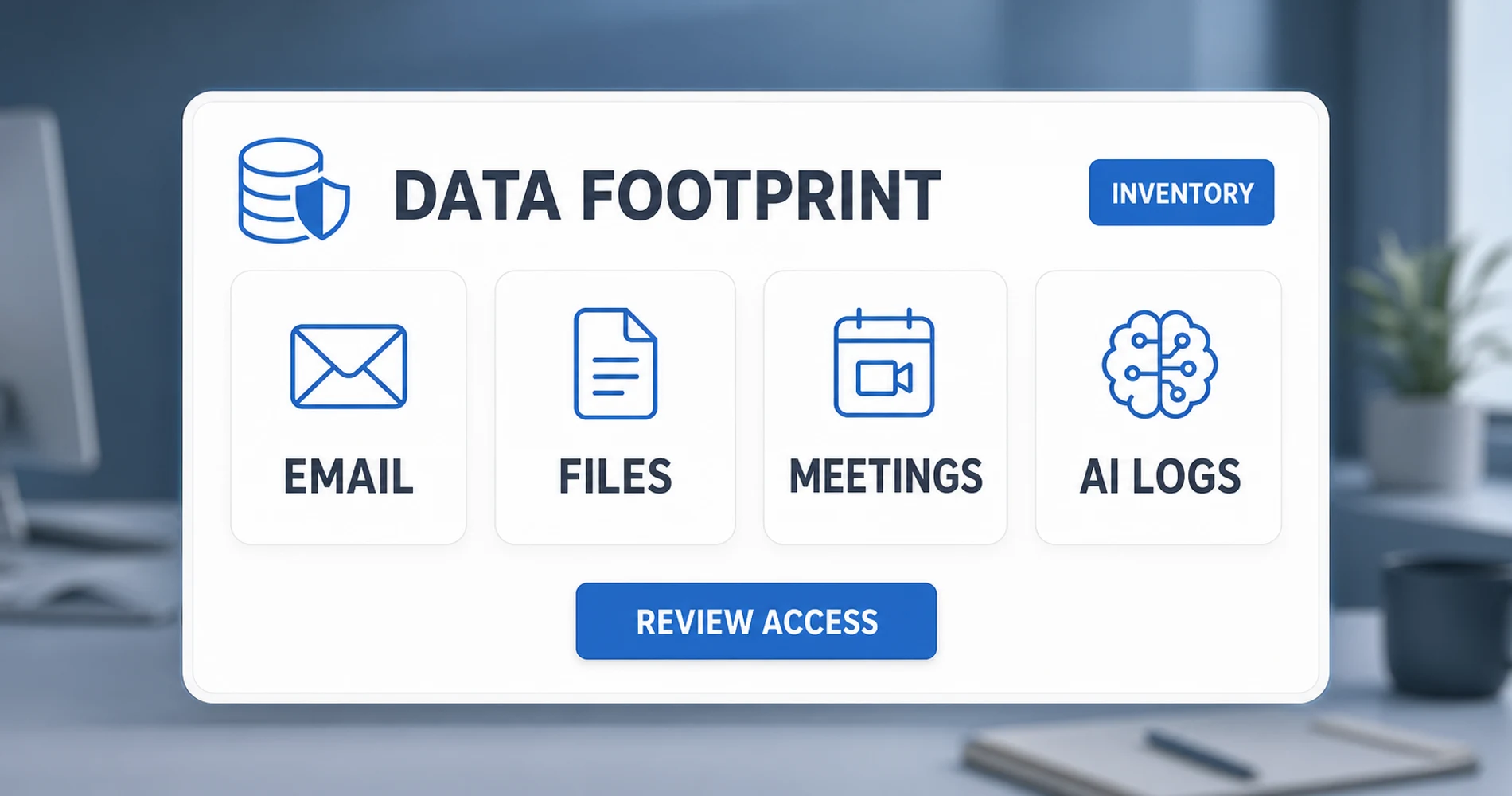
The AI row is the newest and least understood. In January 2025, Google began bundling Gemini features directly into Workspace Business and Enterprise editions. For many organizations, this happened automatically — Gemini was added to accounts that had never asked for it. When Gemini's smart summary features are enabled, they operate on your full email history within that account.
This concern has documented precedent. In November 2025, a class-action lawsuit (Thele v. Google LLC, No. 5:25-cv-09704, N.D. Cal.) was filed alleging that Google silently enabled Gemini Smart Features for all users of Gmail, Chat, and Meet on October 10, 2025, without adequate consent. Google denied the core allegation — they maintain that they do not use Gmail content to train the Gemini AI model — but the lawsuit surfaced a real confusion in how Google distinguishes between "training," "feature improvement," "fine-tuning," and "evaluation." These are not the same thing, and the policies around each are written in ways that leave meaningful room for interpretation.
Understanding this footprint is the prerequisite for any decision about what to do next.
One category often overlooked: employee mobile devices. If your team uses personal phones for work email or messaging without a Mobile Device Management (MDM) policy enforcing a work/personal partition, company communications and credentials exist outside any admin control — on hardware you do not own.
A second exposure point: unauthorized AI tools. When employees paste client contracts, financial data, or HR records into personal ChatGPT accounts, Claude.ai, or any consumer LLM outside your approved stack, that data is processed under the vendor's consumer terms — with no enterprise data protections, no admin visibility, and no audit trail.
How Your Data Can Be Accessed Without Your Knowledge
Business data stored with any U.S.-incorporated cloud provider can be reached via three distinct vectors: government legal orders, provider data processing, and third-party app integrations.
How Does the CLOUD Act Expose Cloud Business Data?
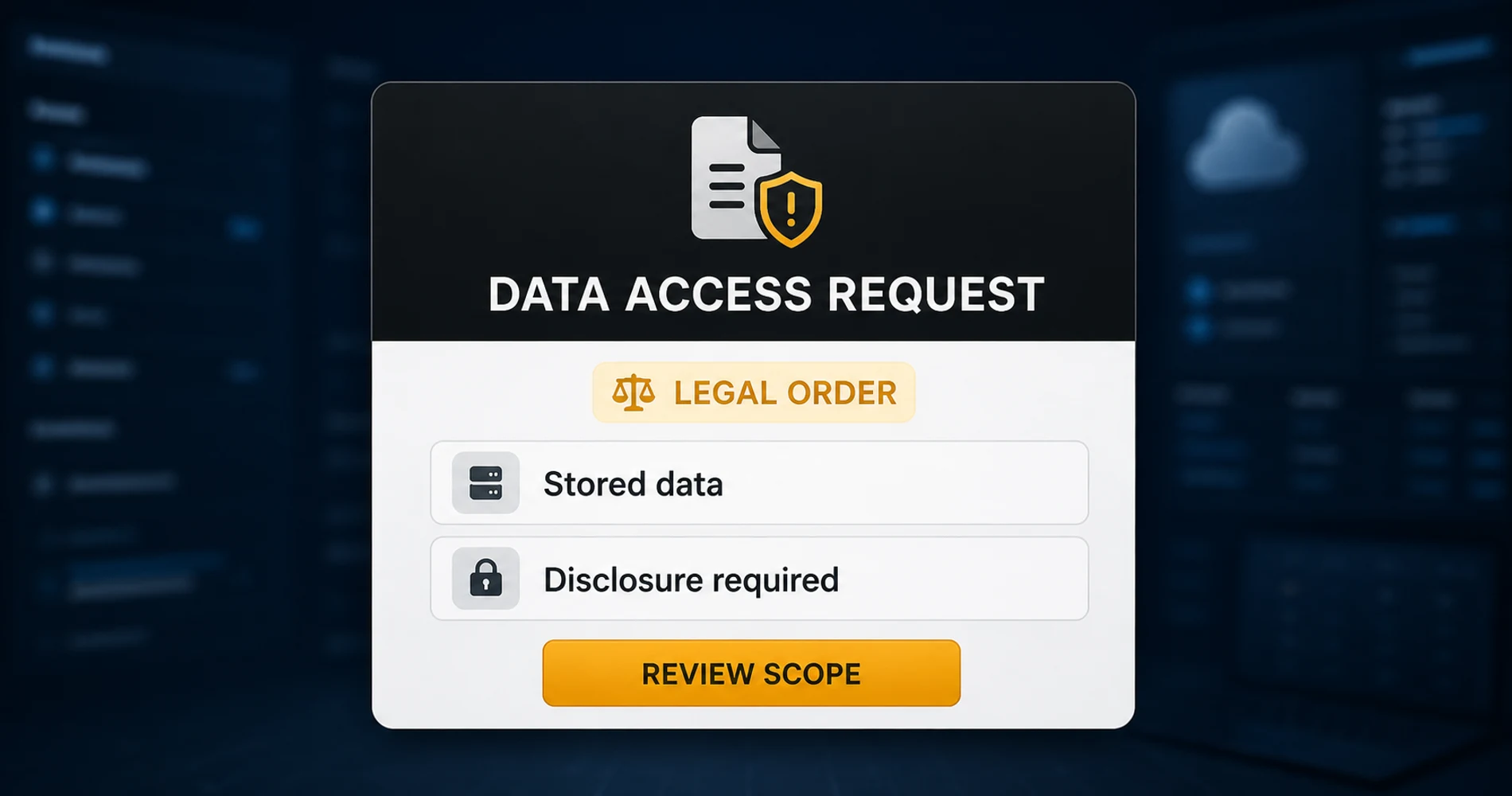
The CLOUD Act requires U.S.-incorporated cloud providers to produce customer data when served a legal order, regardless of physical server location.
The Clarifying Lawful Overseas Use of Data Act, passed in 2018, establishes that U.S.-incorporated cloud providers must produce customer data when served a valid legal order — regardless of where that data is physically stored. A Google Drive file hosted on a European server is not protected from a U.S. federal request by the fact that it sits in Frankfurt.
What the CLOUD Act Means in Practice
If Google controls your data, a U.S. legal order can reach it anywhere on the planet — regardless of which country the servers are in.
The law has a documented origin. The CLOUD Act was passed in direct response to a real case: Microsoft Corp. v. United States, a narcotics investigation in which the Department of Justice sought emails Microsoft had stored on servers in Ireland. The courts were divided on whether U.S. law could compel production of data stored abroad; Congress resolved the ambiguity by passing the CLOUD Act and extending that authority explicitly.
In practice, Google complies with roughly 82–83% of government requests it receives globally (as of Google's most recent Transparency Report, covering H1 2025). In the first half of 2025 alone, Google received 287,014 government requests affecting 664,767 accounts worldwide. Businesses receiving such requests are generally not notified in advance; under national security orders, non-disclosure requirements may apply indefinitely.
For a deeper look at the law itself, see our full CLOUD Act explainer for businesses (planned for this cluster).
Vector 2: Google's Own Data Processing
The more nuanced risk for most small businesses is not a government request — it is what Google itself does with your data as part of its product operations. This is where Google Workspace is meaningfully different from consumer Gmail, and where the distinction matters.
Google Workspace enterprise agreements include a Data Processing Amendment (DPA) that classifies Google as a "data processor" for your organization's content, rather than a "data controller." This limits how Google can use that content, gives you formal deletion rights, and makes the arrangement GDPR-compliant in principle. Consumer Gmail has no such agreement.
However, the DPA does not mean zero-knowledge encryption. Google can technically access your Workspace content if compelled by legal process, and Google's infrastructure-level access is inherent in how cloud services work. The question is not whether that access is possible — it is under what circumstances and with what controls.
The Gemini situation adds complexity. Whether Gemini-related processing is covered under your organization's BAA or DPA depends on which Gemini features you have enabled and how your admin settings are configured. Core Workspace apps (Gmail, Drive, Calendar) are covered under Google's HIPAA BAA — but Gemini in Chrome, for example, is not. The practical implication: if your healthcare practice uses Google Workspace and enabled Gemini without reviewing the BAA scope, you may have features running outside your HIPAA coverage.
Understand what zero-knowledge encryption means for your business before you decide how much weight to put on Google's DPA.
Vector 3: Third-Party App Integrations
Every application that has OAuth access to your Gmail or Google Drive is a secondary exposure point. These apps — project management tools, e-signature services, CRM integrations, email marketing platforms — often request broader permissions than they need, and most organizations have never audited what's connected.
Common permission scopes that should raise flags:
- "Read all email messages and settings" — full Gmail read access
- "See, edit, create, and delete all of your Google Drive files" — full Drive access
- "Manage your calendars" — full Calendar write access
An app with full Gmail read access that is later acquired by a company with different privacy practices, or that is breached, exposes your email history to a party you never intentionally authorized. This is not a Google problem specifically — it is a problem with any platform that supports third-party OAuth integrations. But Google's ecosystem has more integrations than most, which means the exposure surface is larger.
Also consider whether your AI tools like ChatGPT are handling your business data safely — the same access-chain logic applies.
Does Microsoft 365 Protect Data Better Than Google?
Microsoft 365 and Google Workspace share the same fundamental privacy limitation: both are U.S.-incorporated providers subject to the CLOUD Act. A Microsoft Exchange email stored on servers in Dublin is equally reachable by a U.S. federal order as a Gmail on servers in Frankfurt.
Where Microsoft 365 differs meaningfully:
Copilot's tenant-boundary architecture. Microsoft 365 Copilot is tenant-scoped — your prompts and organizational data stay within your tenant boundary and are not used to train Microsoft's base AI models. This is a contractual commitment backed by Microsoft's Enterprise Data Protection agreement. Google's Gemini operates under similar enterprise commitments, but the October 2025 class-action (Thele v. Google LLC) surfaced real ambiguity about where Gemini's data processing boundary ends. Microsoft has not faced equivalent regulatory scrutiny on this specific question.
The oversharing problem. Copilot's privacy risk profile differs from Google's. Because Copilot semantically indexes everything a user has "at least view permissions" for across SharePoint, Exchange, and Teams, organizations with years of accumulated SharePoint permissions often find Copilot surfacing content users are technically authorized to see — but shouldn't see in practice. Before enabling Copilot, a SharePoint permissions audit is a prerequisite, not an afterthought. Microsoft's interim mitigation is Restricted Search; the long-term fix is a full permissions cleanup.
Data residency options. Microsoft's EU Data Boundary option keeps EU user data within Europe at rest and in processing — a meaningful distinction for businesses with significant European client exposure that Google does not yet match at equivalent price points.
The bottom line: Switching from Google Workspace to Microsoft 365 does not materially improve your CLOUD Act posture — both companies are U.S.-incorporated. It changes your AI data processing risk profile and your data residency options. For most small businesses already on Google, the migration cost outweighs the privacy differential. The substantive improvement comes from either layering zero-knowledge tools on top (Level 2) or moving to a non-U.S.-incorporated provider like Proton (Level 4).
A Realistic Risk Model for Your Business
Privacy risk varies significantly by business type — regulated industries face material compliance obligations, while most other SMBs have low practical risk from government data requests.
Here is an honest risk model by business type:
Who Has Elevated Privacy Risk
Review your current setup if your business falls into any of these categories:
- Healthcare providers and health-adjacent businesses — HIPAA requires a signed BAA with every cloud vendor that handles PHI. If you've added Gemini features to Workspace without reviewing which ones are covered under your BAA, you have a compliance gap.
- Legal practices — attorney-client privilege may not survive in a cloud environment if data is accessible to the cloud provider. Bar associations in several states have issued guidance requiring specific encryption and access controls for client files.
- Financial services — client financial data, investment records, and account information trigger SEC, FINRA, or state-level data protection requirements depending on your business type.
- Businesses with European clients — GDPR requires that data about EU citizens be handled under an adequate legal framework. U.S.-based cloud providers' data transfer mechanisms to the EU have been challenged repeatedly in court.
- Businesses with ongoing or anticipated litigation — discovery requests can compel production of stored communications. Knowing what you have and where it is matters before you're in court.
- Businesses with sensitive IP — R&D data, proprietary processes, unreleased product information stored in cloud environments have been accessed via both legal process and breach.
If your business falls into any of these elevated-risk categories, contact us to discuss your specific situation — we've helped dozens of South Florida businesses in healthcare, legal, and financial services build the right privacy posture for their compliance requirements.
For most other small businesses — a local restaurant, a landscaping company, a retail operation — the practical likelihood of a government data request is genuinely low. The CLOUD Act scenario that should concern you is the one where your business is adjacent to a party under investigation, not the theoretical possibility that the government is monitoring your catering invoices. Acknowledging this openly is not a dismissal of privacy concerns. It is the honest framing that makes the genuine risks legible for the businesses that actually face them.
The goal is calibration: understand your actual exposure, act proportionally, and don't let vague alarm prevent you from taking the specific steps that would meaningfully improve your situation.
See our small business security compliance guide for a full breakdown of compliance requirements by industry.
Risk Assessment
What's Your Business Privacy Risk Level?
Select your business type to see your specific exposure profile and where to start.
Select your business type above to see your risk profile and where to start.
The Privacy Improvement Spectrum: From 30 Minutes to Full Migration
Businesses can improve data privacy across five levels, from free admin configuration changes to a full zero-knowledge platform migration — each with a defined time cost, dollar cost, and protection scope.
| Level | Time investment | Cost | What it protects |
|---|---|---|---|
| 1 — Configure what you have | 30–60 min | Free | Reduces AI data exposure, tightens admin defaults |
| 2 — Add privacy layers | 1–2 hours setup | ~$10–20/user/mo | Passwords, VPN, sensitive-file encryption |
| 3 — Partial migration | 1–2 weeks | Proton Mail pricing + Google subscription | Email jurisdiction change; Drive/Meet unchanged |
| 4 — Full platform migration | 4–8 weeks | ~$12.99–19.99/user/mo (replaces Google) | Zero-knowledge architecture, Swiss jurisdiction |
| 5 — Self-hosted / private cloud | Ongoing | Hardware investment + IT time | Maximum privacy, maximum operational complexity |
Privacy Improvement Spectrum
Five Levels of Business Privacy Protection
From a free 30-minute admin configuration to a full platform migration — select a level to see what it involves.
Optimize what you already have
Time
30–60 minutes
Cost
Free
What It Protects
Reduces AI data exposure, tightens external sharing defaults, removes unused app access
Key Actions & Tools
Best For
Every business — this is the baseline every organization should complete regardless of risk level.
Real Trade-off
Does not change the fundamental architecture: Google still holds the encryption keys. This reduces exposure at the margins, not at the root.
Level 1 of 5
How to Optimize Google Workspace Privacy Settings
Time required: 45 minutes. Cost: Free.
Administrators can optimize Google Workspace privacy by restricting Gemini AI data processing, disabling link sharing, and revoking OAuth access — all without leaving the Google ecosystem. This is where every business should start regardless of risk level.
The most important changes:
- Gemini AI data controls: In Google Admin → Apps → Google Workspace → Gemini, verify whether "Workspace AI features" is enabled and under what data processing terms. For Workspace Business Starter customers, Gemini Core was added automatically in January 2025. Review whether it is appropriate for your use case.
- External sharing defaults: In Google Admin → Drive and Docs → Sharing settings, check whether files can be shared with anyone with a link (the default for many configurations) versus only users in your domain.
- Third-party app access: In Google Admin → Security → API controls, audit which third-party apps have OAuth access and revoke anything your organization no longer actively uses.
- Meet recording retention: Default retention for Meet recordings in Drive is indefinite. If you record client calls, set a retention policy that matches your business needs.
- Admin access audit: Review who holds super-admin privileges. Every person with super-admin access has visibility into all users' data.
For a detailed walkthrough of every relevant setting, see 12 Google Workspace admin settings to configure now (planned for this cluster).
Level 2 — Add Privacy Layers
Cost: ~$10–20/user/month on top of your existing Google subscription. Time: 1–2 hours to set up.
This approach stays on Google for email, documents, and collaboration — but adds zero-knowledge tools for the highest-sensitivity data categories. For most small businesses outside regulated industries, this level provides a meaningful improvement without the workflow disruption of a platform migration.
What to add:
- Private default search engine: The lowest-friction item on this list — switching your team's default search engine away from Google costs nothing and stops employee queries from feeding an ad profile. Our guide to the best private search engines for businesses covers which engine to choose and how to deploy it org-wide via browser policy.
- Zero-knowledge password manager: Proton Pass for Business ($4.49/user/month for the Professional tier with SSO and admin controls) replaces Google Password Manager with a zero-knowledge alternative. Google has read access to passwords stored in Chrome; Proton does not have read access to passwords stored in Proton Pass.
- No-log VPN on all work devices: Encrypts your connection and DNS queries, adds malware blocking, and prevents your ISP or network administrator from logging what your team accesses. See our best VPN for small business guide for current recommendations, or our Mullvad vs NordVPN vs Proton VPN comparison for a privacy-focused breakdown of the top consumer options.
- Encrypted storage for sensitive files: For files you specifically do not want accessible to Google — signed contracts, HR documents, financial records, client PHI — move them to Tresorit or Proton Drive. Both are zero-knowledge, meaning the provider cannot read the files even if served a legal request.
- Mobile Device Management (MDM): If your team uses personal phones for work, Google Endpoint Management (included in all Workspace Business plans) can enforce a work/personal data partition, require device encryption, and enable remote wipe if a device is lost or stolen. This closes the BYOD exposure gap without requiring separate hardware or additional cost.
This is the approach iFeelTech uses. We run on Google Workspace for productivity and have layered Proton Pass and Proton VPN on top. It is not a perfect privacy posture, but it addresses the highest-risk exposure points without rebuilding our entire workflow.
For a full walkthrough of this approach, see how to add privacy layers without leaving Google (planned for this cluster).
The real cost of securing Google: Adding privacy layers on top of Google Workspace often costs more per user than switching platforms entirely.
| Setup | Per user / month (annual) | What's included |
|---|---|---|
| Google Workspace Starter + standalone VPN + standalone password manager | $7 + $8 + $8 = ~$23/user | Business email, 30GB storage, VPN protection, password management |
| Proton Workspace Standard (all-in-one) | $12.99/user | Zero-knowledge email, 1TB storage, VPN, password manager, video meetings (100 participants), docs & sheets |
At the Level 2 configuration, a fully secured Google stack typically costs more per user than a complete Proton Workspace migration. The deciding factor is workflow disruption — specifically how embedded your team is in Google-specific features before the switch.
Level 3 — Partial Migration
Time: 1–2 weeks. Cost: Proton Mail subscription plus continuing Google subscription for Drive/Meet/Docs.
Move email to Proton Mail while keeping Google for documents, calendar, and video. This adds Swiss jurisdiction protection for correspondence — the category of data most likely to be subpoenaed — without disrupting your document workflow.
The practical limitation: your email and documents are now split across jurisdictions and platforms. This creates some friction (sharing links between Proton Drive and Google Drive, managing two sets of credentials) but is operationally feasible for most teams.
Best for: businesses where email is the primary concern (legal hold risk, attorney-client privilege, confidential vendor negotiations) but whose team is deeply invested in Google Docs/Sheets for collaboration.
Migrating from Google Workspace to Proton Workspace
Proton Workspace provides zero-knowledge, end-to-end encrypted business email, file storage, and video meetings starting at $12.99 per user per month.
Time: 4–8 weeks. Pricing verified at proton.me/business/plans as of May 2026.
Proton Workspace Standard ($12.99/user/month) includes end-to-end encrypted email, calendar, cloud storage, document editor, spreadsheet editor, password manager, VPN, and video conferencing with up to 100 participants — all under a zero-knowledge architecture. Proton Workspace Premium ($19.99/user/month) adds 3TB storage, 250-participant video meetings, a private AI assistant (Lumo), and data retention policies for compliance use cases.
The zero-knowledge architecture is the meaningful difference. With Google Workspace, Google is technically capable of reading your data if compelled. With Proton Workspace, the encryption happens client-side before data reaches Proton's servers. Proton cannot read your email content even if served a valid court order.
The Switzerland Jurisdiction Nuance
Proton's Swiss jurisdiction advantage — historically the reason it was considered beyond the reach of U.S. legal process — is more complicated in 2026 than it was in 2022. Switzerland proposed revisions to its surveillance ordinance (VÜPF/OSCPT) in 2025 that would require providers with more than 5,000 users to log IP address metadata and, in some interpretations, require technical measures that could weaken end-to-end encryption protections. Proton publicly opposed the legislation and announced it is moving most of its physical infrastructure out of Switzerland to countries with stronger legal protections as a precautionary measure.
The core zero-knowledge encryption — the fact that Proton mathematically cannot read your email content — remains intact regardless of jurisdiction. What Switzerland's proposed law threatened was metadata retention (who communicates with whom, when, IP addresses), not content decryption. For most business use cases, the content protection is what matters most.
This is the nuance that most Proton reviews miss: the Swiss jurisdiction advantage is real but not unconditional, and it is currently in flux. Proton's response to that flux — moving infrastructure rather than complying with legislation it considers incompatible with its mission — tells you something meaningful about how they operate.
For a detailed comparison of features, workflow implications, and migration steps, see our Proton Workspace review. For a head-to-head comparison with real TCO calculations, see our Google Workspace vs Proton Workspace guide.
Level 5 — Self-Hosted / Private Cloud
Running your own email server and file storage on hardware you control offers maximum privacy but requires dedicated IT staff and ongoing maintenance — the full evaluation is in our private cloud guide.
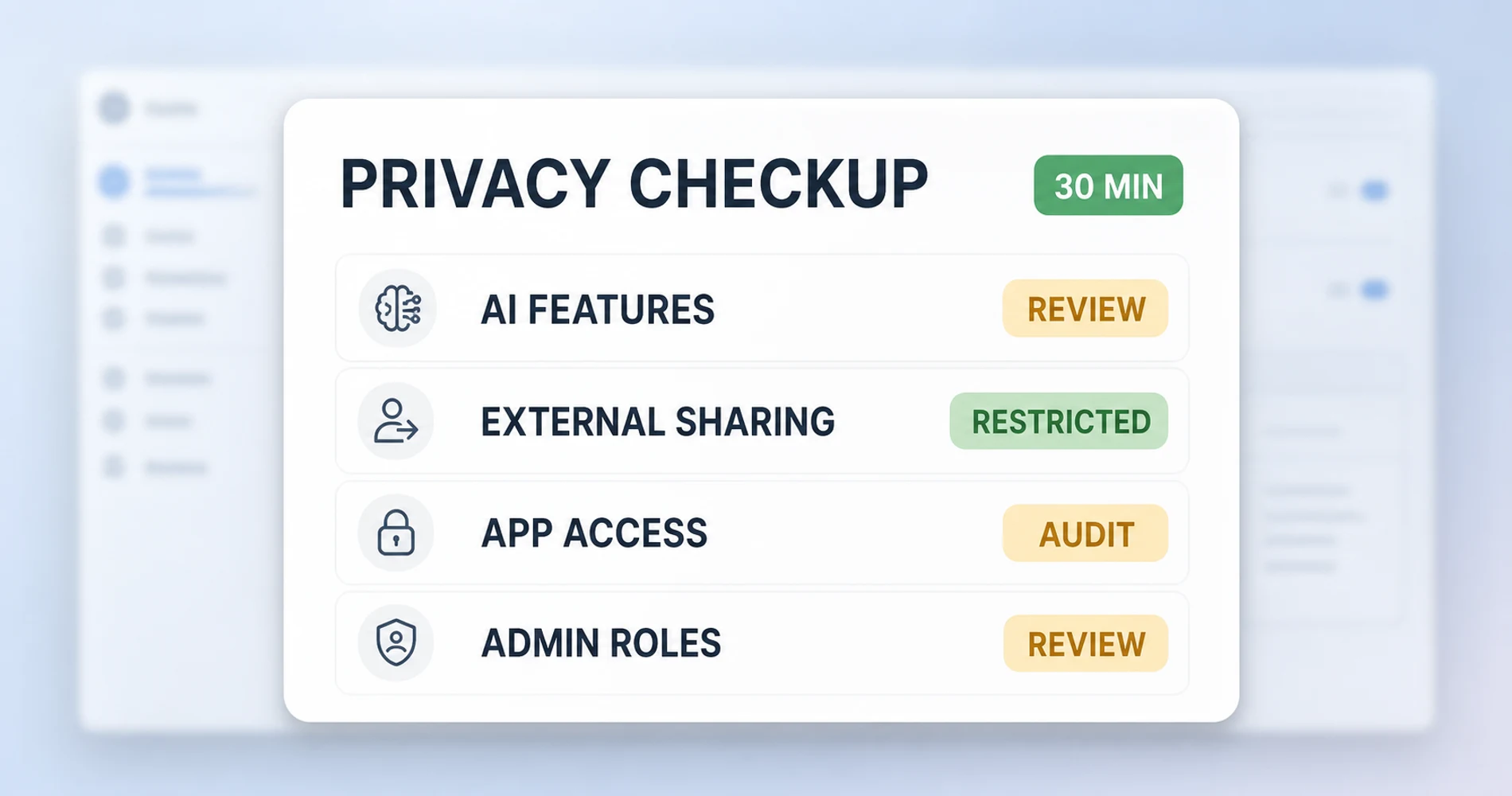
How to Audit Your Business Data Privacy in 30 Minutes
Eight steps — reviewing Google Activity, auditing OAuth access, checking Gemini settings, verifying sharing defaults, and more — reveal your complete privacy posture using tools already available in your Admin Console.
-
Run a Google Activity check — visit myactivity.google.com with your Workspace admin account. You are looking for the breadth of data being logged, not a specific problem to fix.
-
Audit third-party app OAuth access — in Google Admin Console → Security → API controls → Manage third-party app access. List every app with access. Revoke anything your team no longer actively uses.
-
Check Gemini data control settings — in Google Admin → Apps → Google Workspace → Gemini → Manage settings. Verify whether Workspace AI features is enabled, and check whether your organization has reviewed the data processing terms for AI features.
-
Check Drive external sharing defaults — in Google Admin → Apps → Google Workspace → Drive and Docs → Sharing settings. Note whether the default is "anyone with link" or "restricted."
-
Audit admin access — in Google Admin → Account → Admin roles. List every user with super-admin or admin role. Remove anyone who no longer needs it.
-
Check Meet recording retention — in Google Admin → Apps → Google Workspace → Meet. Verify where recordings are stored and whether a retention policy applies.
-
Assess BAA status — if your business handles any health information, verify whether you have a signed BAA with Google, and check whether the Gemini features you use are within scope.
-
Identify one sensitive data type to move — choose the single category of data your business handles that you most want to protect (signed contracts, financial projections, client health information) and identify where it currently lives. This becomes your first action item at Level 2 or above.
This audit will tell you where you stand. Every section of this guide has a dedicated article in this cluster — if something on this list surfaces a gap, the branch articles will tell you exactly how to close it.
What Are the Real Privacy Trade-Offs at Each Level?
Every level of the improvement spectrum involves genuine trade-offs — in dollars, workflow friction, and protection coverage. Here is what you actually get and give up at each stage.
Level 1 costs nothing in dollars or workflow disruption. It also changes Google's behavior less than many people expect. Tightening your Workspace admin settings limits some AI data processing and closes some third-party access vectors — but Google is still your cloud provider, and the fundamental architecture of your relationship with them (they hold the keys; you trust them not to use them inappropriately) is unchanged.
Level 2 adds meaningful protection for specific risk categories — passwords, connection-level privacy, the most sensitive file types — while leaving the core of your workflow intact. The limitation is that you are still building on a Google foundation. If your concern is specifically about Google's data processing practices, adding Proton Pass and a VPN addresses some of those concerns but not the email and document exposure at the center.
Level 3 involves real workflow friction. Two platforms, two sets of credentials, file links that don't share context cleanly. For the businesses that genuinely need email jurisdiction protection, this friction is worth accepting. For businesses that don't, it is not.
Level 4 is a genuine platform migration. Four to eight weeks of transition work. User training. Workflow changes for anyone who relied on Gmail's spam filtering, Google Meet's calendar integration, or Google Docs' real-time collaboration features. Proton's equivalents are good and improving — but they are not identical to Google's, and a business that migrates without accounting for workflow dependencies will have a bad experience.
Level 5 requires technical capacity most businesses don't have, and the opportunity cost is real. A 10-person professional services firm spending engineering time on email server maintenance is not spending it on client work.
Privacy is not free. The question is not whether to accept trade-offs — it is whether the trade-offs make sense for your specific risk profile. A healthcare practice handling client PHI should take those Level 4 trade-offs seriously. A local landscaping company with 8 employees probably should not.
The businesses that get this right are the ones that understand their actual situation, make decisions proportional to their real risk, and act on specific steps rather than general concern.
Every article in this cluster goes one level deeper — each one written to the same standard: here is what it is, here is who it applies to, here is what to do.
Related Resources
- What Zero-Knowledge Encryption Actually Means for Your Business — The technical distinction between "encrypted" and "zero-knowledge" explained without jargon. Essential reading before evaluating any cloud migration.
- Small Business Security Compliance Guide — HIPAA, GDPR, SOC 2, and state-level requirements mapped by business type. Start here if you're in a regulated industry.
- Is ChatGPT Safe for Business Data? — Applies the same access-chain analysis to AI tools. The CLOUD Act implications for AI vendors are identical to cloud storage vendors.
- Best VPN for Small Business Privacy — Current recommendations for Level 2 of the improvement spectrum.
- Proton Workspace Review — A full breakdown of Proton Workspace Standard and Premium from actual deployment experience.
- Proton Workspace vs Microsoft 365 — If you're ready to evaluate a full platform migration, this comparison covers costs, trade-offs, and real migration experience.
- Building a Private Cloud for Local AI — For businesses evaluating Level 5 or wanting to understand what self-hosted infrastructure actually involves.
- Best Privacy-First Productivity Apps for Business — Encrypted notes, tasks, and calendars sorted by team viability. The practical tool layer that sits on top of this privacy framework.
- Vendor Risk Assessment for Small Business — How to evaluate your SaaS vendors' data-security posture using the sensitivity categories from this guide.
Frequently Asked Questions
Related Articles
More from Cybersecurity
Are Free VPN Extensions Safe for Small Businesses? A July 2026 Check
Recent VPN incidents showed how extensions can expose passwords, AI conversations, and browser traffic. Learn how to audit extensions, build an allowlist, and protect your company.
11 min read
Bitdefender GravityZone Review (2026): An IT Provider's Take for Small Business
We deploy GravityZone for clients — this review covers the real console experience, tier selection, pricing traps, and whether it fits a business without a security team.
15 min read
Double Extortion Ransomware: Why Backups Alone Aren't Enough
Data exfiltration appears in 96% of BlackFog-tracked Q1 2026 ransomware incidents. Backups restore access but don't resolve data exposure. Here's what actually protects your business.
13 min read