Best Secure Cloud Storage for Business 2026: Tresorit, Proton Drive, Egnyte & Sync.com Compared
Four encrypted cloud storage platforms tested for HIPAA compliance, zero-knowledge architecture, admin controls, and real-world usability. Find the right fit for your industry and team size.

Affiliate Disclosure: This article contains affiliate links. If you make a purchase through these links, we may earn a small commission at no extra cost to you. As an Amazon Associate, iFeelTech earns from qualifying purchases.
Quick Picks by Use Case
- HIPAA / legal / financial (strictest compliance): Tresorit Business — top-rated in the 2024 ETH Zurich cryptographic audit of 5 E2EE providers; design found "mostly unaffected" by attacks that compromised the other four. Swiss jurisdiction, ISO 27001, SOC 2 Type II.
- Best value zero-knowledge: Proton Drive Professional ($7.99/user/mo, min 2 users) — Swiss jurisdiction, open source, HIPAA BAA included.
- Microsoft 365 shops needing compliance + DLP: Egnyte Business ($22/user/mo) — deep Microsoft integration, ransomware detection, FINRA/HIPAA/SOC 2.
- Budget zero-knowledge with HIPAA BAA: Sync.com Pro Teams (from $6/user/mo) — Canadian zero-knowledge, straightforward pricing.
- Full privacy suite (email + storage + VPN): Proton Workspace Standard ($12.99/user/mo) — all Proton products in one subscription.
With Google Drive or OneDrive, the provider holds your encryption keys — meaning they can decrypt your files if legally compelled. With zero-knowledge encrypted cloud storage, files are encrypted on your device before upload, leaving the provider with no technical ability to access them.
This guide covers four business-grade secure cloud storage platforms — Tresorit, Proton Drive, Egnyte, and Sync.com — tested across compliance requirements, admin controls, real-world usability, and pricing. If you're currently using OneDrive or Google Drive and handling sensitive client data, regulated health information, or privileged communications, this comparison covers the key technical and pricing differences. If Google Drive specifically is your starting point, our Proton Drive vs Google Drive for Business comparison walks through that single trade in more depth.
What Is the Difference Between Cloud Security and Cloud Privacy?
Cloud security stops external hackers, while cloud privacy uses zero-knowledge encryption to ensure the provider cannot read your data.
For most businesses handling routine internal documents, Google Drive or OneDrive is adequate. For businesses in these categories, zero-knowledge encryption is worth evaluating:
- Protected Health Information (PHI) — HIPAA-covered entities and their business associates
- Privileged legal communications — attorney-client privilege requires demonstrable confidentiality
- Financial records and audit materials — FINRA, SEC, SOX requirements for financial services firms
- EU client data — GDPR obligations, particularly for businesses outside EU data processing jurisdiction
- M&A and strategic documents — competitive intelligence, deal terms, board materials
For a broader landscape including Google Drive and OneDrive, see our general cloud storage guide for small business.
The ETH Zurich Benchmark — Why It Matters
In 2024, researchers at ETH Zurich conducted an independent cryptographic audit of five major encrypted cloud storage providers. Their methodology tested whether providers' encryption implementations could be attacked at the protocol level — not just whether marketing claims were accurate.
Tresorit performed best of the five providers. The ETH Zurich team noted: "Tresorit's design is mostly unaffected by our attacks due to a comparably more thoughtful design and an appropriate choice of cryptographic primitives." Researchers found that issues identified in Tresorit "do not directly expose file contents or allow for easy data manipulation" — a meaningful distinction from the other four providers.
The other four services — Sync, pCloud, Icedrive, and Seafile — had more severe flaws including file injection, metadata manipulation, and in some cases plaintext data access. This benchmark matters because it tests what most compliance certifications don't: whether the encryption actually holds under adversarial protocol-level attacks.
This doesn't mean the other providers in this guide are insecure — Proton Drive and Sync.com both have strong cryptographic implementations and independent audits of their own. But the ETH Zurich result is the most rigorous independent benchmark available and is worth understanding when evaluating providers for high-stakes environments.
Full Comparison Table
| Feature | Tresorit Business | Proton Drive Pro | Egnyte Business | Sync.com Teams |
|---|---|---|---|---|
| Price/User/Month | $14.50 (Standard) | $7.99 | $22.00 | ~$6.00 |
| Storage/User | 1TB | 1TB | 1TB | 1TB |
| Jurisdiction | Switzerland 🇨🇭 | Switzerland 🇨🇭 | USA 🇺🇸 | Canada 🇨🇦 |
| Zero-Knowledge | ✓ Default | ✓ Default | ✗ Provider-managed | ✓ Default |
| Open Source | No | ✓ Yes | No | No |
| HIPAA + BAA | ✓ Business+ | ✓ All plans | ✓ All plans | ✓ Teams plans |
| SOC 2 Type II | ✓ | ✓ | ✓ | ✓ |
| ISO 27001 | ✓ (TÜV Rheinland) | ✓ | ✓ | Limited |
| GDPR | ✓ | ✓ | ✓ | ✓ |
| FINRA / ITAR | ✓ | Limited | ✓ | Limited |
| ETH Zurich Audit | ✓ Top-rated (2024) | Independent audit | N/A | N/A |
| Admin Console | ✓ Full | ✓ Full | ✓ Full + DLP | ✓ Full |
| Ransomware Detection | ✓ | Limited | ✓ Built-in | Limited |
| SSO / SAML | ✓ Business+ | ✓ | ✓ | ✓ Enterprise |
| Active Directory Sync | ✓ | Limited | ✓ Deep | Limited |
| Microsoft 365 Integration | ✓ Plugin | Limited | ✓ Native | Limited |
| File Versioning | Unlimited | Limited (Drive Pro) | Full history | 180 days |
| Mobile Apps | ✓ iOS/Android | ✓ iOS/Android | ✓ iOS/Android | ✓ iOS/Android |
| Desktop App | ✓ Win/Mac/Linux | ✓ Win/Mac | ✓ Win/Mac | ✓ Win/Mac |
| Offline Access | ✓ | ✓ | ✓ | ✓ |
| Free Trial | 14 days | Free plan available | 15 days | Free plan (5GB) |
| Min Users | 3 | 2 | 5 | 3 |
| Max File Size | 15 GB | No set limit | 100 GB | No set limit |
Prices verified April 2026, annual billing. Tresorit Enterprise pricing is custom for 50+ users. Egnyte restricts file uploads to 100 GB per file on all plans.
Tresorit Business Cloud Storage Specifications and Compliance
Rating: 4.7/5
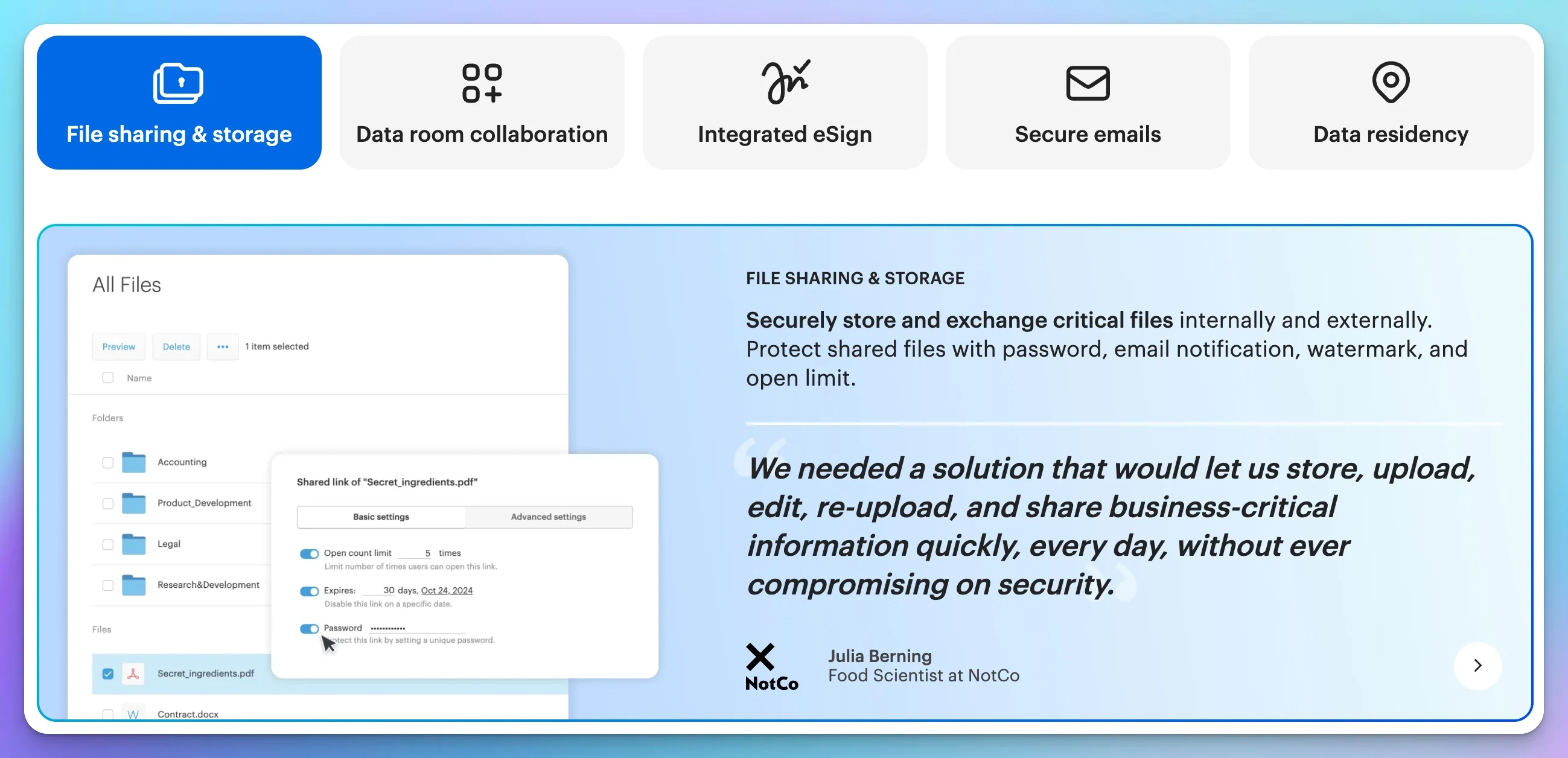
Tresorit provides zero-knowledge, end-to-end encrypted cloud storage with native HIPAA, SOC 2, and FINRA compliance for regulated businesses.
Founded in 2011 and headquartered in Switzerland, Tresorit is engineered for organizations with strict data confidentiality obligations. In a 2024 independent cryptographic audit by ETH Zurich, Tresorit's architecture was found to be highly resilient against protocol-level adversarial attacks, outperforming several competitors in maintaining file confidentiality.
Tresorit encrypts files locally using AES-256 before transmission. Its Swiss jurisdiction places the data outside the immediate reach of the US CLOUD Act. The platform includes a granular admin console capable of enforcing role-based permissions, exporting detailed access logs, and executing remote device wipes. While highly secure, it does not support block-level sync, meaning large files must re-upload entirely upon editing — the 15 GB per-file upload limit on Business plans is an additional constraint to assess for large-file workflows.
Security Architecture
Tresorit encrypts files client-side using AES-256 before upload. Your encryption keys never leave your device, and Tresorit's servers never receive them. The company cannot decrypt your files even if legally compelled — a position supported by Swiss privacy law and validated technically by the 2024 ETH Zurich cryptographic audit.
Swiss jurisdiction places Tresorit outside the reach of the US CLOUD Act, which can compel US-based cloud providers to hand over user data to government agencies without notifying the account holder. For organizations with US government-related litigation risk or international operations, this jurisdictional distinction is meaningful.
Additional certifications: ISO 27001:2022 validated by TÜV Rheinland, SOC 2 Type II, HIPAA (with BAA on Business and Enterprise plans), GDPR, FINRA, and ITAR.
Admin Console and Business Controls
The Business plan admin console provides granular vault-level permissions — you can control who can view, download, edit, and share at the individual file, folder, and team level.
Key admin features include:
- Activity logs — detailed audit trail showing who accessed, shared, or modified files, exportable for compliance audits
- Tresorit Engage — encrypted project collaboration rooms where teams can discuss, assign tasks, and share documents inside the zero-knowledge environment
- SSO integration — Azure AD, Okta, and Google Workspace via SAML 2.0 (Business plan and above)
- Active Directory sync — automated user provisioning and deprovisioning
- Remote wipe — revoke access and wipe data from lost or stolen devices from the admin console
Offboarding is straightforward: disable the user in your directory or in the Tresorit admin console, and their access is immediately revoked. Vaults they managed can be transferred to another admin without the departing user's encryption keys.
Migration from Dropbox, Google Drive, or OneDrive is self-service: Tresorit's knowledge base provides step-by-step import guides for each platform, and the desktop client tracks upload progress as files are copied into your vaults.
Limitations
No block-level sync. When any part of a file changes, the entire file re-uploads. For typical office documents (contracts, reports, presentations), this is imperceptible. For large files — video, CAD, medical imaging — this creates meaningful sync delays.
No native document editing. Files must be downloaded, edited locally, and re-uploaded. There is no Google Docs-style collaborative editing inside the Tresorit environment. Tresorit positions Engage Rooms as a collaboration layer, but it does not replace inline editing.
Premium pricing. At $14.50–$19/user/month, Tresorit is the most expensive option in this comparison. For a 15-person team, the annual cost is $2,610–$3,420 — roughly 2.5–3x what Sync.com would cost for the same team size.
Pricing (April 2026, verified):
| Plan | Price | Storage | Details |
|---|---|---|---|
| Business Standard | $14.50/user/mo (annual) | 1TB/user | Min 3 users; SSO, AD sync, admin console |
| Business Plus | $19.00/user/mo (annual) | 2TB/user | Extended versioning, advanced admin |
| Enterprise | Custom | Custom | 50+ users; dedicated infrastructure |
For a full breakdown of Tresorit's encryption architecture, sync performance, and real-world deployment experience, see our detailed Tresorit business review.
Proton Drive Business Cloud Storage Specifications and Pricing
Rating: 4.5/5
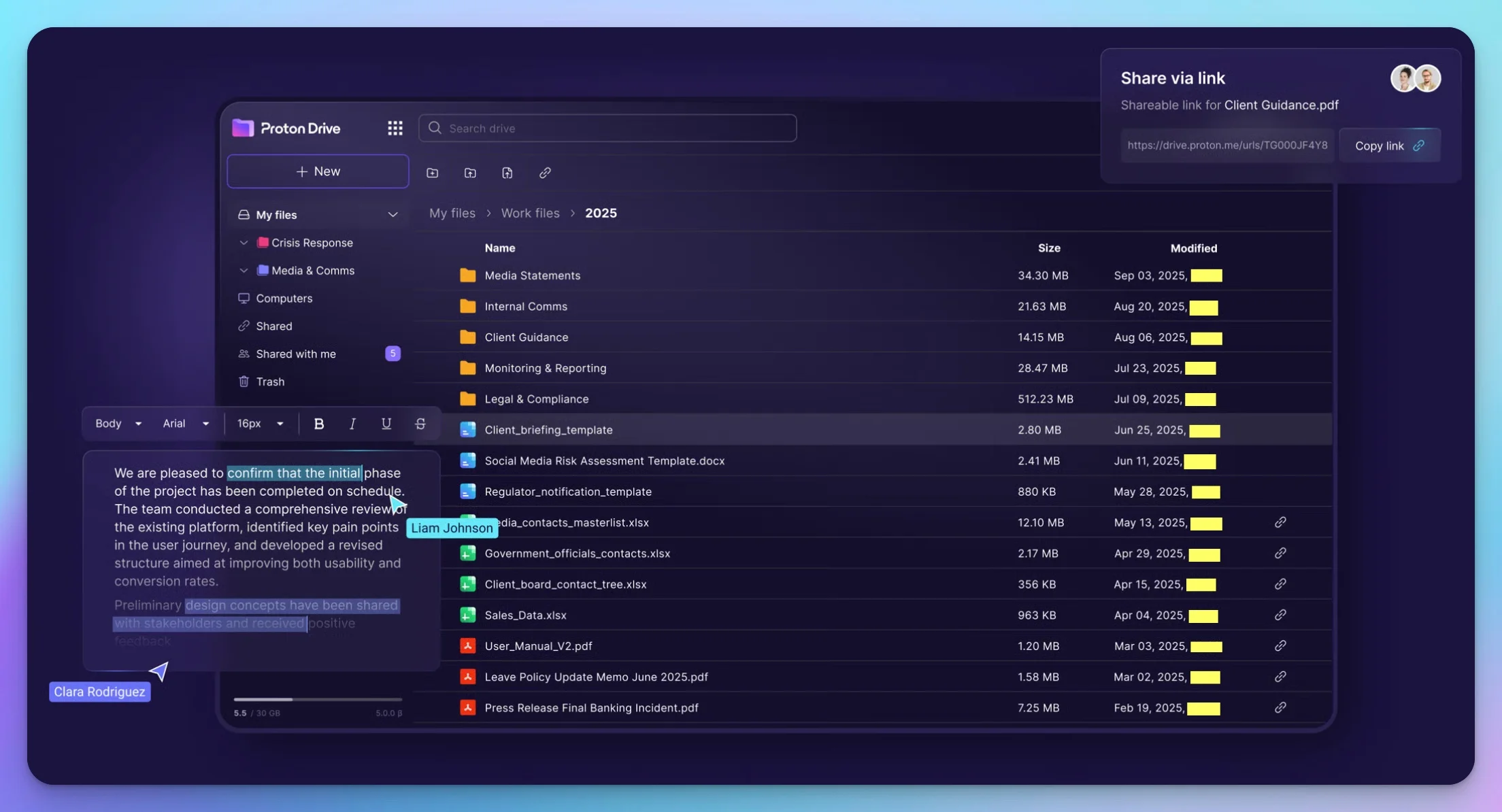
Proton Drive provides Swiss zero-knowledge cloud storage with open-source encryption, HIPAA BAA, and ISO 27001, starting at $7.99/user/month.
Developed by Proton AG — the Swiss company behind Proton Mail and Proton VPN — Proton Drive applies the same zero-knowledge architecture to cloud file storage at a price point that makes Swiss-jurisdiction encrypted storage practical for small and mid-size businesses.
Proton Drive is also fully open source. The client code is publicly available on GitHub and has been independently audited by Securitum. This means the cryptographic implementation is verifiable, not just claimed.
Security Architecture
Like Tresorit, Proton Drive encrypts files client-side before upload. Keys are derived from your account credentials and never transmitted to Proton's servers. The company operates under Swiss privacy law — the same jurisdiction as Tresorit — and has completed SOC 2 Type II and ISO 27001 audits.
Compliance certifications: HIPAA (BAA available on all business plans), GDPR, ISO 27001, SOC 2 Type II, NIS2, and DORA — a comprehensive set that covers EU regulatory requirements that Tresorit does not explicitly certify for.
Plan Structure: Drive Professional vs. Workspace Standard
Proton offers two distinct business entry points that are worth understanding clearly:
Drive Professional ($7.99/user/month, annual, minimum 2 users) — cloud storage only. You get the encrypted drive, file sharing, admin console, and HIPAA BAA. This is the right plan if you already use Google Workspace or Microsoft 365 and only want to add a privacy-respecting file storage layer on top.
Workspace Standard ($12.99/user/month, annual) — the full Proton suite: Mail, Calendar, Drive, Docs, Meet, VPN, and Pass. 1TB storage per user, up to 15 custom email domains, meetings up to 100 participants. This is the plan for organizations considering a full migration away from Google Workspace or Microsoft 365.
Workspace Premium ($19.99/user/month, annual) expands to 3TB storage per user and 250-participant meetings, and adds Lumo (Proton's AI assistant) and data retention controls.
For organizations already committed to Google or Microsoft, Drive Professional at $7.99/user is a practical add-on. Workspace Standard at $12.99/user is priced below Google Workspace Business Standard ($14.40/user) and adds zero-knowledge encryption that Google's platform does not provide.
Admin Console and Business Features
Proton Drive's admin console covers the essentials: user management, shared drive creation, permission controls, and activity logs. It's cleaner than Tresorit's in some respects but less granular — you can set folder-level permissions but don't have the same depth of per-file audit trails that Tresorit's compliance-focused admin provides.
Proton Drive supports SSO via SAML 2.0 (Okta, Microsoft Entra ID, OneLogin) on Workspace plans. Active Directory sync is available but less mature than Tresorit's implementation.
File sharing with external collaborators works via shareable links with optional password protection and expiration dates — non-Proton users can receive and download shared files without creating an account.
Migration to Proton Drive uses Proton's Easy Switch tool for email, contacts, and calendar; Drive files require downloading from Google Takeout or your existing provider and uploading directly to Proton Drive — a straightforward but manual step for file libraries.
Limitations
Proton Docs is not Google Docs. Collaborative document editing within Proton Drive exists but is in earlier development than Google's or Microsoft's implementations. Teams that rely heavily on real-time document collaboration may find it limited.
Active Directory integration is less mature. For organizations running on-premise AD, Tresorit's AD sync is more robust. Proton's SCIM provisioning works but requires more manual configuration.
Drive Professional storage is the standalone product. If you're on Drive Professional and want to add email, you'll need to upgrade to Workspace — the plans are not modularly additive.
Pricing (April 2026, verified):
| Plan | Price | Storage | Details |
|---|---|---|---|
| Drive Professional | $7.99/user/mo (annual) | 1TB/user | Min 2 users; storage + admin; HIPAA BAA |
| Workspace Standard | $12.99/user/mo (annual) | 1TB/user | Full suite: Mail, Calendar, Drive, Meet, VPN, Pass |
| Workspace Premium | $19.99/user/mo (annual) | 3TB/user | + Lumo AI, 250-person meetings, data retention |
For a head-to-head comparison of these two Swiss providers, see our Tresorit vs Proton Drive comparison.
Egnyte Business Cloud Storage: Compliance and Governance Specifications
Rating: 4.3/5
Egnyte Business provides HIPAA, FINRA, and SOC 2 Type II compliance with built-in DLP and ransomware detection for Microsoft 365 environments, at $22/user/month.
Egnyte is a different category of product from the other three in this guide. It is not primarily a zero-knowledge encrypted drive — it is an enterprise content governance platform. Egnyte manages encryption keys on behalf of customers (no zero-knowledge by default), but it provides compliance certifications, data loss prevention, ransomware detection, and content classification capabilities that none of the zero-knowledge providers match.
If your compliance requirement is demonstrable access controls, audit logs, DLP policies, and HIPAA/FINRA/SOC 2 certifications — and you need deep integration with Microsoft 365 and on-premise file servers — Egnyte is worth serious evaluation. If your requirement is that the provider itself cannot read your files, Egnyte is not the right tool.
Security and Compliance Architecture
Egnyte uses AES-256 encryption at rest and TLS in transit, with Egnyte managing the encryption keys. For organizations that need additional control, Egnyte supports customer-managed encryption keys on Enterprise plans.
Compliance certifications: HIPAA (BAA available on all plans), FINRA, SOC 2 Type II, ISO 27001, GDPR. FINRA and SEC compliance are meaningful differentiators — Egnyte is one of the few cloud storage platforms explicitly designed for financial services regulatory requirements.
Content governance and DLP are where Egnyte stands apart. Built-in capabilities include:
- Automatically scan files for sensitive content (PII, PHI, financial data) and apply persistent labels
- Block unauthorized sharing of classified documents
- Detect and contain ransomware infections before they spread across the organization
- Integration with enterprise DLP systems for policy enforcement
Ransomware protection is a functional differentiator: Egnyte monitors file access patterns and can isolate and roll back an infection before encrypted versions propagate across the file system. This capability is relevant for organizations in high-risk environments or those that have previously dealt with ransomware incidents.
Hybrid Architecture — On-Premise Plus Cloud
Egnyte's Hybrid Cloud architecture is its most distinctive technical feature. Organizations can run an Egnyte storage node on-premise while maintaining cloud replication — enabling sub-second file access for on-site teams while providing cloud-based collaboration and remote access.
This is particularly valuable for:
- Architecture, engineering, and construction firms working with large CAD and BIM files
- Medical imaging practices where file sizes make full cloud dependency impractical
- Law firms with existing on-premise document management systems
File size note: Egnyte restricts individual file uploads to 100 GB on all plans, including Business. This limit applies regardless of whether files are stored on-premise or in the cloud. Teams regularly working with single files exceeding 100 GB — such as uncompressed video, large DICOM archives, or complex BIM models — should plan file-splitting workflows or discuss higher-tier options with Egnyte's account team.
Admin Console
Egnyte's admin console is the most comprehensive in this comparison for content governance use cases. It includes detailed reporting dashboards, content classification policies, external sharing controls, and user behavior analytics. Active Directory and LDAP integration is native and deeply implemented.
SSO integration supports all major providers (Okta, Microsoft Entra ID, OneLogin, Ping Identity, Duo) across all plans.
Migration to Egnyte is supported via a built-in cloud migration wizard for imports from SharePoint Online; migrations from Google Drive and Dropbox are handled through third-party tools including Movebot, which Egnyte documents in its partner ecosystem.
Pricing (April 2026, verified):
| Plan | Price | Storage | Details |
|---|---|---|---|
| Business | $22/user/mo (annual) | 1TB/user | Min 5 users; HIPAA, SOC 2, DLP, ransomware detection |
| Enterprise Lite | $38/user/mo (annual) | 5TB/user | Advanced governance, content classification |
| Elite | $46/user/mo (annual) | Custom | Full governance suite, priority support |
| Ultimate | Custom | Custom | Custom SLAs, dedicated infrastructure |
Egnyte Is Not Zero-Knowledge
Egnyte manages encryption keys on behalf of your organization. The provider can technically access your files. If your compliance requirement includes zero-knowledge encryption — where the provider itself cannot read your data — Egnyte does not satisfy that requirement on standard plans. It satisfies HIPAA, SOC 2, and FINRA through policy controls, audit trails, and BAAs, not through cryptographic inaccessibility.
Sync.com Business Cloud Storage Specifications and Pricing
Rating: 4.2/5
Sync.com provides Canadian zero-knowledge cloud storage with HIPAA BAA on all Teams plans, starting at approximately $6 per user per month.
Sync.com is a Canadian-based zero-knowledge encrypted cloud storage platform that has operated since 2011. It offers genuine zero-knowledge encryption — files are encrypted client-side before upload, and Sync.com cannot access them — at the lowest price point in this comparison. HIPAA BAAs are included on all Teams plans, not gated behind a premium tier.
For small businesses that need zero-knowledge encryption and HIPAA compliance at a lower cost, Sync.com is a practical option to evaluate alongside Proton Drive.
Security Architecture
Sync.com uses AES-256 encryption with keys derived client-side. Even in the event of a server breach, encrypted data would be unreadable without the keys — which Sync.com never holds. This architecture applies to all plans, including the free tier.
Canadian jurisdiction provides PIPEDA compliance and data stored exclusively in Canada by default — meaningful for Canadian businesses and organizations with data residency preferences outside US or EU frameworks.
Compliance: HIPAA with BAA (Teams plans), GDPR, SOC 2. ISO 27001 is not listed among Sync.com's certifications — a gap compared to Tresorit and Proton Drive for organizations where that specific certification is required.
Admin Console and Business Features
Sync.com Pro Teams includes a functional admin console with user management, shared folder permissions, activity logs, and remote wipe capabilities. It covers the basics without the depth of Tresorit or Egnyte's admin environments.
Key features:
- Shared team folders with role-based permissions (view, edit, manage)
- 180-day file versioning and trash recovery
- Remote device wipe from the admin console
- External sharing with password-protected links and expiration dates
- SSO via SAML 2.0 on Enterprise plans
The interface is clean and accessible — lower learning curve than Tresorit for non-technical teams.
Migration to Sync.com from Dropbox is documented in Sync.com's help center: datasets up to 250 GB can be transferred via the web browser interface; larger migrations are handled through the desktop app, which supports continuous transfers without size caps.
Limitations
ISO 27001 certification gap. For organizations where ISO 27001 is a specific procurement requirement (common in enterprise sales cycles and international contracts), Sync.com cannot satisfy this requirement. Tresorit and Proton Drive both carry the certification.
Less established compliance documentation. Tresorit and Egnyte have more extensive compliance documentation ecosystems — detailed security whitepapers, audit reports, and compliance guides that auditors and enterprise procurement teams expect. Sync.com's documentation is adequate but thinner.
SSO requires Enterprise plan. SSO via SAML is not available on the Teams plans — you need the custom-priced Enterprise tier. For teams that rely on centralized identity management (Okta, Entra), this is a meaningful limitation.
Pricing (April 2026, verified):
| Plan | Price | Storage | Details |
|---|---|---|---|
| Pro Teams Standard | ~$6/user/mo (annual) | 1TB/user | Min 3 users; HIPAA BAA, zero-knowledge |
| Pro Teams+ Unlimited | $15/user/mo (annual) | Unlimited | Unlimited storage, 180-day versioning |
| Enterprise | Custom | Custom | SSO, dedicated support, custom SLAs |
Choosing by Industry and Use Case
Healthcare Practices (HIPAA)
Primary recommendation: Tresorit Business Standard ($14.50/user)
Tresorit is the strongest compliance fit for healthcare environments. The combination of zero-knowledge encryption, ETH Zurich audit validation, HIPAA BAA, ISO 27001, and Swiss jurisdiction provides a well-documented security posture for audits and incident reviews. For organizations where PHI protection is a primary obligation, the premium pricing reflects a meaningful compliance and audit-readiness advantage.
Budget alternative: Sync.com Pro Teams (~$6/user)
For small practices with straightforward storage needs and tighter budgets, Sync.com's zero-knowledge architecture and HIPAA BAA provide genuine protection. The missing ISO 27001 certification matters less for small practices than for hospital systems or large medical groups.
Legal Firms (Attorney-Client Privilege)
Primary recommendation: Tresorit Business Standard ($14.50/user)
Attorney-client privilege requires demonstrable confidentiality — the ability to show that unauthorized parties, including the cloud provider, cannot access privileged communications. Tresorit's zero-knowledge architecture, combined with Swiss jurisdiction outside US CLOUD Act reach, provides a well-documented foundation for demonstrating that confidentiality.
Alternative: Proton Drive Professional ($7.99/user)
Proton Drive offers the same Swiss jurisdiction and zero-knowledge architecture at roughly half the cost. For smaller firms where budget is a real constraint and the full depth of Tresorit's compliance documentation isn't needed, Proton Drive is a credible alternative.
Financial Services (FINRA, SOC 2)
Primary recommendation: Egnyte Business ($22/user)
Financial services firms under FINRA and SEC oversight need explicit FINRA compliance certifications and detailed audit trails — not just zero-knowledge encryption. Egnyte is purpose-built for this: FINRA, SOC 2 Type II, and SEC compliance certifications, with content governance features designed for regulatory environments.
Note: Tresorit also carries FINRA and ITAR certifications and provides zero-knowledge encryption on top. For financial services firms that want both regulatory compliance and provider-inaccessible encryption, Tresorit at $14.50/user covers both requirements.
Small Businesses With General Privacy Needs
Primary recommendation: Proton Drive Professional ($7.99/user)
For small businesses that aren't in heavily regulated industries but want genuine privacy — real zero-knowledge encryption, Swiss jurisdiction, open-source auditable code — Proton Drive Professional at $7.99/user is the most accessible entry point. The HIPAA BAA is included even at this tier if you later need it.
Microsoft 365 Environments
Primary recommendation: Egnyte Business ($22/user)
If your team works natively in Microsoft 365 — Word, Excel, SharePoint, Teams — and you need compliance controls without disrupting your workflow, Egnyte's deep Microsoft integration is unmatched. Files stored in Egnyte can be opened and edited directly in Microsoft Office desktop and browser applications.
Alternative for zero-knowledge: If you need both Microsoft 365 integration AND zero-knowledge encryption, Tresorit offers a Microsoft integration plugin that allows opening Tresorit-stored files in Microsoft Office desktop apps.
Teams Considering a Full Google/Microsoft Alternative
Recommendation: Proton Workspace Standard ($12.99/user)
If you're willing to move email, calendar, and storage together, Proton Workspace Standard bundles all of Proton's products — Mail, Calendar, Drive, Meet, VPN, and Pass — at $12.99/user/month. That's actually less than Google Workspace Business Standard ($14.40/user) and provides meaningfully stronger privacy. The tradeoff is that Proton's collaborative document editing (Proton Docs) is less mature than Google Docs.
What to Verify During Your Free Trial
All four providers offer free trials (14 days for Tresorit and Egnyte, free plan for Proton and Sync.com). Use this time to test the things that matter in production:
Test offboarding. Create a test user, share folders with them, then remove them. Verify their access is immediately revoked and that shared folders remain accessible to the remaining team. This is the process you'll run when an employee leaves — test it before you need it.
Test your specific file types. If you work with large files — medical imaging, video, CAD — test sync speeds with representative file sizes. Tresorit's lack of block-level sync will be noticeable here. Egnyte's hybrid architecture handles large files better.
Test external sharing. Share a file or folder with someone outside your organization. Verify they can access it without creating an account, and that your permission controls (expiration dates, download restrictions) work as expected.
Request and review the BAA. If HIPAA applies to your organization, request the Business Associate Agreement during the trial. Review it with counsel before signing the paid plan. All four providers offer BAAs, but the specific terms vary.
Test admin log exports. Run an activity log export in the admin console. Verify the format and detail level satisfy your compliance documentation requirements.
Migrating From Dropbox, Google Drive, or OneDrive
Most organizations can complete a migration in one to three weeks, depending on data volume and team size.
Step 1: Audit your current storage Before migrating, catalog what you have: total storage used, folder structure, external shares that are still active, and files that haven't been accessed in over a year. Migration is a cleanup opportunity.
Step 2: Set up the destination environment first Configure your admin console, set up SSO if applicable, create your folder/vault structure, and add users before moving any data. Migrating into a half-configured environment causes more problems than it solves.
Step 3: Migrate in phases Start with archived or low-activity data. Migrate active project folders last, when the team is already familiar with the new interface. Avoid migrating everything on a Friday.
Step 4: Handle external shares deliberately Your external collaborators with active Dropbox/Drive share links will lose access. Identify all external shares before migration, notify recipients, and recreate critical shares in the new system before cutting over.
Step 5: Disable the old system last Keep the old system read-accessible (not write) for 30–60 days after migration. Users will inevitably need to reference files they forgot to move. Then audit, export, and close the account.
Don't Forget Local Copies
When migrating from Dropbox or OneDrive, team members often have locally synced copies of files on their laptops. Coordinate the timeline so local sync clients are removed after the migration is confirmed complete — otherwise you risk users continuing to save to the old location out of habit.
Where Is Your Data Stored? Understanding Data Residency
Data residency refers to the physical location where files reside on cloud servers. This matters for regulatory compliance: EU-based businesses typically require data storage within EU member states for GDPR, while US defense contractors may need US-based infrastructure for ITAR compliance.
Tresorit (Business plan and above) allows administrators to specify a preferred data center region, with options including the European Union, the United States, and additional regions. This makes Tresorit the most flexible option in this comparison for organizations with jurisdiction-specific data residency mandates.
Egnyte offers both US and EU data center options, making it viable for multinational organizations that need to keep EU client data within EU boundaries while maintaining US operations.
Proton Drive stores all data in Switzerland and Iceland by default. Switzerland holds an EU adequacy decision — meaning data transfers from EU to Switzerland are permissible under GDPR without additional contractual mechanisms. Data does not reside within EU borders, which may not satisfy the strictest EU data residency interpretations for some regulated sectors.
Sync.com stores all data exclusively in Canada. This works well for Canadian businesses and PIPEDA-covered organizations but disqualifies Sync.com for deployments requiring EU or US data residency.
| Provider | Data Location | Region Selectable |
|---|---|---|
| Tresorit | Switzerland, EU, US, others | ✓ Business+ plans |
| Egnyte | US, EU | ✓ Enterprise plans |
| Proton Drive | Switzerland / Iceland | ✗ Fixed |
| Sync.com | Canada only | ✗ Fixed |
Cloud Storage vs. Cloud Backup: Key Differences for Business
The platforms in this guide sync active working files across devices and enable team collaboration. They are not endpoint backup or disaster recovery tools — a distinction that matters for business continuity planning.
Cloud storage replicates your current files to remote servers and propagates changes across devices. If you delete a file, the deletion syncs everywhere. If ransomware encrypts your local files, the encrypted versions may propagate to the cloud unless the provider detects and stops the spread. Egnyte includes built-in ransomware detection; Tresorit, Proton Drive, and Sync.com provide version history that enables manual recovery but have limited automatic threat detection.
Cloud backup takes periodic, immutable snapshots of entire systems — including operating system state, application configurations, and server images. Dedicated backup solutions such as Backblaze Business Backup, Datto BCDR, or Veeam enable bare-metal restores after hardware failure or catastrophic data loss. Zero-knowledge cloud storage cannot replace this.
For complete data protection, run both: encrypted cloud storage for active-file collaboration, and a dedicated backup platform for endpoint and server recovery.
Summary
| Priority | Recommendation |
|---|---|
| Best overall for regulated industries | Tresorit Business Standard |
| Best value zero-knowledge | Proton Drive Professional |
| Best for full privacy suite | Proton Workspace Standard |
| Best for Microsoft + compliance + DLP | Egnyte Business |
| Best budget zero-knowledge + HIPAA BAA | Sync.com Pro Teams |
| Best for FINRA / financial services | Egnyte or Tresorit |
| Best for law firms | Tresorit |
| Best for European / GDPR operations | Proton Drive or Tresorit |
| Best for healthcare (tight budget) | Sync.com Pro Teams |
| Best for teams leaving Google/Microsoft | Proton Workspace Standard |
The most important step is matching the provider to your actual compliance requirement. Tresorit and Proton Drive provide zero-knowledge encryption where the provider cannot access your files. Egnyte provides policy-based compliance controls with strong governance features. Sync.com provides zero-knowledge at the most accessible price. All four offer more granular compliance controls and access governance for sensitive business data than OneDrive or Google Drive alone.
Pricing and features verified April 2026 via vendor pricing pages and independent sources. Compliance certifications should be independently verified for your specific regulatory requirements before making purchasing decisions.
Frequently Asked Questions
What is the best secure cloud storage for a small business?
For most small businesses needing zero-knowledge encryption, Tresorit Business Standard ($14.50/user/month) is the most complete solution — it was the top-rated provider in the 2024 ETH Zurich cryptographic audit of five E2EE cloud storage services, and includes HIPAA, ISO 27001, and SOC 2 Type II certifications. Budget-conscious teams should consider Sync.com Pro Teams (from $6/user/month) or Proton Drive Professional ($7.99/user/month, minimum 2 users) for true zero-knowledge at lower cost.
What is zero-knowledge encryption and why does it matter?
Zero-knowledge encryption means your files are encrypted on your device before they reach the provider's servers — and the provider never holds your encryption keys. Even if compelled by a court order, the provider cannot decrypt your data. This is meaningfully different from standard cloud storage where the provider (Google, Microsoft, Dropbox) holds the encryption keys and can technically access your files. For HIPAA, attorney-client privilege, and financial data protection, zero-knowledge is the appropriate standard.
Is Google Drive or OneDrive HIPAA compliant?
Both Google Drive (via Google Workspace) and Microsoft OneDrive (via Microsoft 365) can sign HIPAA Business Associate Agreements, but they are not zero-knowledge — both providers hold encryption keys and can access your files. For healthcare providers with strict PHI protection requirements, a dedicated zero-knowledge provider like Tresorit or Proton Drive provides stronger protection than relying solely on Google or Microsoft's BAA.
Which secure cloud storage is best for law firms?
Tresorit is widely used for secure cloud storage in legal environments. Its zero-knowledge architecture protects attorney-client privilege by ensuring files are inaccessible to Tresorit, even under legal compulsion. Swiss jurisdiction adds an additional layer of protection against US CLOUD Act requests. Proton Drive is a strong second option at lower cost.
Which secure cloud storage is HIPAA compliant?
Tresorit, Proton Drive, Sync.com, and Egnyte all offer HIPAA compliance with Business Associate Agreements. Tresorit, Proton Drive, and Sync.com provide zero-knowledge encryption by default — meaning encrypted data is unreadable even if breached. Egnyte is HIPAA compliant with strong audit logs and access controls but does not offer zero-knowledge encryption on standard plans.
How much does secure cloud storage cost for a business?
Secure business cloud storage ranges from $6 to $22 per user per month in 2026. Sync.com Pro Teams starts around $6/user, Proton Drive Professional is $7.99/user (minimum 2 users), Tresorit Business Standard is $14.50/user, and Egnyte Business is $22/user — all billed annually. The price difference reflects depth of compliance certifications, admin features, and integration capabilities.
Is Tresorit worth the premium price?
For regulated industries — healthcare, legal, financial services — Tresorit's premium pricing ($14.50–$19/user/month) is typically justified by its compliance certifications, Swiss jurisdiction, and independent audit results. For smaller teams with privacy needs but fewer compliance requirements, Proton Drive at $7.99/user or Sync.com at $6/user provide genuine zero-knowledge encryption at lower cost.
Can I migrate from Dropbox or Google Drive to a secure provider?
Yes. Most providers offer migration tools and browser-extension-based imports. The main considerations are: bulk-uploading existing files (straightforward), recreating your folder structure and share permissions (requires planning), and communicating the change to collaborators who access shared links. Expect a 1-2 week transition period for teams of 10-25 people.
What is Egnyte and how does it differ from Tresorit?
Egnyte is an enterprise content governance platform focused on compliance, data loss prevention, and hybrid on-premise/cloud workflows — particularly for Microsoft 365 environments. Unlike Tresorit, Egnyte does not offer zero-knowledge encryption by default (the provider manages encryption keys). Egnyte is the right choice when you need deep content governance, ransomware detection, and DLP policies alongside compliance certifications. Note that Egnyte restricts individual file uploads to 100 GB on all plans.
Does Proton Drive work as a Dropbox replacement?
Yes, for most business workflows. Proton Drive offers file sync across devices, folder sharing with external collaborators, and desktop apps for Windows and macOS. The Proton Workspace suite ($12.99/user/month, minimum 2 users) adds email, calendar, and document editing — making it a viable full-suite alternative. The main limitation is fewer third-party app integrations compared to Dropbox or Google Drive.
Related Resources
- Box Business Review — For teams needing HIPAA compliance with Microsoft 365 integration and FedRAMP authorization (managed encryption, not zero-knowledge)
- Tresorit Business Review — Full deep-dive on Tresorit's encryption architecture, sync performance, admin console, and whether the premium pricing is justified
- Tresorit vs Proton Drive for Business — Head-to-head comparison of the two Swiss zero-knowledge providers on pricing, features, and compliance
- Proton Drive vs Google Drive for Business — For readers weighing zero-knowledge storage specifically against the Google Drive most businesses already use
- What Is Zero-Knowledge Cloud Storage? — Technical explainer on how zero-knowledge encryption works and what it actually protects against
- Migrating from Dropbox to Encrypted Cloud Storage — Step-by-step migration guide including folder structure planning and external share management
- Cloud Storage vs SaaS Backup: What's the Difference? — Understanding the distinction between cloud storage and backup, and why you may need both
- Best Cloud Storage for Small Business — Broader guide covering OneDrive, Google Drive, and general-purpose options alongside privacy-first choices
- Where Should Your Business Files Actually Live? — Not sure whether you need a NAS, a standard cloud drive, or encrypted storage? Start here before choosing a product
Affiliate Disclosure: This article contains affiliate links. If you make a purchase through these links, we may earn a small commission at no extra cost to you. As an Amazon Associate, iFeelTech earns from qualifying purchases.
Related Articles
More from Business Software
Moving from Dropbox to Encrypted Cloud Storage: Complete Migration Guide
Step-by-step guide to switching from Dropbox to zero-knowledge encrypted storage like Tresorit, pCloud, or Proton Drive. Includes migration planning, team training, and compliance documentation.
18 min read
Tresorit vs Proton Drive: Which Encrypted Cloud Storage is Right for Your Business?
Detailed comparison of Tresorit and Proton Drive for business use. Pricing, features, compliance capabilities, and real-world scenarios to help you choose the right encrypted cloud storage.
18 min read
Box Business Review 2026: Is It Worth It for Small Business File Sharing?
Box Business review for small business: real pricing, compliance capabilities, and how it compares to Tresorit and Proton Drive. Who should use it — and who shouldn't.
19 min read