

Proton Workspace Standard vs Premium (2026): What the Extra $7 Per User Buys
Proton Workspace Standard vs Premium compared: storage, email retention, Lumo AI, Meet limits and cost at 5, 10 and 25 users — and which offices need Premium.

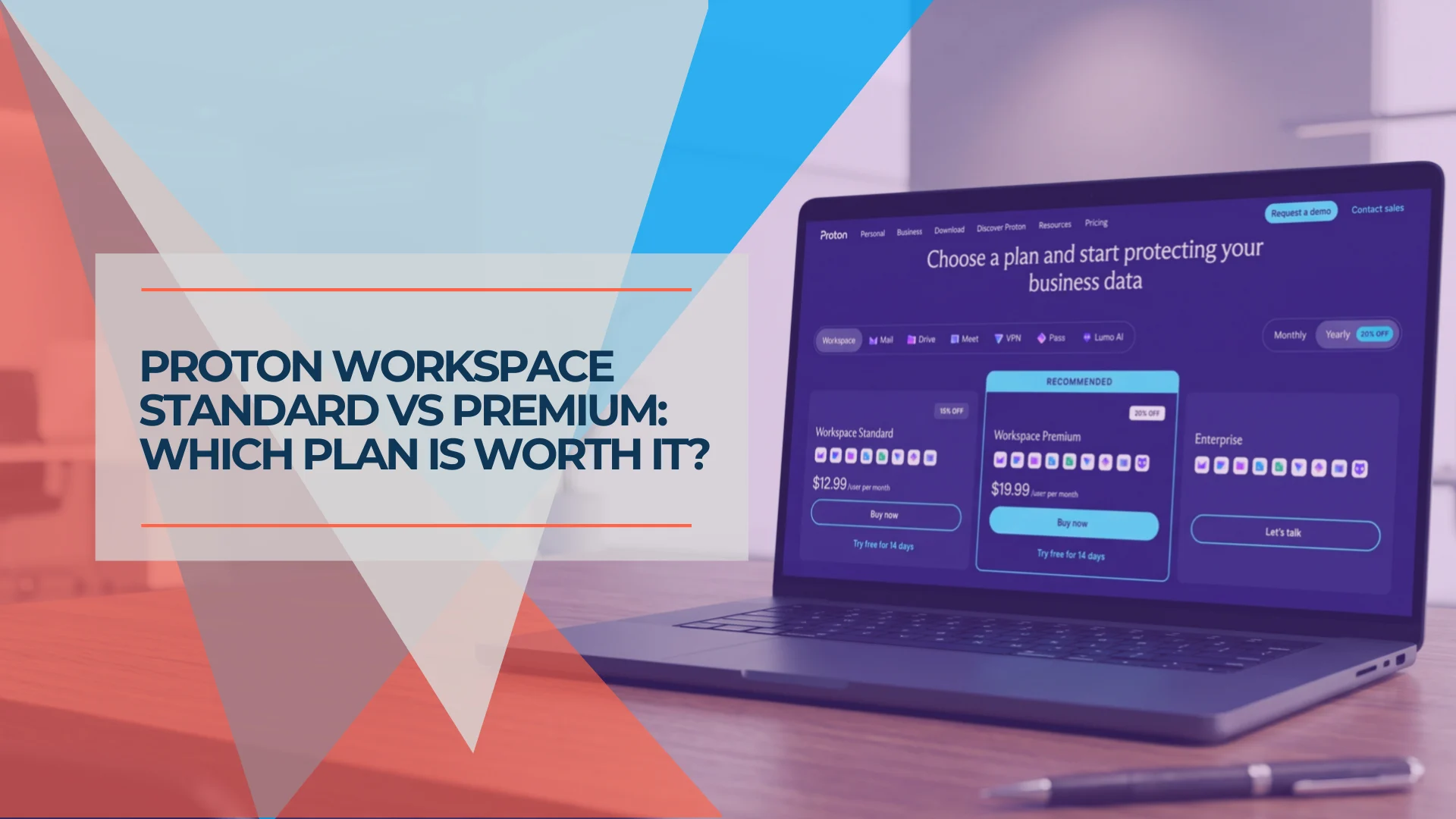
Proton Workspace Premium costs $7 more per user per month than Standard on annual billing — $84 per person per year, or $840 a year for a ten-person office. For that you get three times the storage, five more custom domains, bigger video meetings, Proton's Lumo AI assistant with unlimited prompts, Proton Scribe included, and email retention rules.
In the two small-office deployments we completed in 2026 — an eight-person consultancy in July and a five-person design studio in September — both went on Standard. The upgrade is mostly additional capacity. Three items change what the business can do: Lumo AI, Proton Scribe, and email retention rules. The decision generally comes down to a few measurable requirements.
Here is how to tell.
Quick Verdict
Standard is the better default for most small organizations. Premium earns its additional $7 per user per month when the organization needs enforceable email-retention rules, total storage approaching Standard's pooled allowance (1 TB × number of users) with insufficient room for growth, meetings above 100 participants, or full business-level Lumo access. Scribe can also affect the calculation — compare its current Standard add-on price ($2.99/user/month) before upgrading the entire organization. If none of those describe your office, Standard gives you the same apps, the same core administration, and the same encryption — for $84 less per person per year.
Affiliate Disclosure: This article contains affiliate links. If you make a purchase through these links, we may earn a small commission at no extra cost to you. As an Amazon Associate, iFeelTech earns from qualifying purchases.
At a Glance: Standard vs Premium
| Feature | Workspace Standard | Workspace Premium | Capacity or capability? |
|---|---|---|---|
| Price (annual billing) | $12.99/user/month | $19.99/user/month | — |
| Price (monthly billing) | $14.99/user/month | $24.99/user/month | — |
| Storage per user | 1 TB | 3 TB | Capacity |
| Custom email domains | 15 | 20 | Capacity |
| Email addresses per user | 20 | 20 | Same |
| Meet participants | 100 | 250 | Capacity |
| Lumo AI | Basic access (limited usage) | Full business entitlement (higher limits) | Capability |
| Proton Scribe | Paid add-on | Included | Capability |
| Email retention rules | Not available | Available | Capability |
| Mail, Calendar, Drive, Docs, Sheets | Included | Included | Same |
| VPN (10 connections/user) | Included | Included | Same |
| Pass (password manager) | Included | Included | Same |
| Admin console + audit logs | Included | Included | Same |
| SSO/SCIM (Pass + VPN) | Included | Included | Same |
| Support | 24/7, live chat, email | 24/7, live chat, email | Same |
Prices are standard public rates in USD, exclude VAT/taxes, and may vary by region or promotion. Checked September 21, 2026 against proton.me/business/plans, proton.me/support/proton-for-business, and proton.me/support/customize-proton-business. Deployment findings based on two completed client migrations. Note: Proton's /business FAQ page lists Standard Meet at 50 participants, but the feature list on the same page and the detailed support documentation both state 100. We use 100, consistent with what we see in deployed Standard organizations.
Choose in 30 Seconds
| Your situation | Plan |
|---|---|
| Email, docs, files — no retention mandate, total storage well within the pool | Standard |
| Same as above but a few users want Scribe | Standard + Scribe add-on ($2.99/user/month for those who need it) |
| Need admin-controlled email retention or preservation of deleted messages | Premium |
| Organization-wide storage approaching 1 TB × user count, with growth ahead | Premium |
| Regular video meetings above 100 participants | Premium |
| Heavy daily Lumo use across the team | Premium |
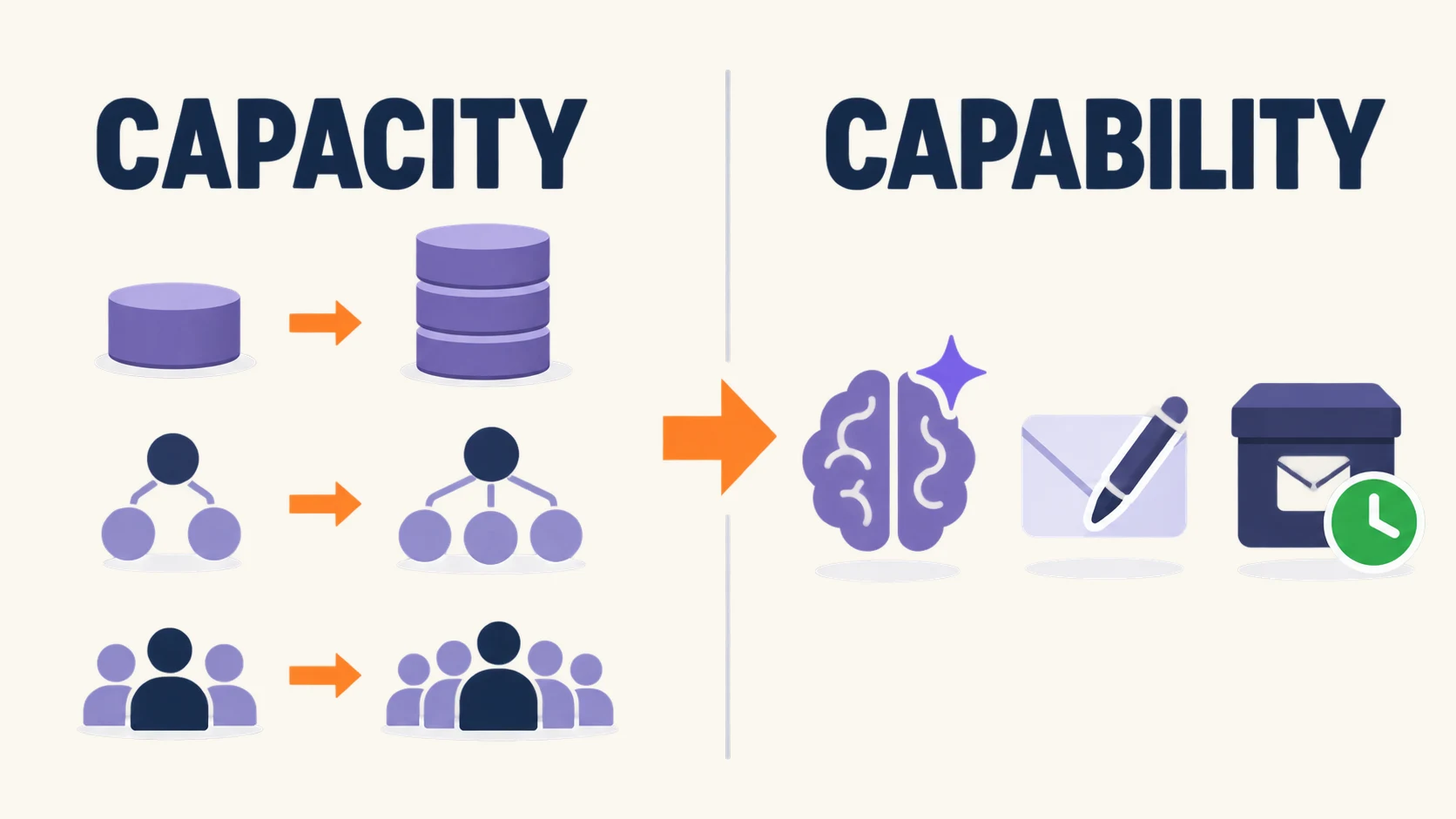
The final column in the main table is the thesis. Storage, domains, and Meet limits are capacity. Lumo, Scribe, and retention rules are capability. Premium's value rests on whether you need the capability differences.
What Both Plans Include
Both plans include the full app suite: Proton Mail, Calendar, Drive (with Docs, Sheets, and 365-day version history), Meet, VPN (10 connections per user), and Pass (team vaults, 2FA authenticator, hide-my-email aliases). Both include the same core user, domain, and activity-management tools — user provisioning, audit logs, role assignment, and "Sign in to a user" access for non-private members. Private users remain inaccessible to administrators regardless of plan. Premium adds retention-policy management and expanded AI administration on top of this shared baseline.
What Premium Does Not Improve
Upgrading does not change the encryption baseline or the core editing, sharing, email, and password-management feature sets. The email-address allowance (20 per user), VPN connections (10 per user), and routine administration are identical on both plans. Premium adds the capacity and administrative/AI capabilities detailed below.
For the full product review, see our Proton Workspace review.
What the Extra $7 Buys
Storage: 1 TB vs 3 TB Per User
Standard provides 1 TB per user. Premium triples that to 3 TB. Both tiers are pooled — administrators can redistribute the organization's total storage among users as they wish. A five-person Standard organization has 5 TB to allocate, so one user could receive 2 TB if others consume less.
Because storage is pooled, an individual user exceeding 1 TB does not automatically require Premium. Evaluate the organization's total usage and projected growth, not simply its heaviest account. Check your current storage in your existing admin console (Google Workspace and Microsoft 365 both provide per-user storage reports). If total consumption is well within the pool with room for growth, Standard is sufficient.
The teams that push toward the pool limit tend to work with large creative files (design, video, photography, architecture) or maintain large historical archives. The design studio we migrated in September 2026 — a creative team working with design files daily — fit within Standard's pooled allocation (see the deployment details below).
Email Retention Rules
This difference matters more than the others for regulated buyers, and it is the one most often oversimplified in plan comparisons.
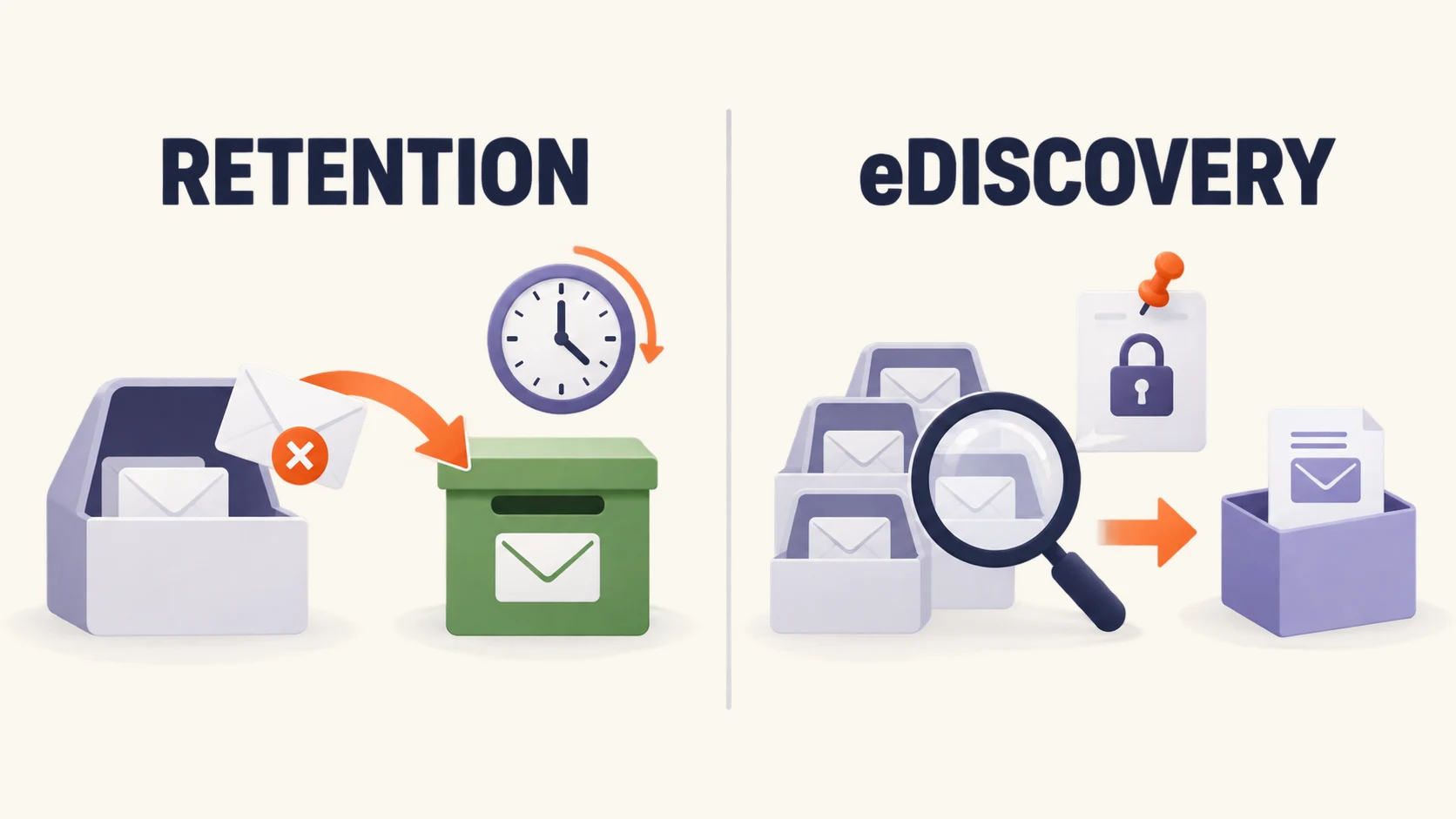
Proton's email retention rules, available only on Workspace Premium, let administrators control how long the organization keeps email and when to automatically delete it. Key details:
- Mail only. Retention does not apply to Drive, Docs, Calendar, or other services.
- Keep forever or keep for a set period — after the period ends, choose between purging deleted messages only or purging all messages including inbox and sent.
- Scoped rules — apply to the whole organization, specific groups (Legal, Finance), or individual users. When multiple rules apply, the longest retention period wins.
- Deleted messages persist — removed from the user's view but preserved in a Deleted folder visible only to administrators (non-private users). Private members' retained mail remains inaccessible to admins.
- Storage impact — retained deleted messages count against the user's quota.
Retention Is Not eDiscovery
Proton's retention rules preserve email. They do not provide centralized cross-account search, matter management, legal-hold workflow, or export tools. Organizations anticipating litigation, discovery requests, or centralized cross-mailbox search may still need a separate archiving system alongside Proton. Our Google Workspace vs Proton Workspace comparison covers the Vault gap in detail.
The consultancy we migrated in July 2026 discussed retention during planning. They have no regulatory email-retention mandate and did not use Microsoft 365 retention policies. Standard was sufficient. Had the client been subject to a contractual, state-law, or internal email-retention requirement, Premium would have been the deciding factor — not the extra storage or larger meetings.
Lumo AI
Standard users can access Lumo with limited usage. Premium includes the full business entitlement with much higher daily limits, particularly for the Lumo 2.0 Max model. The distinction is usage volume, not feature gating — all Lumo models (Lite, Max, and Apertus 1.5), both reasoning modes (Fast and Thinking), and Lumo Memory are available to all Proton users regardless of plan (checked September 2026 against Proton's model documentation).
Lumo's privacy model is the same at every tier: prompts are encrypted in transit, processed on Proton-controlled GPU servers, and erased after generating a response. Stored chat history uses zero-access encryption. Proton does not use conversations to train its models unless a user explicitly opts into anonymized feedback sharing for the Apertus 1.5 model.
For most small offices, the basic Lumo allocation covers typical use cases — summarizing a contract, drafting a client email, analyzing a spreadsheet. Premium matters when multiple team members rely on Lumo throughout the day, particularly with the Max model, and the basic limits would create friction.
Lumo is also sold standalone: Lumo Plus ($12.99/month, individuals) and Lumo Professional ($14.99/user/month, teams). If only two or three people need heavy Lumo access, Standard for everyone plus standalone Lumo for those users may cost less than Premium for all — but verify with Proton support that mixing is possible before planning around it.
For a deeper look at Lumo's capabilities, see the Lumo section of our Proton Workspace review.
Custom Domains: 15 vs 20
Standard supports 15 custom email domains. Premium adds five more for a total of 20.
Most businesses use one to three domains. Unless your organization operates more than 15 distinct brands or client domains, this difference is irrelevant. Adding a domain takes a handful of DNS records; our custom domain setup guide walks through them.
Meet: 100 vs 250 Participants
Standard supports video meetings with up to 100 participants. Premium raises that to 250.
For internal calls and client meetings, 100 is well above what a small office needs. Premium's 250-participant limit matters for all-hands meetings at larger organizations, webinars, or public events.
Proton Scribe
Proton Scribe is the AI email writing assistant built into Proton Mail — separate from Lumo. It drafts, proofreads, shortens, and adjusts tone for emails.
On Premium, Scribe is included. On Standard, it is a paid add-on at $2.99/user/month (this price has been consistent since Proton's Scribe launch and confirmed by multiple press reports; verify current pricing in the admin checkout, as it may vary by billing cycle or region). That makes Standard + Scribe $15.98/user/month on annual billing — still $4.01 less than Premium's $19.99. Even with Scribe added to every Standard seat, Premium is only justified when the organization also needs retention rules, the extra storage, or full Lumo limits. If only a few team members want Scribe, the per-user add-on model on Standard is cheaper than upgrading the entire organization to Premium.
What It Costs at 5, 10, and 25 Users
Annual Billing
| Team size | Standard (annual) | Premium (annual) | Difference |
|---|---|---|---|
| 5 users | $779.40/year | $1,199.40/year | +$420 |
| 10 users | $1,558.80/year | $2,398.80/year | +$840 |
| 25 users | $3,897.00/year | $5,997.00/year | +$2,100 |
Annualized Cost With Monthly Billing
| Team size | Standard | Premium | Difference |
|---|---|---|---|
| 5 users | $899.40/year | $1,499.40/year | +$600 |
| 10 users | $1,798.80/year | $2,998.80/year | +$1,200 |
| 25 users | $4,497.00/year | $7,497.00/year | +$3,000 |
Monthly billing widens the gap. A ten-person office pays $840 more per year for Premium on annual billing versus $1,200 more on monthly. Annual billing is cheaper for every team size and plan combination.
For side-by-side pricing against other platforms, see Google Workspace vs Proton Workspace and Proton Workspace vs Microsoft 365.
What We Chose and Why
Our 2026 Deployments
Eight-person professional services consultancy (July 2026) — Migrated from Microsoft 365 Business Standard + NordLayer VPN + 1Password Teams Starter to Proton Workspace Standard. Two users retained Microsoft 365 Apps for Business ($10/user/month) for PowerPoint and advanced Excel. Premium features were discussed: retention rules were not needed (no regulatory email-retention mandate), total storage remained comfortably within the eight-user pooled allowance, meetings never exceeded 20 participants, and Lumo's basic access covered the team's occasional use. Monthly cost dropped from ~$196 to ~$124 for eight users. Documented in our Proton Workspace vs Microsoft 365 comparison.
Five-person design studio (September 2026) — Migrated from Microsoft 365 to Proton Workspace Standard. Left Microsoft entirely — no one needed macro workbooks, pivot tables, or PowerPoint. Creative files fit comfortably within the five-user pooled allowance. No one asked for Lumo beyond occasional queries. No retention requirement existed. Documented in our Microsoft 365 to Proton Workspace migration guide.
In both cases, the decision came down to: "Is total storage approaching the Standard pooled allowance? Are retention rules required? Does the team need full Lumo limits?" The answer was no on all counts.
Choose Premium when:
- Your organization has a formal email-retention requirement — regulatory, contractual, or policy-based
- Organization-wide storage is approaching Standard's pooled allowance (1 TB × user count) with growth ahead
- You regularly run video meetings above 100 participants
- Multiple team members will rely on Lumo AI daily and the basic limits would create friction
- The combination of Scribe + retention + storage makes the per-user premium cheaper than adding each separately
Stay on Standard when:
- Your work runs through email, calendar, documents, and files without a formal retention mandate
- Total storage is well within the pooled allowance
- Meetings stay well under 100 people
- Lumo use is occasional
Can You Start on Standard and Upgrade Later?
Yes. Organizations can upgrade through the admin dashboard under Customize plan.
Proton offers a 14-day free trial for new business accounts (new account via the trial flow, up to 10 users). After the trial converts to a paid subscription, a 30-day money-back guarantee with prorated refund applies.
This Guide Assumes One Tier for the Whole Organization
Whether an organization can hold both Standard and Premium users in the same billing structure is not confirmed in Proton's public documentation as of September 2026. The cost tables, recommendations, and break-even calculations in this article assume a single Workspace tier for the entire organization. If your plan depends on mixing Standard and Premium seats — or on adding standalone Lumo Professional licenses to Standard Workspace users — verify with Proton support before committing.
One practical note on downgrading: if an organization moves from Premium to Standard, the pooled storage allowance drops from 3 TB to 1 TB per user. If total organization usage exceeds the new pooled allowance, Proton's over-quota restrictions apply — affected accounts cannot receive new email, send attachments, or sync Drive until usage is reduced. If the excess is not resolved within 12 months, Proton may delete the over-quota data. Active retention rules would also stop applying. Reduce storage and export retained mail before switching.
If Neither Fits
Email-only teams that do not need Drive, Docs, Sheets, Meet, VPN, or Pass should look at Proton Mail Essentials ($6.99/user/month) — encrypted email and calendar at a lower price. See our Proton Mail for Business review for the full comparison.
One to six people without admin needs — freelancers, couples, or informal groups — may be better served by Proton Unlimited ($9.99/month for one user, annual), Duo ($14.99/month for two, annual), or Family ($23.99/month for up to six, annual). These are consumer plans without organization-level administration, audit logs, or retention policies — not appropriate for businesses that need employee-governance controls. See our Proton Unlimited vs Business comparison for when they make sense and when they don't.
Large organizations with custom storage, support-response SLAs, or dedicated account management should contact Proton's sales team about Enterprise pricing.
Related Resources
- Proton Workspace Review 2026 — Full product review with pricing, deployment experience, and limitations across every app in the suite.
- Microsoft 365 to Proton Workspace Migration — Step-by-step migration walkthrough based on our September 2026 design-studio project.
- Proton Workspace vs Microsoft 365 — Feature and cost comparison for teams deciding between platforms.
- Google Workspace vs Proton Workspace — The platform decision for Google-first offices, including the eDiscovery and retention gap.
- Proton Drive vs Google Drive for Business — Storage, sharing, admin controls, and collaboration compared.
- Google Workspace Starter vs Standard — The equivalent Google tier-choice decision.
Frequently Asked Questions
Related Articles
More from Business Software
Microsoft 365 or Google Workspace: Fix the Setup or Switch?
Before leaving Microsoft 365 or Google Workspace, find out whether you have a setup problem or a platform problem, what to fix first, and when to switch.
21 min read
Microsoft 365 to Proton Workspace Migration: A Small-Office Walkthrough (2026)
How to move a small office from Microsoft 365 to Proton Workspace: Easy Switch for Business, OneDrive files, DNS cutover and Microsoft 365 cleanup.
18 min read
Proton Mail for Business Review: Pricing, Migration, and Practical Tradeoffs
Proton Mail reviewed from client migrations: pricing, cost drivers, compatibility limits, and the identity audit to run before switching.
19 min read