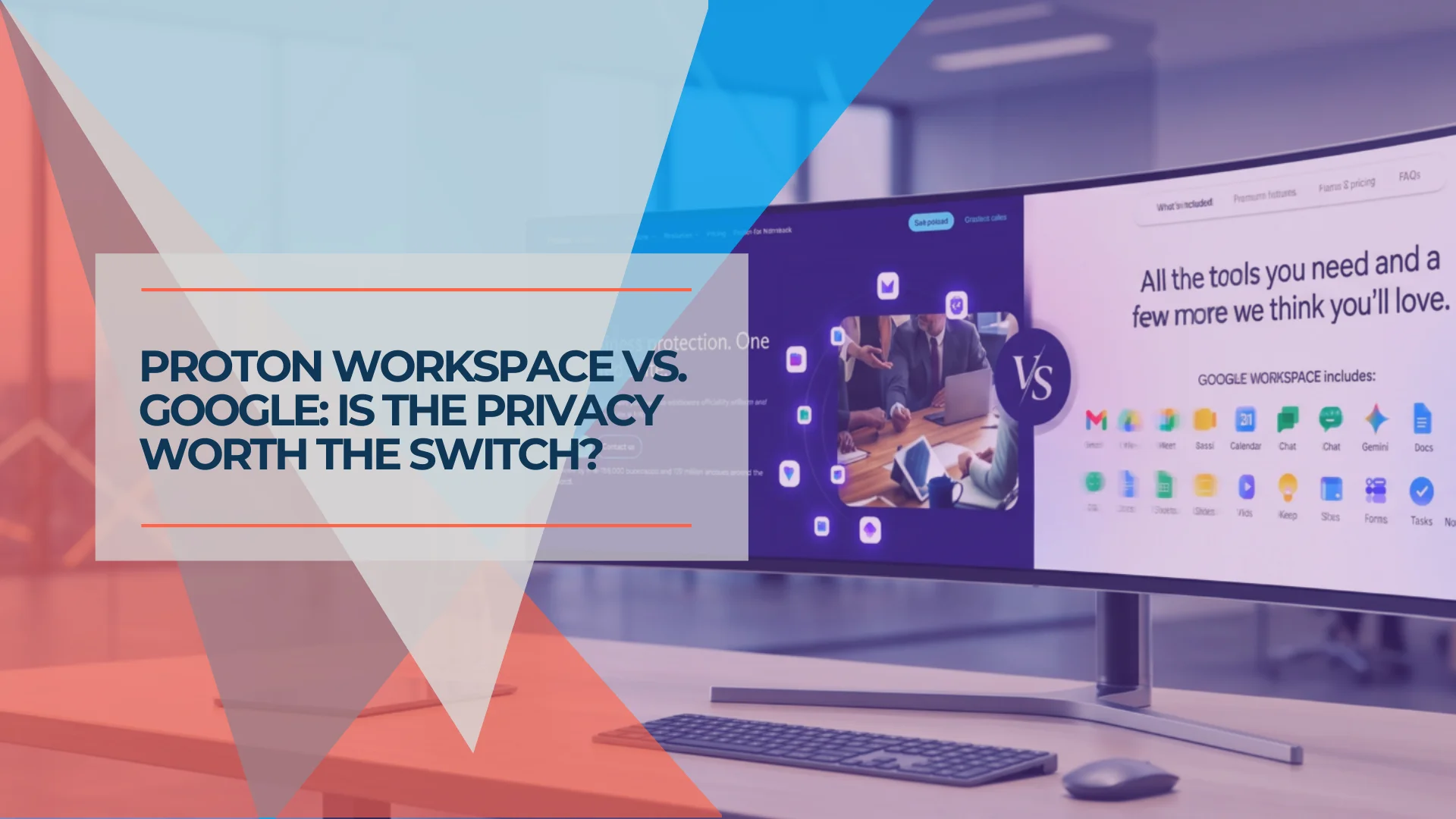
Google Workspace vs Proton Workspace: Which Is Right for Your Business?
Side-by-side comparison of Google Workspace and Proton Workspace covering price, privacy, and features. Includes TCO for 10 seats and a decision framework for switching.

The Short Answer
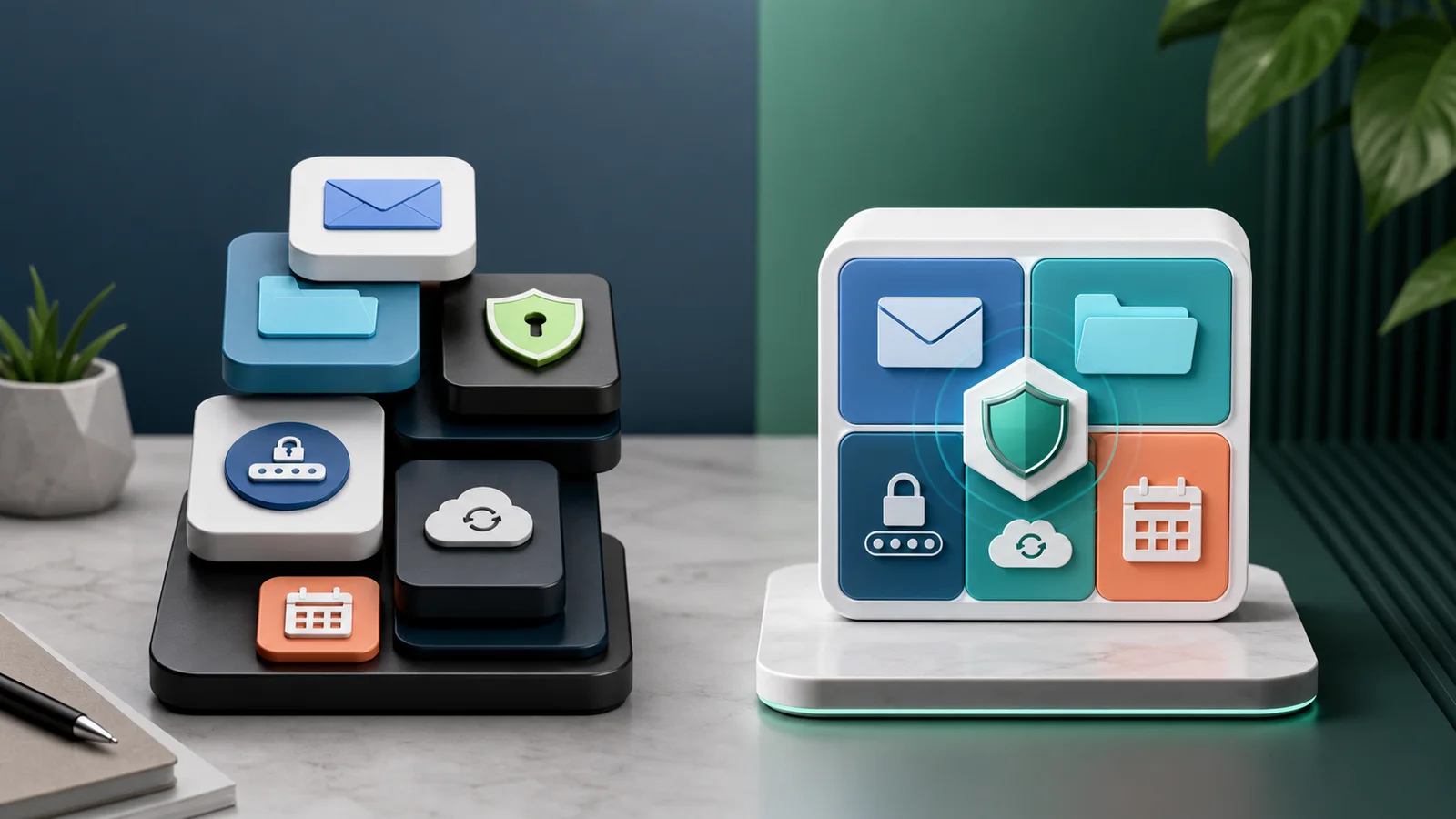
Google Workspace is the stronger choice for collaboration, administration, and integrations. Proton Workspace is better suited to teams that prioritize provider-inaccessible encrypted data and bundled privacy tools. Neither platform is universally better. Retention, eDiscovery, shared inboxes, device management, and document compatibility often decide the outcome.
Google Workspace costs $7 to $22 per person per month. Proton Workspace costs $12.99 to $19.99. The price gap narrows — and in some configurations reverses — once you account for VPN, password management, and other security tools that Google doesn't bundle.
This guide covers pricing for a 10-seat team, feature differences, encryption boundaries, administration and compliance trade-offs, and a migration timeline to help you decide whether switching makes sense for your business.

Affiliate Disclosure: This article contains affiliate links. If you make a purchase through these links, we may earn a small commission at no extra cost to you. As an Amazon Associate, iFeelTech earns from qualifying purchases.
How We Evaluated These Platforms
We compared official July 2026 plan documentation, administrative and compliance features, desktop and mobile support, and the likely migration requirements for a 10-user business. Pricing excludes tax and promotional discounts. Migration-time estimates are planning estimates and vary by mailbox size, file volume, and document complexity. Where we have personally tested Proton features (Docs, Sheets, Drive, Meet, admin console), we note the observation. Where conclusions are based on vendor documentation, we cite the source. Prices and specifications verified July 10, 2026.
What Are the Core Differences Between Google and Proton?
Google Workspace excels in real-time collaboration and integrations, whereas Proton Workspace prioritizes zero-access encryption and data privacy.
Before evaluating specific features, businesses must ensure they are comparing equivalent tiers. Google Workspace Business Starter ($7/user/month) is often mistakenly compared to Proton Workspace Standard ($12.99/user/month). This is an unequal baseline — Google's Starter plan limits storage to 30 GB pooled per user, limits embedded Gemini AI to Gmail (although Starter users do get access to the standalone Gemini app), and includes no business VPN or managed team password manager.
A tier-matched comparison puts Google Business Standard ($14/user/month) against Proton Workspace Standard ($12.99/user/month) — both on annual billing:
| Feature | Google Business Standard | Proton Workspace Standard |
|---|---|---|
| Price (annual billing) | $14/user/month | $12.99/user/month |
| Storage | 2 TB pooled per user | 1 TB per user |
| Gmail | Proton Mail (zero-access at rest; E2E between Proton users) | |
| Calendar | Google Calendar | Proton Calendar (encrypted) |
| Documents | Google Docs | Proton Docs (encrypted) |
| Spreadsheets | Google Sheets | Proton Sheets (encrypted) |
| Presentations | Google Slides | None |
| Video meetings | 150 participants, recording | 100 participants, E2E encrypted (per Workspace setup docs and plan comparison, July 2026; note Proton's own pages are inconsistent — some show 50 for Standard) |
| AI assistant | Gemini in all apps | Free Lumo tier separately; full Lumo with Premium |
| Team chat | Google Chat | None |
| VPN included | No | Yes (Proton VPN) |
| Managed team password manager | No dedicated team-vault equivalent | Yes (Proton Pass) |
| eDiscovery / legal hold | Google Vault (Business Plus+) | Retention policies (Premium); no Vault-equivalent |
| Endpoint management (MDM) | Built-in (basic on all plans) | None (requires Jamf, Intune, etc.) |
| End-to-end/zero-access encryption | No by default (Google holds keys); Enterprise Plus offers client-side encryption with external key service | Yes for supported Proton data; external email depends on the recipient |
| Jurisdiction | United States (CLOUD Act) | Switzerland (no CLOUD Act) |
If you're not sure which Google tier you need, see our breakdown of Starter vs Standard. And if storage is the only piece of the suite you're actually deciding on, our Proton Drive vs Google Drive comparison goes deeper on search, sharing, and admin controls than the row above can.
Pricing Note
All prices reflect annual billing as of July 2026. Google Business Starter ($7/user/month) is not an equivalent tier to Proton Standard — it offers 30 GB of pooled storage per user versus 1 TB per user, limits embedded Gemini to Gmail (Starter includes the standalone Gemini app but not AI features in Docs, Sheets, Slides, or Meet), and includes no business VPN or managed team password manager. Compare tier-for-tier.
What Does Google Workspace or Proton Workspace Cost for a 10-Person Team?
A 10-seat Proton Workspace Standard setup costs $1,560 annually versus $1,680 for Google Business Standard. The gap widens if your organization separately purchases a VPN and password manager for Google users.
Base subscription cost
| Configuration | Monthly (10 seats) | Annual (10 seats) |
|---|---|---|
| Google Business Starter | $70 | $840 |
| Google Business Standard | $140 | $1,680 |
| Proton Workspace Standard | $130 | $1,560 |
| Proton Workspace Premium | $200 | $2,400 |
Proton Workspace Standard is $120/year cheaper than Google Business Standard on base subscription alone.
Optional security-tool scenario
Some organizations add a per-user commercial VPN and a managed password manager to Google Workspace. Under that configuration:
| Configuration | Monthly (10 seats) | Annual (10 seats) |
|---|---|---|
| Google Business Standard + standalone VPN (~$9.99/seat) | $240 | $2,880 |
| Google Business Standard + VPN + password manager (~$5/seat) | $290 | $3,480 |
Under this example configuration, which adds a $9.99 VPN and $5 password manager to Google Workspace, Proton Standard costs approximately $1,920 less per year for 10 users. A managed password manager is a broadly defensible business control; a per-user commercial VPN is more dependent on your organization's network design and risk model — a consumer VPN does not replace zero-trust access, site-to-site VPN, endpoint management, DNS filtering, or EDR. For the Standard vs Premium decision within Proton, see Proton Workspace Standard vs Premium.
Potential replacement costs
Proton may introduce costs that the subscription price doesn't capture:
- Team chat: Proton has no equivalent to Google Chat — most teams add Slack or Microsoft Teams.
- MDM: Proton has no built-in endpoint management — organizations need Jamf, Intune, or similar.
- Presentations: No Slides equivalent — teams maintain PowerPoint, Canva, or a separate Google account.
- eDiscovery: Organizations with litigation-hold requirements may need specialized archiving tools.
- Migration labor: Plan for admin time, user training, and document-format remediation (see migration section below).
Teams auditing their annual software budgets can review Proton's bundled standard and premium tiers to see how this consolidation offsets existing SaaS costs.
If you're comparing Google against Microsoft 365 instead, see our full comparison. And if you're evaluating password managers separately, our NordPass vs Proton Pass comparison breaks down the standalone options.
Microsoft 365 Baseline
Enterprise buyers often anchor on Microsoft 365, not Google. For context: Microsoft 365 Business Standard increased from $12.50 to $14/user/month (annual) effective July 1, 2026 for new subscriptions; existing customers remain on current pricing until renewal. It includes Teams, SharePoint, and desktop Office apps — but like Google, it does not bundle VPN or password management. Microsoft Purview provides eDiscovery and legal holds comparable to Google Vault. For the full comparison, see our Google Workspace vs Microsoft 365 guide.
TCO Assumptions
This comparison assumes annual billing for both platforms. Google add-on pricing is approximate — standalone VPN and password manager costs vary by provider. Google and Proton list prices rechecked September 29, 2026; other specifications verified July 10, 2026.
Productivity, Collaboration, and Application Differences
Google Workspace offers superior real-time collaboration, a dedicated presentation app, seamless offline editing, and broader AI capabilities.
There are specific workflows where Proton has no direct equivalent. Google Slides has no counterpart in Proton Workspace — there is no beta version and no confirmed roadmap entry. If your team delivers client pitches, board decks, or investor presentations, migrating to Proton requires maintaining a secondary tool like PowerPoint, Canva, or a standalone Google account.
Google's offline editing works across Gmail, Docs, Sheets, and Slides — but requires Chrome (or Chromium-based Edge) on desktop and the Google Docs Offline extension configured by an admin. Mobile offline editing is available through the dedicated Google apps on iOS and Android. Proton's offline capabilities for Docs and Sheets are more limited, especially outside the browser. Teams with staff who regularly work from planes or areas with unreliable connectivity will feel this gap.
Google Meet is woven into Gmail, Calendar, and Google Chat — one-click joins from Google's principal communication apps. Proton Meet is a full end-to-end encrypted conferencing tool (launched March 2026 using the MLS protocol), but its integration with Proton Calendar isn't yet as seamless as what Google provides.
Gemini AI operates inside Gmail, Docs, Sheets, Slides, Meet, Drive, and Chat on the Business Standard tier. Proton's Lumo was rebuilt as Lumo 2.0 in June 2026, adding Fast and Thinking reasoning modes, image generation, and encrypted memory/Projects. Lumo is included with Workspace Premium and available separately as Lumo Plus or Lumo Professional for teams — check Lumo pricing and Lumo for Business pricing for current rates, as Proton's prices vary by billing term and currency. A free Lumo tier exists for any Proton user, but it is not a Workspace Standard entitlement in the same sense as Mail, Drive, VPN, or Pass. Lumo's scope is also narrower than Gemini — primarily AI chat and the Proton Scribe email writing assistant — rather than being embedded across every productivity app.
Google Groups combined with Gmail's collaborative inbox handles support@, billing@, and info@ addresses where multiple people need to read and reply from a single address. Proton offers Email Groups for distribution, but these function as distribution lists rather than collaborative inboxes. There is no direct equivalent to Google Groups' shared reply workflow — teams may need a dedicated helpdesk or shared-inbox platform, or a separately licensed mailbox with controlled access and a documented ownership workflow. The gap remains a functional limitation for organizations that rely heavily on shared mailboxes.
If your business runs on Google Ads, Google Analytics, Google Search Console, and Google Tag Manager, the single-identity integration saves real time. You can create a Google Account with any existing email address, including a Proton address, to access these services — but doing so means maintaining a separate Google identity alongside Proton, which adds identity-governance complexity compared to a pure Google Workspace setup.
On mobile, the Gmail app integrates email, Chat, and Meet — reducing the number of apps needed for daily communication. However, the full Google Calendar experience remains a separate app. Proton requires separate app downloads for Mail, Calendar, Drive, Pass, and VPN on iOS and Android. For employees accustomed to fewer apps, managing five individual Proton apps is a friction point that IT admins should address during onboarding.
Security, Privacy, and AI Data Handling
Proton Workspace prioritizes data privacy through zero-access encryption, Swiss legal process, and bundled cybersecurity tools. Google provides contractual data-handling commitments with mature administrative controls.
Zero-access encryption vs. provider-managed encryption
Proton's architectural foundation is zero-access encryption. Google encrypts data in transit and at rest, but on standard Business plans Google holds the encryption keys and retains the ability to access your data. Google can and does comply with valid legal requests for content when required. One exception: Google Workspace Enterprise Plus supports client-side encryption (CSE) for Gmail, Drive, Calendar, and Meet, using an external key service that Google cannot access. CSE is not the default, entails additional cost and setup, and has feature limitations — but it does provide provider-inaccessible content for organizations that implement it. Proton uses end-to-end and zero-access encryption for supported content by default across all plans. Private keys are generated client-side and stored on Proton's servers only in encrypted form, so Proton cannot decrypt protected content. This distinction matters for legal privilege, patient data, financial records, and any information where provider access is a documented risk or compliance requirement.
For a deeper look at what's included and how each tool performs, see our full Proton Workspace review.
Jurisdiction and legal process
Proton is a Swiss company, headquartered in Geneva and generally subject to Swiss legal process. Proton's service-specific privacy policies (Mail, Drive, Pass) state that data is stored exclusively in Switzerland, Germany, or Norway, under the protection of European privacy laws. Organizations with strict residency requirements should confirm the specific location and contractual terms for each service they use. Foreign data requests must typically pass through Swiss international-assistance procedures rather than direct compliance with US law like the CLOUD Act. Proton can disclose account information and operational metadata available to it under valid Swiss orders, although it states that encrypted emails, files, and invitations cannot be decrypted by Proton. For businesses with EU clients under GDPR scrutiny, this can provide a clearer data-location and legal-jurisdiction explanation during vendor reviews, though organizations with strict data-residency requirements should confirm which country hosts their data under Proton's infrastructure model. Proton is SOC 2 Type II certified (July 2025) and ISO 27001 certified (May 2024).
Bundled security tools
Proton Workspace Standard includes Proton Pass for Business (password manager with team vaults, breach detection, and Dark Web Monitoring) and Proton VPN (encrypted connections with ad-blocker and malware protection). In the illustrative scenario above, adding a commercial VPN and managed password manager costs approximately $10–$15 per user monthly on top of a Google subscription. Actual prices and feature equivalence vary substantially by vendor, seat count, and security requirements.
For organizations evaluating these bundled security and compliance capabilities, Proton offers a 14-day free trial on all Workspace plans.
Proton's client apps are open source, making the encryption designs more inspectable than those of proprietary alternatives. Open-source code and published audit reports increase transparency, but public code alone cannot prove every aspect of production server behavior. The SOC 2 Type II audit (conducted by Schellman) and ISO 27001 certification add independent third-party validation on top of code transparency.
Gemini vs. Lumo: how each platform handles your AI data
Both platforms include AI assistants, but their data handling architectures are fundamentally different.
Google Gemini is governed by the Cloud Data Processing Addendum (CDPA). Google's enterprise service terms explicitly state that workspace customer data — including prompts, generated responses, and uploaded files — is not used to train or fine-tune foundational AI models without permission. Gemini processes your queries on Google's servers in plaintext. Google has technical access to the content of your prompts while generating responses.
Proton Lumo takes a structurally different approach. Prompts are encrypted client-side using a fresh symmetric AES key per request, which is then encrypted with Proton's static PGP public key. The encrypted payload is routed through Proton's internal systems as an opaque blob — only the dedicated Lumo LLM servers, which hold the corresponding PGP private key, can decrypt and process the content. Proton calls this "user-to-Lumo (U2L) encryption." However, the LLM server does decrypt the request to perform inference, meaning plaintext exists briefly during processing on Proton-controlled hardware. The Lumo 2.0 upgrade (June 2026) rebuilt the underlying model architecture — adding Fast and Thinking modes, image generation, and encrypted memory — without changing this encryption model. No data is sent to third-party AI providers, and stored chat history and memory use zero-access encryption that only you can read.
The practical distinction: Google makes a contractual commitment not to train on your data but retains technical access during processing. Proton adds encrypted user-to-Lumo processing with zero-access encrypted history, limiting its own access outside the moment of inference. For businesses where AI-assisted drafting involves privileged or regulated content, this architectural difference may determine which platform your compliance team will approve. Lumo is included with Workspace Premium, or available as its own subscription independent of Workspace — see Lumo Plus and Lumo Professional pricing for the standalone options (prices vary by billing term and currency).
Encryption boundaries in practice
Proton provides end-to-end encryption within its own apps, but this protection does not extend to data shared outside the Proton ecosystem. The privacy advantage is meaningful but conditional — it depends on how your team actually works.

Durable privacy:
- Email between two Proton addresses is end-to-end encrypted on both ends. Neither Proton nor any intermediary can read the content.
- Files in Proton Drive accessed only through Proton apps remain zero-access encrypted.
- Calendar events in Proton Calendar are encrypted. Meeting details, attendee lists, and notes stay private.
- Proton Meet calls use the MLS protocol for end-to-end encryption of audio, video, and in-call chat.
Meaningful but limited:
- Email from Proton to Gmail is encrypted in transit (TLS) but readable by Google on the recipient's end. The metadata — who you emailed, when, and how often — is visible to both providers.
- Password-protected emails sent to non-Proton addresses add a layer of encryption the recipient must unlock, but this adds friction and is impractical for routine correspondence.
When data leaves Proton's encrypted environment:
- If your team copies Proton Drive files to a third-party service — Dropbox, Slack file shares, or a cloud backup tool — those copies exist outside Proton's encryption. The original Proton copy remains encrypted, but the exported copy does not.
- Browser extensions that scrape inbox content can access decrypted data in memory.
- Auto-forwarding Proton Mail to a Gmail address for convenience means the forwarded copy is readable by Google.
For a broader look at how Google handles your workspace data, see our separate guide. And for the foundational question of understanding your business's data footprint, our privacy guide covers the framework that makes this comparison meaningful.
Encryption Depends on How the Data Is Shared
Proton's privacy advantage is strongest while sensitive data remains inside the Proton ecosystem. A single member who auto-forwards Proton Mail to Gmail creates a readable copy outside Proton's encryption. A single file shared via a non-encrypted service exists outside the encrypted environment from that point forward.
Administration, Retention, eDiscovery, and Compliance
Google Vault offers built-in legal holds and eDiscovery. Proton Workspace Premium adds organization-wide retention rules, but lacks a Vault-equivalent eDiscovery platform.
This is a critical consideration for regulated industries that IT directors should evaluate before switching.
eDiscovery and legal holds
Google Workspace Business Plus ($22/user/month) and Enterprise tiers include Google Vault, which provides full eDiscovery capabilities: legal holds that preserve data indefinitely (even if users delete it), full-text content search across Gmail, Drive, and Chat, matter management, and export tools for litigation review. An admin can place a hold on an employee's inbox and search its contents without the employee's involvement.
Proton does not currently provide Vault-style centralized cross-account search, matter management, or formal legal holds. Its zero-access encryption model also makes provider-side full-text discovery more difficult to implement.
Retention policies (Workspace Premium)
Proton Workspace Premium now provides organization-wide retention rules. Admins can retain mail indefinitely and preserve messages that users delete — this is a meaningful improvement over the previous state where Proton had no ability to retain content independently of users.
Two related but distinct capabilities apply here. First, administrators can access non-private organization member accounts regardless of plan tier — this is a general admin capability, not specific to Premium. Second, Premium's retention policies preserve messages that users delete and make them available to admins. Private accounts remain inaccessible to administrators unless the user explicitly grants access. The real limitation remains: there is no centralized Vault-style cross-account search, export, or formal legal-hold workflow.
Under Swiss law, Proton can provide account information and metadata available to it in response to valid orders but not encrypted message content. Organizations using Proton for compliance purposes should design retention workflows around Premium's admin retention rules and coordinate encrypted exports where needed.
Business administration and offboarding
Google Workspace provides mature admin capabilities: user provisioning and deprovisioning, admin access to departing employee data, account recovery, detailed audit and sign-in logs, directory synchronization, and SCIM-based automated provisioning on Enterprise tiers. SSO integration is available across all tiers via SAML.
Proton Workspace's admin console handles user management, custom domain administration, and organization-level settings. Proton distinguishes between organization-managed and private users — admins have different levels of access depending on membership type. For offboarding, admins can access non-private member data, and Premium's retention policies preserve deleted messages, but the process is less automated than Google's admin transfer tools. Proton supports SSO and SCIM provisioning for Proton Pass (Professional tier) and Proton VPN (Business/Enterprise tiers) via providers like Okta and Microsoft Entra. However, the core Workspace apps — Mail, Calendar, and Drive — do not currently support external identity-provider SSO on the Workspace Standard tier; users log in with their Proton credentials. Organizations requiring suite-wide SSO should confirm entitlement for the specific plan and products they are considering.
For IT directors evaluating either platform, user lifecycle management — from provisioning through offboarding and data ownership transfer — is often as important as encryption architecture.
Compliance capability matrix
| Capability | Google Workspace | Proton Workspace |
|---|---|---|
| HIPAA BAA | Available (self-service via Admin console) | Available on request (email privacy@support.proton.me) |
| Retention rules | Business Plus and eligible Enterprise editions; Vault add-on available for some other editions | Premium only |
| Legal hold | Vault (Business Plus/Enterprise) | No Vault-equivalent |
| Organization-wide content search | Vault | No direct equivalent |
| DLP | Enterprise-level options | No equivalent suite-wide DLP |
| Basic endpoint management | Included (all tiers) | Separate product required |
| Advanced endpoint management | Business Plus/Enterprise | Separate product required |
| Zero-access encrypted stored content | No by default; Enterprise Plus CSE available | Yes (for supported content types) |
| Audit and sign-in logs | Detailed (all tiers) | Available (admin console) |
| SSO/SCIM | SAML (all tiers) | Available for Proton Pass (Professional) and Proton VPN (Business/Enterprise); not yet available for Mail, Calendar, or Drive on Workspace Standard |
Compliance Planning Required
If your organization is subject to litigation holds, SEC record-keeping requirements, or HIPAA audit obligations, evaluate Proton's eDiscovery limitations before switching. Proton's retention policies (Workspace Premium) preserve mail but do not replace the admin-searchable archive, matter management, or formal legal-hold workflow that Google Vault provides.
Support Channels and SLAs
Google Workspace includes Standard Support (24/7 access, 4-hour target P1 initial response) with every license. Paid upgrades to Enhanced Support (1-hour P1, available on Business Standard+) and Premium Support (15-minute P1, dedicated TAM, Enterprise only) are available through Google Admin. Proton Workspace provides online support (chat and email), with scheduled phone or video assistance available for organizations with six or more users. Proton does not publish contractual response-time guarantees on Standard or Premium — organizations requiring formal SLAs should negotiate Enterprise terms with Proton's sales team. Proton publishes a 99.95% uptime target for business plans, compared to Google's 99.9% contractual SLA.
Migration and Compatibility
Plan on at least four to eight hours of active administrator work for a clean, moderate-volume 10-user environment. Large Drive estates, complex native Google files, or format-remediation work can require substantially more time. Actual elapsed time will also be longer than active admin time — DNS changes can take up to 24 hours to propagate, and transfer speed depends on mailbox sizes and file volume.
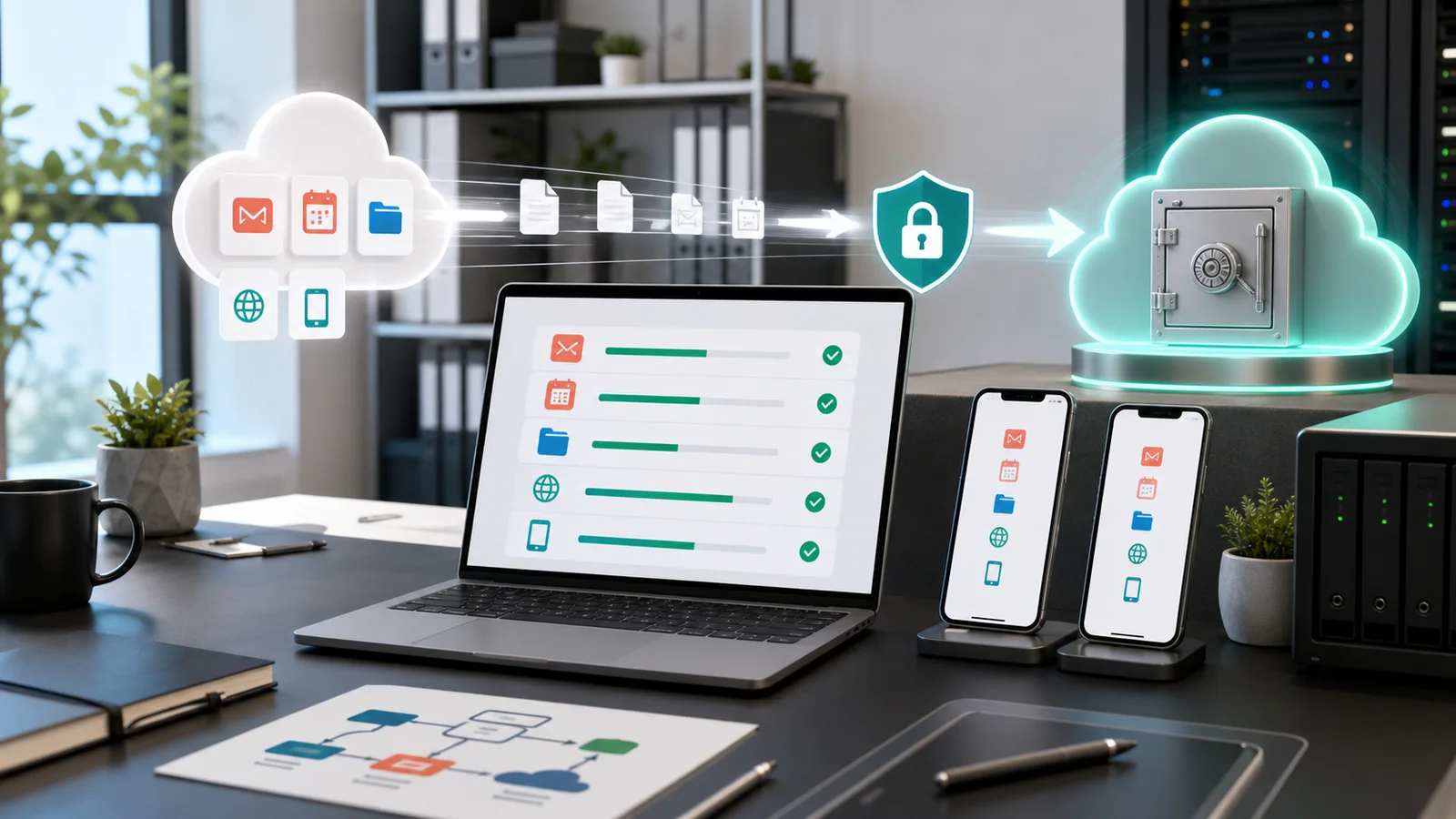
Email, contacts, and calendar migration: Proton now offers an organization-level Easy Switch process that imports Google Workspace email, contacts, and calendar events. A Workspace super administrator authenticates the connection, and Proton handles the migration across all user accounts. This replaces the earlier per-user IMAP and ICS import workflow. For a 10-seat team with moderate email volume, expect 2–4 hours for the import to process, plus time to verify that everything landed correctly. Recurring events should be spot-checked after import. Since 29 September 2026 the same admin-level tool also supports Microsoft 365 organizations (shared mailboxes are not currently supported); our Microsoft 365 to Proton Workspace migration guide covers that route.
Drive files: This is the most labor-intensive step. Drive files and native Google document formats (Docs, Sheets, Slides) are not covered by Easy Switch and still require a separate migration workflow. Download files from Google Takeout, then upload to Proton Drive. Google Docs and Sheets export as .docx and .xlsx files that Proton Docs and Sheets can open, although complex formatting and formulas may require correction. Google Slides exports as .pptx, but Proton has no presentation editor — those files require PowerPoint, LibreOffice, Canva, or another compatible application. Once migrated, Proton Drive's desktop apps for Windows (File Explorer integration with background sync) and macOS (Finder integration with on-demand sync, offline file access) provide a familiar local folder experience. There is no Linux desktop GUI — Linux users are limited to CLI/SDK tools or the web interface.
File-format and spreadsheet compatibility
Proton Docs and Sheets can open exported Microsoft Office files, but teams should expect limitations with:
- Complex spreadsheet formulas — advanced functions, named ranges, and cross-sheet references may not fully translate.
- Pivot tables — limited support compared to Google Sheets or Excel.
- Macros and Apps Script — no equivalent automation layer exists in Proton Sheets.
- Comments and suggested edits — may not carry over from Google Docs exports.
- Presentations — Google Slides files export as .pptx, but Proton has no presentation app to open them. Teams need PowerPoint, Canva, or a separate Google account.
Charts are now supported in Proton Sheets (bar, line, and pie charts), and import/export of .xlsx files preserves chart data in many cases.
For teams considering a switch, testing three representative files before committing — a formatted document, a working spreadsheet with formulas, and a presentation — will surface compatibility issues early.
External collaboration
Teams should also evaluate how Proton users collaborate with external contacts on Google or Microsoft:
- External users can view and edit Proton Docs without creating a Proton account. Proton Sheets also supports public links with viewer or editor permissions, although collaborators invited directly by email currently need a Proton account. The larger limitation is cross-platform file compatibility and workflow maturity, not the inability to collaborate externally.
- Sharing permissions are managed through link-based access with optional passwords and expiration dates.
- Comment threads and version history do not carry across platforms when files are shared via exported documents rather than native Proton links.
- Proton Meet invitations can be sent to non-Proton recipients, and guests can join without creating a Proton account.
For businesses where most collaboration happens with external clients on Google or Microsoft, the gap is less about access and more about the maturity of cross-platform workflows compared to Google's deeply integrated sharing model.
Team chat: Proton has no equivalent to Google Chat or Slack. You'll need a separate messaging tool. Most teams migrating to Proton use Slack, Microsoft Teams, or Signal for team messaging alongside the Proton suite.
Domain verification and MX records: Updating your domain's MX records to point to Proton's mail servers is a 1–2 hour job for a technically capable admin. Proton provides step-by-step guides for all major domain registrars.
Mobile app setup: Each user needs to download and configure separate Proton apps for Mail, Calendar, Drive, Pass, and VPN. Budget an additional 15–20 minutes per user for mobile setup compared to Google's single-app onboarding.
Estimated total active admin time for a 10-seat team: 4–8 hours, spread over 1–2 business days. This is an editorial planning estimate — actual time varies by mailbox size, file count, document complexity, and DNS propagation speed. Individual users will need another 30–60 minutes each to set up their Proton apps and verify their email. The biggest friction point is retraining habits — muscle memory for Gmail keyboard shortcuts, Google Drive sharing patterns, and Meet links embedded in recurring calendar events.
Cutover runbook for Google Workspace
If you decide to move, the sequence matters more than the speed. This checklist covers the Easy Switch for Business steps, the go/no-go checks before changing MX, and the cleanup afterwards. Add your planned cutover day to see a date for each phase, then print it or email it to yourself.
Which Businesses Should Choose Each Platform?
Privacy-focused healthcare and legal organizations may favor Proton when confidentiality outweighs Vault-style discovery and broader workflow integration. Teams embedded in Google's ecosystem should stay with Google for collaboration and administrative depth.
The decision hinges on your industry requirements and daily workflow patterns. If the frustration is mainly with how Google Workspace is configured, fix the setup or switch explains how to tell the difference first. Here are the specific scenarios where the answer is clearest.
Platform Decision Tool
Which Workspace Fits Your Business?
Select the scenario that best matches your primary workflow or compliance requirement.
Cases for Proton
Cases for Google
Select a scenario above to see the recommendation and next step. General guidance only, not legal or compliance advice.
Switch to Proton If
You're a privacy-focused healthcare practice. Proton offers a HIPAA BAA on request — email privacy@support.proton.me with the subject "HIPAA BAA." Proton states that it cannot decrypt end-to-end encrypted content for disclosure, although it may disclose account information and metadata available to it under valid Swiss orders. Google also offers a HIPAA BAA (accepted through the Admin console), but on standard plans Google retains the technical ability to access your data. Neither platform makes an organization HIPAA compliant by itself — compliance depends on your policies, training, and controls — but for organizations that prioritize provider-inaccessible storage of clinical data, the architectural difference is meaningful. Note that encryption alone does not establish HIPAA compliance.
You're a law firm handling privileged communications. Attorney-client privilege combined with Swiss legal process and zero-access encryption may reduce provider-access risk, depending on your jurisdiction, retention requirements, and discovery obligations. Foreign data requests generally must follow Swiss international-assistance procedures. Note the eDiscovery and retention trade-offs above — build your retention workflow before migrating, and evaluate whether the lack of Vault-style discovery is acceptable for your practice.
You have EU clients who've asked about GDPR data residency. As a Swiss company with European infrastructure (servers in Switzerland, Germany, and Norway), Proton can provide a clearer data-location and legal-jurisdiction explanation during vendor reviews. This may simplify GDPR compliance discussions, though it does not guarantee compliance on its own and organizations should confirm their specific data-residency requirements with Proton.
You're already paying separately for a VPN and password manager. If your current Google Workspace cost includes $10–$15/user/month in standalone security tools, switching to Proton Workspace Standard will likely cost less for more integrated coverage.
You only want to move email, not the full suite. If your team is satisfied with its current storage, VPN, and password manager and wants encrypted email without replacing everything, Proton Mail Essentials ($6.99/user/month annual) is a narrower starting point.
Stay with Google If
Your business runs on Google Ads, Analytics, and Search Console. The single-sign-on continuity across Google's advertising and analytics products has no equivalent on Proton. You can create a Google Account with a Proton email address, but you'd still manage a separate Google identity for these tools, adding identity-governance complexity.
You deliver client-facing presentations regularly. No Slides equivalent means maintaining a second tool for presentations. If your team builds and delivers slide decks weekly, this gap is a daily friction point.
You rely on shared inboxes. If three or more people manage support@, billing@, or info@ using Google Groups + collaborative inbox, Proton's Email Groups (distribution lists) do not provide the same shared-reply workflow. Teams may need a dedicated helpdesk platform or a separately licensed mailbox with controlled access, adding complexity.
You need eDiscovery or legal holds. If your compliance team requires admin-searchable archives and automated litigation holds, Google Vault (Business Plus or Enterprise) or Microsoft Purview provides capabilities that Proton does not currently offer.
You need built-in device management. Google Workspace includes endpoint management on all plans — basic MDM (password enforcement, remote account wipe, screen lock requirements) is enabled by default, with advanced controls (full device wipe, app distribution, Android work profiles) on Business Plus and Enterprise. Proton Workspace has no integrated MDM. Organizations using Proton will need a separate solution like Jamf, Microsoft Intune, or Workspace ONE to enforce device policies and remotely wipe a lost phone or tablet.
Your team works offline frequently. Google's offline mode is mature — Gmail, Docs, Sheets, and Slides support offline editing in Chrome (and partially Edge) on desktop, with offline support in the dedicated mobile apps on iOS and Android. Proton's offline capabilities are more limited. Field teams, frequent travelers, or anyone regularly working without connectivity will feel the difference.
Consider a Hybrid Approach
Some teams run Google Workspace for collaboration and Proton Mail as the official email address for sensitive client communications. This isn't elegant — it requires discipline to route the right conversations through the right system — but it's a pattern we have encountered in our client work with law firms and financial advisors who want Proton's encryption for client-facing email without giving up Google's productivity tools.
If the privacy benefits outweigh the workflow adjustments for your industry, explore a Proton Workspace trial to test the full feature set before committing.
Proton Workspace
$12.99/user/monthEnd-to-end encrypted business suite with Mail, Calendar, Drive, Docs, Sheets, Meet, VPN, and Pass. Swiss jurisdiction, SOC 2 Type II certified.
Related Resources
- Fix the Setup or Switch? — A setup-versus-platform assessment for offices unhappy with Microsoft 365 or Google Workspace.
- Proton Workspace Review (2026) — Full review with plan-by-plan buyer guide, HIPAA compliance details, and Workspace Standard vs Premium comparison.
- Proton Unlimited vs Proton Business — Before switching platforms, confirm you actually need a business plan rather than a personal Proton plan.
- Google Workspace vs Microsoft 365 — If you're comparing Google against Microsoft instead of Proton, start here.
- Business Data Privacy Guide — The foundational framework for understanding your business's data footprint and why your cloud provider choice matters.
- Proton Pass for Business Review — Deep dive into the password manager bundled with every Proton Workspace plan.
Frequently Asked Questions
Related Articles
More from Business Software
Microsoft 365 or Google Workspace: Fix the Setup or Switch?
Before leaving Microsoft 365 or Google Workspace, find out whether you have a setup problem or a platform problem, what to fix first, and when to switch.
21 min read
Proton Unlimited vs Proton Business: Which Plan Is Right in 2026?
Compare Proton Unlimited, Duo, Family and Proton Workspace pricing, storage, domains, admin controls and retention to choose the right plan in 2026.
9 min read

Google Workspace Business Starter vs Standard: When Is the Upgrade Worth It?
Business Starter or Standard? We break down the real differences — Meet recording, storage math, and the 5 signals that tell you it's time to upgrade.
11 min read