
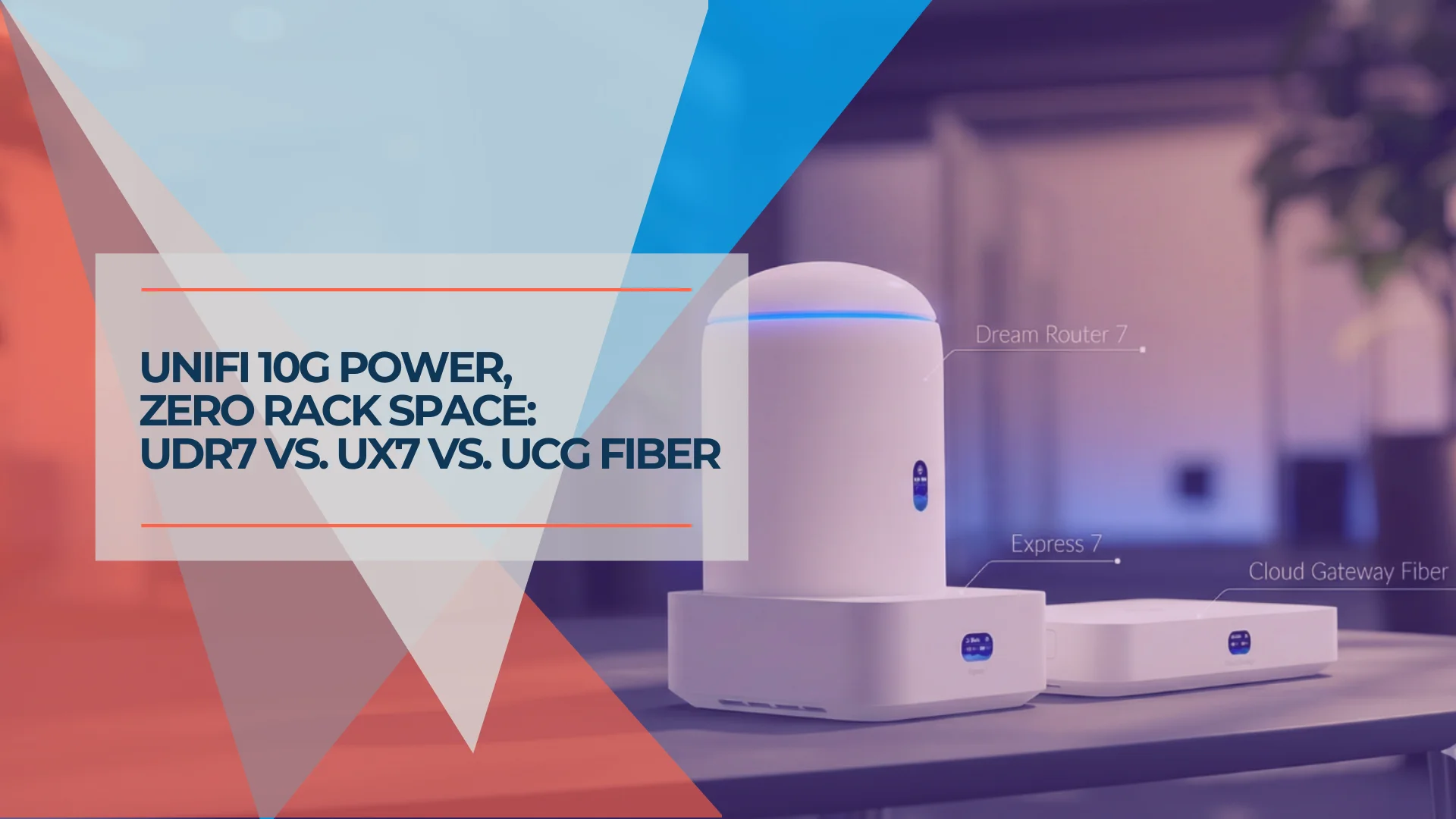
Which UniFi Gateway is Right for You? UDR7, UX7, or UCG Fiber
Compare the UniFi Dream Router 7 ($279), Express 7 ($199), and Cloud Gateway Fiber ($279+). Specs, use cases, and which compact gateway fits your network.

Affiliate Disclosure: This article contains affiliate links. If you make a purchase through these links, we may earn a small commission at no extra cost to you.
Key Takeaway
- Express 7 ($199): Cheapest WiFi 7 gateway. Two ports (1 WAN, 1 LAN), fanless, USB-C powered. Can also work as a mesh AP. Network app only.
- Dream Router 7 ($279): All-in-one with WiFi 7, 4 RJ45 ports + SFP+ WAN, built-in camera storage, PoE output, and the full UniFi app suite. Best for most small offices.
- Cloud Gateway Fiber ($279+): No WiFi. Highest throughput (5 Gbps IDS/IPS), 10G SFP+ LAN downlink, NVMe storage, PoE+. For users who want dedicated APs and maximum wired performance.
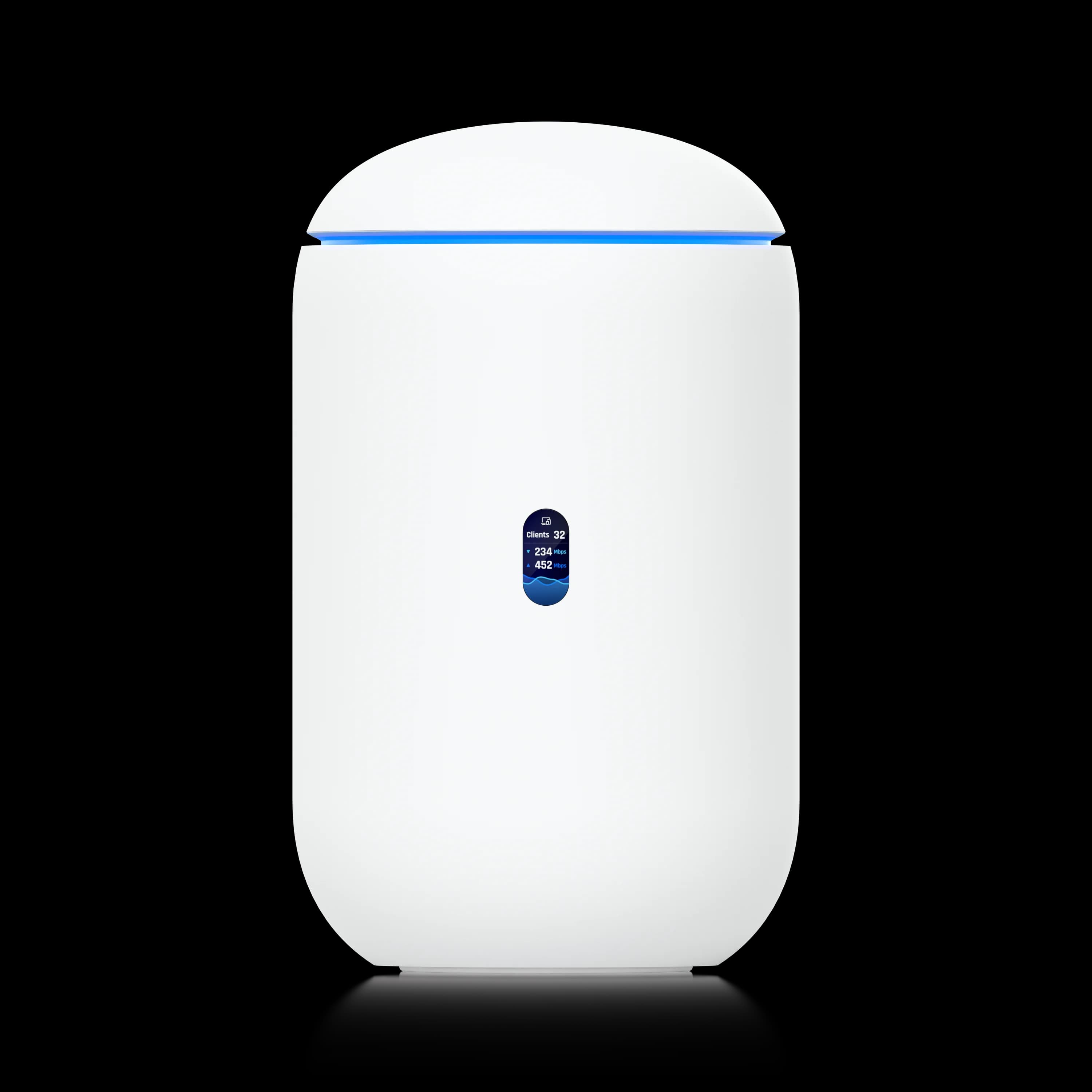
Dream Router 7
WiFi 7 gateway with 4 RJ45 + SFP+ WAN, built-in camera storage, dual-WAN failover, and the full UniFi application suite.
- Integrated WiFi 7
- Built-in Camera Storage
- Dual-WAN Failover
- Full App Suite
*Price at time of publishing
Where Do These Gateways Fit in UniFi's Lineup?
The Dream Router 7, Express 7, and Cloud Gateway Fiber are UniFi's compact gateway tier — designed for desktops, shelves, and small closets rather than 19-inch racks. For rack-based deployments, the UDM Pro and Pro Max remain the standard. For harsh environments without climate control or rack space (warehouses, manufacturing floors, outdoor-adjacent deployments), see the Cloud Gateway Industrial review — a ruggedized, fanless alternative with built-in WiFi 7 and 270W PoE.
All three accept 10G WAN connections and run the UniFi Network application, but they differ significantly in port count, WiFi integration, application support, and IDS/IPS throughput. The comparison table below covers the key specs.
UniFi Compact Gateways: Dream Router 7, Cloud Gateway Fiber, Express 7
How Do the Specs Compare?
| Specs | |||
|---|---|---|---|
| WiFi | WiFi 7 Tri-band (built-in) | WiFi 7 Tri-band (built-in) | None (external APs required) |
| WAN Ports | (1) 10 GbE RJ45 | (1) 10G SFP+ + (1) 2.5G RJ45 | (1) 10G SFP+ + (1) 10G RJ45 |
| LAN Ports | (1) 2.5 GbE | (3) 2.5 GbE + (1) PoE | (1) 10G SFP+ + (4) 2.5 GbE incl. PoE+ |
| PoE Output | None | 15.4W / 802.3af (1 port) | 30W / 802.3at PoE+ (1 port) |
| IDS/IPS Throughput | 2.3 Gbps | 2.3 Gbps | 5 Gbps |
| Max LAN to Single Device | 2.5 Gbps | 2.5 Gbps | 10 Gbps (via SFP+) |
| UniFi Apps | Network only | Full suite (Protect, Talk, Access, Connect) | Full suite (Protect, Talk, Access, Connect) |
| Camera Storage | None | 64GB microSD (expandable) | M.2 NVMe (up to 2TB) |
| Fan / Noise | Fanless (silent) | Active fan (audible under load) | Active fan (audible under load) |
| Power | 22W (USB-C) | 26W (internal PSU) | 40W (internal PSU) |
| Mesh AP Mode | Yes | No | No |
| Form Factor | 117 × 117 × 42.5mm (422g) | Ø110 × 184mm tower (1,100g) | 217 × 217 × 42mm (1,500g) |
10G WAN ≠ 10G to Your Devices
All three gateways accept 10 Gbps internet inputs, but the UDR7 and UX7 cap wired LAN speeds at 2.5 Gbps per port. Only the UCG Fiber offers a 10G SFP+ LAN downlink for true 10G backbone connectivity to a switch or server. The 10G WAN on the UDR7 and UX7 is for aggregate bandwidth across all clients, not single-device throughput.
What Makes Each Gateway Different?
The three gateways share the same UniFi Network application and zone-based firewall, but each targets a different use case.
Dream Router 7 (UDR7) — The All-in-One
The Dream Router 7 combines WiFi 7, routing, camera storage, and the full UniFi application suite in a single tower. It has 4 RJ45 ports (1 WAN + 3 LAN) plus an SFP+ WAN for dual-WAN failover, and one PoE port (15.4W) for powering a camera or VoIP phone directly.
The built-in 64GB microSD card runs UniFi Protect for up to 5 HD cameras without a separate NVR. For a detailed breakdown, see our Dream Router 7 review.
Express 7 (UX7) — The Budget Entry Point
The Express 7 is the simplest and most affordable gateway in the lineup. It has just two ports (10G WAN, 2.5G LAN), runs fanless on USB-C power, and weighs 422g — making it portable enough for travel or temporary deployments.
The UX7 runs UniFi Network only (no Protect, Talk, or Access). Its standout feature is the ability to function as a mesh AP when adopted into an existing UniFi network, giving it a second life as a coverage extender. For a head-to-head with the UDR7, see our Express 7 vs Dream Router 7 comparison.
Cloud Gateway Fiber (UCG Fiber) — Maximum Throughput
The Cloud Gateway Fiber is the performance leader. It has no built-in WiFi — instead, it focuses on wired throughput: dual 10G WAN ports, a 10G SFP+ LAN downlink for backbone connectivity to a 10G switch, and 5 Gbps IDS/IPS throughput (more than double the other two). For a deep dive on specs, comparisons, and deployment guidance, see our dedicated UCG Fiber review.
The UCG Fiber also offers PoE+ (30W / 802.3at) on one port — enough to power a WiFi 7 access point like the U7 Pro directly. Its M.2 NVMe slot supports up to 2TB of storage for UniFi Protect, making it a capable NVR for larger camera deployments. Pair it with dedicated APs for complete coverage.
PoE Comparison
- Express 7: No PoE output.
- Dream Router 7: 15.4W (802.3af) — powers a camera or VoIP phone, but not a U7 Pro AP (~21W).
- Cloud Gateway Fiber: 30W (802.3at / PoE+) — powers a WiFi 7 AP, PTZ camera, or any PoE device up to 30W.
If you need to power multiple PoE devices, all three gateways require a separate PoE switch.
Which Gateway Fits Your Situation?
Home Office / Freelancer
Setup: 5–15 wireless devices, maybe a NAS or desktop, no cameras.
The Express 7 ($199) is the most cost-effective choice — and the only fanless gateway in the lineup, making it silent on a desk or nightstand. The UDR7 and UCG Fiber both have active fans that may be audible in dead-quiet rooms.
One caveat: the UX7 has only one LAN port. If you have wired devices (desktop, NAS, printer), you'll need a small switch ($30–$60), bringing the real cost to $230–$260 — closer to the Dream Router 7's $279. Factor that in before choosing.
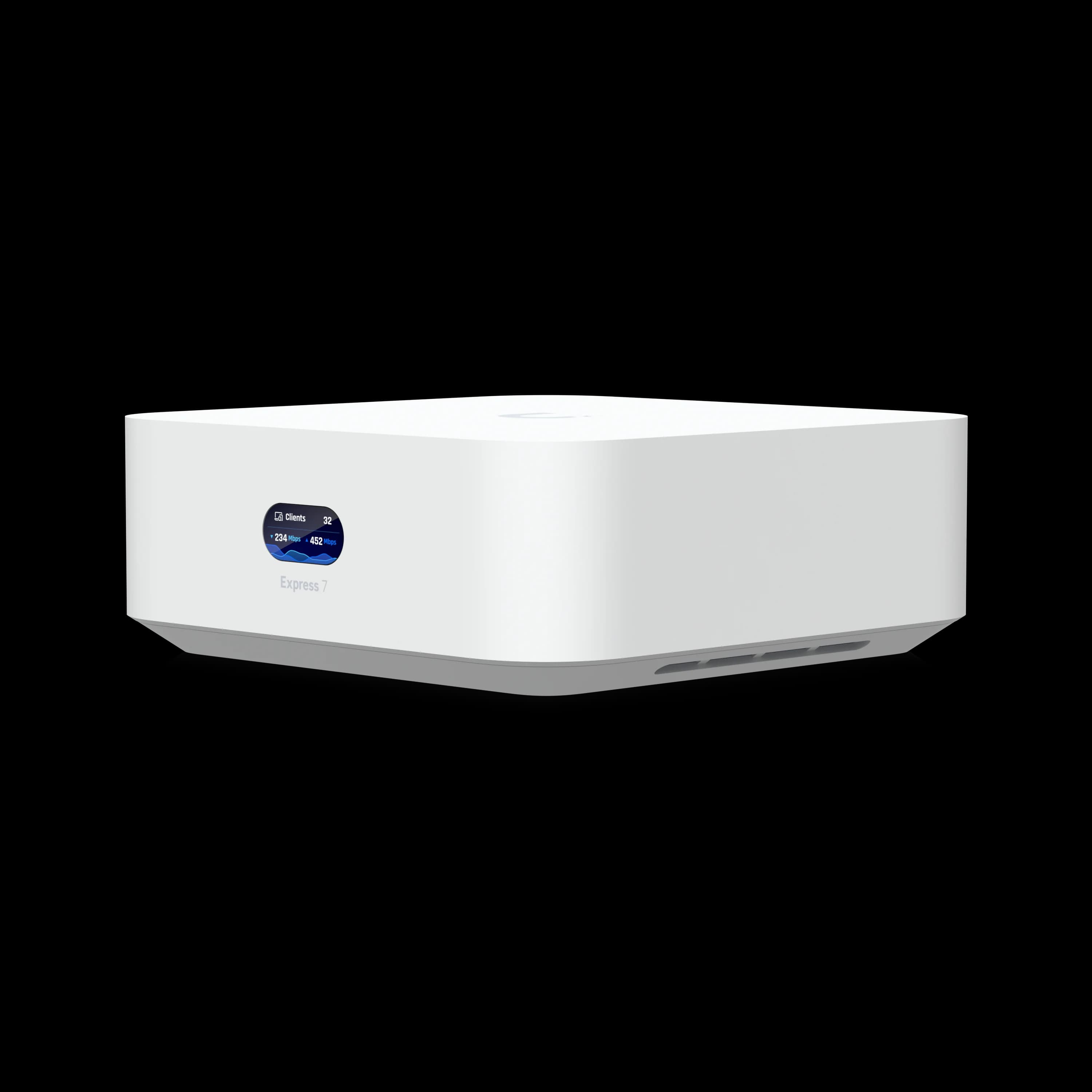
UniFi Express 7
$199Fanless, USB-C powered WiFi 7 gateway. Can also serve as a mesh AP in existing UniFi networks.
Small Office with Cameras (5–20 employees)
Setup: 20–50 wireless clients, 2–4 wired devices, 1–3 security cameras, VoIP phones.
The Dream Router 7 ($279) handles this without extra hardware. Three LAN ports connect wired devices directly, the PoE port powers one camera, and the built-in microSD runs UniFi Protect. Dual-WAN failover keeps the office online if your primary ISP drops. For a deeper dive, see our Dream Router 7 review.
High-Throughput Office / Power User
Setup: Multi-gigabit fiber, 5+ cameras, dedicated WiFi 7 APs, need full IDS/IPS without bottlenecks.
The Cloud Gateway Fiber ($279+) is the right fit. Its 5 Gbps IDS/IPS throughput handles multi-gig internet with security features enabled. The 10G SFP+ LAN downlink connects to a 10G switch for backbone speeds, and the NVMe slot stores weeks of camera footage. You'll need separate WiFi 7 access points, but that gives you more flexibility in AP placement.
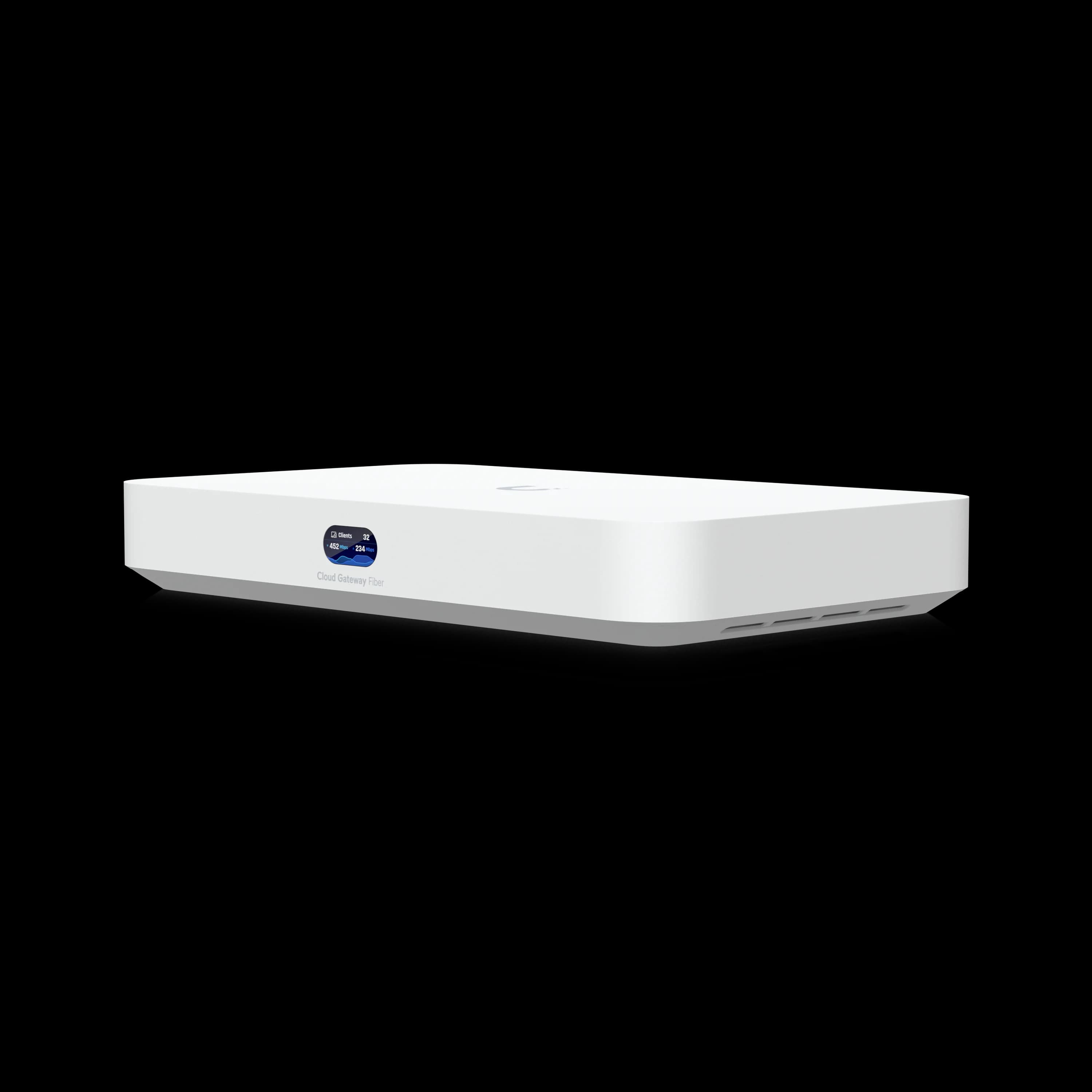
Cloud Gateway Fiber
$279No WiFi, maximum wired performance. 10G SFP+ LAN, 5 Gbps IDS/IPS, NVMe storage, and PoE+ output.
Branch Office / Remote Site
Setup: Extending a headquarters UniFi network to a satellite location via Site-to-Site VPN.
The Express 7 works well here as a standalone gateway with VPN back to HQ. If the branch later outgrows it, the UX7 can be re-adopted as a mesh AP and replaced with a UDR7 or UCG Fiber — no hardware wasted. For VPN configuration, see our 5G failover setup guide.
What About the Cloud Gateway Ultra ($129)?
If you already have WiFi 7 access points and don't need 10G WAN, the Cloud Gateway Ultra is worth considering at $129. It runs the full UniFi app suite (Protect, Talk, Access) with 1 Gbps IDS/IPS throughput and a 2.5G WAN port — enough for most sub-gigabit internet plans.
The trade-offs vs. these three gateways: no 10G WAN, no WiFi, lower IDS/IPS throughput (1 Gbps vs 2.3–5 Gbps), and no SFP+ ports. But for a budget deployment with existing APs and standard internet speeds, the Ultra remains a strong option.
What Do All Three Gateways Share?
Despite the differences, all three compact gateways include:
- Zone-Based Firewall with traffic rules, country blocking, and content filtering
- Site-Magic SD-WAN for multi-site interconnectivity
- WireGuard and OpenVPN for remote access (approximately 300–500 Mbps VPN throughput)
- VLAN support for network segmentation (IoT, guest, corporate)
- Automatic firmware updates via UniFi's cloud management
- LCM status screen showing real-time network stats
Setup is the same across all three: plug in, open the UniFi app, and follow the adoption wizard. Typical setup takes 5–10 minutes. For a complete deployment walkthrough, see our small business network setup guide.
Making Your Decision
Quick Decision Guide
Buy the Express 7 ($199) if you want:
- The lowest cost WiFi 7 gateway
- Fanless, silent, portable operation
- A device that can later become a mesh AP
- Network app only (no cameras needed)
Buy the Dream Router 7 ($279) if you want:
- Built-in WiFi 7 + camera storage + full app suite
- Multiple LAN ports without a separate switch
- Dual-WAN failover for business continuity
- The simplest all-in-one setup
Buy the Cloud Gateway Fiber ($279+) if you want:
- Maximum IDS/IPS throughput (5 Gbps vs 2.3 Gbps)
- 10G SFP+ LAN for backbone connectivity
- NVMe storage for large camera deployments
- PoE+ to power a WiFi 7 AP directly
- Full control over AP placement (no built-in WiFi)
Need help choosing the right UniFi gateway? Our team provides network assessments and professional installation throughout South Florida. Contact us for a recommendation based on your specific requirements.
For more UniFi guidance, see our full gateway comparison guide, UniFi Protect CCTV guide, and network cabling checklist.
Frequently Asked Questions
Can the Express 7 (UX7) run UniFi Protect cameras?
No. The Express 7 runs UniFi Network only and cannot host Protect, Talk, or Access. For camera support, choose the Dream Router 7 (built-in microSD) or Cloud Gateway Fiber (NVMe storage).
Which gateway has the best IDS/IPS throughput?
The Cloud Gateway Fiber leads with 5 Gbps IDS/IPS throughput — more than double the 2.3 Gbps on the Dream Router 7 and Express 7. Choose the UCG Fiber if you have multi-gigabit internet and want full security features without bottlenecks.
Can I use the UX7 as a mesh access point?
Yes. The Express 7 can be adopted as a mesh AP in an existing UniFi network, making it useful for extending coverage or as a branch office gateway. The Dream Router 7 and UCG Fiber cannot function as mesh APs — they must be the primary gateway.
Does the Dream Router 7 have enough storage for cameras?
The UDR7 includes a 64GB microSD card supporting approximately 5 HD cameras or 1–2 4K cameras with several days of retention. For larger deployments or longer retention, the Cloud Gateway Fiber with NVMe storage (up to 2TB) provides significantly more capacity. See our Protect storage planning guide for retention calculations.
Do these gateways deliver 10G speeds to wired devices?
The UDR7 and UX7 cap LAN speeds at 2.5 Gbps per port — no single wired device gets 10G. The UCG Fiber is the exception: its 10G SFP+ LAN downlink provides true 10G connectivity to a switch or server. On all three, the 10G WAN is for aggregate bandwidth across all clients.
Which gateway is best for a home office?
The Express 7 ($199) is the most cost-effective choice for home offices with primarily wireless devices. If you want built-in camera storage and more Ethernet ports, the Dream Router 7 ($279) is worth the upgrade. The UCG Fiber is overkill for most home offices unless you have multi-gig fiber and dedicated APs.
Related Articles
More from UniFi Networks
UniFi vs Eero (2026 Edition): The Complete Network Philosophy Guide
Compare UniFi and Eero in 2026. Dream Router 7 vs Eero Max 7, subscription costs, and the perfect setup for every home from hidden tech to enterprise performance.
10 min read
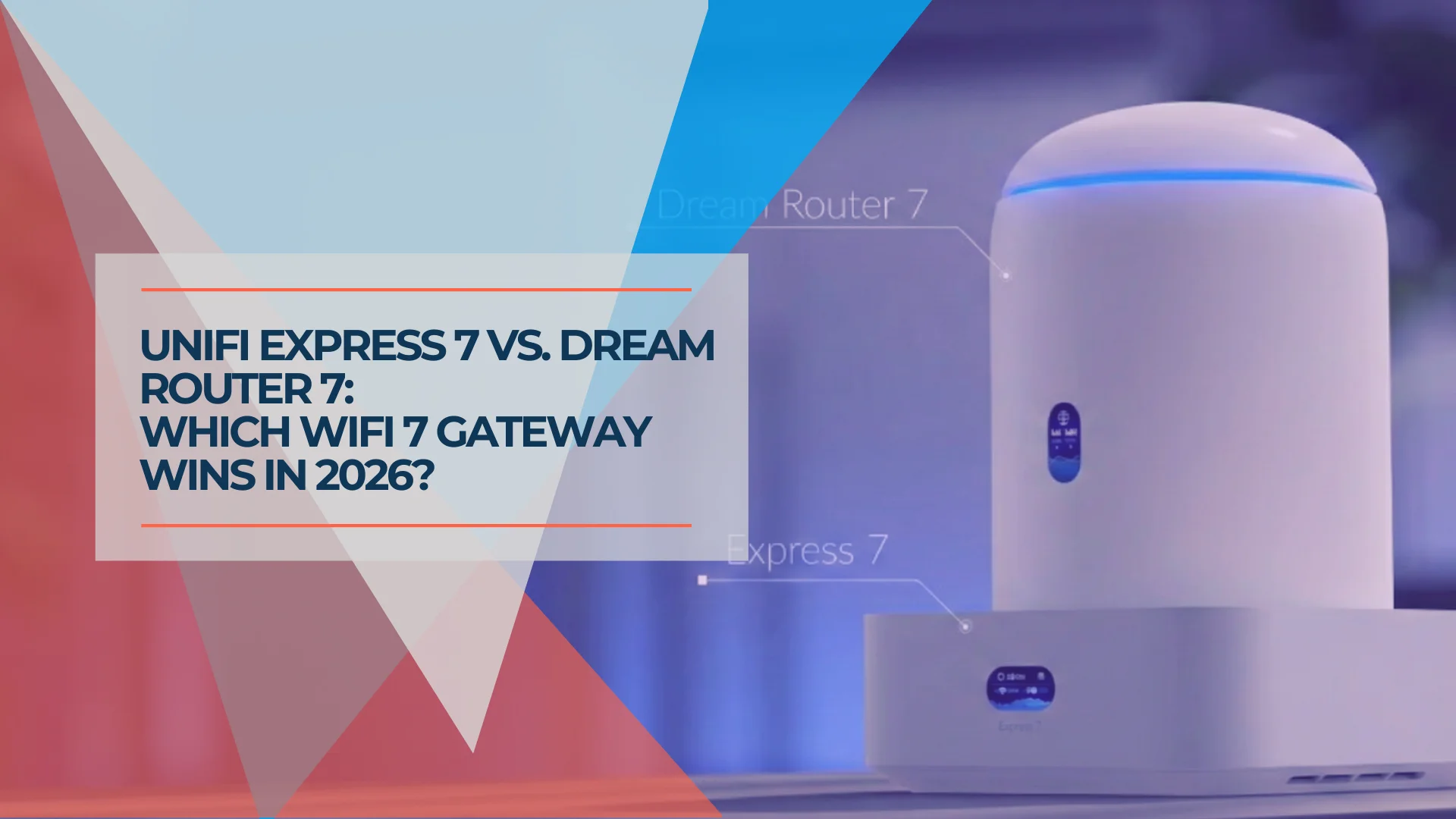
UniFi Express 7 vs Dream Router 7: Which One Should You Buy in 2026?
Compare the $199 UniFi Express 7 and $279 Dream Router 7. Specs, setup simplicity, port differences, benchmarks, and which WiFi 7 gateway to buy for your small business or home office.
14 min read
UniFi Cloud Gateway Fiber Review: 10G Gateway for Multi-Gig Fiber Networks
The UniFi Cloud Gateway Fiber packs 5 Gbps IDS/IPS, three 10G ports, and NVMe storage into a $279 desktop form factor. Here's how it performs — and who it's actually for.
17 min read