

UniFi Cloud Gateway Fiber Review: 10G Gateway for Multi-Gig Fiber Networks
The UniFi Cloud Gateway Fiber packs 5 Gbps IDS/IPS, three 10G ports, and NVMe storage into a $279 desktop form factor — reviewed with deployment context and compared to UDR7, UCG Max, and UDM-Pro.

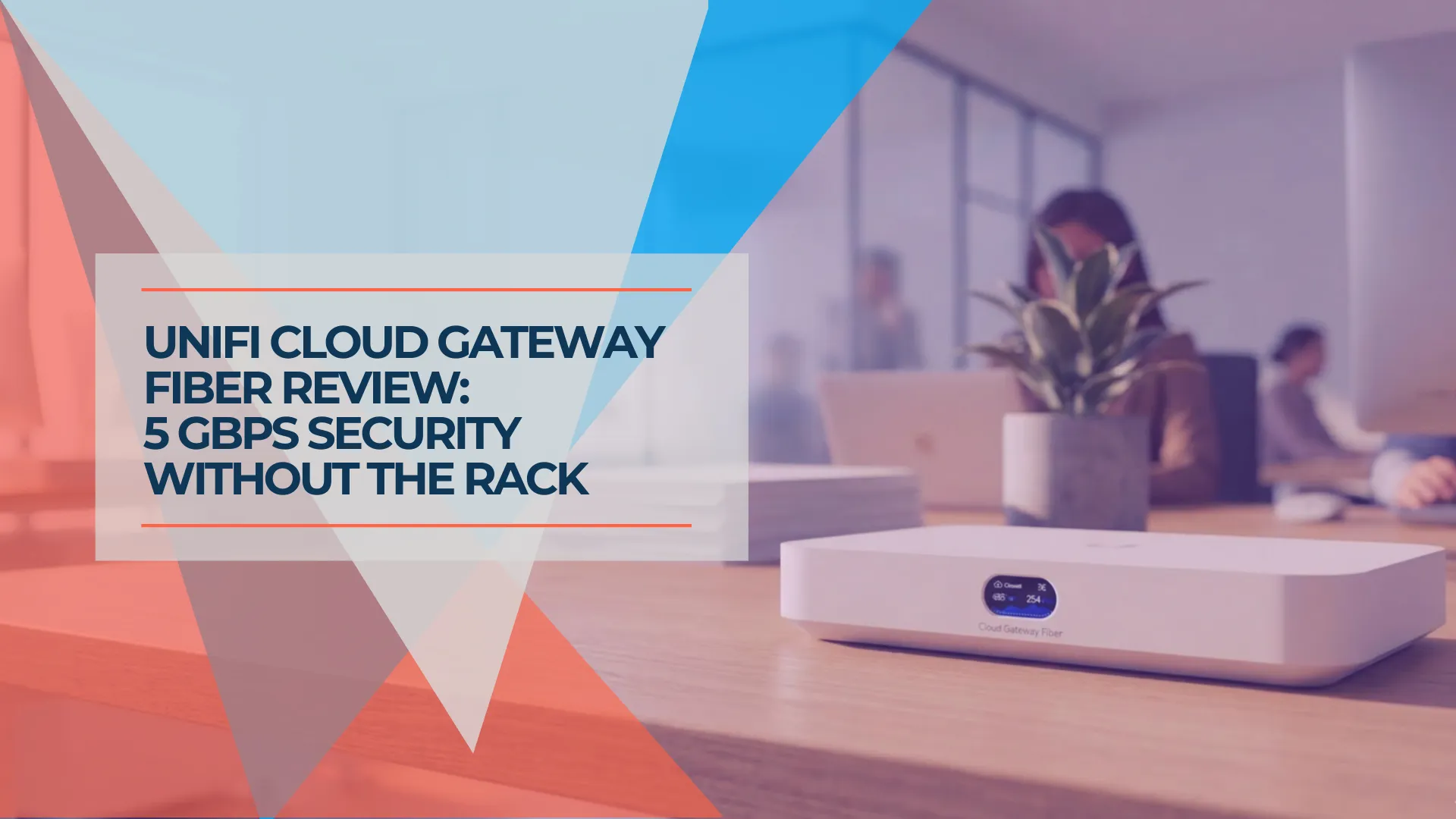
Verdict
The UCG-Fiber is a strong fit if you already have WiFi access points and need high-throughput routing in a compact form factor. At $279, it delivers 5 Gbps IDS/IPS, three 10G ports, and NVMe storage for Protect — matching the $599 Dream Machine Pro Max on security throughput. If you need built-in WiFi, the Dream Router 7 ($279) is the better fit. If you need an affordable entry into UniFi, the Cloud Gateway Ultra ($129) covers the basics.
The UniFi Cloud Gateway Fiber (UCG-Fiber) is a wired-only 10G desktop gateway designed for multi-gig fiber deployments that already use dedicated UniFi access points. At $279, it delivers the highest IDS/IPS throughput in Ubiquiti's compact gateway lineup — 5 Gbps — in a form factor that fits on a shelf instead of a rack.
Affiliate Disclosure: This article contains affiliate links. If you make a purchase through these links, we may earn a small commission at no extra cost to you. As an Amazon Associate, iFeelTech earns from qualifying purchases.
UniFi Cloud Gateway Fiber Hardware Specifications
The UCG-Fiber features a 2.2 GHz quad-core ARM processor, 3 GB of RAM, three 10G ports, and up to 2TB of NVMe storage.
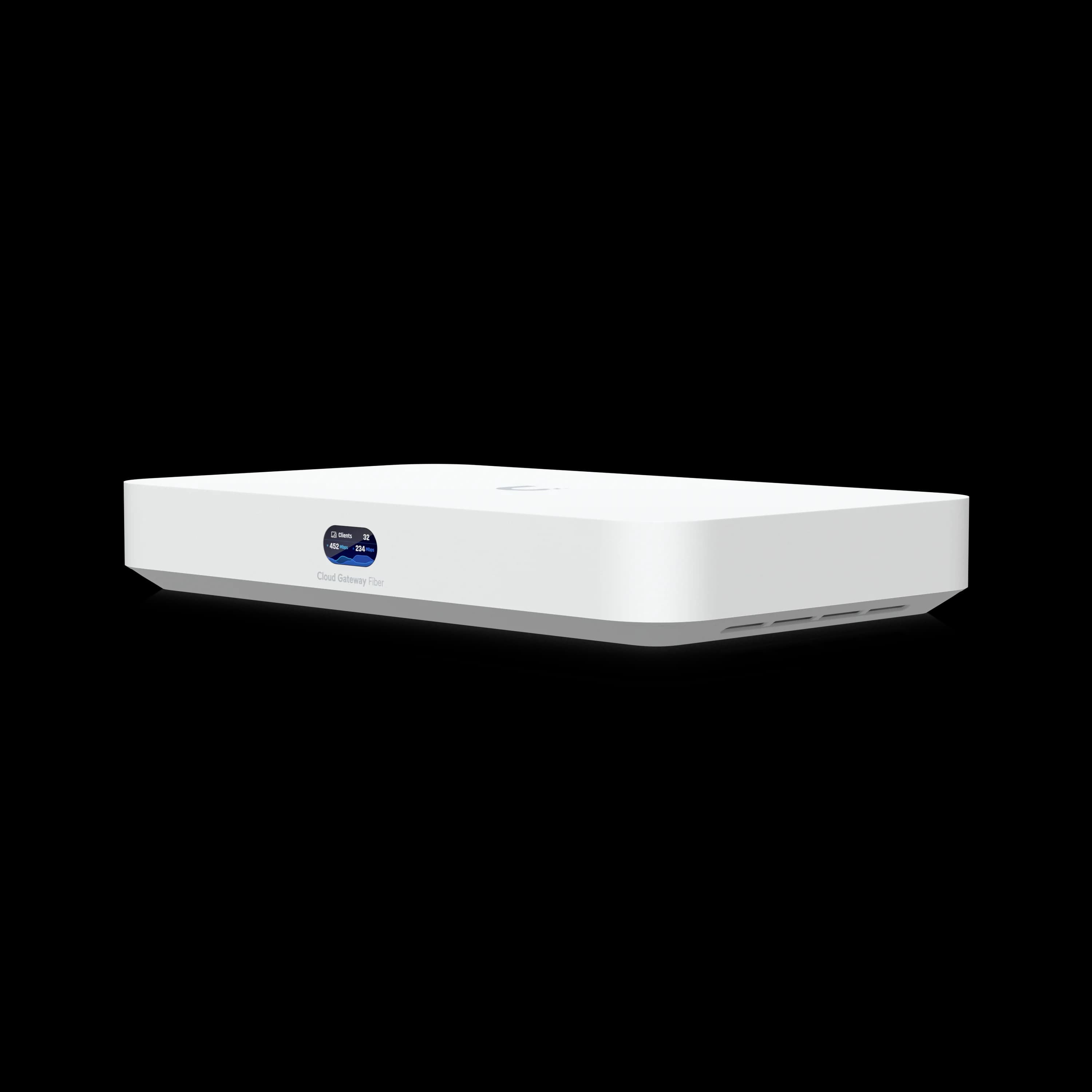
UniFi Cloud Gateway Fiber
Desktop 10G gateway with 5 Gbps IDS/IPS, dual SFP+, PoE+, and NVMe storage for UniFi Protect.
- 5 Gbps IDS/IPS throughput
- 2x 10G SFP+ and 1x 10GbE RJ45
- 4x 2.5 GbE LAN with 1x PoE+ (30W)
- NVMe storage up to 2TB
*Price at time of publishing
Measuring 212.8 x 127.6 x 30 mm, the desktop chassis contains seven physical ports. Every port role is reconfigurable in the UniFi UI, though the default layout assigns one SFP+ and the 10GbE RJ45 as WAN:
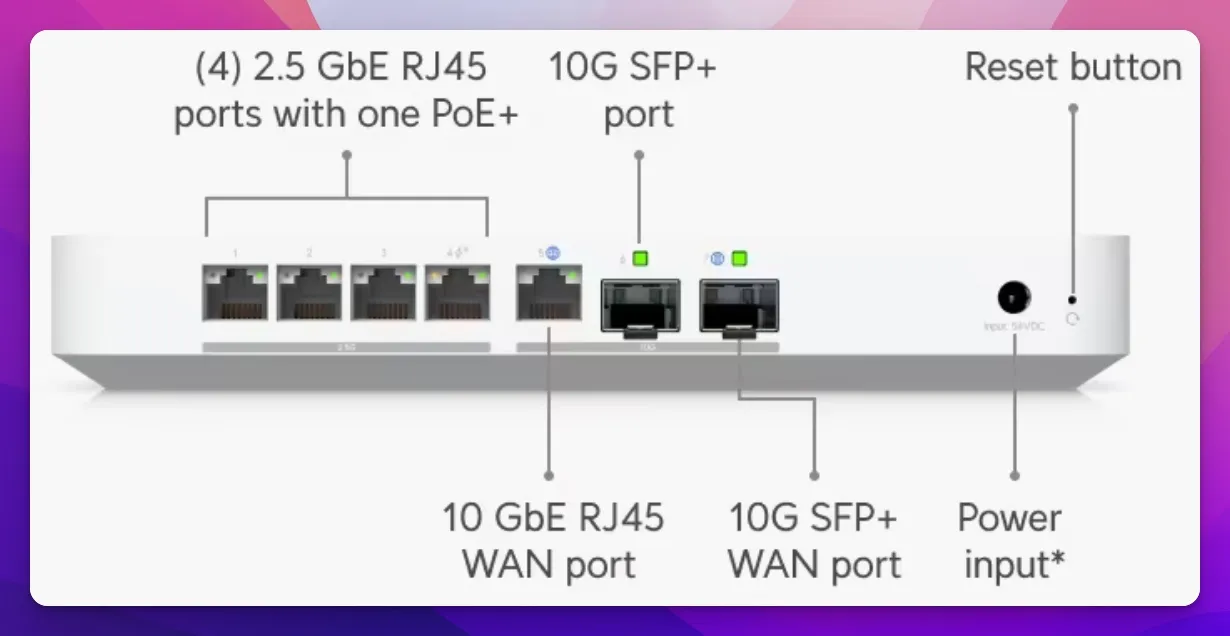
| Port | Speed | Default Role | Notes |
|---|---|---|---|
| SFP+ #1 | 10G/1G | WAN | Fiber uplink for ONT or ISP handoff |
| 10GbE RJ45 | 10G/2.5G/1G | WAN | Copper 10G for dual-WAN or ISP |
| SFP+ #2 | 10G/1G | LAN | Backbone downlink to a 10G switch |
| 2.5 GbE #1 | 2.5G/1G | LAN | Standard device connection |
| 2.5 GbE #2 | 2.5G/1G | LAN | Standard device connection |
| 2.5 GbE #3 | 2.5G/1G | LAN | Standard device connection |
| 2.5 GbE #4 | 2.5G/1G | LAN (PoE+) | 30W 802.3at — powers a WiFi 7 AP |
Up to six WAN connections are supported for failover and load balancing, though the typical deployment uses one SFP+ WAN with the 10G RJ45 remapped to LAN. For cellular failover without dedicating a WAN port, the UniFi 5G Backup ($99) connects via any PoE switch port and integrates directly with UniFi Network.
The quad-core ARM Cortex-A73 at 2.2 GHz is a faster core than the Cortex-A53 at 1.5 GHz used in the Cloud Gateway Max, Dream Router 7, and Cloud Gateway Ultra. Combined with 3 GB of RAM and a MAC address table of 4,000 entries (double the UDR7's 2,000), the UCG-Fiber handles sustained multi-gig workloads efficiently. The base model requires a separately purchased NVMe tray ($19) for storage, which is necessary for the UniFi Protect application (camera recording), Talk (VoIP recording), or Drive.
Pricing Tiers
- UCG-Fiber (base): $279 — no storage, NVMe tray sold separately ($19)
- UCG-Fiber 1TB: $399 — includes 1TB NVMe SSD and tray
- UCG-Fiber 2TB: $529 — includes 2TB NVMe SSD and tray
The base model runs UniFi Network without storage. You only need an SSD for UniFi Protect (camera recording) or Talk (VoIP recording).
Full Specifications
| Specification | UCG-Fiber |
|---|---|
| Processor | Quad-core ARM Cortex-A73, 2.2 GHz |
| Memory | 3 GB |
| IDS/IPS Throughput | 5 Gbps |
| IDS/IPS Signatures | 55,000+ (with CyberSecure) |
| WAN Ports | 1x 10G SFP+ + 1x 10GbE RJ45 (up to 6 WAN) |
| LAN Ports | 4x 2.5 GbE + 1x 10G SFP+ |
| PoE | 1x PoE+ (802.3at, 30W) |
| Storage | M.2 NVMe, up to 2TB (PCIe Gen 3 x2) |
| Managed Devices | 50+ |
| Managed Cameras | 15 HD / 8 2K / 5 4K |
| Simultaneous Clients | 500+ |
| UniFi Apps | Network, Protect, Access, Talk, Connect |
| Dimensions | 212.8 x 127.6 x 30 mm |
| Weight | 675 g (without SSD) |
| Power | DC 54V/1.1A, 29.4W max (excl. PoE) |
| Fan | Yes (low-noise) |
| LCM Display | 0.96" status screen |
| NDAA Compliant | Yes |
What Is the IDS/IPS Throughput of the UCG-Fiber?
The UCG-Fiber delivers a sustained IDS/IPS routing throughput of 5 Gbps, enabling full-speed threat detection on multi-gigabit connections.
Unlike older gateways that experience noticeable speed reduction when deep packet inspection is active, the UCG-Fiber maintains line rate for symmetric 2 Gbps and 5 Gbps fiber plans with all security features enabled. Specifically, 5 Gbps with IDS/IPS active means:
- More than double the Dream Router 7 and Cloud Gateway Max (2.3 Gbps each)
- Five times the Cloud Gateway Ultra (1 Gbps)
- Equal to the rackmount Dream Machine Pro Max ($599)
The UCG-Fiber utilizes 55,000+ IDS/IPS signatures via CyberSecure, compared to 20,000+ on the Dream Router 7. More signatures means broader threat detection coverage — a difference that matters for compliance-sensitive environments. For comparison, the Cloud Gateway Ultra caps at 1 Gbps, and the Dream Router 7 caps at 2.3 Gbps.
Storage and UniFi Protect Integration
The UCG-Fiber's M.2 NVMe slot accepts standard M.2 2280 drives and officially supports capacities up to 2TB. Independent testing (notably by Dong Knows Tech) confirms that third-party drives of 4TB and beyond work without issues — Ubiquiti does not enforce a capacity limit in firmware.
NVMe Compatibility Note
Ubiquiti officially rates the UCG-Fiber for NVMe drives up to 2TB and only "confidently claims compatibility" with drives purchased from store.ui.com. Third-party drives of any capacity function correctly, but using them may affect warranty support if a storage-related issue arises. Additionally, the NVMe interface operates at PCIe Gen 3 x2 speeds regardless of the drive installed — a Gen 4 drive will work but will not exceed Gen 3 x2 throughput.
For UniFi Protect, storage capacity directly determines how many cameras you can record and for how long:
| Camera Quality | Max Cameras | Retention (1TB) | Retention (2TB) |
|---|---|---|---|
| HD (1080p) | 15 | ~14 days | ~30 days |
| 2K | 8 | ~10 days | ~21 days |
| 4K | 5 | ~7 days | ~14 days |
The NVMe interface is substantially faster than the microSD slot in the Dream Router 7 or the SATA bays in older Dream Machines. This matters during simultaneous recording and playback — scrubbing through footage on a 4K camera while other cameras continue recording does not create I/O contention on the UCG-Fiber.
If you buy the base $279 model, the NVMe tray is a $19 accessory. Pair it with any standard M.2 2280 NVMe drive. For Protect deployments, a 1TB drive covers most small office camera setups (5–8 cameras at 2K with 10–14 days retention). Budget around $80–100 for a reliable 1TB NVMe like the WD Black SN770 or Samsung 980 Pro.
UCG-Fiber VPN Throughput: WireGuard and OpenVPN
For site-to-site VPN connectivity, the UCG-Fiber uses WireGuard as the primary protocol via UniFi's Site Magic feature. Based on real-world community benchmarks, here is the throughput profile:
| VPN Protocol | Use Case | Approximate Throughput |
|---|---|---|
| WireGuard (Site-to-Site) | Branch-to-HQ via Site Magic | 2–4 Gbps |
| WireGuard (Client mode) | Remote access, single tunnel | 400–500 Mbps |
| OpenVPN | Legacy remote access | ~250–300 Mbps |
WireGuard is significantly more efficient than OpenVPN due to its kernel-level implementation. For remote access VPN connections, expect 400–500 Mbps per WireGuard tunnel before CPU saturation. OpenVPN throughput drops due to higher encryption overhead.
VPN Throughput Note
Ubiquiti does not publish official VPN throughput specs for the UCG-Fiber. The figures above are sourced from Ubiquiti community forums and Reddit testing threads. Actual performance varies with tunnel count, concurrent sessions, and encryption load. For multi-site businesses using Site Magic, WireGuard throughput is sufficient for branch-to-HQ connections over multi-gig fiber.
UCG-Fiber Thermal Performance, Fan Noise, and Power Draw
The UCG-Fiber uses an internal fan to sustain 10GBASE-T throughput under load. Ubiquiti does not publish a decibel (dB) rating, but community-developed fan control scripts reveal the PWM-based cooling curve.
| Load Condition | Typical Temp | Fan Behavior |
|---|---|---|
| Idle / light load | ~35–40°C | Near-silent, barely audible |
| Sustained 10G throughput | ~45–55°C | Audible at arm's length in a quiet room |
| 10GBASE-T + IDS/IPS active | ~55–65°C | Consistent fan spin, perceptible in a quiet office |
In a network closet or equipment room, the fan is not a concern — ambient noise masks it. On an open desk in a silent environment, the fan is perceptible during sustained high-throughput workloads. For the vast majority of business deployments where the gateway lives in a closet or server room, this is a non-issue.
NVMe thermals: PCIe Gen 3 or Gen 4 NVMe drives operate within safe limits under typical Protect workloads (continuous recording from 5–8 cameras). For sustained 4K multi-camera writes, a drive with a DRAM cache and rated endurance of 0.3+ DWPD is recommended. Avoid high-wattage Gen 5 NVMe drives in this compact chassis, as the limited airflow may cause drive-level thermal throttling under continuous write loads.
Power consumption: ServeTheHome measured 6–6.3W at idle (without PoE devices attached). Dong Knows Tech measured approximately 300 Wh over 24 hours (~12.5W average) under typical workloads. The spec sheet rates maximum power consumption at 29.4W excluding PoE output. For racks running on a UPS, budget approximately 10–15W per UCG-Fiber under normal conditions.
The Cloud Gateway Max remains the right choice if completely silent (fanless) operation on an open desk is a hard requirement.
UCG-Fiber vs. Dream Router 7 Comparison
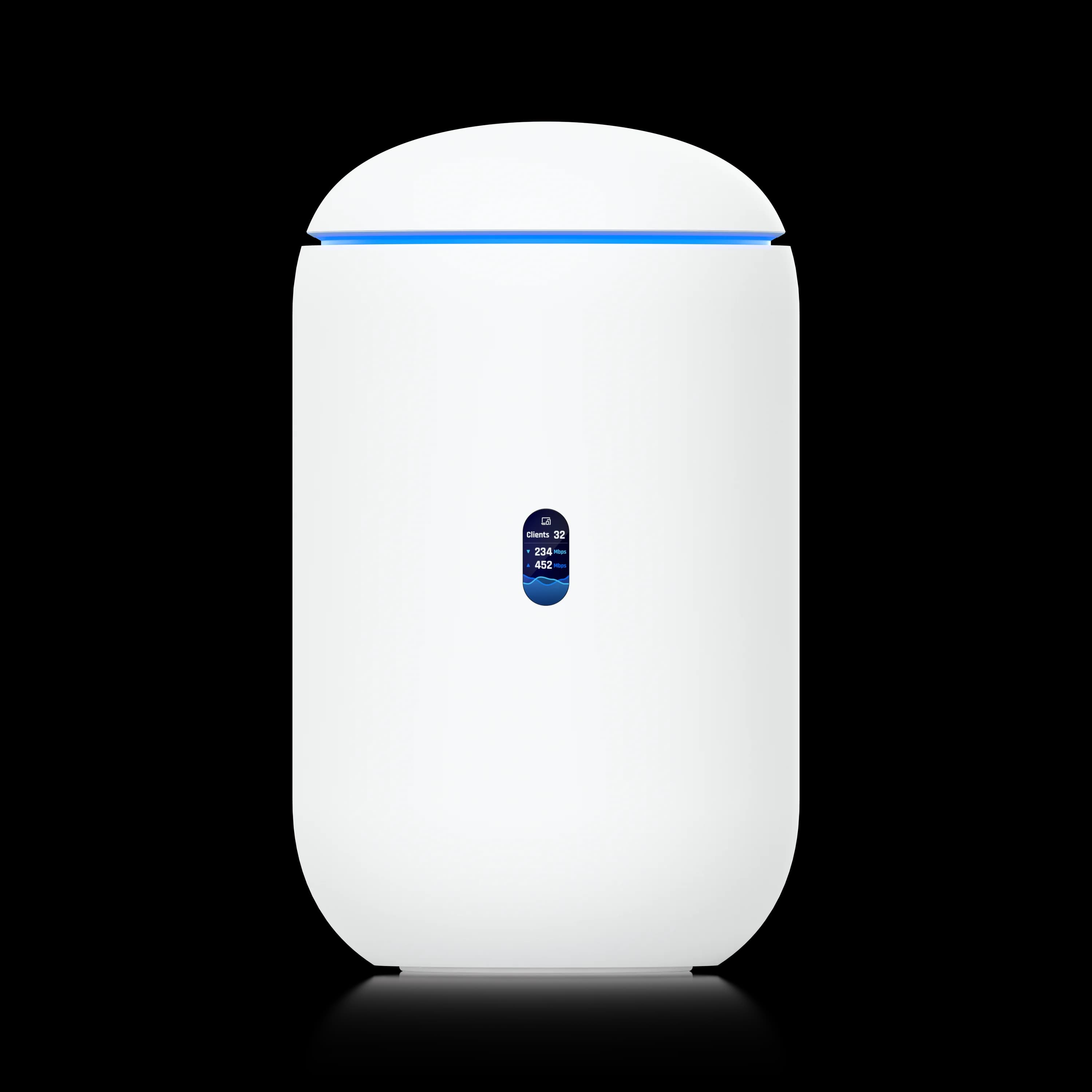
The UCG-Fiber provides a wired 10G backbone for dedicated access points, while the Dream Router 7 is an all-in-one gateway with built-in WiFi 7.
Both devices retail for $279 but serve entirely different architectures. The UCG-Fiber requires the separate purchase of an access point but scales higher, managing up to 50+ devices and 500+ clients. It also supports NVMe storage for extensive camera retention. The Dream Router 7 is an integrated solution that reduces total deployment cost for environments under 1,750 ft², relying on pre-installed microSD storage and a lower 2.3 Gbps security throughput.
| Specs | ||
|---|---|---|
| WiFi | None (use separate APs) | WiFi 7 tri-band (1,750 ft²) |
| IDS/IPS Throughput | 5 Gbps | 2.3 Gbps |
| IDS/IPS Signatures | 55,000+ | 20,000+ |
| 10G Ports | 2x SFP+ + 1x RJ45 | 1x SFP+ (WAN only) |
| 2.5G LAN Ports | 4 | 3 |
| PoE | 1x PoE+ (30W / 802.3at) | 1x PoE (15.4W / 802.3af) |
| Storage | NVMe up to 2TB | 64GB microSD (pre-installed) |
| Managed Devices | 50+ | 30+ |
| Simultaneous Clients | 500+ | 300+ |
| Managed Cameras | 15 HD / 8 2K / 5 4K | 5 HD / 2 2K / 1 4K |
| Processor | Cortex-A73, 2.2 GHz | Cortex-A53, 1.5 GHz |
| Fan | Yes (low-noise) | Yes |
UCG-Fiber Strengths
Throughput and scale. The UCG-Fiber handles more than double the IDS/IPS throughput (5 Gbps vs 2.3 Gbps), supports more devices (50+ vs 30+), and connects more simultaneous clients (500+ vs 300+). For offices growing beyond 20 devices or pushing multi-gig internet, the UCG-Fiber has substantially more headroom.
10G backbone. The UCG-Fiber's 10G SFP+ LAN downlink connects to a 10G switch for true backbone speeds between your NAS, servers, and APs. The UDR7's single SFP+ port is assigned to WAN by default — there is no 10G LAN port.
Camera storage. NVMe up to 2TB versus 64GB microSD. The UDR7 supports limited retention for 1–2 cameras. The UCG-Fiber supports weeks of footage from up to 15 cameras. If UniFi Protect is part of your deployment plan, the storage difference is a practical consideration.
PoE output. The UCG-Fiber's PoE+ port delivers 30W — enough to power a U7 Pro or U7 Pro Max WiFi 7 AP directly. The UDR7's PoE port delivers 15.4W (802.3af), which powers a camera or VoIP phone but is insufficient for most WiFi 7 access points that draw 20W+.
Dream Router 7 Strengths
Built-in WiFi 7. The UDR7 includes a tri-band WiFi 7 radio covering approximately 1,750 ft². For a small office, home office, or branch location that needs one box to handle routing and wireless, the UDR7 eliminates the cost of a separate AP ($179–$299).
Simplicity. One device, one power cable, one setup. The UDR7 gets a network running with WiFi, security cameras, and full UniFi management with minimal configuration.
Total cost for small deployments. A UDR7 at $279 provides gateway + WiFi + camera storage. To match that with the UCG-Fiber, you'd spend $279 (gateway) + $179–$299 (WiFi 7 AP) + $19 (NVMe tray) + $80 (1TB SSD) = roughly $557–$677. The UDR7 is half the total cost when WiFi is required.
UCG-Fiber vs UDR7 Verdict
Choose the UCG-Fiber if you already have WiFi 7 access points (or plan to buy them), need more than 2.3 Gbps IDS/IPS throughput, or require NVMe-based camera storage for more than 2 cameras. Choose the Dream Router 7 if you want a single device that handles routing, WiFi, and basic camera storage for a small office or home. See our full Dream Router 7 review for deployment details.
UCG-Fiber vs. Cloud Gateway Ultra
The UCG-Fiber provides 10G routing and 5 Gbps security throughput, while the $129 Cloud Gateway Ultra caps at 1 Gbps for entry-level networks.
At $150 less than the UCG-Fiber, the Cloud Gateway Ultra is a practical starting point for smaller networks.
| Specification | UCG-Fiber ($279) | Cloud Gateway Ultra ($129) |
|---|---|---|
| IDS/IPS Throughput | 5 Gbps | 1 Gbps |
| WAN | 10G SFP+ + 10GbE RJ45 | 1x 2.5 GbE |
| LAN | 4x 2.5 GbE + 1x 10G SFP+ | 4x 1 GbE |
| PoE | 1x PoE+ (30W) | None |
| Storage | NVMe up to 2TB | 16 GB on-board only |
| UniFi Apps | Network, Protect, Access, Talk, Connect | Network only |
| Managed Devices | 50+ | 30+ |
| Managed Cameras | 15 HD / 8 2K / 5 4K | None |
The Ultra runs UniFi Network only — no Protect, no Access, no Talk. It has no NVMe slot, no PoE output, and its 1 GbE LAN ports cap wired device speeds at gigabit. If your internet plan exceeds 1 Gbps, the Ultra's IDS/IPS becomes the bottleneck.
The $150 premium provides tangible capability gains when any of these apply:
- Internet speed above 1 Gbps
- Any need for UniFi Protect cameras
- Devices that benefit from 2.5G or 10G wired connections
- A PoE access point you want to power without a separate injector
The Ultra remains a practical choice for sub-1 Gbps networks running 30 or fewer devices with no camera requirements.
UCG-Fiber vs. Cloud Gateway Max
The UCG-Fiber offers 10G ports and PoE+ for access points, while the Cloud Gateway Max is a lower-power, fanless 2.5G alternative.
Both the Cloud Gateway Max and UCG-Fiber are wired-only gateways with NVMe storage that run the full UniFi application suite. The differences are in the ports and the processor.
| Specification | UCG-Fiber ($279) | Cloud Gateway Max ($199) |
|---|---|---|
| IDS/IPS Throughput | 5 Gbps | 2.3 Gbps |
| WAN | 10G SFP+ + 10GbE RJ45 | 1x 2.5 GbE |
| LAN | 4x 2.5 GbE + 1x 10G SFP+ | 4x 2.5 GbE |
| PoE | 1x PoE+ (30W) | None |
| Storage | NVMe up to 2TB | NVMe up to 2TB |
| Managed Cameras | 15 HD / 8 2K / 5 4K | 15 HD / 8 2K / 5 4K |
| Processor | Cortex-A73, 2.2 GHz | Cortex-A53, 1.5 GHz |
| Power | DC jack, 29.4W | USB-C, 16.1W |
| Fan | Yes (low-noise) | No (fanless) |
The $80 premium provides: 10G ports, more than double the IDS/IPS throughput, and a PoE+ port. If your internet is under 2 Gbps and you don't need 10G backbone connectivity, the Cloud Gateway Max delivers the same camera support and application suite at a lower price — and it is completely fanless.
Cloud Gateway Max Pricing Clarification
The Cloud Gateway Max base price is $199 with no storage. The 512GB NVMe storage version rises to $279 — the exact same price as the UCG-Fiber base model. If you plan to run UniFi Protect for camera recording, factor in storage cost when comparing the two gateways: at the $279 tier, you are effectively choosing between 10G ports + PoE+ (UCG-Fiber) and fanless operation + pre-installed storage (UCG Max 512GB).
Choose the UCG-Fiber over the Max when:
- Your internet plan exceeds 2 Gbps (or will soon)
- You want 10G SFP+ for backbone connectivity to a switch, NAS, or server
- You plan to power a WiFi 7 AP directly from the gateway's PoE+ port
- You need headroom beyond 2.3 Gbps IDS/IPS for a growing network
Stick with the Cloud Gateway Max when:
- Sub-2 Gbps internet and no 10G devices in the plan
- Silent operation matters (the Max is fanless)
- Budget is the priority and you don't need PoE from the gateway
Ideal Deployment Scenarios for the UCG-Fiber
The UCG-Fiber fits a specific network profile. These are the deployment patterns we encounter most often in South Florida managed IT environments:
The 15–40 device office with multi-gig fiber. A law firm, accounting practice, or creative agency with 10–25 employees, a few WiFi 7 access points, 3–8 UniFi Protect cameras, a NAS for file storage, and a 2–5 Gbps fiber connection. The UCG-Fiber sits in a network closet or on a shelf above a PoE switch, connects to a 10G switch via SFP+ for backbone speeds, and handles all routing, security, and camera recording in one device.
The multi-site business standardizing on one gateway. When a client has three or four office locations, the UCG-Fiber's combination of compact size, high throughput, and full application support makes it a consistent choice across sites. Site-to-Site VPN between UCG-Fiber gateways is straightforward through UniFi's Site Magic feature.
The organization replacing a Dream Machine Pro. We have migrated several clients from the rackmount Dream Machine Pro ($379) or Dream Machine Pro Max ($599) to the UCG-Fiber. The UCG-Fiber exceeds the UDM-Pro on IDS/IPS throughput (5 Gbps vs 3.5 Gbps), supports NVMe storage rather than a 3.5" HDD bay, and requires less rack space. The trade-off is fewer total ports — typically not an issue when a PoE switch handles device distribution.
The home lab or prosumer setup. If you have a 10G-capable NAS, multi-gig fiber, and a few UniFi cameras, the UCG-Fiber provides a practical way to unify routing, security, and camera recording under a single management interface.
Who Should Skip the UCG-Fiber
The lack of built-in WiFi dictates specific deployment architectures. Consider these scenarios before purchasing.
No Separate Access Points Planned
The UCG-Fiber has zero wireless capability. Buyers who want one device for routing and WiFi should choose the Dream Router 7 ($279) instead.
Sub-1 Gbps Internet With Fewer Than 15 Devices
The Cloud Gateway Ultra ($129) handles this workload at less than half the price. The UCG-Fiber's 10G ports and 5 Gbps IDS/IPS are headroom you will not use.
Silent Operation Required
The UCG-Fiber has an internal fan. It is quiet in most environments, but not silent. The Cloud Gateway Max ($199 base) is fully fanless and the right pick for a desk in a quiet room.
Budget-Constrained Buyers
Adding a WiFi 7 AP ($179–$299) and NVMe storage ($80–$100) to the $279 base price puts the total at $540–$680. A Dream Router 7 at $279 covers routing, WiFi, and basic camera storage in one device.
UniFi Cloud Gateway Fiber: Official Introduction
How to Configure the UCG-Fiber
The UCG-Fiber follows the standard UniFi setup process. Connect the SFP+ or 10GbE WAN port to your ISP modem or ONT, plug in the DC power adapter, and access the setup wizard at 192.168.1.1 from a wired device — or use the UniFi mobile app via Bluetooth.
Key setup considerations specific to the UCG-Fiber:
- Port role assignment. The default configuration uses one SFP+ and the 10GbE RJ45 as WAN. Most single-ISP deployments should remap the 10GbE RJ45 to LAN for an additional high-speed device connection.
- NVMe installation. If you purchased the base model, install the NVMe tray and SSD before powering on. The Protect application becomes available after the drive is detected.
- PoE planning. Decide which device connects to the PoE+ port. A WiFi 7 AP is the most common choice. If you need to power multiple PoE devices, plan for a PoE switch from the start.
- SFP+ transceivers. The SFP+ ports accept standard 10G modules. If your ISP provides RJ45 for both connections, you can convert the SFP+ WAN port using a 10GbE SFP+ to RJ45 transceiver module.
SFP+ Transceiver Compatibility
Ubiquiti states it does "not impose any artificial restrictions to limit third-party SFP modules or DAC cables" but does not formally test them. In practice, MSA-compliant modules from 10Gtek (Marvell AQR113C chipset), TP-Link (TL-SM5310-T), and generic vendors work reliably in the UCG-Fiber's SFP+ slots at 10G. For same-rack connections under 3 m, UniFi DAC cables (UACC-DAC-SFP10) are the most cost-effective option. Third-party 10GBASE-T SFP+ modules run warm by design (~2.5–3.5W per module) — ensure adequate ventilation in enclosed spaces. For guaranteed compatibility, Ubiquiti's own UACC-CM-RJ45-MG supports multi-rate 1/2.5/5/10 Gbps.
Backup and migration from an existing UniFi gateway is straightforward: export a backup from the old device and import it during setup. UniFi OS preserves network configurations, firewall rules, VPN settings, and VLAN assignments. For a full network design framework including VLANs and site-to-site VPN planning, see our UniFi Business Network Guide.
How the UCG-Fiber Compares to Non-UniFi Alternatives
Buyers at the multi-gig gateway tier sometimes cross-shop outside the UniFi ecosystem. The two most common alternatives are the Firewalla Gold Pro and the MikroTik RB5009.
Firewalla Gold Pro (~$899)
The Gold Pro is purpose-built security hardware: Intel 12th Gen quad-core CPU, 8 GB RAM, 2x 10G + 2x 2.5G ports, and cloud-managed IPS with >10 Gbps packet processing. It significantly outperforms the UCG-Fiber on raw firewall throughput — but costs more than three times as much. The Gold Pro targets prosumers and IT professionals who want deep-packet inspection without subscribing to a unified management ecosystem. It does not integrate with access points, cameras, VoIP, or access control the way UniFi does.
Choose the Firewalla Gold Pro if security depth and ecosystem-agnostic management are the priority over integrated network management.
MikroTik RB5009 (~$219)
The RB5009 is a passive-cooled (fanless) router with a Marvell ARMv8 quad-core CPU at 1.4 GHz, 1 GB RAM, 7x GbE + 1x 2.5G + 1x 10G SFP+, running RouterOS v7. At $219, it undercuts the UCG-Fiber by $60 and runs completely silent. Raw routing throughput is competitive for sub-2 Gbps links, but RouterOS has a steep CLI learning curve and no unified management for cameras, VoIP, or access control.
Choose the MikroTik RB5009 if you are comfortable with RouterOS, need passive cooling, and do not require ecosystem integration.
The UCG-Fiber's Ecosystem Advantage
Neither alternative offers the UCG-Fiber's combination of unified management, UniFi Protect/Access/Talk integration, and plug-and-play AP adoption. For teams already running UniFi across multiple sites, staying within the ecosystem means centralized visibility and consistent configuration across all locations. See our UniFi Network Design Guide for help planning a multi-site deployment.
UCG-Fiber vs. UDM-Pro and UDM-SE: Desktop or Rackmount?
The UCG-Fiber delivers 5 Gbps IDS/IPS in a desktop form factor at $279, outperforming both the $379 UDM-Pro and $499 UDM-SE on security throughput.
Many buyers considering the UCG-Fiber are evaluating whether a compact desktop unit can replace a 1U rackmount gateway. The comparison involves three distinct rackmount-tier products: the Dream Machine Pro ($379), the Dream Machine Special Edition ($499), and the Dream Machine Pro Max ($599).
| Specification | UCG-Fiber ($279) | UDM-Pro ($379) | UDM-SE ($499) |
|---|---|---|---|
| Form Factor | Desktop | 1U Rackmount | 1U Rackmount |
| IDS/IPS Throughput | 5 Gbps | 3.5 Gbps | 3.5 Gbps |
| Processor | Cortex-A73, 2.2 GHz | Cortex-A57, 1.7 GHz | Cortex-A57, 1.7 GHz |
| RAM | 3 GB | 4 GB | 4 GB |
| WAN | 10G SFP+ + 10GbE RJ45 | 10G SFP+ + 1G RJ45 | 10G SFP+ + 2.5G RJ45 |
| 10G LAN | 1x SFP+ | 1x SFP+ | 1x SFP+ |
| LAN Ports | 4x 2.5 GbE | 8x 1 GbE | 8x 1 GbE |
| PoE | 1x PoE+ (30W) | None | 8 ports / 180W (2x PoE+, 6x PoE) |
| Storage | NVMe up to 2TB | 1x 3.5" HDD bay | 1x 3.5" HDD bay + 128 GB SSD |
| Managed Devices | 50+ | 100+ | 100+ |
| Managed Cameras | 15 HD / 8 2K / 5 4K | 24 HD / 14 2K / 8 4K | 24 HD / 14 2K / 8 4K |
UCG-Fiber advantages: Higher IDS/IPS throughput (5 Gbps vs 3.5 Gbps on both rackmount units), faster NVMe storage, 2.5 GbE LAN ports instead of 1 GbE, the lowest price of the three, and a compact footprint that does not require a rack.
UDM-Pro advantages: More total LAN ports (8 vs 4), higher device ceiling (100+ vs 50+), more camera capacity (24 HD vs 15 HD), and the 3.5" HDD bay supports cost-effective high-capacity drives (an 8TB HDD at ~$200 vs 2TB NVMe at ~$150). For surveillance-heavy deployments with 10+ cameras needing 30+ days of retention, the UDM-Pro's HDD storage remains more economical per terabyte.
UDM-SE advantages over the UDM-Pro: The Special Edition adds a built-in 8-port PoE switch with a 180W budget (2x PoE+ at 30W, 6x PoE at 15.4W), a 2.5G WAN port instead of 1G, and a pre-installed 128 GB SSD. For offices that would otherwise need to purchase a separate PoE switch alongside the UDM-Pro, the UDM-SE can reduce total rack component count and cabling complexity — though at $120 more.
For networks under 50 devices with fewer than 15 cameras, the UCG-Fiber is the more practical option at $100–$220 less than the rackmount alternatives. For deployments exceeding 50 managed devices, requiring high-capacity HDD-based surveillance storage, or needing integrated PoE switching in a rack, the UDM-SE ($499) or Dream Machine Pro Max ($599) is the appropriate tier.
Buy the Right Gateway
All three gateways below are ones we actively deploy across client networks:
Cloud Gateway Fiber ($279) — You have dedicated WiFi APs, multi-gig internet (or plans for it), and want the highest IDS/IPS throughput and 10G backbone in a compact form factor.
Dream Router 7 ($279) — You want one box that handles routing, WiFi 7, and basic camera storage. Best for small offices and home offices under 25 devices with sub-2.3 Gbps internet.
Cloud Gateway Max ($199 base / $279 with 512GB NVMe) — You want a wired gateway with NVMe storage and full app support, but don't need 10G ports or PoE. Suited for sub-2 Gbps networks that need Protect when you factor storage in.
Related Resources
- UniFi Dream Router 7 Review — Full review of the all-in-one WiFi 7 gateway for buyers who need built-in wireless.
- UniFi Cloud Gateway Max Review — Deep dive on the fanless wired gateway that shares the UCG-Fiber's "no WiFi" philosophy at a lower price.
- UniFi Gateway Alternatives: Hybrid Stack Guide — When to pair UniFi switches/APs with Firewalla, pfSense, Meraki, or Omada instead of a UniFi gateway.
- UniFi Gateway Comparison Guide — Side-by-side comparison of all eight UniFi gateways from Ultra ($129) to Enterprise Fortress ($1,999).
- UDR7 vs UX7 vs UCG-Fiber — Three-way comparison of UniFi's compact gateway tier.
- Best WiFi 7 Access Points for Small Business — Pair the UCG-Fiber with the right AP for your deployment.
- Business Fiber Network Upgrade Guide — Step-by-step guide to upgrading a small business from cable to multi-gig fiber with the UCG-Fiber as the gateway.
- UniFi Protect Storage Planning Guide — Calculate retention times and storage requirements for your camera setup.
- SFP Modules and Fiber Cable Guide — Transceiver and cabling reference for connecting the UCG-Fiber's SFP+ ports.
Frequently Asked Questions
Related Articles
More from UniFi Networks
UniFi U7 Pro Max Field Review (2026): PoE+, Range & XGS Comparison
Field review of 12 UniFi U7 Pro Max APs across four SMB sites. PoE+, range, spectral scanning, heat, and U7 Pro XGS comparison.
18 min read
UniFi Cloud Gateway Ultra Review: Best Value for Gigabit UniFi Networks (2026)
The UCG-Ultra delivers a full UniFi controller, 1 Gbps IDS/IPS, and multi-WAN failover in a $129 fanless device. No separate Cloud Key needed. Here's who it's right for.
20 min read
UniFi Express 7 vs Dream Router 7: Which Wi-Fi 7 Gateway Fits Your Network?
Compare the $199 UniFi Express 7 and $279 Dream Router 7. Specs, setup simplicity, port differences, and which Wi-Fi 7 gateway to buy for your small business or home office.
16 min read