

Best Laptops for Business in 2026: 10 Picks for SMBs and Fleets
The best laptops for business in 2026, ranked using real SMB deployment experience, verified July 2026 specs and prices, and business-focused buying criteria. From the $949 ThinkPad E14 to the MacBook Air M5 ($1,299 after Apple's June 2026 price increase).


Affiliate Disclosure: This article contains affiliate links. If you make a purchase through these links, we may earn a small commission at no extra cost to you.
Laptop reliability directly impacts business operations. Standardizing on durable hardware reduces IT support tickets and unbudgeted replacement costs.
This ranking draws on hands-on experience managing more than 15 laptop models across South Florida SMB clients over the past year — environments ranging from a 3-person design studio to a 40-person law firm. These are the business laptops that hold up in real deployments: build quality that survives daily use, battery that gets through a full day, and hardware that doesn't create IT problems six months in. For exactly how we tested, scored, and price-checked each pick — and what comes from field experience versus vendor specs — see How We Tested and Ranked These Business Laptops below.
Quick Decision Guide
Find your ideal business laptop by category
Apple-rated up to 18-hour battery, fanless, 512GB base storage, Wi-Fi 7 — in stock from $1,299
The proven fleet standard (Series 2 Efficiency); strong value for large deployments
Space Frame repairable chassis + Panther Lake CPU — best Windows business laptop
Physical function keys return; up to 31 hr battery (Dell-rated, Core Ultra Series 3, LCD)
Optional RTX 50-series GPU + AMOLED — a strong Windows option for CAD and 3D (from $2,899.99; RTX configs higher)
Our Top 10 at a Glance
- MacBook Air M5 — Best for Most Businesses — from $1,299 — 4.5/5
- ThinkPad X1 Carbon Gen 14 — Best Windows Business Laptop — from $2,249 (CTO) — 4.5/5
- Dell XPS 14 (2026) — Best Battery Life — from $1,999.99 — 4.4/5
- ThinkPad E14 Gen 7 — Best Budget — from $949 — 4.4/5
- Samsung Galaxy Book6 Ultra — Best Slim Creator/GPU Laptop — from $2,899.99 — 4.3/5
- MacBook Pro 14" M5 — Best Mac for Pros — from $1,999 — 4.3/5
- Asus ExpertBook P5 G2 — Best Feature Value — from $2,629.99 — 4.2/5
- ThinkBook 16 Gen 7 — Previous-Gen Value Pick — from $899 — 4.1/5
- Dell 14 Plus — Best Battery on a Budget — from $799.99 — 4/5
- Surface Laptop for Business 8th Edition — Best for Microsoft-Managed Fleets — from $1,499.99 — 4.0/5
Prices were checked July 23, 2026 from manufacturer or major retail listings and reflect base configurations. Apple prices reflect the June 25, 2026 increase. Business pricing, discounts, and reseller SKUs change frequently — verify OS edition, RAM, warranty, and return policy before purchase. Ranking reflects our recommended order for most SMBs, weighted by breadth of suitability, not strict score order — the MacBook Air and X1 Carbon both score 4.5/5 but the Air ranks first because it suits a wider range of business buyers.
How We Tested and Ranked These Business Laptops
This guide combines hands-on deployment experience with verified vendor specifications. To keep the comparison honest, we separate what we observed in the field from what comes from manufacturers and third-party reviews.
What our rankings draw on:
- Client deployment experience. Several models here — including the ThinkPad E14, earlier X1 Carbon generations, MacBook Air, and Dell units — were deployed and supported across South Florida SMB clients over the past year, ranging from a 3-person design studio to a 40-person law firm. Observations on build quality, keyboard/webcam quality, dock and port behavior, BIOS/firmware update process, and six-month support-ticket patterns come from that work. Our field experience covers earlier X1 Carbon generations. Gen 14 conclusions are based on its official specifications, serviceability assessment, and current reviews rather than six months of internal deployment data.
- Official vendor specifications. Processor, memory, storage, display, NPU, and battery figures are taken from manufacturer spec sheets (Apple, Lenovo PSREF, Dell, Samsung, Microsoft, Intel) and labeled as vendor-rated where relevant. Battery numbers stated as "rated" are manufacturer lab figures, not our measurements.
- Third-party reviews. Where we cite performance comparisons we did not measure ourselves, we point to the original source rather than presenting numbers as our own testing.
- Price and availability checks. Every price was checked in July 2026 against the manufacturer or a major retailer and stamped accordingly. Apple prices reflect the June 25, 2026 increase. We do not present sale pricing as permanent.
Configurations not yet hands-on tested — such as the very newest 2026 SKUs (Galaxy Book6 Ultra RTX models, Surface Laptop for Business 8th Edition) — are presented on vendor specifications and labeled as such, not as field-tested picks.
How we score
Ratings (out of 5) weight the factors that actually drive total cost and IT burden for a small business, not raw benchmark numbers:
| Factor | Weight | What it captures |
|---|---|---|
| Reliability & support burden | 30% | Failure rates, build quality, IT tickets after six months |
| Business manageability | 20% | Windows Pro / Autopilot / Intune or Apple Business Manager readiness, vPro |
| Value / total cost of ownership | 20% | Price for spec, lifespan, resale, repair cost |
| Battery & mobility | 15% | Real-world runtime, weight, charging standard |
| Performance for role | 10% | Adequate CPU/GPU/RAM for the intended job |
| Repairability & warranty | 5% | Serviceability, parts availability, warranty terms |
Where a model has not been deployed by our team, its score leans more on vendor specifications and third-party reviews, and we say so in the writeup.
Hardware Configurations to Avoid in 2026
Avoid purchasing business laptops with 8GB of RAM, Windows Home edition, proprietary chargers, or end-of-life legacy processors.
Before the picks, the disqualifiers:
8GB RAM on any Windows laptop. Microsoft's Copilot+ PC certification requires 16GB. At 8GB, Chrome with four tabs, Teams, and Outlook running simultaneously will throttle. Most 8GB configurations are non-upgradeable (soldered). The $50–100 savings on the base config costs more in support time by year two.
Windows Home edition for a managed office. Windows Home is the wrong edition for managed business deployment: it lacks Windows Autopilot support, domain join, and the full BitLocker management features expected in a managed office. Autopilot requires a supported Pro, Enterprise, or Education edition, plus Microsoft Entra ID, MDM enrollment (such as Intune), proper licensing, device registration, and network connectivity — not just the right hardware. If your business uses Microsoft Intune or any MDM platform, specify Windows Pro. Any business laptop offered only with Windows Home is the wrong SKU — verify before purchasing.
Clearance models without USB-C charging. Legacy business laptops (pre-2022) often charge via proprietary barrel connectors. USB-C is the 2026 fleet standard — one charger covers the laptop, the dock, and the hotel desk. A "great deal" on clearance hardware with a proprietary charger adds hidden costs in adapters and eventual replacements.
Hardware without current security update support. Any laptop that cannot run a currently supported version of Windows 11 should be evaluated for replacement. Windows 10's mainstream support ended October 14, 2025, but Microsoft offers Extended Security Updates (ESU) for commercial and educational devices for up to three additional years — ESU is a paid bridge, not a long-term strategy. Windows 11 eligibility depends on the exact processor, device, and firmware. Microsoft's 24H2 supported processor list includes selected 8th-, 9th-, and 10th-generation Intel Core families, but buyers should verify the exact CPU and the manufacturer's support status before purchasing clearance hardware.
Windows-on-ARM for software-dependent workflows. Windows 11 on ARM can emulate x86 and x64 applications, so many programs work. The more serious compatibility risks are native kernel drivers, peripheral drivers, security modules, and niche plug-ins. For example, Cisco Secure Client 5.1 supports Windows 11 ARM64 for VPN and most modules, but excludes Network Access Manager and ThousandEyes Endpoint Agent. If your business relies on older label printers, receipt printers, USB-connected medical devices, or niche plug-ins for AutoCAD or QuickBooks Desktop — verify ARM compatibility with every vendor before purchasing. This applies specifically to Snapdragon-based devices; Intel-based laptops on this list are not affected.
Consumer retail SKUs when a Pro OS or commercial warranty is required. The same model number can ship as a consumer SKU (Windows Home, consumer warranty) or a commercial SKU (Windows Pro, on-site or next-business-day support). For managed deployment, buy the commercial SKU even when a cheaper retail unit looks identical on paper.
OLED panels where battery life outranks display quality. OLED panels look excellent but draw more power than an equivalent LCD. For field roles where maximum runtime matters more than color accuracy, the LCD configuration is often the better business choice.
Key 2026 Hardware Updates
CES 2026 (January 5–9) brought meaningful changes to business laptop design. Manufacturers have responded to user feedback: touchbars have been replaced with physical keys (Dell), and repairability has become a premium feature (Lenovo). The focus has shifted from "AI PCs" to laptops designed for 5-year deployment cycles.
- Intel Panther Lake (Core Ultra Series 3): built on Intel 18A; top SKUs feature up to 16 CPU cores, 12 Xe-cores, and 50 NPU TOPS (up to 180 TOPS total platform with Arc GPU), Wi-Fi 7 standard (Intel Newsroom, CES 2026)
- Apple M5 Lineup: doubled 512GB base storage, Wi-Fi 7, Bluetooth 6, and up to 18 hours of battery life (Apple-rated)
- Repairable Design: Lenovo's Space Frame (9/10 iFixit score) — the magnet-attached keyboard lifts off with minimal effort; internal parts like the battery are user-replaceable with minor tools (mainly a screwdriver)
- NVIDIA RTX 50-Series: Blackwell-architecture mobile GPUs bring meaningful 3D/CAD rendering gains over the 2025 RTX 40-series (vendor claims; independent figures vary by application)
ARM vs. x86: The Processor Decision That Matters
The processor landscape of 2026 presents a strategic choice between two competing architectures, each with distinct implications for business users.
ARM-based systems (Apple M5, Qualcomm Snapdragon X Elite) prioritize performance-per-watt, delivering strong battery life—often exceeding a full workday—and cool, silent operation. Apple's tight integration of hardware and macOS results in a highly optimized and reliable user experience. The primary consideration is software compatibility, particularly on Windows, where reliance on emulation for older x86 software can sometimes lead to performance issues.
x86-based systems (Intel Core Ultra Series 2/3, AMD Ryzen AI) offer the broadest software compatibility—Windows applications, new and old, run natively without emulation. Intel's Panther Lake (Series 3) and AMD's latest chips have made significant strides in power efficiency. For businesses with diverse or uncertain software needs, x86 is the most compatible choice.
Do not buy Windows-on-ARM (Snapdragon X Elite / Surface Laptop 7) if your business relies on:
- Legacy VPN clients (Cisco AnyConnect older than v5, Palo Alto GlobalProtect pre-2024 builds)
- Proprietary accounting or ERP software not yet recompiled for ARM (check with your vendor before purchasing)
- Hardware-dependent drivers — older label printers, receipt printers, USB-connected medical or lab devices
- Niche industry plugins for AutoCAD, QuickBooks Desktop, or older Adobe Creative Suite versions
- Citrix Workspace or VMware Horizon in older enterprise deployments without ARM-native agents
Apple Silicon (M5) runs macOS natively and sidesteps most of these issues — compatibility concerns above apply specifically to Windows-on-ARM devices.
Is Intel Panther Lake or Apple M5 Better for Business?
Apple M5 provides up to 18 hours of battery life, while Intel Panther Lake ensures the broadest Windows software compatibility.
Intel's Panther Lake (Core Ultra Series 3) and Apple's M5 represent the two leading business laptop architectures in 2026, each with distinct performance profiles.
Platform Comparison
The table below uses vendor-published architecture specifications rather than benchmark scores. Independent benchmark results vary by configuration, thermal design, and application — we note where one platform tends to lead, not exact figures, unless we measured them ourselves.
| Metric | Intel Panther Lake (Core Ultra Series 3) | Apple M5 | Business Impact |
|---|---|---|---|
| CPU Cores | Up to 16 (vendor spec) | 10-core CPU (vendor spec) | Both handle multi-threaded work — video encoding, code compilation — comfortably |
| Single-Threaded Performance | Strong (vendor spec) | Strong (vendor spec) | Independent benchmarks vary by workload and configuration; macro-heavy Excel and Windows-only add-ins require x86 regardless |
| Graphics | Arc (up to 12 Xe-cores) | Up to 10-core GPU | Panther Lake's Arc iGPU suits light CAD/gaming; M5 suits macOS creative apps |
| NPU | 50 NPU TOPS (up to 180 platform) | On-device Neural Engine | Both qualify for local AI workloads; Panther Lake meets Copilot+ (40+ TOPS) |
| Battery Life | Up to 27 hours (Intel-rated) | Up to 18 hours (Apple-rated) | Ratings use different test methods; expect all-day life from both |
| Architecture | Intel 18A, RibbonFET (Intel-stated) | Latest-generation 3nm-class process | Both represent current-generation manufacturing |
Figures above are manufacturer specifications (Intel, Apple). Battery ratings are not directly comparable because Intel and Apple use different test workloads.
Real-World Business Use Cases
Zoom/Teams Video Calls:
- Both platforms handle video conferencing well. Battery life during back-to-back calls depends on the specific device, display, and configuration — Apple and Intel use different test workloads, so their rated hours are not directly comparable.
- Best for: Sales teams, consultants, remote workers with back-to-back meetings
Excel and Spreadsheets:
- Guidance: For light spreadsheets and web apps, both platforms are fast. For macro-heavy Excel, Windows-only add-ins, Power Query, ODBC connectors, or accounting integrations, choose an Intel or AMD Windows laptop.
- Best for: Finance and accounting teams should default to Windows x86 where legacy add-ins and connectors are involved
Multi-Threaded Workloads (Video Encoding, Code Compilation):
- Nearly Equivalent: Both architectures handle these tasks well; pick on ecosystem, not raw throughput
- Choose based on: Operating system preference and software ecosystem
Gaming and CAD:
- Panther Lake tendency: Arc integrated graphics (up to 12 Xe-cores) handle light CAD and casual gaming better than most integrated alternatives
- Best for: Engineers running SolidWorks, AutoCAD, or occasional gaming
The Verdict
Choose Apple M5 if:
- Battery life is your top priority (Apple rates the M5 Air at up to 18 hours)
- Your work is mostly web apps, email, and light productivity (not macro-heavy Excel or Windows-only add-ins)
- You're committed to the macOS ecosystem
- You value fanless, silent operation
Choose Intel Panther Lake if:
- You need the broadest Windows software compatibility
- You run legacy business applications
- You need stronger integrated graphics for CAD or light gaming
- You require vPro and have selected a documented vPro-capable SKU
Bottom Line: Intel's Panther Lake represents a significant efficiency improvement over previous Intel generations. Panther Lake delivers strong multi-core performance with the broadest Windows software compatibility. Your choice should be driven by operating system preference and specific workload requirements rather than raw performance alone.
AMD Ryzen AI: The Third Architecture Worth Considering
AMD's Ryzen AI lineup has evolved significantly by mid-2026. The Ryzen AI 400 and Ryzen AI PRO 400 series (announced at CES and MWC 2026) deliver up to 60 NPU TOPS with XDNA 2 NPUs, Zen 5 cores, and RDNA 3.5 integrated graphics — meeting Copilot+ certification with headroom to spare. The PRO 400 series adds enterprise-grade AMD Pro security and manageability features for commercial deployments. The earlier Ryzen AI Pro 300 series (up to 50 NPU TOPS) remains available in current-shipping models.
Where it appears: The AMD variant of the ASUS ExpertBook P5 G2 (Ryzen AI 9 HX 470, 55 NPU TOPS) uses the Ryzen AI 400 series. HP EliteBook 845 G11 uses the older Ryzen PRO 8040 series (Zen 4, not Ryzen AI 300/400). Mobile workstations powered by Ryzen AI PRO 400 processors began shipping from OEMs including Dell, HP, and Lenovo in Q2 2026. Note that the budget ThinkPad E14 Gen 7 uses AMD's lower-tier Ryzen 200 Series (Ryzen 5 230 / Ryzen 7 250), not Ryzen AI 300/400 — that configuration is an AI PC, not a Copilot+ PC. Only the E14's Intel Core Ultra Series 2 (Lunar Lake / V-series) option qualifies as Copilot+, so choose the Intel V-series E14 if Copilot+ features matter.
Best for: Organizations standardized on Windows that want Copilot+ features and strong iGPU performance, without requiring Intel vPro or Apple M5 battery life.
Best Business Laptops by Category
The MacBook Air M5 ($1,299) is the best overall business laptop, with the ThinkPad E14 Gen 7 ($949) for budget fleets and Dell XPS 14 (from $1,999.99) for best battery life among premium portables.
Looking for detailed specs? Jump to the Master Comparison Table for side-by-side specifications including ports, weight, and warranty options.
2026 Enterprise Standards: NPU, Wi-Fi 7, and Secured-core
NPU (Neural Processing Unit) for Local AI: Modern business laptops include dedicated NPU chips measured in TOPS (Trillions of Operations Per Second). Microsoft's Copilot+ PC certification requires a 40+ TOPS NPU, 16GB RAM, and 256GB storage, enabling some AI processing to run locally rather than in the cloud. This matters for financial services, healthcare, and legal firms with data-residency requirements.
What NPU TOPS means in practice: A 50-TOPS NPU (Intel Panther Lake) or Apple's M5 Neural Engine processes supported AI tasks — generating meeting transcripts, summarizing local PDFs, running real-time translation — on the device. For features that run locally, data stays on the laptop rather than reaching a third-party cloud server; confirm which AI features run on-device per vendor, since some still call cloud services. For an accountant, an on-device feature can analyze a spreadsheet locally. For a sales rep, supported meeting notes are transcribed without sending audio to an external API.
Wi-Fi 7 Baseline: Wi-Fi 7 (802.11be) can deliver up to roughly 2.4× higher peak throughput than Wi-Fi 6E under supported conditions (320 MHz channels, MLO), with lower latency for video conferencing — actual office results will depend on router hardware, channel width, and interference. All 2026 flagship models (MacBook Air M5, ThinkPad X1 Carbon Gen 14, Dell XPS 14) include Wi-Fi 7 as standard. Note: Wi-Fi 7 is increasingly common in flagships but is not yet a universal minimum business requirement — many offices still operate Wi-Fi 6/6E infrastructure.
Secured-core PC Certification: Microsoft's Secured-core PC standard requires hardware-level security (TPM 2.0, UEFI firmware protection, virtualization-based security). Some commercial configurations of premium business laptops (such as the ThinkPad X1 Carbon, Dell XPS/Latitude, and HP EliteBook lines) may meet Secured-core PC requirements — verify the exact SKU before purchase, since retail and commercial configurations can differ. Secured-core is required for some government contracts and many enterprise security policies.
16GB vs. 32GB: The 2026 RAM Baseline
16GB is the minimum for standard business use in 2026 — but with local AI models, Copilot+ features, and heavier browser workloads, 32GB is the new standard for power users. Many laptops on this list have non-upgradeable (soldered) RAM: if you buy 16GB on a sealed device and need more in 18 months, you're buying a new laptop. Specify 32GB at time of purchase for analysts, developers, and anyone running virtual machines.
Budget Business Laptops (Under $1,000)
The Lenovo ThinkPad E14 Gen 7 ($949), ThinkBook 16 Gen 7 ($899), and Dell 14 Plus ($799.99 on sale) deliver business-grade durability and Core Ultra efficiency at accessible price points.
Lenovo ThinkPad E14 Gen 7
The Lenovo ThinkPad E14 Gen 7 delivers business-grade durability and Core Ultra Series 2 efficiency at an accessible price point — configurations currently range from around $885 (CTO) to $999+ depending on processor and configuration (price checked July 2026).
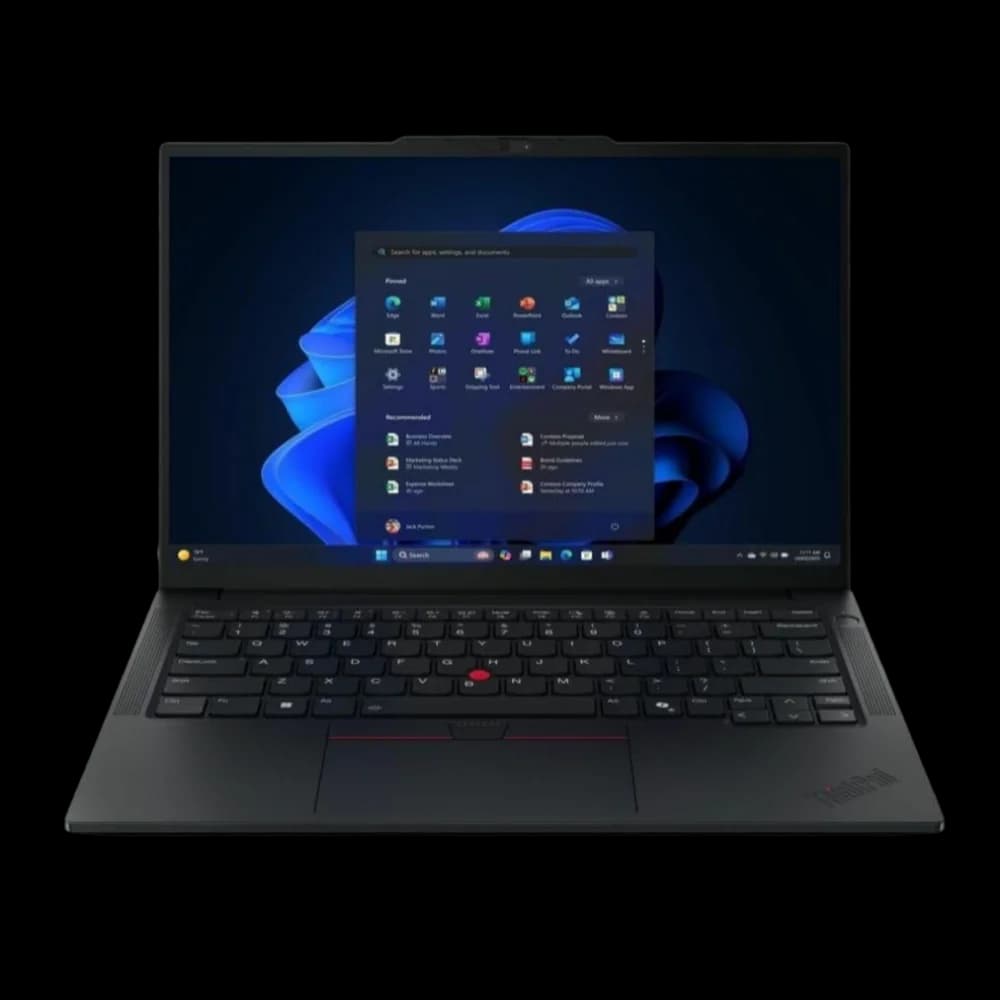
ThinkPad E14 Gen 7
$949The proven fleet standard with Core Ultra Series 2 efficiency at an accessible price point. Available in Copilot+ (Lunar Lake, soldered RAM) or upgradeable (H/U-series, SO-DIMM) configurations.
Lenovo ThinkPad E14 – business laptop overview
The Value Workhorse
The ThinkPad E-Series offers core ThinkPad attributes—durability, a quality keyboard, and reliable business performance—at an accessible price point for budget-conscious SMBs.
The E14 Gen 7 ships in two fundamentally different Intel configurations — buyers should understand the trade-offs:
Option A: Copilot+ configuration (Lunar Lake / V-series)
| Feature | Specification |
|---|---|
| Processor | Intel Core Ultra 5 226V or Core Ultra 5 228V (Lunar Lake) |
| RAM | 16GB or 32GB LPDDR5x (soldered, not upgradeable) |
| NPU | Up to 48 TOPS (Copilot+ qualified) |
| Storage | Up to 1TB M.2 2280 SSD (single slot on V-series models) |
| Wireless | Wi-Fi 7 + Bluetooth |
Option B: Upgradeable configuration (H/U-series)
| Feature | Specification |
|---|---|
| Processor | Intel Core Ultra H/U series or AMD Ryzen 200 Series (Ryzen 5 230 / Ryzen 7 250) |
| RAM | Up to 64GB DDR5 via SO-DIMM slots (user-upgradeable) |
| NPU | Below 40 TOPS (AI PC, not Copilot+) |
| Storage | Up to 2x M.2 SSD (dual storage slots on H/U models) |
| Wireless | Wi-Fi 6E + Bluetooth |
Shared specifications (both configs):
| Feature | Specification |
|---|---|
| Display | 14-inch WUXGA IPS, 300 nits |
| Weight | Starting at 2.91 lbs / 1.32 kg (V-series) or 2.95 lbs / 1.34 kg (H/U-series) per PSREF |
| Battery | 64Wh (both configs); Lenovo-rated approximately 10–14.75 hours depending on configuration (MobileMark) |
| Price Range | $949–$1,300+ (price checked July 2026) |
Important: Battery life and weight vary between configurations. The Lunar Lake V-series is lighter and tends toward longer battery life; the H/U-series is marginally heavier but offers upgradeable RAM and dual storage. Verify the exact specs for the configuration you order at Lenovo PSREF.
Value Proposition: The E14 Gen 7 is no longer just "cheap"; its Core Ultra Series 2 option brings better efficiency than older budget business laptops. It allows SMBs to equip teams with reliable, durable machines without large capital outlay. It maintains the classic, durable ThinkPad aesthetic and features a comfortable keyboard that helps prevent fatigue.
Best For: Startups, non-profits, educational institutions, or any business needing to deploy multiple dependable laptops on a tight budget.
Check ThinkPad E14 PriceWhy we don't recommend the MacBook Neo for most business fleets
Apple's MacBook Neo (announced March 4, 2026, now from $699 after Apple's June 25, 2026 price increase) is a capable consumer machine — A18 Pro chip, 13-inch Liquid Retina display, fanless, 2.7 lbs — but its 8GB non-upgradeable RAM puts it below our business baseline, the same reason we list 8GB as a configuration to avoid. For a similar price, the ThinkPad E14 Gen 7 adds upgradeable RAM, a fuller port selection, and enterprise management. The Neo only makes sense for Apple-ecosystem users on tight budgets working mostly in a browser — not for managed fleets. For a detailed comparison, see our MacBook Neo vs. MacBook Air M5 guide.
Lenovo ThinkBook 16 Gen 7
The Lenovo ThinkBook 16 Gen 7 provides a 16-inch display with numeric keypad and Ethernet connectivity starting at $899. Note: the Gen 9 (Intel Panther Lake) is now available; the Gen 7 is a previous-generation value pick when discounted.
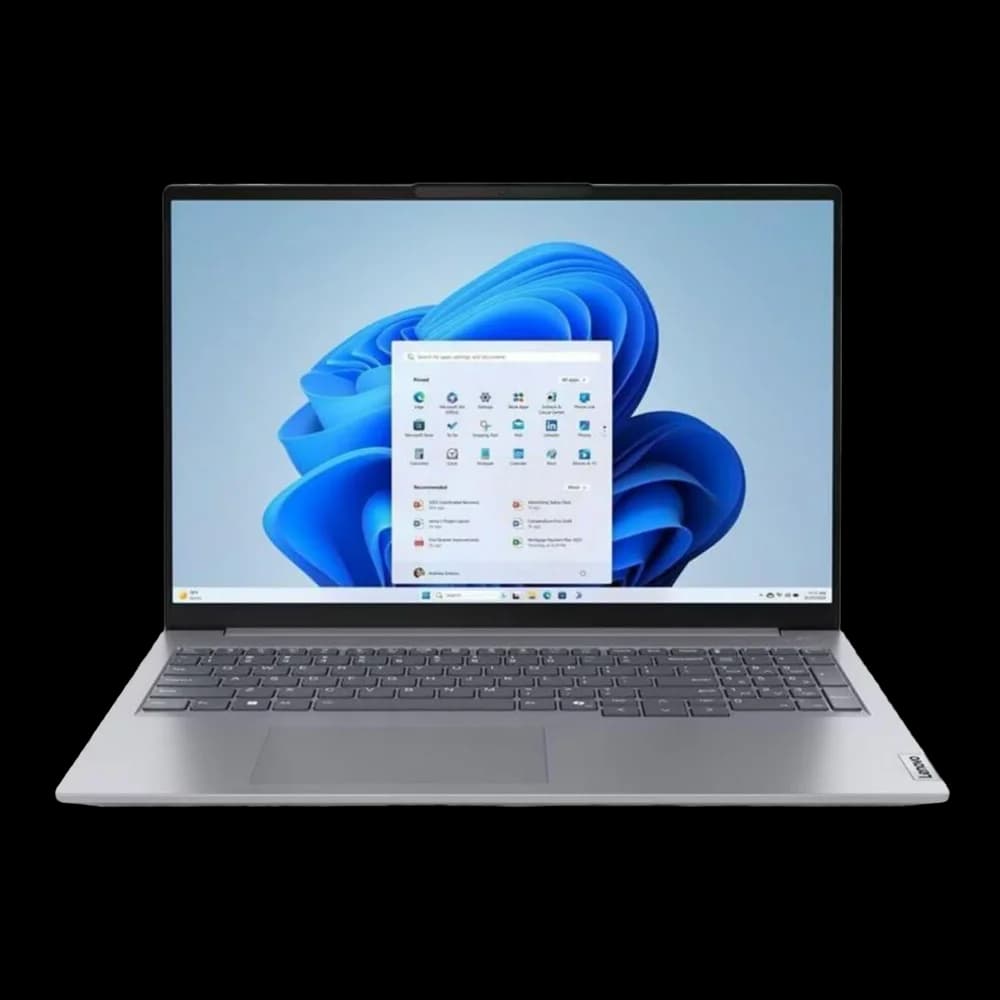
ThinkBook 16 Gen 7
$899Cost-effective 16-inch desktop replacement with numeric keypad and full connectivity.
Lenovo ThinkBook 16 Gen 7 – business laptop overview
The Modern Desktop Replacement
The ThinkBook 16 Gen 7 is a cost-effective desktop replacement. It offers a large 16-inch screen, a full keyboard with a numeric pad, and robust connectivity.
Key Features:
- 16-inch WUXGA display with 16:10 aspect ratio
- Full keyboard with numeric keypad
- Comprehensive port selection, including Ethernet
- Modern two-tone aluminum aesthetic
- Starting at $899
Best For: Roles in finance, accounting, administration, and data analysis need expansive screen real estate for in-office work. The large display provides the convenience of a desktop setup with laptop flexibility.
Check ThinkBook 16 PriceDell 14 Plus (DB14250) - 2025 Model
The Dell 14 Plus delivers strong battery life with Core Ultra processors — currently on sale at $799.99 through July 29, 2026 (Core Ultra 5 226V / 16GB / 512GB / Windows 11 Home).
2026 naming update: Dell's 2026 naming has shifted toward Dell, Dell Pro, and Dell Pro Max tiers. The Dell 14 Plus (DB14250) remains a 2025 value pick when discounted, but buyers standardizing a managed fleet should also compare current Dell Pro commercial models. Note: the current $799.99 configuration ships with Windows 11 Home and no accidental-damage coverage — budget for a Windows Pro upgrade ($99–$199) if deploying in a managed fleet.
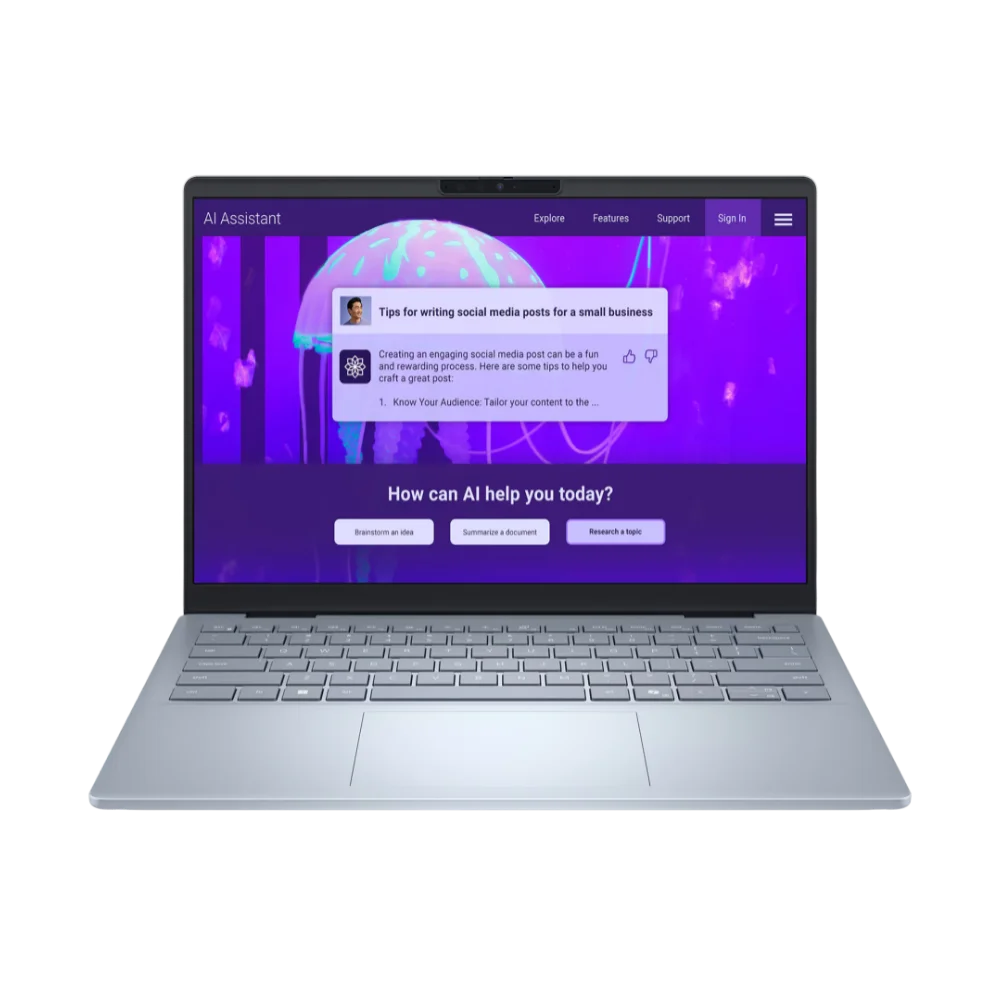
Dell 14 Plus
$799.99A capable mid-range workhorse with strong battery life — currently $799.99 on sale (Core Ultra 5/16GB/512GB/Windows Home). Ideal for individual buyers; managed fleets will need to upgrade the OS.
Dell 14 Plus (DB14250) Review
The Battery Life Leader (Budget Option When On Sale)
The Dell 14 Plus (2025 Model) is a capable mid-range workhorse known for strong battery life in reviews and real-world use. While the 2026 XPS 14 brings premium features, this proven model offers solid value when purchased on sale.
| Feature | Specification |
|---|---|
| Processor | Intel Core Ultra 5 226V / Ultra 7 256V / Ultra 9 288V |
| RAM | 16GB or 32GB LPDDR5x |
| Display | 14-inch 2.5K (2560×1600), IPS, 300 nits |
| OS | Windows 11 Home (current sale config) |
| Weight | 3.4 lbs (1.54 kg) |
| Battery Life | Strong battery life (exact hours vary by config and workload) |
| Price Range | $799.99 (sale, Core Ultra 5/16GB) to $1,360+ (Core Ultra 7/32GB); price checked July 2026 |
Value Proposition: The Dell 14 Plus offers a reliable, well-built machine with strong Core Ultra performance. At $799.99 on sale, it's a competitive option for individual buyers prioritizing mobile productivity. Note that this configuration ships with Windows 11 Home — managed fleet deployments will need a Pro upgrade.
Check Dell 14 Plus PriceExecutive & Premium Ultraportables
Premium business laptops ($1,299–$2,500+) prioritize build quality, sub-2.5 lb weight, optional OLED displays, and long operational lifespans.
Premium Picks Deep-Dive
For a focused comparison of the top five premium business laptops ($1,299–$2,500+) with field deployment notes and premium-specific FAQs, see our Best Premium Business Laptops guide.
The Best Windows Business Laptop: Lenovo ThinkPad X1 Carbon Gen 14
The ThinkPad X1 Carbon Gen 14 combines a 2.17-pound chassis with an easily repairable Space Frame design and around a full workday of battery life.
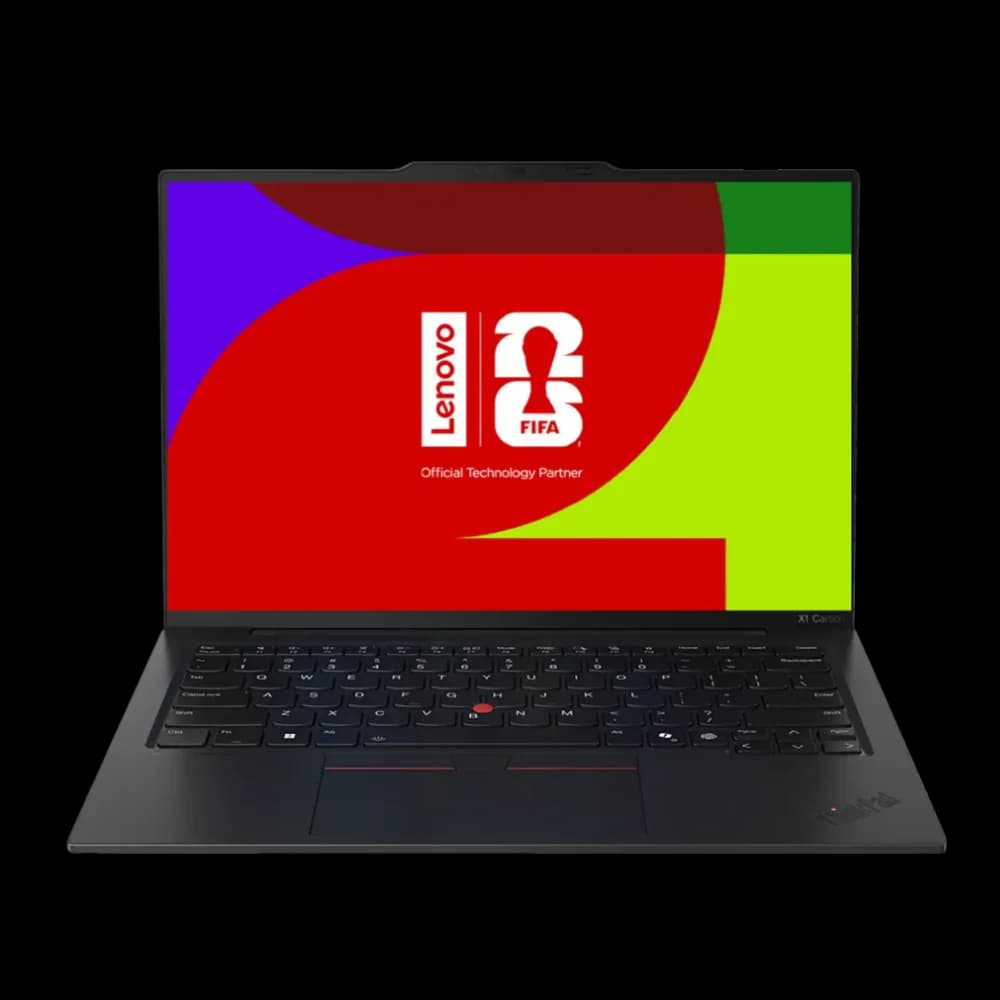
Lenovo ThinkPad X1 Carbon Gen 14
From $2,249The best Windows business laptop for 2026. Space Frame repairability, sub-2.2 lb weight, optional 2.8K OLED display (500 nits), and Intel Panther Lake performance. Announced at $1,999; current CTO pricing starts at $2,249.
Availability Update: Gen 14 Now Shipping in the US
The ThinkPad X1 Carbon Gen 14 is now shipping in the US — customers are reporting deliveries as of May 2026. If you need it sooner, the ThinkPad X1 Carbon Gen 13 is in stock on Amazon now and remains an excellent choice — it shares the same well-regarded keyboard, sub-2.5 lb weight, vPro management, and enterprise-grade security features.
Introducing the New Lenovo ThinkPad X1 Carbon Gen 14 Aura Edition
The Top SMB Choice (Now with Repairability)
The ThinkPad X1 Carbon Gen 14 is a strong contender in the business ultraportable category, offering a well-balanced combination of portability, ergonomics, performance, and reliability. Announced at CES 2026, it features the innovative "Space Frame" design.
| Feature | Specification |
|---|---|
| Processor | Intel Core Ultra Series 3 (Panther Lake), up to Core Ultra 7 355 / X7 368H with vPro |
| RAM | Up to 64GB LPDDR5x-9600 (soldered) |
| Storage | Up to 2TB PCIe Gen5 SSD |
| Display | 14-inch 2.8K (2880×1800) OLED, 120Hz VRR, 500 nits, HDR True Black 500 (OLED option; IPS base available) |
| Weight | 2.17 lbs (0.98 kg) |
| Battery Life | Lenovo-rated 11.4–19.2 hours (MobileMark 25), depending on processor and display; actual runtime varies by workload |
| Price Range | Announced from $1,999; current US CTO pricing starts at $2,249 (Lenovo.com, July 2026). Gen 13 available on Amazon from ~$1,429. |
| iFixit Score | 9/10 |
Space Frame Repairability: Announced at CES 2026, the magnet-attached keyboard lifts off with minimal effort, and internal parts like the battery are user-replaceable with minor tools (mainly a screwdriver) — a meaningful step up in serviceability for a premium ultraportable, earning a 9/10 iFixit repairability score. This reduces total cost of ownership for enterprise deployments.
Performance: Powered by Intel's new Panther Lake (Core Ultra Series 3) platform—the first chip built on Intel's 18A process—the X1 Carbon Gen 14 delivers responsive performance. Lenovo rates battery life at 11.4–19.2 hours (MobileMark 25), depending on processor and display — the efficient WUXGA IPS configuration achieves the highest figure, while the 2.8K OLED with 64GB configuration achieves the lowest. Includes Wi-Fi 7 connectivity; select commercial configurations may meet Microsoft's Secured-core PC requirements for government and enterprise security — verify the exact SKU before purchase.
Build Quality: The laptop features a carbon fiber and magnesium chassis that provides military-grade durability in a 2.17-pound package. The keyboard offers deep, comfortable key travel that minimizes fatigue during long typing sessions — consistently rated among the best in any current business laptop.
Thermal Notes: Early third-party reviews describe the Gen 14 as quiet under standard business workloads, with fan noise becoming noticeable primarily under sustained heavy loads. We have not yet measured thermals in our own deployment.
Who It's For: Executives, consultants, and professionals who value reliability and sustainability. The Space Frame design is intended to extend the device's useful life by making battery and keyboard replacements practical — actual service lifespan depends on usage, environment, and maintenance.
Check X1 Carbon Gen 13 on AmazonApple MacBook Air (M5, 13-inch & 15-inch)
The Apple MacBook Air M5 provides up to 18 hours of battery life and fanless operation for silent, efficient business performance.
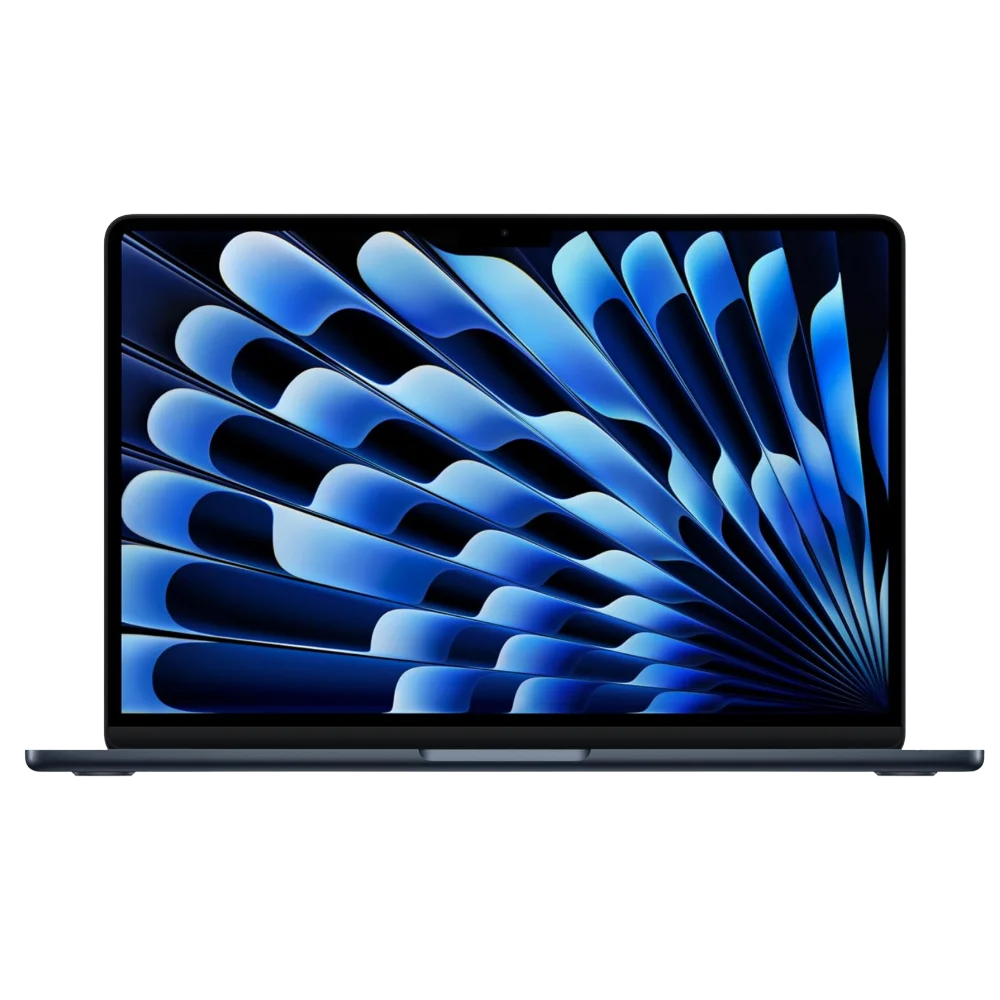
MacBook Air M5
The best fit for many small businesses in 2026. Available now — Apple-rated up to 18-hour battery, fanless, 512GB base storage, Wi-Fi 7, and a strong webcam for its class. Price updated after Apple's June 25, 2026 increase.
- Apple M5 chip — in stock from $1,299
- Up to 18 hr battery (Apple-rated), fanless design
- 512GB base storage, Wi-Fi 7, Bluetooth 6
- 12MP Center Stage webcam for video calls
*Price at time of publishing
Apple introduces the new MacBook Air with M5
The Best Fit for Many Small Businesses
The M5 MacBook Air combines ease of use, strong battery life, and a well-built aluminum chassis, making it a strong option for businesses that prioritize the Apple ecosystem.
| Feature | Specification |
|---|---|
| Processor | Apple M5 (10-core CPU, up to 10-core GPU) |
| RAM | 16GB to 32GB Unified Memory |
| Storage | 512GB to 4TB SSD |
| Display | 13.6" or 15.3" Liquid Retina |
| Wireless | Wi-Fi 7, Bluetooth 6 |
| Weight | 13": 2.7 lbs | 15": 3.3 lbs |
| Battery Life | Up to 18 hours (Apple-rated) |
| Price Range | $1,299-$2,099+ (price checked July 2026; reflects Apple's June 25, 2026 increase) |
Performance: Apple's M5 chip delivers fast responsiveness for common business tasks while remaining silent thanks to its fanless design. Apple cites up to 4x faster AI performance compared to M4 models, with enhanced Neural Accelerators for machine-learning tasks. Apple rates battery life at up to 18 hours; real-world results vary by workload (video streaming and wireless web use affect runtime).
Latest Update (March 2026): Apple announced the MacBook Air M5 on March 3, 2026, with availability starting March 11. Key improvements include 512GB base storage (doubled from the M4 generation), Wi-Fi 7 and Bluetooth 6 support, and enhanced AI capabilities. The M4 MacBook Air remains available at clearance prices ($859–$999 for the 13-inch base model).
M4 vs. M5 Value Math: After Apple's June 25, 2026 price increase, the M5 now starts at $1,299 (up from $1,099). The M5's price includes 512GB base storage — Apple previously charged $200 to upgrade the M4 from 256GB to 512GB. If you find the M4 13-inch at clearance pricing, the savings may justify the older wireless and smaller base storage for budget-constrained deployments. At current pricing, compare carefully against the M5's larger base storage.
Camera and Audio: The MacBook Air features a 12MP Center Stage webcam and Spatial Audio support. The 13-inch model has a four-speaker sound system; the 15-inch has a six-speaker system with force-canceling woofers — both stronger audio setups than most Windows laptops at this price point.
Total Cost of Ownership: The MacBook Air offers good TCO, driven by longevity and consistently high resale value. MacOS's streamlined nature can reduce IT friction for SMBs without dedicated IT support. For businesses looking to create a complete Apple-based workspace, our Building a Modern Apple Office guide provides comprehensive setup recommendations. Not sure whether your team needs the Air, the entry-level MacBook Neo (now from $699), or a MacBook Pro? See our full three-way MacBook comparison for 2026.
Check MacBook Air M5 PriceASUS ExpertBook P5 G2
The ASUS ExpertBook P5 G2 offers an optional OLED display and a strong port selection. US pricing starts at $2,629.99 for the 14-inch AMD model (PM5406CGA-XS96, Ryzen AI 9 HX 470) — significantly higher than the previous-generation G1. Warranty terms vary by SKU and reseller — confirm any accidental-damage coverage before buying.
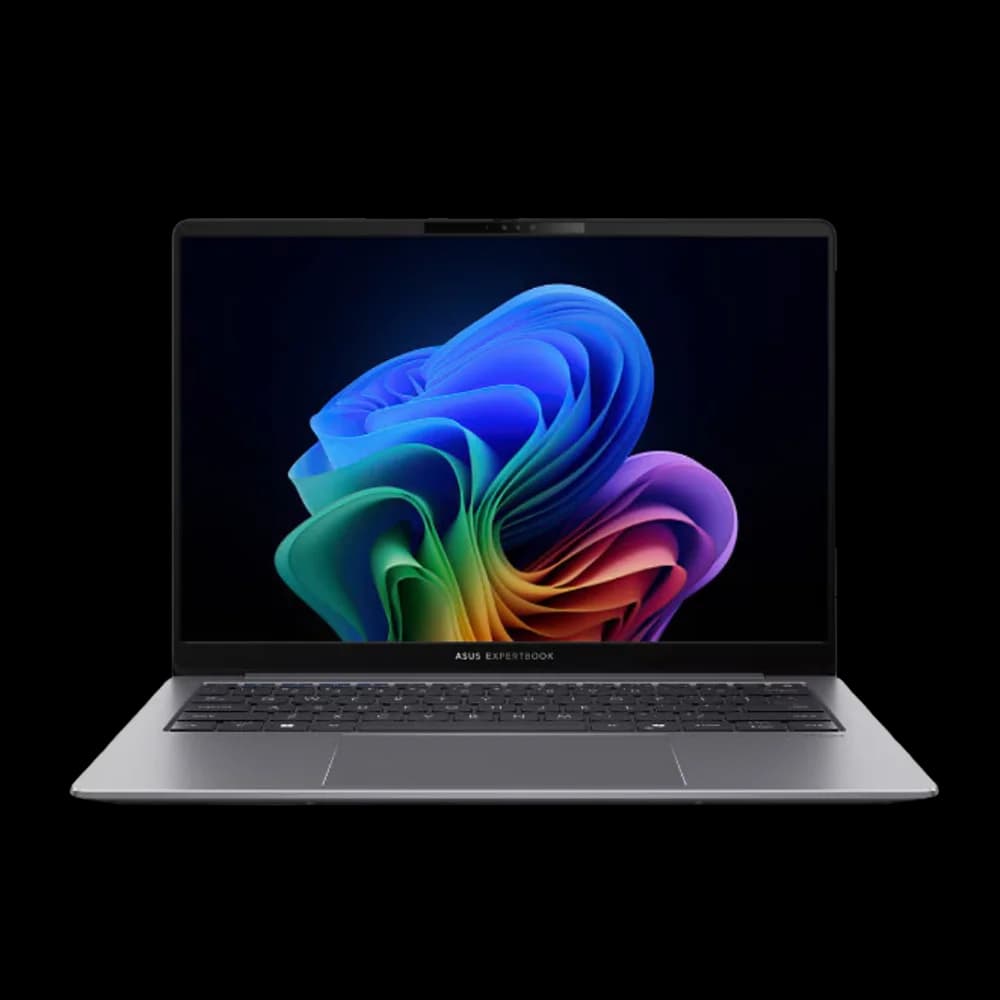
ASUS ExpertBook P5 G2
$2,629.99Strong feature set in a lightweight package — Intel Core Ultra Series 3 or AMD Ryzen AI 9 HX 470, optional OLED. US G2 pricing starts at $2,629.99 (AMD 14-inch), far above the previous-generation G1. Warranty terms vary by SKU and reseller.
ASUS ExpertBook P5 (P5405): Copilot+ PC for work
The Feature-Rich Challenger
The Asus ExpertBook P5 fits a strong feature set into a lightweight chassis: a high-refresh-rate display, strong battery life, and full port selection.
Key Features (2026 P5 G2):
- Intel Core Ultra 7 Series 3 or AMD Ryzen AI 9 HX 470 (up to 55 NPU TOPS on AMD variant)
- Memory: up to 64GB DDR5 via 2x SO-DIMM slots on both Intel and AMD US configurations (ASUS global marketing references up to 96GB, but the US techspec page lists 64GB maximum)
- Storage: dual PCIe 4.0 SSDs — up to 2TB + 1TB on Intel; up to 3TB via self-upgrade on AMD
- 14-inch or 16-inch IPS standard or optional OLED display
- AMD 14" variant starts at 1.29 kg (2.84 lbs) per ASUS US specifications
- MIL-STD-810H tested chassis
- Warranty terms (including any accidental-damage coverage) vary by SKU and reseller — verify before purchase
- US pricing: AMD 14-inch from $2,629.99 (PM5406CGA-XS96); AMD 16-inch from $2,679.99 (PM5606CGA-XS96) — price checked July 2026
Performance: The P5 G2's AMD variant delivers Copilot+ certification (55 NPU TOPS) and strong integrated GPU performance. At $2,629.99+, it is no longer a budget alternative — it competes with premium ultraportables. Choose AMD for iGPU-heavy workloads; choose Intel if you need vPro management — but verify vPro support on the specific Intel SKU you purchase, as ASUS's US specification page does not guarantee vPro on every configuration.
Consideration: While offering substantial value, some user reports on the G1 generation indicated quality control variance. The G2 redesign addresses the chassis rigidity concerns. Purchase from vendors with good return policies regardless.
Check ExpertBook P5 PricePremium Portables & Mobile Professionals
These laptops prioritize all-day battery life, lightweight portability, and premium build quality for professionals who work on the go. Note: the XPS 14 is a premium prosumer/creator machine — for harsh field conditions (construction, outdoor weather), consider rugged or semi-rugged commercial models like Dell Latitude Rugged, Panasonic Toughbook, or Getac B360.
Dell XPS 14 (2026) - Best Battery Life
The Dell XPS 14 (2026) brings back physical function keys and offers a 2.8K OLED display option, with Dell-rated battery life that varies by display and configuration.
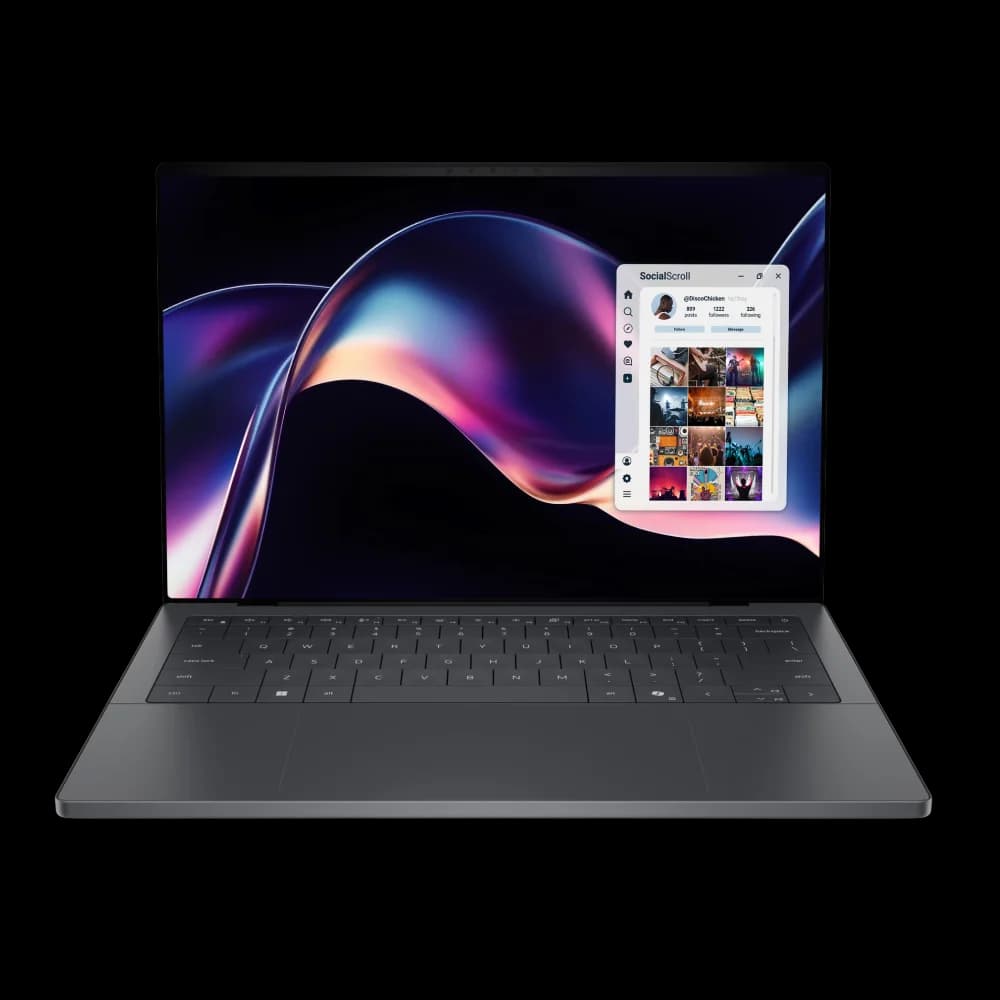
Dell XPS 14 (2026)
From $1,999.99Physical keys are back. Core Ultra Series 3, a 2.8K OLED option, and strong Dell-rated battery life on the 2K LCD configuration. Retail configs may ship with Windows 11 Home — specify Windows 11 Pro (a paid upgrade at Dell) for managed deployments.
Dell XPS 14 (2026)
Physical Keys Return
The Dell XPS 14 (2026) addresses a key concern from business users. Dell has replaced the touch function row with physical function keys in response to customer feedback.
| Feature | Specification |
|---|---|
| Processor | Intel Core Ultra Series 3 (Panther Lake), Core Ultra 5 325 to X7 358H |
| RAM | 16GB to 64GB LPDDR5x (64GB requires Core Ultra 358H/388H) |
| Storage | Up to 2TB SSD |
| Display | 2.8K (2880×1800) OLED touch option, or 2K (1920×1200) LCD non-touch base; 120Hz |
| Weight | 3.0 lbs (1.36 kg) |
| Battery Life | Up to 31 hours video playback on 2K LCD (Dell-rated, Core Ultra 7 355); lower on OLED and higher-power configs |
| Price Range | From $1,999.99 (CTO); ready configurations from ~$2,099.99+ (price checked July 2026; Dell pricing varies by configuration and promotions — verify current config at Dell) |
Key Update: Dell removed the touch function row and brought back physical keys in response to business buyer feedback. Combined with Core Ultra Series 3 efficiency and a 1Hz variable refresh rate on the LCD model, Dell rates the 2K LCD XPS 14 at up to 31 hours of battery life — per Dell's own footnote, "up to 31 hours based on XPS 14 and XPS 16 tested with Intel Core Ultra 7 355 Processor, Intel Graphics, 2K LCD, 16GB and 1TB SSD," testing conducted by Dell labs in January 2026. Dell notes actual battery life may be significantly less than lab results; expect noticeably shorter runtime in mixed-use work, and less again on the OLED panel. Includes Wi-Fi 7; select commercial configurations may meet Microsoft's Secured-core PC requirements — verify the exact SKU before purchase.
2.8K OLED Display: The optional 2.8K (2880×1800) OLED screen provides 100% DCI-P3 color coverage with lower burn-in risk than older OLED designs. The base 2K LCD model uses a variable refresh rate (down to 1Hz) to maximize battery life for mobile professionals.
Mini-LED vs. OLED: Business Display Comparison
| Feature | Apple Mini-LED (MacBook Pro) | Dell 2.8K OLED (XPS 14) |
|---|---|---|
| Burn-in Risk | None (LED backlight) | Lower than older OLED designs, but LCD remains safer for static UI-heavy work |
| Battery Impact | Lower drain (backlight dims uniformly) | Higher drain vs. LCD; lower than standard OLED |
| Color Accuracy | 100% DCI-P3 | 100% DCI-P3 |
| Contrast Ratio | 1,000,000:1 (local dimming zones) | Infinite (per-pixel) |
| Peak Brightness | 1,600 nits HDR | 1,000 nits HDR |
| Static UI Safety | No concern | Lower risk than older OLED, but LCD is safer for static UI-heavy work |
| Best For | All-day business use without display concerns | Color-critical work where true blacks matter |
Best For: Mobile professionals and consultants who prioritize battery life with premium build quality. At 3.0 lbs, it's lighter than the previous generation. Note that Dell positions the XPS as a premium consumer/creator line ("built for creation") — the default configuration is not a commercial-fleet package. For managed fleet deployments requiring on-site warranty, commercial OS, and enterprise management features, also evaluate Dell Pro models. For a deeper look at battery testing and display comparisons, see our Dell XPS 14 in-depth review.
Thermal Notes: Near-silent under typical office workloads — users report the fans are essentially inaudible during email, web browsing, and video calls. Under sustained CPU-intensive loads (large exports, video rendering), the fans do spin up audibly. This is expected behavior for any thin ultrabook chassis and does not indicate a defect.
Check Dell XPS 14 PriceMicrosoft Surface Laptop for Business 8th Edition
The Surface Laptop for Business 8th Edition runs Intel Core Ultra Series 3 with a 50 TOPS NPU and Windows 11 Pro — the Surface to buy for a managed Microsoft fleet, with full x86 app support that the ARM-based Surface Laptop 7 lacks.
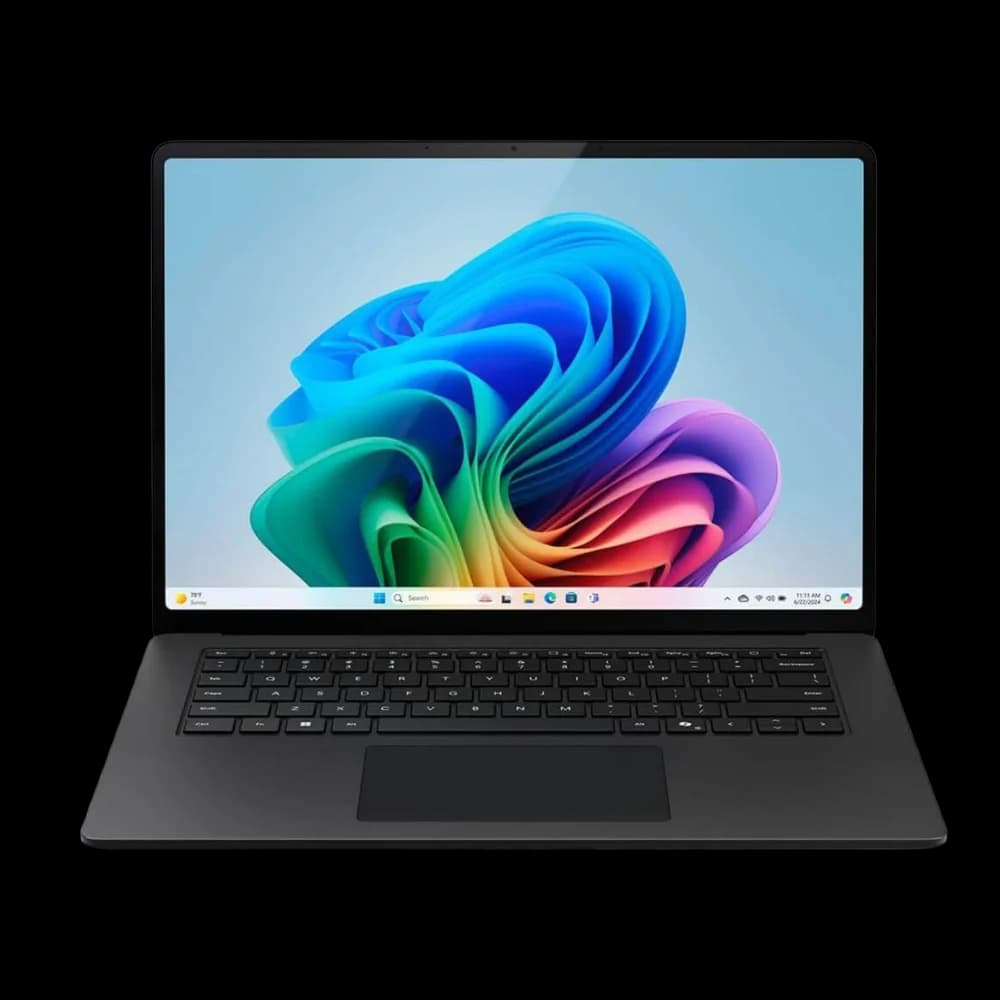
Surface Laptop for Business 8th Edition
From $1,499.99Intel Core Ultra Series 3, 50 TOPS NPU (Copilot+), Windows 11 Pro, Wi-Fi 7, and a removable Gen 4 SSD — full x86 compatibility for managed Microsoft deployments. Two Intel models: 13-inch from $1,499.99 (up to 24GB) and 13.8/15-inch from $1,949.99 (up to 64GB). Snapdragon X2 ARM models also available from $1,649.99.
Microsoft Surface Laptop for Business — overview
The Microsoft-Managed Fleet Pick
The Surface Laptop for Business 8th Edition is Microsoft's current business ultraportable, and the cleaner recommendation than the older ARM-based Surface Laptop 7 for any organization running managed Windows.
Specifications:
- Intel Core Ultra Series 3 (Core Ultra 5 or X7), 50 TOPS NPU (Copilot+)
- Windows 11 Pro, Wi-Fi 7, removable Gen 4 SSD
- 13-inch from $1,499.99 (up to 24GB RAM, up to 1TB); 13.8- and 15-inch from $1,949.99 (up to 64GB RAM)
- Optional built-in privacy screen on select 13.8-inch configurations
- Up to 23 hours of local video playback (Microsoft-rated)
Why it wins for business: Full x86 application support, Windows 11 Pro out of the box, Autopilot/Intune-ready, and a serviceable removable SSD. Confirm the live price and configuration on the Microsoft Store, since enterprise pricing varies by spec.
ARM option: Surface Laptop for Business 8th Edition (Snapdragon X2)
Microsoft now also sells Snapdragon X2 Surface Laptop for Business models from $1,649.99 (business availability since July 14, 2026). These ARM-based models offer strong battery life and Copilot+ features with up to 80 TOPS AI performance. The Intel recommendation above remains the compatibility-first choice, but the Snapdragon X2 option is worth evaluating for teams working primarily in Microsoft 365, browsers, and ARM-native apps. Because it runs Windows-on-ARM, verify every critical app — native kernel drivers, peripheral drivers, and security modules are the primary compatibility risks (x86/x64 apps run via emulation). See our ARM vs x86 business laptops guide before deploying it to a fleet.
Legacy option: Surface Laptop 7 (2024, Windows-on-ARM)
The earlier Surface Laptop 7 (Snapdragon X Elite, 120Hz PixelSense touchscreen, ~$999 discounted) remains available and is a reasonable value for users working mostly in Microsoft 365, browsers, and ARM-native apps. The same ARM compatibility caveats apply.
Engineering & High-Performance Laptops
Engineering laptops require sustained CPU/GPU performance, 32GB+ RAM, and dedicated graphics for CAD, 3D modeling, and video production.
Samsung Galaxy Book6 Ultra
The Samsung Galaxy Book6 Ultra pairs Intel Core Ultra Series 3 with optional NVIDIA RTX 50-series graphics for CAD and 3D workflows.
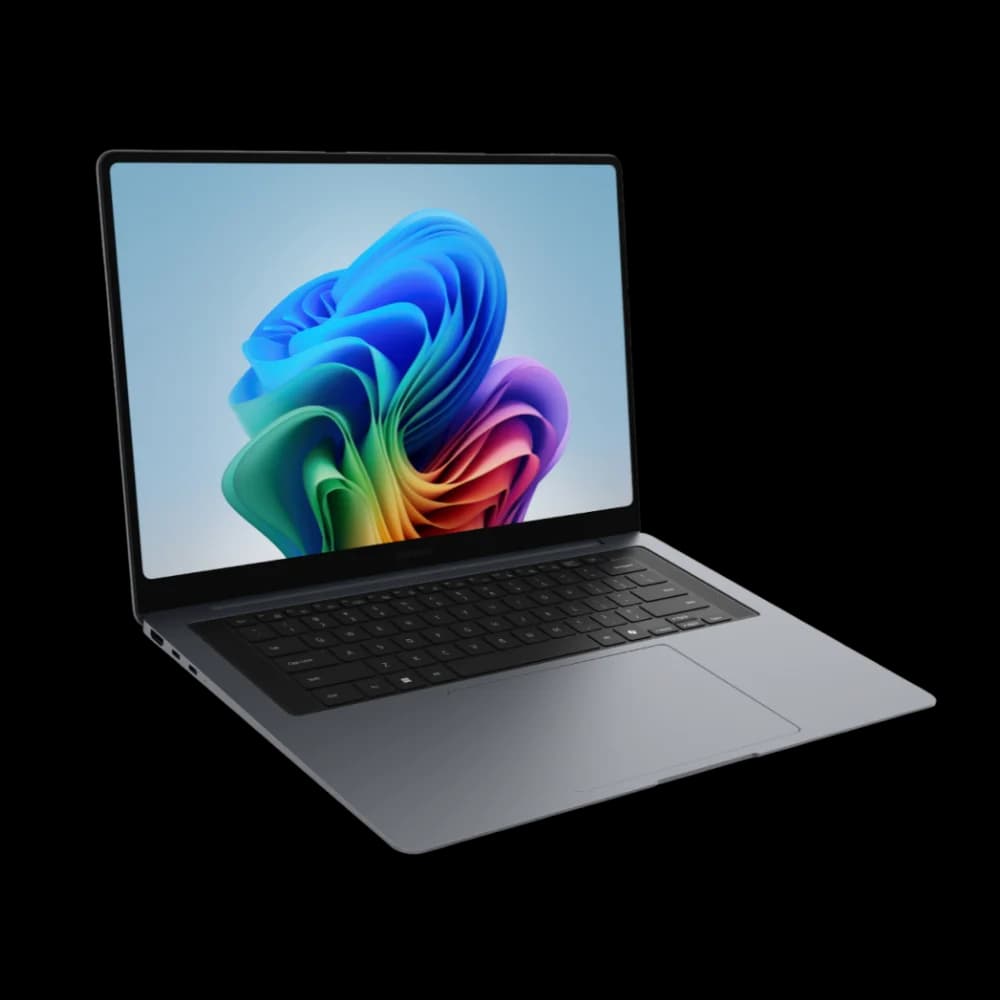
Samsung Galaxy Book6 Ultra
From $2,899.99Ultra-slim Windows performance laptop for creative and 3D workflows — Core Ultra Series 3 with optional RTX 50-series graphics. Arc-integrated base from $2,899.99; RTX configs higher. US configs ship with Windows 11 Home — specify Windows 11 Pro or budget for an upgrade for managed deployments. Not ISV-certified for engineering CAD/BIM — evaluate dedicated workstations for certified workflows.
Samsung Galaxy Book6 Ultra
RTX 50-Series Performance
The Samsung Galaxy Book6 Ultra is among the first ultra-slim performance laptops to pair Core Ultra Series 3 with optional RTX 50-series graphics (Blackwell architecture). It is Samsung's Windows answer to the MacBook Pro for creative professionals, architects, and 3D designers. Without workstation-class ISV certification, it is best positioned as a slim creator/GPU laptop rather than a dedicated engineering machine — organizations running ISV-certified CAD/BIM applications should evaluate Dell Pro Max, HP ZBook, or ThinkPad P-series workstations.
| Feature | Specification |
|---|---|
| Processor | Intel Core Ultra Series 3 (Panther Lake); current US configs include Core Ultra 7 / Core Ultra X7 options |
| GPU | Intel Arc B390 (integrated) or optional NVIDIA RTX 5060 / RTX 5070 Laptop GPU (Blackwell) |
| RAM | 32GB in current US configurations (64GB on some non-US SKUs) |
| Display | 16-inch AMOLED, 120Hz, 500 nits |
| Weight | 4.17 lbs (1.9 kg) with RTX GPU; 3.95 lbs (1.79 kg) with Arc integrated |
| Battery Life | Samsung-rated up to 30 hours video playback; mixed-use runtime will be significantly lower, especially with the RTX GPU active |
| Price Range | $2,899.99 (Arc) to $3,799.99 (RTX 5070); price checked July 2026 |
Notable Feature: Series 3 + RTX 50-Series. This is among the first ultra-slim performance laptops to combine Intel's Panther Lake CPU with NVIDIA's RTX 50-series (Blackwell) GPU. NVIDIA cites meaningful rendering gains over the 2025 RTX 40-series, though real-world improvement varies by application. For engineering workflows (SolidWorks, AutoCAD, Revit, Fusion 360), an RTX-equipped configuration is a strong Windows option — note that the entry configurations ship with Intel Arc integrated graphics, and discrete RTX adds significantly to the price.
Performance: The RTX 5070 Laptop GPU delivers strong discrete-GPU performance in a mobile form factor. Combined with Intel's Panther Lake CPU, it is designed for sustained engineering workloads; verify performance by application, since thin-chassis laptops vary under prolonged load.
AMOLED Display: The 16-inch AMOLED display provides accurate color reproduction and high contrast for CAD work, with a 120Hz refresh rate for smooth viewport navigation.
Best For: Creative professionals, architects, and 3D designers who need Windows compatibility and dedicated GPU performance in a slim form factor. Engineering fleets running ISV-certified CAD/BIM applications (e.g., certified SolidWorks, Revit) should also evaluate dedicated mobile workstations such as Dell Pro Max, HP ZBook, or ThinkPad P-series, which carry formal ISV certifications.
Check Galaxy Book6 Ultra PriceApple MacBook Pro 14-inch (M5, M5 Pro & M5 Max)
The 14-inch MacBook Pro spans three tiers — base M5, M5 Pro, and M5 Max — using active cooling and advanced graphics for sustained engineering and creative workloads.
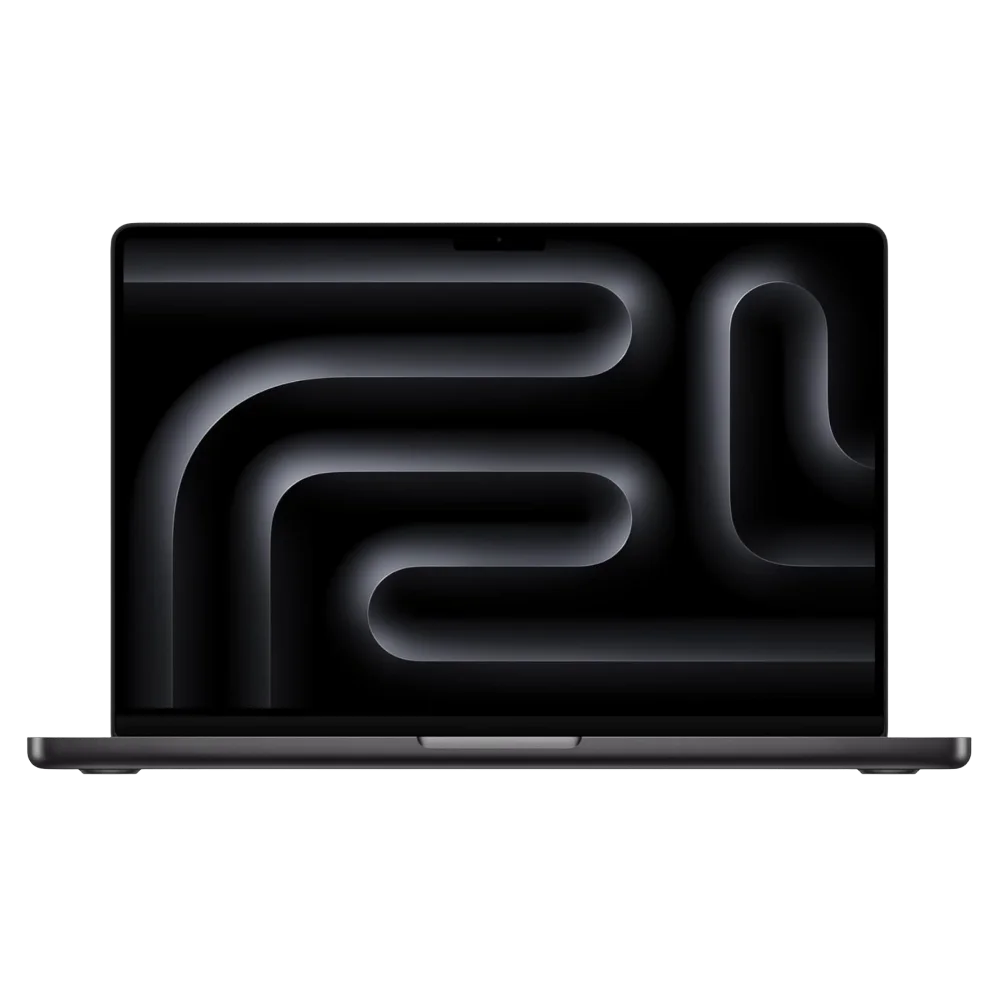
MacBook Pro 14-inch (M5 / M5 Pro / M5 Max)
From $1,999Active cooling, Liquid Retina XDR display. Base M5 from $1,999; M5 Pro from $2,499; M5 Max from $4,099 (prices reflect June 25, 2026 increase). Base M5 has Thunderbolt 4; M5 Pro/Max have Thunderbolt 5.
Which tier? Pricing at a glance (checked July 2026)
- 14" MacBook Pro (M5): from $1,999 — 1TB base storage, Thunderbolt 4; the right pick for most Mac professionals who don't need Pro/Max GPU power.
- 14" MacBook Pro (M5 Pro): from $2,499 — more CPU/GPU cores, memory bandwidth, and Thunderbolt 5 for sustained pro work.
- 14" MacBook Pro (M5 Max): from $4,099 — maximum GPU cores, memory, and Thunderbolt 5 for the heaviest 3D, video, and ML workloads.
Prices reflect Apple's June 25, 2026 increase. Price checked July 2026.
Apple introduces MacBook Pro with M5 Pro and M5 Max
Professional Mac for Sustained Workloads
Latest Update: M5 Pro and M5 Max MacBook Pro
Apple announced the MacBook Pro with M5 Pro and M5 Max chips on March 3, 2026 (available March 11). These feature a new Fusion Architecture connecting two dies into a single processor, delivering up to 4x faster AI performance compared to the previous generation.
The 14-inch MacBook Pro suits Mac-based professionals whose work demands sustained performance, a high-quality display, and better connectivity than the MacBook Air provides. The base M5 covers most pros; the M5 Pro and M5 Max add CPU/GPU cores for heavier workloads.
| Feature | Specification (by tier) |
|---|---|
| Processor | Apple M5 (base), M5 Pro, or M5 Max |
| GPU | M5: up to 10-core | M5 Pro: up to 20-core | M5 Max: up to 40-core |
| RAM | M5: up to 32GB | M5 Pro: up to 64GB | M5 Max: up to 128GB Unified Memory |
| Storage | 1TB base (M5 / M5 Pro), 2TB base (M5 Max), up to 8TB |
| Display | 14.2" Liquid Retina XDR, 120Hz |
| Weight | 3.5 lbs (1.6 kg) |
| Battery Life | M5: up to 24 hrs video / 16 hrs web · M5 Pro: up to 22 hrs video / 14 hrs web · M5 Max: up to 20 hrs video / 13 hrs web (Apple-rated) |
| Price Range | $1,999 (M5) · $2,499 (M5 Pro) · $4,099 (M5 Max) — price checked July 2026 |
Key Advantages:
- Active cooling system for sustained high performance
- Fusion Architecture: two dies connected as single processor
- Liquid Retina XDR display with ProMotion (120Hz)
- Base M5: three Thunderbolt 4 ports; M5 Pro/Max: three Thunderbolt 5 ports — plus HDMI and SD card slot
- Battery life varies by tier (see table above); M5 Pro/Max trade some runtime for higher sustained performance
- M5 Pro/Max delivers up to 4x faster AI performance vs M4
Display Excellence: The Liquid Retina XDR display uses mini-LED technology for strong contrast and HDR performance, with ProMotion technology providing an adaptive 120Hz refresh rate for smooth motion.
Best For: Developers, data analysts, graphic designers, and Mac-based engineers running Fusion 360 or Vectorworks who need maximum performance.
Check MacBook Pro 14 PriceMaster Comparison Table
Top Picks — Side-by-Side Specs
| Specs | Editor's Choice MacBook Air M5$1,299+ | Check Price | Best Windows Laptop ThinkPad X1 Carbon G14From $2,249 | Check Price | Best Battery Dell XPS 14 (2026)From $1,999.99 | Check Price | Best Budget ThinkPad E14 G7$949+ | Check Price | Best Slim Creator/GPU Galaxy Book6 UltraFrom $2,899.99 | Check Price |
|---|---|---|---|---|---|
| Processor | Apple M5 (10-core CPU, up to 10-core GPU) | Intel Core Ultra Series 3 (Panther Lake) | Intel Core Ultra Series 3 (Panther Lake) | Intel Core Ultra (Series 2) or AMD Ryzen 200 (Ryzen 5 230 / 7 250) | Intel Core Ultra Series 3 (Panther Lake) |
| RAM | 16GB to 32GB Unified | Up to 64GB LPDDR5x | 16GB to 64GB LPDDR5x | Up to 64GB DDR5 | 32GB (US configs) |
| Display | 13.6" or 15.3" Liquid Retina | 14" 2.8K OLED, 120Hz, 500 nits (OLED option) | 2.8K OLED touch or 2K LCD, 120Hz | 14" WUXGA IPS, 300 nits | 16" AMOLED, 120Hz |
| Battery | Up to 18 hours (Apple-rated) | 11.4–19.2 hrs (Lenovo-rated, MobileMark 25) | Up to 31 hrs video, 2K LCD (Dell-rated) | ~10–14.75 hrs (Lenovo-rated, varies by config) | Up to 30 hrs video (Samsung-rated); mixed use significantly lower |
| Weight | 2.7-3.3 lbs | 2.17 lbs | 3.0 lbs | 2.91–2.95 lbs | 4.17 lbs (RTX) / 3.95 lbs (Arc) |
| NPU TOPS | 16-core Neural Engine | 50 NPU / 180 platform | 50 NPU / 180 platform | Copilot+ on Intel V-series config only | 50 NPU / 180 platform |
| Best For | Best fit for many small businesses | Reliability & repairability | All-day battery + mobile professionals | Maximum value for fleet deployment | Creative/3D workflows with optional RTX 50-series GPU (not ISV-certified for engineering) |
The full ranked top 10, in order, with the remaining models (MacBook Pro 14", ASUS ExpertBook P5, ThinkBook 16 G7, Dell 14 Plus, and Surface Laptop for Business 8th Edition):
| # | Model | Price Range | Battery | Weight | Best For |
|---|---|---|---|---|---|
| 1 | MacBook Air M5 | $1,299-$2,099+ | Up to 18 hrs (rated) | 2.7-3.3 lbs | Best fit for many small businesses |
| 2 | ThinkPad X1 Carbon G14 | From $2,249 (CTO) | 11.4–19.2 hrs (Lenovo-rated) | 2.17 lbs | Best Windows laptop (service-friendly repairability) |
| 3 | Dell XPS 14 (2026) | From $1,999.99 | Up to 31 hrs 2K LCD (Dell-rated) | 3.0 lbs | All-day battery + physical keys |
| 4 | ThinkPad E14 G7 | $949-$1,300+ | ~10–14.75 hrs (Lenovo-rated) | 2.91–2.95 lbs | Value pick: Copilot+ (soldered 16/32GB) or upgradeable (up to 64GB SO-DIMM) |
| 5 | Samsung Galaxy Book6 Ultra | $2,899.99-$3,799.99 | Up to 30 hrs video (Samsung-rated) | 3.95-4.17 lbs | Slim creator/GPU laptop (optional RTX 50-series, not ISV-certified) |
| 6 | MacBook Pro 14" (M5/Pro/Max) | $1,999-$4,099+ | M5: 24 hrs · Pro: 22 hrs · Max: 20 hrs video (rated) | 3.5 lbs | Mac-based professional work |
| 7 | Asus ExpertBook P5 G2 | From $2,629.99 | Varies by config | 1.29 kg (AMD 14") | Feature-rich (price significantly increased from G1) |
| 8 | ThinkBook 16 G7 | $899-$1,300+ | 8-10 hrs | 3.74 lbs (Lenovo-rated) | Previous-gen desktop replacement |
| 9 | Dell 14 Plus (DB14250) | $799.99 (sale) to $1,360+ | Strong battery life | 3.4 lbs | Best battery on a budget (Win Home, on sale) |
| 10 | Surface Laptop for Business 8th Edition | From $1,499.99 (13") / $1,949.99 (13.8"/15") | Up to 23 hrs (rated) | 2.96-3.67 lbs | Microsoft-managed fleets (Intel, Win 11 Pro) |
Prices checked July 23, 2026 from manufacturer or major retail listings. Apple prices reflect the June 25, 2026 increase. Verify current configuration, OS edition, and warranty before purchase. HP EliteBook, Dell Latitude, Lenovo ThinkPad T-series, and the Framework Laptop 13 are covered as alternatives in the callout below.
Core business-class lines worth shortlisting too
This list spans premium ultraportables, budget fleet workhorses, and a high-performance Windows laptop. If your priority is a standardized managed fleet with vendor business support, also shortlist the mainstream commercial lines we cover in depth elsewhere: Dell Latitude, HP EliteBook, and the Lenovo ThinkPad T-series, plus the user-repairable Framework Laptop 13 and the Surface Laptop for Business 8th Edition (Intel Core Ultra Series 3, Windows 11 Pro). The XPS and Galaxy Book are excellent machines but lean prosumer; Latitude, EliteBook, and ThinkPad T/X are built specifically around fleet manageability and multi-year commercial warranties. See our ThinkPad vs Dell Latitude vs HP EliteBook fleet decision guide for a direct comparison, or our business PC buying guide for the full procurement framework before you order.
Use Case-Specific Recommendations
For Mobile Consultants & Road Warriors
Top Choice (Available Now): Apple MacBook Air M5 (13-inch) – Apple-rated up to 18-hour battery, 2.7 lbs, 12MP Center Stage webcam, in stock from $1,299.
Best Windows Option: Lenovo ThinkPad X1 Carbon Gen 14 – Sub-2.2 lbs, Lenovo-rated 11.4–19.2 hrs battery (varies by config), Space Frame repairability, vPro management. Now shipping in the US (May 2026); CTO from $2,249 at Lenovo.com — Gen 13 available now at ~$1,429.
For In-Office Power Users
Top Choice: Lenovo ThinkBook 16 Gen 7 – Large screen, dedicated numeric pad, good value for data-intensive roles.
Alternative: Samsung Galaxy Book6 Ultra – For engineers who need RTX 50-series GPU power.
For Creative Professionals & Engineers
Top Choice (Windows): Samsung Galaxy Book6 Ultra – RTX 50-series GPU for 3D rendering, CAD work.
Top Choice (Mac): Apple MacBook Pro 14-inch M5 – Liquid Retina XDR display, M5 chip, optimized creative applications.
For Lean Startups
Top Choice: Lenovo ThinkPad E14 Gen 7 – Business-grade durability, Core Ultra Series 2 efficiency, low initial cost.
Best Business Laptops by Department
Choosing the right laptop depends heavily on the job role. Here are our department-specific recommendations based on the unique requirements of each team.
Sales Team
Key requirements: Lightweight for travel, long battery for back-to-back meetings, quality webcam for video calls, quick boot and resume.
| Priority | Our Pick | Why |
|---|---|---|
| Top Choice | MacBook Air M5 | Apple-rated up to 18-hour battery, 12MP Center Stage webcam, 2.7 lbs, instant resume. CRM and video conferencing run reliably. |
| Windows Alternative | ThinkPad X1 Carbon Gen 14 | 2.17 lbs, IR camera for Windows Hello, strong keyboard for email-heavy roles. |
Engineering and Development
Key requirements: Sustained CPU/GPU performance, 32GB+ RAM, color-accurate display, thermal headroom for long builds.
| Priority | Our Pick | Why |
|---|---|---|
| Top Choice (Windows) | Samsung Galaxy Book6 Ultra | Optional RTX 5060/5070 GPU, 32GB RAM (US configs), 16" AMOLED for CAD/3D work. |
| Top Choice (Mac) | MacBook Pro 14" M5 Pro | Active cooling, 32GB+ unified memory, Thunderbolt 5 (M5 Pro/Max), native Xcode and Fusion 360 support. |
| Budget Option | ThinkBook 16 Gen 7 | 16" display, Ryzen 7 option, handles lighter CAD and development workloads. |
Executive and Leadership
Key requirements: Premium build quality, strong security features, lightweight for travel, professional appearance.
| Priority | Our Pick | Why |
|---|---|---|
| Top Choice | ThinkPad X1 Carbon Gen 14 | Sub-2.2 lbs, OLED display, Space Frame repairability, Intel vPro for IT management. |
| Mac Alternative | MacBook Air M5 15" | Premium build, large display for presentations, Apple-rated up to 18-hour battery, strong resale value. |
Mobile Professionals and On-Site Technicians
Key requirements: All-day battery, lightweight, reliable build quality. For harsh field conditions (construction, outdoor weather), consider rugged models instead.
| Priority | Our Pick | Why |
|---|---|---|
| Top Choice (premium portable) | Dell XPS 14 (2026) | Dell-rated up to 31-hour battery (2K LCD), physical function keys, 2.8K OLED option, 3.0 lbs. Premium prosumer machine — not ruggedized. |
| Budget Alternative | ThinkPad E14 Gen 7 | MIL-STD tested durability, around $950. Battery life varies by configuration — verify for V-series vs H/U-series. |
| Rugged option | Dell Latitude Rugged, Panasonic Toughbook, or Getac B360 | For construction, outdoor, or industrial use requiring drop/vibration resistance and IP-rated protection. |
Recommended Endpoint Controls for a HIPAA Risk-Management Program
Healthcare organizations face unique laptop requirements. HIPAA does not mandate a particular laptop, TPM, biometric system, or remote-wipe feature as inherently "HIPAA compliant" — encryption is an addressable implementation specification determined through risk assessment. That said, the following controls are strongly recommended as part of a HIPAA-aligned endpoint security program:
Recommended security controls:
- TPM 2.0 (Windows) or Secure Enclave (Apple silicon) for hardware-level encryption key storage
- BitLocker (Windows) or FileVault (Mac) for full-disk encryption at rest
- Biometric authentication (fingerprint or IR facial recognition) for quick, secure login between patient visits
- Remote wipe capability in case of device loss or theft
Our healthcare picks:
Top Choice: ThinkPad X1 Carbon Gen 14 -- TPM 2.0, dTPM, and Intel vPro for enterprise-grade remote management. The sub-2.2 lb weight is ideal for doctors moving between exam rooms. The Space Frame design means IT teams can service devices without sending them offsite, minimizing downtime in a medical environment.
Budget Alternative: Asus ExpertBook P5 G2 -- Includes TPM 2.0 and MIL-STD-810H durability. At $2,629.99+ (US G2 pricing), it is no longer a budget option — evaluate against the ThinkPad X1 Carbon or Dell Pro at similar price points. Confirm warranty and any accidental-damage coverage by SKU before purchase.
Mac Option: MacBook Air M5 -- Volume encryption enabled by default on Apple silicon (turning on FileVault adds password-tied protection and a recovery mechanism), Secure Enclave chip, and Apple-rated up to 18-hour battery life. Best for practices already using cloud-based EHR systems that run in the browser.
Best Laptop for Small Business Owners
Small business owners have a different problem than IT managers choosing for a fleet. You're usually the IT department, the end user, and the budget approver at the same time. The right laptop needs to handle everything from QuickBooks and Zoom to the occasional client site visit — and it needs to keep running without requiring you to troubleshoot it.
What matters most:
- All-day battery (you don't always have a charger at hand)
- Reliable build that doesn't need repairs in year two
- Simple setup that doesn't require an IT consultant
- Strong webcam for client video calls
- Compatible with the tools you already use (QuickBooks, Google Workspace, Microsoft 365)
Our picks for small business owners:
Best overall: MacBook Air M5 — Apple-rated up to 18-hour battery, no fan noise during calls, volume encryption enabled by default on Apple silicon (turning on FileVault adds password-tied protection and a recovery mechanism), instant wake. Best for owners running Google Workspace or browser-based tools who want a low-maintenance machine. Apple Business Manager enrollment requires purchasing through a verified Apple Customer Number or a participating reseller; other devices can be added manually with Apple Configurator.
Best Windows option: Lenovo ThinkPad E14 Gen 7 — Starts at $949. MIL-STD tested durability, Lenovo-rated approximately 10–14.75 hr battery (varies by config), keyboard that holds up through full workdays. If you're running QuickBooks Desktop, Windows-specific accounting software, or need USB-A ports without a dongle, this is the practical choice.
Best for owners who travel constantly: Dell XPS 14 (2026) — Dell-rated up to 31 hours of video playback (2K LCD model) translates to all-day real-world use without reaching for a charger. At 3.0 lbs it slips easily into a bag.
For a deeper look at laptop selection specifically for growing small businesses — including what to standardize on when hiring your first employee — see our Small Business Laptop Deployment Guide.
Best Laptop for Real Estate Agents and Field Professionals
Real estate agents and field professionals have a specific set of requirements: light enough to carry between properties, battery that outlasts a showing day, and fast enough to handle MLS software, DocuSign, Zoom, and Google Maps simultaneously without slowing down.
What matters most:
- Light weight (under 3 lbs is the target)
- 10+ hour battery — enough for a full day of showings without hunting for an outlet
- Fast boot and wake — you open it in front of a client, not in your home office
- Quality webcam for remote walkthroughs
- MLS software compatibility (verify before buying Mac)
Our picks:
Best overall: MacBook Air M5 (13-inch) — 2.7 lbs, Apple-rated up to 18-hour battery, 12MP Center Stage webcam that keeps you framed during video walkthroughs. Browser-based tools generally work well; verify your specific MLS platform, brokerage plug-ins, and any Windows-only applications support macOS before switching.
Best Windows option: ThinkPad X1 Carbon Gen 14 — 2.17 lbs, Lenovo-rated 11.4–19.2 hr battery (varies by display), IR camera for fast facial login between client interactions. Browser-based MLS platforms generally work well; verify desktop-app compatibility with your MLS vendor before purchasing. The lightest professional Windows laptop on this list.
Best budget option: ThinkPad E14 Gen 7 — Around $950, MIL-STD durability for the car and job site. Not the lightest option, but the most reliable choice at this price for agents who can't afford downtime.
Essential Buying Considerations
Before diving into cost analysis, confirm your spec requirements for each role. Our Business Computer Specs Guide covers the right processor, RAM, and storage configurations for sales, engineering, executive, and field work roles.
Total Cost of Ownership Analysis
Don't just look at the sticker price. Here's a realistic 3-year cost comparison across budget tiers:
Illustrative TCO Scenario (Per Laptop)
| Cost Category | Budget (ThinkPad E14 G7) | Mid-Range (MacBook Air M5) | Premium (X1 Carbon Gen 14) |
|---|---|---|---|
| Purchase Price | $999 | $1,299 | $2,249 |
| Extended Warranty (3yr) | $120 | $249 (AppleCare) | $150 |
| Accessories (dock, case, mouse) | $120 | $180 | $180 |
| Estimated Repairs (3yr avg) | $200 | $100 | $75 (Space Frame DIY) |
| Productivity Loss (downtime est.) | $300 | $100 | $50 |
| Residual Value (3yr resale) | -$100 | -$450 | -$350 |
| 3-Year TCO | $1,639 | $1,478 | $2,354 |
| Annual Cost | $546/yr | $493/yr | $785/yr |
| Typical Deployment Cycle | Varies (often replaced sooner) | Longer deployment typical | Longer deployment typical (Space Frame extends serviceability) |
| 5-Year TCO (projected) | $2,888 (may need replacement) | $1,728 | $2,504 |
This is an illustrative scenario using assumed cost estimates, not established industry averages. Actual costs depend on your organization's failure rates, repair pricing, downtime costs, and resale experience. Productivity loss estimated at $50/hour for repair-related downtime. Resale values are estimates — verify current market rates before planning.
Key takeaway: In this illustrative scenario, budget laptops appear cheapest in Year 1 but the gap narrows by Year 3 due to assumed higher repair costs and shorter deployment cycles. Your actual results will depend on workload, environment, and fleet management practices. For help planning your IT hardware budget, see our Small Business IT Budget Planning guide.
Premium Model Strategy (ThinkPad X1 Carbon Gen 14, MacBook Pro)
High upfront cost ($1,600+) offset by the potential for longer operational lifespan and lower repair friction. The X1 Carbon Gen 14's Space Frame design is designed to make battery and keyboard replacements simpler and less costly than full device replacement. Over five years, a single premium laptop with user-replaceable components may produce lower TCO than multiple budget replacements — though actual savings depend on your organization's failure rates, repair costs, and usage patterns.
Budget Workhorse Strategy (ThinkPad E14 Gen 7)
Low initial investment (around $950) with Core Ultra Series 2 efficiency — better efficiency than older budget business laptops. TCO remains manageable because replacement cost is accessible, allowing businesses to stay current with technology through shorter, affordable cycles.
Framework Model Strategy
Mid-to-high initial cost ($1,100+) has potentially the lowest long-term TCO. Individual component replacement eliminates full device replacement. Upgrading the mainboard after three years costs $400-700 versus $1,500+ for an entirely new device.
Security and Compliance Considerations
Laptop security features become critical decision factors for businesses in regulated industries or handling sensitive data. Modern business laptops offer hardware-based security features: Windows laptops include TPM 2.0 chips, while Apple silicon Macs use the Secure Enclave for hardware-level key storage and encryption. Both platforms support biometric authentication and encrypted storage. Organizations should evaluate these features against their security compliance requirements. For a broader overview of tools to protect your business — including endpoint protection and backup — see our Best Cybersecurity Software for Small Businesses guide.
Critical Decision Framework
Prioritize Reliability & Sustainability
ThinkPad X1 Carbon Gen 14 reduces repair turnaround with Space Frame repairability (9/10 iFixit score), helping IT teams service devices in-house rather than shipping them for repair.
Prioritize Simplicity
MacBook Air M5 offers a streamlined experience for businesses without IT departments. Apple-rated up to 18-hour battery life.
Prioritize Value
ThinkPad E14 Gen 7 maximizes capability with Core Ultra Series 2 efficiency at minimal initial outlay.
Exercise Caution
- Recent HP EliteBook and high-end Dell models show divergence between professional reviews and long-term user sentiment regarding reliability
- Windows-on-ARM devices (Surface Laptop 7) require thorough software compatibility testing before deployment
- Framework Laptop 13 offers unique upgradeability but requires technical comfort with repairs
Out-of-Box Software Cleanliness by Brand
Pre-installed software (bloatware) adds setup friction and can create security risks through trial antivirus subscriptions. Here's what to expect brand-by-brand:
| Brand | Out-of-Box Cleanliness | Notes |
|---|---|---|
| Apple | Excellent — no bloatware | macOS ships clean; no third-party trials |
| Lenovo ThinkPad (direct from Lenovo) | Good — minimal extras | Lenovo Vantage (useful for drivers/warranty). McAfee may appear on retail/channel purchases; straightforward to remove |
| Dell XPS | Moderate | McAfee trial pre-installed; one removal cycle required on first setup |
| HP EliteBook | Poor | McAfee or Norton trial, HP support apps, promotional software; plan an initial cleanup session |
| Asus ExpertBook | Good | MyAsus app (useful), minimal third-party trials |
| Microsoft Surface | Good | Clean Windows with Microsoft apps only |
Recommendation: For managed fleets using Microsoft Intune or Jamf, deploy a fresh OS image rather than using the factory image — this eliminates bloatware entirely and ensures a consistent, auditable baseline.
Buying Laptops for Your Team
Buying one laptop is a consumer decision. Buying five or more is a business process, and the criteria shift.
What changes at 5+ devices
Standardization reduces support overhead significantly. When every Windows machine on your team runs the same model, you stock one spare battery, one charger, and one docking station model. When something fails, your IT person (or you) already knows the machine. Mixed fleets mean mixed repair workflows, mixed accessory inventories, and longer troubleshooting times.
Recommended fleet configurations:
| Team size | Windows recommendation | Mac recommendation |
|---|---|---|
| 3–10 devices | ThinkPad E14 Gen 7 (budget) or ThinkPad X1 Carbon Gen 14 (premium) | MacBook Air M5 |
| 10–25 devices | ThinkPad X1 Carbon Gen 14 (standardize on one model) | MacBook Air M5 + 1–2 MacBook Pro M5 for power users |
| 25+ devices | ThinkPad X1 Carbon Gen 14 (office) + Dell Latitude Rugged or ThinkPad T-series for field roles | MacBook Air M5 fleet + MacBook Pro M5 for engineers |
MDM readiness — the factor most buyers skip
Before finalizing any fleet purchase, confirm your model works with your device management platform:
- Windows fleet: Confirm Windows Autopilot support and Microsoft Intune compatibility. Autopilot requires Windows Pro, Enterprise, or Education (not Home), plus Entra ID, MDM enrollment, licensing, and network connectivity. ThinkPad and Dell commercial models on this list support Autopilot when configured with Windows Pro. Verify the exact SKU ships with Pro — some retail configurations default to Home.
- Mac fleet: Apple Business Manager enrollment requires purchasing through a verified Apple Customer Number or a participating reseller that links the purchase to your ABM account. Devices purchased through other channels can be added manually using Apple Configurator. Pair with Mosyle or Jamf Now for teams under 50 devices.
- Mixed fleet: JumpCloud or Microsoft Intune can manage both Windows and macOS from a single console. Decide on this before purchasing.
Volume pricing and warranty programs
- Lenovo: Business portal pricing on ThinkPad models. Discounts start at 5 units. ThinkPad Premium Care includes on-site next-business-day repair.
- Dell: Dell Business Credit and ProSupport tiers. ProSupport Plus (not standard ProSupport) includes accidental damage coverage, proactive monitoring, and a dedicated support line that bypasses consumer queues. Standard ProSupport provides 24/7 technician access and hardware repair but does not include accidental damage.
- Apple: Apple Business Essentials bundles ABM device management, MDM, and AppleCare into a per-seat monthly subscription. Worth evaluating for teams of 10+ where setup time has real cost.
For a step-by-step guide to selecting, enrolling, and managing a laptop fleet — including zero-touch Windows Autopilot and Apple DEP setup — see our Business Laptop Deployment Guide.
Infrastructure Integration Planning
Purchasing laptops is just the first step. Successful deployment requires proper integration into your existing business infrastructure, including network connectivity, security policies, and backup systems.
Power Protection and UPS Systems
While laptops have built-in battery backup, protecting your entire office infrastructure requires proper power management. For businesses deploying desktop replacements or docking stations, investing in quality UPS systems protects against power fluctuations and outages.
Making the Final Decision
The business laptop market in mid-2026 offers strong options across all price points and use cases, with meaningful improvements in repairability, efficiency, and performance over prior generations. The key to making the right choice lies in honestly assessing your specific needs:
For most businesses: The Apple MacBook Air M5 is the right starting point — available now from $1,299 (after Apple's June 25 price increase), Apple-rated up to 18-hour battery life, 512GB base storage, and a level of reliability and simplicity that reduces IT overhead for SMBs without dedicated support teams.
For Windows-first organizations: The Lenovo ThinkPad X1 Carbon Gen 14 sets a new enterprise standard with Space Frame repairability (9/10 iFixit score). Now shipping in the US as of May 2026; the Gen 13 is the recommended in-stock alternative at $1,429.
For maximum value: The Lenovo ThinkPad E14 Gen 7 demonstrates that budget-conscious doesn't mean compromise — Core Ultra Series 2 offers better efficiency than older budget business laptops.
For creative and GPU workloads: The Samsung Galaxy Book6 Ultra with an optional RTX 50-series GPU is a strong slim Windows option for 3D design and creative work (configure the RTX GPU; entry units use Intel Arc integrated graphics). For ISV-certified engineering workflows (SolidWorks, Revit), evaluate dedicated mobile workstations.
For Dell-ecosystem IT fleets: The Dell Pro Max 14 ($1,818) is the managed fleet option for organizations that need Intel vPro Enterprise on the base SKU, LPCAMM2 field-upgradeable memory, and full Dell ProSupport — the successor to the Precision 3490.
The right laptop aligns with your business priorities, whether that's minimizing downtime, maximizing mobility, optimizing cost-efficiency, or delivering workstation-class performance. If you're planning a company-wide rollout, our business hardware refresh planning guide covers procurement timelines, deployment checklists, and infrastructure considerations to pair with your laptop selection.
Quick Links — Our Top Picks
How Often Should a Business Upgrade Its Laptops?
Businesses should upgrade laptops every three to five years, or when annual repair costs exceed 40% of the replacement value.
Business laptop refresh cycles typically run 3-5 years, but the 2026 generation's improvements in battery life, repairability, and performance create compelling upgrade opportunities for organizations running older hardware. The decision to upgrade should be driven by measurable productivity gains and total cost of ownership rather than arbitrary timelines.
Fleet Upgrade Decision Framework (July 2026)
Rather than upgrading by processor generation alone, evaluate each device against these criteria:
- OS support status: Can the device run a currently supported Windows 11 version (or current macOS)? Devices that cannot receive security updates are the highest-priority replacements.
- Warranty status: Is the manufacturer warranty or extended coverage still active? Out-of-warranty devices with rising repair costs should be prioritized for replacement.
- Battery health: Has battery capacity degraded below ~70% of original? For mobile workers, degraded batteries directly impact productivity.
- Repair frequency: Devices requiring more than one repair per year or costing >40% of replacement cost annually in repairs should be replaced.
- Application requirements: Do current devices meet the requirements of your critical software? Copilot+ features, for example, require a 40+ TOPS NPU only available in 2024+ hardware.
- Security-management capability: Can the device support your MDM, endpoint protection, and compliance requirements? Older hardware may lack TPM 2.0, Secured-core PC support, or current driver availability.
- Measured support costs: Track actual IT support tickets per device model. Models generating disproportionate support burden should be replaced first, regardless of age.
Recommended replacements by role (all models now shipping in the US):
- Mobile workers and executives: MacBook Air M5, ThinkPad X1 Carbon Gen 14, Dell XPS 14 (2026)
- Engineers and power users: Samsung Galaxy Book6 Ultra, MacBook Pro M5 Pro/Max
- Budget fleet and in-office: ThinkPad E14 Gen 7, ThinkBook 16 (Gen 9 now available; Gen 7 as a value pick)
Volume Purchasing: Organizations deploying 10+ devices should negotiate directly with Lenovo, Dell, or Apple for volume pricing and extended warranty terms. Discounts vary significantly by vendor, volume, and timing.
Pricing Note: Memory component costs have driven significant laptop price increases in 2026 across all tiers. If you're planning a fleet refresh, timing matters — see our 2026 laptop buying timing guide for a data-driven breakdown of which categories are most affected and when to purchase.
Detailed Buyer Questions
Is an extended warranty worth it for business laptops?
Standard warranty is often sufficient for premium models with proven reliability (ThinkPad, MacBook). Extended warranty with accidental damage protection provides peace of mind for mid-range or newer models. ASUS positions the ExpertBook P5 for business buyers, but warranty length and accidental-damage coverage vary by SKU and reseller — verify the exact terms on the listing you buy from.
Should I buy during sales or wait for new releases?
The laptops featured represent current-generation technology announced at CES 2026 (January 5-9) and March 2026 (Apple M5 lineup). Primary laptop refresh cycles occur annually, but improvements are typically incremental. Dell and HP frequently run sales offering 15-30% discounts, making strategic purchasing during these periods worthwhile. Apple rarely offers direct discounts, but authorized resellers occasionally offer modest savings. The MacBook Air M5 and MacBook Pro M5 Pro/Max are now available as of March 11, 2026.
How do I ensure my team's laptops stay secure?
Start with hardware that has the right foundation, then layer software policies on top:
- Hardware baseline: TPM 2.0 on Windows laptops (or Secure Enclave-based protections on Apple silicon Macs — Macs do not use TPM 2.0), fingerprint reader or IR camera for Windows Hello / Touch ID, and Secured-core PC capability where available — verify the exact SKU, since not every retail configuration is certified
- Disk encryption: Enable BitLocker (Windows Pro/Enterprise) or FileVault (macOS) on every device — both are free and require zero additional software
- MDM enrollment: Use Microsoft Intune, Jamf, or Kandji to enforce OS updates, app allowlists, and remote wipe capability
- Password management: Deploy a business password manager across the organization to eliminate password reuse — the single most common breach vector for SMBs. 1Password Business is the strongest option for teams that need SSO, SCIM provisioning, and IT admin controls
- Endpoint protection: Pair built-in Defender for Business or XProtect with an EDR layer for teams handling sensitive data (EDR vs antivirus guide)
What's the best laptop for heavy Excel/spreadsheet work?
For Excel power users working with large datasets (100K+ rows) or complex models:
Top pick: Lenovo ThinkPad X1 Carbon Gen 14 or MacBook Pro 14" M5 Pro
- RAM: Minimum 32GB for large workbooks
- Processor: Multi-core performance (Core Ultra Series 3 or Apple M5 Pro)
- Display: 14"+ with 16:10 aspect ratio (more vertical space for rows)
Budget option: ThinkPad E14 Gen 7 with 32GB RAM upgrade (~$850)
Key insight: Excel performance depends more on RAM and single-core CPU speed than GPU.
What's the best laptop for field workers and technicians?
Field work priorities: battery life > durability > weight
Best battery life (premium portable): Dell XPS 14 (2026)
- Dell-rated up to 31 hours video playback on the 2K LCD model; expect less in mixed-use work
- 3.0 lbs (1.36 kg)
- 2.8K OLED display option (or 2K LCD for maximum battery)
- Physical function keys (Dell brought them back)
- From $1,999.99 (price checked July 2026)
- Note: The XPS 14 is a premium prosumer machine, not a rugged device — ideal for mobile professionals in offices and client sites, but not built for harsh field conditions.
Lightweight alternative: MacBook Air M5 (Apple-rated up to 18 hrs) for Apple ecosystem users
For harsh field conditions: Consider semi-rugged or rugged models specifically designed for construction, outdoor, or industrial use: Panasonic Toughbook, Dell Latitude Rugged, or Getac B360. These provide MIL-STD drop/vibration resistance, IP-rated dust/water protection, and sunlight-readable displays that consumer ultraportables lack.
What's the best laptop for CAD, engineering, or 3D modeling?
Engineering workloads need sustained CPU performance and (often) dedicated GPU:
Best slim creator/GPU laptop: Samsung Galaxy Book6 Ultra
- Optional NVIDIA RTX 5060 / RTX 5070 Laptop GPU (Blackwell); entry configs use Intel Arc integrated graphics
- NVIDIA cites strong 3D/CAD gains over the RTX 40-series (varies by application)
- 32GB RAM in current US configurations
- 16-inch AMOLED display
- $2,899.99 (Arc) to $3,799.99 (RTX 5070)
- Note: Not ISV-certified for engineering CAD/BIM. For workflows requiring ISV certification (e.g., SolidWorks, Revit), evaluate dedicated mobile workstations: Dell Pro Max, HP ZBook, or ThinkPad P-series.
Best for Mac users: MacBook Pro 14" M5 Pro
- Active cooling for sustained performance
- 32GB+ unified memory recommended
- Native support for Fusion 360, Vectorworks
Budget option: ThinkBook 16 Gen 7 with AMD Ryzen 7 + integrated graphics ($900-1,100) - handles lighter CAD (2D AutoCAD, SketchUp) but not suitable for heavy 3D rendering.
Should I buy laptops for employees or let them choose their own?
Structured approach:
IT-managed teams (5+ employees): Buy standardized fleet
- ✅ Easier IT support
- ✅ Volume discounts
- ✅ Controlled security
- ✅ Predictable replacement cycles
Small teams (under 5) or remote-first: Laptop stipend with approved models list
- ✅ Employee satisfaction
- ✅ Lower admin overhead
- ⚠️ Requires MDM for security
- Stipend: $1,200-1,800 for business laptop
Mac vs Windows for small business: Which should I choose?
Choose Mac (macOS) if:
- ✅ Team is already Mac-familiar or in creative fields
- ✅ You value simplicity over IT customization
- ✅ Your software is Mac-compatible (check critical apps!)
- ✅ Strong security without heavy IT overhead
Choose Windows if:
- ✅ You rely on Windows-only business software
- ✅ You need maximum hardware choice/flexibility
- ✅ You prefer lower entry prices
- ✅ You have existing Windows infrastructure (Active Directory)
Mixed fleet reality: Many SMBs successfully run both — developers/designers use Mac, finance/operations use Windows. Requires MDM like Kandji, Jamf, or Intune for management. Your productivity suite choice (Google Workspace vs Microsoft 365) often drives the OS decision more than the hardware itself — see our Google Workspace vs Microsoft 365 comparison for a detailed breakdown.
Related Resources
- Business PC Buying Guide 2026 – Procurement framework: standardization, OS decisions, warranty planning, and the common purchasing mistakes to avoid
- ThinkPad vs Dell Pro vs HP EliteBook: 2026 Fleet Decision Guide – Head-to-head comparison of the mainstream fleet tier across all three brands
- Best Time to Buy a Laptop in 2026 – Data-driven analysis of 2026 pricing increases and when to purchase
- ARM vs x86 Business Laptops Guide – Deeper dive on the processor architecture decision
- Copilot+ PCs for Business: Worth the Investment? – NPU ROI analysis for AI-ready laptops
- Business Hardware Refresh Planning Guide – Procurement timelines and deployment checklists
- Best Laptops for Business Deployment – IT fleet deployment and MDM perspective
- Dell Pro Max 14 Review – Dell's Precision 3490 successor reviewed for managed IT fleets
Frequently Asked Questions
Related Articles
More from Business Hardware

The Best Time to Buy a Laptop in 2026: A Data-Driven Buying Guide
AI chip demand is pushing laptop prices up 17–30% in H2 2026. Here's when to buy, which categories are most affected, and how to get the best price right now.
13 min read
ThinkPad vs Dell Pro (Latitude) vs HP EliteBook: 2026 Business Laptop Comparison
ThinkPad, Dell Pro (formerly Latitude), and HP EliteBook 8 compared for IT managers buying in 2026. Fleet management, security stacks, repairability, and who should buy which.
27 min read
Best Laptops for Business Deployment in 2026: An IT Company's Perspective
We configure and deploy laptops for small business clients every day. These are the models we trust — evaluated on manageability, support quality, and what actually happens after the setup is done.
25 min read