

Which MacBook Should You Buy in 2026? Neo vs. Air vs. Pro Compared
Apple now sells three genuinely different laptops. This guide cuts through the spec sheets — five buyer profiles, honest tradeoff analysis, and a clear verdict for each situation.

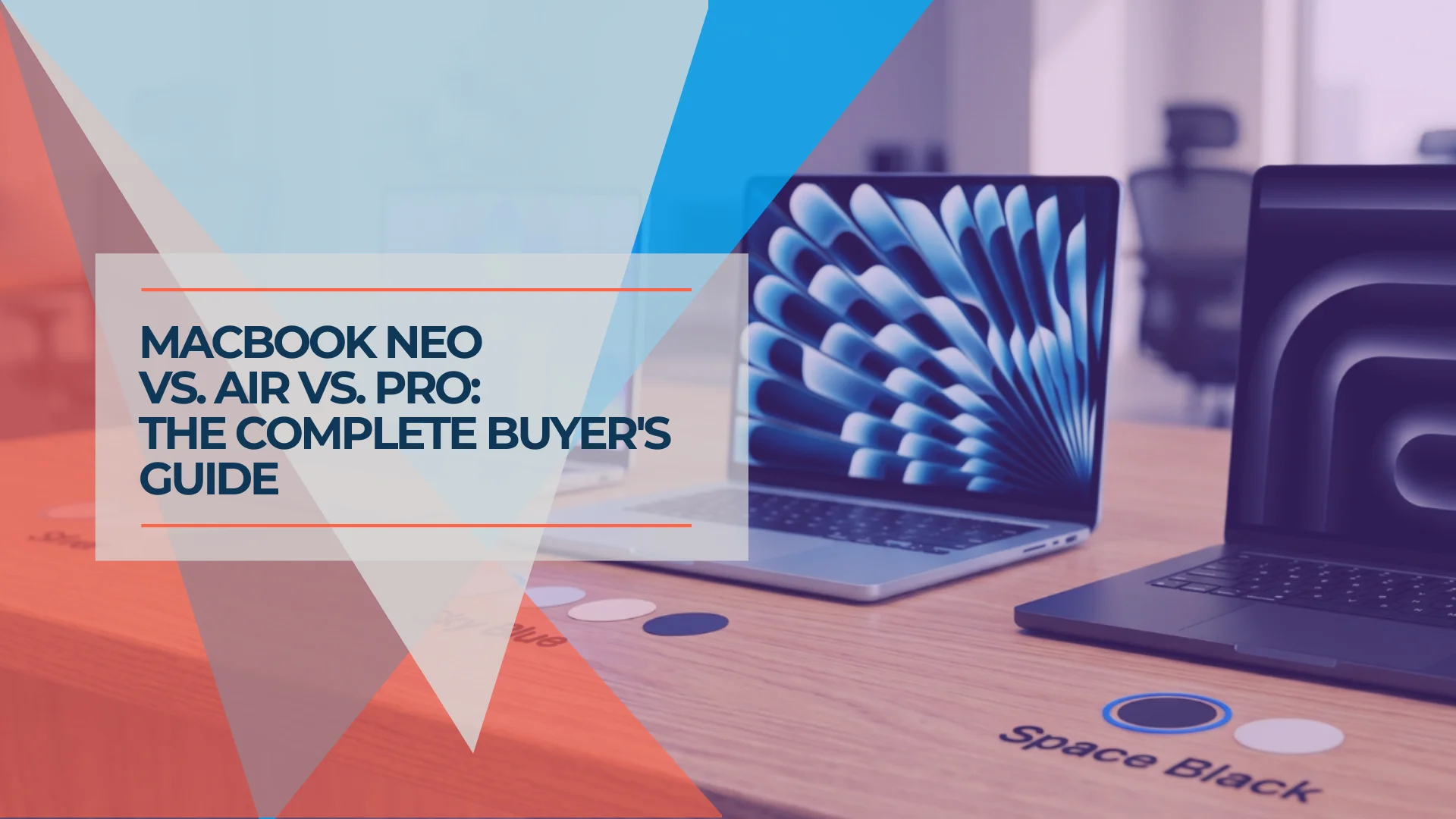
Apple now sells three genuinely different laptops, each designed for a distinct type of buyer.
For years, "which MacBook" meant choosing between the Air and the Pro — with the answer almost always the Air. The MacBook Neo changed that. It is Apple's lowest-priced Mac laptop — launched at $599 and, since Apple's June 2026 price increase, from $699 — and it handles most everyday workloads capably.
The Neo undercuts the Air by $600 at the base configurations. The Pro adds capabilities that justify its price for specific professional workloads. None of these are wrong answers — but each is a poor fit for certain buyers. This guide works through the tradeoffs and maps each model to the situation it suits best.
Affiliate Disclosure: This article contains affiliate links. If you make a purchase through these links, we may earn a small commission at no extra cost to you. As an Amazon Associate, iFeelTech earns from qualifying purchases.
Apple's 2026 Mac Laptop Lineup at a Glance
Three models at three price tiers, each suited to a different type of buyer. Prices reflect Apple's list pricing after the June 25, 2026 increase; check Apple's site before you buy. All three machines still use the A18 Pro or M5 chip families: Apple's newer M6 chip has so far appeared only in the Mac mini.
The Neo is new territory for Apple — an iPhone-class chip in a Mac chassis at the lowest price in the lineup. The Air is the Mac most people should buy. The Pro requires justification that most buyers reading this article honestly don't have. The rest of this guide tells you which category you're in.
Who Should Buy the MacBook Neo?
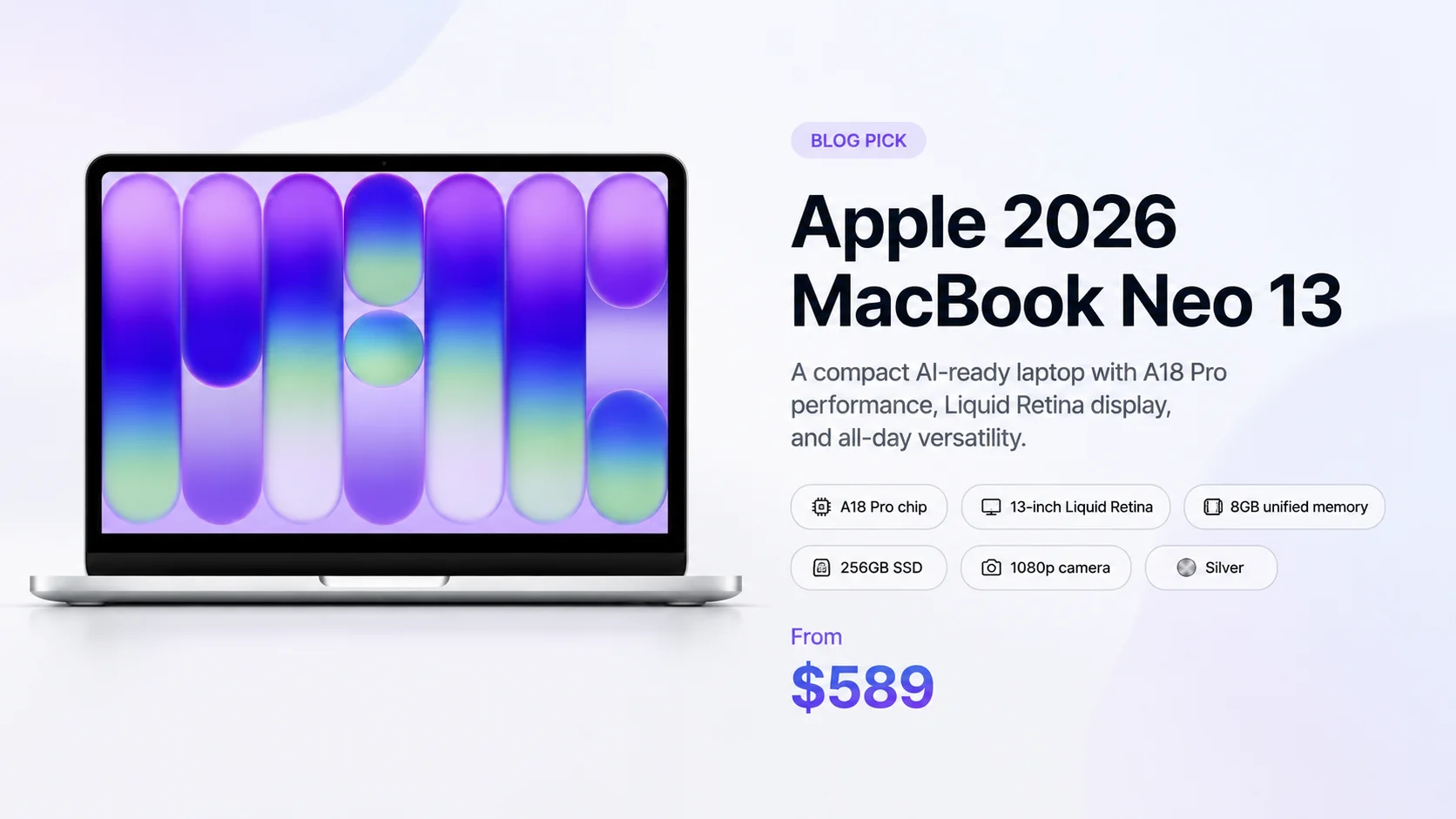
The MacBook Neo is best for students and first-time Mac buyers who need a reliable laptop for web browsing, email, and streaming at the lowest price Apple charges for a Mac laptop.
The MacBook Neo is genuinely excellent for its audience. It is not the right machine for everyone who wants a deal.
What the A18 Pro Actually Is
The A18 Pro is Apple's mobile chip — the same chip family found in the iPhone 16 Pro, adapted for a Mac chassis. It is not the M-series chip family that powers the Air, Pro, and Studio. For email, browsing, video calls, Office apps, and streaming, the A18 Pro handles everything without hesitation. For developers running local dev servers, video editors exporting 4K, or anyone doing sustained CPU-intensive work, the gap to M5 is real and measurable in daily use.
The Tradeoffs Worth Knowing Before You Buy
No backlit keyboard. Neither the $699 nor the $799 Neo includes one. If you ever work in low light — on a plane, in a dim room, in the evening — the keyboard goes dark with the ambient light. Both MacBook Air M5 models include a backlit keyboard as standard.
No Touch ID on the base model. The $699 Neo ships with a Lock Key that powers the machine on and off but doesn't read your fingerprint. Touch ID is available only on the $799 model, which also doubles storage to 512GB. If Apple Pay, fingerprint unlock, and one-touch app authorization are part of how you use a Mac, budget for the $799 tier.
8GB RAM with no upgrade path. The Neo ships with 8GB of unified memory. There is no upgrade option — that ceiling is permanent. For standard workloads — browsing, email, Zoom, Office, streaming — 8GB handles 2026 workflows well. But the constraint shows up faster than people expect when browser tabs, Slack, a cloud sync client, and a video call are all running simultaneously. That's a normal office day, and it pushes 8GB machines into swap. If your workflow could plausibly grow more demanding in the next two to three years, the Neo's 8GB ceiling is worth taking seriously.
Apple Intelligence on 8GB: functional, not frictionless. Both the Neo and Air M5 run Apple Intelligence — Writing Tools, notification summaries, and Clean Up all work on the Neo. On 8GB, Apple Intelligence shares the same memory pool as your open apps; heavy multitasking and AI features in combination creates visible memory pressure. On the Air M5's 16GB, more processing stays on-device without competing for memory. If Apple Intelligence features are central to why you're buying a Mac in 2026, 16GB is the safer baseline.
One external display. The Neo supports a single external monitor over USB-C (using the left USB 3 port at 10Gb/s). If a two-monitor desk is how you work, the Neo is the wrong machine.
Slower SSD. The Neo's SSD is considerably slower than the Air M5's — Tom's Guide measured roughly 1,585/1,440 MB/s (read/write) on the Neo versus about 6,728/6,499 MB/s on the Air M5. For everyday document use this is invisible. Under heavy file operations — large export jobs, Xcode builds, Final Cut renders — the difference is real.
Who Should NOT Buy the MacBook Neo
Skip the Neo if you write code, edit video, or run memory-intensive applications. Skip it if you need two external monitors. Skip it if you work in low light and expect a backlit keyboard. The 8GB RAM ceiling is the hardest constraint — it cannot be changed after purchase, and it will limit a developer within a year of regular use.
Who the Neo Is Right For
First-time Mac buyers switching from a Windows laptop or Chromebook. The full macOS experience, Apple Intelligence, and quality build — at a price that makes the decision easy.
Students handling coursework, research, presentations, and productivity apps. The A18 Pro covers that workload without complaint. (Students in CS, engineering, or media production should move up to the Air M5 — see the decision framework below.)
Parents buying for a teenager or a household member whose heaviest workload is social media, streaming, and school assignments.
Budget-constrained first Mac buyers where the $600 gap between Neo and Air is genuinely meaningful. The tradeoffs are real, but so is $600.
MacBook Neo Verdict
The right machine for everyday users who want macOS, Apple Intelligence, and Apple build quality at the lowest price Apple has ever offered for a laptop. The wrong machine for anyone who writes code, edits video, works at a two-monitor desk, or expects their workload to grow significantly over the next three years.
For a deeper dive into how the Neo and Air stack up spec-by-spec, see our full MacBook Neo vs. MacBook Air M5 comparison.
MacBook Neo vs. Windows and Chromebook Alternatives
From $699, the MacBook Neo competes directly with premium Chromebooks and budget Windows laptops. Many buyers at this price point are switching ecosystems for the first time.
The Neo's advantages over Chromebooks are practical: full offline app support, the complete macOS software library, Apple Intelligence, and build quality that premium Chromebooks rarely match. Against Windows laptops at a similar price, the Neo offers macOS consistency, Apple's multi-year software update track record, and better build quality relative to comparable Windows alternatives at the same price.
The case for staying with Windows: if your workflow depends on Windows-specific software — certain enterprise tools, PC games, or specialized engineering applications — or if the cost of switching peripherals and software is a real factor. For general productivity, the MacBook Neo is a more capable and longer-supported machine than comparable Chromebook or Windows options.
Is the MacBook Air M5 the Best Laptop for Most Users?
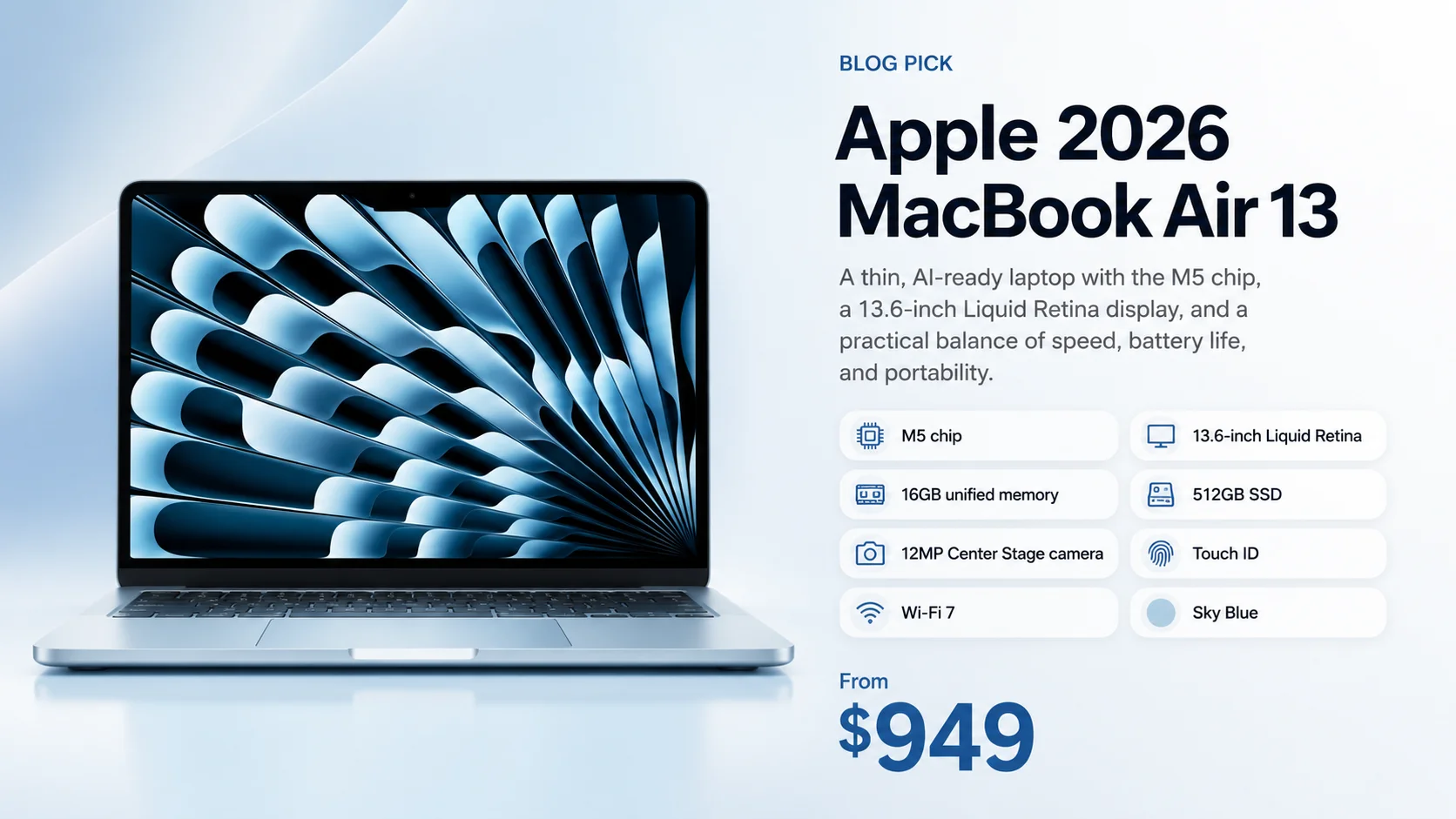
Yes, the MacBook Air M5 is the best choice for most buyers, offering 16GB of RAM, 512GB of storage, and desktop-class speed from $1,299.
The MacBook Air M5 is the right answer for most buyers reading this article. Not because it's the middle option — because it's the machine that removes all the constraints the Neo introduces, without the Pro's price and weight premium.
The $600 gap between the base Neo and the base Air (or $500 against the 512GB Neo with Touch ID) is the number that makes people hesitate. It's worth understanding what that money buys.
What Changes at $1,299
16GB RAM — standard on every model, at no extra charge. This is not a configuration you have to add money for. The MacBook Air M5 starts with 16GB of unified memory. For developers, designers, and professionals running demanding applications, this is non-negotiable headroom. For anyone whose workload might grow — which is most business buyers and most professionals — 16GB means the machine remains capable for four to five years without feeling constrained.
Thunderbolt 4 ports. Two of them, at 40Gb/s each. This changes what's possible at your desk. A Thunderbolt dock connects a dual-monitor setup, full-speed external storage, charging, and peripherals through a single cable. The Neo has two USB-C ports — one at USB 3 speeds (10Gb/s, supports DisplayPort and charging) and a second limited to USB 2 speeds (480Mb/s, charging only, no display support) — but neither can replicate what a single Thunderbolt 4 port enables.
Two external displays simultaneously. With the lid open, the Air M5 drives two external monitors at the same time. If your workflow is desk-based, this is a setup the Neo simply cannot match. (For compatible monitor recommendations, see our best monitors for Mac Mini M4 guide — the same USB-C and Thunderbolt picks work with the Air M5. If a Windows PC will share those monitors, our KVM switch guide for Mac and Windows explains what a KVM can and cannot add.)
Backlit keyboard and Touch ID on every model. No tiers. No upgrade charges. Both are standard on every Air.
12MP Center Stage camera. The Air's camera automatically pans and zooms to keep you centered in frame as you move around. If video calls are a significant part of your day, the quality gap from the Neo's 1080p FaceTime HD camera is noticeable within the first call.
512GB base storage. The Air M5 doubled its base storage from the M4 generation. The Neo starts at 256GB.
Wi-Fi 7 and Bluetooth 6. The Air M5 ships with Wi-Fi 7 (802.11be) and Bluetooth 6. The MacBook Neo uses Wi-Fi 6E and Bluetooth 6. For business buyers investing in a machine they expect to use for four to five years, Wi-Fi 7 offers meaningfully lower latency and faster throughput on supported networks — a practical difference as Wi-Fi 7 routers become standard in offices and homes.
M5 vs M4: Does the Upgrade Matter?
If you're currently on an M4 Air evaluating whether to upgrade — the answer for most people is no, not yet. The M5 is measurably faster and brings Wi-Fi 7 and doubled base storage, but the M4 was already capable of handling demanding professional workloads for years to come. If you're buying new and a discounted M4 Air is still available, it remains a strong value. See our full MacBook Air M5 vs M4 upgrade guide for the detailed breakdown.
The 15-Inch Option
The MacBook Air M5 15-inch starts at $1,499 — the same M5 chip, same Thunderbolt 4 ports, same camera, same everything, with a 15.3-inch display and a 10-core GPU. For the $200 premium over the 13-inch (the same gap as before Apple's June 2026 price increase), it's often the better value for desk-primary users who prioritize screen real estate over portability.
MacBook Air M5 is the right choice for
Professionals and business buyers who need a machine that handles a full workload without constraints for five-plus years. Developers for whom 16GB RAM is non-negotiable and Thunderbolt 4 means a proper desk setup. Creatives with moderate workflows — design, photography, casual video editing — where M5's sustained performance headroom matters. Small business owners deploying hardware for employees who need reliable, future-proof machines without the Pro's cost premium.
Decision Framework: Five Buyer Profiles
Five common buyer situations, each with a direct verdict and the specific reason behind it.
1. The Budget-First Buyer
Your situation: First Mac, or replacing an aging Windows laptop or Chromebook. Daily workflow: email, web browsing, video calls, Google Docs or Office, streaming. Budget is the primary variable.
Your machine: MacBook Neo ($699–$799)
The Neo handles this workload without question. The A18 Pro, 8GB RAM, and macOS together cover everything on that list. The savings over the Air M5 are real money that doesn't cost you anything in day-to-day experience for this profile. Spend $799 if Touch ID or the extra storage matters; $699 is fine if it doesn't.
Desk-bound with a monitor? A Mac mini is the better value if portability isn't a requirement — check Apple's current Mac mini pricing before you decide.
2. The Student
Your situation: College or grad school. Heavy browser use, writing, research, presentations, video calls for class. Light creative work possible.
It depends — one follow-up question resolves it: Are you in a technical major (CS, software engineering, data science, media production, architecture)?
- No → MacBook Neo (from $699). Covers the full student workload at the lowest price.
- Yes → MacBook Air M5 (from $1,299). 16GB RAM is non-negotiable for development work. The Neo's 8GB ceiling will frustrate a CS student within a year of running IDEs and containers. Check Apple's Education Store, which lists lower student pricing and can narrow the gap.
3. The Small Business Owner or Employee
Your situation: 5–50 person company. Mixed workflows — email, docs, Slack/Teams, video calls, light project management. Hardware that needs to last 3–4 years without becoming a problem.
Your machine: MacBook Air M5 (from $1,299), 16GB RAM standard
The Neo's 8GB ceiling is a business risk on a 3–4 year deployment timeline. As workflows evolve — more browser-based tools, heavier communication apps, occasional AI tooling — 8GB machines accumulate friction that is invisible at purchase and expensive to solve later (you replace the whole machine). The Air M5's 16GB base eliminates that risk. For business buyers deploying multiple units via Apple Business Manager, see our Apple Business Manager guide for device management context.
For reference on how MacBooks compare to Windows options in a broader business laptop evaluation, our top 10 business laptops guide covers both platforms side by side.
4. The Creative Professional
Your situation: Video editing in Final Cut or Premiere, heavy Adobe CC use (Illustrator, Photoshop, After Effects), design-heavy workflows, photography with large RAW files.
Your machine: MacBook Pro 14 — M5 base ($1,999) or M5 Pro ($2,499) depending on render intensity
The Air M5 handles lighter creative work well. But sustained video export, complex multi-layer compositions in After Effects, and working with large RAW libraries will expose the Air's thermal limits. The Pro maintains consistent performance under sustained GPU load where the Air throttles. If your primary work is Illustrator and Photoshop with occasional Lightroom — the Air M5 is sufficient. If Final Cut or Premiere is your daily driver with complex timelines — the Pro is worth the premium.
5. The Developer
Your situation: IDE use, local dev servers, containers, AI tooling, occasional build pipelines.
Base verdict: MacBook Air M5 (from $1,299)
16GB RAM is non-negotiable for development work — the Neo's 8GB ceiling will create real memory pressure within a year of active development. The Air M5 with its 16GB base handles a typical developer's workflow: VS Code, a local server, Docker containers, browser testing, Slack, and music streaming simultaneously. Thunderbolt 4 means your desk setup connects without adapter gymnastics.
Upgrade to MacBook Pro if: You're running multiple heavy containerized environments simultaneously, doing local ML inference with large models, or your build times are a meaningful productivity constraint. The Pro's active cooling sustains performance through long builds where the Air will throttle.
The Short Version
MacBook Neo: Budget buyers, students in non-technical majors, anyone whose heaviest workload is productivity and communication apps.
MacBook Air M5: Most people. Professionals, developers, small business hardware, creatives with moderate workloads, anyone who wants a machine that won't feel limiting in year four.
MacBook Pro 14: Video editors, ML engineers, developers with heavy parallel workloads, and anyone whose work demands sustained performance beyond what a fanless laptop can maintain.
Which MacBook Pro Should You Buy for Professional Work?
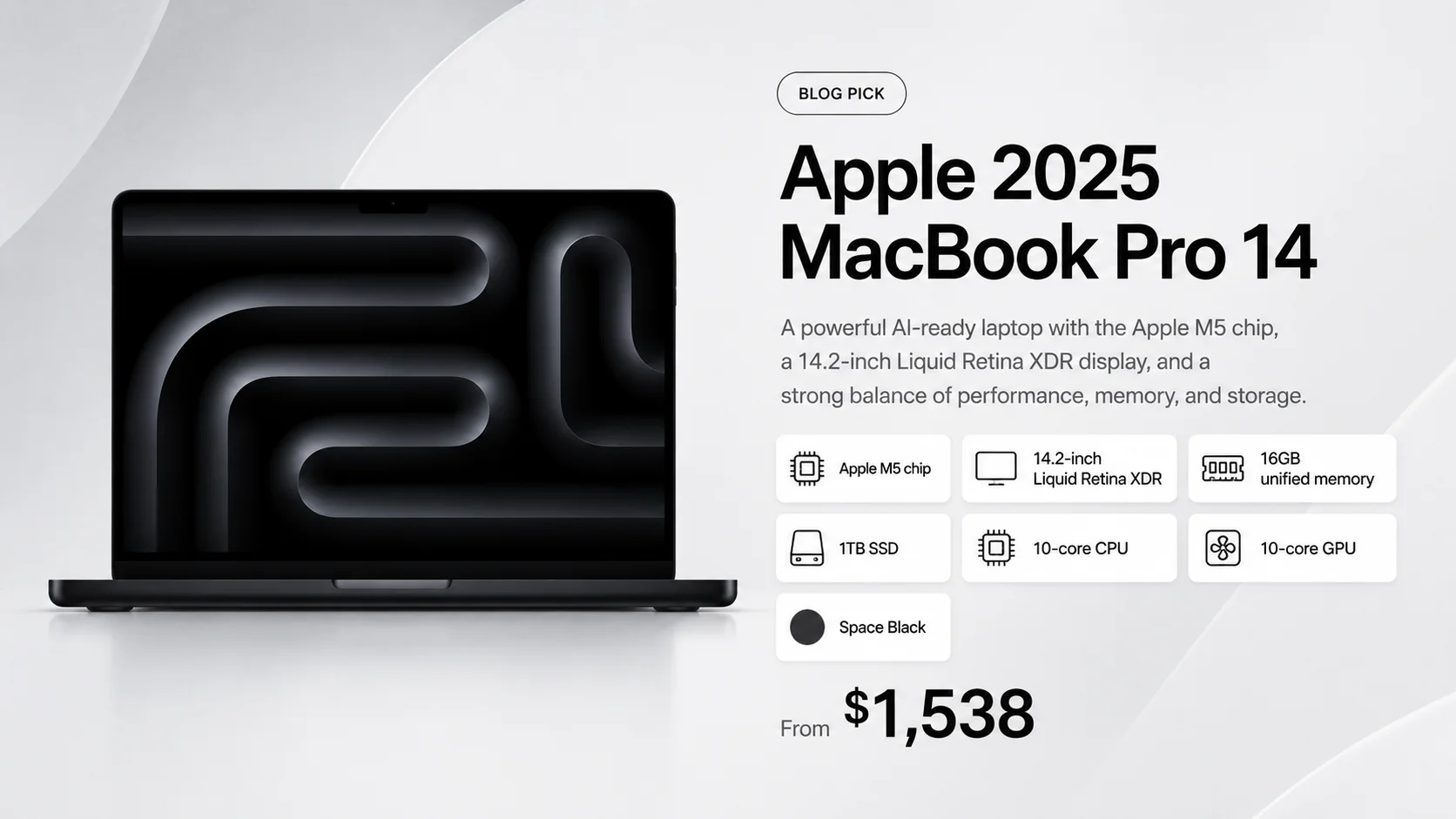
The MacBook Pro 14 is built for video editors, ML engineers, and 3D artists who require sustained performance, active cooling, and extra ports.
Most buyers reading this article should not buy a MacBook Pro. The Pro's starting price of $1,999 (base M5) to $2,499+ (M5 Pro) requires genuine justification. That justification exists. It just doesn't apply to most people who ask whether they might need it.
What the Pro Actually Adds
HDMI, SD card slot, and three Thunderbolt ports — built in. Every MacBook Pro 14 includes a full-size HDMI port and an SD card reader that the Air requires adapters or a dock for. The base M5 model ships with three Thunderbolt 4 ports (40Gb/s). Upgrade to the M5 Pro or M5 Max chip and those three ports become Thunderbolt 5 (up to 120Gb/s) — three times the bandwidth of TB4, the standard for high-speed RAID arrays, TB5 docks, and demanding external displays.
Configurable memory up to 128GB. The base M5 configuration starts at 16GB and 1TB of storage — the same memory as the MacBook Air M5 — but the M5 Pro chip tier begins at 24GB (upgradeable to 64GB) and the M5 Max tier reaches 128GB. For developers running large containerized environments simultaneously, ML inference with 13B+ parameter models, or GPU-intensive 3D rendering, the M5 Pro configuration's memory headroom is where the Pro genuinely separates from the Air.
ProMotion display. The Liquid Retina XDR display adapts its refresh rate up to 120Hz. Smoother scrolling, more responsive cursor tracking, better video playback — you notice it immediately compared to the Air, which doesn't offer ProMotion.
Up to 24-hour battery. Apple rates the Pro 14 with the M5 chip at up to 24 hours of video streaming — six hours more than the Air (the M5 Pro and M5 Max versions are rated slightly lower, at up to 22 and 20 hours). In real-world use, both the Air M5 and Pro 14 will last a full workday unplugged with charge remaining. The gap widens during sustained GPU-intensive tasks — video exports, large renders — where the Pro's active cooling keeps performance at peak while the Air throttles down to manage heat.
Active cooling. The MacBook Air is fanless and manages thermals by reducing clock speed under sustained load. The Pro has fans that engage under heavy workloads — video export, large compilation jobs, local AI model inference — and maintains consistent performance where the Air will throttle.
Who Actually Needs the Pro
Video editors working in Final Cut Pro, DaVinci Resolve, or Adobe Premiere with 4K or 6K source footage and complex timelines. The M5 Pro chip's additional GPU cores and 24GB RAM reduce render times materially.
Developers running multiple demanding environments. If your daily workflow is multiple IDEs, Docker containers with significant resource allocation, local dev servers, and AI tooling running simultaneously — the M5 Pro chip's 24GB RAM and active cooling justify the premium over the Air M5. A developer with a lighter workflow is better served by the Air M5.
ML/AI local inference workloads. Running large language models locally (Llama, Mistral, anything in the 13B–70B parameter range) requires memory bandwidth and sustained performance the Air cannot sustain. The Pro's architecture is built for this.
Architects, 3D artists, and engineers using CAD tools, Blender, Cinema 4D, or similar applications that maintain heavy GPU load for extended periods.
Businesses buying a primary machine expected to last 5+ years without performance degradation. The Pro's performance ceiling means you're less likely to find the machine limiting in year four than you would the Air.
The Pro Premium Requires Real Justification
A business owner buying laptops for new hires almost certainly does not need a Pro. A developer building standard web applications doesn't need one either — the Air M5 handles that workload with headroom to spare for hundreds of dollars less. The Pro earns its price for sustained professional creative and compute workloads. If none of those use cases describe your day-to-day work, the MacBook Air M5 is the more appropriate — and better-value — choice.
For buyers comparing the MacBook Pro against premium Windows alternatives, see our Dell XPS 14 vs MacBook Pro 14 M5 Pro comparison.
Should M1 or Intel Mac Users Upgrade in 2026?
For most M1 and Intel Mac users, the 2026 MacBook lineup represents a meaningful step forward in performance, base RAM, and battery life.
On an Intel Mac (2019 or earlier): Any of the three current models will feel like a fundamentally different category of machine — far faster, with dramatically longer battery life and Apple Intelligence support Intel Macs don't have. The MacBook Neo is the most affordable way off an Intel Mac Apple has offered. For Intel users doing professional work, the Air M5 is the right landing point.
On an M1 Mac (2020–2021): The upgrade is compelling, not urgent. The Air M5 is a clear step up — Apple's own best-case comparison (a local AI language-model test) shows up to 9.5× faster than the M1 Air, though everyday tasks see far smaller gains — and it ships with 16GB base RAM versus the M1's default 8GB. That RAM difference is real in 2026 — Apple Intelligence, browser-based tools, and heavier communication clients all apply memory pressure that 8GB handles less gracefully today than it did in 2021. If your M1 Mac is the 8GB configuration and you're noticing regular slowdowns or memory pressure warnings, the Air M5's 16GB base is the practical reason to upgrade now.
On an M2 or M3: Performance gains are real but not transformative for everyday workloads. Hold unless you need the M5 Pro's 24GB RAM tier for specific professional work, or you're replacing a failed machine.
Buying Advice: Configurations, Refurbs, and Timing
Which Upgrades Are Worth It
MacBook Neo: Storage is the only upgrade option. The base 256GB is tight for anyone keeping media files locally — photos, downloaded video, large project folders. If that's you, the $799 / 512GB model is worth it (and includes Touch ID). RAM cannot be upgraded. Do not buy the Neo hoping to upgrade it later.
MacBook Air M5: The 16GB base RAM handles most professional workloads for years. Consider upgrading to 24GB if you run multiple virtual machines, work with large video files regularly, or plan to use local AI models with large context windows. The 512GB base storage is generous — skip the storage upgrade unless your work genuinely demands it. Cloud storage handles overflow economically.
MacBook Pro 14: The M5 Pro upgrade ($2,499 vs $1,999) adds a 15-core or 18-core CPU (up from the base M5's 10-core) and a 16-core or 20-core GPU (up from 10-core), with memory configurations up to 64GB. For serious video editing and compute workloads, the M5 Pro is the tier to buy. If you're configuring a Pro for general professional use, the base M5 at $1,999 is sufficient and the $500 saved is meaningful.
Apple Certified Refurbished
Apple's refurbished store (apple.com/shop/refurbished/mac/macbook) offers units inspected, repaired to new condition, and sold with Apple's standard one-year limited warranty and the option to add AppleCare. As of October 2026, the store lists refurbished MacBook Neo units with Touch ID and a range of 14-inch MacBook Pro configurations, some at several hundred dollars below new pricing — stock changes constantly, so check back often. MacBook Pro M4 Pro models also appear at discounts and represent strong value for buyers who want Pro performance without the M5 Pro premium.
Amazon and B&H Photo also carry open-box and refurbished units — prices vary more and warranty terms are less consistent than Apple's own refurb program.
Buy Now or Wait?
Buy now if you need a machine. As of October 2026, the MacBook Neo, Air M5, and Pro 14 are all current Apple products. One thing worth knowing: on August 25, 2026, Apple introduced its newer M6 chip, so far only in the Mac mini, and Apple has not announced it for any MacBook or said when that will happen. If a few months make no difference to you and you want the newest chip, watch Apple's announcements. If you need a laptop now, buy the one that fits your work — the M5 and M5 Pro machines in this guide are current Apple products, and we wouldn't hold off a purchase you need today on a launch date nobody has announced. The Neo's A18 Pro is a phone-family chip from Apple's iPhone 16 Pro generation, which is fine for the everyday workloads this guide recommends it for.
The one timing consideration: Apple raised Mac prices on June 25, 2026, citing rising memory and storage costs, and check Apple's own site and retailers for the price on the day you buy. If the Air M5's price is a stretch and you're comparing to the Neo, a discounted or refurbished MacBook Air is a third option worth considering — verify the exact configuration, since older Air models differ in RAM, storage, and wireless.
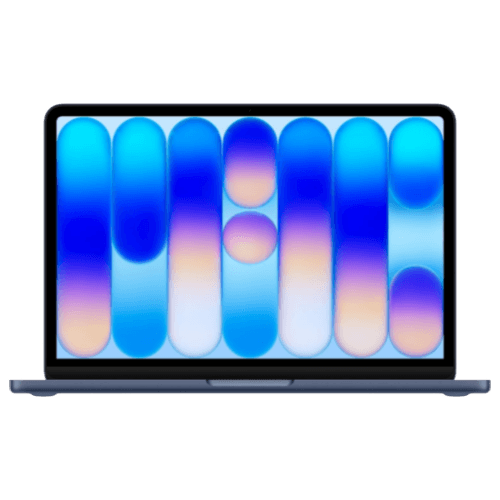
MacBook Neo
From $699A18 Pro chip, 13-inch Liquid Retina display, full Apple Intelligence, up to 16-hour battery. Apple's lowest-priced Mac laptop.
- A18 Pro — everyday tasks and Apple Intelligence
- 8GB unified memory (no upgrade available)
- Full macOS + Apple Intelligence on every model
- Up to 16-hour battery, fanless design
- Touch ID on $799 model; Lock Key on $699

MacBook Air M5 (13-inch)
From $1,299M5 chip, 16GB RAM standard, 512GB storage, Thunderbolt 4, dual external displays, 12MP Center Stage, backlit keyboard and Touch ID on every model.
- M5 chip — 10-core CPU, desktop-class performance
- 16GB RAM standard — no upgrade needed for most
- 2× Thunderbolt 4 + MagSafe 3 charging port
- Dual external displays with lid open
- 12MP Center Stage auto-framing camera
- Backlit keyboard + Touch ID on every model
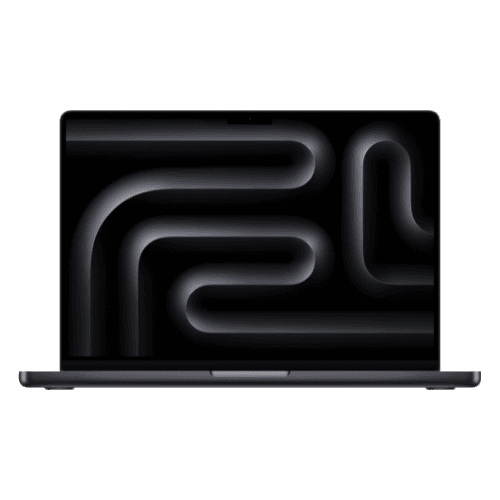
MacBook Pro 14 (M5)
From $1,999M5 (16GB, TB4) or M5 Pro (24GB, TB5) — HDMI, SD card slot, ProMotion 120Hz display, and active cooling for sustained workloads.
- Base M5: 16GB RAM, 1TB, 3× Thunderbolt 4 — $1,999
- M5 Pro: 24GB RAM, 3× Thunderbolt 5 — $2,499
- HDMI + SD card slot built in
- ProMotion 120Hz Liquid Retina XDR display
- Up to 24-hour battery; active cooling fans
Need more screen real estate?
MacBook Air M5 15-inch — same M5 chip, 15.3" display, 10-core GPU.
Related Resources
- MacBook Neo vs. MacBook Air M5: Full Comparison — Deep dive on every spec difference between Apple's two most affordable Mac laptops, with real-world tradeoff analysis.
- MacBook Air M5 vs M4: Should You Upgrade? — Whether the M5's storage, Wi-Fi 7, and AI improvements justify the upgrade from an M4.
- Dell XPS 14 2026 vs MacBook Pro 14 M5 Pro — For buyers in the premium Mac vs Windows decision at the $2,000+ tier.
- Top 10 Business Laptops — Mac and Windows options compared across the full market for business buyers.
- Best Time to Buy a Laptop in 2026 — How DRAM cost increases affect Mac vs. Windows pricing differently, and when to buy.
- ARM vs x86 Business Laptops — For IT admins evaluating Apple Silicon in a mixed-device enterprise environment.
- Apple M4 Office Setup Guide — Building out the accessories, peripherals, and workspace around your new MacBook.
Frequently Asked Questions
Related Articles
More from Business Hardware
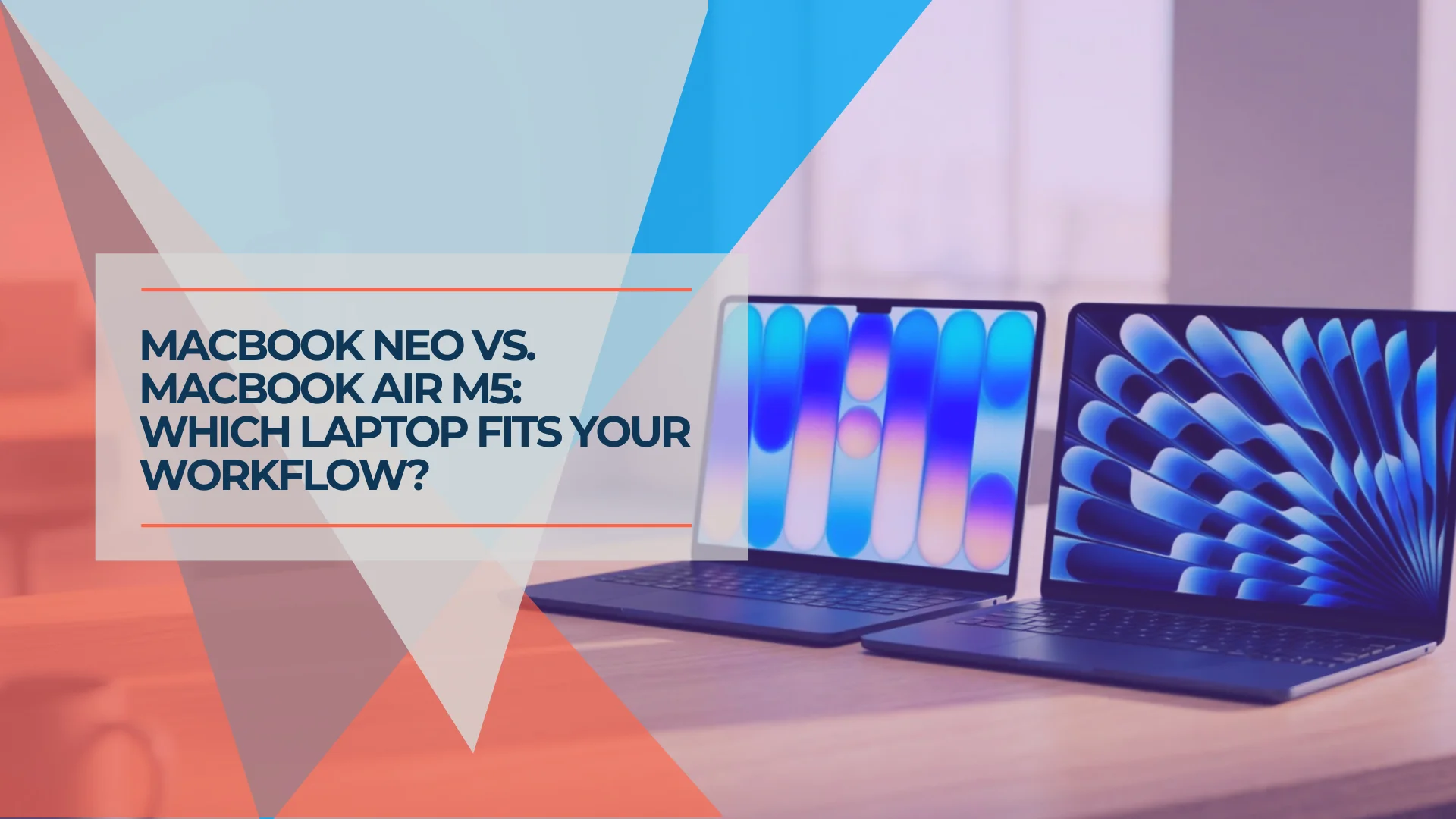
MacBook Neo vs. MacBook Air M5: Which Mac Should You Buy in 2026?
MacBook Neo starts at $699 after Apple's June 2026 price increase. Complete comparison with the MacBook Air M5 ($1,299+) covering specs, trade-offs, and who should buy which.
24 min read
MacBook Air M4 Long-Term Review (2026): Is It Still Worth Buying After the M5?
MacBook Air M4 is discontinued — now from ~$750 refurbished. After 11 months of daily IT consulting use: battery health data, M4 vs M5 decision guide, and June 2026 verdict.
21 min read
Best Monitors for Mac Mini M4 in 2026: 5K, USB-C, Thunderbolt and Budget Picks
Mac Mini M4 ships without a display. We evaluated the best monitors — from $229 budget picks to 5K Thunderbolt displays — to match every setup and budget.
30 min read