

Dell Pro Max 14 Review: The Business Deployment Verdict (2026)
Dell Pro Max 14 review for IT managers and small business buyers. ProSupport, Autopilot enrollment, fleet deployment, and whether it's worth switching from Precision.

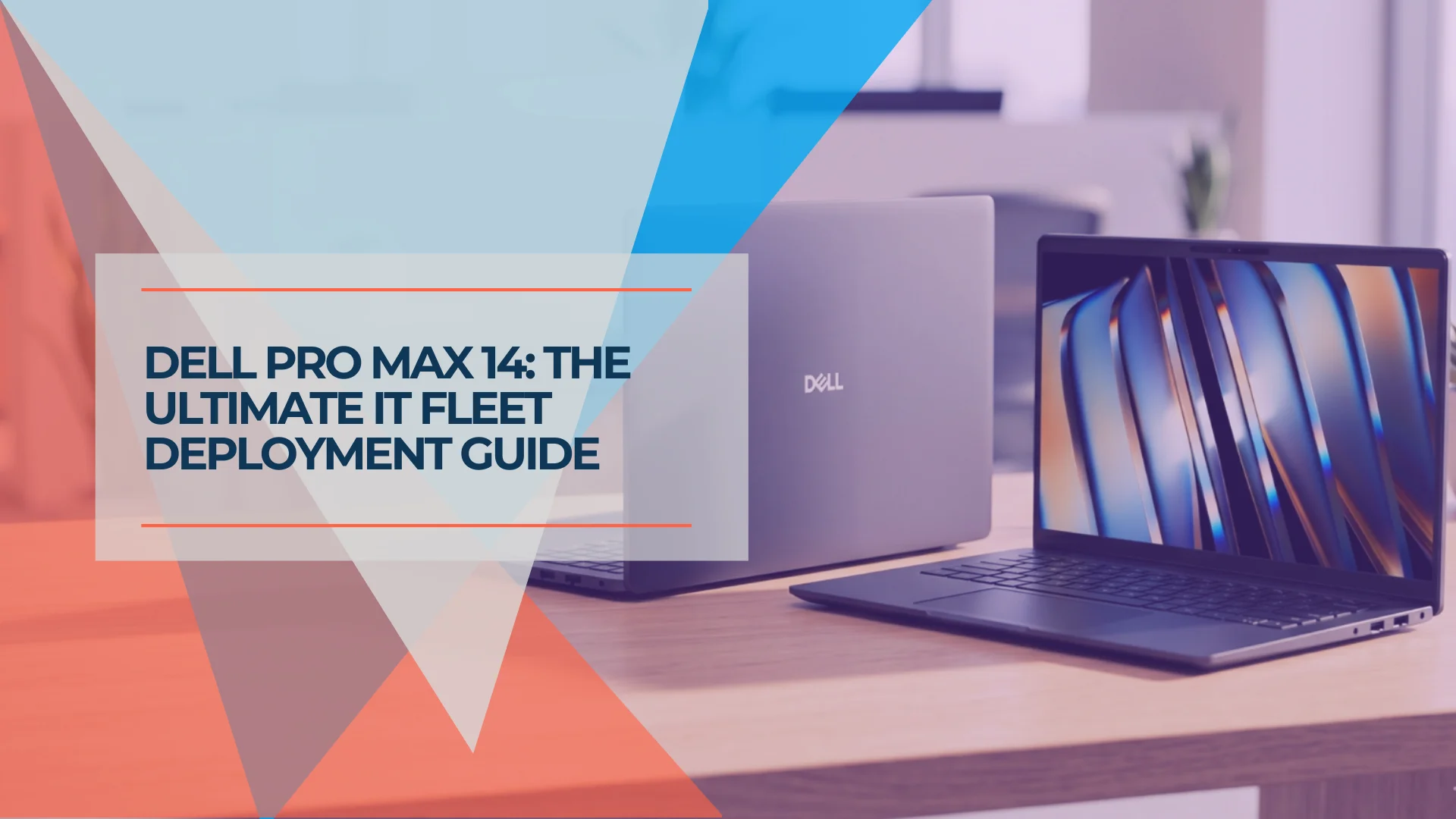
Dell's commercial laptop lineup has a new name. The Latitude series — a Windows workstation IT departments have been deploying for over two decades — has been retired and replaced by the Dell Pro family: Pro 3, Pro 5, Pro 7, and at the top, the Pro Max.
For IT managers and business buyers, the specific question is whether the Pro Max 14 holds up as a managed fleet device — not just in benchmarks, but in day-to-day provisioning, support, and total cost of ownership. This review draws on direct deployment experience with Dell commercial hardware across South Florida SMBs, from 5-person accounting firms to 60-person construction companies.
Affiliate Disclosure: This article contains affiliate links. If you make a purchase through these links, we may earn a small commission at no extra cost to you. As an Amazon Associate, iFeelTech earns from qualifying purchases.
Successor Now Shipping: Dell Pro Precision 5 Series 14 (Updated June 2026)
The direct successor to the Pro Max 14 is now available. Dell announced the Dell Pro Precision 5 Series 14 on March 25, 2026, and it went on sale May 28, 2026, starting at $2,577. It features Intel Panther Lake processors (Core Ultra Series 3) with a 50 TOPS NPU qualifying all Intel configurations as Copilot+ PCs, optional NVIDIA RTX Pro Blackwell discrete graphics, LPCAMM2 memory at higher bandwidth than the current model, Wi-Fi 7 standard, and a 120Hz QHD+ display option.
What this means for fleet buyers today: The decision is no longer about waiting — it's price versus silicon. If your deployment requires Copilot+ PC certification on Intel, a current-generation NPU, or the discrete GPU option, the Pro Precision 5 Series 14 is the configuration to spec. If you're buying under an existing Dell procurement contract or optimizing cost per seat, the outgoing Pro Max 14 at $1,818 remains fully supported with current ProSupport terms — a roughly $750 per-unit saving that, across a 20-seat refresh, funds a meaningful slice of the deployment budget. Watch for clearance pricing on remaining Pro Max 14 inventory through the summer.
Quick Verdict
The Dell Pro Max 14 earns its place for organizations in Dell's ProSupport ecosystem who need mobile workstation performance in a 14-inch chassis. Intel (MC14250) from $1,818 — vPro Enterprise, LPCAMM field-upgradeable DDR5. AMD (MC14255) from $1,795.67 — Copilot+ PC, MediaTek Wi-Fi 7 standard. A credible Precision 3490 successor that doesn't require IT to rebuild its support infrastructure.
Quick Summary
Best for: IT-managed fleets requiring workstation performance — financial analysts, light CAD, data workflows, and mobile executives with Intel vPro requirements.
Skip if: Carry weight is the primary requirement, Copilot+ PC on Intel is needed today, or your fleet is standardized on Lenovo or HP.
Bottom line: Intel (MC14250) from $1,818 — vPro Enterprise, LPCAMM field-upgradeable DDR5, dual Thunderbolt 4. AMD (MC14255) from $1,795.67 — Copilot+ PC, MediaTek Wi-Fi 7 standard, QHD+ upgrade available. Both deployable today — though the Pro Precision 5 Series 14 successor began shipping in late May 2026 (see note above).
| Pros | Cons |
|---|---|
| Intel vPro Enterprise on base SKU | Not a Copilot+ PC on Intel config (13 TOPS NPU) |
| LPCAMM field-upgradeable DDR5 memory (Intel) | Heavier than ultrabook rivals at 3.95 lb (1.79 kg) |
| 72 Whr battery; ExpressCharge to 80% in ~1 hr | Intel base ships with Wi-Fi 6E (Wi-Fi 7 is +$30) |
| 2x Thunderbolt 4 + wired Ethernet on base model | vPro SKU must be verified at order time |
What is the Dell Pro Max 14?
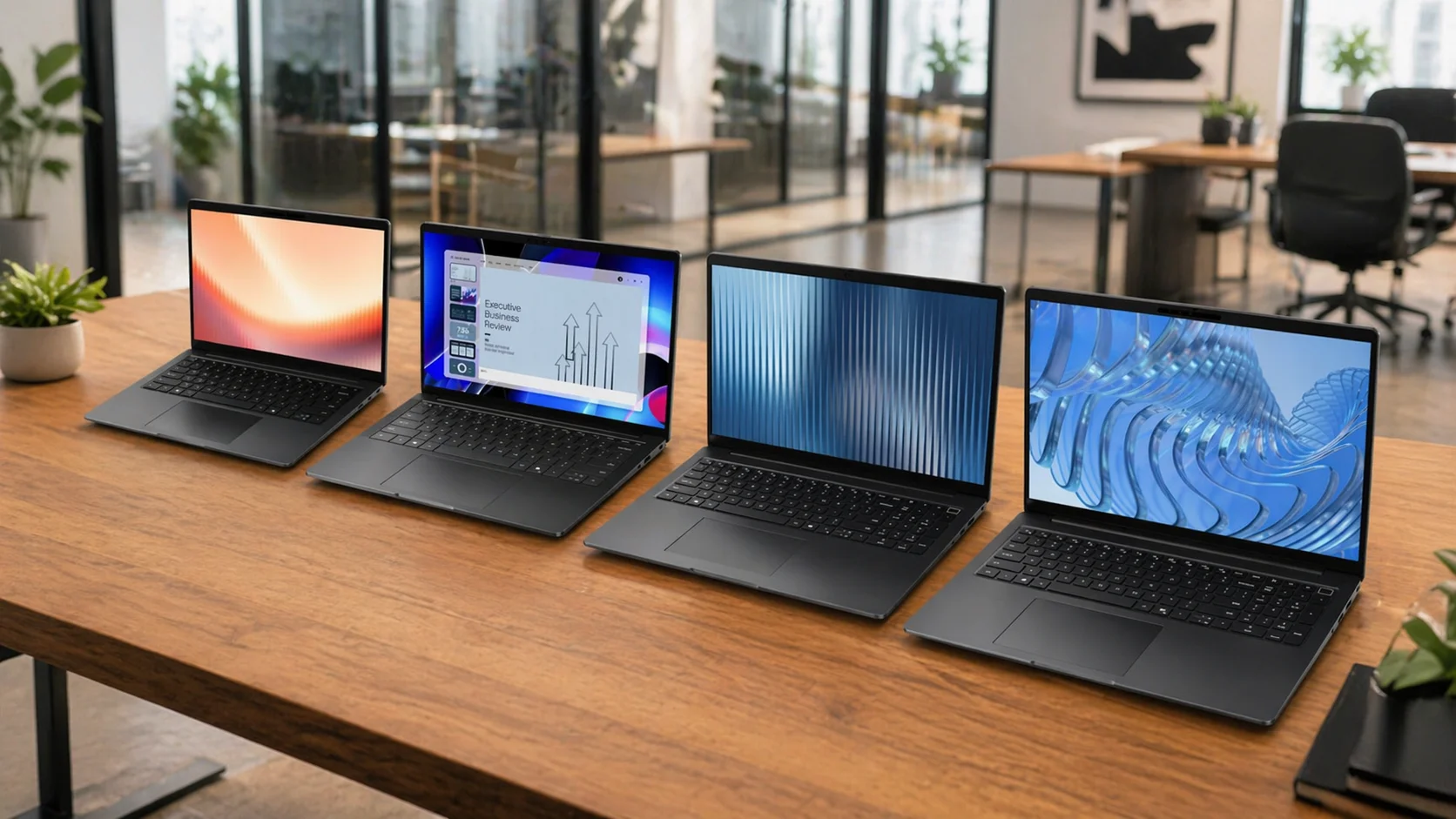
The Dell Pro Max 14 is the Precision 3490 successor in Dell's 2025 rebrand — same ProSupport infrastructure, ISV certifications, and Thunderbolt 4 dock compatibility, 36% faster on Dell's own benchmarks. If your organization deployed Precisions, the Pro Max 14 slots into that support model without infrastructure changes.
Who Should Buy the Dell Pro Max 14?
Buy if your workload justifies workstation-class sustained performance: financial analysts running large Excel models, engineers in AutoCAD or SolidWorks, data analysts processing mid-size datasets, traveling executives who need consistent output across time zones and conference rooms.
Skip if:
- General knowledge workers (Excel, email, Teams) — the Dell Pro 7 or Pro Premium at lower cost
- Heavy 3D rendering or video editing — look at the Pro Max Premium with NVIDIA discrete graphics
- Strict carry weight requirement — the ThinkPad X1 Carbon Gen 14 is 1.5 lb lighter
For organizations that need maximum sustained performance in the 14-inch commercial form factor with Intel vPro and Dell's full support ecosystem, the Pro Max 14 is the right choice.
Dell Pro Max 14 Design and Build Quality
This 14-inch workstation features a magnesium alloy chassis, modular USB-C ports, and a comprehensive port selection including a built-in Ethernet jack.
The weight comes in at 3.95 lb (1.79 kg) — heavier than a MacBook Pro 14 and noticeably heavier than the ThinkPad X1 Carbon Gen 14 at 2.48 lb. If carry weight is the primary concern, that gap is significant. If the machine lives on a desk and travels occasionally, it's not a daily burden.
The port selection on the base Pro Max 14 is strong for a managed enterprise environment:
- 2x Thunderbolt 4 (40 Gbps, Power Delivery, DisplayPort) — both ports charge the machine
- 1x USB 3.2 Gen 1 (5 Gbps, PowerShare for peripheral charging)
- 1x USB 3.2 Gen 1 (5 Gbps)
- 1x HDMI 2.1
- 1x RJ45 Ethernet (1 Gbps) — present on the base model, not an add-on
- 1x 3.5mm headset
Having wired ethernet on the base model is a meaningful point for IT deployments. Imaging, provisioning, and VPN-heavy workflows all benefit from the wired fallback, and it removes the need for a dongle in environments where the docking station is the exception rather than the rule.
Dell Dock Compatibility
The 2x Thunderbolt 4 base configuration is natively compatible with Dell's current WD19 and WD22TB4 dock lineup — no infrastructure changes for fleets already running Dell docks.
- Dell WD22TB4 (Thunderbolt 4) — dual 4K @ 60Hz, 130W PD via dock, 2.5GbE, SD card; the standard pick for power-user desks
- Dell WD19TBS (Thunderbolt 4) — dual 4K @ 60Hz, 130W PD; the conference room standard
- Dell WD19S (USB-C, 90W) — compatible via USB-C; single 4K output, sufficient for single-monitor desks; won't force an early dock replacement
- Third-party Thunderbolt 4 docks — spec-compliant; verify PD wattage and display output count with vendor
With 2x Thunderbolt 4 + HDMI 2.1, the Pro Max 14 supports dual external displays natively without a dock — or dual via a TB4 dock plus HDMI 2.1 as a dedicated third output for CAD and financial analytics workstations. For organizations mid-cycle on their dock refresh, the Pro Max 14 won't force an early replacement.
Field-Replaceable Modular USB-C Port
Dell built the Pro Max series with a field-replaceable modular USB-C port — secured with screws rather than soldered to the board. In fleet environments, USB-C ports take mechanical abuse from daily plugging and unplugging. A port that can be replaced without a board swap is a legitimate serviceability improvement. This is a Dell field technician's quality-of-life upgrade that doesn't show up in any benchmark.
The 8MP HDR + IR camera is available as a configuration option and holds up in Teams calls without supplemental lighting — a practical differentiator from the 720p cameras that shipped on Precisions as recently as 2022. The standard 1080p IR camera covers most enterprise needs; the 8MP option justifies the upcharge for client-facing executives who spend significant time on video calls.
The keyboard uses Dell's backlit Copilot key layout, tactile and accurate under sustained typing. The trackpad is functional but slightly smaller than you'd expect on a $1,800+ machine — a minor complaint that doesn't affect productivity but is noticeable after time on a ThinkPad or MacBook.
Dell Pro Max 14 Processor and Performance Specs
The Pro Max 14 offers Intel Core Ultra H-class and AMD Ryzen Pro processor options to meet differing IT security policies and workload demands.
Intel configurations (MC14250) — vPro-first, fleet-managed:
- Base: Intel Core Ultra 5 235H, vPro Enterprise — 14 cores, 18MB cache, up to 5.0 GHz Turbo, 28W
- Mid: Intel Core Ultra 7 255H — 16 cores, 24MB cache, up to 5.1 GHz Turbo, 28W
- Top: Intel Core Ultra 7 265H, vPro Enterprise — 16 cores, 24MB cache, up to 5.3 GHz Turbo, 28W
- Graphics: Intel Arc/Arc Pro integrated; optional NVIDIA RTX PRO 500 Blackwell 6GB GDDR7 (+$321)
- Memory: LPCAMM DDR5 at 7500 MT/s, field-upgradeable (16GB / 32GB / 64GB)
- Wireless: Intel Wi-Fi 6E AX211 standard; Intel Wi-Fi 7 BE201 available (+$30)
- XCTO starting price: $2,059.95 (includes ProSupport 3 yr)
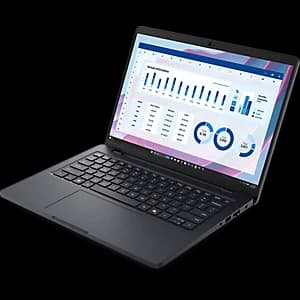
Dell Pro Max 14 — Intel (MC14250)
From $1,818.87Intel Core Ultra H-series with vPro Enterprise on the base SKU. LPCAMM field-upgradeable DDR5, dual Thunderbolt 4, wired Ethernet, and optional NVIDIA RTX PRO 500 discrete GPU.
AMD configuration (MC14255) — Copilot+ PC, AMD PRO security:
- Base: AMD Ryzen AI 5 PRO 340 — 6 cores, 12 threads, up to 4.8 GHz Boost, 22MB cache, 45W
- Mid: AMD Ryzen AI 7 PRO 350 — 8 cores, 16 threads, up to 5.0 GHz Boost, 24MB cache, 45W (+$180)
- Top: AMD Ryzen AI 9 HX PRO 370 — 12 cores, 24 threads, up to 5.1 GHz Boost, 36MB cache, 45W (+$360)
- Graphics: AMD Radeon integrated (Radeon 890M on AI 9 HX PRO 370; no discrete GPU option)
- Memory: LPDDR5x at 8000 MT/s (16GB / 32GB / 64GB — standard module, not LPCAMM)
- Display: 14" FHD+ LCD 400 nits (default); QHD+ 300 nits upgrade available (+$190)
- Wireless: MediaTek Wi-Fi 7 MT7925, Bluetooth 5.4 — standard on all AMD configs
- All AMD SKUs qualify as Copilot+ PC (50+ TOPS NPU via XDNA 2)
- XCTO starting price: $1,795.67 (includes Basic Support 3 yr)
Dell Pro Max 14 — AMD (MC14255)
From $1,795.67Copilot+ PC on every SKU — 50+ TOPS NPU. MediaTek Wi-Fi 7 standard. Three Ryzen AI PRO tiers up to 12 cores/5.1 GHz.
Intel vs. AMD — the one-question decision:
| Requirement | Choose |
|---|---|
| Intel vPro Enterprise (AMT, remote management) | Intel MC14250 |
| Copilot+ PC AI features (Recall, Studio Effects) today | AMD MC14255 |
| Field-upgradeable RAM over a 3-year fleet lifecycle | Intel MC14250 |
| Wi-Fi 7 standard + QHD+ display upgrade option | AMD MC14255 |
| Discrete GPU option (NVIDIA RTX PRO 500 Blackwell) | Intel MC14250 |
Storage on both platforms is PCIe Gen4 NVMe (M.2 2230) — no business workload will bottleneck the SSD. M.2 2230 format means storage expansion is a screwdriver job for any IT tech.
Intel Arc 140T integrated graphics handles financial modeling, Office productivity, light CAD, and Teams without issue. Organizations needing ISV-certified discrete GPU should configure the optional NVIDIA RTX PRO 500 (+$321) on the Intel model, or look at the Pro Max Premium for heavier rendering workflows.
Thermal Performance Under Load
The Pro Max 14's 28W TDP in a 3.95 lb chassis provides more thermal headroom than sub-3 lb ultrabooks in the same class. Fan engagement is audible under sustained workloads — extended data modeling, batch processing, or back-to-back video calls — but typically present rather than disruptive under standard business use. Under maximum sustained compute, expect more noticeable fan activity; this is expected behavior for an H-class 28W processor. In open-plan offices or shared conference rooms, the fan is noticeable during sustained compute — not loud, but present to nearby colleagues. For roles requiring near-silent operation during heavy workloads, the Dell Pro 7 (U-series) runs cooler at the cost of lower sustained performance.
vPro Configuration Requires Verification at Order Time
The base Intel Core Ultra 5 235H ships with vPro Enterprise confirmed on Dell's product page. The Core Ultra 7 255H (Configuration 2) should be verified against the spec sheet before ordering — not all H-class Intel chips include vPro, and ordering the wrong SKU for an organization with vPro policy requirements creates a support escalation. Confirm with your Dell account rep or pull the full spec sheet for the exact model code before placing a fleet order.
Is the Dell Pro Max 14 a Copilot+ PC?
It depends on the configuration. The AMD Ryzen Pro version qualifies as a Copilot+ PC with 50+ TOPS on the NPU, enabling Windows Studio Effects, Recall, and other AI-accelerated features natively. The base Intel Core Ultra 5 235H configuration is not a Copilot+ PC: its Intel AI Boost NPU delivers 13 TOPS — well below Microsoft's 40 TOPS minimum threshold. The Intel Arc 140T GPU contributes 74 TOPS of GPU-based AI compute, but Copilot+ PC status is determined by NPU performance alone. For organizations where Copilot+ PC AI features are a deployment requirement, specify the AMD configuration at order time.
Dell Pro Max 14 Battery Life Expectations
Expect between 10 and 14 hours of real-world battery life from the base LCD model when handling standard business workloads.
Dell officially claims up to 18 hours — the upper bound under optimized test conditions. A realistic all-day scenario: a two-hour flight (display at working brightness, active VPN), three hours in a conference room mixed between Zoom calls and document work, and an afternoon of email and spreadsheets covers most road warrior days without issue.
The 72Whr battery with Dell ExpressCharge means you can recover meaningful charge quickly when outlets are available — hitting 80% in roughly an hour. For road warriors, the charging speed often matters more than the total rated hours.
Display Choice Affects Battery Life Significantly
The standard Pro Max 14 ships with an FHD+ LCD at 400 nits — good battery life on both Intel and AMD configs. If you configure the AMD version with the QHD+ 300 nit upgrade (+$190), or move to the Pro Max 14 Premium with its Tandem OLED, battery life drops considerably. The OLED upgrade (Pro Max 14 Premium) cuts battery life to roughly 7 hours under modern office workloads — less than half the FHD+ LCD runtime. The base FHD+ is the right call for road warriors; for client-presentation roles where display quality matters, the QHD+ trade-off is worth evaluating. See our Dell XPS 14 review for a side-by-side OLED vs. LCD comparison.
IT Fleet Management and Autopilot Provisioning
This Pro model fully supports Windows Autopilot for zero-touch deployment. The Intel variant (MC14250) features field-upgradeable LPCAMM DDR5 memory — a serviceability advantage for managed fleets where workloads can expand over a 3-year lifecycle.
Windows Autopilot and Zero-Touch Provisioning
The Pro Max 14 supports Windows Autopilot for zero-touch deployment — the machine can be ordered directly to an end user, join Azure AD, install the assigned apps via Intune, and be ready for work without IT touching the device. This matters most for organizations with remote employees or distributed offices where shipping laptops to a central IT location for imaging adds days to onboarding.
Dell's partnership with Microsoft means the BIOS-level Autopilot enrollment works reliably. In our South Florida deployments, we've provisioned Pro Max-generation hardware through Autopilot for SMBs with no on-site IT presence, and the end user experience is genuinely close to zero-friction when the Intune policies are set up correctly on the back end.
For IT managers who haven't yet evaluated Autopilot for their fleet: the investment in initial policy configuration pays back on the second and third deployment cycle. The time saved on device imaging compounds across a fleet refresh.
BIOS-Level Security
The Pro Max 14 ships with TPM 2.0 and supports Dell's Trusted Device security stack. Key security features relevant for business deployment:
- Dell Trusted Device Agent — validates platform integrity at boot, can flag tampered firmware
- SmartCard reader slot (optional hardware) — for organizations using PIV or CAC authentication
- BIOS-level password and intrusion detection policies manageable via Dell Command | Configure
- Full support for BitLocker with TPM 2.0 key escrow
For organizations in healthcare, legal, or financial services where endpoint security posture is audited, the TPM 2.0 + Dell Trusted Device combination provides the documentation trail that compliance frameworks require.
LPCAMM Memory and Serviceability (Intel Model)
The Intel Pro Max 14 (MC14250) uses LPCAMM DDR5 at 7500 MT/s — Dell's field-upgradeable module format for the Intel configuration. LPCAMM2 (Low Power Compression Attached Memory Module 2) is the JEDEC-standardized form factor that combines the performance of soldered LPDDR with the replaceability of traditional SO-DIMM. The Intel model ships with 16GB, 32GB, or 64GB configurations — and the module can be swapped in the field without a board replacement.
Important distinction: The AMD model (MC14255) uses standard LPDDR5x at 8000 MT/s — soldered to the board, not field-upgradeable. If expandable memory over a 3-year fleet lifecycle is a requirement, the Intel configuration is the correct choice.
A 16GB Intel machine ordered today can be upgraded to 32GB in the field when a user's workload demands expand. In a managed fleet context, that flexibility avoids premature device replacement.
For the full IT deployment checklist — MDM setup, Autopilot enrollment, and volume purchasing workflow — see our business laptop deployment guide.
Dell ProSupport Options for the Pro Max 14
Dell offers four commercial support tiers for the Pro Max 14: Basic Hardware, ProSupport, ProSupport Plus, and ProSupport Flex for large IT fleets.
- Basic Hardware Support — Business hours phone support, included with the base warranty. Adequate for internal IT teams with bench capacity.
- ProSupport — 24/7 phone access to Dell technicians plus next-business-day on-site service after remote diagnosis. The baseline recommendation for organizations without robust in-house repair capability.
- ProSupport Plus — Predictive issue detection via SupportAssist telemetry, plus accidental damage coverage. For mobile executives traveling 3+ days a week, the cost of one insurance claim makes ProSupport Plus worth the annual premium. The Keep Your Hard Drive add-on is standard practice for regulated industries or any organization handling client data. Add the Keep Your Hard Drive option at order time — it prevents the replaced drive from returning to Dell, which is a compliance requirement in healthcare, legal, and financial services, and worth adding for any organization with client data obligations.
- ProSupport Flex for PCs — Enterprise-grade fleet management, including Connect and Manage telemetry, Fleet Management Reporting, and direct access to ProSupport engineers for compatibility and interoperability questions. This is the tier for IT teams managing 50+ Dell endpoints who want proactive visibility rather than reactive ticket-by-ticket support.
For the typical iFeelTech client — an SMB with 10-50 employees and a lean IT function — ProSupport Plus with Keep Your Hard Drive is the standard recommendation. The predictive detection has caught hard drive failures before they became data loss events in our deployments, and the accidental damage coverage has paid for itself on mobile executives who travel with expensive hardware.
Dell Pro Max 14 Pricing and Recommended Configurations
The machine is available in two platform variants with different starting prices and buyer priorities.
Intel (MC14250) — current Dell.com pricing:
- Quick-ship (reseller/Dell.com): from $1,818.87 — Core Ultra 5 235H vPro Enterprise, 16GB LPCAMM DDR5, 512GB Gen4 NVMe, 14" FHD+ 400-nit LCD, Windows 11 Pro
- Configure-to-order (XCTO): from $2,059.95 — Core Ultra 5 235H vPro, 256GB SSD, FHD+ LCD, ProSupport 3 yr included
- XCTO processor upgrades: Core Ultra 7 255H (+$441), Core Ultra 7 265H vPro (+$361)
- XCTO other upgrades: 32GB RAM (+$502), QHD+ LCD 300 nit (+$241), Wi-Fi 7 BE201 (+$30), NVIDIA RTX PRO 500 6GB GDDR7 (+$321)
AMD (MC14255) — current Dell.com pricing:
- Dell direct: from $1,795.67 — Ryzen AI 5 PRO 340, 16GB LPDDR5x, 256GB Gen4 NVMe, 14" FHD+ LCD, Windows 11 Pro, Copilot+ PC, Basic Support 3 yr included
- XCTO processor upgrades: Ryzen AI 7 PRO 350 (+$180), Ryzen AI 9 HX PRO 370 (+$360)
- XCTO other upgrades: 32GB RAM (+$570), QHD+ 300 nit (+$190), 512GB SSD (+$60), 1TB SSD (+$360)
The Intel XCTO includes ProSupport 3 yr by default; AMD XCTO includes Basic Support only — ProSupport is a separate add-on at checkout. This matters for total cost comparisons: equivalent support coverage brings AMD closer in price to Intel than the base hardware prices suggest.
For most vPro-mandated deployments, the Intel Core Ultra 5 235H base config is the right starting point. It handles every productivity workload without thermal compromise, and 16GB of LPCAMM DDR5 is sufficient for the vast majority of knowledge-worker and light-engineering tasks. The LPCAMM form factor means Intel configurations can be memory-upgraded in the field as workload demands grow.
Spend more on:
- OLED or QHD+ display for executives doing client presentations or engineers working in CAD — the base FHD+ LCD is functional, not impressive
- Upgraded storage for users running large datasets, video workflows, or multiple VMs
- ProSupport Plus — not an optional line item for mobile executives; include it in the initial BOM
Don't spend more on:
- Maximum RAM configurations for knowledge-worker roles — 16GB is the floor for business use in 2026 per our business computer specs guide, and 32GB covers nearly every business workload that justifies the Pro Max tier
- Configurations without vPro if your organization has a vPro policy requirement — verify at order time, not after delivery
Purchasing paths for business buyers:
The Pro Max 14 is available through Dell's channel partners including CDW, Insight, and SHI — the standard path for organizations with IT procurement contracts and preferred vendor agreements. Volume pricing through a Dell account rep is available directly for fleet orders. Dell Financial Services offers leasing for organizations that prefer OpEx over CapEx for hardware.
The business hardware refresh planning guide covers the full TCO calculation — worth reading before committing to a fleet-size purchase.
Planning a Hardware Refresh?
Managing a hardware refresh? Contact our team to estimate volume pricing and ProSupport overhead for your 2026 deployment, or reference the hardware refresh planning guide for TCO benchmarks by fleet size.
How the Dell Pro Max 14 Compares to Workstation-Class Rivals
The Pro Max 14's direct 14-inch mobile workstation competition is the Lenovo ThinkPad P14s Gen 6 and the HP ZBook Firefly 14 G11 — not the ThinkPad X1 Carbon, which is an executive ultraportable in a different class.
| Spec | Dell Pro Max 14 | ThinkPad P14s Gen 6 AMD | HP ZBook Firefly 14 G11 |
|---|---|---|---|
| Starting Price | $1,818.87 | From $1,559 | From $1,139 |
| Weight | 3.95 lb (1.79 kg) | 3.06 lb (1.39 kg) | 3.1–3.88 lb |
| Processor | Intel Core Ultra 5/7 H or AMD Ryzen Pro | AMD Ryzen AI PRO | Intel Core Ultra 5/7/9 |
| vPro / AMD PRO | Intel vPro Enterprise (base SKU) | AMD PRO | Intel vPro (optional) |
| Copilot+ PC | AMD config only (50+ TOPS NPU) | Yes (50+ TOPS NPU) | No (H-series Intel NPU) |
| Discrete GPU | Intel: optional NVIDIA RTX PRO 500 Blackwell 6GB | No (AMD Radeon integrated) | Optional NVIDIA RTX A500 |
| ISV Certifications | Yes (workstation class) | Yes | Yes |
| Upgradeable Memory | Intel: Yes (LPCAMM DDR5); AMD: No (soldered) | Verify per config | Verify per config |
Key differentiators: The Dell Pro Max 14 Intel model is the only machine in this comparison with LPCAMM field-upgradeable DDR5 as a standard design feature — a meaningful TCO advantage across a 3-year fleet lifecycle. The ThinkPad P14s Gen 6 AMD is lighter (3.06 lb) and ships as a Copilot+ PC by default. The HP ZBook Firefly G11 is the only option offering an available discrete NVIDIA RTX A500 for ISV-certified GPU workflows.
For the full competitive roundup including the X1 Carbon, HP EliteBook, and Dell Pro Premium, see our tested business laptop roundup.
The Verdict: Who Should Buy the Dell Pro Max 14
Buy the Dell Pro Max 14 if:
- You're refreshing a Precision 3490 or older Precision fleet and want the full Dell ProSupport + Autopilot ecosystem
- Your IT policy requires Intel vPro Enterprise and you want Dell's commercial support tier on every machine
- You need field-upgradeable LPCAMM DDR5 memory — the Intel model allows RAM expansion without board replacement
- The use case is financial analysis, light CAD, large data workloads, or executive users who need sustained performance outside office conditions
Consider the Dell Pro 7 or Pro Premium instead if:
- The workload is standard knowledge-worker (Office, Teams, email, browser) — the Pro 7 or Pro Premium delivers that experience at lower cost, lighter weight, and with similar ProSupport options
- Battery life is the primary requirement — the Dell Pro 14 Premium (Latitude replacement) posted 31 hours in PCMag testing on its Modern Office benchmark, nearly triple the Pro Max 14's expected real-world runtime
Consider the ThinkPad X1 Carbon Gen 14 instead if:
- Your organization is Lenovo-standardized and switching ecosystems adds IT overhead that outweighs the Pro Max advantages
- Carry weight is non-negotiable — the X1 Carbon Gen 14 at 2.48 lb is 1.5 lb lighter, which matters over 200 travel days a year
- The user relies on the TrackPoint for precision navigation (a genuine preference, not nostalgia)
If you're comparing the Pro Max 14 against the broader business laptop field, our tested business laptop roundup covers the full competitive set including the X1 Carbon, HP EliteBook, and the Dell Pro Premium.
Dell Pro Max 14 — Intel (MC14250)
The managed-fleet choice. vPro Enterprise on the base SKU, LPCAMM field-upgradeable DDR5, dual Thunderbolt 4, wired Ethernet, optional NVIDIA RTX PRO 500 discrete GPU.
- Intel vPro Enterprise on base SKU
- LPCAMM DDR5 7500 MT/s — field-upgradeable
- 2x Thunderbolt 4 + wired Ethernet
- Wi-Fi 6E standard; Wi-Fi 7 upgrade available
- Optional NVIDIA RTX PRO 500 Blackwell 6GB
*Price at time of publishing
Dell Pro Max 14 — AMD (MC14255)
From $1,795.67Copilot+ PC on every SKU — 50+ TOPS NPU. MediaTek Wi-Fi 7 standard. FHD+ default with QHD+ upgrade available.
Related Resources
- Dell XPS 14 Review (2026) — Dell's consumer premium line reviewed; how it compares to the Pro Max on display quality and battery life.
- Best Business Laptops (Tested) — Full competitive roundup including ThinkPad X1 Carbon, HP EliteBook 845, and the Dell Pro Max 14.
- Business Laptop Deployment Guide — MDM setup, Autopilot enrollment, and volume purchasing workflow for IT managers.
- Intel vs. ARM for Business Laptops — When AMD Ryzen Pro or Qualcomm Snapdragon makes sense for your fleet vs. Intel vPro.
- Business Computer Specs Guide 2026 — Minimum and recommended specs for business laptops by role and workload type.
- Hardware Refresh Planning Guide — TCO calculation and timing framework for fleet hardware decisions.
Frequently Asked Questions
Related Articles
More from Business Hardware

Best Laptops for Business in 2026: 10 Picks for SMBs and Fleets
The best laptops for business in 2026, ranked using real SMB deployment experience, verified 2026 specs and prices, and business-focused buying criteria. From the $964 ThinkPad E14 to the MacBook Air M5 ($1,299 after Apple's June 2026 price increase).
59 min read

Understanding Computer Specifications for Business Use: What Actually Matters
Complete guide to business computer specifications in 2026, including Windows Copilot+ PCs vs. Apple Silicon comparison. Learn which processor, RAM, storage, and display specs impact productivity and TCO.
30 min read
Copilot+ PCs for Business: Worth the Investment in 2026?
After 18 months on the market, do Copilot+ PCs justify the NPU premium? Expert analysis of proven ROI, current pricing, and real-world business use cases.
9 min read