

Best Laptops for Business Deployment in 2026: An IT Company's Perspective
We configure and deploy laptops for small business clients every day. These are the models we trust — evaluated on manageability, support quality, and what actually happens after the setup is done.

Affiliate Disclosure: This article contains affiliate links. If you make a purchase through these links, we may earn a small commission at no extra cost to you. As an Amazon Associate, iFeelTech earns from qualifying purchases.
How We Evaluate Business Hardware
You can find benchmark scores anywhere, but we evaluate what happens when you actually deploy these machines: MDM enrollment behavior, driver stability, and what clients tell us 12 months later.
We're an IT services company based in Miami. We configure, image, and hand laptops to employees at small businesses across industries — law firms, medical practices, financial advisors, construction companies, nonprofits, creative agencies. The observations in this article come from that work: the setup process, the MDM enrollment behavior, the support calls, the warranty claims, and what clients tell us three, six, and twelve months after we set up their machines. This article is written for business owners making purchasing decisions for their teams, and for IT managers evaluating hardware for deployment.
Crucial Distinctions in Enterprise Hardware
Before getting into specific models, two distinctions matter and don't get discussed enough.
Commercial Lines vs. Consumer-Premium Lines
Every major laptop manufacturer sells two parallel lineups: a commercial line and a consumer or consumer-premium line. The commercial line is designed for business deployment. The consumer-premium line is designed for individuals who want quality hardware and are willing to pay for it.
The commercial lines — Lenovo ThinkPad, Dell Latitude, HP EliteBook — offer things that matter specifically for IT management:
- Configurable warranty tiers, including on-site next-business-day service
- Intel vPro options for out-of-band remote management
- Better BIOS-level management controls (policy enforcement, remote configuration)
- More stable driver update cycles — commercial lines are tested against enterprise software environments before updates ship
- Longer availability windows — you can often order the same configuration for two or more years, which matters for fleet consistency
- EPEAT Gold certification and ENERGY STAR compliance — commercial lines meet ESG purchasing requirements common in regulated industries and mid-market procurement
The consumer-premium lines — Dell XPS, Microsoft Surface (mostly), and MacBook — are excellent hardware, but they're not designed with fleet management as a primary consideration. That doesn't make them wrong for business use; it's worth understanding the tradeoff.
For a small team deploying five or ten units, the practical differences may be minor. For a company deploying twenty-five or more, the commercial line advantages compound significantly.
Windows 11 Pro vs. Home
This comes up constantly. Many laptops — including some marketed as "business" laptops — ship with Windows 11 Home by default. Windows 11 Home does not support domain join, Group Policy, BitLocker full-disk encryption, or Microsoft Intune MDM enrollment in the way Pro does.
Before ordering any fleet, confirm the configuration ships with Windows 11 Pro. The upgrade cost ($99/device or included in Microsoft 365 Business Premium) is not worth skipping.
Wi-Fi 7 (802.11be) — Standard on 2026 Hardware
The 2026 generation of business laptops is the first to broadly ship with Wi-Fi 7 (802.11be) as standard. Every Intel Panther Lake device on this list — the X1 Carbon Gen 14 and XPS 14 — includes Wi-Fi 7. The MacBook Air M5 ships with Apple's proprietary N1 Wi-Fi 7 chip. The Snapdragon X Elite in the Surface Laptop 7 supports Wi-Fi 7 as well.
For most small businesses, this matters most as an infrastructure pairing decision. If you're planning a network upgrade alongside a hardware refresh, Wi-Fi 7 access points and a Wi-Fi 7 laptop fleet work together — the bandwidth bottleneck moves off the device entirely. For organizations not yet on Wi-Fi 7 networking, the capability is there and future-ready without requiring any configuration change on existing infrastructure. (iFeeltech designs and deploys UniFi Wi-Fi 7 networks if you're evaluating both upgrades simultaneously.)
NPUs and Local AI — A Fleet Security Consideration
Every major processor shipping in 2026 includes a dedicated NPU (Neural Processing Unit): Intel Panther Lake (Core Ultra Series 3), AMD Ryzen AI PRO, Apple M5, and Qualcomm Snapdragon X Elite all qualify as Copilot+ PC-class hardware or equivalent. For most IT managers today, the NPU is less a differentiator between models and more a baseline expectation — every laptop on this list ships with one.
The deployment argument for NPUs is data security through local inference. Running AI tasks — document summarization, transcription, code assistance — on the device rather than sending data to a public cloud API keeps sensitive client information off third-party servers. For organizations in regulated industries (legal, financial, medical), local AI processing is a meaningful compliance advantage over cloud-dependent tools.
What this means for your deployment today: You don't need to do anything differently at the hardware level. But if employees are already evaluating AI productivity tools, understand which ones process locally versus which send data to external APIs. That's a policy question worth addressing before deployment, not after.
Our evaluation criteria differ from a review site's. We're less interested in benchmark performance and more interested in the following:
MDM and management tool compatibility. How does the hardware behave during initial setup and provisioning? Does it work reliably with common deployment tools — Microsoft Intune + Autopilot, Action1, or Jamf for Mac devices? Are there quirks in the out-of-box setup process that require extra IT intervention during bulk deployments? For a deeper look at which setup steps are genuinely necessary, see our 30-workday experiment using a stock Windows 11 Pro laptop without installing third-party software.
Driver stability under Windows Update. Drivers pushed via Windows Update can and do cause problems — usually in the first three months of a deployment. We pay attention to which manufacturers have a track record of stable updates vs. which ones occasionally push a driver that breaks audio or Wi-Fi for a subset of devices.
BIOS and security configuration. Is Secure Boot easy to configure? Is TPM 2.0 accessible and reliable? Are there BIOS settings we need to touch before imaging, or does the default configuration work for a standard security baseline?
Dock and peripheral compatibility. Most office deployments involve a docking station and one or two external monitors. Some laptops handle this well; others have persistent issues with specific USB-C or Thunderbolt docks. We keep notes on what works.
Warranty quality. Not just the terms on paper, but what the actual service experience looks like. Next-business-day on-site service is worth more than the price difference in many cases.
Build quality over time. We support clients on multi-year contracts, so we see what their laptops look like at 18 months, 24 months, 36 months. Hinge durability, port reliability, battery capacity degradation, keyboard wear — we notice these things.
Quick Reference: Which Laptop for Which Situation
Deployment Decision Guide
| Situation | Model | Reason |
|---|---|---|
| Fleet deployment, budget-focused | ThinkPad E14 Gen 7 | Most consistent deployment experience in this price range |
| Fleet deployment, 14-inch corporate workhorse | ThinkPad T14 Gen 6 | vPro option, user-replaceable battery, lighter than T16 |
| Fleet deployment, mainstream professional | ThinkPad T16 Gen 7 | Adds vPro options, better configuration flexibility |
| Fleet deployment, Dell ecosystem | Dell Latitude 7450 | Dell Management Portal + Intune is well-integrated |
| Microsoft 365-centric shop | Surface Laptop 7 | Best Autopilot enrollment experience available |
| Mac environment | MacBook Air M5 | Best battery life; clean with Jamf or Intune |
| HP ecosystem / Wolf Security focus | HP EliteBook 840 G11 | HP's commercial security stack is mature |
| Executive, frequent travel | ThinkPad X1 Carbon Gen 14 | Repairability and warranty options justify the premium |
| Premium Windows + battery | Dell XPS 14 (2026) | Genuine all-day battery; better than Latitude for executives who care about form factor |
| GPU workloads (CAD, rendering) | Samsung Galaxy Book6 Ultra | RTX 50-series is the only option in this form factor |
Fleet Deployments (10+ Seats)
When a client needs to equip a team, consistency matters more than any individual specification. You want hardware that images the same way every time, enrolls without surprises, and generates a predictable number of support calls.
What Is the Best Budget Laptop for Business Fleet Deployments?
The Lenovo ThinkPad E14 Gen 7 is the best budget laptop for business fleet deployments because it delivers reliable Intune Autopilot imaging and up to 11 hours of battery life, starting at $849.
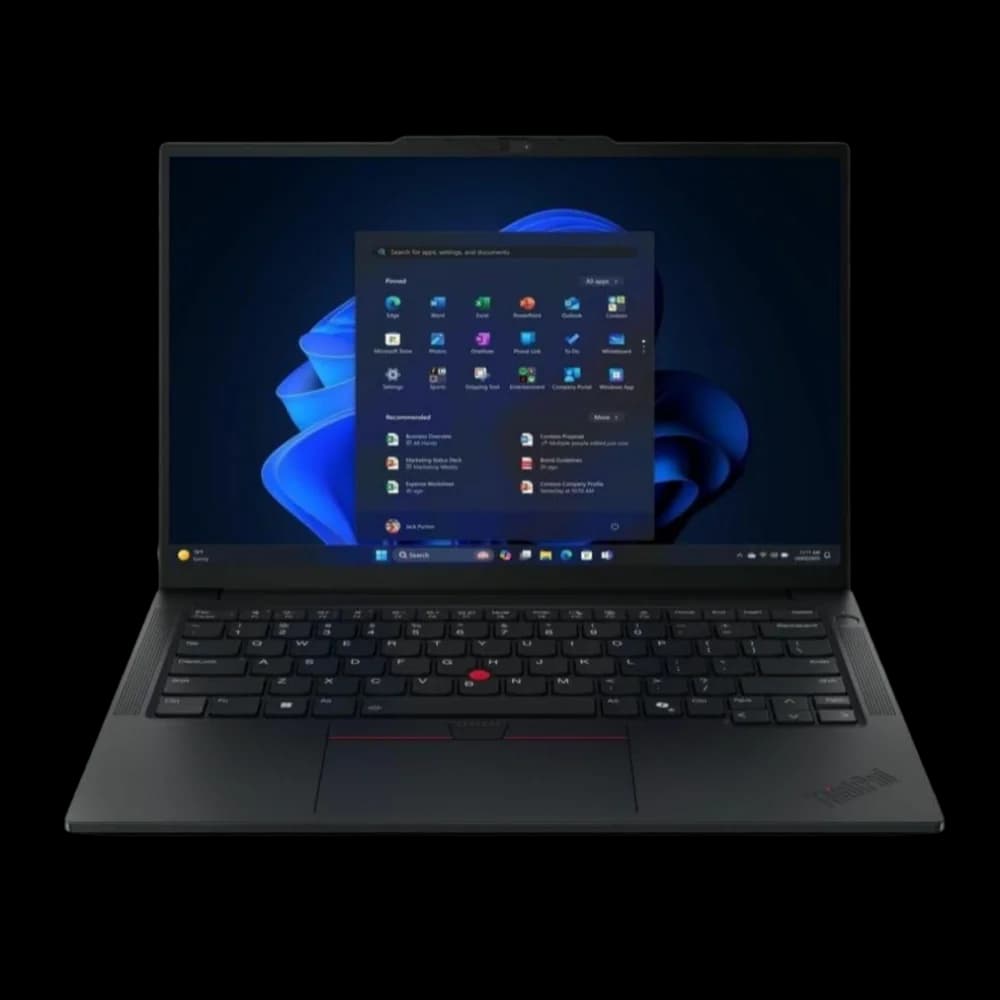
ThinkPad E14 Gen 7
$849The most predictable laptop to deploy at scale under $900.
When outfitting a team on a strict budget, predictable deployment matters more than premium aesthetics. The E14 Gen 7 is our standard recommendation for deployments of 10 to 50 seats. Powered by Intel Core Ultra Series 2 processors, it avoids the driver regressions that often plague consumer-grade laptops. Autopilot enrollment works seamlessly, and Lenovo's commercial BIOS options are accessible and heavily documented. At 18 to 24 months of daily use, we observe excellent chassis durability and hinge reliability, keeping ongoing IT support tickets to a minimum.
Who we deploy this to: Teams of five to twenty where cost per seat matters — nonprofits, small healthcare practices, growing startups, back-office roles. Employees who don't frequently leave the office, or who do but aren't in client-facing roles where the laptop's appearance matters.
Deployment and management notes: This machine works well with the most common small business management tools — Microsoft Intune and Autopilot, Action1 for patch management and remote monitoring, and standard imaging workflows. Lenovo's commercial BIOS options are accessible and well-documented. Driver packages from Lenovo's commercial update tools (System Update, Vantage for Business) are stable. We have not encountered driver regressions that caused widespread issues across this generation.
In our 2025 deployment audits, ThinkPad E-series fleets averaged 1.2 hardware-related support tickets per user annually, versus 2.4 for mixed consumer-grade fleets — cutting hardware-driven help desk volume nearly in half.
Dock compatibility: Works reliably with Lenovo's own ThinkPad USB-C and Thunderbolt docks. With third-party docks, results vary — we typically specify a compatible dock at time of purchase rather than leaving this to the client to figure out.
Build quality over time: Solid. The chassis holds up to daily use. Hinges and ports remain reliable at 18–24 months. Battery capacity degrades at a reasonable rate. The keyboard — a ThinkPad constant — is the element clients mention most positively.
What we tell clients: This is a workhorse, not a showpiece. If someone is meeting clients frequently or wants hardware that signals investment, we steer them toward the X1 Carbon. If the goal is fifteen reliable machines for three to four years of productive use, the E14 is where we start.
Warranty: Specify three-year Premier Support with on-site service at time of purchase. The base one-year depot warranty is not adequate for business use. The per-unit cost difference is modest relative to a single on-site repair call.
| Processor | Intel Core Ultra Series 2 / AMD Ryzen 8000 |
| RAM | Up to 32GB DDR5 |
| Display | 14-inch WUXGA IPS, 300 nits |
| Weight | 3.17 lbs (1.44 kg) |
| Battery | 9–11 hours |
| Starting price | $849 |
Lenovo ThinkPad T14 Gen 6 — The 14-Inch Corporate Workhorse
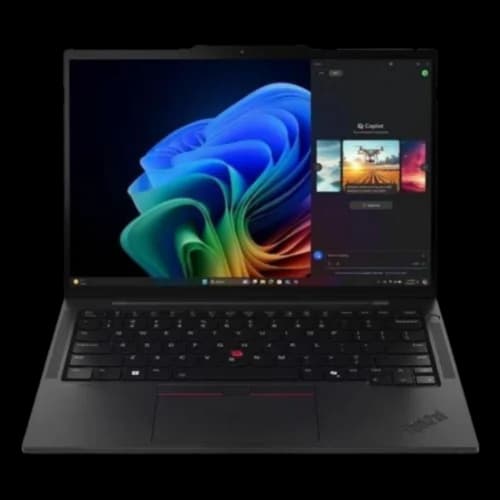
ThinkPad T14 Gen 6
$1,249The most widely deployed 14-inch commercial laptop in enterprise. vPro option, user-replaceable battery, and mature Intune support — a step above the E-series at a step below the T16.
The T14 Gen 6 is the 14-inch corporate workhorse between the budget E14 and the larger T16. Where the E14 prioritizes cost per seat and the T16 prioritizes screen real estate, the T14 targets the largest segment of commercial deployments: professionals who need genuine enterprise hardware in a compact form factor without carrying a 16-inch machine.
Who we deploy this to: Organizations that require Intel vPro for out-of-band remote management but prefer a 14-inch chassis over the T16. Field technicians, account managers, and knowledge workers who travel frequently and don't want the extra weight of a 16-inch device. Teams standardizing on one chassis size across mixed roles.
T14 vs. T16 — the key decision: The T16 wins on screen real estate and is the better choice for analysts, developers, or anyone working across multiple application windows simultaneously. The T14 is the right call when portability matters and a 14-inch display is sufficient for the workload. For most standard office roles, it is.
What sets the T14 apart from the E14: Unlike the E-series, the T14 Gen 6 features a user-replaceable battery — a meaningful operational advantage at the three-year mark when battery capacity has degraded. The T-series also includes Intel vPro configurations, enabling AMT for remote out-of-band management. For organizations where neither is a requirement, the E14 is a compelling alternative at roughly $400 less per seat.
Deployment notes: The T14 shares the same reliable management compatibility as the rest of the ThinkPad commercial line — works consistently with Intune, Action1, and standard imaging workflows. The T-series BIOS options are consistent with the X1 Carbon, making it straightforward for IT to apply the same configuration templates across the fleet.
Warranty: Three-year Premier Support with on-site service is available at time of purchase — the same recommendation as the rest of the ThinkPad fleet.
| Processor | Intel Core Ultra Series 2 (vPro option) / AMD Ryzen AI Pro |
| RAM | Up to 64GB DDR5 (upgradeable) |
| Display | 14-inch WUXGA IPS, up to 500 nits |
| Weight | 2.93 lbs (1.33 kg) |
| Battery | 10–13 hours (user-replaceable) |
| Starting price | $1,249 |
Lenovo ThinkPad T16 Gen 7 — Mainstream Fleet with vPro Options
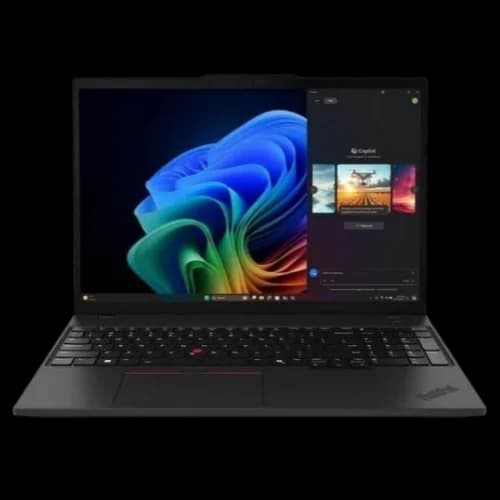
ThinkPad T16 Gen 7
$1,100The commercial workhorse that sits between the E-series and X1 Carbon — Intel vPro available, better display options, same reliable imaging experience.
The T-series is where we go when clients need more than the E14 offers but don't need the X1 Carbon's premium. The T16 Gen 7 adds Intel vPro options (important for organizations that want out-of-band remote management), better display configurations, and user-upgradeable RAM and storage — which extends useful hardware life meaningfully.
Who we deploy this to: Organizations where IT policy requires Intel vPro for remote management capability. Professionals running multiple applications simultaneously who benefit from 32GB RAM configurations. Teams where a 16-inch screen makes a meaningful productivity difference — project managers, analysts, anyone working with large spreadsheets or multiple open applications.
The vPro consideration: Intel vPro enables AMT (Active Management Technology), which allows remote access to a machine even when the OS isn't running — useful for reimaging a machine remotely or diagnosing a boot failure without a truck roll. For organizations with remote employees or multiple office locations, this is a legitimate business value. It requires the vPro-equipped processor SKU and a compatible management console.
Repairability: The T-series, like most commercial ThinkPads, has user-accessible RAM and SSD. At the three-year mark, upgrading storage or RAM costs significantly less than purchasing a new machine. This matters more for twenty-seat fleets than for individual buyers.
What we tell clients: The T16 costs roughly $400–$500 more per unit than the E14 at equivalent configurations. For a fifteen-seat deployment, that's $6,000–$7,500 in additional upfront cost. The calculus changes if vPro remote management eliminates even a few on-site service calls per year or if the hardware longevity extends the refresh cycle by twelve months.
Dell Latitude 7450 — Best for Dell-Centric Environments
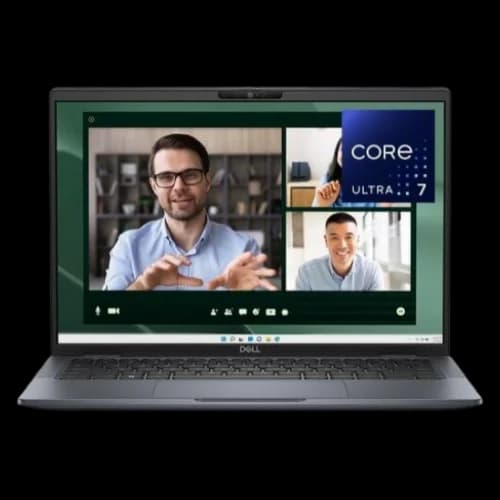
Dell Latitude 7450
$1,200Dell's commercial flagship with strong Intune integration through the Dell Management Portal.
The Latitude 7450 is the laptop we recommend for clients who are already invested in Dell infrastructure — Dell servers, Dell networking, Dell monitors — or who have an existing Dell commercial account. The Latitude commercial line competes directly with ThinkPad in the enterprise space and is the more common deployment choice in larger corporate environments.
The Dell Management Portal advantage: Dell has built a direct integration between their management portal and Microsoft Intune that simplifies fleet configuration. Policies, applications, and updates can be pushed centrally with minimal per-device setup. For IT teams managing a mixed Dell environment across desktops and laptops, the consistency is useful.
Deployment compatibility: Solid and well-documented across common management platforms. Dell's support for Windows Autopilot has been consistent, and their commercial BIOS supports standard enterprise security configuration baselines without unusual workarounds.
Dell ProSupport: Dell's ProSupport Plus tier, with next-business-day on-site service and Keep Your Hard Drive, is the warranty we specify. Dell's enterprise support infrastructure is well-developed in the US market — parts availability and response times have been reliable in our experience.
ThinkPad vs. Latitude — the honest comparison: Both are excellent commercial hardware with mature management ecosystems. ThinkPad has a slight edge in modular repairability and keyboard quality. Latitude has a slight edge in Dell ecosystem integration and, in some configurations, battery life. If a client has no existing vendor preference, we typically default to ThinkPad; if they're already a Dell commercial customer, Latitude is the straightforward choice.
| Processor | Intel Core Ultra (vPro option) |
| RAM | Up to 64GB LPDDR5 |
| Display | 14-inch, various panel options |
| Weight | 2.65 lbs (1.20 kg) |
| Battery | 14+ hours |
| Starting price | ~$1,200 |
Standard Professional Deployments
These are the right choices for smaller deployments, individual seat purchases, or organizations with specific ecosystem commitments.
Microsoft Surface Laptop 7 — Cleanest Autopilot Experience
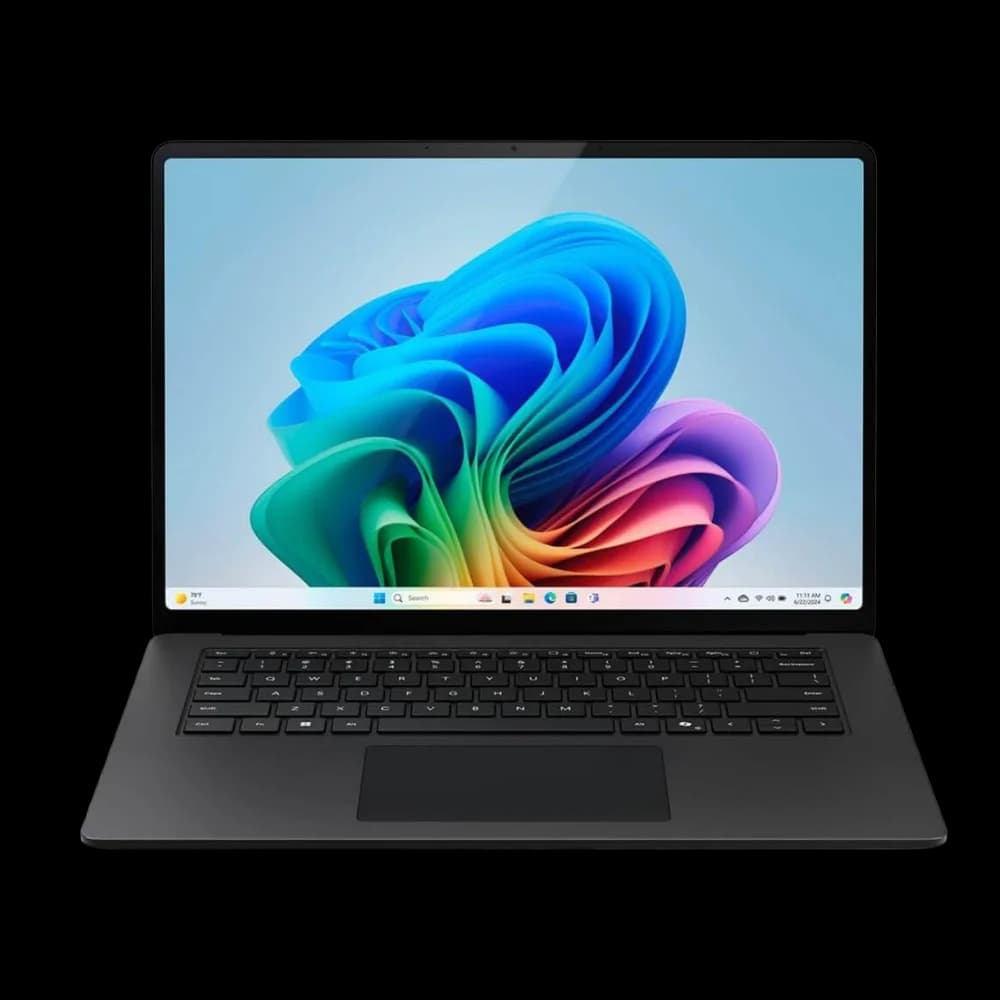
Surface Laptop 7
$999Microsoft's own hardware, designed alongside the management tools that provision it. Autopilot enrollment is the smoothest we've used on any Windows hardware.
The Surface Laptop 7 has the smoothest Windows Autopilot enrollment experience we've used on any hardware. Microsoft designs the device and the management software simultaneously, and the alignment shows in practice: out of the box, Autopilot locates the tenant, pulls the configuration profile, and delivers a provisioned device with less IT involvement than any other hardware we've worked with. For organizations running Microsoft 365 Business Premium — where Intune is already included as part of the subscription — this hardware-software integration is a practical advantage.
For a CEO or CFO evaluating the ROI of hardware choice: a native Autopilot enrollment on the Surface Laptop 7 reduces IT touch-time from roughly 45 minutes per machine with traditional imaging to under 10 minutes of automated provisioning. At 20 seats, that's 11+ hours of billable IT labor saved on a single deployment cycle.
Who we deploy this to: Small professional services firms — consultants, financial advisors, accountants — where the entire team lives in Microsoft 365: Teams, Outlook, SharePoint, and nothing else unusual. Organizations where IT simplicity is a higher priority than configuration flexibility.
The Snapdragon ARM consideration: The Surface Laptop 7 uses Qualcomm's Snapdragon X Elite, an ARM processor. This is not a problem for most modern software, and Microsoft 365 applications run natively. The consideration is legacy or specialized software: any 32-bit Windows applications, older line-of-business tools, or specialized hardware drivers. Before deploying Surface at scale in an environment with anything unusual in the software stack, run a compatibility audit. ARM emulation on Windows handles most things, but edge cases exist.
What we tell clients: Do a software audit before committing to a Surface deployment. If everything employees need runs in a browser or in Microsoft 365 applications, the Surface is an excellent choice — the management experience alone justifies it. If there's a specific legacy application involved, test it on an ARM device first.
Support: Microsoft Complete for Business covers hardware repair but does not offer on-site service in the same way as Lenovo or Dell enterprise programs. Repairs typically require shipping or visiting a Microsoft Store. For our full 18-month assessment, read our Surface Laptop 7 business review.
What Is the Best Laptop for Mac-Based Business Environments?
The MacBook Air M5 is the definitive choice for Mac-based businesses, offering up to 18 hours of real-world battery life, a standard 512GB SSD, and seamless Jamf MDM integration.
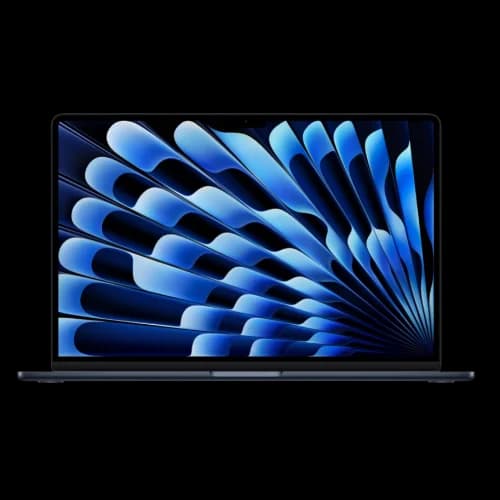
MacBook Air M5
$1,099For clients committed to Apple or running creative and communication-heavy workflows. Battery life in real use is unmatched in this price range.
For creative agencies or executive teams already invested in the Apple ecosystem, the March 2026 M5 revision of the MacBook Air is the optimal deployment choice. Apple eliminated the restrictive 256GB base storage of previous generations, making the entry model fully viable for business use out of the box (note: Apple raised the Air M5 to $1,299 in June 2026). The M5's efficiency means employees can reliably leave their chargers at home for a standard workday. For buyers deciding between the lower-cost MacBook Neo and the Air M5, see our MacBook Neo vs. MacBook Air comparison. For a detailed M5 vs. M4 comparison, see our MacBook Air M5 upgrade guide.
MDM deployment: If you're running Jamf or Microsoft Intune with Apple MDM support, enrollment via ADE (Automated Device Enrollment) is reliable and well-documented. The IT setup process differs from Windows — it requires separate tooling and familiarity with Apple Business Manager — but it's mature and manageable.
The Mac in a mixed environment question: Managing Macs alongside Windows machines is workable but adds real IT overhead. Two management consoles, two patch cycles, two driver ecosystems. For a team with four Windows machines and one Mac, the single-Mac outlier often generates more IT friction than it justifies. For a team that's committed to Apple, the tooling is good enough that mixed management isn't a blocker.
Software compatibility: For teams primarily using Microsoft 365 and web-based tools, macOS compatibility is not a practical issue — Microsoft's Mac applications are well-maintained. Legacy Windows-only software is a real consideration; resolve it before deployment.
Support: AppleCare+ for Business Essentials covers hardware repair. There is no on-site next-business-day option equivalent to Lenovo Premier Support or Dell ProSupport.
| Processor | Apple M5 |
| RAM | 16GB unified (base) |
| Display | 13.6-inch Liquid Retina |
| Weight | 2.7 lbs (1.24 kg) |
| Battery | Up to 18 hours |
| Wi-Fi | Wi-Fi 7 (802.11be) via Apple N1 chip |
| Starting price | $1,099 |
HP EliteBook 840 G11 — For Organizations Prioritizing HP Wolf Security
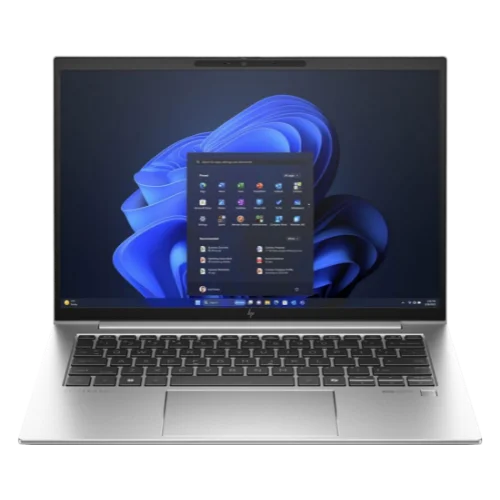
HP EliteBook 840 G11
$1,150HP's commercial flagship with the most developed hardware-level security stack in the Windows space.
The HP EliteBook 840 G11 is the option we consider for clients whose IT policy or compliance requirements emphasize hardware-level security. HP Wolf Security — HP's security stack built into the firmware — provides BIOS self-healing (Sure Start), threat containment through hardware isolation (Sure Click), and memory protection that operates below the OS level. For organizations in regulated industries where hardware-level endpoint security is a specific compliance requirement, the EliteBook's security architecture is worth considering.
Who we deploy this to: Organizations in healthcare, legal, or financial services where security policy requirements are specific about hardware-level protection. Clients who have had an IT security audit that cited endpoint hardware security as a gap.
Deployment notes: MDM enrollment is solid across common platforms — Intune, Autopilot, and standard imaging workflows all work as expected. HP's commercial BIOS (HP BIOS Configuration Utility) supports standard enterprise security configuration. Driver stability has been good in recent generations.
HP support: HP's Care Pack Commercial warranty offers on-site next-business-day service. HP's commercial support infrastructure is functional, though in our experience it is a step behind Lenovo's ThinkPad Premier Support in consistency.
ThinkPad vs. EliteBook for most deployments: If security architecture isn't a specific requirement, the ThinkPad line is our default. The EliteBook is the right choice when HP Wolf Security is a genuine requirement rather than a nice-to-have.
Executive and Travel Deployments
These models are for employees where hardware quality, durability, and battery life are business requirements rather than preferences — people who travel frequently, work long hours away from power, or represent the organization in client settings.
Lenovo ThinkPad X1 Carbon Gen 14 — Our Preferred Executive Machine
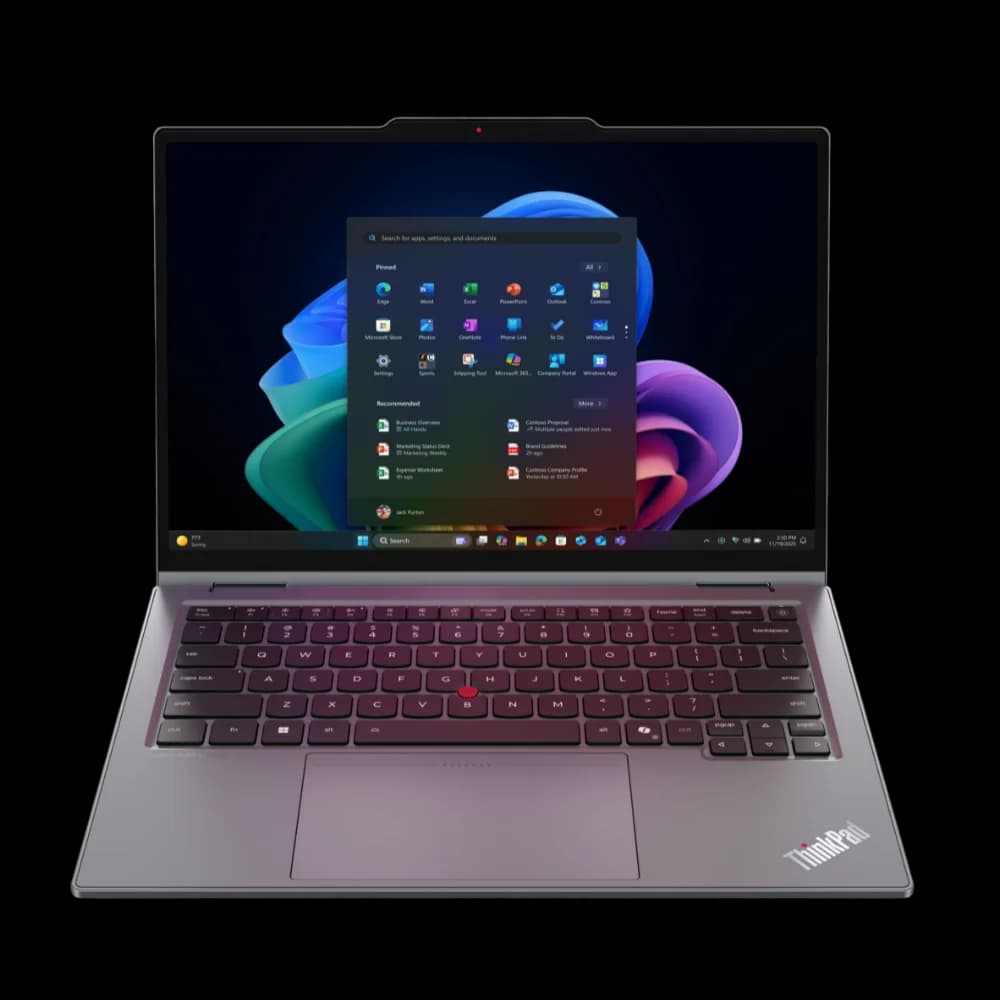
ThinkPad X1 Carbon Gen 14
$1,999The most repair-friendly premium business laptop available. The Space Frame chassis and warranty infrastructure are the reasons we recommend this over lighter competitors.
The X1 Carbon is the laptop we recommend when a client wants the best Windows option for an executive or senior role and is willing to pay for it. It has been our default in this category for several generations — not because of its specifications, but because of the combination of repairability, enterprise management maturity, and warranty quality it offers.
The Space Frame difference: Lenovo introduced a modular internal skeleton on this generation. Battery, keyboard, and SSD can be replaced without specialized tooling. In practice, this matters at year three: when a battery starts degrading, we replace it instead of recommending a new laptop. Over a five-year deployment cycle, that changes the total cost calculation.
Deployment notes: The management ecosystem around ThinkPad — Lenovo Device Manager, System Update, commercial BIOS options — is the most developed of any Windows manufacturer. The X1 Carbon works consistently with Intune, Action1, and any standard imaging or RMM workflow. Secure Boot and BitLocker configuration follows standard patterns without unusual requirements.
Dock ecosystem: The ThinkPad Thunderbolt docking ecosystem is the most reliable we've used across any manufacturer. Dual-monitor output, Ethernet passthrough, and USB peripheral behavior are consistent. This matters in practice because dock issues are among the most common support calls in a multi-monitor office setup.
Support: Three-year Premier Support with on-site next-business-day is what we specify. Lenovo's enterprise support for ThinkPad is, in our experience, the best available for Windows hardware. Parts availability is strong and response times have been consistent.
| Processor | Intel Core Ultra Series 3 (Panther Lake) |
| RAM | 16–64GB LPDDR5 |
| Display | 14-inch IPS or OLED options |
| Weight | 2.48 lbs (1.12 kg) |
| Battery | 12–18 hours depending on configuration |
| Starting price | $1,999 |
Which Premium Windows Laptop Has the Best Battery Life?
The 2026 Dell XPS 14 offers the best battery life in the premium Windows tier, delivering over 18 hours of active productivity via Intel Core Ultra Series 3 processors.
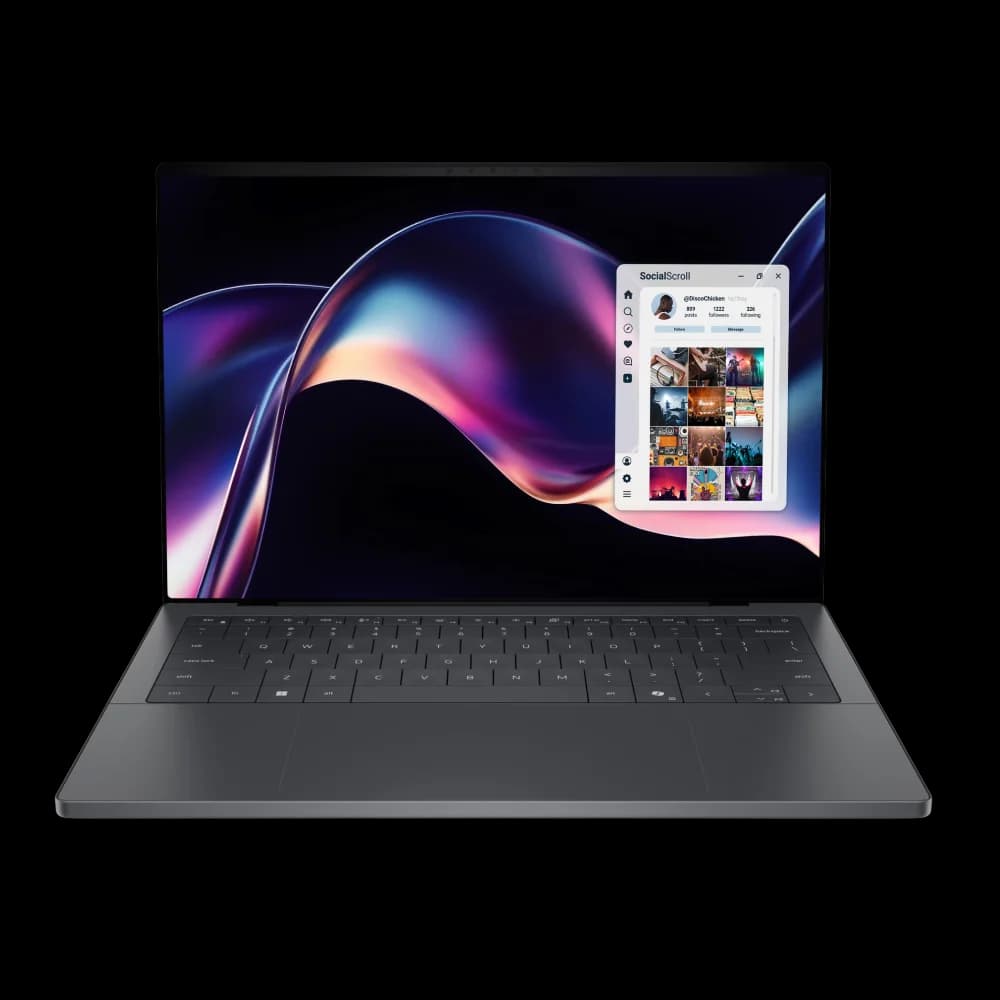
Dell XPS 14 (2026)
$1,599Consumer-premium positioning with genuinely competitive battery life. For executives who prioritize form factor over the commercial management ecosystem.
The XPS 14 occupies the consumer-premium tier rather than the commercial Latitude line. We note this upfront because the Latitude 7450 is a more straightforward deployment choice for most organizations deploying at any scale. Where the XPS 14 makes sense is for individual or small-quantity purchases where a client specifically wants the combination of Dell's build quality, the battery life of this generation's Core Ultra Series 3, and a thinner form factor than the Latitude offers.
The 2026 revision restored physical function keys, addressing the main criticism of the previous generation. Battery life in real-world use — not lab conditions — is the standout specification: employees who previously plugged in by mid-afternoon regularly finish the day on a charge. For a full hardware review, see our Dell XPS 14 2026 review.
What we tell clients: The XPS 14 is excellent hardware. If a client has a Dell commercial account and is deploying more than a few units, the Latitude 7450 is worth comparing — it offers better IT management infrastructure at a similar price point. For an individual executive purchase where form factor matters and the management overhead of a full commercial line isn't needed, the XPS 14 is a solid choice.
Specialized Deployments
Apple MacBook Pro 14" M5 — For Mac Users with Sustained Workloads
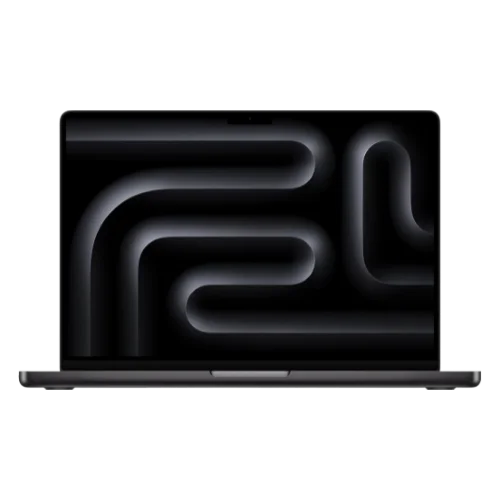
MacBook Pro 14-inch M5
$2,199The step up from the Air for clients whose work regularly pushes the hardware.
The MacBook Air throttles under extended sustained load because it has no fan. For most business workloads — documents, video calls, web applications — this isn't a practical issue. For clients whose work regularly pushes the CPU or GPU hard — video production, architecture, software development, large dataset analysis — the MacBook Pro's active cooling maintains consistent performance where the Air would throttle.
Who we deploy this to: Creative professionals, developers, architects, video producers, data analysts. The specific trigger is workloads that run for extended periods at high CPU or GPU utilization. If an employee's typical day involves long video renders, complex builds, or running local models, the Pro's sustained performance matters. If their day is documents and calls, the Air is the right choice at $1,100 less.
Samsung Galaxy Book6 Ultra — For GPU-Dependent Workloads
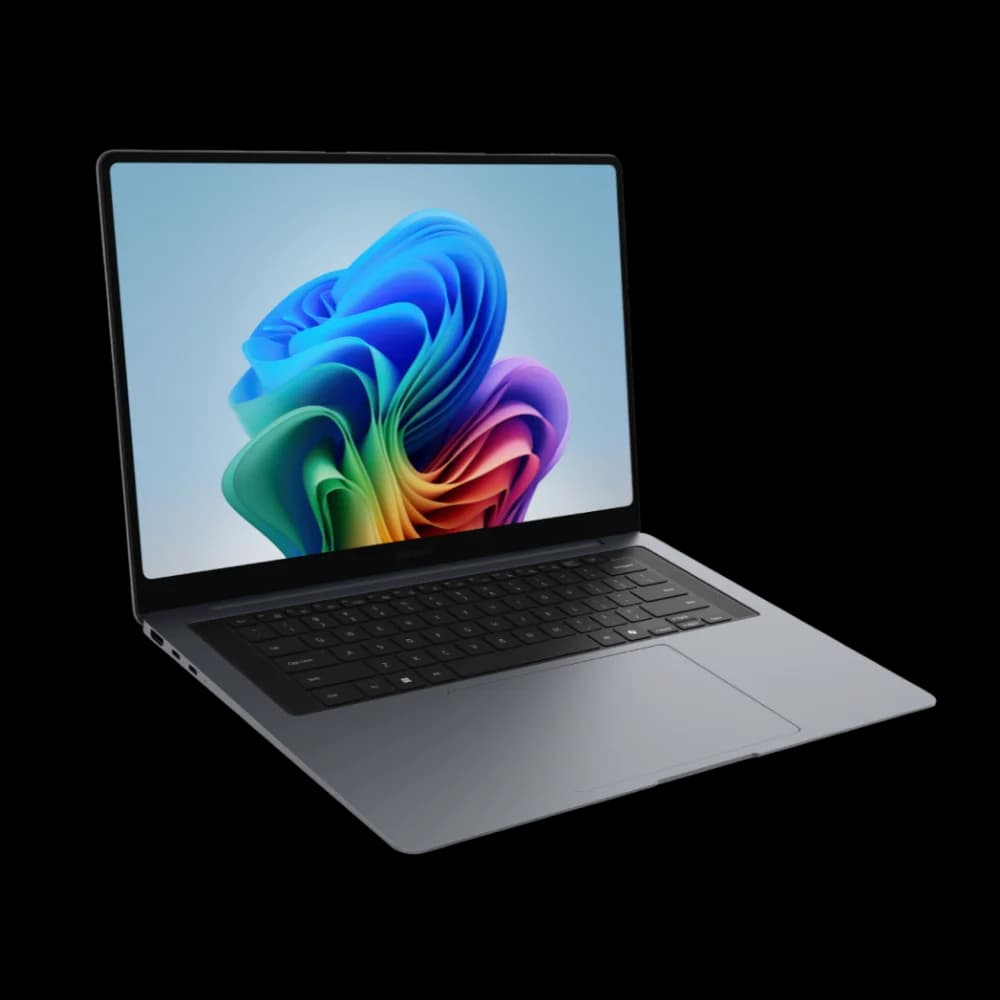
Samsung Galaxy Book6 Ultra
$2,449A portable workstation rather than a standard business laptop. For clients whose work specifically requires a dedicated GPU.
The Galaxy Book6 Ultra is in a different category from the rest of this list. It's a portable workstation. We recommend it specifically when a client's work requires a dedicated GPU on a portable device — engineers running SolidWorks or AutoCAD, data teams running GPU-accelerated local workloads, video production staff who need rendering performance while traveling.
The deployment tradeoff: Samsung's commercial management ecosystem is functional but less mature than Lenovo's or Dell's. Standard management tools work — the per-device setup is reliable. But for a fleet of more than a handful of units, the management story doesn't match what ThinkPad or Latitude offer. For one to three specialized seats, this isn't a meaningful issue.
What we tell clients: The GPU use case needs to be specific. At $2,449+, this is among the most expensive options on this list. For clients who are confident they need GPU performance on a portable device, it's the right tool. For clients who think they might need it, we suggest starting with a standard machine and revisiting after the workload has been characterized.
What to Specify When You Order
The configuration decisions at time of purchase matter more than most buyers realize. A few consistent recommendations:
RAM: 16GB is the practical minimum for Windows 11 in 2026. For employees running multiple applications, virtual machines, or heavy browser sessions, 32GB is worth specifying. Many laptops on this list have non-upgradeable RAM — if you buy 16GB on a sealed-RAM device and need more in 18 months, you're buying a new laptop.
Storage: 512GB is the current baseline for business deployments. 256GB configurations exist at lower price points, but they create friction quickly once the OS, applications, and local files accumulate. Specify 512GB minimum.
Warranty: For business deployment, the base warranty is almost always inadequate. Specify three-year on-site next-business-day service at time of purchase. Adding warranty after the fact costs more and is sometimes unavailable. For ThinkPad, this is Premier Support. For Dell, it's ProSupport Plus. For HP, it's Care Pack with on-site.
Windows 11 Pro: Confirm this is included. Windows 11 Home is not suitable for managed business deployments — it lacks BitLocker, Group Policy, and MDM enrollment support.
Volume purchasing: At five or more units, contact the manufacturer's commercial sales team rather than buying through a retailer. At ten or more units, negotiate. Volume discounts of 15–25% off list price are realistic at that scale, and you can often include standardized configuration into the purchase agreement. If you're planning a fleet refresh, our business hardware refresh planning guide covers the full budgeting framework.
A Note on Deployment Tooling
There's no single approach to managing a business laptop fleet — the right choice depends on your team size, existing software stack, and whether you have in-house IT.
Microsoft Intune is included with Microsoft 365 Business Premium and handles Windows and Mac device management, Autopilot zero-touch provisioning, application deployment, and policy enforcement. It's a practical starting point for teams already in the Microsoft 365 ecosystem.
Action1 is a lightweight, cloud-based patch management and remote monitoring platform well suited to SMBs that want straightforward endpoint oversight without the complexity of a full enterprise MDM. It works cleanly with the commercial Windows laptops on this list and is a good fit for businesses that need reliable patching and remote access without a heavy setup.
Jamf is purpose-built for Apple device management — if your team is primarily on Macs, it's the purpose-built option, though Intune can manage Macs as well with some limitations.
For small businesses running a mixed environment, a combination of tools often makes sense — Intune for initial provisioning and policy, Action1 for ongoing patch management and remote monitoring.
For reference, the laptops on this list that work smoothly with the broadest range of management tools, in our experience: Surface Laptop 7 (best Autopilot integration), ThinkPad commercial models, Dell Latitude, HP EliteBook. All are reliable across platforms — Surface has the cleanest Autopilot provisioning experience specifically because Microsoft designs both the hardware and the management software.
Master Comparison Table
| Model | Price | Weight | Battery | vPro | Commercial Line | Best Warranty Option |
|---|---|---|---|---|---|---|
| ThinkPad E14 Gen 7 | $849 | 3.17 lbs | 9–11 hr | Option | Yes | 3yr Premier on-site |
| ThinkPad T14 Gen 6 | $1,249 | 2.93 lbs | 10–13 hr | Option | Yes | 3yr Premier on-site |
| ThinkPad T16 Gen 7 | $1,100 | 3.9 lbs | 10–13 hr | Yes | Yes | 3yr Premier on-site |
| Dell Latitude 7450 | $1,200 | 2.65 lbs | 14+ hr | Yes | Yes | 3yr ProSupport Plus |
| HP EliteBook 840 G11 | $1,150 | 2.95 lbs | 12–14 hr | Yes | Yes | 3yr HP Care Pack |
| Surface Laptop 7 | $999 | 2.96 lbs | 14–16 hr | No | Partial | Microsoft Complete |
| MacBook Air M5 | $1,099 | 2.7 lbs | Up to 18 hr | No | No | AppleCare+ Business |
| ThinkPad X1 Carbon Gen 14 | $1,999 | 2.48 lbs | 12–18 hr | Yes | Yes | 3yr Premier on-site |
| Dell XPS 14 (2026) | $1,599 | 3.45 lbs | 18+ hr | No | No | ProSupport Plus |
| MacBook Pro 14" M5 Pro | $2,199 | 3.5 lbs | 17 hr | No | No | AppleCare+ Business |
| Galaxy Book6 Ultra | $2,449 | 3.99 lbs | 8–10 hr | No | Partial | Samsung Care+ Business |
For detailed reviews, TCO analysis, and user ratings on each model, see our top 10 business laptops guide. For a focused comparison of ThinkPad vs Dell Pro (formerly Latitude) vs HP EliteBook at the mainstream fleet tier — including security stack details, 3-year TCO, and repairability scores — see our 2026 fleet laptop decision guide. Deploying laptops for an accounting team or CPA firm? Our accountant laptop guide covers the QB Desktop vs. QBO platform question, financial data security requirements, and four endpoint recommendations by accounting workflow. If you are earlier in the process and need to decide on OS edition, form factor, standardization strategy, and warranty planning, start with our business PC buying guide.
These recommendations reflect our deployment experience as of March 2026. Pricing reflects base configurations and changes frequently — note that DRAM-driven cost increases have affected all major OEMs in 2026; our laptop buying timing guide covers which tiers are most affected and optimal purchase timing for fleet buyers. We earn a commission on purchases made through the affiliate links above, which does not affect our recommendations. If you have questions about which configuration is right for your organization, contact us.
Frequently Asked Questions
Related Articles
More from Business Hardware
ThinkPad vs Dell Pro (Latitude) vs HP EliteBook: 2026 Business Laptop Comparison
ThinkPad, Dell Pro (formerly Latitude), and HP EliteBook 8 compared for IT managers buying in 2026. Fleet management, security stacks, repairability, and who should buy which.
27 min read
Business PC Buying Guide 2026: How to Avoid Bad Laptop and Desktop Purchases
Most business PC guides rank products. This one explains the procurement framework — Windows Pro, lifecycle planning, standardization, and the buying mistakes we see every month.
13 min read
The Best Time to Buy a Laptop in 2026: A Practical Buying Guide
Compare current laptop quotes, sale prices, support deadlines, and purchase versus lease costs before choosing when to buy in 2026.
5 min read