1Password Business Review 2026: SSO, Admin Controls, Pricing, and Real-World Adoption
1Password Business review after dozens of SMB deployments: 4.5/5. Admin console, SSO, Watchtower, real costs at $8.99/user/month, and when the premium is worth it.

Quick Verdict
1Password Business is well-suited for teams that need SSO, centralized governance, and strong admin tooling. At $8.99/user/month it costs more than twice what Bitwarden Teams charges, but the dual-key security architecture, adoption-friendly UX, and included Families accounts make the premium reasonable for organizations where credential governance is a priority.
1Password says it serves over 180,000 businesses, and its customer logos include major technology and enterprise brands. After deploying it across dozens of small and mid-sized organizations throughout South Florida, we consistently see one differentiator that matters more than any feature list: adoption. In our deployments, 1Password consistently hits 85%+ employee adoption within the first 30 days — compared to the 40–50% we historically saw with alternatives where user friction drove people back to browser-saved passwords. The difference comes down to the end-user experience: the browser extension autofills reliably on the vast majority of login forms without requiring manual intervention, the mobile app integrates with iOS and Android's native autofill frameworks so it behaves like the built-in password manager employees are already used to, and the onboarding flow is short enough that non-technical employees can complete it without IT hand-holding. When a password manager feels invisible in daily use, people don't look for workarounds.
Deployment methodology
Our adoption observations come from dozens of SMB deployments in South Florida, typically 10–75 employees, evaluated during the first 30–90 days after rollout. Adoption is measured by active account setup, browser extension install, shared vault participation, password generation use, and reduced reliance on browser-saved passwords. This is not a lab benchmark — it reflects real client environments.
This review covers admin console capabilities, SSO integration, Watchtower monitoring, and real pricing at team scale — based on hands-on deployment experience across South Florida businesses.
Affiliate Disclosure: This article contains affiliate links. If you make a purchase through these links, we may earn a small commission at no extra cost to you. As an Amazon Associate, iFeelTech earns from qualifying purchases.
1Password Business
Enterprise password manager with dual-key encryption, SSO, Watchtower admin dashboard, SCIM provisioning, and free Families account for every employee.
- Dual-key encryption (Secret Key + master password)
- SSO with Okta, Entra ID, Google, JumpCloud, and more
- Watchtower admin dashboard for team-wide security
- Free Families account per Business user
*Price at time of publishing
Quick Assessment
| Aspect | Details |
|---|---|
| Rating | 4.5/5 |
| Best For | Teams of 10–500 prioritizing adoption, governance, and SSO integration |
| Price | $8.99/user/month (annual) or $24.95/month for up to 10 members |
| Key Strength | Dual-key encryption architecture and admin tooling that drives real adoption |
| Main Limitation | Premium pricing — more than 2x Bitwarden Teams at $4/user/month |
What Changed in July 2026
- Business price updated from $7.99 to $8.99/user/month
- Teams Starter Pack now listed at $24.95/month (includes 10 members, billed annually)
- Hosted automated provisioning expanded — now available for Entra ID, Okta, OneLogin, and JumpCloud (beta); SCIM Bridge remains for Google Workspace, Rippling, and self-hosted deployments
- Bitwarden Teams comparison corrected — SCIM is now included in Teams ($4/user/month)
- NordPass pricing clarified — $3.99/user/month annual vs. $3.59 on two-year billing
- Proton Pass SSO and SCIM confirmed available in current support documentation
- Metadata encryption limitation removed — 1Password confirms titles, URLs, tags, and custom icons are encrypted
- SSO description corrected to match 1Password's documented terminology
Quick Buyer Reference
| Buyer Question | Answer |
|---|---|
| Is there a free trial? | Yes, 14 days |
| Is there a free tier? | No |
| Does Business include SSO? | Yes |
| Does Business include provisioning? | Yes (hosted for Entra ID, Okta, OneLogin, JumpCloud beta; SCIM Bridge for others) |
| Does Business include Families? | Yes (complimentary per user) |
| Does XAM come with Business? | No, separate/custom pricing |
| Can MSPs buy it? | Yes, MSP options exist |
| Is pricing annual or monthly? | Published Business pricing is annual billing |
Who Should Use 1Password Business?
1Password Business fits teams that need SSO, shared vault governance, audit logs, and low-friction adoption.
Choose 1Password Business if:
- Your team has 10+ people and you need centralized password governance
- SSO integration with your identity provider (Okta, Entra ID, Google, JumpCloud, OneLogin) is a requirement
- You want a password manager with high adoption rates — clean UX reduces user resistance
- Your compliance needs require detailed audit logs, SIEM integration, and custom security policies
- The free Families account perk matters for employee satisfaction and overall security posture
A common question from IT admins: "Why pay for 1Password when Entra ID or Google Workspace already saves passwords?" Browser-based and IdP-native credential saving works for individual logins, but it doesn't provide cross-platform vault sharing between team members, zero-knowledge encryption independent of the browser vendor, admin-level visibility into organizational password health, or structured vault permissions that survive employee transitions. For a detailed comparison, see our 1Password vs built-in password managers guide and our Google Password Manager for business assessment.
Look elsewhere if:
- You need the cheapest per-user option — Bitwarden Teams at $4/user/month or Proton Pass at $1.99/user/month cost significantly less
- Open-source transparency is non-negotiable — 1Password is closed-source
- Your team is under 10 people and budget-constrained — the Teams Starter Pack or Bitwarden Teams may be a better fit
- You're a solo founder or very small Mac-only team — Apple Passwords (built into macOS/iOS) handles individual credential storage well for free, but it lacks the shared vaults, admin controls, and cross-platform governance that a growing team needs
- You require Swiss/EU data jurisdiction for privacy — 1Password is US/Canada-based (though it offers data residency choices including EU)
How Much Does 1Password Business Cost in July 2026?
1Password Business costs $8.99 per user per month when billed annually. The Teams Starter Pack is $24.95/month, includes 10 members, and is billed annually. Enterprise pricing is custom.
July 2026 pricing update
1Password Business is now listed at $8.99/user/month when billed annually (previously $7.99). The Teams Starter Pack is listed at $24.95/month for 10 members. 1Password notes that promotions are limited-time first-year discounts for new customers. All cost tables below use these published prices.
Plans at a Glance
| Plan | July 2026 Published Price | Best For |
|---|---|---|
| Teams Starter Pack | $24.95/month, includes 10 members, paid annually | Small teams that don't need full Business governance |
| Business | $8.99/user/month, paid annually | Teams needing SSO, admin policies, Watchtower, audit trails, and provisioning |
| Enterprise | Custom pricing | Larger organizations needing dedicated support, procurement, or advanced deployment help |
1Password's current pricing page says the Teams Starter Pack includes 10 members and allows up to 10 additional seats at per-member pricing.
Real Cost at Team Scale
| Team Size | Teams Starter Pack | Business (Annual) |
|---|---|---|
| 5 users | $299.40/yr | $539.40/yr |
| 10 users | $299.40/yr | $1,078.80/yr |
| 25 users | Not the right fit | $2,697/yr |
| 50 users | Not the right fit | $5,394/yr |
| 100 users | Not the right fit | $10,788/yr |
The crossover point matters: for teams of exactly 10, the Teams Starter Pack at $24.95/month ($299.40/year) costs 72% less than Business pricing at $1,078.80/year. The trade-off is that the Teams Starter Pack has lighter admin controls, while Business adds SSO, Watchtower admin dashboard, automated provisioning, advanced governance, reporting, and identity-provider integration.
Understanding the Price Premium
At $8.99/user/month, 1Password Business costs roughly 2.2x Bitwarden Teams ($4/user/month), 2.3x NordPass Business ($3.99/user/month annual), and 2x Proton Pass Professional ($4.49/user/month). For a 50-person team, that's $5,394/year versus $2,400 (Bitwarden), $2,394 (NordPass annual), or $2,694 (Proton Pass Professional). The higher price mainly pays for dual-key encryption, mature SSO and provisioning, a polished admin console, free Families accounts ($71.88/yr value per user), and — in our deployments, adoption has been the differentiator. Whether that justifies the spend depends on how much user resistance costs your organization.
2026 Price Increases in Context
1Password adjusted pricing across its lineup in 2026. Consumer tiers went up in March: Individual plans rose from $35.88 to $47.88/year ($2.99 to $3.99/month annual), and Families rose from $59.88 to $71.88/year ($4.99 to $5.99/month annual). The Teams Starter Pack is now listed at $24.95/month (previously $19.95). The Business plan is now listed at $8.99/user/month, up from $7.99.
This follows a broader industry trend: Bitwarden nearly doubled its individual Premium plan from $10 to $19.80/year in January 2026 — the first price increase in Bitwarden's 10-year history. Business-tier per-user pricing across the password manager market has generally been moving upward as well.
Enterprise customers frequently negotiate below list price — Vendr data shows median contracts around 10–17% below published rates for multi-year commitments.
What Does the 1Password Admin Console Do?
The admin console manages users, vault access, policies, reports, recovery, and security monitoring.
The 1Password admin console provides centralized credential governance, allowing administrators to manage vault permissions through custom groups and enforce security policies without accessing user data.
User and Access Management
Custom Groups: Organize users by department, project, or access level. Each group can be assigned specific vaults with granular permissions — view only, edit, or full management. Team members can belong to multiple groups, and 1Password says there is no limit to the size of a group. When someone changes teams, move them between groups rather than reconfiguring individual vault access.
Vault Permissions: 1Password Business provides 12 vault permissions, allowing admins to control viewing, editing, exporting, printing, sharing, and vault management rights. This granularity matters when your marketing team needs to share social media credentials without giving everyone the ability to export the entire vault.
Account Recovery: When employees get locked out, admins can initiate account recovery without ever seeing vault contents. The recovery process re-encrypts the user's data with a new key — the admin facilitates access restoration, not data access.
Security Policies and Reporting
Custom Security Policies: Enforce master password requirements, mandate two-factor authentication, restrict which devices can access company vaults, and control sharing permissions. Policies apply at the group or organization level.
Audit Logs: Every action — login, item creation, vault sharing, policy change — is logged with timestamps and user attribution. Logs can be exported for compliance documentation or streamed directly to SIEM tools (Splunk, Elastic, Sumo Logic, Panther) for real-time monitoring.
Custom Reports: Generate reports on team usage, account activity, and security posture. Enterprise customers get quarterly and annual business reviews with their dedicated Customer Success Manager.
MDM Deployment
1Password Business supports silent, policy-managed deployment through major MDM platforms — a common requirement for IT admins managing 20+ devices:
- Mac (Jamf, Kandji, Mosyle): Deploy via the PKG installer. MDM configuration profiles enforce policies like biometric unlock, auto-lock on screensaver, and password concealment.
- Windows (Intune): Deploy via MSIX as a Win32 app or line-of-business app, or push directly through the Microsoft Store. MSI is also available for Windows 10 19H2 and earlier environments.
- Browser extension: Deploy 1Password in the browser centrally via managed extension policies in Chrome, Edge, or Firefox.
Admins can also use MDM to set 1Password as a managed installation, which prevents users from installing conflicting personal copies and enables centralized update control.
Support by Plan
Support quality scales with the plan tier — a meaningful consideration at $8.99/user/month:
- Teams Starter Pack: Email support via the 1Password support portal and community forum
- Business: Priority business support with faster routing to 1Password's dedicated business support team.
- Enterprise (101+ users): Personalized onboarding, dedicated Customer Success Manager, and quarterly business reviews.
For most SMBs on the Business plan, priority business support is adequate. Organizations that require a named account contact and structured onboarding should evaluate the Enterprise tier.
Need faster support?
1Password Business customers can reach the dedicated business support team directly at businesssupport@1password.com for faster routing than the general support queue.
Daily Admin Workflow
In practice, the admin console handles three recurring tasks efficiently:
- Onboarding: Create the user account, assign to appropriate groups, and vault access propagates automatically. With SCIM provisioning, even this step is automated.
- Offboarding: Suspend or delete the account. Access revocation is immediate across all devices. Shared vault data stays with the organization.
- Security monitoring: Check Watchtower dashboard for team-wide password health, review flagged items, and follow up with users who have weak or compromised credentials.
Offboarding in practice: When an employee leaves, the admin suspends the account, which removes access to company vaults across signed-in devices. Shared vault data remains with the organization, and the admin can review activity logs to identify credentials that may need rotation.
We regularly deploy 1Password for clients with 15–75 employees, and the admin console consistently reduces ongoing management overhead compared to platforms where "admin" means a basic user list.
1Password Business: Admin Console and Platform Walkthrough
Does 1Password Business Support SSO and Automated Provisioning?
Yes. SSO handles user unlock, while provisioning manages account creation, groups, and suspension.
1Password Business supports Unlock with SSO through OIDC, including several named identity providers and generic OIDC support. Automated provisioning manages the user lifecycle separately.
Unlock with SSO
1Password supports Unlock with SSO using the OpenID Connect (OIDC) protocol with Authorization Code Flow and PKCE. Employees sign in with their existing identity provider credentials instead of a separate 1Password account password.
Supported identity providers:
- Auth0
- Duo
- JumpCloud
- Microsoft Entra ID
- Okta
- OneLogin
- Ping Identity
- Generic OIDC providers
Important nuances:
SSO in 1Password works differently from typical SaaS SSO. Because of the zero-knowledge architecture, 1Password uses encrypted credentials and a device key to preserve vault encryption while allowing IdP-based unlock. This means SSO handles authentication without weakening end-to-end encryption.
Members of the Owners group cannot use SSO by design — this prevents a scenario where an identity provider compromise locks out every administrator simultaneously.
Biometric unlock (Touch ID, Face ID, Windows Hello) remains available for offline access even when SSO is the primary authentication method. SSO unlock normally requires internet access unless biometric unlock is allowed.
Automated Provisioning
1Password now distinguishes between hosted automated provisioning and the self-hosted SCIM Bridge.
What provisioning automates:
- User creation: New employees provisioned in your IdP automatically get 1Password accounts
- Group sync: IdP group memberships map to 1Password groups, which control vault access
- Suspension/deletion: Deprovisioned users lose 1Password access automatically
Hosted automated provisioning (no infrastructure to manage):
- Microsoft Entra ID
- Okta
- OneLogin (beta)
- JumpCloud (beta)
Self-hosted SCIM Bridge (for providers not yet supported by hosted provisioning):
- Google Workspace
- Rippling
The SCIM Bridge can be deployed on Google Cloud Platform, DigitalOcean, Azure Container Apps, AWS (via CloudFormation), or self-hosted infrastructure.
SCIM Bridge Complexity
Self-hosted SCIM Bridge is the one area where 1Password's setup complexity spikes. You're deploying a containerized service that needs to stay running, be monitored, and be updated. For organizations without container infrastructure experience, this is a real consideration. If your IdP is Entra ID, Okta, OneLogin, or JumpCloud, choose the hosted option and skip the infrastructure overhead entirely.
SSO and provisioning are separate integrations that serve different functions — SSO handles authentication, provisioning handles the user lifecycle. Both require configuration in your identity provider, but they complement each other: provisioning creates accounts automatically, SSO eliminates a separate password for those accounts.
Test SSO and provisioning before committing — start a 14-day 1Password Business trial.
What Does Watchtower Show Business Admins?
Watchtower reports weak, reused, compromised, and unprotected credentials across shared vaults.

Watchtower helps users identify breached, weak, duplicate, and security-risk items. In Business accounts, admins can use Business Watchtower reports to track security issues across shared vaults without viewing the underlying passwords.
Individual Watchtower
Every 1Password user gets personal Watchtower alerts:
- Compromised passwords flagged via Have I Been Pwned integration
- Weak passwords that don't meet strength thresholds
- Reused passwords across multiple accounts
- Missing two-factor authentication on supported services
- Expiring passwords for services with rotation requirements
- Passkey availability — alerts when a service supports passkeys but you're still using a password
All breach checks happen locally on the device. 1Password never sends your credentials to external services — it uses k-anonymity techniques to check breach databases without exposing your actual passwords.
Business Watchtower Dashboard
The admin-facing dashboard aggregates Watchtower data across the entire organization:
Team Password Health: See what percentage of organizational credentials are strong, unique, and protected by 2FA. Identify departments or individuals with the weakest security posture without seeing their actual passwords.
Domain Breach Report: Enter your company domain and 1Password monitors for email addresses appearing in public data breaches. When a breach involves credentials tied to your domain, admins get actionable alerts to initiate password rotation.
Security Score Tracking: Monitor organizational security posture over time. Track improvement after policy changes or training initiatives.
The practical value is accountability without surveillance. Admins know the organization has 47 reused passwords and 12 accounts without 2FA — they can address the gaps without knowing which specific passwords are involved.
Can Teams Share Passkeys in 1Password Business?
Yes. Teams can share passkeys through shared vaults in 1Password Business.
1Password treats saved passkeys like other vault items, which means they can be placed in a shared vault and managed through vault permissions.
A common scenario: the marketing team needs shared access to a corporate social media account that supports passkeys. In 1Password Business, an admin creates a shared vault for the marketing group, saves the passkey there, and every team member with access can authenticate using that passkey from their own device. No password to share over Slack, no risk of it being saved in someone's personal browser.
Native platform passkeys are often convenient for individuals, but team sharing and cross-platform portability can be limited. 1Password's shared-vault model is more practical for business-owned accounts where multiple team members need access. For a deeper look at deploying passkeys across your organization, see our passkeys implementation guide for small business.
For IT admins, the admin policy panel also controls passkey behavior organization-wide — including whether employees can save passkeys in 1Password, and whether autosave prompts appear for passkey-enabled sites.
How Does 1Password's Dual-Key Encryption Work?
1Password encrypts vault data with keys derived from both the account password and Secret Key.

1Password uses end-to-end encryption with a dual-key architecture requiring both a master password and a locally generated 128-bit Secret Key to decrypt vault data. This model is designed to protect against server-side breaches.
Three elements must exist simultaneously to decrypt company data:
- The encrypted vault data (stored on 1Password's servers)
- Your master password (known only to you)
- Your Secret Key (stored only on your devices, never transmitted to 1Password)
This means even if 1Password's servers are breached and an attacker obtains your encrypted vault data, and separately obtains your master password, they still cannot decrypt your vault without the Secret Key from your device.
Neither Bitwarden, NordPass, nor Proton Pass implement this dual-key model. They use standard single-key derivation from the master password alone. This is 1Password's most significant technical differentiator.
Zero-Knowledge Architecture
- AES-256-bit encryption for all vault data at rest
- Secure Remote Password (SRP) protocol ensures your master password is never transmitted over the network, even in encrypted form
- SOC 2 Type II certified with regular independent third-party audits
- Data residency options: US, Canada, or EU — you choose where your encrypted data is stored
1Password states that saved item metadata — including titles, URLs, tags, and custom icons — is encrypted along with vault contents. Service-level account metadata (such as your email address, account type, and usage statistics) is collected for operational purposes but is separate from vault item data.
21-Year Track Record
1Password has operated since 2005, and there is no public, confirmed breach of customer vault data on record. The company's closest brush was the 2023 Okta support-system compromise, which touched 1Password's internal IT environment — 1Password said no user data or sensitive systems were compromised and published a detailed incident report. In an industry where LastPass experienced a vault breach in 2022 that exposed encrypted customer data, that track record — and the transparency around the near-miss — is relevant for risk-conscious organizations.
What Should Businesses Know About Extended Access Management?
Extended Access Management is a broader access platform, not a standard password-manager feature.
1Password Extended Access Management expands beyond password management into access governance for SaaS apps, devices, credentials, secrets, and AI agents. It is designed to address shadow IT, unmanaged credentials, hardcoded secrets, unhealthy devices, and orphaned accounts.
Device Trust: Ensures only trusted, compliant devices can access company resources. Blocks unknown and insecure devices while guiding users through self-remediation.
SaaS Discovery: Identifies which applications employees actually use — including unmanaged and shadow IT apps — and provides visibility into SaaS sprawl across the organization.
AI Agent Security: The 1Password SDK for Agentic AI enables secure credential management for AI workflows, allowing programmatic secrets access without hardcoding credentials.
Deployment note for IT admins: XAM's Device Trust component requires installing a separate endpoint agent (powered by Kolide, which 1Password acquired) on each managed device. The agent supports macOS 11+, Windows 10+, and Linux (Debian/RPM). It can be deployed via MDM for managed devices or self-installed by employees when they first authenticate to an SSO-protected application. The agent acts as a cryptographic possession factor — devices without it cannot authenticate to protected apps. The 1Password browser extension can also enforce compliance checks for web applications not behind SSO. This is a separate infrastructure component from the standard 1Password app and requires its own deployment planning, employee communication, and ongoing monitoring.
For a standard business of 10–30 people, XAM is likely more infrastructure than you need — the core Business plan handles credential governance well on its own. XAM becomes relevant for compliance-heavy mid-market organizations (50+ employees, regulated industries, hybrid device environments) where unmanaged devices and shadow IT represent a genuine audit risk. It requires a separate subscription with custom pricing.
Does 1Password Business Include a Free Families Account?
Yes. Each Business user can redeem a complimentary 1Password Families membership.
1Password Business users can link a complimentary Families membership to their business account, supporting up to 5 family members — a $71.88/year value per employee that also improves organizational security posture. 1Password says only subscription status is shared; the employer does not get access to family vault contents. If the user leaves the team and does not add payment, the family account enters a 14-day complimentary trial period before freezing.
Why It Matters for IT Admins
The free Families account solves a persistent security problem: employees storing personal passwords in their work vault (or worse, using their work password manager habits inconsistently at home).
When every employee has a dedicated personal password manager, they're less likely to:
- Save personal logins in company vaults (creating offboarding complications)
- Reuse work passwords for personal accounts (expanding breach exposure)
- Resist password manager adoption (because they see the personal value)
The Math
1Password Families costs $71.88/year at current pricing. For a 50-person team, that's $3,594 in employee benefits included with Business plan — effectively reducing the net premium you're paying for 1Password versus cheaper alternatives.
What Are 1Password Business's Main Limitations?
The main limitations are price, closed source, provisioning complexity, and paid XAM add-ons.
Price Premium: At $8.99/user/month, 1Password Business costs more than 2x Bitwarden Teams at $4/user/month. Bitwarden Teams now includes SCIM, directory synchronization, event logs, and vault health reports. Bitwarden Enterprise adds passwordless SSO, self-hosting, and a free Families plan at $6/user/month. For budget-constrained teams, that delta funds real alternatives.
Closed Source: Unlike Bitwarden (fully open source) and Proton Pass (open source), 1Password's codebase is proprietary. Security is validated through third-party audits and SOC 2 certification rather than public code review. For organizations with open-source mandates, this is a dealbreaker.
Provisioning Complexity: Hosted provisioning now covers Entra ID, Okta, OneLogin, and JumpCloud (beta). For Google Workspace and Rippling, deploying and maintaining the self-hosted SCIM Bridge still adds infrastructure overhead. Small teams without DevOps capacity may find this disproportionately complex.
No Free Tier: 1Password offers a 14-day trial but no ongoing free plan. Bitwarden's free tier and Proton Pass's free individual plan allow longer evaluation periods before committing to a subscription.
XAM Upsell: The Extended Access Management features (Device Trust, SaaS discovery) require a separate subscription. Organizations expecting these capabilities in the Business plan will discover they're a premium add-on.
AI Features and Vault Data: 1Password has introduced AI-assisted features such as AI-powered item naming and developer SDK integrations. For security-conscious teams, the relevant clarification is that these AI features operate on metadata and interface interactions — they do not have access to decrypt or process the contents of your vault. Vault data remains protected by the dual-key architecture regardless of AI feature usage.
US/Canada Jurisdiction: While 1Password offers EU data residency, the company operates under US/Canadian law. For organizations with strict data sovereignty requirements, Proton Pass (Swiss jurisdiction) or Bitwarden (self-hosting option) may be better fits.
A Note on Adoption
The value of any password manager depends on how consistently employees use it. In our experience, organizations that switch to a lower-cost tool primarily to save money sometimes see adoption decline when the new interface creates friction — which can offset the savings if employees revert to browser-saved passwords or informal credential sharing. Whichever tool you choose, plan for onboarding support and track adoption in the first 30 days.
Developer Tools and Secrets Management
For engineering teams, 1Password Developer Tools can reduce secrets sprawl by storing SSH keys, API credentials, and developer secrets in the same vault system. The SSH agent lets developers authenticate without exposing private keys to local SSH clients, and the CLI enables programmatic vault access for scripts and automation. More advanced Secrets Automation and Connect Server workflows may require separate planning or add-on licensing. For most SMBs, the built-in developer tools consolidate everyday credential management into the same platform the rest of the team already uses for passwords.
Migrating to 1Password Business
1Password provides dedicated import tools for LastPass, Bitwarden, Dashlane, Keeper, and every major browser; most team migrations complete within 2–3 weeks.
One of the most common concerns IT admins raise before committing is migration friction: how difficult is it to move 50 users off LastPass, Bitwarden, or browser-saved passwords?
The process is straightforward in most cases:
From LastPass: Export a CSV from the LastPass browser extension, then import directly via the 1Password web portal or desktop app. Passwords, secure notes, addresses, credit cards, and shared folders all transfer. Shared folders become vaults, which only admins can import. Items that don't transfer cleanly — passkeys and LastPass Authenticator TOTP codes — need to be re-enrolled manually.
From Bitwarden, Dashlane, Keeper, KeePass, RoboForm: Each has a dedicated import path in 1Password. The process follows the same CSV export/import pattern.
From browser-saved passwords (Chrome, Firefox, Edge, Safari, Brave): 1Password has individual import guides for each browser. For organizations where passwords live entirely in Chrome or Edge, this is often the most common migration scenario — and a key reason why browser-saved passwords fall short for business use becomes apparent during the transition. As of iOS 26, 1Password also supports the FIDO Credential Exchange standard, allowing direct app-to-app imports on mobile without CSV files.
For large teams: Admins can import on behalf of users into shared vaults. For individual private vaults, each employee handles their own import — which is typically a 5–10 minute process. Plan for a 2–3 week migration window for teams of 25–75 people, including time for employees to verify their data transferred correctly and re-enroll any TOTP codes.
How 1Password Compares to Alternatives
1Password is the premium option; Bitwarden and Proton are stronger for price-sensitive teams.
| Feature | 1Password Business | Bitwarden Teams | Bitwarden Enterprise | NordPass Business | Proton Pass Professional |
|---|---|---|---|---|---|
| Annual list price | $8.99/user/mo | $4/user/mo | $6/user/mo | $3.99/user/mo (1-yr) | $4.49/user/mo |
| Promo / long-term price | — | — | — | $3.59/user/mo (2-yr) | — |
| Encryption | AES-256 + Secret Key | AES-256 | AES-256 | XChaCha20 | AES-256-GCM |
| Dual-key protection | Yes (Secret Key) | No | No | No | No |
| SSO included | Yes (OIDC) | No | Yes (passwordless) | Enterprise only | Yes |
| SCIM provisioning | Yes (hosted + self-hosted) | Yes | Yes | Enterprise only | Yes |
| Self-hosting | No | No | Yes | No | No |
| Shared passkeys | Yes | Yes | Yes | Yes | Yes |
| Admin dashboard | Watchtower + custom reports | Event logs, vault health | Event logs, vault health | Security dashboard | Pass Monitor |
| Free personal/family benefit | Families included | — | Free Families plan | No | Free tier available |
| Open source | No | Yes | Yes | No | Yes |
| Data jurisdiction | US/Canada/EU | US (self-host available) | US (self-host available) | Lithuania | Switzerland |
| SIEM / audit logs | Splunk, Elastic, Sumo, Panther | Event logs included | Event logs + SIEM | No | Professional tier |
| Best-fit team | SSO + adoption priority | Budget-conscious teams | Enterprise compliance | Simple admin needs | Privacy-focused teams |
For detailed head-to-head comparisons, see:
- Proton Pass vs 1Password — Swiss privacy vs polished UX at half the price
- Best Business Password Managers — Full roundup including Bitwarden and NordPass
- NordPass vs Proton Pass — Two budget-friendly European alternatives compared
Pilot Rollout Checklist for IT Admins
If you're evaluating 1Password Business, this checklist covers the key steps for a structured pilot:
- Create 3–5 shared vaults organized by department or function
- Connect your identity provider (Okta, Entra ID, Google, JumpCloud, or OneLogin)
- Test SSO unlock with a pilot group of 5–10 users
- Configure Watchtower reports and review baseline security metrics
- Deploy the desktop app and browser extension through MDM (Jamf, Intune, Kandji)
- Disable browser password saving through managed browser policy
- Run a 30-day adoption review — track extension installs, active usage, and shared vault participation
- Rotate shared credentials after migration from previous tools
What 1Password Business Is Not Designed For
To keep expectations realistic:
- Not a full IAM replacement. 1Password manages credentials; it does not replace your identity provider for access management, conditional access, or SSO for all SaaS apps.
- Watchtower is not comprehensive dark web monitoring. It checks credentials against known breach databases using k-anonymity — it does not actively scan dark web marketplaces.
- XAM is not included in Business pricing. Extended Access Management features require a separate subscription.
- Do not deploy SSO without a break-glass recovery plan. Owners cannot use SSO by design; make sure at least two people in the Owners group can access the account independently of the identity provider.
- Do not skip browser password manager controls. Deploy managed browser policies to disable built-in password saving alongside 1Password rollout — otherwise employees will continue saving credentials in the browser.
Who Should Choose 1Password Business
Choose 1Password Business if your organization has 10+ people, uses an identity provider (Okta, Entra ID, Google, JumpCloud, OneLogin), and needs a password manager with SSO, admin governance, and strong adoption. The admin tooling, SSO integration, and security architecture justify the premium. Start a 14-day free trial.
Choose the Teams Starter Pack if you have 10 or fewer people, don't need SSO, and want the 1Password experience at a flat $24.95/month rather than per-user pricing.
Choose Bitwarden if you need open-source transparency, want a self-hosting option, or need to minimize per-user cost without sacrificing core password management features.
Choose Proton Pass if Swiss data jurisdiction, open-source code, and lower pricing matter more than 1Password's admin polish and adoption advantage. Proton Pass Essentials starts at $1.99/user/month, but Pass Professional ($4.49/user/month) is the more comparable tier when SSO, SCIM, and enterprise policies are required.
Choose NordPass if you want modern XChaCha20 encryption at $3.99/user/month (annual) with a clean interface and minimal migration friction. Note that NordPass Business does not include SSO or user provisioning — teams that need those features require NordPass Enterprise ($5.99/user/month), so the $3.99 Business price is not a fully equivalent comparison.
Stick with Apple Passwords if your team is entirely on Apple devices, has no cross-platform needs, and only requires individual credential storage. The built-in Apple Passwords app (available since iOS 18 / macOS Sequoia) handles personal password management well at no cost. It does not offer shared vaults, admin governance, SSO integration, or audit logs — the moment you need any of those for a team, a dedicated business password manager is the appropriate tool.
The Bottom Line
1Password Business is a strong choice for organizations that need SSO integration, centralized credential governance, and a tool with a track record of high employee adoption. The dual-key encryption architecture is a genuine technical differentiator, the admin console handles the full user lifecycle efficiently, and the included Families account adds meaningful value beyond the core product.
The $8.99/user/month cost is higher than most alternatives. For teams where budget is the primary constraint, Bitwarden at $4/user/month or Proton Pass at $4.49/user/month are capable tools that cover the fundamentals. For teams where SSO integration, admin visibility, and adoption reliability are the deciding factors, 1Password Business is worth the difference.
The 14-day free trial gives you enough time to connect your identity provider, test the admin console, and run a pilot group — which is the most useful way to evaluate whether the platform fits your organization.
Pricing verified against 1password.com/pricing, bitwarden.com/pricing/business, nordpass.com, and proton.me as of July 6, 2026. Feature details confirmed through each vendor's official documentation and support resources.
Related Resources
- Best Business Password Managers 2026 — Full comparison of 1Password, Bitwarden, NordPass, and Proton Pass for IT admins.
- Best Password Manager for Small Business — Admin-focused comparison with real deployment guidance.
- Proton Pass vs 1Password 2026 — Head-to-head comparison of pricing, privacy, and admin features.
- Passkeys for Small Business — Implementation guide for passwordless authentication.
- The True Cost of Password Spreadsheets — Why the "free" approach to password management is the most expensive.
- 1Password vs Built-in Password Managers — Why browser-saved passwords fall short for business use.
- How to Get Your Small Business Online — Complete setup guide for new businesses, with guidance on deploying a password manager as part of the foundational software stack.
Frequently Asked Questions
Related Articles
More from Cybersecurity
Best Password Manager for Business 2026: 1Password vs Bitwarden vs NordPass vs Proton Pass
Tested across real team deployments: 1Password, Bitwarden, NordPass, and Proton Pass compared on admin controls, SSO, pricing, offboarding, and everything IT admins need to know.
39 min read
1Password vs Built-in Managers: Complete 2026 Guide
Comprehensive comparison of 1Password Business vs Google Password Manager, Apple Passwords app, and Microsoft Edge. Decision framework, cost analysis, and implementation guide for small businesses.
10 min read
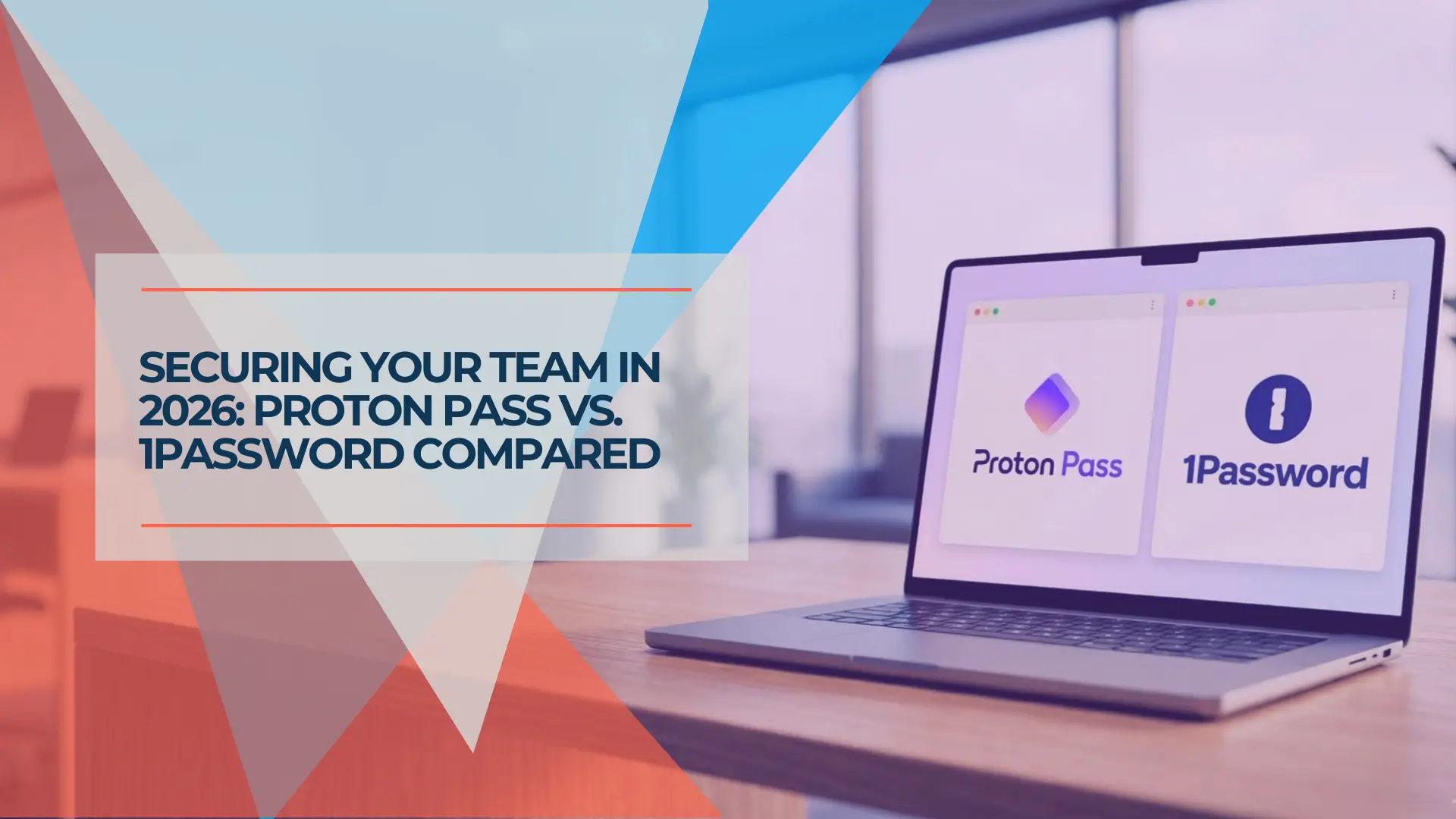
Proton Pass vs 1Password for Business: July 2026 Pricing, Security, and Admin Comparison
Proton Pass and 1Password compared for SMB teams: pricing, admin controls, SSO/SCIM, Travel Mode, device trust, support, migration, and business use cases.
18 min read