

Business PC Buying Guide 2026: How to Avoid Bad Laptop and Desktop Purchases
Most business PC guides rank products. This one explains the procurement framework — Windows Pro, lifecycle planning, standardization, and the buying mistakes we see every month.

Last quarter we onboarded a 12-person accounting firm after a rushed hardware refresh. The owner had purchased consumer laptops from several retailers: two shipped with Windows Home, one was an ARM-based Snapdragon model that did not support their VPN client, and several had only 8GB of RAM. Chargers, docks, and support paths were inconsistent across the office. Only four machines were ready for normal use on day one.
The lesson was not that every business needs expensive hardware. It was that business PCs need to be purchased as part of a managed environment — operating system edition, warranty, lifecycle, docks, deployment method, and software compatibility matter as much as the processor. Business PC buying became harder in 2026 because pricing, naming, and AI-PC labels changed at the same time. This is the procurement framework we walk clients through before they place an order, and the specific mistakes we see most often.
Quick answer
For most small businesses in 2026: buy Windows 11 Pro or managed Macs, specify 16GB RAM minimum and 512GB SSD minimum, and standardize on one laptop and one desktop or mini PC model per role.
What Changed in 2026 (And Why Buying Got Harder)
Business PC buying is harder in 2026 because pricing, Windows 10 replacement pressure, AI branding, and vendor naming all changed at once.
Windows 10 reached end of support on October 14, 2025. Businesses that held off are now replacing hardware alongside many others, and the increased demand has given vendors less incentive to discount.
Windows 10 end of support
Windows 10 PCs still run, but they no longer receive standard security updates. Managed business devices that remain on Windows 10 need a commercial ESU plan ($61/device for Year 1, doubling annually), a Windows 11 upgrade, or replacement hardware. A separate consumer ESU program exists at lower cost, but it cannot be used for domain-joined or MDM-managed devices.
Memory costs are rising significantly. Gartner estimates a 130% increase in combined DRAM and SSD prices by the end of 2026, driven by AI infrastructure consuming production capacity. That raises average PC prices by roughly 17% and squeezes entry-level configurations. Analyst coverage has also warned that sub-$500 entry-level PCs may become harder to sustain by 2028.
AI PC and Copilot+ branding adds a layer of complexity. Most OEMs now emphasize AI features, but the Copilot+ PC designation requires specific hardware: a 40+ TOPS NPU, 16GB RAM, 256GB SSD, and Windows 11 24H2 or newer. Some machines marketed as "AI PCs" do not meet that bar. For most current business workflows, on-device AI is not a requirement — meaning the branding can lead buyers toward a price premium that does not match their actual needs.
Dell's naming transition is still settling. Dell now separates its PC portfolio into Dell for personal use and Dell Pro for work. In 2026, Dell also brought back familiar names such as XPS and Precision, with Dell Pro Precision returning for workstation-class systems. Dell says Dell Pro products are moving back to numeric series tiers such as 3, 5, 7, and 9, but buyers should still confirm the exact commercial line, warranty tier, OS edition, and deployment support before ordering.
The Mistakes Businesses Make
The most expensive PC mistakes are usually OS, RAM, model-mix, compatibility, and support decisions — not the hardware itself. These are patterns we encounter regularly during client onboarding.
Buying Windows Home because it was cheaper. Windows 11 Home lacks BitLocker management, Remote Desktop hosting, Group Policy, and Autopilot-supported deployment. Home does include basic Device Encryption on supported hardware, but it cannot be centrally managed, and it does not support Entra ID join, domain join, or Windows Autopilot deployment; Intune management is limited compared with Pro. For most managed offices, Windows Home creates more support cost than it saves. Upgrading after the fact costs $99–$199 per device and wastes IT time on every machine.
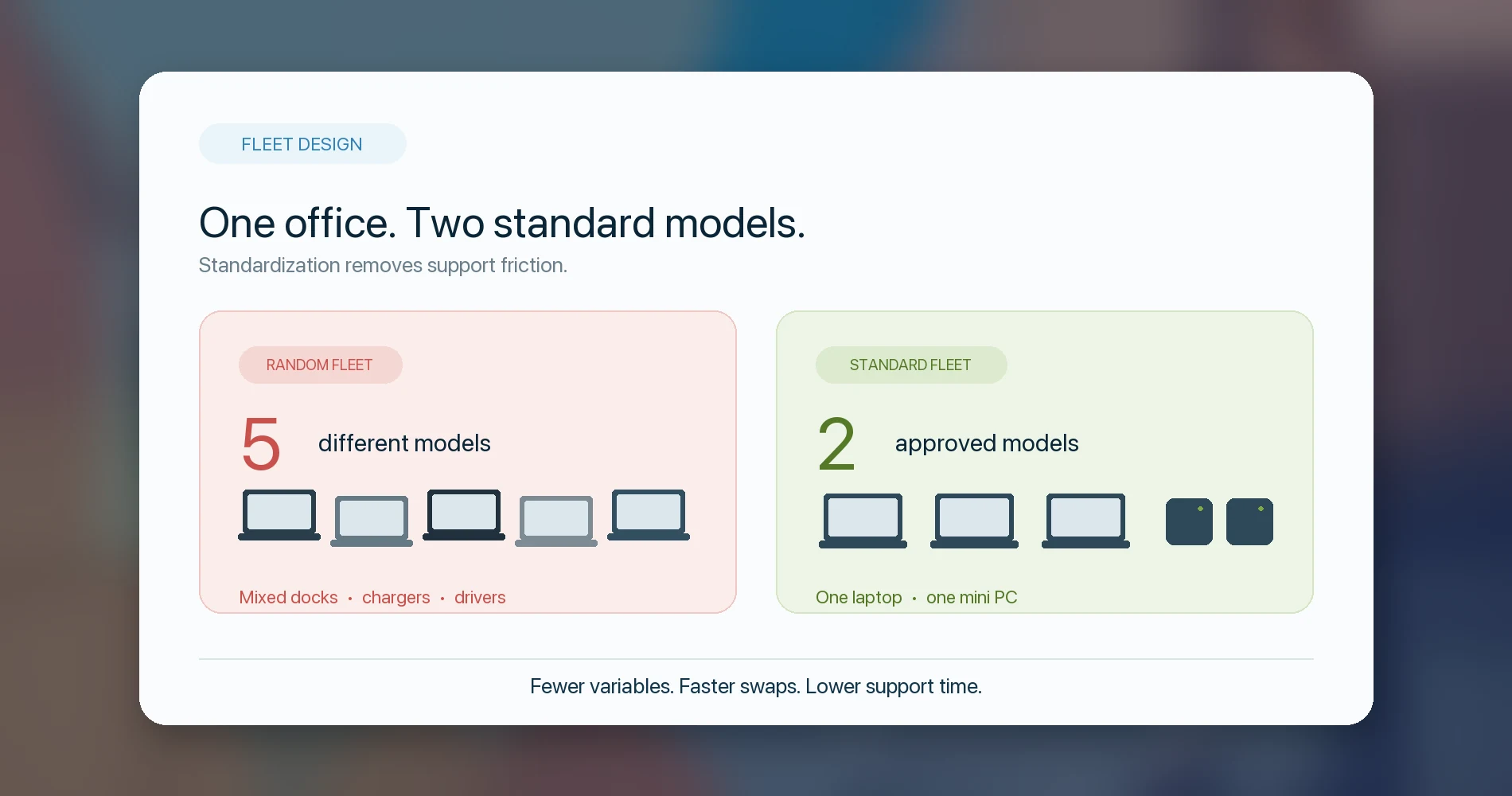
Mixing five different models across a ten-person office. Each model needs its own driver set, has different dock compatibility, uses a different charger, and requires separate spare-parts inventory. One standardized model eliminates an entire category of support tickets.
Buying consumer laptops for employees who need business-grade support. Consumer lines (Dell Inspiron, HP Pavilion, Lenovo IdeaPad) are designed for retail buyers, not fleet manageability. They typically lack BIOS-level management, Autopilot readiness, vPro/AMD PRO support, and the warranty tiers that commercial buyers depend on.
8GB RAM is a false economy in 2026
An 8GB machine can feel constrained running a Teams video call, a browser with several tabs, and Microsoft 365 applications at the same time — a typical workday for most employees. Memory is soldered on most ultrabooks, so it cannot be upgraded later. For new business purchases, 16GB should be the floor.
Choosing a Snapdragon/ARM Windows laptop without checking compatibility. ARM-based Windows PCs run most modern apps well, but VPN clients, older accounting software, EHR systems, CAD tools, label printers, and some USB peripherals may not work. Verify every critical application before committing to ARM across a fleet.
Ignoring docks, monitors, chargers, and spares until after deployment. These are part of the purchase, not afterthoughts. Buying them separately weeks later typically costs more and introduces compatibility issues. Bundle them with the hardware order.
Buying for AI PC branding instead of workflow requirements. If your team does not currently use Copilot+ features (Recall, Cocreator, Live Captions with translation, or local AI model inference), the AI premium may not deliver value yet. Standard Windows 11 Pro hardware handles mainstream business workflows well.
The 2026 Business PC Baseline
Most office users should start with Windows 11 Pro, 16GB RAM, 512GB SSD, and a current commercial platform. This is the spec baseline we recommend for SMB hardware refreshes. For a deeper breakdown of processor generations, memory architectures, and display options, see our full business computer specs guide.
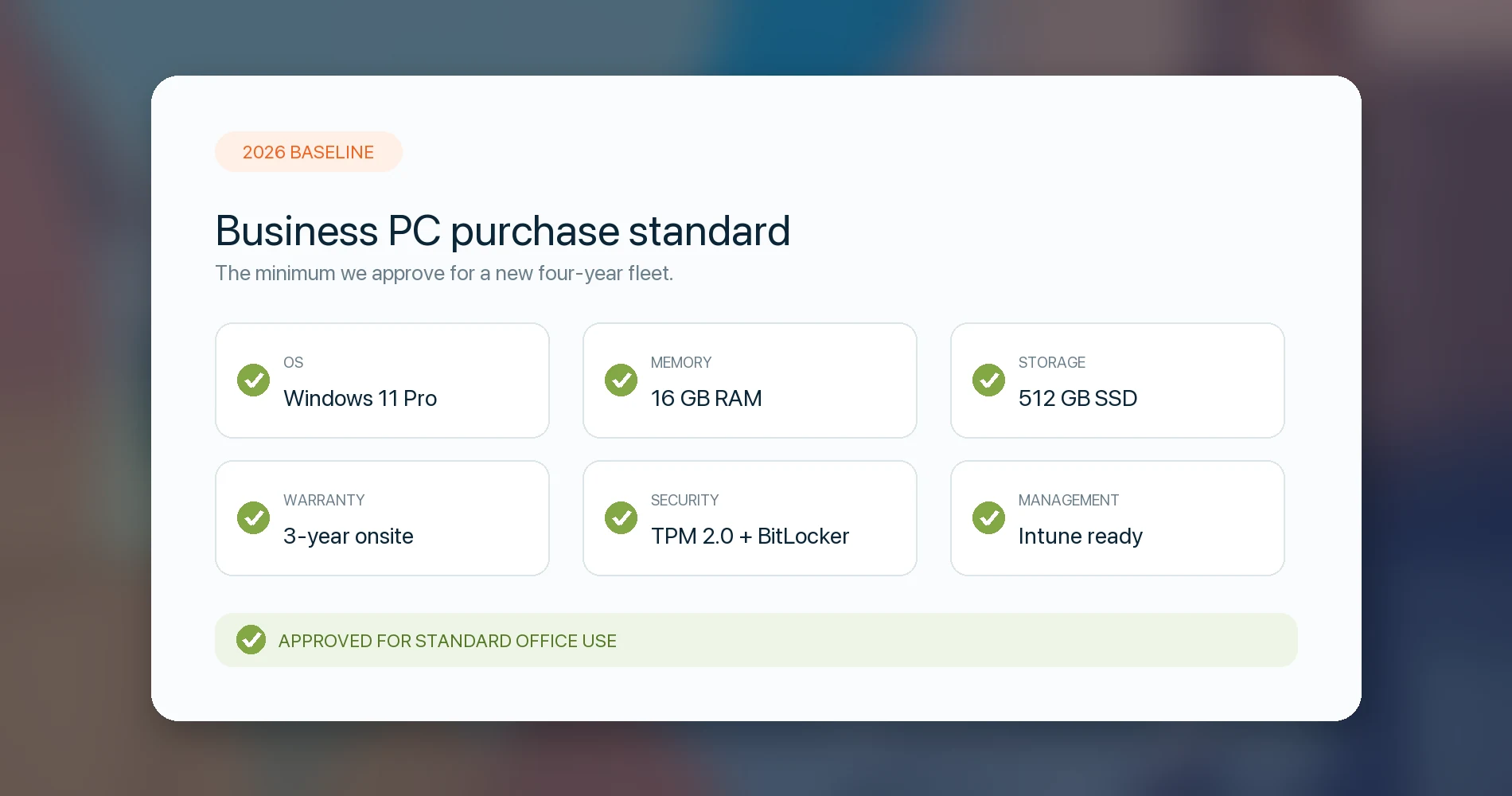
| Component | Minimum for new purchases | Preferred for 4+ year lifecycle |
|---|---|---|
| OS | Windows 11 Pro | Windows 11 Pro, Entra ID / Intune ready |
| RAM | 16GB | 32GB for power users, executives, or 4+ year refresh |
| Storage | 512GB SSD | 1TB for executives, accounting-heavy users, creatives |
| CPU | Current-gen Intel Core Ultra / AMD Ryzen AI / Apple M-series | Commercial platform with proven driver and support path |
| NPU | Optional | 40+ TOPS if buying premium laptops for 4+ year lifecycle |
| Wi-Fi | Wi-Fi 6E | Wi-Fi 7 where the office network supports it |
| Warranty | 1-year depot | 3-year onsite or premier support for fleets |
| Security | TPM 2.0, Secure Boot | BitLocker, BIOS management, webcam shutter |
| Management | Manual setup acceptable for 1–3 devices | Autopilot/Intune enrollment; ABM/MDM for Macs |
The biggest single mistake we see is buying at the "minimum" column when the device will be in service for four or more years. An extra $100–$200 at purchase for 32GB RAM or a 1TB drive is cheaper than replacing a device that bottlenecks at year two.
Laptop, Desktop, Mini PC, Mac, or Cloud PC?
The right form factor depends on the employee's role, not on what is easiest to buy online. Most business PC guides assume every employee needs a laptop — that is not true. Matching the form factor to the role saves money, reduces support complexity, and often gives the user a better experience.
| User type | Best default form factor | Why |
|---|---|---|
| Front desk / reception | Mini PC or small desktop | Stable, cheaper, easier to lock down, no battery wear |
| Accounting / bookkeeping | Mini PC or 15–16" business laptop | Dual monitors, numpad preference, Excel/QuickBooks workload |
| Sales / mobile staff | Business laptop | Mobility, Teams/Zoom, battery life, optional WWAN |
| Executive | Premium business laptop or MacBook Air/Pro | Battery, build quality, camera/mic quality, travel |
| CAD / creative | Mobile workstation or compact workstation desktop | Dedicated GPU, thermals, ISV certification, RAM |
| Shared / temporary seat | Desktop, kiosk PC, or Windows 365 Cloud PC | Easier reset and reassignment |
| Remote contractor | Windows 365 or managed laptop | Data control and clean offboarding |
The desk-bound roles are where businesses leave the most money on the table. A Dell Pro Micro, HP EliteDesk Mini, ThinkCentre Tiny, or Mac mini costs less than a comparable laptop, runs cooler, drives two or three monitors natively, and is simpler to manage. For desk-bound users, mini PCs are often the best-value business purchase because the budget goes into performance, warranty, and monitors instead of batteries and a portable chassis. Our guide to the best business mini PCs compares current Dell, Lenovo, HP, Apple and ASUS configurations, prices and support terms.
When Should a Business Choose Windows?
Choose Windows when business software, peripherals, identity, or management requirements depend on it. We do not tell every business to buy MacBooks, and we do not tell every business to stay with Windows — the platform decision follows from software requirements and management infrastructure, not brand preference.
Windows commercial hardware is the right default when:
- The business runs Windows-only software: legacy line-of-business apps, QuickBooks Desktop, industry-specific tools, CAD packages, local peripherals, or Windows-specific drivers.
- The company standardizes on Microsoft 365 with Entra ID, Intune, Autopilot, and Defender — the security and management stack that Windows 11 Pro was built for.
- IT needs vPro or AMD PRO-class fleet manageability: remote BIOS access, out-of-band management, hardware-enforced security.
- Desktops, mini PCs, and specialized workstations are part of the environment — these are Windows-dominant categories.
When Is Mac the Better Business Choice?
Mac is a strong business choice when the workflow is cloud-first and the company has Apple device management in place.
Mac is the stronger fit when:
- Users work primarily in SaaS, Microsoft 365 for Mac, Google Workspace, design tools, writing, sales, or management — workflows that are platform-independent.
- Battery life, low noise, resale value, and consistent hardware/software integration matter more than Windows-only compatibility.
- The company already uses Apple Business (formerly Apple Business Manager) and an MDM like Jamf or Mosyle. Apple consolidated its business tools into the unified Apple Business platform in April 2026.
- The user needs a high-quality laptop but does not depend on a Windows-only line-of-business stack.
MacBooks are not a universal business answer
MacBooks can be excellent individual productivity devices and poor choices for offices with Windows-only software, specialized peripherals, or unmanaged Apple deployment. If your team is not on Apple Business with MDM, Mac fleet management is significantly harder than Intune-managed Windows. The platform is only "simpler" if you invest in the management layer.
Microsoft Intune supports both Windows and macOS from a single console, so mixed fleets are manageable — but they require more planning, not less. If you're running both platforms, standardize the management tooling first.
The Procurement Checklist: How to Buy Without Getting Burned
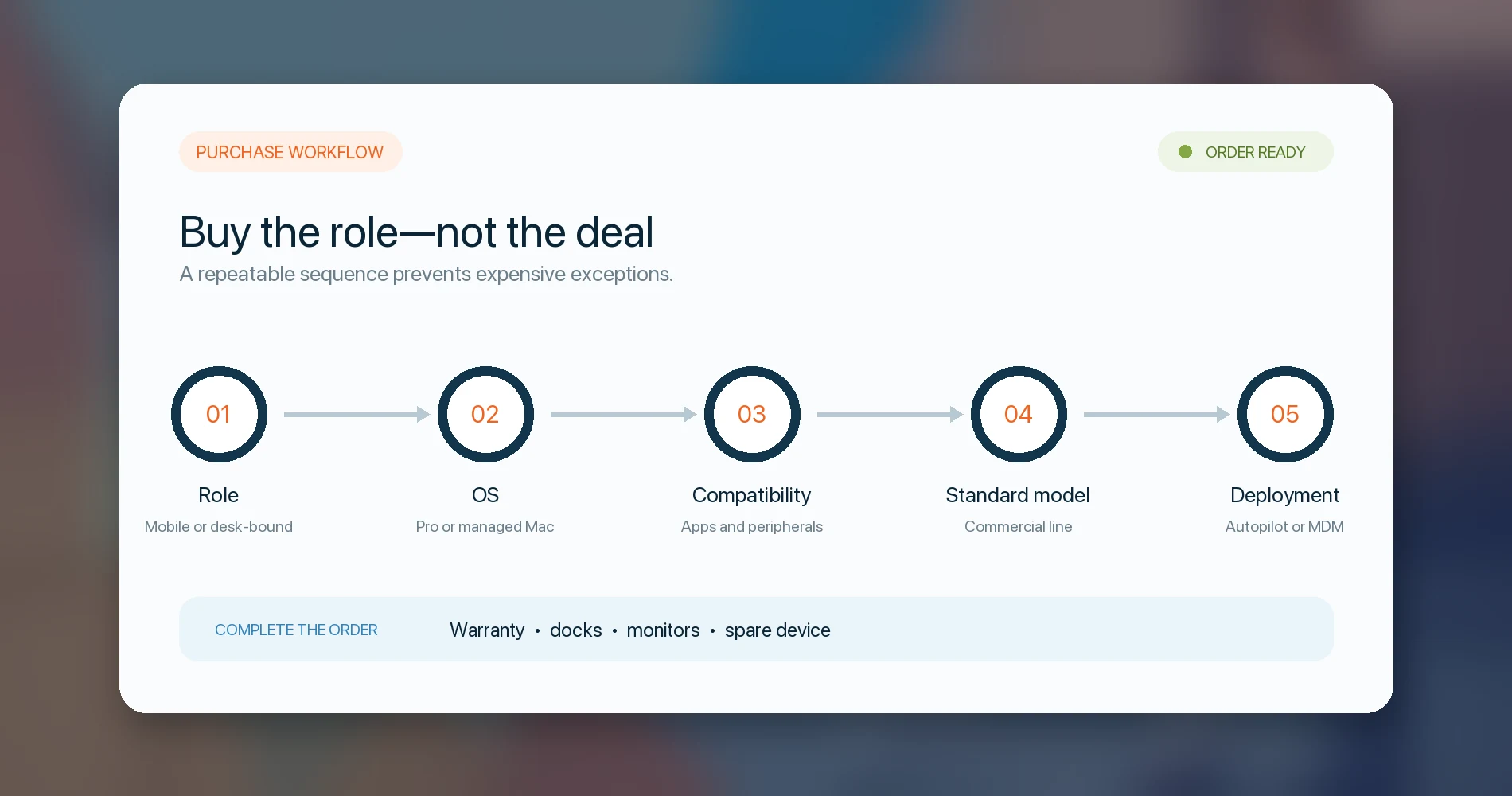
A good PC purchase starts with the role, then validates OS, software, warranty, deployment, and lifecycle. This is the checklist we walk clients through before a hardware refresh — it works whether you're buying 3 devices or 50.
-
Pick the role first. Mobile, desk-bound, executive, creative, accounting, shared, field, contractor. The role determines the form factor, not the other way around.
-
Confirm the OS requirement. Windows 11 Pro for managed Windows environments. macOS with Apple Business/MDM for Apple shops. Windows 365 for shared or contractor seats where data control matters. Windows Home is almost never the right answer for a managed office.
-
Check software and hardware compatibility. VPN client, printers, scanners, EHR, QuickBooks, CAD tools, label printers, point-of-sale hardware, USB peripherals. Do this before selecting the platform or processor architecture — especially if considering ARM/Snapdragon.
-
Choose one or two standard models per role. Standardization is the single highest-leverage decision in business PC procurement. One laptop model and one desktop or mini PC model covers most offices. See our best laptops for business deployment for fleet-tested models, or top business laptops for current recommendations.
-
Buy commercial lines where support matters. Dell Pro, Lenovo ThinkPad / ThinkCentre, HP EliteBook / EliteDesk / Z-series, Surface for Business, MacBook / Mac mini through business procurement. Consumer lines are built for different priorities.
-
Require 16GB RAM and 512GB SSD minimum for every general-use device. 32GB for power users or any device expected to last 4+ years. Do not negotiate this down to save $50.
-
Decide whether Copilot+ / AI PC matters now. If your team will use on-device AI features or you're buying devices for a 4+ year lifecycle, the 40+ TOPS NPU and associated hardware may be worth the premium. For most general office use today, standard Windows 11 Pro hardware is sufficient.
-
Attach the warranty, docking, monitor, and spare-device plan to the purchase order. Not as separate line items weeks later. Bundle 3-year onsite warranty, matching docks, monitors, and at least one spare device per 10 users.
-
Confirm who owns deployment before ordering. Decide whether the reseller, MSP, internal IT, or vendor will register devices for Autopilot or Apple Business before shipment. If nobody owns that step, the "business-ready" purchase still becomes a manual setup project.
-
Enroll devices in Intune/Autopilot or Apple Business before handoff. A device that arrives and gets manually configured by the user is a device you will reconfigure later. Zero-touch deployment saves time on every subsequent hire, departure, and device swap.
-
Track refresh dates, warranty expiration, serial numbers, and assigned users. If this information lives in someone's head or a scattered spreadsheet, it becomes difficult to act on when it matters. Use your RMM, asset management tool, or at minimum a shared inventory sheet.
What We Recommend by Company Size
The larger the fleet, the more standardization, warranty, and endpoint management matter. Here is how we typically advise clients.
| Company size | What to prioritize |
|---|---|
| 1–3 users | Buy fewer, better devices. Windows 11 Pro or Mac. Avoid retail Windows Home for managed setups. Consumer hardware is acceptable if you choose carefully, but commercial is still better for support. |
| 4–10 users | Standardize on one laptop model and one desktop or mini PC. Start Intune or MDM — this is the inflection point where manual device management stops scaling. Match docks and chargers across the fleet. |
| 10–25 users | Use commercial support tiers (3-year onsite). Implement Autopilot or Apple Business for zero-touch deployment. Maintain a spare-device pool. Document a refresh cycle — most commercial hardware should be on a 4-year replacement plan. |
| 25–50 users | Treat hardware as a managed fleet, not individual purchases. Establish formal procurement standards: approved models, spec baselines, warranty requirements, and a lifecycle budget. Security baseline (BitLocker, conditional access, compliance policies) should be enforced through Intune. |
| 50+ users | Formal endpoint management with role-based configurations and security policies. Consider vPro or AMD PRO for remote manageability on Windows devices. Procurement should be a documented, repeatable process with vendor relationships and volume pricing. |
For most Miami-area SMBs we work with, the 4–10 user range is where the biggest wins happen. That is where a small investment in standardization and Intune saves the most support hours relative to the effort.
The iFeeltech recommendation
For most small businesses, the right answer is not the cheapest Windows laptop or the most impressive consumer review unit. It is a small set of standardized business machines that can be secured, supported, reassigned, and replaced without turning every device into its own project. Start with the role, confirm the OS and software requirements, pick a commercial model, and build the management layer before you place the order.
Planning a refresh for 5–50 users? We can help define the standard models, Windows 11 Pro requirements, Intune/Autopilot setup, warranty plan, and spare-device strategy before you order. Reach out for a consultation.
What Not to Buy in 2026
These are the purchase types that most reliably create support problems down the line:
- Windows Home retail laptops for managed offices — they lack the management and security features that business deployment requires.
- 8GB soldered-RAM laptops — memory cannot be upgraded later, and 8GB is already inadequate for a typical business workday.
- Consumer laptops for fleets of 10+ users — the warranty, driver support, and manageability gap compounds across every device.
- ARM/Snapdragon devices deployed without app and driver testing — an incompatible VPN client or accounting app can delay deployment significantly.
- Devices with only 1-year depot warranty for critical employees — a 3-year onsite warranty costs a fraction of the downtime from shipping a laptop for repair.
- Random one-off models bought from retail marketplaces — every non-standard model adds a distinct support burden.
- AI-branded PCs that do not actually meet Copilot+ requirements — if you are paying the premium, confirm the 40+ TOPS NPU is present.
Sources reviewed for this article include Microsoft Windows lifecycle documentation, Microsoft Copilot+ PC requirements, Microsoft Windows Autopilot requirements, Microsoft Windows business edition comparison, Dell commercial PC naming updates, Gartner's 2026 memory-cost forecast, Apple Business documentation, and Microsoft Intune macOS enrollment documentation.
Related Resources
- Understanding Computer Specifications for Business Use — Deep spec breakdown for processors, RAM, storage, and displays by role.
- Best Laptops for Business Deployment in 2026 — Fleet-tested models evaluated on manageability and post-deployment support.
- Best Laptops for Business in 2026 — Current product recommendations ranked by role and use case.
- Windows 11 Home vs Pro for Business — Feature-by-feature comparison for the OS decision.
- Windows 365 Cloud PC vs Traditional PCs — Real 3-year cost comparison for a 20-person office.
- Apple Business (formerly ABM) for Small Business — Mac deployment and MDM setup guide.
- Best Time to Buy a Laptop — Seasonal pricing patterns and when to wait.
Frequently Asked Questions
Related Articles
More from Business Hardware
Best Laptops for Business Deployment in 2026: An IT Company's Perspective
We configure and deploy laptops for small business clients every day. These are the models we trust — evaluated on manageability, support quality, and what actually happens after the setup is done.
25 min read

Business Hardware Refresh Planning Guide for 2026
Updated March 2026: Business hardware refresh planning guide covering lifecycle assessment, budget forecasting, AI PC readiness, modular systems, and staged rollout strategies for small businesses.
16 min read
Reolink vs Lorex for a Small Office: Choosing a PoE Camera System
Compare current Reolink and Lorex PoE camera systems for an office: recording, app workflow, storage, compatibility and business purchasing checks.
12 min read