

ThinkPad vs Dell Pro (Latitude) vs HP EliteBook: 2026 Business Laptop Comparison
ThinkPad, Dell Pro (formerly Latitude), and HP EliteBook 8 compared for IT managers buying in 2026. Fleet management, security stacks, repairability, and who should buy which.

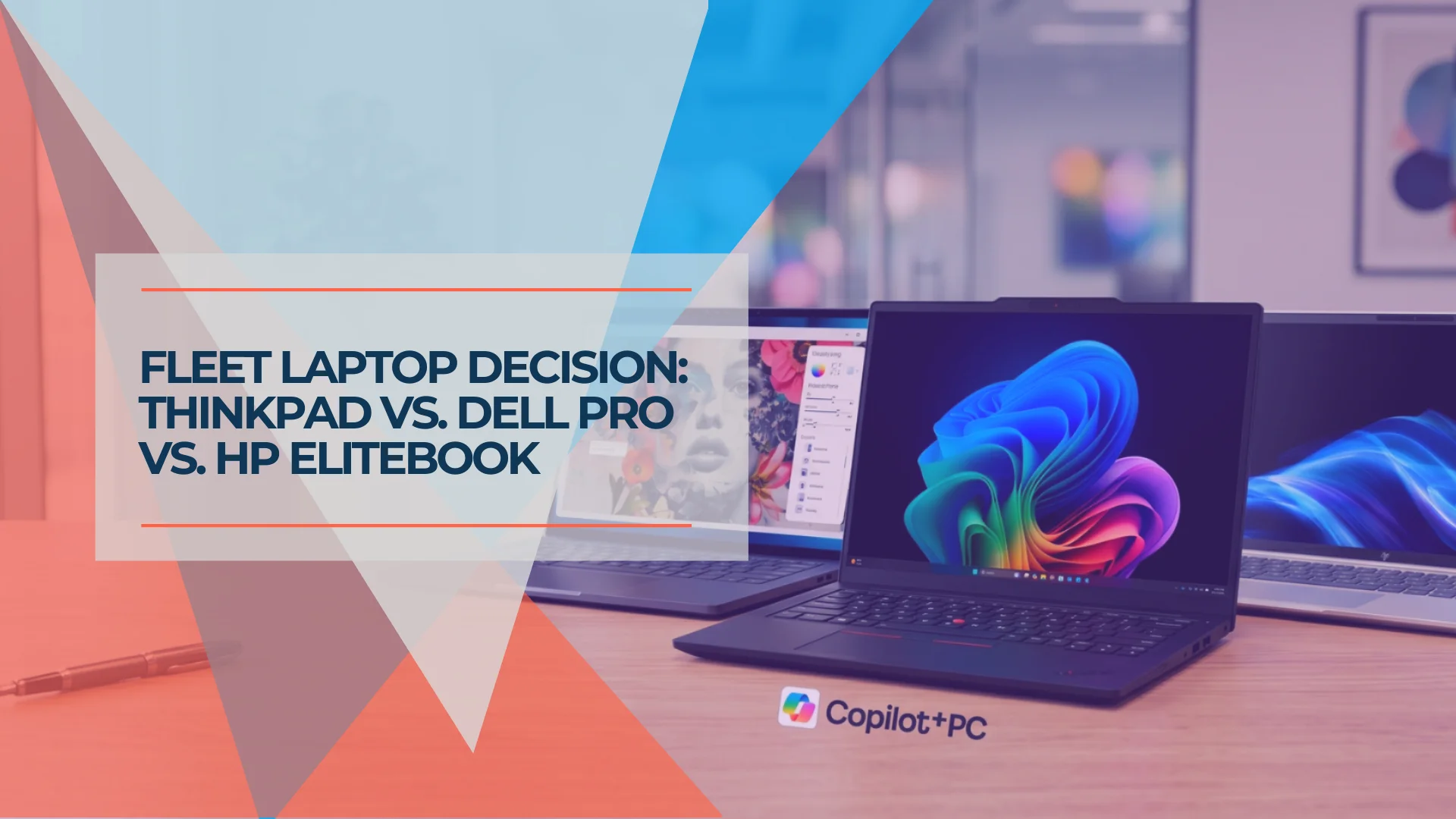
In 2026, two of these three brand names have changed. Dell introduced the Dell Pro brand as the Latitude successor at CES in January 2025, then returned to 3/5/7 series numbering in March 2026. HP retired the EliteBook 840, launched the EliteBook 8 G1i in 2025, and has since moved to the EliteBook 8 G2i with Intel Panther Lake. Lenovo kept the ThinkPad name — and the T14 Gen 7, now available in the US with Intel Panther Lake, is a meaningfully different machine from what was available a year ago.
If you're issuing an RFQ today using the old model names, the quotes you receive may not match the hardware you're evaluating. This guide covers the current generation of each platform as of August 2026, what the rebrands mean for procurement, and which platform is the right call for IT managers buying at 10 seats or more.
Scope and Methodology
This comparison is based on vendor-published specifications (Lenovo PSREF, Dell support manuals, HP QuickSpecs), hands-on fleet deployment experience from the small-business environments we manage in South Florida (approximately 30 organizations, 400+ endpoints across all three brands), and independent reviews. Where a claim reflects our field experience rather than a published specification, we note that. Specifications and product-page availability were verified against vendor sites in August 2026, and the security, management, repairability and warranty claims were re-checked against vendor documentation in October 2026. This is a fleet-management and procurement comparison, not a laboratory performance or battery benchmark review.
Affiliate Disclosure: This article contains affiliate links. If you make a purchase through these links, we may earn a small commission at no extra cost to you. As an Amazon Associate, iFeelTech earns from qualifying purchases.
Quick Summary: 2026 Fleet Picks
- Best for Intune deployment and repairability: Lenovo ThinkPad T14 Gen 7 — iFixit 10/10, consistently smooth Autopilot enrollment in the fleets we manage, user-accessible RAM/SSD/battery. Drawback: Smaller vendor support footprint than Dell for on-site coverage at scale.
- Best for regulated industries: HP EliteBook 8 G2i — HP Sure Start self-healing BIOS, Wolf Security Pro included on designated Wolf Pro Security Edition SKUs, hardware-enforced BIOS recovery. Drawback: Management tooling split between MIK (SCCM) and HP Connect (Intune).
- Best for executive and travel fleets: Dell Pro 7 — starting at 16.35 mm / 2.62 lbs (13-inch model). For mainstream fleet buyers, consider the Dell Pro 5 with LPCAMM2 upgradeable memory. Drawback: No physical Ethernet; budget for docks or adapters.
The 2026 Naming Map: What Replaced What
Before touching a spec sheet, you need a translation table. Both Dell and HP made naming changes in 2025–2026, and many IT managers mid-procurement cycle are still searching the old names.
| Old Name | Current Name (Aug 2026) | Tier | Notes |
|---|---|---|---|
| Dell Latitude 3000 | Dell Pro 3 | Entry | Glass-fiber composite / PC+ABS chassis; same tier, new name |
| Dell Latitude 5000 | Dell Pro 5 | Mainstream | Aluminum; LPCAMM2 memory option added |
| Dell Latitude 7000 | Dell Pro 7 | Premium travel | Thinnest tier; no physical Ethernet |
| Dell Latitude 9000 | Dell Pro Premium | Executive | Magnesium alloy; Tandem OLED |
| Dell Precision (mobile workstation) | Dell Pro Precision | Workstation | Core Ultra Series 3; up to 64 GB LPDDR5x on 14"/16" laptops |
| HP EliteBook 840 → G1i | HP EliteBook 8 G2i 14" | 14" mainstream/premium | Intel Panther Lake (Core Ultra Series 3); current generation |
| HP EliteBook 850 → G1i | HP EliteBook 8 G2i 16" | 16" performance | Intel Panther Lake; current generation |
| ThinkPad T14 Gen 6 | ThinkPad T14 Gen 7 | Mainstream fleet | Intel Panther Lake; available in US |
| ThinkPad E14 Gen 7 | ThinkPad E14 Gen 8 | Entry fleet | Intel Panther Lake; available in US now |
| (ThinkPad E14 Gen 7) | (previous generation) | Entry value | Arrow Lake; may be available at discount |
Dell introduced the Dell Pro brand at CES in January 2025, retiring the Latitude, Precision, and other legacy names. In March 2026, Dell returned to 3/5/7 series numbering for clearer tier differentiation. HP launched the EliteBook 8 G1i in 2025 and followed with the G2i (Panther Lake) in mid-2026. Lenovo announced the T14 Gen 7 at MWC 2026, with US availability following the initial European launch.
Practical implication: As of August 2026, all primary models in this comparison — ThinkPad T14 Gen 7, Dell Pro 3/5/7, and HP EliteBook 8 G2i — are available in the US with live configurators. The ThinkPad E14 Gen 8 is the current entry-tier model; the E14 Gen 7 remains a value pick when discounted.
Fleet lead times: For volume orders (10+ seats), confirm delivery windows with your reseller (CDW, SHI, Insight, or direct vendor portal) before finalizing purchase orders. Stocked configurations typically ship within 1–3 weeks. Custom-configured or high-demand SKUs may require 4–8 weeks.
2026 Fleet Laptop Hardware Specifications
The 2026 enterprise laptop generation features Intel Core Ultra Series 3 (Panther Lake) processors across all three brands, Wi-Fi 7, and upgradeable memory options on select platforms. All three vendors now offer OLED display options at the mainstream tier — the HP EliteBook 8 G2i 14" lists a WUXGA OLED panel alongside WUXGA and 2.5K IPS options. Verify OLED availability for your specific SKU, as not all configurations include it.
Lenovo ThinkPad
ThinkPad E14 Gen 8 (entry fleet) — Available now in the US. Intel Panther Lake (Core Ultra 5 325, Core Ultra 5 336H, Core Ultra 7 355, Core Ultra 7 356H) or AMD Ryzen AI Pro. 48 Wh or 64 Wh battery options; up to 64 GB DDR5 SODIMM on Panther Lake configs (Lenovo describes 64 GB as special-bid — confirm availability with your reseller); starting weight 2.95 lbs / 1.34 kg. Display options include WUXGA IPS (60 Hz) and a 2.8K IPS panel with 120 Hz VRR. MIL-STD-810H tested. This is not the flagship ThinkPad experience — it's a well-built entry-level machine with genuine durability. What you give up compared to the T-series: no vPro on most configurations, lighter ThinkShield implementation, and slightly less keyboard travel. What you gain: ThinkPad build quality and keyboard at a price point that makes fleet deployment for 20+ non-executive seats viable. The previous-generation E14 Gen 7 (Arrow Lake, 48 Wh or 64 Wh, up to 64 GB) remains a value pick when discounted — check Lenovo.com for current pricing on both.
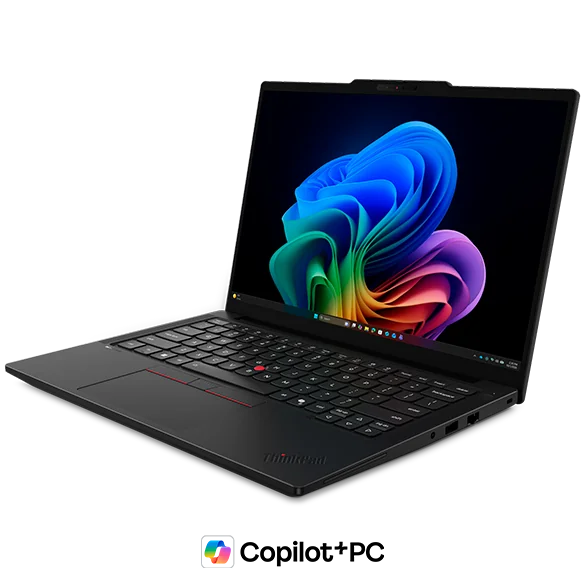
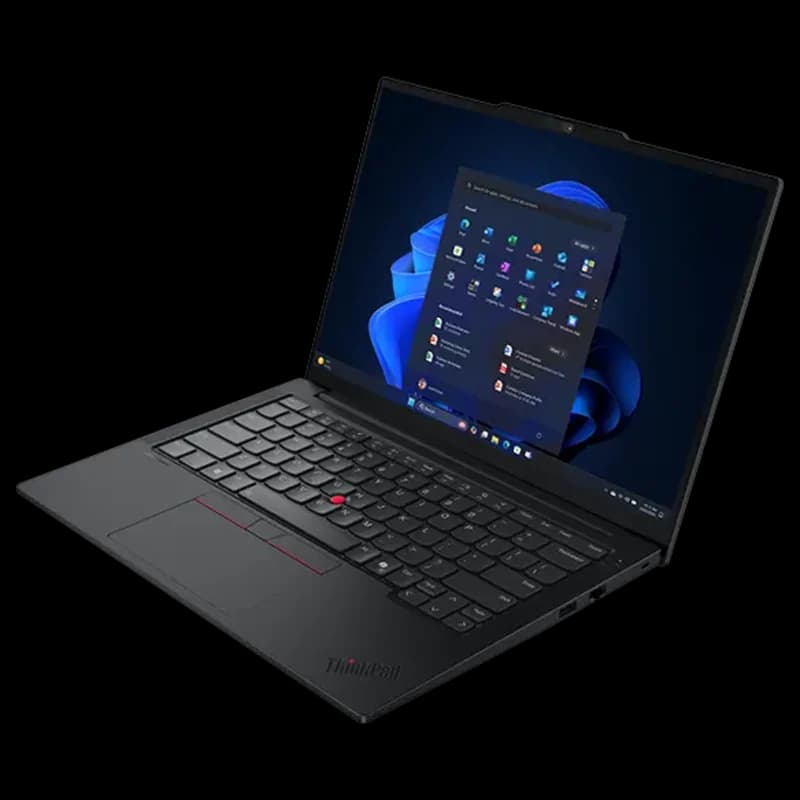
ThinkPad T14 Gen 7 (mainstream fleet) — Intel Panther Lake (Core Ultra Series 3: Core Ultra 5 325, 335 vPro, 7 355, 365 vPro) or AMD Ryzen AI Pro 400. Available now in the US. Offered with a 60 Wh battery (starting at 2.80 lbs / 1.27 kg) or 75 Wh battery (starting at 3.02 lbs / 1.37 kg) — note that the larger battery adds weight. 2x Thunderbolt 4, 2x USB-A 3.2 Gen 1, HDMI 2.1, RJ45 Ethernet, and a 5MP IR camera with physical privacy shutter. Lenovo's MWC 2026 headline for this machine was repairability — the T14 Gen 7 earned a 10/10 iFixit score, with user-accessible LPCAMM2 RAM (up to 64 GB), SSD, and battery. LPCAMM2 delivers LPDDR5x speeds and efficiency with a form factor that is physically removable and user-upgradeable — unlike soldered configurations common in thin-and-light competitors. The T14s Gen 7 variant solders the RAM for a thinner profile (58 Wh battery).
For a comparison of how the ARM silicon in newer platforms stacks up against these Intel configurations, see our ARM vs x86 business laptop breakdown.
Dell Pro
Dell Pro 3 (entry) — Available now. 14" and 16" versions, Intel or AMD. Glass-fiber composite (top cover, palm rest) with PC+ABS bottom cover — more durable than a simple ABS shell, but not the aluminum construction found in the Pro 5 and above. Limited to 1920×1200 display in both sizes. The Pro 3 is the first time Dell has extended eSIM/WWAN to the entry tier — a useful feature for field workers. Check Dell.com for current pricing.
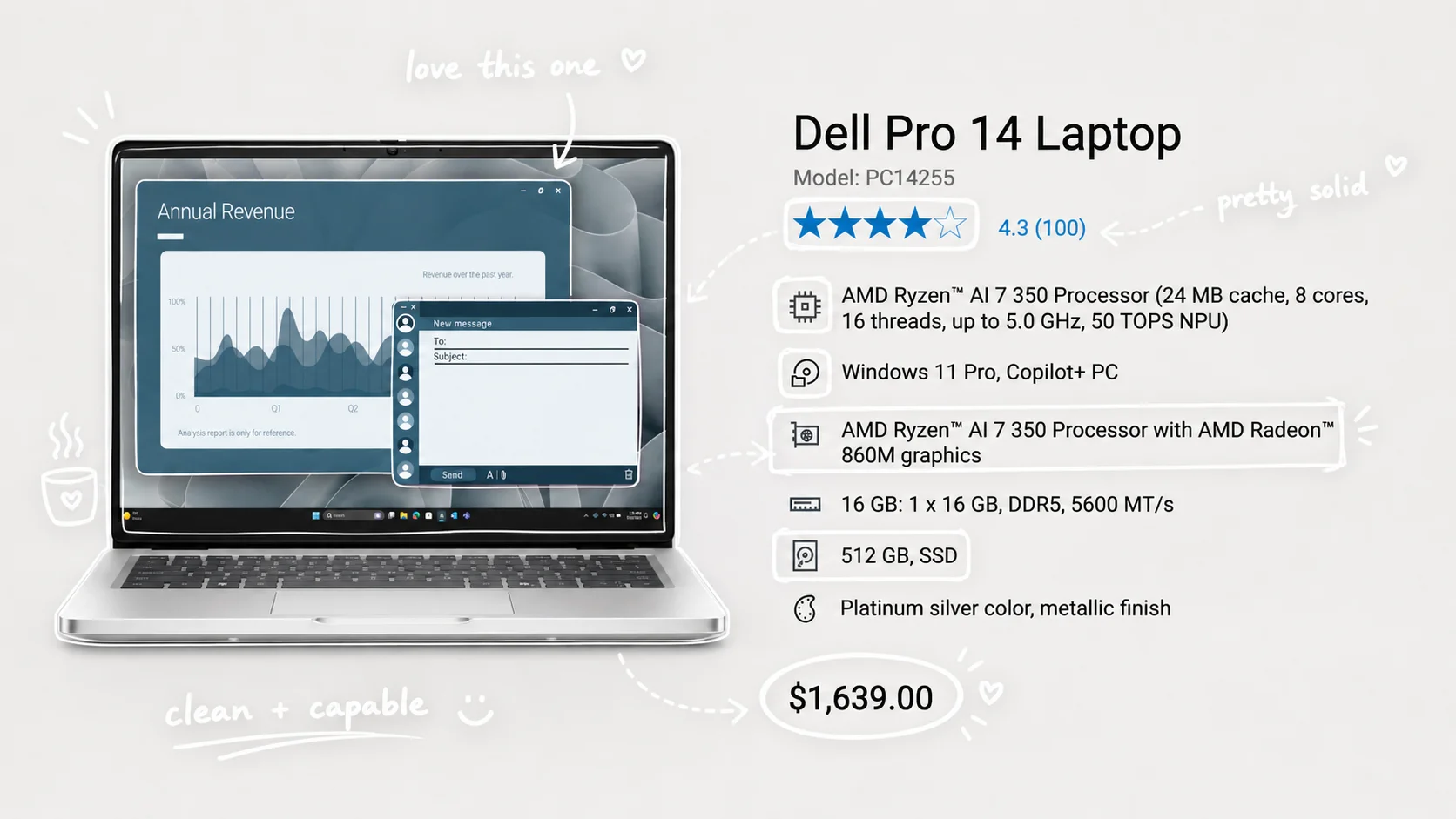
Dell Pro 5 (mainstream fleet) — Available now in 14" and 16". Dell offers both full-aluminum and aluminum/glass-fiber-composite configurations — verify the chassis construction for your specific SKU. OLED display option, Intel Core Ultra Series 3 or AMD Ryzen AI Pro 400, and LPCAMM2 memory option (up to 64 GB) alongside SODIMM. That last point matters: the Dell Pro 5 is one of the first mainstream business laptops to offer user-upgradeable LPCAMM2 memory — a meaningful improvement from soldered LPDDR5 in prior Latitudes. 45 Wh, 57 Wh, or 70 Wh battery options; starting weight approximately 2.96 lbs (varies by battery and chassis construction). Check Dell.com for current pricing.
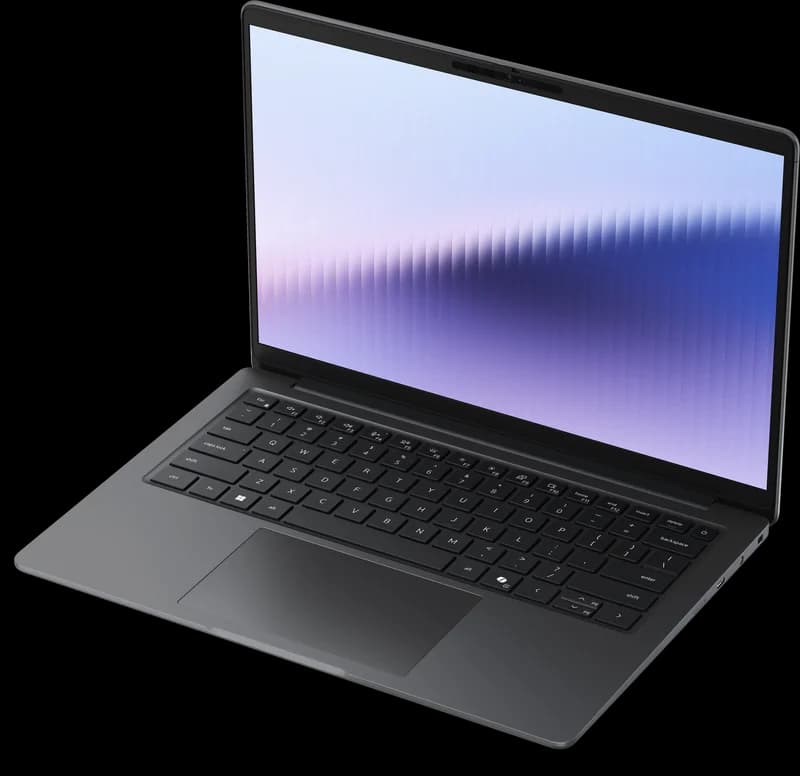
Dell Pro 7 (premium travel) — Available now in 13" and 14" (no 16" option). The 13-inch model starts at 16.35 mm maximum height and 2.62 lbs (Intel) / 2.63 lbs (AMD); the 14-inch starts at 2.80 lbs. Intel Core Ultra Series 3 or AMD Ryzen AI Pro 400. 2-in-1 convertible option available. One important limitation: the Dell Pro 7 has no physical RJ45 Ethernet port. That's a deliberate thinness tradeoff, but it's a real constraint for businesses where wired connections matter at desks or conference rooms.
Dell Pro Premium (executive tier) — Available now. Magnesium alloy chassis, Tandem OLED display, 8MP HDR camera, 2.54 lbs. This is the executive travel machine for businesses where design perception matters.
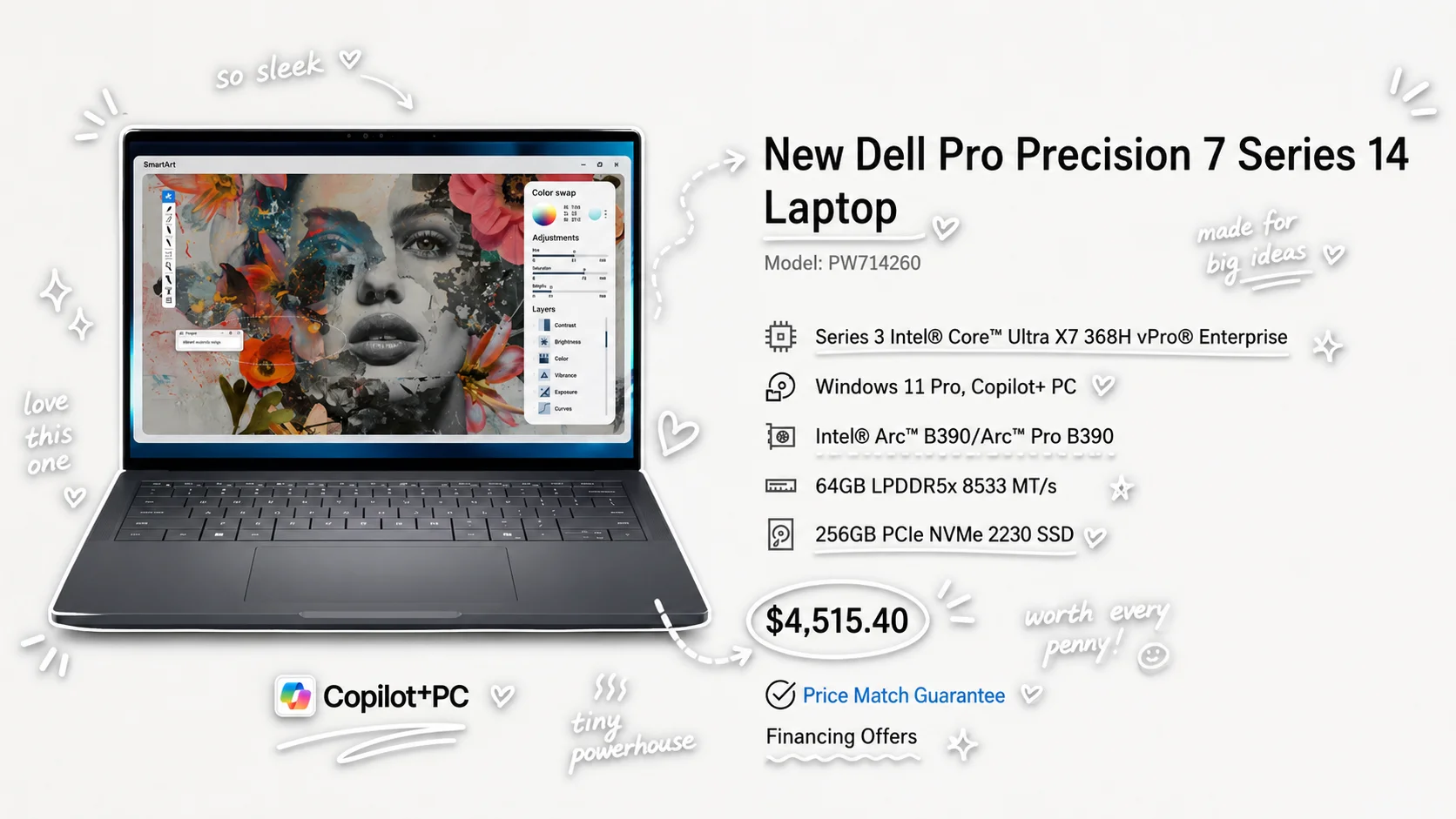
Dell Pro Precision (mobile workstation tier) — Available now. Current Dell Pro Precision 7 14" and 16" configurations use Intel Core Ultra Series 3 processors (up to Core Ultra X7 368H vPro), up to 64 GB LPDDR5x RAM, and optional NVIDIA RTX Pro or Intel Arc Pro graphics with ISV certifications for CAD/AEC workloads. For fleet buyers who need a standard-issue business laptop, the Pro 5 or Pro 7 is the right spec; if your team runs SolidWorks, Revit, or Blender at scale, the Pro Precision line is where to look.
HP EliteBook
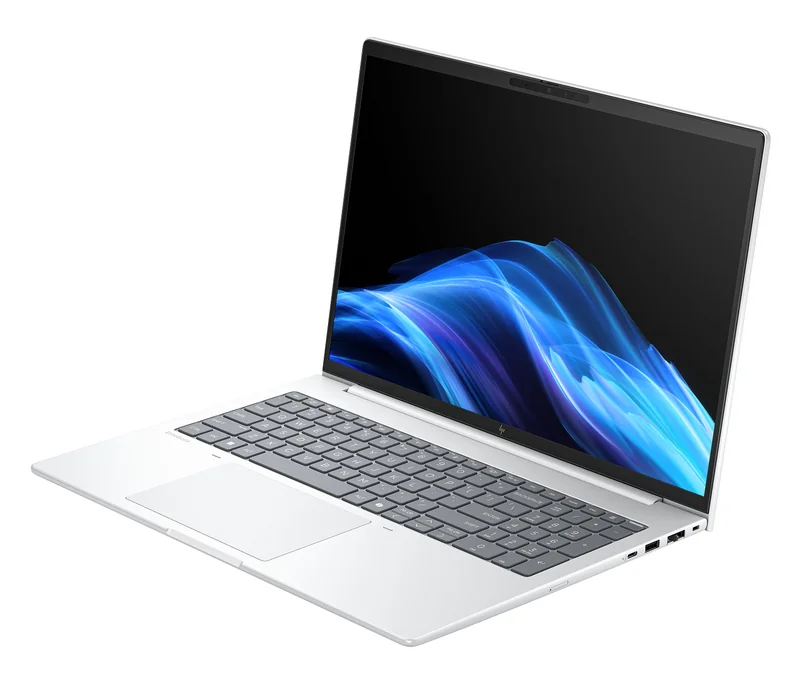
HP EliteBook 8 G2i 14" — Available now. Intel Panther Lake (Core Ultra Series 3) processors with HP Wolf Security Pro and Sure Start BIOS protection. 62 Wh or 68 Wh battery; memory configurations include DDR5 SODIMM (2 slots, upgradeable, up to 64 GB) or onboard LPDDR5x (not user-upgradeable) depending on SKU — verify for your specific configuration. Starting weight 3.06 lbs (1.39 kg). The G2i brings Panther Lake alignment with the ThinkPad T14 Gen 7 and Dell Pro 5/7, making this a true apples-to-apples comparison across all three brands. Available in Wolf Pro Security Edition and customizable configurations. Display options include WUXGA IPS (300/400/800 nit), 2.5K IPS, and WUXGA OLED (300 nit, DCI-P3 100%). RJ45 Ethernet is optional on select configurations. vPro available on select configurations.
HP EliteBook 8 G2i 16" — Available now. Intel Panther Lake with Wolf Pro Security Edition. Up to 64 GB RAM (supports both soldered LPDDR5x and upgradeable DDR5 modules depending on configuration). For businesses that need screen real estate and higher sustained CPU performance, the 16" is the right configuration. Check HP.com for current pricing.
Previous generation: HP EliteBook 8 G1i — The G1i (Arrow Lake / Lunar Lake) may still be available at a discount from resellers. If you're evaluating discounted G1i stock, note that Arrow Lake U/H configurations have user-accessible SODIMM slots (up to 64 GB DDR5-5600), while Lunar Lake V-series configurations have soldered memory (up to 32 GB LPDDR5x). The G1i remains a capable machine but uses Series 2 silicon, not the Panther Lake platform shared by the T14 Gen 7 and Dell Pro 5/7.
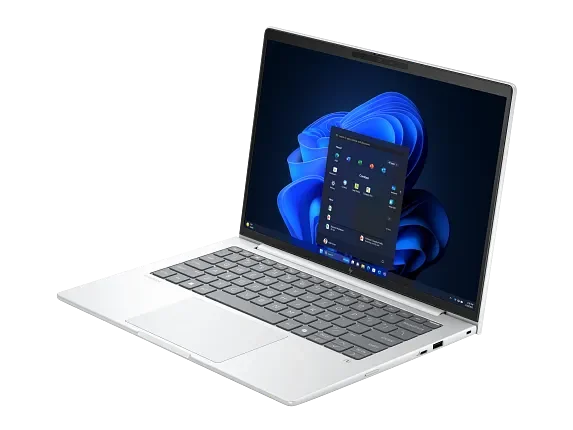
Specifications current as of August 2026. Pricing and availability subject to change; verify at vendor sites before procurement. Note: DRAM cost increases have affected all three brands in 2026 — see our laptop buying timing guide for details on which tiers are most affected and when to purchase.
Table 1 of 2 — Mainstream Fleet Tier: The three primary fleet recommendations at the T-series/Pro 5/EliteBook 8 tier. These are the machines most IT managers at 10–50 seats should be evaluating.
Mainstream Fleet Tier: Primary Picks (August 2026)
| Specs | |||
|---|---|---|---|
| CPU options | Intel Core Ultra 5/7 325–365 (Panther Lake) or AMD Ryzen AI Pro 400 | Intel Core Ultra Series 3 or AMD Ryzen AI Pro 400 | Intel Core Ultra Series 3 (Panther Lake) |
| Max RAM | 64 GB LPCAMM2 (Intel, upgradeable) / 96 GB DDR5 (AMD) | Up to 64 GB — SODIMM or LPCAMM2 (user-upgradeable) | Up to 64 GB — DDR5 SODIMM (2 slots, upgradeable) or LPDDR5x (onboard) depending on SKU |
| vPro available | Yes — Core Ultra 335/365 vPro configs | Yes (Intel vPro configs) | Yes — select configurations |
| Starting weight | 2.80 lbs / 1.27 kg (60 Wh) · 3.02 lbs / 1.37 kg (75 Wh) | 1.34 kg / 2.96 lbs | 3.06 lbs / 1.39 kg |
| Battery | 60 Wh or 75 Wh | 45 Wh, 57 Wh, or 70 Wh | 62 Wh or 68 Wh |
| Display options | Up to 2.8K OLED, 120 Hz | Up to OLED WUXGA, 500 nit | WUXGA IPS (300–800 nit), 2.5K IPS, or WUXGA OLED |
| Physical Ethernet | Yes | Yes | Optional RJ45 on select configs |
| USB-A ports | 2x USB-A 3.2 Gen 1 | Yes (included) | 1x USB-A 3.2 |
| Privacy shutter | Yes (5MP IR camera) | Check specific SKU | Check specific SKU |
| Repairability | iFixit 10/10 — user-accessible RAM, SSD, battery | Optional LPCAMM2 memory (user-replaceable); check Dell's service manual for other parts | Accessible SODIMM slots on DDR5 configs; internal battery and SSD are serviceable; onboard-memory configs are not RAM-upgradeable |
| Availability | US: Available now | US: Available now | US: Available now |
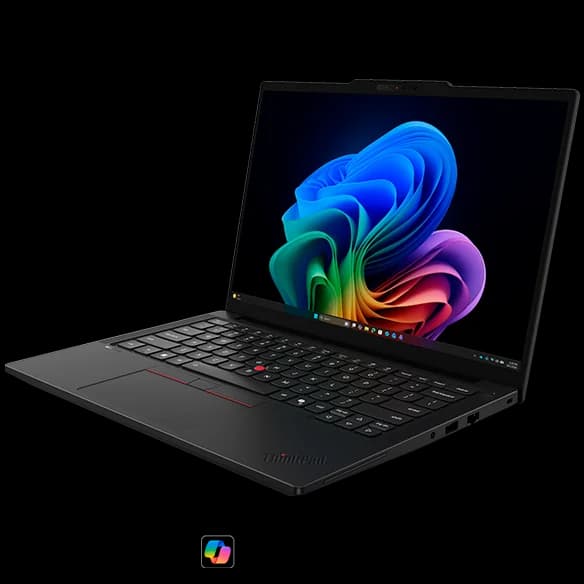
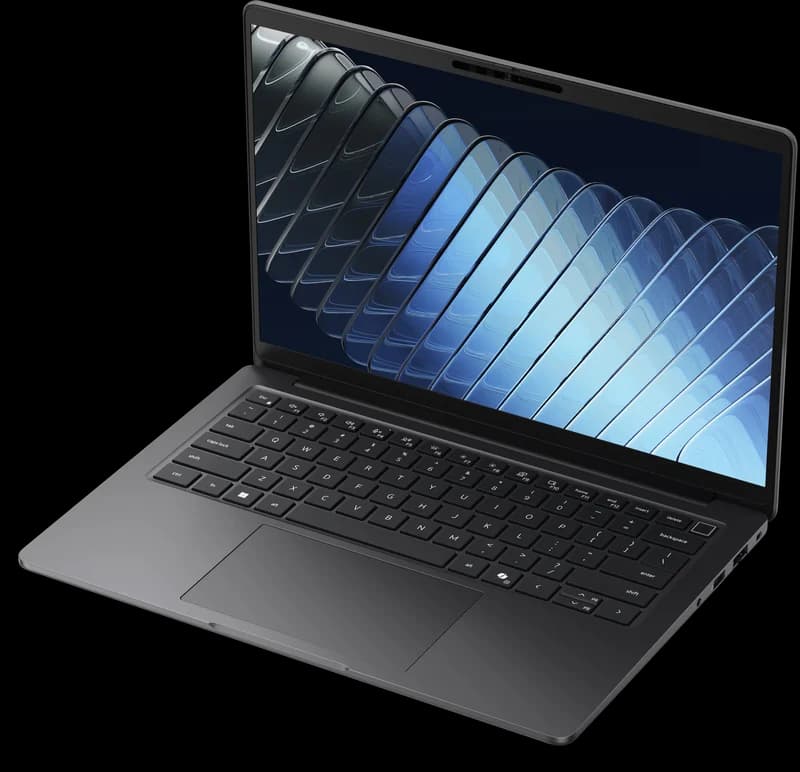
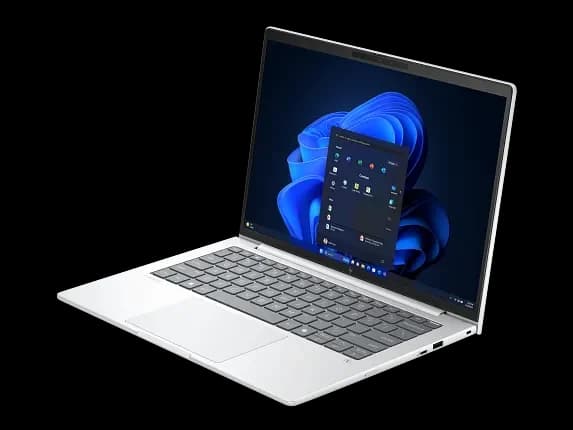
Table 2 of 2 — Value & Specialty Picks: Entry-tier, executive travel, and high-performance variants. Right for specific deployment scenarios — see verdict section for guidance.
Value & Specialty Picks (August 2026)
| Specs | |||
|---|---|---|---|
| CPU options | Intel Core Ultra 5/7 (Panther Lake) or AMD Ryzen AI Pro | Intel Core Ultra Series 3 or AMD Ryzen AI Pro 400 | Intel Core Ultra Series 3 (Panther Lake) |
| Max RAM | Up to 64 GB DDR5 SODIMM (Panther Lake; 64 GB is special-bid) | Varies by config | Up to 64 GB |
| vPro available | Limited — check specific SKUs | Yes (Intel Core Ultra vPro configs) | Yes — multiple vPro SKUs |
| Starting weight | 2.95 lbs / 1.34 kg | 2.80 lbs (14") · 2.62 lbs (13" Intel) / 2.63 lbs (13" AMD) | Check HP specs |
| Battery | 48 Wh or 64 Wh | Check Dell specs | Check HP specs |
| Display options | 14" WUXGA IPS (60 Hz) or 2.8K IPS (120 Hz VRR) | Up to OLED WUXGA (14") or 1920×1200 (13") | 16" WUXGA IPS; touchscreen option |
| Physical Ethernet | Yes | No — Ethernet adapter required | Check specific SKU — RJ45 optional on some configs |
| USB-A ports | 2x USB-A | Yes (included) | Yes |
| Privacy shutter | Yes (webcam shutter) | Check specific SKU | Check specific SKU |
| Repairability | Customer-replaceable RAM, SSD, battery | Memory is soldered; check Dell's service manual for other parts | Internal battery and SSD are serviceable; memory upgradeability depends on DDR5 vs LPDDR5x configuration |
| Availability | US: Available now | US: Available now | US: Available now |
How Does Fleet Management Compare Across Brands?
In the small-business fleets we manage in South Florida, Lenovo has consistently provided the smoothest Intune deployment experience, HP leads in hardware-enforced BIOS recovery, and Dell excels in fleet health telemetry. At the 2026 mainstream tier, hardware parity means procurement decisions increasingly hinge on management tooling and deployment friction — not raw specs.
Lenovo ThinkShield + Windows Autopilot
ThinkShield is Lenovo's hardware security and manageability platform. At the T-series tier it includes Self-Healing BIOS (firmware tamper detection and rollback), port control at the BIOS level, and Lenovo Device Orchestration (LDO) for cloud-based remote configuration. LDO replaced the earlier Lenovo Device Manager, integrates with Intune, and is licensed per device on a subscription — confirm pricing and license term in your quote. ThinkShield depth varies by tier: T and X series get the full implementation, while the E-series gets a lighter version — important to understand if you're mixing tiers in a single deployment.
In the small-business fleets we manage in South Florida, ThinkPad T-series has historically had the smoothest Windows Autopilot enrollment experience. Driver packs are consistently maintained, Lenovo's PSREF spec sheets are more detailed than most vendors publish, and the hardware-level port management through ThinkShield integrates predictably with Intune Compliance Policies. When something goes wrong during enrollment, the failure mode is usually well-documented.
For the full Autopilot and MDM enrollment process, see our IT deployment guide for business laptops.
Dell Trusted Device + Dell Command | Update
Dell's enterprise management stack has matured considerably. Dell Trusted Device Agent provides BIOS-level health telemetry into Microsoft Intune — an IT admin can see BIOS version, secure boot status, and TPM health directly in the Intune device blade without touching the machine. Dell Command | Update handles driver and firmware updates centrally and can be scripted or deployed via SCCM/Intune. ProSupport Plus adds predictive failure alerts before hardware fails.
Dell Trusted Device's BIOS Verification is supported on the current Dell Pro laptop line, and Dell's SafeBIOS tooling adds indicators of attack and documented BIOS recovery. Check the exact feature set for your model and Dell Trusted Device version before you write it into a requirement.
HP Sure Start + Wolf Security Pro + HP Connect
HP's hardware-enforced BIOS recovery — Sure Start — is a meaningful differentiator and the reason HP is often shortlisted in security-conscious or regulated environments. If the BIOS is tampered with or corrupted, Sure Start restores it from a protected golden copy stored in write-protected firmware, without IT intervention, before the OS even loads. This is not the same as BIOS password protection; it's active self-healing.
HP's management tooling is split across two products: HP Manageability Integration Kit (MIK) integrates with Microsoft Configuration Manager (SCCM) for BIOS management at scale. For devices managed with Microsoft Intune, HP positions HP Connect (available at admin.hp.com for HP Pro, Elite, Z, and Point-of-Sale PCs). If your fleet is Intune-managed, HP Connect is the correct tool — MIK is designed for SCCM environments. Wolf Security Pro (included on designated Wolf Pro Security Edition SKUs — verify inclusion and license term for your specific configuration) wraps Sure Start with HP Sure Click Pro (browser isolation) and HP Sure Sense Pro (behavioral anti-malware).
Management verdict: For Intune-heavy shops, all three platforms work. For shops that need automatic BIOS-level incident recovery to reduce support intervention, HP's Sure Start is the most mature implementation we've evaluated. In our experience, ThinkPad T-series has had the smoothest Autopilot enrollment and driver experience — though this may vary by fleet size and configuration.
IT Manager Tip: Fleet Policy Baseline
Before finalizing your hardware decision, build your Intune baseline configuration profile first. All three platforms support the same core MDM policies — but HP uses HP Connect (Intune) or HP MIK (SCCM) for BIOS-level settings, Dell uses Dell Command | Update deployment policies, and Lenovo uses ThinkShield BIOS policies via Lenovo Device Orchestration. Knowing your management stack before you buy determines which vendor's tooling will save you the most time at scale. Need help with the baseline config? Contact us for a fleet deployment consultation.
Security baseline: All three platforms support TPM 2.0 and BitLocker. Windows Hello biometric hardware and Secured-core PC status depend on the selected SKU, Windows edition, and firmware configuration; vPro alone does not guarantee either. The security differences at this tier are primarily in management depth, not hardware vulnerability. HP Sure Start can automatically recover supported BIOS corruption, reducing support intervention. Dell Trusted Device provides strong Intune telemetry integration. Lenovo ThinkShield has a broad enterprise deployment track record. A well-configured fleet on any of these platforms can meet a strong security baseline — but actual security equivalence depends on specific SKU features, firmware settings, licensing, monitoring processes, and Windows edition.
Cyber Insurance and Hardware-Level Security
Cyber insurance underwriters are increasingly asking hardware-level questions during renewals: Is firmware protection enabled? Are BIOS updates managed centrally? Do endpoints have hardware-enforced boot integrity? All three platforms at the T14/Pro 5/EliteBook 8 tier can satisfy these requirements when properly configured with vPro and remote management. Document your configuration with audit evidence — insurers want verifiable controls, not verbal assurances.
Security Stack Side by Side
| Category | ThinkPad T14 Gen 7 | Dell Pro 5/7 | HP EliteBook 8 G2i |
|---|---|---|---|
| BIOS recovery | ThinkShield Self-Healing BIOS (firmware tamper detection and rollback) | Dell SafeBIOS: BIOS Verification and Indicators of Attack detect tampering; Dell documents BIOS recovery from a built-in image or USB. HP Sure Start's distinguishing trait is automatic, hardware-backed recovery from a protected copy | HP Sure Start (self-healing — restores BIOS from hardware-protected golden copy without IT intervention) |
| BIOS integrity verification | ThinkShield BIOS verification at boot | Dell Trusted Device Agent (reports BIOS version, secure boot, TPM health to Intune) | HP Sure Start verification at boot + HP Sure Admin for remote BIOS policy |
| Central BIOS configuration tooling | Lenovo Device Orchestration (cloud-based; per-device subscription; requires OS agent; Intune integration) | Dell Command | Update + Dell ProManage (cloud-based; requires OS agent) | HP Connect (Intune, cloud-based) or HP MIK (SCCM; requires OS agent) |
| Out-of-band management | Intel AMT (vPro configs only; requires AMT provisioning and network reachability) | Intel AMT (vPro configs only) | Intel AMT (vPro configs only) |
| Endpoint protection (bundled) | ThinkShield (software-side, varies by SKU) | Dell Trusted Device (BIOS verification, indicators of attack, Intune telemetry) | HP Wolf Security Pro: Sure Click Pro (browser isolation) + Sure Sense Pro (behavioral anti-malware) — on Wolf Pro Security Edition SKUs |
| Physical privacy | 5MP IR camera with physical shutter (standard) | Check SKU | Check SKU |
Note: Secured-core PC status depends on specific SKU configuration, Windows edition, and firmware settings — vPro alone does not guarantee Secured-core compliance. Out-of-band management via Intel AMT requires AMT to be supported, provisioned, network-reachable, and integrated with management tooling.
Which 2026 Business Laptop is Easiest to Repair?
The ThinkPad T14 Gen 7 offers the highest repairability with a 10/10 iFixit score and user-accessible RAM, storage, and battery. The Dell Pro 5 is the other platform here with user-upgradeable memory (the LPCAMM2 option), while the Pro 7 uses soldered memory. HP's story is more about support options and self-healing BIOS, with memory upgradeability that depends on the configuration.
ThinkPad T14 Gen 7 — Lenovo made repairability the headline story at MWC 2026, and the iFixit 10/10 score backs that up. User-accessible RAM, SSD, and battery on the T14 (non-s). The T14s trades that for a thinner profile with soldered RAM. Parts are available through Lenovo directly and through third-party suppliers. The E14 Gen 8 is also user-repairable with customer-replaceable components; the repairability story is solid across both T and E series.
Dell Pro — Repairability varies by tier: the Pro 5 offers an optional LPCAMM2 memory module that can be replaced, while the Pro 7 uses soldered memory. Check Dell's service manual for your exact model before assuming which other parts are customer-replaceable. In our experience, Dell ProSupport provides strong enterprise NBD on-site coverage — particularly at 50+ seats where guaranteed next-business-day resolution matters. The Dell Pro 5's LPCAMM2 memory is user-upgradeable, which is significant: if RAM prices drop or a user's role evolves to require more memory, you're not replacing the whole machine.
HP EliteBook 8 G2i — Wolf Pro Security Edition SKUs include a Wolf Pro license for a limited term (US reseller listings we checked show one year), and base hardware warranty terms vary by SKU and region — confirm both in your quote. HP Care Pack provides on-site NBD options. DDR5 SODIMM configurations have accessible memory slots for user upgrades; onboard LPDDR5x configurations are not RAM-upgradeable. Internal battery and SSD are serviceable across configurations. Sure Start's automatic BIOS recovery (covered in the security section above) can reduce support intervention for firmware-corruption incidents — a practical time savings on fleets over 20 units.
Keyboard, Build, and the Things That Actually Matter Daily
Benchmark numbers rarely show up in support queues. Day-to-day problems with keyboards, hinges, and displays do.
Keyboards — ThinkPad's keyboard reputation is earned and still accurate on the T14 Gen 7. The key travel, the TrackPoint nub, and the tactile feedback are the reason IT managers who used to use ThinkPads resist switching. The HP EliteBook 8 series is the closest competitor in this category — previous-generation EliteBooks have been described by reviewers as "not quite a ThinkPad, but very close," which is high praise in this segment. Dell Pro keyboards are competent but not what you pick the platform for. The Dell Pro 7's aluminum chassis raises the build quality conversation, but the keyboard experience doesn't match the chassis.
Display options — All three platforms now offer OLED variants at the mainstream tier (HP's G2i 14" includes a WUXGA OLED option alongside IPS panels up to 800 nit). Before speccing OLED across a fleet, two notes: (1) OLED on a laptop with persistent static content (Windows taskbar, browser chrome, enterprise apps) carries a burn-in risk over time, particularly during longer deployment cycles — this is a fleet lifecycle consideration worth factoring into your refresh timeline. (2) The OLED premium per unit is meaningful at fleet scale. IPS with 400–500 nit brightness and full sRGB coverage is a reasonable default for most business use cases.
Weight — For a 10+ seat deployment, weight differences of 0.3 lbs between configs rarely drive support tickets or user complaints. Weight matters for road warriors buying a single machine for daily travel. At fleet scale, the more relevant question is whether the hinge holds up at 12 months, not whether the spec sheet shows 2.8 vs 3.1 lbs.
Port selection — The one critical exception in this comparison: Dell Pro 7 has no physical Ethernet port. If your office uses wired connections at hot desks or conference tables, budget for USB-C adapters or a Thunderbolt 4 dock. Thunderbolt 4 is standard across all three platforms at this tier, which means TB4 docks handle basic port expansion for office use. While basic display and USB interoperability is generally reliable across brands, charging behavior, power-button wake integration, MAC address pass-through, firmware management, and multi-display configurations can vary by dock/laptop combination — validate your specific dock/SKU pairing before fleet deployment. See our recommended Thunderbolt 4 enterprise docks for compatible options.
The Verdict: Which Platform for Which Business
The decision is about fit: which management tooling, security posture, and form factor aligns with how your team actually works.
Across the South Florida businesses we support, Lenovo is the most common platform, followed by Dell, with HP third. That reflects history and sales relationships more than any technical ranking. Here's how the decision should actually be made:
Choose ThinkPad T14 Gen 7 if...
You're running a Windows shop on Intune with a mix of office and field workers, 10–50 seats, and want one platform for the next three years. The T14 Gen 7 delivers a strong combination of fleet management maturity, repairability, and keyboard durability for daily users. AMD configuration for non-vPro shops stretches the budget further, though you lose AMT out-of-band management. Drawback: Lenovo's on-site support footprint is narrower than Dell's in some regions — verify ProSupport equivalent availability for your geography.
Choose HP EliteBook 8 G2i if...
You're in a regulated industry — legal, healthcare, finance — where BIOS-level incident recovery and auditable hardware-level security matter to your insurer or auditor. Sure Start's self-healing BIOS is a meaningful differentiator when someone asks how you handle firmware compromise. Wolf Security Pro is included on designated Wolf Pro Security Edition SKUs — verify inclusion and license term for your configuration. The 14" model is the flagship recommendation; the 16" suits power users who need higher sustained performance. Drawback: Management tooling is split between HP Connect (Intune) and MIK (SCCM), which adds complexity compared to Dell's or Lenovo's unified approach.
Choose Dell Pro 7 if...
You're buying for executives and road warriors who prioritize portability and design, and those factors matter to internal adoption. Starting at 16.35 mm (13-inch model), visual parity with premium consumer hardware — business spec underneath. If portability isn't the primary driver, the Dell Pro 5 is the better long-term value thanks to LPCAMM2 upgradeable memory. Drawback: No physical Ethernet — plan for docks or adapters.
Choose ThinkPad E14 Gen 8 if...
You have a tight budget and need functional fleet hardware with a real warranty. Intel Panther Lake or AMD Ryzen AI Pro, genuine ThinkPad durability — just without the vPro and full ThinkShield depth of the T-series. For non-executive seats that spend most of their day in a browser and Microsoft 365, this is worth evaluating for cost-sensitive deployments. The previous-generation E14 Gen 7 may offer additional savings when discounted. Drawback: No vPro on most configurations limits remote management options for machines that won't boot.
vPro: Why It Matters at Fleet Scale
For Intel fleets, vPro with provisioned AMT enables out-of-band diagnosis and remediation when Windows is unavailable. Without a configured out-of-band management solution, Intune and other OS-level tools cannot manage a nonbooting endpoint. At 10+ seats, the support time saved from avoiding even a single on-site visit can justify the vPro price premium across a fleet. Specify vPro in your RFQ when your support model will actively use AMT — at this tier, it is the most common path to out-of-band management.
Related guides: Full business laptop rankings · Top 10 for every budget tier · ARM vs x86 business laptops · Autopilot deployment guide · Surface Laptop 7 review
Shop All Recommendations
All links open the vendor's product page — compare configurations before ordering.
Mainstream Fleet Tier
Value & Specialty Picks
Procurement Appendices: Governance, Sustainability, and Cost
The sections below cover policy governance, ESG compliance, and cost planning. If you've already made your platform decision above, these appendices provide the procurement-specific detail for your RFQ and policy documentation.
Copilot+, NPU Fleet Governance, and Windows Recall
Most machines at the ThinkPad T14, Dell Pro 5, and HP EliteBook 8 G2i tier ship with a neural processing unit (NPU). However, not every NPU-equipped laptop qualifies as a Copilot+ PC — Microsoft requires at least 40 TOPS for Copilot+ features, including Windows Recall. Intel Core Ultra Series 3 (Panther Lake) vPro configurations exceed this threshold, but some lower-tier U-series and previous-generation configurations may fall below it. Verify the NPU TOPS rating for your specific SKU before assuming Copilot+ capability.
Windows Recall: What IT Managers Need to Know
The key fact: Microsoft disables and removes Recall by default on managed commercial devices. On managed devices, individual users cannot enable Recall on their own — administrators must explicitly enable it first, and even then, user opt-in is still required before snapshot saving begins. This is materially different from the consumer experience.
For most managed enterprise fleets, Recall is not an emergency to address — it's a policy decision to document. The appropriate response is to conduct a data-retention risk assessment, document your organization's chosen policy, and enforce it through your MDM baseline.
Enforcing Recall Policy via Intune
If you want to explicitly ensure Recall remains disabled (recommended for defense-in-depth), deploy the following via Microsoft Intune's Settings Catalog under Devices → Configuration → Create Profile → Settings Catalog → Windows AI:
In Intune, set Turn off saving snapshots for Recall to Enabled. At the raw CSP level,
WindowsAI/DisableAIDataAnalysis= 1 disables snapshot saving.
This policy is supported on Windows 11 Pro, Enterprise, and Education editions — Microsoft's applicability table does not limit it to Enterprise/Education only.
Regulated Industry Guidance
For deployments subject to HIPAA, SOC 2, FTC Safeguards, or similar frameworks: these regulations do not categorically mandate disabling Recall. The appropriate step is to conduct a data-retention risk assessment, document your organization's policy on AI-powered screen capture features, and enforce that policy through your MDM baseline. If your risk assessment concludes that Recall should be disabled, deploy the DisableAIDataAnalysis policy and retain audit evidence of the configuration.
Sustainability and ESG Compliance
Enterprise RFPs in healthcare, public education, and government contracting increasingly list EPEAT Gold and TCO certification as mandatory requirements. Here's where each 2026 platform stands:
| Platform | PCR Plastic Content | Recycled Metals | EPEAT | TCO |
|---|---|---|---|---|
| ThinkPad T14 Gen 7 | PCR plastic in chassis (verify percentages via PSREF) | Recycled materials in frame and chassis | EPEAT Gold on select models (verify at epeat.net) | TCO Certified, Generation 10 |
| Dell Pro 3/5/7 | Up to 97% PCR plastic in premium frame (Dell Pro Premium — verify applicability per model); 100% recycled cobalt in battery; 100% recycled copper in PCB | Recycled aluminum and steel in chassis | EPEAT Gold with Climate+ | TCO 10 — Dell has committed to certification across its commercial PC portfolio; verify the specific model in the TCO registry |
| HP EliteBook 8 G2i 14" | At least 25% post-consumer recycled plastic (G1i was 50% PCR — percentages differ by generation) | Recycled metal in chassis (G1i: 80% recycled metal; G2i: consult product datasheet) | EPEAT Gold on select models (verify at epeat.net) | TCO certified |
| HP EliteBook 8 G2i 16" | 50% PCR plastic in keycaps; 90% recycled magnesium in outer covers (per HP datasheet) | Recycled magnesium and metals in chassis | EPEAT registered on select models | TCO certified |
Key differentiators for RFP response:
- Dell has committed to TCO 10 certification across its commercial PC portfolio — a portfolio-wide ESG commitment. However, Dell's "up to 97% PCR plastic" applies to the premium frame construction; verify the specific recycled-content claim for your Pro 3, 5, or 7 model, as materials vary by tier.
- HP EliteBook 8 series has led on recycled content diversity: the G1i 14" chassis included ocean-bound plastic, used cooking oil in the bezel, and recycled copper in the cooling system, earning a 2025 Good Design Award. G2i percentages differ — consult the product datasheet for your specific SKU.
- ThinkPad's repairability advantage carries a direct ESG implication: a 10/10 iFixit score with user-replaceable battery, RAM, and SSD supports longer service life and reduces e-waste per seat. Reduced e-waste is an increasingly recognized sustainability metric in enterprise procurement frameworks.
To verify EPEAT registration for a specific SKU, use epeat.net. For TCO certification status, use tcocertified.com. Certifications can vary by region and hardware revision — always verify the specific configuration you are purchasing.
RFQ Comparison Worksheet
To make a defensible cost comparison, quote all three vendors at the same specification. The table below provides a standardized RFQ configuration and the line items you should request from each vendor or reseller. Prices change frequently — use this as a procurement worksheet, not a price list.
Recommended baseline spec: 14-inch, Windows 11 Pro, Intel Core Ultra Series 3 vPro, 32 GB RAM, 1 TB SSD, 400+ nit IPS (100% sRGB), three-year NBD on-site support.
| RFQ Line Item | ThinkPad T14 Gen 7 | Dell Pro 5 14" | HP EliteBook 8 G2i 14" |
|---|---|---|---|
| Hardware unit price (baseline spec above) | Request from Lenovo.com or reseller | Request from Dell.com or reseller | Request from HP.com or reseller |
| 3-year NBD on-site support | Lenovo Premier Support — request quote | Dell ProSupport — request quote | Verify if included with Wolf Pro Security Edition SKU; if not, add HP Care Pack |
| Accidental-damage protection (3 yr) | Request add-on quote | Request add-on quote | Request add-on quote |
| Docking station (if no RJ45 needed) | Optional — T14 has RJ45 | Optional — Pro 5 has RJ45 | Optional — RJ45 available on select configs |
| USB-C/TB4 dock (if needed) | Request quote | Request quote | Request quote |
| Autopilot registration | Request quote or confirm included | Request quote or confirm included | Request quote or confirm included |
| Driver/firmware management tool license | Lenovo Device Orchestration — confirm subscription and per-device licensing in quote | Dell Command | Update (included) | HP Connect (Intune) or HP MIK (SCCM) — included |
| Total per-unit acquisition cost | Sum above | Sum above | Sum above |
How to use this worksheet:
- Request quotes from all three vendors or your reseller (CDW, SHI, Insight) using the baseline spec above.
- Add your actual support, docking, and deployment costs per line.
- For volume orders (50+ seats), request volume pricing — discounts vary by vendor and quarter.
- Factor in your IT administration labor for deployment, management, and support separately.
- If mid-cycle RAM upgrades matter, note that ThinkPad T14 Gen 7 (LPCAMM2) and Dell Pro 5 (LPCAMM2 or SODIMM) offer user-upgradeable memory. HP EliteBook 8 G2i 14" is available with DDR5 SODIMM (2 slots, upgradeable) or onboard LPDDR5x (not upgradeable) — verify your configuration.
For help building a complete fleet procurement plan, contact us for a deployment consultation.
Frequently Asked Questions
Related Articles
More from Business Hardware
Best Laptops for Business Deployment in 2026: An IT Company's Perspective
We configure and deploy laptops for small business clients every day. These are the models we trust — evaluated on manageability, support quality, and what actually happens after the setup is done.
25 min read

Best Laptop for Accountants and QuickBooks Users in 2026: An IT Pro's Buying Guide
IT practitioner guide to the four best laptops for accountants and QuickBooks users in 2026, with scenario-based picks, specs, and real pricing.
22 min read

Best Laptops for Business in 2026: 10 Picks for SMBs and Fleets
The best laptops for business in 2026, ranked using real SMB deployment experience, verified 2026 specs and prices, and business-focused buying criteria. From the $964 ThinkPad E14 to the MacBook Air M5 ($1,299 after Apple's June 2026 price increase).
59 min read