

Microsoft 365 or Google Workspace: Fix the Setup or Switch?
Before leaving Microsoft 365 or Google Workspace, find out whether you have a setup problem or a platform problem, what to fix first, and when to switch.

"We are unhappy with our setup and want to switch." We hear that sentence often. The platform named is sometimes Microsoft 365, sometimes Google Workspace, and lately more often a move from one of them to Proton. In our experience, an office already on one of these leading platforms most likely does not need to switch. It needs to fix how the platform is set up and how the team works in it, and then test whatever requirement is left over.
Affiliate Disclosure: This article contains affiliate links. If you make a purchase through these links, we may earn a small commission at no extra cost to you. As an Amazon Associate, iFeelTech earns from qualifying purchases.
The short version
Switching platforms fixes platform problems. It does not fix setup problems. Messy file sharing, unowned shared addresses, admin sprawl and mismatched licences travel with you. Some reasons are about the platform itself: a privacy requirement, a required integration, an identity or device-management need, or a cost difference you can demonstrate. Diagnose first, fix what is fixable, then evaluate what remains.
Fix or switch?
Choose the concern driving the move. Start with these checks, then test any requirement that remains.
Setup first
Start with ownership and access
- Check first
- Give each workflow one authoritative home, name its folder owner, and review internal and external access.
- When to test a switch
- A required sharing or collaboration workflow remains unsupported after the setup is repaired. Test that requirement in a pilot.
More than one concern? Start with the initial assessment. Setup issues and platform limitations can coexist.
Prefer to watch? This ten-minute video explains how to tell whether a setup problem or the platform itself is the cause, and what to test before switching. The written guide follows below.
Microsoft 365 or Google Workspace: Fix the Setup or Switch?
What Are People Actually Unhappy About?
Most "we want to switch" calls trace back to one of five complaints, and four of them are usually setup problems.
| What the client says | What it usually is | Does switching fix it? |
|---|---|---|
| "We can't find anything, and we don't know who can see what." | File structure and sharing rules | No. The folders and habits move with you. |
| "Email is a mess. Nobody owns info@ or billing@." | Shared-address ownership and routing | No. Each platform has a different tool, and none assigns the owner. |
| "Security feels loose. Too many people are admins." | Admin roles, MFA and offboarding | No. A new tenant starts clean and drifts the same way without rules. |
| "It costs too much and we don't use half of it." | Licences that no longer match the team | Sometimes. Right-sizing is the smaller project, but compare the total cost. |
| "We don't want a big tech company holding our data, especially with AI everywhere." | A platform question | Possibly. It depends on which part of privacy is bothering you. |
A quick test for the first three: would the complaint still be true on a brand-new tenant that someone configured without rules? If yes, it is a setup problem.
Run an Initial Assessment First
Two hours with the admin consoles open will show whether you have setup problems, and which ones to fix first. It will not prove the platform suits you; setup problems and platform limitations can coexist. Treat the result as a first pass.
- Admins (15 minutes). List every admin account and count Global Administrators or super admins. Anyone who does not need full rights gets a narrower role. Confirm MFA is enforced for all of them.
- Sign-in security (15 minutes). Microsoft: check whether security defaults or Conditional Access policies are active and whether legacy authentication is blocked. Google: check 2-Step Verification enforcement for all users. Proton: confirm every account, admins first, has two-factor authentication enabled.
- Sharing (30 minutes). Microsoft: review the SharePoint external sharing setting and default link type, then list Anyone links and guest users. Google: review Drive sharing settings and list files shared outside the organization. Proton: list shared folders and their collaborators.
- Files (30 minutes). Count business-critical folders that live in a personal drive. In Google, those are My Drive files that belong in a shared drive. In Microsoft, those are OneDrive files that belong in a SharePoint site.
- Shared addresses (15 minutes). List every shared address, its owner, who monitors it, and where its mail lands.
- Licences (15 minutes). Match each paid seat to a person and each paid feature to someone who uses it.
Prioritize what the assessment finds, fix it, then reassess the requirements that remain. The next four sections cover the fixes.
Complaint 1: Nobody Knows Where Files Are or Who Can See Them
File sprawl is a structure problem, and each platform gives you the controls to fix it.
Microsoft 365. SharePoint's organization-level external sharing setting has four options: Anyone, New and existing guests, Existing guests, and Only people in your organization. That setting limits what sharing is possible. The default link type is a separate setting that can be configured at the organization level and overridden for an individual site, and Microsoft offers Specific people, Only people in your organization and Anyone with the link, the last of which is available only if external sharing is set to Anyone. Offices that created sites and groups over the years often have broad groups attached to sensitive libraries and old Anyone links still live. Our SharePoint permissions audit walks through the 30-minute review, and it matters more now because Copilot surfaces whatever a user can already open.
Google Workspace. The distinction that matters is My Drive versus shared drives. Google's documentation states that files in My Drive are owned by the individual who created them, while files in a shared drive are owned by the team, and when someone leaves and an admin deletes their account, the files they added to shared drives remain. A company whose project folders live in employees' My Drives has an offboarding problem waiting to happen.
Proton Workspace. Proton Drive shares by email invitation, with recipients set as viewers or editors and access that can be revoked, plus shareable links that support a password and an expiry date. Proton states that Groups are not supported in Proton Drive at the moment, so folder access is granted person by person.
The fix on any platform is the same four moves, laid out in our guide to organizing business files: one authoritative home per workflow, an owner for every top-level folder, sharing by group or role where the platform allows it, and a scheduled review of external links.
Same project. Three outcomes.
Illustrative example. Alice, Jordan and Acme are fictional.
- 1
Current setup
The project depends on Alice's account. Nobody has agreed who manages the folder or reviews access.
- Alice's personal drive
- Client work
- Acme project
- Brief.docx
- Acme project
- Client work
- Responsible person
- Unassigned
- Access
- Ad hoc
- Alice's personal drive
- 2
Move the same setup
The files change services. They still sit under one person's account, with the same informal access habits.
- Alice's new personal drive
- Client work
- Acme project
- Brief.docx
- Acme project
- Client work
- Responsible person
- Still unassigned
- Access
- Still ad hoc
- Alice's new personal drive
- 3
Fix the setup first
The project has a company home, a person responsible for it, and explicit access for the team and client.
- Company workspace
- Client work
- Acme project
- Brief.docx
- Acme project
- Client work
- Responsible person
- Jordan
- Team
- Editors
- Client
- Viewer
- Company workspace
Complaint 2: Shared Addresses Are a Mess
Shared addresses fail when nobody is assigned to them, and the tool only changes how the failure looks.
- Microsoft 365 shared mailboxes. Microsoft states that a shared mailbox does not need a licence to store up to 50 GB, though each person using it needs a licensed Exchange Online mailbox. Staff open it from their own account, and the shared mailbox's own sign-in should stay blocked. Microsoft lists a maximum of 25 users per shared mailbox, and archive and litigation hold require Exchange Online Plan 2, or Exchange Online Plan 1 plus Exchange Online Archiving.
- Google Groups with Collaborative Inbox. A group becomes a shared inbox where members can assign a conversation to themselves or a colleague and mark it complete, as no action needed, or as a duplicate. A group owner or manager enables the feature first.
- Gmail delegation. Google's other shared-address option lets delegates read, send and delete messages for the delegated account. Google Groups can be added as delegates, and aliases cannot use delegation because they are not Google Accounts. Admins control whether recipients see only the account owner's address or both addresses.
- Proton Groups. Proton describes Groups as distribution lists: mail sent to a group address is forwarded to every member. Admins control who can send to a group (everyone, group members only, or no one, with individual overrides), and the address stays valid as membership changes. Adding an external, non-Proton address disables end-to-end encryption for that group's messages. Proton's documentation describes Groups as forwarding lists and does not describe a shared-inbox view.
If three people answer support@ today, the tools differ. Microsoft shared mailboxes provide shared access to one mailbox. Google's Collaborative Inbox adds conversation assignment. Proton Groups distribute a copy to each member and have no assignment step. Our Google Workspace vs Proton Workspace comparison covers it in depth.
The fix before any move: write down every shared address, name one owner for each, list who monitors it, and decide whether it should be a shared mailbox, a group, an alias or a ticketing queue. If outbound mail from these addresses lands in spam, check SPF, DKIM and DMARC first.

Complaint 3: Security and Admin Sprawl
Admin sprawl is a common finding in small tenants, and both Microsoft and Google publish the baseline.
Microsoft's guidance on administrator roles says to have as few Global Administrators as possible and to assign the least permissive role that does the job; its example is giving someone Password Administrator or Helpdesk Administrator instead of Global Administrator when all they do is reset passwords. Google recommends more than one super administrator, each managed by a separate individual, each holding two accounts (one for admin tasks and one for daily work), and 2-Step Verification required for admin accounts, with security keys as the strongest second factor.
On sign-in security, Microsoft's security defaults require all users to register for multifactor authentication, require administrators to use it, and block legacy authentication protocols, which bypass MFA. Microsoft states that tenants created on or after October 22, 2019 can have security defaults enabled, so an older tenant needs a check rather than an assumption. Microsoft also says that more than 99.9% of common identity-based attacks are stopped by MFA and blocking legacy authentication.
None of this depends on the logo on the login page. A Proton organization with five people holding full admin rights has the same problem as a Microsoft tenant with five Global Administrators. The offboarding side is the other half: accounts for former staff, forwarding rules, shared passwords. See our guides to auditing and revoking former employee access and the new-employee onboarding checklist.
Complaint 4: The Bill No Longer Fits the Team
Licence mismatch is often cheaper to correct than to migrate away from, but compare the total cost before deciding.
A plan was chosen when the team was a different size, seats stayed assigned to people who left, or a tier was bought for one feature nobody uses. List every seat, what each person uses, and what the next tier down removes. Be aware that removing a licence assignment does not always reduce a contracted bill immediately. For Microsoft customers, the July 2026 pricing and packaging notice states that pricing updates took effect on July 1, 2026 and that existing customers remain on current pricing until renewal, so the date your subscription renews matters to any comparison. Our comparisons of the Microsoft 365 business plans and Google Workspace Starter vs Standard show where the cut-off points sit.
The section "What a Switch Costs" below lists every line item for the other side of the comparison.
Privacy and AI: What Settings Can Change
Privacy splits into three layers, and only the first can be addressed mostly from inside your current platform.
We hear this complaint more often as AI features appear in every product. Treating it as one question hides the answer, so we separate it:
| Layer | What you can change inside Microsoft 365 or Google Workspace | What otherwise changes it |
|---|---|---|
| 1. AI features and training use | Largely, with limits described below. | Not needed. |
| 2. Provider access to stored content | Partly, and on specific higher-tier plans. | A provider whose design means it cannot read stored content by default. |
| 3. Who operates the service and under which jurisdiction | No. | Choosing a different provider. |
Layer 1: AI features and training
Both vendors publish commitments on training. Microsoft states that prompts, responses and data accessed through Microsoft Graph are not used to train the foundation models behind Microsoft 365 Copilot, that Copilot can surface organizational content a user is permitted to view (it applies existing permissions rather than replacing them), and that Copilot services have opted out of the human abuse-monitoring review available in Azure OpenAI. Google states that Workspace does not use customer data for training models without the customer's prior permission or instruction.
The controls have limits that matter to a privacy-conscious office:
- Gemini. The default for Gemini features in Workspace services is on. Google documents per-service switches for Enterprise Standard and Enterprise Plus and certain education editions. Google also states that even when Gemini is off for one app, users can still access that app's data when using Gemini in other apps; a user in Gmail can ask Gemini about a Drive file when Gemini is turned off for Drive.
- Copilot and the EU. Microsoft states that Microsoft 365 Copilot is an EU Data Boundary service for EU customers. Two qualifications apply. Flex routing lets EU and EFTA customers allow LLM inferencing outside the EU Data Boundary during peak demand, in the United States, Canada or Australia; Microsoft says it is on by default for eligible tenants created after March 25, 2026, and tenant administrators can change it. Separately, when Anthropic models are used in Copilot in Word, Excel or PowerPoint, Microsoft states that processing occurs outside the EU Data Boundary; that setting is on by default for EU, EFTA and UK tenants created after March 25, 2026, and admins manage it in the Microsoft 365 admin center.
Practical consequences: permissions cleanup limits what Copilot can reach, and the Copilot and Gemini settings above are worth reviewing deliberately rather than leaving on defaults. Our Gemini in Google Workspace guide covers the privacy and admin controls, and an AI acceptable-use policy covers what staff can paste into any assistant. A client uneasy mainly about AI can be served by this layer. Note that any extra tool you add, such as a third-party help desk or presentation service, changes who processes the information, so it belongs in the same review.
Layer 2: Can the provider read your content?
Two different mechanisms get lumped together here: controls on who can access content, and encryption that stops anyone without the keys from reading it.
- Microsoft Customer Lockbox is an access control. It requires your explicit approval before a Microsoft support engineer can access your content in supported services, and approved access lasts at most four hours. It is included with Microsoft 365 E5 and available through qualifying Microsoft Purview licensing; check eligibility and prerequisite licences for your plan. It does not make Microsoft cryptographically unable to read the content.
- Google client-side encryption is encryption. Google describes it as end-to-end encryption that Google servers and third parties cannot decrypt. It is available in Frontline Plus, Enterprise Plus and the Education Standard and Plus editions.
- Proton states that messages in a Proton Mail mailbox are stored with zero-access encryption, that message bodies and attachments are encrypted, and that mail between Proton users is always end-to-end encrypted. The limits are worth knowing: subject lines and sender and recipient addresses are encrypted but not end-to-end encrypted, mail to non-Proton recipients normally uses TLS when their mail server supports it, and end-to-end encryption is available through Password-protected Emails or compatible PGP encryption, and mail arriving from non-Proton senders can be readable by the sender's email provider.
There is also a distinction between privacy from the provider and privacy inside your own organization. In a Proton organization, accounts are non-private by default, and Proton defines a non-private account as one where any administrator can read its emails. An administrator can make a user private at any time but cannot reverse it. That is separate from Proton's own access to encrypted content, and it matters to any office with confidentiality rules between roles.
Lockbox governs approval for support access. It cannot satisfy a requirement that the provider be cryptographically unable to decrypt your content; only encryption the provider does not hold keys for can. These options sit on plans priced above what a small office usually buys, so price them against a migration before ruling out a stay.
Layer 3: Who operates the service
No setting changes the identity or jurisdiction of the company running your mail. An office that wants a different operator, a Swiss one for example, is making a platform decision, and it is a legitimate one.
The test we apply: if the concern is answered by layer 1, fix the setup. If it needs layer 2 and the higher-tier controls are in budget, price them against a migration. If the concern is layer 3, or encryption by default on every plan, setup work does not satisfy it, and switching answers the actual question.
Other Reasons to Switch That Deserve a Fair Test
Privacy is not the only valid platform reason. These need evidence rather than a feeling:
- Recurring workflow or collaboration friction. The team works in a way the platform does not support, after the setup has been fixed.
- Required integrations and Office-file compatibility. Line-of-business software, accounting tools or clients' file formats depend on one ecosystem.
- Identity and device-management requirements. Single sign-on, managed laptops or phones, and conditional access policies behave differently across platforms.
- Support and service requirements. Response expectations, contract terms or a regulator's requirements that the current arrangement does not meet.
- Demonstrable long-term cost. A multi-year total that includes the line items in the next section.
None of these automatically justifies a migration. Each one is tested the same way: write down the requirement, check whether a setting or a plan change meets it, and, if not, test it in a pilot. A move between Microsoft 365 and Google Workspace belongs here too. The two suites differ in file model, admin tooling and ecosystem, so a switch between them can be right for a specific requirement, and the Google Workspace vs Microsoft 365 comparison lays out where they differ.
What a Switch Actually Costs
A switch is a project with distinct parts, and the subscription price is only one of them.
The cost worksheet. Add these lines for the stay option and for the switch option, over the same period:
| Line item | Stay and fix | Switch |
|---|---|---|
| Subscription, current and new | Current plan, at the renewal price | New plan, plus any overlap while the old one runs out |
| Labour | Repair work from the assessment | Planning, pilot, migration, cutover, cleanup |
| Training | Refresher on new sharing and address rules | Learning a new interface and workflows |
| Tools you keep or replace | Add-ons you keep | Office licences you retain, help desk or presentation tools you add |
| Higher-tier controls | Lockbox or client-side encryption, if needed | Included by design or not needed |
| Exit and backup | Existing backup arrangement | Export, verification and retention of the old tenant |
For scale, Proton Workspace Standard for ten users costs $1,558.80 a year on annual billing ($12.99 per user per month) or $1,798.80 on monthly billing ($14.99). Prices are in USD, before applicable taxes. That is the subscription line only; the other lines usually decide the comparison.
The effort side, using a Microsoft 365 to Proton move as the example:
| Part of the move | What happens | What to plan |
|---|---|---|
| Mail, contacts, calendars | Proton's Easy Switch for Business handles these in one flow, for the whole organization or in smaller batches. It supports cloud-hosted accounts only. | Run a pilot batch and check contacts and recurring meetings. |
| Shared mailboxes | Easy Switch does not migrate Microsoft 365 shared mailboxes. | Decide the replacement (account, alias or group) and export what must be kept. |
| Files | Easy Switch does not move OneDrive or SharePoint files. They are downloaded and uploaded, and Microsoft limits browser downloads to 10,000 files and 250 GB per file, with separate limits on compressed files and exclusions for some protected files. | Move in named batches, check each against the source, and read Microsoft's download limitations before planning bulk exports. |
| OneNote | Notebooks are not included in folder ZIP downloads, and Microsoft's web export does not support notebooks stored in OneDrive for work or school or SharePoint. | Make a verified notebook backup where editable copies matter. PDF exports are reference copies of the pages, not an editable notebook. |
| DNS and cutover | Proton says DNS sync and mail routing can each take up to 24 hours, and that some platforms keep old DNS information for 1 to 3 days. | Lower the MX TTL far enough ahead for the previous value to expire, and expect some mail to reach Microsoft from cached DNS after the MX change. Monitor both systems until delivery settles. |
| Staff sign-in | Proton notes that activation links stop working once the migration is final. Apps that use "Sign in with Microsoft" need another sign-in method first. | Have everyone activate before the MX change. |
| Closing the old tenant | Microsoft's data lifecycle depends on how the subscription was bought and ended. | Confirm the dates in your admin center before cancelling. |
The full sequence, with a printable checklist, is in our Microsoft 365 to Proton migration guide.
Test a Pilot Before You Commit
A pilot with written acceptance criteria turns "it looks fine" into a decision. Pick two or three people with different roles and run the real work for a week or two. Check:
- Shared-address replies. Can the people who answer support@ or billing@ reply, and does the sent message show correctly to the recipient and to colleagues?
- External file access. Can a client or contractor open, edit and return a shared file without help?
- Recurring meetings. Do recurring events, invitations and room or video links survive?
- Representative spreadsheets and documents. Do the real files the team uses open and calculate correctly?
- Mobile use. Do phones and tablets handle mail, calendar and files the way people expect?
- Recovery. Can you restore a deleted file or message, and can you prove it?
Define the exit plan at the same time. List what must remain retrievable from the old service, decide how completeness will be checked before it is retired, and keep the old subscription and domain in place until acceptance. Our backup guides for Microsoft 365 and Google Workspace cover what the vendors do and do not retain.
If Proton is the platform under test, its 14-day business trial can host the pilot. The trial converts to a paid subscription automatically after 14 days, so note the end date and cancel before then if the pilot does not pass. Proton also lists a 30-day money-back guarantee once a paid subscription begins.
A Recent Switch: A Distributed Design Team Leaves Microsoft 365
Our most recent migration was for a distributed group of designers who wanted to get away from Microsoft 365 and onto something private. We have kept the client anonymous and describe what we did rather than who.
This client was the exception to the rule above. She was willing to give up features and change the team's workflow to get a private setup. Her Microsoft 365 subscription was expiring and she had already purchased Proton Workspace, so a renewal date was already close and we went straight at it without the extended planning we normally insist on.
The work covered:
- Assessing the Microsoft 365 setup. We built the list of users and email aliases that had to move.
- Setting up the Proton account and the users.
- Running Easy Switch for Business, including the DNS records (verification, SPF, DKIM, DMARC) and the MX change. Proton had only just released the Microsoft 365 version, so we used it. That was timing, not a plan.
Proton's documented flow runs in this order: choose the data, sign in with a Microsoft 365 administrator account, publish the domain records (verification, SPF, DKIM and DMARC), migrate and activate users while mail still arrives at Microsoft, and change the MX record last. Changing the MX record directs incoming mail to Proton as DNS caches refresh. Once Easy Switch marks the migration final, activation links stop working. Keep Microsoft available until delivery and data checks pass; restoring the MX record alone would not reconcile messages already received in Proton.
Hands-on time came to one to two days.
What We Settled After the Move
On most projects we work out workflows and the new environment before the migration. On this one we did it afterwards, and two areas took the attention:
- Files and sharing. Easy Switch covers emails, contacts and calendars, not OneDrive or SharePoint files, so the file structure and sharing rules were decided inside Proton Drive, where sharing is per person.
- Aliases and groups. Which addresses are aliases on a person's account, which are Groups that forward to more than one person, and who can send to each.
Doing that work after the cutover was acceptable here because the client's priority was privacy and a renewal date was close. It is not the order we recommend as a default: a mistake in file structure or address routing costs less to fix on paper than in a live system. That is why our printable cutover runbook puts inventory and preparation ahead of the migration itself.
The Decision Sheet We Would Fill In First
| Decision | The question to answer | Why it matters on Proton |
|---|---|---|
| Folder owners | Who owns each top-level folder in the new Drive? | Sharing is set per person, so every folder needs an owner. |
| Access levels | Who is a viewer and who is an editor? | Proton Drive offers those two roles and access can be revoked later. |
| Role addresses | Is info@, billing@ or support@ an alias, a Group or a separate account? | Groups forward to every member and are not a shared inbox. |
| Group sending rules | Can everyone write to the group, only members, or no one? | Admins set this per group, with individual overrides. |
| External group members | Does any group include an outside, non-Proton address? | Adding one turns off end-to-end encryption for that group's messages. |
| Admin visibility | Which users stay non-private, and which become private? | Administrators can read non-private users' emails, and a private account cannot be made non-private again. |
| Old shared mailboxes | What replaces each one? | Easy Switch does not migrate them. |
| Sign-in dependencies | Which outside apps use the Microsoft login? | Each needs another sign-in method first. |
Check These Fit Conditions Before Moving to Proton
A move to Proton suits teams whose needs match what it does. These are fit conditions to test against how your office works, not defects. Our Proton Workspace review covers plans and features in more detail:
| If your team depends on | What to know | Check in the pilot |
|---|---|---|
| Presentations | Proton Workspace does not currently include a presentation editor. | Whether another presentation tool is acceptable. |
| Desktop Office and complex spreadsheets | There is no desktop Office equivalent. Docs opens .docx, .txt, .md and .html and exports .docx, .html, .txt, .md and .pdf; Sheets imports and exports .xlsx, .csv and .tsv. | Your real spreadsheets and Word templates. |
| A shared reply inbox | Groups distribute mail; they do not assign conversations the way Google's Collaborative Inbox does. | A help desk tool alongside Proton, and what it processes. |
| Group-based file permissions | Groups are not supported in Proton Drive or Proton Calendar. | How many folders need individual invitations. |
| Metadata confidentiality | Subject lines and sender and recipient addresses are not end-to-end encrypted. | Whether that satisfies your confidentiality rules. |
| Third-party integrations | Apps built around Microsoft 365 or Google sign-in need checking one by one. | Each app on the sign-in dependency list. |
Which Path Fits Your Office?
Stay and fix your setup if your complaint is about files, shared addresses, admin sprawl or licences. Your next step is the initial assessment above and a prioritized fix list. A short review of the tenant often settles it, and we can run one: get in touch.
Stay, and use the higher-tier controls if your concern is layer 1 or layer 2 and the plan upgrade costs less than a migration. Review the existing AI settings first. Consider higher-tier controls only when they meet a remaining requirement, then compare their cost with migration.
Switch to Proton Workspace if your concern is layer 2 by default or layer 3, your team does not rely on the features in the fit table, and you can plan the file structure and address routing before the cutover. Start the 14-day trial to run the pilot, then use the migration guide for the cutover.
Already on Proton and unhappy? Run the same assessment first: check each Group's sending rule, give every role address an owner, record which folders are shared and at what level, and note that retention policies are listed on Workspace Premium and not on Standard, as covered in our Standard vs Premium comparison.
Move between Microsoft 365 and Google Workspace only for a specific requirement, tested in a pilot.
Related Resources
- Proton Workspace Review — Plans, pricing and features in one place, for offices that decide a switch is justified.
- Microsoft 365 to Proton Workspace Migration — The step-by-step walkthrough and printable cutover runbook.
- Google Workspace vs Proton Workspace — Side-by-side comparison, including shared inboxes and Drive.
- Microsoft 365 vs Proton Workspace — Where the two differ for a small office.
- SharePoint Permissions and Copilot — The 30-minute permissions audit.
- Digital File Organization for Small Business — Folder ownership and structure that survives any platform.
- Audit and Revoke Former Employee Access — The offboarding half of admin hygiene.
- Gemini in Google Workspace — AI privacy and admin controls on the Google side.
- Small-Business IT Handover Checklist — Verifying domain, email, backups and admin access during any transition.
Sources
Checked on 4 October 2026. The full list of pages behind each claim is kept in our review notes.
Microsoft shared mailboxes · Microsoft Copilot privacy · Copilot flex routing · Customer Lockbox · Google Collaborative Inbox · Manage access to Gemini features · Google client-side encryption · Proton Groups · What is encrypted in Proton Mail · Easy Switch for Business, Microsoft 365 · Proton Workspace plans
Frequently Asked Questions
Related Articles
More from Business Software
Microsoft 365 to Proton Workspace Migration: A Small-Office Walkthrough (2026)
How to move a small office from Microsoft 365 to Proton Workspace: Easy Switch for Business, OneDrive files, DNS cutover and Microsoft 365 cleanup.
18 min read
Microsoft 365 Alternative: Proton Workspace vs Microsoft 365 for Small Business
Microsoft 365 vs Proton Workspace compared from real migrations: 5/10/25-seat costs, privacy architecture, collaboration gaps, and which businesses should switch.
19 min read
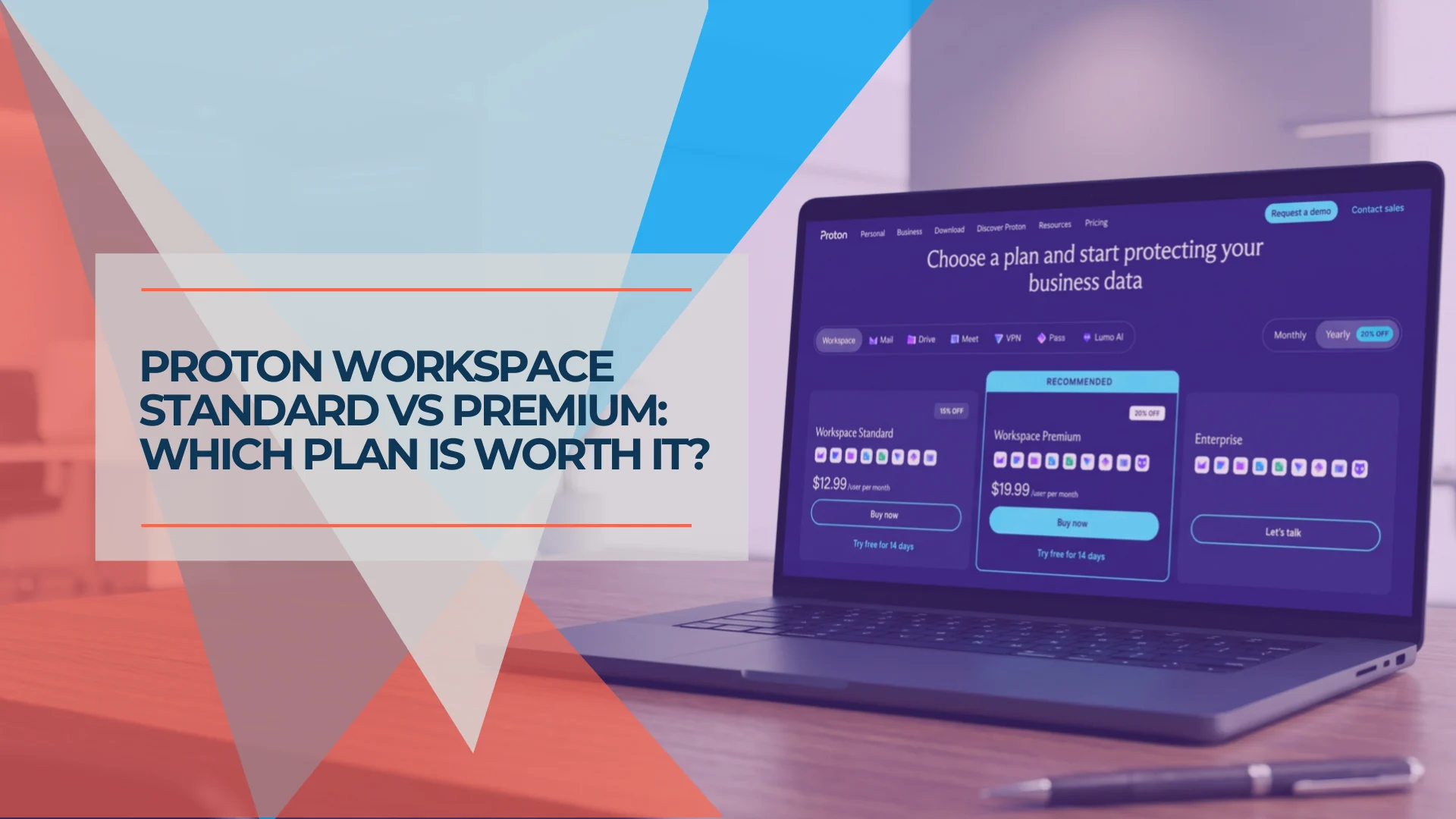
Proton Workspace Standard vs Premium (2026): What the Extra $7 Per User Buys
Proton Workspace Standard vs Premium compared: storage, email retention, Lumo AI, Meet limits and cost at 5, 10 and 25 users — and which offices need Premium.
11 min read