Business Network Cabling: Fiber vs Cat6A Complete Guide
Complete guide to choosing between fiber optic and Cat6A Ethernet cabling for business networks. Covers technical specifications, cost analysis, hybrid strategies, and UniFi equipment recommendations.

Affiliate Disclosure: This article contains affiliate links. If you make a purchase through these links, we may earn a small commission at no extra cost to you. As an Amazon Associate, iFeelTech earns from qualifying purchases.
No—business fiber internet does not require internal fiber cabling. ISPs terminate fiber service at an Optical Network Terminal (ONT) which hands off a standard Ethernet connection to your router. Your internal network infrastructure (LAN) is independent of your ISP connection.
The decision to run fiber inside your building depends on distance (runs over 328 feet), electromagnetic interference, or future bandwidth needs beyond 10Gbps. For most businesses, the optimal approach is the "Hybrid Strategy": fiber for the backbone and Cat6A for device connectivity.
Key Takeaway
Use fiber for backbone connections beyond 300 feet and between floors, then distribute with Cat6A for the final 328 feet to devices. This maximizes budget efficiency while supporting Wi-Fi 7 access points and PoE devices that fiber cannot power directly. For help matching fiber cables with the correct SFP modules for UniFi switches, see our UniFi fiber and SFP guide.
Does Business Fiber Internet Require Internal Fiber Cabling?
No; ISPs terminate fiber service at an Optical Network Terminal (ONT) which converts the fiber signal to standard Ethernet (RJ45). This ONT typically installs in your server room or network closet and hands off to your router via copper.
The decision to run fiber internally depends on your building layout and performance requirements—not your ISP service type. Most businesses use fiber only for backbone connections exceeding 328 feet or between buildings, while relying on Cat6A for device connections.
Current ISP Landscape
Major ISPs have significantly expanded fiber offerings for businesses. Comcast Business and AT&T Business Fiber have expanded their business fiber offerings, with symmetrical speeds increasingly common. Available speeds and dedicated-circuit options vary by address.
Pricing varies by market and provider. Dedicated Internet Access (DIA) circuits, which offer guaranteed bandwidth and SLAs, generally cost substantially more than shared business fiber plans. Either way, success depends on internal infrastructure that can handle the bandwidth effectively.
The Handoff Reality
Understanding ISP service delivery helps inform internal network decisions:
- Fiber to Building: ISP runs single-mode fiber to your location
- ONT Installation: Converts fiber to Ethernet in your building
- Ethernet Handoff: Standard connection to your equipment
- Speed Limitation: Determined by service tier, not cable type
In most cases, your router receives Ethernet regardless of whether you're paying for 1Gbps or 10Gbps service. This approach aligns with proven UniFi business network design principles.
What Are the Technical Differences Between Cat6A and Fiber?
Understanding the actual capabilities and limitations of each cable type before making infrastructure decisions prevents costly mistakes and ensures optimal performance.
Cat6A Capabilities
Category 6A cable supports frequencies up to 500 MHz and provides reliable performance for most business applications:
- 1 Gigabit Ethernet: Full 328 feet (100 meters)
- 10 Gigabit Ethernet: Full 328 feet (100 meters) — see our 10GbE upgrade guide for switch, NIC, and deployment details
- PoE Support: Carries PoE up to IEEE 802.3bt Type 4 (90W at the source); PoE also works over Cat5e and Cat6 within their normal limits
- Frequency Range: Up to 500 MHz
- Installation: Standard bend radius and termination
For professional installations, we recommend bulk Cat6A cable with proper shielding and quality connectors for reliable terminations. Our Cat6A wiring guide provides a detailed analysis of real-world performance differences for businesses considering their complete networking infrastructure. If you are weighing Cat6 against Cat6A before the fiber question, see our Cat6 vs Cat6A office guide.
Fiber Optic Performance
Fiber optic cables use light transmission through glass cores, offering superior distance and speed capabilities:
Multi-Mode Fiber (OM4)
- 10Gbps Distance: Up to 400 meters
- 25Gbps Distance: Up to 100 meters
- 40Gbps Distance: Up to 150 meters
- Applications: Building backbone, floor distribution
Single-Mode Fiber (OS2)
- 10Gbps Distance: Up to 40 kilometers
- 25Gbps+ Distance: Multi-kilometer capability
- Future Bandwidth: Supports 100Gbps+ with transceiver upgrades
- Applications: Campus connections, long-distance runs
2026 Expert Recommendation: Choose OS2 Single-Mode
We recommend OS2 Single-Mode for most backbone installations because of its long reach and headroom for future speeds. OS2 single-mode generally offers more upgrade headroom than OM4 without cable replacement, though transceiver and cable prices vary by vendor.
Connector Recommendation: Use LC (Lucent Connector) duplex connectors for fiber installations. LC connectors are half the size of SC connectors, allowing for higher-density patch panels and easier cable management in crowded network closets. They're the industry standard for 10G+ applications.
Technical Comparison Table
| Specification | Cat6A | OM4 MMF | OS2 SMF |
|---|---|---|---|
| 10Gbps Distance | 100m | 400m | 40km+ |
| 25Gbps Distance | Not Supported | 100m | 40km+ |
| PoE Support | Up to 90W | No | No |
| EMI Immunity | Limited | Complete | Complete |
| Transceiver Cost | N/A (RJ45) | Varies by vendor (SFP+) | Varies by vendor (SFP+) |
Important: Fiber installations require SFP+ transceiver modules at both ends of each connection. Budget for quality 10G SFP+ modules at both ends of every link—this is often an overlooked cost, so check current module prices for your switch vendor.
When Should You Choose Cat6A Over Fiber?
Cat6A remains the practical choice for most business network access layers due to its reliability, cost-effectiveness, and native power delivery capabilities.
Distance and Performance Considerations
Cat6A supports 10Gbps over the full 328-foot distance, covering most office requirements. In typical business environments, the longest cable run from a central network closet rarely exceeds 250 feet, placing installations well within Cat6A's capabilities. For detailed guidance on cable selection, see our comprehensive Ethernet cable guide.
What Is the Cost Difference Between Cat6A and Fiber Installation?
The figures below are planning estimates, not quotes. Cat6A installation is estimated at $150–$300 per drop, while fiber optic runs are estimated at $250–$550 depending on termination type. While raw fiber cable can sometimes be cheaper than copper, the termination labor and hardware (SFP+ modules, fiber switches) drive up the total project cost.
Per-Drop Cost Breakdown
| Component | Cat6A | Fiber |
|---|---|---|
| Cable Material | $30-$60 | $40-$80 |
| Termination Labor | $80-$150 | $120-$280 |
| Hardware (patch panel/modules) | $20-$40 | $40-$90 |
| Testing & Certification | $20-$50 | $50-$100 |
| Cost Per Drop | $150-$300 | $250-$550 |
Full Project Comparison (50 drops)
| Component | Cat6A | Fiber |
|---|---|---|
| Cable Material | $1,500-$3,000 | $2,000-$4,000 |
| Installation Labor | $4,000-$7,500 | $6,000-$14,000 |
| Hardware | $1,000-$2,000 | $2,000-$4,500 |
| Testing | $1,000-$2,500 | $2,500-$5,000 |
| Total Project | $7,500-$15,000 | $12,500-$27,500 |
Costs are planning estimates and vary widely by market, building, and contractor; get written quotes. Cat6A is best for endpoints (PCs, Wi-Fi 7 APs, cameras), while fiber backbone runs typically cost $400–$800 per inter-switch link.
For businesses considering professional installation, our network cabling cost calculator provides detailed project estimates.
Cabling for Wi-Fi 7 Deployments
Cat6A is a good choice for new Wi-Fi 7 cabling, but it is not required. Under IEEE 802.3bz, 2.5GBASE-T runs up to 100 meters over Cat5e and 5GBASE-T over Cat6, so existing Cat5e/Cat6 can carry the 2.5Gbps uplink that UniFi's U7 Pro and U7 Pro Max use. Cat6A adds headroom for 10Gbps.
| Standard | Power | Applications |
|---|---|---|
| IEEE 802.3af (PoE) | 15W | Basic access points, VoIP phones |
| IEEE 802.3at (PoE+) | 30W | Wi-Fi 7 APs (UniFi lists U7 Pro at 21W and U7 Pro Max at 25W maximum, PoE+), IP cameras |
| IEEE 802.3bt Type 4 (PoE++) | 90W | PTZ cameras, outdoor heaters, specialty equipment |
Cat6A can deliver both 10Gbps data and PoE (up to 90W at the source with 802.3bt Type 4) through a single cable. Most Wi-Fi 7 access points need only PoE+ (30W), while high-power devices like PTZ cameras may need PoE++. For comprehensive PoE planning guidance, see our complete PoE implementation guide.
Cat6A Recommended for New Wi-Fi 7 Cabling
Cat6A is recommended for new Wi-Fi 7 cabling. Cat5e and Cat6 can carry 2.5Gbps over the full 100 meters, so existing runs often work, but Cat6A gives headroom for 10Gbps upgrades and is the usual choice when pulling new cable.
Maintenance and Flexibility
RJ45 termination requires basic tools and can be performed by standard IT staff. Adding or modifying Cat6A drops costs $100-250 per connection, compared to $400-600 for fiber modifications requiring specialized equipment and training.
Quality Cat6A cable is expected to remain serviceable for the life of a typical building cabling system when properly installed.
Ideal Cat6A Scenarios
Physical Requirements:
- Single-floor offices under 10,000 sq ft
- Runs under 250 feet for 10Gbps
- Standard office environments
Business Considerations:
- Budget-conscious deployments
- Frequent cable modifications expected
- PoE device requirements
When Is Fiber Optic Cabling Essential for Business Networks?
Fiber optic cables address specific challenges that copper cannot overcome, making them necessary in particular scenarios.
Distance Requirements
Beyond the 100-meter (328-foot) copper limit, fiber is the usual option for maintaining high-speed connectivity (an intermediate switch is the alternative). Common scenarios include:
- Multi-story buildings: Vertical runs between floors often exceed 200 feet when accounting for routing through risers
- Warehouse facilities: 40,000+ square foot facilities require 400-600 foot runs to reach remote areas
- Campus environments: Building-to-building connections spanning hundreds of feet
- Outdoor coverage: Security cameras and access points in parking areas
- Manufacturing floors: Clean rooms or production areas isolated from the main network infrastructure
Single-mode fiber supports 10Gbps over 10 km (about 6 miles) with standard long-reach optics and up to 40 km with extended-reach optics, while multi-mode OM4 fiber handles 10GBASE-SR up to 400 meters (about 1,300 feet).
Electromagnetic Interference Immunity
Copper cables can be disrupted in manufacturing environments with heavy machinery, medical facilities with imaging equipment, or any space with significant electrical interference. Fiber's light-based transmission is completely immune to EMI, making it essential in challenging electrical environments.
High-EMI Environments Requiring Fiber
Industrial Settings:
- Manufacturing facilities with CNC machines
- Welding and heavy machinery areas
- Power substations and electrical equipment
Specialized Facilities:
- Medical centers with MRI/X-ray equipment
- Broadcasting facilities with RF equipment
- Data centers with high electrical noise
Future Bandwidth Scalability
Fiber infrastructure supporting 10Gbps today can often be upgraded to 25Gbps or higher by changing transceivers (single-mode duplex fiber has the most headroom; some 40Gbps and 100Gbps multi-mode optics need parallel MPO cabling instead). Cat6A tops out at 10Gbps, so fiber is the better fit for long-term scalability.
This upgrade path means fiber installed today remains relevant for decades, while copper installations may require complete replacement to support future speed requirements. For businesses planning long-term infrastructure investments, consider our guide on future-proofing office networks with UniFi.
Security and Environmental Advantages
Fiber provides inherent security advantages for sensitive environments:
- Tap Detection: Physical intrusion can cause measurable signal loss
- No RF Emissions: Light-based transmission does not radiate electromagnetic signals
- Physical Security: Requires specialized equipment to intercept
- Environmental Resilience: Glass fiber is unaffected by moisture and corrosion; check the cable jacket's rated temperature range for your environment
Important Consideration
Fiber installation requires careful planning. Unlike Cat6A, you can't easily add drops or modify fiber runs after installation without specialized equipment and expertise.
When Should You Use a Hybrid Network Strategy?
A hybrid network is the standard design for modern offices, utilizing fiber for long-distance switch interconnections (backbone) and Cat6A for the final 328 feet to devices. This approach maximizes budget efficiency without sacrificing performance.
Fiber Backbone Implementation
Use OS2 Single-Mode fiber to link your Main Distribution Frame (MDF) to Intermediate Distribution Frames (IDFs). This bypasses the 328-foot copper limit and electrically isolates your switches from surges. For backbone installations, consider OS2 single-mode fiber cable paired with UniFi 10G SFP+ modules for optimal performance.
Fiber backbone applications:
- Inter-floor connections: Fiber uplinks between your main Dream Machine Pro Max and floor switches
- Building-to-building links: Campus environments or separate structures
- Long-distance runs: Warehouse endpoints, parking lot cameras, or remote access points beyond 300 feet
- High-bandwidth aggregation: 10Gbps+ connections between distribution switches
Cat6A Access Layer
Use Cat6A for the "last mile" inside the building. Copper twisted-pair can deliver PoE (up to 90W at the source with 802.3bt) to power Wi-Fi 7 access points and PTZ cameras, which fiber cannot do. This approach supports the latest Wi-Fi 7 access point deployments while maintaining budget efficiency.
Optimal Cat6A Applications
End Device Connections:
- Workstations and desktop computers
- Network printers and scanners
- VoIP phones and conference systems
Infrastructure Devices:
- Wi-Fi 7 access points
- Security cameras and sensors
- Short switch-to-switch links
What UniFi Equipment Works Best for Hybrid Networks?
UniFi's product lineup accommodates hybrid deployments effectively, explicitly designed for mixed fiber/copper environments.
Core Infrastructure
The UniFi Dream Machine Pro Max serves as your network's foundation, offering the perfect balance of fiber and copper connectivity.
Dream Machine Pro Max Key Features
- 2× 10G SFP+ ports for high-speed fiber uplinks
- 8× 1GbE RJ45 ports and 1× 2.5GbE RJ45 port for copper connections
- Default WAN ports: one 10G SFP+ and one 2.5GbE RJ45 (up to 8 WAN ports supported)
- Integrated security gateway and network controller
- Shadow Mode (VRRP) High Availability: Pair two units so that a shadow unit can take over if the primary gateway fails
Why Shadow Mode Matters for Business
Shadow Mode (listed by Ubiquiti as VRRP gateway failover) is a useful feature for businesses that cannot tolerate long network downtime. By pairing two Dream Machine Pro Max units, you add gateway redundancy: if the main router fails, the shadow unit takes over, though a brief interruption during failover is normal. This makes the "Max" investment worthwhile for mission-critical operations like medical offices, financial services, or e-commerce businesses.
Distribution Layer Options
For floor or area distribution, UniFi offers several switches optimized for hybrid deployments:
| Switch | Ports | Uplinks | PoE Budget | Best For |
|---|---|---|---|---|
| Pro Max 24 PoE | 8× 2.5G PoE++ | 16× 1G (8 PoE+, 8 PoE++) | 2× 10G SFP+ | 400W | Medium deployments |
| Pro XG 24 PoE | 16× 10G PoE+++ | 8× 2.5G PoE+++ | 2× 25G SFP28 | 720W | High-density environments |
Implementation Examples
Understanding how fiber and Cat6A decisions play out in actual deployments helps you apply these principles to your specific situation.
Scenario 1: Two-Story Office (15,000 sq ft, 50 employees)
Challenge: 200-foot runs between floors, 50 workstations, 12 access points, 16 security cameras, conference room AV systems
Hybrid Solution Implementation
Core Infrastructure:
- Dream Machine Pro Max in main closet
- OM4 multi-mode fiber backbone between floors
- 4-strand fiber for redundancy
Access Layer:
- Pro Max 24 PoE switches per floor
- Cat6A structured cabling
- U7 Pro Wi-Fi 7 access points for coverage
This design follows established UniFi office network blueprints while optimizing for both performance and cost.
Results: $16,000 total cost vs. $32,000 for all-fiber, 10Gbps backbone with full Wi-Fi 7 support
Scenario 2: Manufacturing Facility (50,000 sq ft)
Challenge: 600-foot runs, heavy EMI, temperature extremes, 24/7 reliability requirements
Fiber-Centric Solution:
- Core infrastructure: Dream Machine Pro Max in climate-controlled office area
- Backbone: OS2 single-mode fiber in armored conduit
- Distribution: Flex XG switches in NEMA-rated enclosures
- Local access: Short Cat6A runs (under 100 feet) in clean areas only
- Redundancy: Dual fiber paths for critical production systems
Results: 99.95% uptime achieved, consistent 10Gbps performance despite EMI environment
Scenario 3: Small Professional Office (3,000 sq ft, 12 employees)
Challenge: Budget constraints, simple network needs, future growth uncertainty
Cost-Optimized Cat6A Solution:
- Core: Dream Machine Pro (cost-effective alternative)
- Distribution: Pro 24 PoE with SFP+ uplinks for future expansion
- Cabling: Cat6A throughout with home-run topology
- Wireless: U7 Lite access points for cost efficiency
Results: $6,500 total investment with a clear 10-year performance roadmap
Installation and Maintenance Considerations
The installation and ongoing maintenance requirements for fiber and copper differ significantly, affecting both initial deployment costs and long-term operational expenses.
Skill Requirements and Training
Cat6A Installation:
- Basic networking knowledge
- Standard tools: cable crimper and cable tester (a modest tool investment)
- RJ45 termination and cable testing
- Most IT staff can learn essential skills quickly
Fiber Installation:
- Specialized training and certification
- Professional equipment (a substantially larger investment than copper tools)
- Fusion splicing and OTDR testing capabilities
- Requires ongoing certification maintenance
For businesses considering professional services, our network cabling installation services provide certified expertise for both copper and fiber deployments.
Maintenance and Troubleshooting
| Aspect | Cat6A | Fiber |
|---|---|---|
| Inspection | Visual inspection | Connector cleaning |
| Testing | Cable testing | OTDR testing |
| Repair Time (typical estimate) | 30 min - 2 hours | 1-4 hours |
| Modification Cost | $100-250/connection | $400-600/connection |
Decision Framework
Making the right cabling decision requires analyzing both immediate costs and long-term value based on your specific operational requirements.
Choose Fiber When:
- Distance exceeds 328 feet (the copper limit)
- EMI environment present (manufacturing, medical, electrical facilities)
- Future speeds above 10Gbps needed (video production, data processing)
- Long-term installation (10+ years with upgrade potential)
- Budget accommodates a higher cost than copper (premium justified by requirements)
- Campus or multi-building deployment (inter-building connectivity)
- Security requirements (tap detection, RF emission immunity)
Choose Cat6A When:
- Runs are under 300 feet (within 10Gbps capability range)
- Budget optimization priority (cost-effective deployment)
- PoE devices require power delivery (access points, cameras, phones)
- Frequent modifications expected (flexible office environments)
- 10Gbps meets long-term requirements (no higher speed needs)
- In-house maintenance preferred (standard IT staff capabilities)
- Rapid deployment needed (faster installation and termination)
Choose Hybrid When:
- Mixed distance requirements (some runs over 300 feet, others under)
- Optimizing cost versus performance (best of both technologies)
- Multiple floors or buildings (fiber backbone, copper access)
- Phased deployment planned (gradual infrastructure upgrades)
- Future expansion anticipated (fiber-ready with copper efficiency)
Future-Proofing Your Investment
Wi-Fi 7 Is the Current Standard
Wi-Fi 7 is no longer a "future" technology—it's the current standard for business deployments. The UniFi Access Point U7 Pro and U7 Pro Max both use 2.5GbE uplinks, so multi-gigabit switch ports and cabling are recommended.
Infrastructure requirements for Wi-Fi 7 deployments:
- Cabling: Cat5e or better carries 2.5Gbps to 100 meters; choose Cat6A for new runs to leave room for 10Gbps
- 2.5G switches: The Pro Max series provides native 2.5G ports for optimal AP connectivity
- Fiber backbone: OS2 Single-Mode for 10Gbps+ switch interconnections with unlimited upgrade potential
Internet Speed Evolution
Business internet continues to expand rapidly. Some ISPs now offer multi-gigabit and 10Gbps business fiber in select areas; availability varies by address. To avoid bottlenecks, internal infrastructure should match or exceed WAN capability.
Future-Proofing Checklist
- Install conduit for easy cable upgrades
- Choose switches with SFP+ ports for fiber expansion
- Plan 2.5G minimum to access points
- Consider power requirements for PoE++ devices
- Document cable routes for future maintenance
- Design for 50% capacity growth over 5 years
For businesses planning comprehensive network upgrades, our 2.5-gigabit Ethernet upgrade guide provides detailed implementation strategies for multi-gig networks.
Common Implementation Mistakes
- Over-engineering small networks: Evaluate actual requirements versus perceived needs
- Under-planning growth: Install adequate conduit and expansion capability
- Mixing cable standards: Use a consistent cable category for new work
- Inadequate PoE planning: Verify power budgets support all connected devices
- Poor documentation: Maintain accurate records for future maintenance
Frequently Asked Questions
Do I need fiber throughout my building if I have fiber internet?
No. ISP fiber service typically converts to Ethernet at your building entrance. Your internal cabling decisions are independent of your internet service delivery method.
What's the maximum distance for Cat6A at 10Gbps?
Cat6A supports 10Gbps over the full 328 feet (100 meters), compared to Cat6, which is limited to about 180 feet (55 meters) for 10Gbps performance.
Can I mix fiber and copper in the same network?
Yes. Most successful UniFi deployments use fiber for backbone connections and Cat6A for access layer devices. This hybrid approach optimizes both performance and cost.
How much more does fiber installation cost compared to Cat6A?
Fiber installation generally costs more than Cat6A because of higher material costs, specialized labor, and testing equipment. The planning estimates above put it at roughly 1.7 to 1.8 times Cat6A per drop.
Can I upgrade fiber speeds without replacing cables?
Yes. The same fiber infrastructure supporting 10Gbps today can handle 25Gbps, 40Gbps, or higher speeds by upgrading transceivers rather than replacing cables.
Making the Right Choice for Your Business
The fiber versus Cat6A decision involves using each technology where it provides optimal value. Most successful UniFi deployments combine fiber backbone infrastructure with Cat6A access layers, creating networks that balance performance, cost, and future adaptability.
Your approach should address specific requirements: building dimensions, distance needs, budget parameters, and growth projections. A strategic hybrid design uses fiber for long runs and backbone connections while leveraging Cat6A's cost-effectiveness and PoE capabilities for device access.
Summary
Remember that your ISP's fiber internet connection doesn't determine internal cabling choices. Whether receiving 1Gbps or 10Gbps from your provider, internal network design should focus on efficiently distributing bandwidth to users and devices while maintaining upgrade flexibility.
The foundation is planning for current needs and future growth within budget constraints. A well-designed hybrid network can evolve with your business by upgrading transceivers and adding fiber runs where needed, without requiring complete infrastructure replacement.
Related Resources
- UniFi Business Network Guide – Complete network design
- Cat6A Wiring Guide – Professional termination
- Power over Ethernet Guide – PoE implementation
- UniFi Office Network Blueprint – Office deployment
- UniFi WiFi 7 Access Points Guide – Wireless implementation
- Future-Proof Office Network with UniFi – Long-term planning
- 2.5 Gigabit Ethernet Upgrade – Multi-gig networks
- Network Cabling Services – Professional installation
- Network Cabling Cost Calculator – Project estimates
- Network Gear IT Contractors Buy for Small Business – Full practitioner kit list including cabling decisions
Related Articles
More from Network Infrastructure
Business Network Wiring Installation Guide: Costs, Codes & Best Practices (2026)
Comprehensive guide to business network cabling installation. Covers installation methods, costs, professional vs DIY decisions, code compliance, testing requirements, and project management for offices and warehouses.
17 min read
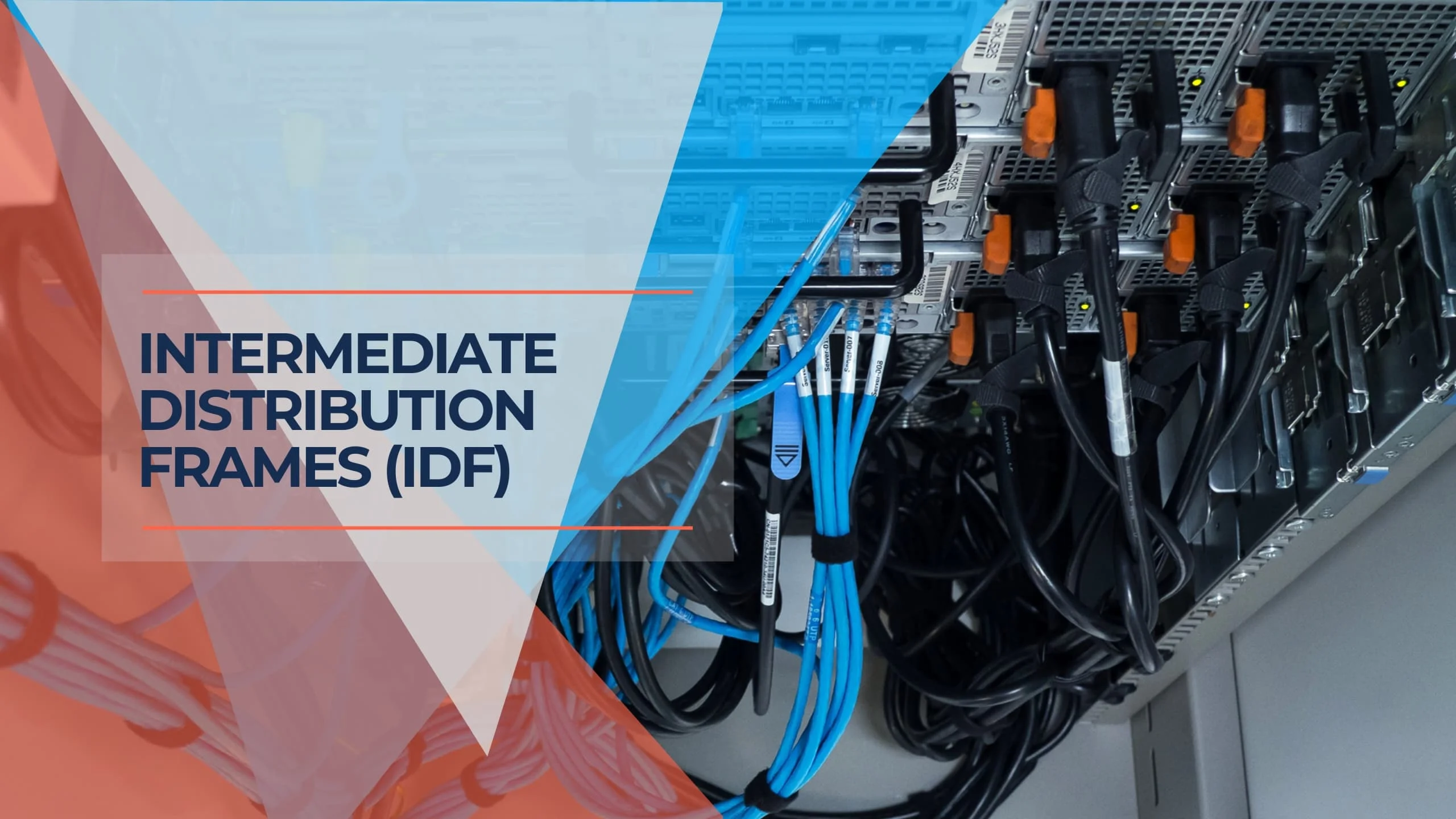
Intermediate Distribution Frames (IDFs): Your Network's Backbone
Complete guide to Intermediate Distribution Frames for business networks. Learn about IDF components, design best practices, rack sizing guidelines, and how IDFs organize network infrastructure across multi-floor buildings.
9 min read
Best Ethernet Cables 2026: Cat6, Cat6A, and When You Need Shielded
We've pulled Cat6A, shielded, outdoor, and direct-burial cables across 50+ business installs. What we recommend — by use case and environment.
30 min read