

Intermediate Distribution Frames (IDFs): Your Network's Backbone
Complete guide to Intermediate Distribution Frames for business networks. Learn about IDF components, design best practices, rack sizing guidelines, and how IDFs organize network infrastructure across multi-floor buildings.

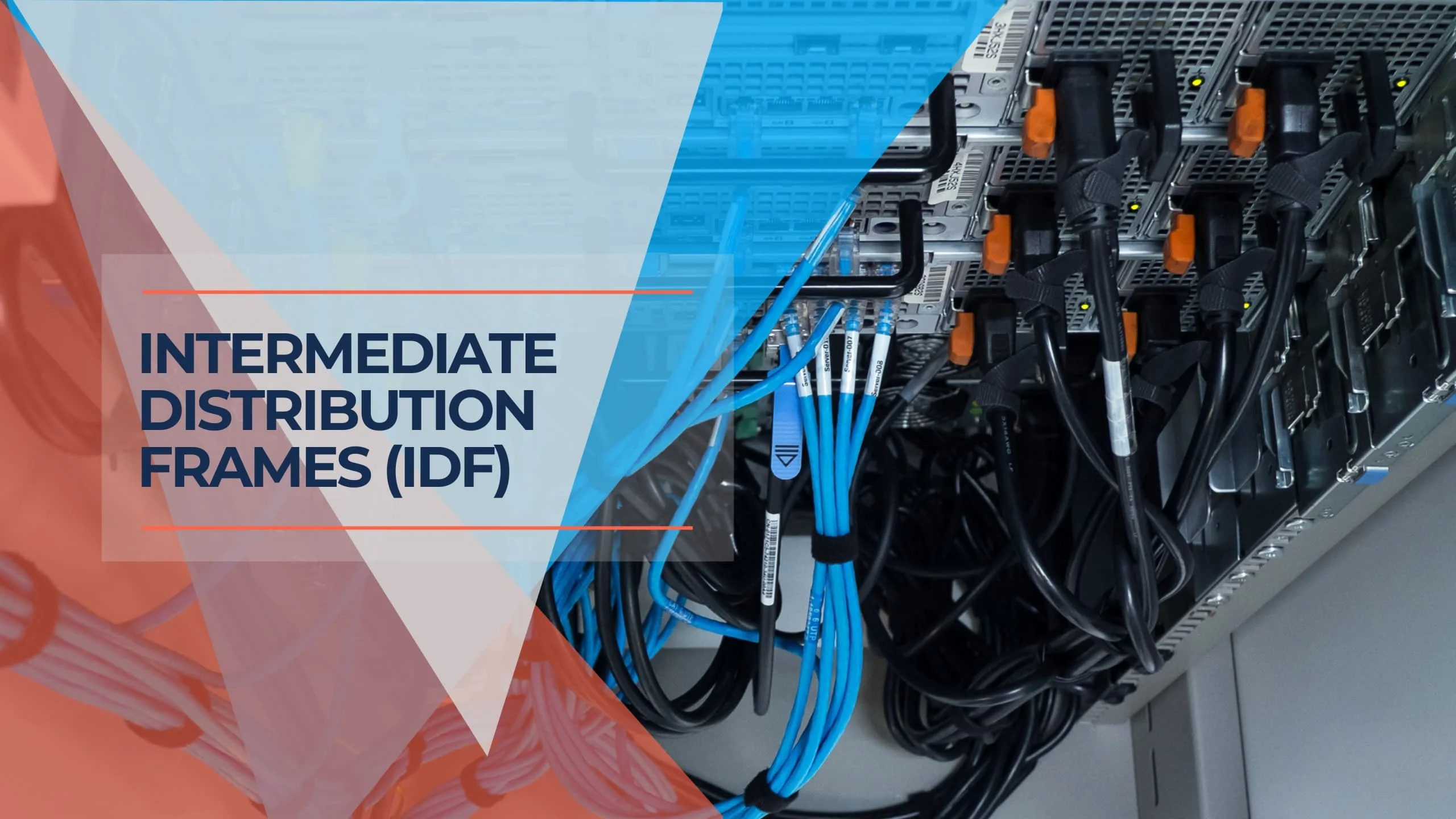
Managing multi-floor network infrastructure requires precision. Intermediate Distribution Frames (IDFs) serve as organized distribution points throughout your facility, addressing cable management, equipment placement, and system accessibility.
Affiliate Disclosure: This article contains affiliate links. If you make a purchase through these links, we may earn a small commission at no extra cost to you. As an Amazon Associate, iFeelTech earns from qualifying purchases.
Key Takeaway
IDFs organize network cabling and equipment into manageable sections, making maintenance easier while supporting network growth and reliability.
What is an Intermediate Distribution Frame (IDF)?
An Intermediate Distribution Frame works as a secondary connection point in your network infrastructure. While the Main Distribution Frame (MDF) serves as your building's primary network hub, IDFs extend connectivity to specific areas like individual floors or departments.
Most IDFs are housed in dedicated telecommunications closets or equipment rooms. Each connects back to the MDF through backbone cabling, typically Single Mode Fiber (OS2) that handles high-bandwidth requirements and future-proofs for 25Gbps, 100Gbps, and beyond. From there, cables are distributed to end-user devices within that IDF's coverage area.
This approach works similarly to electrical distribution—the MDF acts as your main electrical panel, while IDFs function like subpanels serving specific building sections.
Essential IDF Components
Modern IDFs contain several key components that work together to organize and distribute network connectivity:
Physical Infrastructure
Racks and Cabinets: Wall-mounted racks work for smaller installations, while free-standing cabinets suit larger deployments. These house all networking equipment in standardized mounting configurations. For comprehensive guidance on rack organization, see our cable management guide.
Patch Panels serve as the connection hub where incoming and outgoing cables terminate. Patch panels allow flexible connections using short patch cords while keeping everything organized.
Active Equipment
Network Switches: Connect end-user devices like computers, printers, and IP phones. The number and type depend on your specific network size and requirements. Modern UniFi switches offer managed capabilities with PoE++ support ideal for IDF deployments.
Environmental Monitoring: Modern IDFs include temperature and humidity sensors with monitoring systems that alert IT staff to conditions that could damage equipment.
Organization Systems
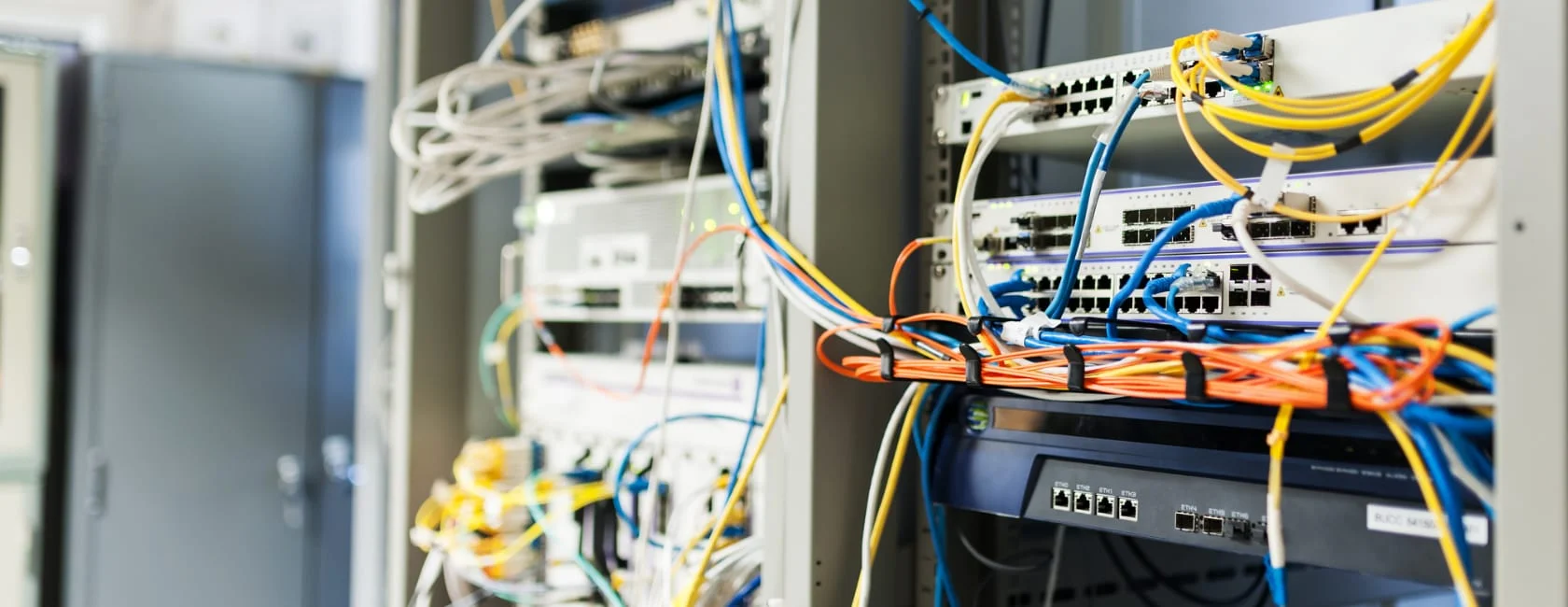
Cable Management: Horizontal and vertical cable managers, along with rings and ties, prevent cable tangles and make maintenance more efficient.
Labeling Systems: Clear, detailed labels on cables and equipment streamline troubleshooting and maintenance tasks.
Network Equipment in IDFs
IDFs typically house various types of network equipment based on your specific requirements:
Internet Connectivity: Your business internet connection enters at the MDF, then is distributed through IDFs to reach individual devices.
Routing Equipment: Network routers manage traffic between different network segments. Larger networks may place routers in IDFs to handle local traffic efficiently.
Switching Infrastructure: Network switches connect end-user devices within each IDF's service area. These devices forward data only where needed, reducing network congestion.
Security Systems: Firewalls protect against unauthorized access and malicious activities. They can provide centralized protection at the MDF or segment-specific security within IDFs.
Specialized Equipment: Modern IDFs contain PoE+ (802.3at, up to 30W) and PoE++ (802.3bt, up to 60W for Type 3 or 90W for Type 4) switches for high-power devices like PTZ security cameras, Wi-Fi 7 access points, building automation systems, and LED lighting. Lithium-Ion UPS systems are increasingly used in wall-mounted IDFs. APC rates its Smart-UPS lithium-ion batteries at up to 10 years of service life, compared with roughly 3-5 years for traditional lead-acid batteries, and they are lighter.
Rack Sizing Guidelines
| Network Size | Recommended Rack Space | Additional Considerations |
|---|---|---|
| Small (Up to 50 devices) | 12U – 24U | Include space for monitoring and Li-Ion UPS systems |
| Medium (50-200 devices) | 24U – 42U | Plan for redundant switches and backup power |
| Large (200+ devices) | 42U+ | May require multiple IDFs with centralized monitoring |
Benefits of Using IDFs
IDFs provide several practical advantages for network management:
Organization: Centralizing cables in designated areas prevents disorganized cabling that makes troubleshooting difficult and time-consuming.
Scalability: Adding new equipment or wiring becomes straightforward without significant infrastructure changes, allowing smooth adaptation to business growth.
Troubleshooting: Network issues can be isolated to specific floors or zones, making problem identification and resolution faster and more efficient.
Flexibility: IDFs accommodate different network equipment types and cabling options, whether copper, fiber optic, or hybrid solutions.
Security: Lockable cabinets and racks provide physical protection for valuable network equipment while controlling access to sensitive infrastructure.
Remote Management: Modern IDF designs support remote monitoring, allowing IT staff to track environmental conditions, power usage, and equipment health from central locations.
IDF Design Best Practices
Effective IDF design requires consideration of several important factors:
Location Planning
Accessibility: Technicians need easy access for maintenance and repairs while maintaining appropriate security measures.
Environmental Control: Avoid areas with extreme temperatures, humidity, or dust. ASHRAE's recommended range for IT equipment is 64-81°F (18-27°C), with a dew point between 16°F and 59°F (-9°C to 15°C) and relative humidity no higher than 70% (50% where corrosive pollutants are present). TIA-569-D-1 aligns telecommunications spaces with these ASHRAE guidelines.
Cable Distance: Consider cable run lengths from IDFs to end devices. Copper Ethernet cables have distance limitations (typically 100 meters for Cat6A).
Future Growth: Design with expansion in mind, including additional rack space, power capacity, and cooling requirements.
Cable Standards
Cable Selection Guide
Cat6A: Supports 10 Gbps up to 100 meters with 500 MHz bandwidth. It is a sound choice for Wi-Fi 7 (802.11be) access point runs, since many Wi-Fi 7 access points use 2.5GbE or faster ports and Cat6A leaves room for 10GbE uplinks. Provides the best balance of performance and cost for most business applications. Quality Cat6A bulk cable ensures reliable performance.
Cat8: Designed for data center environments, supporting 25GBASE-T and 40GBASE-T over channels of up to 30 meters (no more than two connectors) with 2000 MHz bandwidth.
Cat7 Consideration: Cat7 cables exist in the market but TIA decided not to recognize Category 7; TIA standards moved directly from Cat6A to Cat8. Cat7 is defined by ISO/IEC 11801 and is typically terminated with GG45 or TERA connectors rather than standard RJ45, which can create compatibility issues.
Fiber Backbone: For IDF-to-MDF connections, Single Mode Fiber (OS2) is recommended over Multimode (OM4) for future-proofing. OS2 supports 25Gbps, 100Gbps, and higher uplinks, and the fiber cable itself is generally priced similarly to multimode, although single-mode transceivers can cost more. Learn more about fiber selection and SFP modules for your backbone infrastructure.
For most installations, Cat6A and OS2 fiber provide optimal performance and full compliance with industry standards (BICSI).
Modern Monitoring
Current IDF designs incorporate:
- Temperature and humidity sensors with real-time monitoring
- Power monitoring systems for UPS health and consumption tracking
- Remote access capabilities for configuration and troubleshooting
- Automated alert systems for proactive issue detection
Documentation and Security
Proper IT room management requires comprehensive documentation and security measures:
- Digital documentation with QR codes linking to online records
- Access control systems with keycard entry and audit logs
- Video surveillance for security monitoring
- Regular security audits for compliance verification
IDF Cost Factors
Understanding what drives IDF costs helps with budget planning and decision-making:
Infrastructure Costs:
- Active vs. Passive Cooling: Passive ventilation is cost-effective for smaller IDFs, while active HVAC systems add significant upfront and operational costs but are necessary for high-density equipment
- Rack Type: Wall-mounted racks versus free-standing cabinets, with cost rising with equipment density and cable management requirements
- UPS Technology: Lithium-Ion UPS units generally cost more upfront than lead-acid but can save on long-term maintenance and replacement cycles
Equipment Selection:
- Managed vs. Unmanaged Switches: Managed switches cost more than unmanaged switches but provide essential monitoring, VLAN support, and remote management capabilities
- PoE++ Capability: Switches with 802.3bt (PoE++) cost more than standard PoE switches but can eliminate separate power infrastructure for high-power devices
- Fiber vs. Copper Backbone: OS2 Single Mode fiber has higher initial installation costs but lower long-term upgrade costs compared to copper
Monitoring and Management:
- Environmental Monitoring Systems: Pricing varies by vendor and sensor count for temperature, humidity, and leak detection with UniFi environmental sensors
- Remote Management Tools: Cloud-based monitoring platforms are typically priced per site or per device
- Access Control: Keycard systems and surveillance cameras add cost per location depending on security requirements
Professional Services:
- Design and Planning: Professional network design ensures optimal placement and prevents costly mistakes
- Installation Labor: Certified technicians ensure code compliance and proper implementation
- Documentation: Comprehensive labeling and digital documentation saves significant troubleshooting time
Common IDF Applications
IDFs serve various environments with specific networking needs:
Office Buildings: Multi-floor offices use IDFs to distribute connectivity across departments and floors while maintaining organized cable management. See our office network planning guide for implementation strategies.
Data Centers: These facilities use structured cabling with their own zone and distribution areas (defined in TIA-942) alongside telecommunications rooms, often incorporating advanced monitoring systems and structured cabling.
Educational Institutions: Schools and campuses with multiple buildings use IDFs to provide network access across classrooms, administrative offices, and other facilities.
Healthcare Facilities: Hospitals require reliable connectivity for critical systems, with IDFs providing organized distribution while meeting strict compliance requirements.
Industrial Facilities: Warehouses, manufacturing plants, and similar operations benefit from structured cabling and the organizational advantages IDFs provide.
IDF and MDF - CompTIA Network+ Explanation
Professional Perspective
As network engineers at iFeeltech IT Services, we've seen significant changes in IDF requirements over recent years. Modern businesses need more sophisticated monitoring and management capabilities than traditional installations provide. IoT device integration, increased security requirements, and higher bandwidth demands have transformed network infrastructure planning. Cloud-managed networks have particularly changed how we approach IDF monitoring and management.
Today's IDFs function as intelligent network nodes rather than simple cable distribution points. They require proper planning for power, cooling, monitoring, and security. While updating older IDFs presents challenges, incorporating modern environmental monitoring, improved cable management, and remote access capabilities significantly enhances network reliability and reduces long-term maintenance costs. Our IT server room setup guide covers these considerations in detail.
Conclusion
Intermediate Distribution Frames remain fundamental components of well-organized network infrastructure. Whether managing a small office or a large enterprise network, proper IDF design and implementation provide long-term benefits. Strategic placement, modern monitoring systems, and adherence to current best practices create scalable, maintainable networks ready to support growing digital communication demands.
The Bottom Line
IDF technology continues evolving toward remote management, environmental monitoring, and integration with broader network management systems. As businesses increasingly depend on reliable network connectivity, well-designed IDFs become more important to organizational success.
Frequently Asked Questions
What is the difference between an MDF and an IDF?
The MDF serves as your network's central hub where external lines enter the building and connect to internal systems. IDFs are secondary distribution points throughout the building that extend connectivity to specific floors or zones.
Why are IDFs important in large buildings or campuses?
IDFs organize cabling and make network management more practical. Without them, extensive cable runs would connect directly from the MDF to every device, making troubleshooting complex and expansion difficult. They also enable easier network growth and maintenance.
What equipment might I find in a modern IDF?
Modern IDFs typically contain network switches, patch panels, environmental monitoring sensors, UPS systems, PoE switches for devices like IP cameras and phones, and sometimes wireless access points or security equipment, depending on specific requirements.
Do I need multiple IDFs?
This depends on your building size and layout. Smaller buildings may only need one IDF, while larger facilities with multiple floors or extensive coverage areas typically require multiple IDFs to ensure efficient network distribution and stay within copper cable distance limitations.
What are the environmental requirements for IDFs?
Network equipment requires climate control for reliable operation. IDFs should follow ASHRAE's recommended range of 64-81°F (18-27°C), with relative humidity no higher than 70% (50% where corrosive pollutants are present) and no condensation. Modern installations include environmental monitoring systems that alert staff to conditions outside acceptable ranges.
Can I install an IDF myself, or do I need a professional?
While basic setups might be manageable with significant technical experience, professional installation is recommended for larger or complex networks. Qualified technicians ensure proper cabling, equipment installation, environmental controls, and adherence to current safety and performance standards.
How has IDF technology evolved recently?
Modern IDFs include sophisticated monitoring systems, remote management capabilities, enhanced security features, and integration with network management software. They support higher bandwidth requirements and IoT device management, making them more capable than traditional installations while requiring more advanced planning and maintenance.
Need Professional IDF Installation?
Planning network infrastructure for a new building or upgrading your existing IDFs? Our team provides comprehensive network cabling and IDF installation services for businesses in Miami and nationwide.
Related Articles
More from Network Infrastructure

Business Network Cabling: Fiber vs Cat6A Complete Guide
Complete guide to choosing between fiber optic and Cat6A Ethernet cabling for business networks. Covers technical specifications, cost analysis, hybrid strategies, and UniFi equipment recommendations.
15 min read
Business Network Wiring Installation Guide: Costs, Codes & Best Practices (2026)
Comprehensive guide to business network cabling installation. Covers installation methods, costs, professional vs DIY decisions, code compliance, testing requirements, and project management for offices and warehouses.
16 min read
Dental Office Network Requirements: Dentrix, Eaglesoft & Open Dental
Eaglesoft, Dentrix and Open Dental server requirements for 2026, plus the imaging, VLAN and cabling design a dental practice network needs.
19 min read