

UniFi U6 in 2026: Models, Specs and U7 Alternatives
See which UniFi U6 access points remain available in 2026, how U6 Pro compares with U7 Pro, and when WiFi 6 is still the right choice.

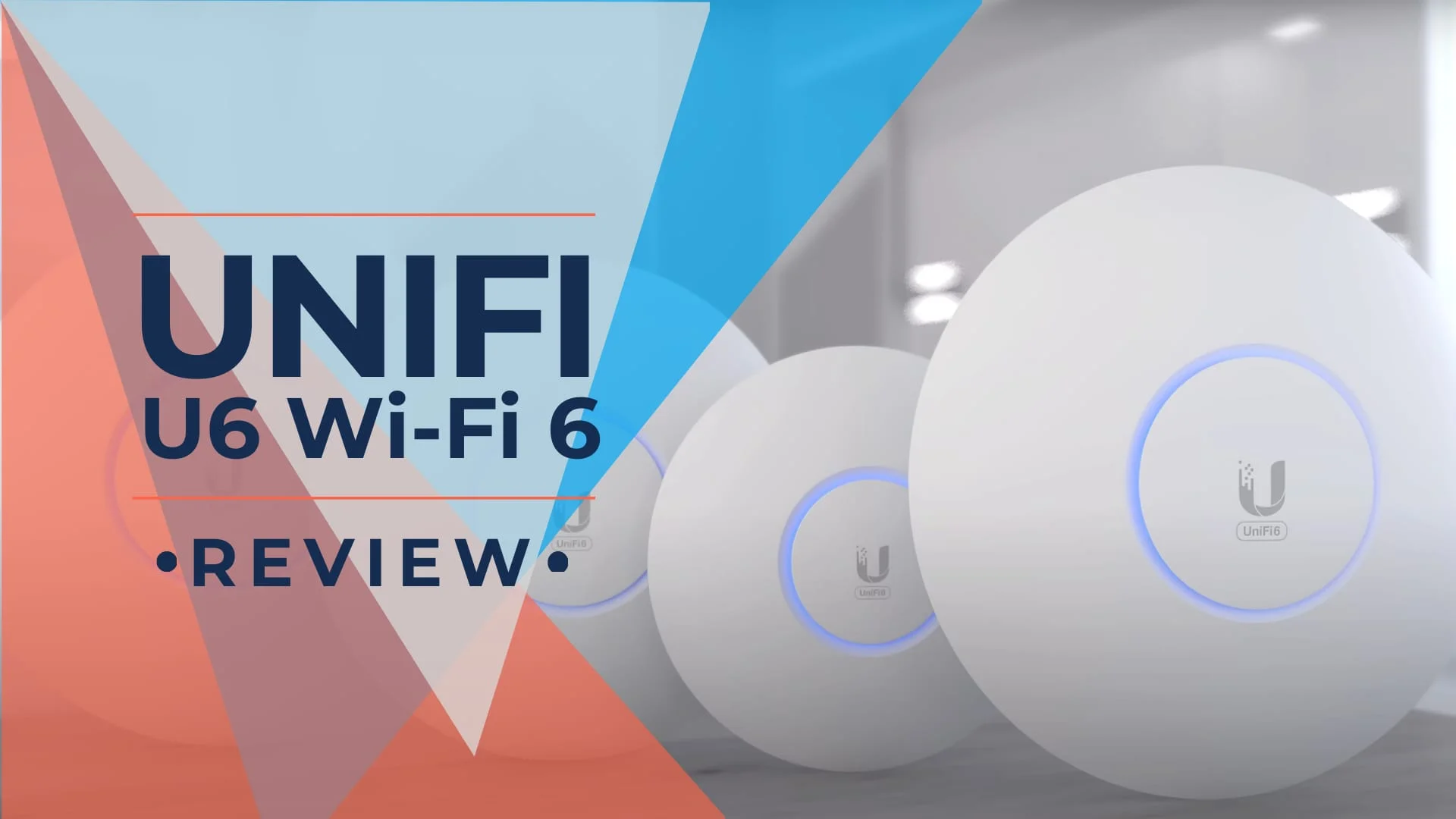
The UniFi U6 range is contracting in Ubiquiti's US store. When we checked on August 3, 2026, the U6 Pro was sold out, the U6 Lite had been delisted from the category page, and the U6 Long-Range was no longer listed among the 35 WiFi SKUs on sale. The hardware has not degraded — availability has.
That matters more than any spec comparison, because it changes who this hardware is for. A U6 access point is now a fleet-continuity purchase — the right choice when you are extending a network that already runs U6 units, or when you need one of the specific models Ubiquiti still stocks. It is no longer the default budget pick for a new deployment, because the WiFi 7 line now sits in the same price bracket. The U7 Lite is $99 with a 2.5 GbE uplink and standard PoE, which is exactly what the U6 Lite used to cost.
This guide covers what is still buyable, what the U6 Pro actually delivers on a Gigabit uplink, and how it compares to the U7 Pro and U7 Pro XG that have replaced it in most of our own deployments. Prices and availability below were verified against Ubiquiti's US store and tech specs pages on August 3, 2026.
PHY rates vs real-world throughput
Throughout this guide, figures like "4.8 Gbps" and "2.4 Gbps" refer to maximum radio-layer PHY rates — theoretical peaks under ideal conditions across all spatial streams. Coverage and client-capacity figures are Ubiquiti planning maximums. For the U6 Pro, most wired-bound TCP traffic tops out near 940 Mbps through its Gigabit Ethernet interface.
Affiliate Disclosure: This article contains affiliate links. If you make a purchase through these links, we may earn a small commission at no extra cost to you. As an Amazon Associate, iFeelTech earns from qualifying purchases.
Key Takeaways
| Point | Detail |
|---|---|
| Range is contracting | U6 Lite and U6 Long-Range are delisted; U6 Pro sold out Aug 3; U6 Extender sold out Jul 29 |
| Still stocked (6 models) | U6+ ($129), U6 Mesh ($179), U6 In-Wall ($179), U6 Mesh Pro ($199), U6 Enterprise ($279), U6 Enterprise In-Wall ($299) |
| U6 price advantage is largely gone | U7 Lite is $99 with WiFi 7 and a 2.5 GbE uplink — the same price the U6 Lite carried |
| Switch upgrades are optional | The U7 Pro's port negotiates 1 GbE, so it runs on an existing PoE+ switch |
| The real U7 cost | PoE+ budget, not new cabling. A U6 Pro draws 13W on 802.3af; a U7 Pro draws 21W on 802.3at |
| Gigabit uplink caps output | A U6 Pro's 4.8 Gbps figure is a radio PHY rate; its wired uplink tops out near 1 Gbps |
| Best remaining U6 buy | U6+ at $129 — in stock, 9W, standard PoE, 300+ clients |
| Buying new instead? | U7 Lite at $99, U7 Pro at $189, or U7 Pro XG at $199 for 10 GbE |
Which UniFi U6 Models Are Still Available?
Six models remain in stock: the U6+, U6 Mesh, U6 In-Wall, U6 Mesh Pro, U6 Enterprise, and U6 Enterprise In-Wall. The U6 Pro and U6 Extender are sold out, while the U6 Lite and U6 Long-Range are delisted from the category page and currently unavailable.
The table below reflects the US store as of August 3, 2026. Availability on this line moves, so treat it as a snapshot rather than a fixed state.
| Model | MSRP | Store status (August 3, 2026) |
|---|---|---|
| U6+ | $129 | In stock |
| U6 Mesh | $179 | In stock |
| U6 In-Wall | $179 | In stock |
| U6 Mesh Pro | $199 | In stock |
| U6 Enterprise | $279 | In stock |
| U6 Enterprise In-Wall | $299 | In stock |
| U6 Pro | $159 | Sold out Aug 3 |
| U6 Extender | $149 | Sold out Jul 29 |
| U6 Lite | $99 | Delisted from category page; product page shows sold out |
| U6 Long-Range | $179 | Delisted from category page; not listed among the store's 35 WiFi SKUs |
Two practical consequences follow. First, if your standard is the U6 Pro and you need three more for a build-out, you are shopping retailers — CDW lists it at $185 and Best Buy carries it at a lower price point, though availability and warranty terms vary by seller. Second, if you have not standardised on U6 yet, there is limited reason to start now.
'Delisted' is not 'discontinued'
Ubiquiti rarely publishes formal end-of-life notices for access points. Neither the U6 Lite nor the U6 Long-Range appear on Ubiquiti's published Vintage and Legacy product register. What you see instead is a model leaving the store category page while its product page and tech specs page remain live — both the U6 Lite and the U6 Long-Range still have accessible pages. Firmware and controller support typically continue well after a model stops shipping, so existing units are not stranded. We use "delisted" rather than "discontinued" because the latter implies an official lifecycle status Ubiquiti has not announced.
Is the U7 Pro Better Than the U6 Pro?
Yes, for a new deployment. The U7 Pro adds a 6 GHz radio and a 2.5 GbE uplink for $30 more, and its port still negotiates 1 GbE on existing switches.
The older version of this guide argued that WiFi 7 forced a switch replacement. That framing was too strong. The U7 Pro's networking interface is a 1/2.5 GbE RJ45 port — plug it into a Gigabit PoE+ switch and it works, capped at 1 Gbps of wired throughput, which is the same cap the U6 Pro has. What the U7 Pro genuinely asks for is PoE+ (802.3at) headroom rather than 802.3af.
| Specification | U6 Pro | U7 Pro |
|---|---|---|
| MSRP | $159 (sold out at Ubiquiti) | $189 |
| WiFi standard | WiFi 6 (802.11ax) | WiFi 7 (802.11be) |
| Bands | 2.4 / 5 GHz | 2.4 / 5 / 6 GHz |
| Spatial streams | 6 | 6 |
| Max data rate, 5 GHz | 4.8 Gbps (BW160) | 4.3 Gbps (BW240) |
| Max data rate, 6 GHz | Not supported | 5.8 Gbps (BW320) |
| Uplink port | (1) GbE | (1) 1/2.5 GbE |
| Power method | PoE (802.3af) | PoE+ (802.3at) |
| Max power draw | 13W | 21W |
| Max client count | 250+ | 300+ |
| Coverage area | 140 m² (1,500 ft²) | 140 m² (1,500 ft²) |
The 5 GHz comparison is closer than the headline numbers suggest, and the U6 Pro's 4x4 radio actually posts the higher 5 GHz PHY rate. The U7 Pro's advantage is the 6 GHz band: clean spectrum with no legacy clients competing for airtime. In a dense office or an apartment building, that is worth more than a rate-sheet difference on 5 GHz.
What the 2.5 GbE Uplink Actually Costs
A 2.5 GbE PoE switch is cheaper than this article previously claimed. Ubiquiti's Switch Flex 2.5G PoE is an 8-port 2.5 GbE PoE++ unit at $199, and the Switch Pro Max 16 PoE is $399. The earlier $300–$500 estimate overstated the entry point. One caveat: the Flex 2.5G PoE's 210W AC adapter is sold separately — the switch requires either that adapter or a PoE+++ upstream feed to supply power to downstream devices. Factor in the adapter cost when budgeting.
Worth being clear about the sequencing, though: you do not need that switch on day one. Deploy U7 APs on your existing PoE+ switch, then upgrade the switch when your internet service or internal file transfers actually exceed 1 Gbps. Our own UniFi switch buying guide covers the PoE budget maths for mixed fleets.
When a U6 Access Point Is Still the Right Call
Choose U6 if you:
- Are adding capacity to an existing U6 fleet and want identical RF behaviour and firmware handling
- Need a model that only exists in the U6 range — the U6 Mesh Pro's high-gain antenna and Gigabit passthrough port have no exact U7 equivalent with identical form factor, though the $199 U7 Outdoor now covers outdoor WiFi 7
- Have a switch with no PoE+ headroom left and no budget to change it this quarter
- Are buying WiFi 6E on 2.5 GbE and find a U6 Enterprise below the $279 list price
Choose U7 if you:
- Are deploying new access points at any scale — the U6 price advantage is largely gone
- Want 6 GHz for high-density areas, conference rooms, or congested apartment RF — available on the U7 Pro ($189), U7 Pro XG ($199 with 10 GbE), and U7 Pro Max ($279)
- Have multi-gig internet and want wireless clients to benefit from it
- Need outdoor WiFi 7 — the U7 Mesh ($199) and U7 Outdoor ($199) are both in stock
- Are planning a deployment you expect to keep for the next five to seven years
For a fuller WiFi 7 comparison across the current line, see our UniFi WiFi 7 access point guide and the U7 Lite vs U7 Pro breakdown.
The UniFi U6 Range: Model-by-Model
The U6 range spans ten models — ceiling, outdoor, in-wall, and extender form factors — all sharing one WiFi 6 feature set: OFDMA, MU-MIMO, WPA3, PPSK and RadSec (the U6 Enterprise and Enterprise In-Wall add WiFi 6E with 6 GHz).
The sections below include specification tables for the principal ceiling and outdoor models, including those that have left the store, because plenty of readers are troubleshooting or documenting units already on a wall.
U6 Lite: Delisted, Succeeded by the U7 Lite
The U6 Lite has been delisted from Ubiquiti's category page and is currently unavailable, though its product page and tech specs page remain live. The U7 Lite now fills its $99 slot with WiFi 7 and a 2.5 GbE uplink at the same price.
The UniFi U6 Lite was the entry point to the range: a 4-stream WiFi 6 access point for hallways, guest rooms and IoT zones. Two details are worth remembering if you still run them. It uses WiFi 6 on 5 GHz but only WiFi 4 on 2.4 GHz, and its 2.4 GHz throughput ceiling is 300 Mbps — noticeably lower than every other model in the range.
If you own U6 Lite units
Still supported. Firmware and controller support continue. Store availability alone is not a reason to replace functioning units.
Adding coverage? The U7 Lite at $99 is the natural successor — same price, 4 spatial streams, and the same 1,250 ft² coverage rating, with a 2.5 GbE port and WiFi 7. One tradeoff to note: the U7 Lite is dual-band (2.4 + 5 GHz, no 6 GHz radio) and has a published client capacity of 200+, versus the U6 Lite's 300+. For most small-office deployments this is irrelevant, but it matters if you were relying on the higher association limit.
Coverage: Up to 115 m² (1,250 ft²)
Last MSRP: $99.00 — product page now shows sold out
U6 Lite Specifications
| Specification | U6 Lite |
|---|---|
| Dimensions | Ø160 x 33 mm (Ø6.3 x 1.3") |
| Weight | Without mount: 300 g (10.6 oz), With mount: 315 g (11.1 oz) |
| Networking Interface | (1) GbE RJ45 port |
| Power Method | PoE, passive PoE (48V) |
| Max. Power Consumption | 12W |
| Max. TX Power | 2.4 GHz: 23 dBm / 5 GHz: 23 dBm |
| MIMO | 2.4 GHz: 2 x 2 / 5 GHz: 2 x 2 |
| Throughput Rate | 2.4 GHz: 300 Mbps / 5 GHz: 1201 Mbps |
| Antenna Gain | 2.4 GHz: 2.8 dBi / 5 GHz: 3 dBi |
| Operating Temperature | -30 to 60° C (-22 to 140° F) |
| Concurrent Clients | 300+ |
| Standards | 802.11a/b/g, WiFi 4/5/6 |
| Security | WPA-PSK, WPA-Enterprise (WPA/WPA2/WPA3) |
What's the Difference Between the U6 Pro and U6+?
The U6+ is 2x2 at $129; the U6 Pro is 4x4 at $159 and doubles the 5 GHz PHY rate to 4.8 Gbps. The U6+ is the one still in stock.
The UniFi U6+ is now the most sensible new-purchase U6 model, purely because you can buy it. It runs 2x2 MU-MIMO on both bands, draws 9W on standard PoE, and is rated for 300+ concurrent clients, which is actually a higher figure than the U6 Pro's 250+.
With the Pro sold out and retailer prices running at or above list, paying the premium for the U6 Pro over the U6+ no longer makes sense unless you need fleet consistency.
Best remaining U6 buy
Where it fits: Small offices, retail floors, and per-room coverage where a 2.4 Gbps 5 GHz radio is more than the client devices will use anyway. Most laptops and phones connect at 2x2, so a 4x4 access point does not make a single client faster — it adds capacity when many clients share the radio.
Why it is the practical choice: In stock at $129, 9W draw, standard 802.3af PoE, no switch changes.
When to spend more: In higher-density environments the U6 Pro's 4x4 radio or a U7 Pro's 6 GHz band provide more headroom — performance depends on traffic patterns, channel utilisation, and client capabilities rather than a fixed device count.
Coverage: Up to 140 m² (1,500 ft²)
Price: $129.00
U6+ Specifications
| Specification | U6+ |
|---|---|
| Dimensions | Ø160 x 33 mm (Ø6.3 x 1.3") |
| Weight | Without mount: 338 g (11.9 oz), With mount: 413 g (14.6 oz) |
| Networking Interface | (1) GbE RJ45 port |
| Power Method | PoE |
| Max. Power Consumption | 9W |
| Max. TX Power | 2.4 GHz: 23 dBm / 5 GHz: 23 dBm |
| MIMO | 2.4 GHz: 2 x 2 / 5 GHz: 2 x 2 (DL/UL MU-MIMO) |
| Throughput Rate | 2.4 GHz: 573.5 Mbps / 5 GHz: 2.4 Gbps (BW160) |
| Antenna Gain | 2.4 GHz: 3 dBi / 5 GHz: 5.4 dBi |
| Operating Temperature | -30 to 60° C (-22 to 140° F) |
| Concurrent Clients | 300+ |
| Standards | 802.11a/b/g, WiFi 4/5/6 |
| Security | WPA-PSK, WPA-Enterprise (WPA/WPA2/WPA3) |
U6 Long-Range: Delisted, Succeeded by the U7 Long-Range
The U6 Long-Range has been delisted from Ubiquiti's category page and is currently unavailable. The U7 Long-Range replaces it at $159 with WiFi 7 and five streams.
The UniFi U6 Long-Range (U6-LR) was an 8-stream unit with 26 dBm transmit power on both bands and a 2,000 ft² coverage rating. Along with the U6 Enterprise, it is one of the two U6 ceiling models that requires PoE+ rather than standard PoE, drawing up to 18.5W.
One caveat we have repeated for years still applies to its successor: higher access-point transmit power does not extend usable range as much as the name suggests, because the client device has to transmit back at its own much lower power. A laptop 40 metres from an LR unit may see the SSID clearly and still fail to hold a session. Coverage is set by the weaker end of the link.
If you own U6-LR units
Best remaining uses: Large open floorplates, warehouses, and covered outdoor areas where the 4x4 2.4 GHz radio and higher gain genuinely help.
Replacing one? The U7 Long-Range at $159 is the direct successor. For dense environments with wired backhaul available, two U7 Lite units at $99 each can outperform a single long-range AP — though results depend on placement and wall construction.
Coverage: Up to 185 m² (2,000 ft²)
Last listed MSRP: $179.00
U6 Long-Range Specifications
| Specification | U6 Long-Range |
|---|---|
| Dimensions | Ø220 x 48 mm (Ø8.66 x 1.89") |
| Weight | Without mount: 800 g (1.8 lb), With mount: 930 g (2.1 lb) |
| Networking Interface | (1) GbE RJ45 port |
| Power Method | PoE+ |
| Max. Power Consumption | 18.5W |
| Max. TX Power | 2.4 GHz: 26 dBm / 5 GHz: 26 dBm |
| MIMO | 2.4 GHz: 4 x 4 (SU-MIMO) / 5 GHz: 4 x 4 (DL/UL MU-MIMO) |
| Throughput Rate | 2.4 GHz: 600 Mbps / 5 GHz: 2.4 Gbps (BW160) |
| Antenna Gain | 2.4 GHz: 4 dBi / 5 GHz: 5.5 dBi |
| Operating Temperature | -30 to 60° C (-22 to 140° F) |
| Concurrent Clients | 350+ |
| Standards | 802.11a/b/g, WiFi 4/5/6 |
| Security | WPA-PSK, WPA-Enterprise (WPA/WPA2/WPA3) |
Is the UniFi U6 Pro Still Worth Buying?
Only for fleet continuity. Its 4x4 5 GHz radio ties the highest 5 GHz PHY rate in the 1 GbE U6 range (shared with the U6 Mesh), but it was sold out at Ubiquiti as of August 3, 2026 and retailer prices range from roughly $150–$185.
The UniFi U6 Pro (U6-Pro) is the model most people mean when they search for a U6, and it earned that position. A 4x4 5 GHz radio at 4.8 Gbps PHY, 26 dBm transmit power, an IP54-rated enclosure and a 13W draw on plain 802.3af PoE is a well-balanced package. Across our 538-device mixed UniFi fleet over four years — spanning switches, gateways, and access points — the cumulative device replacement rate was 0.74%, and access points were not the primary source of failures. That is general fleet experience rather than U6 Pro-specific reliability data, but it speaks to the platform's maturity.
There is one framing correction worth making. The 4.8 Gbps figure is a radio-layer rate across four spatial streams, not a speed any single client reaches, and the access point's Gigabit uplink caps wired throughput at roughly 1 Gbps regardless. That is fine on a Gigabit internet service. It becomes the bottleneck the moment you move to multi-gig, which is the practical reason the U7 line exists.
Where the U6 Pro stands now
Buy it if: You already run U6 Pro units and want matched hardware, RF behaviour and firmware handling across a site. Consistency across a fleet has real operational value.
Skip it if: You are starting fresh. At $189 the U7 Pro adds a 6 GHz radio and a 2.5 GbE uplink, and it runs on the same 1GbE cabling you already have.
Stock reality: Sold out direct. Retailers like CDW list it around $185, so the gap to a new $189 U7 Pro is negligible.
Coverage: Up to 140 m² (1,500 ft²)
MSRP: $159.00 — currently unavailable from Ubiquiti
U6 Pro Specifications
| Specification | U6 Pro |
|---|---|
| Dimensions | Ø197 x 35 mm (Ø7.8 x 1.4") |
| Weight | Without mount: 580 g (1.3 lb), With mount: 720 g (1.6 lb) |
| Networking Interface | (1) GbE RJ45 port |
| Power Method | PoE (802.3af) |
| Max. Power Consumption | 13W |
| Max. TX Power | 2.4 GHz: 22 dBm / 5 GHz: 26 dBm |
| MIMO | 2.4 GHz: 2 x 2 (UL MU-MIMO) / 5 GHz: 4 x 4 (DL/UL MU-MIMO) |
| Throughput Rate | 2.4 GHz: 573.5 Mbps / 5 GHz: 4.8 Gbps (BW160) |
| Antenna Gain | 2.4 GHz: 4 dBi / 5 GHz: 6 dBi |
| Weatherproofing | IP54 |
| Operating Temperature | -30 to 60° C (-22 to 140° F) |
| Concurrent Clients | 250+ |
| Standards | 802.11a/b/g, WiFi 4/5/6 |
| Security | WPA-PSK, WPA-Enterprise (WPA/WPA2/WPA3), PPSK, RadSec |
U6 Enterprise: WiFi 6E for 600+ Clients, Priced Against the U7 Pro Max
A 10-stream WiFi 6E access point at $279 with a 6 GHz radio and 2.5 GbE uplink. In stock, but the U7 Pro Max costs the same with WiFi 7.
The UniFi U6 Enterprise (U6-Enterprise) remains the highest-capacity access point in the U6 range, with a published association limit of 600+ concurrent clients across three radios. Its 4x4 configurations on both 5 GHz and 6 GHz give it higher published client capacity than the U6 Pro, though that figure is an association limit rather than a guarantee of usable performance under full load.
The pricing overlap matters. At $279 it sits exactly level with the U7 Pro Max, which brings WiFi 7, eight spatial streams, 1,750 ft² coverage, and a dedicated spectral scanning radio for the same money and the same PoE+ requirement. For most new deployments, the U7 Pro Max is the better-balanced choice. The U6 Enterprise still has a defensible niche: its 4x4 6 GHz radio and 600+ published client limit exceed the U7 Pro Max's 2x2 6 GHz radio and 500+ limit. Choose it for fleet consistency or unusually 6 GHz-heavy environments; otherwise, the U7 Pro Max offers the more modern feature set.
How to choose at $279
Pick the U6 Enterprise if: You are matching existing U6 Enterprise units, or you find one meaningfully below list price on the secondary market.
Pick the U7 Pro Max if: This is a new install. Same price, WiFi 7, spectral scanning radio, and 1,750 ft² coverage versus the U6 Enterprise's 1,500 ft².
Note the coverage rating: Ubiquiti lists 140 m² (1,500 ft²) for this model, not the 2,000 ft² its physical size suggests. Capacity, not reach, is what the extra radios buy.
Coverage: Up to 140 m² (1,500 ft²)
Price: $279.00
U6 Enterprise Specifications
| Specification | U6 Enterprise |
|---|---|
| Dimensions | Ø220 x 48 mm (Ø8.7 x 1.9") |
| Weight | Without mount: 960 g (2.1 lb), With mount: 1.1 kg (2.4 lb) |
| Networking Interface | (1) 1/2.5 GbE RJ45 port |
| Power Method | PoE+ |
| Max. Power Consumption | 22W |
| Max. TX Power | 2.4 GHz: 22 dBm / 5 GHz: 26 dBm / 6 GHz: 26 dBm |
| MIMO | 2.4 GHz: 2 x 2 / 5 GHz: 4 x 4 / 6 GHz: 4 x 4 (all DL/UL MU-MIMO) |
| Throughput Rate | 2.4 GHz: 573.5 Mbps / 5 GHz: 4.8 Gbps / 6 GHz: 4.8 Gbps (BW160) |
| Antenna Gain | 2.4 GHz: 3.2 dBi / 5 GHz: 5.3 dBi / 6 GHz: 6 dBi |
| Coverage Area | 140 m² (1,500 ft²) |
| Operating Temperature | -30 to 60° C (-22 to 140° F) |
| Concurrent Clients | 600+ |
| Standards | 802.11a/b/g, WiFi 4/5/6/WiFi 6E |
| Security | WPA-PSK, WPA-Enterprise (WPA/WPA2/WPA3), PPSK, RadSec |
U6 Mesh and U6 Mesh Pro: The Outdoor U6 Models
Both U6 outdoor models remain available. Ubiquiti now sells two $199 WiFi 7 outdoor alternatives: the compact U7 Mesh is the closest successor to the U6 Mesh, while the U7 Outdoor offers a directional antenna system and a larger published coverage area (5,000 ft²). The U6 Mesh Pro retains its distinctive Gigabit data-passthrough port.
The UniFi U6 Mesh (U6-Mesh) is a cylindrical, IPX5-rated access point for wall and pole mounting — patios, courtyards, warehouse aisles, anywhere a ceiling dome is impractical. Its 4x4 5 GHz radio matches the U6 Pro at 4.8 Gbps PHY, and it draws 13W on standard PoE with the adapter included in the box.
The U6 Mesh Pro ($199) is the more interesting of the pair and was missing from earlier versions of this guide. It is IPX6-rated with a high-gain 8 dBi integrated omnidirectional antenna on both bands, and it carries a second Gigabit data port as passthrough — useful for daisy-chaining a downstream device from the same cable run, though it does not supply PoE output on that port. At 9W it is the most power-efficient outdoor unit in the range.
Both U6 outdoor models remain relevant for existing fleets and for anyone needing the passthrough port, but new outdoor deployments should consider the U7 Mesh ($199, omnidirectional, compact form factor similar to the U6 Mesh) or the U7 Outdoor ($199, directional antenna, 5,000 ft² coverage, 2.5 GbE uplink).
Which outdoor model
U6 Mesh ($179): Better raw radio — 4x4 on 5 GHz, 250+ clients, 1,500 ft². Choose it for client density on a patio or covered seating area.
U6 Mesh Pro ($199): Better reach and wiring flexibility — high-gain 8 dBi omnidirectional antenna, 2,000 ft² rating, IPX6, and a Gigabit data passthrough port (no PoE output). Choose it for a long run to a detached structure or a shared cable path with a downstream device.
Weatherproofing caveat: Ubiquiti notes the U6 Mesh is weatherproof only when installed LED side up with the included pole or wall mount. Mounted any other way, treat it as an indoor unit.
U6 Mesh and U6 Mesh Pro Specifications
| Specification | U6 Mesh | U6 Mesh Pro |
|---|---|---|
| Price | $179.00 | $199.00 |
| Dimensions | Ø48.5 x 159.5 mm (Ø1.9 x 6.3") | 343.2 x 181.2 x 60.2 mm (13.5 x 7.1 x 2.4") |
| Weight | 400 g (14.1 oz) | 819 g (1.8 lb) |
| Spatial Streams | 6 | 4 |
| Coverage Area | 140 m² (1,500 ft²) | 185 m² (2,000 ft²) |
| Networking Interface | (1) GbE RJ45 port | (2) GbE RJ45 ports (passthrough) |
| Power Method | PoE (adapter included) | PoE (adapter included) |
| Max. Power Consumption | 13W | 9W |
| Max. TX Power | 2.4 GHz: 22 dBm / 5 GHz: 26 dBm | 2.4 GHz: 22 dBm / 5 GHz: 27 dBm |
| MIMO | 2.4 GHz: 2 x 2 / 5 GHz: 4 x 4 (DL/UL MU-MIMO) | 2.4 GHz: 2 x 2 / 5 GHz: 2 x 2 (DL/UL MU-MIMO) |
| Throughput Rate | 2.4 GHz: 573.5 Mbps / 5 GHz: 4.8 Gbps (BW160) | 2.4 GHz: 573.5 Mbps / 5 GHz: 2.4 Gbps (BW160) |
| Antenna Gain | 2.4 GHz: 3 dBi / 5 GHz: 5 dBi | 2.4 GHz: 8 dBi / 5 GHz: 8 dBi |
| Weatherproofing | IPX5 | IPX6 |
| Operating Temperature | -30 to 60° C (-22 to 140° F) | -30 to 60° C (-22 to 140° F) |
| Concurrent Clients | 250+ | 250+ |
| Standards | 802.11a/b/g, WiFi 4/5/6 | 802.11a/b/g, WiFi 4/5/6 |
| Security | WPA-PSK, WPA-Enterprise (WPA/WPA2/WPA3) | WPA-PSK, WPA-Enterprise (WPA/WPA2/WPA3) |
U6 In-Wall and U6 Enterprise In-Wall: Hotel and Office Single-Room Coverage
Both in-wall models remain in stock and fit standard electrical boxes, combining an access point with a built-in Ethernet switch for bedside or desk connectivity.
The U6 In-Wall ($179) provides 6 spatial streams (2x2 on 2.4 GHz, 4x4 on 5 GHz) and a built-in 4-port Gigabit switch, covering up to 1,250 ft². It draws up to 13W on standard PoE; PoE+ input is required if the downstream PoE output port is used.
The U6 Enterprise In-Wall ($299) adds a 6 GHz radio (WiFi 6E), a 2.5 GbE uplink, 10 spatial streams, and PoE output on one of its LAN ports. The AP itself draws up to 21W on PoE+; PoE++ input is required when powering downstream devices through its PoE output port.
In-wall: U6 vs U7
The U7 In-Wall ($149) is the natural successor to the standard U6 In-Wall — WiFi 7, a 2.5 GbE uplink, an integrated 2.5 GbE PoE switch, 1,250 ft² coverage, and 200+ clients. It is not a like-for-like replacement for the U6 Enterprise In-Wall, which retains advantages including 6 GHz, more spatial streams, and additional switching capacity. If you need per-room WiFi 6E with PoE passthrough, the U6 Enterprise In-Wall remains the only UniFi option.
U6 Range Quick Comparison
| Model | Coverage | Clients | 5 GHz PHY | Power | Price | August 2026 verdict |
|---|---|---|---|---|---|---|
| U6+ | 1,500 ft² | 300+ | 2.4 Gbps | PoE, 9W | $129 | ✅ Best available U6 — in stock, efficient, no switch changes |
| U6 Mesh | 1,500 ft² | 250+ | 4.8 Gbps | PoE, 13W | $179 | ✅ Outdoor client density; adapter included |
| U6 In-Wall | 1,250 ft² | 250+ | 4.8 Gbps | PoE (PoE+ for downstream output), 13W | $179 | ✅ In-wall with 4-port switch |
| U6 Mesh Pro | 2,000 ft² | 250+ | 2.4 Gbps | PoE, 9W | $199 | ✅ Outdoor reach, IPX6, Gigabit passthrough |
| U6 Enterprise | 1,500 ft² | 600+ | 4.8 Gbps + 6 GHz | PoE+, 22W | $279 | ⚠️ U7 Pro Max costs the same with WiFi 7 |
| U6 Enterprise In-Wall | 1,250 ft² | 600+ | 4.8 Gbps + 6 GHz | PoE+ (PoE++ for downstream), 21W | $299 | ✅ In-wall WiFi 6E with PoE output; no direct U7 equivalent at this tier |
| U6 Pro | 1,500 ft² | 250+ | 4.8 Gbps | PoE, 13W | $159 | ⚠️ Sold out direct; buy only to match an existing fleet |
| U6 Extender | 1,250 ft² | 250+ | 4.8 Gbps | AC wall outlet, 11W | $149 | ⚠️ Sold out Jul 29; wall-outlet form factor |
| U6 Long-Range | 2,000 ft² | 350+ | 2.4 Gbps | PoE+, 18.5W | $179 | ❌ Delisted; U7 Long-Range is $159 |
| U6 Lite | 1,250 ft² | 300+ | 1.2 Gbps | PoE, 12W | $99 | ❌ Delisted; U7 Lite is $99 |
Setup, PoE, and Controller Requirements
For Ethernet-connected models, connect the AP to an appropriate PoE source. The U6 Extender instead plugs directly into an AC wall outlet. Adopt the device through UniFi Network, then mount it according to its form factor.
PoE class matters. The U6+, U6 Pro, U6 In-Wall, and U6 Mesh run on standard 802.3af PoE. The U6 Long-Range, U6 Enterprise, and U6 Enterprise In-Wall need 802.3at PoE+. The U6 Mesh and Mesh Pro include a PoE adapter in the box.
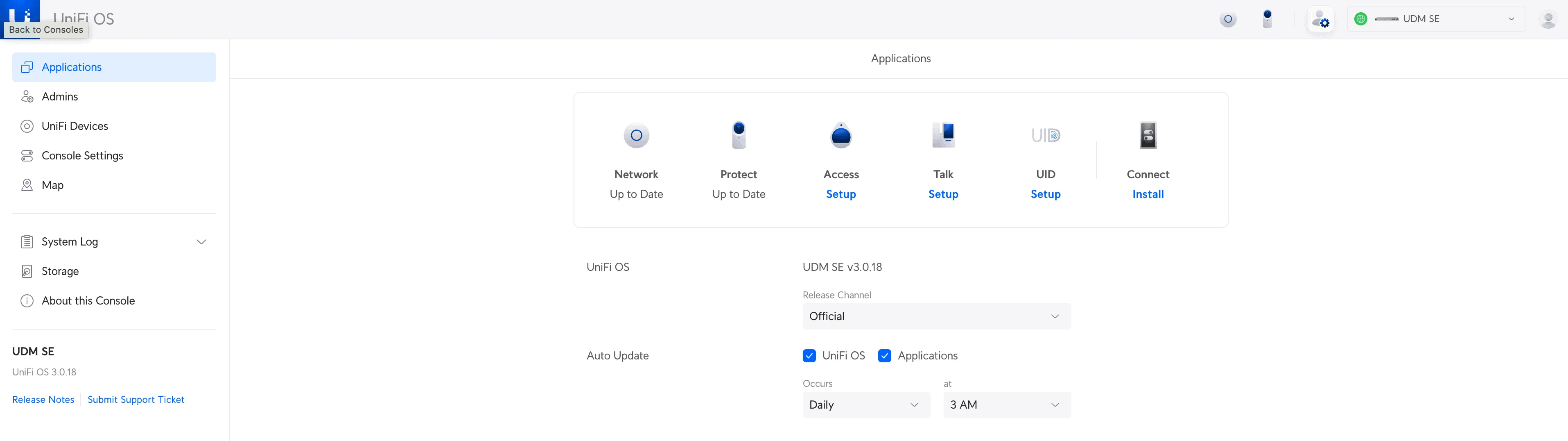
UDM-Pro does not supply PoE. If your controller is a UDM-Pro, you still need a separate PoE switch or injector to power your APs. The UDM-SE has built-in PoE ports and can power APs directly. See our UniFi Dream Machine Pro Max review for the current gateway lineup.
Mounting by form factor:
- Ceiling APs (U6 Lite, U6+, U6 Pro, U6 Enterprise, U6-LR): overhead, near the centre of the coverage area
- In-Wall models: on a standard electrical box at desk height
- U6 Mesh / Mesh Pro: wall or pole-mounted, positioned by target area — Ubiquiti requires the U6 Mesh LED side up for weatherproof rating
Setup tips
- Prefer wired Ethernet uplinks over wireless meshing for reliability and throughput
- Keep firmware current — Ubiquiti issues regular performance and security updates
- Use band steering, minimum RSSI thresholds, and channel planning in the UniFi Network application for optimal coverage. See our UniFi Business Network Guide for configuration details.
Controller and Gateway Options
UniFi APs can operate in standalone mode — configured individually through the mobile app without a controller. The limitations: each AP must be set up separately, there is no seamless 802.11r/k/v roaming, no remote management, no wireless meshing, and only local mobile-app management. The U6 Extender is an exception: it cannot be configured as a standalone device and requires an existing controller-managed UniFi WiFi network. For any multi-AP business deployment, you want a UniFi Network controller.
That controller can run on a Cloud Gateway (UDM series), a Cloud Key, or a self-hosted UniFi Network Server. Independent gateways like the UXG series require a separate controller host.
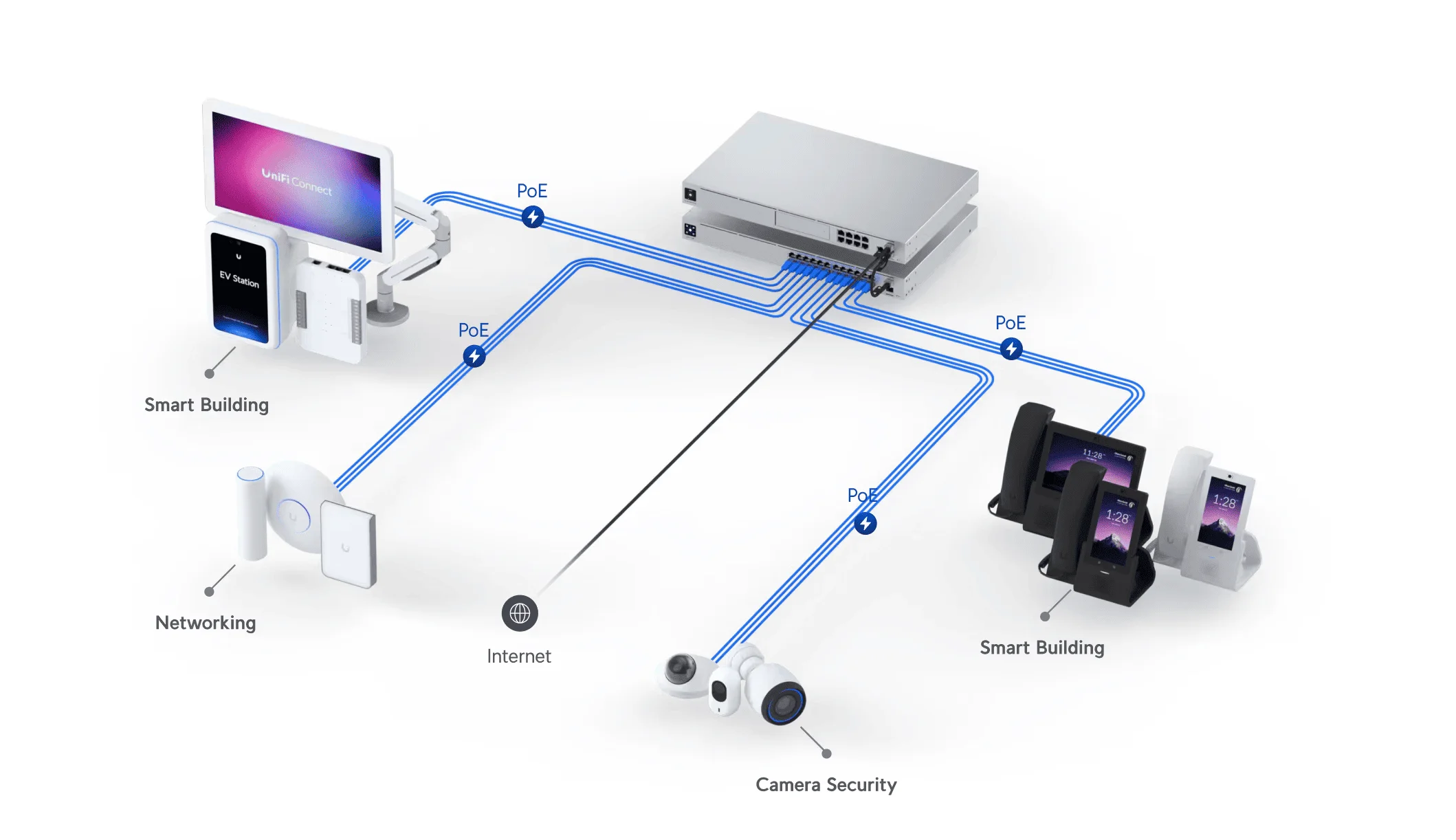
For most small businesses, a Cloud Gateway that routes and hosts the controller in one box is the simplest path:
The UDM SE's built-in PoE switch is the deciding feature for a small site: it powers six standard-PoE and two PoE+ access points without a separate switch. For the full current gateway range, see our UniFi buyer's guide and Dream Machine Pro Max review.
Final Recommendations
The U6 range has aged into a fleet-continuity role rather than out of usefulness. The hardware remains solid — mature firmware, proven 802.3af PoE operation at 9–13W, and strong long-term reliability across our managed deployments. What changed is availability and pricing: Ubiquiti stopped stocking key models and priced WiFi 7 into the gap.
August 2026 buying recommendations
Extending an existing U6 site: U6+ at $129 for general coverage, or hunt retailer stock for a U6 Pro if fleet consistency matters more than the premium.
Outdoor coverage: U6 Mesh at $179 for density, U6 Mesh Pro at $199 for wiring flexibility — or the U7 Mesh / U7 Outdoor at $199 for new deployments.
In-wall: U6 In-Wall at $179 or U7 In-Wall at $149 for standard rooms; U6 Enterprise In-Wall at $299 for WiFi 6E with PoE passthrough.
Starting a new deployment: U7 Lite at $99 for per-room coverage, U7 Pro at $189 or U7 Pro XG at $199 (adds 10 GbE) where you want 6 GHz. Both work on existing Gigabit cabling — the 2.5 GbE switch upgrade is optional on day one since U7 APs negotiate down to 1 GbE on existing PoE+ switches.
High-density at $279: U7 Pro Max rather than U6 Enterprise, unless you are matching existing units.
If you manage a site standardised on U6 hardware, nothing here demands action — keep the units, buy U6+ or retailer U6 Pro stock to fill gaps, and plan the WiFi 7 transition on your own schedule. If you are specifying a new network, the recommendation is the U7 line.
For planning a full deployment, see our UniFi business network guide, the WiFi 7 access point guide, or our UniFi switch comparison for PoE budget planning.
Related Guides:
- Specifying WiFi 7 instead? Read our UniFi WiFi 7 access point guide
- Choosing between the entry and mid-tier WiFi 7 units: U7 Lite vs U7 Pro
- At the $279 tier: UniFi U7 Pro Max review
- Need a complete setup? Read our UniFi Dream Machine Pro Max review
- Planning PoE budget across a mixed fleet: best UniFi switches
Related Articles
More from UniFi Networks
UniFi U7 Pro XG & XGS: WiFi 7 Buyer's Guide & 10GbE Explained
In-depth buyer's guide for Ubiquiti's U7 Pro XG ($199) and U7 Pro XGS ($299) WiFi 7 access points — specs, 10GbE requirements, PoE costs, and which model fits your business network.
14 min read
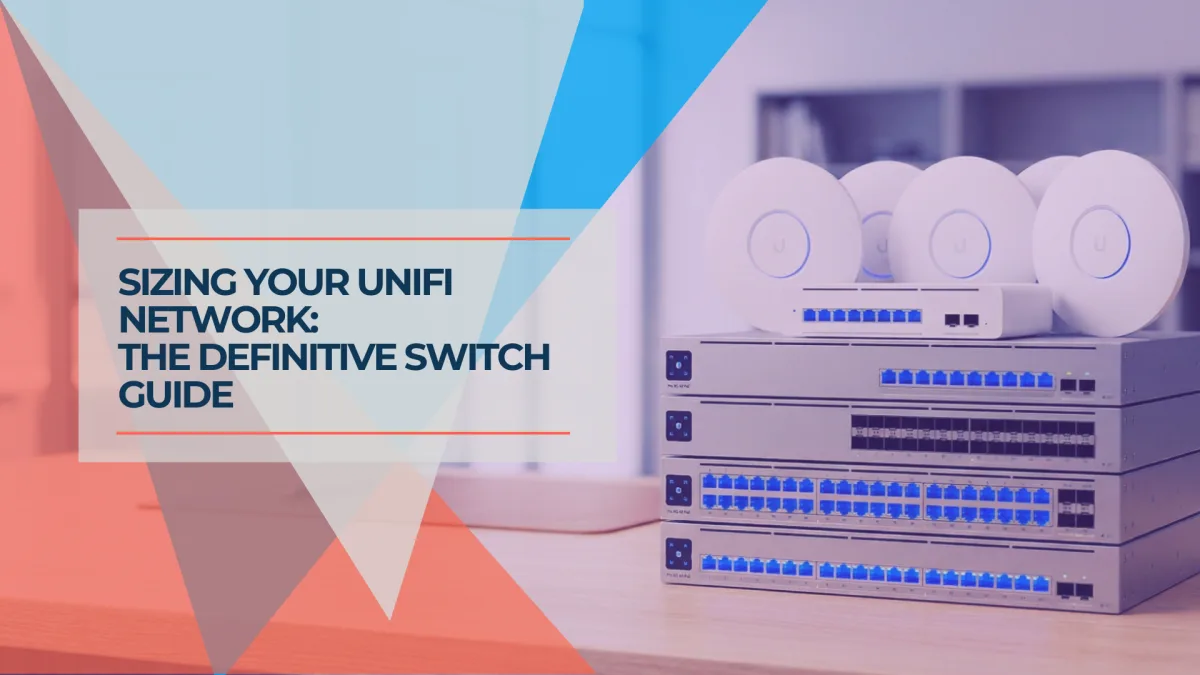
Best UniFi Switches 2026: Which Switch Is Right for Your Setup?
Field-informed guide to UniFi PoE switches — Lite, Pro Max, Pro HD, Pro XG, and Enterprise Campus lines compared with real deployment data. Find the right switch for your home lab, small office, or enterprise edge.
23 min read
UniFi Gateway Comparison Guide 2026: All 11 Models Ranked
Complete UniFi gateway comparison covering all 11 current models — from Cloud Gateway Ultra ($129) to Dream Machine Beast ($1,499) and Enterprise Fortress Gateway ($1,999). Exact device counts, throughput thresholds, and storage economics.
26 min read