
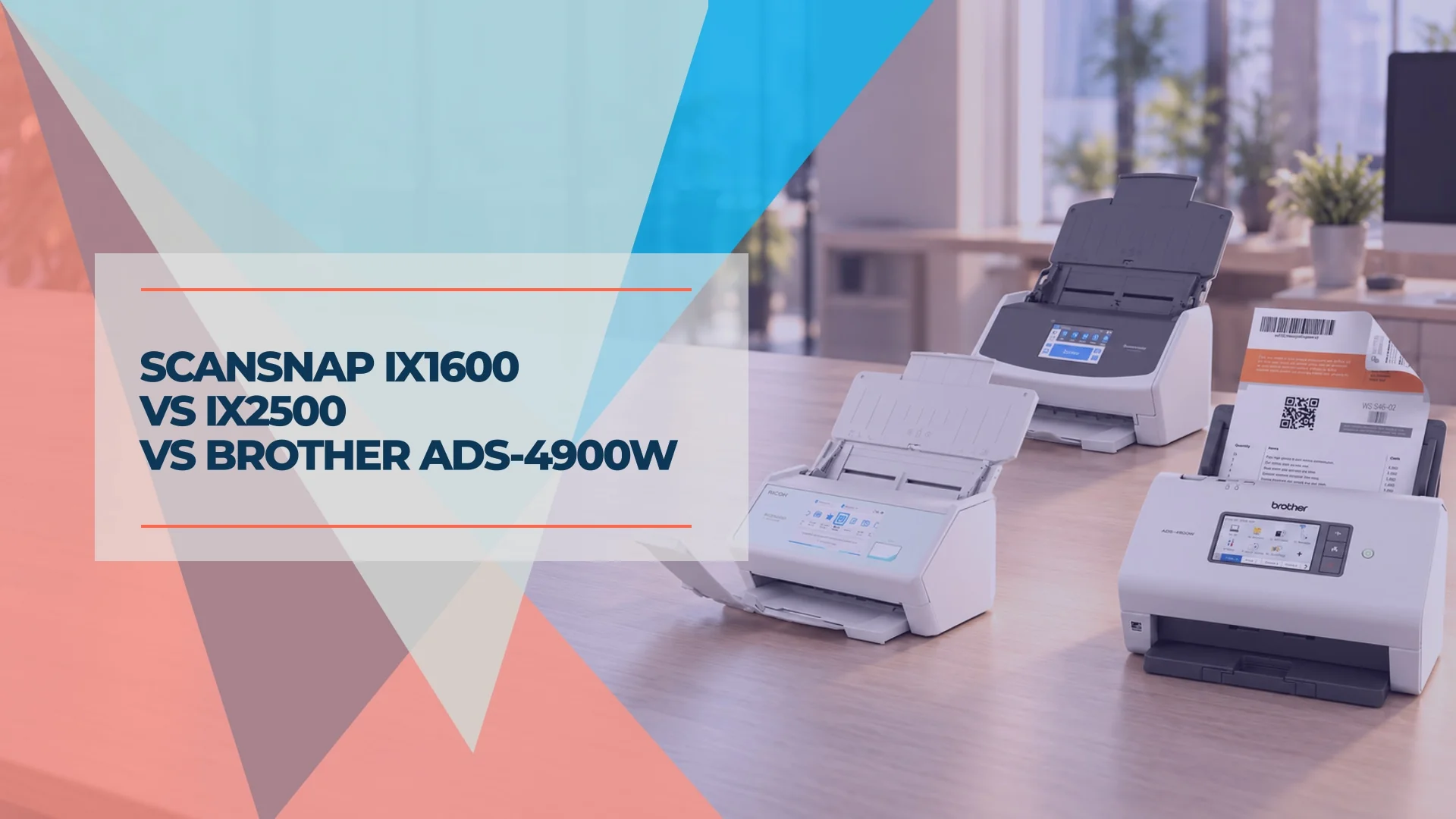
ScanSnap iX1600 vs iX2500 vs Brother ADS-4900W: Which Document Scanner Fits Your Office?
ScanSnap iX1600, iX2500 or Brother ADS-4900W? Compare scan-to-NAS, searchable PDFs, Ethernet, software compatibility and verified US prices for your office.

In the client offices we support, ScanSnap scanners often sit at the bookkeeper's desk, the owner's desk or reception. The copier handles the rest. The buying decision usually comes down to where scans need to go, who uses the scanner and whether a computer must stay on.
For a new purchase, the ScanSnap iX2500 is our default choice for desk scanning and a small team comfortable with Wi-Fi. Keep a working iX1600 unless its smaller feeder or workflow limits are slowing you down. Choose the Brother ADS-4900W when Ethernet, directory authentication or TWAIN/ISIS compatibility is a requirement.
There is an important October 2026 distinction: both ScanSnaps can scan directly to compatible network folders. The iX2500 can now create searchable PDFs there without a PC, following Ricoh's March 2026 update. A shared folder alone is no longer a reason to spend more on the Brother.
Affiliate Disclosure: This article contains affiliate links. If you make a purchase through these links, we may earn a small commission at no extra cost to you. As an Amazon Associate, iFeelTech earns from qualifying purchases.
Quick Verdict
- Buying a desk scanner: ScanSnap iX2500. Its 100-sheet feeder and ScanSnap Home workflows suit regular document intake, including a small shared team.
- Already own an iX1600: keep it if 50-sheet batches and your current destinations work well.
- Need wired networking or business application drivers: Brother ADS-4900W. Its Ethernet and administration features justify the higher cost when you need them.
- Only scan occasionally: try the copier or a phone app before buying another device.
Speeds below are manufacturer ratings. Specifications and US price references were checked October 25, 2026.
ScanSnap iX1600 vs iX2500 vs Brother ADS-4900W at a Glance
Start with destinations and software compatibility, then compare capacity. All three support single-pass duplex scanning: they capture both sides of a sheet in one pass.
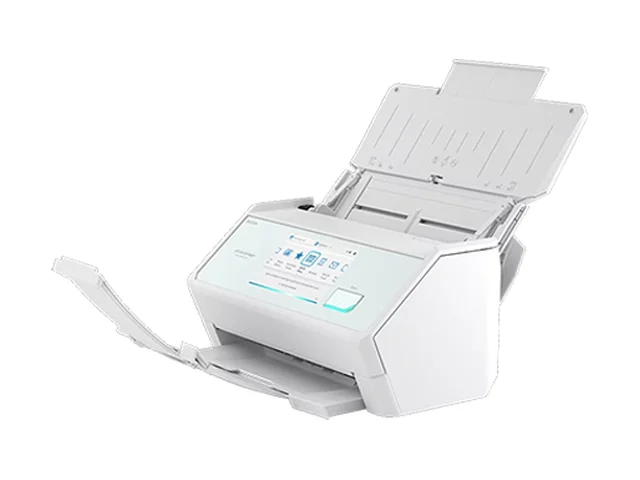
| Specs | Keep if already owned 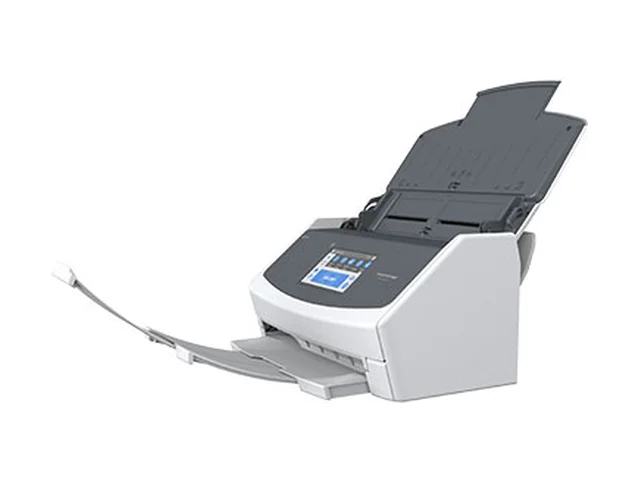 ScanSnap iX1600Older stock; compare offers | ||
|---|---|---|---|
| Connections | USB-C, Wi-Fi 6; no Ethernet | USB, Wi-Fi; no Ethernet | Ethernet, USB 3.0, dual-band Wi-Fi |
| Direct network folder | Yes; searchable PDF with current updates | Yes; no OCR in direct folder mode | Yes; verify OCR for your chosen workflow |
| Sharing and access | Up to 100 profiles; profile selection is not directory authentication | Up to 30 profiles; supports multiple users | Active Directory / LDAP authentication; Secure Function Lock |
| Application drivers | ScanSnap Home; no TWAIN/ISIS | ScanSnap Home; no TWAIN/ISIS | TWAIN, WIA, ISIS, SANE; OS dependent |
| Rated speed | Up to 45 ppm / 90 ipm | Up to 40 ppm / 80 ipm | Up to 60 ppm / 120 ipm |
| Feeder | 100 sheets; 50 with Receipt Guide | 50 sheets | 100 sheets |
| Touchscreen | 5 inch | 4.3 inch | 4.3 inch; up to 56 shortcuts |
Older stock; compare offers |
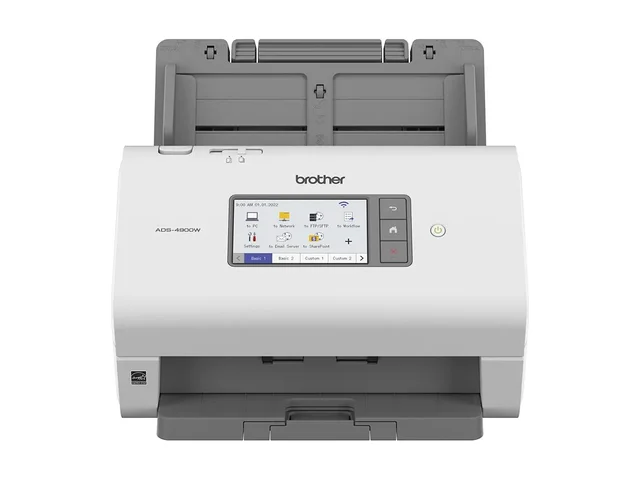
Price context: PFU's US store listed the white iX2500 at $399.99 and the Receipt Edition at $439.99. Brother US listed $799.99. On the same day, Amazon.com sold the black iX2500 at $379.99, which is where our iX2500 link goes. Amazon's ADS-4900W offers came only from third-party sellers with limited stock, so our Brother link goes to Brother's own US store instead. Tax, color and bundles can change the total. Ricoh's iX1600 page marked the model out of stock and directed buyers to the iX2500, so remaining stock needs an offer-by-offer comparison.
Read the speed figures correctly: ppm counts sheets through the feeder; ipm counts scanned sides. The iX2500's 45 ppm/90 ipm rating does not mean 90 double-sided sheets per minute. Ricoh rates it at up to 45 ppm through 300 dpi color scanning; Brother's 60 ppm rating uses Letter paper at 300 dpi with advanced features off. OCR, uploads and document preparation add time. Feeder capacities assume suitable standard paper and decrease with thicker or mixed media.
What Changed from the ScanSnap iX1600 to the iX2500?
The larger feeder is the most useful everyday upgrade: 100 sheets instead of 50. The iX2500 also increases rated speed from 40 to 45 ppm, enlarges the touchscreen from 4.3 to 5 inches, raises the profile limit from 30 to 100, and adds Wi-Fi 6 with WPA3 support. A profile stores a destination and scan settings; it is not an authenticated user account.
The less obvious change is direct network-folder OCR. Ricoh's March 2026 announcement confirms that an updated iX2500 can save searchable PDFs directly to a NAS without a PC or smartphone. It recognizes body text but does not automatically generate the filename in that mode. The iX1600 also supports direct folder saving, but its direct mode lacks OCR.
That can justify an upgrade if you want a searchable local archive without leaving a desktop running. If your iX1600 already produces searchable PDFs through ScanSnap Home on your computer, the benefit is removing that computer from the scanning path, not gaining OCR for the first time.
ScanSnap iX2500: Our Default for a New Purchase
The iX2500 suits an owner, bookkeeper or assistant who scans regularly, and it can also serve a small team sharing Wi-Fi and profiles. It connects by USB or Wi-Fi; calling it “Wi-Fi only” would overlook the USB connection.
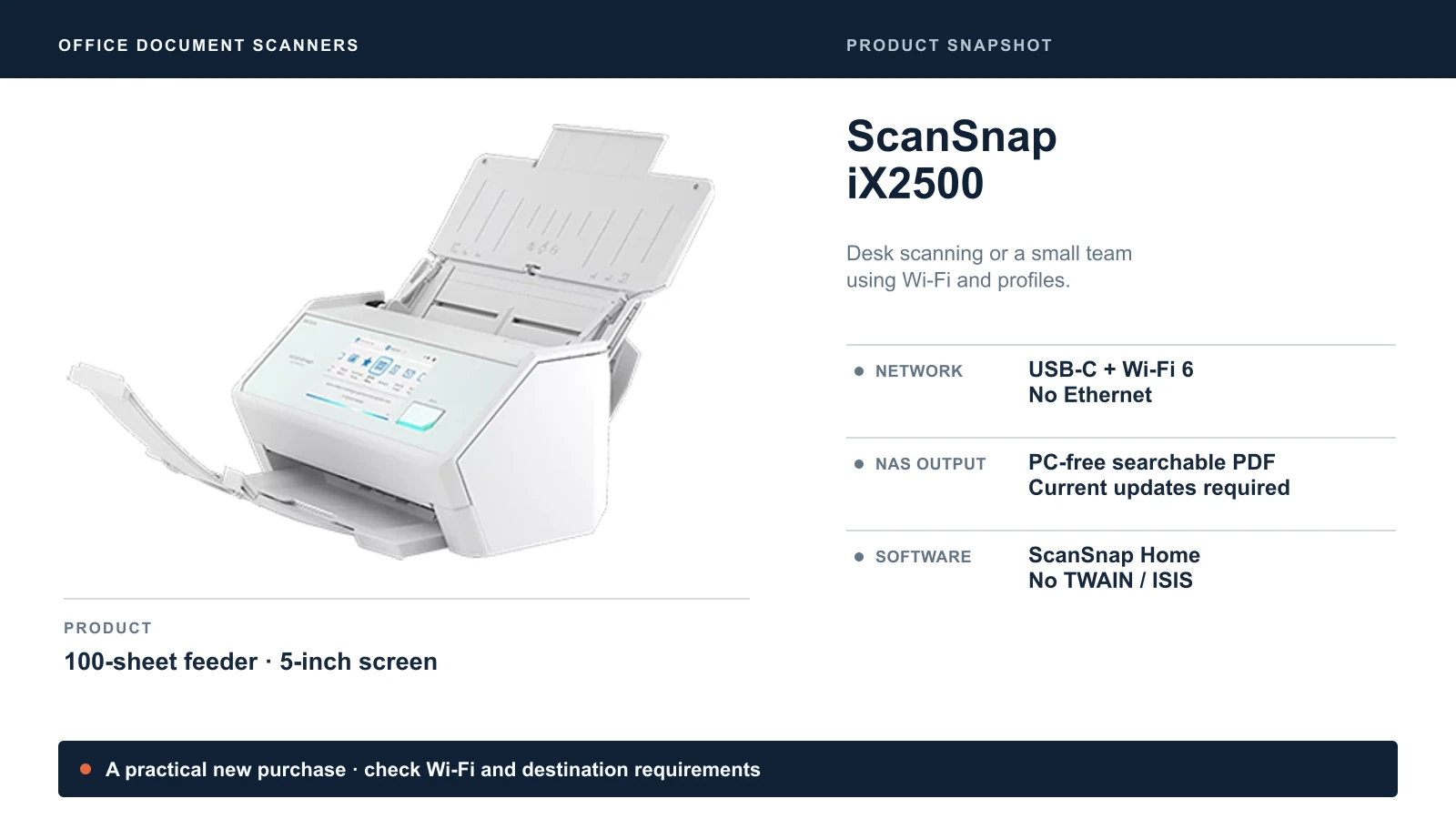
ScanSnap Home provides the desktop workflow for organizing and processing documents. For PC-free cloud scanning, ScanSnap Cloud supports destinations including Box, Dropbox, Google Drive and OneDrive; supported services vary by region and require setup and the relevant accounts. iCloud and SharePoint options in the desktop Quick Menu are separate from direct ScanSnap Cloud destinations. Do not assume every integration works with the computer switched off.
For US coverage, Ricoh lists a one-year depot protection plan for the standard iX2500 and four years for the Premium bundle. Compare the exact plan and seller eligibility when buying; a depot plan is different from a retailer's add-on protection policy.
For bookkeeping, consider the Receipt Edition only if its invoice and receipt data extraction fits your QuickBooks workflow. Ricoh documents QuickBooks Online/Desktop integration, but QuickBooks itself is not included. Check the exact edition, account and export process, and review extracted amounts before posting them. Saving a receipt PDF to a folder is different from importing transaction data.
When to Choose the iX2500
Choose it for routine desk scanning, a small team sharing profiles, or PC-free searchable PDFs to a compatible NAS. Choose another model if your application requires TWAIN/ISIS or your office requires Ethernet.
ScanSnap iX1600: Keep a Working One
The iX1600 remains a useful 40 ppm scanner with a 50-sheet feeder and 4.3-inch touchscreen. It supports multiple users, ScanSnap Home and direct network-folder saving. A new model does not make those workflows obsolete.
Keep yours if batches fit comfortably and the destination works. Consider the iX2500 if frequent reloading interrupts work or you specifically need its PC-free folder OCR. For a new iX1600 purchase, require a meaningful saving against the iX2500 and check condition, included software and warranty eligibility. The older Fujitsu branding on some listings refers to the same ScanSnap product family made by PFU, now a Ricoh company.
Brother ADS-4900W: For Wired Workgroups and Application Integration
The ADS-4900W earns its place when the scanner needs to behave like managed office equipment. Ethernet removes the scanner's dependence on Wi-Fi, while Active Directory or LDAP authentication can restrict use through an existing directory. Secure Function Lock controls supported functions; folder and SharePoint permissions still need to be configured separately. Microsoft 365 accounts alone do not imply that directory sign-in is ready to use.
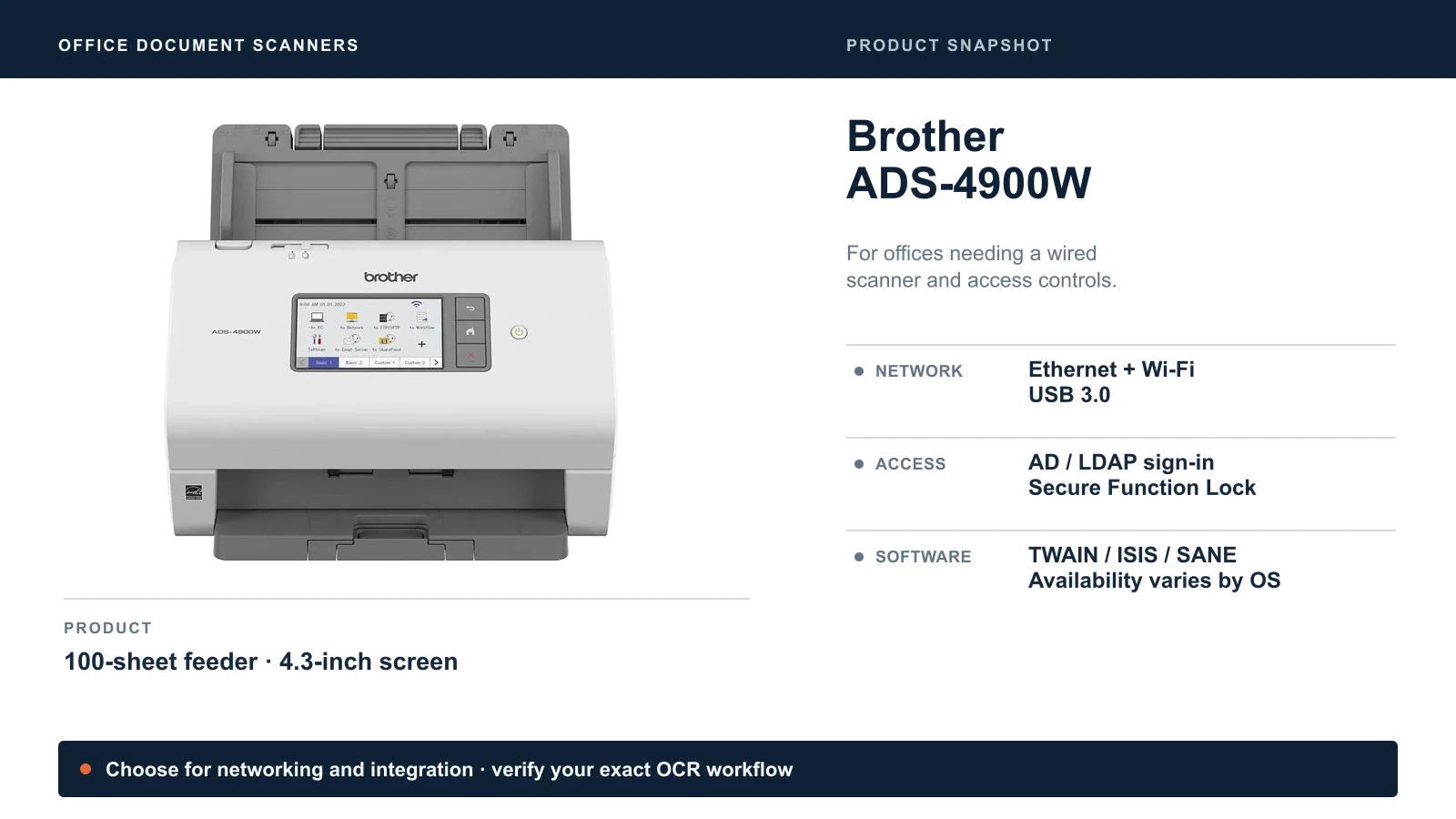
Brother rates it at up to 60 ppm/120 ipm with a 100-sheet feeder. Its up-to-9,000-page daily duty cycle is a durability comparison rating, not a suggested daily workload or measured end-to-end throughput. The US model includes a three-year limited warranty.
Destinations include network folders, SFTP, email servers and USB memory sticks. Brother also lists SharePoint Online through Web Connect. Treat that as a separate route from configured SharePoint server profiles: confirm your service, tenant permissions and authentication requirements before purchase. A cloud service listing does not guarantee compatibility with every organization's access policy. If you plan to scan to email through Microsoft 365, check how the scanner will sign in first; our guide to Microsoft 365 scan to email explains the change Microsoft makes in December 2026.
Brother lists TWAIN, WIA, ISIS and SANE drivers across Windows, Mac and Linux. Those drivers and bundled applications are not all available on every OS. Check the current download page for the exact computer and document-management application you use. Neither ScanSnap in this comparison provides TWAIN/ISIS, which can be a decisive limitation for software that initiates scans itself.
When the Brother Is Worth the Extra Cost
Choose it for Ethernet, directory authentication, USB-stick output or a verified application-driver requirement. A shared network folder by itself does not require the Brother; both ScanSnaps can do that over Wi-Fi.
Where Will the Scans Go, and What Must Stay On?
Choose the destination before ordering. “Scan to folder,” “scan to cloud” and “scan to SharePoint” describe different paths.
| Workflow | What must remain available | What to check |
|---|---|---|
| ScanSnap Home to a computer folder | The computer and ScanSnap Home | Searchable PDF settings, naming and destination permissions |
| Either ScanSnap directly to an SMB folder | Wi-Fi and the destination PC, server or NAS; a PC is needed for initial setup | Firmware, supported SMB authentication and time-server access; only the iX2500 adds direct folder OCR |
| ScanSnap Cloud to a supported service | Wi-Fi, internet and linked cloud accounts | Regional service support and permission to process documents through the cloud |
| Brother to a network folder or SFTP | Network and destination server | Credentials, protocol support and the file format/OCR path you actually need |
| Brother Web Connect to SharePoint Online | Internet and an authorized service account connection | Service availability, tenant permissions and account reauthorization |
| Either scanner through a computer's cloud-synced folder | The computer and sync client as well as the scanner | Completed upload; the local folder alone does not remove the computer dependency |
Ricoh's network-folder requirements specify compatible SMB storage and authentication constraints. Install current firmware and ScanSnap Home before testing. The NAS or server must stay awake even when the scanner does not need a PC.
For OCR, test the exact route, not just whether the product page lists searchable PDF. Brother offers desktop OCR and cloud OCR options; that does not establish that every direct-to-folder profile performs OCR locally. If local processing is required, verify a sample file from that profile before committing to the workflow.
Do You Need a Dedicated Scanner If Your Copier Scans?
For a few documents a day, the copier may already do the job. A phone app is also reasonable for an occasional receipt or contract.
A dedicated scanner becomes useful when someone repeatedly feeds batches, needs it within reach, or spends time separating and filing scans. Our paperless office guide uses batches of roughly 10–15 pages as a practical rule of thumb, not a hardware threshold. Compare the new scanner's workflow with your copier's existing duplex feeder before paying for overlapping features.
All three models here are sheet-fed scanners. If you mainly scan bound books or fragile originals, consider a flatbed or overhead scanner instead. Leave desk space for extended trays, and budget for cleaning and replacement rollers. Double-feed detection helps catch overlapping sheets; it does not remove the need to check page counts and inspect the resulting file.
Why Scan to Folder Stops Working
Scan-to-folder failures are among the support issues we see most often with scanners and copiers. The scanner may be fine while its destination or credentials have changed.
- Stored credentials stop working. A password changes, an account is disabled or folder permissions are revised.
- The destination moves or sleeps. A new IP address, changed computer name or sleeping desktop can make the folder unreachable.
- Security requirements change. Windows 11 24H2 Pro, Enterprise and Education require inbound and outbound SMB signing by default; Home does not. Whether a scanner can write to the share depends on its firmware and authentication support. A valid username alone does not guarantee compatibility. Microsoft documents these edition differences.
- Network access changes. Guest-network isolation, VLAN rules or a weak Wi-Fi connection can block the path. Different Wi-Fi bands alone do not necessarily separate devices.
Our usual setup is a dedicated scanning account with access only to the required folder, a documented credential owner and an update procedure when credentials rotate. Give the destination a DHCP reservation and stable DNS name where supported. Use current firmware and test against the actual server's SMB requirements. Keep SMB signing enabled and SMB1 disabled.
Wire the Brother where practical. For Wi-Fi ScanSnaps, check signal and access to the destination; keep them on an appropriate managed network rather than an isolated guest SSID. Our VLAN guide explains that separation.
Before relying on the setup, scan a representative batch containing duplex pages, a receipt and a document you can search by a distinctive phrase. Check the page count, rotation, readable text and destination permissions, then repeat with the desktop switched off if PC-free operation is the goal. Our guides to organizing business files and choosing where files live cover what happens after capture.
Which Scanner Should You Buy?
Buy the iX2500 for a new desk-scanning setup or a small team that is comfortable with Wi-Fi and ScanSnap Home. Its larger feeder and direct-to-NAS searchable PDFs are the clearest reasons to choose it over the iX1600.
Keep the iX1600 when your existing routine works. Upgrade to solve a repeated limitation, rather than for a five-ppm increase alone.
Buy the ADS-4900W when Ethernet, directory controls, USB-stick scanning or application drivers justify the additional cost and configuration. Confirm your destination and OCR workflow before purchase.
Sources
Checked October 25, 2026, using the manufacturer pages linked throughout this article and these additional references:
- Ricoh specifications for the iX2500 and iX1600: hardware, interfaces and driver limitations. An older December 2025 ScanSnap FAQ still says iX2500 folder OCR is unavailable; Ricoh's March 2026 update supersedes it.
- Ricoh Receipt Edition announcement: QuickBooks and invoice-processing features.
- Brother Online User's Guide: Web Connect services and network scanning workflows.
Product snapshots use manufacturer imagery; the cover is an AI-assisted editorial illustration.
Related Resources
- Paperless Office Reality Check: when scanning replaces printing, and when paper still makes sense.
- Your Business Files Are Everywhere: a folder structure for scanned documents.
- Where Should Your Business Files Live?: choosing between a NAS, SharePoint and cloud storage.
- Best Business Printers: copier and multifunction printer scanning compared.
- The IT Stack for a 10-Person Accounting Firm: how a multi-person office fits scanning into its setup.
- Best Laptop for Accountants and QuickBooks Users: hardware for the bookkeeping desk the scanner sits beside.
Frequently Asked Questions
Related Articles
More from Business Hardware
Paperless Office Reality Check: Why Some Businesses Print Everything and Others Don't
After 25 years in IT, I've seen offices with 1.2 printers per person and others with one shared home printer. Here's why — and how to figure out where your business should land.
12 min read
UPS Battery Replacement for Small Offices
How long UPS batteries last, what a beeping UPS means, how to match the exact APC or CyberPower cartridge, and how to swap, test and recycle it.
8 min read
RAID 0 vs 1 vs 5 vs 6 vs 10: Which Fits Your Business NAS?
What each RAID level does, how many drives can fail, how much space you keep, and why RAID is not a backup. Covers SHR, rebuilds and drive failures.
10 min read