
The IT Stack We Deployed for a 10-Person Accounting Firm
A real-world breakdown of the complete IT infrastructure we deployed for a 10-person accounting firm — network hardware, password management, identity platform, backup, and endpoint protection. Pricing last checked July 2026.


Recently, a local accounting firm reached 10 employees and began outgrowing its informal IT setup. Their consumer router was dropping active sessions during tax season, staff were sharing client portal logins via an unencrypted spreadsheet, and there was no central device policy for the mix of Windows laptops accessing sensitive financial data. The partners asked us to spec out a complete, secure overhaul that didn't require hiring an internal IT director.
We rebuilt the environment around six controls: business identity, password management, segmented networking, device management, verified backup, and endpoint protection. Below is the configuration we deployed, with July 2026 pricing notes and the trade-offs behind each decision.
Quick Answer
A 10-person accounting firm should budget about $36–$38/user/month for the core software security stack — before QuickBooks, managed IT, cyber insurance, and one-time network hardware. The baseline stack includes Microsoft 365 Business Premium, a business password manager, endpoint protection, endpoint/server backup, and Microsoft 365 backup coverage. Pricing below was last checked July 2026.
What IT Stack Should a 10-Person Accounting Firm Use?
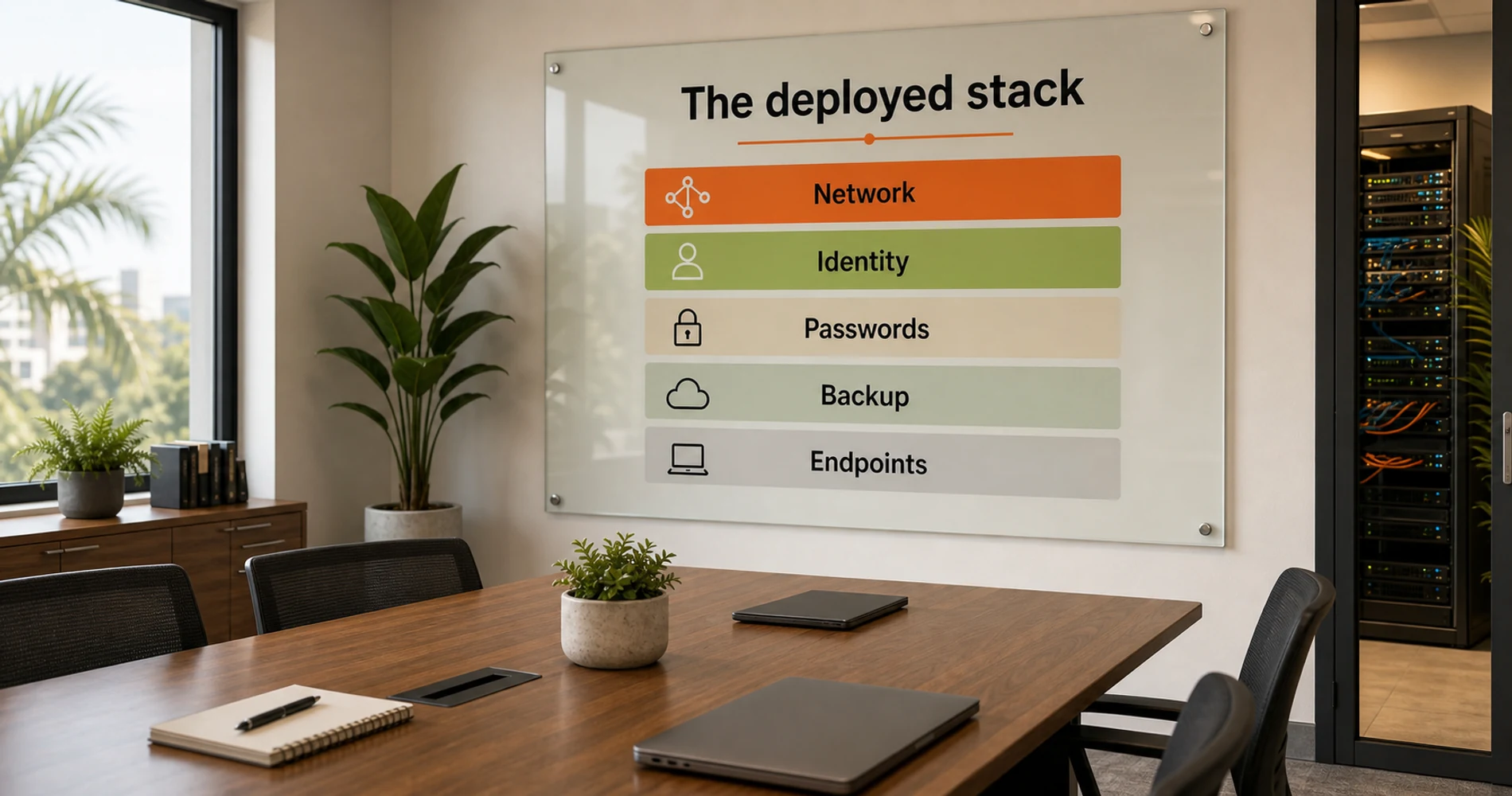
For this firm, we deployed Microsoft 365 Business Premium for identity, email, file storage, and device management; 1Password for shared credential control; UniFi for segmented networking; iDrive for endpoint/server and Microsoft 365 backup; and Bitdefender GravityZone for centralized endpoint protection.
This stack is not the only viable configuration — it's the one that made sense for a Windows-first accounting office handling client financial data with no internal IT director. The build addresses three failure points that consistently appear at this headcount: network hardware that can't handle concurrent device load, credential management that breaks down at this hire frequency, and no central device policy.
The Deployed Stack and July 2026 Cost
The core software stack — identity, password management, endpoint protection, and backup — runs about $36–$38 per user per month before accounting software and managed support. Costs below are per-user unless noted otherwise; see the methodology note under the table for what's included.
| Category | Product | July 2026 cost | Budget note |
|---|---|---|---|
| Email, identity, MDM | Microsoft 365 Business Premium | $22.00/user/month | Includes Intune and Defender for Business |
| Password management | 1Password Business | $8.99/user/month | Teams Starter Pack is cheaper for exactly 10 users but has fewer admin controls |
| Endpoint protection | Bitdefender GravityZone Business Security | ~$27–$39/device/year | Use live cart pricing — promotional discounts change |
| Endpoint/server backup | iDrive Business (500 GB) | $13.99/month first year; $19.99/month standard | Per-company cost, not per-user |
| Microsoft 365 backup | iDrive Microsoft 365 Backup add-on | $20/seat/year | Needed to back up SharePoint and Exchange data separately |
| Accounting software | QuickBooks Online Plus | $115/month | Separate business application cost; supports up to 5 users |
| Network hardware | UniFi gateway, switch, access points | $800–$1,500 one-time | Depends on office size, cabling, and AP count |
Cost methodology: the $36–$38/user/month figure covers Microsoft 365 Business Premium, 1Password Business, Bitdefender GravityZone, iDrive endpoint/server backup, and iDrive's Microsoft 365 backup add-on, spread across 10 users. It excludes QuickBooks Online, managed IT, cyber insurance, and one-time network hardware — those are real costs, but they don't scale per-user the same way, so we budget them separately. Adding QuickBooks Online Plus (split across 10 employees) brings the total closer to $47–$49/user/month.
Network hardware is a one-time investment: a complete UniFi setup for a 10-person office typically runs $800–$1,500, with no ongoing per-seat licensing fees for the base network management.
Google Workspace Business Starter ($7/user/month annual) is an alternative to M365 at a lower base cost. It includes basic, agentless mobile device management, but advanced endpoint management (granular desktop and browser policies) requires Business Plus or Enterprise editions.
Affiliate Disclosure: This article contains affiliate links. If you make a purchase through these links, we may earn a small commission at no extra cost to you. As an Amazon Associate, iFeelTech earns from qualifying purchases.
Why 10 Is a Real Threshold (Not Just a Bigger Version of 5)
Most business owners experience the jump from 5 to 10 employees as a people problem — more hiring, more management, more meetings. The IT dimension gets less attention, which is exactly why it catches businesses off guard.
Three things structurally change at this headcount. First, device density. A consumer router rated for "20+ devices" can still show degraded performance when 10 or more users are actively running video calls, cloud sync, VoIP, and browser sessions at the same time. The rating measures connected devices, not active throughput, so real-world degradation often starts earlier than the marketing suggests.
Second, credential complexity. At 3 people, a shared spreadsheet of passwords is an annoyance. At 10 people, even a few hires or departures per year can turn shared credentials into an access-control problem. Every departure is a potential access issue unless the process to revoke credentials is documented and actually followed — and informal credential management doesn't survive that kind of turnover.
Third, onboarding and offboarding frequency. When someone joins or leaves a 3-person team, the process is personal. When your team is 10 and growing, the informal handoff stops working. Someone forgets to remove a former employee from a shared Google Drive folder. A new hire spends their first week asking for access to eight different systems that no one documented. These aren't edge cases — they're the norm for businesses without a basic identity layer.
For a full stage-by-stage roadmap from founder to 20 employees, the IT roadmap for growing businesses covers each growth phase in detail. This article is for the owner who's in the middle of this transition right now and needs to know what to fix first.
Five Common IT Gaps at This Headcount
Start by checking Wi-Fi separation, shared passwords, device inventory, file ownership, and tested recovery. Before spec'ing any solution, we ran through this standard audit. All five applied at this firm — and in our experience, this pattern is consistent across businesses at this headcount.
1. Shared Wi-Fi passwords on a consumer router. Everyone who has ever visited your office potentially has your network password. If you can't remember the last time you changed it, or if it's written on a whiteboard, you have no real network separation between your business systems and personal devices. At 10 employees, this also means 10 people who might inadvertently connect a compromised personal device to the same network your business data lives on.
2. Passwords in a spreadsheet, a shared Notes file, or people's memories.
The Credential Sharing Problem
This is the most commonly overlooked gap — and one that compounds as the team grows. A spreadsheet with 20 shared logins, accessed by 10 people with varying levels of security awareness, is not a password management system. It's an unaudited credential store with no version control, no access logging, and no offboarding workflow. When someone leaves the company, revoking their access requires a deliberate manual step that often doesn't happen consistently. For the path to fixing this, see the true cost of password spreadsheets.
Passkeys are also worth understanding at this stage — for teams using modern SaaS tools, they're the fastest path to phishing-resistant login without adding friction.
3. No central device inventory or mobile device policy. If you can't name every device that has access to your email or business files, you don't have a device policy — you have an assumption. At 10 employees, this typically means a mix of company-issued laptops, personal phones with work email configured, and possibly a few machines from people who joined before you had a standard setup.
4. File storage scattered across personal cloud accounts. When someone leaves and their personal Google Drive or Dropbox has the only copy of a critical document, you have a single point of failure and a potential data ownership dispute. This is common at businesses that grew quickly without a deliberate file storage decision.
5. No backup that anyone has verified actually works. Cloud sync is not a backup. OneDrive and Google Drive sync deletions — if someone accidentally deletes a folder, the deletion propagates within minutes. A real backup takes a point-in-time snapshot that can be restored independently of what the sync service currently contains. Most small businesses at this stage have neither a tested backup nor a recovery plan.
If three or more of these apply, the sections below give you the fix for each, in priority order. And if you suspect your software stack has grown beyond what's justified, the Tech Stack Teardown is the cleanup counterpart to this build — a scored audit that identifies what to keep, consolidate, or kill.
What Network Hardware Does a 10-Person Business Need?
Most 10-person offices need a business gateway, a managed PoE switch, and two or three wired access points. The consumer router at this firm was the most visible failure point — it was dropping active sessions during peak filing periods, and the firm had no network segmentation whatsoever. Clients visiting the office connected to the same Wi-Fi network as the partner workstations handling sensitive financial data.
We deployed the UniFi Cloud Gateway Max to address both problems: VLANs to isolate guest traffic from the internal financial network, and QoS controls to reduce the bufferbloat that was degrading video calls under filing load. Most consumer routers do not provide the controls needed here — no VLAN support, no centralized device inventory, no logging when an unexpected device joins the network.
Hardware Deployed:
- Gateway: UniFi Cloud Gateway Max ($279)
- Switching: UniFi Managed PoE Switch
- Access Points: 2–3 UniFi Access Points (dependent on square footage)
- Total Estimated Hardware Cost: $800–$1,500 (one-time cost, no ongoing licensing fees)
For the Full Network Build
The UniFi small office setup guide covers a complete hardware list with current pricing and a room-by-room setup walkthrough for offices at this size. If you're building or upgrading a 10-person office network, start there.
One note on cost: the hardware is a one-time investment, not a subscription. A $1,200 network that runs reliably for 5+ years costs less than two months of helpdesk tickets for a poorly-performing consumer setup.
How to Manage Passwords for a 10-Person Team
A password manager replaces shared spreadsheets with vaults, access logs, and one-step offboarding. The most immediate risk at this firm was a shared spreadsheet of client portal credentials — QuickBooks Online, state tax portals, IRS e-file systems. Any one of those accounts being compromised through credential stuffing, or a former employee retaining access after departure, could create contractual or regulatory notification issues, depending on the facts.
We deployed 1Password Business so the partners could grant and instantly revoke access to client credential vaults without ever exposing the actual passwords to staff. The admin console provides a full audit log of which accounts were accessed and when — and departure offboarding is a single revocation action rather than a manual spreadsheet audit.

1Password Business at $8.99/user/month (annual billing) is what we deployed.
1Password Business
Business password manager with admin console, shared vault controls, and departure workflows. Includes a free Families plan for every employee.
- Admin console with audit logs
- Role-based vault permissions
- Watchtower breach alerts
- SSO integration (Okta, Entra ID)
- Free Families plan per employee
- SCIM provisioning for auto-deprovisioning
*Price at time of publishing
Why we chose it: strong vault controls, admin visibility, and an offboarding workflow that revokes access in one step. Who should skip it: teams that only need a basic shared vault and no SSO. Lower-cost alternative: Bitwarden Business or 1Password Teams Starter Pack.
Note for businesses with exactly 10 users: 1Password also offers a Teams Starter Pack for up to 10 members. 1Password announced a price increase on this plan from $19.95 to $24.95/month, effective for new signups now and for existing customers at their next renewal on or after July 30, 2026 — confirm the live rate on 1Password's pricing page before budgeting. At $24.95/month flat, that's about $2.50/user/month for a 10-person team — still meaningfully less than the Business tier. The tradeoff is fewer admin controls and no SSO integration. If you're not ready to connect a password manager to your identity provider yet, the Starter Pack is a reasonable first step.
| Option | Price | Best for |
|---|---|---|
| 1Password Teams Starter Pack | $24.95/month flat, up to 10 members | Small teams that only need shared vaults, no SSO |
| 1Password Business | $8.99/user/month, annual | Firms needing SSO, provisioning, or formal offboarding |
| Bitwarden Business | Lower per-user cost | Budget-conscious teams comfortable with a leaner admin console |
Should a 10-Person Accounting Firm Use Microsoft 365 or Google Workspace?
Microsoft 365 Business Premium is usually the stronger fit for Windows-first firms that need built-in device management. Because this firm runs a standard Windows environment, Business Premium ($22/user/month) was the better fit for this environment. The MDM inclusion was decisive: rather than paying separately for device management, we used the included Microsoft Intune to enforce disk encryption and screen locks across all 10 laptops on day one.
The M365 subscription also unified the firm's file storage into SharePoint and their email into Exchange, replacing the mix of personal Google Drive folders and shared Gmail accounts that had been the previous setup.
Get Microsoft 365 Business PremiumMicrosoft 365 vs. Google Workspace, at a glance:
| Factor | Microsoft 365 Business Premium | Google Workspace Business Starter |
|---|---|---|
| Price | $22/user/month | $7/user/month (annual) |
| Device management | Full MDM via Intune, included | Fundamental endpoint management included; advanced endpoint management needs Business Plus/Enterprise |
| Best fit | Windows-first teams, Exchange/SharePoint workflows | Browser-first or Mac-heavy teams already standardized on Gmail/Drive |
| Endpoint security | Defender for Business included | Not included; pair with a separate endpoint tool |
Choose Microsoft 365 Business Premium for Windows-first teams that need Intune, Exchange, SharePoint, and included Defender for Business. Choose Google Workspace for browser-first teams, Mac-heavy teams, or businesses already standardized around Gmail and Drive — and budget for Business Plus or a separate MDM tool if you need advanced endpoint controls.
Microsoft 365 Price Increase: July 1, 2026
As of July 1, 2026, Business Basic increased from $6 to $7/user/month (+17%), and Business Standard from $12.50 to $14/user/month (+12%), for plans that include Teams. Business Premium held at $22. If you're currently evaluating Standard vs. Premium, the narrower $8 price gap makes Premium worth a closer look — it adds Intune MDM, Defender security tools, and stronger device controls. If your annual subscription hasn't yet renewed, confirm the new rate with your Microsoft partner.
Accounting Software: QuickBooks Online
QuickBooks is the core accounting application, but it should be budgeted separately from the IT security stack above. This firm was already running QuickBooks Online — it was the QuickBooks portal credentials, along with state tax and IRS e-file logins, that were being shared via the unencrypted spreadsheet described above. Once 1Password was deployed, all of those credentials moved into properly permissioned vaults. If you're evaluating how QuickBooks integrates with tax filing software for your own business return, see our tax software comparison for small businesses.
QuickBooks Online Plus may be enough for a firm this size if no more than five staff need full company-file access. It is currently listed at $115/month (company-wide) and includes up to five users plus accountant access, class and location tracking for multi-client reporting, and the reconciliation and payroll integration typical at this size. If more than five employees need regular QuickBooks access, compare QuickBooks Online Advanced or an accountant-managed workflow before choosing a tier. One timing note: Intuit announced 2026 price changes for QuickBooks Online Essentials, Plus, and Advanced effective August 1, 2026; Simple Start and Ledger are not part of that increase. Because QuickBooks pricing changes frequently, treat the $115/month figure as current and check your own billing page for the latest rate — last checked July 2026.

QuickBooks Online
From $38/monthCloud accounting software for small businesses. Bank feeds, payroll integration, multi-user access, and financial reporting in one platform.
Devices: Who Owns Them, Who Manages Them
At 10 employees, BYOD-or-nothing stops being a viable approach. Not because personal devices are inherently risky — but because company data on an unmanaged device is an offboarding risk every time someone leaves.
The minimum you need to know right now: which devices have access to your business email, business files, and any internal systems? If you can't answer that in five minutes, you don't have a device inventory.
The next step is basic MDM — the ability to remotely wipe a device if someone leaves without returning it, enforce screen lock and encryption, and push security updates. At the Business Premium tier, Microsoft Intune is already included with your M365 subscription. If you're already paying $22/user/month for Business Premium, you have MDM capability you may not be using.
Already on Microsoft 365 Business Premium?
Intune is included at no additional cost. If your team is on Business Premium and you're not using Intune for device management, you're leaving a tool on the table that you're already paying for. Enrollment takes an afternoon to configure for a 10-person team.
For Apple-heavy shops — teams where most employees are on Mac and iPhone — Mosyle Fuse is the MDM most Apple-first IT teams reach for. It handles zero-touch deployment, enforced encryption, and compliance reporting.
We're honest with clients that full MDM rollout is a Phase 2 project for most 10-person businesses. The minimum viable step this week: document which devices have access to company data and confirm that all of them have screen lock and disk encryption enabled. If someone leaves tomorrow, can you revoke their access to everything? That's the test.
If you've had recent turnover and aren't sure what access was left open, the IT offboarding guide covers the exact cleanup steps.
What Security Requirements Apply to Accounting and Tax Firms?
Tax and accounting firms should document how they protect client data, manage access, and recover from incidents — this isn't optional guidance, it's an expectation from the IRS and FTC. This is worth calling out explicitly, because it changes the baseline from "nice to have" to "expected."
Compliance Note for Tax Preparers (Not Legal Advice)
Tax preparers and accounting firms handling client financial data are generally expected to maintain a Written Information Security Plan (WISP), per IRS Publication 4557 guidance and the FTC Safeguards Rule. A practical WISP for a firm this size should cover: MFA on all business accounts, a current device inventory, periodic access review, verified backup and recovery, a basic incident response plan, documented client-data handling procedures, and a record of vendor access to client systems. This is a starting checklist, not a substitute for legal or compliance advice — talk to your firm's counsel or compliance advisor about what applies to your specific situation. (IRS Publication 4557 guidance)
The stack in this article — MFA-capable identity, a password manager with audit logs, MDM, verified backup, and endpoint protection — covers most of the practical controls a WISP asks for. It is not a compliance certification, and firms with more complex regulatory exposure should loop in a compliance advisor before relying on it as their full answer.
Backup, Endpoint Protection, and the Insurance Question
For an accounting firm handling sensitive client financial data, ransomware is a material operational risk. A locked file server during tax season, or a SharePoint library wiped by a compromised account, would disrupt active client work and could create contractual or regulatory notification issues, depending on the facts. Here is how we layered the protection — split into two separate backup layers, plus endpoint protection and insurance.
Endpoint/server backup covers PCs, Macs, servers, or a NAS. SaaS backup covers Microsoft 365 email, SharePoint, OneDrive, and Teams data. These are priced and sold differently, so it's worth budgeting them as two separate line items rather than one blended "backup" cost.
Native Microsoft 365 retention and the recycle bin are not a full backup — they don't give you the same point-in-time recovery a dedicated backup tool does, and Microsoft's service agreement is explicit that Microsoft isn't responsible for data loss caused by user actions. Microsoft does now sell its own answer to this gap: Microsoft 365 Backup, a pay-as-you-go service priced at $0.15/GB/month of protected content. That's a reasonable option if you want to stay entirely inside the Microsoft ecosystem, but for most 10-person firms a flat per-seat third-party tool is more predictable to budget.
iDrive for Business handles both layers for this client. The Business plan covers PC, Mac, and server backup at $13.99/month (annual billing, first-year promotional rate) for 500 GB across unlimited users and devices, rising to $19.99/month standard from year two onward — that's a per-company cost, not per-user. Microsoft 365 backup is a separate add-on at $20/seat/year (about $1.67/user/month annually). iDrive's flat per-seat pricing is easier to budget in advance; Microsoft 365 Backup's $0.15/GB/month rate may work out cheaper or more expensive depending on your actual mailbox, OneDrive, and SharePoint data volume — worth modeling both before committing.
iDrive for Business
From $13.99/monthCloud backup for PCs, Macs, servers, and M365. Unlimited users on the Business plan. Frequent first-year promotions.
Backup options compared:
| Backup option | Covers | Pricing model | Best fit |
|---|---|---|---|
| iDrive Business | Endpoints, servers, NAS | Storage-based, per company | Low-cost endpoint/server backup |
| iDrive Microsoft 365 Backup add-on | M365 users | $20/seat/year | Small teams needing SaaS backup on a flat rate |
| Microsoft 365 Backup | M365 data | $0.15/GB/month | Firms wanting a Microsoft-native recovery tool |
| Veeam / Dropsuite / similar | SaaS backup | Per-user | Firms wanting deeper SaaS restore controls |
Endpoint protection. Handling sensitive client financials means ransomware is a material operational risk — and this firm's cyber insurance policy required verifiable endpoint protection as a baseline control. We deployed Bitdefender GravityZone Business Security: a single cloud console managing all 10 endpoints, with ransomware mitigation features that can help restore affected files after certain ransomware events. For 10 devices, current pricing runs approximately $27–$39/device/year (reflecting typical first-year promotional discounts off the roughly $38.50/device/year list price). Discounts and list pricing shift regularly — check the live cart before budgeting an exact number.
Because Microsoft 365 Business Premium already includes Defender for Business, it's fair to ask why we layered Bitdefender on top instead of relying on what was already included. For this firm, the reasons were a centralized console the partners could review at a glance, ransomware rollback specifically, and alignment with what their cyber insurance carrier wanted to see documented. That won't be the right trade-off for every firm — Defender for Business, properly configured and monitored, is a legitimate baseline on its own.
| Option | Best for | Watch-out |
|---|---|---|
| Defender for Business | Microsoft-first teams that want included endpoint protection | Requires proper configuration and active monitoring |
| Bitdefender GravityZone | Firms wanting a separate endpoint console and ransomware rollback | Adds cost on top of Business Premium |
| Managed EDR/MDR | Firms with compliance, insurance, or high-risk exposure | Higher monthly cost |
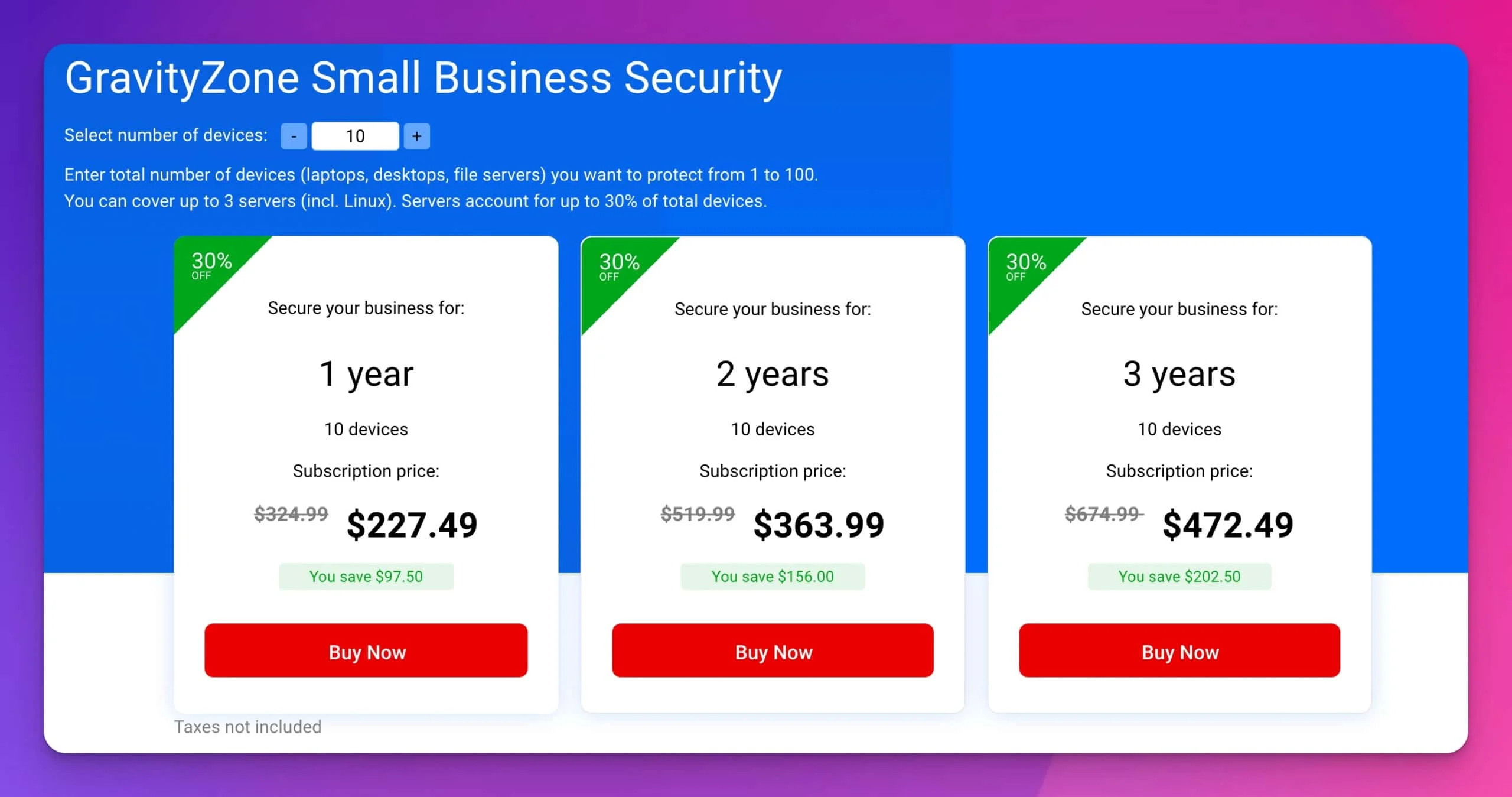
Bitdefender GravityZone Business Security
~$27–$39/device/yearEndpoint protection with centralized cloud console. Automated ransomware mitigation, lightweight agents, minimal performance impact.
Cyber insurance. This firm didn't have a standalone cyber policy, and their E&O carrier was beginning to require evidence of security controls at renewal. Cyber insurance applications at this scale require verifiable MFA, documented backup procedures, and endpoint protection as baseline controls — all of which the deployed stack now provided. Small-business cyber premiums vary widely: public references cluster around $1,500/year on average, but industry, sensitive data volume, revenue, and controls like MFA, backup, and EDR can move the price materially in either direction. Get a quote early — most applications take 30–60 minutes, and the quote itself is useful for anchoring your security budget even before you buy.
Does a 10-Person Business Need Managed IT Services?
Many 10-person firms can start with quarterly IT oversight if ownership, backup, and offboarding are already documented. For this client, we recommended a hybrid IT model rather than full managed services. Here is the honest framework for making that call.
Full managed IT services — 24/7 monitoring, helpdesk, proactive maintenance — typically runs $125–$250/user/month for standard coverage, or roughly $1,250–$2,500/month for a 10-person team. Our managed IT pricing guide explains how to compare quotes. Broader plans that add security monitoring, compliance assistance, or 24/7 coverage often run $300–$400/user/month depending on scope. Worth it when: you've had two or more security incidents in the past year, you're in a regulated industry (healthcare, finance, legal), or your team is losing 3–4 hours per week to IT issues.
Part-time IT contractor. The option most businesses at this size overlook. Budget $75–$150/hour; a setup engagement runs 10–20 hours, quarterly check-ins are 2–4 hours. Works well when the software stack is properly configured and someone internal owns day-to-day IT.
For the wider market context behind these figures — what managed IT costs across pricing models, and what a complete per-employee IT budget looks like at 10, 25, and 50 people — see our South Florida SMB IT Cost Report.
Well-configured SaaS + vendor support. Often sufficient at 10 people when IT issues are infrequent and the team is largely self-sufficient — provided someone is accountable for keeping the setup current.
| Situation | Best fit |
|---|---|
| Clean SaaS stack, few support issues | Quarterly IT review |
| Frequent onboarding/offboarding | Part-time IT contractor or light managed IT |
| Regulated client data, insurance requirements | Managed IT with documented security controls |
| Weekly IT disruption | Full managed IT support |
The call at exactly 10 employees: a hybrid approach — quarterly contractor review, a managed security tool, and internal IT ownership — often provides the best value. Full managed services often starts making more sense around 15–20 employees, especially when support requests become weekly.
For the full decision framework, see the when to stop DIY IT guide.
If you're a South Florida business, iFeelTech provides managed IT services sized for 10–50 person teams — schedule a free assessment to see what makes sense for your specific situation.
What's Required Now vs. What Can Be Phased In
Not every control needs to happen on day one. This is the order we actually prioritize:
| Control | Required now | Can phase later |
|---|---|---|
| MFA on all business accounts | Yes | No |
| Password manager | Yes | No |
| Device inventory | Yes | No |
| MDM | Basic policy now; full rollout later | Yes |
| Network segmentation | Yes if client data is accessed onsite | Sometimes |
| Endpoint protection | Yes | No |
| Cyber insurance | Get a quote soon | Policy timing depends on risk tolerance |
When We Would Not Choose This Stack
This is not a fixed bundle, and it isn't the right fit for every 10-person firm. We'd point a Mac-heavy or browser-first team toward Google Workspace plus Mosyle instead of Microsoft 365 and Intune. A firm with fewer than five shared credentials and no compliance pressure may not need a full Business-tier password manager yet — Teams Starter Pack or even a well-configured free tier can hold for a while. And a firm already paying for a managed security stack through its accounting software vendor may not need a separate endpoint console like Bitdefender on top of Defender for Business. The right build depends on your platform, your risk exposure, and what you're already paying for elsewhere.
What to Do This Week vs. Next Quarter
The goal here is a concrete plan you can act on, not another reading list. Here's the priority order:
| Timeframe | Action | Why now |
|---|---|---|
| This week | Change your Wi-Fi password; rotate any shared credentials | Immediate security hygiene with no cost |
| This week | Start a 1Password Business or Teams trial | Free 14-day trial; gets the team using a vault before credentials accumulate further |
| This week | Create a device inventory spreadsheet | List every device with company access; you need this for MDM and insurance |
| 30 days | Consolidate email and file storage into M365 or Google Workspace | Unifies identity; eliminates personal account dependencies |
| 30 days | Set up iDrive for Business or equivalent; verify a test restore | Backup without verification is not backup |
| 30 days | Evaluate your network hardware; schedule replacement if on consumer gear | Network upgrade can be planned around a low-traffic week |
| 90 days | Enroll devices in Intune or Mosyle | MDM policy covers you on departures going forward |
| 90 days | Deploy endpoint protection across all company devices | Centralized console; required for cyber insurance baseline |
| 90 days | Get a cyber insurance quote | Most applications take 30–60 minutes; the coverage cost anchors the security investment |
| Ongoing | Run a quarterly SaaS audit | Teams of 10 commonly accumulate 3–5 shadow IT subscriptions on personal or department cards; consolidate or cancel |
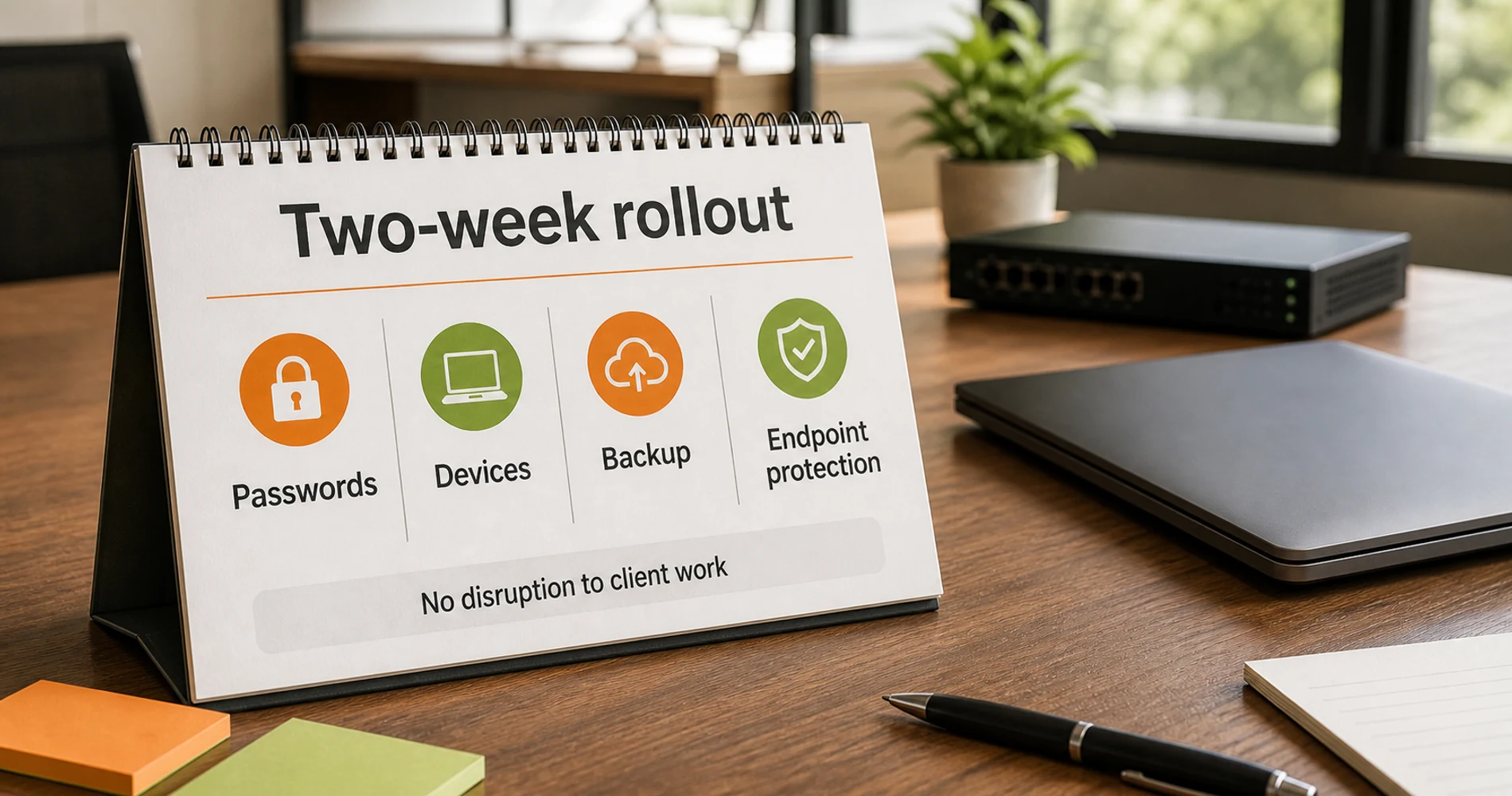
This accounting firm is now on a stack that supports growth to 20+ employees without a rearchitecture — and the full deployment was completed in two weeks without disrupting active client work. The core software layer runs approximately $36–$38 per user per month, plus the one-time network hardware investment and QuickBooks — a realistic baseline for a firm handling client financial data.
If your business is hitting the same thresholds, the resources below cover each layer in depth.
More IT Strategy Guides
Platform & Identity
- Google Workspace vs. Microsoft 365 — Full head-to-head on the platform decision this article frames: pricing, MDM inclusion, admin controls, and which fits Apple-centric vs. Windows-first teams.
- Does Microsoft 365 Need Backup? — Why your M365 subscription doesn't protect your data from accidental deletion, and what third-party backup options actually cover.
Network & Devices
- Best Laptop for Accountants and QuickBooks Users 2026 — Hardware recommendations for accounting firm endpoints: which laptops we deploy for QBO and QB Desktop workflows, with platform trade-offs and financial data security configurations.
- UniFi Small Office Setup Guide — Complete hardware build, current pricing, and room-by-room setup walkthrough for a 10-person office network.
- New Employee IT Onboarding Checklist — Per-hire checklist covering account provisioning, device enrollment, and access review for every new team member.
Security & Password Management
- Best Password Manager for Business — Full comparison of 1Password, Bitwarden, NordPass, and Proton Pass on admin controls, SSO, pricing, and offboarding.
- 1Password Business Review — In-depth review of the recommended password manager: admin console, vault controls, SSO integration, and deployment notes.
- EDR vs. Antivirus for Small Business — How to evaluate endpoint protection for businesses at this size, and when the step up from basic antivirus is justified.
- CrowdStrike vs. SentinelOne vs. Bitdefender — Side-by-side comparison of the major endpoint platforms, including the GravityZone tier recommended in this guide.
IT Strategy & Planning
- IT Roadmap for Growing Businesses — Stage-by-stage overview from solo founder to 20+ employees; the strategic companion to this checklist.
- QuickBooks Online vs. Desktop: Which Is Right for Your Firm? — If you're still weighing subscription vs. perpetual licensing for your accounting software, this comparison covers the trade-offs at the small-business scale.
- Small Business IT Budget Planning — IT investment framework and total cost modeling for businesses in the 5–25 employee range.
For South Florida Businesses
- Managed IT Services for Miami Teams — iFeelTech provides managed IT sized for 10–50 person teams in South Florida.
Frequently Asked Questions
Related Articles
More from IT Guides

Small Business IT Roadmap: From Solo to 20 Employees
A practical guide to scaling your IT infrastructure as you grow from a solo founder to a team of 20. Learn what technology you need at each stage.
13 min read

The Infrastructure Investment Gap: Why Small Businesses Need Both Hardware and Ongoing IT Support
Small businesses spend heavily on IT hardware but underinvest in support. Learn why this creates security risks in 2026, including Shadow AI threats and cyber insurance requirements.
12 min read

Managed IT Services Pricing: Per-User Costs and What to Budget in 2026
Budget $125 to $250 per user for managed IT using our South Florida estimates. Compare pricing models, exclusions, setup costs and quotes in this 2026 guide.
12 min read