Best Business Printers 2026: The IT Manager's Guide to Security, Speed & TCO
We tested 5 business printers on security features, print speed, and total cost of ownership. From hybrid work to high-volume invoicing—find the right printer for your office.

Quick Summary
Five business printers evaluated for security, speed, and total cost of ownership:
- HP OfficeJet Pro 9125e — Best for secure remote work. Wolf Pro Security. $230–$310
- Epson EcoTank Pro ET-5850 — Lowest cost per page (~2¢). Best for 2,000+ pages/mo. $800–$850
- Brother MFC-L3780CDW — Most reliable drivers for Windows 11 Enterprise. 31ppm. ~$570
- Canon imageCLASS MF465dw II — Fastest monochrome (42ppm) with PIN secure print. $325–$540
- HP Color LaserJet Pro 3301fdw — Enterprise security tools for compliance. ~$540
Network printers are endpoints on your corporate infrastructure and warrant the same security evaluation as computers and other network-connected devices.
This guide evaluates five 2026 desktop business printers from an IT management perspective—security features, driver stability, total cost of ownership, and the workflows they support. Whether you're outfitting a remote employee's home office or replacing the accounting department's invoice machine, one of these will fit.
Scope Note
This guide focuses on desktop A4/Letter/Legal printers for workgroups and individual offices. For A3/11×17 centralized floor units or high-volume departmental copiers, those require separate evaluation criteria.
Affiliate Disclosure: This article contains affiliate links. If you make a purchase through these links, we may earn a small commission at no extra cost to you. As an Amazon Associate, iFeelTech earns from qualifying purchases.
At-a-Glance Comparison
| Printer | Type | Speed | Price | Best For |
|---|---|---|---|---|
| HP OfficeJet Pro 9125e | Inkjet | 22ppm | $230–$310 | Secure remote/home offices |
| Epson EcoTank Pro ET-5850 | Inkjet (Tank) | 25ppm | $800–$850 | High-volume offices (2,000+ pages/mo) |
| Brother MFC-L3780CDW | Color LED | 31ppm | ~$570 | Windows Enterprise fleets |
| Canon imageCLASS MF465dw II | Mono Laser | 42ppm | $325–$540 | Accounting, billing, healthcare |
| HP Color LaserJet Pro 3301fdw | Color Laser | 26ppm | ~$540 | Compliance-first (Legal, Finance) |
OS Compatibility
| Printer | Windows | macOS | Linux | ChromeOS |
|---|---|---|---|---|
| HP OfficeJet Pro 9125e | ✓ | ✓ | ✓ (CUPS) | ✓ |
| Epson EcoTank Pro ET-5850 | ✓ | ✓ | ✓ | ✓ |
| Brother MFC-L3780CDW | ✓ | ✓ | ✓ | ✓ |
| Canon imageCLASS MF465dw II | ✓ | ✓ | ✓ (CUPS) | ✓ |
| HP Color LaserJet Pro 3301fdw | ✓ | ✓ | ✓ (CUPS) | ✓ |
Which Business Printer Is Right for Your Situation?
If you're unsure how many printers your office actually needs, start with our take on paper-heavy vs. paperless offices before buying — the right device depends on where your team falls on the printing spectrum.
Before the detailed reviews, here's guidance for common scenarios:
What is the best business printer for remote employees?
The HP OfficeJet Pro 9125e is the top recommendation for remote workers due to its integrated enterprise-grade BIOS protection.
For micro-businesses and home offices, standard consumer printers introduce network vulnerabilities. The 9125e addresses this by using self-healing Wi-Fi to maintain secure connections and automatically checking firmware integrity upon startup. For comprehensive remote work security, see our Business VPN vs Consumer VPN guide.
Which printer has the lowest cost per page?
Epson EcoTank Pro ET-5850 — Running cost of ~2 cents per page. At 2,000 pages/month, saves approximately $1,200 over 2 years compared to cartridge systems.
Which printer has the most reliable Windows 11 Enterprise drivers?
Brother MFC-L3780CDW — Driver-only installation without bundled software. Scans directly to SharePoint or OneDrive without a PC. For cloud productivity integration, see our Google Workspace vs Microsoft 365 comparison. For Windows 11 Enterprise driver planning, our Windows 11 Pro vs Enterprise guide covers the platform requirements in detail.
What is the best printer for text-heavy documents and invoices?
Canon imageCLASS MF465dw II — Prints 42ppm with native PIN-release printing. The "II" model replaced the original in 2025 to address supply chain updates and add enhanced wireless security protocols (TLS 1.3) with a unified firmware platform.
Which printer best supports compliance and audit documentation?
HP Color LaserJet Pro 3301fdw — HP Security Manager provides fleet-wide policy enforcement and compliance reporting. For broader compliance frameworks, review our Small Business Security Compliance Guide.
Detailed Reviews
1. HP OfficeJet Pro 9125e — Best for Secure Remote Work
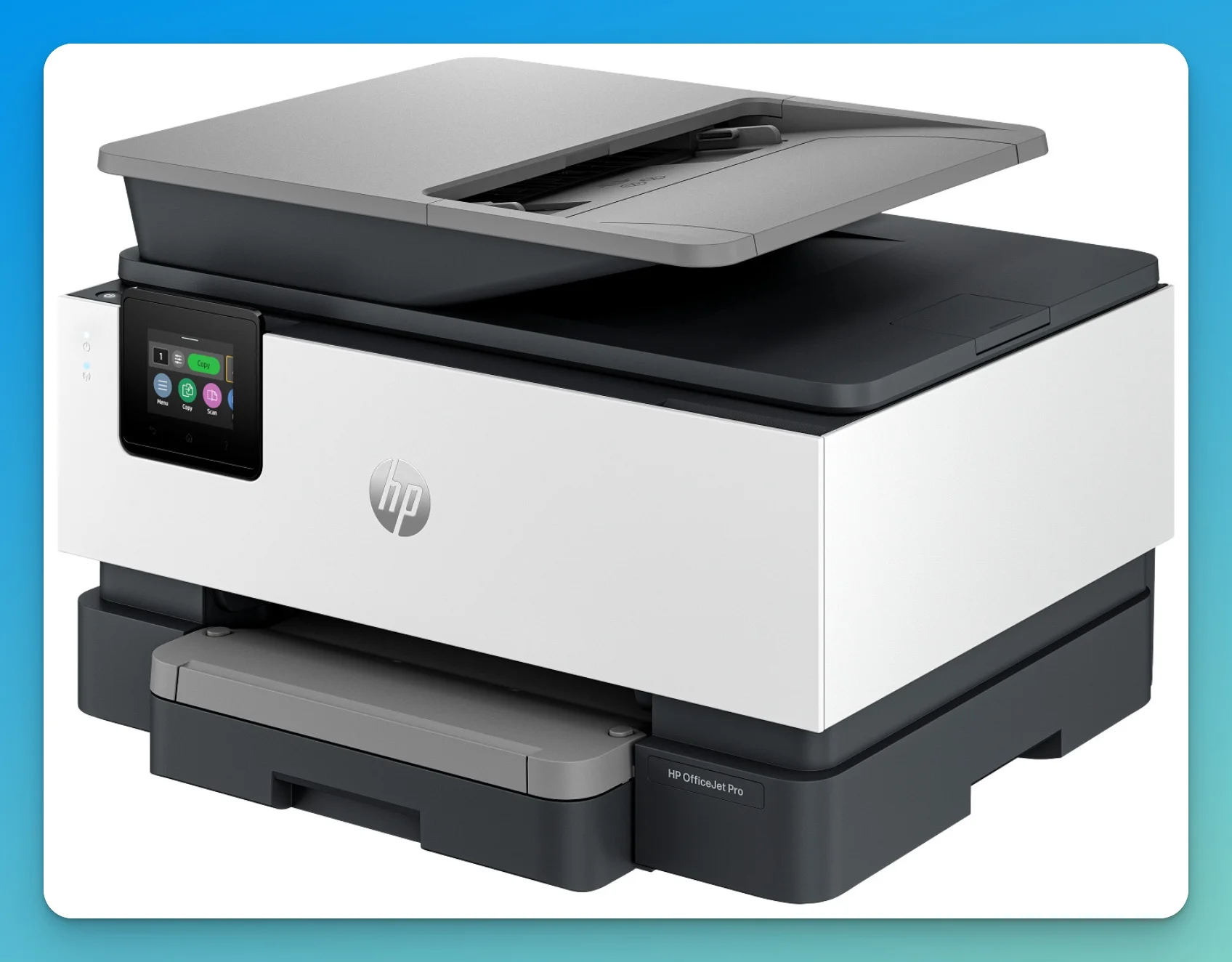
The HP OfficeJet Pro 9125e is the best choice for remote employees because it includes HP Wolf Pro Security for BIOS-level boot protection, a feature typically reserved for enterprise laser devices.
Designed for micro-businesses and home offices, this inkjet addresses common home-office vulnerabilities. Unlike standard consumer models, it supports self-healing Wi-Fi to maintain secure network connections and automatically detects firmware tampering at startup. While the ISO print speed of 22ppm is slower than laser alternatives, it offers a significantly smaller footprint for home use. Note that the HP+ program requires an internet connection and original HP ink for operation.
Pros:
- BIOS-level boot protection (rare for inkjets)
- Self-healing Wi-Fi maintains secure connections
- Compact footprint: 16.2" × 13.4" × 9.0" (fits most desks)
- Driver-only installation available
Cons:
- HP+ requires internet connection and HP ink
- Print speed (22ppm) slower than laser alternatives
- Price varies by retailer ($230–$310; MSRP $310, common sale price ~$230)
| Spec | Value |
|---|---|
| Print Speed | 22ppm B/W, 18ppm Color |
| Resolution | 1200×1200 dpi |
| Connectivity | Wi-Fi, Ethernet, USB |
| Dimensions | 16.2" × 13.4" × 9.0" |
| Monthly Duty | 25,000 pages (1,500 recommended) |
| Price | $230–$310 |
2. Epson EcoTank Pro ET-5850 — Best for High-Volume Color Printing
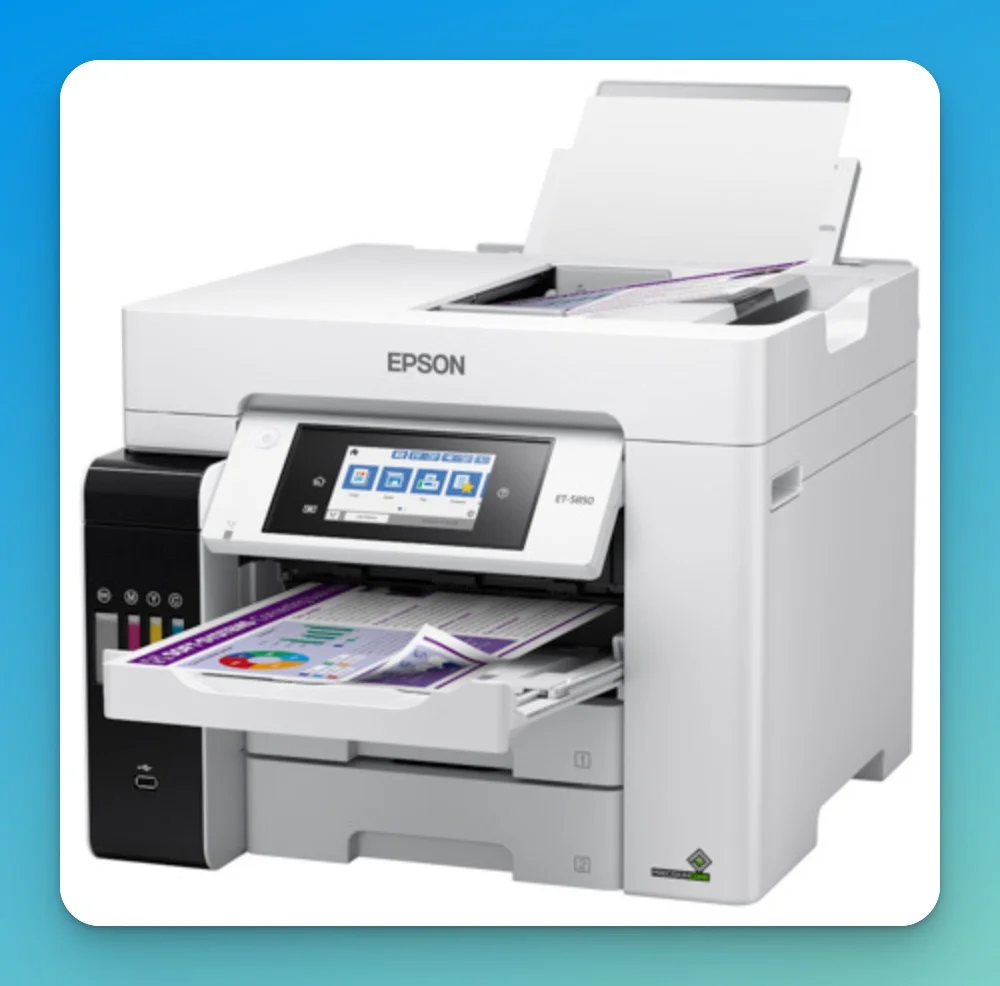
The Epson EcoTank Pro ET-5850 prints at 25 pages per minute and operates at roughly two cents per color page, offering the lowest running cost of any printer in this review.
This inkjet utilizes a refillable tank system rather than disposable cartridges. It matches laser speeds at 25ppm for both black and color, utilizing PrecisionCore Heat-Free technology to reduce energy consumption. While the upfront cost (~$800–$850) is higher than comparable lasers, the break-even point is reached at roughly 3,000 pages. For guidance on planning hardware purchases across multi-year cycles, see our business hardware refresh planning guide. With a 550-sheet total paper capacity (two 250-sheet front cassettes plus a 50-sheet rear specialty feed), it is the only printer on this list that holds more than a full ream of paper standard, making it ideal for marketing teams or real estate offices printing 2,000+ pages monthly.
2-Year Total Cost of Ownership (48,000 pages, mixed print jobs):
| Metric | Epson ET-5850 | Brother MFC-L3780CDW | HP LaserJet 3301fdw |
|---|---|---|---|
| Printer Cost | ~$850 | ~$570 | ~$540 |
| Cost per Page | ~$0.02 | ~$0.04 | ~$0.05 |
| 2-Year Consumables | ~$960 | ~$1,920 | ~$2,400 |
| 2-Year Total | ~$1,810 | ~$2,490 | ~$2,940 |
| Savings vs. HP 3301fdw | ~$1,130 | ~$450 | — |
Estimates based on a typical 70% monochrome / 30% color page mix. Actual costs vary by print volume and cartridge yield.
Pros:
- Lowest cost per page (~2¢ for color)
- 25ppm for both black and color (no slowdown)
- Visual ink level monitoring through transparent tanks
- Ethernet for wired network deployment
Cons:
- Higher upfront cost ($800–$850)
- Occasional nozzle maintenance required for infrequent use
- Tank refilling messier than cartridge swap
| Spec | Value |
|---|---|
| Print Speed | 25ppm B/W and Color |
| Resolution | 4800×2400 dpi |
| Connectivity | Wi-Fi, Ethernet, USB, Bluetooth |
| Monthly Duty | 66,000 pages (3,300 recommended) |
| Price | $800–$850 |
Best For: Offices printing over 2,000 color pages monthly.
3. Brother MFC-L3780CDW — Most Reliable Windows 11 Drivers
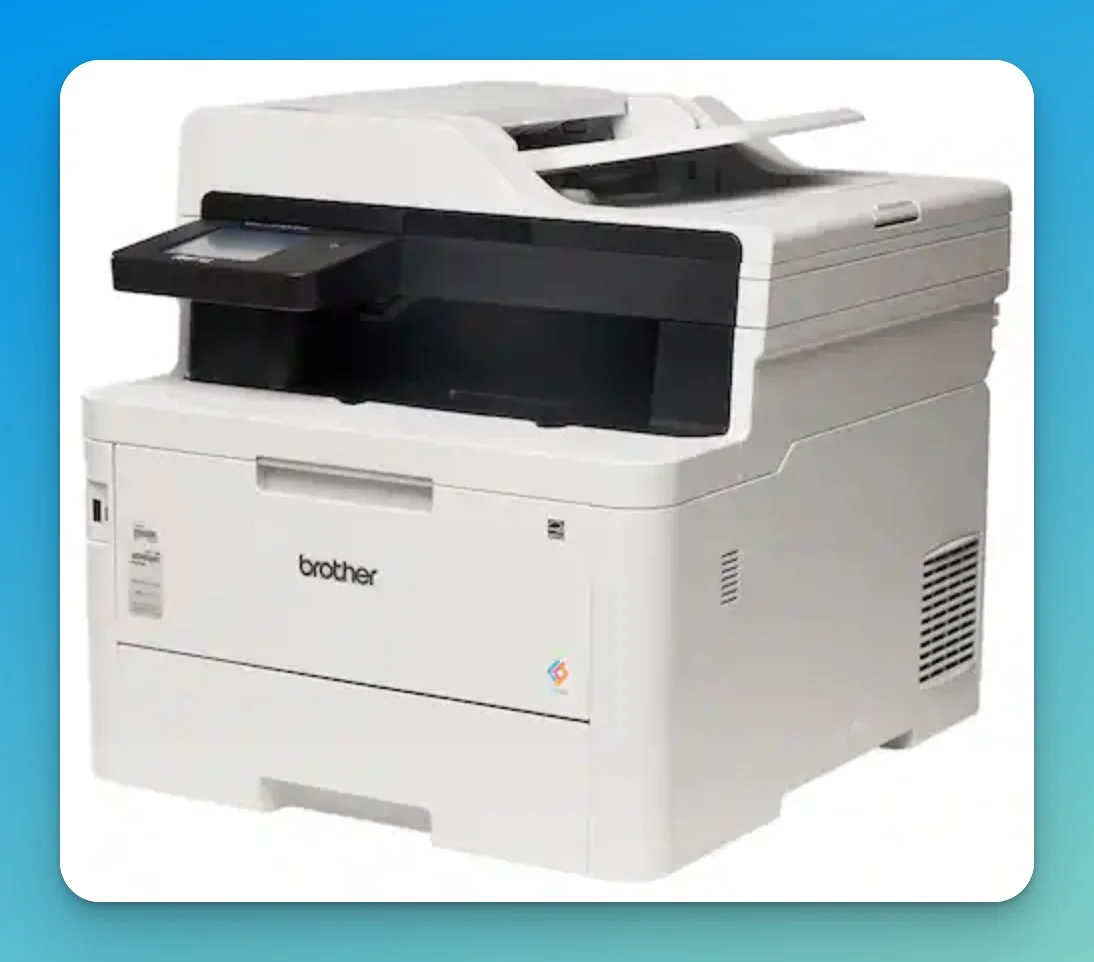
The Brother MFC-L3780CDW offers driver-only installation without bundled software, delivering stable performance across Windows 11 Enterprise environments where many competitors cause compatibility issues.
Brother's approach focuses on minimal software footprint. The L3780CDW scans directly to SharePoint, OneDrive, or Google Drive without routing through a PC—eliminating a common bottleneck and reducing exposure of sensitive documents.
In hub-and-spoke branch office deployments—where remote locations communicate back to central infrastructure—this direct-to-cloud scanning eliminates the need for a local relay PC at each branch. For IT managers supporting multiple small offices from a central location, this significantly reduces onsite troubleshooting requirements.
For offices printing 2,000+ pages monthly with color requirements, this printer offers a middle ground between the EcoTank's low running costs and the Canon's monochrome speed.
LED vs. Laser Technology
While technically an LED printer rather than a laser, it functions identically for the end-user but features fewer moving parts for higher long-term reliability.
Pros:
- Driver-only installation (no bloatware)
- Direct cloud scanning without PC
- NFC badge authentication available
- 31ppm for both color and mono
Cons:
- Weighs 48 lbs (not portable)
- Super-high-yield toner has high upfront cost
- LED technology may confuse laser-expecting buyers
| Spec | Value |
|---|---|
| Print Speed | 31ppm B/W and Color |
| Resolution | 2400×600 dpi |
| Connectivity | Wi-Fi, Ethernet, USB, Bluetooth, NFC |
| Monthly Duty | 50,000 pages (4,000 recommended) |
| Price | ~$570 |
4. Canon imageCLASS MF465dw II — Best for Accounting & Healthcare
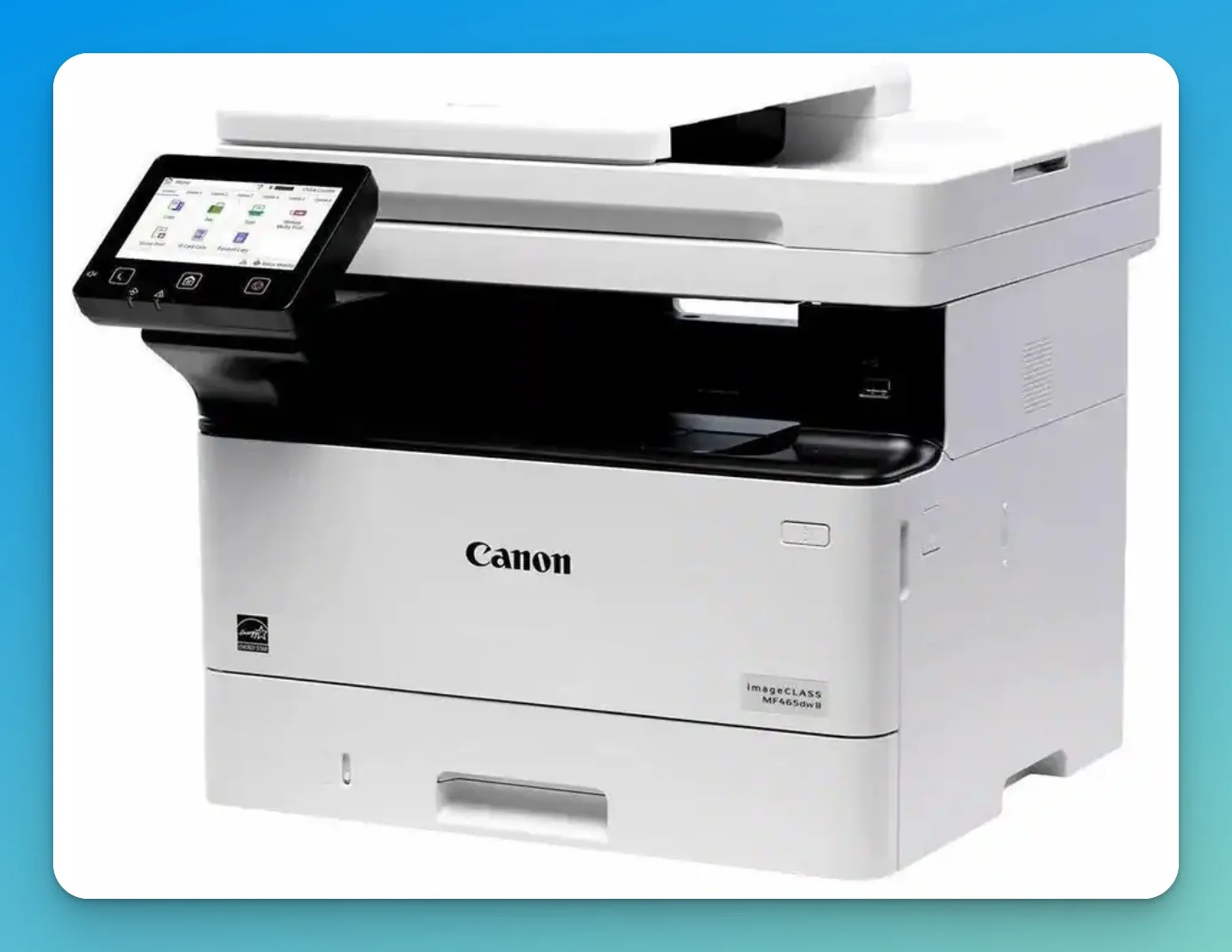
The Canon imageCLASS MF465dw II is a 42-ppm monochrome laser printer featuring native PIN-release secure printing for compliance-heavy workflows.
This monochrome laser printer focuses entirely on speed and text volume. It processes a 100-page job in under 2.5 minutes—nearly 40% faster than the color competitors in this list. The "II" model update brings enhanced wireless security protocols (TLS 1.3) and a unified firmware platform. It lacks color capability, but includes a standard 3-year limited warranty—a rarity in this class that significantly lowers long-term risk. For invoices, contracts, and medical records requiring HIPAA compliance printing, it offers the lowest downtime potential in its class.
The Canon MF465dw II delivers the first page in approximately 5 seconds—roughly half the warm-up time of comparable inkjet alternatives (10–12 seconds). For a receptionist printing a single invoice, FPOT is often more operationally relevant than rated print speed. The Canon direct storefront frequently prices this unit at ~$325, making it competitive on upfront cost despite the higher MSRP at other retailers. Security Features:
- Secure Print (PIN release): Documents wait in queue until authorized user enters PIN at device
- TLS 1.3 encryption: Latest protocol for data in transit
- Verify System at Startup: Monitors firmware integrity on boot
- Department ID management: Track and limit printing by user or group
Pros:
- 42ppm print speed (processes 100 pages in ~2.4 minutes)
- Native PIN-release secure printing for HIPAA compliance
- 3-year limited warranty included (vs. 1 year for most competitors)
- TLS 1.3 encryption (enhanced in "II" model)
- Single-pass duplexing ADF (50 sheets)
- 350-sheet standard capacity, expandable to 900 sheets
Cons:
- Monochrome only (not suitable for color documents)
- Higher toner costs; high-yield cartridges recommended
- "II" model pricing (~$540) reflects supply chain and security updates
Sustainability: EPEAT Silver certified with Energy Star qualification, meeting federal procurement requirements for energy efficiency.
| Spec | Value |
|---|---|
| Print Speed | 42ppm |
| Resolution | 1200x1200 dpi |
| Connectivity | Wi-Fi, Ethernet, USB |
| Monthly Duty | 80,000 pages (4,000 recommended) |
| Price | $325–$540 |
Best For: Black-and-white invoice, contract, and medical record printing.
5. HP Color LaserJet Pro 3301fdw — Best for Compliance & Fleet Management
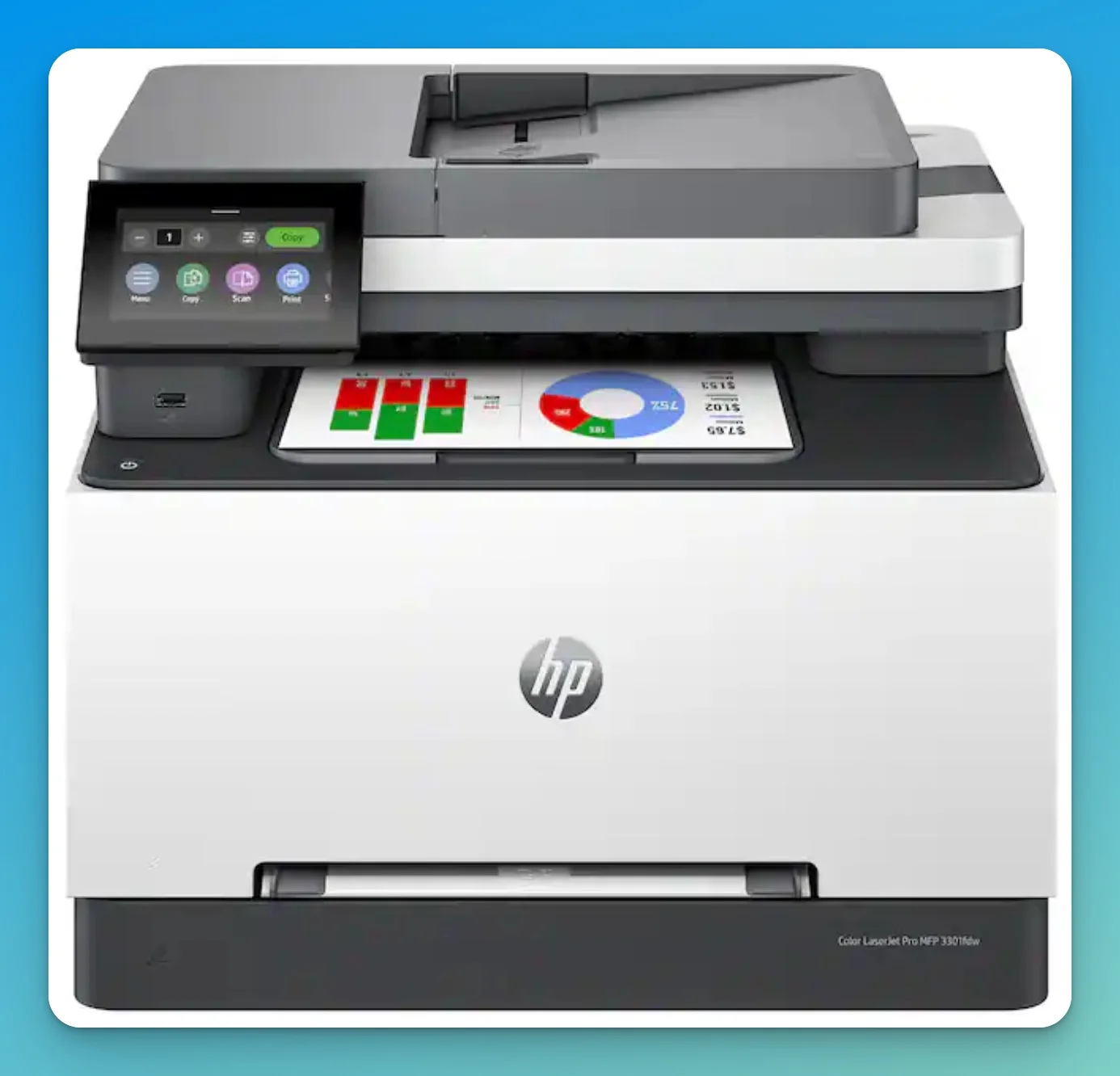
The HP Color LaserJet Pro 3301fdw combines Wolf Pro Security with optional HP Security Manager licensing, providing fleet-wide policy enforcement and compliance reporting for organizations managing printer fleets under formal audit requirements.
This color laser printer delivers enterprise-grade security tools typically found in much larger deployments. It supports HP Security Manager (license required separately) for audit-ready documentation of your print security posture—critical when compliance auditors ask how you protect printed documents.
The 3301fdw is labeled “AI-enabled” primarily for its Smart Scan feature—an OCR-based tool that auto-suggests filenames and email subject lines from scanned content. In practice, this is intelligent document formatting rather than generative AI. It is genuinely useful for reducing manual data entry in high-volume scanning workflows, but the “AI” branding should not drive purchasing decisions independently. Note: Smart Scan features require Windows 11 and the HP Smart App.
The 3301fdw integrates with existing HP fleet management tools, making it suitable for organizations already standardized on HP infrastructure. For mixed-vendor environments, the Brother or Canon options may offer simpler deployment. In hub-and-spoke environments, HP Security Manager policies can be pushed and enforced centrally across branch locations without requiring local IT staff at each site—a practical advantage for distributed organizations.
Security Stack
- HP Wolf Pro Security: BIOS protection, runtime malware detection, self-healing firmware (included)
- HP Security Manager: Apply security policies across printer fleets (separate license required)
- Tamper-resistant toner: Prevents counterfeit cartridges that could contain malicious code
- Port lockdown: Disable USB, close unused network ports through admin console
Toner & Vendor Lock-In: HP's "Dynamic Security" firmware actively blocks third-party toner cartridges through periodic OTA updates. In 2026, these blocks have become more aggressive: HP now pushes firmware revisions that can retroactively disable aftermarket cartridges that previously functioned—sometimes mid-cycle rather than only at installation. For the 3301fdw, this means consumable costs are effectively locked to HP OEM pricing for the device's lifetime. IT managers running managed print environments or calculating multi-year TCO should verify current cartridge compatibility status with their supplier before committing to an HP fleet. In contrast, the Brother MFC-L3780CDW has historically supported a broader range of third-party toner, though Brother has been gradually tightening chip verification requirements in recent firmware revisions.
Pros:
- AI-enabled Smart Scan with automatic filename and subject line generation
- Wolf Pro Security with BIOS protection and self-healing firmware (included)
- Supports HP Security Manager for fleet policy enforcement (license sold separately)
- Tamper-resistant toner prevents counterfeit cartridges
- 26ppm for both black and color
- Automatic duplex printing, scanning, and copying
- EPEAT Gold certified with Energy Star qualification
Cons:
- Higher price point (~$540) reflects enterprise security features
- HP Security Manager requires separate per-device licensing
- Dynamic security blocks third-party toner cartridges
- TerraJet toner required for full functionality
| Spec | Value |
|---|---|
| Print Speed | 26ppm B/W and Color |
| Resolution | 600x600 dpi |
| Connectivity | Wi-Fi (dual-band), Gigabit Ethernet, USB |
| Monthly Duty | 40,000 pages (2,500 recommended) |
| Price | ~$540 |
ADF & Scanner Specifications
Modern offices digitize as many documents as they print. Automatic Document Feeder (ADF) technology—specifically single-pass duplex scanning—significantly affects archiving throughput. Single-pass duplex scanning captures both sides of a page simultaneously; dual-pass systems must flip the document and make a second pass, roughly doubling scan time for double-sided originals.
| Printer | ADF Capacity | Single-Pass Duplex Scan | Duplex Scan Speed |
|---|---|---|---|
| Canon imageCLASS MF465dw II | 50 sheets | Yes | 100 ipm B&W / 80 ipm color |
| Brother MFC-L3780CDW | 50 sheets | Yes | 29 ipm B&W / 22 ipm color |
| HP Color LaserJet Pro 3301fdw | 50 sheets | Dual-pass | — |
| Epson EcoTank Pro ET-5850 | 50 sheets | Dual-pass | — |
| HP OfficeJet Pro 9125e | 35 sheets | Dual-pass | Smallest ADF in this group |
The Canon MF465dw II scans a 50-sheet double-sided stack in under one minute. For accounting departments, healthcare offices, and legal firms digitizing contracts or patient records, this is a more meaningful daily-use spec than print speed. The HP 9125e's 35-sheet ADF also limits batch digitization. For offices digitizing high volumes of paper records, pairing a high-speed scanner with a NAS for document storage provides a complete document management infrastructure.
How We Evaluated
Our evaluation focuses on what IT managers and MSPs actually care about:
Security (40% weight)
- Network isolation capabilities
- Firmware protection mechanisms
- PIN/badge release printing
- Encryption standards (TLS 1.3, etc.)
- Fleet security management tools
Total Cost of Ownership (30% weight)
- Purchase price
- Cost per page (consumables)
- Energy consumption
- Maintenance requirements
- Expected lifespan
Reliability & Support (20% weight)
- Driver stability (especially Windows 11 Enterprise)
- Manufacturer support quality
- Availability of high-yield consumables
- User-reported reliability
Performance (10% weight)
- Print speed (ppm)
- First-page-out time
- Duty cycle rating
- Paper handling capacity
Security vs. Cost Reality
For businesses handling sensitive data, security features aren’t optional—they’re compliance requirements. Printers without endpoint protection expose network vulnerabilities that standard IT compliance frameworks require you to address, increasing long-term procurement and audit risk. Best Practice — VLAN Isolation: Regardless of which printer you choose, place it on a dedicated IoT/printer VLAN segment, isolated from your primary workstations and servers. This limits lateral movement if the device is compromised. Most modern network platforms—including UniFi—support per-SSID and per-port VLAN assignment that makes this straightforward to implement without specialized hardware.
Summary: Which Printer For Which Business
| Business Type | Recommended Printer | Key Reason |
|---|---|---|
| Remote/Hybrid Workers | HP OfficeJet Pro 9125e | Wolf Pro Security in home environment |
| High-Volume Office | Epson EcoTank Pro ET-5850 | 2¢/page saves $1,200+/year |
| Windows Enterprise Fleet | Brother MFC-L3780CDW | Driver stability without bundled software |
| Accounting/Billing | Canon imageCLASS MF465dw II | 42ppm + PIN release for confidentiality |
| Compliance-First (Legal/Finance) | HP Color LaserJet Pro 3301fdw | Security Manager + audit trail |
The best printer depends on your workflow, not just specifications. A law firm needs PIN-release printing; a logistics company needs speed; a remote team needs endpoint security. Match the feature set to your actual use case.
For organizations managing multiple printers across locations, consider implementing centralized security policies. Our SMB Cybersecurity NIST CSF Guide covers endpoint management frameworks that include network printers.
Related Resources
- Best Cybersecurity Software for Small Business — Endpoint protection beyond printers
- SMB Cybersecurity NIST CSF Guide — Framework for your security posture
- Small Business Security Compliance Guide — HIPAA, SOC 2, and regulatory requirements
- Business VPN vs Consumer VPN — Securing your network beyond the printer
- Business Hardware Refresh Planning Guide — Plan printer replacement cycles within your overall IT budget
- Windows 11 Pro vs Enterprise Guide — OS platform requirements for enterprise printer drivers
- Best NAS for Small Business — Central storage for high-volume document scanning
Frequently Asked Questions
Related Articles
More from Business Hardware
UNAS Pro 4 vs UGREEN DXP4800 Plus: Which 4-Bay NAS Should You Buy in 2026?
Two good 4-bay NAS units built on opposite philosophies. Verified specs, complete system costs, and where each one fits in a small business.
12 min read
UniFi UNAS 2 vs UNAS 4 Review: Desktop NAS for Offices Without a Rack
UNAS 2 ($199) and UNAS 4 ($379) compared for real SMB deployment — specs, RAID options, caching limits, backup, file-server replacement, and practitioner guidance on desktop vs rackmount.
11 min read

Best Small Business Servers 2026: On-Premise vs Cloud vs Hybrid Compared
Compare on-premise servers, NAS ecosystems, SaaS, and cloud infrastructure for small businesses. Includes illustrative 3-year TCO analysis with July 2026 pricing, and a practical decision framework.
23 min read