

VLANs Without the Jargon: What They Are, What to Separate, and Why It Matters
A plain-language guide to VLANs for small business owners. Understand what network segments you already need — guest WiFi, IoT cameras, VoIP phones — and what belongs in each one.


Affiliate Disclosure: This article contains affiliate links. If you make a purchase through these links, we may earn a small commission at no extra cost to you. As an Amazon Associate, iFeelTech earns from qualifying purchases.
Key Takeaway
If your office has guest WiFi, IP cameras, VoIP phones, or IoT devices, you already have a reason to use VLANs. Network segmentation isolates each device type on its own segment, so a compromised camera cannot reach your file server and a guest's laptop cannot probe your POS system. This guide explains what VLANs are, which segments most small businesses need, and what hardware makes it practical.
VLANs appear on every managed-networking spec sheet, but most small business owners encounter the term without a clear explanation of what it means for their office. This guide covers the concept, the segments your business likely needs, and the equipment required — not the step-by-step configuration. For setup walkthroughs, see our UniFi guest WiFi VLAN setup guide and the broader UniFi network design guide.
What Is a VLAN?
A Virtual Local Area Network (VLAN) divides a single physical network into multiple isolated logical segments. Devices on one physical network switch cannot communicate across different VLANs without explicit firewall permissions.
A traditional office network is one flat pool: employee laptops, printers, IP cameras, smart thermostats, and guest WiFi clients all share the same address range and can reach each other. A VLAN tags traffic at the switch level and separates it into isolated segments — same cables, same hardware, different logical networks.
Think of a commercial building. Everyone shares the same structure, electricity, and HVAC, but accounting and guest visitors cannot physically interact without controlled access between floors. VLANs provide that same controlled access between segments of your network.
Why Do Small Businesses Need VLANs?
VLANs contain the damage of a cybersecurity breach by proactively limiting lateral movement across your network.
On a flat (unsegmented) network, any device can attempt to reach any other device. When one is compromised, the exposure extends to everything on that network:
- A guest connects with a malware-infected laptop. Without isolation, that laptop can scan your POS system, NAS, or workstations with open file shares.
- An IP camera with outdated firmware is exploited. On a flat network, the attacker pivots directly to business-critical systems.
- A VoIP phone with default credentials is accessed. Without segmentation, that foothold reaches the rest of your infrastructure.
VLANs do not prevent the initial compromise. They contain the blast radius. A compromised camera stays on the camera VLAN — it cannot reach your accounting workstation because no route exists between those segments.
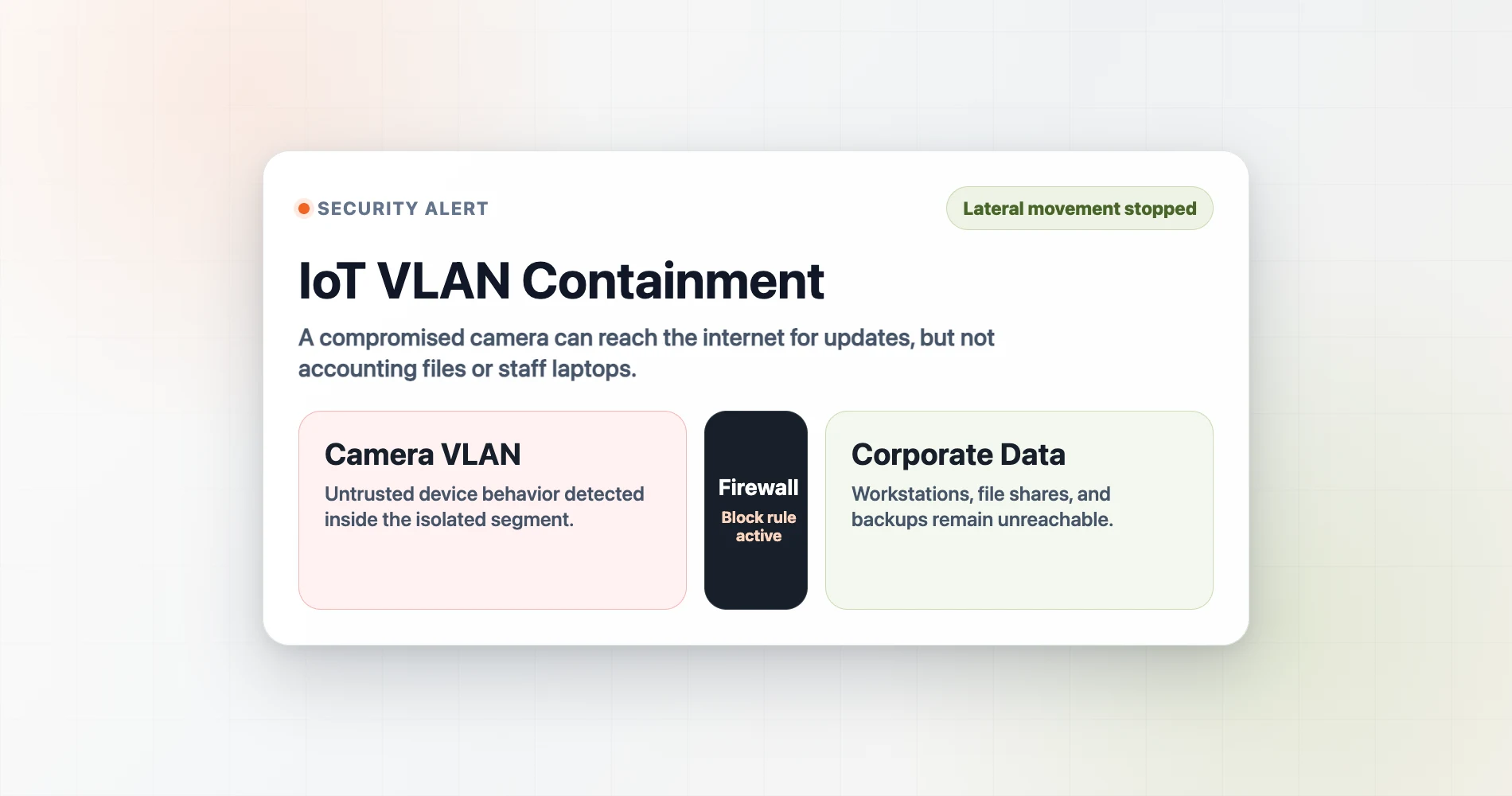
Modern ransomware reinforces why this matters. Automated ransomware strains in 2025–2026 specifically rely on lateral network movement — using protocols like SMB and RDP — to locate and encrypt network-attached storage (NAS) and backup systems. VLANs sever that lateral pathway by placing backup infrastructure and business-critical systems on separate, firewalled segments. This is a foundational principle in the security by design approach: build isolation into the network layer before you need it.
| Flat Network | VLAN-Segmented Network | |
|---|---|---|
| Device Visibility | Every device sees every other device | Devices only see others in the same segment |
| Threat Containment | One compromised device exposes the entire network | Breach is confined to a single VLAN |
| Setup Complexity | Plug and play — no configuration required | Requires managed switch + gateway with firewall rules |
| Hardware Required | Any consumer router and unmanaged switch | Managed switch + capable gateway (e.g., UniFi) |
Recommended VLAN Segments for Small Businesses
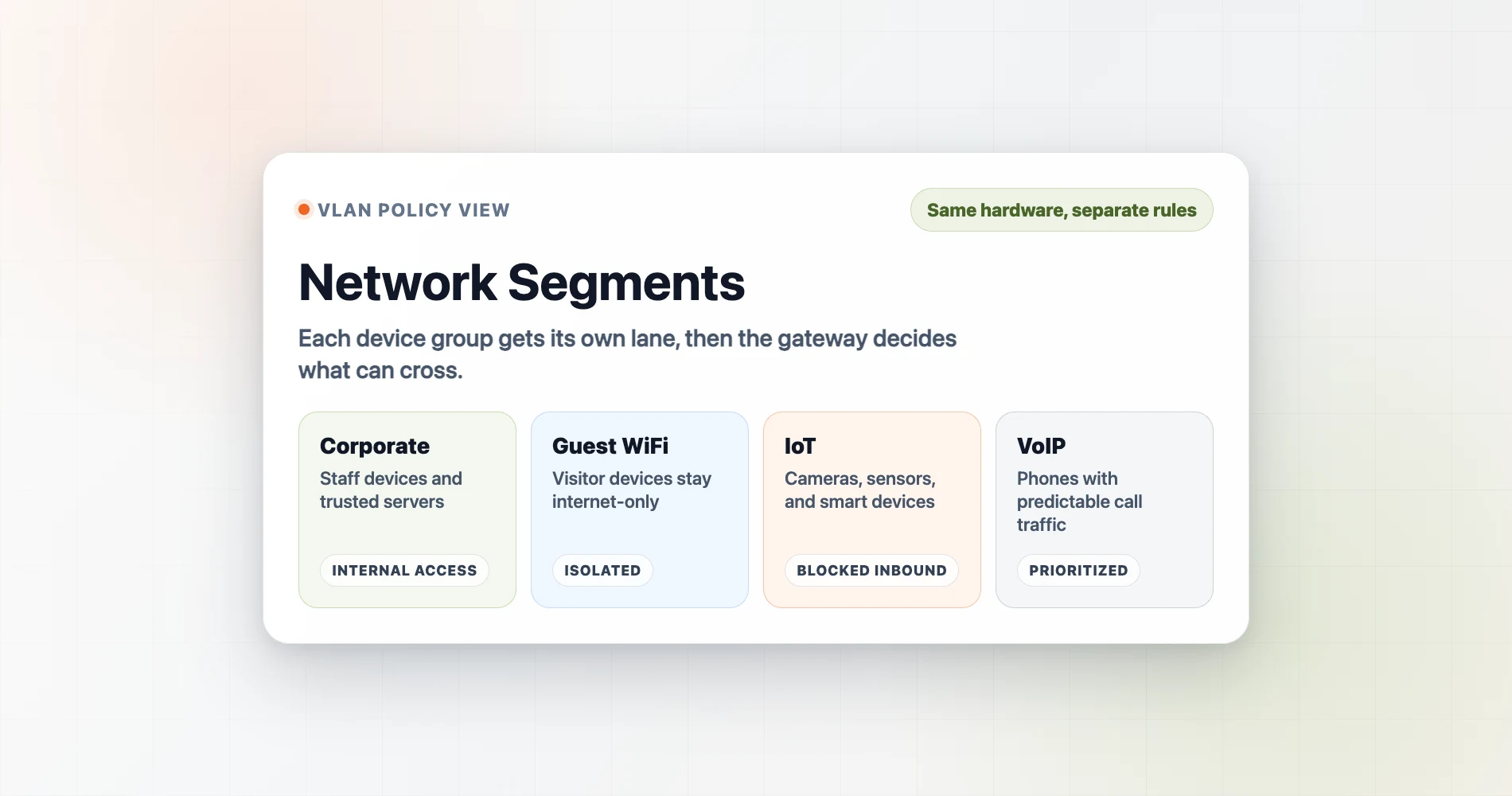
Most offices with 5 to 50 employees require four primary network segments: Corporate, Guest WiFi, IoT, and VoIP.
Regulated and clinical environments are the main exception. Practice-management and imaging software often expects its server, acquisition PCs and workstations to stay on the same subnet, so segmentation there has to follow documented application flows. Our dental office network requirements guide works through where separation helps and where it breaks a vendor integration.
VLAN ID Numbering Convention
Use a consistent numbering scheme across all locations. A common starting point:
- VLAN 10 — Corporate (staff and servers)
- VLAN 20 — Guest WiFi
- VLAN 30 — IoT devices (cameras, sensors, smart devices)
- VLAN 40 — VoIP phones
- VLAN 50 — Management / Infrastructure (optional)
These numbers are arbitrary but widely adopted. Keeping a standard makes firewall rules readable and simplifies troubleshooting across sites.
Network Segmentation
Your Office VLAN Map
Select a segment to see which devices belong there, what traffic is blocked, and what risk the isolation addresses.
Select a segment above or click directly in the diagram to see devices, traffic rules, and setup guidance.
1. Corporate Network (Staff and Servers)
The corporate network hosts employee workstations, printers, and servers. It requires strict isolation from guest and IoT devices. This segment should have full internet access and internal routing, but no inbound paths from unmanaged or public devices.
Every device you add to the corporate VLAN expands the attack surface for everything else on it. The goal of segmentation is to keep this segment lean — only devices you fully control and trust.
2. Guest WiFi Segment
A guest VLAN provides internet-only access for visitors. It blocks access to internal resources and prevents client-to-client communication. This is critical to ensure that one infected visitor device cannot probe other devices connected to the same wireless access point.
A properly configured guest VLAN provides:
- Internet access only — no path to any corporate device
- Client isolation — guests cannot probe other guest devices
- Optional bandwidth throttling to prevent a single visitor from consuming your entire WAN link
- Optional captive portal for retail, healthcare, or hospitality environments
Many consumer "guest mode" implementations create a separate SSID but do not enforce real firewall isolation or block peer-to-peer traffic between guests. A managed gateway eliminates this gap.
For a full setup walkthrough, see our guest WiFi VLAN guide. For businesses deciding between options, our how to set up guest WiFi guide covers the broader decision tree.
3. Internet of Things (IoT) Devices
The IoT VLAN isolates vulnerable smart devices — IP cameras, thermostats, smart locks, badge readers, TVs, digital signage, and environmental sensors. These devices require internet access for cloud management but must be blocked from corporate networks.
IoT firmware is rarely patched, often ships with default credentials, and relies on manufacturer cloud services with limited security oversight. Placing these devices on an isolated segment is mandatory for a secure baseline.
Firewall rules for a practical IoT VLAN:
- IoT devices get internet access (most need it for cloud management or remote viewing)
- IoT devices cannot initiate connections to the corporate VLAN
- Corporate devices can optionally initiate connections to IoT devices (e.g., viewing a camera feed), but this is a deliberate firewall allowance, not the default
IP cameras are among the most commonly exploited networked devices. An IoT VLAN ensures a camera compromise does not become a full network compromise. Our UniFi network security guide covers this in the context of a full camera deployment. If you are choosing a Reolink or Lorex recorder, our Reolink vs. Lorex comparison for a small office lists what to verify before the cameras go on the network.
A common follow-up question: once IoT devices are isolated, how do employees cast to a conference room TV or print to a wireless printer on the IoT VLAN? The answer is mDNS (Multicast DNS). Enabling an mDNS repeater on your gateway — a built-in feature on UniFi gateways — allows device discovery traffic to cross VLAN boundaries without opening firewall rules. Devices can be found and used across segments while remaining fully isolated at the network layer.
4. Voice over IP (VoIP) Infrastructure
A dedicated VoIP VLAN protects phone systems from toll fraud and ensures reliable call quality by prioritizing voice traffic over standard data.
Security: VoIP systems are a target for toll fraud, where attackers exploit compromised phone infrastructure to make international calls at your expense. An isolated VLAN limits the damage and reduces exposure of phone management interfaces to the rest of the network.
Quality: Applying Quality of Service (QoS) rules on a separate VoIP segment prevents large internal file downloads from causing choppy phone calls. VoIP traffic is sensitive to latency and packet loss — dedicated segmentation solves this at the network layer.
If you're running UniFi Talk or a third-party SIP provider through UniFi hardware, the UniFi Talk VoIP guide covers the specific configuration.
5. Management / Infrastructure (Optional)
This segment isolates network switches, access points, gateways, UPS management interfaces, and any device that controls your infrastructure rather than serving users.
This VLAN is optional for most small businesses but worth considering if you have an on-premises server room. The logic: your network gear's management interfaces should not be reachable from the guest VLAN, or even from the corporate VLAN. If a corporate workstation is compromised, an attacker cannot reach the UniFi controller or switch management pages from that foothold.
Our IT server room setup guide covers when this makes sense to implement.
Hardware Requirements for VLAN Setup
Implementing VLANs requires a managed network switch to tag traffic and a capable gateway router to enforce firewall rules between segments. Unmanaged, consumer-grade switches cannot separate tagged traffic.
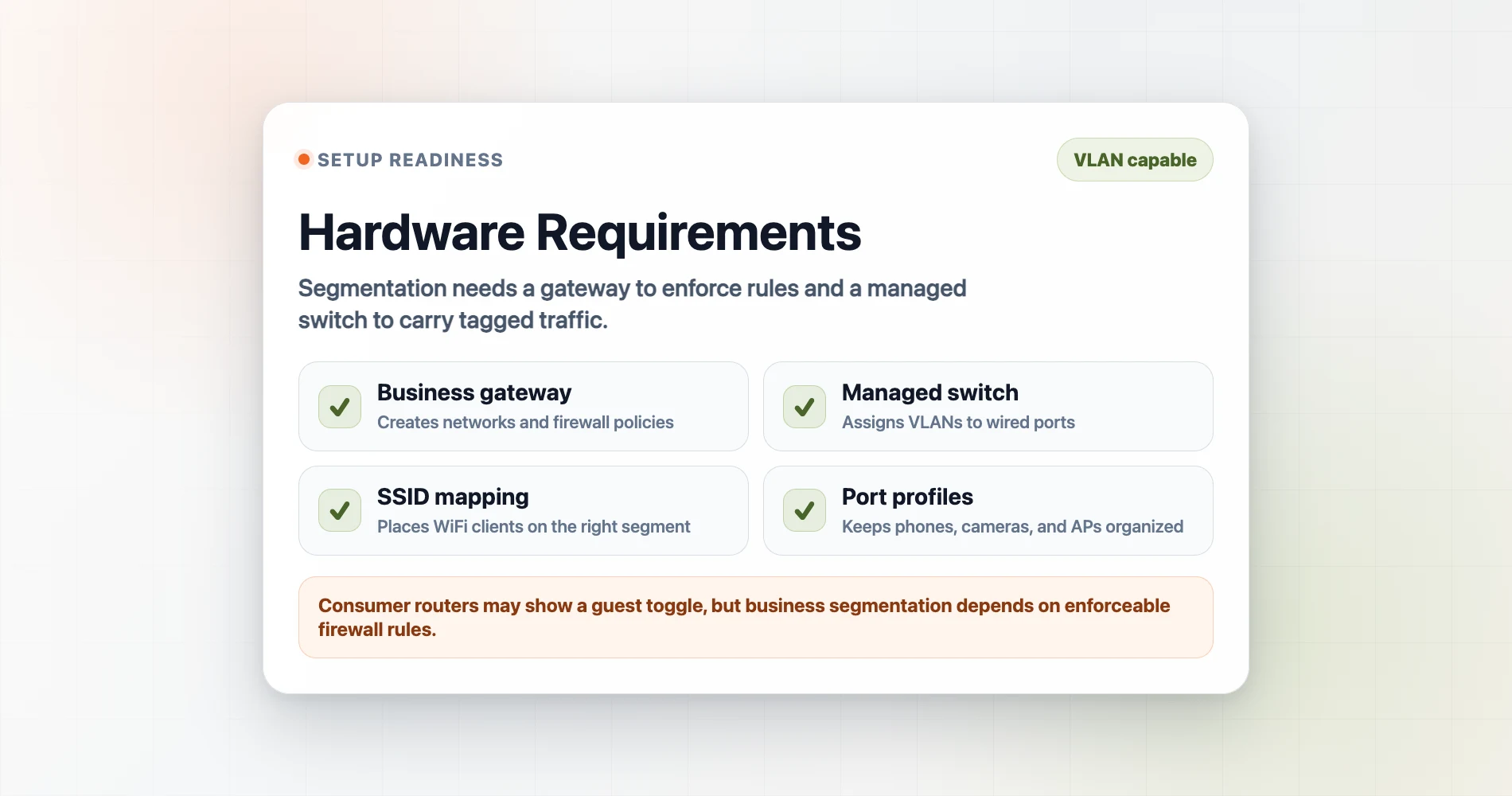
Consumer routers from ISPs generally lack robust VLAN support. While some high-end prosumer mesh systems (such as certain ASUS ROG and ZenWiFi models with firmware 3.0.0.6+) have introduced basic VLAN tagging, they typically do not provide the granular inter-VLAN firewall rule enforcement that business segmentation requires. Proper segmentation needs a gateway that can define, enforce, and log traffic policies between every segment.
We recommend the UniFi ecosystem for unified management. Current starting hardware for a small business includes:
- Cloud Gateway Ultra ($129): Handles up to 50 devices and easily manages 4+ VLANs. Best starting point for businesses under 20 people.
- Cloud Gateway Max (from $199): Adds 2.5GbE WAN and 2.3 Gbps IPS routing with selectable NVR storage options.
- Dream Router 7 ($279): An all-in-one gateway with built-in WiFi 7, PoE switch, and microSD storage.
- Switch Lite 8 PoE ($109): A managed switch to extend VLAN tagging to wired devices.
For a full breakdown of which gateway fits which office size, see our UniFi Buyer's Guide.
Hardware Guide
If you are planning a new deployment or upgrading existing infrastructure, our UniFi network design guide provides a complete framework. Our best UniFi switches guide covers the full switch lineup by port count and budget.
How to Configure VLANs in UniFi
Creating a UniFi VLAN involves assigning an ID and IP range, linking it to an SSID, and applying firewall isolation rules. In UniFi Network, you create a new network (which becomes a VLAN) by assigning it a VLAN ID (a number between 1 and 4094), an IP address range, and a DHCP scope. You then assign that network to:
- A WiFi network (SSID) — so devices connecting to that SSID land on that VLAN
- A switch port — so wired devices plugged into that port land on that VLAN
For wired devices, UniFi uses port profiles to determine how each physical switch port handles VLAN traffic. A port set to Access mode carries a single VLAN untagged — the device plugged in does not need to know about VLANs at all (this is how you assign a desk phone or camera to its VLAN). A port set to Trunk mode carries multiple tagged VLANs simultaneously — used for uplinks between switches and access points that serve several SSIDs.
UniFi automatically creates firewall rules when you designate a network as "Guest" — blocking access from that VLAN to all other local networks. Setting up IoT and VoIP segments requires manual firewall configuration to block inter-VLAN traffic while allowing essential outbound internet connections.
Setup sequence for a small business starting from scratch:
- Create guest WiFi VLAN → assign to guest SSID → done (UniFi handles firewall rules automatically)
- Create IoT VLAN → assign to IoT SSID (and/or specific switch ports for wired cameras) → add firewall rules blocking IoT-to-corporate traffic
- Create VoIP VLAN → assign switch ports for desk phones → add QoS rule for priority traffic
- Review what remains on the default corporate network — move anything that does not belong there
Our network security audit guide includes a VLAN review as part of the quarterly checklist. If you are ready to configure guest isolation today, the guest WiFi VLAN setup guide walks through the full process step by step.
Frequently Asked Questions
Do I really need VLANs if I'm a small business with only 10 employees?
Yes, if you have guest WiFi, security cameras, or VoIP phones — which most 10-person businesses do. Each of those device types creates a different risk profile on your network. VLANs keep a compromised camera from reaching your accounting files. The hardware cost is minimal; UniFi gateways starting at $129 support full VLAN segmentation.
Will VLANs slow down my network?
No. Modern managed switches route VLAN traffic at wire speed. In many cases, VLANs improve performance by reducing broadcast traffic — your computers aren't receiving chatter from IoT devices or IP cameras they'll never communicate with.
Can I set up VLANs myself, or do I need an IT person?
With UniFi gear, a guest VLAN is a guided 10-minute process. IoT and VoIP VLANs require slightly more configuration — creating a new network, assigning an SSID or switch port, and setting firewall rules. Most IT contractors complete a full VLAN setup in 1–2 hours. If you want to start yourself, begin with the guest network and work from there.
Does my current router support VLANs?
Consumer routers from ISPs generally do not support VLANs. Some high-end prosumer routers (like certain ASUS ROG and ZenWiFi models) have introduced basic VLAN tagging, but they typically lack robust inter-VLAN firewall rule enforcement. Business-grade gear — UniFi, pfSense, Meraki, Omada — handles this correctly. If your router has no "VLAN" or "Network" section beyond a basic guest toggle, treat that as a sign it is time to upgrade.
What is the difference between a VLAN and a separate physical network?
A separate physical network requires its own router, switch, and cable runs — expensive and impractical for most offices. A VLAN achieves the same isolation logically on the same hardware. Traffic is separated by tagging at the switch level, with firewall rules enforcing what can communicate with what.
Which devices should never share a VLAN with employee workstations?
Guest WiFi devices, IoT and smart devices (cameras, thermostats, smart TVs, badge readers), VoIP phones, and any vendor-managed equipment or kiosks. The common thread: devices you don't fully control should not have a path to devices that hold your business data.
Related Articles
More from Network Infrastructure
Dental Office Network Requirements: Dentrix, Eaglesoft & Open Dental
Eaglesoft, Dentrix and Open Dental server requirements for 2026, plus the imaging, VLAN and cabling design a dental practice network needs.
19 min read
Planning a 30-Person Office Network: A Complete Project Guide (Under $5,000)
How we plan a 30-person office network installation — real BOM, VLAN design, timeline, and honest budget breakdown. A practitioner's project guide for medium-office IT.
16 min read
Dual WAN for Business: Why One Internet Connection Isn't Enough
Why a single ISP is a single point of failure, how to verify real route diversity, and which dual-WAN gateway and backup connection fit a rack network or a simple branch office.
19 min read