

Refurbished Business Laptops: Recommended Models and Buying Checklist (2026)
Recommended refurbished ThinkPad, Dell and EliteBook models, plus the seller, battery, warranty and total-cost checks to make before you buy for your business.

On October 13, 2026, a new Dell Pro 14 Plus with a Core Ultra 5 236V, 16GB of memory and a 512GB SSD cost $1,836 on Dell's site. The same processor, memory and storage in Dell's Outlet, Like New, cost $1,165 and included three years of onsite ProSupport. Dell lists the new laptop's base warranty as mail-in service, with onsite support as an upgrade. That is a $671 gap before the service is priced.
It is also the exception. For most models below we could not verify a refurbished offer that met our configuration and support standard, and a low price is only a bargain if the laptop includes what a new one does by default: a named warranty, a healthy battery, the right charger, supported Windows updates and a clean ownership record.
So this guide is a shortlist plus a checklist: which recent models to look for, who stands behind them, and how to compare a quote with a new laptop before you order five.
The short answer
Refurbished suits desks with predictable work, an owner or IT provider who will run a pilot, and a spare on the shelf. Choose a recent commercial laptop, a ThinkPad T14, a Dell Pro or Latitude, or an HP EliteBook, in an exact configuration. 16GB of memory, a 512GB SSD and Windows 11 Pro is our default. Buy from a seller that puts a one-year hardware warranty and a return window in writing, then compare the all-in cost with a new laptop that has the same service. For the one person who cannot lose a day, buy new, or buy a supported refurbished laptop and a spare.
How we put this together
These recommendations draw on our experience deploying and supporting commercial laptops for South Florida businesses. We checked manufacturer specifications, refurbishment programs and US inventory on October 13, 2026, and credit independent lab reviews only for the builds they tested. Prices are dated observations, not quotes. Links to Dell, Lenovo, HP and Apple go straight to the manufacturer; none are affiliate links.
The Windows recommendations are 2024–2025 commercial platforms with Windows 11 Pro, DDR5 memory and Core Ultra or Ryzen PRO processor options. The 2025 M4 MacBook Air is a separate option for macOS users. These are recent refurbished candidates rather than the newest product generations. We skipped the ThinkPad T480, Latitude 7490 and EliteBook 840 G5 and G6 that fill many budget roundups. They date from 2018 and 2019, so they are seven to eight years old.
Start with the role and the budget
The same laptop can suit one employee and fail another, and the configuration is where mistakes happen.
| The role | Quote this | Why |
|---|---|---|
| Front desk or admin: browser, email, cloud files | 16GB / 256GB can work if files live in the cloud | Light local storage; spend the savings on a spare |
| Bookkeeper or operations: accounting software, big spreadsheets, local files | 16GB / 512GB; price 32GB for heavy multitasking | Local files and many open windows use storage and memory |
| Sales or executive on the road | 16GB / 512GB with a battery above 90% of design capacity, or a new laptop | Battery condition is a priority for mobile staff |
| Someone who cannot work when the laptop fails | A supported refurbished laptop plus a spare, or new | A one-year warranty is not a repair deadline |
Our business computer specifications guide goes deeper on sizing memory and storage by role.
Refurbished versus new: one real comparison
Dell is the one brand where we could line up a refurbished order against a new one on the same day, with the same processor, memory and storage.
| New, Dell.com | Refurbished, Dell Outlet (Like New) | |
|---|---|---|
| Configuration | Core Ultra 5 236V, 16GB, 512GB SSD, Windows 11 Pro, 14-inch 1920×1200, vPro | Core Ultra 5 236V, 16GB, 512GB QLC SSD, Windows 11 Pro, 14-inch 1920×1200, 400 nits |
| Displayed price | $1,836 | $1,165 |
| Service | Base warranty is mail-in; onsite after remote diagnosis is an upgrade | Three-year ProSupport Next Business Day Onsite after remote diagnosis included |
| Gap | $671, before pricing the new laptop's service upgrade |
At 256GB the gap was $857: $1,878 new against $1,021 refurbished. These are advertised prices, and the gap flatters the refurbished side in ways it does not count. The new laptop has a new battery, a TLC SSD and vPro, and we do not know the Outlet unit's battery condition. If battery life matters to the role, ask Dell for the battery's full charge capacity before ordering.
Do the same arithmetic on your own quote. The chart shows a fictional example, not a quote: a $650 refurbished laptop plus $100 for a battery, $100 for support and $100 for deployment comes to $950, against $1,150 for a $1,050 new laptop with the same $100 deployment. The saving is $200, not the $400 hardware gap.
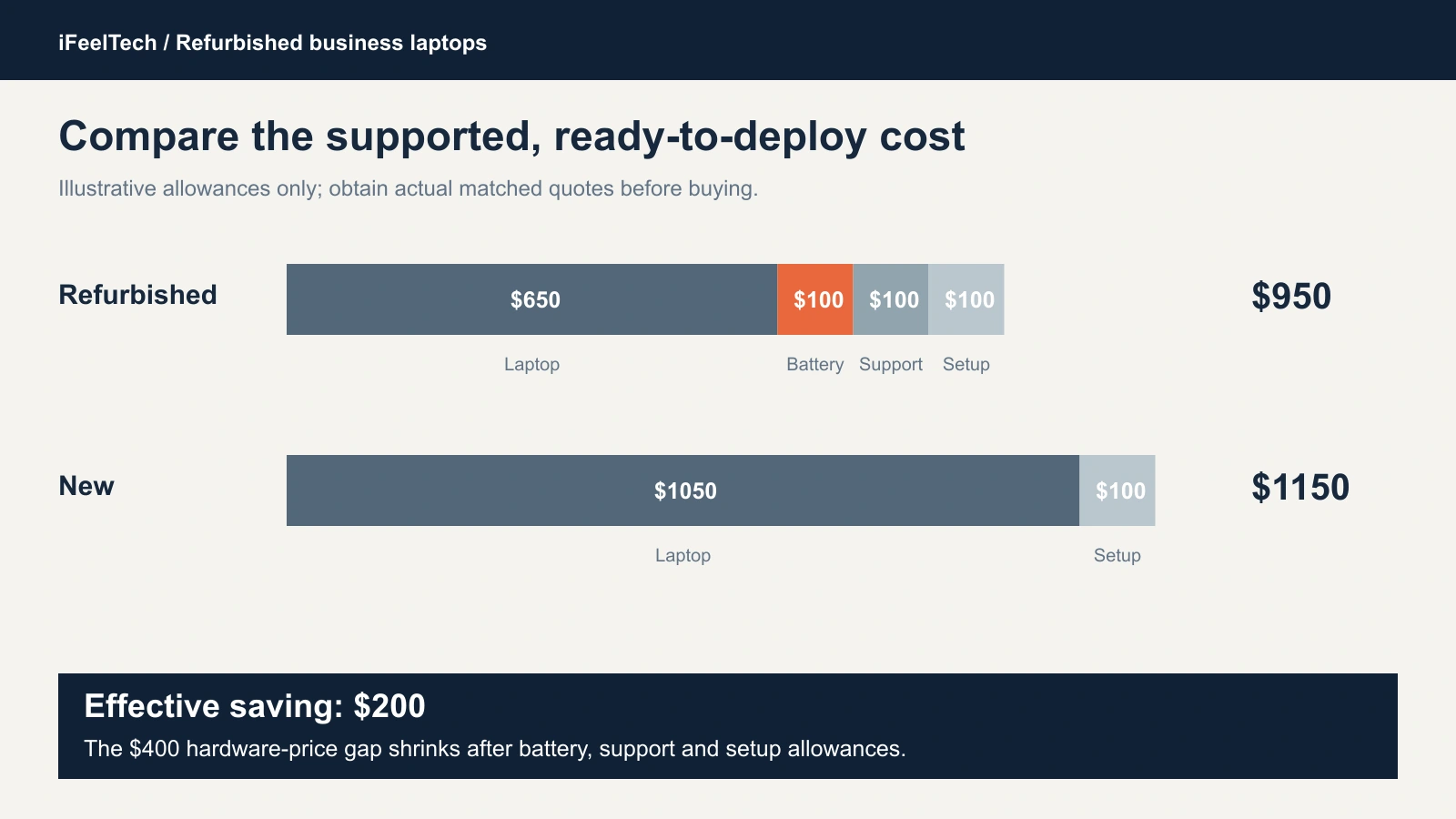
Those allowances are placeholders. Drop any the offer already includes, like Dell's three-year service, and add a dock, charger, tax and shipping where they apply. Our business PC buying guide helps you price the new side.
Buy new when the saving after these costs is small, when you need many identical units because refurbished stock arrives lot by lot, or when no seller can document the exact configuration, warranty and ownership release. For a larger rollout, see our hardware refresh planning guide.
The shortlist, checked on October 13
The priced examples below are Dell Outlet, Dell Refurbished Latitude inventory and Apple Certified Refurbished. The ThinkPads and EliteBooks remain quote targets until the exact seller, configuration and support qualify.
| Model | Checked on October 13 | Support | Main limit |
|---|---|---|---|
| Dell Pro 14 Plus, Core Ultra 5 236V | Outlet, Like New: $1,021 (16GB / 256GB), $1,165 (16GB / 512GB) | Three-year ProSupport, onsite after remote diagnosis | Memory fixed at 16GB |
| Dell Pro 14 Plus, Core Ultra 5 235U | Outlet, Like New: $1,049 (2×8GB SODIMM, 256GB) | Same three-year ProSupport | 256GB storage |
| ThinkPad T14 Gen 5, AMD or Intel | No exact order confirmed; get a quote | Lenovo Certified: one-year warranty, optional upgrades | Availability |
| Dell Latitude 5450 | Dell Refurbished: $1,019 to $1,149, depending on CPU, memory and grade | 100-day warranty; optional extended coverage to 360 days from purchase costs extra | Short standard coverage |
| HP EliteBook 840 and 845 G11 | No certified G11 order confirmed; get a quote | HP Certified: one-year parts and labor, no onsite | Availability |
| Apple Certified M4 MacBook Air | Apple: $849 (16GB / 256GB) | One-year warranty, 14-day returns; AppleCare extra | Fixed memory and storage; macOS only |
Our ThinkPad vs Dell Latitude vs HP EliteBook comparison covers how the three lines differ before you shop used.
Dell Pro 14 Plus: Outlet configurations with included support
Dell Outlet had three clean Like New configurations, each with Windows 11 Pro and three years of ProSupport Next Business Day Onsite after remote diagnosis:
- Core Ultra 5 236V, 16GB, 256GB: $1,021. The same configuration in Scratch & Dent, a lower cosmetic grade, was $969.
- Core Ultra 5 235U, 16GB (2×8GB SODIMM), 256GB: $1,049. It costs $28 more, and adds replaceable memory and a QHD+ screen with 100% sRGB coverage.
- Core Ultra 5 236V, 16GB, 512GB: $1,165. This is our default storage size, on a QLC drive.
These are dated observations. Dell Outlet inventory moves, "next business day" starts after diagnosis, and the listings advertised an extra 10% off at checkout that we did not apply.
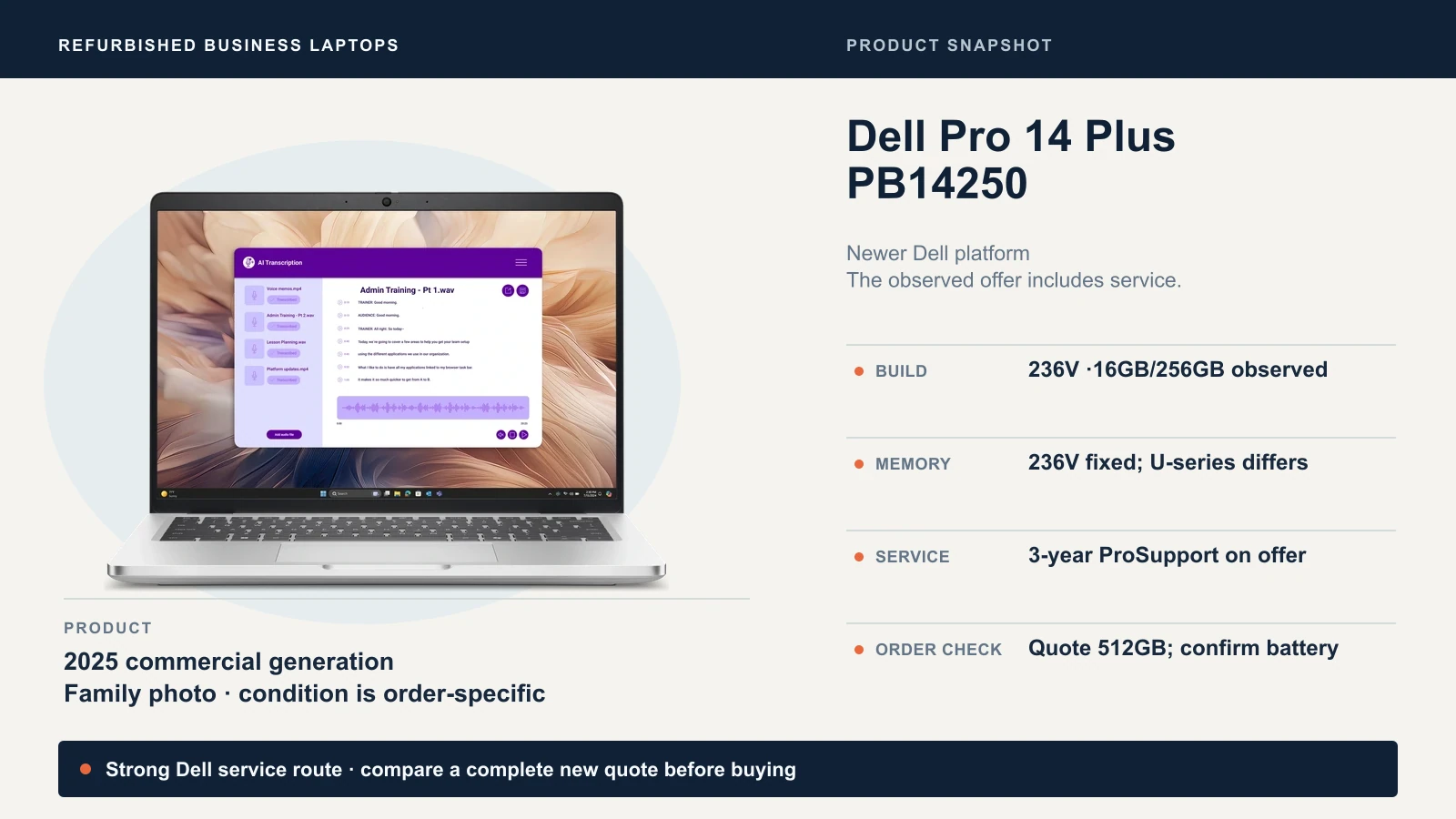
- The 236V's memory is fixed. Dell's brochure says Intel Core Ultra Series 2 (V) processors carry memory on package, so 16GB stays 16GB. The 235U has slots.
- The screens differ. The 236V offers had 300-nit or 400-nit panels at 45% NTSC. That is adequate for documents and email, but dim next to a bright window and a weak match for color-sensitive work.
- 256GB is thin for local files. It suits a cloud-first role; anyone who keeps client files on the laptop needs 512GB.
- The names blur. Results mix the commercial PB14250 with the AMD PB14255 and consumer DB14250. A $1,259 235U touch listing showed both 256GB and 512GB storage lines, so ask Dell which is fitted.
Best for a Dell office that wants manufacturer service behind a refurbished laptop. Skip the 236V if the role needs more than 16GB.
ThinkPad T14 Gen 5: a repairable option for longer deployments
The T14 Gen 5 suits a business that plans to keep a laptop beyond its warranty. Lenovo's specifications list two DDR5 memory slots up to 64GB and one M.2 2280 SSD slot on both versions, so a sizing mistake becomes a part swap. Both versions also offer Thunderbolt 4 and RJ45 Ethernet, so ports do not separate them; confirm the exact machine and your dock. The older T14 Gen 4 AMD has soldered memory, which is fine when the configuration has enough but cannot be upgraded.
Lenovo's Certified Refurbished program is the standard to look for: Lenovo or accredited-partner certification, original parts, a new one-year warranty, minimum 80% battery performance, and optional extensions and onsite upgrades where available. We could not find an exact Gen 5 lot to price, so both versions are quote targets.
T14 Gen 5 AMD
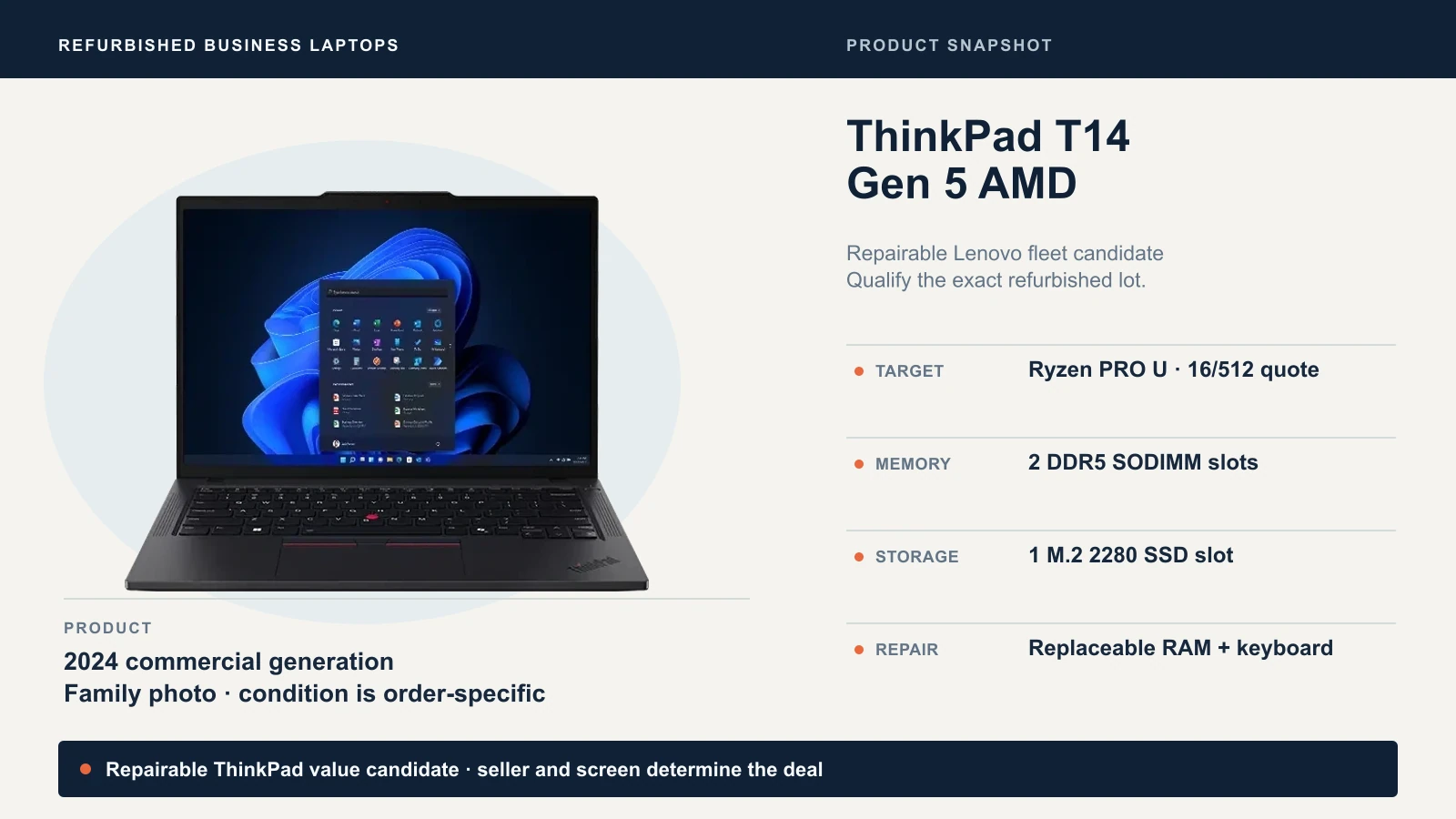
Quote a Ryzen 5 PRO 8540U or Ryzen 7 PRO 8840U with 16GB, 512GB and Windows 11 Pro. Browser and cloud-app work does not justify a Ryzen 7 premium; price 32GB instead for heavy multitasking. Lenovo lists a 52.5Wh battery as standard and a 39.3Wh battery as special-bid only, so ask which is fitted, and which screen. A 1920×1200 non-touch panel is the routine choice.
T14 Gen 5 Intel
Quote a Core Ultra 5 125U or 135U with 16GB, 512GB and Windows 11 Pro. Choose it when your docks, management tools and habits are built around Intel ThinkPads. vPro is optional; pay for it only when the order includes it and someone will provision it.
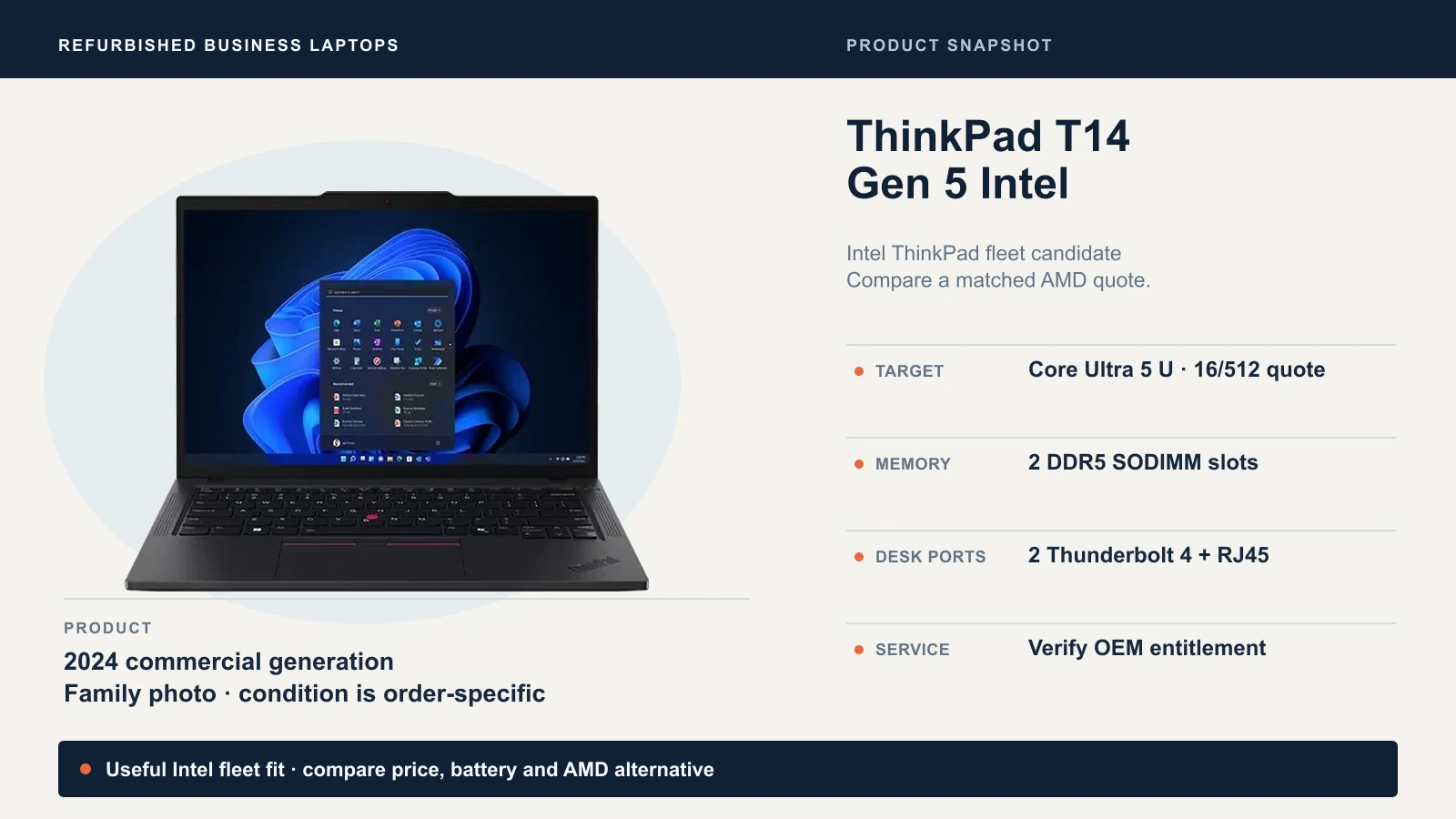
Notebookcheck's reviews of the AMD (8840U) and Intel (155U) samples praised performance, keyboard and repairability, and flagged heat, efficiency and fan noise; those results belong to those samples, not to a used unit's battery. Replaceable memory does not guarantee replacement-part availability, so ask the seller. Lenovo's Intel specification sheet lists the options.
Best for offices that want repairable hardware and will insist on a matched quote. Skip if the seller cannot name the exact CPU, memory layout and warranty issuer.
Dell Latitude 5450: the practical fleet workhorse
Dell's 2024 mainstream 14-inch business laptop has two DDR5 memory slots up to 64GB, RJ45 Ethernet, two Thunderbolt 4 ports, two USB-A ports and HDMI, per Dell's owner's manual. A basic desk with wired network and an HDMI monitor plugs in without a dock; if you want one, see our docking station guide.
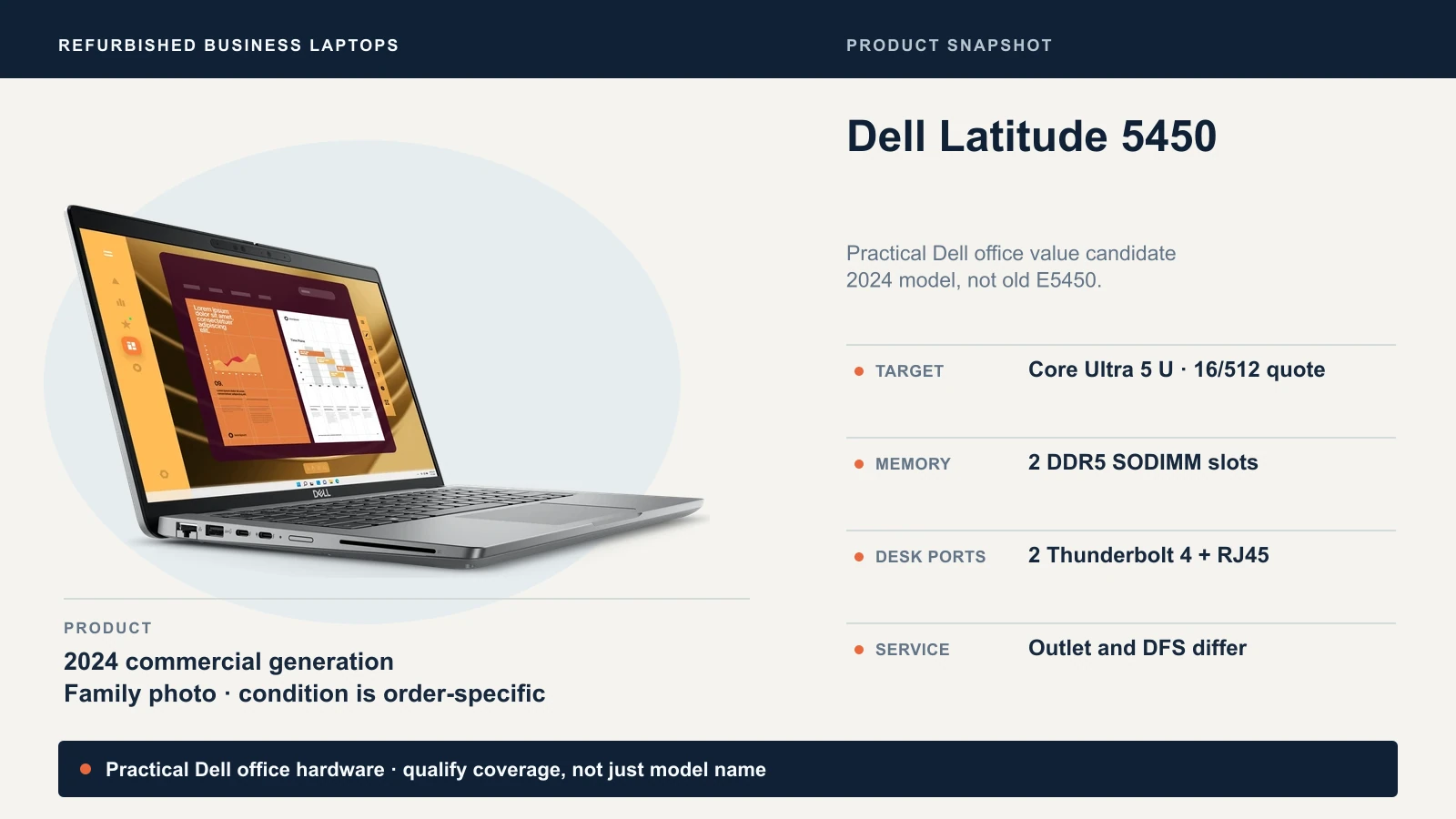
Names are the first trap. Retailer titles blur the 2024 Latitude 5450 with the 2014 E5450, the 2022 Latitude 5430, thin-client configurations and the ARM-based 5455, which is a different decision (see our ARM versus x86 guide). The 5450 family also spans Core Ultra and 13th-generation Intel configurations. Core Ultra 5 U-series is our target, so confirm the exact CPU on any order.
Coverage is the second. Dell Refurbished, the off-lease program, listed 5450s on October 13 from $1,019 (Core Ultra 7 155U, 16GB, 512GB, grade B) to $1,149 (Core Ultra 5 135U, 32GB, 512GB, grade A), each with a standard 100-day limited warranty. Dell offers extended coverage to 360 days from purchase, rather than 360 additional days. The published laptop upgrade price is $49; confirm eligibility and the applicable end date at checkout. That is close to the $1,021 to $1,165 an Outlet Pro 14 Plus costs with three years of onsite service, so short-coverage stock is a budget exception: buy it with written support or a spare, not for staff you cannot do without.
Best for Dell shops that value ports and replaceable memory. Skip if the only offer carries 100 days of coverage and the laptop is critical.
HP EliteBook 840 and 845 G11: strong hardware, hard to qualify
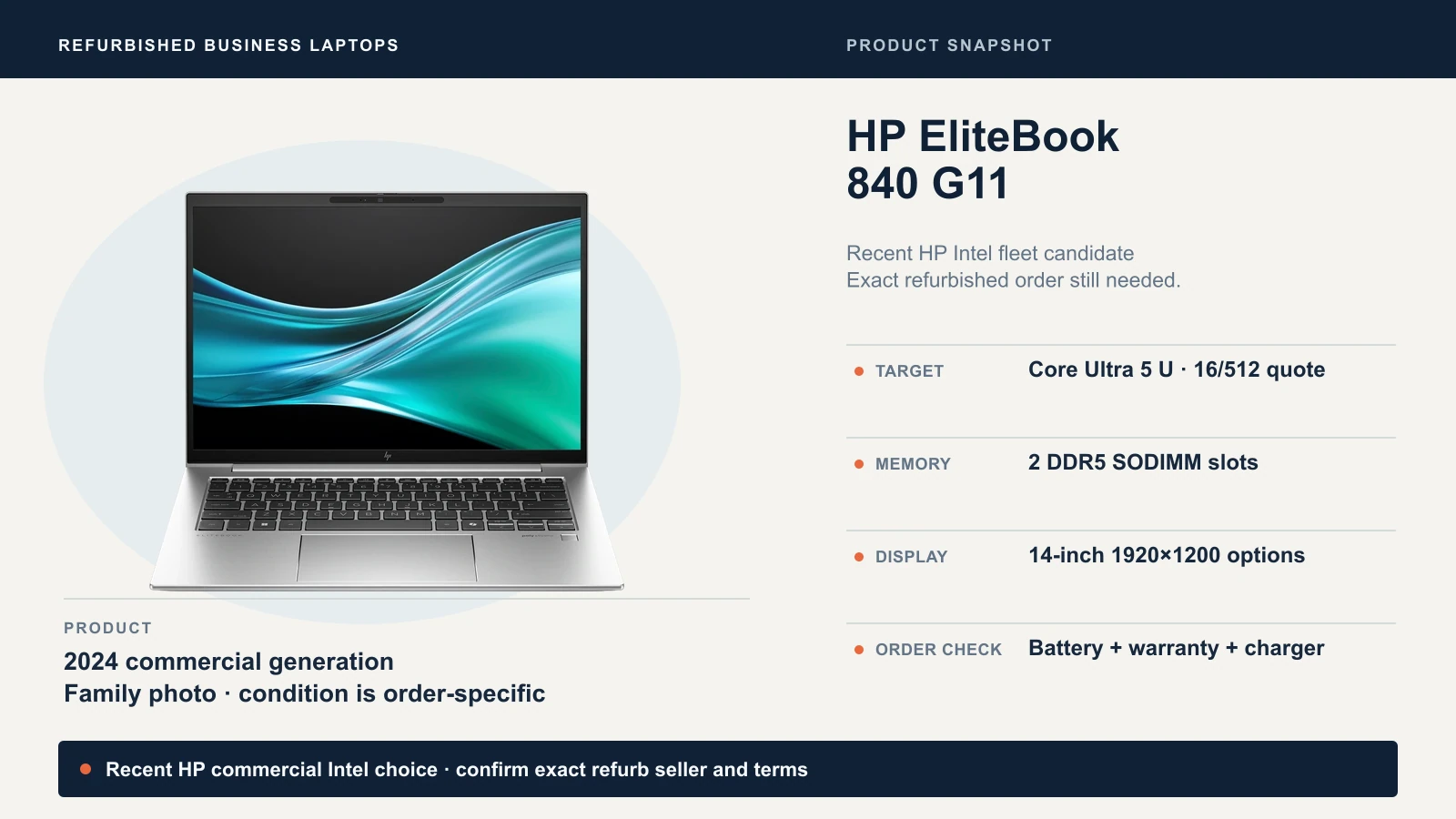
HP's datasheet lists the 840 G11 with two SODIMM slots, two Thunderbolt 4 ports, HDMI 2.1 and 14-inch 1920×1200 panels from 300 nits at 45% NTSC to 400-nit low-power 100% sRGB and brighter options, so ask which panel was fitted. The hard part is proving what you are buying.
HP's Certified Refurbished program covers HP OEM parts and a one-year parts and labor warranty, with no onsite service. Its page features older 840 G8 examples, and we could not verify a G11 lot. A third-party "HP refurbished" label is not proof of HP certification, so ask for the seller, part number, battery condition, warranty issuer and service country.
840 G11: quote a Core Ultra 5 U-series processor with 16GB, 512GB and Windows 11 Pro. The HP retail page we inspected described a 165H configuration, not our 125U target, and a retail page is not a refurbished listing. Do not count on HP Wolf Pro Security either: HP's terms describe that software license as non-transferable and time-limited, so treat it as absent unless the seller documents otherwise.
845 G11: the AMD version has Ryzen PRO 8540U or 8840U options. For routine office roles, prefer a U-series build: Notebookcheck's 8840HS sample hit a single-fan cooling limit, a reason to pick the lower-power chip, not proof that every 845 runs hot. Keep it as an alternative if a matched quote beats the 840 and the T14.
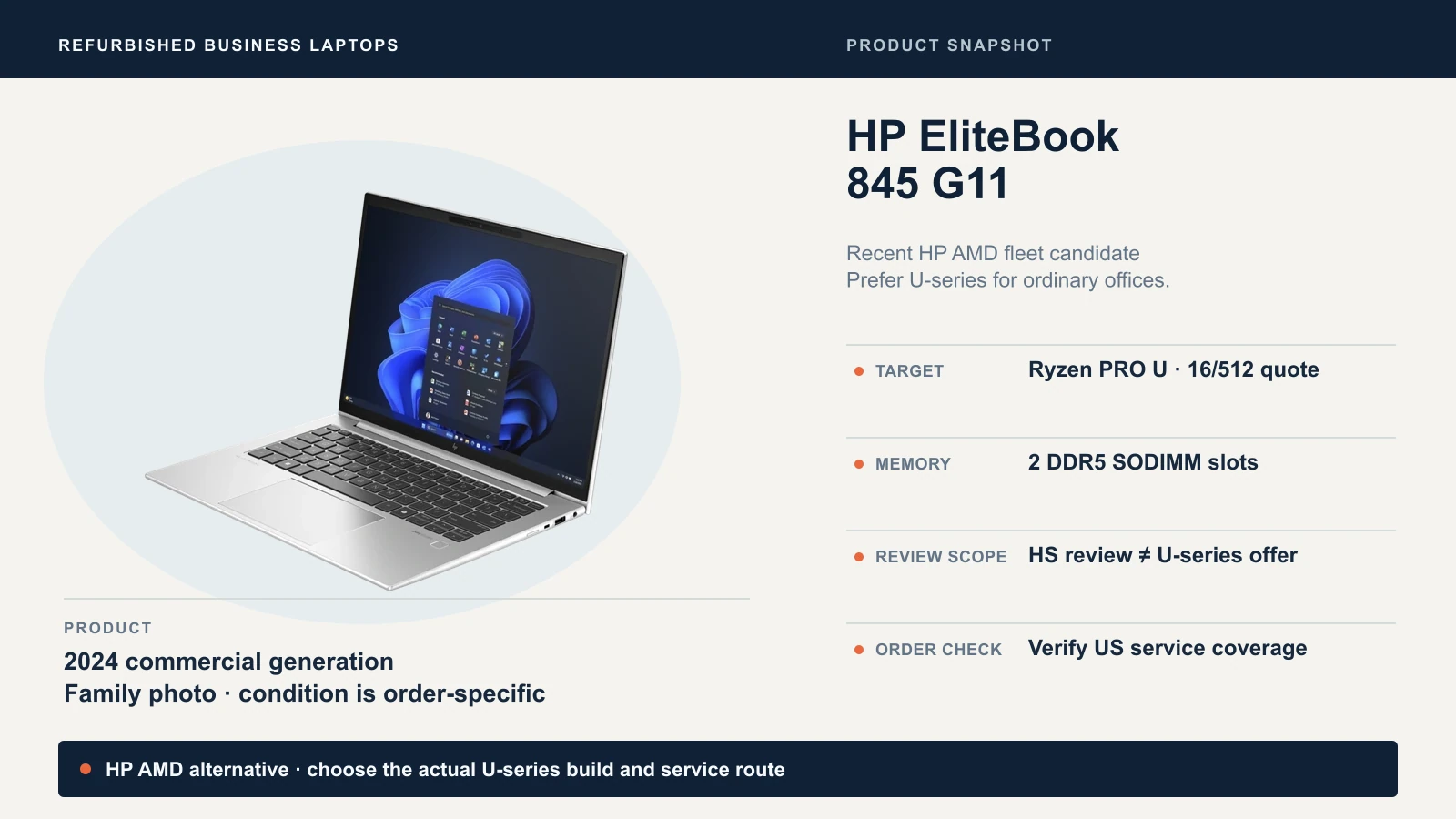
Best for HP offices with a supplier who will document the exact lot. Skip if the seller only says "HP refurbished" and cannot name the warranty issuer.
Apple Certified M4 MacBook Air: the optional Mac branch
If your staff work in macOS, Apple's certified program is a straightforward manufacturer-backed option. Apple's listing on October 13 was $849 for a 13-inch M4 MacBook Air (13.6-inch display) with 16GB of memory and a 256GB SSD, a one-year limited warranty and 14-day returns. AppleCare is a separate purchase. New Airs are now M5 models, so this is a generation-behind choice; our M5 versus M4 guide covers the difference.
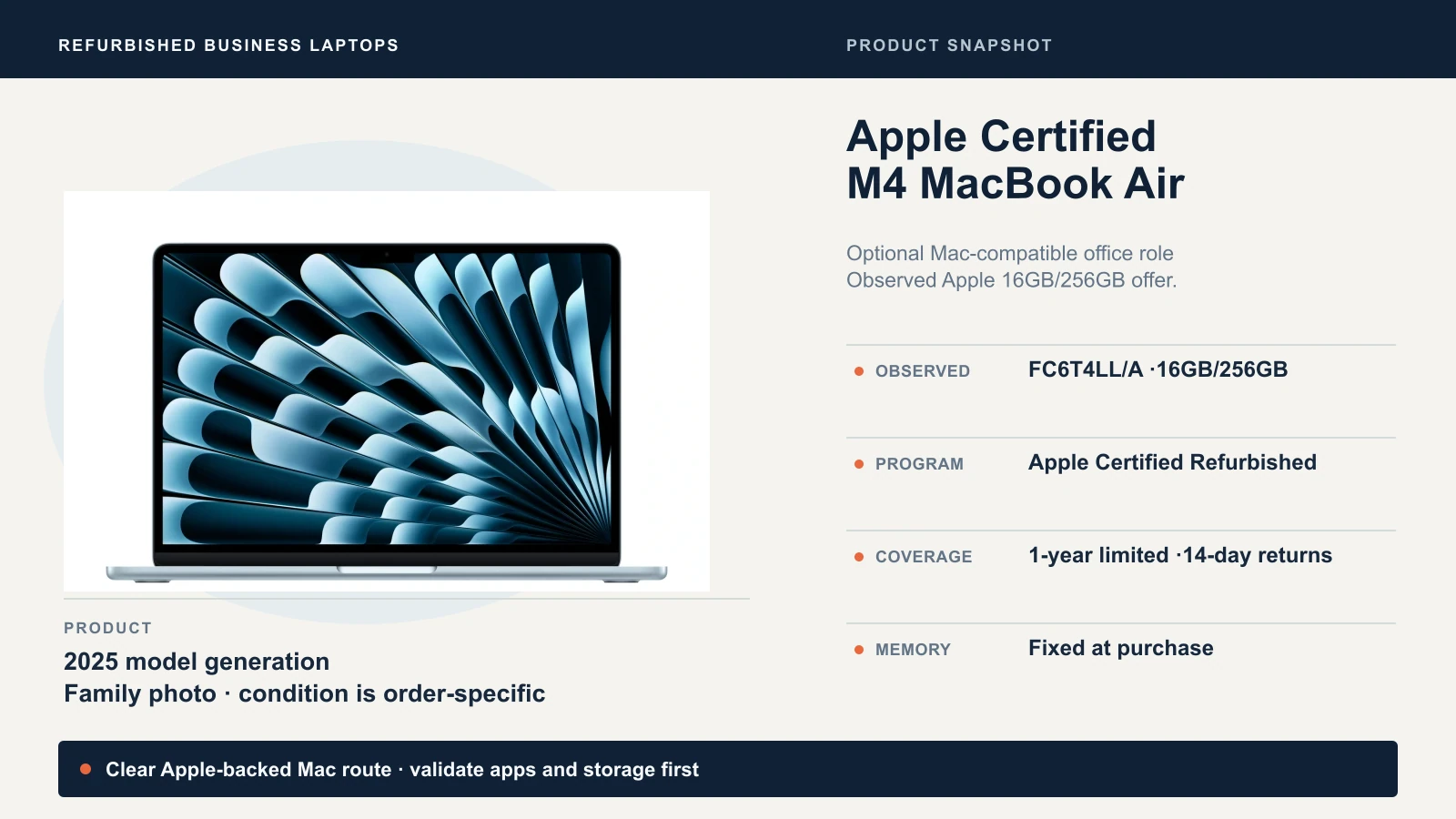
Memory and storage are set at purchase, and we did not see a price for a 512GB model. Apple's refurbishment process promises a new battery only for refurbished iOS devices, not Macs, and a marketplace "Renewed" listing is not Apple Certified. Before you standardize, confirm that every application and peripheral you need supports macOS, and test them on one machine. Our Apple Business Manager guide covers deployment.
Best for staff whose applications and peripherals all support macOS. Skip if any of them is Windows-only.
Who stands behind it? Compare the programs, not the logos
A refurbished laptop is a promise as much as a machine. Our standard is a documented one-year hardware warranty from the manufacturer or a credible refurbisher, a return window, a legitimate Windows 11 Pro license (our Home versus Pro guide explains why), the right charger and a clean ownership record. That is our procurement standard, not a universal definition of "refurbished."
| Program | What stands behind it | Check before you buy |
|---|---|---|
| Dell Outlet | Service listed per offer; ours was three-year onsite ProSupport | Not every order includes it |
| Dell Refurbished | Off-lease Dell systems, 100-day limited warranty | Short coverage; optional extended coverage to 360 days from purchase costs extra |
| Lenovo Certified Refurbished | Certification, original parts, new one-year warranty, 80% minimum battery performance | Extensions and onsite upgrades vary. Under Lenovo's US sales terms, Outlet return requests run 14 days from invoice, and a discretionary return can carry a 15% restocking fee plus shipping; accredited partners may differ |
| HP Certified Refurbished | HP OEM parts, one-year parts and labor | No onsite service; confirm the exact G11 is certified |
| Apple Certified Refurbished | Apple testing, one-year warranty, 14-day returns on our listing | Limited supply; fixed memory and storage |
| Amazon Renewed | Qualified suppliers; batteries at least 80% of new, or 90% for Premium, per Amazon | Most items have a 90-day return period, Premium 365 days, and select items an 11-month limited warranty. None is a manufacturer warranty; check the actual seller |
Questions to send the seller
Vague phrases hide the risk: "certified" with no issuer, "Grade A" on the seller's own scale, "good battery" with no number, "wiped" with nothing about ownership. Copy this into an email and ask for written answers:
- What are the exact model name, part number and CPU model number, and how are the memory modules arranged?
- What are the SSD size, screen resolution, brightness and color coverage, and is it touch or privacy-filtered? Is the keyboard US layout?
- What is the battery's full charge capacity against its design capacity, and its cycle count? What happens if it arrives below our target?
- Does it include the original charger?
- What does the cosmetic grade cover, and does it cover the battery?
- Who issues the warranty, for how long, and what does it exclude, such as the battery or accidental damage? Is service onsite, depot or mail-in, who pays shipping, what is the usual turnaround, and in which country is it done?
- What is the return deadline, counted from invoice or delivery, and is there a restocking fee or return shipping charge?
- Which Windows 11 edition and version is installed, and how is the license activated?
- How was the drive wiped, and can you confirm in writing that the laptop is released from any previous organization's management, firmware passwords and Activation Lock?
A one-year warranty and a fast repair are different promises, so question 6 matters as much as the price.
The battery check: read the capacity, then test the workday
Battery condition separates a good refurbished laptop from a disappointing one, and the laptop will tell you. On Windows, open Command Prompt, run powercfg /batteryreport, then open the HTML report and compare full charge capacity with design capacity. Microsoft documents the command. A cycle count alone does not establish battery condition.
On a Mac, Apple says maximum battery capacity measures capacity relative to when the battery was new. Check it in Battery settings, then hold Option, click the Apple menu, and open System Information to read the cycle count under Power.
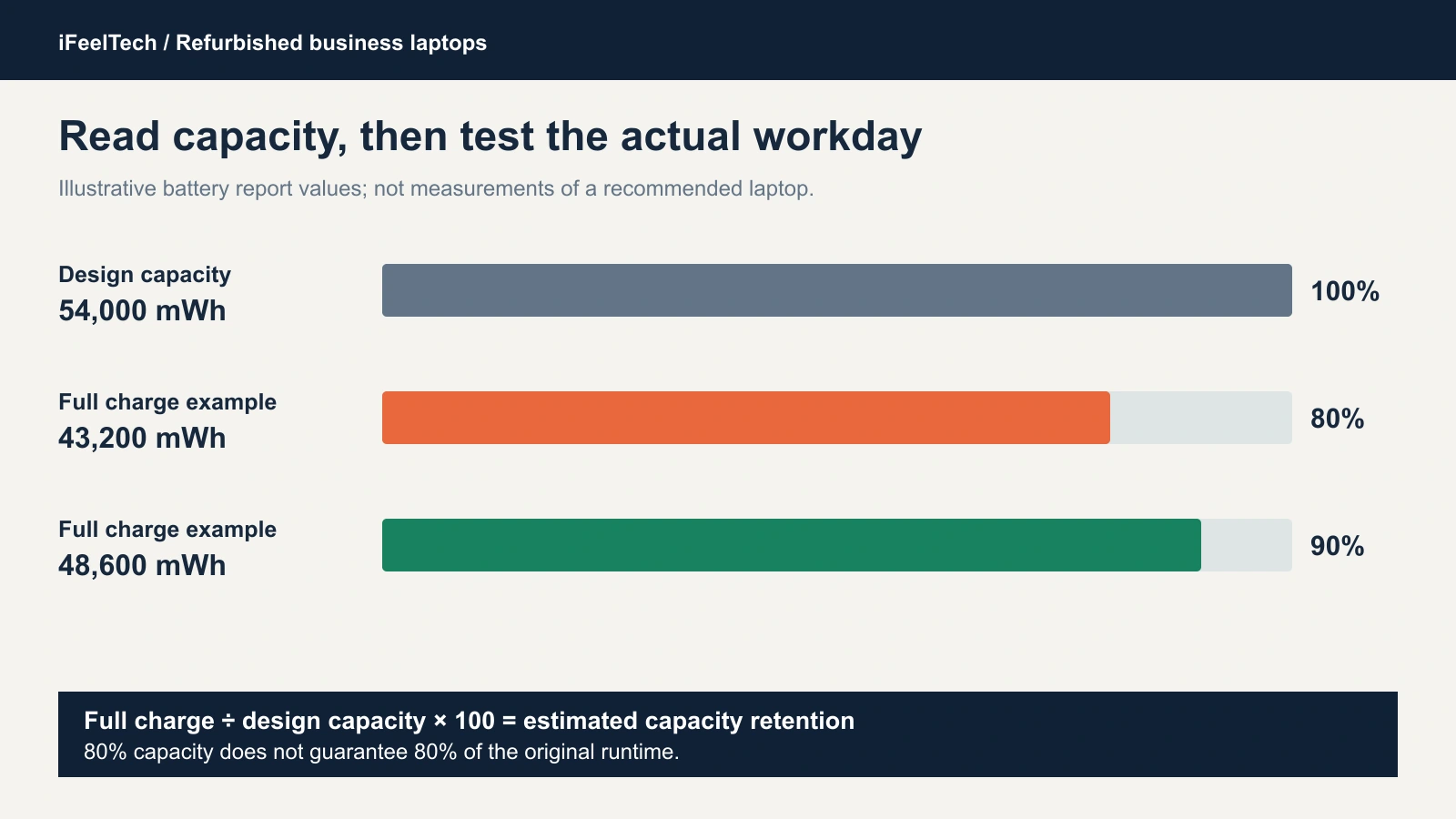
The numbers in that chart are fictional. A battery with 54,000 mWh of design capacity that now charges to 43,200 mWh is at 80%; one that charges to 48,600 mWh is at 90%. Lenovo's 80% floor means a certified battery can have lost a fifth of its capacity, which is not a promise of a full workday. For staff who work away from a desk we prefer 90% or better. A ratio does not predict hours, so finish with a real test: run the actual call, browser and application workload on battery before you order more.
Arrival checks and pilot
Order one laptop first and run it through this. Real battery, application and dock testing can take days.
- Record the return deadline the day it arrives.
- Inspect and compare. Check hinges, ports and damage, then confirm the CPU, memory, SSD, screen and charger match the order.
- Run the checks. Use the manufacturer's diagnostics, test the keyboard, touchpad, camera, audio and charging, and read the battery report.
- Check the Windows version. Run
winver. Microsoft's lifecycle page lists Windows 11 version 24H2 Home and Pro as ending October 14, 2026, 25H2 as supported through October 13, 2027, and 26H2 through October 10, 2028. Update before the laptop joins your network. - Confirm firmware access. No unknown supervisor or drive password should block administration.
- Pilot the real setup. Use your actual applications, displays and dock for a working week. Complete acceptance testing before the seller’s return-request deadline, which may run from invoice rather than delivery. Arrange a longer evaluation period before buying if you need one.
Stop if the laptop belongs to someone else's organization
If setup shows a previous organization's name, an Activation Lock screen or an unexpected management enrollment, stop and have the seller resolve it, or return the unit. Microsoft documents that a previous organization must deregister devices that permanently leave it, and Apple explains that Activation Lock can survive an erase. A factory reset does not release ownership. Do not look for a bypass, and keep serial numbers and customer information in private records.
Decide in advance who reimages the laptop, runs updates, checks the license, enrolls it in management and stores the encryption recovery key, and install endpoint protection before business data goes on it.
The bottom line
The cheapest listing is not the best value. The best value is a recent laptop, from a seller who stands behind it, whose complete price is still lower than the new alternative. The Dell Pro 14 Plus offered a promising price-and-support combination on October 13, subject to battery and configuration checks; the other models here are worth quoting. Match the model to the person, get the nine answers in writing, check the battery and Windows version on arrival, and pilot one laptop before the rest.
Want a second pair of eyes on the quote?
Our managed IT services team can review a refurbished quote against a new one, run the pilot on a single laptop, and deploy and support the fleet for South Florida offices.
Sources and methods
Manufacturer specifications, program terms and US inventory were checked on October 13, 2026, and are linked where they apply. Prices, stock and warranty terms change, so confirm them before ordering. Dell and Apple prices are displayed prices, not checkout quotes, and new-laptop prices can include temporary promotions.
Independent reviews, credited only for the build each one tested:
- Notebookcheck: ThinkPad T14 Gen 5 AMD, Ryzen 7 PRO 8840U sample.
- Notebookcheck: ThinkPad T14 Gen 5 Intel, 155U sample.
- Notebookcheck: HP EliteBook 845 G11, 8840HS sample.
Those findings apply to the tested review units. Product cards use manufacturer photographs of each model family, and ports, screens and batteries on a given order may differ. The cover image is an editorial montage, not a photograph of a deployment.
Related Resources
- ThinkPad vs Dell Latitude vs HP EliteBook — How the three commercial lines differ before you shop used.
- Business PC Buying Guide — Fleet purchasing for laptops and desktops.
- Best Laptops for Business Deployment — New laptops to compare against a refurbished quote.
- Apple Business Manager and Mac Workflows — Deploy and manage Macs in a business.
- Managed IT Services — Deployment and support for business laptops across South Florida.
Frequently Asked Questions
Related Articles
More from Business Hardware
Best Mini PCs for Small Business in 2026
Compare business mini PCs from Dell, Lenovo, HP, Apple and ASUS: dated prices, ports, upgrades and support, plus a pilot checklist before you buy.
16 min read
RAID 0 vs 1 vs 5 vs 6 vs 10: Which Fits Your Business NAS?
What each RAID level does, how many drives can fail, how much space you keep, and why RAID is not a backup. Covers SHR, rebuilds and drive failures.
10 min read
Reolink vs Lorex for a Small Office: Choosing a PoE Camera System
Compare current Reolink and Lorex PoE camera systems for an office: recording, app workflow, storage, compatibility and business purchasing checks.
12 min read