

Best Mini PCs for Small Business in 2026
Compare business mini PCs from Dell, Lenovo, HP, Apple and ASUS: dated prices, ports, upgrades and support, plus a pilot checklist before you buy.

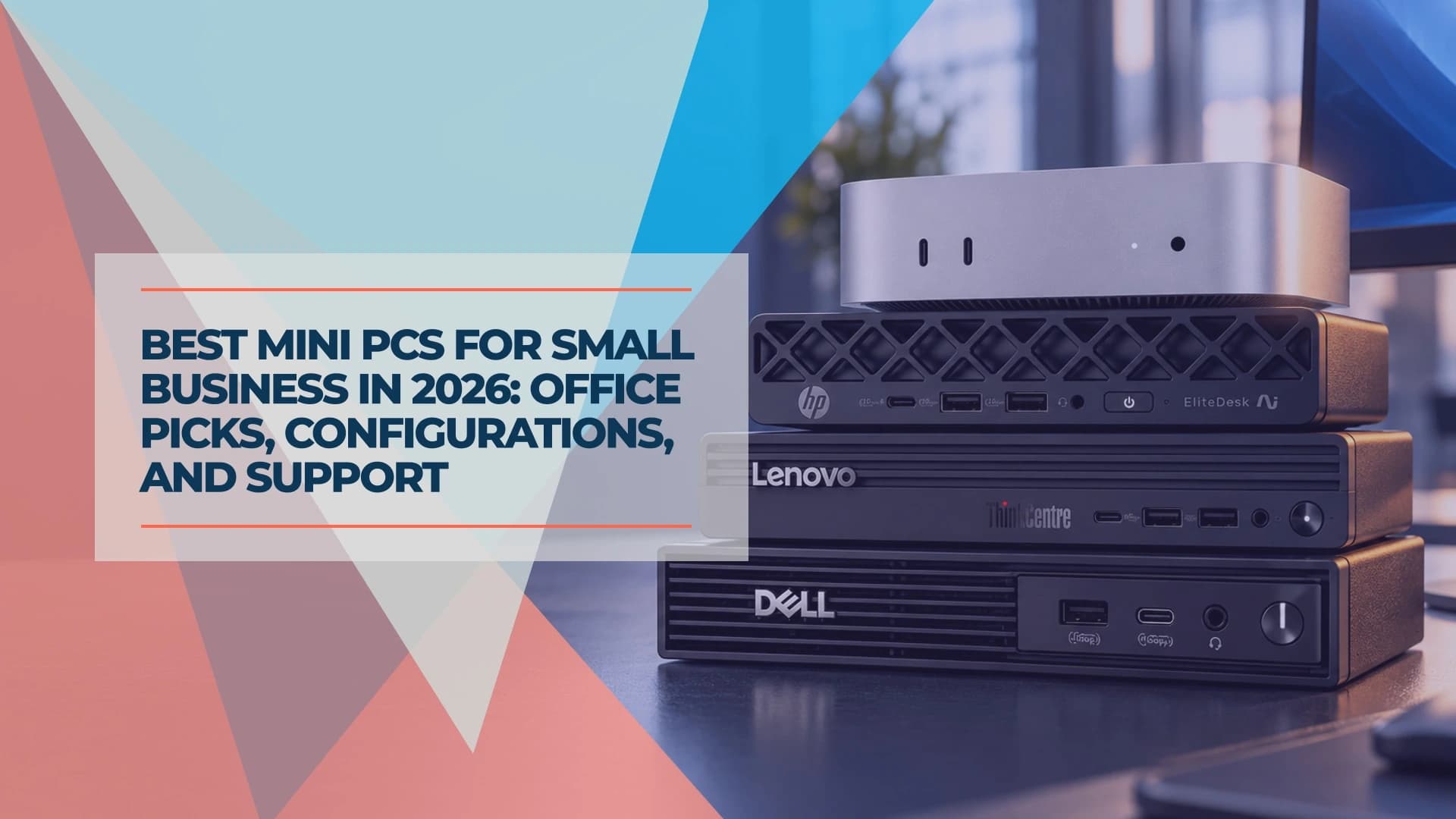
For most small-business desks, a commercial mini PC from a supported line, with 16GB of memory, a 512GB SSD and Windows 11 Pro, is a sound starting configuration. Dell, Lenovo and HP each sell one, and the Mac mini M6 suits macOS roles. In our checks on October 12, 2026, three Amazon.com listings matched a commercial build exactly: the HP ProDesk 4 Mini G1i at $879.99, the ASUS NUC 16 Pro at $1,399 and the Mac mini M6 at $949.99. The Dell Pro 5 Micro was $1,617 at Dell, and the remaining models are quote candidates you price through the manufacturer or an authorized reseller.
Affiliate Disclosure: This article contains affiliate links. If you make a purchase through these links, we may earn a small commission at no extra cost to you. As an Amazon Associate, iFeelTech earns from qualifying purchases.
How we chose these products
Our recommendations draw on our everyday work deploying and supporting commercial computers for business clients. We prioritize application compatibility, serviceability, management, display connections and support. For this guide, we checked manufacturer specifications and purchasing information on October 12, 2026, and consulted independent reviews where available, crediting each only for the build it tested. Prices are dated observations, not quotes.
Who a business mini PC suits, and when to choose a laptop or full-size desktop
This guide serves owners, office managers and IT leads standardizing five to fifty fixed desks. A mini PC fits a stationary desk with one or two monitors, such as reception, accounting or a shared workstation. It hides behind a monitor or mounts under a desk and takes less space to store as a spare than a full tower. The trade-off is expansion: the Windows models compared here list two or three M.2 SSD slots and, where specified, two memory slots, with little room for a full-size graphics card, and the Mac mini cannot be upgraded. If you are replacing older desktops, our hardware refresh planning guide covers timing and budget, and our Windows 10 end-of-support guide covers machines that cannot run Windows 11.
Choose differently when the role changes:
- A laptop fits staff who work between sites or from home. Our laptop comparison covers the three commercial lines, and the business PC buying guide covers the whole fleet.
- A small-form-factor or tower desktop fits a role that needs a full-size graphics card, several internal drives or extra expansion cards. Dell, Lenovo and HP each sell commercial desktops in those larger sizes.
If you have no Dell, Lenovo or HP standard yet, ask your IT provider which line they support and buy that. Without one, pick a single model, buy identical units, and choose the service option before you choose the processor. Dell's base warranty includes onsite support after remote diagnosis, and Lenovo lists three-year onsite service on some models. The comparison table below shows what each build includes.
Quick picks
- Dell shop, or first-time buyer who wants onsite support after remote diagnosis in the base price: Dell Pro 5 Micro.
- Need extra storage and a replaceable processor: ThinkCentre M90q Gen 6, after a noise pilot.
- HP shop: EliteDesk 8 Mini G2i, once a supplier quotes the exact part number.
- Lowest verified price for a Windows build: HP ProDesk 4 Mini G1i on Amazon.com, with a one-year warranty.
- Dual LAN, extra display outputs and replaceable memory in a complete Windows Pro system: ASUS NUC 16 Pro; confirm its warranty term.
- A macOS role: Mac mini M6, 16GB / 512GB.
Comparison table: configuration, price, ports, upgrades and support
Prices were observed on October 12, 2026 and change. "Quote candidate" means we found no verified offer for that exact build.
| Model and build | Price / status | Display connections | Upgradeability | Support | Where to check |
|---|---|---|---|---|---|
| Dell Pro 5 Micro P5M1260 · Core Ultra 5 335, 16GB / 512GB, Windows 11 Pro | $1,617 at Dell | HDMI 2.1 and DisplayPort 1.4a; one optional module port | Two M.2 SSD slots | Onsite support after remote diagnosis in the base build | Dell configurator (no matching Amazon offer) |
| Lenovo ThinkCentre M90q Gen 6 · Core Ultra 5 245 / 245T, 32GB / 512GB or 1TB | Quote candidate | HDMI 2.1 and DisplayPort 1.4; optional Thunderbolt 4 and 2.5GbE | Socketed processor, two SODIMM slots, up to three M.2 SSDs | 1-year or 3-year onsite, depending on the model | Lenovo page |
| HP EliteDesk 8 Mini G2i DD1A4UA#ABA · Core Ultra 5 336H, 16GB / 512GB | Quote candidate: no buyable price on HP's page | Not verified; read HP's spec sheet | Not verified | Confirm the entitlement in the quote | HP page |
| Lenovo ThinkCentre M70q Gen 6 · Core Ultra 5 225T, 16GB / 512GB | Quote candidate | HDMI 2.1 and DisplayPort 1.4a; optional extras | Two SODIMM slots, two M.2 SSDs | 1-year or 3-year, courier or onsite, by model | Lenovo page |
| HP ProDesk 4 Mini G1i BS7M0UT#ABA · Core Ultra 5 235T, 16GB / 512GB, Windows 11 Pro | $879.99 at Amazon.com | One HDMI 2.1 and two DisplayPort 2.1 (HP Canada page, same #ABA SKU) | Two DIMM slots with one 16GB module, and two M.2 2280 SSD slots | Amazon lists a one-year manufacturer warranty | Check this configuration on Amazon |
| Apple Mac mini M6 MHQL4LL/A · M6, 16GB / 512GB | $1,099 at Apple; $949.99 at Amazon.com | Three Thunderbolt 4 ports and HDMI on the rear | None: memory and storage are set at purchase | Apple warranty; AppleCare+ is separate | Check this configuration on Amazon |
| ASUS NUC 16 Pro RNUC16GDKU5663NU · Core Ultra 5 325, 16GB / 512GB, Windows 11 Pro | $1,399 at Amazon.com | Two HDMI 2.1 and two Thunderbolt 4 | Replaceable DDR5 memory (two SO-DIMM slots) and two M.2 2280 SSD slots | Amazon lists three years; Micro Center lists one year for the same part, so confirm. Not onsite | Check this configuration on Amazon |
Dell Pro 5 Micro: current Dell office platform
The Dell Pro 5 Micro P5M1260 is the pick for offices that already buy Dell monitors, docks and service. Dell's configurator priced the checked build at $1,617: Core Ultra 5 335, 16GB DDR5, a 512GB SSD and Windows 11 Pro. The base warranty includes onsite support after remote diagnosis. Dell says a technician or replacement part is usually dispatched within one or two business days after diagnosis, subject to coverage and availability. ProSupport Plus lists next-business-day onsite repair after remote diagnosis, subject to the selected service terms.
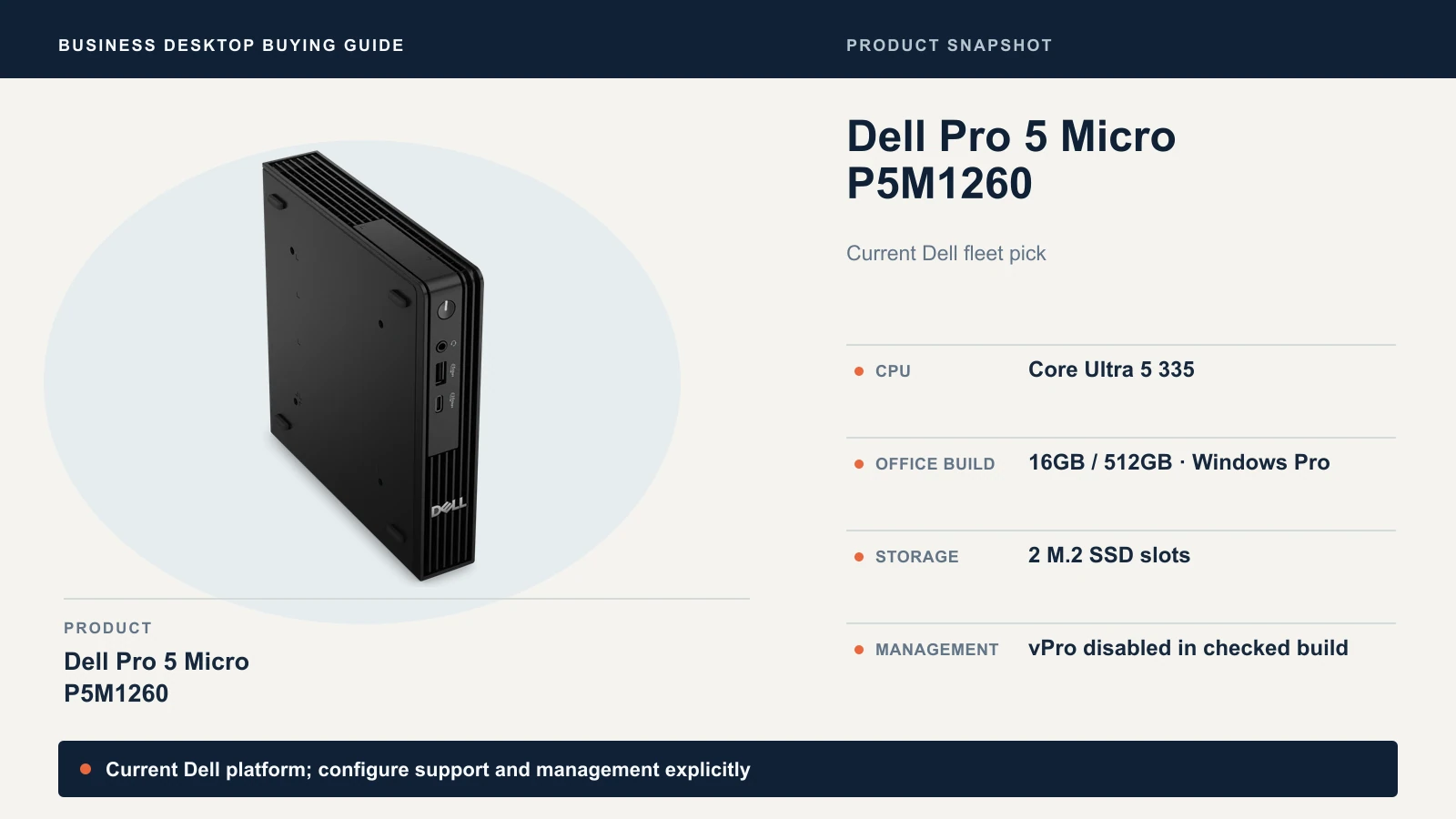
The checked order had vPro management disabled, so the vPro label on the processor does not tell you whether remote management is available on the unit you receive. Quote the upgrades you might want: 32GB was +$530 and a higher processor tier +$460 in Dell's configurator. Add memory when your workload runs short of it, and price both upgrades before deciding. Optional ports, mounts and extended service are separate lines.
We found no matching Amazon.com offer for the P5M1260 in our checks, so buy it through Dell.
Best for Dell-standard fleets and first-time buyers who want onsite support after remote diagnosis in the base price. Skip if you are paying for a higher processor tier to solve a memory or service problem.
ThinkCentre M90q Gen 6: expansion with a noise caveat
The Lenovo ThinkCentre M90q Gen 6 is the configurable pick. Lenovo's PSREF lists two DDR5 SODIMM slots up to 64GB, up to three M.2 SSDs, a discrete TPM 2.0 and base warranties of one or three years of onsite service by model. ComputerBase adds that the Tiny uses a socketed desktop processor, which is unusual in this size.
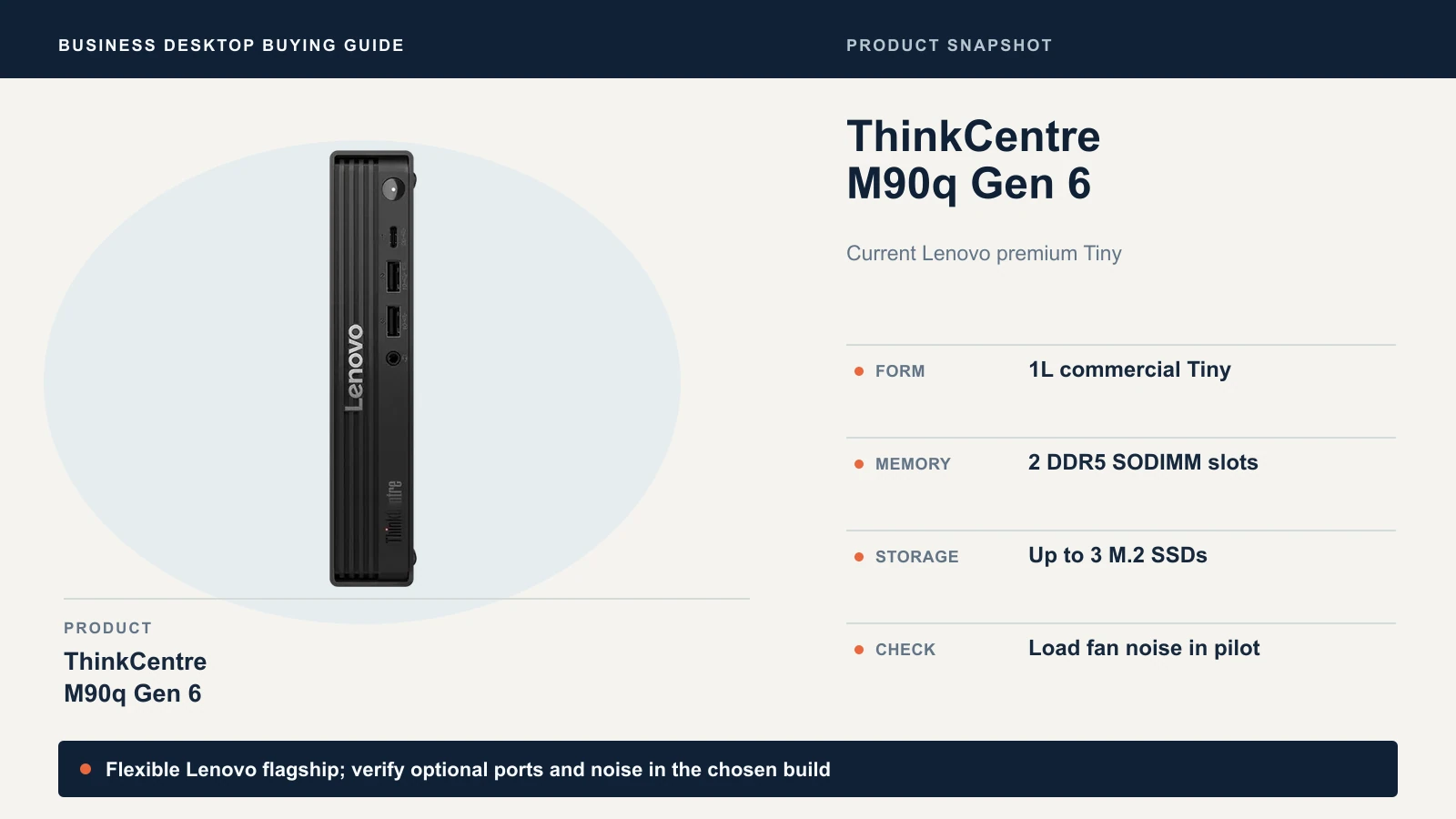
Thunderbolt 4 and 2.5GbE are optional rear ports, so confirm them in the order. We could not verify an exact US machine type for a Core Ultra 5 245 or 245T build with 32GB. The Amazon listings we found were third-party sellers, and the one SKU we checked (13AC0039US) is a different configuration from this target. Quote the M90q through Lenovo or an authorized business reseller.
For a quiet shared office, run a noise pilot before standardizing the M90q. ComputerBase's November 2025 review reported intrusive fan noise under CPU load on its Core Ultra 5 245 / 32GB sample. That finding applies to the reviewed build, not automatically to the 245T or a newer BIOS. Put a pilot unit at your quietest desk before buying more; the review is cited in Sources and methods below.
Best for Lenovo fleets that want extra storage and a replaceable processor. Skip if the desk is quiet and shared, until a pilot clears the fan.
EliteDesk 8 Mini G2i: HP's Core Ultra Series 3 mini
The HP EliteDesk 8 Mini G2i is HP's current Intel flagship mini, on Core Ultra Series 3. The verified identity is DD1A4UA#ABA: Core Ultra 5 336H, 16GB, a 512GB SSD and Windows 11 Pro, per HP's product page.
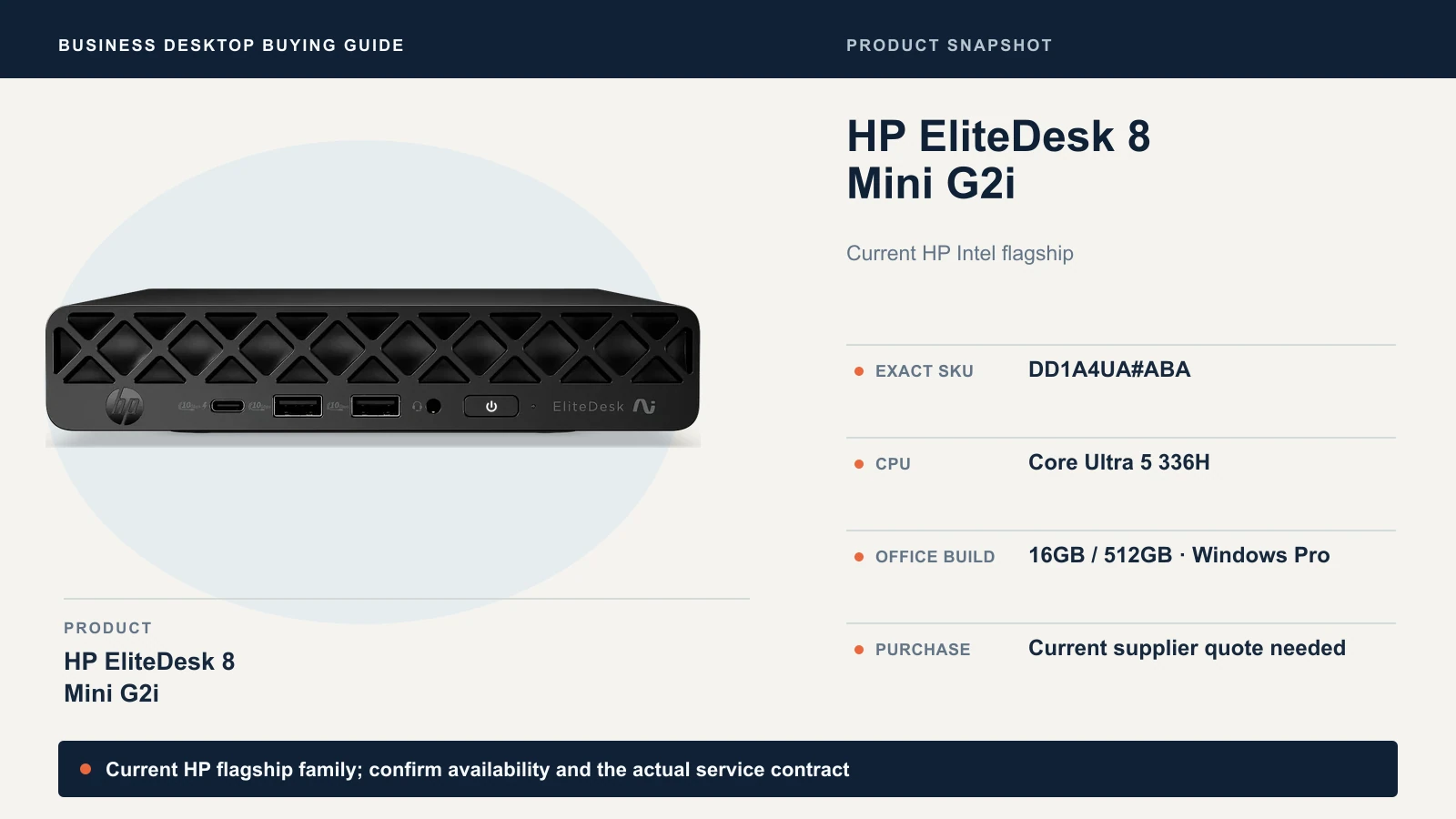
HP's page showed no buyable price on October 12, and the only Amazon.com G2i listing we found was a different part number and unavailable. Treat it as a quote candidate: ask an authorized supplier for DD1A4UA#ABA with the warranty and service terms in writing. The independent reviews we found cover HP's AMD-based G1a, not the G2i, so we rely on HP's specifications and your own pilot.
Best for HP-standard fleets. Skip if no supplier can quote the exact configuration and service.
Two commercial value candidates
ThinkCentre M70q Gen 6
The Lenovo ThinkCentre M70q Gen 6 is the plainer sibling of the M90q. Target Core Ultra 5 225T, 16GB, 512GB, Windows 11 Pro. Lenovo's PSREF lists two SODIMM slots, two M.2 SSD slots against the M90q's three, one HDMI 2.1 and one DisplayPort 1.4a on the rear, and base warranties of one or three years, courier or onsite, by model.
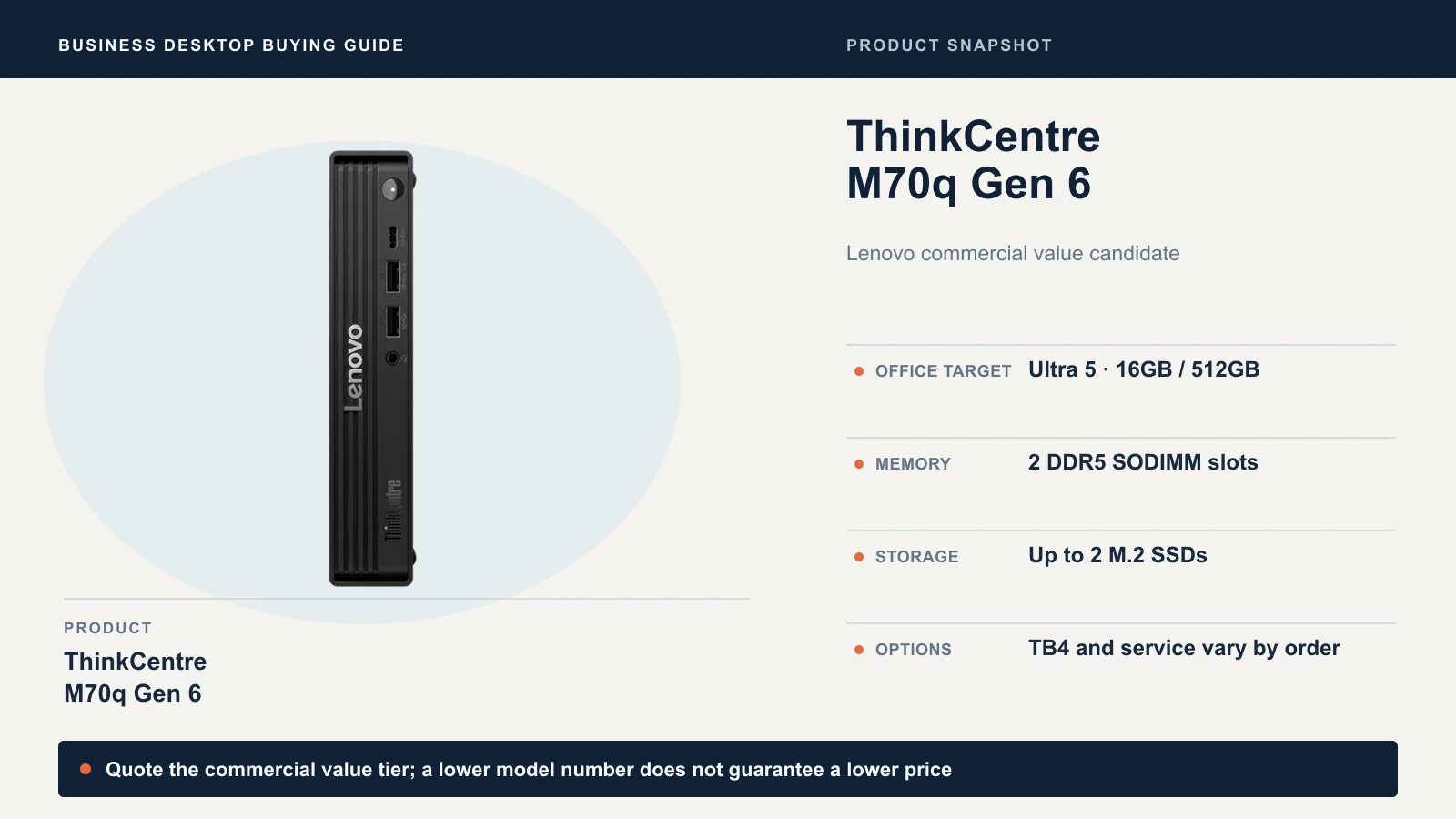
We could not verify a price. The exact 13A40029US lead had no available Amazon offer, and the 16GB / 512GB Amazon results were seller-upgraded bundles on a different processor. It is a quote candidate, not a confirmed saving, until a Lenovo or authorized-reseller quote beats the M90q with matched memory and service.
HP ProDesk 4 Mini G1i
The HP ProDesk 4 Mini G1i is HP's commercial value family, and it has the lowest verified price in this guide. HP's datasheet describes a commercial platform with optional vPro and two storage slots.
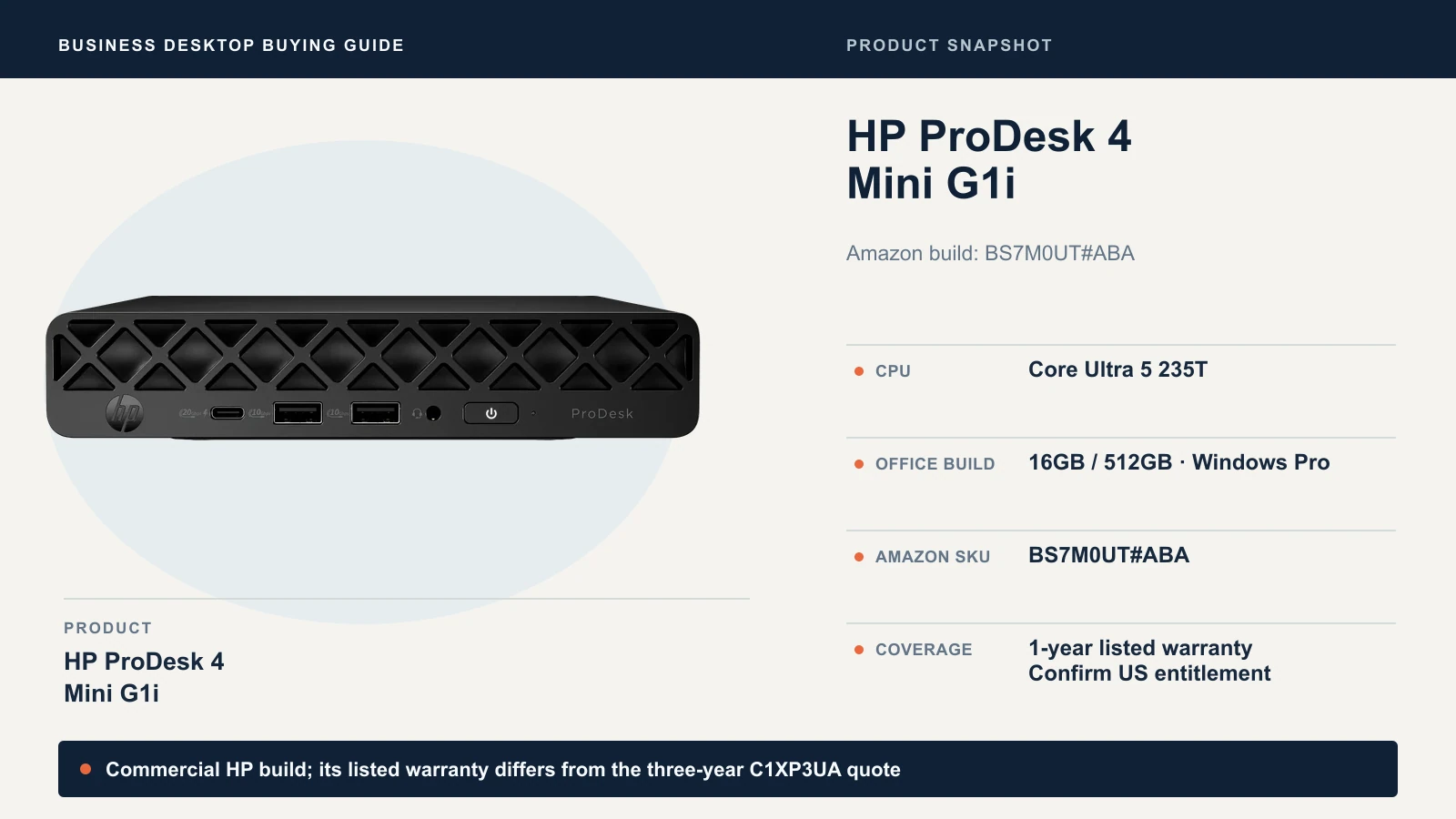
The Amazon listing is a different order from the one HP's page shows:
| Amazon.com listing | HP's own listing | |
|---|---|---|
| Part number | BS7M0UT#ABA | C1XP3UA#ABA |
| Build | Core Ultra 5 235T, 16GB DDR5, 512GB SSD, Windows 11 Pro | Same |
| Seller | Amazon.com, new | HP |
| Warranty | Amazon lists a one-year manufacturer warranty | HP lists the Wolf Pro Security edition with a three-year warranty |
| Price (Oct 12) | $879.99 | No valid price exposed |
Ports and slots come from HP's Canadian page for the same #ABA part: one HDMI 2.1, two DisplayPort 2.1, two DIMM slots with one 16GB module fitted, and two M.2 2280 storage slots. Amazon lists a keyboard and mouse in the box. A one-year warranty suits a desk with a working spare. A role that cannot tolerate extended downtime needs a spare on the shelf or service terms that match its repair-time requirement. Check that a listing is the 16GB / 512GB factory build rather than a 256GB variant or a reseller-modified bundle.
Check this configuration on Amazon
Best for ordinary Windows desks that do not need the M90q's expansion. Skip if you need three-year coverage from the first day at this price.
Mac mini M6: choose it for a Mac-compatible role
The Apple Mac mini M6 suits staff whose work runs natively on macOS. The planning target is M6, 16GB, 512GB, with 24GB where the workload needs it. Choose the memory for the desk's expected workload before purchase; Tom's Guide's review confirms that it cannot be upgraded later.
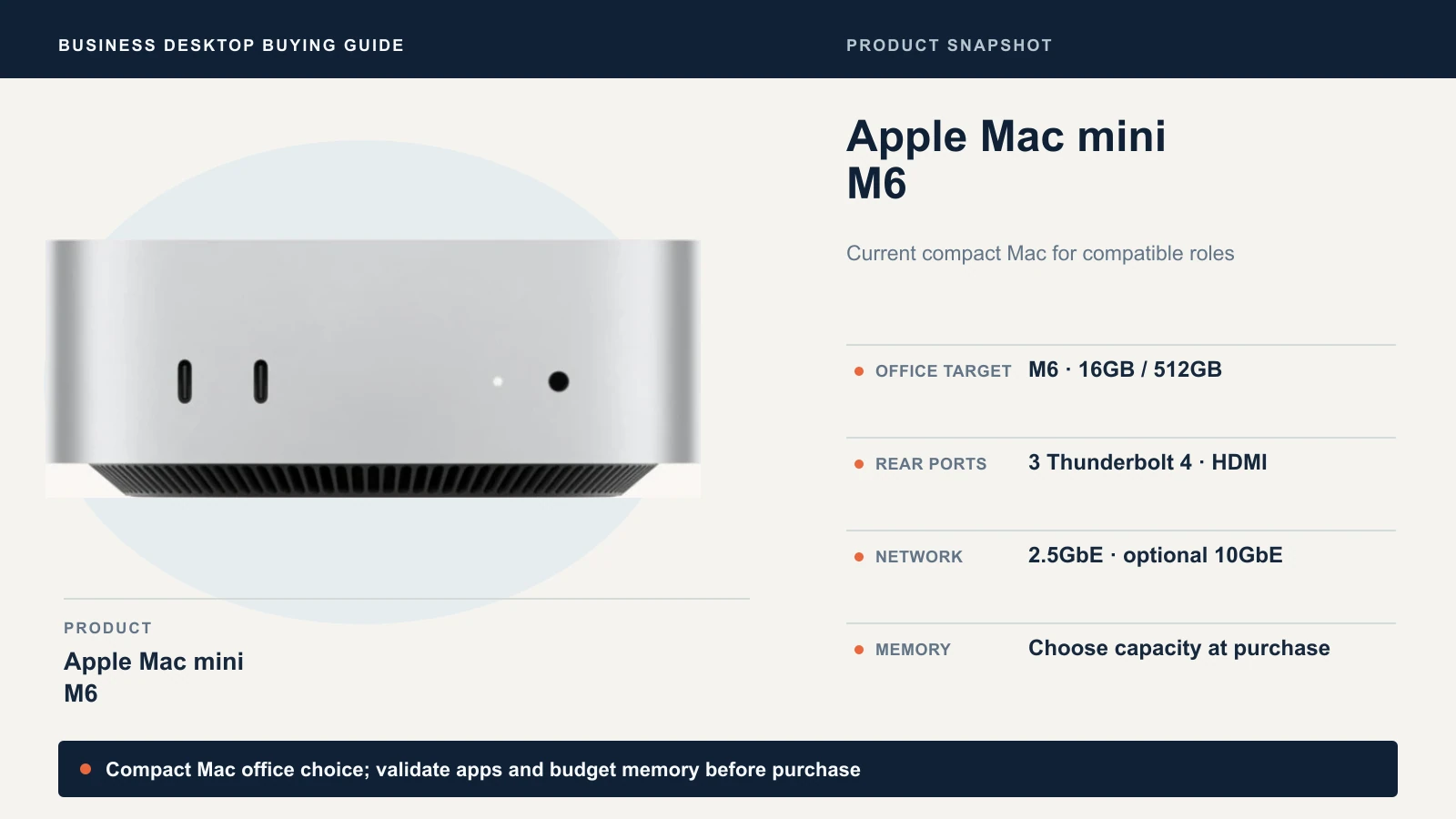
Apple's $899 starting price is the 16GB / 256GB model. The 512GB build adds $200, for $1,099 at Apple's configurator. The linked Amazon offer is MHQL4LL/A: M6, 16GB, 512GB, without AppleCare+, new and sold by Amazon.com at $949.99 on October 12, with a 15-day return window. Amazon's page does not state the warranty, so confirm coverage by serial number after purchase and add AppleCare+ if the desk needs it.
Apple lists three Thunderbolt 4 ports and HDMI on the rear, and two front USB-C ports at USB 3 speeds up to 10Gb/s. Tom's Guide confirms the front ports carry data and accessories but not video. Run both monitors from the rear, and use the front ports for ordinary USB devices and hubs.
Validate accounting and line-of-business apps, scanner and print workflows, your VPN client, MDM enrollment with a FileVault recovery key held by your management platform, and the exact display combination. Our Apple Business Manager guide covers deployment, and our Mac mini monitor guide covers displays for the previous M4 model, whose rear port layout the M6 keeps. If a Mac mini and a Windows PC will share one desk, our KVM switch guide explains the setup. A Windows virtual machine adds licensing and support cost without guaranteeing compatibility.
Check this configuration on Amazon
Best for a staff member whose apps and peripherals pass a native macOS pilot. Skip if any required software or device is Windows-only.
ASUS NUC 16 Pro: dual LAN in a complete Windows Pro system
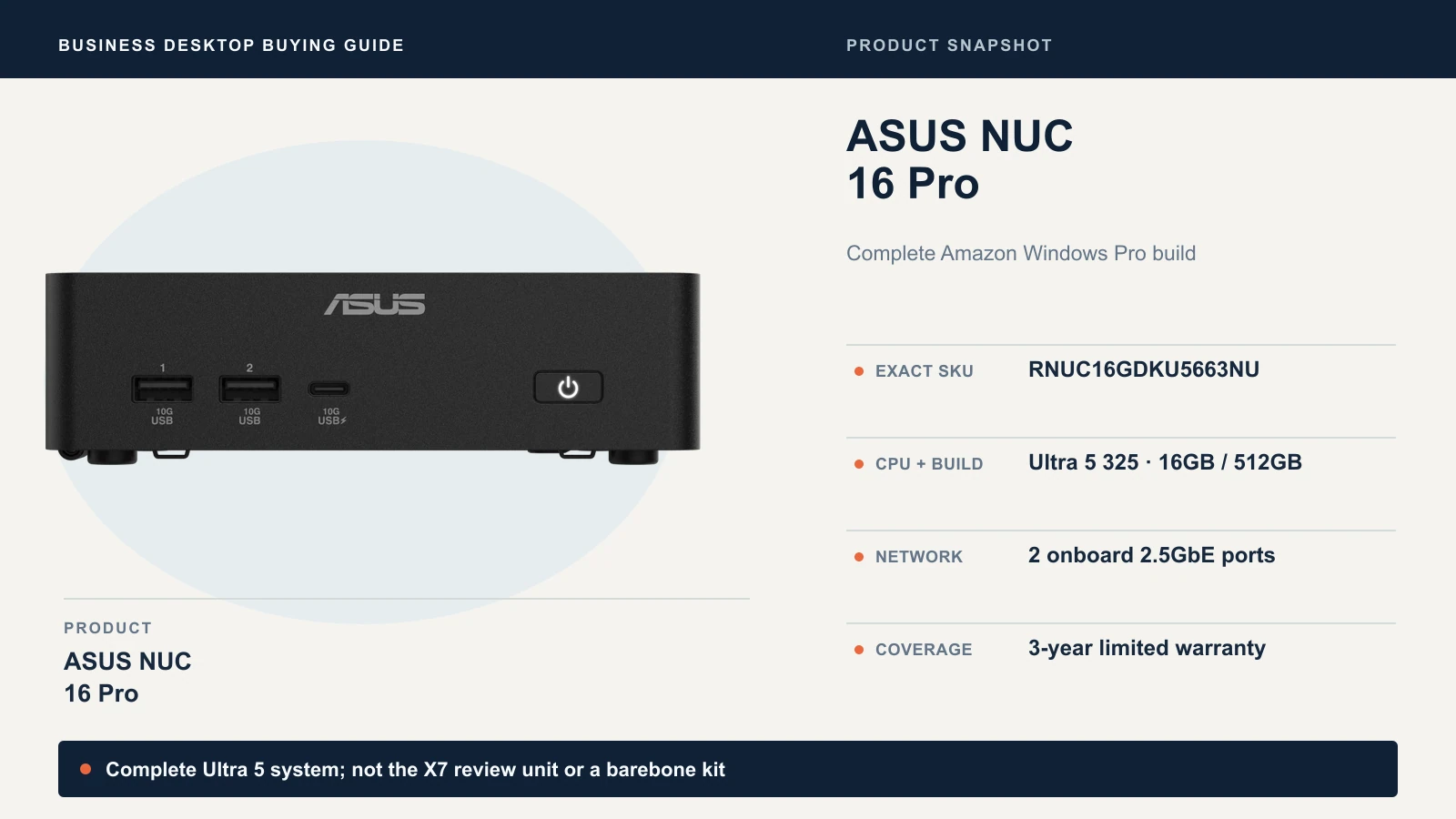
The ASUS NUC 16 Pro suits a desk that needs two wired network connections or extra display outputs. ASUS lists two 2.5GbE ports, two Thunderbolt 4 ports and two HDMI 2.1 ports. The linked offer is a complete system, RNUC16GDKU5663NU: Core Ultra 5 325, 16GB DDR5, 512GB SSD and Windows 11 Pro, new and sold by Amazon.com at $1,399. That is $218 below Dell's Pro 5 price for a similar Core Ultra 5 / 16GB / 512GB build.
For this Ultra 5 build, ASUS lists replaceable DDR5 CSO-DIMM memory (up to 128GB), and ServeTheHome describes two M.2 2280 SSD slots. Micro Center lists this part number with 2 × 8GB fitted, so upgrading means replacing modules. The onboard-memory caveat applies to other NUC 16 Pro variants, including the one StorageReview tested. ASUS's datasheet lists a VESA bracket.
Check the warranty term. Amazon and ASUS's datasheet list three years of limited coverage, but Micro Center lists one year of parts and labor for the same part number. Confirm the term for your order, and note that none of these sources describes onsite service.
Amazon's family headline mentions Ultra X9 processors, but this offer is the Ultra 5 build. The NUC16GDK-B kit is a barebone purchase and a different product. StorageReview's October 7 review used a 64GB X7 configuration, so its performance results do not apply to this system.
Check this configuration on Amazon
Best for desks that need dual LAN or extra display outputs. Skip if you need an onsite service contract.
When the two alternates make sense
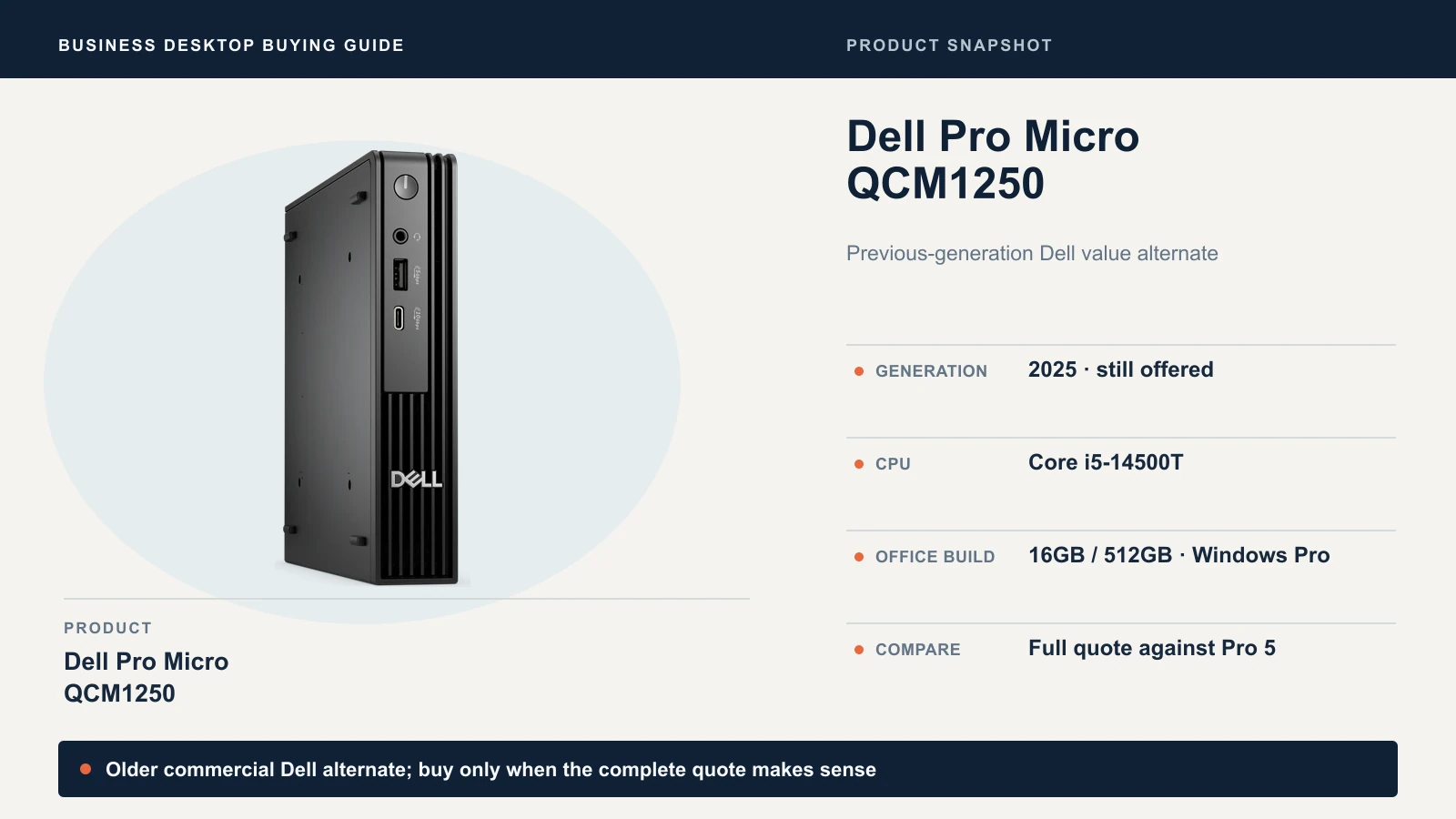
Dell Pro Micro QCM1250 is the earlier Dell Pro Micro line. The configuration we checked has a Core i5-14500T, 16GB DDR5, 512GB SSD and Windows 11 Pro. Dell priced it at $1,450 on October 12, against $1,617 for the Pro 5. That is $167 per PC, or $835 across five desks, for the Core i5-14500T configuration instead of the Core Ultra 5 335. The Amazon listings we found were third-party offers with no verified OEM entitlement, so buy it from Dell if the quote still makes sense.
ASUS ExpertCenter PN55 is the AMD option to price when its configuration better matches your workload. The exact build, PN55-SYS731PETL0, has a Ryzen AI 7 450, 32GB, 1TB and Windows 11 Pro for $1,349 on ASUS's store, with a one-year limited warranty. Its Add to Cart button was disabled on October 12, and we found no matching Amazon listing. ASUS's page conflicts on networking: one summary says two LAN connections, while the rear-I/O table lists one 2.5GbE port plus an optional second. Confirm the port count in the order, and plan a spare. StorageReview's October 8 review used a 64GB unit, not this 32GB build.
Why Windows Pro, and what to switch on
Order Windows 11 Pro. Windows Pro supports domain join, Microsoft Entra join, Group Policy and BitLocker management, making it the more flexible choice for managed business computers. Microsoft documents that Entra join excludes Home editions. Our Windows Home versus Pro guide explains the difference in more detail, and the Pro versus Enterprise guide covers the next step up.
On Windows machines, confirm TPM 2.0 and Secure Boot are on and store each BitLocker recovery key where your team can reach it. On a Mac, turn on FileVault and escrow its recovery key through MDM. Intel vPro adds remote management only when the order includes it and someone provisions it, so treat it as a separate line item.
What configuration and support should an office quote?
Compare complete orders, not processor tiers. Match the operating system, memory, storage, display ports and service before you compare prices, because a cheaper quote usually differs on one of those. Our business computer specifications guide explains how to choose memory and processor tiers for each office role.
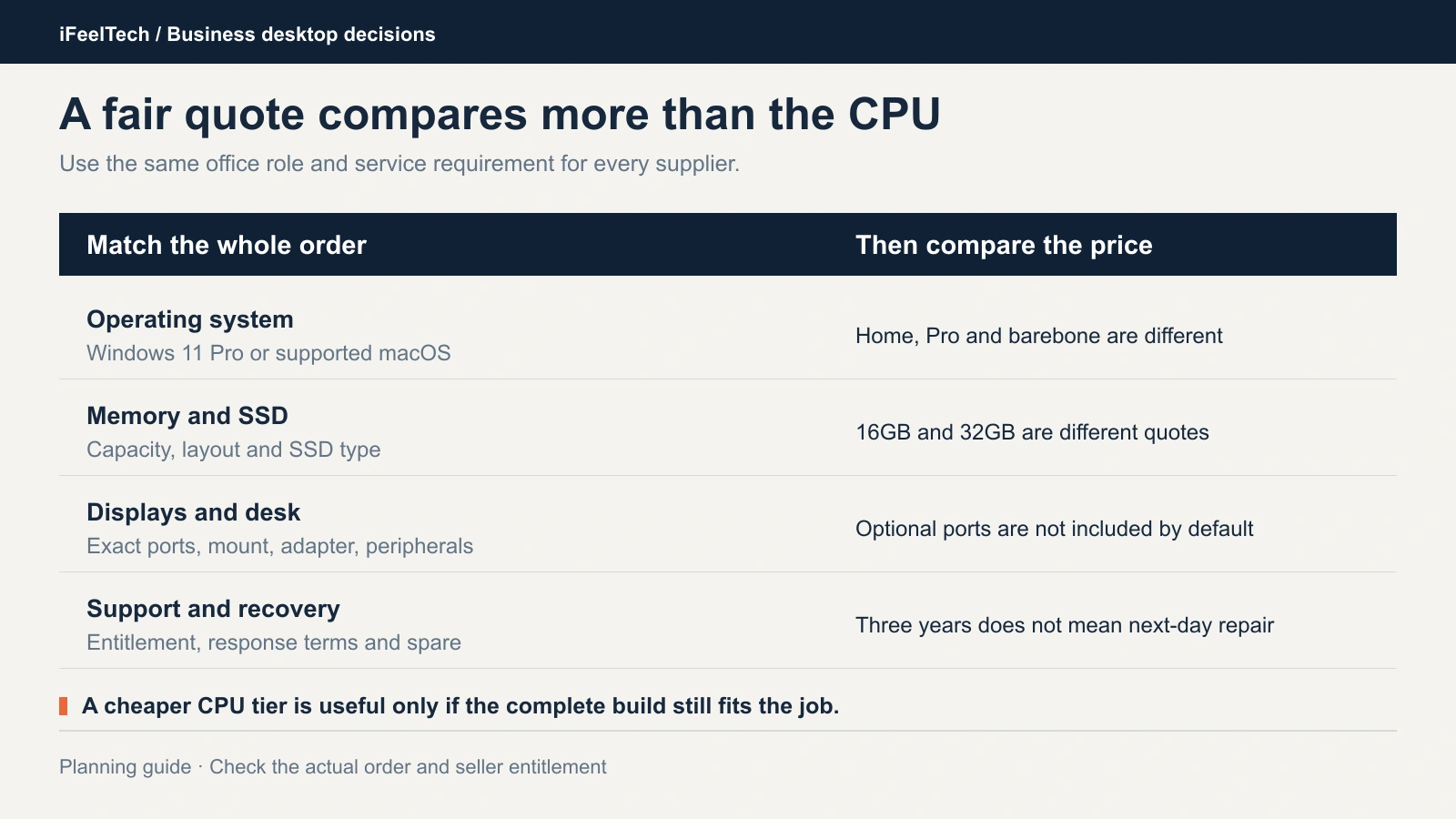
These role rows are planning examples, not universal minimums.
| Office role | Starting configuration to quote | What to confirm |
|---|---|---|
| Reception, browser/SaaS, ordinary documents | Windows Pro, Core Ultra 5 or supported equivalent, 16GB / 512GB | Two actual displays, phone and headset, printer and scanner, and a working spare or suitable service |
| Many apps, large spreadsheets, heavier local work | Windows Pro, 32GB / 1TB; choose the CPU from the workload | Working-set memory, sustained workload and noise, backup and an actual restore |
| Mac-compatible office workflow | M6, 16GB / 512GB; quote 24GB when justified | Native apps and peripherals, MDM and FileVault recovery, memory chosen before purchase |
Record each order's CPU, memory layout, SSD, Windows edition, each video port you need, mount and power adapter, seller of record, part number, factory-original or modified condition, return terms and the warranty that applies. A multi-year warranty is not a guaranteed repair deadline. Our preference for any role that stops working when its PC fails is three-year onsite support or a planned spare.
The PC is one line in the desk cost
Here is a fictional per-desk example, not a quote for any model in this guide: PC $1,100, monitor $250, mount and adapters $75, three-year service add-on $150 and deployment labor $200 total $1,775. Five identical desks come to $8,875 before tax and shipping.
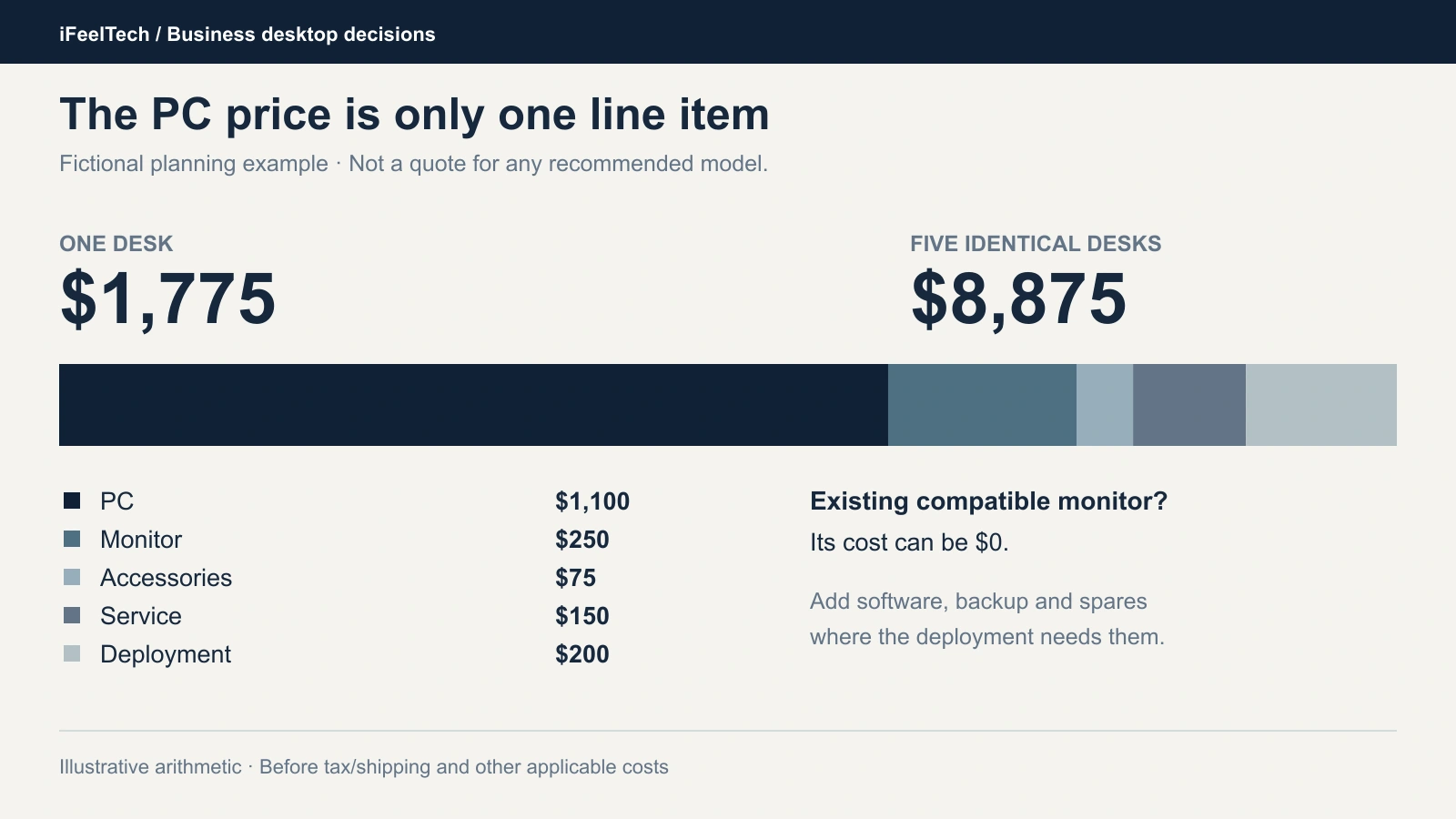
If a compatible monitor already exists, that line is $0. Software, endpoint management, backup and spares are separate. For the display side, see our Dell business monitor guide.
Pilot one, then buy the fleet
Buy one machine and put it through a real workday before you order the rest. A pilot confirms the configuration at your site; it does not prove an entire product family is silent or failure-free.
- Applications and licensing. Sign in to every line-of-business app and confirm the license follows the new hardware.
- Displays. Run both monitors at their intended resolution and refresh rate, then sleep and wake the machine.
- Peripherals. Test the webcam, headset, printer, scanner and VPN client.
- Realistic load. Run a video call with your normal browser and spreadsheet load, and listen for the fan.
- Cooling. Test with the actual mount and ventilation. Mini PCs often end up behind monitors or inside cabinets, where heat shows up.
- Recovery. Confirm the encryption recovery key is escrowed, firmware updates install, and you can restore a user's essential data. Our backup restore test guide walks through the restore check.
- Service path. Open a test ticket with the supplier so you know how escalation works before you need it.
Record the results privately, and keep passwords, access details and serial numbers out of shared documents.
Want this standardized for you?
Our managed IT services team can write the standard, run the pilot, image the fleet and support it for South Florida offices.
Sources and methods
Specifications and purchasing information were checked on October 12, 2026. Manufacturer documents are linked in the relevant product sections. Prices, stock, sellers and warranty terms can change.
Independent reviews and cross-checks:
- ComputerBase: M90q Gen 6, Core Ultra 5 245 / 32GB (November 2025).
- Tom's Guide: Mac mini M6 (September 2026).
- StorageReview: NUC 16 Pro, 64GB X7 review build (October 2026).
- StorageReview: ExpertCenter PN55, 64GB review build (October 2026).
- ServeTheHome: NUC 16 storage layout.
- Micro Center: exact NUC configuration and warranty cross-check.
Review findings apply to the tested configurations. Product cards use manufacturer photographs showing the model family; optional ports and installed components may differ.
Related Resources
- Business PC Buying Guide — Whole-fleet procurement, beyond compact desktops.
- Business Computer Specs Guide — Role-based specifications for office computers.
- Business Hardware Refresh Planning Guide — When to replace desktops and how to budget for it.
- ThinkPad vs Dell Latitude vs HP EliteBook — When a laptop is the better standard.
- Dell 4K Dual Monitor Setup for Business — Choose the displays that go with the PC.
- Apple Business Manager and Mac Workflows — Deploy and manage Macs in a business.
- Managed IT Services — Deployment and support for office hardware across South Florida.
Frequently Asked Questions
Related Articles
More from Business Hardware

Refurbished Business Laptops: Recommended Models and Buying Checklist (2026)
Recommended refurbished ThinkPad, Dell and EliteBook models, plus the seller, battery, warranty and total-cost checks to make before you buy for your business.
17 min read
RAID 0 vs 1 vs 5 vs 6 vs 10: Which Fits Your Business NAS?
What each RAID level does, how many drives can fail, how much space you keep, and why RAID is not a backup. Covers SHR, rebuilds and drive failures.
10 min read
Reolink vs Lorex for a Small Office: Choosing a PoE Camera System
Compare current Reolink and Lorex PoE camera systems for an office: recording, app workflow, storage, compatibility and business purchasing checks.
12 min read