

Best Monitors for Mac Mini M4 in 2026: 5K, USB-C, Thunderbolt and Budget Picks
Mac Mini M4 ships without a display. We evaluated the best monitors — from $229 budget picks to 5K Thunderbolt displays — to match every setup and budget.

Affiliate Disclosure: This article contains affiliate links. If you make a purchase through these links, we may earn a small commission at no extra cost to you. As an Amazon Associate, iFeelTech earns from qualifying purchases.
Our Top Picks at a Glance
Best overall for most buyers: The Dell U2725QE — Thunderbolt 4 hub, 4K 120Hz, daisy-chaining, 140W PD, built-in Ethernet. Best 5K value: The ASUS PA27JCV ($799) for native Retina scaling at the lowest 5K price. Best Mac-native 5K: The BenQ MA270S ($999) with iKeyboard sync and Nano Gloss. Best premium Apple option: The Apple Studio Display ($1,599) for Center Stage, Spatial Audio, and Thunderbolt 5. Best budget 4K USB-C: The Dell S2725QC ($349.99).
The Mac Mini M4 starts at $599 and ships without a display. This guide covers which monitors fit each connection type, workflow, and budget.
| Specs | |||
|---|---|---|---|
| Resolution | QHD 1440p (2560×1440) | 5K (5120×2880) Retina | 5K (5120×2880) Retina |
| Refresh Rate | 75Hz | 70Hz | 60Hz |
| Connection | USB-C 65W | Thunderbolt 4 — 96W PD | Thunderbolt 5 — 96W PD |
| Color Gamut | sRGB 100% — Calman Verified | DCI-P3 99% — Nano Gloss | P3 wide color — True Tone |
| Panel Finish | Matte anti-glare | Nano Gloss | Nano-texture glass option |
| Best For | Budget — perfect macOS 1:1 scaling | Mac-native 5K — iKeyboard sync | Apple-native integration — Spatial Audio |
Quick decision guide:
- Best 5K value: ASUS PA27JCV ($799)
- Best Mac-native 5K alternative: BenQ MA270S ($999)
- Best Thunderbolt hub: Dell U2725QE
- Best budget 4K USB-C: Dell S2725QC ($349.99)
- Best HDMI budget pick: Dell S2725QS (~$249)
- Best with webcam: Samsung ViewFinity S9 (only when discounted)
- Best ultra-budget QHD: ASUS PA278CV (~$229)
Common Mistakes to Avoid
- Do not use the front USB-C ports for video. They are data and power only.
- USB-C is not the same as Thunderbolt. Most USB-C monitors cannot daisy-chain extended desktops on macOS. Some support DisplayPort MST, but Mac users should use Thunderbolt daisy-chaining for a cleaner extended-display setup.
- Standard USB-C MST daisy-chain does not work with macOS extended display mode. Only Thunderbolt daisy-chaining works for extended desktops on Mac.
- Budget separately for webcam and speakers unless the monitor includes them. The Mac Mini M4 has no built-in webcam or microphone.
- Do not pay MSRP for the Samsung ViewFinity S9. Wait for sales — it regularly drops to $700–900.
Is 5K Better Than 4K for Mac Mini M4?
Understanding resolution scaling on macOS helps you pick the right monitor:
- 5K at 27 inches (218 PPI): Native Retina-style macOS scaling, similar in feel to Apple's Studio Display. No third-party software needed. This is the sharpest external display experience. (MacBook Pro screens are 254 PPI, so text is not pixel-identical, but 218 PPI at arm's length is perceptually close.)
- 4K at 27 inches (163 PPI): Sharper than QHD, but macOS uses scaled rendering modes internally. Text is still crisp, though some users notice slight softness at default scaling. Tools like BetterDisplay can improve this.
- 1440p at 27 inches (109 PPI): Native 1:1 pixel mapping — macOS renders without any scaling math. Lower pixel density than 4K, but the simplest and cheapest option with zero scaling artifacts.
For most Mac Mini M4 users, 4K at 27 inches is the practical sweet spot. 5K is worth the premium if text sharpness and Retina-quality scaling matter to your workflow. 1440p is a legitimate choice for budget setups where scaling simplicity is preferred.
What Is the Best Monitor for Mac Mini M4?
Best overall for most Mac Mini M4 users: Dell U2725QE for a Thunderbolt hub setup with daisy-chaining and Ethernet. Best premium Apple option: Apple Studio Display for Apple-native integration. Best 5K value: ASUS PA27JCV. Best budget 4K USB-C pick: Dell S2725QC.
How Does the Mac Mini M4 Connect to Monitors?
Video output on the Mac Mini M4 comes from the rear HDMI and Thunderbolt/USB-C ports. The front USB-C ports are for data and power only — they cannot output video. The base M4 supports up to three external displays simultaneously: two displays up to 6K at 60Hz over Thunderbolt, plus one display up to 5K at 60Hz over Thunderbolt or 4K at 60Hz over HDMI. The M4 Pro expands this to three Thunderbolt 5 ports with higher bandwidth ceilings.
Mac Mini M4 rear ports:
- 3× Thunderbolt 4 (USB-C, up to 40Gb/s) — video out up to 6K via DisplayPort
- 1× HDMI 2.1 — video out up to 8K at 60Hz or 4K at 240Hz (single-display config); up to 4K at 60Hz in a three-display setup
- 2× USB-A 3.2
- 1× Gigabit Ethernet (configurable to 10GbE)
Mac Mini M4 front ports (no video output):
- 2× USB-C (USB 3.2 Gen 2, 10Gb/s) — data and power only
The Connection Decision That Everything Else Follows
If you're using a single monitor, you have two clean options: HDMI 2.1 directly (any 4K monitor works) or Thunderbolt/USB-C (one cable, potential power delivery). If you're running dual monitors, use supported combinations of rear Thunderbolt and HDMI outputs — so connection type matters less for the second display.
The Best Monitors for Mac Mini M4: Our Picks
Apple Studio Display (2026) — Best Monitor for Mac Mini M4
Apple refreshed the Studio Display on March 3, 2026 and simultaneously launched the all-new Studio Display XDR — two distinct products at two very different price points.
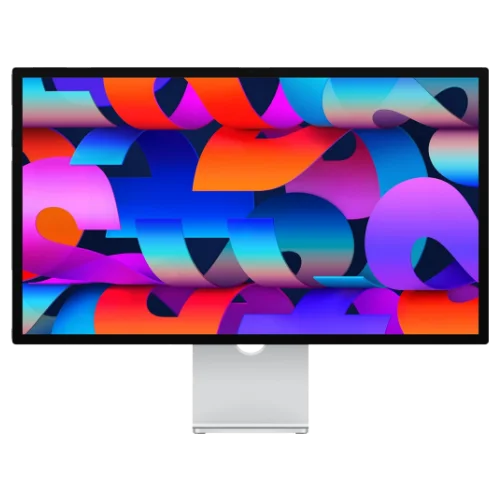
Apple Studio Display ($1,599)
Apple Studio Display (2026)
$1,59927-inch 5K Retina display with Thunderbolt 5, 12MP Center Stage + Desk View camera, six-speaker Spatial Audio, and True Tone — refreshed March 2026.
The core specs carry over from the 2022 model — 27-inch 5K at 218 PPI, 60Hz, P3 wide color — but the port upgrade is significant. The new model ships with two Thunderbolt 5 ports: one upstream (96W charging), one downstream for connecting accessories or daisy-chaining additional displays. The 12MP Center Stage camera now adds Desk View, the woofers deliver 30% deeper bass, and a Thunderbolt 5 Pro Cable is included in the box.
The price gives most Mac Mini M4 buyers pause: $1,599 is 2.7× the computer's base price. The Studio Display fits when budget allows and Apple ecosystem integration matters — Mac Mini users coming from MacBook speakers frequently cite the six-speaker Spatial Audio system as a key reason for choosing it.
Studio Display (2026) is best for
Mac Mini M4 users who want Apple-native integration — Center Stage with Desk View, Spatial Audio, True Tone, and a 5K Retina panel at 218 PPI — and for whom $1,599 fits their setup budget.
Apple Studio Display XDR ($3,299)
Apple Studio Display XDR
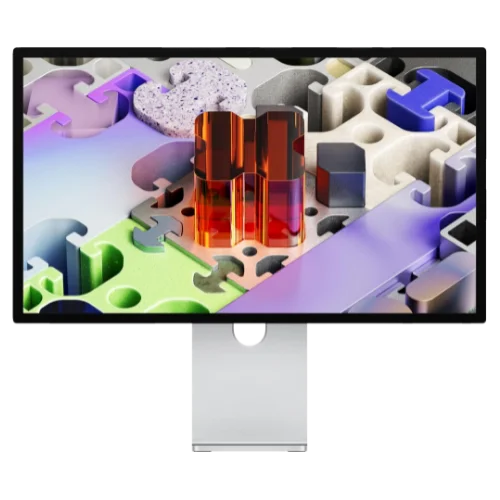
$3,29927-inch 5K mini-LED display with 120Hz refresh rate, Adaptive Sync, 2,000 nits peak HDR brightness, 140W Thunderbolt 5 charging — launched March 2026 to replace the Pro Display XDR.
The XDR adds mini-LED backlighting with 2,000 nits peak HDR brightness, a 120Hz refresh rate with Adaptive Sync (variable refresh from 47Hz to 120Hz), and 140W Thunderbolt 5 charging — the first Apple display to fully charge a MacBook Pro 16" under sustained load. It replaces the discontinued $5,000 Pro Display XDR at a $1,700 reduction.
120Hz compatibility note: Apple lists full 120Hz support for newer Apple Silicon Macs. Some earlier Apple Silicon models (M1, M2, M3 generations) are limited to 60Hz on Studio Display XDR. Intel Macs are not compatible at all. For Mac Mini M4 users this is a non-issue — but worth knowing if you also connect an older MacBook.
At $3,299, this is 5.5× the Mac Mini M4's base price. The XDR is designed for HDR video professionals, colorists, and anyone whose workflow depends on reference-grade brightness accuracy. For most other users, the standard Studio Display at $1,599 is the more practical choice.
Studio Display XDR is best for
HDR video editors, colorists, and creative professionals on Mac Mini M4 Pro who need 2,000-nit reference HDR, 120Hz with Adaptive Sync, and 140W charging for a MacBook Pro 16".
BenQ MA270S — Best Mac-Native 5K Display
The BenQ MA270S is a 27-inch 5K monitor purpose-built for Mac users, launched in March 2026 for $999.
BenQ MA270S
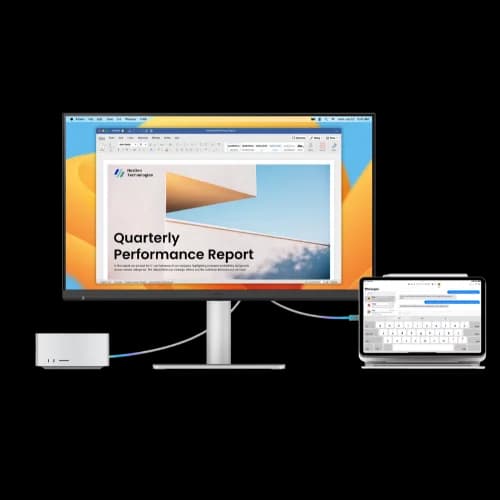
$99927-inch 5K Nano Gloss Thunderbolt 4 monitor with Mac-native keyboard brightness sync and daisy-chain support — launched March 2026.
The MA270S is the most practical answer to the Studio Display price question. At $999 it undercuts the Studio Display by $600 while matching its two most visible attributes — 5K resolution at 218 PPI and a glossy (Nano Gloss) anti-glare panel. macOS scales natively to 5K at this pixel density, meaning text renders at the same 218 PPI used by Apple's 27-inch Studio Display. The 70Hz refresh rate is a small step above the standard 60Hz.
BenQ's Mac-specific software integration is more thorough than most third-party monitors. iKeyboard Control means your Mac's native brightness and volume keys adjust the MA270S directly — no display menu navigation. Auto Brightness Sync mirrors macOS's ambient light adjustments. FocuSync adapts panel brightness based on which window is active. These are practical quality-of-life features that reduce time spent in the OSD.
Connectivity is straightforward: Thunderbolt 4 upstream (96W PD, single cable to Mac) plus Thunderbolt 4 downstream for daisy-chaining a second display. The built-in Smart KVM lets you control two computers with one keyboard and mouse — a useful feature for hybrid Mac Mini + MacBook workflows.
Where the MA270S doesn't match the Studio Display: Peak brightness is 500 nits vs. Studio Display's 600 nits. There's no built-in webcam (the Studio Display's 12MP Center Stage camera is a legitimate differentiator). And no built-in speaker array to rival the Studio Display's six-speaker Spatial Audio system — see the audio note in the Setup Tips section.
Pricing (June 2026): $999 in the US via BenQ.com, Amazon, Adorama, and B&H. A launch promotion offered 20% off a second unit.
MA270S is best for
Mac Mini M4 users who want the 5K Retina experience and Nano Gloss finish at $600 less than the Studio Display, and can live without a built-in webcam or spatial audio. A strong third-party Studio Display alternative in 2026.
ASUS ProArt PA27JCV — Best Budget 5K Monitor
The ASUS ProArt PA27JCV is a 27-inch 5K monitor at $799 — the most affordable true 5K display currently available for Mac Mini M4.
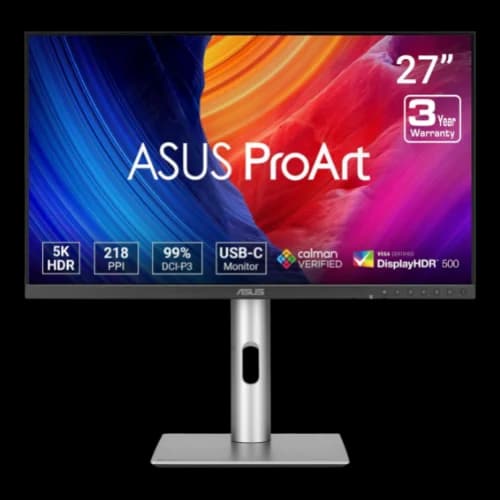
ASUS ProArt PA27JCV
$79927-inch 5K IPS monitor with LuxPixel anti-glare, 96W USB-C PD, 99% DCI-P3, and Calman Verified color accuracy at $200 less than the BenQ MA270S.
At $799, the PA27JCV addresses a practical gap in the Mac Mini M4 monitor market: true 5K (5120×2880) resolution at exactly 218 PPI, giving macOS native Retina scaling without the $999 BenQ or $1,599 Studio Display price tag. Text renders at the same 218 PPI pixel density used by Apple's 27-inch Studio Display, and unlike 4K monitors at this size, you never need third-party apps like BetterDisplay to fix scaling artifacts.
Color accuracy is professional-grade: 99% DCI-P3, 100% sRGB, ΔE≤2, Calman Verified — this is a factory-calibrated panel with measurements printed on the included calibration report. ASUS certifies the panel to VESA DisplayHDR 500, putting peak brightness around 500 nits — on par with the BenQ MA270S and below the Apple Studio Display's 600-nit sustained output.
The LuxPixel AGLR (anti-glare, low-reflection) finish sits between glossy (BenQ's Nano Gloss) and traditional matte: it reduces glare without the haze of standard matte coatings, maintaining color fidelity closer to a glossy panel. Traditional matte coatings scatter ambient light and can make text appear slightly grainy; glossy panels produce more vivid colors and sharper text rendering — which is why Mac users often prefer glossy despite the glare trade-off. The LuxPixel AGLR finish is a practical middle ground. The built-in KVM switch allows keyboard/mouse sharing between the Mac Mini and a second computer via a single USB-C connection.
Where it misses: No Thunderbolt 4 — it uses USB-C (with DisplayPort Alt Mode), which means no daisy-chaining and slower data throughput than TB4. No Mac-native brightness sync like BenQ's iKeyboard. Refresh rate is 60Hz.
Pricing (June 2026): $799 on Amazon (ASIN B0D6C6F2L8).
PA27JCV is best for
Mac Mini M4 users who want native 5K Retina scaling and professional color accuracy at $200 less than the BenQ MA270S. The Calman Verified calibration and DisplayHDR 500 certification make it the best value in the 5K segment.
Apple confirms the cameras in both 2026 Studio Display models.
Samsung ViewFinity S9 — Best 5K Monitor with Built-In Webcam
The Samsung ViewFinity S9 is a 27-inch 5K Thunderbolt 4 monitor that includes a detachable 4K SlimFit webcam — one of the monitors in this guide with a camera ready to use; Apple Studio Display and Studio Display XDR also include cameras.
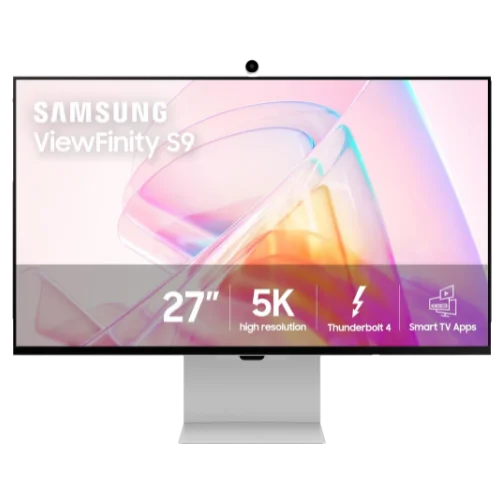
Samsung ViewFinity S9 (S90PC)
~$700 (sale)27-inch 5K matte display with Thunderbolt 4, 90W charging, AirPlay, Smart TV apps, and a detachable 4K SlimFit camera — regularly discounted to $700–900.
The ViewFinity S9 launched at $1,599 to compete directly with the Apple Studio Display, and at that price it struggled to justify itself against Apple's ecosystem-native experience. At its common street price of $700–900 — with documented 2026 sales as low as $619.99 — it becomes a well-rounded all-in-one monitor package, available discounted across Amazon, Samsung, B&H, and Newegg.
The 4K SlimFit webcam is detachable and magnetic — it clips to the top bezel, connects to the monitor's internal USB hub, and works natively with macOS FaceTime and Zoom without drivers. Since the Mac Mini M4 ships without a webcam or microphone, the ViewFinity S9 + its camera fills that gap directly — a strong option for users who want a Studio Display-like experience with a camera at roughly half the price.
Remember: The Mac Mini M4 does not include a built-in webcam or microphone. If you choose the Dell, BenQ, or ASUS monitors in this guide, budget separately for an external webcam — Samsung ViewFinity S9, Apple Studio Display, and Studio Display XDR include cameras.
600 nits brightness matches the 2026 Studio Display's sustained output — the best brightness figure among the non-Apple 5K options. AirPlay 2 lets you mirror or extend an iPhone or iPad display directly to the monitor without a Mac, which is useful for hybrid workflows. Built-in speakers handle casual listening (not Spatial Audio-quality, but functional).
Thunderbolt 4 upstream provides 90W power delivery and full 5K resolution over a single cable. This monitor runs substantial sales multiple times per year — if it's above $900 on Amazon when you check, wait for the next discount.
ViewFinity S9 is best for
Mac Mini M4 users who need a built-in 4K webcam, want 600 nits 5K brightness, and catch it on sale (often $700–900, occasionally near $620). At MSRP it's a tough sell; on sale it offers strong value.
Dell U2725QE — Best Thunderbolt 4 Hub
The Dell U2725QE is a 27-inch 4K Thunderbolt 4 monitor offering 140W power delivery and daisy-chaining support.
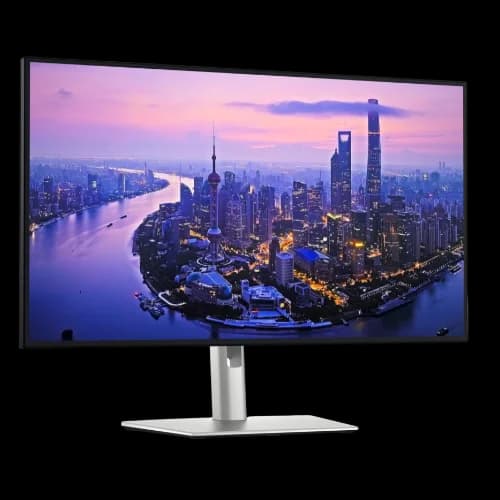
Dell UltraSharp U2725QE
27-inch 4K Thunderbolt 4 hub monitor with 140W power delivery, IPS Black panel, and daisy-chain support.
- Thunderbolt 4 with 140W power delivery
- IPS Black 3000:1 contrast ratio
- Thunderbolt 4 daisy-chaining
- 4K 120Hz, DCI-P3 99%
- 2.5 Gb/s Ethernet built-in
*Price at time of publishing
This model operates as a complete Thunderbolt hub. A single cable connects the Mac Mini to the display, while downstream ports support a secondary daisy-chained monitor and provide 2.5 Gb/s Ethernet. The IPS Black panel delivers a 3,000:1 contrast ratio at 120Hz, noticeably improving black levels and contrast over standard IPS panels. Peak brightness lands around 600 nits with HDR — a meaningful step up from the 350–400 nit ceiling of standard IPS panels and the Dell S2725QC. The 140W power delivery is unnecessary for the Mac Mini itself, but allows simultaneous charging of a 16-inch MacBook Pro under full load.
Ports: Thunderbolt 4 upstream (140W PD) + Thunderbolt 4 downstream (daisy-chain), HDMI 2.1, DisplayPort 1.4, USB-C, 4× USB-A, 2.5 Gb/s Ethernet.
The U2725QE also has a built-in USB KVM, which matters if a Windows PC shares the desk with the Mac Mini. Our KVM switch guide for Mac and Windows covers how to wire both computers to one monitor and when a USB switch is the simpler choice.
Pricing (June 2026): Typical street price varies by sale cycle; check current Dell and Amazon pricing before purchase. Dell lists ~$699.99 MSRP, with discounts to ~$620–650 common during Dell Business sales and major promotions.
U2725QE is best for
Professionals who want a single-cable desk setup: one Thunderbolt cable to the monitor handles video, power, data, and makes it possible to daisy-chain a second display later. The 140W PD means you can also plug in a MacBook Pro without a separate charger.
Dell S2725QC — Best Value USB-C 4K
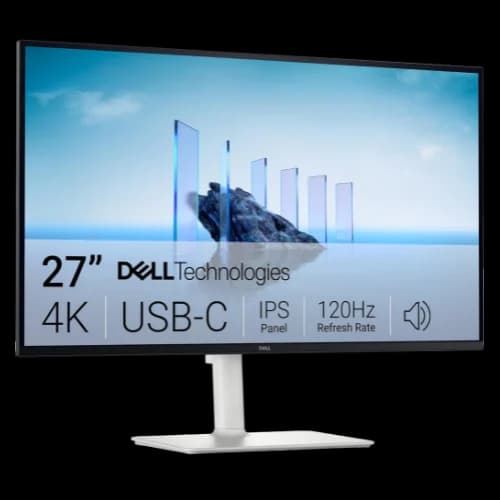
Dell S2725QC
$349.9927-inch 4K USB-C monitor with 65W power delivery, dual 5W speakers, and 4K 120Hz IPS panel — half the price of the U2725QE with most of the daily-use features.
The S2725QC offers the core USB-C connectivity experience — single cable, power delivery, built-in USB hub — at half the price of full Thunderbolt 4 options. The 27-inch 4K panel hits 120Hz and covers 99% sRGB, comparable to the U2725QE for office and general productivity work. Built-in dual 5W speakers handle casual listening and video calls — not a replacement for dedicated speakers, but functional for everyday use.
Peak brightness is 350 nits typical, adequate for most office environments but perceptibly dimmer than the U2725QE's HDR-boosted 600 nits and significantly below the Apple Studio Display's 600-nit sustained output.
The limitations vs. the U2725QE are real but predictable: 65W power delivery instead of 140W (fine for Mac Mini M4 itself, and for MacBook Air — insufficient for MBP 16" under load), no daisy-chaining support, no Ethernet, slower USB hub (USB 3.2 Gen 1 vs. Gen 2). For a Mac Mini M4 desktop-first setup without a MacBook Pro in the picture, none of those matter.
One important note on ports: The S2725QC has USB-C in and 2× HDMI 2.1 out, but no DisplayPort. If you're connecting via Thunderbolt from the Mac Mini M4, you use the USB-C port — it works perfectly. The two HDMI inputs are handy for switching between a gaming console or secondary device.
Pricing (June 2026): $349.99 MSRP. Dell frequently discounts this to $299–319 during sale periods. Check Dell's Business store for additional pricing.
S2725QC is best for
Mac Mini M4 owners who want USB-C connectivity and a clean 4K 120Hz experience without the Thunderbolt premium. A practical fit for home office and small business setups where daisy-chaining and 140W PD aren't required.
LG 27UQ850V-W — Best for Creatives
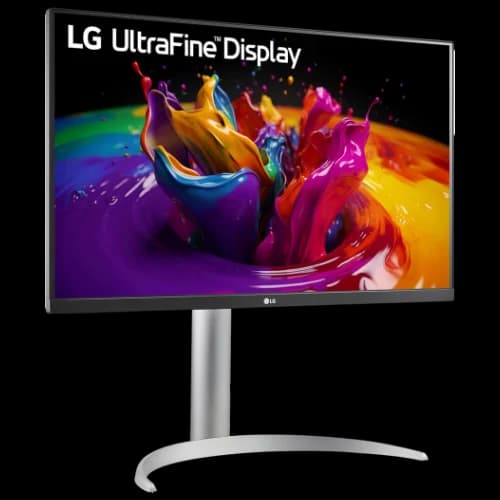
LG 27UQ850V-W
$699.99 MSRPLG UltraFine 27-inch 4K with 90W USB-C, up to 98% DCI-P3, and AMD FreeSync — wider color than the Dell S2725QC at a comparable price.
The LG 27UQ850V-W becomes competitive with the Dell S2725QC when discounted, and wins on two fronts: USB-C with 90W power delivery (vs. Dell's 65W) and up to 98% DCI-P3 wide color gamut coverage (vs. Dell's sRGB 99% focus). For Mac users doing photo editing, video production, or design work where P3 color matters, the LG is the more capable tool.
Peak brightness is approximately 400 nits — slightly above the Dell S2725QC's 350 nits, and below the Studio Display's output. Adequate for bright offices with indirect lighting; not ideal for HDR-critical work.
The trade-off is refresh rate — the 27UQ850V tops out at 60Hz, while the Dell S2725QC and U2725QE both hit 120Hz. For productivity and creative work on Mac, 60Hz at 4K is perfectly fine. If you prefer smoother scrolling and UI animations, the Dell S2725QC's 120Hz is the better choice.
LG's macOS compatibility is strong. Apple Silicon Macs natively support LG's USB-C monitors without driver issues, and the 90W charging is enough to power a MacBook Pro 14" comfortably (though the 16" variant still needs the full charger under heavy GPU load).
Pricing (June 2026): LG lists the 27UQ850V-W at $699.99 MSRP, but street pricing is often significantly lower through Amazon, B&H, and other retailers. Confirm the current seller price before buying.
LG 27UQ850V is best for
Photographers, designers, and video editors who need accurate wide-gamut color and 90W USB-C charging. If color fidelity is a daily priority, this is a better fit than the Dell S2725QC despite its lower refresh rate.
Dell S2725QS — Best Budget HDMI Pick
For setups where USB-C connectivity isn't required — a dedicated desktop Mac Mini M4 with nothing else plugging into the monitor — the Dell S2725QS ($239.99–$279) delivers the same 27-inch 4K 120Hz IPS panel as the S2725QC without USB-C. It connects through HDMI 2.1 directly, or through DisplayPort using a USB-C-to-DisplayPort cable from a rear Thunderbolt port.
This is the right call when: your Mac Mini M4 never moves, you don't need to charge a laptop off the monitor, and you want to maximize screen quality per dollar. The panel is identical — you're purely saving the USB-C hardware cost.
Pricing: ~$239.99–$279. Often on sale under $240. View Dell S2725QS →
ASUS ProArt PA278CV — Best QHD / Ultra-Budget Pick
The ASUS ProArt PA278CV is a 27-inch 1440p (QHD) monitor for around $229 — the best sub-$250 monitor for Mac Mini M4 users who prioritize accurate color and zero scaling complexity over 4K resolution.
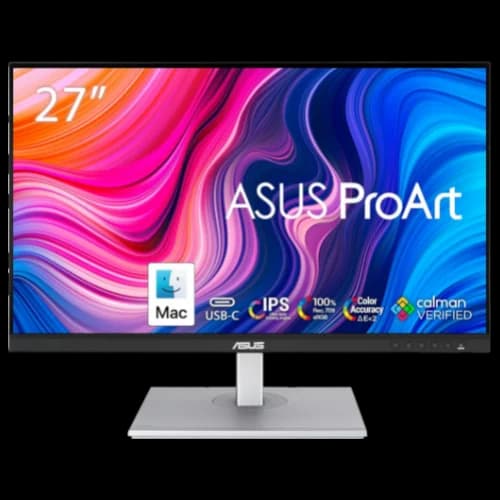
ASUS ProArt PA278CV
~$22927-inch 1440p QHD IPS monitor with 100% sRGB, 65W USB-C PD, Calman Verified color, and zero macOS scaling complexity. The best sub-$250 monitor for Mac Mini M4.
The macOS scaling argument for 1440p: Here's the context most 4K monitor guides skip. macOS at its default scaled resolution on a 27-inch 4K display renders UI at "Looks like 2560×1440" — which means the operating system is doing fractional scaling internally, which can cause minor rendering artifacts and adds a small GPU overhead. A native 27-inch 1440p monitor runs at exactly 2560×1440 without any scaling math, giving you the cleanest pixel-perfect rendering possible without third-party tools like BetterDisplay. For developers and writers where character clarity matters more than maximum pixel density, this is a legitimate workflow argument for 1440p at this size.
The ASUS PA278CV supports this argument well: 100% sRGB, 100% Rec. 709, ΔE≤2, Calman Verified — color accuracy that matches or exceeds many 4K monitors at this price point. 65W USB-C power delivery handles MacBook Air charging cleanly over a single cable. DisplayPort daisy-chaining is included.
The trade-offs are real: 75Hz refresh rate (not 120Hz), no Thunderbolt (USB-C with DisplayPort Alt Mode only), matte finish, peak brightness ~350 nits. At $229, it offers strong color accuracy for a sub-$250 monitor paired with Mac Mini M4.
Pricing (June 2026): ~$229 new on Amazon. Frequently dips below $220.
PA278CV is best for
Developers, writers, and budget-first users who want zero scaling complexity, professional sRGB accuracy, and 65W USB-C PD for under $230. Strong color accuracy for the price in a 1440p Mac Mini M4 setup.
Mac Mini M4 Monitor Comparison
Prices were checked on June 29, 2026 from manufacturer listings and major US retailers. Monitor pricing changes often, especially around Prime Day, back-to-school, and holiday sale periods.
Budget & 4K Picks (~$229–$350)
| ASUS PA278CV | Dell S2725QS | LG 27UQ850V-W | Dell S2725QC | |
|---|---|---|---|---|
| Price | ~$229 | ~$249 | $699.99 MSRP (often discounted) | $349.99 |
| Resolution | QHD 1440p | 4K | 4K | 4K |
| Refresh Rate | 75Hz | 120Hz | 60Hz | 120Hz |
| Peak Brightness | ~350 nits | 350 nits | ~400 nits | 350 nits |
| Panel Finish | Matte | Matte | Matte | Matte |
| Connection | USB-C 65W | HDMI / DP | USB-C 90W | USB-C 65W |
| Daisy-chain | DP MST (not macOS extended) | ❌ No | ❌ No | ❌ No |
| Speakers | ✅ Built-in | ✅ Dual 5W | ✅ Built-in (MaxxAudio) | ✅ Dual 5W |
| Color | sRGB 100% | sRGB 99% | DCI-P3 98% | sRGB 99% |
| Calman Verified | ✅ Yes | ❌ No | ❌ No | ❌ No |
Professional & 5K Picks (~$629–$999)
| Dell U2725QE | ASUS PA27JCV | Samsung S9 | BenQ MA270S | |
|---|---|---|---|---|
| Price | ~$629–700 | $799 | ~$700† | $999 |
| Resolution | 4K | 5K | 5K | 5K |
| Refresh Rate | 120Hz | 60Hz | 60Hz | 70Hz |
| Peak Brightness | 600 nits (HDR) | 500 nits | 600 nits | 500 nits |
| Panel Finish | Enhanced IPS Black, anti-glare | LuxPixel AGLR | Matte | Nano Gloss |
| Connection | Thunderbolt 4 | USB-C 96W | Thunderbolt 4 | Thunderbolt 4 |
| Daisy-chain | ✅ TB4 | ❌ No | ❌ No | ✅ TB4 |
| Built-in Webcam | ❌ No | ❌ No | ✅ 4K SlimFit | ❌ No |
| Color | DCI-P3 99% | DCI-P3 99% | DCI-P3 99% | DCI-P3 99% |
| Calman Verified | ❌ No | ✅ Yes | ❌ No | ❌ No |
†Samsung ViewFinity S9 MSRP is $1,599. Street price consistently runs $700–900, with documented 2026 sales as low as $619.99. Do not pay MSRP.
Can Mac Mini M4 Daisy-Chain Monitors?
Yes, you can daisy-chain two monitors on the Mac Mini M4 using a Thunderbolt 4 connection.
This setup requires a primary monitor equipped with a Thunderbolt 4 downstream port, such as the Dell U2725QE. Standard USB-C monitors, including the Dell S2725QC and LG 27UQ850V-W, do not support Multi-Stream Transport (MST) daisy-chaining on macOS. When daisy-chaining, both monitors operate at 4K 60Hz; a single direct Thunderbolt connection supports 4K 120Hz.
USB-C Monitors Cannot Daisy-Chain on macOS
The Dell S2725QC, LG 27UQ850V-W, and most USB-C monitors do not support daisy-chaining on macOS. Some monitors (like the ASUS PA278CV) list DisplayPort MST daisy-chaining, but macOS supports extended-mode daisy-chaining only over Thunderbolt, not standard USB-C/DP MST. If you need two monitors running through a single Mac Mini Thunderbolt port, you need a full Thunderbolt 4 monitor (like the U2725QE) or a separate Thunderbolt 4 hub/dock.
USB-C Power Delivery: What Wattage Do You Actually Need?
Power delivery matters only if you also charge a MacBook off the monitor: 65W covers a MacBook Air, 90W a MacBook Pro 14", and 140W a MacBook Pro 16". The Mac Mini M4 itself runs on its own AC adapter, so wattage is irrelevant for a desktop-only setup. The full breakdown:
| Device | Minimum PD to charge | Full PD for sustained load |
|---|---|---|
| Mac Mini M4 | N/A (powered by AC adapter) | N/A |
| MacBook Air M3/M4 (13") | 30W | 70W |
| MacBook Air 15" | 35W | 70W |
| MacBook Pro 14" | 67W | 96W |
| MacBook Pro 16" | 96W | 140W |
The Dell S2725QC's 65W covers MacBook Air perfectly, but a MacBook Pro 14" will charge slowly under load and a 16" will drain even while plugged in. The LG 27UQ850V's 90W handles the MBP 14" properly. Only the Dell U2725QE's 140W is sufficient for the MacBook Pro 16" under sustained workloads.
For a Mac Mini M4 that never leaves the desk — no MacBook involved — power delivery is irrelevant. Any HDMI monitor works fine. If you also use a MacBook Air M4, its dual external display support pairs well with any of the USB-C monitors in this guide.
How Bright Should a Mac Mini M4 Monitor Be?
Most budget Mac Mini M4 monitors peak at 350–400 nits, well below the 600-nit output of the Apple Studio Display and the brightness Mac users expect from a MacBook screen. Mac users are accustomed to Apple's display baseline. The MacBook Pro's Liquid Retina XDR panel sustains 1,000 nits, and even the MacBook Air M4 holds 500 nits. The Apple Studio Display sustains 600 nits.
The Dell S2725QC and Dell S2725QS both peak at 350 nits; the LG 27UQ850V-W reaches approximately 400 nits. That's sufficient for office environments with controlled lighting, but you will notice the difference if you're coming from a MacBook display or working near a bright window. The Dell U2725QE can reach 600 nits in HDR mode — a meaningful improvement — but the other budget picks stay at their SDR ceiling.
If display brightness is a primary concern (outdoor-adjacent workspaces, sun-facing windows), budget for the Dell U2725QE or the Apple Studio Display. The S2725QC and LG panels are not well-suited to bright ambient conditions.
What Is the Best Ultrawide Monitor for Mac Mini M4?
The best ultrawide for the Mac Mini M4 is the Dell UltraSharp U5226KW, a 52-inch 6K curved Thunderbolt 4 display that replaces a dual-monitor setup with a single continuous panel. An ultrawide eliminates the center bezel split and simplifies cable management, which is why some Mac Mini M4 desktop users prefer it over a dual-monitor arrangement.
Best ultrawide pick: Dell UltraSharp U5226KW ($2,799.99 without stand / $2,899.99 with stand). A 52-inch curved 6K (6144×2560) IPS Black display with 120Hz refresh, 2,000:1 contrast, and Thunderbolt 4 with 140W power delivery. It gives you a wide single-panel workspace that can replace many dual-monitor layouts, though it is not the same pixel layout as two side-by-side 4K displays. Available globally since January 6, 2026.
Who this is for: financial traders with multi-feed dashboards, developers who want a single window spanning their entire workflow, and video editors using Mac Mini M4 Pro who need a true wide-canvas editing environment. Firms running heavier professional workloads may also want to review our CAD workstation guide for architecture firms before settling on a display. At $2,899, it replaces two high-end monitors and the desk space to mount them.
More affordable ultrawide option: Dell UltraSharp U3425WE (~$799). This 34-inch curved WQHD (3440×1440) IPS Black ultrawide includes Thunderbolt 4 with 90W USB-C PD, daisy-chain support, and built-in Ethernet — a good option if you want the ultrawide format without the 52-inch price premium. Pixel density is lower at 109 PPI vs. the Dell U5226KW's 129 PPI, but text remains readable and the format works well for mixed-use workflows.
Which Mac Mini M4 Monitor Should You Choose?
ASUS PA278CV (~$229): Best if you're on a tight budget or prefer 1440p's clean native macOS scaling over 4K fractional rendering. Color accurate, USB-C 65W, zero scaling headaches. Shop ASUS PA278CV →
Dell S2725QS (~$249): Best if your Mac Mini M4 is desktop-bound with no laptop in the picture, you want HDMI connectivity, and need a sharp 4K 120Hz panel for under $250. Shop Dell S2725QS →
LG 27UQ850V-W ($699.99 MSRP, often discounted): Best if you need 90W USB-C charging and up to 98% DCI-P3 wide color for photo or video work. Consider it only when discounted near the Dell S2725QC price range. Shop LG 27UQ850V →
Dell S2725QC ($349.99): Best if you want USB-C single-cable convenience, 4K 120Hz, dual 5W speakers, and a USB hub without paying for Thunderbolt. A strong daily-driver USB-C 4K option. Shop Dell S2725QC →
Dell U2725QE: Best if you want a complete Thunderbolt 4 hub: daisy-chaining, 140W charging, 2.5Gb/s Ethernet, IPS Black, and 120Hz — the most practical single-cable professional desk setup. Shop Dell U2725QE →
ASUS PA27JCV ($799): Best if you want 5K native Retina resolution, DisplayHDR 500 brightness, and Calman Verified color accuracy at $200 less than the BenQ MA270S. Shop ASUS PA27JCV →
Samsung ViewFinity S9 (~$700 street): Best if you want a 5K matte display with a built-in 4K webcam and 600 nits brightness — but only at the sale price, never at MSRP. Shop Samsung ViewFinity S9 →
BenQ MA270S ($999): Best if you want a 5K glossy Nano Gloss panel with Mac-native brightness sync and daisy-chaining. One of the most complete Mac-focused 5K options below Apple's prices. Shop BenQ MA270S →
Apple Studio Display ($1,599): Best for native Apple integration: Center Stage with Desk View, six-speaker Spatial Audio, and the 2026 Thunderbolt 5 refresh. Shop Apple Studio Display →
Apple Studio Display XDR ($3,299): Best suited to HDR video and color-sensitive work — mini-LED, 120Hz with Adaptive Sync, and 2,000 nits peak on Mac Mini M4 Pro. Shop Apple Studio Display XDR →
Setup Tips for Mac Mini M4 + Monitor
Set refresh rate manually: macOS doesn't always auto-negotiate to the monitor's maximum. For 120Hz monitors connected via Thunderbolt or HDMI 2.1, go to System Settings → Displays and confirm the refresh rate is set to 120Hz. Some monitors default to 60Hz on first connection.
Third-party software for better display control: If you're using one of the non-Apple monitors in this guide, three free-to-download apps close the experience gap significantly:
- BetterDisplay — unlocks proper HiDPI (Retina-quality) scaling on 4K monitors that macOS doesn't enable natively, eliminates fractional scaling artifacts, and lets you fine-tune resolution. Recommended if you're running the Dell U2725QE or S2725QC and the text feels soft at the default scaled resolution.
- MonitorControl — free, open-source app that adds volume and brightness control to any external monitor using macOS's native keyboard shortcuts. Turns the brightness and media keys on your Apple keyboard into actual OSD controls for Dell, ASUS, and LG panels.
- Lunar — the polished alternative to MonitorControl, with additional features like input source switching, adaptive brightness synced to the ambient light sensor, and a Pro mode with DDC control over HDMI. Has a free tier adequate for most users.
Resolution scaling on 4K monitors: macOS defaults to a scaled resolution that makes a 4K panel look sharp without showing the full 3840×2160 pixel count. To see more content, go to System Settings → Displays → Resolution → More Space. For a 27-inch 4K display, "Looks like 2560×1440" is the sharpest usable working resolution for most workflows.
HDR: macOS uses EDR (Extended Dynamic Range) rather than traditional HDR. On supported monitors like the U2725QE, enable it in System Settings → Displays. For design and color grading work, many professionals leave HDR off for predictable SDR rendering.
Audio: The Mac Mini M4's internal speaker is a single, low-output driver — functional for alerts, not for sustained listening. The Dell S2725QC and Dell S2725QS both include dual 5W speakers; the LG 27UQ850V-W has built-in stereo speakers with MaxxAudio processing. All handle basic audio and video calls adequately, though none replace dedicated speakers. If switching from a MacBook, budget $80–150 for a compact stereo speaker (Audioengine A2+, Harman Kardon SoundSticks) or consider the Apple Studio Display's six-speaker Spatial Audio system, which offers the best integrated audio in this guide.
What Is the Best Dual-Monitor Setup for Mac Mini M4?
Many Mac Mini M4 users run two monitors. Here are the best pairings depending on your budget and connection needs:
Best dual 4K budget setup: Two Dell S2725QC monitors (~$700 total). One connects via USB-C to a rear Thunderbolt port, the other via HDMI. Both monitors support 4K 120Hz, but confirm the negotiated refresh rate in macOS Display settings after setup. This is the most cost-effective dual setup.
Best dual 5K setup: Two ASUS PA27JCV monitors (~$1,598 total). Both connect via USB-C to rear Thunderbolt ports. Native Retina scaling on both panels, Calman Verified color accuracy, and no scaling math.
Best Thunderbolt daisy-chain setup: Dell U2725QE as primary, daisy-chained to a second U2725QE or any Thunderbolt 4 monitor. One cable from Mac Mini to the first monitor; the second connects downstream. Both run 4K 60Hz in daisy-chain mode.
Best HDMI + Thunderbolt mixed setup: Dell S2725QS via HDMI ($249) + Dell U2725QE via Thunderbolt (~$629–700). This gives you one budget panel and one hub monitor with daisy-chain and Ethernet, keeping total cost under $1,000.
Cable recommendations: Use Apple Thunderbolt 4 Pro Cable or a certified Thunderbolt 4 cable for TB4 connections. For HDMI, any HDMI 2.1 cable works. For USB-C monitors, select a cable explicitly rated for video at the required resolution and refresh rate; charging-only cables are insufficient. If you're sharing monitors between a Mac Mini and a MacBook Air, see our MacBook Air M4 buying guide for configuration advice.
How We Evaluated These Monitors
We prioritized macOS scaling behavior, port compatibility, brightness, refresh rate, webcam and audio needs, desk cable management, and current US pricing. Where we had direct setup experience, we note it; where recommendations are based on manufacturer specs and retailer pricing, we label them accordingly.
Each monitor was assessed for Mac Mini M4 specifically — not as a general-purpose display. We weighted Thunderbolt and USB-C connectivity, single-cable workflow potential, and DCI-P3 vs. sRGB coverage for creative vs. productivity users. Pricing was checked against manufacturer sites, Amazon, and major US retailers as of June 2026.
Apple documents the media engines for both chips in its Mac mini (2024) specifications.
Frequently Asked Questions
What monitors are compatible with Mac Mini M4?
The Mac Mini M4 works with virtually any monitor using HDMI 2.1 (connected to its rear HDMI port), DisplayPort (over USB-C/Thunderbolt), or USB-C/Thunderbolt 4 directly. The base M4 supports up to 3 external displays simultaneously; the M4 Pro supports even higher bandwidth ceilings via Thunderbolt 5. Any monitor with HDMI, DisplayPort, or USB-C video input will work.
How many monitors can Mac Mini M4 support?
The Mac Mini M4 (base model) supports up to 3 external displays simultaneously: two displays up to 6K at 60Hz over Thunderbolt 4, plus one display up to 5K at 60Hz over Thunderbolt or 4K at 60Hz over HDMI. The Mac Mini M4 Pro expands this with Thunderbolt 5 ports for higher bandwidth.
Does Mac Mini M4 support Thunderbolt monitors?
Yes. The Mac Mini M4 has three Thunderbolt 4 ports on the rear, each supporting DisplayPort output up to 6K resolution. Monitors with Thunderbolt 4 (like the Dell U2725QE) can connect directly and also charge USB-C devices. The M4 Pro model adds Thunderbolt 5 support.
Can I daisy-chain monitors on Mac Mini M4?
Yes, but use Thunderbolt daisy-chaining, not standard DisplayPort MST. A monitor needs a Thunderbolt downstream port (like the Dell U2725QE) for a clean one-cable daisy-chain setup on macOS. Most USB-C monitors (including the Dell S2725QC and LG 27UQ850V) do not support Thunderbolt daisy-chaining — you'd need to run a separate cable to each monitor or use a Thunderbolt 4 hub.
What is the best monitor for Mac Mini M4 under $400?
The Dell S2725QC ($349.99) is the best sub-$400 monitor for Mac Mini M4, offering 4K 120Hz, USB-C 65W charging, and dual 5W speakers. The LG 27UQ850V-W is also worth checking — it offers 90W USB-C and up to 98% DCI-P3 for creative work, though street pricing varies by retailer.
Does Mac Mini M4 need a USB-C monitor?
No — you can use any HDMI 2.1 monitor directly via the Mac Mini's rear HDMI port. USB-C and Thunderbolt monitors offer the advantage of a single clean cable, power delivery to connected laptops, and often a built-in USB hub. For desktop-only setups, a standard HDMI monitor works fine.
Do I need a special cable to connect Mac Mini M4 to a monitor?
For HDMI monitors: any HDMI 2.1 cable. For USB-C monitors: a USB-C cable explicitly rated for video at the required resolution and refresh rate; charging-only cables are insufficient. For Thunderbolt 4 monitors: a Thunderbolt 4 certified cable is required — the Apple Thunderbolt 4 Pro Cable or a certified third-party alternative.
Does the Mac Mini M4 support 4K 120Hz?
Yes. The Mac Mini M4 supports 4K at 120Hz over both HDMI 2.1 and Thunderbolt 4. Monitors like the Dell U2725QE and Dell S2725QC can run at 4K 120Hz when connected to the rear ports. Confirm the refresh rate in System Settings → Displays after connecting, as some monitors default to 60Hz.
Do the front USB-C ports support monitors?
No. The front USB-C ports on the Mac Mini M4 are USB 3.2 Gen 2 (10Gb/s) for data and power only. Video output requires the rear HDMI port or one of the three rear Thunderbolt 4 ports.
Is the Mac Mini M4 good for video editing?
Yes. The M4 chip's hardware media accelerators handle 4K ProRes editing natively. Both M4 and M4 Pro include a dedicated ProRes encode and decode engine; M4 Pro also provides additional CPU/GPU resources and memory bandwidth. Pair with the LG 27UQ850V-W for DCI-P3 accurate color grading or the Dell U2725QE for a Thunderbolt-based editing workflow at a fraction of Mac Pro pricing.
Affiliate Disclosure: This article contains affiliate links. If you make a purchase through these links, we may earn a small commission at no extra cost to you. As an Amazon Associate, iFeelTech earns from qualifying purchases.
Related Resources
- Dell 4K Dual Monitor Setup for Business Under $2,000 — Full comparison of the Dell S2725QC vs S2725QS for dual-screen office setups, with setup configurations and pricing.
- The Complete Apple M4 Office Setup Guide — How to build a full Mac Mini M4 desk setup, from monitor and peripherals to accessories and software.
- MacBook Air M4 Review: 11 Months Later — Long-term review including dual 4K external display setup with the M4 Air — useful if you share monitors between a Mac Mini and MacBook.
- Which MacBook Should You Buy? — If you're also choosing a MacBook to pair with your Mac Mini M4 desk setup.
- Best Mini PCs for Small Business — Compares the Mac mini M6 with Dell, Lenovo, HP and ASUS mini PCs for office desks.
- Business Computer Specs Guide — How much CPU, RAM, and storage you actually need by role, useful context before pairing a display with a Mac Mini M4.
- Mac Mini M4 — Apple's compact desktop starting at $599.
Related Articles
More from Business Hardware
Which MacBook Should You Buy in 2026? Neo vs. Air vs. Pro Compared
Apple now sells three genuinely different laptops. This guide cuts through the spec sheets — five buyer profiles, honest tradeoff analysis, and a clear verdict for each situation.
20 min read
MacBook Neo vs. MacBook Air M5: Which Mac Should You Buy in 2026?
MacBook Neo starts at $699 after Apple's June 2026 price increase. Complete comparison with the MacBook Air M5 ($1,299+) covering specs, trade-offs, and who should buy which.
24 min read
MacBook Air M4 Long-Term Review (2026): Is It Still Worth Buying After the M5?
MacBook Air M4 is discontinued — now from ~$750 refurbished. After 11 months of daily IT consulting use: battery health data, M4 vs M5 decision guide, and June 2026 verdict.
21 min read