

UNAS Pro 4 vs UGREEN DXP4800 Plus: Which 4-Bay NAS Should You Buy in 2026?
Two good 4-bay NAS units built on opposite philosophies. Verified specs, complete system costs, and where each one fits in a small business.

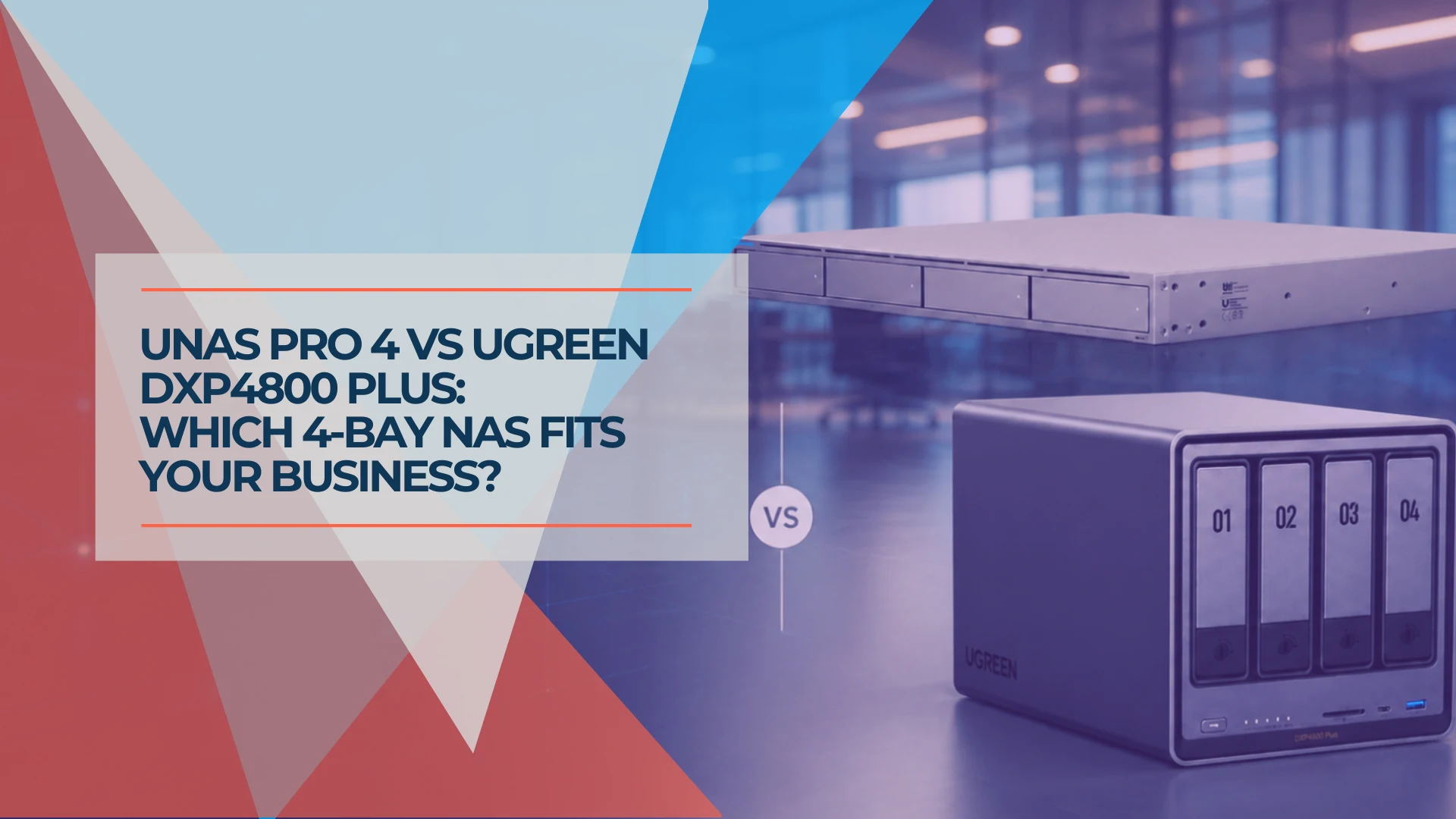
Both of these are good products, and which one you should buy has less to do with either unit's quality than with what the box is being asked to do. The UniFi UNAS Pro 4 ($499) is a 1U appliance built specifically for file storage. The UGREEN NASync DXP4800 Plus ($619.99) is a desktop x86 machine that costs more and does considerably more, including things UniFi Drive does not currently offer.
This is a comparison between two design philosophies, not two versions of the same product.
The short answer
Buy the UNAS Pro 4 if your network is already UniFi and the requirement is shared folders, backup targets and Active Directory integration. It costs less, and file serving is what it is built for.
Buy the DXP4800 Plus if the box needs to run things as well as hold them — containers, a virtual machine, hardware-transcoded media, AI photo indexing — or if you want memory and NVMe headroom to change your mind in two years.
Prefer to watch? This seven-minute video compares the two NAS units by the workload they are asked to handle. The written comparison follows below.
UniFi UNAS Pro 4 vs UGREEN DXP4800 Plus: Which Fits in 2026?
What each one is
The UNAS Pro 4 is a purpose-built file storage appliance for a UniFi network; the DXP4800 Plus is a general-purpose x86 NAS running an application platform.
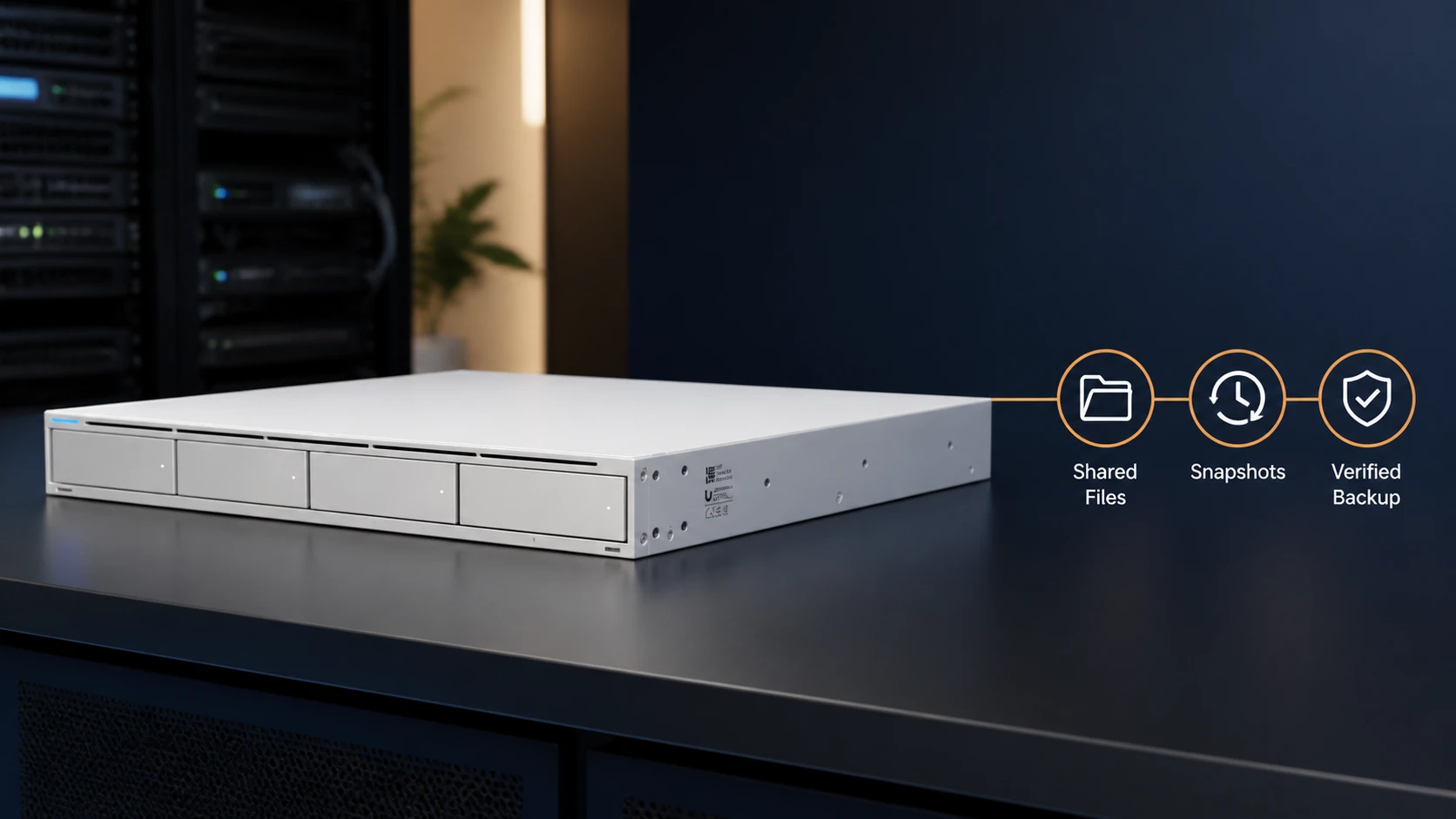
Ubiquiti's decisions point consistently in one direction: a quad-core ARM Cortex-A57, 8 GB of RAM, no USB ports, M.2 slots restricted to caching, and UniFi Drive — which does SMB, NFS, snapshots, encrypted volumes, Active Directory and cloud backup, and does not do containers, virtual machines or iSCSI. As a spec sheet that reads as a list of omissions. As a product decision it is a company building a file server that is difficult to misconfigure and that a network administrator manages from the console they already have open.
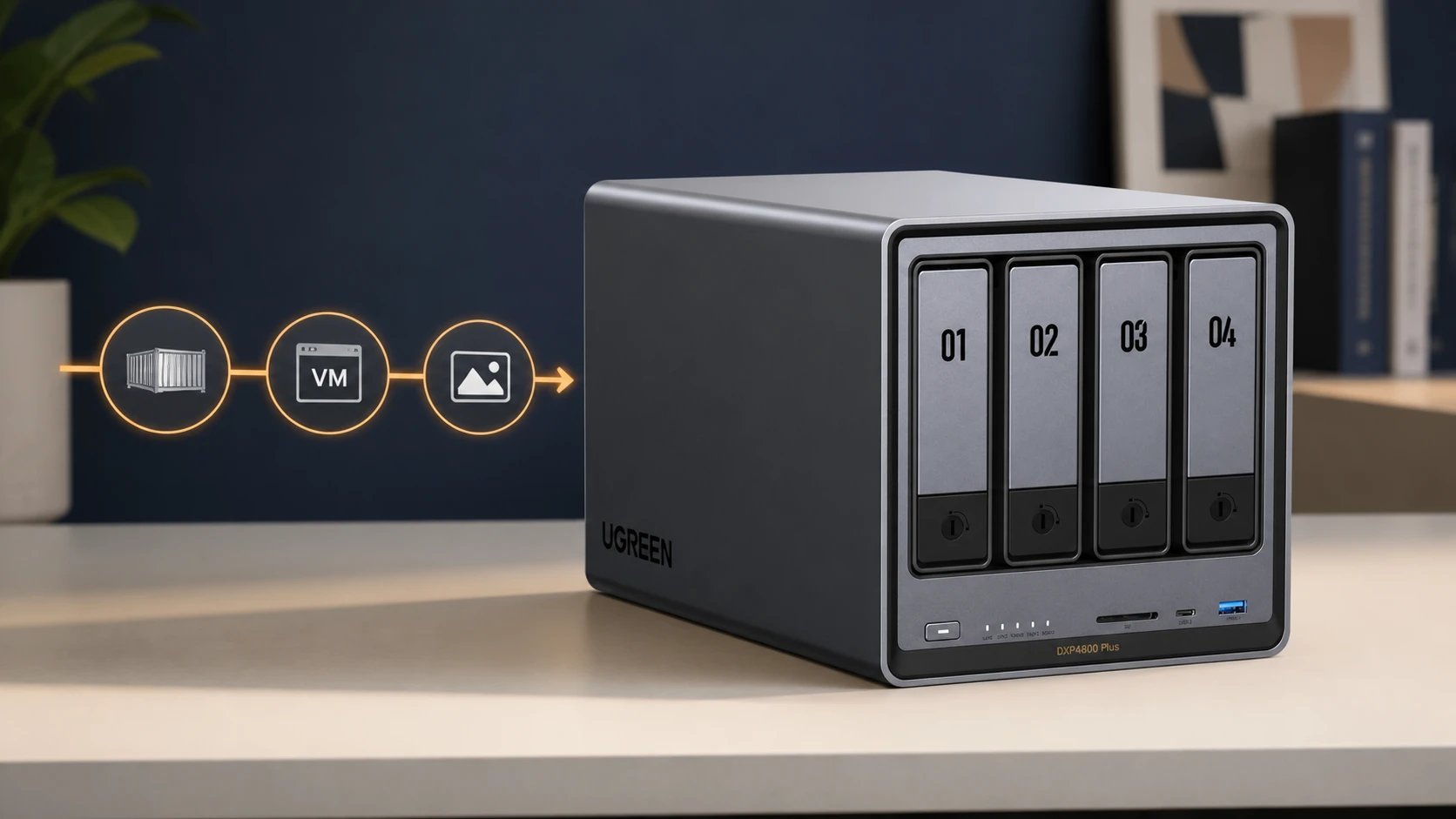
UGREEN went the other way. The DXP4800 Plus runs a 12th-generation Intel Pentium Gold 8505 with five cores and six threads, ships with 8 GB of DDR5 expandable to 64 GB, keeps its operating system on a dedicated 128 GB SSD rather than on your data drives, and exposes five USB ports, an SD card reader and 4K HDMI. Its M.2 slots can hold storage pools rather than only cache. UGOS Pro has an App Center with Docker, a virtual machine manager and AI photo features. That is a machine intended to be extended.
Specifications side by side
| UniFi UNAS Pro 4 | UGREEN NASync DXP4800 Plus | |
|---|---|---|
| Form factor | 1U rackmount (442.4 × 400 × 43.7 mm) | Desktop |
| Processor | Quad-core ARM Cortex-A57 @ 2.0 GHz | Intel Pentium Gold 8505, 5 cores / 6 threads |
| Memory | 8 GB (not marketed as user-expandable) | 8 GB DDR5, expandable to 64 GB |
| Drive bays | 4 × 2.5"/3.5" HDD/SSD hot-swap | 4 × SATA |
| M.2 NVMe | 2 slots, cache only, 4 TiB max; trays are a separate accessory | 2 slots, usable as cache or storage pools |
| System disk | — | 128 GB built-in SSD |
| Networking | 2 × 10G SFP+ (10G only), 1 × GbE RJ45 | 1 × 10GbE RJ45, 1 × 2.5GbE RJ45 |
| Other data ports | No USB, HDMI or card reader | 2 × USB 10Gbps (1 C, 1 A), 1 × USB-A 5Gbps, 2 × USB-A 480Mbps, SD 3.0, 4K HDMI |
| RAID | 5, 6, 10 | JBOD/Basic/0/1/5/6/10 |
| Platform | UniFi Drive (license-free) | UGOS Pro |
| Containers / VMs | Not offered in the current release | Docker and virtual machines via App Center |
| iSCSI | Not offered | SAN Manager introduced in UGOS Pro — verify on your firmware |
| Vendor power figure | 150 W internal PSU rating; 125 W drive budget | 42.36 W drive access, 18.12 W hibernation |
| Warranty | 2 years direct (1 year via reseller); UI Care 5-year, $129 | 2 years |
| Price | $499 | $619.99 (list $729.99) |
Sources: Ubiquiti UNAS Pro 4 tech specs, the M.2 SSD Tray accessory listing, and UGREEN's DXP4800 Plus specifications. Checked August 26, 2026.
Three rows deserve more than a glance.
The power figures are not comparable. Ubiquiti publishes a power supply rating and a drive power budget; UGREEN publishes drive-access and hibernation draw. A 150 W PSU rating does not mean the unit draws 150 W, and setting it against UGREEN's 42 W figure would be arithmetic on two different quantities. A running-cost difference calculated from these two numbers is not a meaningful comparison.
The 10G ports are different kinds of 10G. The UNAS Pro 4's two SFP+ ports are 10G-only, which is the right answer in a rack with SFP+ uplinks and an added cost in an office running RJ45 copper. The DXP4800 Plus offers 10GBASE-T on RJ45 plus a separate 2.5GbE port, so it drops into existing copper and can run at 2.5G until a 10G switch arrives.
iSCSI needs checking rather than assuming. Reviews of the DXP4800 Plus reported iSCSI as absent, and UGREEN has since introduced a SAN Manager app for iSCSI in UGOS Pro. Availability appears to vary by firmware and model, so verify it on the release you are buying rather than treating it as a settled feature.
What a complete system costs
Both units ship diskless, and the enclosure is rarely the largest line item. Price the whole build before comparing the two headline figures.
| Line item | UNAS Pro 4 | DXP4800 Plus |
|---|---|---|
| Enclosure | $499 | $619.99 |
| 4 × NAS-class drives | Largest single cost — price at purchase | Same |
| M.2 NVMe (optional) | 2 × M.2 SSD Tray at $19 each = $38, plus the SSDs | SSDs only; no carrier purchase |
| 10G connection | SFP+ DAC or optical transceivers, plus an SFP+ switch port | RJ45 patch lead; 10GBASE-T switch port when you move past 2.5G |
| UPS | Strongly recommended; no USB port, so confirm the graceful-shutdown method | Strongly recommended |
| Extended warranty | UI Care $129 for 5 years (optional) | 2-year standard |
| Rack or placement | 1U of rack space | Desk or shelf space |
Drive pricing moves weekly, so we are not publishing a figure that will be wrong within a month — build the table with live quotes on the day you buy. The structural point survives the arithmetic: the roughly $120 enclosure-price advantage can shrink or disappear once optional M.2 trays, 10G connectivity and UI Care are added to the UniFi side.
Usable capacity is worth working out before choosing a RAID level. With four drives, RAID 5 leaves three drives' worth of capacity and tolerates one failure; RAID 6 leaves two drives' worth and tolerates two. Four 8 TB drives provide 24 TB of nominal array capacity in RAID 5, or 16 TB in RAID 6. Most operating systems report those as roughly 21.8 TiB and 14.6 TiB, because drive manufacturers count in decimal terabytes and operating systems report binary — and the filesystem and system reservations consume more on top. Plan from the figure the operating system will show you, not the one on the box.
File storage, backup and data protection
Both units handle the core job well, and neither one is a backup.
UniFi Drive covers SMB and NFS shares, scheduled snapshots, encrypted volumes, Active Directory integration, Time Machine, and backup to Google Drive, OneDrive, Dropbox, S3, Backblaze B2 and Wasabi. UGOS Pro covers the equivalent ground with Btrfs snapshots and its own backup and cloud-sync applications, plus a broader app catalogue around them.
The important caveat applies equally to both. RAID keeps an appliance running through a drive failure; it does nothing about deletion, ransomware, theft, fire, or the failure of the appliance itself. Snapshots help against accidental deletion and some ransomware, and they live on the same box. Both of these units are single-appliance failure domains — redundant drives are not high availability. Whichever you buy, follow the 3-2-1 backup rule and test a restore rather than assuming one.
Two practical points that rarely appear in comparisons. The UNAS Pro 4 has no USB port, so conventional USB UPS signalling is unavailable. Ubiquiti's own managed UPS products advertise graceful shutdown for UNAS and UNVR devices, with NUT compatibility for third-party units and a minimum UniFi OS version; per-model support has not always matched the marketing, so confirm the shutdown method for this specific unit and your specific UPS before ordering either. And think about the exit path before you commit: how data gets in, how it is backed up, and how it would move to another platform in five years. Both vendors use standard protocols for access, which helps, but migration is a project either way.
Applications, virtualization, media and expansion
This is where the two products stop overlapping.
If any of the following are on the list now or plausibly within two years, the DXP4800 Plus answers them and UniFi Drive does not: Docker containers for an internal tool, a virtual machine for a legacy application, a media server with hardware transcoding, AI-assisted photo indexing and search, ingesting camera media directly from SD cards and USB drives, or adding memory in year three because the workload grew.
Two qualifications keep that list honest. Hardware transcoding depends on more than the CPU — the application has to support it, the container has to be configured for it, and Plex specifically may require a Plex Pass. And the AI photo features provide local face, scene, object and location recognition. The Pentium Gold 8505 has no dedicated NPU, so this is competent library organisation rather than a platform intended for substantial local-model inference. Our guide to what AI NAS actually means covers where that line falls.
The expansion headroom is the difference that ages best. Eight gigabytes is sufficient for the UNAS Pro 4's current file-serving role, though firmware and workload growth make any promise about "forever" impossible to guarantee. Memory that can reach 64 GB, and M.2 slots that can become a storage pool rather than only a cache, leave substantially more room for future workloads — though the fixed processor and four-bay chassis still set a ceiling.
A word on platform maturity in the other direction: a broader feature set is not the same as more mature business administration. UGOS Pro has grown quickly and its app catalogue is still smaller than Synology's or QNAP's. Our UGREEN versus Synology comparison goes into that in depth, and it is the right reading if software maturity outranks ecosystem fit for you.
Networking, placement and power
Form factor decides more of this than either spec sheet suggests.
The UNAS Pro 4 is a 1U chassis with the fan profile that implies. It belongs in a rack or a closet with a door. A meaningful share of small offices have neither, and a rackmount NAS on a shelf beside the conference table is a predictable complaint rather than a surprise. The DXP4800 Plus is a desktop unit with larger fans and is the appropriate shape for a room people work in.
On networking, neither unit requires 10G to be useful for a general office workload — though a team moving large media files will notice the difference, and 10G is the reason to buy either of these rather than something cheaper. Cost the connection honestly: SFP+ means DAC cables or optical modules and a switch with SFP+ ports; 10GBASE-T can run on copper you may already have, depending on cable category and run length — Cat6a carries 10G to full distance, Cat6 only part of the way — and it draws more power and generates more heat in the switch.
Sizing: why "twelve people" is not a specification
Headcount is a poor proxy for storage requirements. Twelve accountants editing Office documents and twelve video editors working from shared media generate workloads that differ by an order of magnitude.
Size the system from the things that actually vary: total dataset today and expected growth, file types and average size, how many people are reading and writing at once, what the backup target and window are, and how long the business can tolerate being without the data. Those five answers determine drive count, RAID level, network speed and whether either of these 4-bay units is enough at all.
What the ecosystem argument is actually worth
Single-vendor consolidation is worth a great deal to whoever administers the network, and very little to a business that never opens the console.
Most comparisons get this wrong in one direction or the other. If you have internal IT or a managed provider working in the UniFi console, integration saves real time every week — fewer vendor accounts, fewer management surfaces, fewer update policies to oversee, one place where storage and network alerts arrive together. UniFi Drive still has its own application and firmware updates; the saving is in reduced sprawl, not in eliminating maintenance.
If the business bought UniFi because an installer recommended it and nobody has logged in since commissioning, that integration is worth little, and the decision should rest on what the hardware can do. Working out which of those two describes your office narrows the choice faster than any spec row.
Decision by workload
General office files in an established UniFi environment
UNAS Pro 4. Shared folders, backup targets, Active Directory, a rack or closet to put it in, and someone who opens the UniFi console regularly. The consolidation is real, the price is lower, and the missing features are ones this workload never touches. See our full UNAS Pro 4 review for deployment detail, or the within-UniFi model comparison if you are not sure the Pro 4 is the right UniFi unit. Buy the UNAS Pro 4.
Containers, virtual machines, media or photo libraries
DXP4800 Plus. The capability is the product, and integration does not substitute for it. Verify iSCSI on your firmware if that is part of the plan. Check current pricing on the UGREEN DXP4800 Plus.
Creative media ingestion from cameras and cards
DXP4800 Plus, with one correction to a common assumption. The SD reader and USB ports ingest media into the NAS; they do not turn it into direct-attached storage for an editing workstation. Editing still happens over the network, which is the argument for its 10GBASE-T port.
No rack, no closet, NAS lives in the open office
Lean DXP4800 Plus on form factor. If budget makes the UniFi unit necessary anyway, plan its physical home deliberately — a rack enclosure or a room with a door.
No UniFi commitment, software maturity matters most
Look wider than these two. With no ecosystem pull either way, Synology and QNAP belong in the comparison. Start with our best NAS for small business guide.
The bottom line
The UNAS Pro 4 and the DXP4800 Plus are both well-made units, and they are not really competing for the same buyer.
Ubiquiti built a file server that is straightforward to manage if you already live in its console, and priced it accordingly. UGREEN built a capable small x86 server that will run a wide range of applications, at the cost of a second platform to learn and maintain. For a UniFi shop with a rack and a file-storage requirement, the UniFi unit is the better buy. For anyone whose list of requirements includes the word "and", the UGREEN is.
Whichever you choose, price the complete system rather than the enclosure, size it from your dataset rather than your headcount, and put a tested backup behind it.
Related Resources
- UniFi UNAS Pro 4 Review — The full deployment review, including Active Directory integration and what UniFi Drive does and does not do.
- UNAS Pro 4 vs Pro 8 vs UNAS 4 — Which UniFi NAS to buy if you have already decided to stay in the ecosystem.
- UniFi NAS Buyer's Guide — UI Care coverage, warranty terms and total cost of ownership across the UNAS range.
- UGREEN vs Synology NAS — The platform-maturity comparison, and the rest of UGREEN's 2026 lineup.
- What Is an AI NAS? — What the AI features on these machines actually do, and when an NPU matters.
- The 3-2-1 Backup Rule — Why neither of these units is a backup on its own.
- Best NAS for Small Business — The wider cross-brand field including Synology and QNAP.
Affiliate Disclosure: This article contains affiliate links. If you make a purchase through these links, we may earn a small commission at no extra cost to you. As an Amazon Associate, iFeelTech earns from qualifying purchases.
Frequently Asked Questions
Related Articles
More from Business Hardware
UniFi UNAS 2 vs UNAS 4 Review: Desktop NAS for Offices Without a Rack
UNAS 2 ($199) and UNAS 4 ($379) compared for real SMB deployment — specs, RAID options, caching limits, backup, file-server replacement, and practitioner guidance on desktop vs rackmount.
11 min read
UniFi UNAS Pro 4 Review: A $499 1U NAS for UniFi-Based SMBs
The UNAS Pro 4 delivers dual 10G SFP+ and NVMe caching in a 1U rack for $499 — here's what that means for a real SMB deployment, including Active Directory integration, UniFi ecosystem fit, and who should buy it.
18 min read

Local AI Server Hardware Guide for Small Business (2026)
Size a private AI server by model, VRAM, context, and users. Researched August 2026 configurations with specifications and prices checked August 10, 2026.
22 min read