Best NAS for Small Business 2026: Synology, UGREEN & UniFi Compared
Compare the top NAS systems for small business in 2026. Synology DS925+, UGREEN NASync DXP4800 Plus, and UniFi UNAS Pro reviewed with specs, pricing, and practical trade-offs.

Key Takeaway
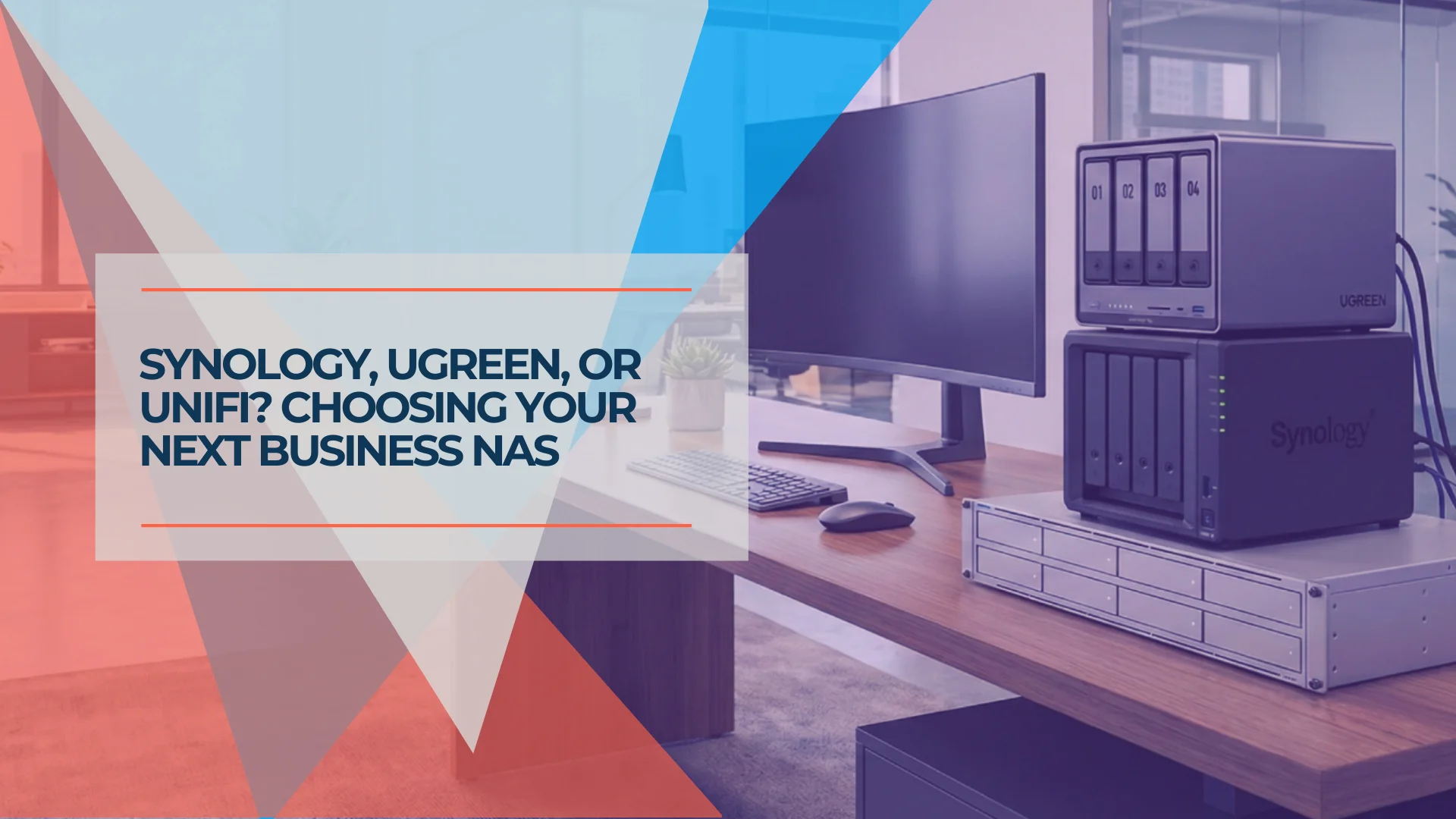
Three vendors stand out in this comparison of the small business NAS market in 2026: Synology for software reliability, UGREEN for hardware value, and UniFi for ecosystem integration. QNAP's 2026 lineup is also worth considering for VM and Docker-heavy environments. Each has distinct strengths and trade-offs worth understanding before you buy.
This guide is for offices of roughly 5–25 people that need shared file storage, endpoint backup, and local disaster recovery—and have someone on staff (or on contract) who can manage the hardware.
RAID Is Not Backup
RAID can keep a NAS available through one or more drive failures, depending on the RAID level. It does not protect against deletion, ransomware, theft, fire, or complete system failure. Every NAS deployment in this guide should include an offsite backup destination. See our 3-2-1 backup rule guide for implementation steps.
Affiliate Disclosure: This article contains affiliate links. If you make a purchase through these links, we may earn a small commission at no extra cost to you.
If you're deciding between a NAS and a full server, our decision guide works through the criteria before you start comparing hardware.
The small business NAS market has shifted considerably. UGREEN now ships newer Intel silicon and 10GbE at price points comparable to Synology's 2018-era Ryzen lineup, while Ubiquiti's UniFi UNAS line has introduced a new option for IT-managed offices.
The Cheat Sheet (prices checked July 13, 2026):
| Profile | Best Pick | Price |
|---|---|---|
| Software-first, reliability matters | Synology DS925+ | ~$720 |
| Best hardware value, can tolerate software quirks | UGREEN DXP4800 Plus | ~$650–730 |
| Already in UniFi ecosystem, have rack space | UniFi UNAS Pro 8 | $799 |
Which NAS Should Your Business Buy?
| Your Situation | Best Choice | Why |
|---|---|---|
| Prioritize software polish and reliability | Synology DS925+ (~$720) | DSM provides the most mature and predictable management experience in this comparison |
| Need 10GbE and best hardware value | UGREEN DXP4800 Plus (~$650–730) | More capable hardware for a similar price |
| Already running UniFi infrastructure, need 1U rack | UniFi UNAS Pro 4 ($499) | 1U, dual 10G SFP+, NVMe caching, license-free |
| Already running UniFi infrastructure, need 8 bays or redundant power | UniFi UNAS Pro 8 ($799) | 8 bays, dual redundant PSUs, native 10GbE RJ45 |
| Creative/video team, need Thunderbolt | UGREEN DXP6800 Pro (~$1,020–1,200) | Dual 10GbE + Thunderbolt 4, Core i5 |
| Small office, no server closet, want UniFi | UNAS 4 ($379) | Desktop form factor, quiet operation |
| Need ZFS, VMs, or Docker-heavy workloads | QNAP TVS-h877AX (~$3,000+) | ZFS + Ryzen 5 PRO (Zen 4); enterprise-grade, IT-managed environments |
When not to buy a NAS: If your organization lacks internal IT support, depends entirely on cloud collaboration (Google Workspace, Microsoft 365), or cannot commit to maintaining offsite backups, a managed cloud storage solution may be more appropriate than on-premises hardware. Not sure whether a NAS, a cloud drive, or encrypted storage fits your workflow? Our guide to where business files should actually live works through the decision before you choose a product.
How We Evaluated These Systems
Our recommendations draw on direct deployment experience across client sites, supplemented by manufacturer specifications and independent testing where noted.
- Systems tested in-house: Synology DS925+, UGREEN DXP4800 Plus, UniFi UNAS Pro 4, UNAS Pro 8, UNAS 4
- Firmware versions: DSM 7.2 and 7.3; UGOS PRO 1.x; UniFi Drive 3.x and 4.x
- Drives used: WD Red Plus (CMR), Seagate IronWolf; RAID 5 and SHR configurations
- Network environment: 2.5GbE and 10GbE links; UniFi switches; Windows, macOS, and Linux clients
- Workloads tested: SMB file sharing, Time Machine backup, Active Backup for Business, Docker containers, Plex transcoding
- QNAP and TrueNAS sections are based on manufacturer specifications and published reviews; we have not deployed these specific 2026 models at client sites
- Prices verified: July 13, 2026, from manufacturer stores, Amazon, and B&H Photo
Where a claim reflects our direct experience, we say so. Where it reflects manufacturer specifications, we identify the source. Editorial assessments are our own.
Synology DS925+ Business Storage Capabilities
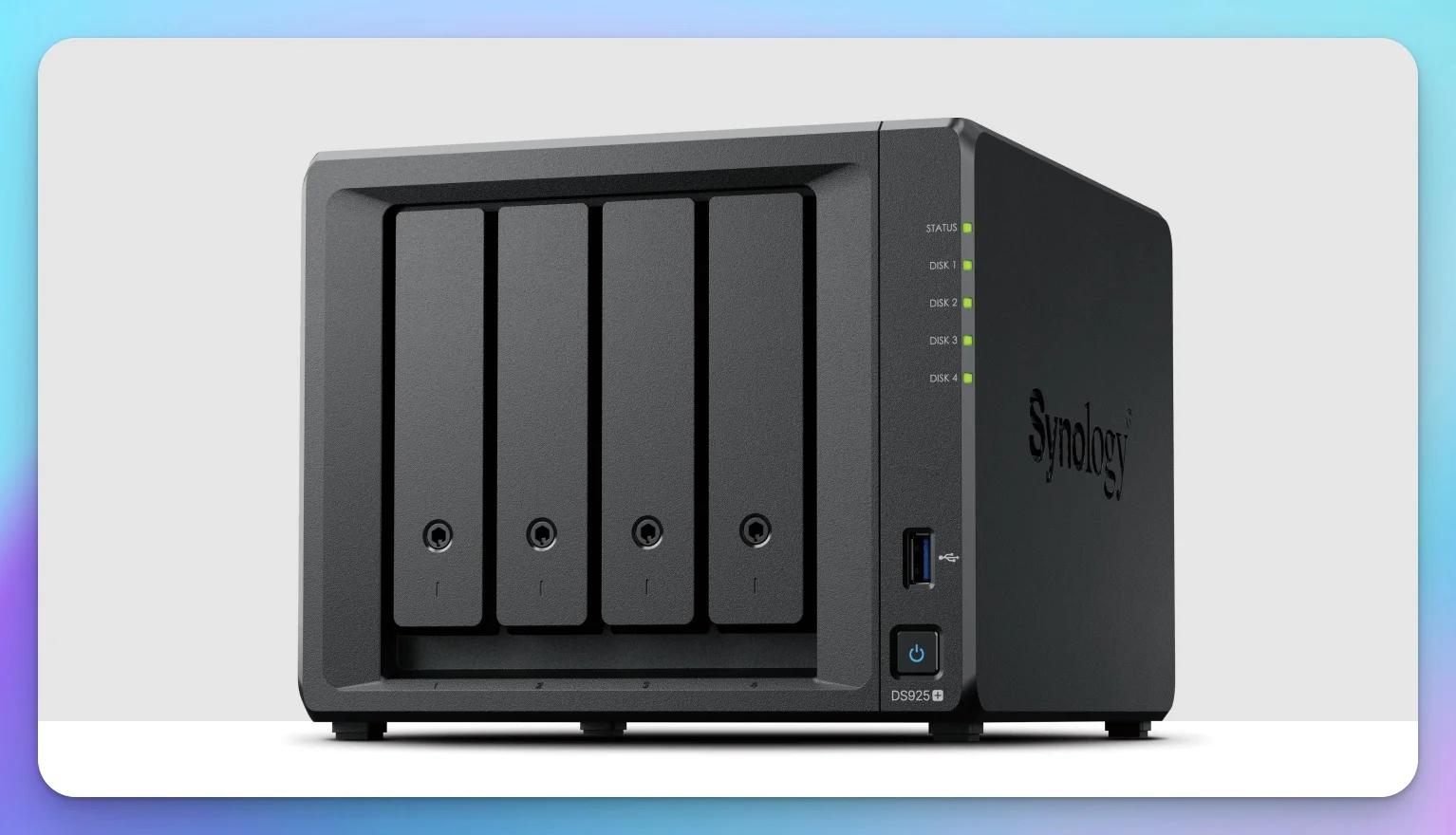
Synology's 4-bay flagship delivers the strongest NAS software in our assessment, with trade-offs in processor generation and expansion options.
Price: ~$720 (checked July 2026) | Bays: 4 (expandable to 9) | Networking: Dual 2.5GbE
DiskStation Manager is, in our assessment, the strongest NAS operating system available for small business use—with an extensive app ecosystem, thorough documentation, and the broadest third-party integration support of any platform in this comparison.
Hardware Specifications:
The DS925+ runs on AMD's Ryzen Embedded V1500B—a quad-core processor from AMD's 2018-era Ryzen Embedded platform. For straightforward file sharing and backup, it performs adequately. Compared to the Intel Pentium Gold 8505 in UGREEN's lineup, the V1500B is a generation behind:
- No integrated GPU or Intel Quick Sync acceleration (the processor is less suitable for frequent software transcoding)
- Slower performance for Docker containers and virtual machines
- Official power figures: 37.91W during access, 12.33W in HDD hibernation (based on manufacturer specifications)
Synology also removed the PCIe expansion slot from the DS925+. Unlike the older DS923+, you cannot add a 10GbE card later. If you need 10GbE, the dual 2.5GbE ports can provide up to 5Gbps of aggregate bandwidth across multiple connections, but a single file transfer normally uses one 2.5GbE link unless SMB Multichannel is enabled and supported by both the NAS and client. For native 10GbE, you need to step up to the DS1525+.
Where Synology Excels:
- DSM software: The backup solutions, photo management, and surveillance apps are the strongest option in our assessment
- Synology Hybrid RAID (SHR): Unlike standard RAID, SHR lets you mix drive sizes and expand storage without wiping drives—ideal for businesses that add capacity gradually
- QuickConnect + Tailscale: Easy remote access without complex VPN setup
- Long-term support: Synology has historically provided long DSM update cycles across multiple hardware generations; established VAR channels for enterprise support
Drive Compatibility (DSM 7.3+)
DSM 7.3 restored broader third-party HDD and 2.5-inch SATA SSD support on 2025 Plus models—third-party drives now work with only a warning message. However, M.2 NVMe storage pool support, technical-support scope, and compatibility status still vary by model. Check Synology's current drive compatibility policy for your specific configuration.
Growth Path: Expansion Support
Among the three primary systems reviewed here, the DS925+ is the only 4-bay model with a first-party multi-bay expansion unit. The DX525 adds 5 more bays, scaling to 9 drives total. UGREEN and UniFi currently require a new chassis for more capacity.
The Verdict
Best for businesses prioritizing software stability over hardware specs. The aging CPU limits transcoding and VM performance.
For a deeper look at Synology's ecosystem, see our comprehensive Synology NAS business guide.
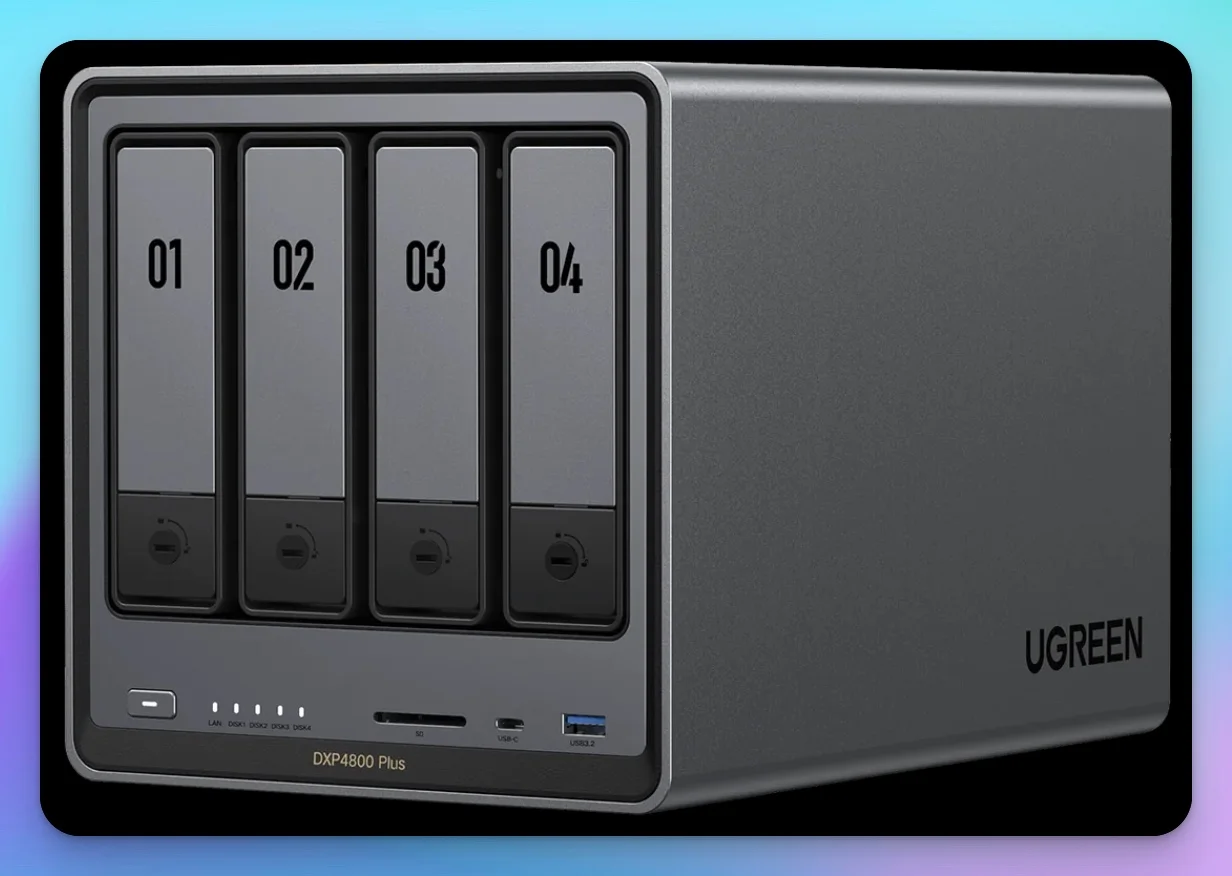
UGREEN DXP4800 Plus Hardware and Value Proposition
The DXP4800 Plus offers more processing power and connectivity per dollar than any other 4-bay NAS in this comparison, including built-in 10GbE networking.
Price: ~$650–730 (checked July 2026) | Bays: 4 | Networking: 1× 10GbE + 1× 2.5GbE
For roughly the same price as the DS925+, UGREEN ships a newer Intel processor, DDR5 memory, and 10GbE connectivity without add-on cards.
What Sets It Apart:
- Intel Pentium Gold 8505: A Q1 2022 hybrid architecture (one performance core, four efficiency cores) with Intel Quick Sync—capable of hardware-accelerated video transcoding that the V1500B cannot match
- Built-in 10GbE: No add-on cards needed; the second 2.5GbE port enables network segmentation
- 8GB DDR5 RAM: Expandable to 64GB for memory-intensive workloads
- No drive restrictions: UGREEN explicitly supports third-party drives
Why M.2 Slots Matter:
The two NVMe slots enable SSD caching, which can reduce latency in suitable random-I/O workloads—particularly when multiple users access frequently-used files simultaneously. Benefits vary by working set, RAID configuration, and application.
Official Power Consumption:
UGREEN publishes 42.36W during drive access and 18.12W in hibernation. These figures are not directly comparable to the DS925+'s 37.91W/12.33W because drive configurations, measurement conditions, and processor architectures differ. The newer Intel platform offers stronger general compute performance and Quick Sync acceleration, but the published power figures do not support a direct performance-per-watt comparison.
Where UGREEN Falls Short:
UGOS PRO is functional but noticeably less polished than DSM. The app ecosystem is smaller, documentation is thinner, and some enterprise features (like advanced snapshot management) are still in development.
Support & Warranty:
UGREEN provides a two-year warranty and sells direct through their NAS store as well as Amazon and Newegg. However, UGREEN does not publish the type of enterprise support and advance-replacement SLA available through parts of Synology's channel. For businesses with strict compliance requirements (HIPAA, localized data sovereignty), UGREEN's newer entry into the market may require deeper security vetting compared to Synology's longer track record.
The Verdict
Best tested hardware-per-dollar in this comparison. Shorter support track record and smaller software ecosystem are the trade-offs.
Newer UGREEN Option: DXP4800 Pro
The DXP4800 Pro upgrades to an Intel Core i3-1315U (6-core/8-thread, up to 4.5 GHz) and supports up to 96GB of DDR5 memory while retaining 10GbE and 2.5GbE networking. UGREEN lists it at approximately $720. We have not tested this model yet, but businesses planning heavier virtual-machine or Docker workloads should compare it with the DXP4800 Plus before purchasing.
For a detailed comparison, see our UGREEN vs Synology NAS analysis.
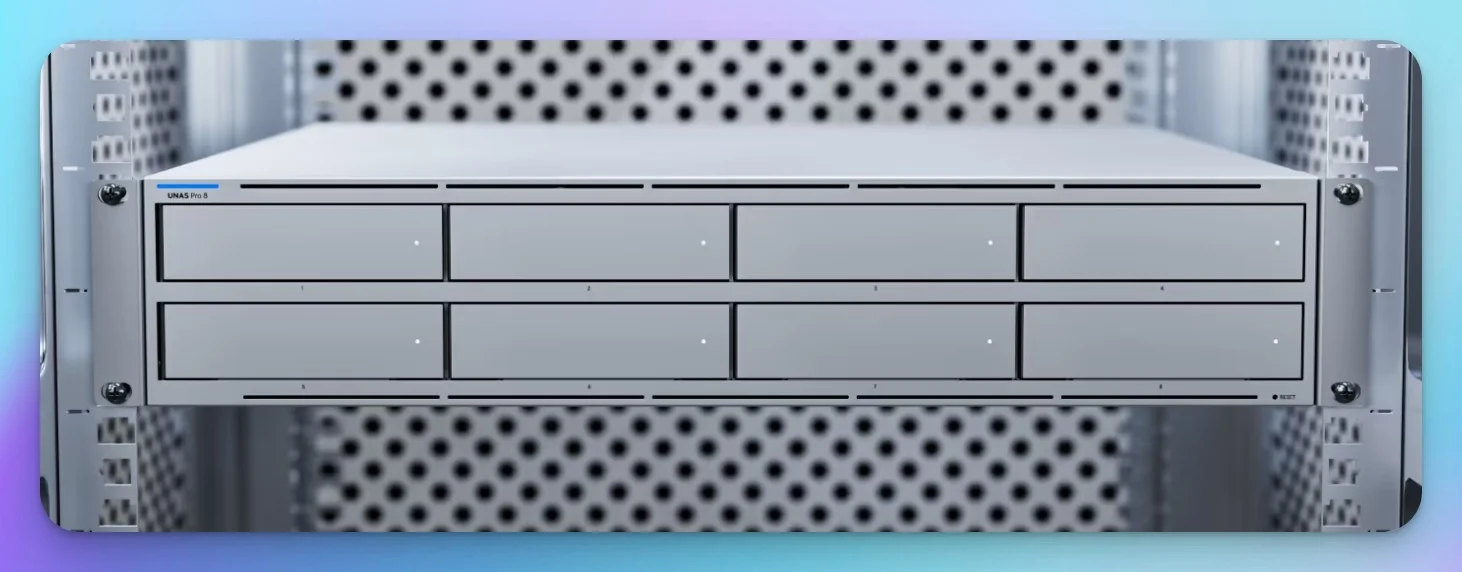
UniFi UNAS Pro 8 Rackmount Storage for UniFi Environments
The UNAS Pro 8 delivers eight hot-swap bays and triple 10GbE connectivity at a price point typically reserved for 4-bay NAS systems.
Price: $799 (MSRP via Ubiquiti Store) | Bays: 8 | Networking: 2× 10G SFP+ + 10G RJ45
Third-party retailers like CDW and B&H may charge $830–$960 due to demand markups. Purchase directly from the Ubiquiti Store to secure the $799 MSRP. For IT-managed offices already running UniFi switches, access points, and Protect cameras, the UNAS Pro 8 consolidates storage management into a single platform.
The Hardware:
- Eight 3.5" bays plus two internal M.2 NVMe slots
- 16GB RAM
- Three 10GbE ports (two SFP+, one RJ45)
- 2× 550W hot-swap redundant PSUs
- 2U rackmount form factor
UniFi Ecosystem Integration:
UniFi OS consolidates storage, network, and camera management into a single interface. A UNAS is its own UniFi console and can be managed locally—it does not depend on a separate Network controller remaining online. Site Manager centralizes access across consoles, but each UNAS appliance operates independently.
Noise: This Is Not a Desktop NAS
The UNAS Pro 8 is enterprise rackmount hardware. In our deployments, the cooling fans were too noticeable for occupied office environments. This unit belongs in a server closet, IT room, or dedicated rack. For quiet desktop use, see the UNAS 4 below.
Software Maturity in 2026:
UniFi Drive has progressed significantly since launch. As of mid-2026, documented capabilities include: SMB/NFS file sharing, Active Directory integration, snapshots, user groups, multiple RAID groups with hot-spare options, file encryption, local and remote backup (UNAS-to-UNAS, CIFS), and cloud backup to Google Drive, OneDrive, Dropbox, Amazon S3, Backblaze B2, and Wasabi.
It is still fair to say that UniFi Drive has a smaller application ecosystem and a shorter operational track record than Synology DSM. It lacks native SaaS backup for Microsoft 365 or Google Workspace, and its snapshot capabilities are not yet comparable to Synology's immutable WORM-protected snapshots. But the gap has narrowed—verify current feature availability against your specific requirements rather than relying on early-launch assessments.
Support and Replacement Options:
Ubiquiti provides a two-year warranty on products purchased directly from the Ubiquiti Store (one year through authorized resellers). UI Care extends eligible products to five-year coverage with advance replacement shipment and priority handling. This is a meaningful improvement, though it is not necessarily an NBD SLA comparable to Synology's enterprise support contracts.
The Desktop Option — UNAS 4:
The UNAS 4 ($379, 4-bay, 2.5GbE, M.2 NVMe slots, desktop form factor) launched in early 2026 and was listed as available when checked July 13, 2026. It fills the gap for smaller UniFi offices that need a quiet, rackmount-free option. See our UNAS 2 vs UNAS 4 review for deployment guidance on both desktop models.
The Verdict
Strong bay-per-dollar value for UniFi shops with proper rack space. Not suitable for quiet office environments.
For setup guidance, see our complete UniFi NAS business guide. If you're comparing the UNAS 4, Pro 4, and Pro 8 head-to-head, see our detailed UNAS model comparison.
Storage Sizing and Capacity Planning
Calculating usable NAS capacity requires accounting for RAID overhead, filesystem formatting, snapshot reserves, and the difference between advertised TB and operating-system-reported TiB (a 10 TB drive shows roughly 9.09 TiB in the OS).
Common RAID capacity formulas (equal-sized drives):
| RAID Level | Usable Capacity | Minimum Drives |
|---|---|---|
| RAID 1 | 1 drive's capacity | 2 |
| RAID 5 | (drives − 1) × drive size | 3 |
| RAID 6 | (drives − 2) × drive size | 4 |
| RAID 10 | ~50% of raw capacity | 4 |
| SHR/SHR-2 | Varies by drive sizes | 2+ / 3+ |
| Current Data | Recommended Config | Usable Space |
|---|---|---|
| 2–5 TB | 4× 4TB (RAID 5) | ~12 TB |
| 5–15 TB | 4× 8TB (RAID 5) | ~24 TB |
| 15–40 TB | 6× 12TB (RAID 6) | ~48 TB |
A more complete capacity formula: current data + expected annual growth + retention requirements + snapshot overhead + 20–30% operating headroom. "Plan for twice your current data" is a useful shorthand, but insufficient for businesses with regulatory retention requirements or heavy snapshot use.
Not Sure What You Need?
Capacity planning is where most businesses get tripped up—RAID overhead, future growth, and drive selection add up quickly. If you're unsure whether you need 20TB or 50TB, or which platform fits your workflow, we can help.
Total Cost of Ownership: What You'll Actually Spend
NAS vendors list prices for diskless enclosures. The actual deployment cost is significantly higher once you add drives, networking, power protection, and infrastructure.
| Component | DS925+ Build | DXP4800 Plus Build | UNAS Pro 8 Build |
|---|---|---|---|
| NAS unit (diskless) | ~$720 | ~$650–730 | $799 |
| 4× 8TB NAS drives (WD Red Plus) | ~$680 | ~$680 | ~$680 (partial fill) |
| 8× 8TB NAS drives | — | — | ~$1,360 |
| NVMe cache (optional, 2× 1TB) | ~$120 | ~$120 | ~$120 |
| 10GbE switch | ~$300–800 (2.5GbE capable) | ~$300–800 | ~$300–800 |
| UPS (rackmount or desktop) | ~$150–400 | ~$150–400 | ~$200–500 |
| 10GbE client adapters (per workstation) | N/A | ~$50–100 each | ~$50–100 each |
| SFP+ transceivers or DAC cables | N/A | N/A | ~$15–30 each |
| Typical total (NAS + 4 drives + UPS) | ~$1,550–1,800 | ~$1,480–1,810 | ~$1,680–1,980 |
| Typical total (NAS + 8 drives + UPS) | — | — | ~$2,360–2,660 |
Additional costs to budget for: replacement-drive reserve, offsite backup storage or cloud egress charges, support contracts where required, and rack or shelf hardware for rackmount units.
The DS925+ connects at 2.5GbE and benefits from a multigigabit or 10GbE switch in mixed network environments, even though it cannot use a 10GbE endpoint itself.
Choosing the Right NAS Drives
When purchasing NAS drives, verify that every drive uses CMR (Conventional Magnetic Recording) technology. Device-managed SMR (Shingled Magnetic Recording) drives can perform poorly during sustained RAID writes and rebuilds, increasing rebuild time and operational risk.
Commonly suitable CMR NAS lines: WD Red Plus, WD Red Pro, Seagate IronWolf, Seagate IronWolf Pro, Toshiba N300.
Models requiring verification: Some WD Red models use SMR—verify the exact model number and recording technology before purchase. Standard Seagate Barracuda drives and any drive whose spec sheet does not explicitly state "CMR" or "PMR" should also be checked against the current manufacturer specification. Our NAS hard drive guide compares specific WD Red and Seagate IronWolf models by capacity, power and noise.
Manufacturers have historically changed recording technology within the same product line without updating model numbers. Always verify the specific SKU against current spec sheets before purchasing.
Power Consumption Comparison
For NAS units running 24/7, power draw affects operating costs. These figures come from manufacturer specifications and are not directly comparable across vendors—test methodologies, drive configurations, and measurement conditions differ.
| Metric | Synology DS925+ | UGREEN DXP4800 Plus | UniFi UNAS Pro 8 |
|---|---|---|---|
| Drive access (mfr. spec) | 37.91W | 42.36W | 250W max; typical not published |
| HDD hibernation (mfr. spec) | 12.33W | 18.12W | N/A |
At $0.13/kWh, a continuous 12W difference costs approximately $14 per year (roughly $41 over three years). The UNAS Pro 8's 250W figure includes a 225W maximum drive-power budget and is not a typical operating measurement—treat cross-vendor power comparisons as directional rather than precise.
UPS and Graceful Shutdown
Every NAS deployment should include an uninterruptible power supply (UPS) with USB or network signaling for graceful shutdown. Synology and UGREEN support automated safe shutdown with compatible UPS hardware. For UniFi NAS deployments, verify UPS compatibility and test shutdown and power-restoration behavior with the current UniFi Drive and UPS firmware. A power loss during active writes or a RAID rebuild can leave incomplete writes or array inconsistencies. A UPS reduces this risk, but it does not replace an independent backup.
The 3-2-1 Backup Rule
Follow the industry standard: 3 copies of your data, on 2 different media types, with 1 copy offsite. A NAS may hold your primary data or serve as one backup destination, but RAID does not count as a separate backup copy. Maintain two independent backups, including one offsite—such as iDrive, Backblaze B2, or AWS Glacier. Our complete 3-2-1 backup rule guide walks through implementation step by step. Choosing the offsite service? Our iDrive vs Acronis Cyber Protect comparison breaks down cost and features for small-business backup.
NAS Security and Business Continuity Compared
Data protection and disaster recovery capabilities vary significantly across these three platforms. This table reflects documented features as of July 2026.
| Capability | Synology | UGREEN | UniFi |
|---|---|---|---|
| Identity integration | Local users, AD/LDAP, MFA (Secure SignIn) | Local users, basic MFA (TOTP) | Local users, AD integration, MFA (UniFi Identity) |
| Snapshot protection | Immutable snapshots with WORM/WriteOnce on eligible systems | Btrfs snapshots (standard, not immutable) | Snapshots (standard, not immutable) |
| SaaS backup (M365/GWS) | Native apps (Active Backup for Microsoft 365, Google Workspace) | Third-party tools required | Not available |
| NAS-to-cloud backup | Hyper Backup to S3, B2, Wasabi, Glacier, Azure, Google Cloud | Cloud sync via UGOS PRO | Google Drive, OneDrive, Dropbox, S3, B2, Wasabi |
| NAS-to-NAS replication | Snapshot Replication, Hyper Backup | UGOS backup tools | Remote UNAS/CIFS backup |
| Encryption | Volume and shared folder encryption; KMIP key management | Volume encryption | File encryption |
| Ransomware controls | Active Insight anomaly detection; immutable recovery points | Basic monitoring | Not documented |
| Audit logging | Detailed file/user activity logs with configurable retention | Basic logging | Basic logging |
| Remote access | QuickConnect + Tailscale | UGREENlink | UniFi Site Manager / Teleport (WireGuard) |
| Support & warranty | 3-year standard; NBD replacement on eligible products with paid enterprise support contract | 2-year warranty; consumer support channels | 2 years (direct from Ubiquiti); 1 year (authorized resellers); UI Care extends to 5 years with advance replacement |
| Surveillance | Surveillance Station; 2 free licenses, ~$50/cam additional | Free ONVIF support | UniFi Protect; no per-camera licensing; supports ONVIF third-party cameras |
Key distinctions:
- Synology's immutable snapshots (WriteOnce/WORM) provide tamper-proof recovery points that standard Btrfs or UniFi snapshots do not. An immutable snapshot and a standard snapshot serve different security functions.
- Synology's NBD replacement applies only to eligible products under a paid enterprise support contract—it is not a default feature of every Synology purchase.
- UniFi's cloud backup destinations are native to UniFi Drive but do not include SaaS backup for Microsoft 365 or Google Workspace mailboxes and documents.
- UniFi Protect now supports selected ONVIF-compatible third-party cameras without per-camera licensing, in addition to native UniFi cameras.
Other Systems Worth Considering: QNAP and TrueNAS
QNAP's 2026 Lineup
QNAP's 2026 Ryzen and QuTS hero refresh deserves consideration for more demanding workloads. The TVS-h877AX, TVS-h1277AX, and TVS-h1677AX run AMD Ryzen 5 PRO 7645 processors (Zen 4 architecture, 6-core/12-thread, up to 5.1 GHz) with QuTS hero and the ZFS file system.
What ZFS adds: ZFS provides data integrity verification through checksumming, self-healing capabilities (when valid redundant data is available for repair), inline compression, and deduplication. ZFS deduplication can require substantial memory and may reduce write performance depending on the workload—it should not be enabled without evaluating the memory and performance impact for your dataset. Synology's Btrfs provides comparable data integrity features through checksumming and snapshots, though the implementations differ in scope and approach.
QuTS hero h6.0 introduces dual-NAS high availability—active-passive failover between two NAS units, where the standby system takes over when the active system fails. This is enterprise-grade functionality at a price point within reach for larger small businesses.
The caveat: these are enterprise-class systems priced accordingly (the TVS-h877AX starts above $3,000 diskless). QNAP's setup is also more complex than Synology DSM. The dual-OS architecture (QTS vs. QuTS hero) and extensive configuration options make it better suited to environments with dedicated IT management.
The TrueNAS Alternative
For teams comfortable with Linux and ZFS, the TrueNAS Mini X+ from iXsystems offers a turnkey ZFS appliance with 5+2 hot-swap bays, an octa-core Intel C3758, 32GB ECC DDR4, and dual 10GbE—backed by enterprise support. Pricing is configuration-dependent; contact iXsystems for current quotes.
TrueNAS Community Edition has no software licensing fee, although supported appliances, enterprise features, and professional support have separate costs. TrueNAS SCALE can run on any x86-64 hardware, giving budget-conscious IT teams ZFS-grade data integrity, native Docker support, and no recurring software fees. The trade-off is a steeper learning curve and the absence of polished mobile apps.
Complete Model Lineup and Pricing
All prices checked July 13, 2026. Treat as snapshots; verify before purchasing.
Synology DS+ Series
| Model | Bays | Networking | CPU | Price |
|---|---|---|---|---|
| DS225+ | 2 | 1× 2.5GbE + 1× 1GbE | Intel Celeron J4125 | ~$340 |
| DS425+ | 4 | 1× 2.5GbE + 1× 1GbE | Intel Celeron J4125 | ~$600 |
| DS925+ | 4 | 2× 2.5GbE | AMD Ryzen V1500B | ~$720 |
| DS1525+ | 5 | 2× 2.5GbE + optional 10GbE (PCIe slot) | AMD Ryzen V1500B | ~$1,070 |
| DS1825+ | 8 | 2× 2.5GbE + optional 10/25GbE | AMD Ryzen V1500B | ~$1,100 |
UGREEN NASync Series
| Model | Bays | Networking | CPU | Price |
|---|---|---|---|---|
| DXP2800 | 2 | 1× 2.5GbE | Intel N100 | ~$390 |
| DXP4800 Plus | 4 | 10GbE + 2.5GbE | Pentium Gold 8505 | ~$650–730 |
| DXP4800 Pro | 4 | 10GbE + 2.5GbE | Intel Core i3-1315U | ~$720 |
| DXP6800 Pro | 6 | Dual 10GbE + Thunderbolt 4 | Intel Core i5 | ~$1,020–1,200 |
| DXP8800 Plus | 8 | Dual 10GbE + 2× Thunderbolt 4 | Intel Core i5 | ~$1,370 |
UniFi UNAS Series
| Model | Form Factor | Bays | Networking | Price |
|---|---|---|---|---|
| UNAS 2 | Desktop | 2 | 2.5GbE | $199 |
| UNAS 4 | Desktop | 4 | 2.5GbE + M.2 NVMe | $379 |
| UNAS Pro | 2U Rack | 7 | 10G SFP+ + 1GbE | $499 |
| UNAS Pro 4 | 1U Rack | 4 | 2× 10G SFP+ + 1GbE | $499 |
| UNAS Pro 8 | 2U Rack | 8 | 2× 10G SFP+ + 10G RJ45 | $799 |
QNAP 2026 (Notable SMB Models)
| Model | Bays | Networking | CPU | OS | Price |
|---|---|---|---|---|---|
| TS-432X | 4 | 1× 10GbE SFP+ + 2× 2.5GbE | Annapurna Labs Alpine AL524 (ARM, 2.0 GHz) | QTS | ~$600–700 |
| TS-632X | 6 | 2× 10GbE SFP+ + 2× 2.5GbE | Annapurna Labs Alpine AL524 (ARM, 2.0 GHz) | QTS | ~$750–850 |
| TVS-h877AX (NEW 2026) | 6+2 (6× SATA + 2× U.2 NVMe) | 2× 10GbE + 2× 2.5GbE | AMD Ryzen 5 PRO 7645 (Zen 4) | QuTS hero (ZFS) | ~$3,000+ |
| TVS-h1277AX (NEW 2026) | 8+4 (8× SATA + 4× U.2 NVMe) | 2× 10GbE + 2× 2.5GbE | AMD Ryzen 5 PRO 7645 (Zen 4) | QuTS hero (ZFS) | ~$4,500+ |
QNAP leads on ZFS storage depth and VM workloads but commands enterprise pricing. Recommended for IT-managed environments over plug-and-play deployments.
Frequently Asked Questions
Is the Synology DS925+ worth buying in 2026?
For straightforward file storage and backup, the DS925+ remains a solid choice thanks to Synology's mature software. However, the AMD V1500B is a 2018-era Ryzen Embedded processor—the processor is less suitable for frequent software transcoding, heavy Docker workloads, and virtualization. If those matter to you, the UGREEN DXP4800 Plus offers more capable hardware at a similar price point.
Can I upgrade the DS925+ to 10GbE later?
No. The DS925+ has no supported 10GbE network upgrade option. Dual 2.5GbE can provide up to 5Gbps of aggregate bandwidth across multiple connections, but a single transfer normally remains limited to one 2.5GbE link unless SMB Multichannel is enabled and supported by both the NAS and client. If 10GbE is on your roadmap, consider the DS1525+ or the UGREEN DXP4800 Plus, which includes 10GbE out of the box.
Is UGREEN's software reliable enough for business use?
UGOS PRO handles the essentials: file sharing, user management, Docker, and media streaming. But it's noticeably less polished than Synology's DSM. Documentation is thinner, the app ecosystem is smaller, and you'll occasionally hit rough edges. If you're comfortable troubleshooting or have IT support, it's fine. For hands-off operation, Synology is still the safer choice.
Is the UniFi UNAS Pro 8 too loud for an office?
Yes, unless you have a dedicated server closet or IT room. The UNAS Pro 8 is a 2U rackmount with enterprise-grade cooling fans—in our deployments, it was too noticeable for occupied office space. It belongs in a rack, not under a desk. The UNAS 4 ($379), a quiet desktop 4-bay option, launched in early 2026 and was listed as available when checked July 13, 2026. The UNAS 2 ($199) remains a good choice if you need an even smaller footprint.
Which NAS offers the best value in 2026?
The UGREEN DXP4800 Plus delivers the most hardware per dollar: Intel Pentium Gold 8505, 8GB DDR5, and built-in 10GbE for around $650–730. By comparison, the DS925+ (approximately $720) ships with a 2018-era CPU and no 10GbE upgrade path.
Should I use a NAS or cloud storage for my business?
Both. A NAS can provide local access and control over storage, but drives, backup, electricity, maintenance, and administration remain costs. Privacy depends on access controls, applications, and any external services. Cloud storage provides offsite redundancy for disaster recovery. The practical approach: use your NAS for active data and script nightly backups to offsite cloud backup such as iDrive or Backblaze B2. For help deciding which combination fits your business, see where your business files should actually live. For a full breakdown of cloud options, see our best cloud storage for small business comparison.
Should small businesses consider QNAP in 2026?
QNAP is worth evaluating if your team needs ZFS-based storage, advanced virtualization, or Docker-heavy workloads. New 2026 models like the TVS-h877AX feature AMD Ryzen 5 PRO 7645 processors (Zen 4 architecture, 6-core/12-thread) with strong multi-core performance and QuTS hero's ZFS file system. These are enterprise-class systems priced accordingly—the TVS-h877AX starts above $3,000 diskless. The trade-off: QNAP's dual-OS environment (QTS and QuTS hero) is more complex to configure than Synology DSM. For straightforward file storage and backup at a lower budget, Synology or UGREEN are easier to deploy and operate day-to-day.
What does 'AI NAS' actually mean for a small business?
AI NAS marketing commonly refers to photo organization, semantic search, external AI integrations, or security analytics; availability varies by platform and model. Running a local LLM (private ChatGPT equivalent) on the NAS benefits significantly from dedicated NPU or GPU hardware, though models can technically run on CPUs with limited performance. Synology AI Console connects supported applications to configured AI providers. Model-based name masking requires Container Manager and at least 8GB memory; predefined masking types have different requirements. Provider processing and usage charges may apply, and masking is not guaranteed to remove all sensitive data. Check Synology's technical requirements for the exact model and feature.
AI capabilities vary considerably by platform, application, and model. Some systems provide photo classification, external AI-service integrations, or security analytics, while local language-model performance depends heavily on available CPU, GPU, memory, and software support. For most small businesses, backup reliability, restore testing, security controls, networking, and vendor support remain more important selection criteria than AI branding.
Affiliate Disclosure: This article contains affiliate links. If you make a purchase through these links, we may earn a small commission at no extra cost to you. As an Amazon Associate, iFeelTech earns from qualifying purchases.
Related Articles
More from Business Hardware
What Is AI NAS? Understanding Smart Storage for Business in 2026
AI NAS features face recognition, photo tagging, and local LLMs — but not all AI NAS is the same. Here's what the three types mean, and which one (if any) you actually need.
13 min read
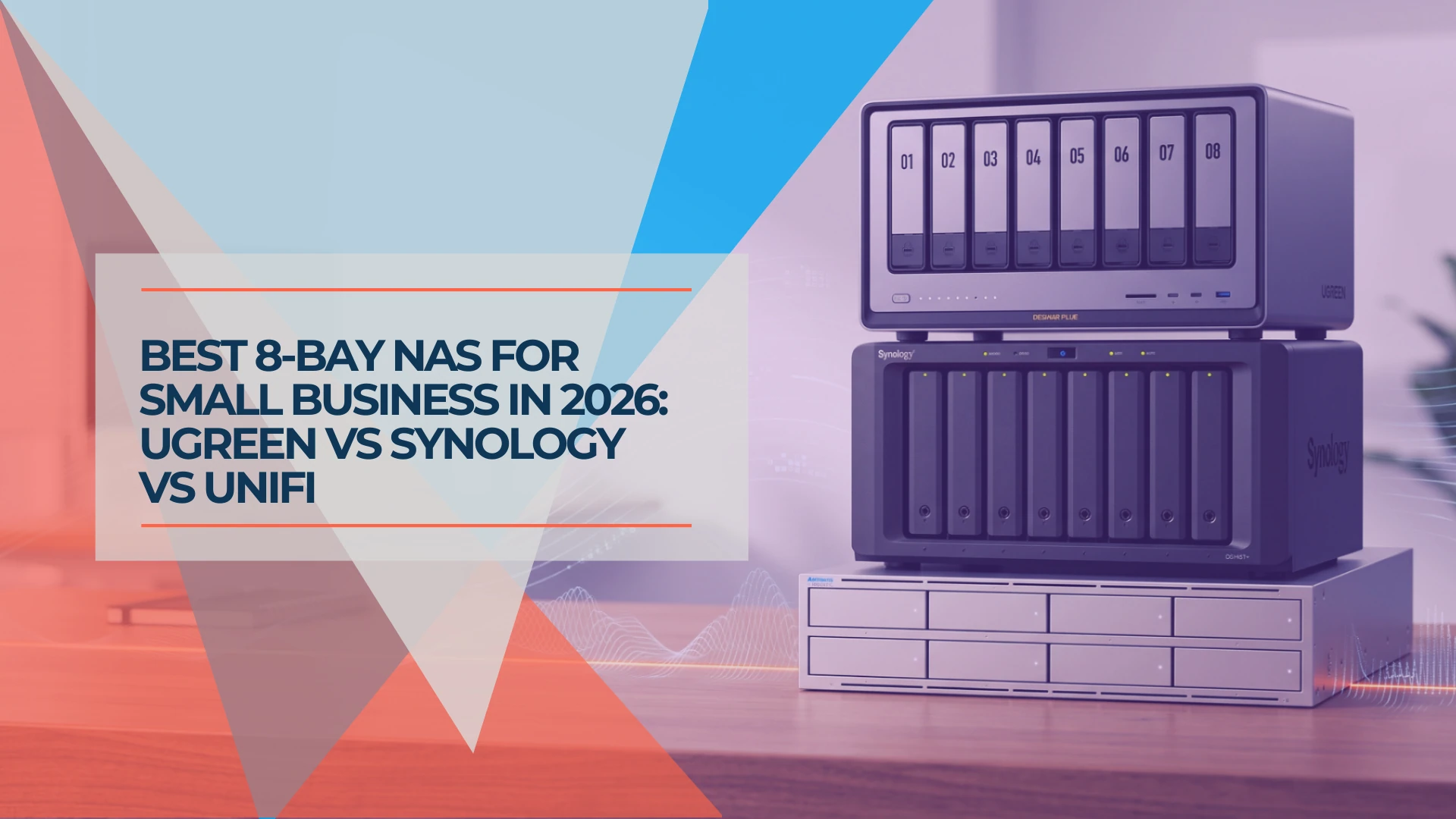
Best 8-Bay NAS for Small Business in 2026: UGREEN vs Synology vs UniFi
Compare UGREEN DXP8800 Plus, Synology DS1825+ and UniFi UNAS Pro 8 by usable capacity, 10GbE, backup software, expansion and complete cost.
19 min read
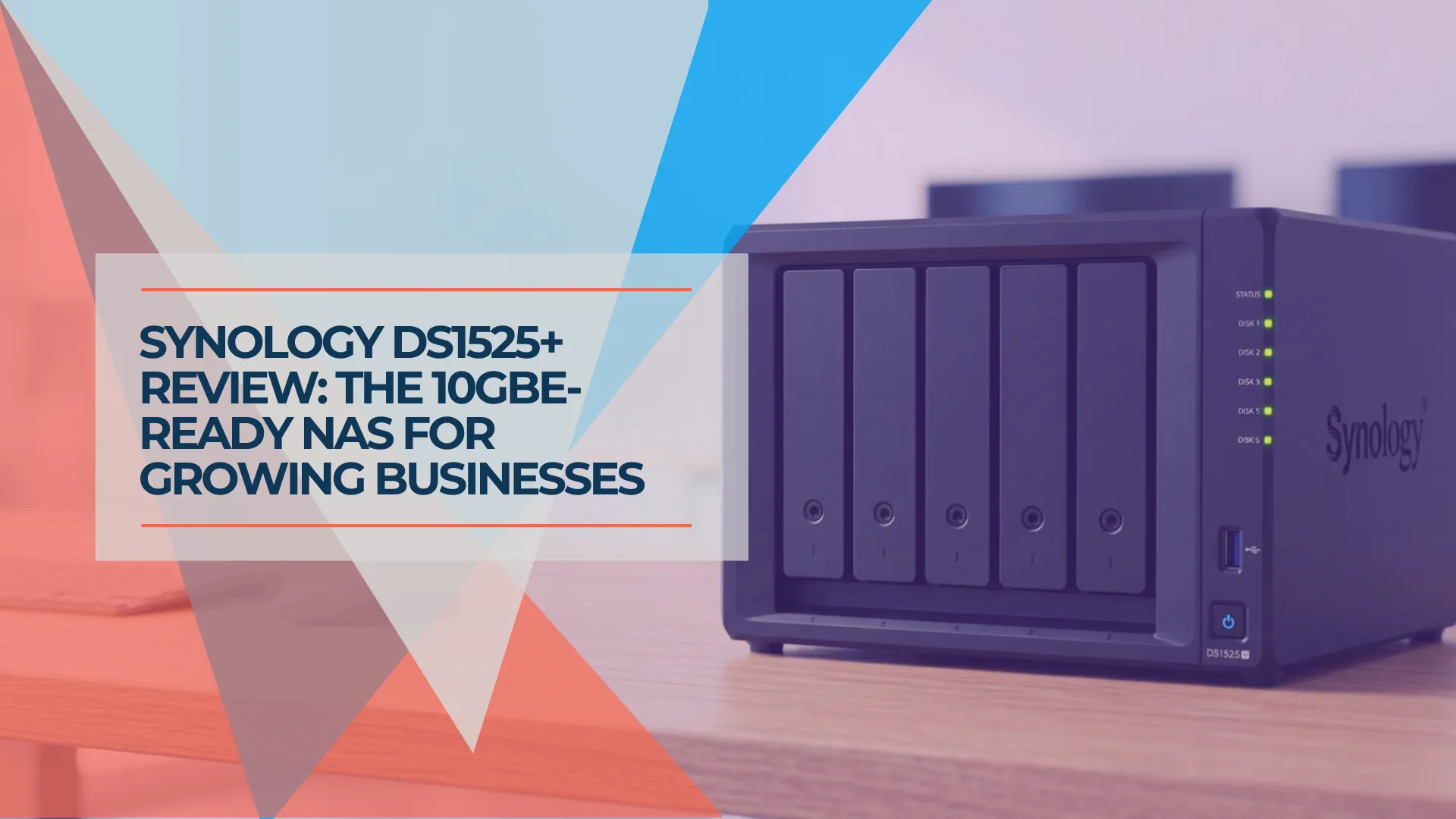
Synology DS1525+ Review: The 5-Bay NAS for Growing Small Businesses
Synology DS1525+ review for small business: 5-bay RAID 5/6, 10GbE upgrade path via E10G22-T1-Mini, and DSM 7.4. Compared to DS925+, DS1825+, and UGREEN DXP4800 Plus with current July 2026 pricing.
19 min read