

UniFi UNAS 2 vs UNAS 4 Review: Desktop NAS for Offices Without a Rack
UNAS 2 ($199) and UNAS 4 ($379) compared for real SMB deployment — specs, RAID options, caching limits, backup, file-server replacement, and practitioner guidance on desktop vs rackmount.

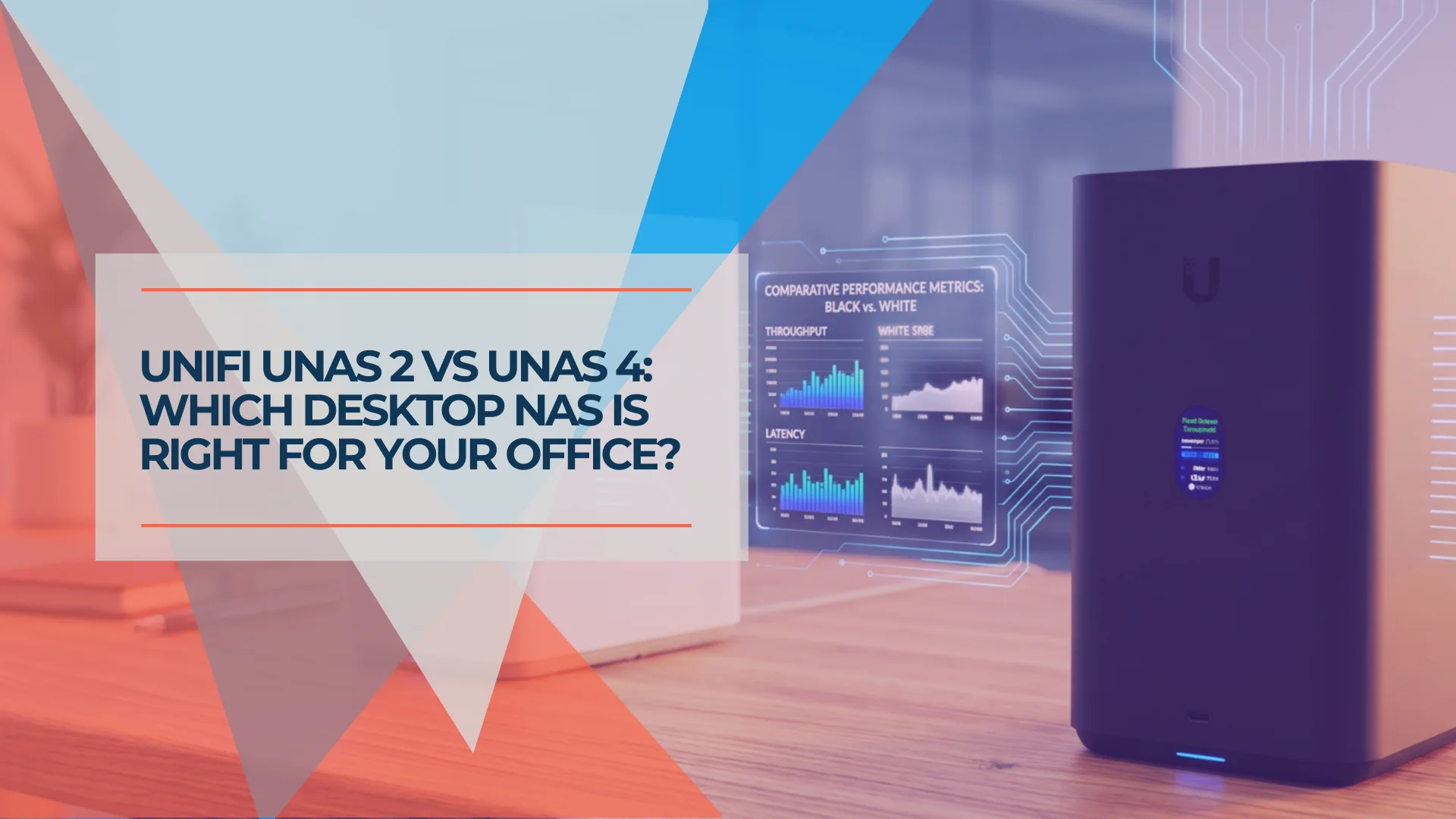
If your office runs UniFi but doesn't have a server rack, the UNAS 2 and UNAS 4 are the two desktop NAS options worth considering. Both plug into a single Ethernet cable for power and data, both run the same license-free UniFi Drive platform, and both handle common small-office storage tasks, including file sharing, workstation backup, and Time Machine.
The question is whether $199 gets the job done or the $379 model is worth the step up. The short answer: the UNAS 4 earns the $180 premium for most buyers. It doubles the bay count to four, adds NVMe caching, supports 2.5-inch HDDs, and opens up RAID 5, 6, and 10 — options the two-bay UNAS 2 simply cannot offer. Underneath, however, both models share the same quad-core ARM processor, 4 GB of memory, and single 2.5 GbE port, so the UNAS 4 is more flexible rather than faster.
Price and availability checked July 13, 2026 in the U.S. Ubiquiti Store. Prices are for the NAS chassis before storage drives.
Based on our experience designing and deploying UniFi infrastructure for SMBs, this review covers where each model fits, when the rackmount UNAS Pro 4 is worth the additional cost, and what businesses should understand before replacing an existing file server.
Affiliate Disclosure: This article contains affiliate links. If you make a purchase through these links, we may earn a small commission at no extra cost to you. As an Amazon Associate, iFeelTech earns from qualifying purchases.
UNAS 2 vs UNAS 4: Key Differences
The UNAS 4 adds two bays, 2.5-inch HDD support, NVMe caching, and broader RAID options for $180 more.
| Spec | UNAS 2 | UNAS 4 |
|---|---|---|
| Price | $199 | $379 |
| Drive Bays | 2× 3.5" HDD only | 4× 2.5/3.5" HDD |
| RAID Support | RAID 1 only | RAID 1, 5, 6, 10 |
| NVMe Cache | None | 2× M.2 (up to 2 TiB each) |
| Processor | Quad-Core ARM Cortex-A55 @ 1.7 GHz | Quad-Core ARM Cortex-A55 @ 1.7 GHz |
| RAM | 4 GB | 4 GB |
| Network | 1× 2.5 GbE RJ45 | 1× 2.5 GbE RJ45 |
| USB | 5 Gbps USB-C (USB-drive support) | 5 Gbps USB-C (USB-drive support) |
| Power | PoE++ (60W injector included) | PoE+++ (90W injector included) |
| RAID Groups | Single | Single |
| Form Factor | Compact desktop | Compact desktop |
Both models share the same processor, memory, and 2.5 GbE network interface, so the UNAS 4 is not a faster version of the UNAS 2. Its main advantages are storage flexibility, capacity growth, and caching for frequently accessed data.
The UNAS 2 supports two 3.5-inch HDDs and RAID 1. The UNAS 4 accepts four 2.5-inch or 3.5-inch HDDs and supports RAID 5, RAID 6, and RAID 10. Both are limited to one storage pool with a single RAID group.
The UNAS 4 also includes two M.2 slots supporting NVMe SSDs of up to 2 TiB each. These SSDs are used as cache rather than independent storage. One SSD provides read-only caching; two matched SSDs provide redundant read-write caching.
RAID and Usable Capacity
RAID determines both usable capacity and how many simultaneous drive failures the NAS can tolerate.
| Example Drive Set | Configuration | Approximate Usable Capacity |
|---|---|---|
| 2 × 12 TB | UNAS 2 — RAID 1 | 12 TB |
| 4 × 12 TB | UNAS 4 — RAID 5 | 36 TB |
| 4 × 12 TB | UNAS 4 — RAID 6 | 24 TB |
| 4 × 12 TB | UNAS 4 — RAID 10 | 24 TB |
Larger drives do not increase usable space until every required drive in the array has been replaced. Ubiquiti supports expansion by adding drives where bays are available or replacing drives one at a time.
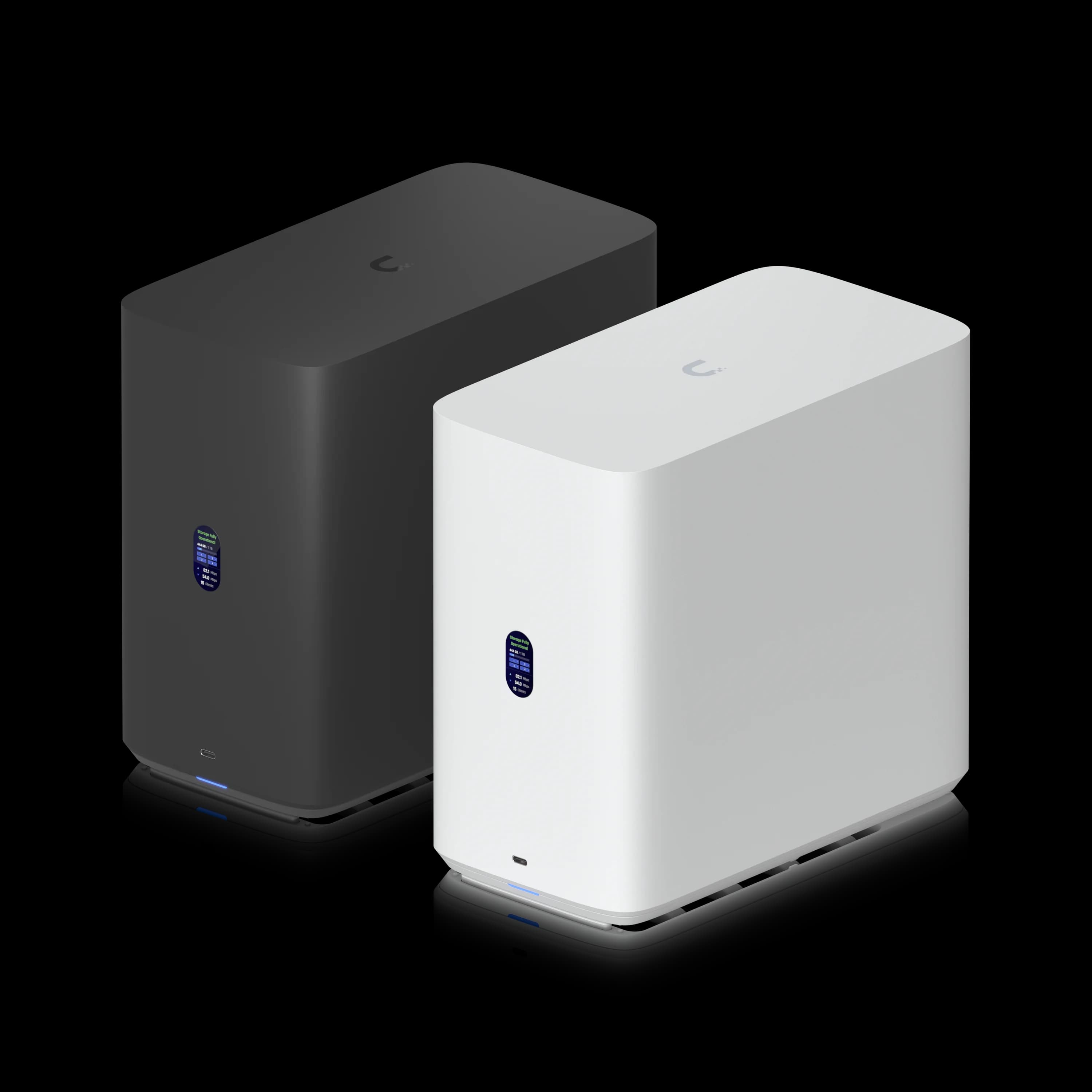
UniFi UNAS 4
$379Desktop 4-bay NAS with NVMe caching, 2.5/3.5-inch HDD support, RAID 5/6/10, and PoE+++ power.
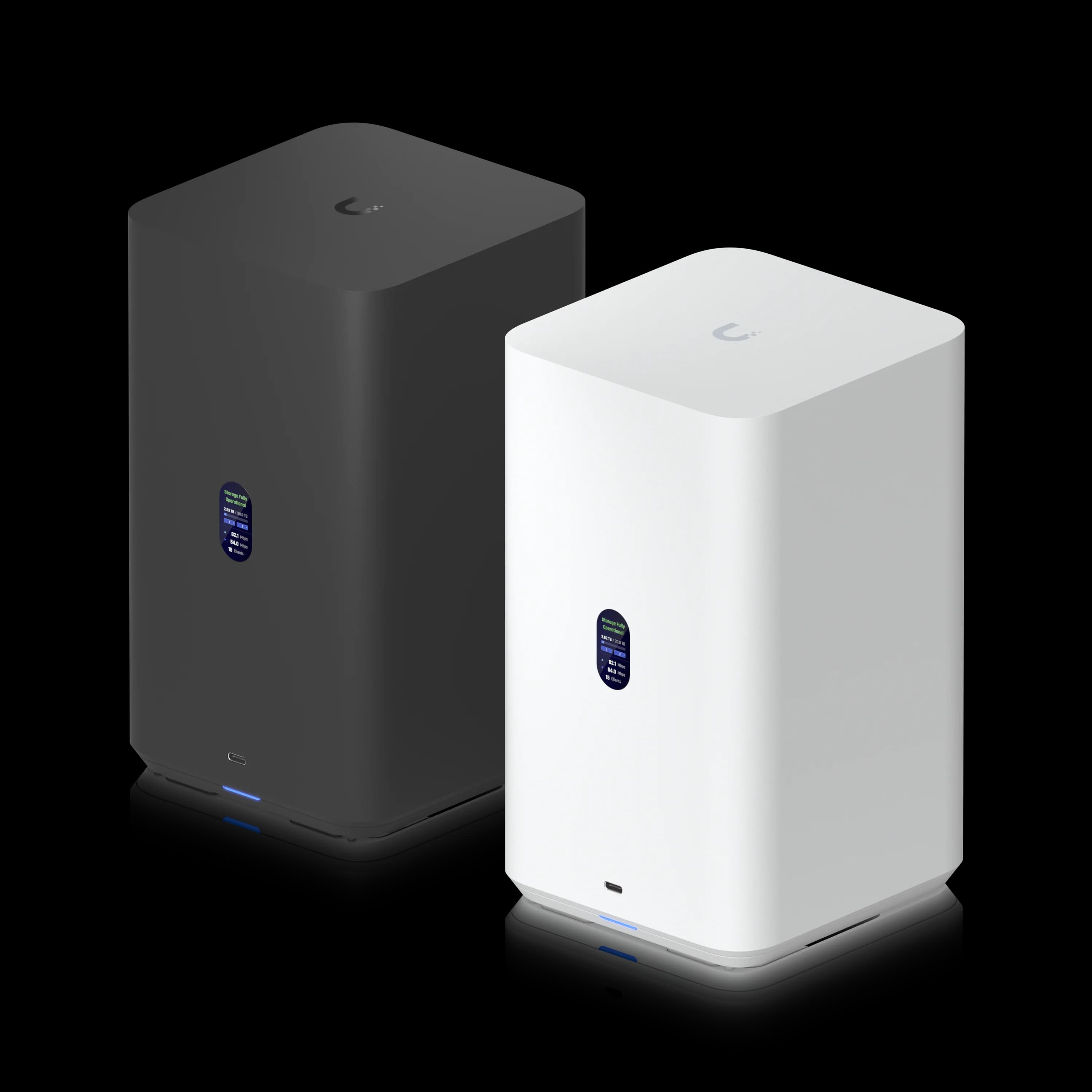
UniFi UNAS 2
$1992-bay desktop NAS with PoE++ power. Best for mirrored backup when two 3.5-inch drives provide enough capacity.
How Fast Are the UNAS 2 and UNAS 4?
Both models are limited by one 2.5 GbE port, so they are designed for everyday storage rather than sustained multi-user 10GbE workloads.
Independent UNAS 2 testing has shown sequential transfers near the practical limit of a 2.5 GbE connection — StorageReview measured approximately 258–266 MB/s in sequential reads. That is sufficient for workstation backup, Time Machine, shared office documents, and ordinary file transfers.
The UNAS 4's NVMe cache can reduce random read and write latency and improve access to frequently opened small files. It does not accelerate every workload: large sequential files bypass the cache, and the single 2.5 GbE interface remains the overall network limit.
Neither desktop model is the best choice for several video editors working directly from the NAS or for workloads that need high aggregate throughput. The UNAS Pro 4 adds dual 10G SFP+, a faster processor, 8 GB of memory, and rackmount power options for $499.
Review Methodology
This is a practitioner and specification-based review informed by our SMB UniFi infrastructure work, Ubiquiti's published specifications and documentation, and independent testing from StorageReview and NASCompares. We did not conduct laboratory benchmarks for this article. Performance figures cited are from published third-party reviews.
What Are the UNAS 2 and UNAS 4 Best For?
Both models suit local backup and shared file storage, but neither is a general-purpose application server.
Appropriate uses:
- Local backup targets for workstations and laptops
- Time Machine backup for Macs
- SMB file shares for Windows and macOS
- NFS storage for supported Linux and infrastructure workflows
- Shared document and project storage
- Backup to another UNAS, an SMB server, or a supported cloud provider (Google Drive, OneDrive, Dropbox, Amazon S3, Backblaze B2, Wasabi)
- Storing exported video files or archived project data
Not appropriate uses:
- Native UniFi Protect camera recording — the UNAS runs UniFi Drive, not Protect. Businesses that need camera recording should use a supported Protect console or NVR.
- Docker containers, Plex media server, or virtual machines — UniFi Drive is a dedicated storage platform and does not provide a Synology-style application catalog.
- Active Directory Domain Services, line-of-business applications, database servers, or virtualization hosts.
A UNAS can replace an aging server when that server is used mainly for ordinary file shares and backup. It does not replace Windows Server workloads.
UniFi vs Application-Oriented NAS
Choose UniFi when: simple storage, unified management, PoE deployment, and no app hosting are priorities.
Choose Synology, UGREEN, or another application-oriented NAS when: Docker, Plex, virtual machines, broader application support, or deeper storage customization is required.
For a detailed comparison, see our best NAS for small business guide.
Ubiquiti's official introduction to the next-gen UniFi NAS lineup
Desktop vs Rackmount: Which Form Factor Fits?
Choose a desktop UNAS when there is no rack; choose the UNAS Pro 4 when 10GbE, rack security, or heavier workloads matter.
The UNAS 2 and UNAS 4 fit well on a ventilated shelf in a locked network closet, cabinet, or restricted-access room. The included PoE adapter delivers power and data to the NAS over one Ethernet cable, so a PoE-capable switch is not required. The adapter itself still requires an AC outlet.
In our business installations, the desktop form factor is useful where adding a rack would be unnecessary or impractical. We avoid leaving storage appliances exposed on desks or floors — a device containing backups, financial records, or client data should be protected from unauthorized physical access, accidental damage, dust, and power interruption.
Where a rack and 10G switching already exist, the UNAS Pro 4 is usually the more appropriate purchase. It costs $120 more than the UNAS 4 and adds dual 10G SFP+, a faster processor, twice the memory, a steel 1U chassis, and Ubiquiti's external redundant power system (USP-RPS).
UNAS 4 vs UNAS Pro 4
The UNAS Pro 4 adds 10GbE, more memory, and rackmount security for $120 more than the UNAS 4.
| Feature | UNAS 4 | UNAS Pro 4 |
|---|---|---|
| Price | $379 | $499 |
| Network | 1× 2.5 GbE | 2× 10G SFP+ + 1 GbE |
| CPU | Cortex-A55, 1.7 GHz | Cortex-A57, 2.0 GHz |
| Memory | 4 GB | 8 GB |
| NVMe Maximum | 2 TiB per slot | 4 TiB per slot |
| Form Factor | Desktop | 1U rackmount |
| Power Redundancy | No | External USP-RPS support |
UNAS 2 or UNAS 4: Which Should You Buy?
Buy the UNAS 2 for simple mirrored backup; buy the UNAS 4 for capacity growth, caching, and flexible RAID.
Choose the UNAS 2 when:
- Two 3.5-inch drives provide enough capacity
- RAID 1 meets the redundancy requirement
- The primary role is workstation or Time Machine backup
- Budget is more important than expansion flexibility
- You do not need NVMe caching
Choose the UNAS 4 when:
- You need more than two drive bays
- You want RAID 5, RAID 6, or RAID 10
- You need support for 2.5-inch or 3.5-inch HDDs
- Frequently accessed small files may benefit from NVMe caching
- You want more practical room for future capacity growth
Choose the UNAS Pro 4 when:
- The office already has a rack
- 10GbE connectivity is available or planned
- Several users will access the NAS concurrently
- The NAS will support heavier file-transfer workloads
- Rack security and external redundant-power support (USP-RPS) are important
Cost Beyond the Chassis
The $199 and $379 prices cover the NAS chassis and PoE adapter only. Additional costs include:
- Storage drives — HDDs are purchased separately for the main bays.
- NVMe cache trays — The UNAS 4's optional M.2 SSD tray is $19 per slot in the U.S. store. Two trays ($38) plus two matching NVMe SSDs are needed for redundant read-write caching.
- UPS — A UPS or UPS-backed PoE switch should be considered for any business deployment to protect against data loss during power interruptions.
Backup, Security, and Disaster-Recovery Limits
RAID and snapshots improve resilience, but neither replaces a tested offsite backup.
RAID Is Not Backup
RAID protects availability after some drive failures. It does not protect against deletion, ransomware, theft, fire, or failure of the NAS itself. Keep a separate offsite copy and test restores regularly.
Both desktop models support snapshots, storage-pool encryption, backup to another UNAS or SMB server, and backup to Google Drive, OneDrive, Dropbox, Amazon S3, Backblaze B2, and Wasabi.
A practical small-business configuration keeps the original working data, a local UNAS backup, and a separate offsite copy. Backup jobs should be monitored, and test restores should be performed periodically. A successful job notification is not proof that every required file can be recovered.
Active Directory credentials can be integrated directly for SMB access on current UniFi OS (4.4.11+) and Drive (3.3.10+) releases. UniFi Identity is a separate access method and should not be confused with the AD integration.
Remote users should connect through supported UniFi access methods or a VPN. SMB and NFS services should not be exposed directly to the public internet.
Deployment Checklist
A reliable deployment requires protected power, suitable drives, offsite backup, monitoring, and test restores.
- Ventilated, access-controlled location
- UPS-backed power (directly or via PoE switch)
- 2.5 GbE switch port
- CMR NAS-rated drives
- RAID configuration selected for the recovery requirement
- Storage encryption key stored securely
- Snapshots enabled
- Offsite backup configured and monitored
- Alerting verified
- Test restore completed
- Replacement-drive procedure documented
iFeelTech Verdict
The UNAS 4 is the better desktop choice for most offices; the UNAS 2 is best when budget and simplicity come first.
The UNAS 2 delivers the same basic UniFi Drive experience for $199 and is sufficient for a small mirrored backup target. Its two-bay limit and RAID 1 restriction are the main reasons to avoid it when storage requirements may grow.
The UNAS 4 justifies its $180 premium with four bays, broader RAID options, 2.5-inch HDD support, and optional NVMe caching. It is the more flexible long-term purchase for an office that needs desktop storage but does not have a rack.
Businesses that already have rack infrastructure and 10G switching should spend the additional $120 for the UNAS Pro 4. Its networking, processor, memory, chassis, and external redundant-power option make it a better fit for demanding or multi-user environments.
Summary
UNAS 2: Best for simple mirrored backup when two 3.5-inch drives cover the capacity need and budget is the priority. UNAS 4: Best desktop option for offices that need RAID flexibility, caching, and room to grow. UNAS Pro 4: Recommended over either desktop model when a rack and 10G switching are already in place.
Frequently Asked Questions
Is the UNAS 4 in stock in 2026?
The UNAS 4 ($379) was available in the U.S. Ubiquiti Store as of July 13, 2026. Availability can change — check the store link below for current status.
What's the actual difference between the UNAS 2 and UNAS 4?
The UNAS 2 ($199) has two 3.5-inch HDD bays and supports RAID 1 only. The UNAS 4 ($379) adds two more 2.5/3.5-inch HDD bays, two M.2 NVMe cache slots, and supports RAID 5, RAID 6, and RAID 10. Both share the same 1.7 GHz quad-core ARM Cortex-A55 processor, 4 GB RAM, 2.5 GbE networking, and PoE power delivery.
Can a UNAS 2 or UNAS 4 replace an aging file server?
For basic SMB/NFS file sharing and backup, yes. Both run UniFi Drive with scheduled snapshots and user permissions. They do not replace Active Directory Domain Services, line-of-business applications, database servers, virtualization hosts, or other Windows Server workloads.
Are the UNAS 2 and UNAS 4 good for backup and disaster recovery?
Yes, for the local leg of a 3-2-1 backup plan. Both provide a fast on-site target for backing up workstations and network shares, and support offsite backup to Google Drive, OneDrive, Dropbox, Amazon S3, Backblaze B2, and Wasabi through UniFi Drive. RAID protects against some drive failures but does not replace an offsite backup.
Do I need a rack to use the UNAS 2 or UNAS 4?
No. Both are desktop units designed for offices without rack infrastructure. The included PoE adapter delivers power and data over one Ethernet cable; the adapter itself still requires an AC outlet. If you already have a rack, the 1U UNAS Pro 4 ($499) or 2U UNAS Pro 8 ($799) are the better fit.
Are the UNAS 2 and UNAS 4 secure enough for business data?
UniFi Drive supports storage-pool encryption, snapshots, and access control. Active Directory credentials can be integrated directly for SMB access on supported UniFi OS and Drive releases. UniFi Identity is a separate access method. Physical security is your responsibility — keep desktop NAS units in a locked closet, cabinet, or restricted-access room.
Can the UNAS record UniFi Protect camera footage?
No. The UNAS runs UniFi Drive, not the Protect application. It can store manually exported video files like any other NAS, but native camera recording requires a supported UniFi Protect console or NVR.
For the complete UniFi NAS lineup including the rackmount Pro models, see our UniFi NAS Buyer's Guide 2026. If you're deciding between all four current models by use case, our UNAS Pro 4 vs Pro 8 vs UNAS 4 comparison breaks it down further. Comparing against Synology or UGREEN instead? See our best NAS for small business comparison.
Last verified: July 13, 2026 — U.S. pricing, availability, hardware specifications, RAID support, cloud backup, encryption, and AD integration.
Have questions about deploying desktop UniFi NAS in your office? Contact iFeelTech — we help South Florida businesses plan and deploy UniFi storage and network infrastructure.
Related Articles
More from Business Hardware
UniFi UNAS Pro 4 Review: A $499 1U NAS for UniFi-Based SMBs
The UNAS Pro 4 delivers dual 10G SFP+ and NVMe caching in a 1U rack for $499 — here's what that means for a real SMB deployment, including Active Directory integration, UniFi ecosystem fit, and who should buy it.
18 min read
UNAS Pro 4 vs UGREEN DXP4800 Plus: Which 4-Bay NAS Should You Buy in 2026?
Two good 4-bay NAS units built on opposite philosophies. Verified specs, complete system costs, and where each one fits in a small business.
12 min read

Local AI Server Hardware Guide for Small Business (2026)
Size a private AI server by model, VRAM, context, and users. Researched August 2026 configurations with specifications and prices checked August 10, 2026.
22 min read